 EN
 Deutsch
 Español
 Français
 Italiano
 Português
 Nederlands
 Polski
 Bahasa Indonesia
 Русский
 Українська
 العربية
 עברית
 日本語
 한국어
Minimum percentage of hosts in AVD autoscale explained
Partner · Neutral partner: Nerdio
By Mirko Peters ·
The minimum percentage of hosts is the lowest share of session hosts in a pooled host pool that autoscale keeps on in a schedule phase. It works as a floor next to the capacity threshold and rounds up to whole hosts.
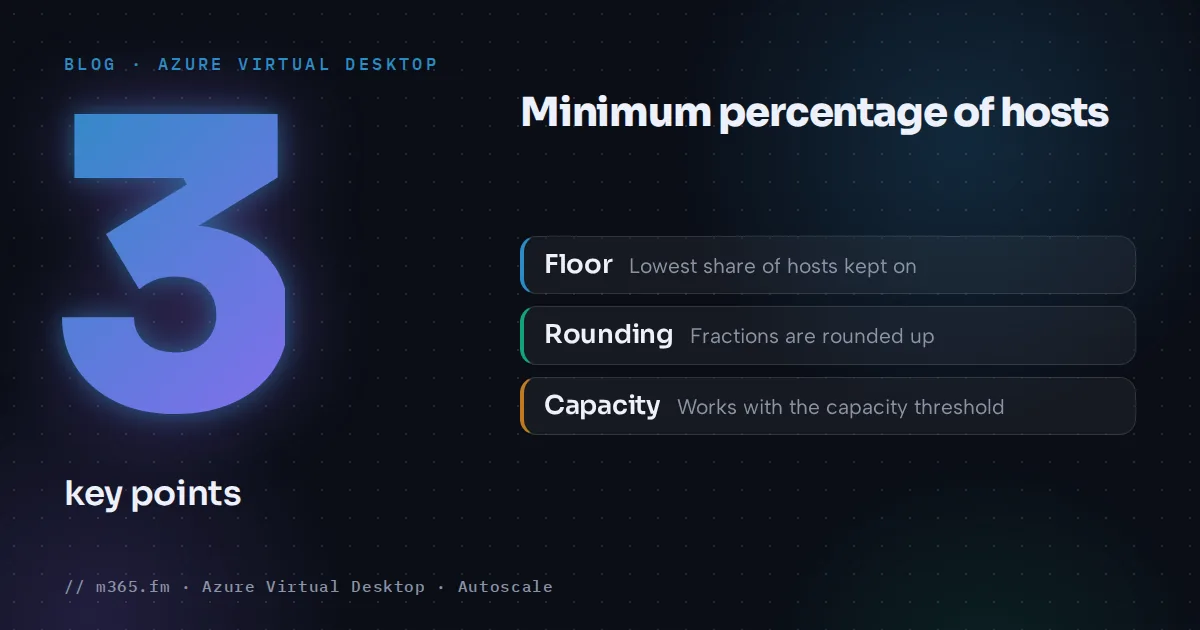
The minimum percentage of hosts is the lowest percentage of all session hosts in a host pool that autoscale keeps turned on in a given phase of a scaling plan schedule. It is a floor on running hosts, not a target for sessions, and Microsoft Learn says that a percentage you enter that is not a whole number is rounded up to the nearest whole number. Its examples show the effect on hosts: 10 percent of seven hosts keeps one host on, and 30 percent of six keeps two. This article explains what the setting does, where it applies, how it combines with the capacity threshold and which details are inferred. Sources are listed at the end.
Key points
- The minimum percentage of hosts is the lowest share of all hosts that must be on in a phase. A percentage that is not a whole number is rounded up; Learn's examples round to whole hosts.
- The field is on the ramp-up and ramp-down tabs of a pooled schedule. In ramp-down and off-peak, autoscale uses the higher of the formula result and the minimum percentage of active hosts.
- The setting is a floor on running hosts, not a session target. The capacity threshold decides when hosts are added above that floor.
- Zero running hosts needs a minimum of 0 percent and no user sessions at all. Disconnected sessions count as sessions, so Learn points to a time limit policy for disconnected sessions.
- Hosts with the exclusion tag still count in the calculation, but autoscale cannot turn them on. Dynamic autoscaling uses a related field based on the minimum host pool size.
What the setting is
Learn's autoscale glossary defines it as the lowest percentage of all session hosts in the host pool that must be turned on for each phase of the schedule. The percentage is taken from all session hosts in the pool, not only from hosts that are currently running. It belongs to pooled host pools. Personal schedules have no such field; see the entity page for the scaling plan and the sibling article on the four autoscale phases. The short definition is on the entity page for the minimum percentage of hosts.
Where you set it
In the Azure portal you create a scaling plan under Azure Virtual Desktop, Scaling Plans, Create. The schedules are added on the Schedules tab with Add schedule, and the phase tabs are Ramp up, Peak hours, Ramp-down and Off-peak hours (scaling plan article).
For power management autoscaling on a pooled host pool, the field is listed in two places:
- Ramp up: "Minimum percentage of hosts". Learn describes it as the percentage of session hosts you want to always remain on in this phase.
- Ramp-down: "Minimum percentage of hosts (%)".
The peak hours and off-peak hours tabs do not list the field. For the capacity threshold Learn says explicitly that the peak value carries over from ramp-up. For the minimum percentage of a power management plan it has no such sentence, yet its scenarios refer to a minimum in peak and off-peak. Treat the carry-over as an assumption to confirm on a test host pool: compare the number of running hosts in the peak and off-peak phases with your calculation. For dynamic plans the same article is explicit, as described under dynamic autoscaling below.
The scaling plan article does not state a default value or a valid range for the field. The Azure resource reference for scaling plans types the matching schedule properties, rampUpMinimumHostsPct and rampDownMinimumHostsPct, as integers with a minimum of 0 and a maximum of 100, and lists no equivalent properties for peak or off-peak hours.
What autoscale does with it
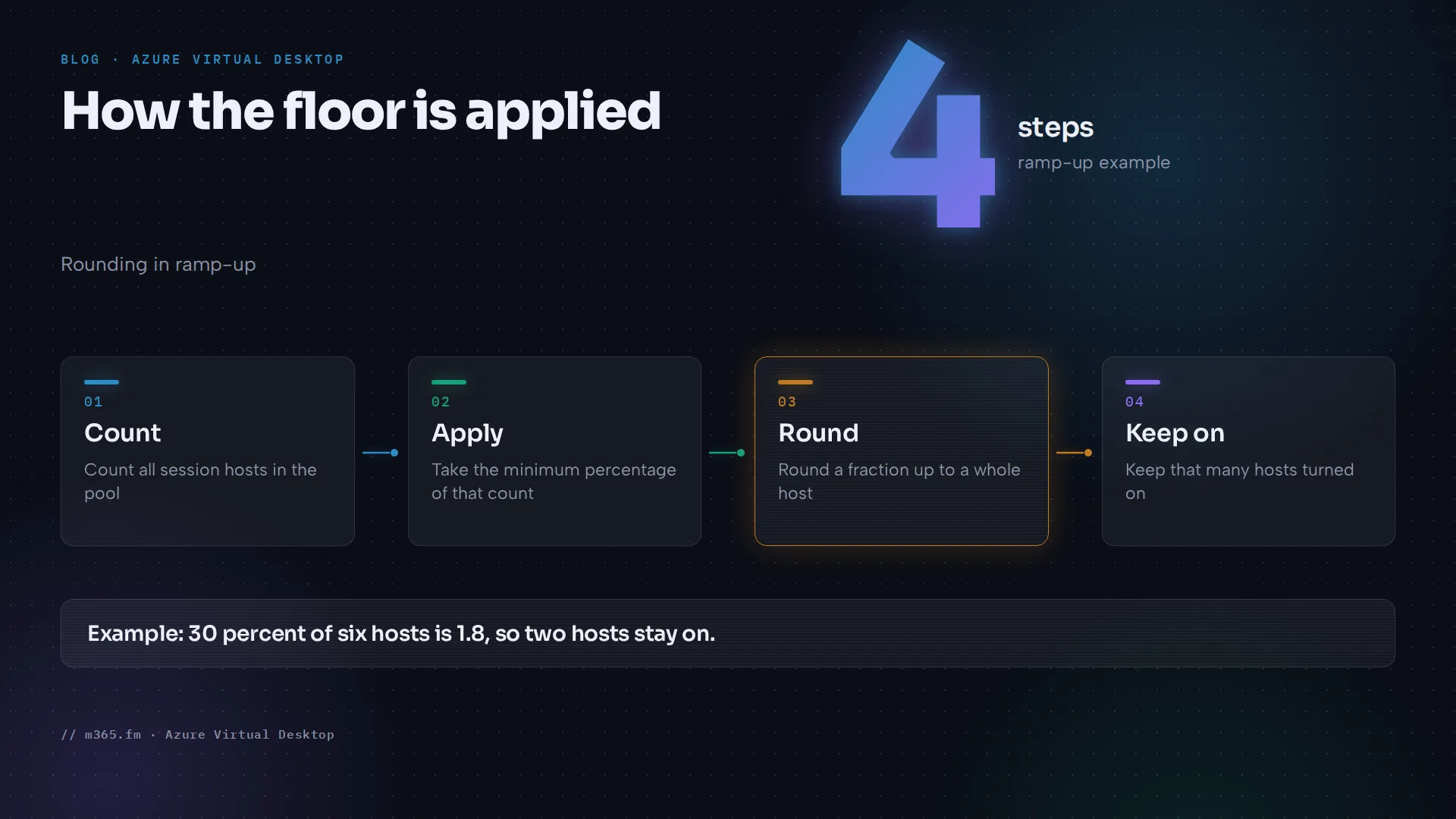
Ramp-up. Learn's first scenario starts with six session hosts, a minimum percentage of 30 percent and a capacity threshold of 30 percent. At the start of the phase autoscale has turned on two hosts to match the minimum. Thirty percent of six is 1.8, which is not a whole number, so autoscale rounds up. The two hosts with a maximum session limit of 5 give an available host pool capacity of 10.
Ramp-down. Learn's third scenario uses a 10 percent minimum with six hosts. Autoscale consolidates sessions onto fewer hosts, and in the last step it does not turn off the final host, because that would make the available capacity zero, below the 10 percent minimum. Learn states that autoscale will ensure at least one available host during ramp-down in that case.
Off-peak. In the exclusion tag scenario, the only available host has no sessions left, and autoscale keeps it on because the minimum percentage of hosts requires at least one host in off-peak.
During ramp-down and off-peak the setting competes with the consolidation formula. Learn's troubleshooting article says autoscale determines the actual minimum host count during ramp-down and off-peak by using the higher of two values: the formula result for current sessions, and the "Minimum percentage of active hosts" setting in the scaling plan phase. If the percentage gives the higher number, it takes precedence, and Learn calls it a common reason hosts stay on.
Note the name. That page says "Minimum percentage of active hosts", which is also the name of the dynamic autoscaling field, and it says its guidance covers both power management autoscaling and dynamic autoscaling. It does not use the portal label "Minimum percentage of hosts". Reading the rule as applying to the power management field is an inference. It is consistent with the scaling plan article, which says the minimum percentage of hosts is still respected during ramp-down, and with Learn's scenario 3, where a 10 percent minimum keeps the last host on. The sibling article "How rounding up works with the minimum percentage of hosts, with worked examples" covers the formula and rounding.
Floor versus threshold
The minimum percentage and the capacity threshold answer different questions.
| Setting | Question it answers | Effect |
|---|---|---|
| Minimum percentage of hosts | How many hosts must be on, whatever the load? | Keeps that many hosts running in the phase |
| Capacity threshold | When is the running capacity too full? | Adds hosts when used capacity goes above it |
Learn defines available host pool capacity as the maximum session limit multiplied by the number of available session hosts. The used capacity is the active and disconnected sessions divided by that capacity. Autoscale turns on more hosts only when the used capacity is greater than the threshold; at exactly the threshold it does nothing (autoscale FAQ).
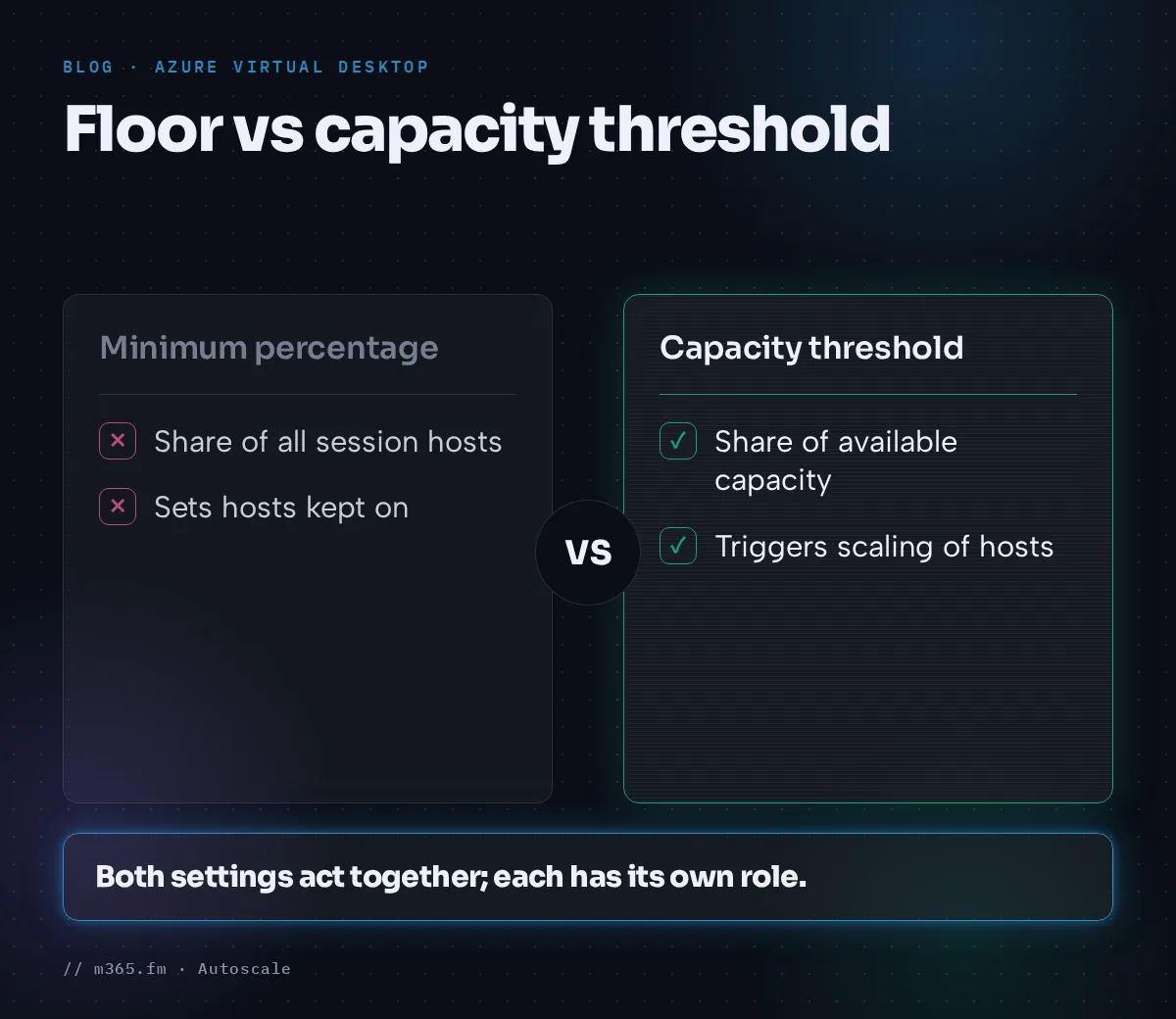
An example calculated from these formulas, not taken from Learn: a pool of 20 hosts, a maximum session limit of 10, a capacity threshold of 75 percent and a minimum percentage of 10 percent. The minimum keeps 2 hosts on, which gives a capacity of 20 sessions. The threshold is reached at 15 sessions, so the sixteenth session makes autoscale start a third host. Raising the minimum to 25 percent keeps 5 hosts on, a capacity of 50 sessions, and the threshold would not trigger until the pool holds more than 37 sessions. With the threshold unchanged, the minimum sets the base capacity (20 or 50 sessions) and with it the session count at which the next host starts (the 16th or the 38th).
Because the capacity comes from the maximum session limit, Learn says not to use the default value for pooled pools that use autoscale.
Reaching zero hosts
The autoscale FAQ says autoscale can turn off all VMs in a host pool if the minimum percentage of hosts is 0 percent and there are no user sessions on the session hosts. Disconnected sessions are the usual obstacle. Autoscale treats them as sessions that may reconnect, so hosts keep running. The route, as the FAQ and the troubleshooting article describe it:
- Set a time limit for disconnected sessions. Both pages use Group Policy: Computer Configuration, Administrative Templates, Windows Components, Remote Desktop Services, Remote Desktop Session Host, Session Time Limits, Set time limit for disconnected sessions. The scaling plan article also describes doing this with Microsoft Intune. The FAQ suggests 15 to 30 minutes as an example.
- Make sure the timeout completes before the end of the ramp-down phase, as the FAQ advises.
- Enter 0 for the minimum percentage of hosts. The field exists only on the Ramp up and Ramp-down tabs, so for the night the value goes on the Ramp-down tab. The FAQ's recommended configuration says to set minimum active hosts to 0% during off-peak hours, and the troubleshooting article says the same "when appropriate". Learn does not state that the ramp-down minimum carries over to off-peak, so confirm on a test host pool that hosts are turned off once off-peak starts.
Excluded hosts
A VM that carries the scaling plan's exclusion tag is not turned on, off or changed in drain mode by autoscale. Learn's scaling plan article notes that tagged hosts are still part of the calculation of the minimum percentage of hosts. In Learn's scenario, five of six hosts carry the tag and the one untagged host stays on in off-peak because of the minimum percentage. If the admin then tags that last host as well and turns it off, autoscale cannot start any host, and a user who signs in sees "No resources available".
Following from the tag definition, which is an inference and not a Learn sentence, a tagged host can count toward the percentage while being unable to help meet it.
Dynamic autoscaling
Dynamic autoscaling, which can create and delete hosts, uses a related field named Minimum percentage of active hosts (%). Learn bases it on the minimum host pool size. With 10 percent and a minimum host pool size of 10, one host is always available. On carry-over, the scaling plan article recommends higher values for this field and for the minimum host pool size in the ramp-up phase and says they are "carried over to the peak phase"; it makes no equivalent statement for ramp-down and off-peak. Microsoft announced general availability of enhanced host pool management, including dynamic autoscaling, session host configuration and update, and ephemeral OS disks, in July 2026 (Tech Community). Some Learn pages, for example the scenarios and glossary pages and the module version 5.4.2-preview, still carry preview wording; check the current page before relying on a limit. Power management autoscaling remains generally available. Setting the field to 100 percent makes autoscale only create and delete hosts.
A short procedure for choosing a value
- Count the hosts in the pool, including any that carry the exclusion tag.
- Decide how many hosts (k) must be on at the start of each phase, then choose a whole-number percentage. Learn gives no formula. As this article's own restatement of its examples, hosts kept on = CEILING(N x percentage / 100), with N the pool size, so a percentage above (k-1)/N x 100 and at most k/N x 100 keeps k hosts. Learn's field text speaks of rounding the percentage, while its examples round the host count; confirm the result on a test host pool. The sibling article on rounding has the table.
- Multiply that host count by the maximum session limit to see the capacity at the floor, and compare it with the logons you expect in the first minutes.
- Set the threshold so that the first extra host starts before that capacity is used up.
- For off-peak, decide whether you want zero hosts. If so, enter 0 percent on the Ramp-down tab, combine it with a time limit for disconnected sessions and check on a test host pool that no host runs in off-peak.
- Watch one workday, compare the number of running hosts with your calculation and adjust.
Sources
- Microsoft Learn: Autoscale glossary for Azure Virtual Desktop
- Microsoft Learn: Create and assign an autoscale scaling plan for Azure Virtual Desktop
- Microsoft Learn: Autoscale scaling plans and example scenarios in Azure Virtual Desktop
- Microsoft Learn: Azure Virtual Desktop autoscale FAQ
- Microsoft Learn: Troubleshoot autoscale in Azure Virtual Desktop
- Microsoft Learn: Microsoft.DesktopVirtualization scalingPlans template reference
- Tech Community: Enhanced host pool management for Azure Virtual Desktop is now generally available
FAQ
What is the difference between the minimum percentage of hosts and the capacity threshold?
The minimum percentage is a floor: it sets how many hosts stay on whatever the load. The capacity threshold decides when another host is added, when used capacity goes above it. Learn's scenario with six hosts, 30 percent and 30 percent shows two hosts on at the start of ramp-up, since 30 percent of six is 1.8 and is rounded up.
Can autoscale turn off every host in a pool?
Yes, but only if the minimum percentage of hosts is 0 percent and there are no user sessions on the session hosts. The autoscale FAQ says disconnected sessions are treated as sessions for this purpose, so it recommends a time limit policy that signs them out.
Do hosts with the exclusion tag count toward the minimum percentage?
They count in the calculation, according to the portal text on the scaling plan page. Autoscale does not start, stop or change drain mode on tagged hosts, so, as an inference from the tag definition, a tagged host that is turned off cannot be started to meet the minimum.