

Modernize Legacy Power Apps Portals and Power Pages
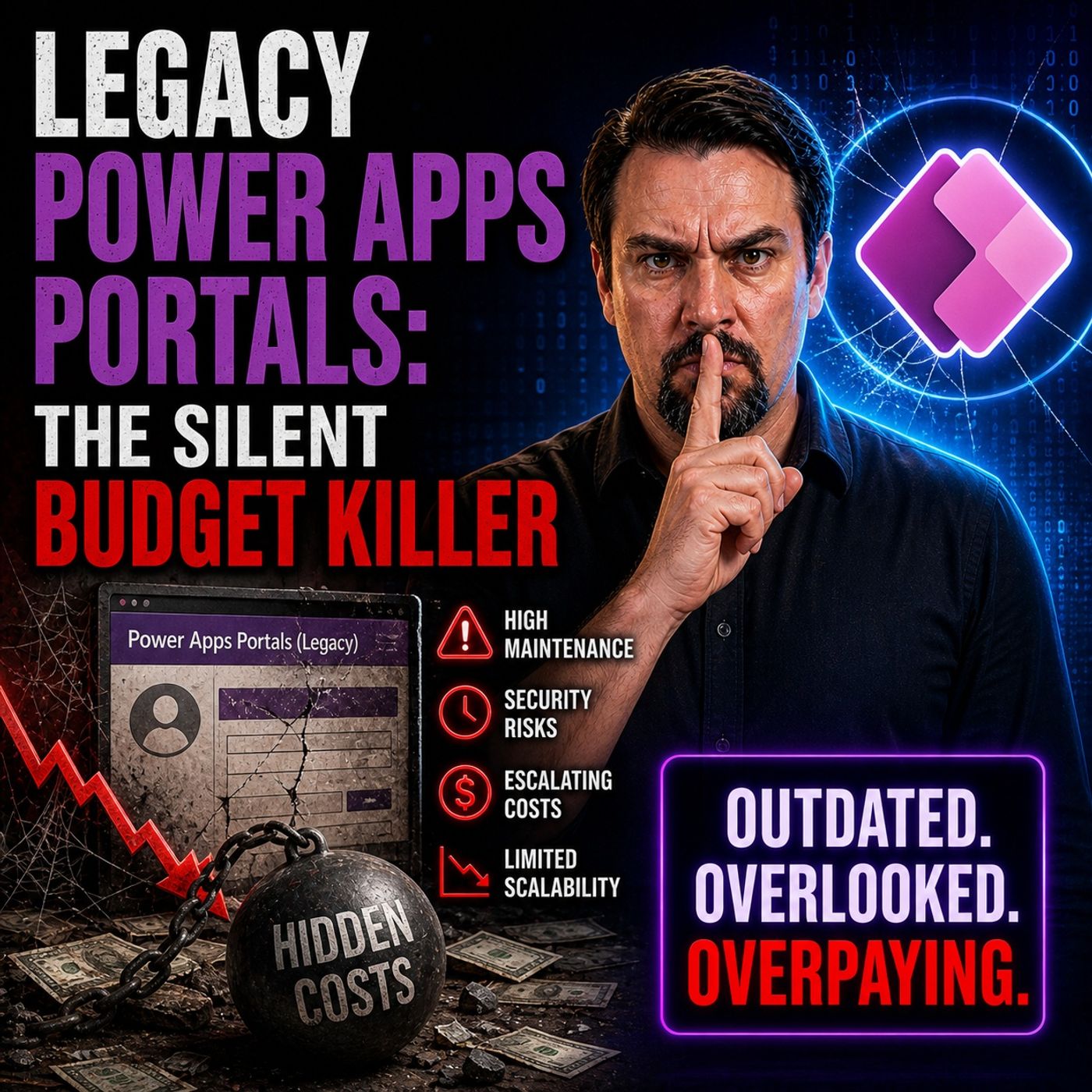
The episode argues that legacy Power Apps portals (now Power Pages) and similar older solutions act as a “silent budget killer” inside organizations. They continue to run and consume resources, but deliver little ongoing value.
The core issue is not just the technology itself, but the way these solutions were built. Many of them are tightly coupled, hard to maintain, and depend on outdated patterns or manual fixes. Over time, they become difficult to update, expensive to operate, and risky to change.
These legacy portals create hidden costs in several ways. They require continuous maintenance, often involve complex dependencies, and slow down development because every change becomes harder. Instead of enabling innovation, they trap teams in support and firefighting work.
A key insight is that organizations rarely question these systems because they still “work.” But working does not mean efficient or valuable. These systems act like a constant drain on budget and attention—what the episode describes as a silent tax on the enterprise.
The episode also connects this problem to a broader architectural issue. Legacy approaches rely on middleware-style thinking, where systems are tightly connected and constantly exchanging data. This increases complexity and makes everything harder to scale or evolve.
The suggested direction is not simply to rebuild the same solutions with newer tools, but to rethink the architecture. Moving toward more modern, event-driven and loosely coupled designs reduces cost, improves performance, and allows systems to evolve more easily.
The main takeaway is that legacy Power Apps portals are not just outdated—they actively consume budget and limit progress. Organizations need to identify these hidden costs and shift toward simpler, more modern architectures that support change instead of resisting it.


Shadow logic hides in your Power Platform environment when business rules, automations, or workflows operate outside official oversight. You might not see it, but it creates a hidden security risk that can expose your data and processes. As you move from legacy systems to modern solutions like Microsoft Power Pages, you must recognize these risks. Addressing shadow logic early protects your organization and helps you manage your digital assets with confidence.
Key Takeaways
- Shadow logic refers to business rules or automations that operate without official oversight, creating hidden security risks.
- Common types of shadow logic include unofficial workflows, hidden automations, and untracked rules that can lead to data leaks.
- Lack of visibility and oversight allows shadow logic to grow unnoticed, making it crucial to monitor all automations and workflows.
- Regular audits and reviews of your Power Platform environment help identify shadow logic and prevent compliance issues.
- Strong governance policies, including clear ownership and documentation, reduce the risk of shadow logic appearing.
- User training on data privacy and security is essential to prevent unauthorized automations and promote responsible use of tools.
- Power Pages centralizes business logic, improving security and compliance by keeping all rules on the server side.
- Proactive management and monitoring of your environment are key to staying ahead of hidden security risks.
Shadow Logic Explained

Definition and Key Traits
Shadow logic refers to any business rule, automation, or workflow that operates outside your official IT governance. You may not see it in your main dashboards or documentation. It often hides in custom scripts, personal flows, or unapproved connectors. Shadow logic usually grows when users try to solve problems quickly without following standard processes.
Key traits of shadow logic include:
- Lack of visibility in central management tools
- No formal documentation or approval
- Direct impact on data, security, or business processes
- Creation by users outside the IT or security team
You may think these shortcuts help your team move faster. In reality, they create a hidden security risk that can threaten your entire Power Platform environment.
How It Operates Unnoticed
Shadow logic often slips under the radar because it blends into daily operations. You might not notice it until something goes wrong. For example, a user creates a personal Power Automate flow to send sensitive data to an external email. No one else knows about this flow. It runs quietly in the background.
Tip: Always ask yourself, "Do I know where all my business rules live?" If you cannot answer, you may have shadow logic in your environment.
Shadow logic can also hide in custom connectors or scripts. These tools may bypass official security checks. You may not see alerts or logs for these actions. This lack of oversight makes shadow logic a hidden security risk.
Common Types in Power Platform
You will find shadow logic in many forms within Power Platform. Here are the most common types:
Unofficial Workflows
Unofficial workflows are automations that users build without IT approval. You might create a Power Automate flow to update records or send notifications. If you do not register this flow with your admin team, it becomes shadow logic. These workflows can change data, trigger actions, or even share information outside your organization.
Hidden Automations
Hidden automations run in the background. You may not see them in your main list of flows or apps. Sometimes, users set up scheduled tasks or event-driven triggers that operate without oversight. These automations can move data, start processes, or connect to external systems. If you do not monitor them, they can introduce a hidden security risk.
Untracked Rules
Untracked rules are business rules or validation steps that exist outside your official governance. You might add a rule in a form or a script that checks data before saving. If you do not document or review these rules, they can conflict with official policies. Untracked rules can also create gaps in compliance and make audits difficult.
Note: Shadow logic does not always come from bad intentions. Most users want to help their teams. However, without proper controls, these actions can put your organization at risk.
Hidden Security Risk Factors
Lack of Oversight
You may think your Power Platform environment is under control, but shadow logic often grows where no one is looking. When you do not have oversight, business rules and automations can appear without warning. These hidden processes create blind spots. You cannot protect what you cannot see. Shadow logic leads to unmonitored app growth and compliance problems. Traditional tools often fail to track low-code and AI-generated components. This lack of visibility allows shadow logic to become a hidden security risk. You may not notice issues until they cause real damage.
Note: Oversight is not just about watching users. You need tools and policies that help you see every rule, automation, and connector in your environment.
Governance and Compliance Gaps
Shadow logic often finds and exploits weak spots in your governance. If you do not have clear rules or training, users may create risky automations or workflows. These gaps can lead to data leaks, compliance failures, and operational problems. The table below shows common governance gaps and the risks they create:
| Governance Gap | Exploited Vulnerability |
|---|---|
| Lack of training among developers | SQL injection and data leakage |
| Absence of oversight and policies | Unmanaged attack surfaces and internal malware |
| No lifecycle ownership for automations | Invisible business processes and compliance failures |
You also face risks when no one owns or documents automations. This can make your business depend on one person. If that person leaves, you may lose important knowledge. The next table highlights these risks:
| Governance Gap | Resulting Risk |
|---|---|
| No clear ownership of automations | Dependency on individuals and continuity risk |
| Lack of documentation | Invisible processes and operational failures |
Compliance can also suffer when policies are unclear or treated as a checkbox. Real enforcement matters. The table below shows how confusion can lead to compliance issues:
| Governance Gap | Compliance Issue |
|---|---|
| Confusion between policies and control | Compliance theater and lack of real enforcement |
| DLP treated as a checkbox | Loss of credibility and disregard for rules |
You need strong governance to reduce hidden security risk. Clear policies, training, and ownership help you close these gaps.
Detection Challenges
Finding shadow logic is not easy. You may miss it because it hides in personal flows, custom connectors, or untracked scripts. The main challenges include:
- Overprivileged access controls
- Lack of audit trails and monitoring
- Inadequate lifecycle management of apps and flows
- Unverified third-party connectors
- Poor data classification
- Noncompliant use of AI and automation
- Personal environments leading to data silos
- Misconfigured DLP policies
These challenges make shadow logic a hidden security risk. You need better tools and regular reviews to find and manage these blind spots. When you improve visibility and governance, you protect your data and keep your organization safe.
Security Risks in Practice
Data Leakage
You face a real threat when shadow logic causes data to leave your environment without your knowledge. Unofficial workflows and hidden automations can send sensitive information to outside parties. For example, a user might set up a Power Automate flow that emails customer data to a personal account. You may not notice this until someone reports a breach. Data leakage can damage your reputation and lead to financial loss. You must monitor all data flows and review who has access to sensitive information. Regular audits help you spot unusual activity before it becomes a crisis.
Tip: Limit who can create flows that connect to external services. Review permissions often to reduce the risk of data leakage.
Compliance Issues
Shadow logic can create serious compliance problems. You must follow laws and regulations that protect customer data. When you use unapproved automations or AI tools, you may break these rules without realizing it. Employees sometimes use third-party AI tools without telling IT. This lack of accountability can lead to compliance liabilities. You need a culture of awareness to reduce these risks.
The table below shows how shadow logic can cause compliance issues in Power Platform:
| Compliance Issue | Description |
|---|---|
| Unmonitored Integrations | Bypasses formal security and compliance reviews, leading to potential data breaches. |
| Lack of Explainability | AI models operate as 'black boxes', making it hard to justify automated decisions. |
| Inadequate Model Governance | AI models may lack proper version control and ethical reviews, creating blind spots in compliance. |
The absence of mature governance frameworks for AI models in citizen development platforms like Power Platform can lead to significant compliance risks. Without rigorous testing, documentation, and ethical reviews, you may find it hard to ensure that AI models do not use non-compliant data sources or create bias.
- Employees may use third-party AI tools without IT knowledge.
- Lack of accountability can lead to compliance liabilities.
- The culture of awareness is crucial to mitigate risks.
Unauthorized Automation
You may not realize how easy it is for users to create automations that bypass official controls. Unauthorized automation happens when someone builds a workflow or script without approval. These automations can change data, trigger actions, or connect to outside systems. If you do not track these activities, you face a hidden security risk. Unauthorized automation can disrupt business processes or expose sensitive data. You must set clear rules for who can build and run automations. Regular reviews and monitoring tools help you catch unauthorized actions before they cause harm.
Insider Threats
You may think that threats always come from outside your organization. In reality, insider threats pose a serious risk in Power Platform environments. Shadow logic makes it easier for insiders to act without detection. When users create hidden workflows or use unsanctioned AI tools, they can move sensitive data without anyone noticing.
Insider threats often involve trusted users who have access to important systems. These users might not follow official processes. Sometimes, they use personal flows or custom scripts to bypass security controls. You need to understand how shadow logic increases this risk.
Note: Insider threats can be intentional or accidental. Both types can cause damage if you do not monitor your environment.
Here are some ways shadow logic increases insider threat risks:
- Shadow AI tools allow users to process and export data without approval.
- Unsanctioned automations can send confidential information outside your organization.
- AI-related activities may look like normal operations, making them hard to spot.
- Lack of visibility means you cannot track every action or rule in your environment.
You may not see these activities in your main dashboards. Insiders can use hidden automations to exfiltrate data or change business rules. This creates blind spots for your security team.
Let’s look at a simple table that shows how shadow logic enables insider threats:
| Shadow Logic Activity | Insider Threat Risk |
|---|---|
| Unapproved AI tool usage | Data exfiltration and loss of control |
| Hidden personal workflows | Unauthorized access to sensitive data |
| Untracked business rules | Manipulation of processes |
You must take steps to reduce these risks. Start by reviewing who has access to create flows and automations. Limit permissions for sensitive data. Use audit logs to track changes and spot unusual activity. Train your users to recognize the dangers of shadow logic.
Tip: Encourage a culture of transparency. Ask users to document their automations and report any unusual activity.
Insider threats can disrupt your business and damage your reputation. You need strong governance and regular reviews to protect your Power Platform environment. When you improve visibility and enforce clear policies, you make it harder for insiders to misuse shadow logic.
Case Studies and Real-World Scenarios
Data Exfiltration via Flows
You may not realize how easily data can leave your environment through shadow logic. Imagine a scenario where a user creates a Power Automate flow to send customer information to an external email address. No one else knows about this flow. It operates quietly, moving sensitive data outside your organization. You face a hidden security risk because these flows often bypass official monitoring. If you do not track every automation, you risk losing control over your data. Sometimes, malicious actors exploit these flows. They use social engineering to convince users to install plugins that look legitimate. Once installed, these plugins gain access to your environment and extract data without your knowledge.
Compliance Breach from Unapproved Logic
You handle sensitive personal data in Power Platform apps. When you use unapproved logic, you risk violating regulations like GDPR. Lack of governance can lead to accidental sharing of sensitive information and weak access controls. You must follow strict rules to protect customer data. If you do not, you face compliance breaches. Here is how a breach can happen:
- You configure federated credentials for a trusted plugin.
- A malicious actor obtains a similar certificate.
- The actor uses social engineering to persuade you to install their plugin.
- The malicious plugin operates in your environment, gaining access equal to the legitimate plugin.
- Unauthorized data access occurs, violating compliance requirements.
Note: You must review every plugin and automation before approval. Unapproved logic can create gaps that regulators notice.
- Common compliance risks include:
- Inadvertent sharing of sensitive data
- Inadequate access controls
- Violations of GDPR regulations
Business Disruption from Hidden Automation
Hidden automations can disrupt your business operations. You may see this when departments build apps and workflows without a central inventory. For example, an aerospace manufacturer created 47 Power Apps across six departments. No one tracked these apps or their data sources. During a compliance audit, a critical procurement workflow failed. It took three days to find the builder and another week to fix the issue. This delay affected core business processes and highlighted the dangers of orphaned automations.
- Business disruptions caused by hidden automation include:
- Delays in identifying responsible parties
- Extended downtime during audits
- Increased operational risk due to lack of governance
Tip: Keep a central inventory of all apps and automations. Regular reviews help you prevent disruptions and maintain control.
You must recognize these real-world scenarios. Shadow logic creates blind spots that threaten data security, compliance, and business continuity. When you improve visibility and enforce governance, you reduce the impact of hidden security risk in your Power Platform environment.
Identifying Shadow Logic
Warning Signs
You can spot shadow logic if you know what to look for. Watch for these warning signs in your Power Platform environment:
- You find automations or flows that no one claims to own.
- Users cannot explain why certain data moves or changes.
- You see unexpected results or errors in business processes.
- Audit logs show activity from unknown sources.
- You notice connectors to external services that IT did not approve.
Tip: If you ever ask, "Who built this?" or "Why is this happening?" you may have found shadow logic.
Discovery Tools and Techniques
You have several tools and techniques to help you find shadow logic. Use them regularly to keep your environment safe.
Admin Center
The Power Platform Admin Center gives you a central place to manage and monitor your apps, flows, and connectors. You can:
- View all flows and apps in your environment.
- Check who owns each automation.
- See which connectors users have added.
- Review permissions and access levels.
Use the Admin Center to create a full inventory of your business logic. This helps you spot anything that does not belong.
Audit Logs
Audit logs record every action in your Power Platform environment. You can use them to:
- Track changes to data, apps, and flows.
- Identify who created or modified automations.
- Spot unusual or unauthorized activity.
- Review access to sensitive information.
Set up regular reviews of audit logs. Look for patterns or actions that do not match your official processes.
| Tool | What You Can Do With It |
|---|---|
| Admin Center | Inventory, ownership, permissions |
| Audit Logs | Track changes, spot unusual activity |
Note: Combine both tools for the best results. The Admin Center shows what exists. Audit logs show what happens.
Role of Security Audits
Security audits help you find shadow logic before it causes harm. You should:
- Schedule regular audits of all apps, flows, and connectors.
- Interview users about their automations and business rules.
- Check documentation for every process.
- Test for unauthorized data movement or access.
Audits give you a clear picture of your environment. They help you close gaps and fix problems early. When you make audits part of your routine, you reduce the risk of hidden logic and keep your data safe.
Alert: Never skip security audits. They are your best defense against shadow logic.
Mitigation and Best Practices
Governance Policies
You need strong governance policies to keep your Power Platform environment safe. Clear rules help you control who can build, share, and manage flows and apps. When you set these policies, you reduce the chance of shadow logic appearing. Here are some important governance practices you should follow:
- Assign an owner and business reason for every flow.
- Restrict shared connections to service accounts. Never use personal credentials for shared access.
- Require all production flows to use error handling, retry logic, and send failure notifications.
- Monitor flows that run more than 10,000 times a day. Throttle or review them if needed.
- Ask for manager approval before using premium connectors.
- Flag flows with no activity for 90 days and review them for possible removal.
- Review new Microsoft connectors each month and classify them into Data Loss Prevention (DLP) tiers.
- Require a security review and DLP classification for all custom connectors before publishing.
- Build all apps and flows inside Dataverse solutions. This supports version control and easy updates.
- Make governance training a must before anyone gets production access.
Tip: Good governance policies help you spot risks early and keep your environment organized.
Monitoring and Alerts
You must watch your Power Platform environment closely. Monitoring helps you find problems before they grow. Set up alerts for unusual activity, such as new flows, changes to connectors, or high-frequency runs. Use the Power Platform Admin Center and audit logs to track what happens in real time. When you see something unexpected, investigate right away. Regular monitoring keeps you aware of changes and helps you respond quickly to threats.
- Set alerts for new or modified flows.
- Track who creates or changes connectors.
- Watch for flows that run much more often than usual.
- Review audit logs for signs of unauthorized access.
Alert: Monitoring and alerts give you the visibility you need to prevent a hidden security risk from turning into a real problem.
User Training
Training your users is one of the best ways to stop shadow logic before it starts. When you teach employees about risks, they make better choices. Training should cover data privacy, security, and compliance. It should also explain why unauthorized AI use is dangerous. Regular sessions help build a culture where everyone feels responsible for keeping data safe.
- Training helps users understand the risks of unauthorized AI and automation.
- It teaches them about data privacy and security rules.
- Sessions explain how to avoid compliance violations.
- Ongoing training encourages responsible use of Power Platform tools.
Note: When you invest in user training, you lower the chance of shadow logic and help everyone protect your organization.
Regular Reviews
You need to schedule regular reviews to keep your Power Platform environment safe and efficient. These reviews help you spot shadow logic, outdated automations, and risky workflows before they cause problems. When you review your apps and flows often, you maintain control and reduce hidden security risks.
Start by creating a checklist for your review process. This checklist guides you and ensures you do not miss important steps. Here is a sample checklist you can use:
| Review Task | Purpose |
|---|---|
| Inventory all flows and apps | Find hidden or orphaned automations |
| Check ownership and documentation | Ensure accountability |
| Review permissions and access | Limit unnecessary privileges |
| Examine connectors and integrations | Identify risky connections |
| Audit activity logs | Spot unusual or unauthorized actions |
| Test error handling and notifications | Confirm reliability |
You should review your environment at least once every quarter. If your organization changes quickly, consider monthly reviews. Use the Power Platform Admin Center and audit logs to help you track changes and monitor activity.
Tip: Set calendar reminders for your review sessions. Consistency keeps your environment healthy.
During each review, ask yourself these questions:
- Who owns each flow or app?
- Does every automation have proper documentation?
- Are permissions up to date?
- Do connectors follow your security policies?
- Are there any flows with no recent activity?
- Did you find any unusual patterns in the logs?
You can involve your team in the review process. Assign roles and responsibilities so everyone knows what to check. When you work together, you build a culture of accountability and transparency.
Regular reviews also help you prepare for audits and compliance checks. You can fix issues early and avoid surprises. If you find shadow logic or risky automations, document your findings and take action right away.
Alert: Ignoring regular reviews increases your risk of data loss, compliance failures, and business disruptions.
You protect your organization when you make reviews a routine. You stay ahead of threats and keep your Power Platform environment secure. Remember, regular reviews are not just a task—they are your best defense against hidden security risks.
Power Pages as a Solution
Moving Beyond Legacy Portals
You may have used legacy Power Apps portals in the past. These older systems often relied on scattered business rules and client-side scripts. This setup made it hard to track where your logic lived. It also increased the chance of a hidden security risk. Power Pages changes this approach. You move away from legacy business rules that run on the client side. Instead, you use a platform that centralizes logic and connects directly with Dataverse and custom connectors.
Power Pages does not run legacy business rules by design. This shift means you control your business logic in one place, making it easier to manage and secure.
With Power Pages, you get robust security features like encryption and authentication. These features help protect your data from unauthorized access and hacking attempts. The platform also follows important security and compliance standards, so you know your information stays safe.
Centralized Logic and Security
Centralizing your business logic brings many benefits. You ensure that every rule applies the same way, no matter who uses your portal. Power Pages keeps all logic on the server side. This means users cannot tamper with rules or see sensitive information in their browsers.
Here is a table that shows how centralized logic improves your security and compliance:
| Benefit | Description |
|---|---|
| Centralized Decision-Making | Ensures consistent application of business rules across all interactions. |
| Zero Exposure to Browser | Prevents any logic or credentials from being exposed to the client-side. |
| Built-in Governance | Includes execution logs, error telemetry, and data-compliance safeguards. |
You also get server-side logic that prevents tampering and ensures compliance with your design. Logic execution does not depend on user devices, which makes your system more reliable. This setup is critical for industries like healthcare and finance, where data security matters most.
- Server-side logic prevents tampering and ensures compliance.
- Logic runs independently of user devices, improving reliability.
- Built-in governance tools help you monitor and protect your data.
Preparing for Future Compliance
Power Pages helps you get ready for future compliance needs. The platform brings together web roles and Dataverse security roles. This makes user management simple and clear. You can use a security agent during website authoring to set up complex roles and permissions. Power Pages also includes a built-in code security scan. This tool finds and fixes vulnerabilities before they become problems.
Here are some features that support your compliance efforts:
- Convergence of web roles with Dataverse security roles for easier user management.
- Security agent to configure roles and permissions during site creation.
- Built-in code security scan to identify and fix vulnerabilities.
You also benefit from real-time monitoring and logging. Power Pages tracks security events so you can detect and respond to threats quickly. Data encryption protects your information both at rest and in transit. Role-based access control lets you define who can see or change data. AI-powered features help you build secure, data-driven portals and manage risks as your organization grows.
Tip: Power Pages gives you the tools you need to meet new compliance standards and stay ahead of security threats.
By moving to Power Pages, you reduce complexity, improve security, and prepare your organization for the future.
You must recognize shadow logic as a hidden risk in your Power Platform environment. Identifying and managing these blind spots protects your data and business processes. Proactive governance and modern tools like Power Pages help you stay ahead of evolving threats.
- Proactive governance keeps your data safe and supports compliance.
- Power Pages centralizes logic, making security easier.
- Training builds a culture of security awareness.
Stay vigilant as Power Platform evolves. Adapt your strategies to maintain a secure and efficient environment.
FAQ
What is shadow logic in Power Platform?
Shadow logic includes any business rule, automation, or workflow that operates outside your official IT oversight. You may not see it in your main dashboards or documentation, but it can impact your data and security.
Why does shadow logic create security risks?
You cannot protect what you cannot see. Shadow logic hides in your environment, making it easy for data to leak or for unauthorized actions to occur. This creates blind spots and increases your risk of breaches.
How can I detect shadow logic in my environment?
You should use tools like the Power Platform Admin Center and audit logs. Regular reviews and security audits help you find hidden flows, unapproved connectors, and undocumented business rules.
What are the most common examples of shadow logic?
- Unofficial Power Automate flows
- Hidden scripts in apps
- Untracked business rules
- Unapproved connectors to external services
Tip: Always keep an inventory of your automations and connectors.
How does Power Pages help reduce shadow logic?
Power Pages centralizes your business logic on the server side. You gain better visibility, real-time auditing, and unified security. This makes it easier to manage and secure your environment.
Can shadow logic affect compliance with regulations?
Yes. Shadow logic can cause you to break data protection laws like GDPR. You may share sensitive data without approval or lose track of who can access information.
What steps should I take to prevent shadow logic?
You should:
- Set clear governance policies
- Train users on security best practices
- Monitor your environment with alerts
- Review all flows and connectors regularly
Note: Proactive management helps you stay ahead of hidden risks.
🎧 Listen to this episode
Want a practical explanation of Modernize Legacy Power Apps Portals and Power Pages? This episode breaks down the topic in clear language and shows why it matters for Microsoft 365, Azure, Power Platform, security, AI, and modern work.
Listen to this episode if you want to:
- Understand the key concepts behind Modernize Legacy Power Apps Portals and Power Pages
- See how it fits into the wider Microsoft technology ecosystem
- Learn where it can create practical value for your organization
You may also enjoy these related M365 FM episodes:
- Create Power Apps Faster with Generative Pages
- Avoid the Generative Pages Power Apps Licensing Trap
- Govern Power Apps Generative Pages After Edit Code
- Build Customer Portals with Power Pages and Dataverse
- Microsoft Defender for Cloud Apps - Simply Explained
Discover more practical Microsoft conversations on M365 FM.
🚀 Want to be part of m365.fm?
Then stop just listening… and start showing up.
👉 Connect with me on LinkedIn and let’s make something happen:
- 🎙️ Be a podcast guest and share your story
- 🎧 Host your own episode (yes, seriously)
- 💡 Pitch topics the community actually wants to hear
- 🌍 Build your personal brand in the Microsoft 365 space
This isn’t just a podcast — it’s a platform for people who take action.
🔥 Most people wait. The best ones don’t.
👉 Connect with me on LinkedIn and send me a message:
"I want in"
Let’s build something awesome 👊
1
00:00:00,000 --> 00:00:03,880
The assumption that your legacy portal is stable because it's quiet is the most expensive
2
00:00:03,880 --> 00:00:05,280
mistake in your budget.
3
00:00:05,280 --> 00:00:07,680
We built these systems for structure and navigation.
4
00:00:07,680 --> 00:00:08,840
We wanted pages.
5
00:00:08,840 --> 00:00:12,160
We wanted hierarchies, but today's work doesn't start with a menu.
6
00:00:12,160 --> 00:00:14,240
It runs on context and real-time data.
7
00:00:14,240 --> 00:00:18,360
In reality, your portal has become a governance black hole where logic goes to hide from your
8
00:00:18,360 --> 00:00:19,360
security team.
9
00:00:19,360 --> 00:00:22,520
The 2026 Wave 1 release isn't just another update.
10
00:00:22,520 --> 00:00:26,080
It is a structural audit that will expose every shortcut you've taken over the last five
11
00:00:26,080 --> 00:00:27,080
years.
12
00:00:27,080 --> 00:00:30,520
To address the architectural rot now, you aren't just maintaining a site, you're hosting
13
00:00:30,520 --> 00:00:31,520
a liability.
14
00:00:31,520 --> 00:00:34,640
You think it works because the lights are on, but underneath the surface, the foundations
15
00:00:34,640 --> 00:00:39,800
are moving, the model is broken, and the cost of doing nothing is about to become visible.
16
00:00:39,800 --> 00:00:43,320
The governance black hole, opaque logic in a transparent world.
17
00:00:43,320 --> 00:00:47,120
Most organizations assume their business rules are enforced in the dataverse call.
18
00:00:47,120 --> 00:00:52,160
You believe that if a rule exists in the database, it applies to the portal, in reality.
19
00:00:52,160 --> 00:00:56,280
Legacy Liquid templates allow for shadow logic that exists entirely outside your standard
20
00:00:56,280 --> 00:00:57,280
audit logs.
21
00:00:57,280 --> 00:00:58,280
This is the hidden layer.
22
00:00:58,280 --> 00:01:00,240
You publish the content, you think it's secure.
23
00:01:00,240 --> 00:01:03,840
But the logic is buried in unversion snippets that bypass modern oversight.
24
00:01:03,840 --> 00:01:05,400
The floor isn't the code itself.
25
00:01:05,400 --> 00:01:09,040
It's the assumption that your security team can see what's happening inside those templates.
26
00:01:09,040 --> 00:01:10,040
They can't.
27
00:01:10,040 --> 00:01:13,040
When you look at a modern power platform environment, everything is transparent.
28
00:01:13,040 --> 00:01:14,440
You have managed environments.
29
00:01:14,440 --> 00:01:15,440
You have telemetry.
30
00:01:15,440 --> 00:01:18,000
You have a clear view of who did what and when.
31
00:01:18,000 --> 00:01:20,520
But legacy portals are a black box.
32
00:01:20,520 --> 00:01:24,000
Customizations made in Liquid templates don't show up in your standard dataverse auditing.
33
00:01:24,000 --> 00:01:25,240
They don't trigger the same alerts.
34
00:01:25,240 --> 00:01:29,480
They live in a parallel reality where the rules of modern governance don't apply.
35
00:01:29,480 --> 00:01:31,400
This isn't just a technical debt issue.
36
00:01:31,400 --> 00:01:34,880
It's a compliance failure waiting to be discovered by your next audit.
37
00:01:34,880 --> 00:01:36,920
Think about how you manage your internal apps.
38
00:01:36,920 --> 00:01:37,920
Every change is tracked.
39
00:01:37,920 --> 00:01:38,920
Every permission is mapped.
40
00:01:38,920 --> 00:01:40,080
Now look at your portal.
41
00:01:40,080 --> 00:01:43,480
You have snippets of code rendering data based on conditions that were written three years
42
00:01:43,480 --> 00:01:45,840
ago by a consultant who is no longer with the company.
43
00:01:45,840 --> 00:01:47,400
That logic is shadow logic.
44
00:01:47,400 --> 00:01:51,080
It's logic that the system doesn't officially recognize as a security boundary.
45
00:01:51,080 --> 00:01:54,600
Because Liquid is a server side rendering language, it processes the data before it
46
00:01:54,600 --> 00:01:56,280
ever reaches the user's browser.
47
00:01:56,280 --> 00:01:57,280
That sounds safe, right?
48
00:01:57,280 --> 00:01:58,280
Wrong.
49
00:01:58,280 --> 00:02:01,200
Because if that Liquid code contains a bypass or a conditional check that doesn't align
50
00:02:01,200 --> 00:02:03,960
with your core dataverse security roles, you have a leak.
51
00:02:03,960 --> 00:02:08,200
The 2026 unification is going to shine a very bright light into this black hole.
52
00:02:08,200 --> 00:02:12,760
Microsoft is moving toward a model where every portal user is a dataverse native identity.
53
00:02:12,760 --> 00:02:18,280
This means the generic execution context we've relied on for a decade is disappearing.
54
00:02:18,280 --> 00:02:21,840
In the old model, the portal talked to the database using a high-privilege service
55
00:02:21,840 --> 00:02:22,840
account.
56
00:02:22,840 --> 00:02:26,160
We used its own internal logic to decide what the user should see.
57
00:02:26,160 --> 00:02:28,240
That is the definition of a governance gap.
58
00:02:28,240 --> 00:02:33,040
You are essentially trusting a secondary, unmoneted layer to handle your most sensitive external
59
00:02:33,040 --> 00:02:34,040
data.
60
00:02:34,040 --> 00:02:35,920
Modern governance requires a single source of truth.
61
00:02:35,920 --> 00:02:39,840
If your security team runs a report on who can access Table X, they expect the answer
62
00:02:39,840 --> 00:02:40,840
to be in dataverse.
63
00:02:40,840 --> 00:02:44,280
They don't expect to have to go digging through five different web templates to see if
64
00:02:44,280 --> 00:02:46,800
a liquid filter is accidentally exposing records.
65
00:02:46,800 --> 00:02:49,800
This opacity is what makes legacy portal so dangerous.
66
00:02:49,800 --> 00:02:51,280
It creates a false sense of security.
67
00:02:51,280 --> 00:02:53,960
You see the table permissions and you think you're covered.
68
00:02:53,960 --> 00:02:58,120
But the shadow logic in the templates can override those permissions or worse.
69
00:02:58,120 --> 00:03:03,000
Bypass them entirely by using fetchXMailqueries that don't respect the user's actual context.
70
00:03:03,000 --> 00:03:06,840
What happens when your compliance officer asks for a full audit of every external data access
71
00:03:06,840 --> 00:03:11,240
point in a modern powerpager setup that's a standard report in a legacy portal that's
72
00:03:11,240 --> 00:03:12,880
a three-week manual investigation.
73
00:03:12,880 --> 00:03:14,320
You have to audit the code.
74
00:03:14,320 --> 00:03:15,720
You have to audit the snippets.
75
00:03:15,720 --> 00:03:19,760
You have to verify that no one used the past liquid filter to render dynamic code that
76
00:03:19,760 --> 00:03:21,080
circumvents your plugins.
77
00:03:21,080 --> 00:03:23,080
This is the architectural rot I'm talking about.
78
00:03:23,080 --> 00:03:24,720
It's not that the site is down.
79
00:03:24,720 --> 00:03:28,040
It's that the site is operating in a way that is fundamentally invisible to your modern
80
00:03:28,040 --> 00:03:29,360
security stack.
81
00:03:29,360 --> 00:03:33,160
You are running a 2026 business on a 2016 security model.
82
00:03:33,160 --> 00:03:36,800
And as we move into a world of agente AI and real-time data flows, that gap is going
83
00:03:36,800 --> 00:03:37,800
to become a chasm.
84
00:03:37,800 --> 00:03:39,640
You can't govern what you can't see.
85
00:03:39,640 --> 00:03:42,720
And right now your legacy portal is hiding a lot more than you realize.
86
00:03:42,720 --> 00:03:45,280
It's time to stop assuming the quiet means stability.
87
00:03:45,280 --> 00:03:49,000
It's time to look inside the black box before the 2026 audit does it for you.
88
00:03:49,000 --> 00:03:50,280
This shift isn't optional.
89
00:03:50,280 --> 00:03:52,920
It's the new baseline for architectural integrity.
90
00:03:52,920 --> 00:03:55,600
The JavaScript injection trap scaling on sand.
91
00:03:55,600 --> 00:03:57,880
We used JavaScript injections as a quick fix for you.
92
00:03:57,880 --> 00:03:59,440
I limitations in the old model.
93
00:03:59,440 --> 00:04:00,680
It was the standard move.
94
00:04:00,680 --> 00:04:04,840
You needed a field hidden based on a specific value or you wanted to validate a phone number
95
00:04:04,840 --> 00:04:05,840
format.
96
00:04:05,840 --> 00:04:08,320
So you dropped a script into the custom JavaScript attribute.
97
00:04:08,320 --> 00:04:09,320
It worked.
98
00:04:09,320 --> 00:04:10,320
It was fast.
99
00:04:10,320 --> 00:04:11,320
But here's the problem.
100
00:04:11,320 --> 00:04:15,440
Those injections are client side vulnerabilities that expose your business rules to the browser.
101
00:04:15,440 --> 00:04:19,440
Every piece of logic you write in JavaScript is essentially a suggestion, not a rule.
102
00:04:19,440 --> 00:04:20,440
You're in a meeting.
103
00:04:20,440 --> 00:04:23,440
You need to scale the system to handle 10,000 new users.
104
00:04:23,440 --> 00:04:27,960
You realize your entire validation logic can be bypassed by anyone with an f12 key press.
105
00:04:27,960 --> 00:04:29,640
This is where the model behind it fails.
106
00:04:29,640 --> 00:04:34,600
It's a framework that forces you to choose between a decent user experience and actual architectural
107
00:04:34,600 --> 00:04:35,600
integrity.
108
00:04:35,600 --> 00:04:39,920
When you rely on client side scripts to enforce data integrity, you are building on sand.
109
00:04:39,920 --> 00:04:44,480
A sophisticated user can open the developer console, disable your scripts and submit whatever
110
00:04:44,480 --> 00:04:45,640
data they want.
111
00:04:45,640 --> 00:04:48,880
In the legacy world, we hope the backend plugins would catch the errors.
112
00:04:48,880 --> 00:04:53,020
But because the portal often uses a high-privileged service account to write back to dataverse, those
113
00:04:53,020 --> 00:04:58,200
core plugins might see the portal as a trusted source and skip the very checks you need.
114
00:04:58,200 --> 00:04:59,400
You think you have a firewall.
115
00:04:59,400 --> 00:05:01,000
In reality, you have a screen door.
116
00:05:01,000 --> 00:05:04,480
Every custom script you've added over the last five years is a tever to a world that no
117
00:05:04,480 --> 00:05:05,480
longer exists.
118
00:05:05,480 --> 00:05:09,840
These scripts are dragging your 2026 performance down because they require the browser to do
119
00:05:09,840 --> 00:05:12,400
the heavy lifting that should be happening on the server.
120
00:05:12,400 --> 00:05:16,120
So what's actually happening is you're paying your developers to maintain hacks instead
121
00:05:16,120 --> 00:05:17,840
of building actual value.
122
00:05:17,840 --> 00:05:22,520
They are spending their days debugging jQuery conflicts and fixing broken DOM references because
123
00:05:22,520 --> 00:05:24,440
the underlying page structure changed.
124
00:05:24,440 --> 00:05:26,760
That is a talent tax you can't afford to keep paying.
125
00:05:26,760 --> 00:05:30,160
The shift to power pages, SBAs changes this dynamic entirely.
126
00:05:30,160 --> 00:05:32,320
In the modern model, you move that logic to the server.
127
00:05:32,320 --> 00:05:36,280
You use the web API, you use server-side JavaScript that the user never sees.
128
00:05:36,280 --> 00:05:39,840
This isn't just about security, it's about the ability to grow.
129
00:05:39,840 --> 00:05:44,280
You can't build a global enterprise portal on a foundation of client side injections.
130
00:05:44,280 --> 00:05:45,280
It doesn't scale.
131
00:05:45,280 --> 00:05:48,640
It creates a maintenance nightmare where every browser update or platform patch could
132
00:05:48,640 --> 00:05:50,160
break your business logic.
133
00:05:50,160 --> 00:05:51,160
Think about the risk.
134
00:05:51,160 --> 00:05:54,920
If your pricing logic or your discount calculations are happening in a JavaScript file, they
135
00:05:54,920 --> 00:05:56,760
are public, they are editable.
136
00:05:56,760 --> 00:06:00,440
Anyone can see how your secret source works just by looking at the source code.
137
00:06:00,440 --> 00:06:01,440
This is the trap.
138
00:06:01,440 --> 00:06:04,320
We got comfortable with these injections because they were easy.
139
00:06:04,320 --> 00:06:07,680
We treated the portal like a website instead of what it actually is.
140
00:06:07,680 --> 00:06:10,400
A window into your most sensitive corporate data.
141
00:06:10,400 --> 00:06:15,240
As we approach the 2026 release, this quick fix culture is going to hit a wall.
142
00:06:15,240 --> 00:06:19,680
The new performance benchmarks in security agents are designed to flag these client side dependencies
143
00:06:19,680 --> 00:06:20,680
as high risk.
144
00:06:20,680 --> 00:06:25,600
If your portal is still running on a mountain of custom JS to handle basic table operations,
145
00:06:25,600 --> 00:06:28,880
you're going to see your load time spike in your security scores plummet.
146
00:06:28,880 --> 00:06:32,840
You aren't just dealing with slow pages, you're dealing with a fundamental lack of control.
147
00:06:32,840 --> 00:06:36,400
Stop treating JavaScript as a substitute for proper architecture.
148
00:06:36,400 --> 00:06:40,800
Every time you write a script to fix a portal limitation, you are adding another brick to
149
00:06:40,800 --> 00:06:43,040
a wall that will eventually block your progress.
150
00:06:43,040 --> 00:06:46,720
The 2026 model demands a clean separation between the UI and the logic.
151
00:06:46,720 --> 00:06:50,720
It requires you to move those rules back where they belong into the secure, governed environment
152
00:06:50,720 --> 00:06:51,840
of dataverse.
153
00:06:51,840 --> 00:06:53,440
This is how you stop the budget bleed.
154
00:06:53,440 --> 00:06:58,120
You stop fixing the hacks and you start building a system that can actually handle the future.
155
00:06:58,120 --> 00:07:02,680
The 2026 security unification, the end of dual identities.
156
00:07:02,680 --> 00:07:07,080
Your portal currently treats users as contacts, while your internal apps treat them as system
157
00:07:07,080 --> 00:07:08,080
users.
158
00:07:08,080 --> 00:07:10,920
This isn't just a naming problem, it's a split security model.
159
00:07:10,920 --> 00:07:12,760
Inside lives in portal web roles.
160
00:07:12,760 --> 00:07:14,680
The other lives in dataverse security roles.
161
00:07:14,680 --> 00:07:18,400
That split creates extra checks, weak auditing and too much guesswork when someone asks who
162
00:07:18,400 --> 00:07:19,880
actually had access to what.
163
00:07:19,880 --> 00:07:23,040
The 2026 wave 1 change starts to close that gap.
164
00:07:23,040 --> 00:07:26,520
Powerpages users will still exist as contacts, but they will also sync into dataverse as
165
00:07:26,520 --> 00:07:28,800
system users marked as C2 users.
166
00:07:28,800 --> 00:07:32,080
Web roles stay in place too, but they also map into dataverse security roles.
167
00:07:32,080 --> 00:07:35,960
So the assignment model stays familiar, while enforcement moves into a cleaner, dataverse
168
00:07:35,960 --> 00:07:36,960
native model.
169
00:07:36,960 --> 00:07:40,400
And this matters because existing sites don't need a forced migration project just
170
00:07:40,400 --> 00:07:41,920
to keep working.
171
00:07:41,920 --> 00:07:45,360
Microsoft is auto syncing current contacts and web roles, which means your setup stays
172
00:07:45,360 --> 00:07:46,360
intact.
173
00:07:46,360 --> 00:07:48,600
But the governance model changes underneath it.
174
00:07:48,600 --> 00:07:53,480
Dataverse calls move closer to the real sign in user context, audit trails get clearer.
175
00:07:53,480 --> 00:07:58,240
And your security team gets one place to inspect access instead of stitching together portal
176
00:07:58,240 --> 00:08:00,440
logic and back end roles by hand.
177
00:08:00,440 --> 00:08:01,960
That doesn't mean you can ignore the change.
178
00:08:01,960 --> 00:08:06,160
If you build reports, integrations or custom checks around contact only assumptions, you
179
00:08:06,160 --> 00:08:07,400
need to test them now.
180
00:08:07,400 --> 00:08:10,680
The old dual identity model created a lot of hidden dependencies.
181
00:08:10,680 --> 00:08:12,440
This update doesn't break the site on purpose.
182
00:08:12,440 --> 00:08:16,160
It exposes where your architecture was relying on the split.
183
00:08:16,160 --> 00:08:19,200
Technical debt as a career risk, the talent gap.
184
00:08:19,200 --> 00:08:23,400
Maintenance costs for legacy systems aren't just about server fees or licensing renewals.
185
00:08:23,400 --> 00:08:26,880
The real weight sits in the talent tax you pay every single month.
186
00:08:26,880 --> 00:08:30,920
You're currently looking for developers who understand archaic, liquid patterns and complex
187
00:08:30,920 --> 00:08:32,280
jQuery workarounds.
188
00:08:32,280 --> 00:08:33,560
But the market has moved on.
189
00:08:33,560 --> 00:08:37,760
We are living in a world moving toward agente AI and rapid low-code deployment.
190
00:08:37,760 --> 00:08:41,800
The people who actually enjoy digging through five-year-old portal customizations are becoming
191
00:08:41,800 --> 00:08:44,080
a rare, expensive species.
192
00:08:44,080 --> 00:08:46,240
This creates a structural vulnerability in your department.
193
00:08:46,240 --> 00:08:49,800
The moment the system breaks is usually the same moment your last legacy expert walks
194
00:08:49,800 --> 00:08:50,800
out the door.
195
00:08:50,800 --> 00:08:55,000
You're then left with a monolithic site that nobody on your current team knows how to fix.
196
00:08:55,000 --> 00:08:59,280
When we talk about modernization versus replacement, we often focus on the upfront project
197
00:08:59,280 --> 00:09:00,280
cost.
198
00:09:00,280 --> 00:09:04,200
We know the fact that the cost of finding legacy specialists is inflating your operational
199
00:09:04,200 --> 00:09:06,200
budget by 40 to 60%.
200
00:09:06,200 --> 00:09:09,440
You are paying a premium for a skill set that is actively shrinking.
201
00:09:09,440 --> 00:09:11,360
It's failing because of this expertise gap.
202
00:09:11,360 --> 00:09:14,800
You're tethered to a technology stack that the market is sprinting away from.
203
00:09:14,800 --> 00:09:20,640
New developers want to work with React, the PowerPages web API and modern CICD pipelines.
204
00:09:20,640 --> 00:09:23,920
They don't want to spend their time debugging unversion snippets in a portal's management
205
00:09:23,920 --> 00:09:26,880
app that feels like a relic from the early 2010s.
206
00:09:26,880 --> 00:09:30,760
At one level deeper, keeping this debt on the books blocks your team from learning the tools
207
00:09:30,760 --> 00:09:32,320
that actually drive growth.
208
00:09:32,320 --> 00:09:36,800
Every hour, your senior architect spends patching a legacy liquid template is an hour.
209
00:09:36,800 --> 00:09:38,680
They aren't spending on your AI strategy.
210
00:09:38,680 --> 00:09:42,400
You are essentially subsidizing your past at the expense of your future.
211
00:09:42,400 --> 00:09:44,400
This is a career risk for the leaders involved.
212
00:09:44,400 --> 00:09:48,480
If you are the person known for keeping this stable but quiet legacy portal alive, you
213
00:09:48,480 --> 00:09:51,640
are also the person who is seen as a bottleneck for innovation.
214
00:09:51,640 --> 00:09:53,360
The talent market is brutal right now.
215
00:09:53,360 --> 00:09:58,080
If you want to attract top tier power platform talent, you have to offer them a modern environment.
216
00:09:58,080 --> 00:10:01,360
You can't expect a high performer to be excited about maintaining a black box portal
217
00:10:01,360 --> 00:10:04,200
with no source control and a client-side injection model.
218
00:10:04,200 --> 00:10:07,920
By staying on the old stack, you are effectively signaling that your organization isn't ready
219
00:10:07,920 --> 00:10:09,880
for the next wave of productivity.
220
00:10:09,880 --> 00:10:13,520
This isn't just about the code, it's about the culture of your IT department.
221
00:10:13,520 --> 00:10:14,920
Think about your succession plan.
222
00:10:14,920 --> 00:10:19,040
If your lead portal developer retires tomorrow, how long would it take to replace them?
223
00:10:19,040 --> 00:10:21,760
And what would that replacement cost in today's market?
224
00:10:21,760 --> 00:10:26,600
Most organizations find that the salary requirements for legacy experts have skyrocketed because
225
00:10:26,600 --> 00:10:28,000
the supply is so low.
226
00:10:28,000 --> 00:10:30,760
You end up trapped in a cycle where you pay more for less value.
227
00:10:30,760 --> 00:10:35,080
The shift to a modern, SaaS-managed model like PowerPages isn't just a technical upgrade,
228
00:10:35,080 --> 00:10:36,160
it's a talent strategy.
229
00:10:36,160 --> 00:10:39,840
It allows you to hire from a much broader pool of modern web developers.
230
00:10:39,840 --> 00:10:43,440
It moves the maintenance burden to Microsoft so your team can focus on the business logic
231
00:10:43,440 --> 00:10:45,040
that actually generates revenue.
232
00:10:45,040 --> 00:10:48,320
Stop paying the talent tax on a world that no longer exists.
233
00:10:48,320 --> 00:10:52,200
It's time to align your architecture with the talent you actually want to hire.
234
00:10:52,200 --> 00:10:53,680
The AI readiness wall?
235
00:10:53,680 --> 00:10:55,280
Why legacy portals can't think?
236
00:10:55,280 --> 00:10:57,120
You want to implement co-pilot.
237
00:10:57,120 --> 00:11:02,240
You want AI agents to handle customer inquiries, resolve tickets and manage complex workflows.
238
00:11:02,240 --> 00:11:05,200
It's the vision every board is chasing right now, but here's the problem.
239
00:11:05,200 --> 00:11:10,160
AI needs clean, structured context, not logic buried in 2019 JavaScript snippets.
240
00:11:10,160 --> 00:11:12,480
Your legacy architecture was designed for navigation.
241
00:11:12,480 --> 00:11:14,440
It was built for a human clicking a link.
242
00:11:14,440 --> 00:11:15,960
AI starts with context.
243
00:11:15,960 --> 00:11:20,480
It needs to ingest your business rules as data, not as a series of visual hacks.
244
00:11:20,480 --> 00:11:24,480
The assumption is that you can just bolt on AI to your existing site.
245
00:11:24,480 --> 00:11:28,200
But the reality is that legacy debt acts as a firewall against innovation.
246
00:11:28,200 --> 00:11:33,200
If your validation rules exist only in a J query file, an AI agent can't see them.
247
00:11:33,200 --> 00:11:34,360
It can't respect them.
248
00:11:34,360 --> 00:11:38,040
It will try to process a transaction that your front end would have blocked, but because
249
00:11:38,040 --> 00:11:42,840
the logic isn't at the dataverse core, the agent creates a data integrity nightmare.
250
00:11:42,840 --> 00:11:46,280
The model behind legacy portals is essentially a display layer.
251
00:11:46,280 --> 00:11:48,280
It's a way to show rows on a screen.
252
00:11:48,280 --> 00:11:50,240
Modern AI requires an API layer.
253
00:11:50,240 --> 00:11:53,840
It needs a system that can talk back and forth using standardized protocols.
254
00:11:53,840 --> 00:11:56,680
When you look at the PowerPages SPR model, you see the bridge.
255
00:11:56,680 --> 00:12:00,600
It provides the API-driven freedom that AI actually requires to function.
256
00:12:00,600 --> 00:12:04,120
It exposes the dataverse web API in a way that allows an agent to understand the boundaries
257
00:12:04,120 --> 00:12:05,280
of what is possible.
258
00:12:05,280 --> 00:12:07,680
In the old world, we hard-coded the experience.
259
00:12:07,680 --> 00:12:11,400
In the AI world, we define the parameters and let the model navigate.
260
00:12:11,400 --> 00:12:15,160
If your parameters are hidden in liquid templates or unversion snippets, the model is flying
261
00:12:15,160 --> 00:12:16,160
blind.
262
00:12:16,160 --> 00:12:20,200
You're essentially asking a world-class athlete to run a race in a dark room full of furniture
263
00:12:20,200 --> 00:12:21,200
they can't see.
264
00:12:21,200 --> 00:12:22,200
This is the wall.
265
00:12:22,200 --> 00:12:25,520
It's the point where your technical debt stops being a budget line item and starts being
266
00:12:25,520 --> 00:12:26,920
a competitive disadvantage.
267
00:12:26,920 --> 00:12:31,200
If your competitors can deploy a customer facing AI agent in weeks because they move to
268
00:12:31,200 --> 00:12:35,360
PowerPages and you are still trying to figure out how to make a copilot read a legacy web
269
00:12:35,360 --> 00:12:37,080
form, you are losing.
270
00:12:37,080 --> 00:12:40,440
You are opting out of the next three years of productivity gains because you are tethered
271
00:12:40,440 --> 00:12:41,960
to a stack that can't think.
272
00:12:41,960 --> 00:12:43,600
AI doesn't just need data.
273
00:12:43,600 --> 00:12:47,560
It needs the logic surrounding that data to be accessible and machine readable.
274
00:12:47,560 --> 00:12:49,480
Legacy portals were built for a static world.
275
00:12:49,480 --> 00:12:53,040
They assume the user is a person who will read the instructions on the screen.
276
00:12:53,040 --> 00:12:54,400
AI doesn't read instructions.
277
00:12:54,400 --> 00:12:55,640
It follows the schema.
278
00:12:55,640 --> 00:13:00,280
If your schema is rigid, outdated or bypassed by shadow logic, the AI will fail.
279
00:13:00,280 --> 00:13:01,560
It will provide the wrong answers.
280
00:13:01,560 --> 00:13:05,680
It will bypass security checks and it will eventually become a liability rather than an
281
00:13:05,680 --> 00:13:06,680
asset.
282
00:13:06,680 --> 00:13:09,080
Modernizing your portal isn't just about a fresh UI.
283
00:13:09,080 --> 00:13:11,880
It's about building a foundation that is AI ready.
284
00:13:11,880 --> 00:13:14,840
It's about moving from a world of pages to a world of endpoints.
285
00:13:14,840 --> 00:13:18,920
If you stay on the old stack, you are essentially building a museum while everyone else is building
286
00:13:18,920 --> 00:13:19,920
a laboratory.
287
00:13:19,920 --> 00:13:23,840
The cost of that choice is the loss of every efficiency gain the next decade of technology
288
00:13:23,840 --> 00:13:24,840
has to offer.
289
00:13:24,840 --> 00:13:27,360
Stop building firewalls against your own innovation.
290
00:13:27,360 --> 00:13:28,360
Break the wall.
291
00:13:28,360 --> 00:13:32,000
Move to a model that can actually support the future you are trying to build.
292
00:13:32,000 --> 00:13:35,760
The financial post mortem, TCO of the Waitancy Strategy.
293
00:13:35,760 --> 00:13:40,760
You often calculate the ROI of a migration over a narrow 12 to 24 month window.
294
00:13:40,760 --> 00:13:42,400
It's a standard accounting habit.
295
00:13:42,400 --> 00:13:43,600
But this lens is too small.
296
00:13:43,600 --> 00:13:48,360
It causes us to ignore the 70% reduction in total cost of ownership offered by a fully managed
297
00:13:48,360 --> 00:13:49,360
SAS model.
298
00:13:49,360 --> 00:13:53,200
You're currently managing Azure Virtual Machines, patching SQL servers and maintaining custom
299
00:13:53,200 --> 00:13:56,320
past stacks that require constant manual intervention.
300
00:13:56,320 --> 00:14:00,280
You are acting as a hosting provider when Microsoft could be doing that work for you.
301
00:14:00,280 --> 00:14:04,760
The crossover point where staying put becomes more expensive than moving has already arrived.
302
00:14:04,760 --> 00:14:09,320
It favors migration significantly, especially when you factor in the downtime risk of unsupported
303
00:14:09,320 --> 00:14:10,640
legacy code.
304
00:14:10,640 --> 00:14:15,680
In most organizations, the cost of doing nothing is actually higher than the cost of a phased
305
00:14:15,680 --> 00:14:16,680
refactor.
306
00:14:16,680 --> 00:14:18,520
We call it the Waitancy Strategy.
307
00:14:18,520 --> 00:14:19,920
But what are you actually waiting for?
308
00:14:19,920 --> 00:14:22,720
Are you waiting for a critical security breach to force your hand?
309
00:14:22,720 --> 00:14:26,440
Are you waiting for the 2026 wave 1 release to break your custom integrations?
310
00:14:26,440 --> 00:14:28,080
The numbers tell a clear story.
311
00:14:28,080 --> 00:14:32,520
Teams that move to the modern SP architecture see a 300% productivity gain by their third
312
00:14:32,520 --> 00:14:33,520
year.
313
00:14:33,520 --> 00:14:37,200
Just saving money on server fees, they are shipping features faster.
314
00:14:37,200 --> 00:14:40,320
They are responding to the market in days rather than months.
315
00:14:40,320 --> 00:14:42,160
It's not about the initial migration fee.
316
00:14:42,160 --> 00:14:43,600
That's a one time capital expense.
317
00:14:43,600 --> 00:14:47,240
The real killer is the operational burden you're carrying every single day.
318
00:14:47,240 --> 00:14:51,240
Every manual deployment, every custom security patch, and every hour spent on infrastructure
319
00:14:51,240 --> 00:14:53,360
plumbing is a drain on your resources.
320
00:14:53,360 --> 00:14:56,080
When you move to power pages, that burden shifts.
321
00:14:56,080 --> 00:14:59,160
You stop paying for the how and start paying for the what.
322
00:14:59,160 --> 00:15:03,120
You gain the ability to scale without adding headcount to your operations team.
323
00:15:03,120 --> 00:15:06,960
You get global CDN support, automatic scaling, and enterprise grade security as part of the
324
00:15:06,960 --> 00:15:07,960
platform.
325
00:15:07,960 --> 00:15:13,240
If you stay on the legacy stack, your TCO will continue to climb as the talent pool, shrinks,
326
00:15:13,240 --> 00:15:14,240
and the platform ages.
327
00:15:14,240 --> 00:15:17,920
You'll find yourself paying emergency rates to fix things that shouldn't have been your
328
00:15:17,920 --> 00:15:19,800
responsibility in the first place.
329
00:15:19,800 --> 00:15:24,120
The financial post-mortem of a failed legacy system always points to the same thing.
330
00:15:24,120 --> 00:15:27,120
A refusal to acknowledge that the old model was no longer viable.
331
00:15:27,120 --> 00:15:30,840
Don't let your budget be a monument to a world that ended five years ago.
332
00:15:30,840 --> 00:15:35,400
Modernization is the only way to reclaim your IT spend and redirect it to what grows.
333
00:15:35,400 --> 00:15:37,080
The transformation is simple.
334
00:15:37,080 --> 00:15:41,120
Stop treating your portal as a website and start treating it as a dataverse endpoint.
335
00:15:41,120 --> 00:15:42,920
This is the fundamental shift in mindset.
336
00:15:42,920 --> 00:15:45,760
Your challenge for this week is to audit your liquid templates.
337
00:15:45,760 --> 00:15:49,880
Find the shadow logic before the 2026 update finds it for you.
338
00:15:49,880 --> 00:15:54,320
Identify every client-side injection that is currently acting as a security boundary.
339
00:15:54,320 --> 00:15:58,080
Once you see the gaps, you can begin the journey toward architectural integrity.
340
00:15:58,080 --> 00:16:02,440
It's about building a system that is transparent, governed, and ready for whatever comes next.
341
00:16:02,440 --> 00:16:03,440
So that's the strategy.
342
00:16:03,440 --> 00:16:07,440
It stops the budget bleed once you align your architecture with the 2026 model.
343
00:16:07,440 --> 00:16:11,560
If you want to see exactly how to map your legacy roles to the new unified identity system,
344
00:16:11,560 --> 00:16:13,880
check out my deep dive guide linked below.
345
00:16:13,880 --> 00:16:16,840
Connect with me, Mirko Peters, on LinkedIn for more structural insights.
346
00:16:16,840 --> 00:16:19,160
Leave a review for the M365FM podcast.
347
00:16:19,160 --> 00:16:20,880
It helps more leaders build for context.

Founder of m365.fm, m365.show and m365con.net
Mirko Peters is a Microsoft 365 expert, content creator, and founder of m365.fm, a platform dedicated to sharing practical insights on modern workplace technologies. His work focuses on Microsoft 365 governance, security, collaboration, and real-world implementation strategies.
Through his podcast and written content, Mirko provides hands-on guidance for IT professionals, architects, and business leaders navigating the complexities of Microsoft 365. He is known for translating complex topics into clear, actionable advice, often highlighting common mistakes and overlooked risks in real-world environments.
With a strong emphasis on community contribution and knowledge sharing, Mirko is actively building a platform that connects experts, shares experiences, and helps organizations get the most out of their Microsoft 365 investments.

