Governance Automation Guide
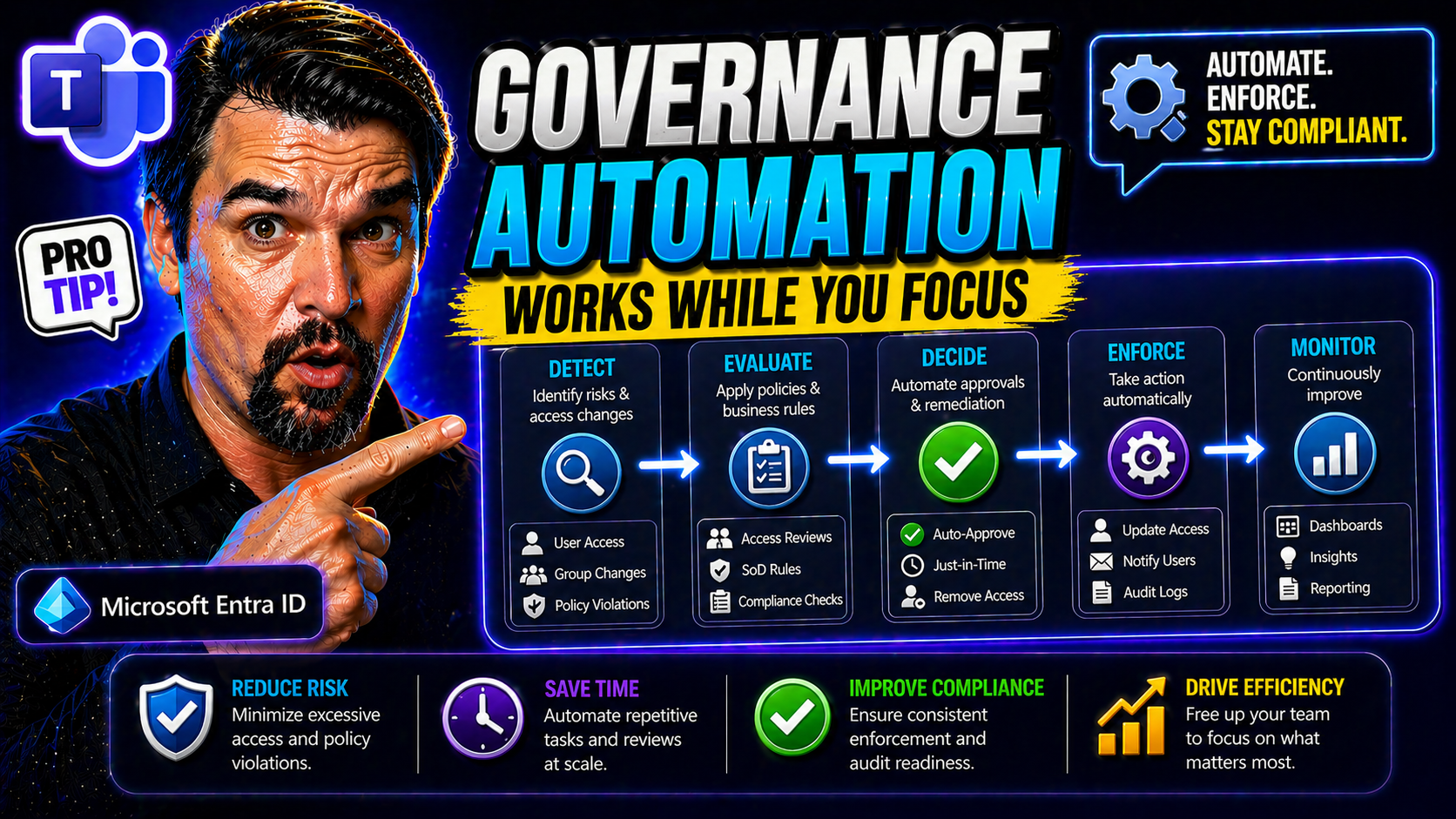
Governance automation is your ticket out of late-night policy headaches and never-ending audit prep. It’s all about building systems that handle data, security, and compliance rules automatically—so you’re not stuck patching holes once things break or a regulator comes calling.
With organizations moving more to the cloud, powering up Microsoft 365, and diving into AI like Copilot and Fabric, manual governance just can’t keep up. That’s where automation steps in, reducing risk and freeing up your people for bigger things.
But automation isn’t just about replacing humans. It’s about setting trusted controls that scale with your business, especially when you’re juggling Azure, Entra ID, and all those Microsoft platforms. In the next sections, let’s dig into the foundations, the tech guts, and the real-world moves that make scalable governance possible (and actually useful) for your enterprise needs.
Building a Strong Governance Foundation for Automation Success
A strong governance foundation is what separates a secure, efficient business from one that’s always reacting after the fact. Think of it as having rock-solid policies, well-defined data standards, and clear ownership—before you even hit the “automate” button.
In Microsoft-first environments, this blueprint starts with things like Azure Policy, role-based access control (RBAC), and well-designed landing zones. These not only control who can touch what, but also keep policy drift and security risks from sneaking up on you.
You can’t just rely on documentation and hope your policies are followed. Real governance happens when those rules are enforced automatically—catching exceptions, blocking bad access, and making sure sensitive data in Microsoft 365 stays locked down. The trick is shifting from manual reviews to frameworks built for automation.
For example, strong data access governance in M365 hinges on knowing the difference between who has permissions and who’s actually accountable for that data (see this Microsoft 365 access and ownership breakdown). Miss this, and you’ll end up with orphaned files, inconsistent controls, and the sort of legacy content AI loves to accidentally expose. Nail it, and your future automation will have a sturdy foundation—and you’ll sleep better when the auditors show up.
Core Technical Components Powering Governance Automation Systems
Once you’ve got your governance foundation laid out, you need the right technical building blocks to bring automation to life. These components aren’t just abstract ideas—they’re what will keep your policies alive and working when your users, data, and tools are multiplying faster than you can say “compliance deadline.”
Automated governance platforms depend on tight integration between metadata visibility, policy engines, and collaboration tools. This trio lets you see what’s happening in your environment, enforce policies without manual effort, and connect across multiple Microsoft systems—all at the same time.
Here, you’re moving from theories on governance to concrete architecture decisions. The goal? Make sure all your data, policies, and people are working in sync, not fighting against a patchwork of disconnected tools. In the next sections, we’ll break down exactly how each component—from centralized metadata, to uniform policy logic, to integration for business teams—fits together into an automation powerhouse.
Centralized Metadata Repository and Data Lifecycle Management
A centralized metadata repository is the control tower for your data governance automation. Instead of scattered spreadsheets and mystery drives, all asset info—origins, owners, classifications—lands in one place. This makes it possible to see who’s using what, spot risks, and run automated audits across the data lifecycle.
If you’re working in Microsoft land, Microsoft Purview is the go-to solution for integrating metadata across Azure and M365. With Purview, you can quickly discover and automatically classify sensitive data, set up retention rules, and support compliance needs. Want proof? You can actually use Purview Audit to track user activity across M365 and dig into risks that standard reports miss (here’s how to audit with Purview).
This type of system also paves the way for audit-ready content management. As described in this discussion on building a Purview shield, having lifecycle policies, ownership assignment, and DLP in place means compliance checks stop being one-offs and become continuous—no more last-minute scrambles.
Uniform Policy Engine Ensures Consistent Governance Rules
A uniform policy engine is the muscle behind automated governance. It centralizes the logic for enforcing access, data classification, and remediation—instead of letting every system run wild with its own versions of the rules.
Why does this matter? With policy engines tied into tools like Entra ID conditional access, your security posture is enforced everywhere, not just where someone remembered to set a switch. This keeps access consistent and avoids messy, hard-to-audit exceptions—something identity debt and legacy permissions can easily create if left unchecked.
Central policy logic also helps with advanced threats, like OAuth consent abuse. For example, strong Entra ID controls that lock down user approvals and require verified publishers are essential to block persistent attacker access (see why consent matters).
Elastic Integration Layer and Collaborative Stewardship Workspace
The elastic integration layer is all about connecting your governance automation platform to every data system, SaaS tool, and cloud service your business uses. This is how you bring together Power Platform, Microsoft Fabric, and M365 into one smooth-running operation—without custom plumbing every time something new pops up.
The collaborative stewardship workspace lets business leaders, IT, and compliance folks work together, reviewing policy exceptions, approving governance rules, and adapting controls as systems evolve. This approach stops handoffs from turning into bottlenecks and makes governance a living process.
If you want to see these principles at work, look at DLP for Power Platform developers. Aligning policies across development and production, and testing changes proactively, prevents silent automation failures (details here on Power Platform DLP best practices). More broadly, successful Power Platform adoption balances citizen development with strong, reliable controls—you can get further insights from these Power Platform governance recommendations.
Governance Data Benefits: Efficiency, Compliance, and Strategic Value
- Automated compliance and audit readiness: Automated policy enforcement—like DLP in Microsoft 365—ensures rules are always applied, not just during manual reviews. This means you’re ready for audits any time, not just when rushed before a review. See how treating DLP as an architectural backbone keeps Power Platform automations running smoothly and compliant (learn about DLP automation in Power Platform).
- Reduced manual workload and faster response times: Automation takes over routine reviews, access checks, and classification, letting teams focus on higher-value oversight and strategy. No more bottlenecks trying to manage permissions one ticket at a time—results come faster and without nearly as many errors or exceptions.
- Enhanced data protection and risk reduction: Automated governance blocks risky moves before they happen, so sensitive data doesn’t walk out the door during an innocent-enough collaboration or oversharing event. For AI like Microsoft Copilot, automated policies control what gets exposed, stopping leaks at the source (valuable Copilot policy enforcement rundown).
- Continuous compliance across hybrid environments: Automated monitoring works across Azure, M365, and on-prem, catching drift and non-compliance even as systems and data shift. This way, you stay ahead of regulatory changes—and out of the hot seat—for the long haul.
- Faster time-to-value and competitive edge: Governance automation unlocks safe use of data for new products, analytics, or AI innovation. When you trust that policies and data controls keep working reliably, you can move quicker than your competitors—and actually answer those executive “what if” questions without shuddering.
Industry Examples: Finance, Healthcare, Retail, and Education
Every industry faces unique data challenges—finance wrangles with regulators, healthcare must protect deeply personal info, retail scales data sharing quickly, and higher ed deals with wildly mixed data types. Governance automation handles these pressures head-on, letting organizations keep up with shifting requirements and data growth.
Take financial services: Automation ensures strict access control and continuous compliance, with tools like Entra ID enforcing who can see payment or customer data at scale. Automated review cycles and logging have become standard so auditors get what they need in real time, not just after a scramble when something goes wrong.
Healthcare puts heavy emphasis on data integrity and privacy. Here, automation makes patient data classification and retention rules bulletproof—blocking accidental or malicious sharing, and making sure compliance is maintained around sensitive health records. Automated governance also underpins secure research sharing and collaboration, keeping patient trust and regulatory approval intact.
Retailers benefit from tracking data flows for inventory, loyalty programs, and marketing, using automated alerts for suspicious sharing or risky app usage. In education, especially universities managing tens of thousands of identities and files, tools like Microsoft Dataverse and Entra ID help stem data leaks and manage access as people come and go (learn about Dataverse security and automation). Proper governance automation ensures student and personnel data is safeguarded—day in, day out.
Across all these industries, automation is key for safe external sharing. Want to get proactive about catching risky file shares with OneDrive or SharePoint? Automation, enhanced auditing, and real-time alerts close the visibility gap (see how to stop blind external sharing).
AI Governance Trustworthiness Stalls and Lineage Visualization Essentials
- Automated AI compliance checks: Automated governance constantly monitors Copilot and AI-powered workloads for compliance drift. Microsoft’s layered approach, using things like Entra Agent ID and tool contracts, keeps AI in line—not just at deployment but throughout its lifecycle (dive into AI governance challenges and solutions).
- Transparent model lineage visualization: Lineage tracking lets you see where AI models come from, how they’ve evolved, and what data they’ve seen. With proper visualization tools, you can spot changes that might introduce bias or non-compliance—and prove model history to regulators or risk teams, not just AI enthusiasts (importance of document management and Purview in compliance).
- Risk scoring and real-time oversight: Effective automation assigns risk scores to models and workloads, flagging suspicious behavior or drift. This gives your organization the ability to intervene fast, before issues escalate into bigger problems—inside Microsoft Fabric, this is handled by enforced policies, defaults, and strict ownership rules (see why Fabric needs control planes for real governance).
- Audit-ready, enforced governance—not just documentation: Automated guardrails must be hardwired into AI systems, not just written in policy handbooks. With automation and clear lifecycle enforcement, organizations cut costs, control entropy, and earn trust from users, staff, and auditors alike.
Where to Get Started with Governance Automation and Entra ID
- Start with identity governance quick wins: Use Entra ID to roll out automated conditional access and access reviews. This quickly tightens security and delivers compliance results without major disruption (how to run a secure, scalable identity governance loop).
- Develop a governance charter with clear ownership: Set out your policies, objectives, and accountability in a written charter. This keeps everyone—from IT to legal to business units—aligned as you automate controls. Over time, this foundation allows you to onboard new systems and people smoothly.
- Institute a Center of Excellence (CoE) for governance: Bring together your business and IT leaders to coordinate automation efforts, share tools, and standardize best practices. A centralized Copilot Learning Center with formal governance is one powerful example (learn why Copilot training needs governance).
- Incorporate Zero Trust by Design: Adopt a unified approach for identity, device, and session controls across Microsoft 365 and Dynamics 365. Applying adaptive, risk-based access closes security gaps and prepares your organization for ongoing automation (how Zero Trust brings unified, adaptive governance).
- Measure and optimize as you grow: Track KPIs like policy enforcement latency, incident reduction rates, and audit cycle duration—so you can show real results as automation expands. Testing and measuring success early ensures you’re getting value, not just more moving parts.
Secure a solid start by building on quick wins, clear charters, and a disciplined approach to adoption. Don’t wait to fix issues reactively; automate, measure, and keep evolving before risks turn into real-world losses.
You Should Also Listen To
If you are researching governance automation, these episodes add practical context on identity security, governance, access control, and Microsoft 365 operations:
- Privileged Identity Management – Simply Explained — Understand just-in-time privilege, approvals, and access reviews.
- Conditional Access – Simply Explained — Learn how context-aware policies protect users and devices.
- Microsoft Defender XDR – Simply Explained — Connect identity signals with detection, investigation, and response.
- Microsoft Teams Governance – The Illusion of Control — See how governance creates ownership and repeatable controls.

Microsoft MVP | Host of M365.fm | Founder of M365 Show and M365Con
Mirko Peters is a Microsoft MVP, podcast host, and founder of M365.fm, M365 Show, and M365Con. His work connects Microsoft practitioners through podcast interviews, livestreams, and community events.
At M365.fm, Mirko hosts conversations with Microsoft MVPs, product experts, architects, and community contributors. Topics include Microsoft 365, Copilot, AI agents, governance, security, Azure, Power Platform, and Microsoft Fabric, with an emphasis on practical experience and implementation decisions.
M365.fm is the podcast and learning platform. M365 Show brings experts together for livestreams, while M365Con provides an online conference setting for community learning.
Official website: Mirko Peters (https://www.mirkopeters.com/). Recognition: Mirko Peters — Microsoft MVP profile (https://mvp.microsoft.com/de-DE/mvp/profile/9b0ca797-db5a-493a-a845-8b9158046cf5). Connect on LinkedIn (https://www.linkedin.com/in/m365showpodcast/).



