 EN
EN Deutsch
 Español
 Français
 Italiano
 Português
 Nederlands
 Polski
 Bahasa Indonesia
 Русский
 Українська
 العربية
 עברית
עברית हिन्दी
 日本語
日本語 한국어
한국어2026-07-12 · Season 3
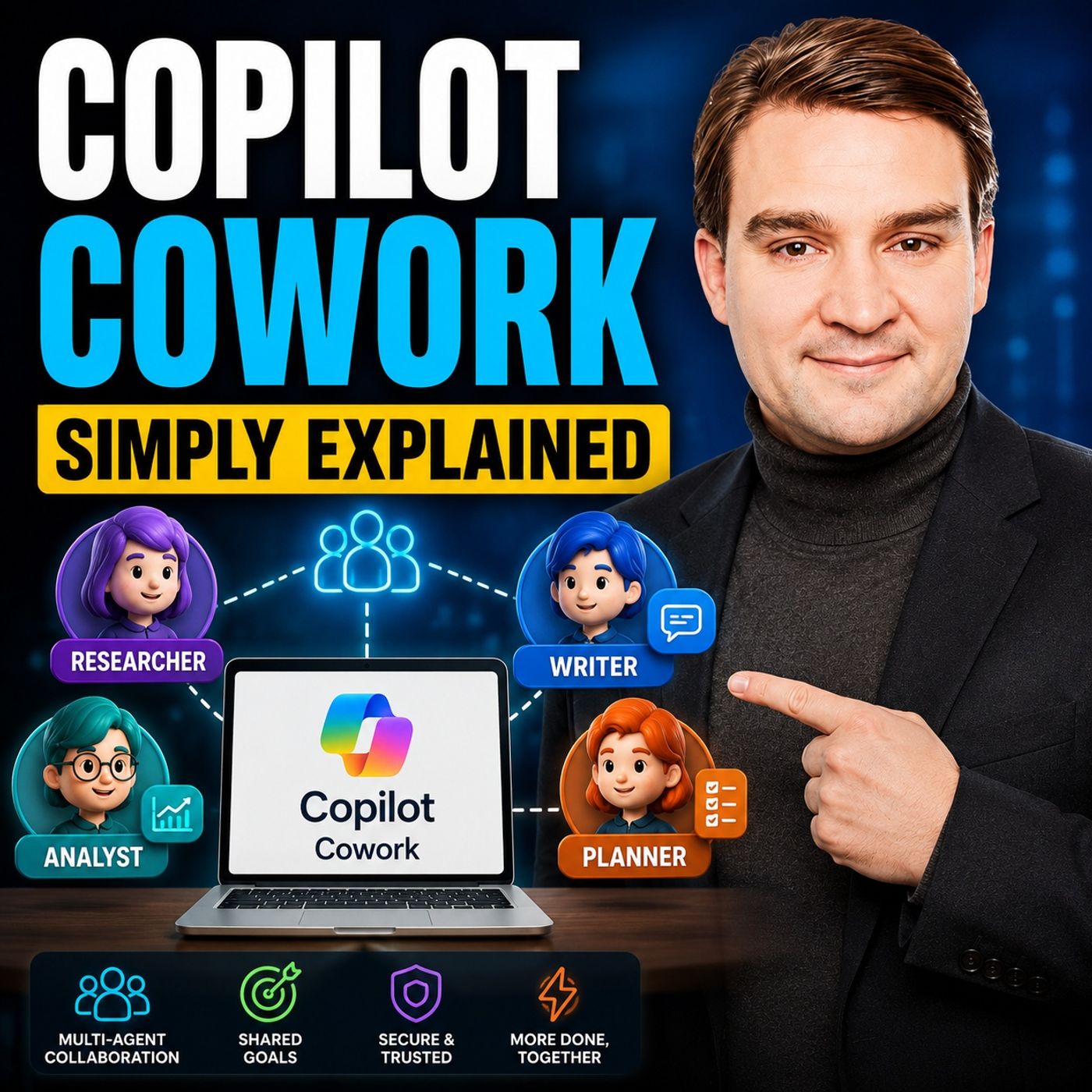
Copilot Cowork - Simply Explained
Show notes
Microsoft Copilot changed how we interact with AI by helping us summarize emails, draft documents, and answer questions. But there's still one major problem: you're responsible for connecting everything together. After Copilot generates content, you still have to coordinate meetings, send emails, update documents, assign tasks, and keep projects moving. Copilot Cowork solves that problem. Instead of helping with one task at a time, it accepts an entire business goal and executes the work across multiple Microsoft 365 applications while you focus on higher-value activities. Rather than acting like an assistant waiting for instructions, Cowork behaves like a digital teammate managing the coordination behind the scenes. WHY REGULAR COPILOT ISN'T ENOUGH Traditional Copilot excels at individual tasks. It can summarize conversations, generate presentations, write emails, or create Excel formulas within seconds. However, real work rarely consists of a single task. Most business processes involve multiple applications, several people, and a sequence of actions that require coordination. This orchestration often consumes far more time than generating the content itself. Copilot Cowork was built specifically to eliminate this coordination overhead by planning and executing entire workflows instead of individual prompts. WHAT MAKES COWORK DIFFERENT? Copilot Cowork is an AI agent powered by Microsoft's Work IQ platform that understands your emails, meetings, documents, conversations, and organizational context. Rather than asking for one prompt after another, you simply describe the outcome you want. Cowork determines the required steps, gathers the necessary information, works across Microsoft 365 applications, and executes the task in the background. Sensitive actions such as sending emails or scheduling meetings always require your approval before completion, ensuring you remain in control. HOW COWORK WORKS Think of Cowork as a project manager rather than a chatbot. You define the objective, while Cowork researches information, prepares documents, checks calendars, schedules meetings, drafts communications, and coordinates multiple Microsoft 365 services simultaneously. Unlike traditional Copilot, which requires your constant interaction, Cowork continues working while you're attending meetings, focusing on other projects, or even away from your computer. BUILT-IN SKILLS Copilot Cowork includes a growing collection of built-in skills covering the most common business activities. These include working with Word documents, Excel spreadsheets, PowerPoint presentations, PDFs, Outlook emails, Teams meetings, calendar scheduling, enterprise search, deep organizational research, daily briefings, and interactive Microsoft 365 experiences. The impressive part is that users never need to manually choose a skill. Cowork automatically selects the right capabilities based on the goal you've described and combines multiple skills whenever necessary. A REAL-WORLD EXAMPLE One of the best demonstrations of Cowork is the built-in "Organize My Week" experience. After a single request, Cowork reviews your calendar, analyzes meetings, identifies scheduling conflicts, checks attendee availability, recommends improvements, proposes new meetings, flags incomplete appointments, and prepares your upcoming week with minimal user interaction. Rather than simply displaying information, Cowork actively recommends improvements and carries them out after receiving your approval. GETTING STARTED Organizations need Microsoft 365 Business or Enterprise, a Microsoft 365 Copilot license, and access to Copilot Cowork through Microsoft's Frontier program where applicable. Files should be stored within OneDrive or SharePoint so Cowork can access organizational knowledge effectively. Administrators may also need to enable supporting services depending on their region and Microsoft 365 configuration. WHY COWORK MATTERS Copilot Cowork represents one of Microsoft's biggest shifts since the introduction of Microsoft 365 Copilot. Instead of simply helping employees create content faster, Cowork manages the coordination that typically consumes hours every week. It allows knowledge workers to spend less time organizing work and more time making decisions, solving problems, and delivering value. As Microsoft's AI platform continues evolving toward autonomous agents, Copilot Cowork provides an early glimpse into how future digital coworkers will become an everyday part of modern business productivity. Become a supporter of this podcast: https://www.spreaker.com/podcast/m365-fm-microsoft-365-azure-cloud-power-platform-ai--6704921/support.
Apple Podcasts · Spotify · YouTube · YouTube Music · Deezer
Host: Mirko Peters
Guests
Related articles
Transcript
Read the full transcript
Today's topic is one that almost everyone has heard of, but almost nobody can explain. Copilot co-work, you've probably seen the name pop up in your Microsoft 365 feed or heard a coworker mentioned it, but what is it exactly? Is it just a fancier version of the co-pilot you already have? Or is it something completely different? Here's the simplest definition. Regular co-pilot handles one task at a time. Summarize this email, draft that document, generate a formula, it's genuinely helpful, but it leaves you doing the hard part, the coordination. You take the AI's output, paste it into another tool, schedule a follow-up, assign a task, keep everything moving, you're still the project manager. Co-pilot co-work changes that. Instead of answering one question at a time, it takes an entire goal you describe and executes it across multiple apps over minutes or hours while you focus on other things. Think of it like the building manager in that office building analogy we've used before. Regular co-pilot helps you with one room at a time. Co-work unlocks doors, turns on lights, and keeps the whole floor running while you handle the bigger picture. By the end of this episode, you'll understand what it actually is, why it's different from regular co-pilot and how it fits into your daily work, all in plain English. Let's break it down. Why regular co-pilot leaves you doing the heavy lifting? Let's start with the problem, co-work is trying to solve. Regular co-pilot is genuinely useful. You can ask it to summarize a long email thread and it does that well. You can ask it to draft a document based on a few bullet points and it produces something decent. You can ask it to generate an Excel formula and it saves you from Googling syntax, these are real time savers. But here's the thing, each of those is a single task. You still have to connect the dots yourself. You take the summary, decide what to do next, open a different app, schedule a meeting, assign a task, send a follow-up email. The AI gives you ingredients, but you're still the chef who has to cook the meal. The real bottleneck isn't generating content anymore. It's coordinating across apps and steps and that coordination is where most of your time actually goes. Think about it, how many times have you used co-pilot to draft something, then spend 20 minutes scheduling the follow-up, finding the right people, checking calendars and sending invitations? The AI saved you five minutes on the draft, but you spend 20 minutes on the logistics. That's the gap. Without a change, this is your future. You get faster at generating content, but you're still spending hours connecting the dots yourself. The AI makes you more productive and small bursts, but the overhead of coordination never goes away. Microsoft saw this gap, they realized that people weren't struggling to generate content, they were struggling to coordinate across tools. So they built co-work specifically to handle that coordination piece. This is where we get into what people call "agentic AI", we'll define that properly in a minute, but the key idea is simple. Instead of you being the one who coordinates everything, the AI does it for you. What co-pilot co-work actually is? Here's co-pilot co-work in plain English. It's an AI agent inside Microsoft 365 that takes a complex goal you describe and executes it across multiple apps over minutes or hours. You tell it what outcome you want, and it figures out the steps to get there by itself. It's built on something called WorkIQ, the intelligence layer that understands your work context, your emails, calendar, files and conversations. Instead of blindly following instructions, it reasons across everything it knows about your work to do things the right way. Under the hood, it uses models from both open AI and anthropic, but honestly, you don't need to think about that. The real change is how you interact with it. Instead of prompting for one output at a time, you describe an outcome and let it figure out the steps. So rather than saying, summarise this email and then separately schedule a meeting based on that, you say, "Help me prepare for next week's project kickoff." It handles everything, researching the topic, pulling relevant files, checking calendars, drafting an agenda and scheduling the meeting. Here's another thing. It works in the background. You start a task, close the browser, go to a different meeting, come back later and check on progress, you don't have to sit there watching it work, but you stay in control the whole time. Before co-work does anything sensitive like sending an email, scheduling a meeting, or updating a calendar, it asks for your approval. You see what it's planning, make changes, and only then does it execute. Think of it like having an assistant who checks in before making any big decisions. The office building analogy. Let me give you a mental picture. Think of regular co-pilot like asking an assistant to go to a specific room in your office building and bring back a document. You know what you need and where it is? The assistant goes and gets it, one task, one result. Co-pilot co-work is different. It's like handing that same assistant a blueprint for a whole new floor and saying, "Build this." The assistant looks at the plan, figures out what materials they need, which rooms connect and where the electrical goes. They don't come back every five seconds asking what to do next. They just get to work. Now the assistant has access to all the rooms in the building. Your emails, calendar, files, and contacts. But they only open the doors they actually need instead of rummaging through everything. They grab what's relevant to the job you gave them. And here's the part that makes it feel like a real assistant. They check in when they need a decision. Should I shorten this meeting from five hours to three? Who should attend this new meeting? Do you want me to send this email or just draft it? You answer and they keep going. They can also work on multiple rooms at once. While drafting a word document in one room, they're pulling data from an Excel spreadsheet in another and scheduling a team's meeting in a third. You don't need to tell them to switch tasks. They manage the whole thing themselves. You don't need to watch over their shoulder either. You give them the job they go away and work and report back when they're done or stuck. You check in when it's convenient, the blueprint analogy works because you provide the high level plan. You say, I need a training program for my team and co-work figures out the construction steps, what documents to create, meetings to schedule, emails to send, you're the architect and it's the builder. How co-work differs from regular co-pilot? So how is this different from the co-pilot you already have? Let's break it down. Regular co-pilot is chat-based. You type, it responds, back and forth like a conversation. Co-work is task-based. You give it a job and it goes away to work. You don't need to keep the conversation going or even stay at your desk. Here's another difference. Regular co-pilot handles one app at a time. Co-pilot in Word can write a document but it can't peek at your calendar or scan your emails at the same time. Co-work works across Word, Excel, PowerPoint, Outlook, Teams and SharePoint all at once. It doesn't care which app the work lives in. It just gets the job done. And the timing is completely different. Regular co-pilot runs in seconds. Ask a question, get an answer instantly. Co-work runs in minutes or hours because it's not just answering. It's designing a plan and executing it step by step. It's thinking ahead, not just reacting. Co-work can also handle recurring tasks. You can tell it every Monday at 8 a.m. create a weekly briefing from my emails and calendar and it will. Regular co-pilot can't remember to do something every Monday morning on its own. Here's the biggest difference to me. Regular co-pilot requires you to be present. You're sitting at your keyboard typing prompts. Co-work lives in the background. You can close the browser, go to lunch, attend a meeting, come back later and see what's been done. It doesn't need you to babysit it. The simplest way to think about it, regular co-pilot is like getting a takeout menu. You pick one item, you get one dish. Co-work is like hiring a personal chef to plan and cook a multicore dinner. They handle the shopping, the prep, the timing, the presentation. You just tell them what kind of meal you want and when you want to eat. The built-in skills. Co-work's toolbox. So what tools does Co-work actually have? It comes with 13 built-in skills. Think of them as specialized tools in the assistance belt. Each one designed for a specific kind of work. There's a word skill that reads, creates, and edits documents. An Excel skill for spreadsheets, formulas, and data. A PowerPoint skill that generates presentations from content. A PDF skill that reads and manipulates PDF files. Calendar management for checking availability and scheduling meetings. Email and communication for drafting messages and managing your inbox. A meeting skill that prepares agendas, takes notes, and sends summaries. Daily briefings that assemble a morning report from your latest data. Deep research that gathers information across your entire organization. Adaptive cards for creating interactive elements inside teams. An enterprise search to find files, people, and conversations across your tenant. That's 11. There are two more, but honestly, the list isn't as important as how it works. When you give Co-work a request, it automatically picks which skill to use. You don't need to say, use the word skill now or switch to calendar. It looks at what you asked for, decides what tools it needs, and uses them. If your request involves creating a document and checking a calendar, it uses both skills at the same time without you telling it to. You can also create custom skills or connect third-party plugins. That opens up even more possibilities. But for most people starting out, the built-in skills are more than enough. You don't need to build anything. You just describe what you need. And Co-work figures out which tools to use. What it looks like in practice, a weekly organization example. Let's look at a real example. Co-work comes with built-in start-up prompts. One of them is called Organize My Week. Here's how it works. You type that request into Co-work. It scans your calendar right away. It looks at your emails. It checks who you're meeting with. Co-work understands the context of your week, not just the busy time slots, the actual priorities. Imagine a five-hour meeting on your calendar. Co-work reads the agenda. It sees who's attending. And it decides this could be three hours instead, so it proposes the change. It tells you why. This meeting has a clear agenda. Shortening it frees up two hours for focused work. Then it notices you don't have a one-on-one with your boss this week. It checks both calendars, finds an open time slot, suggests a 30-minute team's call. And here's a common problem. A calendar entry at six in the morning. No subject, no agenda, no attendees. Co-work flags it and asks you to review. Before it makes any changes, it asks you questions. Are you fully out or partially out on Wednesday? What's your priority this week? It gathers information so it can make the right call. Once you answer, it goes to work. It shortens the meeting, creates the one-on-one, updates the calendar and it doesn't stop there. It can follow up, attach a document, ask for feedback, create a PowerPoint summary, all from that same thread. The whole thing takes about five minutes of your time. But behind the scenes, hours of work just happened. Calendar scanning, availability checking, priority ranking, the boring coordination stuff, all done while you focused on something more important. What you need to get started. So what do you actually need? Let's walk through the requirements. First, you need a Microsoft 365 Business or Enterprise subscription. Personal accounts won't work here. This is a tool for organizations. Second, you need a co-pilot license. That's the $30 per user add-on. If your company already pays for co-pilot, you're halfway there. Third, if co-work isn't widely available yet, your IT admin needs to enroll in the Frontier Early Access program. It's Microsoft's preview program for new co-pilot features. Your admin can enable it in the admin center with a few clicks. Fourth, your files need to live in one drive or SharePoint. Co-work cannot access files stored locally on your machine. If your team uses local drives, that's something to plan for. Fifth, your admin might need to enable Anthropic as a sub-processor. It's a simple toggle in the settings. One more thing. In some regions, like the European Union, co-work is off by default. Your IT team must explicitly turn it on. Here's the reality for most of you. Your organization already has the license. You just need access. Ask your admin about enabling co-pilot co-work or the Frontier program. Now let's talk pricing. Co-work is consumption-based. Microsoft uses something called co-pilot credits. Each credit costs about one cent. Have your jobs use more credits. But honestly, as a user, you don't need to worry about this. Your IT department handles the billing. You just use it. What this means for your work day? So what does this actually mean for your daily work? Let me paint you a picture. You walk in Monday morning, open your laptop, and the co-pilot co-work task has already run while you were asleep. It generated your weekly briefing from last week's emails, meetings, and files, a clean summary of what happened, what needs attention, and what to prioritize. Already before you've even taken your first sip of coffee, then you spot a project that needs planning. Say a training program for your team. Instead of spending two hours hunting for documents, checking calendars, and drafting emails, you type one simple paragraph describing what you need. Hit send. That's it. The system takes over from there. Co-work gets to work. It researches the topic across your share point, pulls relevant files from past projects, drafts an outline, creates a presentation, checks team availability, and schedules a kickoff meeting. All of this happens while you focus on the work that actually needs your brain. Answering emails, attending meetings, making real decisions, and it doesn't stop after the training. Co-work can set up a recurring task to send daily quiz emails that reinforce learning. Every morning at the same time, it sends a question and tracks responses. You never have to remember. You never have to manually send anything. It runs on autopilot, quietly doing the follow-up work you'd otherwise forget. Here's the difference between you and a co-worker who doesn't use this. Your hour is more productive every week, not because you're working harder, but because you're no longer the one coordinating everything. The busy work, the logistics, the endless, let me check whose calendar is free and let me draft that email with. All that stuff that isn't really your job, but somehow eats half your day. Co-pilot co-work handles it. Now, let's be clear. This isn't about replacing your work or AI taking your job. It's about removing the coordination overhead that slows you down. The real value comes from handing over the multi-step process and trusting the system to execute while you focus on higher-level decisions. You become the person who defines the outcome, not the person who chases every detail. This is the biggest shift in Microsoft 365 since co-pilot first launched. And if your organization is enrolled, it's available right now. So here's the key transformation. Co-pilot co-work turns you from the coordinator into the decision maker. The system handles the execution. You handle the strategy. Here's your homework. If you have a Microsoft 365 co-pilot license, ask your IT admin about enabling co-pilot co-work or the Frontier program. Then try one of the built-in starter prompts. Organize my week or prep for my next meeting. See what happens. You'll be surprised how much gets done while you do something else. Subscribe to Microsoft Knowledge Nuggets on your favorite podcast platform and share this episode with someone at your office who keeps asking what co-pilot co-work actually is. In the next episode, we'll explore how to write effective prompts that get the best results from co-work.