 EN
EN Deutsch
 Español
 Français
 Italiano
 Português
 Nederlands
 Polski
 Bahasa Indonesia
 Русский
 Українська
 العربية
 עברית
עברית हिन्दी
 日本語
日本語 한국어
한국어2026-07-15 · Season 3
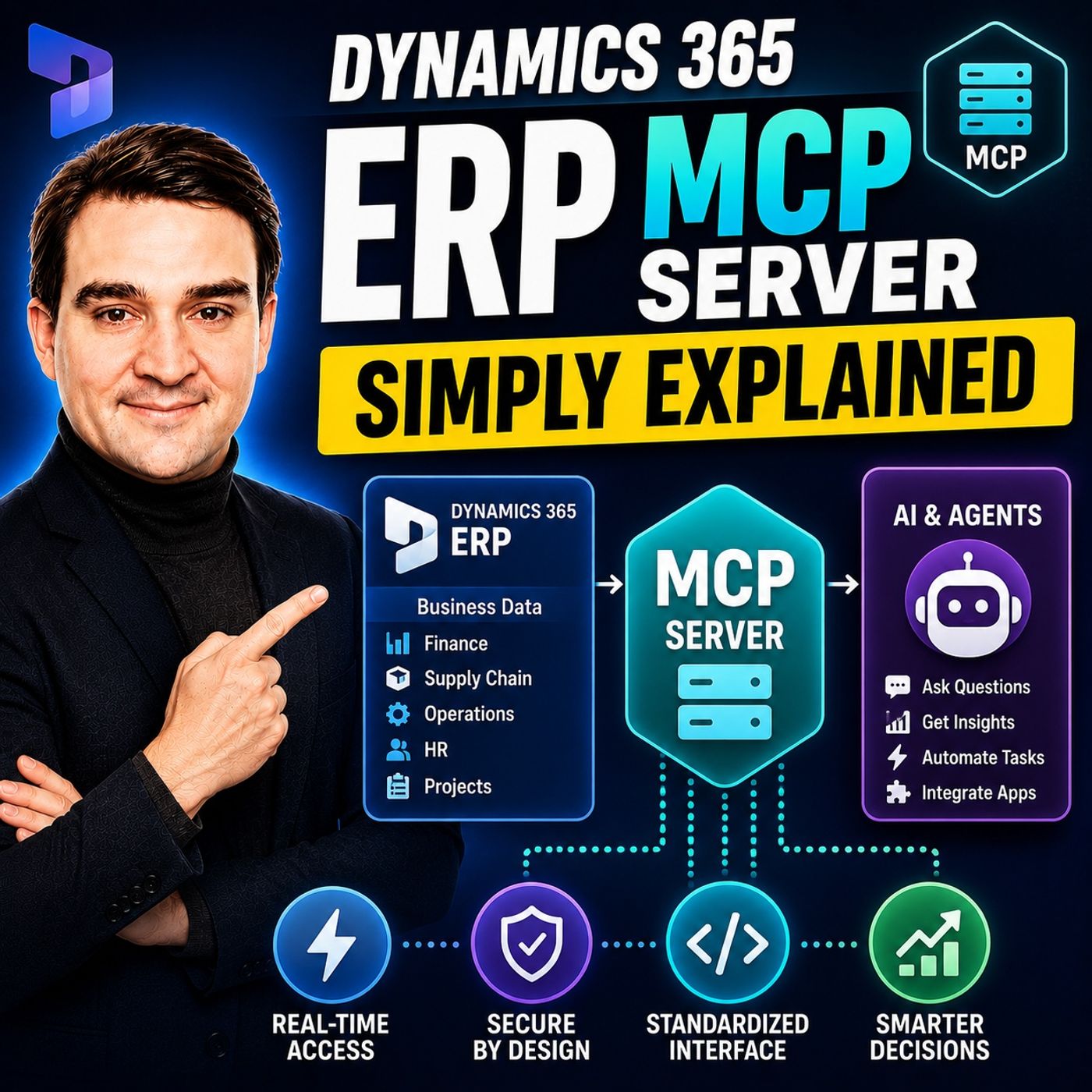
Dynamics 365 ERP MCP Server - Simply Explained
Show notes
Artificial Intelligence is transforming how businesses interact with enterprise systems, but connecting AI assistants to ERP platforms has traditionally required custom APIs, complex integrations, and significant development effort. The Dynamics 365 ERP MCP Server changes that completely. In this episode, we explain Microsoft's Model Context Protocol (MCP) Server in plain English, showing how it enables AI agents to securely discover, understand, and interact with Dynamics 365 Finance and Operations without custom code. Whether you're an ERP consultant, Dynamics 365 administrator, developer, or AI enthusiast, this episode explains why MCP represents one of the biggest architectural changes in enterprise business applications. WHAT IS THE MODEL CONTEXT PROTOCOL? The Model Context Protocol (MCP) is an open standard that allows AI applications to discover available tools, understand business operations, and execute actions through a standardized interface. Instead of building separate integrations for every ERP function, AI agents communicate with Dynamics 365 using one consistent protocol. MCP doesn't simply expose raw data—it provides structured descriptions of available business functions, allowing AI to determine which operations exist, how they work, and when to use them safely. This dramatically simplifies AI integration across enterprise applications. THE DYNAMICS 365 ERP MCP SERVER Microsoft's Dynamics 365 ERP MCP Server exposes Finance and Operations capabilities directly to AI agents. Earlier implementations offered a small collection of predefined business functions, but the new dynamic MCP Server dramatically expands these capabilities. AI agents can now navigate ERP forms, populate fields, execute business actions, and follow the same validation rules as human users. Even customizations and ISV extensions become available automatically, allowing organizations to expose existing business processes without additional development work. THE ANALYTICS MCP SERVER Beyond operational actions, Microsoft also introduced an Analytics MCP Server that connects AI agents to Business Performance Analytics (BPA). Instead of manually building dashboards and reports, AI can inspect available datasets, understand business schemas, generate DAX queries automatically, and answer complex business questions using natural language. By combining analytics with operational capabilities, organizations can move beyond reporting into intelligent decision-making where AI not only identifies issues but also initiates corrective business processes. REAL-WORLD BUSINESS SCENARIOS The practical applications of MCP are already becoming impressive. AI agents can automatically identify vendors with overdue invoices, place suppliers on hold, generate prepayment invoices, configure ERP environments, and coordinate multiple business tasks across different departments. Rather than requiring users to navigate complex ERP menus, employees simply describe what they want in natural language while AI performs the necessary business operations through Dynamics 365. These demonstrations show that MCP is no longer a future concept—it is already transforming enterprise automation. GETTING STARTED WITH MCP Organizations interested in Dynamics 365 ERP MCP require a supported Dynamics 365 Finance and Operations environment together with an MCP-compatible client such as Microsoft Copilot Studio or Visual Studio Code. Setup is intentionally straightforward, allowing administrators to connect AI agents without extensive programming. Existing Dynamics 365 role-based security remains fully enforced, meaning AI agents automatically inherit the permissions of the authenticated user, reducing governance complexity while maintaining enterprise security standards. SECURITY AND GOVERNANCE Security remains one of MCP's greatest strengths. Rather than bypassing existing ERP controls, the protocol respects Dynamics 365's built-in security model. Every action performed by an AI agent follows existing user permissions, approval processes, and business validation rules. Organizations can continue using established governance policies while introducing AI automation gradually, starting with low-risk business scenarios before expanding into more advanced enterprise workflows. THE FUTURE OF AI-DRIVEN ERP Microsoft's long-term vision extends far beyond Finance and Operations. MCP is expected to become the standard integration layer across the wider Dynamics 365 ecosystem, including Business Central, Commerce, Customer Service, and additional business applications. As AI agents become capable of combining operational data, analytics, and automated execution across multiple systems, organizations will increasingly shift from traditional systems of record toward intelligent systems of action that proactively execute business processes instead of simply storing information. WHY MCP MATTERS The Dynamics 365 ERP MCP Server fundamentally changes how organizations interact with enterprise software. Instead of building custom integrations for every AI scenario, businesses gain a standardized protocol that enables secure communication between AI agents and ERP systems. This reduces development effort, accelerates AI adoption, and allows organizations to automate increasingly sophisticated business processes while maintaining governance, compliance, and security. For Dynamics 365 professionals, understanding MCP will become an increasingly valuable skill as Microsoft's AI ecosystem continues to evolve. KEY TAKEAWAYS The Dynamics 365 ERP MCP Server transforms ERP systems into AI-ready platforms by exposing business processes through a secure, standardized protocol. Combined with the Analytics MCP Server, AI agents can understand enterprise data, generate insights, and execute real business operations using natural language. Rather than replacing Dynamics 365, MCP enhances it, creating the foundation for intelligent, agent-driven business applications that automate work, improve productivity, and redefine how organizations interact with enterprise software. Become a supporter of this podcast: https://www.spreaker.com/podcast/m365-fm-microsoft-365-azure-cloud-power-platform-ai--6704921/support.
Apple Podcasts · Spotify · YouTube · YouTube Music · Deezer
Host: Mirko Peters
Related articles
Transcript
Read the full transcript
Today's topic is one you've probably heard about, but maybe don't fully understand. The model context protocol for Dynamics 365 ERP. You've seen the acronym, MCP, and Microsoft announcements, partner webinars, and community posts. But what does it mean for someone who works with Dynamics 365 every day? Here's the thing, your ERP holds your most important data. Finance records, supply chain transactions, inventory levels, vendor info, customer histories. It's how your company runs. But getting that data into AI tools has always been a headache. You needed custom API, special connectors, security workarounds. Every time you wanted to connect an AI assistant to your ERP, you had to start from scratch. By the end of this episode, you'll understand what the MCP server is, why Microsoft built it, and how it turns your ERP into a system AI agents can talk to directly. No custom code needed. So grab your coffee and let's dive in. What is a model context protocol? Here's the simplest definition. MCP is an open standard that lets AI applications discover and call tools and data sources in a structured way. Think of it like a universal remote. Without MCP, every AI agent needs its own custom wiring to each system, one cable for your CRM, another for your ERP, another for your data warehouse. Every time you add a system, you run another cable. With MCP, you plug in once and get access to everything, one connection, one protocol, one way of working. Before MCP existed, connecting an AI assistant to your ERP was a full project. You had to build custom APIs, maintain connectors, deal with security headaches, and update everything whenever the ERP changed. It was expensive, slow, and fragile. MCP changes all of that. Instead of building a custom bridge every time, you get a standard interface that any MCP compatible tool can use, the model context part is important too. The AI agent doesn't just get raw data. It gets detailed info about what tools exist, what they do, how to use them, and what data is available. So when an agent needs to do something, it can look at the tools, understand which fits the task, and call it correctly. That's how it makes smart decisions because it understands the system. So why does this matter for Dynamics 365 specifically? Microsoft built an MCP server for finance and operations apps, and that means hundreds of thousands of ERP functions become tools AI agents can discover and use. From creating a purchase order to posting a journal entry to running a financial report, every function is exposed through a single governed interface. That's the big idea. But what exactly does that MCP server look like inside Dynamics 365? Let's break it down. The two flavors of ERP MCP, when Microsoft first released the ERP MCP server, they didn't have the full vision in mind. The initial version came with a fixed set of 13 tools. You could do specific things like find approved vendors or release purchase requisition lines, it was useful. But it was also limited. Think of it like a vending machine. You could only pick from what was stocked. If you wanted something that wasn't on the menu, you were out of luck. Then Microsoft evolved it. The new Dynamic MCP server, now in public preview, is a completely different beast. Instead of a fixed tool list, it lets agents navigate ERP forms just like a human user would. The agent can open forms, set field values, click buttons and run actions. And it works through the same business logic and validation rules that apply when you do it manually. The difference, night and day. The static server was a vending machine. The Dynamic server is a full supermarket. You can browse every aisle and pick anything your security allows. And I mean anything. We're talking hundreds of thousands of ERP functions across tens of thousands of forms, finance supply chain, human resources, project operations, every form, every action, every button that a user can access becomes available to the agent. Here's the part that really matters for organizations that have customized their ERP. Customizations and ISV extensions become automatically visible to the agent. You don't need to write special code to expose your custom fields or custom processes. If it's in the ERP and a user can interact with it, the MCP server makes it available. No extra coding needed. But MCP isn't just about taking actions, it's also about understanding your data. The analytics MCP server. So we've got this Dynamic server that can take actions inside your ERP. But actions without data are blind. You need to know what's happening before you can decide what to do. That's where the second piece comes in. Microsoft also announced a separate analytics MCP server. It entered public preview in December 2025. This server connects to something called Business Performance Analytics or BPA. Think of BPA as the analytical data store for your ERP. It brings together data from all your ERP instances into one unified schema with pre-built reports and dimensional models. Instead of having to pull data from five different environments and figure out how to join it yourself, BPA does that work for you. Now the MCP layer on top gives AI agents a way to query that data. And here's the elegant part. It only needs two tools. You get data set schema and execute DAX query. That's it. The agent first asks for the schema to understand what data is available, what tables exist, what measures are defined. Then it writes a DAX query to get exactly the data it needs. Why does this matter? Because instead of building complex power BI dashboards and waiting for someone to refresh them, you can ask natural language questions and get answers instantly. What are my top 10 vendors at risk? Show me this bike in cost of goods sold by quarter. Which customers have the highest outstanding balances? The agent figures out the schema, writes the query, and brings back the answer. No dashboard building required. But the real magic happens when you combine both servers. Imagine an agent that uses the analytics MCP to identify a vendor with more than five overdue invoices. It flags that vendor as high risk. Then it uses the action MCP to automatically put that vendor on hold in your ERP. No human needed. Insights lead to actions all in one continuous flow. That's the vision Microsoft is building toward. So what does this actually look like in practice? Let's look at some real examples. Real-world use cases. Let's start with a real demo Microsoft showed during their tech talk, the vendor risk management agent. This thing monitors open invoices in your system. And when it spots a vendor with more than five overdue invoices, it puts that vendor on hold in the ERP automatically. No one has to lift a finger. The agent checks the data, makes the decision, blocks any new purchase orders with that vendor, and then sends an email to the accounts payable team explaining what happened and why. All of that runs without any human intervention. Next up is prepayment invoice automation. And this one comes from Ted Olsen at Cap Gemini. A user asks an agent to create a prepayment proposal for a specific sales order. And the agent just navigates through the ERP forms on its own. It sets the prepayment type to percentage, sets the value to 50%, confirms the sales order, creates the prepayment invoice, and posts it. That's multiple steps across multiple forms, all handled by the agent walking through the interface just like a person would. The user only described what they needed in plain English and the agent handled the rest. Now for the wild one. Scott Gaines, a solution architect, built a team of AI agents inside VS Code that configure an entire ERP environment. He set up a project manager agent that orchestrates the work, a solution architect agent that reviews the requirements, a consultant agent that runs the actual setup, creating legal entities, chart of accounts, and fiscal calendars, and a data migration agent that uploads master data. These agents pass work between each other. The project manager hands off to the consultant, the consultant configures the ERP, and the data migration agent loads the accounts. A complete ERP implementation, partially automated by a team of AI agents working together. These aren't PowerPoint concepts. They're real demos from real partners. Capgemony, Scott Gaines, Aventico, Microsoft themselves. MCP is not theoretical. It's working today in preview environments. The key takeaway is simple. MCP turns natural language into ERP actions. You don't need to memorize menu paths or write code. You describe what you need and the agent figures out how to do it. But how do you actually set this up? Let's walk through the basics. How to get started. So you're interested in trying this out. What do you actually need to get started? First, the prerequisites. You need a Dynamics 365 Finance and Operations Environment running version 10.0, 38 or higher. If you're on the Analytics MCP, you'll also need Business Performance Analytics installed version 2.5 or later. And you need an MCP compatible client to talk to the server. That's it. Three things. Now you have two main options for how to connect. The easiest path is co-pilot studio. You go there, create a new agent, and add a tool. Search for Dynamics 365 ERP MCP, connect it to your environment, and you're ready to start prompting. It's a low-code experience. No coding required. Just configure and start talking to your ERP. The second option is Visual Studio Code. If you're more technical or want to test things directly, this gives you more control. You use the VS Code MCP client, paste in the ERP MCP endpoint URL, provide your credentials, and you're connected. It's a few more steps than co-pilot studio, but it's still straightforward. And Microsoft has documentation that walks you through the exact URL format. Here's something important to understand about security. The agent uses the security permissions of the user identity that's connected. So whatever role-based access controls you've set up in Dynamics 365 apply automatically. If a user can only see their own legal entity, the agent can only see that legal entity. If a user can't post journals, the agent can't post journals, your existing security model becomes the agent's security model. No separate configuration needed. A few tips for writing good prompts. Always specify the legal entity you're working in. The agent doesn't assume, if you don't tell it, it might pick the wrong company. Use clear natural language. You don't need to speak in technical terms and break complex tasks into smaller steps. Instead of asking for a 10-step process in one prompt, ask for one step at a time. The agent is smart, but it's more reliable when you keep things focused. One honest note about limitations. This is still in public preview. There's a 120-second execution time out so long-running operations might fail. Each query can return about 10 megabytes of data, which is plenty for most questions, but not for massive data dumps. And the AI is not perfectly consistent yet. It might handle a task perfectly one day and struggle with the same task the next day. Test thoroughly before you trust it with anything important. So what's coming next? Microsoft has a clear roadmap for MCP. Roadmap and future direction. So where is Microsoft going with us? They're all in on MCP. All new ERP agents will be built on it. And existing agents will migrate by December 2025. This isn't a side experiment. It's the strategic direction for the entire platform. For the analytics, MCP specifically, several features are coming. Granular schema retrieval is on the way so the agent can request smaller pieces of the data model instead of pulling everything at once. That's better for performance and for managing the AI models context window. Agents will also be able to create and update dashboards and measures directly, not just query existing ones. A native integration into co-pilot and teams is on the roadmap so you can ask questions about your ERP data without leaving your everyday tools. Here's where Microsoft sees this going. Imagine a CFO opens a dashboard in business performance analytics and clicks an analyze button. An agent immediately scans the data, finds a spike in cost of goods sold and flags it. It drills into vendor spend, identifies the supplier, driving the increase, pulls in external data like tariff changes and news stories, builds a slide deck explaining the root cause and flags action items for the team. All of this happens in seconds. From a dashboard click to a complete analysis with recommendations without anyone writing a single query. MCP is also expanding beyond finance and operations to commerce, business, central and customer service. That creates a unified AI agent layer across the entire Dynamics 365 ecosystem. An agent that works with your ERP can also talk to your commerce system and your customer service platform all through the same protocol. The partner ecosystem is growing fast with RSM, HSO, FellowMind, KPMG, Crow, and others already building agents on MCP for specific industry needs. Think shop floor automation for manufacturing, invoice payment agents for accounts payable, inbound load processing for logistics, quality impact recall agents for product safety, each taps into the same MCP foundation, long term MCP becomes the standard way to integrate ERP systems. You'll hear the phrase, headless ERP plus agente workflows, meaning the ERP runs in the background as a system of record and AI agents handle the front end interactions. So instead of clicking through forms, you describe what you need and agents make it happen. Let's wrap up with what this means for you. What this means for you? If you're a Dynamics 365 user, here's what changes. You'll soon delegate routine tasks like posting journals, creating purchase orders, running reconciliations and checking vendor balances just by describing what you need. Instead of navigating through menus, you tell an agent and it handles the steps, your job shifts from doing the work to supervising it. If you're an IT professional, MCP simplifies your life. No custom APIs for every AI integration, no separate connectors for every tool. Your existing security model applies automatically, so the agent inherits the permissions you've already set up. That means less custom code, fewer maintenance headaches, and faster delivery of new capabilities. If you're a partner or ISV, MCP opens up new opportunities. You can build reusable agents that work across multiple tenants. Your customizations become agent-ready by default with no special exposure layers needed. If it works in the ERP interface, it works through MCP. Here's the bigger picture. This isn't just a new feature. It's a structural shift. We're moving from systems of record to systems of action. Instead of storing information and waiting for humans to act on it, the ERP becomes a platform that AI agents use to execute business processes directly. The data is still there, but now it's connected to action. One word of caution. Governance still matters. Plan for human in the loop for high-risk actions like posting large financial transactions or changing supplier terms. Monitor agent behavior and keep audit trails. The technology is powerful, but it needs responsible oversight. Start with low-risk tasks, build confidence, and expand from there. So that's the MCP server in plain English. It gives AI agents a governed way to talk to your ERP. Kind of like turning Dynamics 365 into a toolbox, any smart assistant can open and use. Here's your homework. If you're on a supported version, try the public preview. Create a simple agent in co-pilot studio that reads your top five open invoices. See how easy it actually is. I'm Mirko Peters. And this has been a Microsoft Knowledge Nugget. Subscribe on your favorite podcast platform for more plain English explanations. Next time, we'll look at how MCP works with Power Platform agents. Share this episode with someone exploring AI in ERP.