 EN
EN Deutsch
 Español
 Français
 Italiano
 Português
 Nederlands
 Polski
 Bahasa Indonesia
 Русский
 Українська
 العربية
 עברית
עברית हिन्दी
 日本語
日本語 한국어
한국어2026-07-15 · Season 3
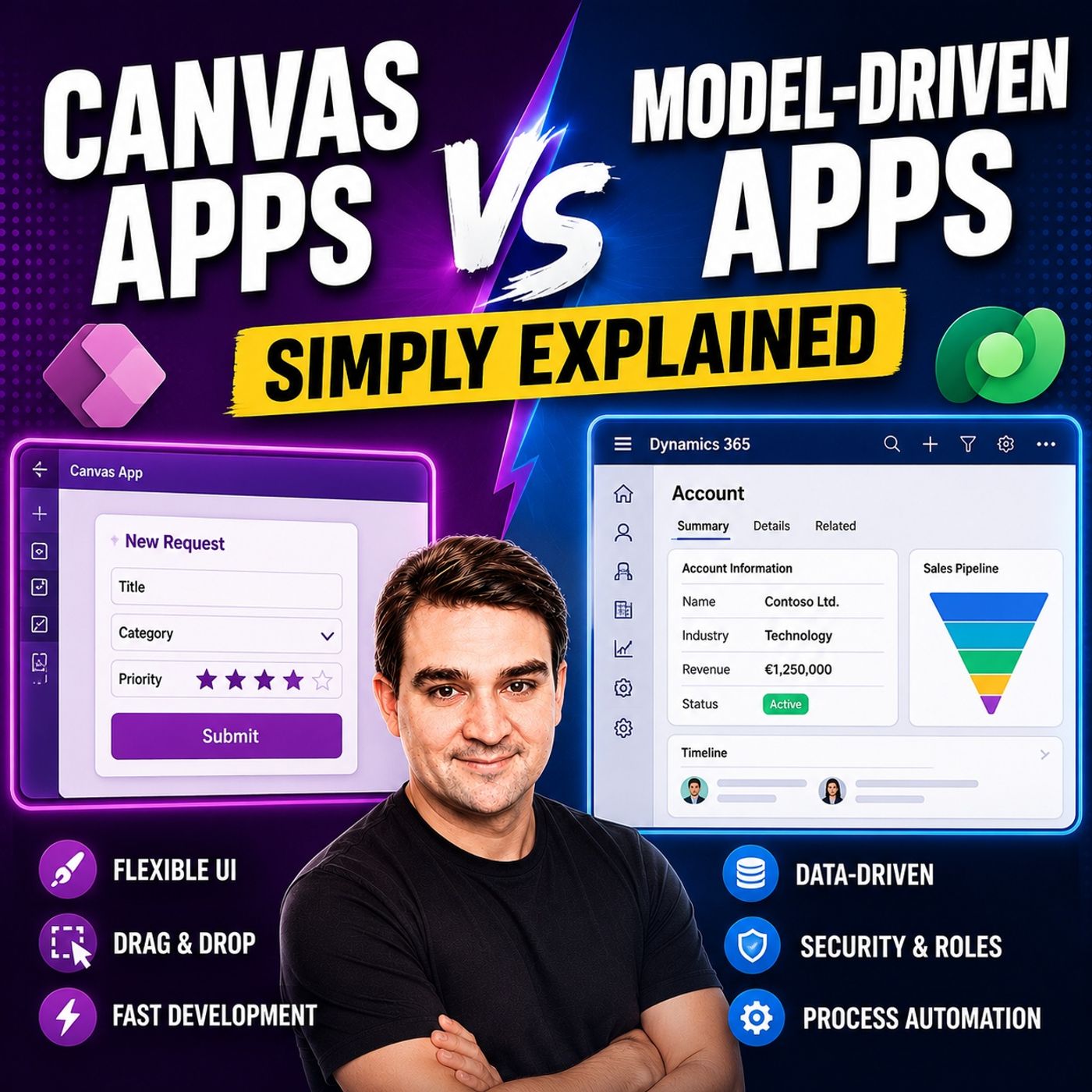
Canvas Apps vs Model-Driven Apps - Simply Explained
Show notes
Microsoft Power Apps offers two primary ways to build business applications: Canvas Apps and Model-Driven Apps. At first glance they may appear similar, but they are designed for very different scenarios. Choosing the wrong app type can lead to unnecessary complexity, expensive redesigns, and weeks of additional work. In this episode, we explain the differences in plain English, helping you understand when to choose each approach and why the decision is based on your business requirements—not on how the app looks. Whether you're a Power Platform beginner, citizen developer, or enterprise architect, this episode gives you a practical framework for selecting the right tool for your next project. UNDERSTANDING THE FUNDAMENTAL DIFFERENCE The biggest difference between Canvas Apps and Model-Driven Apps isn't the user interface—it's where development begins. Canvas Apps start with the user experience. You begin with a blank screen and design every button, image, form, and navigation element yourself before connecting data. Model-Driven Apps take the opposite approach. They begin with your business data model in Microsoft Dataverse, automatically generating forms, views, dashboards, and navigation based on your data structure. One is design-first, while the other is data-first, and that single difference influences every design decision that follows. CANVAS APPS – COMPLETE DESIGN FREEDOM Canvas Apps provide maximum flexibility for creating custom user experiences. Developers can design every screen exactly as they want while connecting to hundreds of different data sources including SharePoint, Excel, SQL Server, Salesforce, Microsoft Dataverse, and many other systems. This makes Canvas Apps ideal for mobile-first applications, inspection forms, approval processes, dashboards, field service solutions, and task-focused business apps where branding, usability, and custom layouts are critical. The trade-off is that developers are responsible for building navigation, validation, business logic, and user interactions themselves. MODEL-DRIVEN APPS – DATA COMES FIRST Model-Driven Apps are built around Microsoft Dataverse and automatically generate a professional business application from your data model. Instead of designing screens manually, you define tables, relationships, security roles, and business rules. Power Apps then creates forms, views, navigation, dashboards, and responsive layouts automatically. This approach is ideal for enterprise applications such as CRM systems, case management, project tracking, compliance solutions, and business process automation where structured data, governance, and consistency are more important than visual customization. REAL-WORLD USE CASES Canvas Apps excel when users need highly customized interfaces, mobile experiences, offline capabilities, or applications that combine information from multiple external systems. Model-Driven Apps perform best when organizations require centralized business data, complex relationships, role-based security, auditing, and standardized business processes. Instead of asking which app type is better, organizations should focus on which business problem they are solving, because each platform has been optimized for a different category of application. LICENSING CONSIDERATIONS Licensing is another important factor when selecting an app type. Canvas Apps using only standard Microsoft 365 connectors such as SharePoint, Excel, Outlook, and OneDrive are often included within existing Microsoft 365 subscriptions. However, once an app uses Microsoft Dataverse or premium connectors, premium Power Apps licensing is required. Since Model-Driven Apps always rely on Dataverse, they require premium licensing by design. Understanding these licensing differences helps organizations avoid unexpected costs while planning new Power Platform solutions. THE HYBRID APPROACH Many successful organizations don't choose one app type—they combine both. A common architecture uses a Model-Driven App as the enterprise system of record while embedding Canvas Apps for specialized user experiences such as mobile inspections, guided workflows, or simplified data entry screens. Power Automate connects both environments, allowing organizations to combine enterprise governance with exceptional user experiences while keeping all business data centralized inside Microsoft Dataverse. A SIMPLE DECISION FRAMEWORK Choosing the correct app becomes much easier by asking four simple questions. Does your solution require Microsoft Dataverse? Is the primary focus user experience or business data? Do you need enterprise capabilities such as auditing, security roles, and business process flows? Finally, what licensing already exists within your organization? Answering these questions quickly identifies which Power Apps approach best fits your technical requirements, business goals, and budget without relying on guesswork. COMMON MISTAKES TO AVOID Many beginners select Canvas Apps simply because they enjoy designing interfaces, only to discover later that they need enterprise governance, auditing, or complex business processes that Model-Driven Apps provide automatically. Others choose Model-Driven Apps expecting unlimited design flexibility, only to find themselves fighting the platform's standardized interface. Understanding the strengths and limitations of both approaches before starting a project can prevent expensive redesigns and significantly improve long-term maintainability. KEY TAKEAWAYS Canvas Apps and Model-Driven Apps are not competing technologies—they solve different business challenges. Canvas Apps prioritize flexibility, user experience, and custom design across multiple data sources. Model-Driven Apps prioritize structured business data, governance, automation, and enterprise scalability through Microsoft Dataverse. Many of the best Power Platform solutions combine both approaches, allowing organizations to deliver exceptional user experiences while maintaining secure, scalable, and well-governed business applications. Become a supporter of this podcast: https://www.spreaker.com/podcast/m365-fm-microsoft-365-azure-cloud-power-platform-ai--6704921/support.
Apple Podcasts · Spotify · YouTube · YouTube Music · Deezer
Host: Mirko Peters
Related articles
Transcript
Read the full transcript
Welcome to another episode of Microsoft Knowledge Nuggets here on M365, FM, I'm your host, Mirko Peters. Today we're tackling a question I hear all the time. What's the difference between a canvas app and a model-driven app? Most people think power apps is a single thing, but it's actually two completely different app types hiding under the same name. Picking the wrong one can cost you weeks of rework. One gives you total freedom over design, but expects you to handle everything yourself. Every button, every formula, every data connection is on you. The other hands you are fully structured office, but you can't move the walls. The rooms are already there and you just decide what goes inside them. By the end of this episode you'll know exactly which one to pick, and the answer might surprise you because it's not about looks. It's about where you start. Grab your coffee and let's dive in. The big confusion. Canvas vs. model-driven. So imagine you start a new power apps project and open the Maker Portal. You see two options. Canvas app or model-driven app, which one do you pick? Most people pick based on looks. They open the Canvas designer, see a blank screen, drag a few buttons around and think this feels right or they see the model-driven option and think it looks too rigid and corporate. Big mistake. The real difference isn't about looks at all. It's about where you start. Canvas app start with a blank screen. You design every pixel, every button, every color. You decide exactly what the user sees and in what order. The screen is your starting point and data comes later. Model-driven app start with your data model. The tables, the relationships, the business rules. You define the information structure first and then the app builds itself around that data. And the problems appear, views generate. Navigation just works. This difference changes everything. Your build speed, your control, who can use the app and what happens when your needs grow. So let's define each one in plain English, starting with the one that feels more familiar. What exactly is a Canvas app? Let's break it down. You start with a completely blank whiteboard. No templates, no pre-built forms. Then you drag buttons, text boxes, images and galleries onto the screen. Want a big red button in the top left corner? You can do that. So title to be 28 pixels in a specific shade of blue, that's your call. The connectors are where the real power comes in. Canvas apps can talk to almost any data source, including SharePoint lists, Excel files, SQL databases, Salesforce and hundreds more. Your data doesn't have to live in one place. If it's spread across three systems, a Canvas app can pull it all together onto one screen. So you control every detail from font size and spacing to colors and animations, you can make it pixel perfect or you can make it a complete mess. That's entirely up to you. But here's the trade-off. With all that control, you also have to build everything from scratch. Every form, every view, every validation rule and every navigation flow, you build it yourself. Want a drop-down that filters a list? You write the formula. Want a save button that checks for required fields? You write that too. Canvas apps work best for task-based jobs. Think of a mobile inspection tool for a technician on a factory floor or a quick approval form for vacation requests. Or a dashboard that pulls data from three different systems and shows it in one place. Think of it like building a custom house from scratch. You pick the bricks, the windows and the paint. You get exactly what you want, but you also design the plumbing and electrical wiring yourself. Now, let's compare that to the other approach where the data comes first. What exactly is a model-driven app? A model-driven app starts with Dataverse, which is Microsoft's relational database for business data. You define your tables, relationships and business rules before you ever see a single screen. Once your data model is ready, the app automatically generates forms, views, dashboards and navigation for you. You don't design screens directly instead. You configure components. Tell the system which fields to show on a form and it builds the form for you. The UI is consistent, responsive and accessible without extra work. Navigation follows a predictable pattern. Click a record to see its details then scroll down to see related records. Everything feels connected because the data model already defines the relationships. You also get built-in governance like role-based security, auditing and business process flows. These are enterprise features that would take days to build manually in a Canvas app, but in model-driven they're just there. The trade-off is less flexibility. You can't move a field two pixels to the left because the generated UI follows a standard pattern. Some people find that frustrating, but for many business users, that consistency is exactly the point. Model-driven apps work best for data-heavy work. Think of CRM systems that track accounts, contacts and opportunities. Case management where every interaction needs to be logged. Project tracking with dependencies and timelines. Compliance workflows where auditing is required. Think of it like moving into a pre-built office building. The rooms, hallways and security desks are already there. You furnish the rooms and decide who sits where, but you can't knock down walls or change the floor plan. So now that we know what each one is, let's dig into the real difference and it's not about looks. The core difference. Designed first, verse data first. So think about the first question each approach asks. Canvas apps start with, what do you want your user to see and do? You design screens first. Layout colors flow from one screen to the next. Data gets connected later, like plugging a lamp into a wall outlet. Your driven apps flip that question. They ask, what is your business data? Who can see it? How does it relate? You model the data first, tables, columns, relationships and the screens come later. Generated from that model. This changes how you build. With Canvas, you prototype a screen, connect it to a data source and tweak formulas until it works. But when the data structure changes, say someone adds a column to your SharePoint list, you have to update every screen that touches that data. Manually, one at a time. Model driven is different. You update the table schema, add a column or change a relationship and the forms and views update automatically. You don't touch a single screen. Data sources also differ. Canvas apps can pull from SharePoint, SQL, Excel, API, Salesforce, anything with a connector. You are not stuck with one system. Model driven apps only use data verse, a structured database that keeps all your business data in one place. That trade-off gives data verse features like calculated columns that update automatically, roll-up fields, business rules that run server side and relationship navigation without code. Click a contact, see their cases. Click a case, see their activities. It just works. So the question is about your center of gravity. Is it in the user experience, the look, feel, custom flow, or is it in the data and processes? Structure, relationships, governance. Remember, it's about where you want to put your effort. Let's look at practical scenarios to make this real. When should you actually reach for a Canvas app? When Canvas apps shine, real use cases. Instead of field workers, if you need inspectors on a factory floor doing safety checks or technicians logging repairs in the field, Canvas apps work offline on phones. They use the camera, GPS, and microphone and they look great on small screens because you are designing for that specific device. Canvas apps are built for the device in hand, not for a generic desktop layout. Another use case is when you have existing data you don't want to migrate. Maybe your company uses SharePoint lists for one thing, an old SQL database for another and an Excel tracker that has been running for years. A Canvas app can bring all three into one interface without moving anything. Connect to each source, build one screen, and you're done. No migration, no downtime. This makes Canvas ideal for integrating legacy systems without touching the back end. If branding matters, like a customer facing portal needs exact colors, fonts, and design language, Canvas gives you pixel control. You can match a brand guide down to the last detail. Model driven cannot do that. If the look of the app is part of your brand identity, Canvas gives you that control. For simple task-based apps, a vacation request form, a weekly time sheet, a checklist, Canvas is fast. You do not need a complex data model. One screen, one data source, a few formulas, you can ship it in an afternoon. These are the bread and butter of Canvas. Quick, focused, and easy to maintain. Finally, rapid prototyping. You want to test an idea quickly. Throw together a Canvas app in an afternoon, put it in front of real people, get feedback, and iterate. Going from idea to working prototype in hours is hard with model driven because you have to model the data first. It's the fastest way to validate an idea before investing in a full data model. But here is the downside. Canvas apps can get messy as they grow. Without careful structure, you end up with hundreds of formulas spread across screens. One person builds it, someone else modifies it, and soon nobody knows what that button actually does. Maintenance gets harder with every new feature. So Canvas is great when you need design flexibility, mobile capabilities, or quick prototypes, but it asks you to manage everything yourself. Now let's look at the other side. When does a model driven app make more sense? When model driven apps shine, real use cases. Let's walk through the scenarios where model driven apps are the obvious choice. Starting with number one, you're building a system of record. Think CRM accounts, contacts, opportunities, cases. This data is deeply connected. One account has many contacts, cases, and activities that all link together. Model driven apps handle this out of the box. You define the relationships once in dataverse, and the app just knows that clicking an account shows all its contacts, no code needed, that's built into the platform. Number two, complex business processes that need stages and approvals. Employee onboarding, for example. HR creates the profile, it sets up equipment, manager assigns training, security grants access, each step happens in order, and you can't skip stages. Model driven apps use something called business process flows. The guide uses through every stage, so the next step is always visible, and you always know where you are in the process. Could you build that kind of staged workflow in a Canvas app? Technically yes, but you're essentially building a mini workflow engine yourself. In Model driven, it's a configuration toggle. Scenario three, multiple teams use the same data but need different views. Sales sees opportunities and deals. Services open cases in customer history. Exact seed dashboards with KPIs and trends. Same data, different perspectives. Model driven apps handle this with security roles. You define what each role can see and do. Sales gets their pipeline view. Service gets their queue. Execs get their charts. Everyone works from the same source of truth, but nobody sees more than they should. Sales apps can do this too, but then you have to build the filtering and permission logic yourself for every screen. Scenario four, auditing and compliance. Who created this record? Who changed it? When? What was the old value? In dataverse, this is logged by default. Every create, every update, every delete. You can put an audit trail for any record without writing a single line of code. Canvas apps don't have that feature built in. If you need auditing, you're building a custom logging system, writing audit entries to a separate table. Building reports to view them. It's doable, but it's work you have to do yourself. In scenario five, you're already using Dynamics 365. Maybe sales or customer service. Model driven apps extend that environment naturally. You add custom tables alongside the standard ones. Your new app uses the same security model, the same navigation, the same look and feel. Everything works together because it's all built on the same dataverse foundation. Canvas apps sit outside that world. They can connect to dataverse, sure, but they don't inherit the Dynamics 365 interface or behavior. Now, here's the thing you need to watch out for. If you try to force a heavily customized UI into Model driven, you'll fight the platform. I've seen teams spend weeks trying to make a Model driven form look like a custom canvas screen. They override the CSS. They hide default controls. They build custom JavaScript to manipulate the DOM. Then Microsoft releases an update and everything breaks. Model driven is not the right tool when you need pixel-perfect design. It's the right tool when you need data integrity and process consistency. There's one more factor that often decides the choice. How much it costs? The licensing reality. Here's the simple rule. Model driven apps always require a premium license. Canvas apps can run on standard licenses, but only if you follow the rules. Let's break that down. Canvas apps that use only standard connectors, SharePoint, Excel, OneDrive, Outlook are often included with many Microsoft 365 plans at no extra cost. If your data lives in SharePoint and all you need is a custom form on top of it, you might already have the license you need. The moment you touch dataverse, everything changes. Even if the app is a Canvas app, the moment it reads or writes to dataverse, you need a premium license. And for premium connectors like SQL, Salesforce or SAP, the connector type determines the license tier. Model driven apps are built on dataverse. They require premium licensing for everyone who creates or runs them. There is no standard license path for model driven. Period. And it goes deeper than that. Business process flows in model driven apps require premium. Real-time workflows and plugins require the full platform plan. The more server-side logic you add, the higher the license requirement. So the choice often becomes very practical. Can we get this done with standard connectors under our existing licenses? If yes, Canvas is cheap. You build the app, share it with users, and nobody needs a new subscription. If you need dataverse anyway, because your data is complex or you need governance or your building a system of record, then the licensing cost is the same for both app types. So pick based on functionality, not price. Many organizations do this math. For simple departmental apps, a vacation request form, a weekly time sheet, Canvas on SharePoint costs nothing extra. That's a win. For enterprise-wide solutions that need auditing, role-based security and complex processes, the premium license is a good investment. You're paying for governance you'd otherwise have to build yourself. What if you need both? The best of both worlds might be closer than you think. The hybrid approach, bringing them together. Here's the thing. You don't have to pick one type for your entire app. Modern Power Apps projects blend both approaches and you choose the right tool for each piece of the puzzle. The most common pattern goes like this. Start with a model-driven app as your core system of record. That handles the data model, your business processes, security rules, and those manager dashboards. That is your foundation. The bad Canvas apps inside those model-driven forms for specialized screens. Say you need a custom guided experience at a specific step. Drop a Canvas app right in and your users stay in the same interface without ever noticing the switch or build standalone Canvas apps for field workers that read and write to the same dataverse tables. The model-driven app handles the back office. Reporting, case management, compliance. The Canvas app handles the front line, mobile inspection, quick data capture, offline work, power-automate flows tie it all together. When a field worker submits an inspection through Canvas, a flow updates the case in the model-driven app and triggers the next approval. One solution with different services for different users. That is the hybrid pattern. Governance where you need it, flexibility where you need it. You are not compromising. You are using the right tool for each job. So how do you decide here is a simple framework for your next project? The simple decision framework. Ask yourself four questions in order. First question. Do I have to use dataverse? If the answer is no. Maybe your data lives in SharePoint or another system you are not moving, then Canvas is your choice. Model-driven cannot work without dataverse, so that single question eliminates one option. Second question. Is the value mainly in the user experience or in the data and processes? If UX is the focus, go Canvas. If data and processes are the focus, go Model-driven. This is the core of the decision. If your users need a custom interface, reach for Canvas. If they need to manage complex data with consistent processes, Model-driven is the stronger play. Third question. Do you need complex business process flows, role-based security or auditing? If yes, go Model-driven. If no, Canvas can work. Those enterprise features are built into Model-driven, while in Canvas you would have to build them from scratch. Fourth question. What about your existing licenses? Do you have Microsoft 365 plans that cover standard Canvas apps or do you already have premium licenses for dataverse? Budget often shapes your starting path. If you can build it without spending extra money, that is a clear sign. Here is a quick rule of thumb from Microsoft's own guidance. Consider a Model-driven app unless your users have a specific need for a Canvas app. Start with Model-driven by default and only switch to Canvas when you need custom UI, a mobile first experience or multi-source data. One last tip. If you are still unsure, prototype in Canvas first. It is faster to iterate on design. If the app grows and needs governance later, migrate the data to dataverse and add Model-driven components. You do not have to get it perfect on day one. So here is the bottom line. Canvas apps give you total design freedom with any data source. Model-driven apps give you structured data management and built-in rules on dataverse. They're not competing. Each one does a different job and the best solutions use both. Next time you start a Power Apps project, begin with those four questions. Don't just start dragging controls. Find your center of gravity. Is it the user experience or the data? A few minutes of thinking now saves you weeks of rework. That's worth it. If this helped, subscribe for more knowledge nuggets. I'd love to know which app type you reach for first.