 EN
EN Deutsch
 Español
 Français
 Italiano
 Português
 Nederlands
 Polski
 Bahasa Indonesia
 Русский
 Українська
 العربية
 עברית
עברית हिन्दी
 日本語
日本語 한국어
한국어2026-08-18 · Season 3
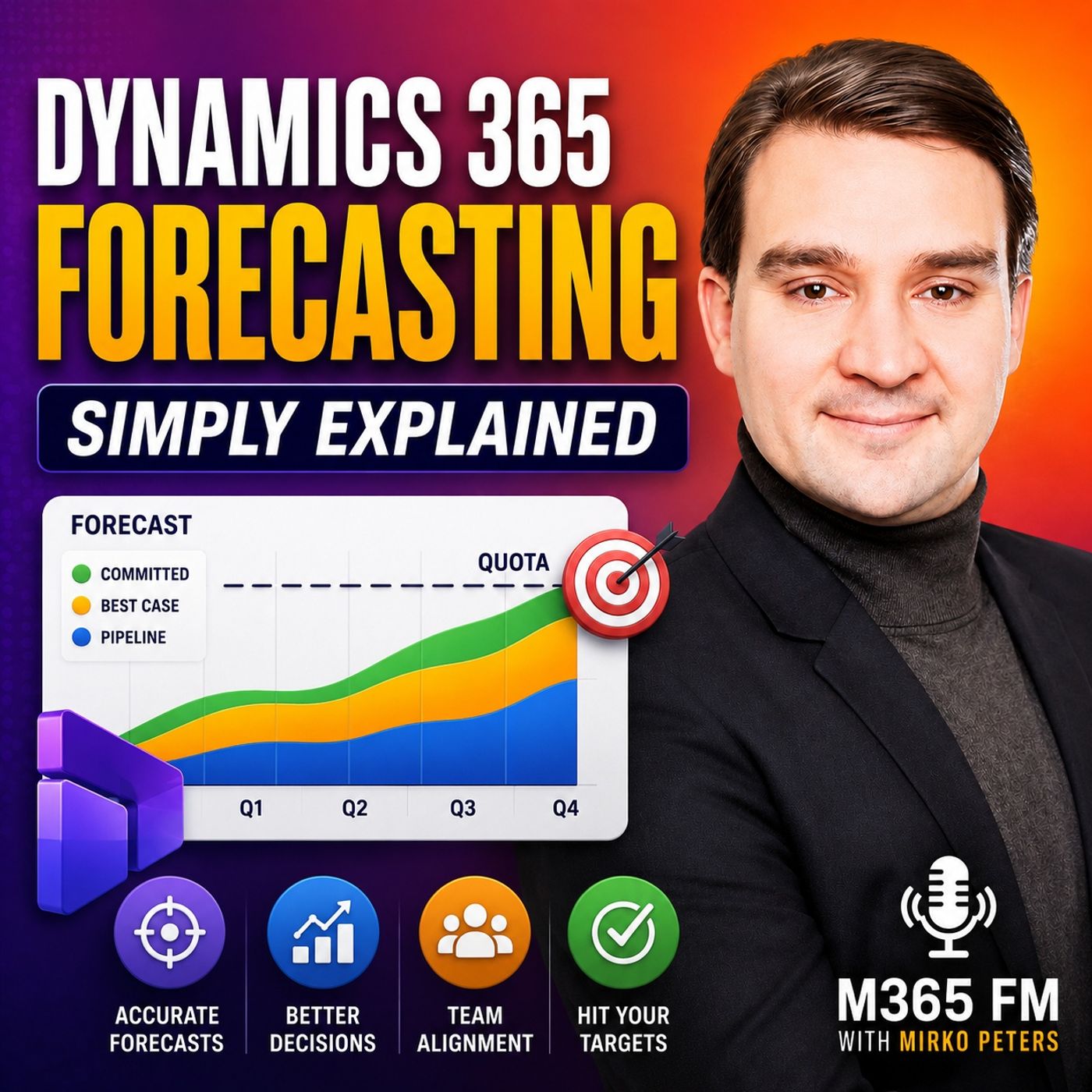
Dynamics 365 Forecasting - Simply Explained
Show notes
Dynamics 365 Forecasting helps sales teams answer one of the most important questions in business: are we going to hit our sales target? Instead of collecting numbers from spreadsheets, emails, and individual sales reports, Dynamics 365 Sales brings opportunities, expected revenue, close dates, forecast categories, quotas, and sales performance into one shared forecasting view. In this episode of M365 FM, Mirko Peters explains how Dynamics 365 Forecasting works, how forecast categories represent confidence, and why accurate opportunity data is essential for reliable revenue forecasting. ㅤ WHAT IS DYNAMICS 365 FORECASTING? ㅤ Dynamics 365 Forecasting turns the opportunities your sales team already manages in Dynamics 365 Sales into a structured view of expected revenue. A sales forecast isn't a guarantee of future revenue. It's a continuously changing estimate based on what the sales organization currently knows about its open opportunities. The forecast combines important information including expected deal value, expected close dates, sales quotas, ownership, and confidence. This allows sellers and sales managers to understand not only how much potential revenue exists, but how realistic that revenue is for the current forecasting period. ㅤ FROM SPREADSHEETS TO A SHARED SALES FORECAST ㅤ Traditional forecasting often depends on individual spreadsheets that sellers update at different times. Managers then collect those files, consolidate the numbers, and try to determine which version contains the latest information. Dynamics 365 Sales changes this process by building forecasts from opportunity data already maintained by the sales organization. Instead of creating another reporting process, forecasting becomes part of everyday sales management. Everyone can work from the same underlying opportunity information. ㅤ UNDERSTANDING THE FORECAST GRID ㅤ The Dynamics 365 forecast grid acts like a shared sales scorecard. Depending on how forecasting is configured, rows can represent individual sellers, teams, territories, or products. Columns can show quota, forecast amounts, and different levels of forecast confidence. Managers can move beyond headline revenue numbers and drill into the opportunities behind those totals. This makes forecast conversations more practical because teams can discuss specific deals, changes in close dates, customer decisions, and pipeline risks instead of debating spreadsheet numbers. ㅤ FORECAST CATEGORIES EXPLAINED ㅤ Forecast categories provide a common language for describing the confidence behind each opportunity. Pipeline represents opportunities that are still relatively early or uncertain. Best Case represents opportunities showing meaningful progress but which are not yet reliable enough to treat as expected revenue. Committed represents opportunities where the customer has provided a strong verbal or contractual commitment, although the sale has not officially closed. Omitted removes an opportunity from forecast totals without deleting the opportunity from Dynamics 365 Sales. Won and Lost are handled differently. When opportunities are formally closed, Dynamics 365 updates their final status accordingly. Together, these categories allow teams to see the difference between potential revenue, realistic upside, and high-confidence opportunities. ㅤ FORECASTING FOR SELLERS AND SALES MANAGERS ㅤ Different roles can use the same forecasting data for different decisions. Individual sellers can compare their current forecast against quota and identify where they need to focus their attention. A seller who has a large gap between expected revenue and target can determine whether existing opportunities need attention or whether additional pipeline must be created. Sales managers can view the entire team and then drill into individual sellers and opportunities. This makes coaching more specific. Instead of simply asking why someone's forecast is low, managers can discuss actual opportunities, customer activity, delayed close dates, missing proposals, and the next actions required to move deals forward. ㅤ FORECAST HIERARCHIES AND ROLLUPS ㅤ Dynamics 365 Forecasting can aggregate opportunity information through different organizational structures. An organizational hierarchy can follow reporting relationships, while territory-based forecasts can organize revenue around geographic or assigned markets. Product forecasts can show expected revenue based on what the company sells. These rollups allow sellers, managers, directors, and leadership to work from connected sales data while viewing the information at the level appropriate to their responsibilities. ㅤ AI AND SALES FORECASTING ㅤ AI can provide additional signals around sales opportunities, but it doesn't know exactly which customers will buy. Opportunity scoring and related sales intelligence can analyze patterns such as customer interactions, meetings, emails, sales stages, opportunity values, and previous sales activity. These signals can help sellers and managers identify opportunities that may require attention. A low score should therefore be treated as another piece of information rather than a final decision about whether an opportunity will close. ㅤ WHY DATA QUALITY MATTERS ㅤ Even sophisticated forecasting technology cannot compensate for inaccurate sales data. If an opportunity has an outdated close date, incorrect expected revenue, or an unrealistic forecast category, those errors can flow directly into the forecast. Sellers should keep opportunity amounts, expected close dates, ownership, and forecast categories current whenever the customer situation changes. Accurate forecasting starts with accurate opportunity management. ㅤ HUMAN JUDGMENT STILL MATTERS ㅤ Sales data cannot capture every detail of a customer relationship. Budget changes, competitors, internal customer reorganizations, new decision makers, delayed projects, and changing priorities can dramatically affect an opportunity. The strongest forecasting process combines structured Dynamics 365 data with the knowledge of the people actually speaking with customers. Managers can use forecast reviews to understand what changed, challenge assumptions, and determine whether opportunities still belong in their current forecast categories. ㅤ BUILDING A RELIABLE FORECASTING RHYTHM ㅤ Reliable forecasting depends on regular updates rather than a last-minute cleanup before a leadership meeting. Sellers should review open opportunities throughout the week and update values, expected close dates, ownership, and forecast categories when circumstances change. Forecast reviews can then focus on meaningful questions: Which deals moved forward? Which opportunities slipped? Where is revenue at risk? Is there enough pipeline to reach quota? Which opportunities need immediate attention? This turns forecasting from a reporting exercise into an active sales management process. ㅤ THE KEY TAKEAWAY ㅤ Dynamics 365 Forecasting transforms everyday sales opportunity data into a shared view of expected revenue, confidence, quota performance, and pipeline risk. Sellers can understand where to focus their effort, managers can identify problems earlier, and leadership gains a clearer picture of expected business performance. But the quality of the forecast ultimately depends on the quality of the information behind it. Keep opportunity data accurate, use forecast categories consistently, and combine the numbers with human judgment. That's when Dynamics 365 Forecasting becomes a practical tool for sales planning rather than another report. Subscribe to M365 FM for more Microsoft Knowledge Nuggets and Simply Explained episodes covering Dynamics 365, Microsoft 365, Power Platform, Azure, Copilot, AI, security, governance, and the Microsoft ecosystem. Become a supporter of this podcast: https://www.spreaker.com/podcast/m365-fm-microsoft-365-azure-cloud-power-platform-ai--6704921/support.
Apple Podcasts · Spotify · YouTube · Deezer
Host: Mirko Peters
Guests
Related articles
Transcript
Read the full transcript
Imagine a sales leader asks their team, "Are we going to hit the number this quarter?" A manager needs an answer and a seller wants to know which deal to focus on first. But too often, that answer is scattered across separate spreadsheets, old email attachments, and a hopeful guess from Friday's sales call. I'm Mirko Peters from M365, FFM, and this knowledge nugget puts that into plain English, Dynamics 365. Forecasting gives your team one shared view of expected revenue, how confident people feel about it, and where the risks sit, think of it like a whiteboard in the sales office where every open deal adds to the picture. Before we look at the tool, let's get clear on what a forecast actually means. Herkud, "What a sales forecast actually is." Will your team hit its number this quarter? That's the question behind almost every sales forecast. But a forecast isn't a promise carved into stone, "Oh, it's a working estimate that changes as customers respond, deals move forward, and dates slip." Think of the target, often called quota, as the line your sales team aims to cross. The forecast shows the path toward that line based on what the team knows right now. That difference matters because a quota tells a seller to bring in $100,000 this quarter. But the forecast tells them whether their current open deals offer a realistic root to that number or whether the pipeline needs more opportunities. A useful sales forecast starts with open deals. An open deal is a possible sale that hasn't closed yet, oh, a company looking at your software, a customer asking for a proposal, or a buyer waiting for final approval. In Dynamics 365 sales, we call these opportunities, and each one holds the details that feed the forecast. You need an expected amount. If a customer might buy services worth $20,000, that amount goes on the opportunity. Without it, the forecast can't show how much revenue the deal could bring in. You also need an expected close date. A deal might seem promising, but if it won't close until next quarter, it shouldn't count in this quarter's forecast. That's how dates keep the team from counting the same deal in the wrong period just because everyone wants it to close sooner. Then there's confidence. Not every open deal deserves the same weight in a revenue conversation over you. A first call with a potential customer feels very different from a buyer who has agreed to the price and is just waiting for paperwork. Forecasting captures that difference with confidence categories, which we'll get into shortly. So a sales forecast brings together four simple pieces. The open deal, the expected amount, the expected close date, and the team's confidence that it will close. Think of them as the building blocks. Imagine a seller named Alex with three deals. The first deal is a new conversation with Northwind traders worth $10,000. Alex knows the customer has a problem, but they haven't seen a proposal yet, so that deal sits in the early part of the forecast. The second deal is with Contoso worth $30,000. Alex has met the buyer twice, shared pricing, and answered technical questions, oh, it could close this quarter, but the customer is still shopping around. The third deal is worth $50,000, and the customer has agreed to buy. Alex is just waiting for the final signature, so that one carries much more confidence, even though it's not revenue until the sale closes. Alex can look at those three opportunities and see more than a total of $90,000. But the forecast shows the shape of that money, some of it looks early, some could happen, and some looks close. That helps Alex decide whether to chase a new deal, help Contoso resolve a concern, or make sure the paperwork for the $50,000 sale doesn't stall. When sellers keep these opportunity records current, the forecast becomes a near real-time view of the sales team's current position. It won't predict the future perfectly, because customers can change their minds, budgets can disappear, and approvals can take longer than anyone expected. But it gives everyone the same starting point for a useful conversation. From spreadsheets to a shared forecast board, let me paint you a picture of the old way. Every salesperson keeps their own spreadsheet, one updates theirs on Monday, another changes a number after a phone call on Thursday. Then the manager rounds them up, copies everything into one master file, and tries to explain the total in a meeting. By the time that total reaches leadership, somebody out missed deal has already slipped another seller added a new opportunity, and one of those spreadsheets might not even be the latest version. That would miss the real problem with forecasting through attachments. It's how Tim's not just that the numbers live in different places, and people also use different definitions. One seller counts a deal the moment they have the first meeting. Another waits until they send a quote. Meanwhile, a manager might know the customer paused their buying process, but the spreadsheet still shows the full amount. Nobody sets out to create confusion. But when the whole process depends on separate files and manual updates, the forecast gets stalefast. You also lose visibility into who owns each number, what UTM deets actually behind it, and whether the total change because a deal moved forward or because somebody accidentally overwrote a sell. Dynamics 365 sales changes where the forecast starts. Instead of asking people to build a separate report from scratch, it uses the opportunity records the sales team already updates during their daily work. The amount, owner, close date, and all those deal details live in one connected platform. So the forecast does know and requires someone to gather 10 files before a meeting. It can pull together the sales data the team has already recorded. That means everyone starts the conversation with the same information. Sure, people still need to keep their opportunities current, but the system eliminates the copy and paste step that usually sits between a seller and their manager. The main view is called a forecast grid. Think of it as a shared scorecard, I/O, not another spreadsheet buried in someone A-B-O, T-M as personal folder. The rows can show individual sellers, teams, products, or sales territories depending on how the business wants to look at its pipeline. Across those rows, columns display things like quota and forecast amounts for the period. A seller can see their own row and compare their current picture against their target. A sales manager sees the team total, then scans down the page to find where a gap starts. If one territory looks weak while another is strong, that difference shows up in the same view instead of hiding in two separate reports. The total matters, but the details matter just as much. Say a manager sees the team expects $200,000 this month. That number alone does know, to me tell you much. Is it built on a few big deals? Is one seller carrying most of the weight? Did a major opportunity slide to a later date? With a forecast grid, the manager can drill into that total and open the actual opportunities behind it. Now the conversation changes completely. Instead of asking, oh, why does your number look low? A manager can say, oh, this customer deal moved out of the month. What changed? And what can we do next? A-O's at tower teams are much better sales conversation because it starts with a real customer situation, not a mystery hidden in a spreadsheet cell. Regular forecast reviews keep that shared view useful. The team checks what changed since the last review, looks at the deals that need attention and updates the records while the details are still fresh. The forecast becomes part of how the team plans its work, not a report everyone rushes to prepare when leadership asks for an answer. One shared board does know to remove uncertainty, but it does remove the argument over which attachment has the right number. Next, we need to look at the labels that decide where each opportunity appears on that board. Forecast categories, the confidence ladder. The forecast grid needs more than amounts and dates. It also needs a simple answer to one question. How likely is this deal right now? Dynamics 365 sales uses forecast categories for that job. A category is a label on an opportunity that tells the system, which forecast column should include its amount. It also tells the team how much confidence to place in that amount during a review. This is now tempt about pretending every customer decision fits neatly into a box. It gives sellers a common language, so, oh, looking good, oh, means more than a vague feeling after a call. When one seller marks a deal is committed, everyone should understand exactly what that label means. The first category is pipeline. Pipeline is the default for any new opportunity. It fits deals that are early, unclear, or not moving much yet. Maybe you ooo, Tim, who found a real customer need. You might even know the potential value, but the buyer is still researching, comparing priorities, or deciding whether to spend at all. Keep pipeline visible. A low confidence deal can still turn into a good sale, and it might show where next quarter our TMS revenue could come from. It just should noten't carry the same weight as a customer who has already agreed to buy. Imagine a seller meets a company that needs new customer service software. The first conversation goes well, but nobody knows who signs the contract, what budget exists, or when the company wants to make a decision. That opportunity belongs in pipeline. The seller needs to learn more before calling it anything stronger. Next comes best case. A best case opportunity has moved beyond the first conversation. The customer is actively looking at the solution. Maybe they asked for pricing, joined a product demo, brought in more people from their team, or discussed what the setup might look like. There is real progress. Still, progress is no to-med commitment. The buyer might choose another supplier, postpone the project, or decide the price does now at Met fit their budget. Best case means the deal could close in the forecast period, but the team should know, tend to plan as if the money is already in the bank. This category stops two bad habits. One is treating every active deal as a sure thing. The other is ignoring good deals just because they are no-tiered, ready for a firm call. Best case holds that middle ground. It makes the upside clear without hiding the risk that you have committed. Committed means the customer has given a verbal or contractual commitment. The deal has reached a high confidence point. Maybe the buyer agreed to the price and sent the contract through their approval process. Maybe the paperwork just needs a final signature. That sounds close because it is close, but a committed opportunity has now been closed yet. Paperwork can stall, a senior leader can pause spending. Legal teams can request changes. That outams why sellers need to use this category carefully, not move a deal there just because the end of the quarter feels uncomfortable. Commit is a serious call when a manager sees committed revenue, they should be able to ask, oh, what exactly has the customer agreed to? And what remains before we close? Oh, if the answer is only hope, the deal belongs somewhere else. There is also omitted. Omitted removes an opportunity from all forecast totals. Use it when a deal is on hold, no longer fits the current period or needs to stay out of the forecast for now. The opportunity can remain in Dynamics 365 sales with its history intact, but it one outam it, affect the team, outams number. That can feel strange at first. People sometimes leave weak deals in the forecast because they don't know if I did want to lose sight of them. Omitted solves that problem. You can still see the deal in the sales records while keeping it from distorting the revenue picture. One in Lost work differently. You should now tempt, select those categories by hand. When a seller closes an opportunity through the close opportunity process, Dynamics 365 sales updates the category to one or lost automatically. That ties the result to the actual closing action, not a label someone changed too early. Manual changes can create bad totals. So let the system handle the final outcome. Until a deal closes, use Pipeline, best case, committed or omitted to show its current position. Picture one opportunity as it develops over several weeks. A customer first contacts your company about a new service package. The seller creates the opportunity and it starts in Pipeline. After meetings, a proposal, and a serious review by the customer AOTMS team, the seller moves it to best case. Later, the customer agrees to move ahead and confirms the commercial terms. The seller moves the opportunity to commit it because only the final paperwork remains. Each change updates the forecast view. So managers can see that the deal did not and suddenly appear from nowhere. Its confidence changed as the customer moved closer to a decision. That is what makes categories useful. They turn a long list of opportunities into a clearer picture of risk, upside, and expected revenue. Once every seller uses the same confidence labels, those individual judgments can flow upward interviews for managers, directors, and leadership. There it. One forecast, different views for every sales role. A forecast starts with individual deals, but different people see it differently. That's because each role looks at the same data from a different angle. If you're a seller, your view is personal, you compare your forecast to your quota for the current period. Let's say your target is $100,000 and your best open deals only add up to 60,000. You can see that gap early and take action. Maybe you need a meeting with a decision maker on a best case deal. Or maybe a deal you expected to close this month, slipped to next month. So you need to find another opportunity. Maybe you just don't have enough active deals yet. The forecast won't sell for you, but it shows you where to focus your time for the biggest impact. A sales manager sees a bigger picture. Instead of checking one seller's forecast, you can view the whole team. Then you can zoom in when something needs attention. One seller might have a healthy committed amount. Another might have a large target, but very little pipeline behind it. That makes coaching conversations much clearer. Instead of telling a seller to improve the forecast, you can open up their actual deals and ask practical questions, which customer still needs a proposal of why did this expected close date move? Who needs help getting a technical person into the next meeting? The manager can also spot risk across the team. If nearly all of the expected revenue depends on two huge deals, the total might look fine while the quarter is fragile. A forecast view makes that dependence visible before the final week arrives. Directors usually look across groups, not individual sellers. You might compare one region to another. Look at results from several teams or check how a product line is performing. That helps you decide where to focus your attention and support. Imagine one territory has a strong pipeline for a product while another territory struggles to start conversations with customers. The director can ask whether the stronger team has a useful sales approach to share. Maybe they bring marketing help to the weaker territory, reassigned specialist, or adjust a plan that no longer fits customer demand. Leadership needs an even higher view, projected revenue affects more than sales meetings. The business may need to plan product work, staffing, inventory, or talks with investors and other stakeholders. Nobody treats a forecast as guaranteed money, but it gives leadership a current view instead of waiting until the period ends to find out something went wrong. Dynamics 365 sales supports this with hierarchy rollups. Think of expense receipts after a business trip. Each person submits their own receipts, a manager sees the department total and finances the company total. Forecast amounts work the same way out. They flow from opportunities into a seller's row then up through the sales structure. You can set up a forecast based on the structure that fits your question. An org chart forecast follows reporting lines, so a manager sees the people who report to them and they're combined totals. A territory forecast group sales by area like regions or assigned markets. A product forecast groups expected revenue by what the company sells. The numbers change depending on the view, but the source stays connected. That helps people stop arguing over whose spreadsheet has the right answer. A seller, manager, director, and leader can all look at the same sales records while asking the questions that fit their role. Automation can help bring those views together, but people still need to judge what the numbers mean. AI, data quality, and human judgment automation can help bring those views together, but you still need to judge what the numbers mean. That's where AI comes in. Many people here, AI forecasting, and imagine a machine that knows exactly which deals will close. That's not what it does. Instead, think of it as a second opinion. It looks at all the sales information stored in Dynamics 365 sales and spots patterns you might miss when you're looking at dozens or hundreds of opportunities. For example, an opportunity score can look at recent customer contact, meetings, emails, movement between stages, the deal amount, and where the lead came from. It compares current opportunities to past sales patterns, a deal that hasn't moved in months might need attention, so might a large opportunity where the seller hasn't spoken to the customer recently. On the other hand, a smaller deal with steady meetings, clear next steps, and a consistent expected close date might look healthier than its amounts suggests. That doesn't mean the score knows the customer better than you do. It just gives you and your manager another signal to consider before you spend time on the next call or forecast review. A low score is a reason to ask questions, not a final answer. Co-pilot and other sales tools can also reduce some of the admin work around forecasting. You can use them to catch up on customer history, prepare for a meeting, summarize a conversation, or draft a follow-up message. Less time hunting for notes means more time keeping your opportunity details current. But that only helps if the information in Dynamics 365 sales stays honest. Bad data leads to bad forecasts. A tool can look very smart while working from an old close date, an amount nobody updated after a pricing change, or an opportunity that should have closed months ago. Imagine a seller leaves a $60,000 opportunity marked as committed. The customer actually paused the project until next year, but nobody updates the close date or forecast category. AI can analyze the record, and the forecast can roll it up perfectly, but the result still points the business in the wrong direction. The system can only work with what you put into it. That's why basic habits matter more than fancy tools. Sellers need to record the current amount, the expected close date, the deal owner, and the latest forecast category. When a customer changes direction, the opportunity needs to change with them. Some information won't appear neatly in a field. You might know the customer lost budget after a reorganization. You might hear that a competitor lowered their price. A decision maker might leave the company, or a buying committee might postpone a decision while handling another project. Those details can change a deal overnight. No score can replace the person who spoke with the customer. A forecast works best when the system brings the data together, and the seller adds the human context that the data can't see. Managers play an active part too. During a forecast review, you can ask what change since the last conversation and whether the category still fits. If an opportunity sits in committed, ask what the customer agreed to and what's left before the sale closes. Sometimes, a manager can adjust a forecast value to account for something not yet captured in the system, out like a verbal customer commitment, or a pause deal that might come back. That adjustment should support a clear conversation, not hide a weak pipeline. The goal isn't to make every forecast look better. It's to remove false certainty early so the team can respond. Maybe the seller needs help with an approval. Maybe the account needs another meeting. Maybe the deal should move out of the period so everyone stops planning around money that won't arrive. There's also a line businesses need to respect. Microsoft describes forecasting as a tool for sales managers and supervisors to support team performance. It shouldn't decide someone's pay, rewards, seniority, or other employment rights. Companies also need to follow the laws that apply to employee information and customer communications, including notice and consent, where required. Use AI and forecasting to support planning and coaching. Don't let a score, a category, or a dashboard become a verdict about a person. The data describes sales work. It never tells the full story of the person doing it. It was a simple forecasting rhythm that holds up. Forecasting needs a routine. Each week check your open opportunities and update the amount, close date, owner, and forecast category whenever the customer situation changes. Small updates during the week beat a rushed cleanup before a leadership meeting, then review the forecast before anyone higher up needs an answer. Ask which deals moved forward, which one slipped? Does the team still have enough value to reach quota? Those questions turn the forecast into a working tool, treat committed with care. If a deal doesn't have a real customer commitment, don't use the label to make the number look stronger. Put your sales time where it can change the outcome or protect a near-close deal or create the next opportunity. Conclusion, Dynamics 365. Forecasting takes your daily sales work and turns it into a shared view of expected revenue. But that view is only useful if your opportunity updates are honest. Keep them accurate and the forecast becomes the one number everyone trusts. I'm Mirko Peters. Subscribe on your favorite podcast platform and share this knowledge nugget with someone still chasing forecast numbers through spreadsheets and late-night emails.