 EN
EN Deutsch
 Español
 Français
 Italiano
 Português
 Nederlands
 Polski
 Bahasa Indonesia
 Русский
 Українська
 العربية
 עברית
עברית हिन्दी
 日本語
日本語 한국어
한국어2026-05-29 · Season 2
Will Copilot Studio Replace Low-Code Developers?
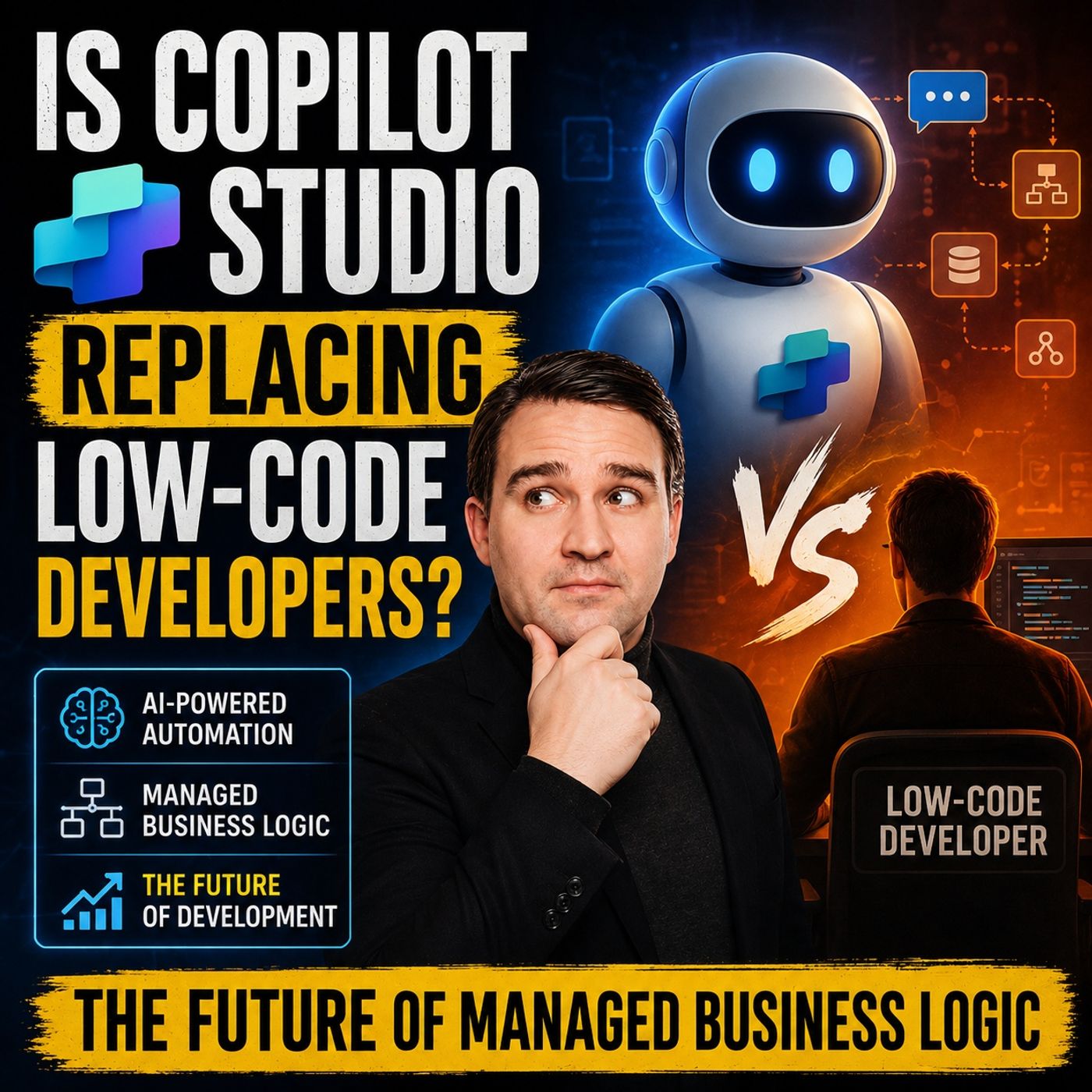
Quick answer: will Copilot Studio replace low-code developers is covered in this M365 FM episode with a practical focus on how it works, where it fits, and the architecture, security, governance, or operational choices that matter in real Microsoft environments.
You see Copilot Studio empowering you as a low-code developer, not Copilot Studio replacing your role. This platform acts as a catalyst in enterprise AI architecture, transforming your experience from UI-centric tools to AI-first orchestration. Copilot Studio bridges the gap between citizen developers and engineers, focusing on agent lifecycle and precision. You gain new opportunities to enhance business workflows, improve customer experience, and drive AI innovation. The table below shows how Copilot Studio is changing your experience:
|
Key Point |
Explanation |
|---|---|
|
Integration into Pro-Code Environment |
Copilot Studio integrates agent development into a pro-code environment, enhancing precision and governance in AI development. |
|
Bridging Citizen Developers and Engineers |
It serves as a bridge between citizen developers who prefer graphical interfaces and software engineers who require precision and version control. |
|
Focus on Agent Lifecycle |
Unlike previous tools, it emphasizes managing the lifecycle of agents rather than just code generation, introducing a new level of rigor in AI orchestration. |
|
Emergence of AI Engineers |
The development signifies the rise of AI engineers who blend traditional software skills with new AI capabilities, marking a shift in the workforce. |
Key Takeaways
-
Copilot Studio empowers low-code developers by enhancing their roles, allowing them to focus on strategic tasks rather than repetitive coding.
-
The platform bridges the gap between citizen developers and engineers, making it easier for both to collaborate and innovate.
-
With Copilot Studio, you can design adaptive workflows that respond to changing business needs, improving efficiency and flexibility.
-
The integration with Microsoft 365 allows for seamless data connectivity, enabling you to automate processes across your organization.
-
Copilot Studio supports the rise of AI engineers, blending traditional software skills with new AI capabilities for a more dynamic workforce.
-
You can leverage AI planning to create intelligent agents that understand user intent, improving accuracy and responsiveness.
-
The platform's governance tools help you manage logic and ensure compliance, making your solutions secure and reliable.
-
By automating end-to-end workflows, Copilot Studio saves time and reduces errors, allowing your team to focus on innovation.
Copilot Studio and Low-Code Evolution
 Image Source: pexels
From UI-Centric to Orchestration
You may remember when low-code tools focused on building screens and forms. These platforms made it easy to create simple apps, but they often tied business logic directly to the user interface. This approach limited flexibility and made it hard to scale complex workflows. Copilot Studio changes this model by moving the logic layer above flows, APIs, and connectors. You now design workflow logic that sits at the center of your solution, not hidden inside individual screens.
Logic Layer Above Flows
With Copilot Studio, you can orchestrate workflows across multiple systems without getting stuck in rigid, rule-based paths. Generative AI orchestration lets agents select the best response strategies for each situation. You do not need to configure every interaction step by step. Instead, you focus on the overall goals and let the platform handle the details. This shift means you can manage logic at a higher level, making your solutions more robust and easier to maintain.
Adaptive Workflows
You gain the ability to create adaptive workflows that respond to changing business needs. Agents can automatically decide which tools to use and search for information proactively. This flexibility allows you to handle multiple intents in a single query, something traditional low-code platforms struggle to achieve. As a result, your workflows become smarter and more responsive to real-world scenarios.
Enterprise AI Architecture Shift
The rise of Copilot Studio signals a major shift in enterprise AI architecture. You move from building static apps to designing systems that reason across platforms and adapt in real time. This approach unlocks new possibilities for business automation and decision-making.
Goal-Driven Orchestration
You can now build goal-driven orchestration that focuses on outcomes rather than individual tasks. Copilot Studio integrates seamlessly with Power Platform and the Microsoft ecosystem, allowing you to prototype and connect solutions quickly. You measure success using custom metrics, such as resolution rates and conversions, instead of just tracking completed steps.
Reasoning Across Systems
You benefit from advanced reasoning capabilities that span multiple systems. Copilot Studio provides real-time analytics and key performance indicators, such as answer rate, duration, and success rate. These tools help you monitor agent performance and identify areas for improvement. You can dive deep into agent mechanics or get a quick overview with at-a-glance dashboards. This level of insight supports continuous improvement and helps you deliver better business outcomes.
Tip: Use Power Platform expertise to unlock the full potential of Copilot Studio. Combining your knowledge of workflows, connectors, and AI orchestration will help you build solutions that scale across your organization.
Is Copilot Studio Replacing Low-Code Developers?
You may wonder if Copilot Studio is replacing low-code developers or simply changing how you work. The answer is clear: Copilot Studio is not replacing you. Instead, it empowers you to take on more strategic and valuable tasks. The platform supports your growth and helps you become a leader in AI-driven business solutions.
Empowering Developer Roles
Strategic Tasks
You gain the ability to focus on strategic tasks rather than repetitive coding. Copilot Studio simplifies the development process, allowing you to spend more time designing solutions and less time on manual work. You can set goals for your workflows and let AI-powered agents handle the details. This shift means you become a problem solver and a solution architect. Research shows that Copilot Studio enhances developer productivity, helping you achieve your goals more efficiently. You can bridge the gap between aspiration and action, creating AI-driven solutions that deliver real business value.
Governance and Orchestration
You play a key role in governance and orchestration. Copilot Studio gives you tools to manage logic, control agent behavior, and ensure compliance. You can oversee how intelligent agents interact with business systems and maintain high standards for security and reliability. Microsoft Power Platform reduces complexity, making it easier for you to create solutions rapidly and cost-effectively. You become the orchestrator of business logic, guiding the flow of information and decisions across your organization.
Surveys show that employees feel more engaged and responsible when they use Copilot Studio. You can refine implementations based on user feedback, leading to greater adoption and success.
|
Evidence |
Description |
|---|---|
|
AI Assistant Impact |
Copilot Studio meets 25% to 40% of PG&E’s help desk demand, optimizing workloads and providing labor savings. |
|
Time Savings |
Automating SAP account unlock requests saves 840 hours per year. |
|
Low-Code Development |
Facilitates collaboration and communication among teams, enhancing workflow coordination. |
Collaboration with AI Agents
Multi-Agent Systems
You work alongside intelligent teammates in multi-agent systems. Copilot Studio enables you to deploy specialized agents that collaborate, just like human teams. These agents can perform tasks independently, reducing administrative work by up to 90% in some organizations. You can create self-service bots for HR, automate IT ticket triage, and streamline finance operations. You become the designer of these ecosystems, making your business more efficient and responsive.
-
Autonomous agents handle routine tasks, freeing you to focus on innovation.
-
Multi-agent ecosystems enhance automation and workflow integration.
-
You can quickly prototype AI solutions and automate smaller tasks, improving operational efficiency.
Declarative Orchestration
You use declarative orchestration to define what you want your agents to achieve. Copilot Studio lets you describe goals and outcomes, and the platform handles the execution. You do not need to write every step. Instead, you set the direction, and intelligent agents adapt to changing contexts. This approach blurs the lines between conversational AI and business process automation. You create intelligent interfaces for complex workflows, making your solutions smarter and more adaptive.
-
HR teams build bots for employee queries.
-
IT departments automate password resets and service ticket triage.
-
Finance teams respond to invoice and budget inquiries automatically.
You see Copilot Studio replacing manual, repetitive tasks with intelligent automation. You remain at the center of solution design, guiding AI-powered agents and orchestrating business logic. The platform supports you, helping you deliver faster, smarter, and more reliable outcomes.
Copilot Studio Features for Business Logic
AI Planning
Intent Interpretation
You interact with Copilot Studio to build intelligent solutions that understand what users want. The platform uses advanced AI to interpret intent, making your business logic more responsive. When employees or customers ask questions, smart assistants analyze the request and decide the best way to respond. This approach improves accuracy and reduces confusion. You do not need to write complex rules for every scenario. Copilot Studio handles uncertain inputs and adapts to changing needs, giving you reliable results.
Dynamic Tool Selection
Copilot Studio empowers you to automate business processes with dynamic tool selection. Intelligent agents choose the right tools for each task, whether searching company data or connecting to APIs. You benefit from multi-bot orchestration, where specialized bots work together seamlessly. Persona-based templates help you start quickly for departments like HR or finance. You see improved efficiency because Copilot Studio integrates with Microsoft 365, making it easy for non-technical users to build solutions. Traditional workflow tools require technical skills and lack flexibility. Copilot Studio changes that by letting you focus on outcomes.
Tip: Use Copilot Studio’s AI planning to create conversational agents that handle tasks with precision and speed.
Copilot-Assisted Building
Custom Agents
You design custom agents that automate repetitive tasks and deliver value to your organization. Copilot Studio lets you build intelligent bots that analyze data, generate reports, and manage emails. Teams save time and focus on strategic initiatives. You can quickly create solutions that fit your business needs. Developers using Copilot complete tasks faster and achieve higher success rates. You see productivity gains as Copilot automates routine work.
Streamlined Processes
You streamline processes by leveraging Copilot Studio’s automation features. The platform reduces project timelines by speeding up document creation and data analysis. Employees spend less time on meetings, reports, and presentations. You identify trends and generate scenarios for strategic evaluation. Copilot Studio helps you coordinate workflows that align with business processes. You experience seamless, intuitive interactions for both employees and customers.
|
Feature |
Description |
|---|---|
|
User Experience |
Seamless, intuitive interactions for employees and customers. |
|
Orchestration |
Coordinated workflows that align with business processes. |
|
Logic & Autonomy |
Decision-making capabilities that reduce manual intervention. |
|
Integration |
Connectivity with line-of-business applications and APIs. |
|
Security & Governance |
Enterprise-grade compliance through authentication, DLP, and network controls. |
|
Knowledge & Models |
Contextual intelligence powered by foundation models and organizational data. |
Microsoft 365 Integration
Data Connectivity
You connect Copilot Studio to Microsoft 365 integrations, unlocking access to company data and automating workflows. The platform simplifies the process for non-technical users. You create intelligent agents that pull information from multiple sources and deliver insights. Integration with Microsoft 365 ensures your solutions work across the enterprise.
Security and Compliance
You trust Copilot Studio to protect your data and meet compliance standards. The platform uses Microsoft’s enterprise-grade security framework, including authentication and network controls. You enforce strict access and keep sensitive information safe. Copilot Studio gives you confidence that your business logic remains secure as you scale automation.
Hyperautomation
End-to-End Automation
You can transform your business processes with end-to-end automation. Hyperautomation means you automate not just single tasks but entire workflows from start to finish. With Copilot Studio, you design intelligent agents that connect systems, analyze data, and make decisions in real time. You do not need to rely on manual steps or switch between different tools. The platform helps you automate approvals, notifications, and data entry. You can set up agents to handle customer requests, process invoices, or manage employee onboarding. This approach saves time and reduces errors. Your team can focus on creative work while automation handles routine tasks.
You also gain visibility into every step of your workflow. Copilot Studio provides dashboards and analytics so you can track progress and spot bottlenecks. You can adjust your processes quickly when business needs change. This flexibility helps you stay competitive in a fast-moving market.
Tip: Start with one process, then expand automation as you see results. Small wins build momentum for larger projects.
Scaling Across Enterprise
You can scale automation across your entire organization. Copilot Studio supports large teams and complex environments. You do not need to worry about outgrowing the platform. Many global companies have already used Copilot Studio to drive hyperautomation at scale.
The following table shows how different organizations have benefited from scaling automation:
|
Organization |
Implementation Details |
Benefits |
|---|---|---|
|
ABN AMRO Bank |
Developed customer-facing agents 'Anna' and 'Abby' using Copilot Studio. |
High customer satisfaction, improved accuracy in intent recognition, faster time to market. |
|
Accenture |
Enabled Microsoft Power Platform for over 700,000 employees globally. |
Encourages innovation and citizen development across the organization. |
|
Centrica |
Established a Center of Excellence for scalable adoption of Power Platform. |
Enhanced operational efficiency and innovation in energy services. |
|
Chevron |
Built a Center of Excellence with governance for app development. |
Enabled hundreds of makers to create thousands of applications. |
|
Cineplex |
Developed RPA desktop flows and AI-driven copilots for various departments. |
Saved over 30,000 hours annually in manual processing time. |
You can see how banks, consulting firms, energy companies, and entertainment businesses use Copilot Studio to automate at scale. You can set up a Center of Excellence to guide your automation journey. This helps you share best practices, maintain governance, and support citizen developers. As you grow, you can add new agents and connect more systems without slowing down.
Hyperautomation with Copilot Studio gives you the tools to innovate, save time, and deliver better results across your enterprise.
Low-Code Developer Role Transformation
From Builder to Orchestrator
Solution Design Focus
You now move beyond building simple apps and screens. With Copilot Studio, you focus on designing solutions that connect people, data, and processes. Experts describe this shift as moving from builder to orchestrator. You no longer just create conversations or forms. You design how agents interact with systems and achieve business goals. This new approach uses metadata and instructions to guide agents, making them more powerful than traditional chatbots. You become the architect of workflows that drive results across your organization.
Navigating AI Systems
You need to understand how AI agents work within your business. Copilot Studio gives you tools to manage agent behaviors and handle complex requests. You can fine-tune how agents respond to different situations. You also help set up governance frameworks that keep your solutions secure and compliant. As organizations use more citizen development, you play a key role in guiding business users and ensuring best practices.
-
AI-powered agents now manage complex workflows and decision-making.
-
New maker controls let you adjust agent behaviors for better results.
-
Centralized policy management helps you oversee development and enforce security.
New Skills and Opportunities
AI and Automation Upskilling
You need new skills to succeed in an AI-first environment. Copilot Studio supports your growth by offering training and hands-on learning. You learn how to integrate AI tools, author and test agent definitions, and use version control. You also gain experience with automated review and collaboration. These skills help you build better solutions and stay ahead in your career.
|
Skill/Practice |
Description |
|---|---|
|
You learn to add AI tools like Copilot Studio to your workflows. |
|
|
Authoring and testing |
You practice writing, testing, and fixing agent definitions. |
|
Development process support |
AI helps you during the development process, not just with edits. |
|
Controlled planning and version control |
You use planning and version control for better workflows. |
|
Automated review and collaboration |
You work with teams using automated review and collaboration. |
Expanded Career Paths
You can take advantage of many learning options. Copilot Studio Bootcamps, private team training, and on-demand courses help you build expertise. Workshops and hackathons give you hands-on practice. Certification training lets you prove your skills and open new career paths.
|
Training Program/Certification |
Description |
|---|---|
|
Copilot Studio Bootcamps |
Intensive sessions for building conversational AI and copilots. |
|
Private Team Training |
Custom training for teams to boost Copilot Studio skills. |
|
On-Demand Learning |
Flexible, self-paced education options. |
|
AI and Copilot Workshops |
Practical workshops for real-world applications. |
|
Copilot Studio Hackathons |
Team events to design and build AI agents. |
|
Certification Training |
Courses to prepare for certification exams. |
Addressing Job Concerns
Developer Impact
You may worry about your job changing. Copilot Studio does not replace you. It gives you more control and responsibility. You oversee agent behaviors, manage compliance, and guide citizen developers. You help your organization use AI safely and effectively.
Real-World Empowerment
You see real benefits in your daily work. You spend less time on repetitive tasks and more time solving problems. You help your team innovate and deliver value faster. Copilot Studio empowers you to lead the next wave of digital transformation.
-
AI-driven compliance monitoring detects risks and ensures rules are followed.
-
You support innovation while keeping systems secure.
Tip: Embrace new skills and training opportunities to stay ahead in the evolving world of low-code and automation.
Business Advantages with Copilot Studio
 Image Source: unsplash
Accelerated Innovation
Faster Delivery
You can deliver solutions faster with Copilot Studio. Many organizations now deploy enterprise solutions in just 6 to 8 weeks. This rapid pace means you see results quickly. One business reached its return on investment goal in only three months, far ahead of the expected three years. You can also onboard clients in just 20 minutes, compared to the previous 20 hours. This speed helps you respond to market changes and customer needs without delay.
Reduced Costs
You save money by using Copilot Studio. Many companies have replaced legacy AI tools, which lowers technology costs. You do not need to buy multiple tools for different tasks. Copilot Studio brings everything together, so you spend less and get more value. An IT executive shared that their technology costs dropped significantly after switching to Copilot Studio. You can also improve supply chain and procurement by comparing supplier bids quickly, which leads to smarter spending.
Tip: Faster delivery and lower costs mean you can invest more in innovation and growth.
Governance and Security
Centralized Logic Management
You manage business logic in one place with Copilot Studio. This centralization gives you better control and visibility. You can monitor who accesses systems, track changes in permissions, and spot unusual activity. You keep your workflows secure and organized.
Compliance Features
You meet strict security and compliance needs with Copilot Studio. The platform supports geographic data residency, data loss prevention, and multiple certifications. You can enforce access permissions and monitor generated responses. Copilot Studio integrates with Microsoft’s enterprise security tools, including Purview DLP and sensitivity labels. You protect your data and ensure compliance with industry standards.
|
Business Advantage |
Description |
|---|---|
|
Flexibility |
You automate business processes and improve decision-making, which boosts efficiency and productivity. |
|
Increased Extensibility and Customization |
Integration with enterprise data lets you create tailored solutions for your needs. |
|
Enhanced Security and Compliance |
Strong security features reduce risks and give you peace of mind. |
|
Reduced Technology Costs |
You eliminate extra tools, which saves money. |
|
Improved Supply Chain and Procurement |
Copilot Studio helps you compare supplier bids and make better decisions. |
Democratizing Automation
Citizen Developer Empowerment
You do not need to be a coding expert to build with Copilot Studio. As a citizen developer, you can create AI-powered solutions that solve real problems. For example, a global retailer reduced deployment time by 70% and resolved over 80% of IT support queries automatically. In healthcare, AI agents help with patient triage and scheduling, which lets clinicians focus on critical care. Legal teams save thousands of hours each year by using automated assistants for document work.
IT and Business Collaboration
You see better teamwork between IT and business units. Copilot Studio’s low-code platform and intuitive interface allow both technical and non-technical users to build and customize AI solutions. You can connect with Microsoft 365 apps and external data sources to streamline workflows. Analytics and monitoring tools help you optimize performance and maintain security.
|
Benefit |
|
|---|---|
|
Low-code platform |
You create and customize AI copilots for your needs. |
|
Integration capabilities |
You connect with Microsoft 365 and other data sources to improve workflows. |
|
Intuitive interface |
Both technical and non-technical users can build AI experiences easily. |
|
Analytics and monitoring |
You track performance and ensure compliance with security standards. |
Note: Copilot Studio helps you boost productivity, lower costs, and empower every part of your organization.
Future of Managed Business Logic
AI-First Development
You now see a major shift in how organizations manage business logic. AI-first development is changing the way you build and maintain applications. Instead of writing every rule or step, you describe your needs in plain language. Platforms like Copilot Studio turn your words into working solutions. This approach gives you more flexibility and helps you adapt quickly to new challenges.
-
AI-first platforms use natural language interfaces, so you can explain what you want without technical jargon.
-
You get faster results because the platform handles the complexity behind the scenes.
-
Copilot Studio lets you deploy intelligent agents that manage both simple and complex tasks in areas like healthcare and finance.
-
The Microsoft Power Platform now has 56 million monthly active users, showing rapid growth in AI-powered tools.
-
Copilot Studio’s user base has grown to 200,000 organizations in just one year, with a goal of reaching 500 million users.
Continuous Improvement
You benefit from continuous improvement when you use AI-first tools. Intelligent agents learn from real-world data and user feedback. You can update workflows and logic without starting from scratch. This means your solutions stay current and effective as your business changes.
Tip: Review agent performance regularly to spot trends and make quick adjustments. This keeps your workflows efficient and reliable.
Human-AI Collaboration
You work alongside AI agents, not just as a user but as a manager and designer. Your role shifts from building every detail to guiding and maintaining intelligent systems. By 2030, most business applications will use an agent-first model. You will focus on managing and improving these agents, which leads to new opportunities and less specialization in traditional roles.
Preparing for Change
You must prepare for the changes that come with AI-first orchestration. Success depends on more than just technology. You need the right skills and a plan for managing change.
Skills Investment
You should invest in learning how to design and manage AI agents. Focus on building skills in multi-agent orchestration, where agents work together to solve complex problems. Design agents with clear responsibilities and modular structures. This makes it easier to govern your AI systems and keep them aligned with business goals.
-
Embrace multi-agent orchestration for smarter, collaborative systems.
-
Move from single-agent setups to coordinated agent ecosystems.
-
Use both classic and generative orchestration methods based on your needs.
Change Management
You play a key role in leading your organization through this transformation. Create a holistic framework for designing AI ecosystems. Make sure each agent contributes to your larger business outcomes. Encourage your team to adapt to new processes and mindsets. When you manage change well, you unlock the full potential of Copilot Studio and AI-first business logic.
Note: Preparing for change means building both technical and leadership skills. Stay curious and proactive as you guide your organization into the future.
You see Copilot Studio delivering real business impact by making AI solutions accessible for everyone. The platform empowers you to build, test, and deploy agents quickly. You benefit from seamless integration with Microsoft tools and strong security. The drag-and-drop interface and prebuilt templates help you create solutions that drive real business impact. Over 230,000 organizations use Copilot Studio, including many Fortune 500 companies. AI agents are transforming every business function, and you lead this change by designing workflows that matter.
|
Feature |
Benefit |
|---|---|
|
Accessibility |
Empowers business users to create AI solutions |
|
Rapid prototyping |
Validates ideas faster |
|
Integration |
Enhances workflow automation |
|
Security and compliance |
Protects data and ensures regulatory adherence |
You shape the future of business by embracing AI-first orchestration. Copilot Studio gives you the tools to innovate and succeed.
-
More than 1,000,000 agents were created last quarter.
-
AI agents empower those closest to the problem to build solutions.
FAQ
What is Copilot Studio?
Copilot Studio is a platform that helps you build AI-powered agents and automate business workflows. You can use it to create solutions without deep coding knowledge.
How does Copilot Studio empower low-code developers?
You gain tools to design, orchestrate, and govern intelligent workflows. Copilot Studio lets you focus on strategic tasks and solution architecture, not just screen building.
Can you integrate Copilot Studio with Microsoft 365?
Yes, you can connect Copilot Studio to Microsoft 365 apps. This integration allows you to access company data and automate processes across your organization.
Is Copilot Studio secure for enterprise use?
You benefit from Microsoft’s enterprise-grade security. Copilot Studio includes authentication, data loss prevention, and compliance features to protect your information.
Do you need coding skills to use Copilot Studio?
You do not need advanced coding skills. Copilot Studio offers a low-code interface, so you can build and customize AI agents using simple drag-and-drop tools.
How does Copilot Studio support business automation?
Copilot Studio enables you to automate end-to-end workflows. You can create agents that handle tasks like approvals, data entry, and customer requests, saving time and reducing errors.
What training options are available for Copilot Studio?
You can join bootcamps, workshops, and on-demand courses. These programs help you learn Copilot Studio skills and expand your career opportunities.
How does Copilot Studio help citizen developers?
Copilot Studio empowers you to build AI solutions without deep technical expertise. You can solve real business problems and collaborate with IT teams easily.
🎧 Listen to this episode
Want a practical explanation of Will Copilot Studio Replace Low-Code Developers?? This episode breaks down the topic in clear language and shows why it matters for Microsoft 365, Azure, Power Platform, security, AI, and modern work.
Listen to this episode if you want to:
- Understand the key concepts behind Will Copilot Studio Replace Low-Code Developers?
- See how it fits into the wider Microsoft technology ecosystem
- Learn where it can create practical value for your organization
You may also enjoy these related M365 FM episodes:
- Copilot Studio Code Interpreter vs Azure Functions
- Replace Legacy RPA with Copilot Studio Computer Use
- Can Copilot Replace Power BI Developers?
- Build No-Code AI Assistants with Microsoft Copilot Studio
- Copilot Studio AI Agents and RAG with Nilüfer Doğan [MVP]
Discover more practical Microsoft conversations on M365 FM.
Last reviewed: July 2026.
Who Should Listen
This episode is for Microsoft administrators, architects, developers, security professionals, and business leaders who need a practical foundation before making implementation, operations, or governance decisions.
🎧 You Should Also Listen To
- AI Agents — A strongly related next step for extending this topic.
- Power Platform — A strongly related next step for extending this topic.
- Microsoft Teams — A strongly related next step for extending this topic.
Apple Podcasts · Spotify · YouTube · YouTube Music
Host: Mirko Peters