


 Apple Podcasts
 Spotify
 Youtube Music
 Spreaker
 Podchaser
 Amazon Music
 Viva Connections - Simply Explained
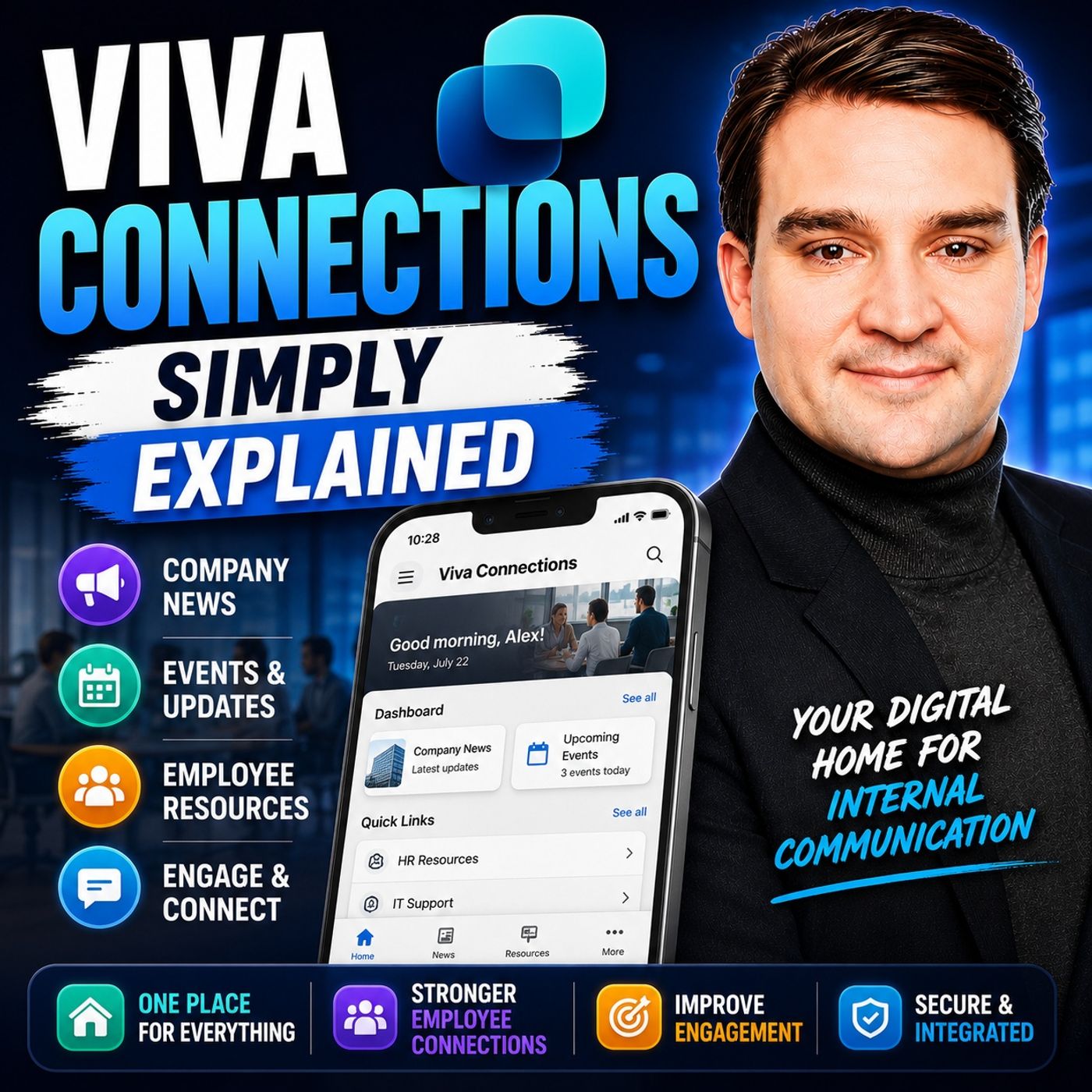
Quick answer: Viva Connections creates a branded employee experience in Microsoft Teams that brings together news, resources, navigation, and dashboard cards. This episode explains how it works, which employee needs it can address, and the governance decisions needed to make the experience useful over time.
Viva Connections serves as a powerful employee experience platform designed to enhance engagement and communication within your organization. This innovative tool integrates seamlessly with Microsoft Teams and SharePoint, placing essential resources and personalized news at your fingertips. In fact, organizations that implement digital workplace platforms like Viva Connections report a notable increase in employee engagement, with improvements ranging from 35% to 45% within just 12 months. By fostering stronger connections among employees, Viva Connections plays a vital role in creating a more engaged and informed workforce.
Key Takeaways
- Viva Connections enhances employee engagement by providing personalized news and resources, leading to higher satisfaction.
- The platform integrates seamlessly with Microsoft Teams and SharePoint, allowing easy access to your company's intranet.
- A personalized dashboard helps you organize essential resources, increasing productivity and reducing time spent searching for information.
- The News Reader feature tailors updates to your role, ensuring you receive relevant information without being overwhelmed.
- Resource centralization in Viva Connections creates a one-stop platform for emails, documents, and meetings, improving focus and efficiency.
- Setting up and customizing Viva Connections is straightforward, allowing you to tailor the experience to meet your organization's needs.
- Viva Connections promotes streamlined communication, fostering a sense of community and inclusion among employees.
- Robust security measures, including data encryption and compliance with regulations, ensure your information remains protected.
What Is Viva Connections?

Overview of Microsoft Viva
Viva Connections serves as a central hub within the Microsoft Viva suite, designed to enhance employee experience. In Microsoft’s words, Viva Connections is “a gateway to other Viva apps and services with the ability to curate specific content and tools by providing easy access to resources, tools, relevant news, announcements, and popular destinations.” This platform integrates seamlessly with Microsoft Teams and SharePoint, allowing you to access your company’s intranet directly from Teams.
- Viva Connections integrates SharePoint Intranet with Microsoft Teams.
- It allows users to access the Intranet easily through a button on the Teams panel.
- This feature enhances user experience by providing quick navigation to the Intranet.
By combining these powerful tools, Viva Connections creates a cohesive and branded experience that empowers you and your colleagues.
Target Audience and Use Cases
Viva Connections is suitable for various organizations and industries. It benefits companies looking to improve internal communication and employee engagement. Below is a table highlighting the types of organizations that can gain from implementing this platform:
| Industry Type | Description |
|---|---|
| Legal | Organizations in the legal sector can enhance knowledge management and productivity. |
| Professional Services | Firms in this sector benefit from improved internal communication and resource access. |
| Financial Services | Financial institutions can leverage Viva Connections for better employee engagement. |
| Insurance | Insurance companies can utilize the platform for efficient knowledge sharing. |
| Construction | Construction firms can integrate company communications effectively through Microsoft Teams. |
Common use cases for Viva Connections include:
| Role | Task | Objective | Success Criteria |
|---|---|---|---|
| Full time user | Access benefit and payroll information | Quickly check important information | Reduced requests for help with HR |
| Frontline worker | Clock in and out from mobile | Create efficiencies in workflow | Managed schedules and breaks from Connections |
| People manager | Onboard new team members | Grow and develop talent | Less time on standard onboarding functions |
| Sales representative | Access product training on mobile | Resolve customer issues quickly | Most issues resolved in real-time |
| HR specialist | Promote self-service benefits | Focus on unique user questions | All interactions are about critical scenarios |
Viva Connections not only enhances communication but also streamlines access to essential resources, making it a valuable tool for any organization aiming to foster a more engaged workforce.
Viva Connections Features
Personalized Dashboard
The personalized dashboard in Viva Connections serves as a digital toolset for you, providing organized access to essential resources. This feature enhances your user experience by allowing you to customize the dashboard according to your individual needs. Here are some key aspects of the personalized dashboard:
| Feature | Description |
|---|---|
| Digital Toolset | The dashboard serves as a digital toolset for employees, providing organized access to resources. |
| Dynamic Maps | Enables interaction with colleagues, allowing for collaborative tasks like reviewing information. |
| Customization | Employees can adapt the dashboard to their individual needs, enhancing personal productivity. |
| Integrated Apps | Industry-specific apps can be integrated, streamlining workflows. |
| Efficient Navigation | Custom navigation links simplify access to relevant information, increasing efficiency. |
| Personalized News Feed | Employees can tailor the news feed to their interests, ensuring relevant updates. |
This personalized experience simplifies access to information and tools, reducing the time you spend searching. It increases overall productivity and efficiency across the organization. Research shows that targeted communication through personalized dashboards leads to higher engagement levels. You can expect measurable improvements in retention, satisfaction, and performance.
News Reader Functionality
The News Reader in Viva Connections plays a crucial role in keeping you informed about company updates. It offers a customized stream of news and announcements tailored to your specific role and department. This personalization ensures you receive information that matters most to you without being overwhelmed by irrelevant content.
- The News Reader tailors content based on your role and department.
- It utilizes Microsoft Graph to determine relevant news articles.
- You see updates specific to your responsibilities, enhancing your engagement with company communications.
Analytics from digital workplace platforms indicate that strong news and announcement features significantly improve employee engagement. Metrics reveal how quickly information spreads and whether critical updates reach all employees. This functionality not only keeps you informed but also fosters a culture of transparency within the organization.
Resource Centralization
Resource centralization in Viva Connections improves your access to important company tools and documents. This feature creates a one-stop platform where you can access emails, collaborate on documents, attend meetings, and view company news—all from within the Viva Connections dashboard. Here are some benefits of resource centralization:
- One-Stop Platform: Reduces context-switching and improves focus by providing all necessary tools in one place.
- Integrated Workflows: Enables smooth integration with other tools, ensuring a continuous flow of information.
- Seamless Document Access: SharePoint libraries integrated into Viva Connections allow you to easily find documents, increasing the speed of document search.
By centralizing resources, Viva Connections enhances your user experience and ensures you have everything you need at your fingertips. This streamlined access not only saves time but also boosts productivity across the organization.
Configure Viva Connections
Setup Steps
To configure Viva Connections effectively, follow these initial setup steps:
- Navigate to the Microsoft 365 admin center and sign in with your credentials.
- Select Settings to expand the selection and choose Viva.
- Click on Viva Connections to open the admin center.
- Select Create and manage Viva Connections experiences.
- Choose to create a new Connections experience or build from an existing home site.
- Enable the experience to make it visible to your audience.
When you set up Viva Connections, consider the type of experience that best suits your organization. Decide which audiences should be associated with each experience. Think about who should have owner permissions to each experience. Finally, pick an icon and name for your app to enhance its visibility.
Customization Best Practices
Customizing Viva Connections allows you to tailor the platform to meet the specific needs of different departments. Here are some best practices to consider:
- Set up the experience: Access the Viva Connections admin center to create a tailored experience for specific audiences or the entire organization.
- Customize the dashboard: Personalize the dashboard to serve as a central hub for users, allowing for role-specific targeting of content.
- Optimize high-traffic content: Ensure that frequently accessed sites and pages perform well and are easily accessible.
- Test the experience: Before launching, conduct tests with a small group to refine workflows and gather feedback.
Additionally, apply a theme that reflects your organizational branding. Customize dashboard cards for specific roles and interests. Use audience targeting to ensure relevant content is displayed. This approach enhances user engagement and ensures that employees find the information they need quickly.
By following these setup steps and customization best practices, you can configure Viva Connections to create an effective employee experience platform that meets the unique needs of your organization.
Benefits of Microsoft Viva Connections
Enhanced Engagement
Microsoft Viva Connections significantly boosts employee engagement. By providing personalized content, you stay informed about what matters most to your role. This tailored approach leads to higher employee satisfaction. Research shows that employees with clarity about work priorities are 4.5 times more likely to be happy at their jobs. Here are some key improvements you can expect:
- Enhanced employee satisfaction
- Increased clarity about work priorities
- Streamlined communication processes fostering community and inclusion
These factors contribute to a more engaged workforce, which ultimately drives productivity and success.
Streamlined Communication
Viva Connections transforms how you communicate within your organization. Unlike traditional intranet solutions, it integrates directly into Microsoft Teams, creating a seamless experience. Here’s a comparison of how Viva Connections stacks up against traditional intranets:
| Feature | Viva Connections | Traditional Intranet |
|---|---|---|
| Integration | Directly integrated into Microsoft Teams | Standalone SharePoint sites |
| User Experience | Personalized and dynamic interface | Static portals with limited interactivity |
| Content Delivery | Curated and relevant content for users | Fixed information display |
| Accessibility | Available on Teams and mobile apps | Primarily desktop-based |
| Engagement | Enhances employee engagement | Limited engagement opportunities |
With Viva Connections, you access curated content that aligns with your interests and responsibilities. This streamlined communication fosters a sense of community and inclusion, making it easier for you to connect with colleagues.
Accessibility Across Devices
Accessibility is a crucial aspect of Microsoft Viva Connections. You can access the platform from various devices, ensuring you stay connected no matter where you are. Here’s how it works across different platforms:
| Device/Platform | Accessibility Features |
|---|---|
| Desktop | Access via Teams, SharePoint, or Viva Suite with a consistent experience. |
| Mobile | Mobile-friendly features ensuring access on the go. |
| Web | News reader experience available across all devices by April 2025. |
This flexibility allows you to engage with your organization’s resources anytime, anywhere. Whether you’re in the office or working remotely, you can stay connected and informed. The integration with Microsoft 365 further enhances this accessibility, allowing you to utilize tools like Microsoft Teams and Viva Learning seamlessly.
By leveraging these benefits, Microsoft Viva Connections creates a more engaged, informed, and connected workforce, essential for thriving in today’s hybrid workplace.
Security in Viva Connections
Data Protection
Data protection is a top priority for Microsoft Viva Connections. The platform implements several measures to safeguard your information. Here are some key aspects of data protection:
- Access Controls: Viva Connections uses robust access controls to prevent unauthorized access to sensitive information.
- Data Encryption: The platform employs encryption protocols to protect data during transmission. This ensures that your information remains secure while being transferred.
- Regular Backups: Microsoft conducts regular backups to prevent data loss and ensure recovery in case of incidents.
- Continuous Monitoring: The system undergoes ongoing monitoring for security threats and vulnerabilities. This proactive approach helps maintain a secure environment.
These measures work together to create a secure platform where you can confidently access and share information.
Compliance Considerations
Viva Connections adheres to major data privacy regulations, such as GDPR and HIPAA. Compliance is crucial for maintaining trust and protecting user data. Below is a table summarizing the compliance measures taken by Viva Connections:
| Compliance Measure | Description |
|---|---|
| Technical, Physical, and Administrative Controls | Implementation of robust access controls and information security policies to prevent unauthorized access. |
| Data Storage | Personal Identifiable Information (PII) and Protected Health Information (PHI) are stored securely in compliance with GDPR. |
| Data Protection Safeguards | Regular backups, audit controls, access controls, and encryption protocols are maintained for data protection. |
| Secure Transmission | Use of SSL technology to encrypt data during transmission, ensuring security. |
| Continuous Monitoring | Ongoing monitoring of systems for security threats and vulnerabilities. |
Additionally, Viva Connections has undergone various certifications and audits to validate its security and compliance standards. The following table outlines some of these certifications:
| Certification/Audit | Description |
|---|---|
| ISMS | ISO/IEC 27001 specification |
| PCI DSS | Payment Card Industry Data Security Standard |
| SOC 2 | Service Organization Control 2 |
By adhering to these compliance measures, Viva Connections ensures that your data remains protected and that the platform meets industry standards. This commitment to security and compliance allows you to focus on your work without worrying about data breaches or regulatory issues.
In summary, Viva Connections serves as a vital tool for enhancing workplace communication and engagement. It consolidates news, tasks, and resources into a single platform, allowing you to manage your work efficiently. Key benefits include:
- A centralized hub for communication.
- Improved navigation through clear information architecture.
- Seamless integration within Microsoft Teams.
By implementing Viva Connections, you can expect increased productivity, better talent retention, and enhanced organizational agility. As McCormick noted, engaging and inspiring teams is crucial for achieving growth. Consider how this platform can transform your workplace into a more connected and informed environment. 🌟
FAQ
What is Viva Connections?
Viva Connections is an employee experience platform that integrates your company intranet into Microsoft Teams. It enhances communication and engagement by providing personalized news and resources.
How do I access Viva Connections?
You can access Viva Connections directly through Microsoft Teams. Look for the dedicated app icon in the Teams panel to get started.
Can I customize my dashboard?
Yes, you can customize your dashboard in Viva Connections. Tailor it to display the resources and news that matter most to you, enhancing your productivity.
Is Viva Connections mobile-friendly?
Absolutely! Viva Connections offers mobile-friendly features, allowing you to access important information and resources on the go, ensuring you stay connected.
How does Viva Connections improve communication?
Viva Connections enhances communication by providing a centralized hub for news and resources. It fosters community and conversation among employees, making it easier to stay informed.
What security measures does Viva Connections have?
Viva Connections implements robust security measures, including data encryption, access controls, and regular backups. These measures protect your information and ensure compliance with regulations.
Who can benefit from using Viva Connections?
Organizations of all sizes can benefit from Viva Connections. It is particularly useful for companies looking to improve employee engagement and streamline internal communication.
How does Viva Connections integrate with other Microsoft tools?
Viva Connections seamlessly integrates with Microsoft 365 tools like SharePoint and Teams. This integration allows for a cohesive experience, enhancing collaboration and access to resources.
Last reviewed: July 2026.
What You’ll Learn
- How Viva Connections connects Teams with intranet content, resources, and dashboards.
- Which information architecture and ownership choices affect the employee experience.
- How to design a useful entry point rather than another unmanaged destination.
Who Should Listen
This episode is for Microsoft 365 administrators, architects, IT leaders, and business decision-makers who need a practical introduction to Viva Connections and its implications for adoption, operations, and governance.
🎧 You Should Also Listen To
- Viva Engage — Add community conversations and leadership communication to the employee experience.
- Microsoft Viva Learning — Surface learning as part of the everyday employee experience.
🚀 Want to be part of m365.fm?
Then stop just listening… and start showing up.
👉 Connect with me on LinkedIn and let’s make something happen:
- 🎙️ Be a podcast guest and share your story
- 🎧 Host your own episode (yes, seriously)
- 💡 Pitch topics the community actually wants to hear
- 🌍 Build your personal brand in the Microsoft 365 space
This isn’t just a podcast — it’s a platform for people who take action.
🔥 Most people wait. The best ones don’t.
👉 Connect with me on LinkedIn and send me a message:
"I want in"
Let’s build something awesome 👊
1
00:00:00,000 --> 00:00:04,080
Did you know Microsoft just renamed one of its most important employee tools?
2
00:00:04,080 --> 00:00:05,320
Most people didn't even notice.
3
00:00:05,320 --> 00:00:07,160
This isn't some minor app nobody uses.
4
00:00:07,160 --> 00:00:11,880
It's the tool that delivers company news, gives quick access to benefits and time off requests,
5
00:00:11,880 --> 00:00:13,960
and pulls everything together in one place.
6
00:00:13,960 --> 00:00:17,680
By the end of this episode, you'll understand what Viva Connections actually is,
7
00:00:17,680 --> 00:00:21,320
why the rebrand matters, and whether your organization should be using it.
8
00:00:21,320 --> 00:00:25,760
Let's dive in from the old problem to the new solution, the old internet problem.
9
00:00:25,760 --> 00:00:27,480
Imagine going back about 10 years.
10
00:00:27,480 --> 00:00:31,960
If you worked at a company with more than a few hundred people, you probably had an internet.
11
00:00:31,960 --> 00:00:35,000
It was that one website where HR posted the holiday schedule,
12
00:00:35,000 --> 00:00:39,000
IT put the password policy and leadership shared quarterly updates.
13
00:00:39,000 --> 00:00:43,560
For most employees, it was a place you visited maybe once a month, if you remembered the URL.
14
00:00:43,560 --> 00:00:45,800
The problem was, these intranets were static.
15
00:00:45,800 --> 00:00:48,800
They were one size fits all landing pages that rarely changed,
16
00:00:48,800 --> 00:00:53,240
so everyone saw the same content whether you worked in accounting or on the factory floor.
17
00:00:53,240 --> 00:00:58,040
Finding specific information meant hunting across multiple sites, portals and tools.
18
00:00:58,040 --> 00:01:02,880
The pension policy was on one page, the expense form was buried three clicks deep in another site,
19
00:01:02,880 --> 00:01:05,960
and the IT help desk link, good luck remembering where that lived.
20
00:01:05,960 --> 00:01:07,320
The result was predictable.
21
00:01:07,320 --> 00:01:12,280
You'd get low engagement, outdated content, and frustrated workers who eventually stopped trying.
22
00:01:12,280 --> 00:01:15,360
Classic SharePoint intranets were especially bad at two things,
23
00:01:15,360 --> 00:01:18,160
mobile accessibility and personalization.
24
00:01:18,160 --> 00:01:22,760
If you were on the shop floor or working from a coffee shop, forget it, the experience was terrible.
25
00:01:22,760 --> 00:01:25,560
Some organizations tried to fix this with custom development.
26
00:01:25,560 --> 00:01:28,360
They'd build a custom portal, hire consultants to maintain it,
27
00:01:28,360 --> 00:01:30,360
and spend a fortune keeping it current.
28
00:01:30,360 --> 00:01:33,560
That worked for a while, but it was expensive and hard to maintain.
29
00:01:33,560 --> 00:01:36,600
Then the pandemic hit and suddenly employees were working from anywhere,
30
00:01:36,600 --> 00:01:38,600
home warehouses, hospital floors,
31
00:01:38,600 --> 00:01:41,480
the old internet model wasn't just outdated anymore, it was broken.
32
00:01:41,480 --> 00:01:44,120
You couldn't expect someone to VPN into the corporate network,
33
00:01:44,120 --> 00:01:47,160
just to find the lunch menu or read a CEO update.
34
00:01:47,160 --> 00:01:50,200
So Microsoft looked at this problem and built something different,
35
00:01:50,200 --> 00:01:52,200
that something is Viva connections.
36
00:01:52,200 --> 00:01:54,760
What is Viva connections, the simple definition?
37
00:01:54,760 --> 00:01:56,360
So here's the simplest definition.
38
00:01:56,360 --> 00:02:00,600
Viva connections is an employee experience app that lives inside Microsoft Teams.
39
00:02:00,600 --> 00:02:03,240
And you can think of it as a digital front door.
40
00:02:03,240 --> 00:02:07,720
One place where employees go for company news, tools, and resources.
41
00:02:07,720 --> 00:02:10,200
Instead of opening five different browser tabs,
42
00:02:10,200 --> 00:02:13,240
they open one app inside the tool they already use all day.
43
00:02:13,240 --> 00:02:15,800
Now, Viva connections isn't a standalone product.
44
00:02:15,800 --> 00:02:18,760
It's built on top of SharePoint, specifically a SharePoint home site
45
00:02:18,760 --> 00:02:22,280
that access the foundation. The app pulls content from that site
46
00:02:22,280 --> 00:02:24,840
and presents it in a friendly and more personalized way.
47
00:02:24,840 --> 00:02:26,520
So while it's SharePoint under the hood,
48
00:02:26,520 --> 00:02:28,600
the experience feels completely different.
49
00:02:28,600 --> 00:02:30,760
The app has three core components.
50
00:02:30,760 --> 00:02:34,680
The news reader, a feed of company updates tailored to each employee,
51
00:02:34,680 --> 00:02:38,200
the dashboard, cards that link to tools like submitting time off
52
00:02:38,200 --> 00:02:39,720
or checking training progress,
53
00:02:39,720 --> 00:02:43,240
and resources, a curated list of links to important content
54
00:02:43,240 --> 00:02:44,760
like policies and benefits.
55
00:02:44,760 --> 00:02:46,360
We'll dig into each of these in a moment.
56
00:02:46,360 --> 00:02:49,800
Viva connections works everywhere, desktop, tablet, mobile.
57
00:02:49,800 --> 00:02:52,360
And the experience is consistent across all devices,
58
00:02:52,360 --> 00:02:54,280
which is a huge advantage for organizations
59
00:02:54,280 --> 00:02:56,600
with front-line workers who don't sit at a desk all day.
60
00:02:56,600 --> 00:02:59,800
Here's the part that surprises most people.
61
00:02:59,800 --> 00:03:03,240
The basic version is included with your Microsoft 365 subscription
62
00:03:03,240 --> 00:03:05,080
so you don't need to buy anything extra.
63
00:03:05,080 --> 00:03:07,880
There's a feature-rich version with targeted push notifications
64
00:03:07,880 --> 00:03:10,440
and premium analytics, but the core experience,
65
00:03:10,440 --> 00:03:13,400
the news reader, the dashboard, the resources,
66
00:03:13,400 --> 00:03:15,000
is already there waiting for you.
67
00:03:15,000 --> 00:03:17,240
But here's where it gets interesting and confusing.
68
00:03:17,240 --> 00:03:19,640
In 2026, Microsoft changed the name.
69
00:03:19,640 --> 00:03:23,000
The 2026 rebrand, Viva Connections is now SharePoint.
70
00:03:23,000 --> 00:03:25,240
So in mid-2026, between May and July,
71
00:03:25,240 --> 00:03:28,840
Microsoft renamed the Viva Connections app inside Teams to the SharePoint app.
72
00:03:28,840 --> 00:03:31,560
It happened quietly over a few months,
73
00:03:31,560 --> 00:03:33,000
and if you open Teams one morning,
74
00:03:33,000 --> 00:03:35,720
the icon that said Viva Connections now said SharePoint.
75
00:03:35,720 --> 00:03:36,680
Why did they do this?
76
00:03:36,680 --> 00:03:39,000
It actually makes a lot of sense when you think about it.
77
00:03:39,000 --> 00:03:41,320
Viva Connections was always powered by SharePoint.
78
00:03:41,320 --> 00:03:43,080
The news, the dashboard, the resources,
79
00:03:43,080 --> 00:03:45,720
all of it came from a SharePoint home site behind the scenes,
80
00:03:45,720 --> 00:03:48,200
but customers kept treating it like a separate product asking,
81
00:03:48,200 --> 00:03:49,560
"Do I need a Viva license for this?
82
00:03:49,560 --> 00:03:51,000
Is this something new I have to learn?"
83
00:03:51,000 --> 00:03:54,920
The answer was always no, but the confusion persisted.
84
00:03:54,920 --> 00:03:57,000
So Microsoft decided to just call it what it is.
85
00:03:57,000 --> 00:03:57,720
It's SharePoint.
86
00:03:57,720 --> 00:04:00,200
The new name clears up that confusion once and for all.
87
00:04:00,200 --> 00:04:01,640
Now, what actually changed?
88
00:04:01,640 --> 00:04:03,480
The app name in Teams, the branding,
89
00:04:03,480 --> 00:04:05,560
and the default experience all changed.
90
00:04:05,560 --> 00:04:08,200
If your organization hadn't customized the app name,
91
00:04:08,200 --> 00:04:12,360
your employees now see SharePoint where they used to see Viva Connections.
92
00:04:12,360 --> 00:04:15,240
The global navigation inside the app reflects the same change,
93
00:04:15,240 --> 00:04:18,200
and Search is now scoped to SharePoint content by default.
94
00:04:18,200 --> 00:04:20,120
When someone searches from inside the app,
95
00:04:20,120 --> 00:04:21,800
they only see SharePoint results,
96
00:04:21,800 --> 00:04:24,440
not the entire Microsoft 365 universe.
97
00:04:24,440 --> 00:04:25,640
But here's what didn't change,
98
00:04:25,640 --> 00:04:27,160
the functionality, management tools,
99
00:04:27,160 --> 00:04:29,720
and admin experience are all identical to before.
100
00:04:29,720 --> 00:04:33,080
If you already had Viva Connections set up with a custom name and logo,
101
00:04:33,080 --> 00:04:34,680
nothing changes for your users.
102
00:04:34,680 --> 00:04:38,040
The rename only affects tenants that hadn't customized the app name.
103
00:04:38,040 --> 00:04:41,160
There are some nice admin improvements that came alongside the rename.
104
00:04:41,160 --> 00:04:43,880
SharePoint administrators can now create home sites
105
00:04:43,880 --> 00:04:45,960
directly from the SharePoint admin center
106
00:04:45,960 --> 00:04:48,760
instead of having to go through the Viva Connections console.
107
00:04:48,760 --> 00:04:49,720
That's one less step.
108
00:04:49,720 --> 00:04:52,840
Two new web parts also became available.
109
00:04:52,840 --> 00:04:55,480
The resources web part and the announcements web part
110
00:04:55,480 --> 00:04:57,400
are neither requires an extra license,
111
00:04:57,400 --> 00:04:59,640
so they're available to every SharePoint customer.
112
00:04:59,640 --> 00:05:02,040
That matters because the announcements web part used to be locked
113
00:05:02,040 --> 00:05:03,640
behind a paid Viva license.
114
00:05:03,640 --> 00:05:06,040
The name changed, but the core experience stayed the same.
115
00:05:06,040 --> 00:05:07,640
So what exactly is that experience?
116
00:05:07,640 --> 00:05:09,080
Let's look at the three building blocks.
117
00:05:09,720 --> 00:05:11,720
Component one, the news reader.
118
00:05:11,720 --> 00:05:14,280
So let's start with the first component, the news reader.
119
00:05:14,280 --> 00:05:17,160
This is probably the piece most employees will interact with the most.
120
00:05:17,160 --> 00:05:19,960
It's a feed of company news, updates, and announcements
121
00:05:19,960 --> 00:05:22,440
all curated and personalized for each person.
122
00:05:22,440 --> 00:05:24,520
When you open the SharePoint app in Teams,
123
00:05:24,520 --> 00:05:26,040
the news reader is right there,
124
00:05:26,040 --> 00:05:28,520
showing you the latest posts from your organization.
125
00:05:28,520 --> 00:05:31,080
But here's what makes it different from the old internet news page.
126
00:05:31,080 --> 00:05:33,160
The news reader doesn't show everyone the same content.
127
00:05:33,160 --> 00:05:35,880
It uses Microsoft Graph to figure out what's relevant to you
128
00:05:35,880 --> 00:05:39,000
based on your role, your department, and the people you work with.
129
00:05:39,000 --> 00:05:41,880
If you're on the sales team, you'll see sales updates first.
130
00:05:41,880 --> 00:05:45,000
If you're in HR, you'll see policy changes and benefits news.
131
00:05:45,000 --> 00:05:46,600
The system does this automatically
132
00:05:46,600 --> 00:05:49,400
without anyone having to manually tag content for each department.
133
00:05:49,400 --> 00:05:51,240
Now there's a new announcements web part
134
00:05:51,240 --> 00:05:53,160
that came with the 2026 updates.
135
00:05:53,160 --> 00:05:55,080
This used to require a premium license,
136
00:05:55,080 --> 00:05:57,800
but now it's available to all SharePoint customers.
137
00:05:57,800 --> 00:05:59,880
Think of announcements as micro news.
138
00:05:59,880 --> 00:06:02,280
Short, targeted updates that appear in the feed
139
00:06:02,280 --> 00:06:04,360
and can even trigger a Teams notification.
140
00:06:04,360 --> 00:06:05,880
You can aim them at specific groups
141
00:06:05,880 --> 00:06:07,800
using Microsoft Android ID groups.
142
00:06:07,800 --> 00:06:10,200
So only the right people see the right content.
143
00:06:10,200 --> 00:06:12,680
A warehouse safety update goes to warehouse workers.
144
00:06:12,680 --> 00:06:15,160
A finance policy change goes to the finance team.
145
00:06:15,160 --> 00:06:17,160
Nobody gets flooded with noise they don't need.
146
00:06:17,160 --> 00:06:19,320
If your organization has the Viva Suite version,
147
00:06:19,320 --> 00:06:21,560
you also get targeted push notifications.
148
00:06:21,560 --> 00:06:23,640
That means when there's an urgent announcement,
149
00:06:23,640 --> 00:06:26,440
a planned closure, a system outage, a leadership change,
150
00:06:26,440 --> 00:06:28,600
employees get a push notification on their phone,
151
00:06:28,600 --> 00:06:30,200
not just a post in the feed.
152
00:06:30,200 --> 00:06:32,600
For frontline workers who don't check email regularly,
153
00:06:32,600 --> 00:06:33,560
this is a game changer.
154
00:06:33,560 --> 00:06:35,000
Here's a stat that really matters.
155
00:06:35,000 --> 00:06:38,200
After a week, engagement on any piece of content drops off a cliff.
156
00:06:38,200 --> 00:06:40,120
People don't scroll back through old news.
157
00:06:40,120 --> 00:06:41,160
They look at what's fresh,
158
00:06:41,160 --> 00:06:42,760
so if you're running Viva Connections,
159
00:06:42,760 --> 00:06:44,600
you need to keep the feed active.
160
00:06:44,600 --> 00:06:45,960
Multiple posts per week.
161
00:06:45,960 --> 00:06:46,920
Fresh content.
162
00:06:46,920 --> 00:06:48,840
Otherwise employees stop opening the app
163
00:06:48,840 --> 00:06:50,520
because they've already seen everything.
164
00:06:50,520 --> 00:06:52,360
Freshness is what drives the habit.
165
00:06:52,360 --> 00:06:53,800
News keeps employees informed,
166
00:06:53,800 --> 00:06:56,600
but they also need quick access to tools and tasks.
167
00:06:56,600 --> 00:06:58,360
That's where the dashboard comes in.
168
00:06:58,360 --> 00:06:59,880
Component to the dashboard.
169
00:06:59,880 --> 00:07:01,560
The second building block is the dashboard,
170
00:07:01,560 --> 00:07:03,080
and this is where Viva Connections starts
171
00:07:03,080 --> 00:07:06,040
to feel less like a news site and more like a command center.
172
00:07:06,040 --> 00:07:07,560
The dashboard is a set of cards.
173
00:07:07,560 --> 00:07:09,000
Each card links to a tool,
174
00:07:09,000 --> 00:07:11,080
an app or a piece of information.
175
00:07:11,080 --> 00:07:13,160
Think of it as a home screen for your work life.
176
00:07:13,160 --> 00:07:14,840
These cards aren't just static links.
177
00:07:14,840 --> 00:07:16,840
They're built on something called adaptive cards
178
00:07:16,840 --> 00:07:19,080
and the SharePoint framework or SPFX.
179
00:07:19,080 --> 00:07:22,120
That's a technical way of saying IT teams can build custom cards
180
00:07:22,120 --> 00:07:23,880
without writing a time of code.
181
00:07:23,880 --> 00:07:25,880
If your company uses a time off system
182
00:07:25,880 --> 00:07:28,600
and expands reporting tool or a training platform,
183
00:07:28,600 --> 00:07:30,920
someone can create a card that connects directly to it.
184
00:07:30,920 --> 00:07:33,000
One click and you're submitting that vacation request
185
00:07:33,000 --> 00:07:34,360
or checking your training progress.
186
00:07:34,360 --> 00:07:35,800
No navigating through menus,
187
00:07:35,800 --> 00:07:37,560
no remembering which URL goes where.
188
00:07:37,560 --> 00:07:38,760
Here's a concrete example.
189
00:07:38,760 --> 00:07:41,400
Imagine you're an employee who needs to request time off.
190
00:07:41,400 --> 00:07:43,080
In the old world you'd open a browser,
191
00:07:43,080 --> 00:07:45,000
find the HR portal, log in,
192
00:07:45,000 --> 00:07:46,600
navigate to the time off section
193
00:07:46,600 --> 00:07:47,640
and fill out a form.
194
00:07:47,640 --> 00:07:50,360
With the dashboard, there's a card that says request time off.
195
00:07:50,360 --> 00:07:52,520
You click it and the form opens right there.
196
00:07:52,520 --> 00:07:53,960
Same for expense reports,
197
00:07:53,960 --> 00:07:55,800
same for checking your upcoming meetings,
198
00:07:55,800 --> 00:07:57,400
same for launching a training module.
199
00:07:57,400 --> 00:07:59,000
Each card eliminates steps.
200
00:07:59,000 --> 00:08:01,880
Now here's something that changed with the 2026 updates.
201
00:08:01,880 --> 00:08:04,520
End users can now personalize their own dashboard view.
202
00:08:04,520 --> 00:08:06,360
You can hide cards you don't use,
203
00:08:06,360 --> 00:08:09,160
reorder them so your most important tools are at the top
204
00:08:09,160 --> 00:08:10,920
or even add your own cards.
205
00:08:10,920 --> 00:08:13,720
And this personalization is available to every end user,
206
00:08:13,720 --> 00:08:15,960
regardless of whether they have edit permissions
207
00:08:15,960 --> 00:08:17,000
on the SharePoint site.
208
00:08:17,000 --> 00:08:19,240
You don't need to be a site owner to customize your dashboard.
209
00:08:19,240 --> 00:08:20,840
It's your view, your way.
210
00:08:20,840 --> 00:08:22,440
There's also a see all experience
211
00:08:22,440 --> 00:08:25,080
that gives users a focused view of all their dashboard cards
212
00:08:25,080 --> 00:08:25,800
in one place.
213
00:08:25,800 --> 00:08:27,560
Instead of scrolling through a long list,
214
00:08:27,560 --> 00:08:30,440
you get a clean full screen view of everything available.
215
00:08:30,440 --> 00:08:32,680
And from there you can customize, hide or reorder
216
00:08:32,680 --> 00:08:33,800
to your heart's content.
217
00:08:33,800 --> 00:08:36,040
One stat from Microsoft's own research
218
00:08:36,040 --> 00:08:38,440
really drives home the importance of the dashboard.
219
00:08:38,440 --> 00:08:39,880
Dashboards with 10 or more cards
220
00:08:39,880 --> 00:08:41,720
achieve three times the engagement of dashboards
221
00:08:41,720 --> 00:08:42,760
with fewer than five cards.
222
00:08:42,760 --> 00:08:44,040
That's not a small difference.
223
00:08:44,040 --> 00:08:45,160
The takeaway is clear.
224
00:08:45,160 --> 00:08:46,680
Don't be shy about adding cards.
225
00:08:46,680 --> 00:08:48,440
Cover multiple user needs.
226
00:08:48,440 --> 00:08:49,720
Give people a reason to come back.
227
00:08:49,720 --> 00:08:51,480
A sparse dashboard tells employees
228
00:08:51,480 --> 00:08:52,920
there's nothing useful here.
229
00:08:52,920 --> 00:08:55,160
A rich one tells them this is where work happens.
230
00:08:55,160 --> 00:08:56,920
So you have news and you have tools.
231
00:08:56,920 --> 00:08:59,080
But what about finding the right links and documents?
232
00:08:59,080 --> 00:09:00,440
That's the third piece.
233
00:09:00,440 --> 00:09:02,200
Component three resources.
234
00:09:02,200 --> 00:09:03,960
The third component is resources.
235
00:09:03,960 --> 00:09:05,800
It sounds simple, but it might save your sanity.
236
00:09:05,800 --> 00:09:08,360
Think of it as your own digital filing cabinet.
237
00:09:08,360 --> 00:09:10,520
You have policies, benefits information,
238
00:09:10,520 --> 00:09:12,760
IT help desk links, training materials,
239
00:09:12,760 --> 00:09:14,120
all organized in one place.
240
00:09:14,120 --> 00:09:16,040
If you've ever managed a traditional internet,
241
00:09:16,040 --> 00:09:18,200
you know the pain of keeping links up to date.
242
00:09:18,200 --> 00:09:20,360
Someone changes the URL for the benefits portal
243
00:09:20,360 --> 00:09:22,360
and suddenly every page has a broken link.
244
00:09:22,360 --> 00:09:25,000
You spend hours hunting them down one by one.
245
00:09:25,000 --> 00:09:26,600
The new resources web part
246
00:09:26,600 --> 00:09:29,000
solves this with something called content reuse.
247
00:09:29,000 --> 00:09:30,840
You create a central list of resources,
248
00:09:30,840 --> 00:09:33,160
links to policies, forms, tools, whatever,
249
00:09:33,160 --> 00:09:34,760
and then add the resources web part
250
00:09:34,760 --> 00:09:37,240
to multiple pages across your sharepoint site.
251
00:09:37,240 --> 00:09:39,160
When you update a link in that central list,
252
00:09:39,160 --> 00:09:40,520
it updates everywhere.
253
00:09:40,520 --> 00:09:42,520
Every page that uses that web part
254
00:09:42,520 --> 00:09:44,280
reflects the change automatically.
255
00:09:44,280 --> 00:09:45,720
Update once and it's done.
256
00:09:45,720 --> 00:09:47,400
No more hunting down outdated links.
257
00:09:47,400 --> 00:09:48,520
This feature sounds boring
258
00:09:48,520 --> 00:09:50,440
until you've had to fix a broken benefits link
259
00:09:50,440 --> 00:09:51,880
on 20 different pages.
260
00:09:51,880 --> 00:09:53,480
Then it becomes your favorite thing in the world.
261
00:09:53,480 --> 00:09:55,720
You can organize resources by category,
262
00:09:55,720 --> 00:09:57,160
audience or topic.
263
00:09:57,160 --> 00:09:58,920
You might have a section for HR policies
264
00:09:58,920 --> 00:10:01,560
and other for IT support, another for training materials.
265
00:10:01,560 --> 00:10:04,040
You can target specific resources to specific groups
266
00:10:04,040 --> 00:10:06,680
using the same EntraID groups we talked about earlier.
267
00:10:06,680 --> 00:10:08,520
A factory worker sees safety procedures
268
00:10:08,520 --> 00:10:09,640
and shift schedules.
269
00:10:09,640 --> 00:10:11,480
An office worker sees travel policies
270
00:10:11,480 --> 00:10:13,000
and expense guidelines.
271
00:10:13,000 --> 00:10:15,400
Everyone sees what they need and nothing they don't.
272
00:10:15,400 --> 00:10:16,520
And with global navigation,
273
00:10:16,520 --> 00:10:18,920
those resources are accessible from anywhere in SharePoint.
274
00:10:18,920 --> 00:10:21,160
You don't have to be inside the SharePoint app
275
00:10:21,160 --> 00:10:22,680
in Teams to find what you need.
276
00:10:22,680 --> 00:10:26,200
The navigation follows you across the entire SharePoint experience.
277
00:10:26,200 --> 00:10:29,320
One click and you're back to your company's curated resource list.
278
00:10:29,320 --> 00:10:30,920
So those are the three components.
279
00:10:30,920 --> 00:10:33,880
News keeps you informed, the dashboard helps you get things done
280
00:10:33,880 --> 00:10:35,720
and resources help you find what you need.
281
00:10:35,720 --> 00:10:36,760
But here's the real question,
282
00:10:36,760 --> 00:10:38,200
does any of this actually work?
283
00:10:38,200 --> 00:10:39,720
Let's look at the numbers.
284
00:10:39,720 --> 00:10:41,400
The engagement stats that matter.
285
00:10:41,400 --> 00:10:42,440
Let's talk numbers.
286
00:10:42,440 --> 00:10:43,960
Microsoft has done a lot of research
287
00:10:43,960 --> 00:10:45,480
on Viva Connections adoption.
288
00:10:45,480 --> 00:10:46,680
First, the bad news.
289
00:10:46,680 --> 00:10:48,680
Organizations that deploy Viva Connections
290
00:10:48,680 --> 00:10:50,120
without a defined strategy
291
00:10:50,120 --> 00:10:52,040
typically see fewer than one in 10 employees
292
00:10:52,040 --> 00:10:52,840
using it weekly.
293
00:10:52,840 --> 00:10:54,040
That's 10%.
294
00:10:54,040 --> 00:10:55,400
And within eight to 12 weeks,
295
00:10:55,400 --> 00:10:56,760
there's a significant drop off.
296
00:10:56,760 --> 00:10:58,600
People open it, find nothing useful,
297
00:10:58,600 --> 00:10:59,480
and never come back.
298
00:10:59,480 --> 00:11:00,840
The app becomes a ghost town.
299
00:11:00,840 --> 00:11:03,800
So what separates the successful deployments from the failures?
300
00:11:03,800 --> 00:11:05,400
The biggest factor is pinning.
301
00:11:05,400 --> 00:11:08,600
Organizations that pin the Viva Connections app globally in Teams
302
00:11:08,600 --> 00:11:12,280
see 75% of their weekly active usage come from that single action.
303
00:11:12,280 --> 00:11:14,360
Three out of four weekly users only open the app
304
00:11:14,360 --> 00:11:16,600
because it's right there in their Teams sidebar.
305
00:11:16,600 --> 00:11:18,360
If you bury it somewhere, people won't find it.
306
00:11:18,360 --> 00:11:19,800
If you pin it, they use it.
307
00:11:19,800 --> 00:11:21,640
That's a low effort move that makes a real difference.
308
00:11:21,640 --> 00:11:23,080
Mobile is another huge factor.
309
00:11:23,080 --> 00:11:25,800
Mobile users have doubled the engagement of desktop users.
310
00:11:25,800 --> 00:11:27,880
You'd think people at their desks would engage more,
311
00:11:27,880 --> 00:11:30,280
but mobile fits into the flow of work differently.
312
00:11:30,280 --> 00:11:33,000
You check it on the bus, you glance at it between tasks,
313
00:11:33,000 --> 00:11:34,840
you open it during a shift change,
314
00:11:34,840 --> 00:11:36,040
and for frontline workers,
315
00:11:36,040 --> 00:11:37,640
the numbers are even more dramatic.
316
00:11:37,640 --> 00:11:39,080
They show approximately three times
317
00:11:39,080 --> 00:11:41,800
the weekly engagement of desk-based information workers.
318
00:11:41,800 --> 00:11:44,040
Frontline workers don't sit at a computer all day.
319
00:11:44,040 --> 00:11:45,960
Their phone is their primary work device.
320
00:11:45,960 --> 00:11:47,560
If the internet isn't on their phone,
321
00:11:47,560 --> 00:11:48,760
it doesn't exist for them.
322
00:11:48,760 --> 00:11:50,120
The overall impact is real.
323
00:11:50,120 --> 00:11:53,320
Organizations adopting Viva Connections report up to 30% higher
324
00:11:53,320 --> 00:11:55,400
employee engagement compared to legacy portals.
325
00:11:55,400 --> 00:11:57,960
That's a measurable improvement in how connected people
326
00:11:57,960 --> 00:12:00,360
feel to their company, but you have to work for it.
327
00:12:00,360 --> 00:12:02,280
The research suggests a healthy target.
328
00:12:02,280 --> 00:12:04,760
50% or higher weekly active users.
329
00:12:04,760 --> 00:12:06,600
60% or higher at six months.
330
00:12:06,600 --> 00:12:10,840
And 75% or higher monthly positive response on employee surveys.
331
00:12:10,840 --> 00:12:12,760
Those are the benchmarks you should aim for.
332
00:12:12,760 --> 00:12:14,600
One more stat worth understanding.
333
00:12:14,600 --> 00:12:17,720
43% of Microsoft 365 internet implementations
334
00:12:17,720 --> 00:12:20,360
need a layered solution within 18 to 24 months.
335
00:12:20,360 --> 00:12:22,200
That means nearly half of organizations
336
00:12:22,200 --> 00:12:25,720
eventually hit a wall where the out-of-the-box capabilities aren't enough.
337
00:12:25,720 --> 00:12:28,040
They need third-party tools for advanced governance,
338
00:12:28,040 --> 00:12:30,280
better search, or deeper personalization.
339
00:12:30,280 --> 00:12:32,520
That doesn't mean Viva Connections is a failure.
340
00:12:32,520 --> 00:12:34,200
It means you should plan for growth.
341
00:12:34,200 --> 00:12:37,160
Start simple but know that you might need to add more later.
342
00:12:37,160 --> 00:12:38,440
So the numbers are compelling.
343
00:12:38,440 --> 00:12:41,080
But is Viva Connections right for every organization?
344
00:12:41,080 --> 00:12:43,080
Let's talk about who actually needs this.
345
00:12:43,080 --> 00:12:44,680
Who actually needs this?
346
00:12:44,680 --> 00:12:46,040
Practical guidance.
347
00:12:46,040 --> 00:12:48,200
So who actually needs Viva Connections?
348
00:12:48,200 --> 00:12:49,240
The honest answer?
349
00:12:49,240 --> 00:12:51,800
Not everyone, but more organizations than you might think.
350
00:12:51,800 --> 00:12:53,160
Let's break it down by size.
351
00:12:53,160 --> 00:12:55,400
If your organization has under 2000 employees
352
00:12:55,400 --> 00:12:56,840
with simple communication needs,
353
00:12:56,840 --> 00:12:59,960
the out-of-the-box Viva Connections experience is usually enough.
354
00:12:59,960 --> 00:13:01,560
You set up a SharePoint home site,
355
00:13:01,560 --> 00:13:02,840
configure the newsreader,
356
00:13:02,840 --> 00:13:05,000
add a few dashboard cards, and you're done.
357
00:13:05,000 --> 00:13:06,760
No massive customization project.
358
00:13:06,760 --> 00:13:07,720
No extra license.
359
00:13:07,720 --> 00:13:10,600
It's included with your Microsoft 365 subscription.
360
00:13:10,600 --> 00:13:12,520
And if your employees already use Teams,
361
00:13:12,520 --> 00:13:13,560
this is a natural fit.
362
00:13:13,560 --> 00:13:14,600
They're already in the app.
363
00:13:14,600 --> 00:13:15,800
They just need a reason to open it.
364
00:13:15,800 --> 00:13:19,400
On the other end, large enterprises with 50,000 or more employees
365
00:13:19,400 --> 00:13:21,880
use Viva Connections as their single front door.
366
00:13:21,880 --> 00:13:23,400
With that many people, you can't have them
367
00:13:23,400 --> 00:13:24,920
navigating 50 different portals.
368
00:13:24,920 --> 00:13:27,240
You need one entry point that's personalized, branded,
369
00:13:27,240 --> 00:13:28,360
and consistent.
370
00:13:28,360 --> 00:13:29,880
Viva Connections delivers that.
371
00:13:29,880 --> 00:13:32,360
It becomes the home page for your entire organization,
372
00:13:32,360 --> 00:13:34,600
no matter the department, location, or role.
373
00:13:34,600 --> 00:13:35,800
Here's the key question.
374
00:13:35,800 --> 00:13:38,280
Do your employees already live in Microsoft Teams?
375
00:13:38,280 --> 00:13:40,440
If yes, Viva Connections is a natural fit,
376
00:13:40,440 --> 00:13:42,360
you're not asking them to learn a new tool.
377
00:13:42,360 --> 00:13:45,080
You're putting the internet inside the tool they already use.
378
00:13:45,080 --> 00:13:46,600
That's a much lower barrier to adoption
379
00:13:46,600 --> 00:13:48,680
than asking them to bookmark a new URL.
380
00:13:48,680 --> 00:13:49,720
There are two versions.
381
00:13:49,720 --> 00:13:52,520
The basic version comes with Microsoft 365.
382
00:13:52,520 --> 00:13:54,520
You get the newsreader, dashboard, resources,
383
00:13:54,520 --> 00:13:57,160
and audience targeting via intraID groups.
384
00:13:57,160 --> 00:13:58,680
That's enough for most organizations.
385
00:13:58,680 --> 00:14:00,840
The Viva Suite version adds push notifications,
386
00:14:00,840 --> 00:14:03,560
premium analytics, and AI features through co-pilot.
387
00:14:03,560 --> 00:14:06,120
If you have frontline workers who need urgent notifications
388
00:14:06,120 --> 00:14:06,920
on their phones,
389
00:14:06,920 --> 00:14:09,080
or if you want deep engagement analytics,
390
00:14:09,080 --> 00:14:10,680
the premium version is worth it.
391
00:14:10,680 --> 00:14:11,960
But here's the honest truth.
392
00:14:11,960 --> 00:14:14,760
Viva Connections is not a replacement for complex governance
393
00:14:14,760 --> 00:14:17,160
advanced search or deep workflow automation.
394
00:14:17,160 --> 00:14:19,960
If you need strict content lifecycle management,
395
00:14:19,960 --> 00:14:22,920
federated search, or complex approval workflows,
396
00:14:22,920 --> 00:14:24,680
you'll likely need a layered solution.
397
00:14:24,680 --> 00:14:26,920
That's where third-party internet platforms come in.
398
00:14:26,920 --> 00:14:28,840
They build on top of Microsoft 365
399
00:14:28,840 --> 00:14:31,320
and add capabilities that native tools don't provide.
400
00:14:31,320 --> 00:14:33,720
The 43% stat we mentioned earlier,
401
00:14:33,720 --> 00:14:36,120
that's the group that needs these additional tools.
402
00:14:36,120 --> 00:14:37,640
So here's the practical guidance.
403
00:14:37,640 --> 00:14:40,600
If you're a small, to mid-sized organization already using Teams,
404
00:14:40,600 --> 00:14:42,280
start with the basic version.
405
00:14:42,280 --> 00:14:45,640
If you're a large enterprise, use Viva Connections as your front door
406
00:14:45,640 --> 00:14:47,560
but plan for additional tools as you grow.
407
00:14:47,560 --> 00:14:49,560
And if you have complex governance or search needs,
408
00:14:49,560 --> 00:14:51,800
budget for a layered solution from the start.
409
00:14:51,800 --> 00:14:54,680
So now, you know what it is, how it works, and who it's for.
410
00:14:54,680 --> 00:14:55,960
What's the first step?
411
00:14:55,960 --> 00:14:56,760
Here's what you do.
412
00:14:56,760 --> 00:14:58,600
Check if you have Microsoft 365.
413
00:14:58,600 --> 00:15:00,920
If you do, you already have access to Viva Connections.
414
00:15:00,920 --> 00:15:02,040
No purchase needed.
415
00:15:02,040 --> 00:15:03,800
Then set up a SharePoint home site.
416
00:15:03,800 --> 00:15:05,880
That's the foundation everything else builds on.
417
00:15:05,880 --> 00:15:07,880
Without it, the app has nothing to show.
418
00:15:07,880 --> 00:15:10,440
Next, pin the app globally in Teams.
419
00:15:10,440 --> 00:15:13,880
That single action drives 75% of weekly active usage.
420
00:15:13,880 --> 00:15:15,880
It's the most effective move you can make.
421
00:15:15,880 --> 00:15:17,320
And keep the content fresh.
422
00:15:17,320 --> 00:15:18,600
Old news is ignored news.
423
00:15:18,600 --> 00:15:20,040
Publish multiple times per week.
424
00:15:20,040 --> 00:15:22,040
Target your content to the right audiences.
425
00:15:22,040 --> 00:15:23,080
Make it worth opening.
426
00:15:23,080 --> 00:15:24,280
So that's the system.
427
00:15:24,280 --> 00:15:25,160
Three components.
428
00:15:25,160 --> 00:15:26,200
One app.
429
00:15:26,200 --> 00:15:27,720
And a name that keeps changing.
430
00:15:27,720 --> 00:15:29,400
But the value stays the same.
431
00:15:29,400 --> 00:15:30,600
Start with your home site.
432
00:15:30,600 --> 00:15:31,480
Pin it in Teams.
433
00:15:31,480 --> 00:15:32,920
And keep the content fresh.
434
00:15:32,920 --> 00:15:34,680
Subscribe for more breakdowns like this.
435
00:15:34,680 --> 00:15:38,120
And drop a comment if you're using Viva Connections in your organization.

Founder of m365.fm, m365.show and m365con.net
Mirko Peters is a Microsoft 365 expert, content creator, and founder of m365.fm, a platform dedicated to sharing practical insights on modern workplace technologies. His work focuses on Microsoft 365 governance, security, collaboration, and real-world implementation strategies.
Through his podcast and written content, Mirko provides hands-on guidance for IT professionals, architects, and business leaders navigating the complexities of Microsoft 365. He is known for translating complex topics into clear, actionable advice, often highlighting common mistakes and overlooked risks in real-world environments.
With a strong emphasis on community contribution and knowledge sharing, Mirko is actively building a platform that connects experts, shares experiences, and helps organizations get the most out of their Microsoft 365 investments.




