
Copilot and Data Residency Challenges: Enterprise Security and Compliance Deep Dive
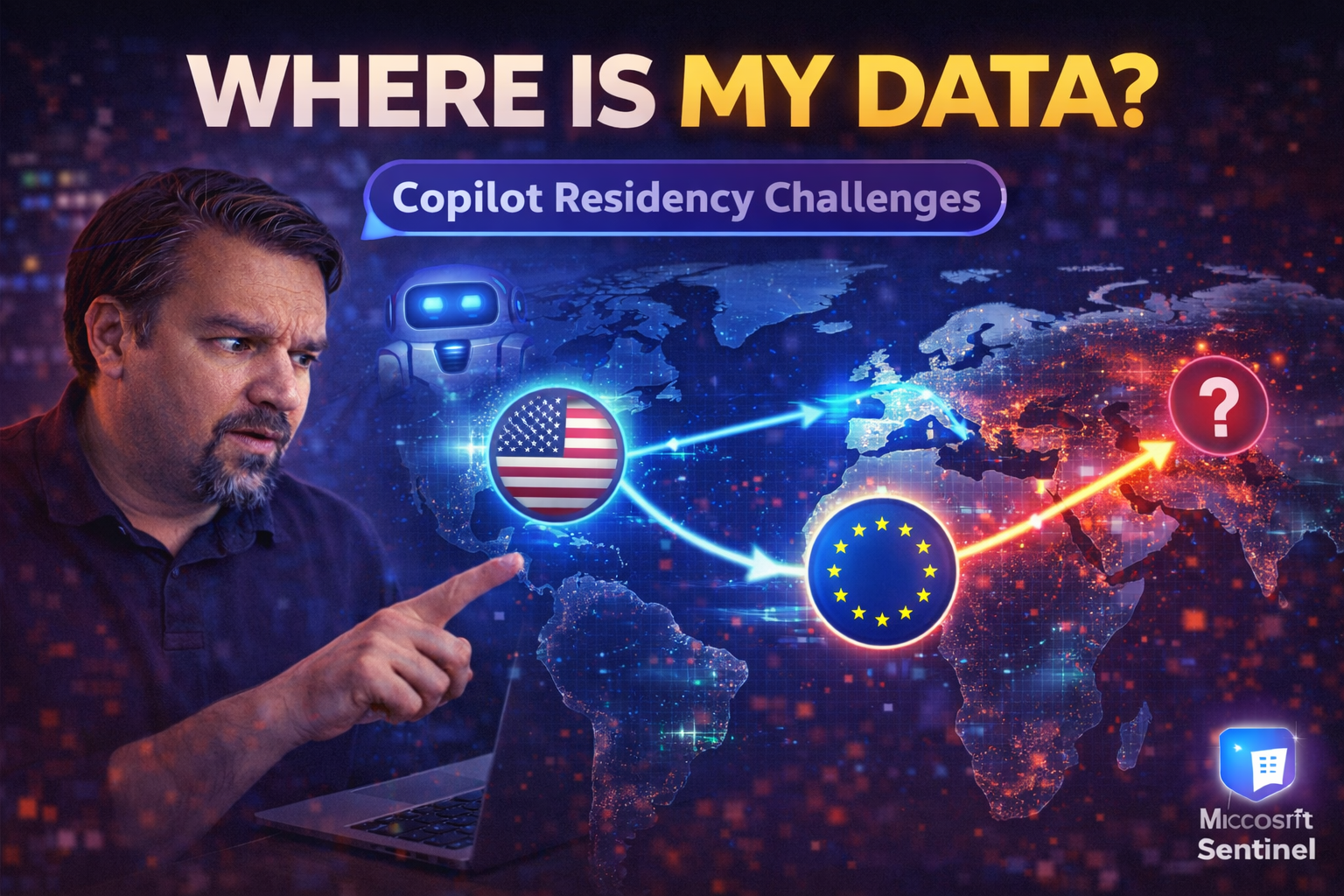
Microsoft Copilot is shaking things up, but it also brings a maze of data residency and compliance puzzles to solve—especially for US enterprises juggling security, legal, and operational demands. Every step you take with Copilot means facing privacy laws, cross-border data flows, and the big question: where does your sensitive information actually go?
In this guide, you’ll get straight answers on how Copilot handles your data, the compliance hoops you have to jump through, and what real security looks like in a regulated environment. We break down the nuts and bolts of residency mechanics, security risks, and practical governance—helping you meet compliance needs without grinding your productivity to a halt. If you need actionable tips, best practices, and a no-nonsense rundown of Copilot’s challenges, you’re in the right place.
Understanding Microsoft Copilot Data Residency and Compliance
Before you let Copilot loose on your enterprise data, it’s important to understand what data residency is and why it’s suddenly at the heart of every compliance conversation about AI. For organizations running on Microsoft 365, Copilot brings promise but also plenty of questions about where your data lives, who controls it, and whether compliance really keeps up with business needs.
In this section, you'll get an introduction to the key ideas: what data residency actually means when Copilot is in the mix, why enterprises can’t afford to take a “set and forget” approach, and how Microsoft’s compliance vision impacts your day-to-day operations. Regulatory pressures, policy changes, and evolving standards all play a role in shaping how Copilot works with your data, especially if you’re handling sensitive or regulated information.
It's not just about picking a region in your settings—the foundations of data residency start at the platform level and ripple out to every part of your Copilot deployment. Let’s set the context for why these basics matter so much, and preview what you’ll need to consider as you dig deeper into Copilot compliance.
Why Data Residency Matters for Copilot Deployments
Data residency refers to the designated geographic location where your enterprise data is stored and processed. For Copilot, this means every time you ask it a question, generate a summary, or analyze files, the resulting data doesn’t just vanish into a black box—it lands somewhere specifically tied to your organization’s settings and legal agreements with Microsoft.
For US organizations, growing privacy laws, customer contracts, and even state-level mandates make it crucial to know not just where your data sits, but also where it moves during Copilot’s processing. If Copilot stores or processes data outside your agreed geography, that could trigger compliance violations or regulatory scrutiny. This is especially acute for sectors like healthcare, finance, or public sector, where non-compliance brings hefty penalties.
Data residency isn’t just a checkbox for the auditors: it’s central to operational feasibility, influencing which features Copilot unlocks for your business. When regulatory triggers like GDPR or HIPAA are in play, you need strict controls to continually prove (not just claim) that your data remains within the stipulated boundaries. Without enforcing data residency, organizations risk exposure, legal headaches, and being forced to roll back promising AI technologies.
Microsoft Copilot Compliance Across Regions and Standards
- European Union / GDPR: Copilot deployments in the EU must honor the General Data Protection Regulation (GDPR). This demands that all personal data, including prompts and outputs processed by Copilot, stay within the “EU Data Boundary” unless explicit mechanisms (like Standard Contractual Clauses) are in place. Microsoft must also provide auditability and respond to data subject requests—transparency isn’t optional here.
- United States / HIPAA: Healthcare organizations subject to HIPAA require Copilot to avoid storing or handling Protected Health Information (PHI) outside compliant environments. Microsoft’s Business Associate Agreement (BAA) and underlying technical controls make sure that Copilot usage aligns with strict health privacy requirements. Only supported SKUs and environments guarantee enforcement.
- Federal Workloads / FedRAMP: For US government agencies, Copilot must operate under FedRAMP compliance, which governs cloud service security and residency for federal data. Copilot’s availability and controls are structured to prevent data flow to unapproved regions and segregate government workloads with additional policies.
- Other Regions: Asia-Pacific, Canada, and other geographies each carry local residency laws and frameworks. Copilot deployments in these places need to respect sovereignty rules, with Microsoft providing options to select data locations and breach notification protocols, but the specifics of enforcement may vary.
- Operational Controls: Across all these standards, Copilot’s operational controls—such as region-locking, compliance dashboards, and data export restrictions—help ensure ongoing alignment with each regulatory zone’s demands, offering organizations peace of mind as policies evolve.
Built-In Compliance Certifications for Microsoft Copilot
- SOC 1, SOC 2, and SOC 3: Microsoft Copilot’s cloud environment is certified against leading Service Organization Controls, proving that Microsoft upholds rigorous controls around data security, privacy, and processing integrity. These reports are essential evidence for audit teams seeking assurance on ongoing risk management.
- ISO 27001 and Related Standards: Copilot inherits from the broader Microsoft 365 platform’s ISO certifications. These cover information security management, data protection, and risk frameworks, helping enterprises harmonize their internal compliance programs and satisfy external partner requirements.
- FedRAMP Moderate/High: For US federal use, Copilot aligns with FedRAMP-certified environments, segregating federal data, applying continuous monitoring, and enforcing strict access reviews to keep government workloads separated from commercial ones.
- GDPR and HIPAA Compliance: Through built-in controls and region-specific configurations, Copilot supports GDPR and HIPAA requirements. This includes features for audit trails, customizable retention, and demonstrable subject access processes.
- Governance Tools: Microsoft Purview, Data Loss Prevention (DLP), and role-based access integrate directly with Copilot—allowing organizations to automate policy enforcement, retain compliance logs, and align licensing and rollout practices with contractual and legal needs. For a practical blueprint, consider exploring the Copilot governance policy essentials for a full checklist on technical and legal enforcement.
Security Architecture and Risk Management in Microsoft Copilot
Bringing Copilot into your environment doesn’t just add AI—it pulls in a whole new mix of security risks and control demands. From prompt injection attacks to accidental data leaks and even cross-tenant vulnerabilities, the threat landscape is rapidly shifting.
This section lays out Microsoft’s philosophy and design for Copilot security. You’ll see Copilot’s risk model, how technical controls map to identity, and why monitoring matters as much as up-front configuration. No matter how tight your compliance policies, bad actors and clever insiders will keep probing for gaps. Microsoft’s approach aims to keep Copilot’s abilities in check—while giving organizations layered ways to keep adversaries and unintentional exposures at bay.
It’s all about striking the right balance: maximizing AI’s benefits, keeping your data where it's supposed to be, and still passing the most grueling audit. In the following sections, we’ll break down vulnerabilities, technical controls, and smart practices to help you steer Copilot usage away from the danger zone.
Microsoft Copilot Security Risks and Research-Discovered Vulnerabilities
- Prompt Injection Attacks: Malicious actors can craft prompts that trick Copilot into leaking sensitive information or executing unintended actions. These attacks bypass user-level safeguards by manipulating Copilot’s conversational context, potentially exposing organizational secrets to unauthorized individuals.
- Cross-Tenant Data Leakage: Research has demonstrated pathways for Copilot to inadvertently surface data from other tenants or users, especially if permissions and sensitivity labels are inconsistently enforced. This scenario increases the risk of data spillage in shared or misconfigured environments.
- Shadow IT via AI Agents: Unauthorized AI agents or plugins can act as “shadow IT,” performing actions and accessing data outside established governance. These agents often run with broad Graph permissions that typical controls miss, according to findings discussed at AI agents shadow IT threats and governance.
- Compliance Drift in Notebooks and Derived Data: Outputs generated from Copilot Notebooks may lack proper sensitivity labels or audit trails, resulting in a “shadow data lake.” Without inherited access controls, this data is ungoverned and unmonitored, leading to untraceable compliance debt. For further explanation, see the hidden risks in Copilot Notebooks governance.
- Emerging Threats: Academic studies and red team exercises have exposed new attack paths and potential data exploitation methods—prompting continuous monitoring and rapid incident response as best practices for mature Copilot deployments.
Data Protection Controls and Access Permissions in Copilot
- Data Loss Prevention (DLP) Policies: Copilot honors DLP settings configured within Microsoft 365 and Power Platform, automatically restricting the movement or exposure of sensitive data during AI-assisted operations. Fine-tuned DLP prevents data from slipping outside controlled environments—essential for compliance and smooth production use, as detailed in Power Platform DLP policy guides.
- Sensitivity Labeling: Sensitivity labels control how Copilot interacts with files and content, restricting access, re-sharing, and data processing according to organizational policy. Labeled content carries its protections throughout Copilot’s workflow.
- Microsoft 365 Access Controls: All Copilot interactions are gated by native Microsoft 365 permissions, meaning users only see or act on data they already possess rights to. This “permissions mirror” approach prevents AI from circumventing established security models. For sustainable practices distinguishing access (permissions) from ownership (accountability), see Microsoft 365 Data Access Governance.
- Role and Group-Based Limitations: Granular configuration enables organizations to lock down who can use which Copilot features based on job roles, handling of sensitive content, or business units—ensuring least-privilege by default.
- Continuous Permission Reviews: Regular access reviews, automated alerts, and stale access removal help keep privilege creep and over-broad permissions in check, supporting both security and audit-readiness.
Enhanced Access Controls for Sensitive Data
- Conditional Access Policies: Enforce authentication context and require compliant devices or trusted locations using baseline conditional access strategies. Fixes overbroad exclusions and ensures only authorized users access sensitive Copilot features. Learn more at Conditional Access policy trust issues.
- Least-Privilege Enforcement: Assign Copilot permissions narrowly, limiting exposure of highly sensitive data to only those who absolutely need it.
- Just-In-Time Access: Enable temporary, auditable elevation of permissions during specific workflows—reducing standing privileges that attract threats.
- Powershell Automation: Use scripted checks and automated provisioning to routinely verify and adjust who has Copilot access, making it easier to audit and scale secure deployments.
Browser-Level DLP Protection and Real-Time Monitoring
- Real-Time DLP Policy Enforcement: Microsoft Copilot’s browser-based integrations respect browser-level DLP controls, instantly blocking copying, downloading, or sharing of sensitive AI-generated outputs—proactively stopping data exfiltration before it leaves your organization.
- Session Monitoring: Every Copilot session is subject to real-time monitoring for anomalous behavior or patterns suggestive of insider risk—giving security teams a heads-up to suspicious access or data flows.
- Environment Strategy and Sharing Controls: The most common leaks don’t happen from missing DLP rules, but from ungoverned “default” environments where everything gets mixed together. By segmenting environments and connectors and using defined sharing policies, organizations drastically reduce leakage risk. Take a deeper look at unlocking DLP’s power via environment strategy.
- Integrated DLP with Copilot Experiences: When Copilot operates in a modern browser, DLP triggers are contextually aware—understanding when export or print actions violate policy, and providing user feedback or blocked access instantly. For set-up guidance, visit this Microsoft 365 DLP overview.
- Closing the Monitoring Gap: Native audit logs combine browser, Copilot, and Microsoft 365 activity data, letting IT teams pinpoint risky patterns, escalate issues, or freeze accounts before major breaches occur.
Microsoft Purview and Governance Integration for Copilot
Behind every secure Copilot environment is a foundation of strong governance, and that’s where Microsoft Purview steps in. Purview isn’t just another bolt-on—it’s the brain of data classification, policy automation, and compliance reporting across Microsoft 365, acting as Copilot’s extended arm for keeping things in check.
In this section, you’ll see how Purview helps enterprises set, enforce, and audit the rules governing Copilot’s access to your most sensitive information. The focus is on giving compliance and security teams clarity, audit-readiness, and a fighting chance to get ahead of AI-driven threats.
We’ll lay out why Purview is more than a labeler—it becomes an operational risk shield, guards enterprise content, and helps you prevent the chaos that comes with unchecked AI use. After setting this context, we’ll drill into how Purview connects with Copilot and shapes both everyday access and advanced governance policies.
Microsoft Purview Integration and Controls Shaping Copilot
Microsoft Purview is directly integrated with Copilot to enforce comprehensive data governance. Purview classifies all organizational content—files, emails, chat histories—using built-in or custom labels that travel with data, controlling how and where Copilot can interact with these assets.
Access logging is core; every meaningful interaction Copilot initiates is tracked, cataloged, and mapped to user identity, tying together a verifiable compliance story. Retention policies set in Purview dictate how long Copilot can hold onto generated data or conversational history, ensuring nothing lingers beyond approved retention limits.
Purview also sets boundaries on external sharing and downstream exports, preventing Copilot from inadvertently moving sensitive content outside the organization or into unauthorized hands. Audit readiness is woven throughout, empowering your legal, compliance, and security teams to respond confidently to both routine reviews and regulatory inquiries. For practical application of these capabilities, see this guide to keeping Copilot governed and secure with Purview.
How Purview Controls Shape Data Access and Sharing
- Permission-Driven Access: Purview ensures Copilot only accesses data a user is permitted to see, respecting existing role and group policies.
- Data Export Restrictions: Board-level Purview policies block AI-generated content from leaving the boundaries of the organization unless explicitly allowed.
- Audit Logging: Every Copilot access, query, or sharing action is logged for full transparency and auditability.
- Automatic Label Application: Copilot-generated files and summaries get auto-labeled, maintaining sensitivity controls downstream.
Establishing Data Governance for Generative AI in Enterprises
- Define Clear Governance Policies: Align AI-specific governance policies with your broader data protection standards. Require every Copilot use case to pass through compliance review, especially when new plugins or data sets are involved.
- Create Dedicated Oversight Boards: Establish a cross-functional AI Governance Board to review risks, approve new workflows, and oversee the entire risk intake and audit process. This aligns with responsible AI guardrails, ensuring fairness and compliance with regulations like the EU AI Act. Review more in-depth strategy at AI Governance Boards as last line of defense.
- Mandate Layered Technical Controls: Enforce multi-layer protection—DLP, automated sensitivity labeling, access reviews, and role-based restrictions—to cover gaps that single-point controls might miss.
- Audit and Classify AI Outputs: Treat all AI-created files as first-class citizens with required classification and retention policies; use Purview and Sentinel to maintain visibility and audit trails.
- Close Operational Governance Gaps: Run regular risk assessments, gap analyses, and red team evaluations to keep up with changing features, unintentional behaviors, and emerging attack patterns. For practical advice on scaling AI agents without sacrificing governance, check this AI agent governance resource.
Implementation Roadmap for Copilot: Readiness, Licensing, and Secure Adoption
Now for the hands-on part: plotting your Copilot rollout so it actually sticks, meets compliance demands, and drives productivity. Enterprises need more than a license—they need a concrete plan, staged adoption, and real training strategies to get users on board safely.
This section lays out the practical steps: from running readiness assessments and choosing licensing tiers, to securing every phase and turning skeptical staff into AI champions. Copilot adoption isn’t plug-and-play, especially for compliance-heavy industries. Implementing the right controls and governance from the start is the smartest way to avoid fire drills later.
Before getting into the nitty-gritty of each rollout phase and adoption technique, take a moment to review common pitfalls—like underestimating training needs or missing hidden governance gaps. For those seeking repeatable, tenant-aware onboarding, a governed Copilot Learning Center offers a sense of structure and readiness that’s hard to beat.
Phase Readiness and Licensing Model for Copilot Rollout
- Initial Security and Compliance Readiness: Run a thorough gap analysis of current security controls, data retention, and existing DLP policies. Identify compliance blockers and prioritize actions for regionally sensitive data.
- Pilot Group Selection: Pick a limited user group from low-risk departments for early Copilot adoption. Provide targeted support and build quick feedback loops to fine-tune policies.
- Licensing and Procurement: Choose the Copilot licensing model that matches your enterprise needs—covering user volumes, regional compliance, and available security features. Consider custom SKUs for regulated industries or advanced risk controls.
- Controlled Scale-Out: Expand Copilot usage only after testing controls and monitoring policies in pilot phases. Regularly re-test with new business groups and validate DLP/retention as you ramp up.
- Operational Best Practices: Ensure you’re documenting every stage—requirements, licensing, deployment decisions, exceptions granted, and lessons learned—to support future audits and continual improvement.
Secure Adoption Strategies and User Onboarding Mechanisms
- Training and Awareness Programs: Provide mandatory Copilot training with real-world examples tailored to enterprise data and regulatory risks. A centralized, governed learning center, like the approach explained at this Copilot Learning Center, helps reduce confusion and provides measurable ROI.
- Active Usage Monitoring: Set up real-time analytics dashboards to track Copilot queries, data flows, and unusual behaviors, using Microsoft 365 native tools for rapid response.
- Access Permission Controls: Enforce conditional access and role-based restrictions, blocking risky combinations or overbroad entitlements. Address governance illusion with intentional policies, as discussed here.
- Structured Onboarding Mechanisms: Use automated provisioning scripts to grant/revoke Copilot licenses according to user risk profiles, and set mandatory DLP/sensitivity checks upon each user’s initial Copilot activation.
- Shadow IT and App Consent Reviews: Run periodic remediation sprints to eliminate rogue app connections or unauthorized OAuth scopes, in line with shadow IT and compliance best practices, ensuring every external touchpoint is vetted.
Comparative Analysis and Future Outlook for Copilot and Enterprise AI
Copilot isn’t the only AI assistant on the block—big players like GitHub Copilot and Google Gemini are also battling for enterprise mindshare. Comparing them comes down to not just features, but whether their data residency, compliance, and operational readiness match your organization’s risk profile.
This section tees up a side-by-side evaluation of how Microsoft Copilot stacks up against its competitors, with a focus on the critical differentiators: where data goes, how compliance is enforced, and how easily each solution plugs into a regulated enterprise environment.
It wraps up with a look forward, considering what’s next for Microsoft Copilot as organizations pivot to “AI-first” infrastructure, and how upcoming capabilities could reshape compliance and productivity for US businesses and beyond.
Copilot Versus GitHub Copilot and Google Gemini for Data Residency
- Microsoft Copilot: Offers region-specific data residency for Microsoft 365 tenants, robust compliance certifications (SOC, ISO, FedRAMP), and direct integration with enterprise governance tools like Purview. Copilot’s residency assurances align with both US and EU regulatory requirements, supporting granular access and retention policies.
- GitHub Copilot: Primarily focused on coding, it often runs as a cloud-based SaaS with limited regional residency controls. Data submitted through prompts may be processed outside the US or EU, making strict compliance harder for regulated orgs. GitHub Copilot is strong on developer productivity but lags on copy-protecting sensitive artifacts.
- Google Gemini: Offers broader AI capabilities but still emerging in enterprise data residency controls. While Google makes claims about regional data localization, in practice, granular enforcement and enterprise assurance tools are less mature than Microsoft’s offering.
- Operational Controls & Compliance Tools: Microsoft Copilot’s seamless tie-in with centralized policy and audit platforms (like Purview) gives it the edge for companies that need automated enforcement and reporting. GitHub and Google’s offerings generally rely on separate cloud security suites.
- Enterprise Readiness: Copilot’s out-of-the-box policy mapping, integration with Microsoft 365 permissions, and region-locked configuration options make it more attractive to organizations that must show regulators a clear, defensible chain of custody.
What’s Next for Microsoft Copilot in Business Infrastructure and AI
Microsoft Copilot is doubling down on a “cloud-first, AI-first” strategy—which means more proactive features, deeper integration across the Microsoft 365 ecosystem, and an expanding suite of controls that let enterprises tailor Copilot to their security and compliance needs.
New releases are expected to sharpen Copilot’s region-specific assurance, expand inference isolation, and automate risk flags for suspicious behaviors. Enhanced support for regulated workloads (e.g., government, financial, and healthcare sectors) ensures that businesses aren’t limited by compliance barriers as AI adoption accelerates.
Expect more AI-driven governance automation, such as self-auditing Copilot experiences, expanded eDiscovery in M365, and tighter ties with identity platforms. The AI-First paradigm is here to stay, gradually embedding Copilot capabilities deeper into workflows—enabling productivity while evolving compliance for the new era of generative AI in business.
Technical Deep Dive on Copilot Data Flow and Inference Residency
All the compliance policies and residency contracts in the world mean little if the technical plumbing isn’t right. Enterprises need to know—step by step—how Copilot processes data, how inferences get handled, and how the platform ensures outcomes match the promises in the SLA and audit reports.
This section opens the hood on Copilot’s technical underbelly, giving technical leads and architects transparency into data paths, model boundaries, and how Copilot avoids the pitfalls of hidden data drift. You’ll see what keeps Copilot’s AI in check, guarantees processing occurs only in designated geographies, and delivers the fast response times end users demand.
These technical safeguards aren’t just theoretical—they are critical for passing audits, responding to incidents, and proving you didn’t let your data stray out of line. We’ll lay the groundwork for the deeper technical content that follows.
How Copilot Processes Data and Maintains Inference Residency
Copilot’s query processing begins when a user submits a prompt via Microsoft 365 apps. The natural language data is transported securely through Microsoft Graph and sent to regional cloud inference engines. To maintain data residency, Microsoft leverages region-specific compute clusters and storage, meaning that queries originating in the US are processed and stored solely within US-based infrastructure.
Sensitive content, file links, and AI-generated metadata adhere to Microsoft’s “designated geography” policy. Cloud architecture optimizes for low latency, routing requests to the nearest compliant compute zone while guaranteeing that data, prompts, and responses do not cross into unapproved regions.
All data caches and temporary storage are wiped in accordance with Purview retention settings and compliance contracts, ensuring nothing is exported or inadvertently retained outside required boundaries. For cases needing ultra-low latency—like financial or healthcare queries—Copilot’s architecture balances real-time processing speed with strict residency enforcement.
Automated Record-Keeping and Compliance Monitoring in Copilot
Copilot automatically logs every user query, file access, and output—creating detailed audit trails for compliance review. These audit logs seamlessly integrate with Microsoft Purview Audit and compliance dashboards, supporting forensic investigation, risk detection, and regulatory reporting. For extra depth, see this in-depth Purview Audit activity guide.
Additional monitoring layers in Microsoft Defender for Cloud ensure policies stay current, automate compliance drift detection, and push real-time alerts to compliance teams when risky patterns emerge. Automated record-keeping is critical for showing regulators not only where data traveled, but who accessed it, when, and why.
Operational Complexity of Cross-Border Data Residency in Multinational Copilot Environments
For global enterprises, data residency compliance isn’t just about sticking a pin in a map. Users hop countries, deals cross jurisdictions, and regulations update faster than most IT teams can patch. Simple region selection isn’t enough—organizations need dynamic, policy-driven data orchestration.
In this section, we explore the practical realities of cross-border Copilot use: orchestrating real-time residency enforcement, adapting policies on the fly, and isolating AI processing in line with legal demands. It’s not just about keeping regulators happy—it’s about keeping operations fluid while shutting down any risky detours data might take between continents.
You’ll see where competitors fall short—often missing the complexities of dynamic routing and model isolation—and why getting this right is mission-critical for multinationals with a global footprint.
Dynamic Data Routing Based on User Location and Content Sensitivity
Advanced Copilot deployments leverage dynamic data routing engines that respond in real time to user geography, device location, and content classification. When someone in Germany requests a document summary, Copilot automatically processes and stores that interaction inside EU-approved infrastructure, honoring GDPR without manual triggers.
Content flagged as sensitive is run through additional policy checks, routing to more secure compute “micro-regions” if necessary. The system continuously verifies the user’s identity, device security posture, and current location, denying or rerouting requests that could cause data to cross regulatory boundaries.
This level of orchestration uses geo-fencing, network telemetry, and content sensitivity signals to stop data exfiltration and enforce policy at every step. It’s designed for operational flexibility—users can collaborate and access insights globally, but never at the cost of inadvertent policy breach or compliance slip-ups.
Residency-Aware AI Model Federation and Inference Isolation
AI model federation splits Copilot’s inference engines across regional data centers, each with logical isolation. When users initiate prompts, only the AI models in their approved geography respond—no prompts or responses cross into unapproved regions. Edge-based inference adds another buffer, processing queries locally when strict residency is required.
Logical segmentation, continuous validation, and strict deployment strategies ensure cross-border interactions never accidentally “jump the rails”—a necessity for multinationals fending off regulatory fines or unexpected audits.
Copilot’s Memory and Personalization Features: Data Residency Implications
Copilot gets smarter by remembering what you ask, suggest, and prefer. But with that memory comes a new set of headaches: personal data, behavioral analytics, and persistent cross-session retention—all of which can create hidden data residency risks for regulated enterprises.
Here, we tackle those under-discussed exposures: where does Copilot store user memories, who governs behavioral profiles, and how easily could these features move data across legal boundaries? Even with primary data locked down tight, persistent personalization caches can introduce subtle but significant compliance gaps.
We’ll also look at how to manage or reduce memory usage without losing Copilot’s productivity edge—guidance especially critical for compliance teams and privacy officers. And if you need a cautionary tale, review this analysis on hidden governance risks in Copilot Notebooks for what happens when AI-generated data escapes oversight.
Persistent User Memory and Cross-Session Data Retention
Copilot maintains a memory layer that tracks user behavior, preferences, and prior query context across sessions. This memory may be stored and replicated in cloud caches that, depending on regional configuration, can extend outside your contracted geography—especially when default settings go unchecked.
Enterprise risk rises when Copilot’s persistent metadata is saved or indexed in backup routines not subject to primary data residency rules. Over time, these behavioral profiles could be accessed or used for analytics in regions not covered by your compliance scope, triggering regulatory red flags.
Best practice is to continuously monitor Copilot memory storage locations, review behavioral data for compliance with regional privacy laws, and restrict long-term retention policies to pre-defined, audited boundaries. Where personal or sensitive information is tracked, organizations should apply the same rigor as they would for emails, files, or structured records.
Opting Out of Copilot Memory Features While Maintaining Productivity
- Disable Cross-Session Memory: Turn off persistent memory features for users or groups handling regulated data, ensuring AI only works within the current session.
- Limit Retention Durations: Set policy-defined retention limits for behavioral and personalization data to reduce long-term exposure.
- Enable Residency-Safe Personalization: Use on-the-fly, session-specific personalization without saving user profiles to cloud caches outside approved geographies.
- Configure Data Minimization: Reduce Copilot’s collection of personal insights to the smallest amount necessary for productivity.
Third-Party Integration Residency Risks and Control Frameworks
Copilot’s power multiplies when you connect it to apps across your enterprise, but that flexibility can spell disaster for data residency if not governed tightly. External SaaS add-ons, Power Platform automations, and unvetted connectors commonly sidestep core residency controls, moving data into regions or clouds beyond your compliance contract.
In this section, we’ll introduce a risk-aware framework to manage this sprawl: how to vet, monitor, and restrict third-party integrations so your Copilot doesn’t become an accidental courier shuttling sensitive data out the side door.
Balancing innovation with security means not just trusting the platform, but actively managing identity, environment, and connector strategy. To help with architectural decisions, check these Power Platform security and governance best practices for citizen development and enterprise compliance.
Residency Exposure Through Connected Apps and Power Platform Flows
- Unvetted Connector Use: Power Automate flows and Copilot plugins using “non-business” or unclassified connectors may route data into environments outside enterprise control, resulting in data crossing regional boundaries without oversight. Consistent connector classification across environments, as detailed at this DLP policy guide, helps prevent these silent leaks.
- Cross-Tenant Workflows: When Copilot triggers automation spanning multiple tenants or partners, data may end up stored or processed in non-compliant zones, especially if DLP and tenant policies aren’t aligned across linked systems.
- Default Environment Risks: The default Power Platform environment often acts as an uncontrolled mixing pot for connectors and flows, creating a data pipeline into non-approved regions.
- External API Calls: Third-party app integrations or HTTP connectors might bypass your main residency guardrails, exposing regulated data to external vendors without proper due diligence.
- Mitigating Controls: Enforce environment/service-level DLP policies, conduct regular app permission audits, and deploy blocking mechanisms for custom/HTTP connectors unless explicitly approved for regulated data.
Residency Compliance Validation for Custom Copilot Extensions
- Pre-Deployment Scanning: Use security review pipelines to check custom plugins/extensions for data residency violations before rollout.
- Runtime Monitoring: Continuously monitor data flows and connector actions for non-compliance, alerting security teams to potential breaches.
- Automated Validation Scripts: Run extension governance tools that verify all data transactions occur within approved geographies, halting execution if policy is violated.
- Audit Trail Logging: Maintain detailed records of all external extension activity, simplifying forensic review and regulatory response.
Frequently Asked Questions: Copilot and Data Residency
You’ve wrestled with Copilot’s capabilities, compliance barriers, and security risks—naturally, a stack of questions pops up. This section zeroes in on the questions most US enterprises ask, whether they’re prepping for deployment, reporting to a board, or fielding an audit.
Here, we’ll clarify core topics ranging from baseline security certifications and real enforcement of regional residency, to practical data protection steps and operational guidance for regulated and multinational companies. Reviewing these FAQs helps reinforce what matters most from the whole article—giving you a quick cheat sheet to Copilot’s trickiest details.
What Is Covered in This Article and What’s Included
- Data Residency Foundations: What residency means in the Microsoft Copilot context, and why it’s critical for compliance.
- Regional and Regulatory Compliance: How major regulations like GDPR, HIPAA, and FedRAMP intersect with Copilot’s data flow and storage.
- Security and Risk Controls: Specific vulnerabilities, layered protection strategies, and governance approaches for high-stakes environments.
- Governance Integration: The role of Microsoft Purview in policy, classification, and enforcement—plus operational best practices for generative AI.
- Deployment and FAQ Guidance: Roadmaps, onboarding tips, and answers to the most common enterprise questions.
Top FAQs on Microsoft Copilot Compliance and Residency
- Where does Copilot store and process my data? Copilot processes and stores user data in the geographical region specified by your Microsoft 365 tenant settings, honoring regional data residency commitments for regulated workloads.
- Can Copilot meet strict compliance certifications (SOC, ISO, HIPAA, FedRAMP)? Yes, Microsoft Copilot inherits the compliance certifications of the underlying Microsoft 365 platform, including SOC, ISO 27001, HIPAA (with BAA), and FedRAMP for federal workloads.
- How do I prevent Copilot from leaking data via third-party apps or Power Automate? Enforce DLP policies on environments and connectors, regularly audit app permissions, and block or regulate custom/HTTP connectors to avoid unintentional cross-border data flows.
- Can Copilot’s memory features be disabled for high-risk users? Yes, organizations can restrict cross-session memory and behavioral profiling, either globally or for specific user groups, to minimize persistent data and residency violation risks.
- What monitoring tools are available for Copilot compliance? Microsoft Purview, Sentinel, and Defender for Cloud integrate with Copilot, providing audit logs, anomaly detection, compliance dashboards, and automated alerting for policy drift and leaks.
Conclusion and Maturity Perspectives for Copilot Data Residency
Mastering data residency with Copilot isn’t just about setting the right geography or flipping a compliance switch—it’s a journey towards maturity in security, policy, and operational discipline. US enterprises face a shifting mix of regulations, business needs, and technology advances, with Copilot sitting at the crossroads of productivity and risk.
Key takeaways: Prioritize granular residency enforcement, integrate multi-layer governance (from Purview labeling to DLP and access controls), and treat AI memory as a compliance boundary, not an afterthought. Remember to vet third-party integrations and custom plugins for hidden exposures, and invest in automated audit tools to keep up with real-time risk.
Looking ahead, those who build a Copilot adoption model on top of strong compliance foundations and agile governance will harvest AI’s productivity gains without risking penalties or reputational loss. The consulting-level guidance is simple: embrace policy-driven automation, test continuously, and foster cross-team accountability so your Copilot deployment keeps pace with both business ambition and regulatory change.
Additional Resources and Author Information
- Advanced Copilot Governance: In-depth guidance on DLP and role enforcement in Copilot environments at Advanced Copilot agent governance with Microsoft Purview.
- AI Agent Security: Control plane best practices for safe AI operation across enterprise systems at Securing AI agents and governance best practices.
- Compliance Monitoring: Guide to auditing, real-time risk detection, and automated reporting with Microsoft 365 tools at How to audit user activity with Microsoft Purview.
- External Reading: Deep dives and real-world enterprise podcasts found throughout the M365 FM network offer hands-on strategies for Microsoft Copilot security, governance, and compliance.
- Stay Updated: Bookmark recommended resources to catch the latest strategies and insights as Microsoft Copilot and compliance standards evolve.
Copilot Data Residency: Compliance Terms

Microsoft MVP | Host of M365.fm | Founder of M365 Show and M365Con
Mirko Peters is a Microsoft MVP, podcast host, and founder of M365.fm, M365 Show, and M365Con. His work connects Microsoft practitioners through podcast interviews, livestreams, and community events.
At M365.fm, Mirko hosts conversations with Microsoft MVPs, product experts, architects, and community contributors. Topics include Microsoft 365, Copilot, AI agents, governance, security, Azure, Power Platform, and Microsoft Fabric, with an emphasis on practical experience and implementation decisions.
M365.fm is the podcast and learning platform. M365 Show brings experts together for livestreams, while M365Con provides an online conference setting for community learning.
Official website: Mirko Peters (https://www.mirkopeters.com/). Recognition: Mirko Peters — Microsoft MVP profile (https://mvp.microsoft.com/de-DE/mvp/profile/9b0ca797-db5a-493a-a845-8b9158046cf5). Connect on LinkedIn (https://www.linkedin.com/in/m365showpodcast/).


