Copilot and Records Management: Transforming Compliance in Microsoft 365
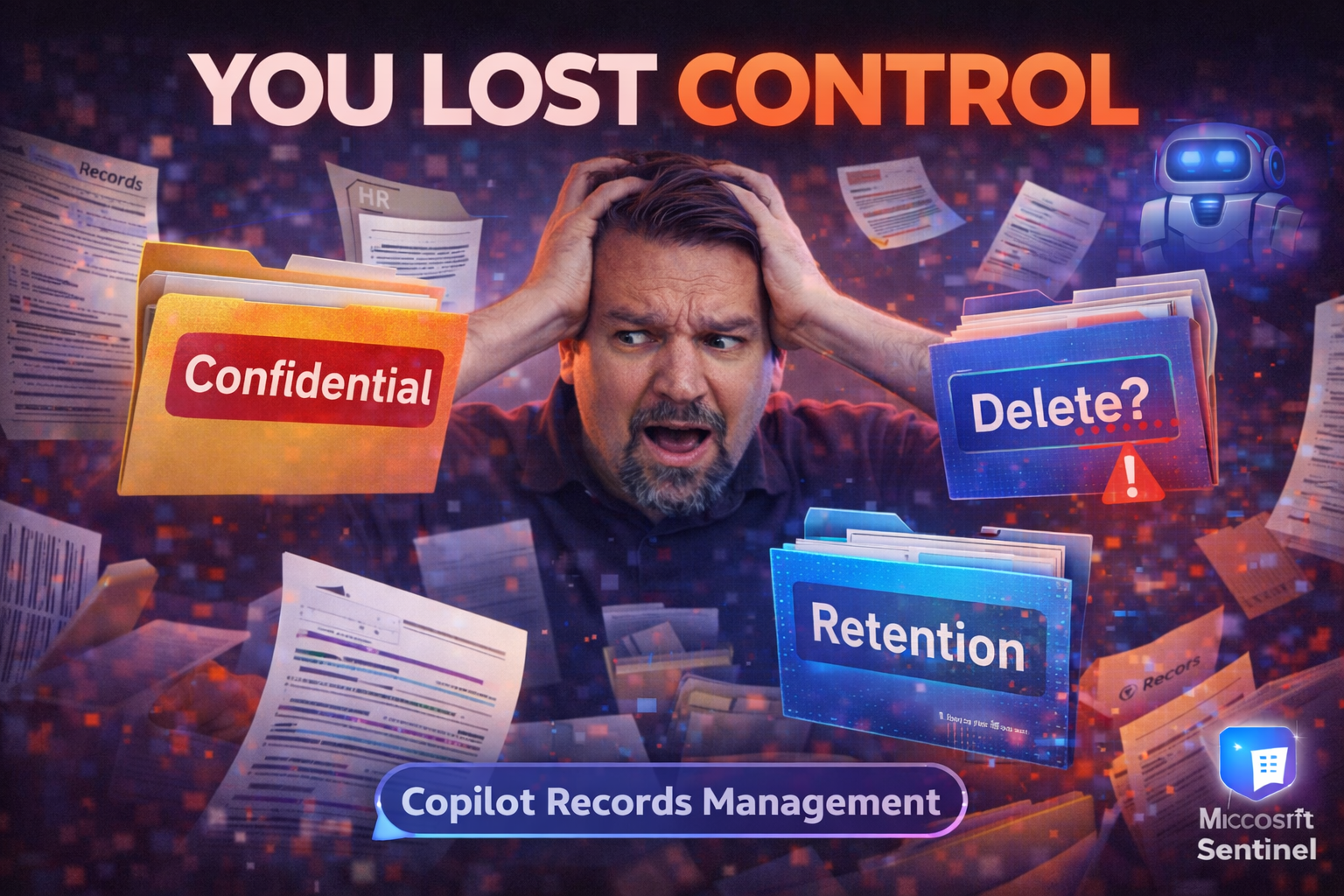
Microsoft 365 Copilot is shaking up the world of records management like nothing we’ve seen in years. By combining advanced AI and natural language processing, Copilot is automating not just document creation but the classification and control of business records across your digital estate. That means less boring manual work and fewer mistakes—but it also introduces a new set of risks for compliance and governance teams.
Today’s organizations can’t just rely on old-school policies to keep up with the speed and breadth of content created in Microsoft 365. Copilot, alongside tools like Microsoft Purview, is fundamentally changing the way companies approach retention, legal holds, and defensible disposition. If you’re responsible for records or compliance, understanding Copilot isn’t optional anymore—it’s central to staying on top of regulatory obligations, audit-readiness, and data lifecycle integrity. What follows is your roadmap for leveraging Copilot, managing risk, and adopting best practices tailored to this new AI-powered era.
How Copilot and Generative AI Are Revolutionizing Records Management
Here’s the big thing about Copilot: it doesn’t just answer questions—it actively helps manage your records behind the scenes. Thanks to generative AI and natural language smarts, Copilot can sift through thousands of files, emails, and chats, automatically tagging and classifying sensitive data in real time. That means you’re not stuck hunting for the right content or manually sorting what should be kept or deleted.
Copilot’s AI is especially good at pattern recognition, which takes a load off IT and records pros. For instance, it spots confidential info or regulated records in a sea of documents without anyone needing to provide endless keywords or rules. The system can flag, label, and sometimes even apply retention rules with very little human intervention—yes, that means less grunt work for your team.
You also get improved compliance oversight because Copilot can monitor changes, surface oddities, and suggest remedial action if, say, confidential data pops up in the wrong library. The icing on the cake? Copilot speeds up responses to compliance events—like legal holds or audit requests—by automating those first, repetitive steps that always slow teams down.
But it’s not all upside—because automating decisions with AI changes the risk game, too. Copilot’s effectiveness depends on good governance and quality training data. If you ignore these, you could find yourself facing compliance headaches or even legal blowback. Organizations need solid controls in place, clear policies, and a way to monitor Copilot’s actions. Done right, Copilot gives massive productivity gains and tighter compliance. Done wrong, and it can introduce new risks faster than you can say “automated email archive.”
Urgent Need for Copilot Governance: Managing AI Risk and Responsibility
The rapid rollout of Copilot and other AI tools in Microsoft 365 is causing a fire drill for governance teams everywhere. With AI now making classification and retention decisions at scale, the stakes are higher. If you skip over robust governance frameworks? You’re inviting data leaks, shadow automation, and all sorts of regulatory fallout.
Effective Copilot governance is about putting up guardrails before something goes wrong. That means combining legal contracts, clear licensing, and tight role management with technical controls like data loss prevention, sensitivity labels, and strict permissions. Automation is great—but if you don’t control how Copilot accesses Microsoft Graph and sensitive data, it might grab records it shouldn’t. Least-privilege access is a must (see here for a guide on enforcing it).
Policy enforcement—think auto-labeling, regular audits, and DLP—is now a continuous process, not a one-time event. Creating an AI governance council and using frameworks that respond rapidly (like a 48-hour governance reset) is critical so AI agents don’t outpace human oversight (get practical strategies here).
If you’re unsure where to start, focus on technical protections first (segmented access, agent identity controls, and audit logging with Purview or Sentinel). But don’t neglect the human side: upskilling teams, clarifying role boundaries, and defining accountability for AI-driven actions is as important as your DLP policy sheet. Without that, you risk “identity drift” that leads to operational chaos (read more on agent governance). For a quick reality check on just how fast things can unravel, check out this episode: Agents Outpacing Governance.
Microsoft Purview and Copilot for Integrated Records Management
If you want enterprise records management that’s actually user-friendly, you’re going to find the partnership between Microsoft Purview and Copilot hard to beat. Purview provides the backbone—centralized retention policies, labeling tools, and comprehensive audit trails—while Copilot brings AI-driven muscle: faster document classification, automated reminders, and data insights surfaced right when you need them.
That means whether you’re preserving contracts for seven years or running regular disposition reviews, you can now blend policy-driven controls with Copilot’s smart suggestions and auto-classification. Teams avoid the chaos of tangled folder structures and forgotten policies because Copilot can guide users through applying labels and staying compliant, even as content types and locations expand.
This combination empowers HR, legal, IT, and risk teams to work together without the friction of siloed workflows. Not only does it boost compliance and audit readiness, but it also supports collaboration in complex environments, preventing document chaos before it starts (dive deeper here).
In upcoming sections, you’ll get a clear breakdown of how to use these tools day-to-day: setting up robust label structures, automating retention, and using Copilot’s AI to keep you ahead of regulatory changes—not stuck playing catch-up. Real audit trails and user activity monitoring (with Purview Audit) round out a governance ecosystem that’s actually fit for today’s records world.
Mastering Records Management in Microsoft Purview With Copilot
- Set Up Retention Labels and Policies: In Purview, start by mapping your business and legal requirements to official retention labels. Copilot can recommend which files and types need which retention rules, reducing guesswork for admins and end users.
- Automate Content Classification: Once labels are defined, Copilot uses AI to scan new and existing data across SharePoint, Teams, Exchange, and OneDrive. It suggests or automatically applies the correct retention and sensitivity labels based on document type, content, and metadata. This means less manual tagging and more consistency across the board.
- Monitor Compliance and Activity: Purview provides dashboards with real-time monitoring of label application, upcoming dispositions, and access to sensitive records. Copilot enhances this by surfacing alerts about misclassified or untagged content and nudges users to fix issues quickly.
- Automate Disposition Reviews: When records reach the end of their retention period, Copilot can trigger automatic reminders, batch approval suggestions, and summary reports for reviewers. This streamlines the approval process, reduces bottlenecks, and ensures documentation for compliance audits.
- Engage Stakeholders for Collaboration: Bring in HR, legal, and security teams to review workflows and ownership. Collaboration here isn’t just a best practice—it’s essential for audit readiness and proactive compliance (explore why in this podcast).
- Continuously Improve and Adjust: Use Purview’s analytics and Copilot’s insights to refine your labels, identify changing risk patterns, and upgrade controls as your business or regulatory climate shifts.
Retention, Preservation, and Disposition: Differences and Best Practices
- Retention: This is about defining how long content is kept and protected from deletion or modification. Set retention policies in Purview to comply with legal or business needs, for example, "retain contracts for seven years." Retention schedules automate this, ensuring nothing slips through the cracks.
- Preservation: Preservation is like putting content in a digital time capsule. You're freezing a record to guard against edits or removal—think legal holds during litigation. Purview applies preservation holds instantly, and Copilot ensures these holds catch every relevant item, even if it lives across devices or sites.
- Disposition: Disposition is the process of defensibly deleting records at the end of their required life. It involves more than pushing a delete button—you need proof, audit trails, and, often, escalations or signoffs. Disposition reviews in Purview let you approve record deletion in batches, track reviewer decisions, and create automated reports for legal compliance.
- Best Practices for Disposition Reviews:Define clear reviewer roles and escalation paths for ambiguous items.
- Maintain documentation of all approvals, holds, and exceptions for audit defense.
- Leverage Copilot to generate bulk review summaries and flag anomalies.
- Include HR, legal, and IT in regular policy and review updates to prevent gaps (learn how DLP and Copilot work together).
- Review policy effectiveness annually, tweaking rules and retention periods as regulatory landscapes shift.
With Copilot’s AI-driven automation, each stage—setting the rules, applying holds, and disposing of records—becomes more efficient, less error-prone, and a lot less stressful for your compliance team.
Copilot for eDiscovery and Meeting US Legal Compliance Requirements
Legal compliance isn’t getting any simpler—and neither are the eDiscovery demands coming from courts, regulators, and internal investigations. Microsoft 365 Copilot is set up to take the sting out of these workflows by using generative AI to search, compile, and report evidence on command. For US organizations, where legal standards are high and audit requirements are strict, Copilot is quickly turning into an essential tool.
This section sets the scene for understanding how Copilot’s automation and natural language capabilities help not only with high-speed searches but also with managing legal holds, exporting records for attorneys, and running defensible audits. By streamlining typical pain points like complex search queries or data pulls, Copilot gives compliance and legal teams precious time back—all while helping meet those specific US regulatory boxes.
If you’re a compliance director, IT manager, or in-house legal counsel, you need to know what Copilot does well—and where to watch for gotchas. Up next, you’ll get nitty-gritty guidance on building better eDiscovery queries, handling tricky case management, and adopting best practices for US-centric legal compliance.
Using Copilot for eDiscovery Queries and Case Management
- Natural Language Search for Discovery: With Copilot, legal teams and IT can ask plain-English questions (“Find all emails mentioning Project Redwood sent in March 2023”) and get fast, accurate results—no expert Boolean required. This reduces error, speeds up discovery, and makes the process much more approachable.
- Automated Query Generation: Copilot’s AI can draft complex filters and search scopes across SharePoint, Exchange, and Teams. You describe the context, it builds the query, and you’re left auditing or fine-tuning results instead of puzzling over syntax.
- Case Management Automation: It isn’t just about finding the data; Copilot helps organize it. For legal holds, Copilot can tag, preserve, and notify stakeholders about relevant records—helping teams maintain separation and proper documentation for each case.
- Export and Reporting Tools: Once discovery is complete, Copilot guides users through defensible export workflows—including necessary metadata, redaction basics, and chain-of-custody checks, all key for US eDiscovery standards.
- Scenario Example: Imagine a federal investigation covering both in-office and remote staff. Copilot handles records across hybrid work devices, ensuring that personal laptop files synced to M365 are discoverable and governed—closing gaps competitors often miss.
- Moving from Manual to AI-Driven: Teams transitioning from manual search will see higher consistency, faster response times, and a big cut in technical training requirements.
Best Practices for US Legal and Compliance Requirements With Copilot
- Map Your Legal and Regulatory Obligations: Start by knowing your specific US compliance requirements—eDiscovery, archiving, audit logs, and more. Map these to features available in Microsoft 365 and Copilot so nothing slips through the cracks.
- Leverage Automated Holds and Retention: Enable Copilot to apply legal holds and retention labels automatically when lawsuits or regulatory requests hit—no more risky manual steps.
- Create Detailed Audit Trails: Record every Copilot action (such as searches, exports, or policy changes) to prove process integrity in audits. Use Microsoft Purview and related tools for comprehensive activity logs.
- Monitor for Compliance Drift: Just because a dashboard says all policies are green doesn’t mean user behavior aligns with intent. Regularly review activity logs and compare against expected retention policies (more on compliance drift here).
- Train Teams Continuously: Regulations, collaboration tools, and Copilot features are evolving. Update policies yearly and use on-demand or in-person training to keep everyone in sync.
- Engage E-discovery and Compliance Pros Early: Get legal specialists involved in workflow and policy design from day one—this boosts defensibility and resilience when the subpoenas start flying.
Managing the Data Lifecycle With Copilot and Microsoft 365
Keeping data under control isn’t just about setting one policy and hoping for the best. Data is born, changed, shared, and—eventually—disposed of, sometimes across five devices and three time zones. Microsoft 365 and Copilot, when used together, provide a truly comprehensive approach to end-to-end data lifecycle management, automating the boring stuff while keeping the people in control where it matters.
In this part, you’ll see how Copilot can automatically classify and label records upon creation, make sure retention rules stay up to date, and flag content for review or deletion at the right moment. It goes beyond just enforcing policies; Copilot also helps monitor what’s actually happening behind the scenes, so nothing sneaks through because of a new Teams chat, a rogue OneDrive, or content spawned on a personal laptop.
Hybrid work complicates the life of every records manager. That’s why lifecycle management with Copilot includes strategies for consistent retention enforcement—even when staff are remote or using personal devices. The next two sections dig into step-by-step lifecycle automation and how to check if your retention rules are actually working, not just set-and-forget. For a healthy data lifecycle, both these pieces are critical.
To go deep on compliance and AI-driven risk mitigation, especially controlling access and detecting data leaks as lifecycle events unfold, check out this guide to securing Copilot and lifecycle workflows using Entra ID, DLP, and Purview Audit.
End-to-End Data Lifecycle Management With Copilot
- Creation and Capture: As new documents, chats, or emails are created, Copilot watches in real time, tagging them according to your retention and sensitivity policies—whether they originate in SharePoint, Teams, or an unmanaged laptop syncing to the cloud.
- Classification and Policy Enforcement: Copilot’s AI-driven classification means records are automatically labeled with the right retention terms from the start. The best part? It catches AI-generated or modified content, ensuring records from everywhere—corporate or personal devices—are governed equally.
- Retention and Review: As the clock ticks, Copilot ensures retention policies are enforced regardless of where the data lives. Periodic hands-free reviews flag any anomalies, such as records lingering past their retention period or labels missing from shared drives.
- Automated Disposition: When records reach end-of-life, Copilot generates automatic alerts and batch review tasks. This dramatically shortens the disposition cycle and creates defensible reporting trails for auditors.
- Compliance and Reporting: Throughout, Copilot provides dashboards and reports showing the health of your records, which rules are being met, and where exceptions require human attention. This keeps the whole lifecycle from going off the rails—and surfaces new areas for improvement.
Checking Retention Rule Effectiveness With Copilot
- Visualize Retention Coverage: Use Copilot and Purview dashboards to see what content is tagged, what’s missing labels, and where anomalies exist. This highlights both successes and overlooked areas.
- Audit for Compliance Drift: Don’t just look at policy outcomes—check logs and activity for patterns that suggest things are slipping due to user behavior or collaboration quirks. (See what to look for here.)
- Review Failed or Missed Dispositions: Scan for records stuck beyond their retention periods, understand why, and use Copilot-generated suggestions to fix configurations or close gaps.
- Tune and Remediate: After identifying errors, Copilot can help automate remediation or offer updated policy recommendations based on fresh analytics.
Best Practices for Disposition Reviews, Policies, and Global Schedules
A defensible records program stands or falls by how well you manage disposition reviews, craft tailored retention policies, and scale compliance worldwide. Copilot, with its AI-driven insights, makes global implementation and automation not just possible but practical. That’s a new chapter compared to the old manual spreadsheet or checklist method.
First, tap into automation wherever you can. Copilot’s insights can score which records are ready for deletion, flag exceptions, and summarize review steps, so you’re not stuck clicking “approve” one file at a time. For multinational businesses, Copilot helps harmonize retention schedules even across different regulatory zones, a task that’s often manual and error-prone.
But don’t leave it all to the robots. The best programs involve HR, legal, IT, and compliance teams in scheduling regular reviews and policy updates. You need a broad view to spot risks, adapt to seasonal changes in regulations, and defend your deletion decisions if regulators come calling. Copilot makes it far easier to coordinate this work and supply detailed audit trails to back up your process.
Finally, layer on extra protection with data loss prevention, conditional access, and Purview’s monitoring tools. These keep unauthorized access and accidental deletion at bay, rounding out your records compliance perimeter. Want more on combining M365 security and Purview for strong records governance? Check out this practical guide for setup tips and user-friendly best practices.
Resources, Training, and How to Stay Updated With Copilot for Records Management
AI and records management don’t stand still for anyone. To truly master Copilot and keep your compliance program sharp, you’ll want a steady stream of resources, training, and community support at your fingertips. Microsoft’s official training modules are a great starting point, but they can be static and sometimes out of date as AI evolves.
For a better learning experience, look for governed, tenant-aware programs like the Copilot Learning Center (discover why this approach works here). These deliver on-demand webinars, deep dives, and live workshops so you can quickly troubleshoot, get hands-on, and share feedback with peers.
Don’t just rely on manuals—get plugged into the right podcasts (like the M365 FM Podcast), community forums, and professional associations that dive deep into Microsoft 365 compliance, Copilot updates, and records management best practices (find more here). Following reputable blogs and news trackers helps you stay in the loop when policy or feature changes roll out.
Finally, set up recurring internal training and refresher sessions for your team—especially when new Copilot features or regulatory requirements arrive. The landscape moves fast; your policy docs and playbooks should, too. That way, you’ll never get caught flat-footed when the next audit or compliance event lands in your inbox.
Records Management with Copilot: Glossary

Microsoft MVP | Host of M365.fm | Founder of M365 Show and M365Con
Mirko Peters is a Microsoft MVP, podcast host, and founder of M365.fm, M365 Show, and M365Con. His work connects Microsoft practitioners through podcast interviews, livestreams, and community events.
At M365.fm, Mirko hosts conversations with Microsoft MVPs, product experts, architects, and community contributors. Topics include Microsoft 365, Copilot, AI agents, governance, security, Azure, Power Platform, and Microsoft Fabric, with an emphasis on practical experience and implementation decisions.
M365.fm is the podcast and learning platform. M365 Show brings experts together for livestreams, while M365Con provides an online conference setting for community learning.
Official website: Mirko Peters (https://www.mirkopeters.com/). Recognition: Mirko Peters — Microsoft MVP profile (https://mvp.microsoft.com/de-DE/mvp/profile/9b0ca797-db5a-493a-a845-8b9158046cf5). Connect on LinkedIn (https://www.linkedin.com/in/m365showpodcast/).


