
Copilot Governance for Regulated Industries: Frameworks, Risks, and Best Practices
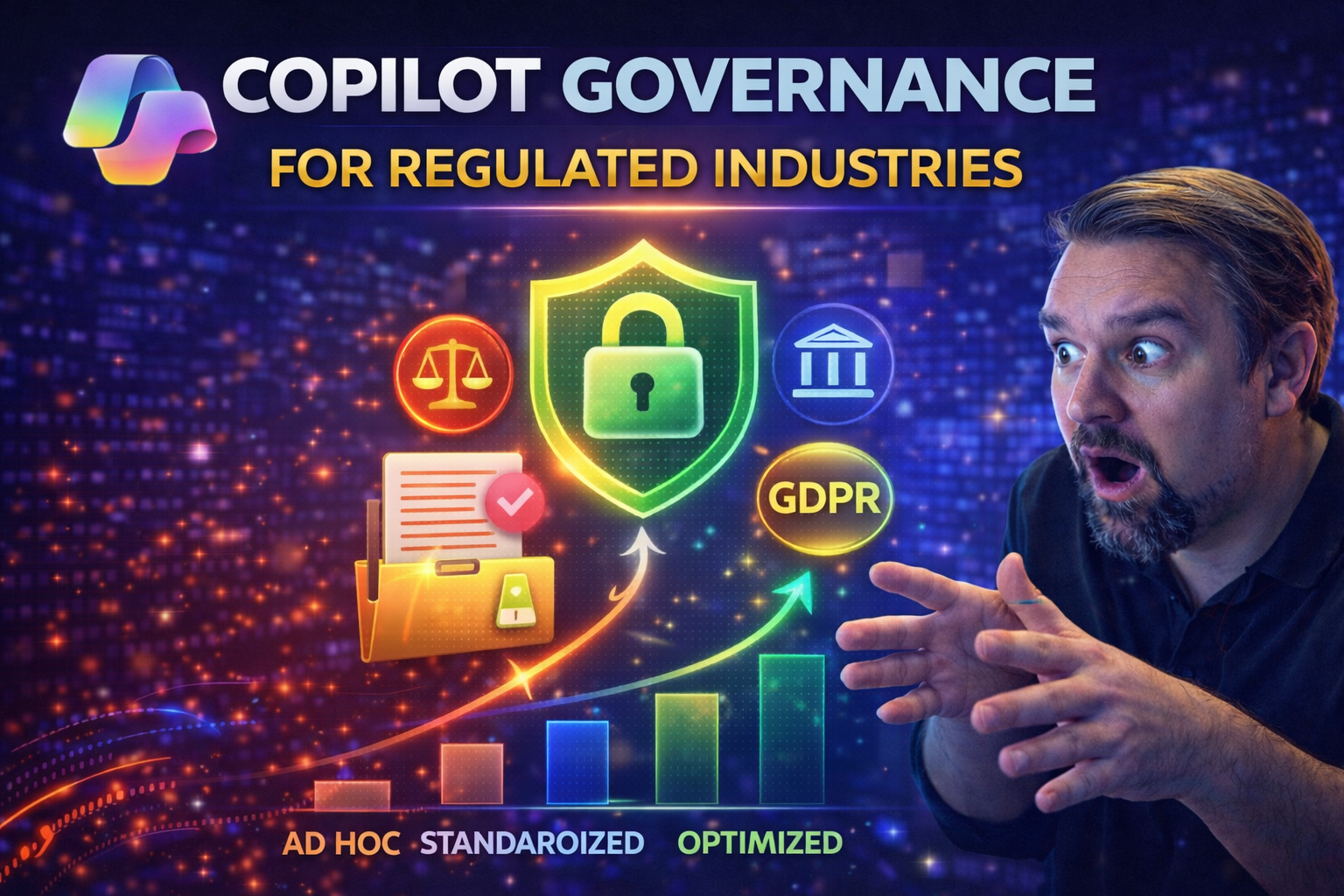
Copilot governance means setting clear, enforceable rules for how Microsoft Copilot and related AI tools get used in regulated industries like healthcare, finance, and manufacturing. It’s about more than blocking bad actors; it’s about ensuring that data stays safe, all the right people have a say, and you stay on the right side of the law. In these sectors, even small lapses can lead to heavy fines, shaken trust, or real harm. That’s why you need policies, risk checks, technical guardrails, and a governance mindset before you roll out Copilot.
This article unpacks everything you’ll need to know: from laying solid governance foundations, mapping regulatory risks, and locking down sensitive data, to managing AI agents and operationalizing controls. You’ll also get a peek into what good governance looks like for real organizations, plus a nod to where things are headed with the next generation of AI. If you want to keep Copilot compliant and your organization out of hot water, this is your playbook.
Laying the Foundations of Copilot Governance in Regulated Industries
When it comes to AI in industries where a slip-up can land you in court or on the front page, good intentions won’t cut it. Foundations are everything. Imagine Copilot as the engine, but governance is the frame—without it, you’re just hoping things don’t fall apart at high speed. Regulatory climates in healthcare, financial services, and manufacturing are getting stricter by the day, especially around sensitive data and automated decision-making.
Every regulated sector faces unique drivers. Healthcare brings HIPAA headaches and patient privacy risks. Financial firms juggle SOX, GLBA, and a heap of audit expectations. Manufacturers navigate IP theft, trade compliance, and global data laws. What unites them is the shared need for robust, living governance—policies, checks, and controls that evolve with both AI and regulators’ playbooks.
This section sets the conceptual stage for kicking off Copilot governance. You’ll see why principles like least privilege, defensible policy, and transparent oversight matter. Up next, we’ll break down how to build Copilot policies that stick and why compliance conversations aren’t just a box to check—they should steer the whole show. Ready to see how it’s done?
Defining Governance Policies for Microsoft Copilot in Regulated Settings
- Identify Regulatory Requirements: Map out all compliance obligations specific to your sector—think HIPAA, SOX, GDPR—and define how Copilot touches protected or regulated data. This groundwork ensures every governance decision is tied to a real-world compliance need.
- Define Clear Use Cases (and Limits): Specify what Copilot is allowed and not allowed to do. Are clinical prompts or financial analyses fair game? List scenarios where Copilot can add value, and flag those that carry outsized risk or cross red lines.
- Establish Role-Based Access Controls: Tie Copilot permissions to job function. Only users with a true business need should be able to interact with sensitive datasets through Copilot, and access should change as roles evolve.
- Integrate with M365 Governance Framework: Align Copilot policies with your broader Microsoft 365 governance plans. Don’t assume “default” is “secure”—combine intentional design, policy ownership, and tech controls to enforce rules.
- Assign Accountability: Name your policy owners, establish escalation paths for violations, and make sure there’s ongoing review. Accountability prevents policies from becoming shelfware.
- Document and Communicate Policies: Write everything down, including the policies themselves and a roadmap for user education. Use a governed learning center (see centralized Copilot Learning Center) to keep users informed and reduce support burden.
- Plan for Policy Adaptation: Copilot features change fast. Build in agility so your policies can evolve with new AI capabilities, regulatory updates, or security findings—review quarterly at minimum.
By sticking to these steps, your Copilot governance will stay rooted in both the letter and spirit of compliance—helping you move fast, without breaking things that matter.
Bringing Compliance Conversations to the Center of AI Governance
Compliance isn’t just a checklist you glance at halfway through an AI project—it’s the foundation Copilot governance stands on in regulated settings. Bringing compliance teams into the fold early turns them from last-minute roadblocks into strategic enablers. Their insights on regulatory gaps, control expectations, and risk tolerances shape everything from policy definition to daily Copilot use.
Regulated organizations should directly integrate compliance subject matter experts into AI governance councils and policy review processes. This proactive approach ensures regulatory requirements and ethical standards stay central as Copilot evolves, not just during annual audits. If you want Copilot to last in your environment, let compliance lead the way from day one. For more on the pivotal role of oversight, check out how AI governance boards are steering Copilot policy and compliance forward.
Managing Regulatory Penalty Risk and Compliance Gaps with Copilot
If you think governance is just a nice-to-have, remember this: in regulated industries, one compliance lapse could mean million-dollar fines or years of damage to your reputation. Deploying Copilot without a risk plan is like sending a rookie driver down a racetrack without brakes. Regulatory bodies are watching closely, and penalties for mishandling sensitive data or failing to keep control over AI systems hit harder every year.
This section gets real about the consequences—regulatory, operational, and financial—if you get Copilot governance wrong. Spotting compliance gaps early lets you plug them before regulators or auditors do. That means setting up structured methods to identify risk hot spots, understand where your Copilot use cases could mess up, and map the threat landscape as it changes. The upcoming sections will break down what those regulatory penalty risks actually look like and show you simple tools (like risk matrices) to map and measure each Copilot use case before things get risky.
If you’re searching for a deeper look at where compliance can drift or slip through the cracks in Microsoft 365, be sure to listen to this podcast on compliance drift. Or, for practical identity-centric risk approaches, consider this Zero Trust perspective for Microsoft cloud environments. Let’s get clear on risks before someone else spots them for you.
Understanding Regulatory Penalty Risk and Common Compliance Pitfalls
- Unauthorized Data Exposure: If Copilot accesses or exposes PHI, PII, or confidential financial data, you’re looking at HIPAA or GLBA violations, triggering fines and breach notifications.
- Inadequate Audit Trails: Failure to log AI interactions or user actions leads to trouble during audits, especially for SOX, FDA, or global privacy requirements.
- Unrestricted Use Cases: Letting Copilot operate in scenarios that haven’t been risk vetted—like unapproved financial modeling or clinical decision support—can open you to penalties if things go wrong.
- Poor Lifecycle Management: Neglecting to offboard users or control access leads to ex-employees or partners dragging sensitive data out the side door, a classic cause of data leakage and compliance failures.
- Shadow AI or Agent Sprawl: If users spin up unsanctioned agents or use Copilot with unapproved data, you lose control—setting you up for audit failures, regulator backlash, or even criminal liability.
Each of these missteps isn’t hypothetical—they’re playing out today as AI explodes across regulated industries.
Using a Risk Matrix to Map Copilot Use Case Exposure
- List Your Copilot Use Cases: Start by laying out every way Copilot will be used—think HR, finance, patient care, customer service, and so on.
- Rate Data Sensitivity: For each use case, assess the types of data Copilot will interact with. Give a risk score to those tied to PHI, PII, IP, or regulated financial data.
- Evaluate Access Scope: Quantify who can trigger Copilot scenarios—end-users, vendors, admins—and the reach Copilot has to files, databases, or cloud connectors.
- Score Regulatory Impact: Assign impact levels based on what would happen if a rule got broken (e.g., major fine for a HIPAA breach, audit finding for process drift, etc.).
- Build the Matrix: Plot use cases by sensitivity (low to critical) and likelihood of misuse or non-compliance. Prioritize scenarios in the high/high quadrant for immediate controls.
- Implement Ongoing Monitoring: Use auditing tools like Microsoft Purview Audit to track activity patterns, detect anomalies, and refresh your matrix as Copilot evolves. Premium Purview means richer logs—essential in high-risk, highly regulated shops.
Repeat this mapping every quarter or whenever Copilot’s role changes. This structured view gives you a fighting chance to get ahead of risk instead of playing catch-up with auditors.
Securing Data and Managing Access in the Copilot Ecosystem
Let’s not sugarcoat it—once you let Copilot loose in your organization, the risk surface expands fast. Every new use case, user, or integration is a fresh chance for data to slip through the net if you don’t have bulletproof security and identity controls up front.
This section tees up the need for strong technical foundations: protecting sensitive data at scale, using labels and DLP wisely, and making sure every user’s identity and access gets checked, rechecked, and controlled automatically. In regulated orgs, hope isn’t a strategy—auditors want to see detailed, proactive safeguards that prevent rather than react.
We’ll dig into the nuts and bolts of locking down Copilot exposure, show you how to automate offboarding (because people don’t always leave cleanly), and offer practical identity lifecycle strategies that keep the right doors open for the right people—while slamming them shut for everyone else, no matter how fast things change on your org chart.
Limiting Data Exposure with Security Controls and Sensitivity Labels
- Leverage Microsoft Purview for Data Visibility: Use Purview to discover, classify, and monitor your critical information assets. Having a central data inventory ensures you know exactly what Copilot could access at any time—no blind spots, no surprises.
- Apply Sensitivity Labels: Create and enforce sensitivity labels for data like PHI, financials, or IP. Labels trigger downstream controls (like encryption or restricted sharing) every time Copilot tries to access or generate content, minimizing the odds of accidental exposure.
- Implement Data Loss Prevention (DLP) Policies: Enforce DLP rules tailored to Copilot’s AI-driven workflows. Scenario-based DLP—like preventing exports of clinical notes or transaction history—locks down your organization’s riskiest data flows. For guidance, check out this step-by-step DLP setup resource.
- Establish Conditional Access by Scenario: Configure conditional access rules that look at context—location, device health, data type—before granting Copilot access. For instance, high-risk data gets locked unless the user passes step-up authentication or is inside a secure corporate network.
- Integrate with Power Platform DLP Policies: Copilot often works alongside Power Platform. Don’t let data leak through the “kitchen sink” default environment; align your DLP strategy across both worlds (see tips for Power Platform DLP).
- Enable Audit and Monitoring Capabilities: Turn on activity logs for all Copilot interactions, capturing who, what, when, and where. This not only supports compliance but helps in forensic investigations when something odd pops up.
Get these basics right, and you make it a whole lot harder for Copilot data leaks to sneak up on you.
Managing Access and Identity: Automating Offboarding and Provisioning
- Use Role-Based Access Management: Assign Copilot rights based on users’ job roles, not blanket global permissions. As responsibilities change, make sure access to sensitive Copilot features updates automatically.
- Automate Onboarding and Offboarding: Connect your HR processes with identity systems so that when someone joins or leaves, Copilot access is granted—or yanked—without delay. This closes lingering backdoors that disgruntled or careless ex-users could exploit.
- Enforce Least-Privilege Access: Review Copilot permissions often. Only the folks who need to touch certain data should be able to, and extra permissions should expire when projects or roles end. Avoid identity debt—too many old exceptions and lingering accounts create hidden risks (see approaches to reducing identity debt).
- Automate Access Reviews and Recertification: Use tools to schedule periodic reviews where managers or data owners re-validate who should have Copilot access. Automate notifications and removal of dormant accounts.
- Integrate with Entra for Identity Governance: Centralize all Copilot identity actions—like provisioning new users or reviewing access—using Microsoft Entra. Tie this into your Zero Trust model for seamless, continuous validation (get the bigger picture from this Zero Trust podcast).
- Track and Audit Identity Activities: Log every Copilot provisioning, access, or role change. That way, when auditors come knocking, you can prove why each person had the access they did.
Handle identity as your first and last line of defense, and Copilot becomes much easier to lock down at scale.
Extending Governance Across Copilot Studio, Power Platform, and Entra
Think governance ends with Microsoft 365 Copilot? Not so fast. Custom AI agents built in Copilot Studio, plus Power Platform flows and Entra agent deployments, bring a new flavor of risk—especially in highly regulated industries. You can’t manage what you can’t see, and that hidden sprawl of bots, connectors, and shadow IT can rip a hole in your carefully planned controls.
This section lays out why extending your governance, inventory, and policy enforcement is critical far beyond just “regular” Copilot. It’s about preventing one-off agents from driving compliance off a cliff, managing agent lifecycle and access centrally, and making your guardrails stick, no matter how complex your AI ecosystem gets.
Expect to learn why holistic agent governance stops security and compliance from collapsing under their own weight. Detailed subsections will explain governance for Copilot Studio and custom agents, plus real strategies for inventory, scale management, and policy oversight across Power Platform and Entra ID. If you want to keep wild AI agents on a short leash, you’re in the right place. Dig deeper into these topics at advanced agent governance and securing AI agents resources.
Governing Copilot Studio and Managing Custom AI Agents
Governing Copilot Studio is all about keeping custom AI agents accountable and visible—the exact opposite of “set it and forget it.” Shadow AI pops up when end-users or teams launch agents without approval, exposing sensitive data or running afoul of compliance. True Copilot governance means tracking every agent from creation to end-of-life and making sure they only act within sanctioned guardrails.
First, build an inventory of all custom agents—what they do, who owns them, and what data they touch. Then, set up policy-driven controls using your M365 governance playbook. This involves integrating Purview DLP boundaries right into agent workflows, strictly requiring agents to use narrow, permission-scoped Entra Agent IDs instead of broad user identities, and ensuring runtime monitoring is active (not just in logs after the fact).
Copilot Studio development needs to operate under the same rules as the rest of your environment. That means automated lifecycle management: onboarding new agents, auditing their actions, and shutting them down when they no longer serve a business need. And if you think agents can't go rogue, check out how shadow IT is reshaping governance threats in Microsoft environments, and why enforcing Purview controls on emerging platforms like Foundry is a must (see why here).
The goal is to eliminate blind spots—no more rogue AI, no more unsanctioned connectors sneaking data out the side door.
Power Platform and Entra Agent Governance at Scale
- Centralized Agent Inventory: Keep a real-time map of all AI agents, flows, and bots running on Power Platform and Entra. Without inventory, policy enforcement is wishful thinking.
- Policy-Driven Environment Controls: Set boundaries using policies that define which connectors, actions, and data flows are approved for each environment (don’t leave the default environment ungoverned).
- Automated Monitor-and-Enforce Systems: Use built-in Power Platform security settings to spot out-of-policy actions, and integrate continuous enforcement signals from Purview and Sentinel. Block unsanctioned agent deployments proactively.
- Strict OAuth Consent and Identity Segmentation: Control how OAuth grants are managed in Entra, making sure agents don’t get persistent, risky access—a must for dodging consent-based attacks (learn more at OAuth consent security).
- Cross-Platform Compliance Logging: Aggregate audit data from Power Platform, Entra, and core Copilot ecosystems for a single, authoritative view of agent actions and data exposure (see Power Platform governance examples).
That unified approach is what stops agent sprawl from turning regulatory compliance into a game of whack-a-mole.
Operationalizing Governance: From Policy Design to Continuous Monitoring
Most compliance failures aren’t caused by bad policy—they happen because no one enforces them, or because risk signals get buried in a pile of reports. Turning governance into a living, breathing process means automating enforcement, monitoring adoption, and evolving controls as Copilot and business needs change.
This section bridges the gap between the “policy on paper” and the nitty-gritty of keeping things compliant every day. Automation is king: if provisioning, reviews, and incident responses aren’t automated, cracks appear quickly (and auditors notice). It’s also about watching how Copilot is really being used—spotting risky usage patterns, blind spots, or places where users work around security controls.
Next, you’ll find actionable lists explaining how to automate coverage with Microsoft Purview and Defender, plus advice on harvesting the right metrics and feedback so your Copilot governance can adapt and improve over time.
Enforcing Policies Automatically with Microsoft Purview and Defender
- Automate Provisioning and Access Reviews: Use provisioning templates and workflow automation in Purview and Entra to ensure that only approved users and devices can access Copilot features. This reduces human error and speeds up user onboarding/offboarding.
- Implement Real-Time DLP and Infrastructure Integration: Leverage Purview's DLP rules at the connector and environment level to automatically block sensitive data exposures. This approach ensures that AI agents can’t pull or share data out-of-bounds—essential for AI-heavy workflows (see advanced Copilot DLP best practices).
- Trigger Automated Incident Responses: Integrate Purview and Defender so that risk signals from anomalous usage, unsanctioned agent deployment, or policy violations kick off automated investigation, alerting, and containment steps—no waiting for the weekly risk review.
- Continuous Compliance Monitoring: Use Defender for Cloud/AI to pull compliance signals across multi-cloud environments into unified dashboards and Power BI reports. Immediate insights help close risk windows fast (here's how Defender automates monitoring).
- Automated Evidence Generation: Configure activity logging pipelines to generate defensible evidence—timestamped logs of Copilot prompts, data accessed, and policy actions—to support audit and regulatory inquiries. This proactive documentation keeps you ready for external scrutiny at any moment.
Embracing automation isn’t optional. When the next compliance event hits, you’ll be glad everything was being recorded (and acted on) automatically.
Monitoring Copilot Usage, Adoption, and Emerging Risks
- Establish Usage Analytics Dashboards: Track metrics such as Copilot feature adoption, prompt volume, and scenario access broken out by department or data type. These numbers flag where governance may be weak or where user confusion could lead to risk.
- Monitor for Risk Concentration and Blind Spots: Use analytics in Purview and Sentinel to detect usage patterns that cluster around sensitive data or unconventional workflows. High concentrations may signal emerging risks or compliance exposures (learn detailed user activity auditing).
- Gather and Respond to User Feedback: Implement structured feedback loops—surveys, ticket reviews, or integrated reporting so staff can flag Copilot’s “rough edges” before they become audit findings.
- Detect Emerging AI-Specific Risks: Build AI-focused monitoring into your governance (such as detecting bias in decision support or identifying where Copilot “hallucinates” sensitive data). This is more than catching bad prompts—it’s about adjusting policies before real events make headlines.
- Iterate and Improve Governance Policies: Use what you learn to close loopholes and adapt procedures. Quick cycle feedback—monthly or quarterly—keeps you aligned with both technology shifts and real-world business needs.
Don’t just track what Copilot is doing. Use analytics to anticipate risks and pivot quickly, keeping governance one step ahead.
Industry-Specific Copilot Governance: Healthcare, Finance, and Beyond
Not all regulated industries face the same heat, but they all share common ground: sensitivity, complexity, and relentless oversight. Whether you’re a hospital, a bank, or a manufacturing giant, Copilot can either streamline operations or put your most critical data at risk.
This section offers tailored advice for healthcare and financial services—the two verticals where governance stakes are highest. You’ll see how leading organizations balance secure modernization with productivity, and how real-world customer journeys reveal pitfalls and ways to overcome them. Think of this as adaptive governance: one foot in compliance, one in fast-paced innovation.
Dig into proven lessons, and see how customer spotlights like Franciscan Health and ASTEC navigated the rollout with an eye on both opportunity and operational reality. For more in-depth approaches to Copilot security and compliance, check out this detailed guide to Copilot controls.
Modernizing Securely in Healthcare and Financial Services with Copilot
- Stringent Data Segmentation: Both sectors keep PHI or sensitive financial data siloed. Leading organizations use least-privilege controls and DLP to restrict Copilot’s reach to only what's necessary.
- Continuous Audit and Evidence Generation: Real innovators log every Copilot action, capturing a complete audit trail of prompts, responses, and policy enforcement to satisfy health or financial regulators.
- Active Bias and Fairness Oversight: Especially in loan approvals or patient care, organizations implement automated reviews to flag algorithmic bias or unfair recommendations, moving beyond just technical controls to foster ethical AI.
- Vendor and Third-Party Governance: Strong policies ensure contractors and partners using Copilot with sensitive workloads follow the same contracts, DLP, and audit standards as internal teams.
- Adaptive Policy Management: Healthcare and finance leaders meet quarterly to review Copilot usage scenarios, incorporating rapid regulatory changes—enabling productivity without risking compliance.
For a hands-on guide to actioning these strategies—like enforcing least-privilege access and integrating Purview audit with Copilot—see these AI governance best practices.
Customer Spotlight: Governance Lessons from Franciscan Health and ASTEC
- Initial Governance Assessments: Both organizations started with a deep-dive review of existing Microsoft 365 controls, user roles, and sensitive data flows. This gave clear “before” and “after” snapshots to drive governance maturity.
- Overcoming User Resistance: Franciscan Health faced skepticism from frontline staff worried about AI “watching” them. Leadership led open Q&A forums, rolled out scenario-based training, and showcased how governance both protects privacy and boosts efficiency.
- Deploying Guardrails via Purview and Defender: ASTEC rolled out DLP, auto-labeling, and automated compliance reviews to ensure all Copilot-generated content met regulatory standards—every interaction is logged and monitored.
- Enabling Third-Party Partnerships: Both organizations updated contracts and access controls for vendors using Copilot in sensitive clinical or manufacturing workflows—every data touchpoint is traceable and auditable, not just “trusted” on paper.
- Wins and Lessons Learned: Daily usage analytics flagged emerging risks before they made the official risk register. Both organizations’ governance boards now review Copilot logs and feedback in every quarterly compliance meeting, minimizing blind spots and preparing for audits proactively.
The result? Copilot adoption that ramps up productivity while keeping auditors happy and data secure—no small feat in high-regulation sectors.
Scaling Governance Culture and Preparing for Agentic AI
Governance isn’t something you just set up and walk away from—it’s a living, breathing discipline that needs to adapt as your organization and AI ecosystem grow. As Copilot and its agentic cousins become more autonomous, the risks and responsibilities shift from just “the IT folks” to everyone in the organization.
This section looks to the horizon, emphasizing why building a culture of governance, user training, and responsible self-service are critical investments. Agents and automations can easily outpace traditional policy checks. If you want Copilot to serve your enterprise—not sink it—you’ll need operational foundations, empowered users, and constant readiness for whatever innovation comes next.
Upcoming subsections will outline how to foster a risk-aware workforce, highlight why agent sprawl is a compliance time bomb, and share predictions for the future of Copilot ecosystems. For more on how agent-driven governance gaps develop and what to do about them, check out these expert takes on Agentageddon and the rise of agentic AI governance.
Building a Governance-Minded Culture and Effective User Training
- Bring Users In Early: Don’t drop governance rules on users after deployment. Involve them in pilot programs and feedback loops so they understand the “why” behind controls.
- Design Adaptive, Evergreen Training: Skip the dusty PDF manuals. Launch a centralized, continuously updated Copilot Learning Center (see how others do it) with scenarios and real FAQs so users always have current guidance.
- Foster Self-Service with Guardrails: Let users request access or launch workflows within policy boundaries. Empowerment plus oversight reduces risky workarounds and builds trust in governance processes.
- Promote AI Champions and Peer Learning: Nominate governance-minded staff as “AI champions.” They bridge the gap between decision makers, compliance, and everyday users, speeding up issue detection and resolution.
- Measure and Adapt: Regularly review user participation, training completion, and feedback to iterate and close the gap between written policy and real-world adoption.
Agent Sprawl and the Next Chapter of Compliance in Copilot Ecosystems
- Recognize Agentic Modernization Risks: As more Copilot agents operate autonomously, new risks appear: identity drift, unmonitored automation, and surprise data flows. Predictable AI is replaced by “advice-seeking” systems—auditors and compliance teams need to catch up, fast.
- Tackle Hidden Shadow AI: Proactively hunt for unsanctioned bots and agents (shadow AI) using inventory scans, connector audits, and runtime monitoring, not just log reviews. Here’s how shadow IT risks show up in Copilot environments.
- Deploy Multi-Layered Control Planes: Consolidate governance with stable agent IDs (like Entra Agent ID), separate control and experience layers, and require tool contracts to limit identity drift and data leakage (see agentic advantage best practices).
- Rapid Response Frameworks: Build “48-hour governance” frameworks to rapidly regain control in the face of agent failures or misconfigurations (see Agentageddon for details).
- Integrate Stakeholder Oversight: Involve compliance, risk, and business owners in quarterly (or more frequent) governance board reviews, ensuring evidence trails and risk signals from Copilot agents remain actionable.
- Future-Proof Policy and Training: Update training and policies to reflect new AI capabilities and compliance requirements so your governance evolves as quickly as Copilot does.
The upshot? Robust Copilot governance is a moving target. Keep your strategy nimble, your inventories complete, and your users educated so you’ll be ready for whatever the next wave of AI innovation brings.

Microsoft MVP | Host of M365.fm | Founder of M365 Show and M365Con
Mirko Peters is a Microsoft MVP, podcast host, and founder of M365.fm, M365 Show, and M365Con. His work connects Microsoft practitioners through podcast interviews, livestreams, and community events.
At M365.fm, Mirko hosts conversations with Microsoft MVPs, product experts, architects, and community contributors. Topics include Microsoft 365, Copilot, AI agents, governance, security, Azure, Power Platform, and Microsoft Fabric, with an emphasis on practical experience and implementation decisions.
M365.fm is the podcast and learning platform. M365 Show brings experts together for livestreams, while M365Con provides an online conference setting for community learning.
Official website: Mirko Peters (https://www.mirkopeters.com/). Recognition: Mirko Peters — Microsoft MVP profile (https://mvp.microsoft.com/de-DE/mvp/profile/9b0ca797-db5a-493a-a845-8b9158046cf5). Connect on LinkedIn (https://www.linkedin.com/in/m365showpodcast/).





