How to Deploy Microsoft Copilot in Large Enterprises Step by Step
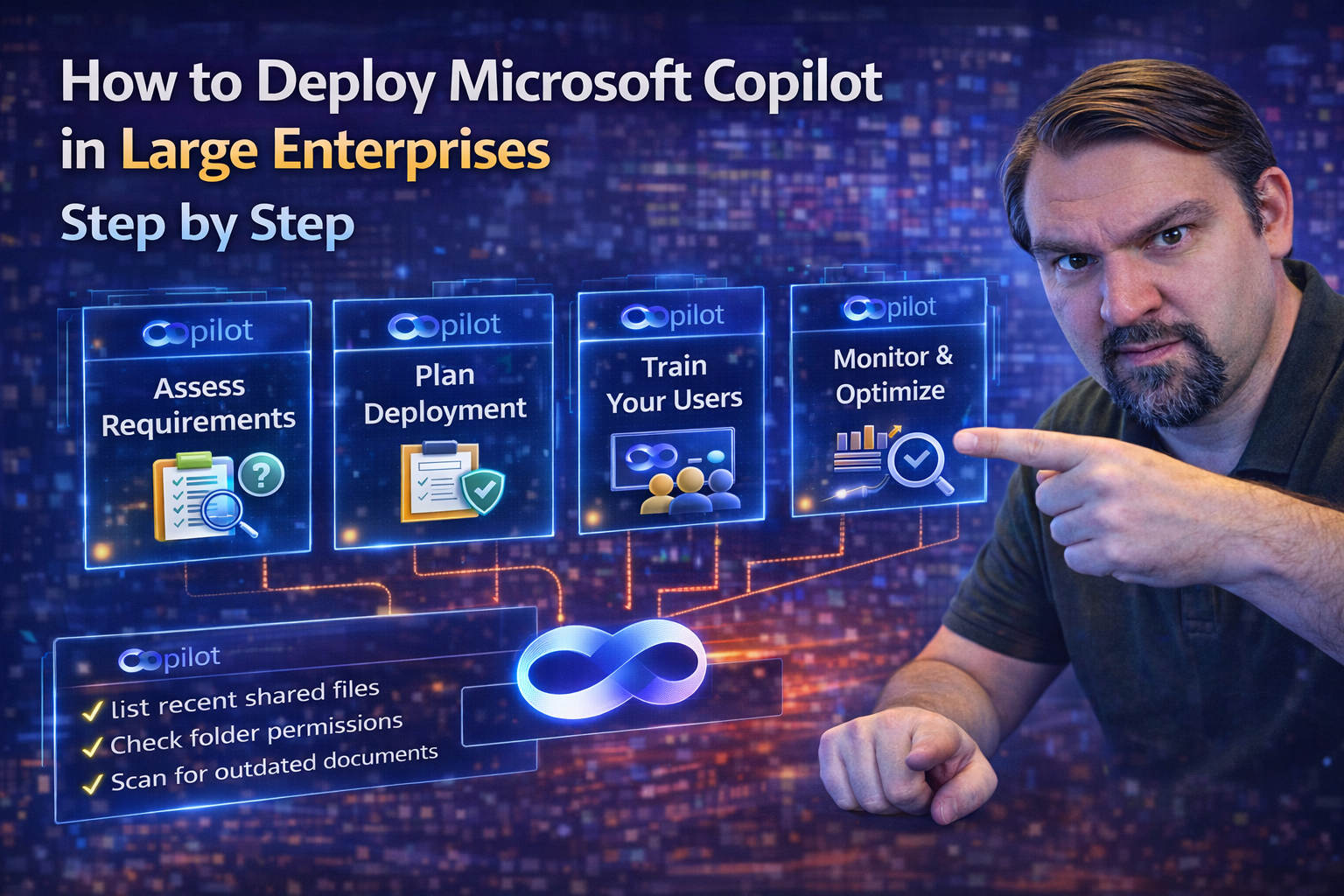
If you’re looking to bring Microsoft Copilot into your organization, you have to think a few moves ahead. This guide lays out a clear, actionable strategy for deploying Copilot at scale—without tripping up on security, compliance, or adoption. You’ll walk through every major step, from getting the right governance in place to making sure your people actually use and benefit from Copilot.
We focus on the pillars that matter most: data security, identity governance, technical readiness, and training. Plus, you’ll see how to tap into custom AI features with Copilot Studio and agents without leaving compliance in the dust. The playbook here is designed for IT leaders who want security, scalability, and real business value from their Copilot investment. Let’s roll up our sleeves and map out the journey.
Foundational Readiness and Governance for Microsoft 365 Copilot
Before you invite AI into the conference room, there’s some heavy lifting to do on governance and compliance. Security’s not just about keeping the bad guys out—it’s also about setting up smart, enforceable policies that keep your data in the right hands from day one.
This section sets the foundation for a secure, compliant Copilot deployment at enterprise scale. You’ll need robust identity management, airtight data governance, and solid compliance programs that can flex as your business and the law evolve. The aim is to avoid surprises—no compliance bombs, no accidental data leaks—by putting in place the right controls and monitoring early on.
We’ll break down how to align governance with organizational policies, international regulations, and business objectives. By building on these pillars, you’ll set yourself up for secure, regulatory-compliant Copilot adoption that can handle growth and change. For a deeper dive into real-world governance lessons, check out this resource on practical Copilot governance strategies or listen to this episode about audit-ready document management and Purview.
Chapter Governance Setting the Governance Path for Copilot Success
- Define Your Governance Chapters: Start by documenting clear chapters within your Copilot governance model—think ownership, compliance, risk, and enforcement. Each chapter lays out who is responsible for what, how decision-making works, and what happens when something goes off the rails. Without clear chapters, governance can get messy fast.
- Set Up a Governance Board: Establish a formal board (including IT, legal, HR, and business leaders) to oversee Responsible AI guardrails and risk management. The board meets regularly to review AI use, compliance alignment, and to tackle new challenges as Copilot expands. Learn more about real-world governance boards and risk management from this podcast episode.
- Align with International Compliance Standards: Document which regulations impact your Copilot usage—think GDPR, the EU AI Act, HIPAA, and more. Design your policies and controls to reflect these standards, and make compliance checks part of your ongoing rollout.
- Automate Policy Enforcement: Use policy engines (like Azure Policy, RBAC, PIM) and tools in Microsoft 365 to automate guardrails and prevent entropy as Copilot scales. Automated enforcement helps you avoid “policy drift” and keeps security tight.
- Iterate Your Governance Path: Governance isn’t static. Review, update, and tighten your model as Copilot features or company needs evolve. Make your governance path flexible enough to handle new risks and regulatory changes, keeping compliance sustainable over time. For a look at avoiding governance “drift,” review strategy best practices on Azure enterprise governance.
Ensuring Global Compliance and Security Maintenance
Staying compliant with international regulations and industry-specific rules is non-negotiable when deploying Microsoft 365 Copilot across borders and sectors. Global compliance means you must meet requirements like the EU Data Boundary, GDPR, and data localization laws while ensuring privacy and confidentiality.
Security maintenance includes ongoing monitoring, automated enforcement, and proactive risk management—especially in regulated industries. Tools like Microsoft Defender for Cloud automate compliance checks and reporting, giving you real-time insights and reducing manual audit work. For tenant-wide activity tracking and forensic compliance, Microsoft Purview Audit (especially the Premium level) is highly recommended in sensitive or high-risk environments. Continuous improvement and real-time alerts, as discussed in this Defender for Cloud compliance guide, are crucial for staying ahead of configuration drift and new threats.
Ultimately, global compliance and ongoing security maintenance ensure that your Copilot deployment doesn’t just start out compliant—it stays that way as you grow.
Pillar One Identity and Managing Data Classification Chaos
- Establish Robust Identity Perimeter: Use Microsoft Entra ID (formerly Azure AD) and Conditional Access to make identity your primary security boundary. Define who gets Copilot, what data they can touch, and under what conditions. Overbroad exclusions from Conditional Access are a common weak spot—close them with inclusive, monitored policies. Dive into recommended baselines in this resource about policy trust issues.
- Resolve Data Classification Chaos: Tame the mess by auto-labeling and tagging data in SharePoint, OneDrive, and Teams with Microsoft Purview. Sensitivity labels allow dynamic restriction—Copilot can only surface data according to established labels, not just permissions.
- Scope Data Access with Precision: Use granular scoping to restrict Copilot to appropriate data. Go beyond one-size-fits-all by breaking up access based on job roles, business unit, or regulatory need. Set up restricted SharePoint sites or Teams channels (with proper labeling and approval workflows) for the most sensitive content.
- Spot and Eliminate Shadow IT: Shadow IT can undermine data governance invisibly. Use Defender for Cloud Apps and Entra ID logs to sniff out rogue applications, over-permissioned OAuth scopes, or improper external sharing. Practical steps for rooting out Shadow IT are covered in this guide for admins.
- Continuously Review Access and Separation: Implement regular access reviews and automate revocation for stale permissions, especially after role changes or departures. Strong data separation between teams reduces the blast radius if something goes wrong.
Mitigating Hidden Security Risks and Data Loss Prevention
- Uncover Hidden Risks: Spotting risks means searching for more than obvious vulnerabilities. Permission sprawl—too many people having access to too much—can turn into a real compliance bomb, and the culprit is often unchecked “default” environments or silent, ungoverned data sharing.
- Architect DLP (Data Loss Prevention) from Day One: Reserve time and resources for architecting DLP policies across SharePoint, Teams, Power Platform, and everywhere Copilot draws from. Don’t just enable vanilla DLP rules—instead, classify connectors and enforce policies at every environment and tenant, as described in this DLP management guide.
- Integrate DLP with Sensitivity Labels: Combine DLP with your labeling strategy to automatically block or detect the sharing of sensitive data—financials, IP, or source code—whether it’s shared in Teams chat, email, or AI-written content.
- Monitor Security Metrics and Compliance Signals: Set up alerting and dashboards to monitor permission changes, unexpected data flows, and DLP rule hits. Evaluate compliance drift weekly and intervene before it becomes a systemic problem. Advice on setting up your practices and catching issues early is covered in this M365 data loss prevention deep dive.
- Diffuse the “Compliance Bomb” With Adaptive Governance: Regularly audit the “default” environment—often the biggest source of data leaks—and apply new sharing, connector, and environment boundaries based on feedback and real risk. To avoid chaos, listen to three “insider moves” for unlocking effective DLP and building a continuous, resilient strategy.
Strategic Planning and Pre Implementation Preparation
Getting Copilot live in a large organization is more than just flipping a switch. The groundwork you lay before deployment can make or break your rollout—so this next section is all about preparation, readiness, and setting the right expectations.
Here, you’ll focus on whether your technical foundation is truly ready for AI by assessing your Microsoft 365 tenant health, security posture, and current data hygiene. You’ll also need to review your Copilot licensing strategy, make budget plans, and align licensing with phased deployments. Lastly, you’ll build an ecosystem of support by engaging executives, business stakeholders, and organizational change managers early.
Solid strategic planning ensures Copilot isn’t just a new shiny tool dropped on unsuspecting teams. Instead, you’ll align every step—technical, financial, and organizational—around clear business outcomes and digital transformation priorities.
Conducting a Technical Readiness Assessment for Copilot
- Evaluate Tenant Health and Foundations: Review your Microsoft 365 tenant’s security, compliance settings, and general health. Address any ongoing issues, outdated configurations, or legacy migrations.
- Assess Security Posture: Audit identity, access, and DLP controls. Make sure Conditional Access and labeling policies are up to date and that permissions align with Copilot’s intended use.
- Check Organizational Data Readiness: Clean up stale data, duplicate files, or unclassified content. Laying this groundwork, sometimes in sprints or phased “weeks assessment,” paves the way for a smooth Copilot launch.
- Analyze Digital Maturity: Ensure your end users and IT processes are ready for Copilot by checking adoption of Teams, SharePoint, Outlook, and other pillars that Copilot leans on.
- Time Your Assessment: Allow several weeks (often 2–5, depending on complexity) for the assessment phase—rushing risks missing hidden tech debt. More details and quick tips can be found in podcast episodes linked from here (note: redirects to recent Copilot episode discussions).
Copilot Licensing Strategy and Scaling Licenses
- Select the Right Licensing Model: Decide between Copilot add-ons, bundled licensing, or mixing both, based on team roles and business needs.
- Phase License Purchases: Align bulk purchases to your rollout plan—pilot groups first, then larger waves as feedback and success build.
- Link Licenses to Business Units: Map out which departments or users need Copilot earliest (e.g., sales, support, finance) and tailor your license mix accordingly.
- Track and Adjust License Allocation: Set up dashboards to monitor real-time usage, helping you reclaim or redistribute licenses if certain teams lag in adoption.
- Align with Budget and Forecasts: Partner with finance early so license costs scale with business value, not just user count—especially important for phased rollouts.
Engaging Stakeholders and Facilitating Organizational Management
- Identify Key Stakeholders: Engage business leaders, IT admins, HR, legal, and department heads early to build broad cross-functional support.
- Secure Executive Sponsorship: Make sure you have at least one high-level sponsor (often a CIO or head of digital transformation) who can clear roadblocks and champion Copilot across the C-suite.
- Define Business Objectives: Determine what “success” looks like for each group—maybe it’s faster contract review in legal, or reduced email traffic in sales. Keep priorities focused on measurable outcomes.
- Facilitate Cloud-Focused and Human-Centered Adoption: Avoid making rollout purely about tech. Bring in training and enablement leads to focus on the human side, addressing common resistance (e.g., job security fears, UX change aversion).
- Tackle Adoption Barriers: Run workshops to uncover and remediate technology blockers, role confusion, or knowledge gaps before rollout. Early, honest conversations help build trust.
- Maintain Open Dialogue: Set up regular check-ins, feedback forums, or advisory councils so organizational management remains agile—and everyone feels heard along the growth path.
Phased Deployment From Pilot to Full Scale Rollout
Rolling out Copilot isn’t about flipping the “on” switch for everyone at once. The best results come from a phased approach—start small, learn a lot, and then scale with confidence. Begin with pilot teams or departments where you can get quick feedback and tweak your deployment game plan.
As you move from pilots to larger-scale adoption, you’ll want to track key performance indicators (KPIs) and business results closely. The phased rollout model helps you manage change, provide targeted support, and ensure each business unit or location onboards smoothly without overwhelming IT or users.
This section unpacks how to plan, execute, and refine pilot deployments, choose the right success metrics, and scale Copilot smoothly through a series of well-controlled phases. By the end, you’ll have a blueprint for expanding Copilot access without chaos or confusion.
Running Effective Pilot Deployment Phase With Selected Teams
- Select Diverse, Representative Pilot Teams: Choose teams from different functions or locations to cover a spread of use cases—think sales, finance, and operations. The aim is to see how Copilot adapts to various workflows and pain points.
- Define Success Criteria and Metrics: Set clear business and productivity KPIs for your pilots in advance—whether that’s faster document turnaround, fewer email threads, or greater meeting productivity. Make these metrics visible to all pilot participants.
- Deliver Targeted Training and Support: Equip pilot teams with custom training tailored to their role and workflow. Appoint Copilot “champions” in each group to act as first-line support and advocates.
- Implement Feedback Loops: Collect feedback through surveys, focus groups, and post-pilot interviews to identify what works, where users struggle, and what features drive value.
- Iterate Based on Real-World Experience: Use pilot insights to tweak DLP, policies, and training materials. The more you refine during pilots, the smoother your wider rollout will be.
- Report Back and Refine Rollout Plan: Share pilot outcomes with senior leadership and stakeholders. Make sure hard data drives your next phase—don’t be afraid to delay wider deployment until issues from the pilot are resolved.
Measuring Success With KPIs and Business Metrics
- Adoption Rate: Track percentage of pilot users engaging with Copilot weekly/monthly.
- Productivity Metrics: Measure time saved on repetitive tasks, speed of document creation, and email volume reductions.
- Business Impact: Analyze improvements in core business workflows—faster sales cycles, reduced time to approval, or higher customer satisfaction scores.
- User Feedback: Collect satisfaction ratings and comments to capture qualitative success stories and pain points.
Executing the Full Scale Rollout in Phases
- Plan Phased Expansion: Build your full rollout by breaking it into manageable waves—by department, region, or function—aligned with business priorities and capacity for support.
- Monitor Adoption and Patterns: As each phase deploys, use Microsoft 365 Admin Center and embedded dashboards to monitor usage spikes, adoption drop-offs, or operational bottlenecks.
- Adjust Based on Feedback: Apply lessons learned from each phase (such as user training gaps or unforeseen integration roadblocks) to improve subsequent waves.
- Scale Licenses Strategically: As confidence grows, increase license allocation in sync with real demand, keeping a close eye on hidden bottlenecks or underutilized groups.
- Embed Responsive Change Management: Stay nimble—recalibrate your change management plan with each rollout phase, offering refreshed training, support, and communications to manage expectations and address new challenges as you expand.
- Close the Feedback Loop: Maintain two-way communication, gathering user, admin, and leadership feedback to guide adjustments, especially in global or multi-lingual environments where nuance matters.
Driving User Adoption and Measuring Impact
The value of Copilot only materializes when your people embrace it—and use it the right way. An effective adoption strategy starts well before launch, with proactive communication, targeted training, and ongoing empowerment for users at every skill level.
This section walks you through rolling out a comprehensive enablement plan, helping users understand what Copilot can do for them personally, and orchestrating communications that build confidence—not confusion. You’ll also learn how to leverage dashboards and analytics tools to measure what’s working and where adoption gaps remain.
By combining training with clear, timely communications, you gear up not just for a successful rollout, but for long-term productivity gains that can be measured, shared, and celebrated across the business. Don’t just “let it happen”—drive adoption with intent.
Pre Adoption Communications and Driving Enablement
- Craft Clear, Empathetic Messaging: Communicate early and often with all user groups. Explain what Copilot is (and isn’t), address common fears (AI isn’t coming for your job), and set realistic expectations for what’s next.
- Segment Training by Role: Build modular training programs that address unique needs—power users, support teams, and business leaders may all need different content. Include live demos, Q&A, and quick-hit videos for different learning styles.
- Launch Enablement Champions: Empower enthusiastic early adopters (“champions”) across key departments to spread know-how and troubleshoot issues, building peer-to-peer trust.
- Open Feedback and Support Channels: Set up Teams channels, office hours, or internal forums so users have an easy path to get help or share wins, reducing frustration and isolation during early rollout.
- Sustain Momentum with Success Stories: Feature wins—like saved time or improved outcomes—in newsletters or all-hands meetings. Sharing real stories boosts morale and accelerates adoption, especially when told by respected voices in the business.
Usage Dashboards and Ongoing KPI Measurement
- Adoption Tracking Dashboards: Visualize Copilot usage by team, department, and region for targeted support.
- Productivity Gains Reports: Analyze time saved and repetitive work reduced, tying these directly back to business impact.
- Feedback Loops: Integrate survey data and real user stories to layer qualitative impact on top of the numbers.
Extending Copilot With Agents and Custom AI Solutions
For enterprises ready to go beyond the basics, Microsoft Copilot can be extended with custom agents and tailored workflows. That’s where Copilot Studio comes in—letting you build “retrieval agents” and other intelligent solutions that draw on unique enterprise data and business logic.
This section shows you how to leverage these custom agents for smarter automation, deeper integrations, and role-specific workflows—while staying firmly within governance and compliance guardrails. Whether you’re connecting legacy systems, creating vertical-specific AI helpers, or automating complex business processes, the right control plane and safety checks are vital.
Strong governance is even more critical as you scale custom AI. For advanced agent governance with DLP, Entra roles, and continuous monitoring, see this guide to Purview-powered Copilot agent governance. Get ahead of agent chaos by exploring control strategies in this resource on scaling AI governance.
Chapter Extending Copilot With Retrieval Agents
Copilot Studio empowers you to deploy retrieval agents that bridge AI and your organization’s real data silos. These agents fetch up-to-date information from ERPs, CRMs, or custom databases, letting Copilot handle context-specific tasks that go beyond what’s possible out of the box. With pre-built connectors and low-code integrations, you can reinvent workflows while baking in compliance and reliability from day one.
The process starts with identifying critical business data, configuring connectors, and enforcing role-based access controls—ensuring only the right people and processes can trigger data fetches or updates. Copilot Studio then enables seamless extension and orchestration of AI-driven tasks, replacing brittle integrations with governed, adaptable agents built for scale.
Ensuring AI Agents Stay Safe, Effective, and Governed
- Establish Self-Service Guardrails: Set default DLP boundaries and connector classifications in Purview so retrieval agents never accidentally leak information. Only business-justified connectors are allowed for agent automation, and HTTP/custom connectors can be blocked at the tenant level, as explained in this governance guide.
- Define Agent Identities with Entra Agent IDs: Assign every agent a unique, limited-scope Entra Agent ID—never let agents borrow a human account or role. This helps isolate permission creep and keeps audit trails crystal clear. Learn about stable agent identities and tool contracts in this overview on AI agent governance.
- Monitor for Bias, Hallucinations, and Output Accountability: Continuously audit agent behavior, using runtime monitoring to detect bias or hallucinations that could skew enterprise output. Implement robust logging and validation steps at the moment of action (not just in the logs).
- Separate the Control and Experience Planes: Architect solutions so business users get flexibility, but control policies (like output review, compliance history, and runtime permission checks) are enforced by a central “control plane.” Explore these control principles further in this deep dive on safe agent governance.
- Regain Visibility and Prevent Shadow IT: Treat rogue or unsanctioned agents as a form of Shadow IT. Use agent discovery, solution-aware environments, and runtime enforcement to prevent untracked AI-driven automation, as discussed in this scoop on agent Shadow IT threats.
Change Management for AI Driven Workforce Transformation
The real challenge of Copilot isn’t about tech—it’s about people. Significant cultural, behavioral, and job role shifts will ripple through the business as AI becomes part of everyday work. Managing this transformation proactively separates thriving digital enterprises from those that stall at “pilot purgatory.”
This section unpacks frameworks that help you guide teams through transition, redefine roles and responsibilities, and set new expectations for performance in an AI-augmented enterprise. You’ll also see how ongoing executive communication and transparent messaging can earn trust, reduce resistance, and help employees see Copilot as an ally, not a threat.
Change management for AI needs to be continuous—not just a one-time training push. The better you manage expectations and tailor your transition plans to specific job families, the smoother your AI-driven future will become.
Designing Role Specific AI Transition Plans
- Map New Responsibilities by Function: Identify how Copilot will impact daily work for roles like legal review, HR onboarding, finance approvals, or IT support.
- Redefine Performance Metrics: Introduce new benchmarks for AI-augmented productivity—think response time, issue resolution, or compliance checks instead of hours logged.
- Clarify Accountability: Shift routine tasks to Copilot but define what humans now own—quality review, escalation paths, and direct customer touchpoints.
- Train for Workflow Changes: Provide hands-on guidance, side-by-side AI-to-human walkthroughs, and job-specific learning sessions to smooth the transition.
Leadership Communication To Sustain AI Adoption
A leadership-driven communication strategy is essential to build trust throughout the Copilot journey. Leaders should adopt a regular messaging cadence, combining stories of successful AI use, transparent updates on progress, and clear answers to tough employee questions about AI and job changes.
Effective communication means open executive Q&A sessions, access to leadership for feedback, and constant reinforcement that Copilot’s role is to augment—not replace—human decision-making. Consistent, proactive engagement at every phase ensures everyone is brought along for the ride, building confidence instead of resistance.
Integrating Copilot With Legacy Systems and Hybrid Environments
If your enterprise landscape is a patchwork of cloud apps, on-prem servers, aging ERPs, and homegrown databases, you’re not alone—most organizations fall somewhere on the hybrid spectrum. But Copilot can (and should) reach data and workflows hiding beyond the boundaries of Microsoft 365.
This section shows you how to architect secure, governed bridges between Copilot and the legacy systems your business still depends on. From secure connectors and API gateways to hybrid data synchronization patterns, you’ll learn to unlock Copilot’s full value across modern and classic environments.
We’ll also address user experience fragmentation, so employees get a seamless Copilot experience regardless of platform. For a lesson on governance mistakes and data backbones, see why Microsoft Dataverse trumps SharePoint Lists for long-term integration.
Bridging Copilot With On Premises Data and Apps
- Deploy Hybrid API Gateways: Use secure API gateways or Power Platform Data Gateways to connect on-prem ERP, CRM, or line-of-business systems with Copilot. This provides a controlled bridge and avoids opening up your network perimeter.
- Implement Robust Data Synchronization: Establish schedules for syncing relevant data to cloud-accessible stores with sensitivity labels, or build “just-in-time” retrieval models when real-time access is a must.
- Apply Precise Access Controls: Rely on ownership and governance patterns—like ownership reviews, periodic access audits, and sensitivity labeling—to avoid stale or orphaned permissions. For practical tips, check this resource on data access best practices.
- Ensure Interoperability and Data Quality: Use standardized schemas and integration middleware to clean and normalize data before it reaches Copilot. This cuts down on “garbage in/garbage out” scenarios that frustrate users.
- Monitor and Secure Integration Touchpoints: Use DLP, audit logs, and network monitoring to secure the integration path and quickly detect anomalous behavior or unapproved data accesses.
Ensuring a Consistent User Experience in Mixed Environments
- Unified UX Guidance: Create user documentation and quick reference guides that highlight where Copilot integrates well—and where it doesn’t—across platforms.
- Fallback Mechanisms: Offer clear alternatives or manual workarounds for legacy portals where Copilot features are not available.
- Standardize Support Channels: Point users to a single helpdesk or self-service portal, so support and expectations stay even regardless of environment.
- Promote Cross-Platform Training: Train users on how Copilot “bridges the gap” and provide tips for switching between platforms without breaking workflows.
Measuring Business Outcomes Beyond Adoption Rates
Adoption is great, but real value is found in how Copilot transforms the way your business runs. Go beyond counting logins or messages—measure actual business impact like productivity gains, operational efficiency, and cost savings that matter to the bottom line.
This section explores frameworks for connecting Copilot usage data directly to operational and financial metrics. You’ll also learn how to benchmark your results against industry peers and create continuous improvement cycles to make sure Copilot’s impact keeps compounding over time.
Effective measurement requires governance, budget integration, and clear ownership. Find more about combining showback, chargeback, and true operational impact in this discussion on IT cost management and accountability.
Linking Copilot Usage to Operational and Financial Metrics
- Map Telemetry to Business Outcomes: Connect Copilot usage (e.g., number of automated document approvals, email reduction, or ticket resolution acceleration) to quantifiable KPIs like time-to-approval, employee productivity, or cost saved per incident.
- Visualize ROI with Dashboards: Build dashboards that unify Copilot telemetry and business metrics—making ROI clear for leadership and business units.
- Integrate Operational Data Streams: Use APIs or managed connectors to pull in data from HR, finance, CRM, and help desk tools alongside Copilot signals. This paints a fuller picture of holistic business impact.
- Tie Metrics to Budget and Ownership: For sustained adoption, show how Copilot’s outcomes (not just usage) feed into budget planning and accountability loops.
Benchmarking and Continuous Improvement for Copilot Programs
- Set Baseline Performance: Establish pre-rollout metrics against which you’ll measure AI-driven improvement.
- Benchmark Against Peers: Compare performance internally and across industry benchmarks for context and goal-setting.
- Run Improvement Sprints: Conduct regular feedback sprints and maturity model check-ins to guide enhancements and optimize Copilot usage over time.

Microsoft MVP | Host of M365.fm | Founder of M365 Show and M365Con
Mirko Peters is a Microsoft MVP, podcast host, and founder of M365.fm, M365 Show, and M365Con. His work connects Microsoft practitioners through podcast interviews, livestreams, and community events.
At M365.fm, Mirko hosts conversations with Microsoft MVPs, product experts, architects, and community contributors. Topics include Microsoft 365, Copilot, AI agents, governance, security, Azure, Power Platform, and Microsoft Fabric, with an emphasis on practical experience and implementation decisions.
M365.fm is the podcast and learning platform. M365 Show brings experts together for livestreams, while M365Con provides an online conference setting for community learning.
Official website: Mirko Peters (https://www.mirkopeters.com/). Recognition: Mirko Peters — Microsoft MVP profile (https://mvp.microsoft.com/de-DE/mvp/profile/9b0ca797-db5a-493a-a845-8b9158046cf5). Connect on LinkedIn (https://www.linkedin.com/in/m365showpodcast/).