

Microsoft 365 is the productivity platform used by millions of people every day to communicate, collaborate, and get work done. From Microsoft Teams and SharePoint to Excel, Outlook, OneNote, and the Office applications, Microsoft 365 shapes how modern organizations create, share, and manage information. The M365 Talk category focuses specifically on the tools, applications, and workflows that drive productivity in the Microsoft ecosystem.
In these episodes, we explore how Microsoft 365 apps are used in real-world scenarios. Topics include Microsoft Teams collaboration, SharePoint and OneDrive document management, Excel and Power BI for daily work, Outlook and calendaring, as well as practical productivity tips for individuals and teams. The focus is on understanding how these tools work together and how they can be used more effectively in everyday business environments.
M365 Talk is not about deep cloud architecture or security design. Instead, it concentrates on practical usage, adoption, and productivity improvements. We discuss common challenges such as collaboration chaos, file sprawl, inefficient meetings, and disconnected workflows — and how Microsoft 365 tools can help solve these problems when used correctly.
This category is ideal for knowledge workers, team leads, consultants, and IT professionals who support end users and want to help organizations get more value out of Microsoft 365. Whether you are looking to improve teamwork in Microsoft Teams, organize content in SharePoint, streamline daily tasks with Office apps, or simply work more efficiently, M365 Talk provides clear, practical insights into modern Microsoft 365 productivity.
In these episodes, we explore how Microsoft 365 apps are used in real-world scenarios. Topics include Microsoft Teams collaboration, SharePoint and OneDrive document management, Excel and Power BI for daily work, Outlook and calendaring, as well as practical productivity tips for individuals and teams. The focus is on understanding how these tools work together and how they can be used more effectively in everyday business environments.
M365 Talk is not about deep cloud architecture or security design. Instead, it concentrates on practical usage, adoption, and productivity improvements. We discuss common challenges such as collaboration chaos, file sprawl, inefficient meetings, and disconnected workflows — and how Microsoft 365 tools can help solve these problems when used correctly.
This category is ideal for knowledge workers, team leads, consultants, and IT professionals who support end users and want to help organizations get more value out of Microsoft 365. Whether you are looking to improve teamwork in Microsoft Teams, organize content in SharePoint, streamline daily tasks with Office apps, or simply work more efficiently, M365 Talk provides clear, practical insights into modern Microsoft 365 productivity.
July 22, 2026
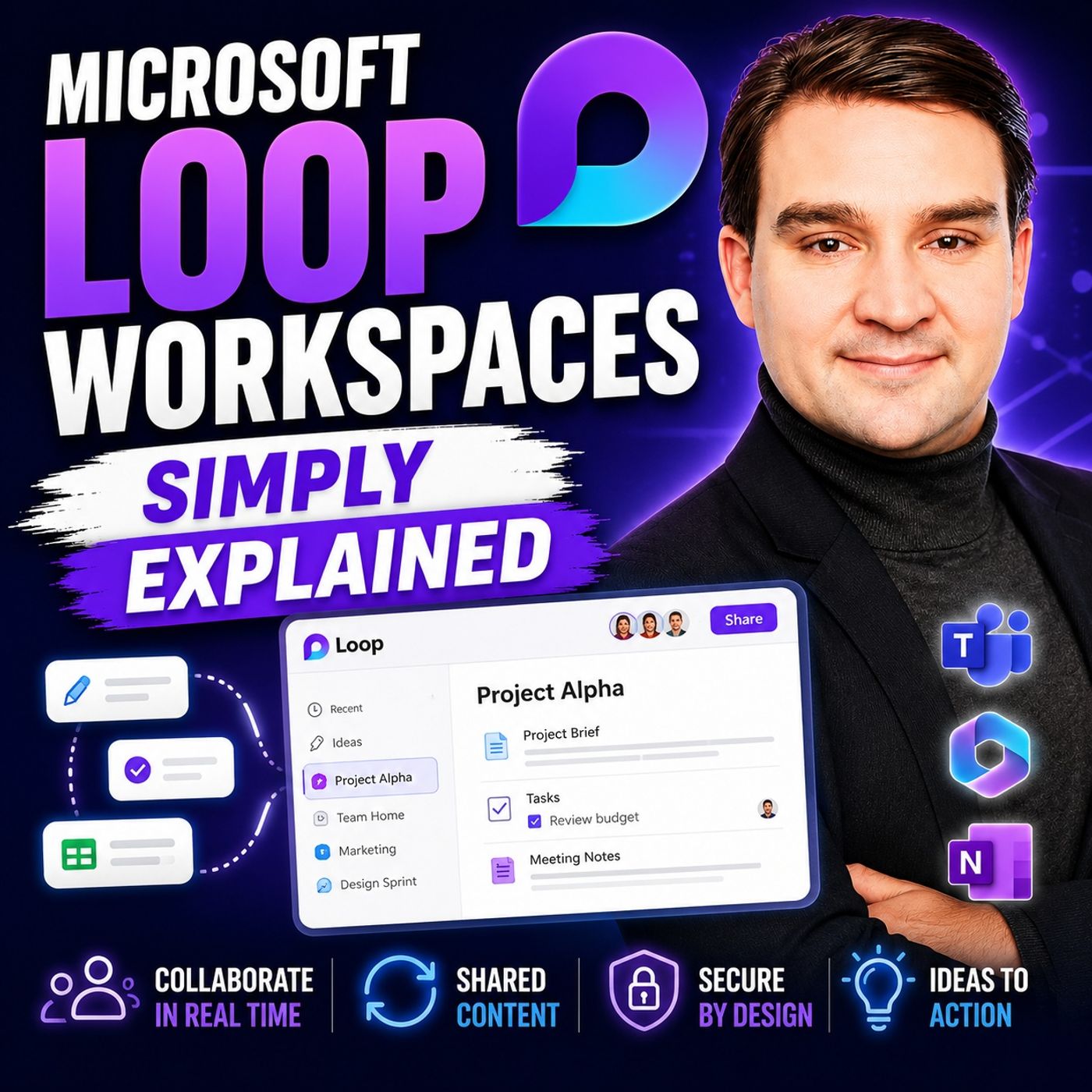
Microsoft Loop Workspaces - Simply Explained
Quick answer: Microsoft Loop Workspaces is covered in this M365 FM episode with a practical focus on what it is, how it works, and the decisions that matter for architecture, adoption, security, governance, or day-to-day operations. Imagine a space where your team can collaborate effortlessly. That’s what Microsoft Loop Workspaces offers. This tool helps you gather all project-related information in one place, making teamwork smoother and more efficient. You can easily access everything you nee...

July 14, 2026
Microsoft Teams Phone and Telephony | Simply Explained
Teams Telephony, now known as Microsoft Teams Phone, transforms Microsoft Teams into a complete cloud-based business phone system. In this episode of Microsoft Knowledge Nuggets on M365 FM, Mirko Peters explains how organizations can replace traditional PBX systems with a modern, Microsoft 365-integrated telephony platform that supports internal collaboration and external voice calling from a single application. You'll learn how Teams Phone enables users to make and receive calls from desktops, mobile devices, Teams-certified desk phones, and meeting room systems while benefiting from enterprise-grade security, scalability, and centralized management. The episode explains the different connectivity options, including Microsoft Calling Plans, Operator Connect, and Direct Routing, helping listeners understand which approach best fits their business requirements. The discussion also covers essential Teams Telephony features such as voicemail, call forwarding, Auto Attendants, Call …
Guest: Mirko Peters
July 14, 2026
Windows 365 – Simply Explained
Windows 365 is Microsoft's Cloud PC service that streams a complete Windows desktop from the Microsoft Cloud to virtually any device. Instead of relying on powerful local hardware, your operating system, applications, files, and settings live securely in the cloud, allowing you to access the same personalized desktop whether you're using a laptop, tablet, Mac, or even a web browser. In this episode of Microsoft Knowledge Nuggets, Mirko Peters explains Windows 365 in plain English using practical, real-world examples. You'll learn how Cloud PCs differ from traditional virtual desktops like Azure Virtual Desktop, why Windows 365 is designed for simplicity, and which organizations benefit most from its predictable licensing and management model. The episode explores common business scenarios such as remote work, contractors, hybrid employees, disaster recovery, and secure Bring Your Own Device (BYOD) strategies. The discussion also covers how Windows 365 integrates with Microsoft I…
Guest: Mirko Peters
![Excel vs Google Sheets with David Benaim [MVP]](https://d3wo5wojvuv7l.cloudfront.net/t_rss_itunes_square_1400/images.spreaker.com/original/b4a65c87c10144cbcaba54988cfd7b46.jpg "Excel vs Google Sheets with David Benaim [MVP]")
July 8, 2026
Excel vs Google Sheets with David Benaim [MVP]
In this episode of M365.fm, Mirko Peters sits down with Microsoft MVP David Benaim to answer one of the biggest productivity questions in modern workplaces: Can Google Sheets really compete with Microsoft Excel? Instead of declaring a single winner, David explains why the answer depends on the task, the team, and the business requirements. The discussion explores where Google Sheets shines, including real-time collaboration, browser-first workflows, and rapid sharing, while also highlighting the areas where Excel continues to dominate. Topics include Power Query, advanced data analysis, automation, large datasets, financial modeling, and enterprise reporting. David also shares lesser-known Google Sheets capabilities that many Excel users overlook, proving that both platforms have evolved far beyond simple spreadsheets. The conversation goes beyond feature comparisons to focus on practical decision-making. Rather than asking which tool is universally better, organizations should …
Guests: Mirko Peters , David Benaim
![Microsoft Teams Hidden Features with Josh Blalock [MVP]](https://d3wo5wojvuv7l.cloudfront.net/t_rss_itunes_square_1400/images.spreaker.com/original/968422080b832cf9572f48ee5817c313.jpg "Microsoft Teams Hidden Features with Josh Blalock [MVP]")
July 3, 2026
Microsoft Teams Hidden Features with Josh Blalock [MVP]
Microsoft Teams is one of the most widely used collaboration platforms, but many of its most valuable capabilities remain overlooked. In this episode, we uncover the features, settings, and best practices that Microsoft rarely highlights—helping IT professionals, admins, and everyday users get more from Teams. The discussion goes beyond chat and meetings, exploring hidden productivity features, collaboration improvements, and administration tips that can significantly enhance the user experience. You'll learn how Teams integrates with Microsoft 365 services, where common configuration mistakes occur, and why understanding governance and permissions is essential for long-term success. The episode also examines the balance between user flexibility and organizational control, covering topics such as notifications, file collaboration, channels, apps, automation, meeting experiences, and security. Rather than focusing only on new features, the conversation emphasizes practical techni…
Guests: Mirko Peters , Josh Blalock
![Microsoft Planner for Enterprise PPM with Erik van Hurck [MVP]](https://d3wo5wojvuv7l.cloudfront.net/t_rss_itunes_square_1400/images.spreaker.com/original/06ed3a1c52b2a9c35542d4c384c9f144.jpg "Microsoft Planner for Enterprise PPM with Erik van Hurck [MVP]")
June 29, 2026
Microsoft Planner for Enterprise PPM with Erik van Hurck [MVP]
In this episode of the M365 FM Podcast, Mirko Peters is joined by Microsoft MVP Erik van Hurck to explore how Microsoft Planner is evolving from a simple task management tool into a powerful enterprise Project and Portfolio Management (PPM) platform. Erik shares how organizations can move beyond personal to-do lists and team task boards to manage complex projects, portfolios, resources, and strategic initiatives using the Microsoft ecosystem. The conversation covers the latest capabilities in Microsoft Planner Premium, portfolio management, roadmap planning, resource allocation, reporting, and how Planner integrates with Microsoft Teams, Power Platform, and Microsoft 365. The episode also discusses when Planner is the right choice compared to traditional project management tools, how organizations can scale from small teams to enterprise PMOs, and why governance and standardized processes are essential for long-term success. Erik provides practical advice for project managers, I…
Guests: Mirko Peters , Erik van Hurck
June 25, 2026
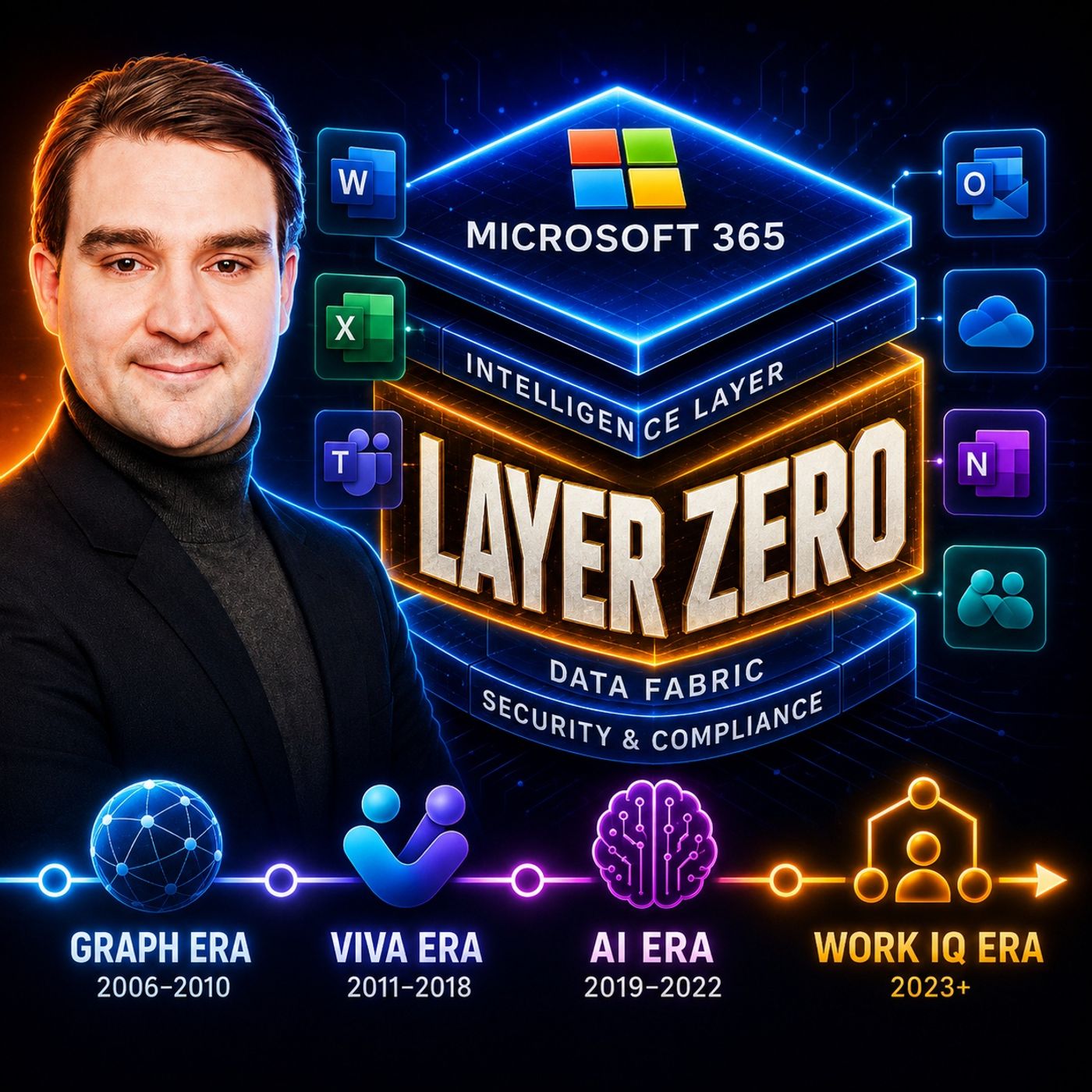
Microsoft Work IQ: The Intelligence Layer for Microsoft 365
Work IQ represents Microsoft’s next major evolution for Microsoft 365 Copilot, transforming it from a simple AI assistant into an intelligence layer that understands people, teams, projects, and organizational knowledge. Instead of relying only on documents, Work IQ builds a contextual understanding of how work happens across Microsoft 365, enabling more accurate answers, better recommendations, and smarter AI agents. In this episode, we explore how Work IQ combines signals from emails, meetings, chats, documents, calendars, organizational structures, and business processes to create a rich knowledge graph that powers Microsoft 365 Copilot. The discussion explains why context has become the most valuable asset in enterprise AI and how organizations can improve productivity without constantly training custom AI models. The episode also covers the architectural foundations behind Work IQ, its role in multi-agent collaboration, security boundaries, governance, and how it helps redu…
Guest: Mirko Peters
June 21, 2026
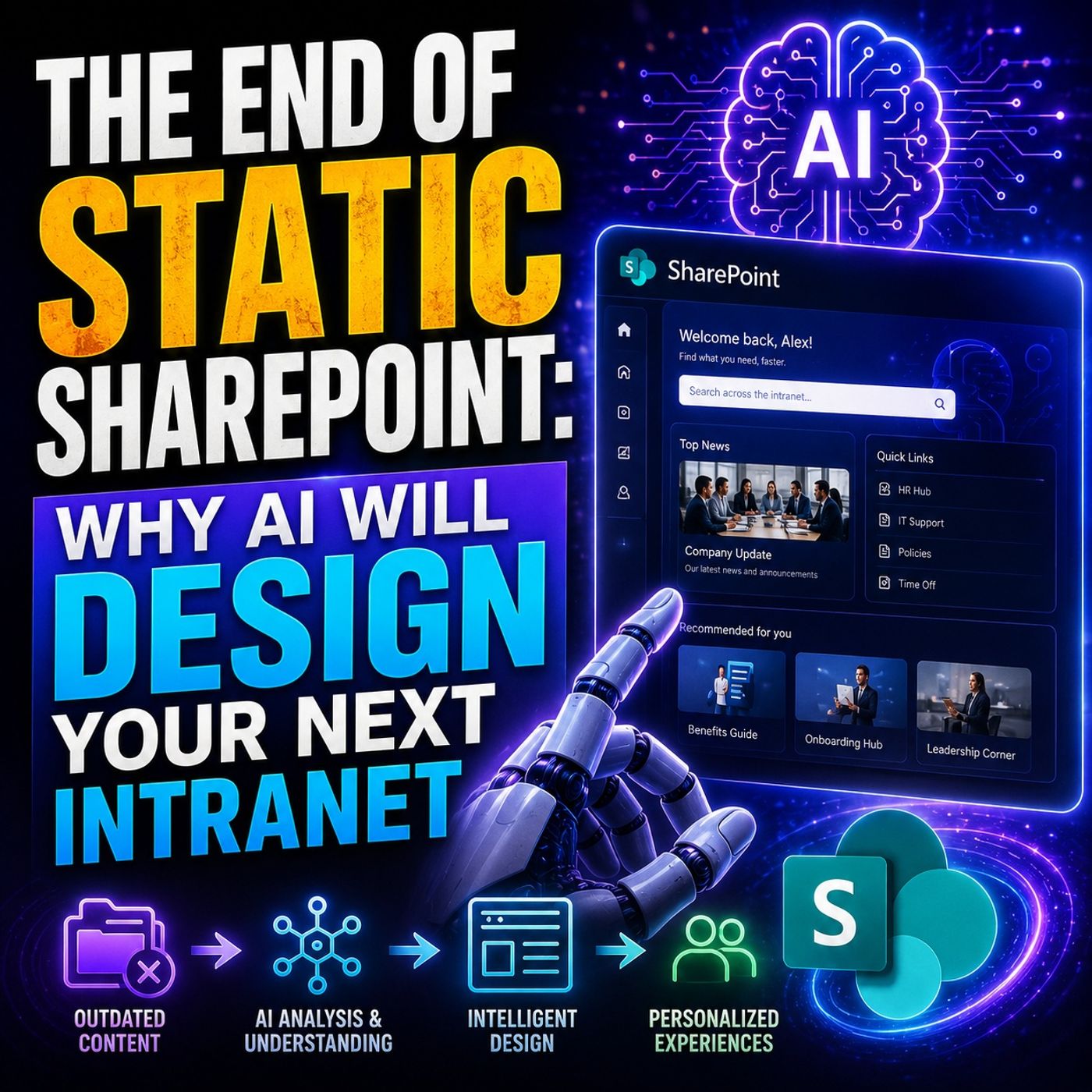
AI-Powered SharePoint Intranets: Beyond Static Design
The traditional SharePoint intranet is reaching the end of its lifecycle. For years, organizations have relied on manually designed sites, static navigation structures, and carefully curated content pages that quickly become outdated. In this episode of the M365 FM Podcast, we explore how artificial intelligence is transforming intranet design from a static publishing model into a dynamic, adaptive experience. The discussion examines why traditional intranets struggle to keep pace with modern workplaces. Employees expect personalized experiences, relevant information, and instant access to knowledge, yet many intranets still rely on manual content management and one-size-fits-all information architectures. As AI capabilities mature, this approach becomes increasingly difficult to justify. A central theme of the episode is that AI will not simply enhance intranets—it will fundamentally redesign how they are built and maintained. Instead of administrators manually creating navigat…
June 20, 2026
High-Stakes Hybrid Events with Microsoft Teams and Mesh
Hybrid work has fundamentally changed how organizations connect employees, but creating engaging virtual events remains a major challenge. In this episode of the M365 FM Podcast, we explore what it really takes to engineer successful high-stakes hybrid events using Microsoft Teams Immersive Spaces and Microsoft Mesh. Rather than focusing on product marketing, the discussion examines the technical realities that determine whether an immersive event succeeds or fails. A key concept introduced is the “Ghost Town Effect” — when participants abandon virtual experiences due to poor performance, lagging avatars, broken spatial audio, synchronization issues, and low engagement. Even the most visually impressive virtual environments can quickly become ineffective if the user experience suffers. The episode explores the evolution of Microsoft Mesh and Teams Immersive Spaces, highlighting how organizations can move beyond traditional video meetings to create more interactive and collaborat…
Guest: Mirko Peters

June 20, 2026
Private RAG Security: Authorization-Aware Data Retrieval
veryone is talking about Private RAG, sovereign AI, regional hosting, and keeping enterprise data inside controlled environments. But in this episode of M365 FM, Mirko Peters explores a critical security gap that many organizations overlook: data sovereignty is not the same as data security. The episode examines what happens when documents leave systems like SharePoint and Microsoft 365 and are ingested into vector databases for Retrieval-Augmented Generation (RAG) solutions. While organizations often focus on where data is stored, they frequently ignore what happens to permissions, access controls, and authorization models during the indexing process. The result can be a highly capable AI system that unintentionally exposes sensitive information to users who should never have access to it. A major focus is the concept of authorization-aware retrieval. Listeners learn why self-hosting, VPN access, or private infrastructure alone do not guarantee security. The episode breaks down…
Guest: Mirko Peters
June 19, 2026
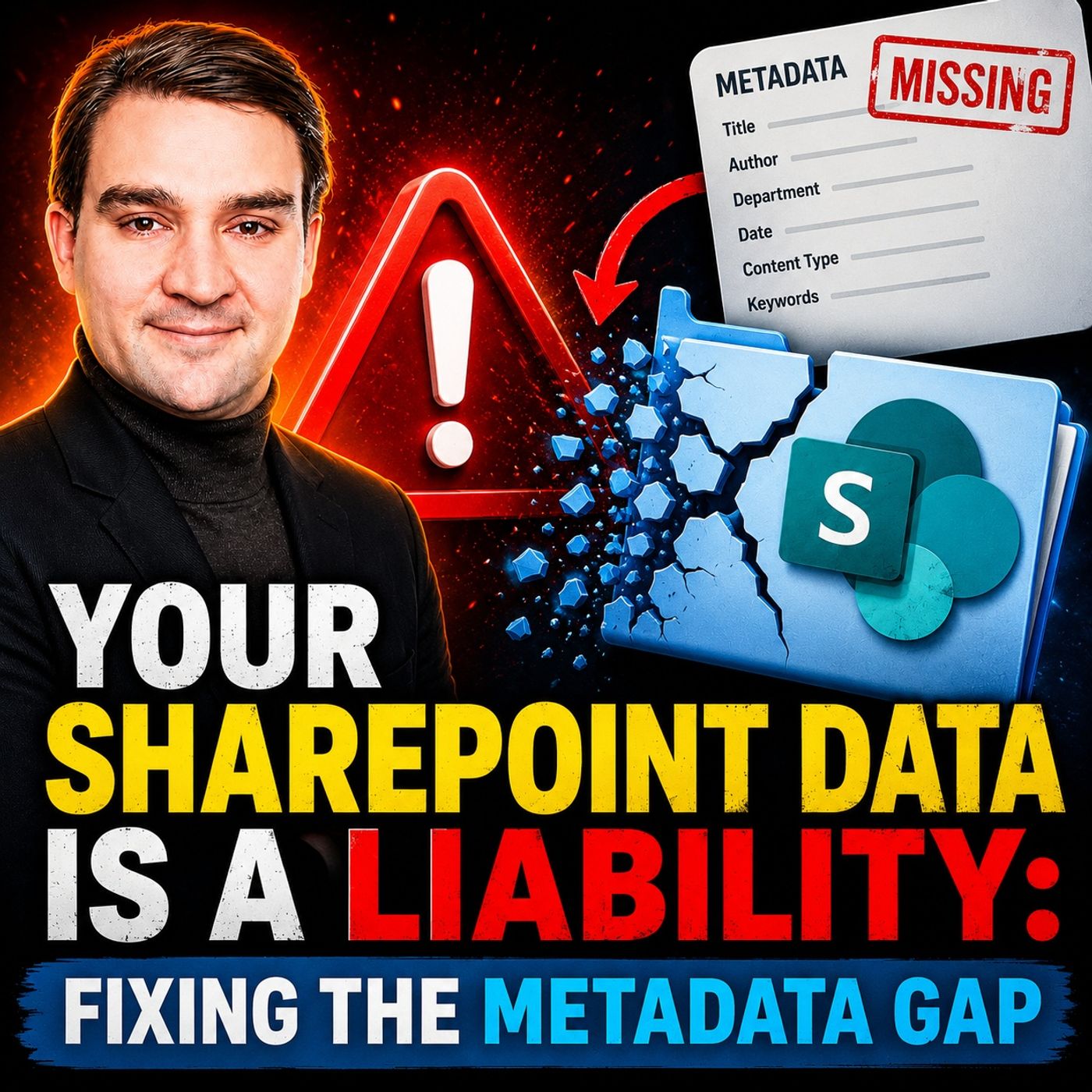
Fixing the SharePoint Metadata Gap for AI and Governance
SharePoint has become the central repository for business knowledge, documents, contracts, policies, and operational records. Yet many organizations are sitting on a hidden problem: their content lacks the metadata needed to make that information truly discoverable, governable, and AI-ready. In this episode of M365 FM, Mirko Peters explores the growing “metadata gap” and why it has become one of the biggest risks in modern Microsoft 365 environments. While organizations invest heavily in SharePoint, Copilot, search, and automation, many still rely on inconsistent folder structures, poor document classification, and manual filing processes that create data chaos over time. The discussion explains how missing or inconsistent metadata impacts far more than search. It affects compliance, records management, retention policies, security controls, business process automation, and the quality of AI-generated results. As Microsoft Copilot and other AI services depend on context to under…
Guest: Mirko Peters

June 18, 2026
How to Run Local Llama on SharePoint Files Securely
Artificial Intelligence is transforming the way organizations manage knowledge, documents, and collaboration. Yet as companies rush to adopt AI assistants and large language models, one question continues to dominate every conversation: how can you benefit from AI without exposing sensitive business information to external services? In this episode of M365 FM, Mirko Peters explores how organizations can run Local Llama models directly against SharePoint content while maintaining complete control over their data. Instead of sending confidential documents, intellectual property, customer information, and internal knowledge to cloud-hosted AI platforms, organizations can build private AI solutions that keep processing inside their own environment. The episode breaks down the architecture behind local AI deployments, explaining how open-source LLMs, retrieval-augmented generation (RAG), semantic search, and document embeddings can be combined with SharePoint to create intelligent kn…
Guest: Mirko Peters

June 18, 2026
How to Futureproof Your Career in the AI Era with Sarah Jones
Artificial Intelligence is reshaping the workplace faster than ever, creating both new opportunities and new challenges for professionals across every industry. In this episode of M365 FM, Mirko Peters sits down with Sarah Jones, technology recruiter, career coach, freelancer, and community advocate, to discuss how individuals can futureproof their careers in an AI-driven world. Drawing on more than 20 years of experience in recruitment and career development, Sarah explains why technical AI skills are becoming increasingly important, while human-centered capabilities such as communication, leadership, trust-building, and relationship management are becoming even more valuable. As automation takes over repetitive work, the ability to collaborate, influence, and connect with people will remain a key competitive advantage. The conversation explores how AI is transforming hiring practices, recruitment processes, and workplace expectations. Sarah shares practical insights into appli…
Guests: Mirko Peters , Sarah Jones
June 6, 2026
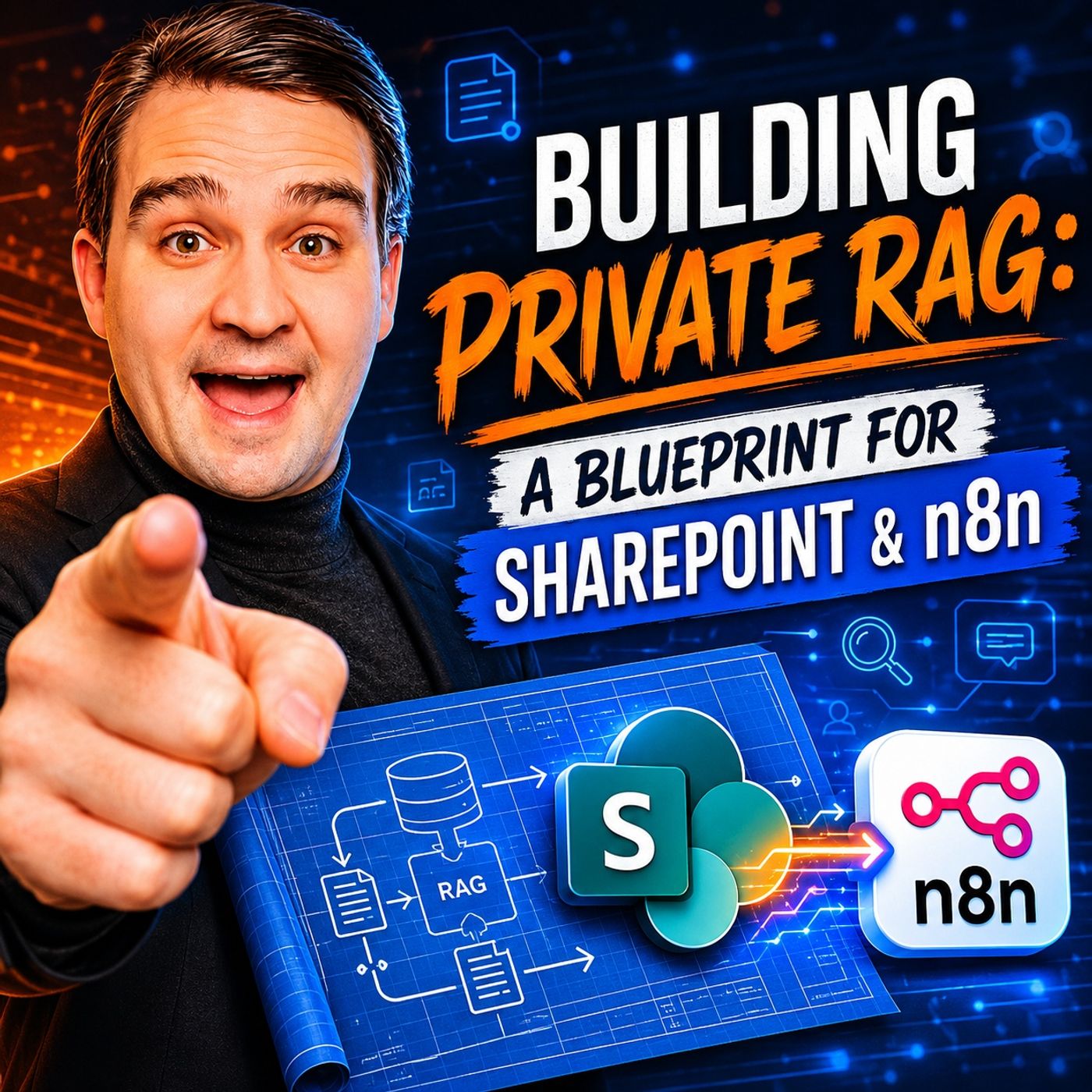
How to Build Private RAG with SharePoint and n8n
In this episode of M365.fm, Mirko Peters explores how organizations can build a secure and private Retrieval-Augmented Generation (RAG) platform using SharePoint as the knowledge source and n8n as the orchestration layer. The discussion focuses on moving beyond generic AI chatbots and creating enterprise-grade AI systems that can access, retrieve, and reason over internal business knowledge while maintaining governance and security. The episode explains the core architecture of a private RAG solution, including document ingestion, chunking strategies, vector embeddings, semantic search, and AI response generation. Listeners learn why SharePoint is an ideal enterprise knowledge repository and how n8n can automate the entire pipeline without requiring complex custom development. Mirko breaks down the challenges many organizations face when deploying AI, including data silos, permission management, outdated content, and the risk of exposing sensitive information to public AI servic…
Guest: Mirko Peters
June 4, 2026
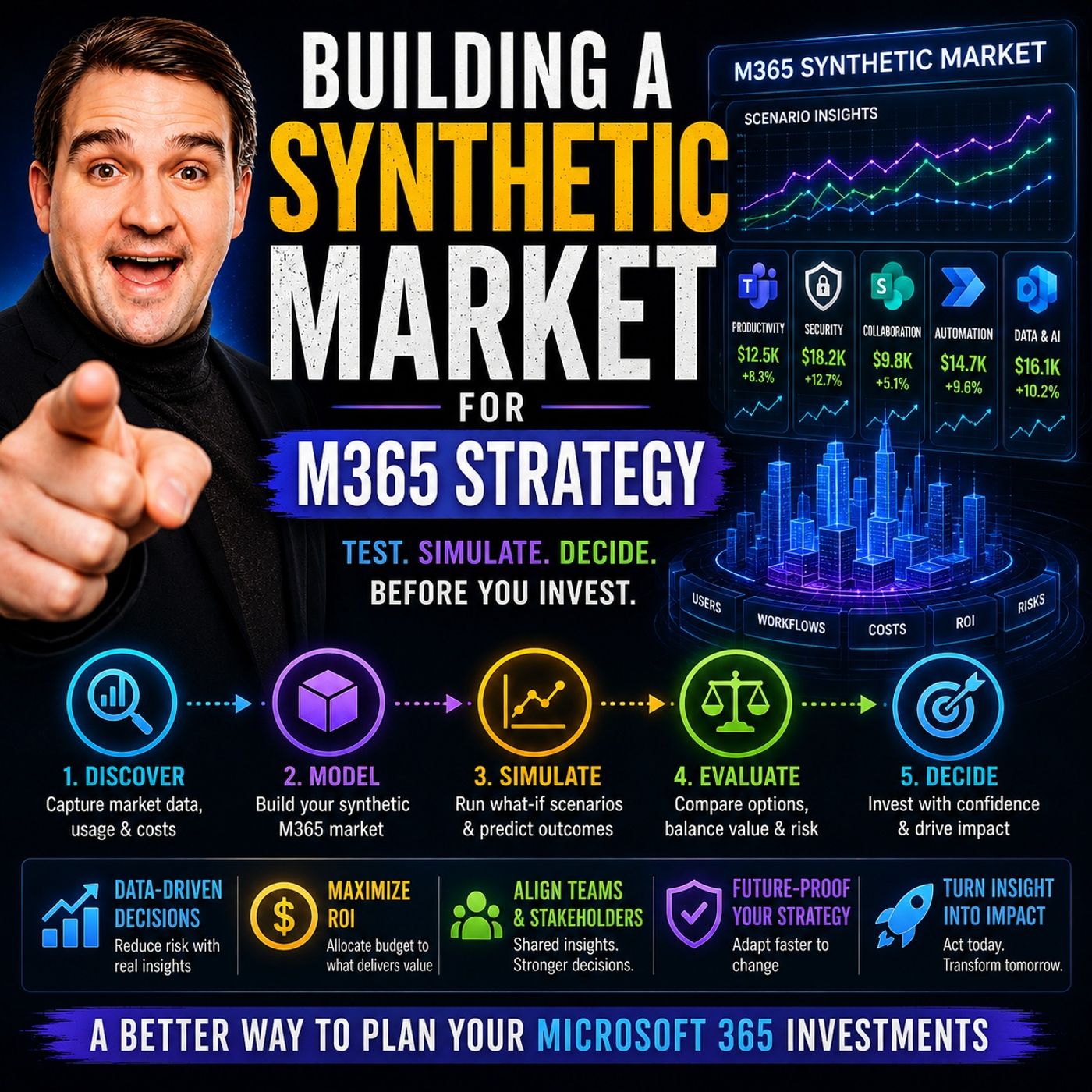
Building a Synthetic Market for Microsoft 365 Strategy
In this episode, Mirko Peters explores why successful Microsoft 365 strategy should be approached like building a synthetic market rather than deploying technology in isolation. The core idea is that Microsoft 365 creates an internal economy where information, collaboration, automation, governance, and AI capabilities continuously interact. Organizations that focus only on individual tools such as Teams, SharePoint, Power Platform, or Copilot often miss the larger system dynamics that drive long-term value. The discussion highlights that every platform decision creates incentives and behaviors. Poor governance can encourage content sprawl, uncontrolled workspace growth, and fragmented knowledge, while well-designed governance creates trust, discoverability, and sustainable adoption. The episode argues that strategy is not about maximizing feature usage but about shaping the conditions that allow productive behaviors to emerge naturally across the organization. A key theme is tha…
Guest: Mirko Peters
![ERP Modernization with Alicia King [MVP]](https://d3wo5wojvuv7l.cloudfront.net/t_rss_itunes_square_1400/images.spreaker.com/original/6619499bcb36155eae23bfed15d983d7.jpg "ERP Modernization with Alicia King [MVP]")
May 29, 2026
ERP Modernization with Alicia King [MVP]
In this episode of the M365 FM Podcast, Mirko Peters speaks with Alicia King, Microsoft MVP and Pre-Sales Engineering Director at RSM US LLP, about how organizations can modernize ERP systems without creating unnecessary disruption. Alicia shares lessons from over 100 ERP transformation projects across more than 40 countries, emphasizing that ERP modernization is fundamentally a business transformation initiative rather than a technology project. Success depends on leadership alignment, clear business goals, strong change management, and user adoption—not just selecting the right software. The conversation explores the evolution of Microsoft Dynamics 365 Finance & Supply Chain and how Microsoft's expanding ecosystem has brought more capabilities into a unified platform. Alicia explains how this helps organizations streamline operations, improve visibility, and reduce complexity. The episode also highlights common reasons ERP projects struggle, including poor communication, un…
Guests: Mirko Peters , Alicia King
![The Future of Work with Fabio Bonolo [MVP]](https://d3wo5wojvuv7l.cloudfront.net/t_rss_itunes_square_1400/images.spreaker.com/original/2fb985c310418b599aab68219319df49.jpg "The Future of Work with Fabio Bonolo [MVP]")
May 27, 2026
The Future of Work with Fabio Bonolo [MVP]
In this episode of the M365 FM Podcast, host Mirko Peters sits down with Microsoft MVP Fabio Bonolo to explore how AI, Microsoft Copilot, and modern workplace technologies are transforming the future of work. Fabio shares his journey from sales executive to recognized thought leader in the Microsoft ecosystem and explains why the AI revolution is about far more than technology alone. The conversation dives into the rapid evolution of Microsoft Copilot, autonomous AI agents, hybrid work, and the changing role of productivity in modern organizations. Fabio discusses why successful AI adoption requires strong leadership, effective change management, employee education, and a culture focused on empowerment rather than fear of automation. Listeners will gain practical insights into Copilot adoption strategies, data governance, AI readiness, workplace transformation, and how organizations can build future-ready environments where humans and AI collaborate effectively. The episode also…
Guests: Mirko Peters , Fabio Bonolo
![Designing an Inclusive Hybrid Workplace with Onyinye Madubuko [MVP]](https://d3wo5wojvuv7l.cloudfront.net/t_rss_itunes_square_1400/images.spreaker.com/original/64563af8d97e4497262e074770b291b0.jpg "Designing an Inclusive Hybrid Workplace with Onyinye Madubuko [MVP]")
May 26, 2026
Designing an Inclusive Hybrid Workplace with Onyinye Madubuko [MVP]
In this episode of m365.fm, Microsoft MVP Onyinye Madubuko shares her insights on designing effective hybrid workplaces and how organizations can create modern, inclusive, and collaborative work environments. The discussion explores the rapid shift to hybrid work, the importance of employee experience, and how businesses can use Microsoft 365 technologies like Microsoft Teams, Viva, and Teams Rooms to improve communication and productivity. Onyinye explains how successful hybrid workplace strategies go beyond technology and require thoughtful planning around accessibility, collaboration, meeting room design, and organizational culture. She highlights the challenges companies face when balancing remote and in-office work while ensuring employees stay engaged and connected. The episode also covers practical approaches to digital transformation, user adoption, and creating flexible workspaces that support different work styles. Onyinye shares real-world experiences from helping org…
Guests: Mirko Peters , Onyinye Madubuko
May 26, 2026
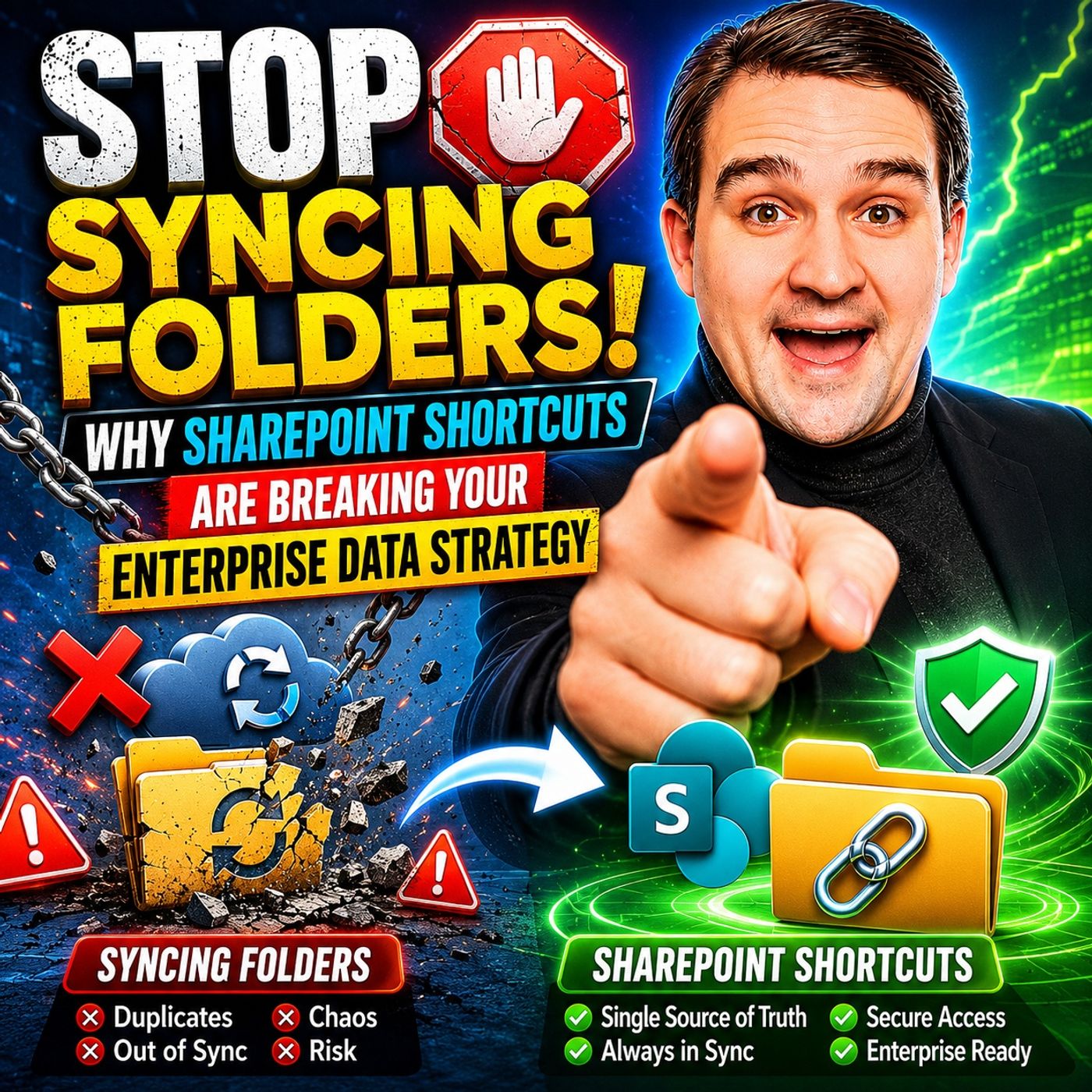
SharePoint Sync vs Add Shortcut to OneDrive
The article explains why traditional SharePoint and OneDrive folder syncing is becoming a major problem for modern enterprises. Syncing entire SharePoint libraries to local devices creates unnecessary storage usage, performance slowdowns, sync conflicts, and governance risks. Large synced libraries increase metadata overhead, network traffic, and the likelihood of duplicate or outdated files appearing across devices. It also weakens compliance because files copied locally can bypass SharePoint retention policies, version history, and sensitivity labels. Instead of full sync, the article recommends using “Add shortcut to OneDrive” as a more cloud-native approach. Shortcuts act as lightweight links to SharePoint folders without downloading the entire library. This improves device performance, reduces sync errors, lowers storage consumption, and keeps users working directly from the governed SharePoint source of truth. The article highlights several business benefits of shortcuts, …
Guest: Mirko Peters
![From Microsoft Lync to Teams with Carsten Lund Meilbak [MVP]](https://d3wo5wojvuv7l.cloudfront.net/t_rss_itunes_square_1400/images.spreaker.com/original/43f2590365f3110707cfbd0fb3be6214.jpg "From Microsoft Lync to Teams with Carsten Lund Meilbak [MVP]")
May 26, 2026
From Microsoft Lync to Teams with Carsten Lund Meilbak [MVP]
In this episode of the M365.fm podcast, Mirko Peters speaks with Microsoft MVP Carsten Lund Meilbak about the evolution of enterprise communication and collaboration — from the early days of Microsoft Lync and Skype for Business to the modern Microsoft Teams ecosystem. The conversation explores how collaboration platforms have changed from simple messaging and voice solutions into fully integrated hubs for meetings, telephony, teamwork, apps, and AI-powered productivity. Carsten shares his personal journey through the Microsoft collaboration space and explains how organizations adapted to major platform transitions over the years. The discussion highlights the technical and cultural shifts that accompanied the move from traditional on-premises communication systems toward cloud-first collaboration with Microsoft Teams. A major focus of the episode is how Teams transformed workplace communication by combining chat, meetings, calling, file collaboration, and integrations into a si…
![OneNote vs Loop vs Copilot with Karinne Diamond Bessette [MVP]](https://d3wo5wojvuv7l.cloudfront.net/t_rss_itunes_square_1400/images.spreaker.com/original/c89f41f7808b87318964b339a53f6ccc.jpg "OneNote vs Loop vs Copilot with Karinne Diamond Bessette [MVP]")
May 24, 2026
OneNote vs Loop vs Copilot with Karinne Diamond Bessette [MVP]
Quick answer: OneNote vs Microsoft Loop vs Copilot for notes is covered in this M365 FM episode with a practical focus on how it works, where it fits, and the architecture, security, governance, or operational choices that matter in real Microsoft environments. In this episode of the m365.fm podcast, Mirko Peters sits down with Microsoft MVP, educator, technical storyteller, and community leader Karinne Diamond Bessette to explore one of the biggest productivity challenges in the modern workpla...
Guests: Mirko Peters , Karinne Diamond Bessette
![Microsoft 365 Simplicity with Evi van der Velden [MVP]](https://d3wo5wojvuv7l.cloudfront.net/t_rss_itunes_square_1400/images.spreaker.com/original/c89430ac20f79a64ad137de54f18d317.jpg "Microsoft 365 Simplicity with Evi van der Velden [MVP]")
May 22, 2026
Microsoft 365 Simplicity with Evi van der Velden [MVP]
Microsoft MVP Evi van der Velden joins the M365.fm podcast to explain why simplicity is one of the most overlooked success factors in Microsoft 365. The conversation explores how many organizations create unnecessary complexity through excessive customization, unclear governance, and overengineered solutions that ultimately reduce productivity instead of improving it. Evi shares practical insights from real-world Microsoft 365 projects, highlighting how simpler architectures, cleaner collaboration environments, and focused governance strategies often deliver better long-term results. The discussion covers Microsoft Teams, SharePoint, governance, adoption, user experience, and the growing impact of AI tools like Microsoft Copilot inside modern workplaces. A key theme throughout the episode is that technology should support people rather than force users to adapt to complicated systems. Evi explains why organizations frequently underestimate the importance of user behavior, commun…
Guests: Mirko Peters , Evi van der Velden
![Build a Power Platform Career with Nathalie Leenders [MVP-MCT]](https://d3wo5wojvuv7l.cloudfront.net/t_rss_itunes_square_1400/images.spreaker.com/original/85abd326963d3573e7f64bbee4c5ddf7.jpg "Build a Power Platform Career with Nathalie Leenders [MVP-MCT]")
May 14, 2026
Build a Power Platform Career with Nathalie Leenders [MVP-MCT]
In this episode of the m365.fm podcast, Mirko Peters speaks with Microsoft MVP and Microsoft Certified Trainer Nathalie Leenders about building a successful career in the Microsoft Power Platform ecosystem. Nathalie shares her journey from IT service management and support roles into SharePoint, InfoPath, Power BI, and eventually Power Platform consulting. Her story highlights that careers in technology are rarely linear and often grow through curiosity, experimentation, and continuous learning. A major focus of the conversation is the value of hands-on experience. Nathalie explains how she learned by solving real business problems, watching tutorials, attending workshops, and building solutions directly in customer environments. She emphasizes that certifications alone are not enough. While Microsoft exams such as PL-400 can help create structure and validate skills, true expertise comes from practical implementation, understanding business processes, and staying curious about new…
Guests: Mirko Peters , Nathalie Leenders
![Leadership, AI, and Imposter Syndrome with Daniel "Dan" Barber [MVP]](https://d3wo5wojvuv7l.cloudfront.net/t_rss_itunes_square_1400/images.spreaker.com/original/c1f037eef26b7d687b59b6f8c812ab1d.jpg "Leadership, AI, and Imposter Syndrome with Daniel \"Dan\" Barber [MVP]")
May 11, 2026
Leadership, AI, and Imposter Syndrome with Daniel "Dan" Barber [MVP]
In this deeply personal and thought-provoking episode of the m365.fm podcast, Mirko Peters sits down with Daniel “Dan” Barber, founder of Strathos and Microsoft MVP, for a conversation that moves far beyond technology. Together, they explore the human side of leadership, the emotional impact of AI transformation, and the often-hidden reality of imposter syndrome in the tech industry. Dan shares his journey through consulting, entrepreneurship, and community leadership, explaining how confidence, vulnerability, and authenticity shape long-term success far more than titles or certifications. The discussion highlights how many professionals in Microsoft 365, Azure, and AI constantly feel pressure to “keep up” in a rapidly evolving industry — especially as AI accelerates change faster than ever before. The episode also examines how AI is changing not only technical roles, but personal identity inside the workplace. Mirko and Dan discuss the fear of becoming irrelevant, the anxiety c…
Guests: Mirko Peters , Daniel Barber