 EN
EN Deutsch
 Español
 Français
 Italiano
 Português
 Nederlands
 Polski
 Bahasa Indonesia
 Русский
 Українська
 العربية
 עברית
עברית हिन्दी
 日本語
日本語 한국어
한국어2026-07-17 · Season 3
Azure AI Search – Simply Explained
Show notes
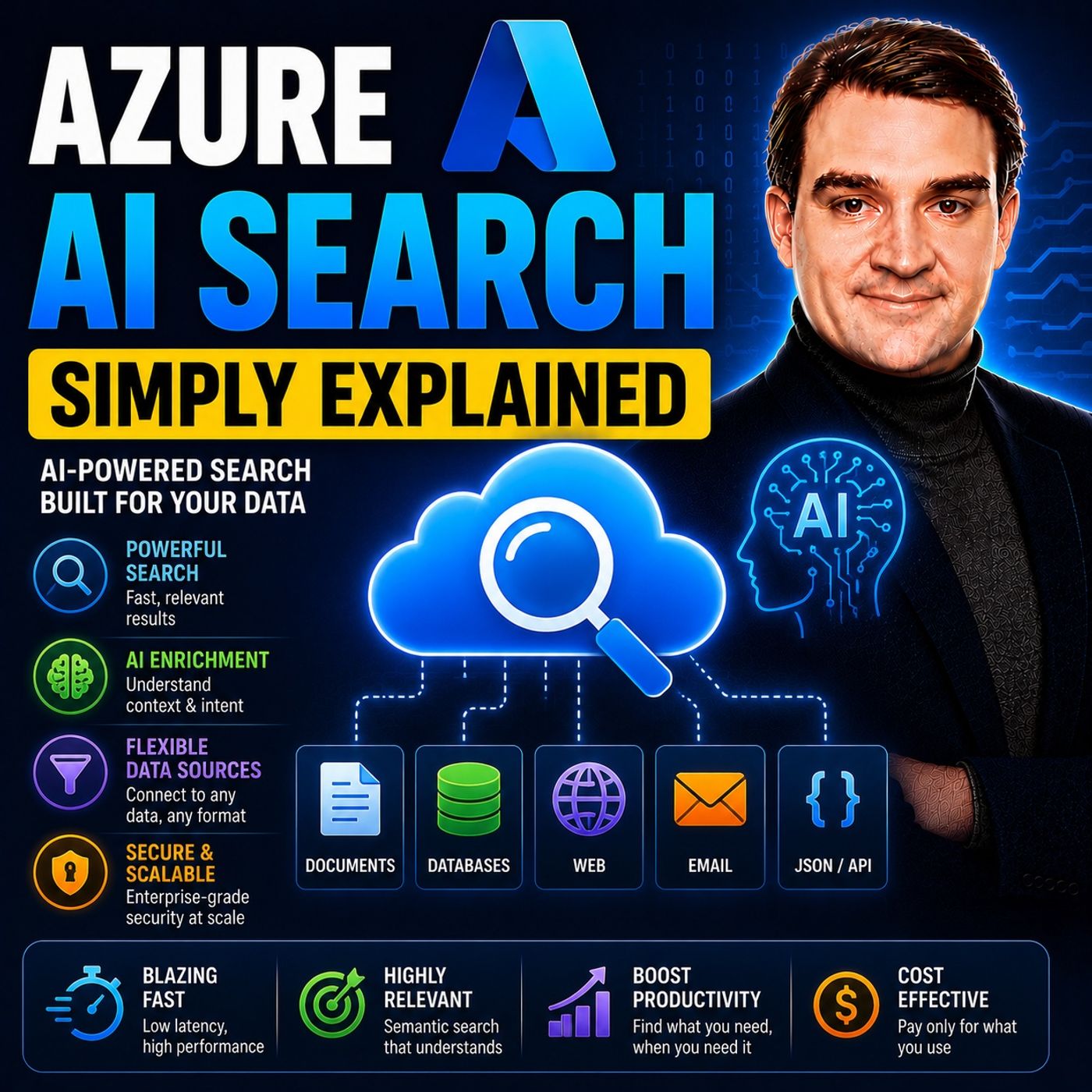
Azure AI Search is Microsoft's fully managed cloud search service that helps developers build fast, intelligent, and AI-powered search experiences for applications, websites, and enterprise systems. Unlike traditional keyword search that only matches exact words, Azure AI Search combines full-text search, semantic search, vector search, and AI enrichment to understand the meaning behind user queries. Whether you're searching millions of documents, customer records, PDFs, emails, websites, or knowledge bases, Azure AI Search delivers highly relevant results while providing the retrieval engine behind many modern AI assistants and Retrieval-Augmented Generation (RAG) applications. WHY TRADITIONAL SEARCH OFTEN FAILS Most applications still rely on keyword-based search algorithms that simply look for matching words inside documents. While this approach works well for exact product names, error codes, or document IDs, it struggles with natural language. A user searching for "my laptop keeps freezing" may never find a document titled "Troubleshooting System Hangs During Teams Meetings" because the words don't match—even though the meaning does. Azure AI Search solves this limitation by combining traditional lexical search with semantic understanding, allowing applications to find documents based on intent instead of just spelling. The result is significantly more accurate search experiences that feel much closer to how humans actually think and ask questions. VECTOR SEARCH, HYBRID SEARCH, AND AI UNDERSTANDING One of Azure AI Search's biggest innovations is Vector Search. Instead of comparing words, documents are converted into mathematical embeddings that represent their meaning. Similar concepts are positioned close together in vector space, allowing searches to find related information even when different terminology is used. Azure AI Search takes this one step further with Hybrid Search, combining traditional keyword search with vector search using Reciprocal Rank Fusion (RRF). This approach delivers both precise keyword matches and semantically relevant results in a single query, dramatically improving retrieval quality for enterprise search, customer support portals, knowledge management systems, and AI applications. THE FOUNDATION OF MODERN RAG APPLICATIONS Azure AI Search has become one of the most important services for building Retrieval-Augmented Generation (RAG) solutions. Instead of relying solely on a large language model's training data, Azure AI Search retrieves the most relevant company documents, policies, manuals, or knowledge articles before sending them to Azure OpenAI or another language model. This gives AI assistants access to current, organization-specific information while reducing hallucinations and improving answer accuracy. Whether you're building an internal Copilot, customer service chatbot, legal research assistant, or enterprise knowledge portal, Azure AI Search provides the retrieval layer that enables trustworthy AI experiences grounded in your own data. HOW AZURE AI SEARCH WORKS Azure AI Search follows a simple but powerful architecture. Data is collected from sources such as Azure Blob Storage, Azure SQL Database, Cosmos DB, SharePoint, or other repositories using indexers. During indexing, Azure AI services can enrich content by extracting text from PDFs, recognizing images, detecting language, identifying entities, or generating vector embeddings. The processed information is stored inside a highly optimized search index, allowing applications to return relevant results in milliseconds instead of scanning every document individually. Developers can then expose this search capability through REST APIs or SDKs to power websites, enterprise portals, mobile applications, and AI agents. WHEN SHOULD YOU USE AZURE AI SEARCH? Azure AI Search is the ideal solution whenever users need to quickly find information hidden inside large collections of unstructured data. Common scenarios include enterprise document search, customer support knowledge bases, e-commerce product discovery, legal research, healthcare documentation, manufacturing manuals, internal company portals, and AI-powered copilots built with Azure OpenAI. By combining semantic understanding, vector search, hybrid ranking, AI enrichment, and enterprise scalability into a fully managed cloud service, Azure AI Search has become a core building block for intelligent applications that help users find the right information faster and with far greater accuracy than traditional search technologies. Become a supporter of this podcast: https://www.spreaker.com/podcast/m365-fm-microsoft-365-azure-cloud-power-platform-ai--6704921/support.
Apple Podcasts · Spotify · YouTube · YouTube Music · Deezer
Host: Mirko Peters
Related articles
Transcript
Read the full transcript
Imagine this, you're working in an app at your company, maybe it's the HR portal or a customer support database or the internal wiki with all those policies you need to follow. You type a question into the search bar, something like, how do I file an expense report for a client dinner? You hit enter, and what do you get? Nothing, or worse, a list of random PDFs from three years ago that sort of match the words you typed. Search is something we use every single day. And most of the time, it's terrible, but here's the thing, it doesn't have to be. What if your apps could actually understand what you're asking? What if they could search the way Google does? Finding the right answer even when you don't use the perfect words? Today we're covering Azure AI search. What it actually is, how it works under the hood and why it's the search engine modern apps are built on. Grab your coffee and let's dive in. Why search is broken? To understand why search usually fails, we have to look at how most apps actually do it. The traditional way is called keyword search or lexical search. You type the word laptop into the box and the system goes out and finds every single document that contains that exact word. Under the hood, a lot of these systems use an algorithm called BM25, it's not complicated, but it's clever in its own way. BM25 ranks results based on a few things. How often your search term appears in a document? How long the document is and how rare the search term is across the entire data set? Think of it like a really sophisticated word counter that figures out which documents are most relevant based on those factors. Here's where it breaks down. Human language is messy. People don't ask questions using the same words that the documents use. Let me give you a concrete example. A user types this into a support portal. My laptop keeps freezing during video calls. Keyword search will dutifully look for documents containing laptop, keeps, freezing, during, video, and calls. But what if the best article on the subject is titled Troubleshooting System Hangs During Teams meetings or managing CPU throttling on docked laptops? The keyword search completely misses those. Why? Because the words don't match. The core issue is this. Keyword search understands spelling. It understands character patterns, but it does not understand meaning. You get results that have the right letters, but often the wrong content. So if exact word matching leaves that many gaps, what's the alternative? The new way. Vector search. So vector search, this is a completely different way of doing things. Instead of matching exact words, it matches meaning. That sounds abstract. So let's break it down. The simplest definition you need to know is this. A vector is just a list of numbers that represents something a computer can work with. That's it. A list of numbers. An embedding is a special type of vector that captures the meaning of text. It takes a sentence, a paragraph, even a whole document, and turns it into a long list of numbers. The computer doesn't understand the words, but it understands the numbers. Here's an analogy that helps. Think of vectors like coordinates on a map. On a map, similar places are close together. In vector space, similar concepts end up close together. The vector for king and the vector for queen are near each other because they represent related ideas. The vector for king and the vector for apple are far apart. The computer doesn't know what king means in a human sense, but it can measure the distance between its coordinates and the coordinates of every other word or document. It's like having a GPS for ideas. The system knows how far apart concepts are just by looking at the numbers. When you search using vectors, the system converts your query into an embedding. Then it finds the documents whose embeddings are closest to yours. It finds things that are semantically similar that share meaning, not just vocabulary. Imagine you're looking for a document about troubleshooting a frozen laptop. With keyword search, you'd have to type freezing or hang exactly. But with vector search, you can type, my computer keeps locking up and it finds the right document. That's the power of understanding meaning. Let's go back to our broken search example. A user types, my laptop keeps freezing. With vector search, the system can return the article about system hangs during team's meetings, even though none of those words appear in the query. Why? Because the meaning of system hangs is very close to computer freezing in vector space. These concepts live near each other on that map. The system doesn't care about the exact words. It cares about what you mean. This is the breakthrough. Computers start to understand intent, not just spelling. They find answers that keyword search would completely miss. But vector search has a weakness too. It can miss exact matches that are absolutely critical. If a technician searches for a specific error code like error XATOs and 70570, a vector search might prioritize documents about disk errors or file system corruption instead of the exact document that dissects that specific code. It trades precision for understanding. So we have two methods. Keyword search is great for precision. It nails exact terms, product IDs, contract numbers. Vector search is great for meaning. It finds the right answer even when you don't use the right words. Each one has blind spots. And that raises an obvious question, what if you could combine both approaches and get the best of both worlds? The hybrid breakthrough. Hybrid search is the best of both worlds. It runs both keyword and vector search at the same time then combines the results into a single ranked list. Instead of choosing one approach over the other, the system uses a method called reciprocal rank fusion or RRF. Here's how it works. RRF looks at where each document ranks in the keyword results and where it ranks in the vector results. Then it gives a combined score. If a document is good in both, it gets a boost. It's like taking two expert opinions and averaging them. The final answer is more reliable than either one alone. This matters because keyword and vector search have fundamentally different strengths. Keyword search excels at exact matches. It's your go-to for product IDs, contract numbers, specific names, error codes. It is precise and predictable. Vector search excels at semantic similarity. Finding documents that share meaning with your query, even when the exact words don't appear. Together, they cover each other's blind spots. The system catches exact matches and conceptual matches in a single query. That's the real power. And this isn't just theoretical. Research on enterprise hybrid search shows it delivers 70% to 80% retrieval precision depending on the data set. That's roughly 15% to 20% points higher than what you get with vector search alone. The difference is significant. And it shows up in real business outcomes. Take the accounting platform zero. They implemented hybrid search in their customer support experience through a company called Kovio. Within three months, they saw a 20% increase in self-service resolution. Customers found answers on their own more often without needing to contact support. Other clients in the same case study saw up to a 40% reduction in time to resolution for support cases. That means agents found the right information faster. Customers got answers quicker, and the cost of support went down. That's not just a nice feature. It's a measurable impact on the bottom line. This is the key point. Hybrid search isn't just a nice upgrade or a checkbox on a feature list. It's measurably better. It delivers better precision, better recall, and better user outcomes. And this combination of approaches is what makes Azure AI search so powerful for modern applications. But there's another technology that this combination unlocks, one that's getting a lot of attention right now. It's called RAG, the RAG connection. So let's talk about RAG. RAG stands for retrieval augmented generation. That's a mouthful, but here's the simplest definition. It's a framework that gives AI assistance access to information they weren't trained on. Large language models like GPT know a lot about history, science, and coding, but they don't know your company's internal documents, policies, customer history, or the specific procedures your team follows. Most people think you can just dump all that internal knowledge into the model itself. That doesn't work. It's expensive and hard to update. RAG solves this in a clever way. Instead of cramming everything into the model, you retrieve the relevant information from a knowledge base at the moment someone asks a question. You take the user's query, search your internal data, find the most relevant documents, and feed that context into the LLM along with the original question. The LLM then generates an answer grounded in your data. That's the magic of it. Now, as your AI search is the retrieval half of that equation, it's the engine that finds the right documents so the LLM can answer accurately. Without a solid retrieval layer, a RAG system is only as good as the documents it finds. And this is where hybrid search truly shines, because RAG queries are often natural language questions, and the answers often live in documents that use totally different terminology. Let me give you some numbers that really show the difference. A study on enterprise application search found that a hybrid RAG framework improved top-carry retrieval accuracy by 18 to 25 times over keyword search alone. Workflow task completion accuracy improved by 21 times. That means users were far more likely to successfully complete complex tasks when supported by a RAG system using hybrid search. Overall, properly implemented RAG systems can boost search accuracy by an average of 85% with some specialized domains approaching 99% accuracy. And because the LLM is generating answers based on retrieved context rather than its own guesses, RAG systems showed about a 40% reduction in hallucinated responses. This is why Azure AI search is central to building AI agents and co-pilots. It provides the grounded, fact-based retrieval that makes LLM's trustworthy in a business context. If you're building an assistant that needs to answer questions accurately and cite its sources, hybrid search plus RAG is the architecture you're going to reach for. So hybrid search plus RAG is a powerful combination. But what does this actually look like in practice? The real world impact. So where does this actually show up in practice? Let me give you a few examples. e-commerce is probably the most familiar one. A customer types comfy running shoes into the search bar. The product listing might say cushioned athletic footwear because the marketing team chose different words. Keyword search alone would miss the match entirely. With Azure AI search, the system understands that comfy and cushioned mean roughly the same thing in this context. It surfaces the right product even when the words don't line up. That's a customer who finds what they want instead of leaving the site frustrated. Customer support portals work the same way. Imagine a customer types, how do I cancel my subscription? The relevant policy might be titled "Termination of Service Agreement." Hybrid search finds that exact document through keyword matching on legal terminology. But it also surfaces a related FAQ about ending your plan early through semantic similarity. The customer gets a comprehensive answer instead of digging through five different articles. Legal document retrieval is another big one. Lawyers need to search contracts by exact clause numbers and section references. That's pure keyword territory. But they also need to find similar language across different agreements even when the wording varies. Hybrid search handles both in a single query and in regulated industries, being able to trace exactly why a result appeared is critical for compliance. Internal knowledge base is benefit too. An employee searching for vacation policy gets the official HR document but also a related email from the legal team about carryover days and a recent update posted on the company internet. The search understands that all of these are connected to the same question. Manufacturing is a less obvious example but a powerful one. A technician types motor overheating fix into the search interface. The system returns the troubleshooting section from the equipment manual plus a scanned diagram that shows the relevant parts. Even though the diagram is an image, Azure AI search can extract an index its text content so it appears in search results. The common thread across all of these examples is unstructured data. PDFs, Word documents, emails, support tickets, scanned images, traditional database queries and keyword search were never designed for this kind of data. Azure AI search is built specifically for this world and the more you look at it, the clearer it becomes that hybrid search isn't just a nice feature. It's a foundational piece of how modern applications are built. How the pieces fit together. So how does all this actually work under the hood? Azure AI search has three core building blocks, the data source, the indexer and the search index. The data source is where your information lives. It could be blob storage and Azure SQL database, Cosmos DB or even SharePoint. It's the raw material that needs to become searchable. Think of it as the pile of documents waiting to be organized. The indexer is the pipeline that reads data from that source, extracts the content, applies any AI enrichment you've configured and then builds the search index. Here's a simple way to picture it. Imagine a librarian walking into a warehouse full of books. They read every single one, take detailed notes, identify key themes and entities and organize everything into a cart catalog. That reading and note taking is the indexing process. The search index is that cart catalog. It's not the books themselves. It's the structured optimized system that lets you find exactly what you need in milliseconds. When you type a query, the system doesn't go back to the original documents and scan through them. Instead, it looks up the index, which already knows exactly where everything is located. This pre-organization is called an inverted index. Instead of storing documents with a list of words they contain, you store words with a list of documents that contain them. That means when you search for a term, you jump straight to the right place. No flipping through every page. The result is a massive speed improvement. Instead of needing to scan every single document, which takes longer as your data grows, you jump straight to the right location. With millions of documents, that difference is the difference between a search that takes seconds and one that takes milliseconds. So now you understand what Azure AI search is, how the core components fit together, and why hybrid search changes the game. Let's wrap up with a few things you can actually do with this. First, understand your data. If it's already structured, think product tables and SQL, customer records in a database, anything with clean rows and columns, you can query it directly with SQL. Azure AI search is built for unstructured text. That's PDFs, emails, word documents, support tickets. That's where it delivers real value. Second, if you're building a Rags application or an AI assistant, Azure AI search with hybrid search is the retrieval engine you want behind it. It gives you exact keyword matches for precision and semantic understanding for context. That combination produces more reliable, citation-friendly answers than either approach alone. Third, don't overcomplicate the setup. The Azure portal has an import data with it. Connect your blob storage, configure a few settings, and let the indexer build your first index. You can run your first search in under an hour. So that's Azure AI search in plain English. It takes messy unstructured information and turns it into searchable AI ready knowledge. Thanks for joining me, subscribe, and I'll see you in the next episode.