 EN
EN Deutsch
 Español
 Français
 Italiano
 Português
 Nederlands
 Polski
 Bahasa Indonesia
 Русский
 Українська
 العربية
 עברית
עברית हिन्दी
 日本語
日本語 한국어
한국어2026-07-16 · Season 3
Azure Arc - Simply Explained
Show notes
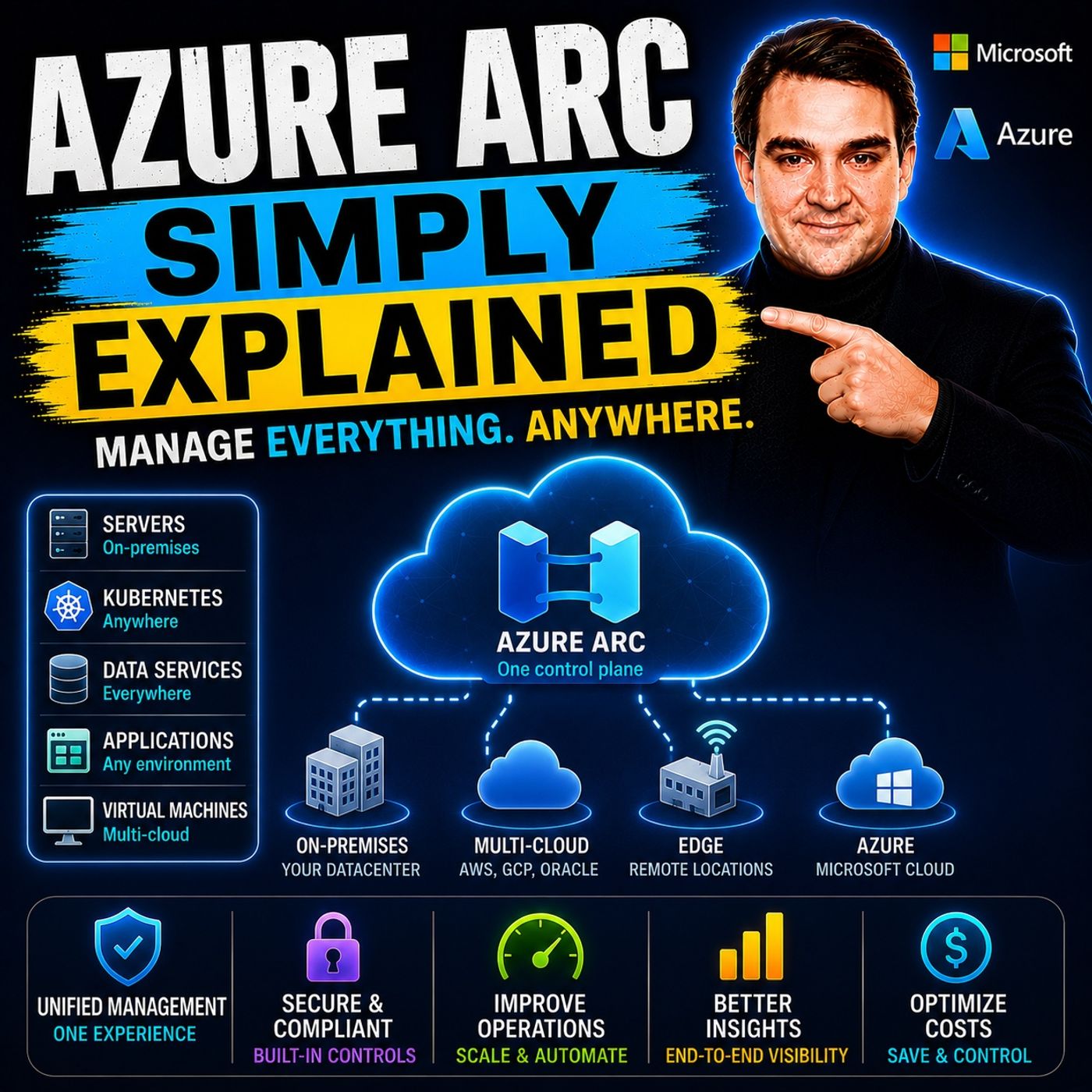
Modern IT environments rarely exist in a single cloud. Most organizations run Windows and Linux servers across on-premises data centers, Microsoft Azure, Amazon Web Services (AWS), Google Cloud Platform (GCP), branch offices, and edge locations. Unfortunately, every environment introduces its own management portal, security tools, monitoring platform, and patching process. The result is fragmented operations, inconsistent security, configuration drift, and unnecessary complexity. In this episode of Microsoft Knowledge Nuggets, we explain Azure Arc in simple terms and show how it extends Azure's management capabilities beyond Azure itself. Rather than moving workloads to the cloud, Azure Arc brings Azure's governance, monitoring, security, and automation to the infrastructure you already own—wherever it runs. WHAT AZURE ARC ACTUALLY IS One of the biggest misconceptions is that Azure Arc is another cloud service. It isn't. Azure Arc doesn't replace your data center, migrate workloads, or host your applications. Instead, it acts as a bridge between your existing infrastructure and Azure Resource Manager. Using the lightweight Azure Connected Machine Agent, servers running outside Azure become Azure resources with their own resource IDs, resource groups, and management capabilities. Whether your workloads run on Windows Server, Linux, VMware, Hyper-V, AWS, Google Cloud, or edge devices, Azure Arc allows them to be managed through the same Azure portal and APIs used for native Azure resources. The result is a true hybrid and multi-cloud management experience without requiring application migration. GOVERNANCE, SECURITY, AND COMPLIANCE AT SCALE Once a server is connected through Azure Arc, organizations can immediately apply Azure Policy, Azure RBAC, Azure Machine Configuration, tagging, and centralized governance across their entire infrastructure. Instead of managing different compliance tools for every environment, administrators define policies once and automatically enforce them across Azure, on-premises, and other cloud providers. Azure Arc also integrates directly with Microsoft Defender for Cloud, Azure Monitor, Microsoft Sentinel, VM Insights, Log Analytics, and Extended Security Updates for legacy Windows Server and SQL Server versions. This provides centralized threat detection, vulnerability assessments, security recommendations, monitoring, and compliance reporting regardless of where workloads physically reside. PATCH MANAGEMENT, REMOTE ADMINISTRATION, AND AUTOMATION Azure Arc dramatically simplifies day-to-day operations by providing centralized update management, automation, and remote administration. Azure Update Manager enables organizations to patch Windows and Linux servers across Azure, on-premises environments, AWS, and Google Cloud using a single maintenance schedule. Administrators can execute PowerShell and Bash scripts through the Custom Script Extension without opening inbound firewall ports, while Windows Admin Center delivers secure browser-based server management directly from the Azure portal. Combined with Azure Automation, Remote Support, and secure outbound-only communication through HTTPS, Azure Arc enables organizations to manage hybrid infrastructure efficiently without deploying VPNs or exposing management interfaces to the internet. AZURE ARC FOR KUBERNETES, SQL SERVER, AND MULTI-CLOUD Azure Arc extends far beyond traditional servers. Kubernetes clusters running anywhere can be connected to Azure using GitOps with Flux for declarative deployments, centralized monitoring, and policy enforcement. Azure Arc also enhances SQL Server with vulnerability assessments, best practice recommendations, migration readiness analysis, pay-as-you-go licensing, and Azure Arc-enabled SQL Managed Instance. Through dedicated connectors for AWS and Google Cloud Platform, Azure Arc discovers cloud resources, automatically onboards supported virtual machines, and provides unified inventory, governance, and monitoring across multiple cloud providers. Instead of managing separate Azure, AWS, and GCP environments independently, organizations gain a single operational view across their complete infrastructure estate. WHY AZURE ARC HAS BECOME ESSENTIAL FOR HYBRID CLOUD The real value of Azure Arc isn't any individual feature—it's the unified management experience it creates. Rather than maintaining separate security policies, monitoring tools, update systems, and governance processes for every environment, Azure Arc establishes a single control plane for hybrid and multi-cloud infrastructure. Organizations improve operational efficiency, strengthen security, simplify compliance, and reduce administrative overhead while preserving the freedom to run workloads wherever they make the most business sense. Whether you're managing Windows Servers, Linux systems, Kubernetes clusters, SQL Server, VMware environments, edge computing, or multiple public clouds, Azure Arc delivers consistent governance and cloud-native management without requiring large-scale migration projects. After listening to this episode, you'll understand why Azure Arc has become one of Microsoft's most important technologies for modern hybrid cloud operations and why it serves as the foundation for unified infrastructure management across Azure and beyond. Become a supporter of this podcast: https://www.spreaker.com/podcast/m365-fm-microsoft-365-azure-cloud-power-platform-ai--6704921/support.
Apple Podcasts · Spotify · YouTube · YouTube Music · Deezer
Host: Mirko Peters
Related articles
Transcript
Read the full transcript
Let's start with the problem. You've probably felt it even if you never had a name for it. Most companies today don't have one single place where everything lives. You've got servers in your own data center that once your predecessor set up 10 years ago that still run payroll. You've got virtual machines in Azure, maybe for a new application, your team built last year. You've got stuff running on Amazon Web Services because a department went rogue and spun up their own account. Maybe even some Google Cloud for a specific analytics job. Here's the thing. Each one of those environments has its own portal. Its own management tools, its own way of applying policies, its own security dashboard, its own patching schedule. So what does that mean for you? Your team ends up jumping between four different consoles just to see what you have let alone manage it. Security policies get applied unevenly because nobody remembers to check every environment. Patches slip through the cracks because one environment uses a different update tool than the others. And when something breaks, you're digging through multiple log sources trying to piece together what happened. This fragmentation creates blind spots and blind spots create risk. You don't know if every server has the latest security patch. You don't know if a configuration drifted on that one machine running in AWS. You don't even know how many servers you actually have across all these environments. The pain is real. Managing a hybrid or multi-cloud world without a single control plane leads to wasted time, security gaps, and operational inefficiency. You're spending more time switching tools than actually managing your infrastructure. But what if you could bring all those environments together under one roof? What Azure Arc actually is, the bridge. That's where Azure Arc comes in. Let me be clear about what it is right from the start. Azure Arc is not a cloud. It doesn't replace your data center. It doesn't migrate your servers anywhere. Think of it as a bridge. A connection between the servers you already have and Azure's management tools. Here's how it works. Azure Arc projects any machine running outside Azure into Azure Resource Manager. That's the engine that powers everything in Azure. Every virtual machine, every database, every resource you see in the portal has a record in Azure Resource Manager. With Arc, a server sitting in your basement, a virtual machine running on AWS, or a Kubernetes cluster at the edge all get their own Azure Resource ID. They show up in the portal just like native Azure resources. And once they're there, you can do things with them. You can apply Azure Policy to enforce security settings. You can use Azure Monitor to collect performance data and logs. You can enable Microsoft Defender for Cloud to scan for vulnerabilities and detect threats. All on servers that aren't running in Azure. The core idea is simple. You don't need to migrate anything to get Azure's management capabilities. You don't move your workloads. You don't re-architect your applications. You just connect what you already have to Azure's management plane. This works with Windows Server. It works with Linux. It works with Kubernetes clusters running anywhere. It works with SQL Server instances. It even works with Azure Data Services that you can run on your own hardware. So whether your server is in a data center, a remote branch office, an AWS region, or a Google Cloud Zone, Arc brings it into the same management experience. That's the simplest definition. Azure Arc brings Azure's management plane to where your servers already live. So how does this bridge actually work? It starts with a small piece of software. The secret source, the connected machine agent. So what exactly is the Azure connected machine agent? It's a lightweight piece of software you install on each server you want to manage through Arc. Once installed, the agent connects outbound to Azure over HTTPS on port 443, the same port your browser uses. So you don't need to open inbound ports or set up a VPN. The server reaches out to Azure, not the other way around, which means better security without punching holes in your firewall. Once that connection is made, your server, whether it's in your data center or running on AWS, appears in the Azure portal as a full Azure resource. It gets a resource ID, a region assignment, and a resource group just like any Azure VM. You can tag it, apply policies, monitor it, and manage it. Here's the best part. The agent is free. Connecting a server to Azure Arc costs nothing. You only pay for the services you enable on top, like Microsoft Defender for Cloud, Azure Update Manager, or Azure Monitor. So your bill only covers what you actually use. What does the agent actually do? It keeps the communication channel with Azure open. It handles extensions. Think of those as add-ons for monitoring or security scanning. And it sends inventory data back so you always know what's running on that machine. Installation is straightforward. In the Azure portal, navigate to Azure Arc, select servers, and generate an onboarding script, PowerShell for Windows, or Shell for Linux. Run it on the target machine with admin rights, authenticate to Azure, and within minutes, the server appears in your portal. All you need is admin rights and internet access. Once connected, you manage it just like any Azure VM. Install extensions, run scripts, apply policies, monitor performance, the experience is identical. With the agent in place, you unlock capabilities that change how you manage that server. Let's start with governance. What arc unlocks? Governance at scale. So you've connected a server to Arc. Now what? The first thing you'll notice is that you can apply Azure policy to it. The same policy engine that governs Azure resources now extends to your on-prem or AWS servers. In practice, you enforce compliance rules across your entire fleet, no matter where machines live. Need every server to have a specific security setting, write a policy, assign it to your Arc enabled servers, and Azure continuously checks compliance. If a server drift, you get an alert. You can even set up automatic remediation in some cases, tagging is another piece. You already tag Azure resources with environment, cost center, and owner tags. With Arc, you tag hybrid servers the same way. So that machine in your basement gets the same tags as your Azure VMs, making cost tracking, ownership, and environment separation consistent across your whole estate. Next up is access control. Azure RBAC lets you define who can do what on your on-prem servers through the Azure portal. Give your junior admin read only access to see inventory without making changes and let your security team run vulnerability scans without full admin access, or control from Azure, not from local policies on each server. Azure machine configuration goes further. It audits and sets OS level settings across your entire fleet from one place. Want Bitlocker enabled on every Windows server? Write a policy that checks and reports compliance. Need a specific registry key set correctly on all your Linux machines? Same thing. Define the desired state once, and Azure evaluates every Arc enabled server against it. Let me give you a concrete example. Say you have servers spread across three data centers, two cloud providers, and a dozen remote retail locations. You want to enforce a security baseline? Encryption enabled, certain ports closed, a specific antivirus installed. Without Arc, you'd check each environment with different tools. With Arc, you write one policy, assign it to the relevant scope, and Azure shows you which servers are compliant and which aren't, all in a single dashboard. That's governance at scale. One set of rules, one view of compliance, no matter where your servers live. Once you have that governance layer in place, the next thing to tackle is security, because threats don't care where your server runs. What Arc unlocks? Security and monitoring. Here's where Arc really shows its value, security. The hard truth is, a vulnerability sitting on a server in your data center is just as dangerous as one running in Azure. But without Arc, you're probably handling those with different tools, different processes, maybe even different teams. That changes now. With Arc, Microsoft Defender for Cloud extends to your hybrid servers. So the same vulnerability assessments, threat detection, and security recommendations you already get for Azure VMs, now applied to machines running on-prem, on AWS, or at the edge. Defender scans your entire hybrid fleet for missing patches, weak configurations, and suspicious activity. Then surfaces everything in the dashboard you already use for Azure resources. No more juggling separate tools. What about incident response? Microsoft Sentinel can pull logs from Arc machines too. So if Sentinel is your security information and event management tool, you get one unified security dashboard for every environment. No more jumping between different log sources, trying to piece together what happened. All your security data from all your servers lands in one place. Then there's monitoring. Azure Monitor collects performance metrics, logs, and alerts from hybrid machines, just like it does from native Azure VMs. Set up a log analytics workspace, configure your data collection rules, and start seeing CPU, memory, disk, and network data from every Arc enabled server. Want to know if a server's CPU stays above 90% for more than 15 minutes? You create an alert, and that alert fires whether that server lives in Azure, your data center, or in AWS region. VM Insights gives you real-time visibility into CPU, memory, and disk usage across your entire fleet. You can open a map of your servers, spot which ones are running hot, and drill into performance details without leaving the Azure portal. And this works for servers on-prem in AWS anywhere they happen to be. One more piece, extended security updates. Running an out-of-support version like SQL Server 2012 or Windows Server 2012, before you have to migrate those workloads to Azure to keep getting security patches. With Arc, you get those patches on-prem, no migration required. The updates come through the Arc channel, keeping your legacy system secure while you plan your next move. And here's a key point. You don't need a VPN or a bastion host to get remote visibility. All that monitoring data flows through the Arc agent secure outbound channel, no inbound ports, no complex networking, just the agent talking to Azure over HTPS. So you can see your servers monitor them and keep them secure, but what happens when you actually need to fix something or install an update? What Arc unlocks? Updates and remote management. You can see your servers, monitor them, and enforce policies. But eventually you need to do things, install updates, run scripts, troubleshoot issues. Arc handles that too. Azure Update Manager lets you schedule patching across all your Arc machines from a single dashboard. See which servers need updates, create a maintenance window and deploy patches, and it's not just Arc machines. You can include Azure VMs and even AWS EC2 instances in the same schedule. One dashboard, one patching rhythm, no matter where the server lives. Need to run a script on a remote machine. The custom script extension works on Arc servers just like it does on Azure VMs. Upload a PowerShell or Bash script, pick which servers to target and Azure executes it through the Arc agent. No RDP, no SSH into each machine individually. You can run the same script across hundreds of servers with a few clicks. Windows Admin Center in Azure gives you browser-based management for Arc servers. Open a console, view event logs, manage services, work with files, all through the Azure portal without a VPN or a public IP on the target server. The connection goes through the Arc agent's secure channel. That's a game changer for servers in remote locations or locked down environments where opening remote access ports isn't an option. Remote support provides just in time access with full audit logging. When you need to troubleshoot a problem, you grant temporary access through Arc. The session gets logged, everything that happens is recorded and when you're done, the access is revoked, no standing admin accounts, no permanent remote access paths. And as your automation runbooks can automate workflows across your hybrid environment, onboarding new servers, fixing configuration drift, responding to alerts. You write a runbook once and it runs across all your Arc enabled machines. So now you've got governance, security, monitoring, updates and remote management, all from one place for servers that aren't even in Azure. That's the core of what Arc delivers. Beyond servers, Kubernetes, SQL Server and data. So far, we've been talking about individual servers, your physical or virtual machines, but Arc doesn't stop there. It extends to Kubernetes clusters, SQL Server instances and even data services. Let's start with Kubernetes. If you're running Kubernetes on premises, on AWS, EKS or at the edge, Azure Arc projects those clusters into Azure resource manager, so they show up in the portal right alongside your other resources. You see all your clusters in one inventory, no matter where they run. Once the cluster is connected, you can use GitOps with Flux to define your cluster's desired state in a Git repository and Flux continuously reconciles the cluster to match it. Deployments, configurations, namespace settings, all managed through code and consistent across every environment. Plus, you get performance monitoring through Azure Monitor for containers or from the same dashboard you use for everything else. For SQL Server, Arc brings a whole new set of capabilities. Best practice assessments run automatically to evaluate your SQL instances for configuration issues, performance problems and security gaps while vulnerability scanning identifies potential weaknesses. And you get pay as you go licensing, paying per core per hour through your Azure subscription, even though the instance runs on your own hardware. Arc enabled SQL managed instance is where things get really interesting. It lets you run a fully managed SQL instance on your own infrastructure with the same engine as Azure SQL managed instance, including automatic updates, built in higher availability and elastic scaling. But it runs on your hardware in your data center, perfect for workloads that can't move to the cloud yet due to latency, regulation or legacy dependencies, but still need modern management. Migration assessments run automatically every seven days, evaluating your SQL databases and telling you what's ready to move to Azure, whether the right target is Azure SQL database, SQL managed instance or a SQL VM. And what blockers you need to address. This runs continuously so you always know where you stand. And for SQL Server 2012 and older, Arc delivers extended security updates without requiring you to migrate to Azure. The security patches come through the Arc channel to keep your legacy systems protected while you plan your next steps. This is where Arc becomes more than a management tool. You get cloud-like management and security on your existing infrastructure with a clear path to migration when you're ready. The multi-cloud reality, managing AWS and GCP. What about when your servers live inside another cloud entirely? Arc has an answer for that too. The multi-cloud connector for AWS is a resource you create an Azure that connects to your AWS environment, discovers EC2 instances, S3 buckets, and over 125 resource types, and replicates them all into Azure resource manager. So you see AWS resources alongside your Azure resources in the portal across Azure resource graph queries and in your dashboards. The connector can automatically install the Arc agent on discovered EC2 instances so you don't have to manually onboard each one. It identifies your AWS servers, installs the agent and brings them under Azure management. And when new instances spin up in AWS, they're automatically discovered and onboarded. For Google Cloud Platform, a similar connector brings inventory visibility and management capabilities. You provide your GCP project details and the connector discovers resources and makes them visible in Azure. Once these machines are connected, you can run Azure Policy and Azure Update Manager across them. The same policies you apply to your Azure VMs and on-prem servers now apply to machines running in AWS and GCP with the same update schedules and the same compliance reporting or from one place. This gives you a single pane of glass for all servers regardless of provider. You stop thinking about my Azure servers and my AWS servers and start thinking about simply my servers. The location becomes a property of the resource, not a separate management domain. What Arc is not? Clearing up confusion. Now that you've seen what Arc can do, let's clear up a few common myths. Here's what Arc is not. Myth number one is Azure Arc a Cloud? No. It doesn't give you compute storage or networking. It doesn't run your applications. Think of it as a management layer. It connects your existing infrastructure to Azure's management tools. Your workloads stay where they are. Arc just gives you a better way to manage them. Imagine you have a building with its own security system. Arc doesn't move the building. It just installs a new smart lock you can control from anywhere. Myth number two, does Arc migrate your servers? Not at all. Nothing moves. The machine stays right where it is. In your data center on AWS or wherever you run it, Arc creates a pointer in Azure resource manager, not a copy. Think of it as a bookmark instead of a photocopied. The actual workload never leaves its original location. Myth number three, do you need Arc on a VM that's already in Azure? No. Native Azure VMs already have the Azure VM agent built in. That agent gives you the same management capabilities. Arc is only for machines outside Azure. If your VM is already in Azure, you're already set. Myth number four is Arc a replacement for your current tools? No. It adds Azure's capabilities on top of what you already have. You can keep using System Center, Configuration Manager, or whatever tools you've invested in, Arc complements those tools. It adds a new layer of cloud-based governance and security that your existing tools might not offer. Myth number five, what about the agent? Is it heavy? No, it's lightweight. Uses minimal CPU and memory, and it's free. The cost comes from the services you enable on top, like Defender for Cloud or Azure Monitor, connecting a server costs nothing. Zero, Zilch. Myth number six is Arc only for servers? No, it works with Kubernetes, SQL Server, data services, and more. It's a platform that extends as your management to any resource type anywhere you have it running. The big picture, one control plane. So what does all of this add up to? Here's the thing, the real value of Azure Arc isn't any single feature. It's integration, not the agent, not the policies, not the monitoring. It's how all these pieces work together to give you one consistent way to manage every server you own. Now imagine your day to day. You stop jumping between four different portals. You stop worrying if a policy was applied to that one server running in AWS. You stop searching through different tools for the information you need. Instead, you have one place to govern, one to monitor, one to secure, one to patch. Your entire server estate, no matter where it lives, managed through a single control plane. That's the magic of it. And getting started is easier than you think. The hardest part only takes about 10 minutes. First, register the resource providers in your Azure subscription, then install the agent on one server. Watch it appear in the portal from there you add capabilities one at a time. Enable Azure policy, turn on Defender for Cloud, set up update manager. Each step builds on the last. You don't have to do everything at once. Start small and grow from there. Start simple. Head to the Azure portal, find Azure Arc, pick servers and hit create. Choose your subscription and resource group, generate the onboarding script and run it on a test machine. About 10 minutes later, you'll see a server that isn't inside Azure sitting right there in your portal ready to manage. That one experiment teaches you more about what Arc actually does than anything I can explain here. Subscribe to the show for more knowledge nuggets like this. Every week we break down Microsoft's platform in plain English and drop a comment with your biggest question about hybrid or multi-cloud management. I read every single one.