 EN
EN Deutsch
 Español
 Français
 Italiano
 Português
 Nederlands
 Polski
 Bahasa Indonesia
 Русский
 Українська
 العربية
 עברית
עברית हिन्दी
 日本語
日本語 한국어
한국어2026-08-17 · Season 3
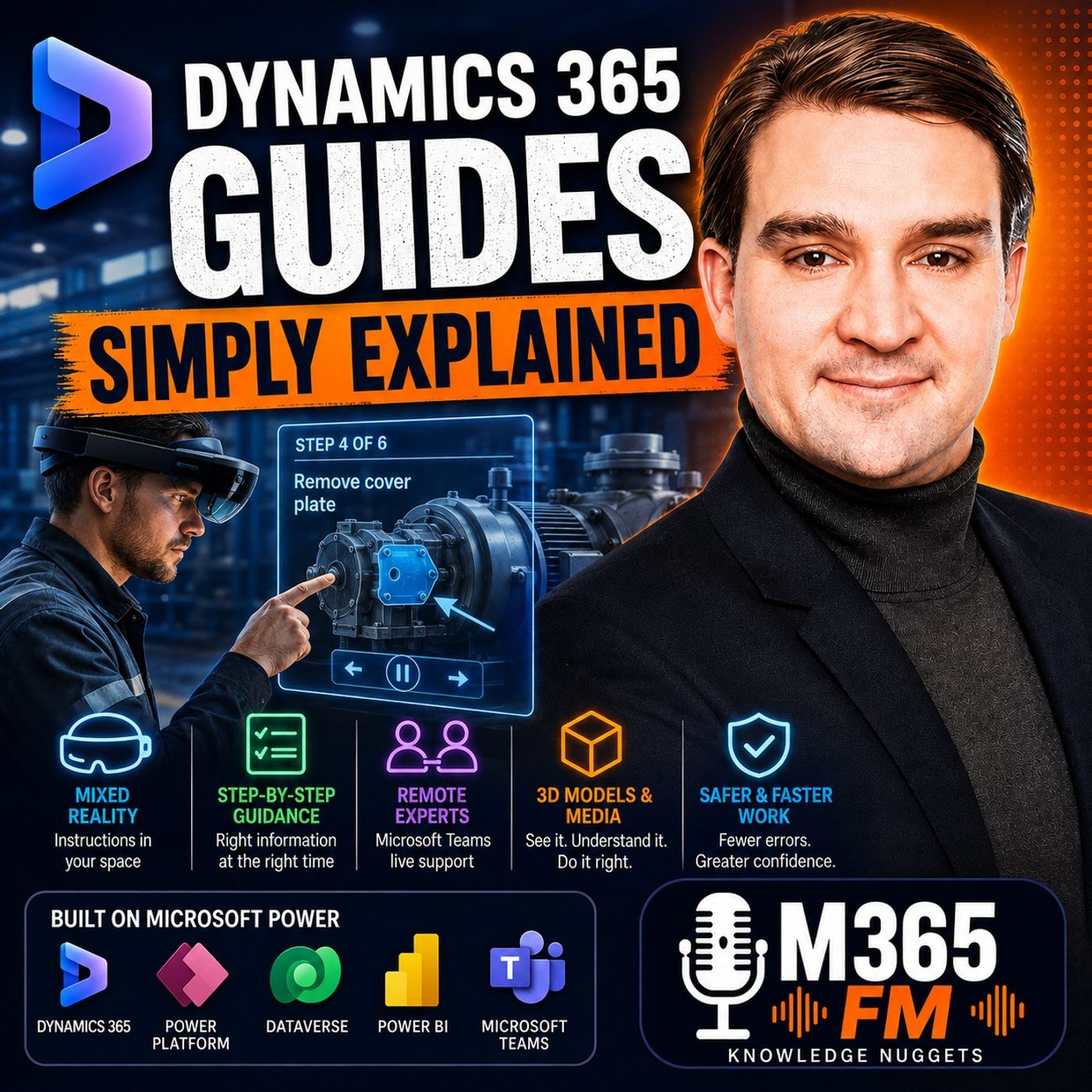
Dynamics 365 Guides - Simply Explained
Show notes
Imagine standing beside a large industrial machine and seeing the next repair instruction appear directly beside the panel you need to open. Instead of putting down your tools, walking back to a laptop, searching through a PDF, or trying to remember what an experienced technician told you during training, the information appears directly inside your field of view. That was the central idea behind Microsoft Dynamics 365 Guides. In this episode of Microsoft Knowledge Nuggets on M365 FM, Mirko Peters explains Dynamics 365 Guides in plain English: what the mixed reality application was designed to solve, how Microsoft HoloLens brought instructions into the physical workplace, how companies could capture expert knowledge, how Microsoft Teams enabled remote assistance, and how Dynamics 365, Dataverse, Power Platform, Power BI, and AI could extend the experience. There is also an important strategic issue organizations need to understand: Microsoft has set December 31, 2026 as the end-of-availability date for Dynamics 365 Guides and Dynamics 365 Remote Assist. For organizations still using the technology, preserving the knowledge contained inside their Guides is therefore becoming just as important as understanding the technology itself. WHAT IS DYNAMICS 365 GUIDES? Dynamics 365 Guides is a Microsoft mixed reality application designed to bring step-by-step work instructions directly into the physical environment where employees perform a task. Instead of requiring a technician to repeatedly move between a machine and a manual, Guides could display digital instruction cards, images, videos, and 3D objects through a Microsoft HoloLens headset. The employee could still see the real machine, tools, equipment, coworkers, and surrounding environment. Digital information appeared alongside that physical world. This made Guides particularly interesting for scenarios involving manufacturing, maintenance, inspections, field service, training, assembly, and other repeatable physical processes. The fundamental concept was simple: Bring the instruction to the work instead of forcing the worker to leave the work to find the instruction. THE PROBLEM: INSTRUCTIONS ARE OFTEN FAR FROM THE WORK Physical work frequently happens far away from the information required to perform it. A technician may be servicing a pump. An operator may be assembling equipment. A maintenance employee may need to inspect dozens of components in a particular sequence. A quality inspector may need to compare a finished component against an approved standard. Traditionally, those employees might rely on paper manuals, PDFs, laptops, classroom training, or experienced colleagues. All of those methods can work. But they create a separation between where the knowledge lives and where the work happens. A technician reads the manual, returns to the machine, remembers as much as possible, completes part of the task, and then potentially returns to the documentation. That constant context switching creates friction. WHY TRADITIONAL MANUALS CAN BECOME A PROBLEM Imagine a new technician standing beside a machine they have never repaired. The manual refers to components by technical names and part numbers. The actual machine contains cables, covers, grease, connectors, labels, bolts, and dozens of components that look similar. The technician reads the manual. Then they look at the machine. Then they return to the diagram. Then they try to determine whether the component shown on the page is actually the component in front of them. An experienced technician may perform the same task almost automatically because years of experience have created practical knowledge that the manual does not fully communicate. Dynamics 365 Guides attempted to reduce that gap by putting visual guidance directly beside the physical object. CAPTURING EXPERT KNOWLEDGE Experienced employees often possess enormous amounts of undocumented knowledge. They know which cover should come off first. They know which tool fits into a difficult space. They recognize what a correctly installed component should look like. They know where common faults occur. They know which warning signs inexperienced employees frequently overlook. The problem is that much of this information exists primarily inside people's memories. When those employees are busy, working at another location, changing jobs, or retiring, organizations can lose valuable operational knowledge. Dynamics 365 Guides provided a way to convert some of that experience into structured digital instructions. An experienced technician, process engineer, or trainer could create a repeatable sequence that another employee could follow while standing directly beside the equipment. WHAT IS MIXED REALITY? Mixed reality combines the physical environment with digital information. With Dynamics 365 Guides, an employee could wear a Microsoft HoloLens headset while continuing to see the real world. Digital elements could then appear within that environment. Those elements might include instructions, arrows, photographs, videos, or 3D models. This differs from a completely immersive virtual reality experience. The employee is not transported into a simulated factory. They remain inside the real factory looking at the real machine. The digital information appears alongside it. Think of a traditional manual as a document stored in another room. Mixed reality turns parts of that manual into signs positioned directly beside the equipment. HOLOLENS AND HANDS-FREE WORK One of the practical advantages of HoloLens was the ability to keep the worker's hands available. Physical jobs frequently require both hands. A technician may be holding a tool. An operator may need to stabilize a component. Someone may be wearing protective equipment. Trying to operate a smartphone or balance a laptop while performing that work can interrupt the process. With HoloLens, the headset becomes the display. The employee can continue looking at the equipment while digital information remains visible. This sounds like a relatively small change, but it can significantly alter the workflow for tasks where repeatedly stopping to check documentation creates delays. TEXT, PHOTOS, VIDEO AND 3D OBJECTS A Dynamics 365 Guide could combine several forms of instructional content. Text could explain what action the employee should perform. A photograph could show what the correctly completed step should look like. A short video could demonstrate a movement that would be difficult to describe clearly in several paragraphs. A 3D model could help the employee identify the component they need to inspect. The important difference was spatial placement. The content was not simply another video playing somewhere inside the headset. Authors could position digital elements inside the physical workspace. An arrow could appear near a particular panel. A 3D model could appear beside the component it represents. The employee could therefore connect the instruction with the real object more directly. WHY SPATIAL PLACEMENT MATTERR Consider the instruction: "Inspect the filter housing." That sentence may be perfectly clear to an experienced technician. A new employee may have no idea which of several similar components is the filter housing. A photograph can help. A 3D model can help further. But mixed reality can go another step by placing the guidance near the actual component. The employee does not need to mentally translate a two-dimensional diagram into the complicated physical machine standing in front of them. That reduction in interpretation is one of the most interesting aspects of mixed reality instructions. CREATING A DYNAMICS 365 GUIDE Guides did not automatically understand how a company's equipment worked. Someone needed to create the instructions. The process typically started with a subject matter expert such as an experienced technician, process engineer, or trainer. Using the Dynamics 365 Guides PC application, the author could create a sequence of steps. Each step could contain concise instructions and supporting media. The author could then use HoloLens inside the actual work environment to position relevant digital elements around the equipment. This combined two types of knowledge: Process knowledge — what needs to happen. Spatial knowledge — where it needs to happen. Together, those elements created the mixed reality guide. GOOD GUIDES REQUIRE GOOD INSTRUCTIONS Mixed reality does not automatically make bad documentation useful. If an instruction is unclear, putting it inside a headset does not solve the problem. If an arrow points vaguely toward several similar components, the employee still does not know which component matters. If a hologram blocks the worker's view of the equipment, the technology may create another problem. Good Guides therefore required concise wording, careful spatial placement, appropriate media, and genuine understanding of the physical workspace. Instructions needed to reflect how people actually performed the work rather than how someone sitting at a desk imagined the process worked. Become a supporter of this podcast: https://www.spreaker.com/podcast/m365-fm-microsoft-365-azure-cloud-power-platform-ai--6704921/support.
Apple Podcasts · Spotify · YouTube · Deezer
Host: Mirko Peters
Guests
Related articles
Transcript
Read the full transcript
Imagine you whoom, standing beside a large machine, and the next repair step appears right beside the panel you need to open. You can see the instruction, the tool, and a 3D model without putting down what you tom re-holding. Is Dynamics 365 Guides just a HoloLens demo? Is it a training app, or could it help with real work on a factory floor at a customer site or during an inspection? Yauhtem and Mercopeter is from N65FM, and this knowledge nugget explains it in plain English. You would see how Guides helped workers, how its parts work together, and why its retirement date matters if your company still uses it. Think of it as a digital coach beside the machine, pointing you toward the next job. Let out timers, look at the problem it was built to solve before we even talk about the headset, a CLS. The work problem, instructions, far from the job. When you're ultimately doing physical work, the instructions you need are rarely right where you attempt re-working. Think about a technician servicing a pump, an operator assembling a part in the correct order, or someone doing a safety check on a list of small items. A quality inspector might need to compare the finished piece against an approved standard. These jobs don't know what happened at a desk. For years, the usual answer was a paper manual, a PDF on a laptop, classroom training, or a more experienced coworker standing nearby. Each approach can help, but none of them puts the instruction right next to the job you ultimately do. Picture a new technician beside a machine they would TM have never repaired. The manual sits on a cart across the room. The diagram uses part numbers, while the machine has grease, cables, covers, and dozens of bolts that all look fairly similar. The technician stops, walks back to the manual, finds the page, returns to the machine, and tries to remember what the diagram showed. That who artens a lot to hold in your head, experience workers often fill that gap. They know which cover comes off first, which tool fits the space, where a common fault appears, and which warning newer staff may overlook. Much of that knowledge lives in their memory because they out of them were done the work many times. But you can out and rely on one person out of his memory when they out of them were not there. When that person is busy on another site, or no longer with the company, the next worker may need to call them. They may send a photo, they may describe the problem over the phone, and hope both people mean the same part, or they guess. And guessing does know, Tim Tet is belong in a repair or safety process. Classroom training has a similar limit. You can learn the steps in a meeting room, perhaps even watch somebody do the job. But the real task looks different when you, Tim, are in front of the equipment with limited space, noise around you, and tools in both hands. The instruction sits in one place. The work happens somewhere else. The expert may be somewhere else again. That old setup forces you to jump back and forth between the manual, the machine, and memory while trying to complete a careful physical task. It slows people down, especially when they are new to the job or only perform it once in a while. When you can see the instruction right next to the object, the pressure drops. Instead of remembering which panel to inspect, the worker sees the instruction near that panel. Instead of flipping between a picture and the real object, they compare them in the same view. Fewer switches in focus means fewer missed steps. Still, software does not aim at it, it turns someone into a qualified technician. Guides could support a trained worker with approved instructions. It could now to met, replace safety rules, lockout procedures, local side rules, hands-on skill, or the judgment to stop when something looks wrong. If a task needs certification or expert approval, a floating instruction card does know to change that. So Microsoft did know to make to try to solve this with another checklist on a phone screen. The idea was mixed reality where the instruction could appear in the same space as the job. Mixed reality in plain English. Welcome back to another episode of Microsoft Knowledge Nuggets. Yao Tumant, M, Mirko Peters, and today, we outterm, we're talking about mixed reality in plain English. So what exactly is mixed reality? In simple terms, it puts digital guidance right into the room where you temporary working. With Dynamics 365 Guides, you wear a Microsoft HoloLens headset. You can still see the real machine, the tools and the people around you, but digital instruction cards and 3D objects appear within that view. But they don't open to replace the real world, or they sit right alongside it. Here, Yao Tums the thing. Most people think mixed reality is only for gaming or futuristic demos. It is notmit, et out, Mr. Practical Tool for real work. Think about an office building for a moment. A normal paper manual is like a folder locked in a filing cabinet on another floor. You read it, remember the instruction, then walk back to the room where the job happens. Guides changes that picture. The instruction becomes a sign placed beside the correct door. An arrow can point toward the right cabinet and a 3D image can sit near the part you need to inspect. You are to be looking at the machine and the guidance in the same physical space, rather than switching between a document and the work. That, Yao, Tums, what mixed reality means here. Now, what does a guide actually include? The guidance can include short written steps, photos, video clips, and 3D holographic objects. Each item has a job, text explains the action. A photo shows the approved result, a video demonstrates a movement that would take too many words to explain. And a 3D model helps you recognize a part before you touch it. But here, Ms. the key or the cards were, and it meant to act like a video playing in the corner of your view. Instead, authors place digital items directly in the physical workspace. But that placement matters. A holographic arrow near a panel points to that panel and a model beside a connection helps identify that connection. The instruction stays linked to the place where the work takes place. So when you move around a machine, the guide can help you keep your bearings. Lett out and make it concrete. Imagine a technician checking a large piece of equipment. The first card appears near the front panel and tells them which fasteners to inspect. A 3D model shows the shape of a part behind the cover, so they know what they are looking for before opening anything. Then the next instruction directs their attention to a second panel right where they need to work. No one needs to translate a flat drawing into a real object while standing in a tight space with cables, labels, and similar looking parts all around them. It tells them is a more direct way to deliver instructions. Why does that matter? Because HoloLens also keeps the worker autumn's hands free, a technician may hold a tool, steady a component, or wear protective gear. Stopping to tap a phone or type on a laptop can interrupt the task at exactly the wrong moment. Guides let operators use their gaze to control parts of the experience. They look at the control for the next step and user glance to move forward. The headset becomes the screen while both hands stay with the physical job. That sounds small, but it changes the flow of the work. You are now to amteet carrying a clipboard in one hand and a wrench in the other. You are now to amt trying to balance a laptop on a nearby surface. The information stays in view while your hands stay available. Of course, a hologram needs to stay understandable. If an instruction blocks the part you need to see, it creates a new problem. If a 3D arrow points vaguely at several parts, it does know it, to guide anyone. The content needs clear wording, careful placement, and a real understanding of the workspace. Mixed reality explains what the operator sees through the headset, but those instructions did not appear by themselves. Someone first needed to turn practical knowledge into a guide, but it's glars. From expert knowledge to a guide, so where did the instructions come from? Usually they came from the person who already knew the job well in a factory or service team that might be an experienced technician, a process engineer, or a trainer who understands the approved way to complete a repeatable task. That person did know to test need to write code or build a full 3D application. They could start in the Dynamics 365 Guides PC app, where a guide takes shape as a series of steps. For every step, the author could write a short instruction, then add photos, video clips, and 3D objects, where those helped explain the work more clearly. Think of a maintenance routine for a pump. An experienced technician might create a step called, or isolate the unit using the approved site procedure. A.O. the next step could show a photo of the correct access panel. Another could include a short video that shows how to remove a cover without damaging a nearby cable. Later, a 3D object could help a new worker recognize the filter housing before they start the inspection. The guide does not need long paragraphs. Good instructions focus on one action at a time, because the worker still has to look at the equipment, use their tools, and follow the site of the safety process. Clear words beat clever words every time. Now, a subject matter expert could capture the order they already followed in real life and add the small details newer workers often miss. Which part needs a close look? What a correctly fitted component looks like? Where somebody should pause and check their work before continuing. Those details often live in an experienced worker outtams head, and they can disappear when that person changes jobs or retires. The PC app handles the plan sequence. But a screen on a desk can outtamity tell you whether a digital marker sits beside the correct bolt, panel, or connection in the real workspace. That part happens with the HoloLens app. The author puts on the headset, opens the guide, and enters the actual work area. They can pick up the digital instruction card or 3D object, move it, turn it, and place it where the worker will need it. Placement takes care. A warning needs to sit where it can be read without hiding the equipment. A 3D model needs to point clearly to the correct part, not a group of parts that look alike. The author also needs to think about how someone moves around the machine, where they stand, and what they can safely see. This stage connects the written process to the physical task. Imagine that experience technician again. They create the maintenance guide at a PC step by step while thinking through the safe order of work. Then they wear the HoloLens at the machine and place each instruction where it makes sense. The first card sits near the area where the task begins. A photo appears beside the cover that needs inspection. A 3D model sits near the filter housing. Another instruction appears at the point where the worker needs to confirm that everything is back in place before they finish. Now a new technician can use that guide while doing the same job. They don't even need to guess what the expert meant by O-check the housing O, or search for a diagram that uses unfamiliar labels. The guide gives them the approved sequence created by someone who knows the equipment and the process. Think of it as a filing cabinet for practical knowledge. A paper filing cabinet stores documents where people can find them later. At an MX365 guide stores the steps, images, videos, and 3D objects that explain how a task should happen, so the next worker can use that knowledge at the moment they need it. But the first version rarely comes out perfect. An operator might find that an instruction uses a word nobody says on the shop floor. A photo could show too much of the machine, a hologram might sit, slightly too high for someone who works from a different position. Those are not in failures, are they out in a useful feedback from the people doing the work? The team can update the guide, test it again, and share the clearer version. Over time, a repeatable maintenance job becomes easier to teach consistently. The experience technician still owns the knowledge, but the guide gives that knowledge a practical place to live rather than leaving it trapped in a memory, a notebook, or a rushed phone call. Of course, this only works for work the guide already knows. When an unexpected problem appears, the worker may still need a real expert who can look at the situation with them. That word must be honest truth. So to sum it up, mixed reality brings instructions into your physical workspace, keeps your hands free, and captures expert knowledge so anyone can use it. That utunts, "ins the power of dynamics". 365 guides in plain English, thanks for listening, and I out them, will see you in the next episode. When a remote expert needs to see what you see, a guide works great when everything goes according to plan, but here's the thing. Physical work rarely follows the script perfectly. A bolt might look damaged, a panel might have a part that doesn't match the instructions, or the worker might complete every step and still get an unexpected result. That's exactly when a remote expert can prevent a long delay. Inside the guide, Dynamics 365 guides included a direct connection to Microsoft Teams. Workers could start a one-to-one or group call, join a scheduled meeting chat, share files, share their view, and use annotations all while the guide stayed right there. Teams brought another person into the situation when the written steps weren't enough. Picture a technician finding a leak near a connection. Over a normal phone call, you might say, it's near the valve on the left. The expert asks, "Which valve?" So you send a photo, wait for a reply, take another photo from a wider angle, and try to explain where that first image fits on a much larger machine. That whole back and forth takes time. With a HoloLens call, the remote expert sees the operators at first person video feed, including the holographic guide content in their view. Instead of building a picture from words, the expert looks at the same equipment from the workers position. The expert can ask the worker to look closer at a fitting, confirm whether they've reached the correct step, point out a detail near the suspected fault, or help figure out what to check next. And Teams lets participants draw annotations directly into the HoloLens users view, so guidance appears exactly where the worker needs to look. The expert isn't taking control of the job. The worker still holds the tool, follows side rules, and decides when to stop. But here's the key difference, oh. Both people can talk about the same physical object at the same moment, rather than passing incomplete descriptions back and forth. That completely changes the type of help you get. A guide gives repeatable instructions for work the team already knows. Teams connects the operator with a person when the equipment, condition, or question falls outside those steps. One gives structure, oh, the other gives human judgment. There's another useful side effect. When experts solve unusual problems, they usually leave notes or record what happened. Those call transcripts and notes from previous expert activity can become material for later AI-based guidance, or as long as the company reviews it, and treats it as a proved work knowledge, not an automatic answer. So the live call helps one worker today. It can also capture information that helps the next worker, once the team reviews it and decides what belongs in their official work material. Microsoft also explored adding a copilot layer to Dynamics 365 guides. The goal was to let workers ask questions naturally during the task, without forcing them to search through documents first, copilot, connected systems, and process data. At Microsoft Ignite in 2023, Microsoft announced copilot in Dynamics 365 guides. It went into private preview with a small group of customers and limited capabilities, so it wasn't something every user could just turn on. The idea was simple. A worker could look at a component, point to it, and ask a question in plain language. Instead of searching through a huge manual, copilot could search the work material the company had chosen and return guidance in the context of that physical task. Imagine somebody looking at a row of bolts and asking, what is the torque limit for these? Copilot can use approved technical documents to find an answer. If the worker asks where a sensor module belongs, it uses 3D and spatial information to show guidance right next to the equipment. The worker starts with the object in front of them, not a search box. Microsoft calls one part of this point and asks guidance. That simply means you pointed something and ask about it. The system uses what you're looking at, plus the company's prepared knowledge to find a relevant answer. Spatial content generation is about reducing the work of creating mixed reality content. Instead of every visual item starting as a manual job, copilot can help create and manage content that links digital instructions with the real workspace. Step by step assistance goes further than a single answer. A worker could ask, walk me through disassembling this unit, then ask, I removed the motor, oh, what comes next? Copilot continues the conversation using the work information it has and responds with speech, text, or holographic guidance. But an answer is only as good as the material behind it. Copilot can search technical documents, service records, training material, expert notes, and transcripts from earlier support calls. Those sources are what it works from. If the company has old, unclear, or unapproved instructions, the answer carries those same problems into the worker's view. This is why preparation matters more than AI excitement. For a safety or repair task, you need trusted source material, clear ownership, and human checks. Copilot can help someone find a proved knowledge faster, but it can't take responsibility for the work. A trained person still needs to follow local rules. Stop when conditions look unsafe and ask for help when the answer doesn't match the equipment in front of them. Behind the scenes, Dynamics 365 guides uses Microsoft Dataverse to store its data. Think of Dataverse as the shared data storage behind many Microsoft business apps. It gives guides a place to keep its records and it lets information connect with other parts of Dynamics 365. For instance, Dynamics 365 Field Service can connect guides with work orders for service technicians. A person assigned to a repair job can use the guide connected to that work. Dynamics 365 Supply Chain Management can connect guides with production processes or equipment maintenance. The guide doesn't have to sit alone. Power Platform Tools can connect guide activity with follow-up work. A company might create a workflow that sends a task for review when a process needs attention or routes information to the team responsible for the next step. Power BI can turn process data into reports for managers. They can look for steps where workers spend more time, find parts of a process that need clearer instructions and decide where training material needs an update. The report doesn't fix the process by itself, but it can show the team where to look. So, co-pilot, business records, workflows, and reporting all extended the same idea. Bring the right information closer to the person doing physical work. There's one final planning detail you need to know. Microsoft has set a fixed end date for Dynamics 365 Guides and Remote Assist. The end date and what it means for Teams. So here's the date you need to remember. Microsoft has confirmed that Dynamics 365 Guides and Dynamics 365 Remote Assist won't be available after December 31, 2026 that one date changes everything. Guides is still a great example of how mixed reality can put work instructions right where you need them out in front of your eyes. But if you're planning to build something new that depends on support past that date, it's not a smart long term choice. If your team already uses Guides, the first step is an inventory. Ask yourself which guides do people actually rely on? Which work steps on the HoloLens? Depend on those guides, which Teams support calls use those processes. Where do those guides connect to work orders, maintenance records or other company data? And what training material exists only inside that current setup? Here's the thing, other headset app itself isn't the real asset. The real asset is the task knowledge that includes approved work steps, photos, videos, 3D models, warnings and the small details and experience worker added so the next person could complete the job correctly. That's what matters. Save and organize that material now before the deadline creeps up. Ask who uses each guide, which jobs would stop or slow down without it and where those instructions should live next. Some material may move into another work system. Some may become standard training content and some guides might reveal that the process itself needs to be rewritten before anyone moves it. The goal isn't to keep an old app running for its own sake. It's to protect the knowledge people need when they're standing in front of the equipment. Conclusion. The knowledge nugget dynamics. 365 guides put expert instructions right into a worker's physical workspace. But with that December 30, 2026 end date, Teams need a plan for that knowledge now. Subscribe on your favorite podcast platform. Share this with someone sorting out mixed reality at work and join us for the next Microsoft knowledge nugget.