 EN
EN Deutsch
 Español
 Français
 Italiano
 Português
 Nederlands
 Polski
 Bahasa Indonesia
 Русский
 Українська
 العربية
 עברית
עברית हिन्दी
 日本語
日本語 한국어
한국어2026-07-16 · Season 3
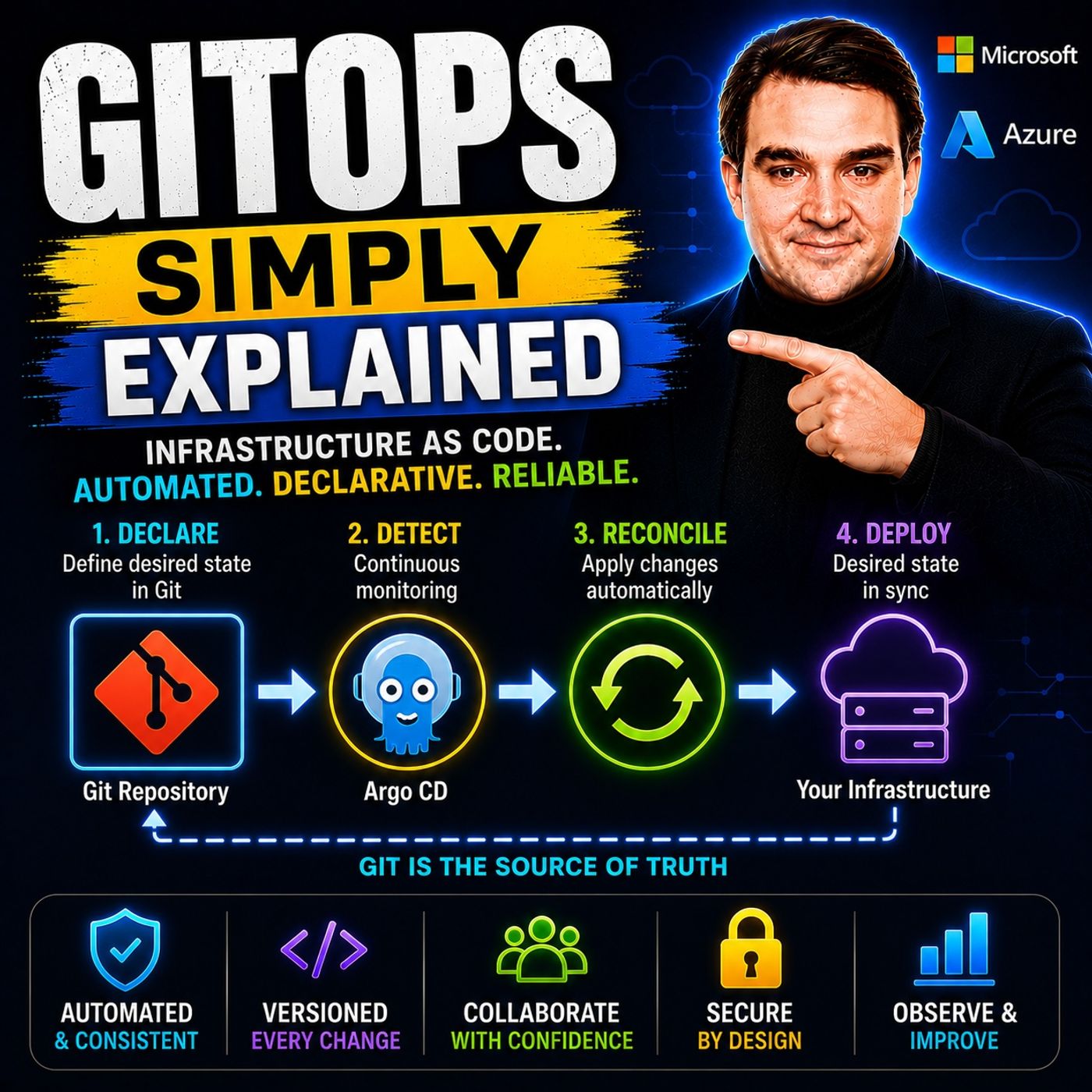
GitOps - Simply Explained
Show notes
Managing Kubernetes manually quickly becomes a nightmare as environments grow. One engineer updates a deployment directly using kubectl, another changes a ConfigMap through the Azure portal, and suddenly your production cluster no longer matches the configuration stored in Git. This invisible problem is known as configuration drift, and it's one of the biggest challenges in modern cloud operations. In this episode of Microsoft Knowledge Nuggets, we explain GitOps in simple terms and show how it transforms Git into the single source of truth for your infrastructure. Instead of manually deploying changes, GitOps continuously ensures that your Kubernetes clusters always match the configuration stored in your Git repository, making deployments more secure, predictable, and completely auditable. WHY CONFIGURATION DRIFT BREAKS MODERN CLOUD ENVIRONMENTS Traditional Kubernetes deployments often rely on engineers manually applying manifests, making emergency fixes, or changing configurations directly inside running clusters. While these quick fixes may solve an immediate problem, they rarely make it back into source control. Over time, the cluster slowly drifts away from what's documented in Git, creating environments that nobody fully understands. The next deployment may overwrite critical changes, introduce unexpected behavior, or trigger outages that take hours to troubleshoot. GitOps eliminates configuration drift by ensuring every infrastructure change is version-controlled, reviewed through pull requests, and automatically synchronized back to the cluster. If someone changes the cluster manually, GitOps detects the difference and restores the desired state automatically. HOW GITOPS WORKS: DECLARATIVE INFRASTRUCTURE AND CONTINUOUS RECONCILIATION GitOps is not a product—it's an operating model built around four core principles: declarative infrastructure, version-controlled configuration, automated pull-based deployments, and continuous reconciliation. Infrastructure is described using Kubernetes manifests, Helm charts, or Kustomize rather than imperative deployment scripts. Every change becomes a Git commit with a complete history of who changed what and why. Instead of CI/CD pipelines pushing directly into production, GitOps operators running inside the cluster continuously monitor Git for changes, compare the desired state with the actual cluster state, and automatically reconcile any differences. This creates a self-healing Kubernetes platform where Git always remains the authoritative source of truth. PULL-BASED DEPLOYMENTS, FLUX, ARGO CD, AND AZURE KUBERNETES SERVICE One of the biggest architectural changes introduced by GitOps is the move from push-based to pull-based deployments. Traditional CI/CD pipelines require direct access to Kubernetes clusters, creating security risks if build pipelines become compromised. GitOps removes this dependency by allowing the cluster to securely pull configuration changes from Git instead. We compare the two leading GitOps platforms—Flux and Argo CD—and explain why Microsoft selected Flux as the native GitOps engine for Azure Kubernetes Service (AKS) and Azure Arc. You'll learn how Azure DevOps, GitHub Actions, Azure Container Registry, Azure Policy, Azure Key Vault, and Flux work together to create secure, automated deployment pipelines that separate application builds from infrastructure deployment. GITOPS ON AZURE: BUILDING SECURE, SCALABLE KUBERNETES PLATFORMS GitOps integrates seamlessly with Microsoft's cloud ecosystem. Azure Kubernetes Service includes built-in Flux support, making it easy to connect clusters directly to Git repositories. Azure Arc extends GitOps beyond Azure, enabling organizations to manage Kubernetes clusters running on-premises, at the edge, or across multiple cloud providers using the same deployment model. Combined with Azure DevOps, Azure Container Registry, Azure Policy, and Azure Key Vault, GitOps provides a secure, scalable foundation for managing dozens or even hundreds of Kubernetes clusters while maintaining consistent configurations across development, staging, and production environments. This approach significantly improves security, governance, and operational consistency for modern cloud-native applications. WHY GITOPS HAS BECOME THE STANDARD FOR KUBERNETES OPERATIONS GitOps offers far more than automated deployments. It provides complete audit trails, simple one-click rollbacks through Git commits, self-healing infrastructure, improved security through pull-based deployments, and standardized collaboration between development and operations teams. Every infrastructure change follows the same Git-based workflow as application code, making reviews, approvals, testing, and compliance significantly easier. Whether you're running a single AKS cluster or managing large enterprise Kubernetes environments across multiple regions, GitOps delivers a reliable operating model that improves deployment quality, reduces configuration drift, and accelerates recovery from failed releases. After listening to this episode, you'll understand why GitOps has become the preferred deployment model for Kubernetes on Microsoft Azure and why Git is now considered the foundation of modern cloud operations. Become a supporter of this podcast: https://www.spreaker.com/podcast/m365-fm-microsoft-365-azure-cloud-power-platform-ai--6704921/support.
Apple Podcasts · Spotify · YouTube · YouTube Music · Deezer
Host: Mirko Peters
Transcript
Read the full transcript
Today's topic is one that almost everyone is heard of, but very few people can actually explain. Githops. You've probably seen it mentioned in job postings, conference talks, or Azure documentation. But what exactly is it? Is it just another DevOps buzzword, or is it something fundamentally different? Here's the short version. Githops is an operating model where Git becomes the single source of truth for your entire infrastructure. Not just your application code, but everything that runs it. By the end of this episode, you'll understand what Githops actually is, why it's become the standard for managing Kubernetes on Azure, and how it makes rollbacks as simple as a single command. The old way, manual deployments and configuration drift. Let's start with the problem GitHub solves. Imagine you're managing a Kubernetes cluster on Azure. You have developers pushing code, a CI pipeline building container images, and someone runs, Quebec will apply to deploy those images. Maybe you, maybe a teammate, or you click a button in Azure DevOps, and either way the deployment happens. That works fine until it doesn't. Here's what happens next. Someone on your team needs to fix a QuickBug, so they SSH into a node, use the Azure portal, or run Quebec to edit directly on a deployment. They make a small change like a config map tweak, or a different environment variable, and it seems harmless. Or so they think, the problem is, that change never made it back to Git, so your cluster now has a configuration that doesn't match what's in your repository. That's called configuration drift. Drift is a silent killer because it works fine until the next deployment, when someone runs Quebec to apply with the original manifest and overrides that QuickFix. Or worse, the drift causes unexpected behavior that nobody can explain. You start debugging, check the logs, look at the YAML and Git, and nothing seems wrong, but the cluster is doing something different. You have no idea what changed when it changed, or who changed it. I've seen this happen. A teammate, SSH, into a node, tweaks a config to test something, forgets to revert it and goes home. The next day, a deployment breaks, and nobody can explain why. The Git repo looks clean, but the cluster is a mess, and your stack spending hours trying to figure out what happened. So here's the question. What if there was a way to force the cluster to always match what's in Git? What if you could guarantee that whatever is in your repository is exactly what's running in production? That's the core idea behind GitOps. What GitOps actually is. So what exactly is GitOps? Here's the simplest definition I can give you. Git becomes your single source of truth, not just for your code, but for everything your infrastructure needs to run. Every configuration, every deployment, manifest, every environment variable, it all lives in Git. Nothing runs on your cluster unless it's defined there. Now, GitOps isn't a tool you can buy. It's an operating model, like DevOps or DevSecOps. A set of principles that guide how you manage your infrastructure. The open GitOps standard lays out four core principles, and I want to walk through each one. First, your system has to be declarative. That means you describe the end state, not the steps to get there. So instead of writing a script that says, "Created deployment, scale it to five replicas, expose port 8080, you write a YAML file that says I want five replicas on port 8080, and the system figures out the steps. That's declarative. Second, it must be versioned. Every change you make to your cluster state is a commit in Git. So you get a complete history who changed what, when and why, no more guessing or digging through logs. Third, changes are pulled automatically. The cluster reaches out to Git to see what's new. Later, I'll explain why this matters so much. And fourth, the system is continuously reconciled. There's a software agent running inside your cluster that constantly compares what's in Git to what's actually running. If they don't match, it fixes the difference. That's the reconciliation loop. Think of it this way. Git is your architect's blueprint. It describes exactly what the building should look like. Kubernetes is the construction site. And the GitOps operator, that's the foreman. He walks around with the blueprint, checking every wall, every beam, every window. If something doesn't match, he fixes it. Suppose someone on the crew makes an unauthorized change. He spots it and reverts it. The blueprint is always the source of truth. But here's where the real shift happens, how deployments actually work. In traditional CI/CD, you push changes to the cluster. In GitOps, the cluster pulls them. And that difference is more important than it sounds. Pull-based deployments versus push-based. Let's talk about how deployments actually work because this is where GitOps changes everything. In the traditional push-based model, your CI pipeline does everything. Azure Pipelines, Jenkins, GitHub Actions. It builds the container, runs tests, and then pushes that image directly to your Kubernetes cluster. The pipeline holds credentials that give it direct access to the cluster API. It says, here's the new deployment, apply it now. And that works, but it creates a security problem. Here's the thing. If that pipeline gets compromised, someone injects a malicious step, a token leaks, a dependency gets hijacked. That pipeline has a direct line to your production cluster. It can destroy deployments, delete namespaces, change configurations, all with the permissions you gave it to do its job. Now look at the GitOps model. The flow starts the same. CI builds the container and pushes it to a registry like Azure Container Registry. That's where CI stops. It does not touch the cluster. Instead, CI updates a Git repository with a new image tag. It changes a single line in a YAML file, the image version, and commits that change. That's it. No direct cluster access. Then the GitOps operator running inside your cluster sees that change. It pulls the latest state from Git and applies it. The cluster reaches out to Git, not the other way around. This is the pool-based model. Your cluster never exposes its API to external systems. It only pulls from Git. If someone compromises your CI pipeline, the worst they can do is change and manifest in a repository. They can't touch the cluster directly. The operator decides what to apply and when. There's another benefit too. You decouple building from deploying. CI does what it's good at, building, testing, scanning. The GitOps operator handles deployment. Each system focuses on one job. If the build fails, nothing changes in the cluster. If the deployment fails, the operator retries or alerts you. Clean separation. So instead of a pipeline pushing changes into your cluster, your cluster pulls its desired state from Git. That simple inversion makes your infrastructure more secure, more auditable, and harder to break by accident. The reconciliation loop. So how does the operator know when to update? It doesn't wait for a notification. It runs a continuous loop. Watch Git, compared to the cluster, apply changes if needed, then do it again and again forever. This is called the reconciliation loop. It runs constantly every few seconds or minutes, depending on your configuration. The operator never stops watching. Think of it like a thermostat in your house. You set the desired temperature, say 21 degrees, the thermostat constantly checks the actual temperature. If it drops below 21, the heating turns on. If it goes above the heating turns off, it keeps adjusting to match your setting. The GitOps operator works the same way. Git holds the desired state, the cluster has the actual state, and the operator compares them continuously making adjustments. So what happens when someone manually edits a deployment in the cluster? Maybe they run Quebecal Edit to change a replica count. The operator detects that difference on its next reconciliation cycle. The cluster now has three replicas, but Git says five. So the operator applies the Git defined state and the cluster goes back to five replicas. The unauthorized change is gone. What happens when you push a change to Git? Same process. The operator detects the difference and applies it. A developer merges a PR that updates the image version from V1.2 to V1.3. The operator sees the new manifest, pulls the new image, and spins up the new pods. Within seconds, the cluster matches Git again. Now, there's an important distinction here. If a pod crashes, the operator doesn't care. That's Kubernetes job handled by the replica set controller. The GitOps operator only cares about the configuration. If the deployment manifest says five replicas, image V1.3, and the cluster has five replicas running V1.3, the operator is happy, it doesn't care if a specific pod restarted. That's normal Kubernetes behavior. But if someone changes the manifest in Git or if someone changes the cluster directly and creates drift, the operator acts. That's what makes GitOps self-healing. It doesn't just deploy changes. It actively prevents your infrastructure from drifting away from what's defined. So you need a GitOps operator running in your cluster. That's where Argo CD and Flux come in. Argo CD versus Flux. So you need a GitOps operator and you have two main choices, both excellent. Argo CD and Flux are both CNCF graduated projects, meaning they've passed the highest bar for stability, community, and production readiness. But they approach the same job from different angles. Argo CD was originally built by Intuit and it comes with a web UI. When you install Argo CD, you get a dashboard where you can see every application, its sync status, its health, and its deployment history. You can click around view diffs between Git and the cluster, manually trigger things and approve changes. It's designed for teams that want visual dashboards and manual control points. Flux came from Weaveworks and it's more modular. There's no UI by default. You work from the command line and you define everything as Kubernetes custom resources. You create a Git repository object that says, "Watch this repo" and a customization object that says, "Apply this path." Flux picks it up in reconciles. It forces you to embrace Git native workflows because there's no dashboard to fall back on. Now here's what matters for Azure users. Flux is the default GitOps option on Azure Kubernetes service. Microsoft built the native integration around Flux V2. When you enable GitOps on an AKS cluster through the Azure portal, you're using Flux under the hood. Azure Arc also uses Flux for multi cluster management. So if you're an Azure engineer, Flux is the natural starting point. But Argo CD has its own strengths. It's more popular for platform engineering scenarios where you want a central control plane managing multiple clusters. The UI makes it easier for teams that aren't comfortable with the command line. And it integrates tightly with Argo rollouts for progressive delivery like Canary deployments, blue green deployments, that kind of thing. The key architectural difference is this. Argo CD runs as a standalone application with its own API server. Flux runs as a set of Kubernetes controllers more deeply embedded in the cluster itself. Flux feels like part of your Kubernetes control plane while Argo CD feels like a separate platform sitting on top of it. Flux also relies heavily on customize, which is a Kubernetes native templating tool. Argo CD can use customized Helm or plain YAML. Both support Helm, but Flux has a dedicated Helm controller that handles Helm releases natively. There's no wrong choice here. Both tools do the same job. But for Azure engineers, Flux is the path of least resistance. You can enable get-ups with Flux in a few clicks through the Azure portal, pointed at a Git repo, and it starts syncing. No additional installation, no separate server to manage. GitOps on Azure, AKS, Azure Arc, and Azure DevOps. So what does this actually look like when you tie it together with Azure? Let's start with AKS. Azure Kubernetes service has built-in GitHub support using Flux V2. In the Azure portal, you go to your cluster, find the GitOps section, and configure it by pointing it at a Git repository. Azure Repos GitHub anywhere. Flux starts watching and whatever manifests you put in that repo get applied to your cluster automatically. But AKS is just one piece. Azure Arc extends GitOps to clusters that aren't in Azure. On-premises, in other clouds, or at the edge. Connect them to Azure Arc, and you manage them all with the same GitOps configuration. One repo, many clusters, consistent state everywhere. That's what Arc does. Now let's talk about the pipeline. Azure DevOps integrates naturally with this model, and here's the common patent. Your source code lives in Azure Repos or GitHub, and Azure Pipelines handles CI. It builds the container image, runs tests, scans for vulnerabilities, and pushes the image to Azure container registry. Then the pipeline updates the manifests in your GitOps repo by changing the image tag from V1.2 to V1.3, commits that change and pushes it. That's it. The pipeline never touches the cluster. Flux running inside AKS detects the change in Git, pulls the new manifest, sees the updated image tag, and applies the deployment. New pods spin up and the cluster reconciles. You can use GitHub actions instead of Azure Pipelines if you prefer. The patent is the same. CI handles the build, updates the manifests, and the GitOps operator handles the deployment. The tool doesn't matter, the model does. Here's an important detail. You never store secrets directly in Git, not API keys, not connection strings, not certificates. Even in a private repository secrets in Git are a risk. Instead, use Azure Key Vault or an external secrets operator. The manifest references the secret by name, and the operator pulls the actual value from the Vault at deploy time. You can also layer policy on top. Azure Policy with Gatekeeper can enforce rules like no privileged containers, or only use approved container registries. If someone tries to deploy a manifest that violates policy, Gatekeeper blocks it before it reaches the cluster. The real world benefit here is scale. With 50 AKS clusters, you don't manage each one individually. Define the desired state in a single Git repo, and every cluster reconciles to that state. Add a new cluster, point it at the repo, and it configures itself. Need to update a configuration across all clusters, change one file in Git, and the operators handle the rest. That's the promise of GitOps on Azure. One source of truth, many clusters, no drift. The key benefits. So all of this sounds good in theory, but what does it actually mean for your team? Let's start with the one that gets everyone's attention. Rollbacks become trivial. A bad deployment goes out, your application starts throwing errors, users are complaining. In the old world, you'd scramble to find the last known good configuration, run a series of manual commands, and pray you didn't miss something. In GitOps, you revert the Git commit. That's it, one command. The operator sees the revert, pulls the previous state, and the cluster goes back to what was working before. No need to SSH in, no coupactal, and definitely no panic. Audit trail is built in automatically. Every change to your infrastructure is a commit. You know who made it when they made it and exactly what they changed. No more guessing whether someone edited a deployment at 2am and forgot to mention it. The history is there, immutable, and reviewable. Self-healing is another one that sounds like magic until you see it work. Someone manually edits a deployment in the cluster, maybe a junior engineer trying to fix something quickly. The operator detects the drift on the next reconciliation cycle and reverts it. The cluster heals itself, and you don't even know it happened unless you check the logs. Consistency across environments becomes automatic. Dev, test, staging, production, they all pull from the same Git repo, different branches or folders, but the same source of truth. No more it works on my machine because your staging cluster drifted away from production weeks ago. Security improves because the cluster pulls from Git instead of being pushed to. Your CI pipeline never holds credentials that give it direct access to production. If someone compromises the pipeline, they can't touch the cluster. The operator decides what gets applied and when. Least privileged by design. There's data backing this up too. According to Dora Research, teams that adopt GitHub's see about a 25% drop in deployment errors and mean time to recovery drops to under two minutes in well-implemented setups. That's not theory. That's what organizations are reporting. And there's a collaboration benefit that's easy to overlook. Infrastructure changes go through pull requests, code reviews, and automated tests. Exactly the same as application code. Your ops team and your dev team speak the same language. Git, no more handoffs, no more, just deploy this for me. Everyone works the same way. But there are still some common misunderstandings worth clearing up. Common myths and getting started. Let's start by clearing up some common myths about GitOps. First up, many people think GitOps is only for Kubernetes and sure it works best on Kubernetes. No question there. Kubernetes is built around declarative state and reconciliation, so it's a natural fit. But here's the thing, those same principles apply anywhere you have declarative configurations. You can use GitOps with terraform, poloomy, even Ansible, just store those configs in Git and have a pipeline apply them. The self-healing part is harder outside Kubernetes, but the source of truth discipline works everywhere. Another myth is that you absolutely need RGO CD or flux to do GitOps. If you want the full model, pull-based deployment continuous reconciliation, drift detection, then yes, you need some kind of GitOps operator. But you can start much simpler. Just put all your manifests in Git and use pull requests for changes. That alone gives you most of the ordered and collaboration benefits. You can always add an operator later when you need the automation. And finally, there's the myth that GitOps replaces CI/CD entirely. It doesn't. It replaces the CD part. CI still builds your code, runs tests, scans for vulnerabilities, and pushes container images to a registry. That all stays the same. What changes is how those images get deployed. Instead of the CI pipeline pushing them into the cluster, the GitOps operator pulls the updated manifests from Git. So CI and GitOps work together, not instead of each other. Getting started is actually straightforward. Pick a small AKS cluster and enable flux through the Azure portal. It takes just a few clicks. Then point it at a Git repository that contains a simple deployment IAML, watch it sync, and you're off to the races. Try changing a value in the IAML, commit it, and watch the cluster update. That's your first GitHub workflow. From there, you can add environments, learn customized, since flux uses it heavily, and setup automated image updates with tools like renovate or dependable. So that's GitOps in a nutshell. It turns your infrastructure into a Git repository, making everything traceable, revertible, and self-healing. If you manage Kubernetes on Azure, go try the GitOps integration in AKS today. It takes 10 minutes to setup and will change how you think about deployments. Subscribe for more plain English explanations of Microsoft's cloud tools.