


 Apple Podcasts
 Spotify
 Youtube Music
 Spreaker
 Podchaser
 Amazon Music
 Azure Kubernetes Service (AKS) - Simply Explained
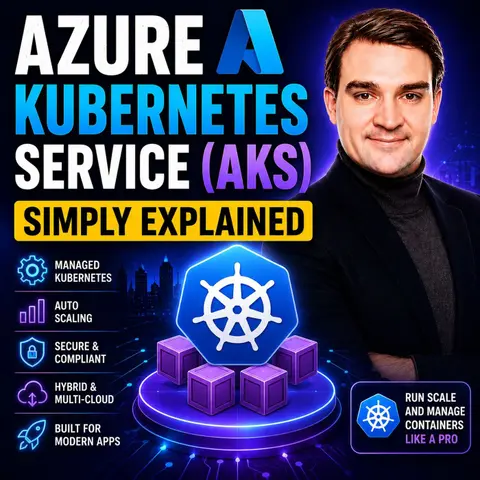
Azure Kubernetes Service (AKS) is Microsoft's managed Kubernetes platform that makes it much easier to deploy, operate, and scale containerized applications in Azure. Instead of spending countless hours managing Kubernetes infrastructure, Microsoft takes care of the control plane, updates, monitoring, and much of the operational complexity, allowing developers and IT teams to focus on building applications rather than maintaining clusters.
In this episode of Microsoft Knowledge Nuggets, Mirko Peters explains Azure Kubernetes Service (AKS) in plain English and shows how it combines the power of Kubernetes with Azure's managed cloud services. You'll learn why organizations choose AKS for cloud-native applications, microservices, APIs, and AI workloads that need high availability, scalability, and resilience.
The episode covers the fundamental building blocks of AKS, including clusters, node pools, pods, deployments, services, ingress, and autoscaling. It also explains how AKS integrates with Azure services such as Azure Container Registry, Azure Monitor, Azure Key Vault, Managed Identities, networking, and security features to create production-ready environments.
You'll also discover when AKS is the right choice—and when simpler Azure services like Azure Container Apps or App Service may be a better fit. Understanding the trade-offs between flexibility, operational complexity, and cost is essential before adopting Kubernetes.
Azure Kubernetes Service (AKS) plays a crucial role in simplifying container orchestration in the Azure cloud. This powerful service allows you to deploy and manage containerized applications with ease. As the most widely adopted container orchestration platform, Kubernetes is utilized by over 80% of organizations today. With AKS, you can enhance application deployment speed and efficiency through features like automated deployment, self-healing, and declarative management. These capabilities enable you to focus on building innovative solutions while Microsoft manages the underlying infrastructure.
Key Takeaways
- Azure Kubernetes Service (AKS) simplifies managing containerized applications in the Azure cloud.
- AKS automates many tasks, allowing developers to focus on building applications instead of managing infrastructure.
- Key features of AKS include automatic configuration, security integration, and monitoring capabilities.
- AKS supports scaling applications efficiently, helping to meet changing resource demands.
- Using AKS can lead to significant cost savings by optimizing resource usage and implementing autoscaling.
- AKS is ideal for deploying microservices, allowing teams to work independently on different services.
- Integrating AKS with CI/CD pipelines speeds up application delivery and improves reliability.
- AKS provides built-in security features, ensuring that applications are protected and compliant.
What Is AKS?

Azure Kubernetes Service (AKS) is a managed Kubernetes offering that simplifies the deployment and management of Kubernetes clusters in the Azure cloud. With AKS, you can focus on developing your applications while Microsoft handles the complexities of the underlying infrastructure. This managed Kubernetes service allows you to scale your applications efficiently and ensures high availability.
Key Features of AKS
AKS comes with several notable features that enhance your experience in managing containerized applications:
- Automatic Configuration: AKS automatically configures the Kubernetes master and all nodes upon deployment, saving you time and effort.
- Security Features: Integration with Azure Active Directory and role-based access controls enhances security and compliance for your applications.
- Monitoring Capabilities: Azure Monitor provides insights into the performance of your AKS cluster and the applications running within it.
- Clusters and Nodes: AKS supports multiple node pools, allowing you to scale based on resource demand effectively.
- Virtual Networks and Ingress: Pods are connected to an IP address in a virtual network, facilitating communication within the cluster.
- Development Tooling Integration: Tools like Draft and Helm integrate seamlessly, streamlining your development process.
| Feature | Description |
|---|---|
| Automatic Configuration | AKS automatically configures the Kubernetes master and all nodes upon deployment. |
| Security Features | Integration with Azure Active Directory and role-based access controls for enhanced security. |
| Monitoring Capabilities | Azure Monitor helps in observing the performance of the AKS cluster and deployed applications. |
| Clusters and Nodes | Support for multiple node pools and scaling based on resource demand. |
| Virtual Networks and Ingress | Pods are attached to an IP address in a virtual network, allowing communication within the cluster. |
| Development Tooling Integration | Integration with tools like Draft and Helm for a seamless development experience. |
| Compliance | Regulatory compliance with SOC, HIPAA, ISO, and PCI DSS, ensuring reliability across industries. |
AKS Architecture
Understanding the architecture of AKS is essential for leveraging its full potential. The architecture consists of two primary components:
- Control Plane (managed by Azure): This includes the Kubernetes API server, etcd, scheduler, and controller manager. Azure manages these components, allowing you to focus on your applications.
- Data Plane (managed by the user): This comprises virtual machine nodes, node pools, pods, and networking configuration. You have control over this layer, enabling you to customize your environment.
AKS abstracts control plane operations, which reduces operational overhead and complexity. You can easily scale your applications using features like the Horizontal Pod Autoscaler (HPA), which adjusts the number of pods based on CPU utilization or custom metrics. This flexibility allows you to respond to changing demands without manual intervention.
Benefits of Azure Kubernetes Service

Azure Kubernetes Service (AKS) offers numerous benefits that enhance your experience in managing containerized applications. By leveraging AKS, you can achieve operational efficiencies and significant cost savings.
Simplified Management
With AKS, you simplify the management of your Kubernetes clusters. The service automates many tasks, allowing you to focus on developing your applications. Here are some key operational efficiencies you can expect:
| Operational Efficiency | Description |
|---|---|
| Simplified Deployment | Reduces complexity in deploying and managing containerized applications. |
| Automated Updates | Ensures the environment is secure and up to date without manual intervention. |
| Integrated Developer Tools | Supports CI/CD pipelines for faster application delivery. |
| Horizontal Scaling | Allows easy adjustment of resources based on workload demands. |
| Monitoring and Logging | Provides insights into application performance and health through built-in capabilities. |
| Enhanced Security and Compliance | Incorporates features like Azure AD integration and RBAC to meet security requirements. |
These features streamline your workflow and help you maintain a secure and efficient environment for your applications.
Cost Efficiency
Cost efficiency is another significant advantage of using AKS. By optimizing resource utilization, you can avoid unnecessary expenses. Here are some ways AKS contributes to cost savings:
- Utilizing the Azure Hybrid Benefit allows you to apply existing Windows Server or SQL Server licenses to AKS, significantly reducing compute costs.
- Implementing autoscaling features helps align resource allocation with actual workload demand, which can lead to lower expenses.
- Teams have reported cost reductions of 30% to 60% after optimizing their AKS deployments, primarily from compute savings.
- Continuous automation proves more effective than manual tuning for cost management as workloads scale.
- Regular rightsizing reviews are essential to keep resource allocation in line with actual usage patterns.
By taking advantage of these cost-saving features, you can ensure that your cloud infrastructure remains efficient and budget-friendly.
Common Use Cases for AKS
Azure Kubernetes Service (AKS) serves various use cases that enhance your application management and deployment strategies. Here are some of the most common scenarios where AKS shines:
Microservices Deployment
AKS is particularly well-suited for deploying microservices. This architecture allows you to break down applications into smaller, manageable services. Each team can independently build and deploy their services without disrupting others. Here are some key benefits of using AKS for microservices:
- Independent Development: Teams can work on different services simultaneously, speeding up the development process.
- Version Control: You can validate new service versions in development and testing environments before deploying them to production.
- Side-by-Side Deployments: AKS supports running multiple versions of a service, allowing for smooth transitions and testing.
- Security Policies: You can enforce access control policies to ensure that only authorized users can access specific services.
By applying Zero Trust principles, you can start with deny-all network policies and explicitly allow required traffic. This approach enhances security and ensures that your microservices communicate safely.
CI/CD Integration
Integrating AKS with Continuous Integration and Continuous Deployment (CI/CD) pipelines significantly improves your application delivery process. Here’s how AKS enhances CI/CD workflows:
- Seamless Integration: AKS hosts your Kubernetes environment, making it easy to integrate with Azure DevOps and other CI/CD tools.
- Quick Deployments: You can deploy applications quickly and predictably, reducing downtime and improving user experience.
- Resource Utilization: AKS helps you better utilize infrastructure resources, ensuring that your applications run efficiently.
With AKS, you can monitor and manage containers effectively, scaling applications to handle changes in load. This capability ensures that your applications remain reliable and available, even during peak usage times.
Comparing AKS with Kubernetes and Azure Service Fabric
AKS vs. Kubernetes
When you compare AKS with Kubernetes, you notice several key differences that enhance your experience. AKS is designed specifically for organizations using the Azure ecosystem. This design improves ease of use through seamless integration with Azure DevOps. You benefit from automated Kubernetes cluster upgrades, which significantly reduces your operational burden. This automation makes managing your clusters easier than if you were using self-managed Kubernetes.
Here are some advantages of using AKS over traditional Kubernetes:
- Seamless Integration: AKS integrates smoothly with Azure services, making it easier to manage your applications.
- Reduced Complexity: You do not need to worry about the underlying infrastructure, allowing you to focus on your applications.
- Enhanced Security: AKS provides built-in security features that help protect your applications.
AKS vs. Azure Service Fabric
When comparing AKS with Azure Service Fabric, you will find distinct differences in architecture and use cases. Below is a table that highlights these differences:
| Feature/Aspect | Azure Kubernetes Service (AKS) | Azure Service Fabric |
|---|---|---|
| Primary Focus | Container orchestration using Kubernetes | Supports a broader range of application types |
| Application Types Supported | Docker-first applications | Microservices, stateful services, and more |
| Integration with Azure Services | Tight integration with Azure services like Active Directory and Monitor | Deep integration with Azure services, developed by Microsoft |
| Use Case | Scalable applications requiring orchestration | Traditional applications, Windows Server containers, and ASP.NET IIS applications |
| Cloud Agnosticism | Multi-cloud and vendor-agnostic infrastructures | Primarily suited for Microsoft technology stack |
AKS focuses on container orchestration, making it ideal for scalable applications. In contrast, Azure Service Fabric supports a wider variety of application types, including stateful services. This flexibility allows you to choose the right tool based on your specific needs.
Organizations often choose AKS for its maximum control over container orchestration. It is particularly suitable for running stateful, complex, or hybrid workloads that require enterprise-grade governance. Additionally, AKS supports multi-cloud or cloud-agnostic portability, allowing your workloads to run across different Kubernetes environments. This capability is essential for modern applications that demand flexibility and scalability.
In summary, Azure Kubernetes Service (AKS) simplifies container orchestration, allowing you to focus on application development rather than infrastructure management. Key benefits include:
- Simplified Management: AKS reduces operational overhead, making it easier to deploy and manage applications.
- Enhanced Scalability: You can efficiently scale applications to meet varying demands.
- Cost Efficiency: AKS optimizes resource utilization, helping you save on cloud expenses.
Consider implementing AKS in your projects to leverage its powerful features. Explore how it can transform your application management and deployment strategies.
Key Metrics to Measure Success:
Metric Description Deployment Frequency How often new releases are deployed Lead Time for Changes Time taken from code commit to deployment Change Failure Rate Percentage of changes that fail
Embrace the future of cloud-native applications with AKS!
FAQ
What is Azure Kubernetes Service (AKS)?
Azure Kubernetes Service (AKS) is a managed Kubernetes platform that simplifies deploying, managing, and scaling containerized applications in the Azure cloud.
How does AKS improve application deployment?
AKS automates many operational tasks, allowing you to focus on building applications. It provides features like automatic scaling, monitoring, and security integration.
Can I use AKS for microservices?
Yes, AKS is ideal for microservices. It allows you to deploy, manage, and scale individual services independently, enhancing development speed and flexibility.
What are the cost benefits of using AKS?
AKS optimizes resource usage, helping you save on cloud expenses. Features like autoscaling and the Azure Hybrid Benefit further reduce costs.
How does AKS ensure security?
AKS integrates with Azure Active Directory and role-based access controls. These features help you manage user permissions and secure your applications effectively.
Is AKS suitable for CI/CD pipelines?
Absolutely! AKS integrates seamlessly with CI/CD tools, enabling quick and reliable application deployments while improving overall development workflows.
What types of applications can I run on AKS?
You can run various applications on AKS, including microservices, APIs, and enterprise applications. It supports both stateless and stateful workloads.
How do I get started with AKS?
To start with AKS, create an Azure account, set up your Kubernetes cluster through the Azure portal, and deploy your containerized applications.
🎧 Listen to this episode
Want a practical explanation of Azure Kubernetes Service (AKS)? This episode breaks down the topic in clear language and shows why it matters for Microsoft 365, Azure, Power Platform, security, AI, and modern work.
Listen to this episode if you want to:
- Understand the key concepts behind Azure Kubernetes Service (AKS)
- See how it fits into the wider Microsoft technology ecosystem
- Learn where it can create practical value for your organization
You may also enjoy these related M365 FM episodes:
- Dynamics 365 Customer Service - Simply Explained
- Azure Service Bus - Simply Explained
- Kubernetes - Simply Explained
- AI Agent Identity Security: Beyond Service Accounts
- Microsoft Refine (Rayfin) as Backend as a Service
Discover more practical Microsoft conversations on M365 FM.
🚀 Want to be part of m365.fm?
Then stop just listening… and start showing up.
👉 Connect with me on LinkedIn and let’s make something happen:
- 🎙️ Be a podcast guest and share your story
- 🎧 Host your own episode (yes, seriously)
- 💡 Pitch topics the community actually wants to hear
- 🌍 Build your personal brand in the Microsoft 365 space
This isn’t just a podcast — it’s a platform for people who take action.
🔥 Most people wait. The best ones don’t.
👉 Connect with me on LinkedIn and send me a message:
"I want in"
Let’s build something awesome 👊
1
00:00:00,000 --> 00:00:02,640
You've heard Kubernetes and AKS get thrown around in cloud
2
00:00:02,640 --> 00:00:03,640
conversations.
3
00:00:03,640 --> 00:00:05,880
Maybe you nodded along, but honestly, what
4
00:00:05,880 --> 00:00:08,200
did they actually mean for someone running applications
5
00:00:08,200 --> 00:00:09,040
in the cloud?
6
00:00:09,040 --> 00:00:10,840
Containers changed how we built software
7
00:00:10,840 --> 00:00:13,320
because they're lightweight, portable, and consistent.
8
00:00:13,320 --> 00:00:15,960
The problem is managing the manually gets messy fast.
9
00:00:15,960 --> 00:00:17,840
A handful of containers you can handle.
10
00:00:17,840 --> 00:00:19,640
But when you have dozens or hundreds,
11
00:00:19,640 --> 00:00:21,960
you spend all your time on scaling, updates,
12
00:00:21,960 --> 00:00:23,920
and dealing with failures instead of building
13
00:00:23,920 --> 00:00:25,040
your actual product.
14
00:00:25,040 --> 00:00:26,920
By the end of this episode, you'll understand
15
00:00:26,920 --> 00:00:29,280
the four big things as your Kubernetes service handles
16
00:00:29,280 --> 00:00:29,880
for you.
17
00:00:29,880 --> 00:00:33,040
The control plane, the nodes, the networking, and the security
18
00:00:33,040 --> 00:00:35,160
will also break down what it actually costs.
19
00:00:35,160 --> 00:00:38,000
No marketing fluff, just plain English.
20
00:00:38,000 --> 00:00:40,400
The container problem, why we need AKS?
21
00:00:40,400 --> 00:00:43,000
Containers took over because they solve a real pain.
22
00:00:43,000 --> 00:00:45,360
A package bundling your application code, runtime,
23
00:00:45,360 --> 00:00:47,320
libraries, and configuration, it runs
24
00:00:47,320 --> 00:00:50,640
the same on your laptop in a test server or in production.
25
00:00:50,640 --> 00:00:52,960
No more, it works on my machine problems.
26
00:00:52,960 --> 00:00:55,720
Running a handful of containers works fine.
27
00:00:55,720 --> 00:00:57,560
You start them manually, check their logs,
28
00:00:57,560 --> 00:00:58,840
restart them when they crash.
29
00:00:58,840 --> 00:01:00,880
But once you have dozens or hundreds
30
00:01:00,880 --> 00:01:03,960
spread across multiple servers, you run into a whole new set
31
00:01:03,960 --> 00:01:04,480
of problems.
32
00:01:04,480 --> 00:01:06,960
You need to decide where each container goes, which server
33
00:01:06,960 --> 00:01:10,000
gets which container, how they find each other over the network.
34
00:01:10,000 --> 00:01:12,520
What happens when one crashes at three in the morning?
35
00:01:12,520 --> 00:01:15,040
And how to handle a traffic spike demanding 50 more copies
36
00:01:15,040 --> 00:01:17,080
of your app in 30 seconds.
37
00:01:17,080 --> 00:01:19,000
Kubernetes is an open source platform designed
38
00:01:19,000 --> 00:01:20,400
for exactly these problems.
39
00:01:20,400 --> 00:01:23,600
It schedules containers onto servers, scales them up and down,
40
00:01:23,600 --> 00:01:26,000
checks their health, and routes traffic between them.
41
00:01:26,000 --> 00:01:28,920
It's the industry standard for container orchestration,
42
00:01:28,920 --> 00:01:32,240
but Kubernetes solves one problem and creates another.
43
00:01:32,240 --> 00:01:33,880
Running it yourself is complex.
44
00:01:33,880 --> 00:01:36,000
You have to set up and maintain a control plane.
45
00:01:36,000 --> 00:01:37,960
The brain of the cluster, manage worker nodes,
46
00:01:37,960 --> 00:01:40,240
apply security patches, upgrade versions,
47
00:01:40,240 --> 00:01:41,920
and backup configuration data.
48
00:01:41,920 --> 00:01:44,720
That's a full time job for someone who knows what they're doing.
49
00:01:44,720 --> 00:01:47,120
Managed services like Azure Kubernetes Service
50
00:01:47,120 --> 00:01:49,480
take that operational burden off your shoulders.
51
00:01:49,480 --> 00:01:51,160
Microsoft runs the control plane for you
52
00:01:51,160 --> 00:01:53,400
and handles the upgrades, patches, and backups.
53
00:01:53,400 --> 00:01:54,760
You focus on your applications.
54
00:01:54,760 --> 00:01:56,680
So what exactly does AKS do for you?
55
00:01:56,680 --> 00:01:59,760
Let's start with the biggest piece, the control plane.
56
00:01:59,760 --> 00:02:01,960
What is Azure Kubernetes Service?
57
00:02:01,960 --> 00:02:04,960
AKS is Microsoft's managed version of Kubernetes.
58
00:02:04,960 --> 00:02:07,880
Plane and simple, you get a fully functional Kubernetes cluster
59
00:02:07,880 --> 00:02:09,920
without having to set up or maintain
60
00:02:09,920 --> 00:02:11,280
the underlying infrastructure.
61
00:02:11,280 --> 00:02:12,880
Microsoft runs the control plane for you
62
00:02:12,880 --> 00:02:15,520
and you focus on deploying and running your applications.
63
00:02:15,520 --> 00:02:18,800
Think of it like renting an apartment versus building a house.
64
00:02:18,800 --> 00:02:20,840
When you build a house, you're responsible for everything,
65
00:02:20,840 --> 00:02:22,720
the foundation, plumbing, electrical roof.
66
00:02:22,720 --> 00:02:24,560
When you rent the landlord handles all that,
67
00:02:24,560 --> 00:02:26,040
you just move in and decorate.
68
00:02:26,040 --> 00:02:27,400
AKS is the landlord.
69
00:02:27,400 --> 00:02:29,080
Microsoft handles the foundation,
70
00:02:29,080 --> 00:02:32,120
the control plane, networking, security patches, and upgrades.
71
00:02:32,120 --> 00:02:34,240
You bring the furniture, your containerized applications,
72
00:02:34,240 --> 00:02:36,280
configurations, and deployment pipelines.
73
00:02:36,280 --> 00:02:38,640
But AKS isn't just a standalone Kubernetes cluster.
74
00:02:38,640 --> 00:02:41,000
It works tightly with the rest of the Azure platform.
75
00:02:41,000 --> 00:02:44,520
Entra ID handles user authentication and access control.
76
00:02:44,520 --> 00:02:46,240
Azure Monitor collects logs and metrics
77
00:02:46,240 --> 00:02:48,000
from your cluster and your applications.
78
00:02:48,000 --> 00:02:50,800
As your policy lets you enforce rules across all your clusters,
79
00:02:50,800 --> 00:02:52,920
things like no containers running as root
80
00:02:52,920 --> 00:02:55,640
or all images must come from an approved registry.
81
00:02:55,640 --> 00:02:57,520
These integrations are what make AKS
82
00:02:57,520 --> 00:03:00,560
more than just Kubernetes running on Azure VMs.
83
00:03:00,560 --> 00:03:03,480
Now, you still need to know the basic Kubernetes concepts,
84
00:03:03,480 --> 00:03:05,400
pods, deployments, and services.
85
00:03:05,400 --> 00:03:06,480
That's the knowledge you bring.
86
00:03:06,480 --> 00:03:07,960
AKS doesn't replace that.
87
00:03:07,960 --> 00:03:10,160
But what it does remove is the operational overhead
88
00:03:10,160 --> 00:03:11,640
of keeping the cluster healthy.
89
00:03:11,640 --> 00:03:13,960
You don't worry about the control plane going down.
90
00:03:13,960 --> 00:03:16,040
You don't manually upgrade Kubernetes versions
91
00:03:16,040 --> 00:03:19,200
but you don't back up ETCD the cluster's configuration database.
92
00:03:19,200 --> 00:03:20,480
Microsoft handles all of it.
93
00:03:20,480 --> 00:03:22,320
So let's pull back the curtain on that brain,
94
00:03:22,320 --> 00:03:24,240
the control plane, the control plane,
95
00:03:24,240 --> 00:03:25,800
the brain Microsoft manages.
96
00:03:25,800 --> 00:03:27,520
What exactly is inside that control plane?
97
00:03:27,520 --> 00:03:29,080
Four main components.
98
00:03:29,080 --> 00:03:31,160
The API server is the front door.
99
00:03:31,160 --> 00:03:32,800
Every command, request, and interaction
100
00:03:32,800 --> 00:03:34,320
with your cluster goes through it.
101
00:03:34,320 --> 00:03:36,960
The scheduler decides which node runs each new pod,
102
00:03:36,960 --> 00:03:39,320
the controller manager watches the cluster state
103
00:03:39,320 --> 00:03:41,840
and makes sure reality matches what you asked for.
104
00:03:41,840 --> 00:03:44,040
And ETCD stores all the configuration data.
105
00:03:44,040 --> 00:03:45,680
Think of it as your cluster's memory.
106
00:03:45,680 --> 00:03:49,080
If ETCD gets corrupted or lost, you've lost the cluster.
107
00:03:49,080 --> 00:03:50,560
If you set up Kubernetes yourself,
108
00:03:50,560 --> 00:03:52,040
you're responsible for all of this.
109
00:03:52,040 --> 00:03:54,360
You patch the API server when vulnerabilities appear.
110
00:03:54,360 --> 00:03:55,760
You backup ETCD regularly.
111
00:03:55,760 --> 00:03:57,440
You handle hardware failures on the machines
112
00:03:57,440 --> 00:03:58,640
running these components.
113
00:03:58,640 --> 00:03:59,800
It's a lot of work.
114
00:03:59,800 --> 00:04:01,880
With AKS, Microsoft takes that off your plate.
115
00:04:01,880 --> 00:04:04,520
They run the control plane on their own infrastructure.
116
00:04:04,520 --> 00:04:06,280
They patch it, back it up, and monitor it.
117
00:04:06,280 --> 00:04:07,720
You never see the underlying machines.
118
00:04:07,720 --> 00:04:10,120
You just interact with the API server endpoint
119
00:04:10,120 --> 00:04:12,560
and everything else happens behind the scenes.
120
00:04:12,560 --> 00:04:14,800
But not all control planes are the same.
121
00:04:14,800 --> 00:04:17,800
AKS offers three tiers, free standard and premium.
122
00:04:17,800 --> 00:04:20,400
The free tier gives you the control plane at no extra cost,
123
00:04:20,400 --> 00:04:22,400
no SLA on the API server.
124
00:04:22,400 --> 00:04:25,120
It's fine for learning, development, or test environments
125
00:04:25,120 --> 00:04:27,040
where a few minutes of downtime won't hurt.
126
00:04:27,040 --> 00:04:29,520
But for production workloads, you'll probably want more.
127
00:04:29,520 --> 00:04:32,640
The standard tier costs about $72 per month per cluster.
128
00:04:32,640 --> 00:04:37,000
That gives you a 99.95% SLA on the API server
129
00:04:37,000 --> 00:04:38,760
when you use availability zones.
130
00:04:38,760 --> 00:04:41,640
If the control plane goes down, Microsoft credits you.
131
00:04:41,640 --> 00:04:43,720
It's the default choice for most production clusters.
132
00:04:43,720 --> 00:04:46,960
The premium tier runs about $432 per month.
133
00:04:46,960 --> 00:04:48,960
You get everything in standard plus long term support
134
00:04:48,960 --> 00:04:50,720
for Kubernetes versions.
135
00:04:50,720 --> 00:04:52,560
If you're running a regulated workload
136
00:04:52,560 --> 00:04:55,560
that needs to stay on a specific version for months or years,
137
00:04:55,560 --> 00:04:57,240
that's where premium makes sense.
138
00:04:57,240 --> 00:04:58,440
Here's the key point though.
139
00:04:58,440 --> 00:05:01,000
You don't actually pay for the control plane itself.
140
00:05:01,000 --> 00:05:02,640
The free tier is truly free.
141
00:05:02,640 --> 00:05:04,640
Standard and premium are fees for the SLA
142
00:05:04,640 --> 00:05:07,240
and long term support, not for the control plane resources.
143
00:05:07,240 --> 00:05:08,920
What you do pay for are the worker nodes,
144
00:05:08,920 --> 00:05:10,360
the VMs that run your containers.
145
00:05:10,360 --> 00:05:13,280
Those are built separately at standard as your VM rates.
146
00:05:13,280 --> 00:05:14,560
So think of it this way.
147
00:05:14,560 --> 00:05:15,960
The control plane is the brain.
148
00:05:15,960 --> 00:05:17,320
Microsoft manages it for you.
149
00:05:17,320 --> 00:05:20,200
You choose the service tier based on your reliability needs.
150
00:05:20,200 --> 00:05:22,080
But the real work of running your applications
151
00:05:22,080 --> 00:05:23,560
happens on the worker nodes.
152
00:05:23,560 --> 00:05:26,520
Those worker nodes are where your applications actually run.
153
00:05:26,520 --> 00:05:27,680
Let's talk about them.
154
00:05:27,680 --> 00:05:29,520
The nodes, the workers you pay for.
155
00:05:29,520 --> 00:05:32,280
Nodes are Azure virtual machines, plane and simple.
156
00:05:32,280 --> 00:05:34,360
Standard Azure VMs that host your pods,
157
00:05:34,360 --> 00:05:36,200
which are the smallest unit in Kubernetes
158
00:05:36,200 --> 00:05:38,040
running one or more containers.
159
00:05:38,040 --> 00:05:39,440
You choose the size and the number.
160
00:05:39,440 --> 00:05:42,880
So if you want a D2.3 with two VCPUs and eight gigs of RAM,
161
00:05:42,880 --> 00:05:43,880
you can do that.
162
00:05:43,880 --> 00:05:48,400
Need a memory optimized E32 with 32 VCPUs and 256 gigs.
163
00:05:48,400 --> 00:05:49,720
That works too.
164
00:05:49,720 --> 00:05:52,240
Now, you don't just throw random VMs together.
165
00:05:52,240 --> 00:05:54,640
AKS organizes them into node pools.
166
00:05:54,640 --> 00:05:56,720
A node pool is a group of identical VMs
167
00:05:56,720 --> 00:05:58,640
with the same size and configuration.
168
00:05:58,640 --> 00:06:00,560
You can have multiple node pools in the single cluster,
169
00:06:00,560 --> 00:06:02,400
one pool with general purpose D-Series VMs
170
00:06:02,400 --> 00:06:03,960
for your web frontend, another with memory
171
00:06:03,960 --> 00:06:05,960
optimized E-Series VMs for your database,
172
00:06:05,960 --> 00:06:09,120
and a third with GPU enabled VMs for machine learning workloads.
173
00:06:09,120 --> 00:06:11,080
Each pool scales independently.
174
00:06:11,080 --> 00:06:12,680
And that scaling is automatic.
175
00:06:12,680 --> 00:06:15,080
The cluster autoscaler monitors your pods.
176
00:06:15,080 --> 00:06:16,320
When they need more resources,
177
00:06:16,320 --> 00:06:17,640
then current nodes can provide.
178
00:06:17,640 --> 00:06:18,760
It adds new nodes.
179
00:06:18,760 --> 00:06:21,040
And when traffic drops and nodes sit mostly idle,
180
00:06:21,040 --> 00:06:22,280
it removes them.
181
00:06:22,280 --> 00:06:24,320
You set the minimum and maximum size for each pool
182
00:06:24,320 --> 00:06:25,920
and AKS handles the rest.
183
00:06:25,920 --> 00:06:27,720
This is where you save real money.
184
00:06:27,720 --> 00:06:31,160
You're not paying for idle capacity during off-peak hours.
185
00:06:31,160 --> 00:06:33,480
Node upgrades are another thing AKS handles.
186
00:06:33,480 --> 00:06:35,640
When a new OS security patch comes out,
187
00:06:35,640 --> 00:06:37,320
AKS can apply it to your nodes,
188
00:06:37,320 --> 00:06:39,280
and when a new Kubernetes version is released,
189
00:06:39,280 --> 00:06:41,200
AKS can upgrade your cluster.
190
00:06:41,200 --> 00:06:42,720
You control the schedule you decide
191
00:06:42,720 --> 00:06:44,520
when upgrades happen, not Microsoft.
192
00:06:44,520 --> 00:06:46,880
The actual work of draining pods, updating nodes,
193
00:06:46,880 --> 00:06:49,960
and bringing them back online is handled for you.
194
00:06:49,960 --> 00:06:53,760
Now the cost, you pay standard Azure VM rates for your nodes.
195
00:06:53,760 --> 00:06:56,840
A D2.3 in East US runs about $70 per month
196
00:06:56,840 --> 00:06:58,600
and a larger VM costs more.
197
00:06:58,600 --> 00:07:01,000
But there are ways to bring that down significantly.
198
00:07:01,000 --> 00:07:03,160
Reserved instances let you commit to one or three years
199
00:07:03,160 --> 00:07:04,360
in exchange for a discount,
200
00:07:04,360 --> 00:07:07,320
saving up to 72% compared to pay as you go pricing.
201
00:07:07,320 --> 00:07:09,160
If you know your baseline capacity,
202
00:07:09,160 --> 00:07:10,720
the nodes you always need running,
203
00:07:10,720 --> 00:07:12,600
reserving them makes a lot of sense.
204
00:07:12,600 --> 00:07:14,120
Spot VMs are even cheaper.
205
00:07:14,120 --> 00:07:17,400
Up to 90% off pay as you go rates, but here's the catch.
206
00:07:17,400 --> 00:07:20,240
Azure can reclaim that capacity at any time,
207
00:07:20,240 --> 00:07:23,360
giving your nodes 30 seconds notice before eviction.
208
00:07:23,360 --> 00:07:24,680
That's fine for batch jobs,
209
00:07:24,680 --> 00:07:27,040
CI/CD pipelines or stateless workloads
210
00:07:27,040 --> 00:07:28,400
that can handle interruptions,
211
00:07:28,400 --> 00:07:30,960
but not great for your customer-facing production API.
212
00:07:30,960 --> 00:07:32,840
So you pay for the workers, you choose the size,
213
00:07:32,840 --> 00:07:34,480
the number, and the pricing model,
214
00:07:34,480 --> 00:07:37,760
while AKS manages the pools, the scaling, and the upgrades.
215
00:07:37,760 --> 00:07:40,000
Your nodes and pods need to talk to each other.
216
00:07:40,000 --> 00:07:42,040
And that's where networking comes in.
217
00:07:42,040 --> 00:07:44,240
Networking, how pods talk.
218
00:07:44,240 --> 00:07:46,600
Every pod in your cluster needs an IP address,
219
00:07:46,600 --> 00:07:48,360
but pods come and go constantly.
220
00:07:48,360 --> 00:07:50,760
They crash, they scale up, they get replaced.
221
00:07:50,760 --> 00:07:53,240
So you need a system that hands out IPs dynamically
222
00:07:53,240 --> 00:07:55,160
and makes sure pods can reach each other.
223
00:07:55,160 --> 00:07:57,440
That's what the container networking interface does.
224
00:07:57,440 --> 00:07:59,880
Azure CNI is Microsoft's implementation,
225
00:07:59,880 --> 00:08:01,680
and it manages how pods get addresses
226
00:08:01,680 --> 00:08:03,240
and how traffic flows between them.
227
00:08:03,240 --> 00:08:05,640
There are two main networking models you can choose from.
228
00:08:05,640 --> 00:08:07,800
Overlay networking gives pods IPs
229
00:08:07,800 --> 00:08:09,040
from a separate address range
230
00:08:09,040 --> 00:08:10,920
that's not part of your virtual network.
231
00:08:10,920 --> 00:08:12,440
This is the more scalable option.
232
00:08:12,440 --> 00:08:15,520
You can have up to 5,000 nodes and a quarter million pods
233
00:08:15,520 --> 00:08:16,720
in a single cluster.
234
00:08:16,720 --> 00:08:19,000
Because pod IPs are isolated from your VNet,
235
00:08:19,000 --> 00:08:20,600
you can reuse the same address space
236
00:08:20,600 --> 00:08:22,760
across multiple clusters without conflicts.
237
00:08:22,760 --> 00:08:25,240
The trade-off is that pods can't be accessed directly
238
00:08:25,240 --> 00:08:26,680
from outside the cluster.
239
00:08:26,680 --> 00:08:30,400
Traffic leaving a pod gets translated to the nodes IP address.
240
00:08:30,400 --> 00:08:32,000
The other option is flat networking,
241
00:08:32,000 --> 00:08:34,480
where pods get IPs directly from your VNet range.
242
00:08:34,480 --> 00:08:37,400
External systems can reach pods directly if needed,
243
00:08:37,400 --> 00:08:39,640
but the downside is you're consuming IP addresses
244
00:08:39,640 --> 00:08:41,600
from your VNet, which can run out quickly
245
00:08:41,600 --> 00:08:43,000
if you have a lot of pods.
246
00:08:43,000 --> 00:08:45,280
You need to plan your subnet sizes carefully.
247
00:08:45,280 --> 00:08:47,360
Now let's talk about traffic leaving your cluster.
248
00:08:47,360 --> 00:08:49,520
When a pod needs to reach something on the internet,
249
00:08:49,520 --> 00:08:52,920
an external API, a database, a third-party service,
250
00:08:52,920 --> 00:08:54,760
that traffic has to go through something.
251
00:08:54,760 --> 00:08:57,200
By default, AKS uses an Azure load balancer
252
00:08:57,200 --> 00:09:00,000
for outbound connections and works fine for most workloads.
253
00:09:00,000 --> 00:09:02,640
But if your applications make a lot of outbound connections,
254
00:09:02,640 --> 00:09:05,360
you can run into something called snap port exhaustion.
255
00:09:05,360 --> 00:09:08,040
Each node gets a fixed number of source network address
256
00:09:08,040 --> 00:09:09,200
translation ports.
257
00:09:09,200 --> 00:09:11,440
And when they run out, new connections fail.
258
00:09:11,440 --> 00:09:13,720
The solution is Azure and Ad Gateway,
259
00:09:13,720 --> 00:09:16,360
which handles high connection counts much better.
260
00:09:16,360 --> 00:09:18,440
For exposing your applications to the internet,
261
00:09:18,440 --> 00:09:19,800
there are two main approaches.
262
00:09:19,800 --> 00:09:22,880
For applications that communicate over TCP or UDP,
263
00:09:22,880 --> 00:09:25,840
things like gaming servers, databases, or custom protocols,
264
00:09:25,840 --> 00:09:27,400
you use a load balancer service.
265
00:09:27,400 --> 00:09:30,560
It gives your app a public IP and forwards traffic at layer four.
266
00:09:30,560 --> 00:09:33,280
For web applications that use HTTP or HTTPS,
267
00:09:33,280 --> 00:09:34,800
you want an ingress controller.
268
00:09:34,800 --> 00:09:36,040
This works at layer seven.
269
00:09:36,040 --> 00:09:38,800
It understands URLs, paths, and host names.
270
00:09:38,800 --> 00:09:40,440
You can route traffic to different services
271
00:09:40,440 --> 00:09:42,720
based on the domain name or the URL path.
272
00:09:42,720 --> 00:09:45,840
And one public IP can serve dozens of applications.
273
00:09:45,840 --> 00:09:48,000
AKS supports managed ingress options
274
00:09:48,000 --> 00:09:50,160
like the application gateway for containers.
275
00:09:50,160 --> 00:09:52,240
Or you can run your own like NGNix.
276
00:09:52,240 --> 00:09:53,960
One mistake people often make is creating
277
00:09:53,960 --> 00:09:56,480
their AKS cluster with a subnet that's too small.
278
00:09:56,480 --> 00:09:59,160
Maybe a 28 subnet, 16 IPs total.
279
00:09:59,160 --> 00:10:00,480
That works for a small test cluster,
280
00:10:00,480 --> 00:10:02,640
but AKS reserves IPs per node.
281
00:10:02,640 --> 00:10:04,960
A three node cluster with a 28 might be fine today,
282
00:10:04,960 --> 00:10:07,000
but next month you add a node pool, your traffic
283
00:10:07,000 --> 00:10:08,760
grows, and suddenly you can't scale.
284
00:10:08,760 --> 00:10:12,040
And you cannot change the subnet's IDR after the cluster is created.
285
00:10:12,040 --> 00:10:14,640
You'd have to rebuild the cluster or create a new node pool
286
00:10:14,640 --> 00:10:17,840
on a different subnet and migrate your workloads.
287
00:10:17,840 --> 00:10:20,360
Plan your subnet sizes for growth from day one.
288
00:10:20,360 --> 00:10:22,160
Once your app is running and reachable,
289
00:10:22,160 --> 00:10:23,840
you need to lock it down.
290
00:10:23,840 --> 00:10:25,560
Security, who gets in?
291
00:10:25,560 --> 00:10:27,520
So how does security actually work in AKS?
292
00:10:27,520 --> 00:10:30,280
Think of it like a building with multiple layers of protection.
293
00:10:30,280 --> 00:10:32,440
The first layer is identity and access
294
00:10:32,440 --> 00:10:33,520
who gets through the door.
295
00:10:33,520 --> 00:10:35,640
You connect your cluster to Enter ID,
296
00:10:35,640 --> 00:10:37,680
which is Microsoft's identity service.
297
00:10:37,680 --> 00:10:40,560
It used to be called Azure Active Directory.
298
00:10:40,560 --> 00:10:42,880
Your team logs in using their normal work credentials
299
00:10:42,880 --> 00:10:44,360
no separate accounts needed.
300
00:10:44,360 --> 00:10:46,280
Then on top of that, you add Kubernetes R back,
301
00:10:46,280 --> 00:10:48,080
which is role-based access control.
302
00:10:48,080 --> 00:10:49,480
This decides who can see what,
303
00:10:49,480 --> 00:10:52,000
who can deploy pods, who can delete resources.
304
00:10:52,000 --> 00:10:55,080
A developer might only get access to their own namespace,
305
00:10:55,080 --> 00:10:57,440
while an operator has cluster wide read access
306
00:10:57,440 --> 00:10:59,280
and an admin gets full control.
307
00:10:59,280 --> 00:11:01,960
You can map intro groups directly to Kubernetes roles,
308
00:11:01,960 --> 00:11:03,560
so when someone joins or leaves the team,
309
00:11:03,560 --> 00:11:06,400
you update the intro group and permissions follow automatically.
310
00:11:06,400 --> 00:11:09,480
It's the reception desk handling access for the whole building.
311
00:11:09,480 --> 00:11:11,200
Network security is layer two.
312
00:11:11,200 --> 00:11:13,280
By default, your AKS cluster's API server
313
00:11:13,280 --> 00:11:15,000
is accessible over the public internet,
314
00:11:15,000 --> 00:11:17,240
and while you can restrict it to specific IP ranges,
315
00:11:17,240 --> 00:11:18,840
the endpoint is still exposed.
316
00:11:18,840 --> 00:11:22,160
For production workloads, you'll want a private cluster instead.
317
00:11:22,160 --> 00:11:25,280
That way the API server gets an internal IP from your VNet,
318
00:11:25,280 --> 00:11:27,320
accessible only through Azure Private Link,
319
00:11:27,320 --> 00:11:29,040
no public exposure whatsoever.
320
00:11:29,040 --> 00:11:31,840
Anyone managing the cluster needs to be connected to your network
321
00:11:31,840 --> 00:11:33,520
whether through a VPN, express route,
322
00:11:33,520 --> 00:11:35,040
or a jumpbox inside the VNet.
323
00:11:35,040 --> 00:11:36,560
Then we get down to pod security,
324
00:11:36,560 --> 00:11:38,920
which is where most container vulnerabilities happen.
325
00:11:38,920 --> 00:11:41,240
The number one rule, do not run containers as root.
326
00:11:41,240 --> 00:11:43,760
If a container runs as root and an attacker breaks in,
327
00:11:43,760 --> 00:11:45,400
they have root access on the host.
328
00:11:45,400 --> 00:11:48,160
Same with privilege escalation, disable it.
329
00:11:48,160 --> 00:11:49,600
Use Azure Policy for Kubernetes
330
00:11:49,600 --> 00:11:51,720
to enforce these rules automatically.
331
00:11:51,720 --> 00:11:54,520
You can say no container in this namespace can run as root,
332
00:11:54,520 --> 00:11:56,080
and the policy blocks any deployment
333
00:11:56,080 --> 00:11:58,440
that violates that rule before it ever reaches a node.
334
00:11:58,440 --> 00:11:59,960
Secrets are the next big one.
335
00:11:59,960 --> 00:12:02,960
Never store passwords, API keys or connection strings
336
00:12:02,960 --> 00:12:05,040
in your code or container images.
337
00:12:05,040 --> 00:12:06,400
People do it all the time.
338
00:12:06,400 --> 00:12:09,640
They hard code a database password in a config file,
339
00:12:09,640 --> 00:12:11,760
build the image, push it to a registry,
340
00:12:11,760 --> 00:12:13,800
and that password is now embedded forever.
341
00:12:13,800 --> 00:12:15,920
Anyone with access to the registry can extract it.
342
00:12:15,920 --> 00:12:17,680
Instead use Azure Key Vault.
343
00:12:17,680 --> 00:12:19,800
Store your secrets there and let your pods access them
344
00:12:19,800 --> 00:12:21,880
through the secret store CSI driver.
345
00:12:21,880 --> 00:12:23,480
The pod mounts the secret as a volume
346
00:12:23,480 --> 00:12:25,360
or environment variable at runtime,
347
00:12:25,360 --> 00:12:28,200
and the secret never touches your image or source code.
348
00:12:28,200 --> 00:12:29,520
Finally, monitoring.
349
00:12:29,520 --> 00:12:32,600
Microsoft Defender for Containers scans your container images
350
00:12:32,600 --> 00:12:34,280
for known vulnerabilities and monitors
351
00:12:34,280 --> 00:12:36,360
your cluster for suspicious activity,
352
00:12:36,360 --> 00:12:39,280
privilege escalation attempts on usual network connections,
353
00:12:39,280 --> 00:12:40,480
crypto mining workloads.
354
00:12:40,480 --> 00:12:42,360
It's not a set it and forget it tool,
355
00:12:42,360 --> 00:12:44,680
but it catches things you might miss on your own.
356
00:12:44,680 --> 00:12:46,880
Even with all that things can go wrong.
357
00:12:46,880 --> 00:12:48,960
So let's look at the most common pitfalls.
358
00:12:48,960 --> 00:12:50,640
Common pitfalls, what goes wrong?
359
00:12:50,640 --> 00:12:52,040
What trips people up most often?
360
00:12:52,040 --> 00:12:53,560
Let's walk through the usual suspects.
361
00:12:53,560 --> 00:12:55,080
First up is Azure Quotar Limits.
362
00:12:55,080 --> 00:12:57,480
Your Azure subscription has limits on how many VCP use
363
00:12:57,480 --> 00:12:58,960
you can use in a given region,
364
00:12:58,960 --> 00:13:00,840
and the same goes for public IPs,
365
00:13:00,840 --> 00:13:02,880
load balances and other resources.
366
00:13:02,880 --> 00:13:04,240
When you create an AKS cluster,
367
00:13:04,240 --> 00:13:05,640
it consumes some of that quota.
368
00:13:05,640 --> 00:13:06,560
If you hit the limit,
369
00:13:06,560 --> 00:13:09,240
cluster creation fails or scaling stops working.
370
00:13:09,240 --> 00:13:10,720
The fix is straightforward,
371
00:13:10,720 --> 00:13:13,520
request a quota increase through the Azure portal.
372
00:13:13,520 --> 00:13:14,840
But do it before you need it,
373
00:13:14,840 --> 00:13:17,040
not when a deployment is stuck at 2am.
374
00:13:17,040 --> 00:13:18,320
Next is subnet sizing,
375
00:13:18,320 --> 00:13:21,080
and this one hurts because you can't fix it after the fact.
376
00:13:21,080 --> 00:13:23,440
AKS reserves IP addresses per node,
377
00:13:23,440 --> 00:13:26,120
and each node needs a certain number of IPs for pods.
378
00:13:26,120 --> 00:13:27,400
If your subnet is too small,
379
00:13:27,400 --> 00:13:28,600
you'll run out of addresses
380
00:13:28,600 --> 00:13:31,680
and you cannot expand a subnet after the cluster is created.
381
00:13:31,680 --> 00:13:32,760
So plan for growth.
382
00:13:32,760 --> 00:13:34,360
If you think you need 10 nodes today,
383
00:13:34,360 --> 00:13:36,320
provision enough IPs for 50.
384
00:13:36,320 --> 00:13:39,600
A 24 subnet gives you 251 usable IPs,
385
00:13:39,600 --> 00:13:41,880
which is a good starting point for most clusters.
386
00:13:41,880 --> 00:13:45,440
Image pullback office probably the most common pod error you'll see.
387
00:13:45,440 --> 00:13:47,360
Your pod tries to pull a container image,
388
00:13:47,360 --> 00:13:48,400
and it fails.
389
00:13:48,400 --> 00:13:50,120
Usually it's an authentication problem.
390
00:13:50,120 --> 00:13:52,320
Your cluster can't access the container registry.
391
00:13:52,320 --> 00:13:54,680
Maybe you're using a private registry without credentials
392
00:13:54,680 --> 00:13:56,240
or the credentials expired.
393
00:13:56,240 --> 00:13:57,560
Check your image pull secrets,
394
00:13:57,560 --> 00:13:59,920
make sure the service account has access to the registry
395
00:13:59,920 --> 00:14:01,640
and verify the image name is correct.
396
00:14:01,640 --> 00:14:03,120
It's rarely a Kubernetes bug.
397
00:14:03,120 --> 00:14:04,960
Crash loopback office another frequent one.
398
00:14:04,960 --> 00:14:07,400
Your pod starts, runs for a few seconds, crashes,
399
00:14:07,400 --> 00:14:09,000
restarts, crashes again.
400
00:14:09,000 --> 00:14:11,560
The natural instinct is to blame Kubernetes, but don't.
401
00:14:11,560 --> 00:14:13,440
Nine times out of 10, it's your application,
402
00:14:13,440 --> 00:14:15,200
a misconfigured environment variable,
403
00:14:15,200 --> 00:14:16,520
a missing dependency,
404
00:14:16,520 --> 00:14:19,320
a database connection string pointing to the wrong server,
405
00:14:19,320 --> 00:14:21,280
check the pod logs with Kubecta logs.
406
00:14:21,280 --> 00:14:23,200
The error message is usually right there,
407
00:14:23,200 --> 00:14:25,240
and then there's outbound connection exhaustion.
408
00:14:25,240 --> 00:14:26,920
Your applications make a lot of connections
409
00:14:26,920 --> 00:14:30,760
to external services, API's databases, third party tools.
410
00:14:30,760 --> 00:14:32,760
Each connection uses a snap port,
411
00:14:32,760 --> 00:14:35,440
and each node has a limited number of those ports.
412
00:14:35,440 --> 00:14:37,880
When they run out, new connections fail silently.
413
00:14:37,880 --> 00:14:38,840
Your app looks healthy,
414
00:14:38,840 --> 00:14:40,960
but it can't reach anything outside the cluster.
415
00:14:40,960 --> 00:14:43,200
The fix is to switch to Azure NAT gateway,
416
00:14:43,200 --> 00:14:44,520
which handles high connection counts
417
00:14:44,520 --> 00:14:46,520
much better than the default load balancer,
418
00:14:46,520 --> 00:14:49,600
or use larger node sizes that get more snap ports per node.
419
00:14:49,600 --> 00:14:51,120
All these pieces come with a price tag,
420
00:14:51,120 --> 00:14:53,560
so let's break down what you'll actually pay.
421
00:14:53,560 --> 00:14:54,840
Costs and pricing.
422
00:14:54,840 --> 00:14:56,480
So what does AKS actually cost?
423
00:14:56,480 --> 00:14:57,400
Let's be clear.
424
00:14:57,400 --> 00:15:00,040
The bulk of your build comes from the worker node VMs,
425
00:15:00,040 --> 00:15:02,240
the compute, storage, and networking.
426
00:15:02,240 --> 00:15:03,360
That's where the real money goes.
427
00:15:03,360 --> 00:15:07,520
A D2 or Cilla's V3 node in East US costs about $70 per month.
428
00:15:07,520 --> 00:15:11,320
Five nodes, $350, 10 nodes, 700.
429
00:15:11,320 --> 00:15:13,160
Those VM costs add up fast.
430
00:15:13,160 --> 00:15:15,320
The control plane has three pricing tiers.
431
00:15:15,320 --> 00:15:17,440
Free gives you the control plane at no extra cost,
432
00:15:17,440 --> 00:15:18,640
but there's no SLA.
433
00:15:18,640 --> 00:15:21,800
Standard runs about $72 per month per cluster
434
00:15:21,800 --> 00:15:26,040
with a 99.95% SLA on the API server.
435
00:15:26,040 --> 00:15:28,720
Premium is about $432 per month,
436
00:15:28,720 --> 00:15:31,520
and adds long term support for Kubernetes versions.
437
00:15:31,520 --> 00:15:34,520
For most production workloads, standard is your sweet spot.
438
00:15:34,520 --> 00:15:36,400
But you can bring those VM costs down.
439
00:15:36,400 --> 00:15:38,880
Reserved instances let you commit to one or three years,
440
00:15:38,880 --> 00:15:41,880
saving up to 72% compared to pay as you go.
441
00:15:41,880 --> 00:15:43,640
If you know your baseline capacity,
442
00:15:43,640 --> 00:15:45,200
the nodes you always need running,
443
00:15:45,200 --> 00:15:46,920
reserving them is a no-brainer.
444
00:15:46,920 --> 00:15:49,000
Azure Savings plans work similarly,
445
00:15:49,000 --> 00:15:51,720
but give you more flexibility across different VM families.
446
00:15:51,720 --> 00:15:53,320
You commit to a certain hourly spend,
447
00:15:53,320 --> 00:15:55,320
and Azure applies the discount automatically.
448
00:15:55,320 --> 00:15:58,760
Savings run up to 65%, spot VMs are the cheapest option,
449
00:15:58,760 --> 00:16:00,800
up to 90% off, but here's the catch.
450
00:16:00,800 --> 00:16:03,240
Azure can reclaim that capacity at any time.
451
00:16:03,240 --> 00:16:05,600
Your nodes get evicted, your pods get rescheduled.
452
00:16:05,600 --> 00:16:08,360
That works fine for batch jobs, CICD runners,
453
00:16:08,360 --> 00:16:09,720
or stateless workloads.
454
00:16:09,720 --> 00:16:11,640
Not so much for your production API,
455
00:16:11,640 --> 00:16:13,800
cost optimization isn't just about discounts,
456
00:16:13,800 --> 00:16:14,800
right size your nodes.
457
00:16:14,800 --> 00:16:17,840
Don't provision a 16 core VM when your pods only use two.
458
00:16:17,840 --> 00:16:19,440
Use the cluster autoscaler,
459
00:16:19,440 --> 00:16:21,840
so you're not paying for idle nodes during low traffic.
460
00:16:21,840 --> 00:16:24,720
For low CPU workloads, consider B-Series VMs.
461
00:16:24,720 --> 00:16:27,480
They're burstable and significantly cheaper than D-Series.
462
00:16:27,480 --> 00:16:29,600
Don't forget storage and data transfer either.
463
00:16:29,600 --> 00:16:31,240
Persistent volumes at cost.
464
00:16:31,240 --> 00:16:33,040
Azure disk is fast but expensive,
465
00:16:33,040 --> 00:16:35,200
as your files is cheaper but slower.
466
00:16:35,200 --> 00:16:38,040
Choose based on your workloads performance needs.
467
00:16:38,040 --> 00:16:41,560
Data egress, traffic leaving Azure also costs money.
468
00:16:41,560 --> 00:16:43,960
Keep your traffic within the same region when possible.
469
00:16:43,960 --> 00:16:45,760
So when does AKS actually make sense?
470
00:16:45,760 --> 00:16:47,640
Let's talk real world guidance.
471
00:16:47,640 --> 00:16:49,040
When should you use AKS?
472
00:16:49,040 --> 00:16:51,320
AKS shines with microservices architecture.
473
00:16:51,320 --> 00:16:52,920
You have multiple independent services
474
00:16:52,920 --> 00:16:54,520
that need to scale separately.
475
00:16:54,520 --> 00:16:57,080
The front end might need 10 replicas during peak hours
476
00:16:57,080 --> 00:16:58,920
while the back end only needs three.
477
00:16:58,920 --> 00:17:00,880
AKS handles that naturally.
478
00:17:00,880 --> 00:17:04,240
Each service scales independently based on its own traffic.
479
00:17:04,240 --> 00:17:06,360
Higher availability is another strong case.
480
00:17:06,360 --> 00:17:08,840
AKS distributes your pods across multiple nodes.
481
00:17:08,840 --> 00:17:11,520
If a node fails, the pods get rescheduled onto healthy nodes.
482
00:17:11,520 --> 00:17:12,840
If you use availability zones,
483
00:17:12,840 --> 00:17:15,920
your cluster can survive an entire data center going down.
484
00:17:15,920 --> 00:17:18,480
For applications that need to be up 24/7, that's valuable.
485
00:17:18,480 --> 00:17:21,480
CI/CD integration is where AKS really pays off.
486
00:17:21,480 --> 00:17:23,920
You build your container image, push it to a registry
487
00:17:23,920 --> 00:17:27,200
and AKS deploys the new version with a rolling update.
488
00:17:27,200 --> 00:17:28,120
Zero downtime.
489
00:17:28,120 --> 00:17:29,800
If something goes wrong, you roll back.
490
00:17:29,800 --> 00:17:32,600
No manual SSH into servers, no copy-pasting files,
491
00:17:32,600 --> 00:17:34,040
the pipeline handles everything.
492
00:17:34,040 --> 00:17:35,760
But AKS isn't always the right answer.
493
00:17:35,760 --> 00:17:37,760
If you have a simple monolithic application
494
00:17:37,760 --> 00:17:41,760
running on a single VM, AKS adds complexity without much benefit.
495
00:17:41,760 --> 00:17:44,440
You'd be managing Kubernetes just for the sake of managing it.
496
00:17:44,440 --> 00:17:45,920
Sometimes a VM and app service
497
00:17:45,920 --> 00:17:48,760
or even Azure functions is the simpler, cheaper choice.
498
00:17:48,760 --> 00:17:50,960
If you're just starting out, use the free tier.
499
00:17:50,960 --> 00:17:53,080
Create a cluster, deploy a test application,
500
00:17:53,080 --> 00:17:56,240
break things, fix them, learn the concepts without worrying about cost.
501
00:17:56,240 --> 00:17:58,400
When you're ready for production, move to standard.
502
00:17:58,400 --> 00:18:00,000
Let's bring it all together.
503
00:18:00,000 --> 00:18:01,400
So here's what you need to remember.
504
00:18:01,400 --> 00:18:03,160
AKS takes care of four big things.
505
00:18:03,160 --> 00:18:04,840
Microsoft manages the control plane.
506
00:18:04,840 --> 00:18:06,160
That's the brain of the cluster.
507
00:18:06,160 --> 00:18:08,920
You choose the size and number of nodes, the worker VMs,
508
00:18:08,920 --> 00:18:10,960
and AKS handles the pools and scaling.
509
00:18:10,960 --> 00:18:12,880
For networking, pods talk to each other
510
00:18:12,880 --> 00:18:15,200
and the outside world through Azure's C&I,
511
00:18:15,200 --> 00:18:17,720
and AKS integrates with it to make everything work.
512
00:18:17,720 --> 00:18:21,120
Security tools are built in, identity, network isolation,
513
00:18:21,120 --> 00:18:22,240
pod hardening.
514
00:18:22,240 --> 00:18:25,760
You only pay for the compute, nodes, storage, and networking.
515
00:18:25,760 --> 00:18:27,880
The control plane itself is free on the free tier.
516
00:18:27,880 --> 00:18:29,440
You only need standard or premium
517
00:18:29,440 --> 00:18:32,000
if you want the SLA or long term support.
518
00:18:32,000 --> 00:18:35,480
Your next step, create a free AKS cluster in the Azure portal.
519
00:18:35,480 --> 00:18:39,280
Deploy a simple test application, NGNX, or a Hello World container.
520
00:18:39,280 --> 00:18:40,120
See how it works?
521
00:18:40,120 --> 00:18:41,000
Break it and fix it.
522
00:18:41,000 --> 00:18:43,440
That hands-on experience beats any tutorial.
523
00:18:43,440 --> 00:18:45,440
If this episode helped, subscribe for more
524
00:18:45,440 --> 00:18:47,400
plane English Azure explanations
525
00:18:47,400 --> 00:18:49,680
and share it with someone starting their cloud journey.

Founder of m365.fm, m365.show and m365con.net
Mirko Peters is a Microsoft 365 expert, content creator, and founder of m365.fm, a platform dedicated to sharing practical insights on modern workplace technologies. His work focuses on Microsoft 365 governance, security, collaboration, and real-world implementation strategies.
Through his podcast and written content, Mirko provides hands-on guidance for IT professionals, architects, and business leaders navigating the complexities of Microsoft 365. He is known for translating complex topics into clear, actionable advice, often highlighting common mistakes and overlooked risks in real-world environments.
With a strong emphasis on community contribution and knowledge sharing, Mirko is actively building a platform that connects experts, shares experiences, and helps organizations get the most out of their Microsoft 365 investments.




