 EN
EN Deutsch
 Español
 Français
 Italiano
 Português
 Nederlands
 Polski
 Bahasa Indonesia
 Русский
 Українська
 العربية
 עברית
עברית हिन्दी
 日本語
日本語 한국어
한국어2026-07-22 · Season 3
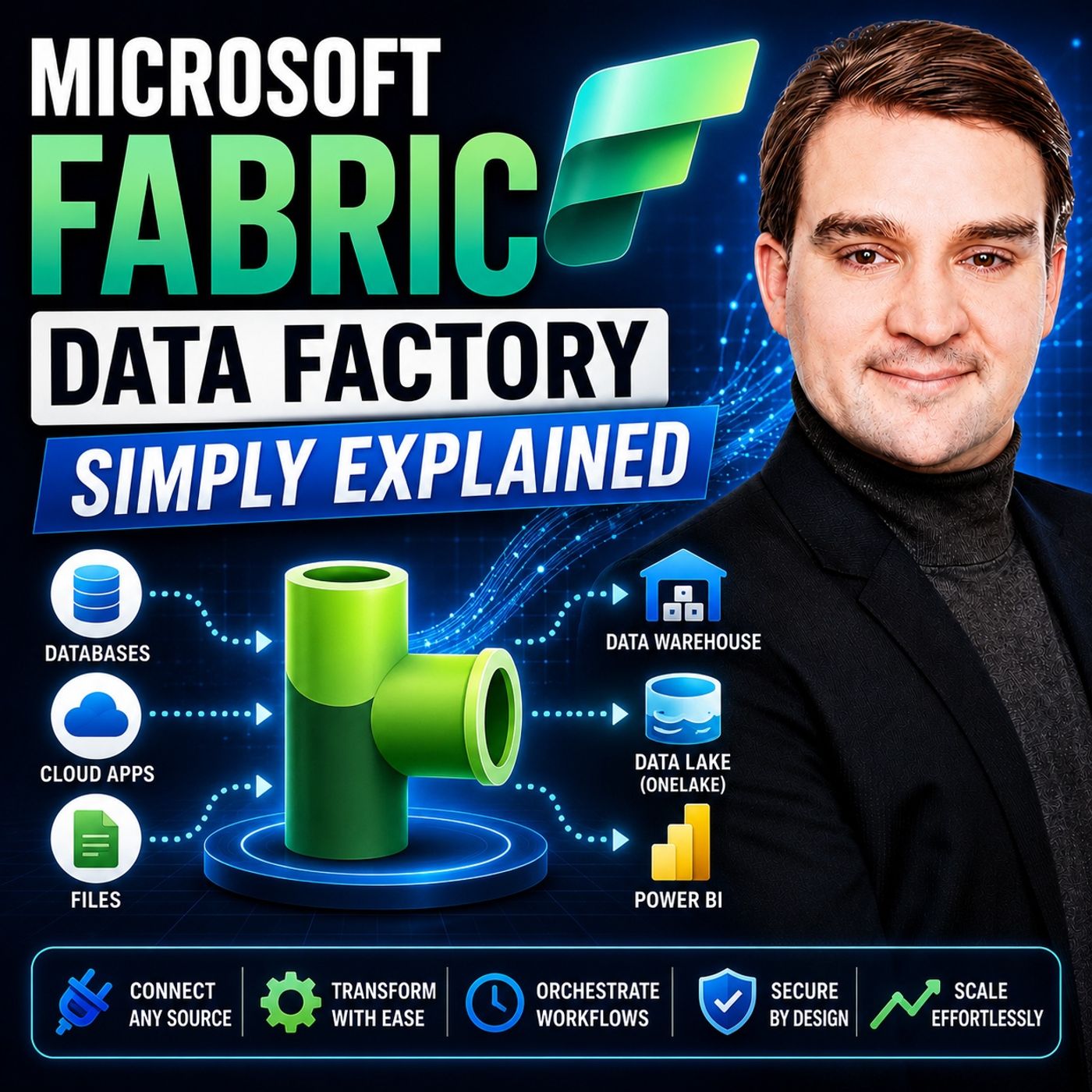
Microsoft Fabric Data Factory - Simply Explained
Show notes
Moving data has always been one of the most complex parts of building a modern analytics platform. Organizations need to collect information from databases, cloud applications, APIs, files, and enterprise systems before they can generate valuable business insights. Microsoft Fabric Data Factory simplifies this entire process by providing a unified, cloud-native data integration experience directly inside Microsoft Fabric. In this episode of Microsoft Knowledge Nuggets, we explain what Microsoft Fabric Data Factory is, how it differs from Azure Data Factory, and how its core building blocks help organizations move, transform, and orchestrate data more efficiently than ever before. WHAT MICROSOFT FABRIC DATA FACTORY ACTUALLY IS Microsoft Fabric Data Factory is the built-in data integration engine that powers Microsoft Fabric. Instead of deploying separate infrastructure or configuring multiple Azure services, organizations can create pipelines, connect to hundreds of data sources, transform information, and load it directly into OneLake using a fully managed Software-as-a-Service platform. Data Factory becomes the engine that connects every part of the Microsoft Fabric ecosystem, making enterprise data movement significantly easier to manage. HOW FABRIC DATA FACTORY DIFFERS FROM AZURE DATA FACTORY Although Fabric Data Factory shares many concepts with Azure Data Factory, it introduces a much simpler experience. Storage is automatically provided through OneLake, eliminating much of the infrastructure configuration required in traditional Azure Data Factory environments. Capacity-based pricing replaces activity-based billing, deployment pipelines are integrated directly into Fabric workspaces, and modern capabilities such as built-in Microsoft Teams notifications and simplified connections reduce the complexity of enterprise data integration projects. DATA PIPELINES, DATAFLOW GEN2, COPY JOBS, AND MIRRORING This episode explores the four core building blocks of Fabric Data Factory. Data Pipelines orchestrate complex workflows and automate business processes using low-code drag-and-drop experiences. Dataflow Gen2 enables users to clean, transform, and prepare data visually with familiar Power Query functionality. Copy Jobs simplify continuous ingestion with built-in Change Data Capture and Slowly Changing Dimension support, while Mirroring continuously replicates operational databases into OneLake with minimal configuration. Together, these capabilities allow organizations to ingest, transform, synchronize, and serve enterprise data using a single integrated platform. HOW EVERYTHING WORKS TOGETHER INSIDE MICROSOFT FABRIC The real power of Fabric Data Factory comes from its deep integration with the broader Microsoft Fabric platform. Data flows directly into OneLake, where Lakehouses, Warehouses, Power BI, notebooks, AI workloads, and Real-Time Intelligence can immediately access the same information without duplication. Organizations can implement modern Medallion Architectures with Bronze, Silver, and Gold layers while reducing traditional ETL complexity and maintaining a single source of truth across the business. WHEN SHOULD YOU USE FABRIC DATA FACTORY? Fabric Data Factory is ideal for data engineers, analytics engineers, BI developers, Microsoft Fabric consultants, and organizations already investing in the Microsoft data platform. Whether you're building enterprise ETL pipelines, synchronizing operational databases, transforming data with Power Query, or orchestrating complete analytics workflows, Data Factory provides a unified low-code platform that dramatically reduces development effort while improving scalability, governance, and maintainability. Become a supporter of this podcast: https://www.spreaker.com/podcast/m365-fm-microsoft-365-azure-cloud-power-platform-ai--6704921/support.
Apple Podcasts · Spotify · YouTube · YouTube Music · Deezer
Host: Mirko Peters
Related articles
Transcript
Read the full transcript
What exactly is Microsoft Fabric Data Factory? Is it just Azure Data Factory with a new name or something completely different? If you've heard the term and wondered what it actually means, you're not alone. By the end of this episode, you'll know what it is, how it's different from the classic ADF and the core pieces you actually need to understand. If you're dealing with data movement in Fabric, this is the engine that makes it happen. And it's simpler than you think. We'll look at four key building blocks and see how they fit together. But first, let's define what we're talking about. Here's the simplest definition. Fabric Data Factory is the engine inside Microsoft Fabric that moves and integrates your data. Think of it as the replacement for Azure Data Factory and Synapse Pipelines, all in a single SAS platform. That's the first thing to understand. It's not a separate service you manage. It's built right into Fabric connected to one lake. Let's use an analogy. If Fabric is an office building, Data Factory is the mail room and the conveyor belts that move documents between floors. You don't think about the mail room every day. But without it, nothing gets from point A to point B. Same here, Data Factory handles the movement behind the scenes. The big difference from the old world, no extra storage configuration needed. Your data lands right in one lake. In Azure Data Factory, you had to set up a storage account, create containers, and configure linked services. In Fabric, that's all gone. One lake is already there, so you just point your pipeline at it and go. That sounds familiar, right? So how is this different from the Azure Data Factory you already know? How it's different from Azure Data Factory? A lot of people think Fabric Data Factory is just Azure Data Factory with a new label, but it's not. Let's clear up a few myths. Pricing is where things really change. ADF charges per activity run, so every copy activity stored procedure and pipeline execution adds to your bill. Fabric Data Factory uses capacity-based pricing instead. You buy a Fabric capacity, F2, F4, F16, whatever, and all your workloads share that compute pool. Data Factory Power BI, Lakehouse, the whole platform. If you already have Fabric capacity, running pipelines costs very little extra. If you don't, you need to weigh the total Fabric cost against your current ADF bill. Connections are simpler too. In ADF, you had to create a linked service for every source and destination, then data sets on top of that, then configure the integration run time. With Fabric, connections are defined in line and one lake is automatic. You pick your source, pick your destination, and the connection is set up on the spot, much less clicking. There are also new built-in activities. You can send emails or teams messages directly from your pipeline without needing logic apps or custom web hooks. It's just a drag and drop activity, and that alone saves a lot of time. And deployment is better now. ADF had deployment pipelines, but they were clunky. Fabric has built-in deployment pipelines with workspace-level promotion, so you can move from dev to test to production in a few clicks. No manual scripts needed. Now let's be honest about what's missing. SSIS support and managed VNet aren't here yet. If you're heavily invested in SQL server integration services, you'll need to wait. For most people, that's fine. The vast majority of data integration work doesn't need SSIS. So here's a simple rule of thumb. If your ADF bill is under $1,500 a month, and you're not using Fabric, stick with ADF because it's cheaper for low volume workloads. If you're already in Fabric, data factories included, so use it. And if your ADF costs a higher than that, it's worth doing the math on a Fabric capacity. Building block one, data pipelines. Now let's look at the first building block, data pipelines. Pipelines are the orchestrators. They decide what runs, when, and in what order, and everything else plugs into them. Think of a pipeline like a recipe. You have steps, you can branch, and you can loop back. First, you preheat the oven, then mix the ingredients, and if the batter looks too dry, you add more milk before baking. A pipeline works the same way. First, copy data from a source, then check if the file exists, and if it does, run a transformation. If it doesn't send an alert, you control the flow. The core activities you'll use most often are copy data for each if condition get metadata and look up. Copy data moves data from point A to point B, for each loop through a list, say 10 files in a folder. If condition checks whether something is true or false, get metadata asks questions about your data, how big is this file? When was it last modified? Look up reads a configuration file and brings the values into your pipeline. That's the starter kit. The whole thing is low code. You drag and drop activities onto a canvas, connect them with arrows, set the properties, and you're done. No coding needed for most tasks. It looks like a flow chart, because that's exactly what it is. Here's a real example. Imagine pulling sales data from an API every morning. Your pipeline starts with a copy data activity that lands it in a lake house. Then a data flow, Gen 2 step, cleans the data, removes nulls, fixes data formats, then a notebook enriches it with customer segments. Finally, a team's activity sends a message to your team. Sales data updated. That's one pipeline doing the work that used to require multiple tools. You can also make pipelines reusable. Say you have the same logic for 10 different data sources. Instead of building 10 pipelines, you build one and use parameters, source URL, table name, destination folder, all as variables. One pipeline, 10 different jobs. That's parameterization. And here's something new. You can ask co-pilot to write pipeline expressions in plain English. Type add two days to this date, and it generates the expression for you no more memorizing function syntax or googling how to format a timestamp. Just say what you need. Building block two, data flow, Gen 2. So what happens when you need to clean up data, but don't want to write code? That's the exact problem data flow, Gen 2 solves. Data flow, Gen 2 is the low code transformation tool inside fabric data factory. If you've used Power Query in Excel or Power BI before, this will feel very familiar. It has the same interface, the same 300 plus transformations and the same engine. Just running in the cloud with a lake house as the destination. Think of it this way. If pipelines are the assembly line that moves boxes around, data flow, Gen 2 is the kitchen where you actually chop, season, and cook the raw ingredients. Pipelines handle the logistics. Data flow, Gen 2 handles the actual work of making the data useful. When should you reach for it? When you need to clean data, change types, merge tables or filter rows, all without touching spark or SQL. If your transformation fits on a whiteboard, it probably fits in data flow, Gen 2. Here's a quick example. You import a CSV file full of customer orders. There are duplicate rows. Some dates are in the wrong format. A few columns have nulls. You open data flow, Gen 2, click a few buttons to remove duplicates, change the date column type and fill in missing values. Then you join it with a product table from another source. The whole thing takes 10 minutes. No code, the output lands in a lake house table, ready for reporting. You can also see everything visually. There's a diagram view that shows each step as a node. Source goes into a filter node. Filter feeds into a merge node. Merge feeds into the output. You can see the whole flow at a glance. That's really helpful when you're debugging or when you need to explain the logic to someone else. Scheduling is flexible too. You can run data flow, Gen 2 on its own, set it to refresh every morning at 6am. Or you can call it from a parent pipeline as one step in a larger workflow. Most production setups do the latter. The pipeline handles the orchestration and data flow, Gen 2, handles the transformation step inside it. But here's an honest note. For really heavy transformations, think billions of rows, complex window functions or custom machine learning logic, you might still use notebooks with Spark. Data flow Gen 2 isn't built for every scenario, but for the vast majority of what most teams need, cleaning, shaping, joining, aggregating, it covers about 80% of the work. That's a lot of code you don't have to write. Building block three, copy jobs. Now let's talk about moving data. What if you needed to flow in continuously from a database? That's where copy jobs come in. A copy job is a simplified way to copy data from a source to one lake with built-in change tracking. No complex pipeline configuration, no custom scripts. You pick a source, pick a destination, and tell it how often you want it to run. That's really it. The key feature is change data capture or CDC. Copy jobs automatically track inserts, updates, and deletes at the source. You don't need to build manual watermarking logic that thing where you save a timestamp and query for newer records. Copy jobs handle that behind the scenes. It just works without any extra effort. There's more. Copy jobs support SCD type 2, slowly changing dimensions type 2. That means it keeps full history. When a customer changes their address, the old address stays in the table with an end date. The new address gets a start date. You can see exactly how a record changed over time. That's huge for auditing and historical reporting. So when do you use copy jobs versus the standard copy activity? Here's the rule. Copy jobs are for set it and forget it continues ingestion. You want data flowing in automatically, day after day, with minimal maintenance. Copy activities are for one-off or scheduled bulk loads where you need more control over the logic, the mappings, and the error handling. Think of it this way. A copy job is like having a librarian who automatically spots new books being added and puts them on the shelf. You don't need to check the catalog every time because the librarian handles it. A copy activity is more like you walking into the library, picking the books yourself, and deciding exactly where they go. Both get the job done, but copy jobs save you the effort for routine work. Set up is simple. You pick the source, say a SQL server database. You pick the destination, a lake house table. You map the fields. You tell it if you want incremental refresh or full refresh, and that covers it. The job runs on your schedule and keeps your lake house in sync automatically. Building block 4 mirroring. Now what if you need real-time replication? That's where mirroring comes in. Here's the simplest definition. Mirroring is a way to replicate your operational database into one lake continuously without writing a single line of code. You set it up once and it runs in the background. The data stays fresh in near real time. No pipelines to build, no data flows to maintain. It just works. How does it actually work? Mirroring reads the transaction log of your source database. Every change, every insert, update, and delete gets picked up and appears in one lake within minutes. This isn't batch processing. It's continuous replication. The moment something changes in your source database, it shows up in fabric. Let's talk about sources. Right now, you can mirror as your SQL database, as your Cosmos DB, Snowflake, and others. More are coming like private network mirroring for databases behind firewalls, which was announced at build 2026. Why would you use this? Because you get a live copy of your database in one lake without building any ETL pipelines. You don't need copy activities. You don't need change tracking scripts. You don't need incremental load logic. The system handles all of that for you. Here's an analogy to help it stick. Think of mirroring as having a real-time clone of your database sitting inside fabric. Update the source once and the clone updates instantly. No code required to keep them in sync. The system does the heavy lifting. There's also a cost benefit worth mentioning. Mirroring comes with free compute and storage up to a certain limit. You only pay for the fabric capacity you already have. For many organizations, that makes it cheaper than building and maintaining custom replication pipelines. And here's a practical use case. You can build Power BI reports directly on mirror data without affecting the source database. Your operational system keeps running at full speed. Your analysts get fresh data. Everyone wins. How these pieces work together. So you have pipelines, data flows, copy jobs, and mirroring. How do they fit together? Most real-world implementations follow a simple pattern. Ingest, clean, enrich, serve. It's called the medallion architecture. Bronze, silver, gold. Think of it as three layers. Bronze holds raw data exactly as it arrived. Silver is cleaned and de-duplicated. Gold is enriched and ready for reporting. Here's what that looks like in practice. A mirroring or copy job lands raw data into a bronze lake house table. That's the ingest step. Then a data flow gen 2 cleans and transforms it into silver. Removes nulls, standardizes formats, joins related tables. Finally, a pipeline orchestrates the whole thing. It triggers the copy job, waits for it to finish, runs the data flow, and sends a team's notification when it's done. That's the full flow. The real magic isn't any single tool. It's how they all talk to each other through one lake. Your mirror data lives in one lake. Your data flow output lands in one lake. Your pipeline reads from one lake. Everything shares the same storage layer. You can even share data between workspaces using shortcuts. No copying needed. There's a dependency chain worth understanding. Pipelines can call data flow gen 2 as a step inside the pipeline. They can also include notebooks, DBT jobs, and even Azure data factory pipelines if you're migrating gradually. One pipeline can orchestrate them all. Here's the thing. You don't need to stitch together five different services anymore. One platform, one storage layer, one set of permissions. That's the point of fabric. And it works in the real world. A UAE based distributor used this exact pattern. Copy jobs for SAP data. Data flow gen 2 for cleaning pipelines for orchestration. They cut their months in close from nine days to two. That's not a demo. That's production. Practical guidance and cost. So who should actually use fabric data factory? If you need to move or transform data inside fabric, this is your tool that covers data engineers building pipelines, analytics engineers modeling data, and even business analysts using data flow gen 2 for self-service transformations. Who should skip it? If you only need one time file uploads, start with Lake House directly. Drag and drop a CSV done. If you're heavily invested in SSIS, wait for that support. And if your ADF bill is under 1500 a month and you're not using fabric, staying put makes sense for now. Let's talk cost. Fabric data factory uses capacity units or CUs. Your pipelines consume CUs based on activity complexity and data volume. A simple copy job uses fewer than a flow with joins and aggregations. You don't need to track every penny because the fabric capacity metrics app shows you what's consuming what. Here's the rule of thumb. If you already have fabric capacity like F2 or F4, running pipelines cost very little extra since the capacity is already paid for. If you don't have fabric capacity, compare the total cost to your current ADF bill. For most organizations with moderate pipeline volumes, fabric comes out ahead. Start small with the free 60 day trial. Create a workspace, build one pipeline that copies a CSV to a Lake House and see how it feels. If you've used ADF or Power Query, the learning curve is shallow. If you haven't, this is the simplest entry point to modern data integration. Fabric data factory isn't ADF in a new box. It's a simpler, sass-native engine that makes moving data feel like a built-in feature, not a separate project. Start with one pipeline that copies a file to a Lake House. That's your first step. Share this with someone still confused about the difference and subscribe for more knowledge nuggets.