


 Apple Podcasts
 Spotify
 Youtube Music
 Spreaker
 Podchaser
 Amazon Music
 Microsoft Fabric Data Factory - Simply Explained
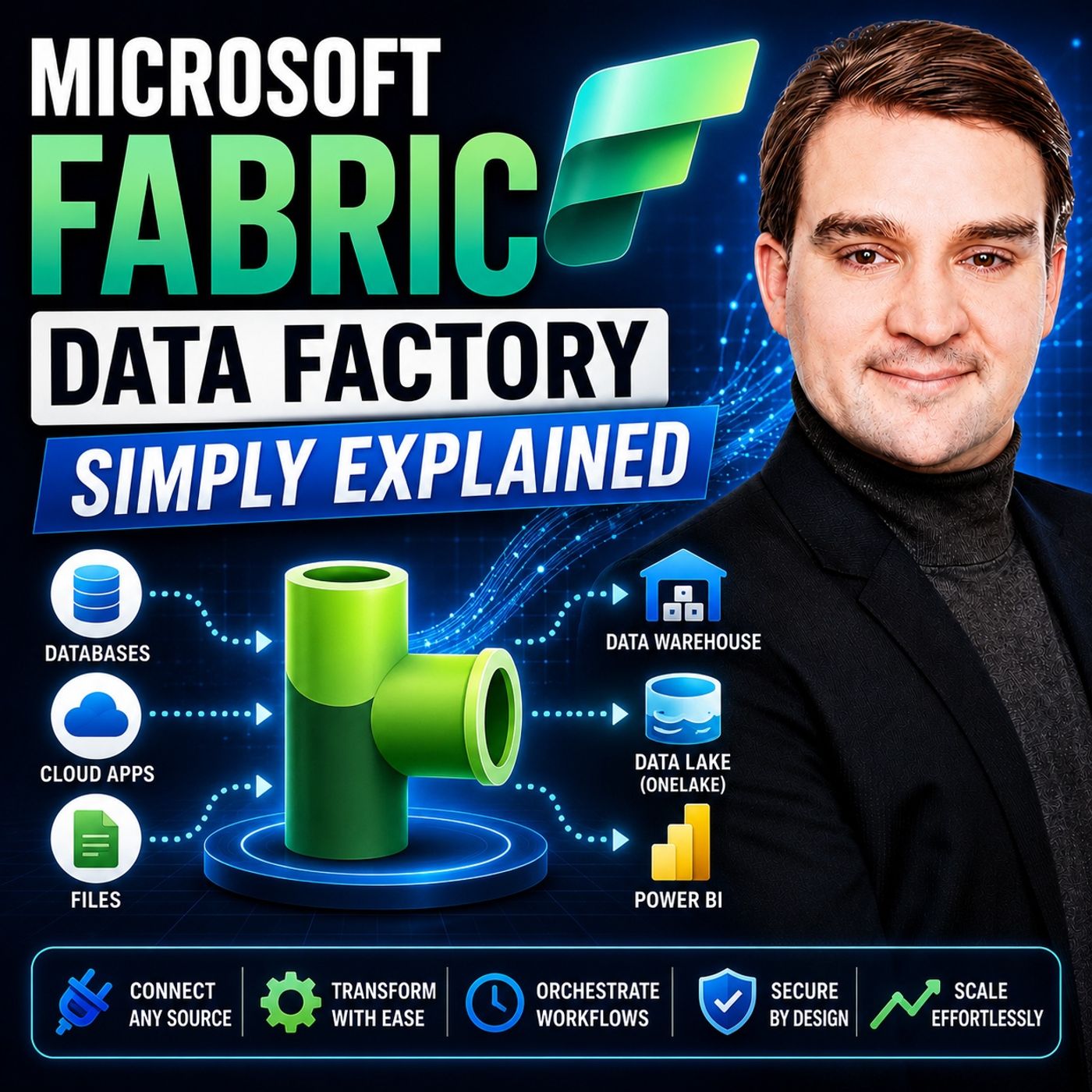
Quick answer: Microsoft Fabric Data Factory provides data-integration capabilities for moving, transforming, and orchestrating data within Microsoft Fabric. This episode explains the core concepts, where pipelines fit, and which design, governance, and operational questions teams should answer before putting data workflows into production.
In today's data-driven world, organizations face the challenge of integrating and managing vast amounts of data. Microsoft Fabric Data Factory emerges as a solution to streamline this process. With over 25,000 organizations currently using Fabric, its adoption rate continues to grow rapidly. Notably, 67% of Fortune 500 companies have deployed this innovative tool. Fabric's capabilities allow users to efficiently create data pipelines and manage workflows, ensuring a robust data management strategy. As a result, businesses can achieve a remarkable return on investment, with an ROI of 379% over three years.
Key Takeaways
- Microsoft Fabric Data Factory simplifies data integration and management for organizations of all sizes.
- Over 25,000 organizations, including 67% of Fortune 500 companies, use Fabric for efficient data workflows.
- The platform offers over 200 native connectors, making it easy to connect to various data sources.
- Automated data pipelines streamline data movement and transformation, saving time and reducing errors.
- Real-time analytics capabilities allow businesses to gain immediate insights and respond quickly to changes.
- Cost-effective scaling helps organizations optimize resources and reduce expenses by 35-50%.
- The user-friendly interface empowers both technical and non-technical users to manage data effectively.
- Integration with Power BI enhances data visualization, making insights accessible to all stakeholders.
What Is Microsoft Fabric Data Factory?
Overview of Data Factory
Microsoft Fabric Data Factory is a powerful tool designed for data integration and transformation. It provides cloud-scale data movement and data transformation services for complex ETL scenarios. This means you can easily extract, transform, and load data from various sources into a unified platform. Here are some key features of the data factory:
| Feature | Description |
|---|---|
| Definition | Fabric Data Factory provides cloud-scale data movement and data transformation services for complex ETL scenarios. |
| Pipelines | Tools for orchestrating data workflows, defining sequence and dependencies of data processing. |
| Connectors | Over 200 native connectors for data ingestion and transformation from various sources. |
| Code-First & Low-Code Options | Visual low-code interface and code-first orchestration options for diverse user preferences. |
| Automation & Monitoring | CI/CD support, workspace monitoring, and flexible scheduling for streamlined operations. |
| Real-Time Capabilities | Analyzing and acting on data in motion for up-to-date insights, especially for IoT and logs. |
With Microsoft Fabric Data Factory, you can connect to over 100 data stores, including cloud databases and business applications. This seamless connectivity simplifies the integration process, allowing you to focus on your data rather than the complexities of the tools.
Use Cases for Data Factory
Microsoft Fabric Data Factory serves various use cases across different industries. Here are some common scenarios where you can leverage its capabilities:
| Use Case | Description |
|---|---|
| Data warehousing and lakehouse | Store data in OneLake and access it across engines without moving it between systems in Fabric. |
| Real-time intelligence and streaming | Ingest event streams and logs, analyze them with Real-Time Intelligence, and respond faster. |
| Business intelligence and reporting | Build dashboards in Power BI that use the same OneLake data. |
| Data science and machine learning | Use notebooks and Spark-based workflows to build and operationalize models. |
| Data integration and ETL | Build pipelines and data prep flows in Fabric’s Data Factory experiences. |
| Data governance and compliance | Use Microsoft Purview integration for catalog, lineage, and auditing across Fabric assets. |
In specific industries, such as insurance and banking, organizations utilize Microsoft Fabric Data Factory to gain insights from various data sources. For example, insurance companies can analyze data from policy administration and claims management to improve risk assessments. Similarly, banks can integrate data from core banking systems to enhance their financial services.
By using Microsoft Fabric Data Factory, you can streamline your data integration processes, making it easier to manage and analyze your data effectively.
Data Factory Features
Data Transformation Capabilities
Microsoft Fabric Data Factory excels in data transformation, offering robust features that simplify the process of preparing data for analysis. Here are some key capabilities:
- Integration of Azure Data Factory and Power Query Dataflows: This feature allows you to blend cloud and on-premise data seamlessly. You can connect various data sources and transform them without worrying about compatibility issues.
- ETL Capabilities: The solution provides efficient Extract, Transform, Load functionalities. You can move data across different sources quickly and reliably.
- Data Transformation with Dataflows: You can visually design transformations using a user-friendly interface. This makes it easier to implement business rules and perform data cleansing without needing extensive coding skills.
These features empower you to manage your data more effectively. You can automate complex transformations, ensuring that your data is always ready for analysis.
Data Pipelines and Workflows
Data pipelines are at the heart of Microsoft Fabric Data Factory. They allow you to create workflows that automate data movement and transformation. You can build various types of data pipelines, including those that facilitate data movement, transformation, and automation.
Pipelines can be scheduled to run at specific times or triggered by events. This flexibility helps you manage complex workflows effectively. Here are some benefits of using data pipelines in Microsoft Fabric Data Factory:
| Feature | Benefit |
|---|---|
| Automated Data Transformation | Speeds up integration tasks and reduces the need for technical know-how. |
| Integrated Analytics and Reporting | Shortens the time between data collection and decision-making through seamless Power BI integration. |
| Reduces Manual Workload | Automates data entry and integration, allowing teams to focus on analysis instead of repetitive tasks. |
| Enables Real-Time Insights | Provides instant access to data changes, improving response times and operational efficiency. |
| Simplifies Complex Environments | Creates a unified view of data across multiple systems, reducing complexity and enhancing transparency. |
| Scales with Business Growth | Automatically handles large data volumes while maintaining speed and reliability. |
| Prepares Data for AI and Analytics | Efficiently connects and cleans data for use in AI and advanced analytics. |
With these capabilities, you can streamline your data workflows and enhance your overall data management strategy. Microsoft Fabric Data Factory not only simplifies the integration process but also ensures that your data is always accessible and actionable.
Key Components of Microsoft Fabric
Pipelines and Dataflow Gen2
Pipelines are essential components of Microsoft Fabric Data Factory. They automate and orchestrate data processes, allowing you to manage workflows efficiently. With pipelines, you can create a sequence of tasks that include data movement, transformation, and loading. This automation saves you time and reduces manual errors.
Dataflow Gen2 enhances the functionality of pipelines by enabling complex data transformations. You can perform these transformations within the pipeline, making it easier to prepare your data for analysis. Here are some key functionalities of pipelines and Dataflow Gen2:
| Functionality | Description |
|---|---|
| Automation and Orchestration | Pipelines automate and orchestrate data processes, allowing for efficient management of workflows. |
| Data Transformation | Dataflow Gen2 enables users to perform complex data transformations within the pipeline. |
| Workflow Management | Pipelines can manage workflows that include various activities like data copying and SQL execution. |
| Scheduling | Pipelines can be scheduled to run at specific times or triggered by events. |
| Scalability | Pipelines are scalable and can handle large amounts of data efficiently. |
| Error Handling | Pipelines can be configured to send notifications in case of process failures. |
Additionally, Dataflow Gen2 utilizes advanced compute engines for efficient data handling. It creates Lakehouse and Warehouse items to improve data access and performance. This capability supports large-scale data processing and transformation tasks, making your data management more effective.
Copy Jobs and Mirroring
Copy Jobs and Mirroring are crucial for maintaining data freshness and accessibility in Microsoft Fabric Data Factory. Copy Jobs facilitate continuous data ingestion, allowing you to keep your data up-to-date with features like Change Data Capture. This ensures that you can track changes in your data sources efficiently.
Mirroring complements Copy Jobs by enabling continuous replication of operational databases into OneLake. This process requires minimal setup and ensures that your data remains fresh in near real-time. Here are some important aspects of Copy Jobs and Mirroring:
- Copy Jobs support Slowly Changing Dimensions, which helps you manage historical data effectively.
- Mirroring operates without the need for coding, running in the background after initial setup. This simplifies the process of keeping your data current.
- Together, these features allow you to efficiently ingest, transform, synchronize, and serve enterprise data within a unified platform.
By leveraging these components, you can streamline your data management processes and ensure that your organization has access to accurate and timely data.
Benefits of Microsoft Fabric Data Factory
Scalability and Cost-Effectiveness
Microsoft Fabric Data Factory offers significant scalability, making it suitable for organizations of all sizes. With over 25,000 paying customers, including around 70% of Fortune 500 companies, its adoption reflects its ability to handle large data volumes efficiently. Financial institutions, for example, leverage this platform to modernize their data platforms, ensuring they can manage increasing data demands without compromising performance.
One of the standout features of Microsoft Fabric is its built-in automatic scaling capabilities. This allows you to optimize resource utilization based on demand. As your data needs grow, the platform adjusts resources accordingly, ensuring you only pay for what you use. This flexibility leads to substantial cost reductions. Organizations can achieve savings between 35-50% by consolidating multiple analytics platforms into a single Microsoft Fabric deployment. This consolidation not only lowers the total cost of ownership but also enhances capabilities and performance.
Additionally, proper right-sizing of resources can lead to cost savings of 20-30% or more. By implementing optimization strategies, you can maintain performance while maximizing your return on investment. This cost-effectiveness makes Microsoft Fabric Data Factory an attractive option for organizations looking to streamline their data management processes.
User-Friendly Interface
The user-friendly interface of Microsoft Fabric Data Factory simplifies the data transformation process for both data engineers and analysts. The Power Query engine serves as the backbone for dataflows, enabling you to shape and transform data easily. Its intuitive interface allows you to perform tasks like filtering, grouping, and creating custom columns without extensive technical skills.
This flexibility empowers you to prepare data efficiently, regardless of your technical background. You can focus on analyzing data rather than getting bogged down by complex tools. The streamlined experience enhances productivity, allowing you to create data pipelines and workflows quickly.
Moreover, the integration of various tools within the Microsoft Fabric ecosystem further enhances usability. For instance, the seamless connection with Power BI enables you to visualize data effortlessly. This integration allows you to create interactive dashboards and reports, making data insights accessible to all stakeholders.
Integration with Microsoft Fabric Ecosystem
Power BI and Azure Services
Microsoft Fabric Data Factory integrates seamlessly with Power BI and Azure services, creating a powerful ecosystem for data management. This integration simplifies data integration and transformation, allowing you to connect various data sources effortlessly. Here are some key features of this integration:
| Feature | Description |
|---|---|
| Data Integration | Simplifies data integration and transformation using Fabric Data Factory. |
| Cost Reduction | Helps reduce ETL costs and complexity with flexible integration, avoiding rebuilds or duplicate storage. |
| Unified Ecosystem | Turns data into business outcomes with a unified estate for BI, AI, and engineering. |
By leveraging this integration, you can orchestrate data pipelines that automate ETL processes. This allows you to ingest data from diverse sources, ensuring that your analytics and reporting are always up-to-date.
Additionally, Microsoft Fabric integrates data engineering, data science, real-time analytics, and business intelligence into a single ecosystem. This unified approach enhances your ability to derive insights from your data.
Modern Data Architectures
Microsoft Fabric Data Factory supports modern data architectures, such as data lakes and data warehouses. It provides a structured environment for data analysis and reporting, which is essential for business intelligence needs. Here are some components that illustrate how it supports these architectures:
| Component | Description |
|---|---|
| OneLake | A unified storage solution that allows data to be stored in Delta Parquet format, enabling seamless querying across different services without duplication. |
| Data Engineering | Integrates data engineering processes into the platform, facilitating the management of data workflows. |
| Data Integration | Combines data from various sources into a single platform, enhancing accessibility and usability. |
| Data Warehousing | Provides a structured environment for data analysis and reporting, supporting business intelligence needs. |
| Medallion Architecture | Organizes data into three logical layers for better governance and purpose-driven data management. |
With these components, you can create comprehensive data solutions that streamline the processes of data integration and orchestration. This capability empowers Azure Data Engineers to develop pipelines with minimal coding, connecting to a wide array of data sources.
Microsoft Fabric Data Factory revolutionizes how you manage and integrate data. Its powerful features streamline data workflows, making it easier for you to extract, transform, and load data efficiently. As you consider adopting this platform, remember the key benefits it offers:
- Real-time insights: Gain immediate access to data, enhancing decision-making.
- Cost savings: Optimize resources and reduce expenses through its scalable architecture.
- Unified data foundation: Create a single source of truth for your organization.
Many industries, from finance to agriculture, have already experienced significant improvements in their data practices. For instance, a financial services firm achieved real-time decision-making by automating knowledge integration. As you explore Microsoft Fabric Data Factory, you position your organization for success in today's data-driven landscape.
FAQ
What is Microsoft Fabric Data Factory?
Microsoft Fabric Data Factory is a cloud-native data integration engine. It simplifies data movement and transformation, allowing you to create data pipelines and manage workflows efficiently.
How does Data Factory help with data integration?
Data Factory connects to over 100 data sources. It enables you to extract, transform, and load data seamlessly, streamlining your data integration processes.
Can I automate data workflows in Data Factory?
Yes, you can automate data workflows using pipelines. Data Factory allows you to schedule tasks or trigger them based on events, enhancing efficiency.
What are the key features of Data Factory?
Key features include data transformation capabilities, low-code interfaces, real-time analytics, and over 200 native connectors for diverse data sources.
Is Data Factory suitable for real-time data processing?
Absolutely! Data Factory supports real-time data processing. You can ingest event streams and logs, enabling you to analyze data as it flows.
How does Data Factory integrate with Power BI?
Data Factory integrates seamlessly with Power BI. This integration allows you to visualize data and create interactive dashboards directly from your data pipelines.
What industries benefit from using Data Factory?
Various industries, including finance, healthcare, and retail, benefit from Data Factory. It helps organizations streamline data integration and enhance decision-making.
Is there a learning curve for using Data Factory?
While Data Factory offers advanced features, its user-friendly interface minimizes the learning curve. You can quickly adapt to its functionalities, even with limited technical skills.
Last reviewed: July 2026.
What You’ll Learn
- How Data Factory fits into the wider Microsoft Fabric platform.
- Which data-integration and orchestration decisions shape reliable pipelines.
- Why ownership, monitoring, and governance need to be designed with the workflow.
Who Should Listen
This episode is for Microsoft 365 administrators, architects, IT leaders, and business decision-makers who need a practical introduction to Microsoft Fabric Data Factory and its implications for adoption, operations, and governance.
🎧 You Should Also Listen To
- Microsoft Fabric — Start with the platform overview before designing individual data workloads.
- Microsoft Fabric Data Warehouse — Connect data ingestion and transformation with analytics-ready warehouse data.
🚀 Want to be part of m365.fm?
Then stop just listening… and start showing up.
👉 Connect with me on LinkedIn and let’s make something happen:
- 🎙️ Be a podcast guest and share your story
- 🎧 Host your own episode (yes, seriously)
- 💡 Pitch topics the community actually wants to hear
- 🌍 Build your personal brand in the Microsoft 365 space
This isn’t just a podcast — it’s a platform for people who take action.
🔥 Most people wait. The best ones don’t.
👉 Connect with me on LinkedIn and send me a message:
"I want in"
Let’s build something awesome 👊
1
00:00:00,000 --> 00:00:02,360
What exactly is Microsoft Fabric Data Factory?
2
00:00:02,360 --> 00:00:04,200
Is it just Azure Data Factory with a new name
3
00:00:04,200 --> 00:00:05,640
or something completely different?
4
00:00:05,640 --> 00:00:08,220
If you've heard the term and wondered what it actually means,
5
00:00:08,220 --> 00:00:09,360
you're not alone.
6
00:00:09,360 --> 00:00:11,760
By the end of this episode, you'll know what it is,
7
00:00:11,760 --> 00:00:13,960
how it's different from the classic ADF
8
00:00:13,960 --> 00:00:15,960
and the core pieces you actually need to understand.
9
00:00:15,960 --> 00:00:17,880
If you're dealing with data movement in Fabric,
10
00:00:17,880 --> 00:00:19,880
this is the engine that makes it happen.
11
00:00:19,880 --> 00:00:21,560
And it's simpler than you think.
12
00:00:21,560 --> 00:00:23,280
We'll look at four key building blocks
13
00:00:23,280 --> 00:00:24,720
and see how they fit together.
14
00:00:24,720 --> 00:00:27,520
But first, let's define what we're talking about.
15
00:00:27,520 --> 00:00:28,680
Here's the simplest definition.
16
00:00:28,680 --> 00:00:31,640
Fabric Data Factory is the engine inside Microsoft Fabric
17
00:00:31,640 --> 00:00:33,360
that moves and integrates your data.
18
00:00:33,360 --> 00:00:35,760
Think of it as the replacement for Azure Data Factory
19
00:00:35,760 --> 00:00:39,160
and Synapse Pipelines, all in a single SAS platform.
20
00:00:39,160 --> 00:00:40,880
That's the first thing to understand.
21
00:00:40,880 --> 00:00:42,920
It's not a separate service you manage.
22
00:00:42,920 --> 00:00:45,520
It's built right into Fabric connected to one lake.
23
00:00:45,520 --> 00:00:46,800
Let's use an analogy.
24
00:00:46,800 --> 00:00:49,880
If Fabric is an office building, Data Factory is the mail room
25
00:00:49,880 --> 00:00:52,240
and the conveyor belts that move documents between floors.
26
00:00:52,240 --> 00:00:54,240
You don't think about the mail room every day.
27
00:00:54,240 --> 00:00:57,200
But without it, nothing gets from point A to point B.
28
00:00:57,200 --> 00:01:00,960
Same here, Data Factory handles the movement behind the scenes.
29
00:01:00,960 --> 00:01:02,480
The big difference from the old world,
30
00:01:02,480 --> 00:01:04,280
no extra storage configuration needed.
31
00:01:04,280 --> 00:01:05,960
Your data lands right in one lake.
32
00:01:05,960 --> 00:01:08,600
In Azure Data Factory, you had to set up a storage account,
33
00:01:08,600 --> 00:01:11,080
create containers, and configure linked services.
34
00:01:11,080 --> 00:01:12,440
In Fabric, that's all gone.
35
00:01:12,440 --> 00:01:14,840
One lake is already there, so you just point your pipeline at it
36
00:01:14,840 --> 00:01:15,560
and go.
37
00:01:15,560 --> 00:01:16,920
That sounds familiar, right?
38
00:01:16,920 --> 00:01:18,960
So how is this different from the Azure Data Factory
39
00:01:18,960 --> 00:01:20,080
you already know?
40
00:01:20,080 --> 00:01:22,360
How it's different from Azure Data Factory?
41
00:01:22,360 --> 00:01:25,240
A lot of people think Fabric Data Factory is just Azure Data
42
00:01:25,240 --> 00:01:26,880
Factory with a new label, but it's not.
43
00:01:26,880 --> 00:01:28,320
Let's clear up a few myths.
44
00:01:28,320 --> 00:01:29,680
Pricing is where things really change.
45
00:01:29,680 --> 00:01:32,720
ADF charges per activity run, so every copy activity
46
00:01:32,720 --> 00:01:36,000
stored procedure and pipeline execution adds to your bill.
47
00:01:36,000 --> 00:01:39,000
Fabric Data Factory uses capacity-based pricing instead.
48
00:01:39,000 --> 00:01:43,400
You buy a Fabric capacity, F2, F4, F16, whatever,
49
00:01:43,400 --> 00:01:45,680
and all your workloads share that compute pool.
50
00:01:45,680 --> 00:01:48,440
Data Factory Power BI, Lakehouse, the whole platform.
51
00:01:48,440 --> 00:01:50,440
If you already have Fabric capacity,
52
00:01:50,440 --> 00:01:52,640
running pipelines costs very little extra.
53
00:01:52,640 --> 00:01:55,040
If you don't, you need to weigh the total Fabric cost
54
00:01:55,040 --> 00:01:56,640
against your current ADF bill.
55
00:01:56,640 --> 00:01:58,040
Connections are simpler too.
56
00:01:58,040 --> 00:02:00,520
In ADF, you had to create a linked service for every source
57
00:02:00,520 --> 00:02:02,880
and destination, then data sets on top of that,
58
00:02:02,880 --> 00:02:04,880
then configure the integration run time.
59
00:02:04,880 --> 00:02:07,200
With Fabric, connections are defined in line
60
00:02:07,200 --> 00:02:08,360
and one lake is automatic.
61
00:02:08,360 --> 00:02:10,320
You pick your source, pick your destination,
62
00:02:10,320 --> 00:02:13,640
and the connection is set up on the spot, much less clicking.
63
00:02:13,640 --> 00:02:15,560
There are also new built-in activities.
64
00:02:15,560 --> 00:02:17,720
You can send emails or teams messages directly
65
00:02:17,720 --> 00:02:19,600
from your pipeline without needing logic apps
66
00:02:19,600 --> 00:02:20,800
or custom web hooks.
67
00:02:20,800 --> 00:02:22,280
It's just a drag and drop activity,
68
00:02:22,280 --> 00:02:23,680
and that alone saves a lot of time.
69
00:02:23,680 --> 00:02:25,040
And deployment is better now.
70
00:02:25,040 --> 00:02:26,440
ADF had deployment pipelines,
71
00:02:26,440 --> 00:02:27,600
but they were clunky.
72
00:02:27,600 --> 00:02:29,320
Fabric has built-in deployment pipelines
73
00:02:29,320 --> 00:02:30,840
with workspace-level promotion,
74
00:02:30,840 --> 00:02:33,640
so you can move from dev to test to production in a few clicks.
75
00:02:33,640 --> 00:02:35,000
No manual scripts needed.
76
00:02:35,000 --> 00:02:36,680
Now let's be honest about what's missing.
77
00:02:36,680 --> 00:02:39,480
SSIS support and managed VNet aren't here yet.
78
00:02:39,480 --> 00:02:42,560
If you're heavily invested in SQL server integration services,
79
00:02:42,560 --> 00:02:43,600
you'll need to wait.
80
00:02:43,600 --> 00:02:45,120
For most people, that's fine.
81
00:02:45,120 --> 00:02:47,200
The vast majority of data integration work
82
00:02:47,200 --> 00:02:48,840
doesn't need SSIS.
83
00:02:48,840 --> 00:02:50,320
So here's a simple rule of thumb.
84
00:02:50,320 --> 00:02:52,800
If your ADF bill is under $1,500 a month,
85
00:02:52,800 --> 00:02:53,960
and you're not using Fabric,
86
00:02:53,960 --> 00:02:57,040
stick with ADF because it's cheaper for low volume workloads.
87
00:02:57,040 --> 00:03:00,240
If you're already in Fabric, data factories included, so use it.
88
00:03:00,240 --> 00:03:02,400
And if your ADF costs a higher than that,
89
00:03:02,400 --> 00:03:05,360
it's worth doing the math on a Fabric capacity.
90
00:03:05,360 --> 00:03:07,640
Building block one, data pipelines.
91
00:03:07,640 --> 00:03:10,200
Now let's look at the first building block, data pipelines.
92
00:03:10,200 --> 00:03:11,480
Pipelines are the orchestrators.
93
00:03:11,480 --> 00:03:13,800
They decide what runs, when, and in what order,
94
00:03:13,800 --> 00:03:15,320
and everything else plugs into them.
95
00:03:15,320 --> 00:03:17,080
Think of a pipeline like a recipe.
96
00:03:17,080 --> 00:03:20,040
You have steps, you can branch, and you can loop back.
97
00:03:20,040 --> 00:03:22,600
First, you preheat the oven, then mix the ingredients,
98
00:03:22,600 --> 00:03:25,640
and if the batter looks too dry, you add more milk before baking.
99
00:03:25,640 --> 00:03:27,080
A pipeline works the same way.
100
00:03:27,080 --> 00:03:30,280
First, copy data from a source, then check if the file exists,
101
00:03:30,280 --> 00:03:32,160
and if it does, run a transformation.
102
00:03:32,160 --> 00:03:34,520
If it doesn't send an alert, you control the flow.
103
00:03:34,520 --> 00:03:36,680
The core activities you'll use most often are
104
00:03:36,680 --> 00:03:39,560
copy data for each if condition get metadata and look up.
105
00:03:39,560 --> 00:03:41,960
Copy data moves data from point A to point B,
106
00:03:41,960 --> 00:03:44,840
for each loop through a list, say 10 files in a folder.
107
00:03:44,840 --> 00:03:47,520
If condition checks whether something is true or false,
108
00:03:47,520 --> 00:03:49,840
get metadata asks questions about your data,
109
00:03:49,840 --> 00:03:50,840
how big is this file?
110
00:03:50,840 --> 00:03:52,560
When was it last modified?
111
00:03:52,560 --> 00:03:54,080
Look up reads a configuration file
112
00:03:54,080 --> 00:03:55,840
and brings the values into your pipeline.
113
00:03:55,840 --> 00:03:56,880
That's the starter kit.
114
00:03:56,880 --> 00:03:58,240
The whole thing is low code.
115
00:03:58,240 --> 00:04:00,720
You drag and drop activities onto a canvas, connect them
116
00:04:00,720 --> 00:04:02,880
with arrows, set the properties, and you're done.
117
00:04:02,880 --> 00:04:04,920
No coding needed for most tasks.
118
00:04:04,920 --> 00:04:07,240
It looks like a flow chart, because that's exactly what it is.
119
00:04:07,240 --> 00:04:08,160
Here's a real example.
120
00:04:08,160 --> 00:04:11,040
Imagine pulling sales data from an API every morning.
121
00:04:11,040 --> 00:04:12,960
Your pipeline starts with a copy data activity
122
00:04:12,960 --> 00:04:14,320
that lands it in a lake house.
123
00:04:14,320 --> 00:04:17,520
Then a data flow, Gen 2 step, cleans the data, removes nulls,
124
00:04:17,520 --> 00:04:20,280
fixes data formats, then a notebook enriches it
125
00:04:20,280 --> 00:04:21,520
with customer segments.
126
00:04:21,520 --> 00:04:24,600
Finally, a team's activity sends a message to your team.
127
00:04:24,600 --> 00:04:26,280
Sales data updated.
128
00:04:26,280 --> 00:04:27,960
That's one pipeline doing the work that
129
00:04:27,960 --> 00:04:29,680
used to require multiple tools.
130
00:04:29,680 --> 00:04:31,560
You can also make pipelines reusable.
131
00:04:31,560 --> 00:04:34,080
Say you have the same logic for 10 different data sources.
132
00:04:34,080 --> 00:04:36,000
Instead of building 10 pipelines, you build one
133
00:04:36,000 --> 00:04:39,520
and use parameters, source URL, table name, destination folder,
134
00:04:39,520 --> 00:04:40,520
all as variables.
135
00:04:40,520 --> 00:04:42,280
One pipeline, 10 different jobs.
136
00:04:42,280 --> 00:04:44,560
That's parameterization.
137
00:04:44,560 --> 00:04:46,120
And here's something new.
138
00:04:46,120 --> 00:04:48,440
You can ask co-pilot to write pipeline expressions
139
00:04:48,440 --> 00:04:49,280
in plain English.
140
00:04:49,280 --> 00:04:51,160
Type add two days to this date,
141
00:04:51,160 --> 00:04:52,720
and it generates the expression for you
142
00:04:52,720 --> 00:04:55,080
no more memorizing function syntax or googling
143
00:04:55,080 --> 00:04:56,640
how to format a timestamp.
144
00:04:56,640 --> 00:04:58,240
Just say what you need.
145
00:04:58,240 --> 00:05:00,720
Building block two, data flow, Gen 2.
146
00:05:00,720 --> 00:05:02,880
So what happens when you need to clean up data,
147
00:05:02,880 --> 00:05:04,320
but don't want to write code?
148
00:05:04,320 --> 00:05:06,840
That's the exact problem data flow, Gen 2 solves.
149
00:05:06,840 --> 00:05:09,000
Data flow, Gen 2 is the low code transformation tool
150
00:05:09,000 --> 00:05:10,600
inside fabric data factory.
151
00:05:10,600 --> 00:05:13,480
If you've used Power Query in Excel or Power BI before,
152
00:05:13,480 --> 00:05:14,920
this will feel very familiar.
153
00:05:14,920 --> 00:05:18,240
It has the same interface, the same 300 plus transformations
154
00:05:18,240 --> 00:05:19,320
and the same engine.
155
00:05:19,320 --> 00:05:22,000
Just running in the cloud with a lake house as the destination.
156
00:05:22,000 --> 00:05:22,960
Think of it this way.
157
00:05:22,960 --> 00:05:25,360
If pipelines are the assembly line that moves boxes around,
158
00:05:25,360 --> 00:05:28,600
data flow, Gen 2 is the kitchen where you actually chop, season,
159
00:05:28,600 --> 00:05:30,000
and cook the raw ingredients.
160
00:05:30,000 --> 00:05:31,320
Pipelines handle the logistics.
161
00:05:31,320 --> 00:05:33,120
Data flow, Gen 2 handles the actual work
162
00:05:33,120 --> 00:05:34,560
of making the data useful.
163
00:05:34,560 --> 00:05:35,800
When should you reach for it?
164
00:05:35,800 --> 00:05:38,080
When you need to clean data, change types,
165
00:05:38,080 --> 00:05:41,440
merge tables or filter rows, all without touching spark
166
00:05:41,440 --> 00:05:42,000
or SQL.
167
00:05:42,000 --> 00:05:44,120
If your transformation fits on a whiteboard,
168
00:05:44,120 --> 00:05:46,440
it probably fits in data flow, Gen 2.
169
00:05:46,440 --> 00:05:47,800
Here's a quick example.
170
00:05:47,800 --> 00:05:50,440
You import a CSV file full of customer orders.
171
00:05:50,440 --> 00:05:51,720
There are duplicate rows.
172
00:05:51,720 --> 00:05:53,280
Some dates are in the wrong format.
173
00:05:53,280 --> 00:05:54,440
A few columns have nulls.
174
00:05:54,440 --> 00:05:56,640
You open data flow, Gen 2, click a few buttons
175
00:05:56,640 --> 00:05:58,920
to remove duplicates, change the date column type
176
00:05:58,920 --> 00:06:00,320
and fill in missing values.
177
00:06:00,320 --> 00:06:02,760
Then you join it with a product table from another source.
178
00:06:02,760 --> 00:06:04,160
The whole thing takes 10 minutes.
179
00:06:04,160 --> 00:06:07,680
No code, the output lands in a lake house table, ready for reporting.
180
00:06:07,680 --> 00:06:09,080
You can also see everything visually.
181
00:06:09,080 --> 00:06:11,520
There's a diagram view that shows each step as a node.
182
00:06:11,520 --> 00:06:13,080
Source goes into a filter node.
183
00:06:13,080 --> 00:06:14,920
Filter feeds into a merge node.
184
00:06:14,920 --> 00:06:16,160
Merge feeds into the output.
185
00:06:16,160 --> 00:06:18,040
You can see the whole flow at a glance.
186
00:06:18,040 --> 00:06:19,840
That's really helpful when you're debugging
187
00:06:19,840 --> 00:06:22,200
or when you need to explain the logic to someone else.
188
00:06:22,200 --> 00:06:23,640
Scheduling is flexible too.
189
00:06:23,640 --> 00:06:25,560
You can run data flow, Gen 2 on its own,
190
00:06:25,560 --> 00:06:27,840
set it to refresh every morning at 6am.
191
00:06:27,840 --> 00:06:29,560
Or you can call it from a parent pipeline
192
00:06:29,560 --> 00:06:31,320
as one step in a larger workflow.
193
00:06:31,320 --> 00:06:33,080
Most production setups do the latter.
194
00:06:33,080 --> 00:06:34,560
The pipeline handles the orchestration
195
00:06:34,560 --> 00:06:37,520
and data flow, Gen 2, handles the transformation step inside it.
196
00:06:37,520 --> 00:06:38,760
But here's an honest note.
197
00:06:38,760 --> 00:06:40,400
For really heavy transformations,
198
00:06:40,400 --> 00:06:43,040
think billions of rows, complex window functions
199
00:06:43,040 --> 00:06:44,480
or custom machine learning logic,
200
00:06:44,480 --> 00:06:46,680
you might still use notebooks with Spark.
201
00:06:46,680 --> 00:06:49,160
Data flow Gen 2 isn't built for every scenario,
202
00:06:49,160 --> 00:06:51,720
but for the vast majority of what most teams need,
203
00:06:51,720 --> 00:06:54,320
cleaning, shaping, joining, aggregating,
204
00:06:54,320 --> 00:06:56,320
it covers about 80% of the work.
205
00:06:56,320 --> 00:06:58,520
That's a lot of code you don't have to write.
206
00:06:58,520 --> 00:07:00,480
Building block three, copy jobs.
207
00:07:00,480 --> 00:07:02,200
Now let's talk about moving data.
208
00:07:02,200 --> 00:07:04,120
What if you needed to flow in continuously
209
00:07:04,120 --> 00:07:05,240
from a database?
210
00:07:05,240 --> 00:07:06,720
That's where copy jobs come in.
211
00:07:06,720 --> 00:07:08,800
A copy job is a simplified way to copy data
212
00:07:08,800 --> 00:07:11,200
from a source to one lake with built-in change tracking.
213
00:07:11,200 --> 00:07:14,120
No complex pipeline configuration, no custom scripts.
214
00:07:14,120 --> 00:07:15,680
You pick a source, pick a destination,
215
00:07:15,680 --> 00:07:17,400
and tell it how often you want it to run.
216
00:07:17,400 --> 00:07:18,760
That's really it.
217
00:07:18,760 --> 00:07:21,440
The key feature is change data capture or CDC.
218
00:07:21,440 --> 00:07:24,080
Copy jobs automatically track inserts, updates,
219
00:07:24,080 --> 00:07:25,080
and deletes at the source.
220
00:07:25,080 --> 00:07:27,440
You don't need to build manual watermarking logic
221
00:07:27,440 --> 00:07:29,440
that thing where you save a timestamp and query
222
00:07:29,440 --> 00:07:30,480
for newer records.
223
00:07:30,480 --> 00:07:32,200
Copy jobs handle that behind the scenes.
224
00:07:32,200 --> 00:07:33,960
It just works without any extra effort.
225
00:07:33,960 --> 00:07:34,720
There's more.
226
00:07:34,720 --> 00:07:38,480
Copy jobs support SCD type 2, slowly changing dimensions type 2.
227
00:07:38,480 --> 00:07:40,200
That means it keeps full history.
228
00:07:40,200 --> 00:07:41,720
When a customer changes their address,
229
00:07:41,720 --> 00:07:43,920
the old address stays in the table with an end date.
230
00:07:43,920 --> 00:07:45,680
The new address gets a start date.
231
00:07:45,680 --> 00:07:47,920
You can see exactly how a record changed over time.
232
00:07:47,920 --> 00:07:50,120
That's huge for auditing and historical reporting.
233
00:07:50,120 --> 00:07:51,800
So when do you use copy jobs
234
00:07:51,800 --> 00:07:53,520
versus the standard copy activity?
235
00:07:53,520 --> 00:07:54,280
Here's the rule.
236
00:07:54,280 --> 00:07:57,840
Copy jobs are for set it and forget it continues ingestion.
237
00:07:57,840 --> 00:07:59,600
You want data flowing in automatically,
238
00:07:59,600 --> 00:08:01,720
day after day, with minimal maintenance.
239
00:08:01,720 --> 00:08:04,720
Copy activities are for one-off or scheduled bulk loads
240
00:08:04,720 --> 00:08:06,440
where you need more control over the logic,
241
00:08:06,440 --> 00:08:08,280
the mappings, and the error handling.
242
00:08:08,280 --> 00:08:09,120
Think of it this way.
243
00:08:09,120 --> 00:08:10,760
A copy job is like having a librarian
244
00:08:10,760 --> 00:08:12,720
who automatically spots new books being added
245
00:08:12,720 --> 00:08:13,840
and puts them on the shelf.
246
00:08:13,840 --> 00:08:15,840
You don't need to check the catalog every time
247
00:08:15,840 --> 00:08:17,800
because the librarian handles it.
248
00:08:17,800 --> 00:08:20,320
A copy activity is more like you walking into the library,
249
00:08:20,320 --> 00:08:23,280
picking the books yourself, and deciding exactly where they go.
250
00:08:23,280 --> 00:08:26,360
Both get the job done, but copy jobs save you the effort
251
00:08:26,360 --> 00:08:27,480
for routine work.
252
00:08:27,480 --> 00:08:28,480
Set up is simple.
253
00:08:28,480 --> 00:08:31,240
You pick the source, say a SQL server database.
254
00:08:31,240 --> 00:08:33,600
You pick the destination, a lake house table.
255
00:08:33,600 --> 00:08:34,520
You map the fields.
256
00:08:34,520 --> 00:08:37,320
You tell it if you want incremental refresh or full refresh,
257
00:08:37,320 --> 00:08:38,360
and that covers it.
258
00:08:38,360 --> 00:08:39,520
The job runs on your schedule
259
00:08:39,520 --> 00:08:41,960
and keeps your lake house in sync automatically.
260
00:08:41,960 --> 00:08:43,560
Building block 4 mirroring.
261
00:08:43,560 --> 00:08:45,640
Now what if you need real-time replication?
262
00:08:45,640 --> 00:08:46,840
That's where mirroring comes in.
263
00:08:46,840 --> 00:08:47,920
Here's the simplest definition.
264
00:08:47,920 --> 00:08:50,560
Mirroring is a way to replicate your operational database
265
00:08:50,560 --> 00:08:53,880
into one lake continuously without writing a single line of code.
266
00:08:53,880 --> 00:08:56,320
You set it up once and it runs in the background.
267
00:08:56,320 --> 00:08:58,440
The data stays fresh in near real time.
268
00:08:58,440 --> 00:09:00,800
No pipelines to build, no data flows to maintain.
269
00:09:00,800 --> 00:09:01,760
It just works.
270
00:09:01,760 --> 00:09:03,040
How does it actually work?
271
00:09:03,040 --> 00:09:05,840
Mirroring reads the transaction log of your source database.
272
00:09:05,840 --> 00:09:08,520
Every change, every insert, update, and delete
273
00:09:08,520 --> 00:09:10,880
gets picked up and appears in one lake within minutes.
274
00:09:10,880 --> 00:09:12,240
This isn't batch processing.
275
00:09:12,240 --> 00:09:13,720
It's continuous replication.
276
00:09:13,720 --> 00:09:16,160
The moment something changes in your source database,
277
00:09:16,160 --> 00:09:17,480
it shows up in fabric.
278
00:09:17,480 --> 00:09:18,600
Let's talk about sources.
279
00:09:18,600 --> 00:09:21,080
Right now, you can mirror as your SQL database,
280
00:09:21,080 --> 00:09:23,200
as your Cosmos DB, Snowflake, and others.
281
00:09:23,200 --> 00:09:25,320
More are coming like private network mirroring
282
00:09:25,320 --> 00:09:27,160
for databases behind firewalls,
283
00:09:27,160 --> 00:09:28,960
which was announced at build 2026.
284
00:09:28,960 --> 00:09:29,880
Why would you use this?
285
00:09:29,880 --> 00:09:31,680
Because you get a live copy of your database
286
00:09:31,680 --> 00:09:33,920
in one lake without building any ETL pipelines.
287
00:09:33,920 --> 00:09:35,160
You don't need copy activities.
288
00:09:35,160 --> 00:09:36,600
You don't need change tracking scripts.
289
00:09:36,600 --> 00:09:38,120
You don't need incremental load logic.
290
00:09:38,120 --> 00:09:39,640
The system handles all of that for you.
291
00:09:39,640 --> 00:09:41,160
Here's an analogy to help it stick.
292
00:09:41,160 --> 00:09:43,120
Think of mirroring as having a real-time clone
293
00:09:43,120 --> 00:09:45,120
of your database sitting inside fabric.
294
00:09:45,120 --> 00:09:47,960
Update the source once and the clone updates instantly.
295
00:09:47,960 --> 00:09:49,600
No code required to keep them in sync.
296
00:09:49,600 --> 00:09:50,920
The system does the heavy lifting.
297
00:09:50,920 --> 00:09:52,440
There's also a cost benefit worth mentioning.
298
00:09:52,440 --> 00:09:54,720
Mirroring comes with free compute and storage
299
00:09:54,720 --> 00:09:56,000
up to a certain limit.
300
00:09:56,000 --> 00:09:58,680
You only pay for the fabric capacity you already have.
301
00:09:58,680 --> 00:10:01,200
For many organizations, that makes it cheaper than building
302
00:10:01,200 --> 00:10:03,520
and maintaining custom replication pipelines.
303
00:10:03,520 --> 00:10:04,720
And here's a practical use case.
304
00:10:04,720 --> 00:10:07,480
You can build Power BI reports directly on mirror data
305
00:10:07,480 --> 00:10:09,480
without affecting the source database.
306
00:10:09,480 --> 00:10:11,560
Your operational system keeps running at full speed.
307
00:10:11,560 --> 00:10:13,360
Your analysts get fresh data.
308
00:10:13,360 --> 00:10:14,440
Everyone wins.
309
00:10:14,440 --> 00:10:15,960
How these pieces work together.
310
00:10:15,960 --> 00:10:19,160
So you have pipelines, data flows, copy jobs, and mirroring.
311
00:10:19,160 --> 00:10:20,480
How do they fit together?
312
00:10:20,480 --> 00:10:23,560
Most real-world implementations follow a simple pattern.
313
00:10:23,560 --> 00:10:26,680
Ingest, clean, enrich, serve.
314
00:10:26,680 --> 00:10:28,640
It's called the medallion architecture.
315
00:10:28,640 --> 00:10:30,320
Bronze, silver, gold.
316
00:10:30,320 --> 00:10:31,600
Think of it as three layers.
317
00:10:31,600 --> 00:10:33,720
Bronze holds raw data exactly as it arrived.
318
00:10:33,720 --> 00:10:35,520
Silver is cleaned and de-duplicated.
319
00:10:35,520 --> 00:10:37,640
Gold is enriched and ready for reporting.
320
00:10:37,640 --> 00:10:39,360
Here's what that looks like in practice.
321
00:10:39,360 --> 00:10:41,360
A mirroring or copy job lands raw data
322
00:10:41,360 --> 00:10:42,960
into a bronze lake house table.
323
00:10:42,960 --> 00:10:44,040
That's the ingest step.
324
00:10:44,040 --> 00:10:47,000
Then a data flow gen 2 cleans and transforms it into silver.
325
00:10:47,000 --> 00:10:50,680
Removes nulls, standardizes formats, joins related tables.
326
00:10:50,680 --> 00:10:53,000
Finally, a pipeline orchestrates the whole thing.
327
00:10:53,000 --> 00:10:55,240
It triggers the copy job, waits for it to finish,
328
00:10:55,240 --> 00:10:57,480
runs the data flow, and sends a team's notification
329
00:10:57,480 --> 00:10:58,280
when it's done.
330
00:10:58,280 --> 00:10:59,440
That's the full flow.
331
00:10:59,440 --> 00:11:01,640
The real magic isn't any single tool.
332
00:11:01,640 --> 00:11:03,920
It's how they all talk to each other through one lake.
333
00:11:03,920 --> 00:11:05,800
Your mirror data lives in one lake.
334
00:11:05,800 --> 00:11:07,760
Your data flow output lands in one lake.
335
00:11:07,760 --> 00:11:09,480
Your pipeline reads from one lake.
336
00:11:09,480 --> 00:11:11,480
Everything shares the same storage layer.
337
00:11:11,480 --> 00:11:14,360
You can even share data between workspaces using shortcuts.
338
00:11:14,360 --> 00:11:15,560
No copying needed.
339
00:11:15,560 --> 00:11:17,800
There's a dependency chain worth understanding.
340
00:11:17,800 --> 00:11:21,200
Pipelines can call data flow gen 2 as a step inside the pipeline.
341
00:11:21,200 --> 00:11:24,040
They can also include notebooks, DBT jobs, and even Azure data
342
00:11:24,040 --> 00:11:26,160
factory pipelines if you're migrating gradually.
343
00:11:26,160 --> 00:11:27,800
One pipeline can orchestrate them all.
344
00:11:27,800 --> 00:11:28,480
Here's the thing.
345
00:11:28,480 --> 00:11:30,480
You don't need to stitch together five different services
346
00:11:30,480 --> 00:11:31,160
anymore.
347
00:11:31,160 --> 00:11:33,960
One platform, one storage layer, one set of permissions.
348
00:11:33,960 --> 00:11:35,160
That's the point of fabric.
349
00:11:35,160 --> 00:11:36,400
And it works in the real world.
350
00:11:36,400 --> 00:11:39,400
A UAE based distributor used this exact pattern.
351
00:11:39,400 --> 00:11:41,160
Copy jobs for SAP data.
352
00:11:41,160 --> 00:11:44,200
Data flow gen 2 for cleaning pipelines for orchestration.
353
00:11:44,200 --> 00:11:46,360
They cut their months in close from nine days to two.
354
00:11:46,360 --> 00:11:47,280
That's not a demo.
355
00:11:47,280 --> 00:11:48,320
That's production.
356
00:11:48,320 --> 00:11:49,840
Practical guidance and cost.
357
00:11:49,840 --> 00:11:52,160
So who should actually use fabric data factory?
358
00:11:52,160 --> 00:11:54,480
If you need to move or transform data inside fabric,
359
00:11:54,480 --> 00:11:56,720
this is your tool that covers data engineers building
360
00:11:56,720 --> 00:11:59,200
pipelines, analytics engineers modeling data,
361
00:11:59,200 --> 00:12:01,480
and even business analysts using data flow gen 2
362
00:12:01,480 --> 00:12:03,240
for self-service transformations.
363
00:12:03,240 --> 00:12:04,360
Who should skip it?
364
00:12:04,360 --> 00:12:06,440
If you only need one time file uploads,
365
00:12:06,440 --> 00:12:08,040
start with Lake House directly.
366
00:12:08,040 --> 00:12:09,920
Drag and drop a CSV done.
367
00:12:09,920 --> 00:12:12,920
If you're heavily invested in SSIS, wait for that support.
368
00:12:12,920 --> 00:12:15,040
And if your ADF bill is under 1500 a month
369
00:12:15,040 --> 00:12:18,120
and you're not using fabric, staying put makes sense for now.
370
00:12:18,120 --> 00:12:19,040
Let's talk cost.
371
00:12:19,040 --> 00:12:21,760
Fabric data factory uses capacity units or CUs.
372
00:12:21,760 --> 00:12:24,240
Your pipelines consume CUs based on activity complexity
373
00:12:24,240 --> 00:12:25,160
and data volume.
374
00:12:25,160 --> 00:12:27,080
A simple copy job uses fewer than a flow
375
00:12:27,080 --> 00:12:28,280
with joins and aggregations.
376
00:12:28,280 --> 00:12:29,800
You don't need to track every penny
377
00:12:29,800 --> 00:12:32,200
because the fabric capacity metrics app shows you
378
00:12:32,200 --> 00:12:33,520
what's consuming what.
379
00:12:33,520 --> 00:12:34,720
Here's the rule of thumb.
380
00:12:34,720 --> 00:12:37,360
If you already have fabric capacity like F2 or F4,
381
00:12:37,360 --> 00:12:39,160
running pipelines cost very little extra
382
00:12:39,160 --> 00:12:41,040
since the capacity is already paid for.
383
00:12:41,040 --> 00:12:42,480
If you don't have fabric capacity,
384
00:12:42,480 --> 00:12:45,040
compare the total cost to your current ADF bill.
385
00:12:45,040 --> 00:12:47,760
For most organizations with moderate pipeline volumes,
386
00:12:47,760 --> 00:12:48,960
fabric comes out ahead.
387
00:12:48,960 --> 00:12:51,120
Start small with the free 60 day trial.
388
00:12:51,120 --> 00:12:53,120
Create a workspace, build one pipeline
389
00:12:53,120 --> 00:12:56,520
that copies a CSV to a Lake House and see how it feels.
390
00:12:56,520 --> 00:12:58,480
If you've used ADF or Power Query,
391
00:12:58,480 --> 00:12:59,840
the learning curve is shallow.
392
00:12:59,840 --> 00:13:02,080
If you haven't, this is the simplest entry point
393
00:13:02,080 --> 00:13:03,880
to modern data integration.
394
00:13:03,880 --> 00:13:06,080
Fabric data factory isn't ADF in a new box.
395
00:13:06,080 --> 00:13:07,680
It's a simpler, sass-native engine
396
00:13:07,680 --> 00:13:10,240
that makes moving data feel like a built-in feature,
397
00:13:10,240 --> 00:13:11,520
not a separate project.
398
00:13:11,520 --> 00:13:14,480
Start with one pipeline that copies a file to a Lake House.
399
00:13:14,480 --> 00:13:15,560
That's your first step.
400
00:13:15,560 --> 00:13:18,040
Share this with someone still confused about the difference
401
00:13:18,040 --> 00:13:20,120
and subscribe for more knowledge nuggets.

Founder of m365.fm, m365.show and m365con.net
Mirko Peters is a Microsoft 365 expert, content creator, and founder of m365.fm, a platform dedicated to sharing practical insights on modern workplace technologies. His work focuses on Microsoft 365 governance, security, collaboration, and real-world implementation strategies.
Through his podcast and written content, Mirko provides hands-on guidance for IT professionals, architects, and business leaders navigating the complexities of Microsoft 365. He is known for translating complex topics into clear, actionable advice, often highlighting common mistakes and overlooked risks in real-world environments.
With a strong emphasis on community contribution and knowledge sharing, Mirko is actively building a platform that connects experts, shares experiences, and helps organizations get the most out of their Microsoft 365 investments.




