 EN
EN Deutsch
 Español
 Français
 Italiano
 Português
 Nederlands
 Polski
 Bahasa Indonesia
 Русский
 Українська
 العربية
 עברית
עברית हिन्दी
 日本語
日本語 한국어
한국어2026-06-01 · Season 2
Codify Business Logic into a Digital Twin for AI Agents
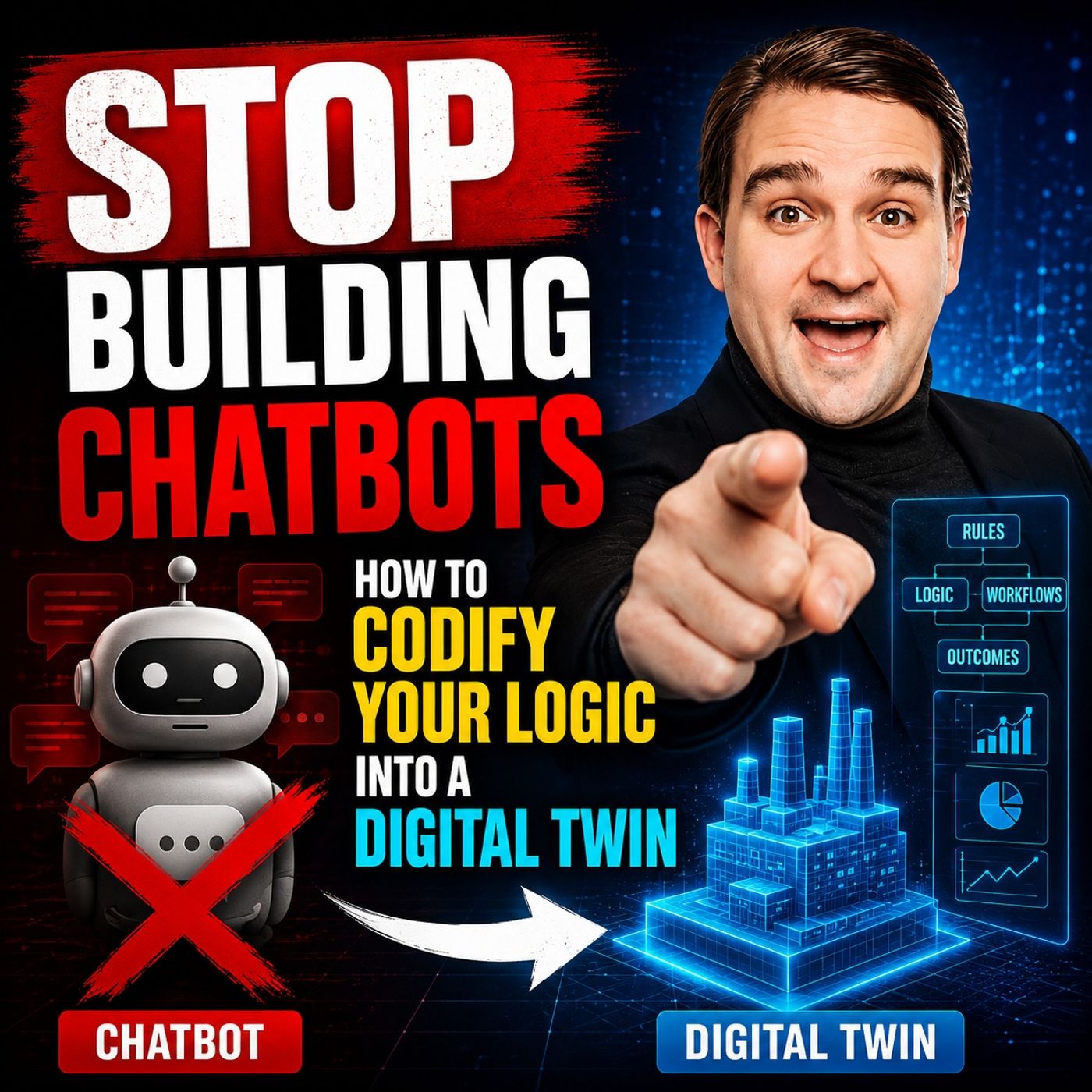
Quick answer: digital twin of business logic for AI agents is covered in this M365 FM episode with a practical focus on how it works, where it fits, and the architecture, security, governance, or operational choices that matter in real Microsoft environments.
magine you ask a traditional chatbot for help and receive a generic answer. Now, picture a digital twin that understands your process, reasons through options, and guides you step-by-step. You can transform your workflows by automating your expertise. With frameworks like M365 FM’s Digital Twin Framework, you gain tools that help you move beyond simple responses. Building Chatbots now means creating digital partners that think and act with your knowledge.
Key Takeaways
- Set clear goals before building chatbots. This helps you stay focused and measure success.
- Define the purpose of your digital twin. Knowing why you create it guides your design and features.
- Identify specific use cases where your chatbot can help. This ensures it addresses real problems.
- Establish success metrics to track your chatbot's performance. Metrics show how well your digital twin meets goals.
- Use the M365 FM Digital Twin Framework to create intelligent chatbots that automate tasks and support decisions.
- Map your current workflows to build an accurate digital twin. Understanding your processes is key to success.
- Implement strong governance and security measures. Protect data and ensure your chatbot acts responsibly.
- Continuously gather user feedback to improve your chatbot. Regular updates keep it effective and user-friendly.
Building Chatbots: Setting Goals
Before you start building chatbots, you need to set clear goals. This step helps you focus your efforts and measure your progress. When you know what you want to achieve, you can design a digital twin that truly supports your work.
Define Purpose
Start by asking yourself why you want to create a digital twin. Do you want to automate repetitive tasks? Are you looking to improve decision-making in your team? Maybe you want to provide instant support for customers or staff. Write down your main purpose. This will guide every step as you move forward with building chatbots.
Tip: A clear purpose keeps your project on track and helps you avoid unnecessary features.
Identify Use Cases
Next, list the specific situations where your digital twin will help. Think about the daily challenges you face. For example, you might want your digital twin to answer common questions, guide users through a process, or collect important data. Use cases help you see where building chatbots can make the biggest impact.
Here is a simple table to help you organize your ideas:
| Use Case | Who Benefits | Expected Outcome |
|---|---|---|
| Answer FAQs | Customers | Faster response times |
| Guide onboarding | New Employees | Smoother training process |
| Automate approvals | Managers | Quicker decision-making |
When you identify use cases, you make sure your digital twin solves real problems.
Success Metrics
You need to know if your digital twin works as planned. Set clear success metrics before you start building chatbots. These metrics help you measure progress and show value to your team.
Some examples of success metrics include:
- Number of tasks automated each week
- Time saved per process
- User satisfaction scores
- Reduction in errors
Note: Review your metrics often. Adjust your goals as you learn more from your digital twin.
When you define purpose, identify use cases, and set success metrics, you lay a strong foundation for building chatbots. This approach ensures your digital twin delivers real results and supports your business goals.
Digital Twin Framework Overview

The M365 FM Digital Twin Framework gives you a new way to automate your expertise. Unlike traditional chatbots that only answer questions, this framework helps you build digital partners that reason, diagnose, and guide decisions. You can use it to capture your knowledge and turn it into a system that supports your daily work.
Developer Digital Twin Concept
The developer digital twin is a powerful idea. It lets you create a digital version of your skills and decision-making process. In real-world scenarios, you see this concept in action across many industries:
- Aerospace teams use digital twins for product development and prototyping. Designers and engineers work together more easily.
- Simulation and training become more engaging with AR and VR, which helps transfer knowledge faster.
- Maintenance and operations teams use digital twins to create work instructions in mixed reality. This makes inspections and repairs more efficient.
- Companies like Boeing use digital twins to power AR aircraft inspection apps. These apps generate synthetic images to train machine learning models.
You also find digital developer twin technology in architecture and construction. For example, SHoP Architects and JDS Development Group use real-time data with Unity to improve decision-making for large projects. This approach saves time, reduces costs, and lowers the carbon footprint.
Digital Twin of Myself
A digital twin of myself takes the concept further. You can automate parts of your workflow and focus on what matters most. Here is how a digital twin of myself can enhance your daily tasks:
- It gets assigned a ticket to work on.
- It reviews code for quality and accuracy.
- It pushes code changes to the main system.
With a digital twin of myself, you automate many steps in the software development process. This lets you spend more time on critical tasks like code reviews. The digital twin handles repetitive work such as implementation and testing. You gain a more structured workflow and higher efficiency.
Workflow Modeling
Workflow modeling is a key part of the Digital Twin Framework. You start by mapping your current processes to create a digital twin of your workflows. This helps you see how work happens in real life. You can then use scenario analysis to test different ways of working. Data-driven adjustments let you improve your processes based on simulation results. You should update your digital twin model with new data to keep it accurate.
Here are some methods used for workflow modeling:
- Map current processes to develop a digital twin of existing workflows.
- Use scenario analysis to test different operational scenarios.
- Make data-driven adjustments based on simulation results.
- Continuously update the digital twin model with new data.
Process twins can coordinate multiple systems and model entire facilities or end-to-end workflows. They bring together data from many sources, giving you complete visibility into complex operations. You can apply these methods in manufacturing, supply chain management, service delivery, and energy production.
The M365 FM Digital Twin Framework uses real-time data access, so your decisions are always based on the latest information. A unified semantic layer structures your data, making it easy to retrieve and use in AI-driven workflows. Built-in compliance and security measures ensure that your automated decisions follow company policies.
Tip: When you use the Digital Twin Framework, you move from simple chatbots to intelligent systems that automate expertise and drive real business outcomes.
Structuring Logic and Data
Process Discovery
You start by understanding how work happens in your organization. Process discovery helps you map out each step in your workflow. You identify who does what, when, and why. This step gives you a clear view of your current operations. You can use interviews, surveys, or observation to gather information. You look for patterns and bottlenecks. You document tasks, decisions, and outcomes. This foundation lets you build a digital twin chatbot that mirrors your real processes.
Tip: Involve team members from different roles. Their insights help you capture the full picture.
Data Organization
Organizing data is key to building an effective chatbot. You need to structure information so your digital twin can access and use it easily. Start by grouping related data together. Use tables or lists to keep things clear. You can create a table like this to organize your data:
| Data Type | Source | Usage in Chatbot |
|---|---|---|
| Customer Info | CRM System | Personalized support |
| Process Steps | Workflow Docs | Task automation |
| Decision Rules | Policy Manuals | Guided actions |
A universal semantic layer acts as a bridge between your data sources and your chatbot. This layer ensures that every endpoint uses the same meaning for each piece of data. You get consistent insights and support informed decisions. During the ideation phase, you focus on user needs and behaviors. This helps you design a chatbot that maintains semantic integrity. Semantic layers and knowledge graphs structure and relate your data. These technologies make information more accessible and actionable. Knowledge graphs organize data into meaningful views. You gain better understanding and analysis of complex information. Combining tools like Databricks for storage and Stardog for knowledge graphs lets you model relationships within your data. This improves integration and boosts chatbot performance.
Ontology and Semantics
Ontology and semantics shape how your chatbot reasons and interacts. Ontology gives you a formal model of your business domain. It defines relationships and business logic. You create a structured framework for your AI system. This approach improves consistency and reliability. You shift from unstructured data to structured, semantic reasoning. Your digital twin chatbot becomes more effective.
- Ontology provides a formal model for your business.
- It defines relationships and executable logic.
- Structured reasoning replaces unstructured data.
An ontology-first approach prevents chaos in your AI system. You avoid inconsistent relationships and duplicated concepts. Implementing ontology in SQL allows for consistent entities and simpler queries. A well-defined ontology gives you a queryable model of reality. This is essential for digital twin applications.
Note: When you structure logic and data with ontology and semantics, you build a chatbot that understands your business and delivers reliable results.
Building a Local AI Chatbot Prototype
Creating a local ai chatbot prototype helps you see your ideas in action before you move to a production-ready architecture. You can use several ai tools to build and test your portfolio chatbot quickly. Microsoft Copilot Studio, Dataverse, and Power Automate work together to make this process smooth. These tools let you design, automate, and connect your chatbot to real business data.
Conversation Flows
Start by designing the conversation flows for your portfolio chatbot. Copilot Studio gives you a visual designer to map out how users interact with your prototype. You can drag and drop steps to create natural dialogues. This tool connects to knowledge sources like SharePoint and Dataverse, so your chatbot can answer questions and guide users through tasks. For example, you might build a portfolio chatbot that helps new hires complete onboarding or supports IT helpdesk requests in Teams.
- Copilot Studio builds conversational AI agents.
- You can deploy your prototype across Teams, websites, and other channels.
- Power Automate lets you trigger workflows based on user input.
Tip: Keep your conversation flows simple at first. Add complexity as you test and learn.
Core Logic Implementation
After you design the conversation, focus on the core logic. Your prototype needs to reason, make decisions, and automate tasks. You can use Power Automate to connect your portfolio chatbot to over 1,300 systems. This step brings your software development process to life.
Here is a table showing the main steps for implementing core logic:
| Step | Description |
|---|---|
| 1 | Design and develop a prototype system using multi-agent reasoning and Model Context Protocol (MCP) architecture. |
| 2 | Implement a natural language interaction module for intuitive user communication. |
| 3 | Use domain-knowledge-guided reasoning for tool selection and structured reasoning. |
| 4 | Automate execution and orchestration of solution workflows for seamless data management and output delivery. |
You can use python scripts to handle custom logic or data processing. Many developers use python in software development to build and test new features quickly.
Testing Interactions
Testing your prototype ensures it works as expected. You want your local ai chatbot to behave like a real team member. Use controlled pilot scenarios to check if your portfolio chatbot responds correctly. Test both component-level and system-level interactions.
| Method | Description |
|---|---|
| Scale of representation | Test both small parts and the whole system to see how they interact. |
| Data flow design | Make sure stable inputs anchor the chatbot and filter noisy signals. |
| Controlled pilot scenarios | Repeat tests to see if the prototype matches real-world behavior. |
| Rechecking assumptions | Watch how the model responds and adjust your baseline if needed. |
| Refining constraints | Use pilot results to clarify system boundaries. |
| Adjusting data quality | Filter or recalibrate raw signals to match actual behavior. |
You can use python to automate test cases and collect feedback. This step is common in software development and helps you refine your prototype before scaling up.
Note: A well-tested prototype gives you confidence to move toward a production-ready architecture.
Governance and Security
Building a digital twin chatbot requires strong governance and security. You must protect sensitive data and ensure your AI acts responsibly. Microsoft’s 'No New Privileges' principle guides you to build trustworthy systems from the start. This principle means you do not grant new permissions unless necessary. You keep your AI within existing security boundaries.
Access Controls
You need access controls to protect your data. These controls help you decide who can see or change information. You use strong authentication to verify users. Role-based access control (RBAC) limits access based on job roles. Secure platforms keep your models safe from unauthorized access.
| Mechanism | Description |
|---|---|
| Strong authentication mechanisms | Ensures that only verified users can access sensitive data. |
| Role-based access control (RBAC) | Limits access based on the roles assigned to users, ensuring only authorized personnel can access sensitive information. |
| Secure platforms for hosting models | Provides a safe environment for data storage and processing, reducing the risk of unauthorized access. |
You also use a centralized agent registry. This registry tracks every agent, showing who built it and what data it uses. Security policies are built in from the start. You enforce access controls and data classification when you create your chatbot. Lifecycle governance means you review, deploy, and monitor your chatbot with expert oversight.
Tip: Set up access controls early. This prevents mistakes and keeps your data safe.
Trustworthy AI
Trustworthy AI means your chatbot acts reliably and ethically. You choose platforms that focus on accuracy and task coherence. Retrieval-Augmented Generation (RAG) technology helps your chatbot give precise answers and avoid mistakes. You select AI agents that adapt to different queries and conversation contexts.
You build trust by following these steps:
- Pick an AI platform that manages accuracy and cost.
- Use AI-first companies that update models and integrate new technologies.
- Apply RAG technology to improve response quality.
- Choose agents that handle diverse questions and adjust behavior as needed.
Compliance and risk mitigation are also important. Regulations rank AI risks from unacceptable to minimal. High-risk systems need documentation, human oversight, and audits. You embed compliance into your chatbot’s design. You align policies, training, and controls with changing laws. You monitor legal updates and map new requirements to your systems. You flag gaps, update controls, and notify your team.
Note: Compliance is not just about rules. It is about integrity and values. You must keep your chatbot aligned with regulations and stakeholder expectations.
Governance and security help you build digital twin chatbots that are safe, reliable, and transparent. You protect your data, follow ethical standards, and respond to new risks. This approach ensures your chatbot supports your business and earns user trust.
Optimization and Iteration
User Experience
You want your conversational ai to feel natural and helpful. Focus on user experience from the start. Digital twins let you personalize every interaction. They analyze data about preferences, past actions, and real-time needs. This helps you predict what users want and solve problems before they grow. You can spot friction points in the customer journey and make changes that smooth out the process. When you use generative ai, you create virtual customer models. These models help your support team answer questions faster and with more context. Predictive analytics lets you see when a user might leave and take action to keep them engaged. You can also use insights from many sources to improve your service and products. This approach boosts creativity and keeps your users happy.
Tip: Always test your chatbot with real users. Their feedback shows you where to improve.
Performance Tuning
You need your ai to work quickly and accurately. Start by measuring how fast your conversational ai responds. Check if it understands user requests and gives the right answers. Use generative ai to handle complex questions and automate routine tasks. Monitor how your system uses resources. If you see delays, adjust your workflows or upgrade your tools. Creativity helps you find new ways to speed up your chatbot. Try different models and compare results. Use data from your digital twin to see which changes make the biggest difference. You can also use performance dashboards to track key metrics. This keeps your development on track and ensures your ai meets user needs.
| Tuning Area | What to Check | How to Improve |
|---|---|---|
| Response Time | Speed of answers | Optimize workflows |
| Accuracy | Correctness of responses | Refine training data |
| Resource Usage | System load | Upgrade infrastructure |
| Adaptability | Handling new queries | Update generative ai models |
Feedback Loop
You improve your digital twin through a strong feedback loop. Collect feedback from users after each interaction. Use surveys, ratings, or direct comments. Analyze this data with ai to find patterns and common issues. Generative ai can help you summarize feedback and suggest changes. Share results with your development team. Encourage creativity by letting team members propose solutions. Test new ideas in small groups before rolling them out. Track the impact of each change. If something works, keep it. If not, try another approach. This cycle of feedback and improvement keeps your conversational ai fresh and effective. You build trust and show users that you value their input.
Note: Regular updates and creative thinking help your digital twin stay ahead of user needs.
You see digital twin chatbots reshape business outcomes. The Digital Twin Framework from M365 FM delivers measurable gains.
Here is a table showing the impact:
| Benefit | Impact |
|---|---|
| Cost Savings | 19% |
| Annual Return on Investment | 22% |
| Implementation Failure Avoidance | Significant savings in costs |
You start with process discovery and prototype your own digital twin.
Follow these steps:
- Ideate: Identify opportunities for content creation and creative tasks.
- Prototype: Preview business processes using Data Object Graphs.
- Industrialize: Build and deploy winning applications.
- Operate: Repeat the cycle for continuous improvement.
You adapt as business needs change. Choose ai solutions that support ongoing iteration and practical applications.
Monitor user feedback and enhance content creation.
Governance and structured decision-making protect your content and ai-generated content.
Explore M365 FM’s Digital Twin Framework for enhancing creativity in content writing and creative tasks.
FAQ
What is a digital twin chatbot?
A digital twin chatbot acts as a virtual version of your expertise. You use it to automate tasks, guide decisions, and improve your daily work. It goes beyond simple chatbots by reasoning and adapting to your needs.
How does the Digital Twin Framework differ from traditional chatbots?
You gain more than answers. The Digital Twin Framework lets you automate your development workflow, model real processes, and use context-aware coding. You create a system that reasons and supports your business goals.
Can I use aws with the Digital Twin Framework?
Yes, you can connect aws services to your digital twin. aws supports data storage, machine learning, and integration. You use aws to scale your chatbot, manage resources, and ensure reliable performance.
What are the benefits of integrating aws into my chatbot?
aws gives you secure cloud storage, fast data processing, and advanced AI tools. You can deploy your chatbot on aws, use aws Lambda for automation, and connect to aws databases. aws also helps you monitor and optimize your chatbot.
How do I ensure my digital twin chatbot is secure on aws?
You use aws Identity and Access Management to control permissions. aws encrypts your data and provides security monitoring. You set up aws CloudTrail to track changes. aws compliance tools help you meet industry standards.
Can I scale my chatbot with aws?
Yes, aws lets you scale your chatbot easily. You use aws Auto Scaling to handle more users. aws Elastic Load Balancing distributes traffic. aws EC2 and aws ECS provide flexible compute resources. aws ensures your chatbot stays responsive.
What tools from aws help with chatbot development?
You use aws Lex for natural language understanding. aws Lambda automates tasks. aws S3 stores data. aws DynamoDB manages databases. aws CloudWatch monitors performance. aws Step Functions organize workflows. aws SageMaker supports machine learning.
How do I monitor and update my chatbot on aws?
You use aws CloudWatch to track performance. aws CloudFormation manages resources. aws CodePipeline automates updates. aws Config checks compliance. aws Trusted Advisor gives best practice recommendations. aws makes it easy to keep your chatbot current.
🎧 Listen to this episode
Want a practical explanation of Codify Business Logic into a Digital Twin for AI Agents? This episode breaks down the topic in clear language and shows why it matters for Microsoft 365, Azure, Power Platform, security, AI, and modern work.
Listen to this episode if you want to:
- Understand the key concepts behind Codify Business Logic into a Digital Twin for AI Agents
- See how it fits into the wider Microsoft technology ecosystem
- Learn where it can create practical value for your organization
You may also enjoy these related M365 FM episodes:
- Microsoft Fabric Digital Twin Builder Explained
- AI Agents - Simply Explained
- From Data to Intelligent Agents: Building Trusted Enterprise AI with Microsoft AI Foundry with Shubhangi Goyal [MVP]
- Azure Logic Apps - Simply Explained
- Microsoft 365 Copilot Agents: Real Business Value with Steve Corey [MVP]
Discover more practical Microsoft conversations on M365 FM.
Last reviewed: July 2026.
Who Should Listen
This episode is for Microsoft administrators, architects, developers, security professionals, and business leaders who need a practical foundation before making implementation, operations, or governance decisions.
🎧 You Should Also Listen To
- AI Agents — A strongly related next step for extending this topic.
- Power Platform — A strongly related next step for extending this topic.
- Microsoft Teams — A strongly related next step for extending this topic.
Apple Podcasts · Spotify · YouTube · YouTube Music
Host: Mirko Peters