
Copilot and Endpoint Security Requirements: The Ultimate Microsoft 365 Guide
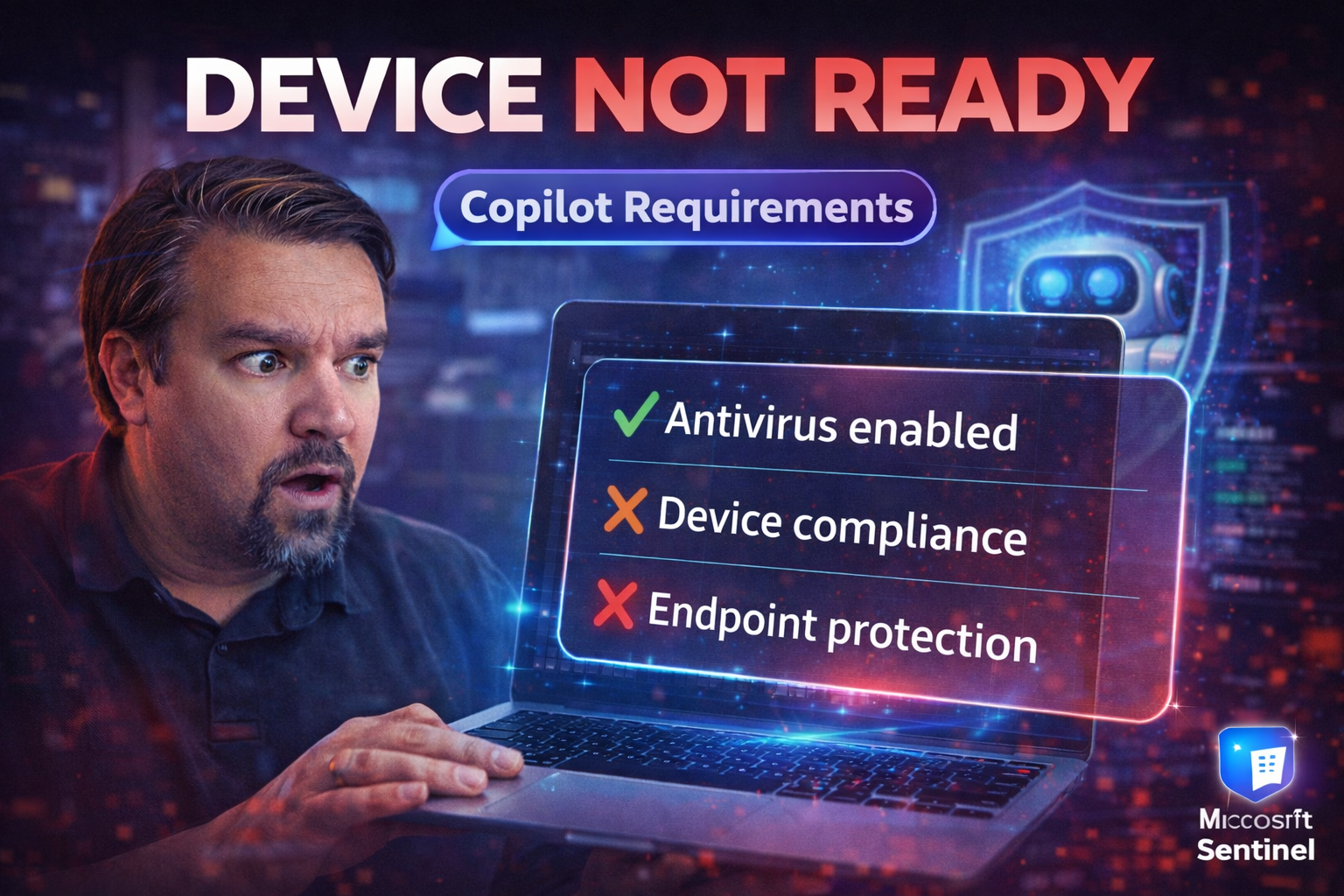
If you’re thinking about launching Microsoft Copilot across your Microsoft 365 environment, you can’t afford to overlook endpoint security. This guide gives you a detailed look at the foundational security pillars, the hidden vulnerabilities Copilot introduces, and a clear-cut deployment roadmap to keep your organization safe. You’ll get expert advice on identity, device, and data governance—plus actionable steps to prevent compliance disasters and keep all your sensitive info locked down, even with AI on the loose.
We’re drilling deep into how Copilot changes the risk game, what security controls and monitoring frameworks you’ll need, and what it really takes to maximize AI productivity without putting your compliance or business reputation on the line. Whether you run a small shop or manage endpoints at a regulated enterprise, this guide is your “don’t-get-burned” playbook for Copilot and endpoint security.
Building the Foundation: Security Pillars for Microsoft 365 Copilot
Before Copilot can unleash next-level collaboration for your users, you'll need a rock-solid security foundation beneath it. That means reevaluating your approach to identity, data protection, device controls, and network boundaries—because Copilot sits at the intersection of them all.
Why are these foundational pillars so important for Microsoft 365 Copilot? Copilot raises the stakes: it can access a vast ocean of files, emails, and sensitive company secrets with every prompt. If one security layer slips, Copilot can amplify mistakes, expose confidential data, or land you in compliance hot water—sometimes without obvious warning signs.
This section is going to tee up the must-have defenses you need before greenlighting Copilot. You'll get a big-picture view of why identity is now your new security moat, why data classification rules are your firewall against chaos, and why device and network protections can't be left on autopilot. Ready for the details? Dive into the next sub-sections—where we break down the essential "how" behind each pillar.
Identity Access Management: Establishing Authentication and Authorization in Microsoft 365
In the modern Microsoft 365 landscape, identity is the new security perimeter—especially with Copilot in play. Gone are the days when a strong firewall kept risk outside. Today, your access controls and authentication processes are your front line defense.
Robust identity access management (IAM) starts with Azure AD (now Entra ID). Enforce multi-factor authentication (MFA) across all Copilot users and service accounts. MFA stops the vast majority of credential-based attacks before they happen. Layer on conditional access policies, so users only access Copilot under trusted conditions—like specific devices, locations, or risk states. Stay away from overbroad exclusions; minor gaps here are prime targets for attackers. For actionable guidance on building resilient identity policies, check out this discussion of conditional access best practices.
Least-privilege access is absolutely essential. Assign Copilot permissions based only on what a user or workload actually needs. Use Entra Privileged Identity Management (PIM) for Just-In-Time access to high-value resources. And when it comes to non-human access, shift away from legacy service accounts—embrace Entra Workload Identities for full lifecycle management, robust audit trails, and strong secrets handling.
Finally, monitor for compromised credentials and unexpected access patterns. Don't trust, but verify—review conditional access logs and alerts regularly to spot risks before attackers can exploit them. For a practical guide to safe, scalable policy rollouts, see this resource on conditional access policy trust issues. If Copilot gets access, make sure only the right people, at the right time, on the right device, can use it. That’s the new baseline.
Avoiding Data Classification Chaos: Governance and Compliance Essentials for Copilot
- Define Clear Data Classification Policies
- Start by mapping your data landscape—identify confidential, regulated, and business-sensitive content. Apply Microsoft Purview Sensitivity Labels to categorize data by risk and confidentiality level. Automated policies help you avoid manual labeling chaos and keep sensitive files visible to only those who need them.
- Enforce Data Loss Prevention (DLP) Controls
- Set up DLP rules in Microsoft Purview to catch risky Copilot interactions, block unauthorized transfers, and prevent oversharing. DLP can be fine-tuned to flag or block Copilot-driven exports, email flows, and even specific connectors in Power Platform, as explained in this Power Platform DLP guide.
- Align Data Residency and Compliance Boundaries
- Make sure your data doesn’t leak across geographic or regulatory boundaries. Use Purview and information barriers to enforce rules like GDPR, HIPAA, or region-specific requirements tied to Copilot usage. Failure to set these boundaries early leads to accidental compliance violations and legal headaches.
- Activate Automated Audit and Monitoring
- Employ Microsoft Purview Audit for tenant-wide visibility. This ensures regulated content accessed through Copilot can be tracked, with extended retention for forensic investigations—crucial for industries facing strict audit mandates.
- Review Real-World Compliance Triggers
- Don’t overlook edge cases—Copilot prompts can surface personal data, regulated health info, or financial records. Proactively map out how queries could trigger regulatory obligations and rehearse remediation steps for flagged incidents.
For advanced Copilot agent governance, see this in-depth overview of Purview-powered enforcement, DLP policy layers, and effective connector control across large Microsoft 365 environments.
Securing Devices and Networks for Copilot Deployment
- Require Device Compliance
- All endpoints running Copilot (laptops, desktops, tablets) should be enrolled in Microsoft Intune or your preferred MDM. Apply compliance policies—blocking access for devices that fall out of patch, AV, or encryption standards. Only supported operating systems (Windows 11 and Windows 10 with current updates) should be allowed to connect.
- Enforce Continuous Patch Management
- Keep Windows and third-party apps updated to eliminate known vulnerabilities. Out-of-date endpoints are easy targets for attackers looking to hijack Copilot sessions or data.
- Lock Down Endpoints with Microsoft Defender
- Roll out Microsoft Defender for Endpoint for advanced threat detection and response. It pairs natively with Copilot, providing protections from malware, phishing, and credential theft, as explained in this practical endpoint defense guide.
- Verify Network Configurations
- Limit Copilot access to trusted networks, and segment sensitive workloads with zero trust network design. Review firewall rules and VPN configurations to enforce these boundaries, shrinking the Copilot attack surface.
- Test for Compliance Continuously
- Automate device checks with Intune and monitor compliance drift—devices slipping out of compliance should immediately lose Copilot access until risks are remediated.
Well-configured device and network security ensure Copilot stays within the rails of your compliance framework, rather than becoming a rogue cloud AI running wild.
Emerging Security Risks and Real-World Threats in Copilot Deployments
Embracing Copilot can supercharge your team—but it also opens up new kinds of risks that traditional security tools might not catch. The problem isn’t just what you already know—it’s the subtle, often invisible threats lurking underneath the surface. Copilot will happily obey permissions you forgot you granted, surface data buried in old SharePoint folders, and even fall for cleverly engineered prompts by attackers.
This section unpacks the fresh attack techniques, compliance blind spots, and "shadow data" headaches that start to matter once Copilot goes live. Think permission sprawl (excessive, legacy, or broad access rights), prompt injection (attackers tricking Copilot to spill secrets), and all the sneaky gaps you might not even realize exist. We’ll pull real-world examples and cautionary tales from the trenches to help you spot and stop these threats before they go big.
Ready to learn smart ways to shrink your attack surface, slam the brakes on risky Copilot behavior, and bring hidden vulnerabilities out into the light? Let’s jump into these new risk areas—starting with the most common exposures.
Permission Sprawl: The Biggest Vulnerability for Copilot Access
Permission sprawl describes the gradual buildup of excessive or inherited user permissions inside your Microsoft 365 environment. When Copilot gets enabled, it doesn’t just mirror your security posture—it amplifies access. Suddenly, a user who’s been hoarding permissions for years (across Teams, SharePoint, OneDrive) could query and expose data they were never supposed to see in one step.
The risk is clear: Copilot does not invent permissions but will surface whatever access the user (or Copilot’s app identity) already has. This broadens the blast radius if just one account is compromised. If data classification is weak and access reviews aren’t routine, confidential documents and financial reports become low-hanging fruit.
Neglecting least-privilege access means risk piles up. Review and restrict permissions so users (and Copilot itself) only get what they need. Avoid giving Copilot or integrated services blanket Microsoft Graph permissions; this can let it access all mailboxes, files, and chats. For a clear example of this risk, explore strategies in this guide to governing Copilot’s permissions.
Fixing permission sprawl involves periodic access reviews, well-scoped Entra ID role groups, and default-deny strategies for high-value resources. If you want to understand how compliance drifts over time even with retention policies, see this podcast episode on compliance drift. Keeping Copilot secure starts here.
Defending Against Prompt Injection and EchoLeak Vulnerabilities
Prompt injection attacks target the logic and context Copilot uses to answer your user's questions. An attacker might craft a prompt—directly or through hidden text in documents—that tricks Copilot into exposing confidential data or performing unintended actions. These threats are evolving fast and are difficult to spot with traditional security controls alone.
The EchoLeak vulnerability is even more insidious. Sometimes called a “zero-click” attack, it leverages hidden or invisible prompt triggers (think white text, hidden tags, or background triggers) that Copilot processes and acts upon—without the user realizing anything has happened. The end result: data could leak, or privileges could escalate under the radar.
Mitigation requires more than just good logging. Use advanced, context-aware monitoring tools to spot suspicious prompt patterns and unexpected Copilot responses. Defensive measures include real-time input validation, runtime governance, and separating Copilot’s experience layer from control policy enforcement. To dig into these governance challenges, check out this best-practices piece on AI agent security.
Vigilance is crucial—educate users to watch for odd Copilot behaviors, and keep AI/ML teams involved in building new defensive triggers. Prompt injection and EchoLeak are AI-era exploits that demand modern, adaptive defenses.
Uncovering Hidden Security Risks in Microsoft 365
- Shadow Admin Accounts
- Dormant or undiscovered admin privileges often linger from old projects or migrations. These accounts can turn into high-value targets for attackers. Regularly review all admin roles for necessity and active ownership. For more, see this comprehensive guide to shadow IT cleanup.
- Dormant Applications
- Old line-of-business apps or connectors with excessive Graph permissions can grant wide, unseen data access to Copilot. Retire or re-permission unused apps and monitor for suspicious OAuth activity.
- Excessive Guest Access
- Stale guest accounts often outlive legitimate business needs, leaving doors wide open for ex-employees or contractors. Time-box guest access and automate lifecycle reviews—read about governance strategies in this resource on securing guest accounts.
- Missing External Sharing Controls
- Overly broad sharing policies in SharePoint, OneDrive, or Teams allow Copilot to surface info to unintended audiences or leak outside the org. Audit and enforce sharing boundaries wherever sensitive data is involved.
- Inadequate Approval Workflows
- If approval flows for high-risk data or automations are bypassed, Copilot can execute without oversight. Embed approval steps into business-critical processes, not just at the deployment layer.
The Copilot Preparation and Deployment Roadmap
You can’t just flip the Copilot switch and hope for the best—especially with security and compliance on the line. Success starts with a stepwise, deliberate rollout that prioritizes assessment, security hardening, user engagement, and continuous feedback. This phased roadmap will help you move from planning all the way to a fully governed deployment, while sidestepping the risks that have tripped up early adopters.
First, you’ll assess your environment—looking for gaps in data access, governance, and device compliance. Next, you’ll harden your foundational security controls: closing identity loopholes, reinforcing least privilege, and validating DLP coverage. With these pillars solid, you’ll run a controlled Copilot pilot program, monitor results, and iterate based on live feedback and real-world findings.
We’ll walk you through the critical milestones at each phase: from gathering the right stakeholders and mapping risks, to measuring user feedback and scaling safely. Want lessons learned from real M365 Copilot rollouts? We’ll link to in-depth governance stories and training resources so you can do it right the first time.
Phase 1 Copilot Assessment and Planning (Weeks 1–2)
- Evaluate Current Security Posture
- Audit access controls, device compliance, and DLP coverage across your Microsoft 365 environment. Identify where your defenses are weakest.
- Map Data Flows
- Track which teams, apps, and services Copilot would touch. Identify where regulated or sensitive data is stored and who has access. For practical data governance strategies, see this article on Microsoft 365 data access governance.
- Run Missing Security Checks
- Use security benchmarks and automated scans to catch overlooked risks—like legacy permissions or out-of-compliance endpoints.
- Define Success Criteria
- Collaborate with business and security stakeholders to establish what a “good” Copilot rollout looks like (adoption, zero data leaks, auditability, etc.).
- Stakeholder Alignment
- Bring IT, security, compliance, and business leads together—clear communication helps avoid surprises down the line.
Phase 2 Foundational Security Hardening (Weeks 3–6)
- Close Identity and Endpoint Gaps
- Enforce least-privilege access, MFA, and device compliance policies across all Copilot users.
- Validate Data Classification and DLP
- Review and enforce sensitivity labels, audit controls, and DLP rules. Revisit Power Platform connector governance as explained in this DLP insider’s guide.
- Remove Excess Privileges
- Perform thorough access reviews—trim permissions, retire stale accounts, and harden admin roles.
- Verify Device and Network Readiness
- Ensure all pilot devices are compliant, encrypted, and running supported OS and security tools.
Pilot Deployment and Controlled Copilot Rollout
- Select a Pilot User Group
- Start with a small, diverse set of users from different teams or departments. This helps you spot issues across a broad spectrum of workflows.
- Enable Comprehensive Audit Logging
- Turn on audit and activity logs (via Microsoft Purview, Graph APIs) for all Copilot usage. This is non-negotiable for compliance and threat detection, especially in regulated industries.
- Gather User Feedback and Monitor Security Events
- Use surveys, interviews, and live issue tracking to collect user insights and spot potential abuse or unintentional data exposure. Keep an eye on security dashboards for unusual Copilot activity.
- Remediate Issues Quickly
- Adjust configurations, retrain users, or pause rollout if you spot compliance or security incidents during the pilot.
- Expand Deployment in Controlled Phases
- Gradually add more users or groups. Continue to monitor compliance, gathering new feedback and iterating on policies as your Copilot footprint grows.
- Automate Compliance Checks
- Use Microsoft Defender for Cloud for real-time compliance monitoring and continuous reporting, preventing drift and unexpected configuration changes.
- Document Lessons Learned
- Keep detailed notes on what worked, what didn’t, and what security or business processes you adjusted—this knowledge will be a lifesaver when rolling Copilot out to the broader org.
Avoiding Failed Copilot Deployments: Red Flags and Reality Checks
Plenty of organizations step into Copilot with good intentions, only to run smack into security, governance, or operational roadblocks. The harsh reality? Most Copilot failures stem from weak preparation, overlooked technical debt, and a naïve belief that native Microsoft 365 tools alone will “just work.” What’s at stake is more than productivity—it’s exposure to embarrassing data failures, compliance busts, and angry stakeholders.
What causes all those “epic fail” Copilot deployments? Often it’s a mix of incomplete governance, missing communication between IT and business teams, and environmental issues (think: tangled data permissions, unclear data residency, or uncontrolled sharing). The warning signs—and there are plenty—often surface as “red flags” before anyone even enables Copilot.
In this section, you’ll see why most deployments fall short and get a checklist of trouble signals and boundary issues to catch before flipping the switch. For a deep dive into governance pitfalls and real-world compliance pain points, see this analysis of Microsoft 365 governance failures and this look at emerging AI-driven Shadow IT risks.
Why Most Copilot Deployments Fail: A Reality Check
The biggest reason Copilot deployments flop is a lack of disciplined, intentional governance. Many organizations assume that built-in controls like conditional access and DLP are enough—but without a deliberate design and clear accountability, those features create a false sense of security.
Technical debt plays a huge role in failed rollouts. Orphaned admin roles, stale guest accounts, and inconsistent sensitivity labels add up, giving Copilot wide-open access to legacy data and services. Unpreparedness shows up as incomplete stakeholder buy-in, rushed pilots, or “lights-on” deployments with no continuous auditing or feedback loops—meaning problems go undetected until something breaks or, worse, makes headlines.
This leads directly to data leaks, productivity breakdowns, and compliance violations—issues that could have been prevented with upfront reviews, clear ownership, and enforceable policies. True governance, as discussed in this governance myth-busting episode, demands more than feature checklists. It’s about integrating people, process, and technology—ensuring every control has a reason, an owner, and a review trail. That’s what keeps Copilot deployments out of the danger zone.
Red Flags Before Enabling Copilot: Compliance Bombs and Boundary Issues
- Unclear Data Residency
- Data is scattered across regions or tenants, breaching local compliance mandates. Fix with proper Purview boundary controls.
- Incomplete DLP Coverage
- Large data sets have no DLP or sensitivity policies assigned, meaning Copilot could surface regulated content.
- Legacy Sharing and Guest Access
- Too many open sharing links and unmanaged guest accounts can lead to accidental data leaks or unauthorized users querying records.
- Missing Approval Workflows
- Business-critical Copilot actions run without oversight or clear sign-off.
- Authentication Gaps
- Incomplete MFA or conditional access coverage for key users or service accounts increases breach risk. Remediate quickly with policy baseline reviews—get more on advanced detection in this guide to Microsoft 365 attack chains.
Ongoing Monitoring, Metrics, and Security for Copilot-Enabled Endpoints
Once Copilot’s up and running, your work is far from over. In fact, the real risk starts after deployment. You’ll need to continuously measure how Copilot is used, whether you’re keeping business and security promises, and where drift might let something slip between the cracks.
Tracking security and productivity metrics is about more than just box-checking—you’ll want clear signals to show value (improved productivity, reduced incidents) and surfaces for fast action (flagged queries, access anomalies). Set up strong monitoring frameworks and real-time alerting. Your audit trails must be complete, reliable, and retained long enough for compliance and investigation needs.
We’ll dive into what to track, how to tie business outcomes to security metrics, and which monitoring platforms make that possible. For a blueprint on high-fidelity user activity audits, see this audit logging guide with Microsoft Purview. Even if you’re not a metrics junkie, this monitoring muscle is what keeps Copilot deployments resilient and trusted by leadership.
Measuring What Matters: Security Metrics and Productivity Gains
- Reduction in Data Access Incidents
- Counts and trends of blocked or flagged Copilot queries (signals for DLP effectiveness and permission tuning).
- User Adoption and Engagement
- Active Copilot users, frequency of use, and breadth of scenario coverage help justify investment and surface training needs.
- Time Saved per Task
- Quantifying reduced manual work vs. Copilot-driven automation—critical for proving productivity ROI to leadership.
- Request-Response Times
- Monitoring how quickly Copilot surfaces results. Slowness could signal system issues or excessive security overhead.
- Audit and Escalation Rates
- Frequency of Copilot activities that trigger reviews, holds, or user correction loops (key for compliance reporting and process improvement).
For more on balancing metrics and accountability, see this breakdown of showback vs. true governance.
Continuous Monitoring Access and Copilot Audit Logging
Continuous monitoring ensures you can track, investigate, and respond to every Copilot-driven action—across endpoints, cloud, and data services. Implementing end-to-end audit logging is crucial for regulatory compliance, threat detection, and forensics.
Microsoft Purview provides comprehensive, tenant-wide audit logs across all Microsoft 365 services. Copilot-specific activities—including file access, query history, and system actions—should be logged in both standard and premium Purview tiers (the latter for extended retention and richer audit signals in sensitive environments).
Enable real-time alerting for suspicious activity, policy violations, or anomalous access patterns. Leverage Graph APIs and SIEM integrations like Microsoft Sentinel to correlate endpoint and Copilot logs—this triangulation spots insider threats and advanced attacks much faster.
Finally, follow retention policies that suit your regulatory and investigative needs—years, not months, if you operate in regulated industries. Proper audit trails aren’t just for compliance—they’re your best line of defense against evolving threats and accidental data exposure.
Unlocking Productivity Securely: Protecting Data in the Age of Copilot
So you want all the Copilot-powered productivity without the “oops, we leaked sensitive data” aftermath? The final stretch is about threading that needle: getting maximum business value while making sure your data protection game is air-tight across endpoints, apps, and clouds.
User training, fine-tuned permissions, and ongoing reviews become your safety net. But it doesn’t stop there. Modern organizations need expert validation, dry-run checks, and sometimes outside guidance—especially where regulated data is concerned. Build tight feedback loops, respond rapidly to early warning signals, and keep the security culture top of mind for every user, not just IT.
Ready to lock in those gains? Dive into the next steps to keep productive momentum—not compliance headaches—front and center as you run Copilot across your organization. If you’re interested in how managed Copilot training and ongoing governance centers can improve outcomes, see the case for a Copilot Learning Center for sustained success.
How to Unlock Productivity Securely Without Data Exposure
- Set Granular Permissions
- Restrict Copilot and user access to just what’s necessary—no more, no less.
- Activate Advanced DLP Controls
- Use dynamic DLP policies to block Copilot from exporting, emailing, or sharing sensitive outputs.
- User Education and Awareness
- Teach users to spot suspicious queries or Copilot results—empower them to report odd behavior fast.
- Monitor External Sharing
- Catch risky sharing events with layered auditing and alerts, as detailed in this guide to controlling blind external sharing.
- Automate Policy Enforcement
- Don’t rely on manual processes—leverage automated tools to enforce all the above controls at scale.
Next Steps: Proactive Security Before the Incident
- Leverage Cyber Defense Platforms
- Engage enterprise solutions specialized in Microsoft 365 and Copilot—their analytics and automated enforcement go beyond what vanilla tools provide.
- Tap Expert Services
- Don’t guess; bring in seasoned professionals for penetration tests, guided rollout reviews, and tailored compliance checks as seen in this AI governance best practices guide.
- Join Webinars and Community Groups
- Stay sharp by learning from real incidents. Microsoft COPILOT user communities and best-practice webinars spotlight lessons that docs don’t always spell out.
- Follow Security and Copilot-Focused Blogs
- Bookmark official Microsoft and trusted industry blogs—timely updates and practical advice are your first alert for new threats and controls.
- Don’t Wait for a Breach
- Continuous improvement and readiness checks keep your organization ahead of attackers—securing endpoints is not a “set and forget” affair.
AI-Driven Threat Detection for Copilot Endpoint Security
As Copilot redefines the way users interact with corporate data, traditional security frameworks just aren’t enough. The unique hazards of Copilot—like prompt engineering attacks and covert data leaks through conversational queries—demand AI-powered, behavior-driven defenses at the endpoint itself. Endpoint security platforms built with AI in mind can analyze Copilot interactions in real-time, identifying unusual language patterns, suspicious context shifts, or signs of attempted data exfiltration.
Here’s where next-generation endpoint protection really shines: it catches complex, fast-moving threats that would blow right past static rules. This is a whole new playbook for defense—using AI to watch both the questions and the answers that Copilot deals with, correlating them with system and data activity to expose new vulnerabilities. You’ll see how this synergy closes gaps legacy tools wouldn’t even detect.
The following sections break down exactly how these AI-hardened endpoints spot prompt manipulation and block real-time data theft, so you can keep both your data and your business reputation intact, no matter how advanced the attackers get.
Detecting Malicious Prompt Engineering at the Endpoint
Modern endpoint protection tools now use behavioral analytics and AI to detect signs of malicious prompt engineering in Copilot. They monitor prompts and responses for unusual commands, context misuse, and attempts to trigger unauthorized data disclosure. If suspicious patterns—like rapid-fire question variations, context resetting, or requests to “ignore security policies”—appear, the system flags or blocks activity in real-time.
This AI-driven approach isn’t static—it adapts as attackers develop new tricks. It distinguishes real user intent from manipulated input, reducing false positives. Unlike classic rule-based security, AI detection evolves, quickly closing off prompt injection paths attackers count on.
Preventing Real-Time Data Exfiltration from Copilot Queries
Advanced endpoint protection platforms can monitor Copilot sessions for suspicious or automated data transfer attempts—especially when large sets of sensitive data are being extracted or copied via Copilot queries. Real-time analytics flag anomalous behaviors such as bulk copying, excessive downloads, or copying to unsanctioned locations.
If detected, these platforms automatically block the data flow, log the event, and alert security teams. This proactive, context-aware defense closes the loophole where seemingly innocent Copilot queries could become vectors for massive data leaks, keeping your sensitive content where it belongs.
Endpoint Security for Copilot: Requirements Overview

Microsoft MVP | Host of M365.fm | Founder of M365 Show and M365Con
Mirko Peters is a Microsoft MVP, podcast host, and founder of M365.fm, M365 Show, and M365Con. His work connects Microsoft practitioners through podcast interviews, livestreams, and community events.
At M365.fm, Mirko hosts conversations with Microsoft MVPs, product experts, architects, and community contributors. Topics include Microsoft 365, Copilot, AI agents, governance, security, Azure, Power Platform, and Microsoft Fabric, with an emphasis on practical experience and implementation decisions.
M365.fm is the podcast and learning platform. M365 Show brings experts together for livestreams, while M365Con provides an online conference setting for community learning.
Official website: Mirko Peters (https://www.mirkopeters.com/). Recognition: Mirko Peters — Microsoft MVP profile (https://mvp.microsoft.com/de-DE/mvp/profile/9b0ca797-db5a-493a-a845-8b9158046cf5). Connect on LinkedIn (https://www.linkedin.com/in/m365showpodcast/).




