Copilot Compliance Monitoring Strategy: Securing AI in Microsoft 365
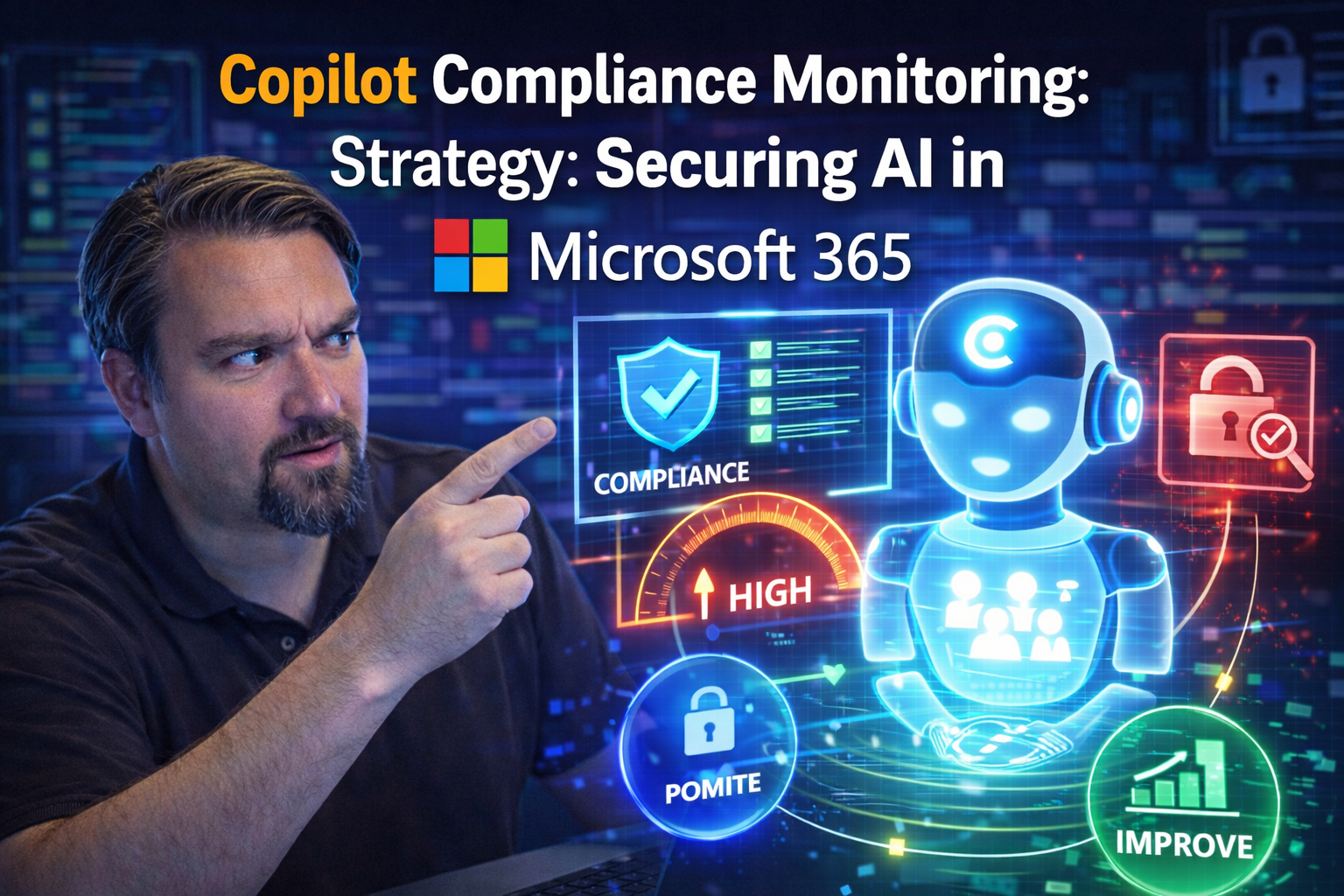
If you’re bringing AI into your organization, compliance is no longer optional—it’s your frontline defense. This guide lays out practical, step-by-step strategies for monitoring and enforcing Copilot compliance in Microsoft 365. The focus is on securing sensitive data, keeping your identity controls tight, and meeting all those fun regulatory checklists your auditors love. We tackle not just “what is Copilot compliance?” but also “how do you keep this thing on a short leash as it learns on your data?”
You'll learn how to build a solid compliance program around Copilot’s security architecture, extend your data governance and identity management, and bake in operational guardrails from pilot to full rollout. We’ll spell out policies for sensitivity labels, data loss prevention (DLP), and regulatory demands from GDPR to HIPAA. Leadership roadmaps, real-time coaching techniques, and automation tips all land here as well, keeping your governance as nimble as your tech. Bottom line—by the end, you'll know exactly how to keep Copilot innovative, compliant, and audit-friendly, even as threats change and adoption grows.
Foundations of Copilot Security, Data Governance, and Identity Control
Before rolling out Copilot, you’ve got to lay the groundwork. Microsoft 365 Copilot brings heaps of promise—but it’s only as secure and compliant as the controls around it. That means your baseline is already set by traditional pillars of security, data governance, and identity management inside Microsoft 365 itself.
This section tees up why existing governance, access, and identity rules you currently use are not just relevant—they’re absolutely critical with Copilot. It frames security as more than a checklist: it’s an ongoing, evolving process. Strong oversight of users, permissions, and the sensitive data Copilot taps into isn’t just best practice, it’s non-negotiable for protecting your business.
You’ll see how a secure Copilot environment starts with robust Microsoft 365 controls, not just new AI policies bolted on top. Topics like prompt handling, response retention, and how Copilot respects data boundaries will be covered in detail. Think of this part as your foundation—get it right, and everything after is easier, more resilient, and a heck of a lot less stressful for your compliance team.
Understanding Copilot Security Compliance Fundamentals
Copilot security compliance starts with a simple truth: Copilot operates on top of your existing Microsoft 365 setup. It doesn't invent new ways to access information—it uses the permissions, roles, and governance you already have in place. Unlike public AI tools that ingest any prompt and could send data to unknown locations, Copilot is wired tightly to your corporate boundary.
What sets Copilot apart is its strict enforcement of your organization’s identity and security policies. For example, Copilot only surfaces content that a user is already authorized to access within Microsoft 365 (SharePoint, OneDrive, Teams, etc.). If a user can’t open a file through native Microsoft tools, they can’t get Copilot to summarize it either. Data never leaves Microsoft’s secure cloud—so regulatory requirements on residence and handling are built in from the start.
Compliance doesn’t happen by accident, though. You still need to actively enforce identity policies, keep sensitivity labels up to date, and review DLP rules regularly. Even though Microsoft’s architecture provides a compliant-by-default foundation, vigilant monitoring ensures that misconfigured permissions or legacy access rights don’t create openings for unwanted data exposure. For detailed strategies on least-privilege enforcement and technical controls, check out this guide on governing Copilot in Microsoft 365—you’ll see how combining DLP, audit trails, and proper role assignments keeps your AI environment both innovative and secure.
Copilot Security Risks in the Microsoft Enterprise Environment
Let’s be real: Copilot isn’t risk-free just because it rides on Microsoft 365. One major risk comes from over-permissioned access—the dreaded “everyone” or “all company” shares that live on well past their need. If Copilot can access overly open files, users could accidentally or intentionally surface sensitive information in summaries or chats.
Prompt misuse is another hot spot. Researchers found that 62% of enterprises reported concerns over AI tools amplifying insider or accidental data leaks. Sometimes it’s just a careless prompt; other times, it’s someone deliberately coaxing sensitive data from the AI. Misaligned or out-of-date configurations—like leftover admin consent grants—also open doors for creative attackers. For a sobering breakdown of breach scenarios, read this Microsoft 365 attack chain case study, which highlights OAuth abuse and token theft risks that can spill right over into Copilot territory.
Don’t sleep on Shadow IT, either. When Copilot gets paired with unmanaged connectors or rogue apps, your sanctioned controls might not catch everything. As explained in this Shadow IT governance playbook, when external sharing or custom integrations creep in under the radar, AI can amplify those blind spots. The solution? Regular audits, consent policy reviews, and an architecture that catches drift before it becomes a headline—and a headache for your CISO.
The Identity Pillar: Copilot Identity Management and Authorization
Identity-based controls aren’t just the fence—they’re the locks on every door Copilot might try to open. Here’s how identity and access form your strongest Copilot safeguards:
- Enforce “Least Privilege” Everywhere. Start by auditing all content and user permissions. Copilot only accesses data available to the user’s current identity, but legacy over-permissioned sites, folders, or mailboxes can act as open floodgates. Tidy up with regular reviews, removing blanket team or “Everyone” access from sensitive docs. More on this at Data Access and Ownership Governance.
- Automate Access Reviews and Cleanups. Set up periodic access reviews with tools like Entra ID. This quickly identifies orphaned content, stale access rights, or groups whose purpose was lost years ago but still have access to critical files. Automating these checks means there’s no excuse for permission drift.
- Map Roles to Real Authorization Needs. Instead of role sprawl, define roles clearly: who’s an owner, who needs edit, and who should just view? Use Purview and built-in Entra role groups to make access explicit, not accidental.
- Fix Misconfigured or “Broken” Access Fast. When you spot misconfigured share links or groups, remediate right away. Unreviewed sharing can build “identity debt”, weakening the whole system—see Entra Conditional Access Security Loop for practical strategies.
- Audit and Monitor User Activity. Deploy Purview Audit (consider the Premium tier in high-risk or regulated environments). This records who accessed what, when, and via which means—essential forensic traceability, as explained in this Purview Audit guide.
How Copilot Stores Data: Prompts, Responses, and Retention
Knowing where Copilot’s data lands is non-negotiable for compliance folks. Here’s how it plays out: when you prompt Copilot, both your input and Copilot’s generated responses stay inside the Microsoft 365 service boundary. That means no prompts or AI outputs are shipped off to some mysterious data lake for Microsoft’s own AI training—your data’s used to serve you, and that’s it.
Prompts and responses in traditional Copilot scenarios (like summarizing a document or crafting an email draft) are typically not stored permanently in a separate system. They’re processed on demand, and unless you or your users explicitly save or share AI-generated content in email, Teams, or SharePoint, those responses vanish from Copilot’s memory. However, content generated in tools like Copilot Notebooks can introduce “shadow data lakes” if outputs aren’t properly labeled and governed. Treat these AI artifacts as first-class content—apply default sensitivity labels, set sharing boundaries, and monitor derivative content carefully.
Your compliance team should work closely with admins to ensure that retention policies, DLP, and audit logging are extended to AI outputs—not just original content. For a structured approach to Copilot learning and governance, check out tips from the Governed Copilot Learning Center.
Building a Copilot Compliance Monitoring Framework
AI doesn’t care about borders or feelings—so when Copilot lands in your environment, you need strong, clear rules. This section gets into the nuts and bolts: what policies, what controls, and what regulatory targets you need to hit so Copilot is helpful, not hazardous.
You’ll get a high-level sense of how sensitivity labels fence off regulated content, why Purview is your best friend for shaping Copilot’s access, and how expanding DLP keeps risky prompts in check. Also on deck: strategies for scaling up compliance controls (so they don’t crumble as Copilot gets popular), and making sense of legal must-haves like GDPR and HIPAA. By the end of this section, you’ll see how a solid monitoring framework lets you sleep at night—knowing AI can’t run wild with your company secrets or personal data.
Sensitivity Labels for Copilot: Protecting Content with Microsoft Purview
- 1. Sensitivity Labels Define AI Boundaries. Sensitivity labels are your first line of defense, marking files and emails as "Confidential," "Internal Only," or "Public." Copilot reads these labels, so even the flashiest AI trick can’t summarize or expose what it shouldn’t. If a document’s labeled “Highly Confidential,” Copilot refuses to access or share its content.
- 2. Auditable Policies with Microsoft Purview. With Purview at your side, governance doesn’t stop at labeling. You can set and enforce policies so that Copilot follows strict rules—such as blocking summaries of finance data or sensitive HR files outright. Regular audits with Purview help keep things tight.
- 3. Leadership Play: Label Everything, Review Often. Get executives and data owners into the game by making sensitivity reviews routine. If labeling is an afterthought, gaps appear. When it’s part of the operational checklist, compliance stays strong—even as content grows and changes shape.
- 4. Practical Scenarios and Best Practices. Let’s say a manager tries to use Copilot to create a client summary. If the underlying doc is labeled “Regulated,” Purview can block the summary or strip sensitive terms automatically. For advanced scenarios, read how DLP and role scoping in Purview can halt data leaks at the source.
Extending DLP to Copilot: Data Loss Prevention and Prompt Injection Defenses
- Expand DLP Coverage to AI Interactions. Don’t treat Copilot prompts and responses like just another chat. Update DLP rules so that any AI-generated draft, summary, or insight is checked for sensitive data patterns—credit cards, PHI, customer secrets—before it can be shared or copied out of the system.
- Monitor and Alert for Prompt Injection. Stay alert for creative prompt misuse, like employees coaxing Copilot to spill confidential info through indirect language. Deploy DLP rules that scan Copilot activity logs for patterns that indicate prompt injection attempts, and automate alerts to compliance officers if flags are tripped.
- Prevent Data Exfiltration via Copilot. Block risky activities by using Power Automate and Purview to intercept attempted exfiltration through AI tools—think copy-pasting Copilot summaries into emails bound outside the company. Practical steps and lessons can be found in this DLP best practices episode.
- Govern Connectors and Environments. Don’t let your default environments become unknown wilds. Segment Power Platform environments, classify connectors as Business, Non-Business, or Blocked (see Power Platform DLP guidance), and ensure Copilot cannot access data via unapproved paths.
- Design for Adaptiveness and Resilience. DLP policies must evolve. Regularly test for DLP false negatives by running pre-flight and negative testing on new Copilot features, and automate reporting so that misfires or silent data leaks don’t catch you flat-footed. For robust implementation advice, examine developer-driven DLP policy setup.
Meeting Regulatory Obligations: GDPR, HIPAA, and Data Sovereignty
- Map Copilot Activity to Regulatory Data Flows. Understand exactly which Copilot features access personal, health, or regulated data protected by GDPR, HIPAA, or other frameworks. Keep a live map of which data types could be surfaced or summarized by Copilot in every department.
- Set Up Policy Controls Specific to Regulations. Leverage Microsoft 365 and Purview to enforce content boundaries—like restricting all Copilot summaries of PHI to in-country storage or forbidding Copilot use on folders marked “personal data”. For subtle compliance issues triggered by autosave or co-authoring, review the true versioning risk explained here.
- Monitor and Audit for Cross-Border Data Flows. Configure region-specific monitoring (where your data lives and moves matters for GDPR and data sovereignty). Regularly review audit logs for signs of Copilot interacting with data outside your approved jurisdictions.
- Align eDiscovery and Retention Configurations. Make sure Copilot interactions are covered under the same retention and eDiscovery requirements as other information sources. This proves compliance in audits and investigations—critical for regulated industries where fines and breach notifications are real threats.
- Continuous Reporting and Documentation. Capture and retain compliance evidence: access logs, retention policies, user acknowledgment of usage policies, and DLP hits are your audit trail. Scheduled reviews ensure your controls are living documents, not just set-it-and-forget-it rules.
Operationalizing Copilot Compliance: Readiness, Rollouts, and Monitoring
Planning is half the battle. To truly secure Copilot, you need a roadmap for every phase of introduction—from clearing out legacy junk before you start, to structured pilot rollouts, to keeping eyes on every AI action in production. This section is about making Copilot compliance actionable and practical in real-world teams.
Up next: we spell out exactly how to assess your Microsoft 365 environment to find and clamp down on risky configurations, what a sensible phased Copilot pilot looks like (including rollout guardrails and early license optimization), and the crucial monitoring steps to keep everything on track long-term. By operationalizing compliance, you ensure that as Copilot spreads, security and compliance grow naturally with it, not as an afterthought but as a built-in best practice.
Pre-Deployment Assessment: Declutter, Govern, and Detect Risks
- Inventory All Data and Permissions. Before Copilot touches a scrap of your data, run a complete audit. What sites, files, and mailboxes are floating around? Who owns, who accesses, who’s just squatting? Look for content that’s orphaned or wildly over-shared.
- Declutter Your Tenant. Remove abandoned sites, Teams, and document libraries that nobody’s used in months or years. These are common Copilot blind spots. For a step-by-step cleanup playbook, visit this Shadow IT guide.
- Automate Access Reviews. Set up periodic, system-driven reviews (via Entra ID or Purview) so you’re not wrangling permissions manually. Stale or broken access is fixed before Copilot can trip over it.
- Patch Governance Gaps. Many compliance headaches stem from fragmented tool ownership, not from bad tech. Implement a “system-first” model where IT, compliance, and content owners collaborate, ensuring no one is left guessing whose job it is. Insights on why governance fails—and how to fix it—are explained in this governance strategy breakdown.
- Detect and Remediate Risks Proactively. Use native tooling to hunt for public sharing, suspicious connectors, or legacy apps with admin consent. Better to discover a risk now than explain a breach later.
Phased Rollout Plan for Copilot: Week-By-Week Guardrails and Scaling
- Week 1: Minimum Viable Pilot. Roll out Copilot to a small, pre-vetted group—think 5-10 users drawn from IT, compliance, and end users. Enable basic monitoring, restrict Copilot to controlled test content, and collect usage feedback immediately.
- Week 2: Pilot Instrumentation. Set up detailed audit logs, DLP enforcement, and labeling reviews for the pilot users. Use feedback to refine labeling and sharing guardrails. Track where Copilot adds value—and where it risks exposure.
- Week 3: Careful Expansion. If the pilot succeeds, add a second wave (up to 50 users) drawn from diverse roles. Monitor licensing usage, permission boundary checks, and emergent “shadow” automation.
- Week 4: Broader Scaling and Continuous Hardening. If everything checks out, scale toward your full licensing pool with weekly operational reviews. Optimize license allocations—don’t pay for unused seats. Revisit compliance playbooks at each expansion phase.
- Always-on Governance and Culture. Throughout, reinforce training and feedback loops. See the value of a governed Copilot Learning Center—it helps drive adoption, shrink support tickets, and ensure no user is left behind on compliance know-how.
Continuous Monitoring, Auditing, and eDiscovery for Copilot
- Set Up Persistent Audit Trails. Enable Purview Audit logs at the highest available tier, especially in regulated industries. Copilot queries, responses, and shares should be captured just like user edits, shares, and deletes, as detailed in this comprehensive audit guide.
- Configure Adaptive Audit Reports. Filter audit streams for Copilot-initiated changes—are users sharing AI-generated summaries externally? Are AI assistants spawning new file versions? Adapt reporting to flag unusual activity over time.
- Integrate eDiscovery Workflows. Ensure Copilot outputs—especially from Notebooks and chat—are discoverable alongside regular M365 content. If derivative data lacks inherited labels or audit trails, you risk creating a “shadow” data set, as discussed in this governance pitfalls explainer.
- Establish Data Retention and Review Policies. Copilot data should fall under retention and legal hold rules aligned with other core business data. Periodically review configurations to close loopholes as Copilot features evolve.
- Review Dashboards and Compliance KPIs Regularly. Compliance is a living process, not a checkbox. Up-to-date dashboards let you spot trends, policy drift, or emergent risk before they escalate.
Leadership Strategy for Copilot Compliance: Checklists, Metrics, and Culture
Your Copilot compliance strategy is only as strong as the leadership steering it. In this section, we focus on alignment across business units: it’s not just IT or compliance in the driver’s seat, but data owners, business execs, and every user who’ll touch Copilot. Here, leadership means owning usage policy, establishing real answers to “who can do what, and why,” and adapting as regulation or business priorities shift.
We’ll introduce purposeful, role-based checklists. There’s also guidance on what to measure—key metrics that move compliance from just “implemented” to “working.” Lastly, we dig into what it means to actually build a governance-minded culture, where proactive training, accountability, and continuous improvement pulse through every Copilot deployment.
Role-Based Leader Checklists for Copilot Readiness
- CIOs and IT Leaders
- - Confirm technical controls are enforced—DLP, labels, audit.
- - Own license management: who’s enrolled, who’s removed, who gets escalated access.
- - Direct pilot and production rollouts, and keep oversight of any custom development or shadow AI.
- - Ensure Governance Board involvement (see AI Governance Board’s importance).
- Compliance and Legal
- - Verify usage policies are documented, signed off, and reviewed quarterly.
- - Check that regulatory mapping for GDPR, HIPAA, and sovereignty is up to date across departments.
- - Set up audit and enforcement workflows for new features.
- - Review ongoing evidence of Responsible AI practices (see why governance isn’t automatic).
- Data Owners and Content Leaders
- - Tag and maintain all data with proper sensitivity labels.
- - Own access reviews and sharing boundaries for their content.
- - Respond to Copilot-driven access requests or alerts.
- Business Executives
- - Communicate adoption strategy and compliance commitments to all users.
- - Hold managers accountable for reporting risks or incidents.
- - Prioritize business outcomes while upholding security requirements.
Tracking Metrics and Signals of Copilot Compliance Progress
- Compliance Policy Adherence Rate: Measures how consistently users and admins follow Copilot compliance policies and whether exceptions are rising or falling.
- Copilot Usage Analytics: Tracks active users, where Copilot is most (or least) used, and any outlier behaviors by region, department, or function.
- Incident and Alert Resolution Time: Monitors how quickly DLP or audit alerts tied to Copilot are reviewed, escalated, or remediated—a key operational KPI.
- Feedback Loop Participation: Evaluates how many users submit compliance feedback or suggestions, showing engagement and real-world insights for framework improvement.
- Report and Dashboard Transparency: Checks how often compliance metrics are reviewed and adapted by leadership, driving continuous improvement (see showback accountability strategies).
Building a Governance-Minded Culture Around AI and Copilot
- User and Employee Training Programs. Proactive, regular sessions explain Copilot’s authorized uses, compliance risks, and practical workflows. Training isn’t a one-and-done lecture, but ongoing, scenario-driven refreshers. Guidance from real-time governance in AI agents shows why intent matters as much as ability.
- Clear, Documented Governance Policies—and Why They Exist. Don’t bury the rules! Make sure team members understand the what and the why. Use plain language supported by traceable policies, like those described in agent identity and control strategies.
- Empower Self-Service Governance Where Safe. Low-friction processes (like self-managed labeling or permission review) let content owners manage access without IT bottlenecks, but within the guardrails you set. This balances freedom with discipline.
- Foster Cross-Functional Accountability. Don’t treat AI compliance as the sole purview of compliance officers. Involve HR, business line leaders, and security, so ownership is distributed and effective.
- Keep the Feedback Loop Alive. Prompt reporting, transparent discussions on compliance wins and oopsies, and regularly updated toolkits keep the culture active and responsive—not passive or afraid of mistakes.
Advanced Copilot Governance: Automation, Risk Defense, and Emerging Threats
Manual governance just can’t keep up when AI starts working at scale. This section opens the door to automation, enterprise-grade lifecycle management, and defending against evolving threats like prompt injection or unsanctioned Copilot usage that regular policies won’t catch.
You’ll get a birds-eye perspective on how automation—in access reviews, policy enforcement, lifecycle checks, and inventory—keeps compliance fresh and nimble. Plus, you’ll see why detecting prompt engineering tricks, LLM vulnerabilities, and the rise of Shadow AI requires thinking ahead, not catching up after an incident. In the end, advanced governance means fewer sleepless nights for you and more confidence for your stakeholders.
Automating Compliance Monitoring and Governance at Scale
- Automated Access Reviews. Use tools like Entra ID access reviews or custom scripts to periodically review user and group permissions, instantly flagging over-permissions for action. This one step can prevent hidden Copilot access creep.
- Lifecycle Management Workflows. Set policies so when a user leaves, changes roles, or an app is deprecated, their permissions and Copilot access are automatically revoked. No one wants a “zombie” AI consuming old data.
- Policy Enforcement with Templates. Roll out standard Purview, DLP, and sensitivity templates across teams and new projects—removes guesswork, adds consistency, and lets you scale compliance without manual reviews. More on the control plane in Azure governance by design.
- Auto-Inventory Reporting. Schedule inventory scans for files, connectors, and orphaned data sources Copilot can reach. Catch new risks as they appear, not six months later. See lessons on enforced boundaries and inventory discipline in Microsoft Fabric governance tips.
Defending Copilot Against Prompt Injection and AI Vulnerabilities
- Detect and Block Prompt Injection Attacks. Roll out runtime monitoring to spot users attempting prompt manipulation or compliance evasion. If a user crafts prompts like “Summarize our Q4 legal issues without saying ‘legal’,” Copilot should flag and escalate this attempt.
- Hunt for Unsanctioned Copilot Usage and Shadow AI. Not every AI integration is blessed by IT—monitor logs for user-initiated Copilot access via unapproved routes or with human identities tied to broad Graph permissions. Unmanaged agents become new Shadow IT, as highlighted in this guide to AI Shadow IT.
- Monitor for LLM-Based Vulnerabilities. As Copilot evolves, so do LLM risks. Deploy detection playbooks for new types of prompt exploits, data over-retention, or attempts to introduce malware or unwanted code into text, especially through connectors or automations.
- Enforce Run-Time Conditional Access and DLP. Don’t wait until data leaves—enforce row-level access (see Power BI and Fabric RLS) and DLP at the connector level, stopping risky behavior before it takes hold.
- Respond Proactively with Governance Councils. Regularly review incidents and testing results with an AI governance council or Response team. Adopt “control plane” thinking—monitor intent, not just outcomes.
AI-Driven Anomaly Detection: Behavior Monitoring for Copilot
Static policies only get you so far—AI unlocks the next level by watching not just what Copilot does, but how your people actually use it. Behavior-based monitoring means flagging odd patterns, catching policy drift, and surfacing subtle risks traditional DLP misses. This section introduces why and how advanced analytics can keep Copilot honest and users accountable, even when usage scales up fast.
Baselining Copilot User Activity for Anomaly Detection
- Establish Normal Usage Patterns. Track each user’s typical Copilot interactions: prompt frequency, topics accessed, and data types reviewed. Capture what a regular week looks like for every team.
- Identify and Investigate Deviations. If a user suddenly starts summarizing five times their usual amount, or accessing rarely touched HR or finance files, flag it for review. Patterns matter more than single incidents.
- Spot Abnormal Prompt Complexity. Advanced monitoring detects when prompts use unusual phrasing or technical jargon, which may indicate attempts to coax more sensitive answers from Copilot.
- Incorporate Peer Group Analysis. Compare users not only to themselves but to their peer group—one outlier in a department raises a different flag than an entire department shifting behaviors at once.
Catching Compliance Policy Circumvention via Prompt Engineering
- Detect Indirect Query Attempts. Look for users rewording prompts to get around built-in restrictions (e.g., “Summarize payroll docs without naming payroll”). Monitor such creative phrasing closely.
- Spotting Leading or Steering Language. Monitor for conditional prompts or embedded logic (“If document is marked confidential, tell me in other words...”) that aim to extract regulated data.
- Pattern Mapping and Automated Alerts. Set up models that flag patterns associated with prompt engineering abuse, learned from previous incidents or industry-wide threats. For practical 48-hour governance fixes, see Agentageddon: Outpacing Governance.
Monitoring Copilot Compliance With External Data Repositories
Copilot doesn’t just play inside the Microsoft 365 sandbox anymore. As organizations hook Copilot up to CRMs, ERPs, and legacy stores through Graph Connectors and third-party integrations, new compliance risks pop up fast. This section highlights the blind spots when data governance, labeling, and DLP fall short on these external or unstructured sources.
If you want airtight compliance, you’ll need to extend monitoring and policy coverage to every system Copilot touches. What works for SharePoint probably won’t cut it for a thirty-year-old ERP—and unlabeled PDFs or ZIPs are a constant risk. You’ll see actionable guidance for plugging these compliance holes before they become wide-open doors.
Governance for Copilot-Connected External Data and Graph Connectors
- Inventory and Map Every External Data Source. Before enabling Copilot on new connectors (CRM, ERP, on-prem databases), maintain a complete list. Don’t let “shadow” integrations sneak past your radar.
- Review Labeling and DLP Coverage Regularly. External sources often lack consistent sensitivity labels or DLP policies. Examine these systems—anything not labeled is a risk, so apply Purview where possible and plan stopgap controls for non-Microsoft platforms.
- Control Access with Granular Permissions. Don’t settle for broad or inherited access. Use role isolation (like Business Units in Dataverse) and field-level controls to minimize collateral risk—a lesson highlighted in Dataverse security guides.
- Deploy Automated Auditing. Set up continuous monitoring for Copilot activity that pulls from external data locations—flag abnormal usage, excessive summarization, or requests to high-risk fields.
- Implement Entra ID Management and Automation. Automate user lifecycle and access reviews for connectors as you would for internal systems, preventing “zombie” connections. If you’re still using SharePoint Lists for critical data, review these mistakes and why Dataverse provides stronger governance.
Risks of AI Summarization for Unlabeled or Unclassified Content
When Copilot processes files without sensitivity labels—like PDFs, images, ZIPs, or legacy docs—your compliance team faces real blind spots. AI may summarize or analyze information never meant for broad distribution, with no visible trail or automatic protection. This creates risk, as critical context about sensitivity is absent, and conventional DLP might not catch the breach.
To safeguard against these blind spots, require labeling on all ingested content wherever possible, and implement file-typing checks before Copilot can summarize these formats. Regular review and schema discipline (see governance best practices for SharePoint, Power Apps, and automation) help minimize these compliance gaps before they become issues.
Real-Time Compliance Coaching and Feedback for Copilot Users
The best compliance control isn’t always the one that blocks a risky action—it’s the one that teaches users how to do the right thing before they slip up. In this section, you’ll see how real-time alerts (compliance “nudges”) give employees just-in-time guidance, like correcting a draft before they hit “send.”
We’ll also show how automated compliance scoring and personalized feedback reports turn every Copilot interaction into a learning moment. This isn’t about punishment—it's empowering users, raising awareness, and building a continuous improvement loop into the very heart of your AI adoption and compliance journey.
Providing Real-Time Compliance Nudges During Copilot Sessions
- Content-Aware Alerts. Display warnings if a user tries to draft, summarize, or share content classified as "Confidential" or containing regulated data—like SSNs or health info—inside Copilot, before it leaves the safe zone.
- Policy Reminders in Context. When Copilot detects risky behavior (such as copying sensitive summaries), prompt the user with a brief compliance tip instead of just blocking the action. More education, fewer roadblocks.
- Action Guidance Pop-Ups. Suggest alternatives—like using redacted summaries or anonymized data—when prompts violate policy. Encourage the right behavior at decision points, not later during audits.
- Escalation for Repeated Incidents. If the same user hits multiple nudges in a session, escalate for compliance review, or enable a mandatory feedback loop for further training.
Automated Compliance Scoring and Personalized Reports for Copilot
- User-Level Compliance Scores. Automatically track Copilot actions—label usage, prompt riskiness, compliance alerts triggered—and generate individual risk scores visible to both users and managers.
- Tailored Feedback Reports. Deliver monthly or quarterly summaries that highlight compliance wins, improvement targets, and trends by department or business unit, driving proactive improvement.
- Targeted Remediation and Training. Use these reports to assign bespoke training where gaps cluster, supporting a culture where every user knows exactly how they measure up (and how to get better).
Checklist: Copilot Compliance Monitoring Strategy in Action
Keep your Copilot compliance strategy tight with a shortlist of essentials for both launch day and every day after. Whether you’re prepping for rollout or keeping tabs on daily operations, here’s what every IT leader and compliance manager needs to double-check:
- Review and Tune Permissions: Audit Microsoft 365 access controls—make sure users only see data they’re truly supposed to.
- Set Up Data Governance: Apply sensitivity labels and DLP policies that cover everything Copilot touches, including external or unlabeled content.
- Monitor Real-Time Activity: Enable continuous monitoring, anomaly detection, and real-time compliance nudges for Copilot usage patterns.
- Document and Update Policies: Establish clear, role-specific Copilot usage rules, with regular reviews and steady user training.
- Track Metrics and Incidents: Log compliance KPIs, policy breaches, and user behavior to spot gaps before they become problems.
Copilot Compliance Monitoring: Key Statistics and Facts
| Metric | Finding | Source |
|---|---|---|
| AI governance readiness | Only 28% of enterprises have a formal AI governance policy in place as of 2025 | Gartner, 2025 |
| Data overexposure risk | Over 40% of Microsoft 365 files are broadly accessible across organizations without proper permission hygiene | Varonis Data Risk Report, 2024 |
| Regulatory exposure | Organizations without AI audit trails face fines of up to €20M or 4% of global annual turnover under GDPR for AI-related data breaches | EU GDPR Article 83 |
| Purview DLP coverage | Microsoft Purview DLP includes 200+ pre-built sensitive information types covering PII, financial, and health data | Microsoft Docs, 2025 |
| Copilot audit logging | 100% of Copilot prompts and responses are logged when Microsoft Purview Audit (Premium) is enabled | Microsoft Purview Compliance Docs |
| Insider risk signals | Microsoft Purview Insider Risk Management can detect anomalous Copilot usage patterns as part of its risk scoring model | Microsoft Security Blog, 2025 |
Copilot Compliance Controls: Quick Reference by Regulatory Framework
| Regulation | Key Requirement for AI/Copilot | Microsoft 365 Control | Where to Configure |
|---|---|---|---|
| GDPR | Data minimization, lawful processing, right to erasure | Sensitivity labels, DLP, data lifecycle management | Microsoft Purview Compliance Portal |
| HIPAA | PHI protection, access controls, audit trails for health data | HIPAA-eligible configuration, Purview Audit, Entra ID RBAC | Microsoft 365 Admin Center + Purview |
| ISO 27001 | Information security controls, risk assessment, incident management | Microsoft Defender for Cloud, Secure Score, Purview Audit | Microsoft Defender portal |
| EU AI Act | Transparency, human oversight, risk classification for AI systems | Copilot Dashboard, Purview Audit, responsible AI controls | Teams Admin Center + Purview |
| SOC 2 | Security, availability, confidentiality, privacy controls | Microsoft 365 compliance reports, Purview eDiscovery | Microsoft Purview Compliance Portal |
| NIS2 (EU) | Cybersecurity risk management, incident reporting for AI-related events | Microsoft Sentinel + Defender XDR integration | Microsoft Sentinel workspace |
Copilot Compliance Monitoring: Tool Comparison
| Compliance Capability | Microsoft Purview | Third-Party DLP (e.g., Symantec, Forcepoint) | Manual Compliance Processes |
|---|---|---|---|
| Copilot prompt logging | Native, full coverage via Purview Audit | Not natively supported for M365 Copilot | Not feasible at scale |
| Sensitivity label enforcement | Native integration with Copilot responses | Requires M365 API integration | Manual classification only |
| DLP for AI outputs | Built-in, 200+ sensitive info types | Partial (email/endpoint only) | Not scalable |
| eDiscovery for AI interactions | Full Copilot interaction search via Purview eDiscovery | Not available | Extremely limited |
| Insider risk detection | Copilot usage anomaly detection via IRM | Separate product required | Not feasible |
| Regulatory reporting | Pre-built compliance reports for GDPR, HIPAA, ISO 27001 | Custom reporting required | Manual, audit-dependent |
Frequently Asked Questions: Copilot Compliance Monitoring in Microsoft 365
What Microsoft tools should I use to monitor Copilot compliance?
The primary Microsoft tools for Copilot compliance monitoring are: Microsoft Purview Audit (for logging all Copilot prompts and responses), Microsoft Purview DLP (for preventing sensitive data exposure in Copilot outputs), Microsoft Purview Information Protection (sensitivity labels), Microsoft Entra ID (access controls and RBAC), Microsoft Purview Insider Risk Management (anomalous usage detection), and the Microsoft Copilot Dashboard in Viva Insights (usage analytics and adoption monitoring).
How do I enable audit logging for Microsoft 365 Copilot?
Navigate to the Microsoft Purview Compliance Portal, go to Audit, and ensure auditing is turned on for your tenant. Copilot-specific activities (prompts, responses, files referenced) are captured automatically once audit logging is enabled. For extended retention (up to 10 years) and advanced search capabilities, upgrade to Microsoft Purview Audit (Premium), which requires an E5 or E5 Compliance add-on license.
Can Microsoft Purview DLP policies apply to Copilot-generated content?
Yes. DLP policies in Microsoft Purview can be configured to detect and block sensitive information in Copilot outputs across Microsoft 365 apps. When a Copilot response contains content matching a DLP policy (such as credit card numbers, health information, or PII), the policy can suppress the response, alert the compliance team, or log the incident—just as it would for email or document sharing scenarios.
What is the EU AI Act and how does it affect Microsoft 365 Copilot deployments?
The EU AI Act (effective 2025–2026) classifies AI systems by risk level and imposes transparency, human oversight, and documentation requirements. Microsoft 365 Copilot is generally classified as a general-purpose AI system. Organizations deploying Copilot in the EU should ensure: Copilot interactions are logged and auditable, users are informed they are interacting with AI, human review processes exist for high-stakes decisions, and a risk assessment is documented. Microsoft provides compliance documentation to support these requirements.
How do sensitivity labels protect data in Copilot interactions?
When Microsoft Purview sensitivity labels are applied to documents or emails, Copilot respects those labels and will not surface labeled content to users who lack appropriate permissions. If a document is labeled “Highly Confidential,” Copilot will not include its contents in responses to unauthorized users, even if they are in the same organization. This ensures that AI-assisted workflows do not bypass existing information protection controls.
How often should organizations review their Copilot compliance strategy?
At minimum, quarterly. Microsoft releases Copilot feature updates frequently, and each update may introduce new data access patterns or capabilities that affect your compliance posture. Additionally, regulatory frameworks like GDPR and the EU AI Act continue to evolve. Best practice is to integrate Copilot compliance reviews into your existing quarterly security and compliance review cycle, with a full annual assessment aligned to your ISO 27001 or SOC 2 audit schedule.
Related Resources on Copilot Security and Compliance
- Copilot Security Logging and Audit Trails — Step-by-step guide to enabling and using Copilot audit logs for compliance.
- Managing Trust in Copilot Outputs — Responsible AI governance framework aligned to compliance monitoring best practices.
- Copilot Environment Validation Steps — Validate your M365 compliance configuration before deploying Copilot at scale.
- Copilot Hallucination Risks Explained — Understand AI output quality risks that intersect with compliance obligations.
Final Thoughts: Building a Future-Proof Copilot Compliance Strategy
Copilot compliance monitoring is not a one-time project—it is an ongoing operational discipline that must evolve alongside Microsoft’s product updates, your organization’s data landscape, and the regulatory environment. The organizations that treat AI compliance as a living program, not a deployment checklist, will be best positioned to scale Copilot safely, pass audits confidently, and maintain the trust of their employees, customers, and regulators.
The good news is that Microsoft 365 provides a remarkably complete compliance toolkit—Purview, Defender, Entra ID, and the Copilot Dashboard give you visibility, control, and auditability that few other enterprise AI platforms can match. The investment is in configuration, governance, and culture—not additional tooling.
For more expert guidance on Microsoft 365 Copilot security, compliance strategy, and responsible AI deployment, explore the M365 Show podcast—your go-to resource for Microsoft 365 professionals.

Microsoft MVP | Host of M365.fm | Founder of M365 Show and M365Con
Mirko Peters is a Microsoft MVP, podcast host, and founder of M365.fm, M365 Show, and M365Con. His work connects Microsoft practitioners through podcast interviews, livestreams, and community events.
At M365.fm, Mirko hosts conversations with Microsoft MVPs, product experts, architects, and community contributors. Topics include Microsoft 365, Copilot, AI agents, governance, security, Azure, Power Platform, and Microsoft Fabric, with an emphasis on practical experience and implementation decisions.
M365.fm is the podcast and learning platform. M365 Show brings experts together for livestreams, while M365Con provides an online conference setting for community learning.
Official website: Mirko Peters (https://www.mirkopeters.com/). Recognition: Mirko Peters — Microsoft MVP profile (https://mvp.microsoft.com/de-DE/mvp/profile/9b0ca797-db5a-493a-a845-8b9158046cf5). Connect on LinkedIn (https://www.linkedin.com/in/m365showpodcast/).



