Microsoft Copilot Environment Validation
Getting Microsoft Copilot agents ready for prime time is no small feat. If you’re working in Microsoft 365 or Azure, validation isn’t just a box to check—it’s your foundation for building a secure, reliable, and effective AI environment. This guide walks you through the full journey: from initial setup and security controls to prompt testing, policy enforcement, and enterprise deployment pipelines.
Whether you’re an IT admin, a cloud architect, or a developer, understanding these steps gives you a practical edge. You’ll learn how Copilot agents fit into your Microsoft ecosystem, what might break down if validation is skipped, and how to tackle compliance and governance—before an audit (or a user) catches you off guard.
This up-to-date guide covers best practices for configuring development environments, tuning Copilot’s behavior, securing agent deployments, and monitoring adoption. It’s written for experienced pros facing real-world complexities—no sugarcoating, just clear strategies, step-by-step advice, and lessons learned from the Microsoft trenches. When you’re finished, you’ll have the know-how to launch Copilot agents the right way and keep them running smoothly in any enterprise context.
Understanding Copilot Environment Setup and Validation Fundamentals
Before you build or deploy even a single Copilot agent, it’s critical to understand what makes environment setup and validation so important. The stakes are high: the right environment can mean confident rollouts and seamless integration, while missing even one prerequisite could lead to hours (or days) chasing avoidable issues.
Why do you need to focus on these fundamentals? Because Copilot agents don’t live in a vacuum—they tap into Microsoft 365 data, cloud APIs, and enterprise authentication, all within complex governance boundaries. Every configuration step and validation checkpoint sets the guardrails for how your agents will behave, what they can access, and how resilient—or vulnerable—they’ll be once users start relying on them.
This chapter lays the groundwork, previewing the key actions and best practices. As you move through the next sections, you’ll get detailed breakdowns on environment configuration, the technical hard stops (and gotchas) around security, and why these steps directly tie to reliable Copilot agent performance across your workloads.
Long story short: building a trustworthy Copilot deployment starts right here, with an environment that’s not just ready, but rock-solid and validation-first.
Configuring the Copilot Development Environment for Agents
- Install Core Tools and Dependencies
- Make sure you have all required tools for agent development preinstalled. This usually includes the latest versions of Node.js, Python, or .NET, depending on your Copilot agent’s tech stack. Don’t forget to install critical SDKs, CLI tools, and Microsoft 365/Azure modules to avoid compatibility headaches later.
- Preinstall Environment-Specific Packages
- Check if your environment needs any niche or enterprise-specific libraries—like Microsoft Graph Toolkits or Power Platform connectors. Having these preloaded will help your agent builds run smoothly and minimize regression risk.
- Configure Environment Variables
- Define and securely manage environment variables for endpoint URLs, secret keys, authentication tokens, and feature flags. Tools like Azure Key Vault or GitHub Secrets make this process more secure and manageable across projects.
- Customize the Agent’s Copilot Settings
- Tune your Copilot configuration for your workflow. This may include setting up customized prompt templates, context windows, and default behaviors. For those using GitHub Copilot, learn to adjust its settings to align with internal development standards or security constraints.
- Leverage Environment Templates
- Use curated environment templates—whether that’s a Docker container, Codespace, or a Power Platform template—to ensure all team members are starting in the same known-good state. This cuts down on “works on my machine” syndrome and helps when onboarding new devs.
- Validate Your Setup before Building
- Always run a preflight script or checklist—either homegrown or provided by Microsoft—to verify all prerequisites (tools, environment variables, access rights) are met. This saves you a world of troubleshooting pain later on.
By taking these steps up front, you set yourself up for fewer environment issues, smoother builds, and consistent Copilot agent development. Remember, automation and reproducibility are your friends—lean on scriptable setups and templates where possible for future-proofing your Copilot projects.
Meeting Technical and Security Requirements for Copilot Agent Deployment
- Check Minimum Server Specs and Supported Environments
- Your Copilot agent’s performance depends on meeting Microsoft and Azure’s baseline requirements—CPU, RAM, OS version, and more. Confirm compatibility with your cloud or on-prem infrastructure to avoid instability or throttling.
- Validate Networking and Endpoint Access
- Ensure network firewalls and proxies allow secure communication with Microsoft Graph, Azure APIs, and any dependent services (Power Platform, SharePoint, etc.). Agent endpoints should be strictly defined, with unnecessary ports/services disabled for attack surface reduction.
- Register the Application in Microsoft Entra ID
- Every Copilot agent needs proper app registration, permissions, and access grants in Entra ID. Use least privilege for Graph scopes and avoid broad, tenant-wide consents unless truly required.
- Grant and Audit API Permissions
- Use granular permission assignments and review them regularly. Rely on privileged identity management (PIM) and role-based access control (RBAC) where available to minimize over-permissioning and shadow admin risk. Document every access grant for auditing purposes.
- Secure Endpoints and Data
- Apply Microsoft’s security hardening guidance: enforce encryption at rest and in transit, enable managed identities, and use endpoint protection policies tailored for AI agents to block unauthorized API calls or lateral movement.
- Implement Real-Time Governance and Monitoring
- Establish control plane governance (e.g., Azure Policy, Defender for Cloud) to enforce compliance, log agent activity, and detect anomalous usage or intent drift. Set up continuous policy enforcement to prevent governance failures from accumulating exceptions or configuration drift.
Following these steps is more than just a compliance exercise—it’s your frontline defense against breaches, data leaks, and silent failures that can scale rapidly once Copilot agents are in production. Stay proactive: review security guidance regularly and automate checks as part of your deployment cycle.
Validating Copilot Agent Functionality and Outputs
After a Copilot agent is up and running, the real proof is in how it handles what users throw at it. Validation here is about much more than making sure code compiles or prompts return any kind of answer—it’s about checking that Copilot delivers the right answer, for the right user, every time.
This next section is about systematically testing your Copilot agents: trying lots of prompt scenarios, catching edge cases, and surfacing blind spots that might not show up in basic demos. Even the sharpest looking Copilot solution can hit a wall if its answers go off track or errors aren’t handled smoothly.
Prompt validation means running your agents through a battery of tests—prompt starters, real-world user queries, and those weird cases only your most creative coworkers could think of. It’s a focused review: does the output hold up? Is it relevant, safe, and unambiguous? And when things go sideways, does the agent help the user recover, or does it leave them hanging?
You’ll get methods for evaluating outputs, dissecting failures, and building agents that can weather uncertainty—setting the stage for Copilot to become a true enhancement, not a liability, inside your Microsoft 365 environment.
Testing Prompts and Evaluating Copilot Agent Responses
- Design Structured Prompt Scenarios
- Start with a set of representative prompts that reflect real user workflows—these might be “prompt starters” or tailored queries from different roles/departments. Cover basic, complex, and intentionally tricky scenarios to assess how the agent generalizes and responds.
- Run Prompt Response Tests
- Test each prompt and log the agent’s outputs. Check for accuracy, clarity, and direct relevance to the input. Make sure the agent respects any set formatting or compliance requirements in its replies.
- Evaluate for Output Relevance and Coverage
- For each response, ask yourself: Is the answer what a reasonable user would expect? Are there any ambiguities, unexpected tangents, or unsupported actions that could confuse users? Track both success cases and failings.
- Identify Prompt-Output Mismatches
- Look for scenarios where the agent’s answer diverges from what the prompt called for. This is where you’ll spot mismatches—missing context, skipped steps, or overreaching outputs. Each case is a chance to tune both the agent logic and prompt design.
- Refine and Iterate
- As gaps appear, update prompts or underlying Copilot configuration to improve performance. Keep a prompt-response matrix handy for regression testing and to benchmark improvements across releases.
This approach helps you systematically push your Copilot agent—exposing limits, catching surprises, and building a robust library of prompt cases that represent both the easy wins and the head-scratchers. In the world of Copilot validation, smart, disciplined prompt testing is what takes your agent from demo-ready to enterprise-grade.
Graceful Handling of Errors and Inaccurate Agent Outputs
- Establish Clear Evaluation Rubrics
- Create scoring guides that rate agent outputs by accuracy, completeness, and appropriateness—don’t just rely on pass/fail. Rubrics help you isolate both intermittent errors and consistently misunderstood scenarios.
- Diagnose Inaccurate Output Patterns
- Log and review failed cases: Does the agent miss context? Is it misinterpreting certain query patterns? Knowing whether an error is caused by prompt ambiguity, model weakness, or backend limitations makes the fix much easier.
- Implement Robust Error Handling Strategies
- Agents shouldn’t just say “I failed.” Set up logic for clear error messaging, fallback actions, or polite clarifying questions that guide users back on track without creating frustration or confusion.
- Iterate with Automated and Real-World Tests
- Mix in both scripted (“known bad”) and open-ended (“wild card”) prompt tests. Simulate real-world scenarios: unexpected inputs, partial data, or API latency, then observe how gracefully the agent recovers or apologizes for limitations.
- Continuously Tune Prompts and Validation Logic
- Update prompts, agent parameters, or validation rules after each round of errors—avoid static solutions that only work in perfect conditions. Build in a feedback loop so edge cases are fixed, not just filed away.
The real magic is making your Copilot agent resilient. Even if its first answer isn’t perfect, the experience should reassure and help the user, not frustrate them. This blend of proactive evaluation and continuous tuning is how you make Copilot agents people actually want to use—because they don’t leave users stranded when things get weird.
Leveraging Tuneable Agents for Custom Validation Workflows
Now that you’ve got the basics of testing Copilot agents, it’s time to turn things up a notch with tuneable agents. These aren’t just smart bots—they’re customizable workflows built to enforce structured validation, automate compliance checks, and adapt to evolving business rules.
What sets tuneable agents apart? They can take a document, a data source, or a conversation and run it through a tailored validation process—checking every field, clause, or requirement you specify. This goes way beyond basic Q&A, making it possible to embed repeatable, rules-driven logic into Microsoft 365, Azure, or Fabric environments.
The Document Validation agent is the poster child here: put your contracts, policies, or financial files through it, and you’ll see not just if they “look OK,” but if they actually meet defined standards. How you tune that agent—context, model, rules—determines how well it adapts to new scenarios and how securely it handles sensitive data.
In this section, you’ll get a closer look at how these agents work, how to pick the right tuning strategy for your use case, and how custom workflows can unlock a new level of automation and compliance in your Copilot projects.
Tuneable Agent Overview and Document Validation Agent Scenarios
- Introduction to Tuneable Agents
- Tuneable agents are AI-powered workflows built to enforce custom rules. Unlike standard Copilot agents that follow static behaviors, these agents take in configuration—like business rulebooks or document checklists—so you can adapt them to different validation tasks as your needs evolve.
- Document Validation Agent Architecture
- At their core, document validation agents blend AI knowledge with decisive action. They ingest a file (think Word, PDF, Excel), parse its structure, and run it against pre-set rules, highlighting missing fields, noncompliant sections, or errors for review.
- Sample Use Cases in Microsoft 365, Azure, and Fabric
- Teams use document validation agents to automate compliance reviews, streamline contract workflows, or consistently enforce data quality—within SharePoint folders, Teams channels, or Azure file shares. You define the validation logic, and the agent chugs through your documents on a schedule or trigger.
- Knowledge and Action Flows
- These agents apply AI-driven knowledge to individual datasets or files, making on-the-fly decisions and surfacing actionable results (approve, reject, escalate). Admins and users can then intervene, override, or retrain as business needs change.
- Purpose-Built for Repeatable Validation
- What’s the magic? Tuneable agents make validation automatic and auditable. They reduce manual overhead, increase consistency across teams, and help organizations stay ahead of compliance changes—all with clear logs, feedback, and ongoing improvement potential.
With tuneable agents in your toolkit, you’re able to tackle even the most stubborn validation tasks at scale. By automating the grunt work—and providing a flexible framework—you unlock higher efficiency and trust in your business processes.
Best Practices for Tuning Context Versus Model in Validation Rules
- Decide Between Context and Model Tuning
- ‘Tuning context’ means updating the document or data inputs (prompts, sample files, contextual hints) while leaving the AI model itself unchanged. ‘Model tuning’ involves fine-tuning the AI agent’s underlying weights or configuration to support new rule sets or behavior. Choose context tuning when your rulebook is growing but your requirements remain straightforward and model tuning for complex, nuanced, or large-scale rule adaptations.
- Manage Large Rulebooks with Practices Rulebooks
- If your document validation agent needs to handle large datasets or evolving rules, store rulebooks in managed locations (e.g., SharePoint, Azure Blob) and load them dynamically. This lets you update rules without redeploying the agent, supporting faster business adaptation and easier audits.
- Update Rules Tuning Safely and Efficiently
- Establish version control for rulebooks and validation scripts. Document each change with a rationale—especially if new business requirements or regulatory guidance drive updates. Implement test suites to verify each rule set before releasing it across your Copilot environments.
- Maintain Data Security During Tuning
- Always segregate test data from sensitive production files. Leverage built-in Microsoft security—like DLP policies or sensitivity labels—to protect documents processed during validation. For a hands-on guide to extending DLP and audit monitoring in Copilot, check out this article on Copilot security and compliance best practices.
- Sustain Continuous Improvement Cycles
- Treat tuning as an iterative process. After each deployment, collect error logs, validation failures, and user feedback to update both context and model settings as needed. For a deep dive on keeping Copilot adoption and support skills fresh, read about the Copilot governed learning center.
This approach keeps validation agents nimble: easy to update, safe to operate, and well-documented for future audits or troubleshooting. Pick the tuning method that best fits your business rules, and keep those rulebooks close—today’s compliance win is tomorrow’s baseline.
Ensuring Compatibility, Security, and Compliance in Copilot Validation Environments
Security, governance, and compliance aren’t the flashiest topics, but they make or break any Copilot agent deployment—especially in heavily regulated or high-stakes enterprise settings. As your Copilot agents move through development into the real world, you’ll need airtight controls to prevent silent data leaks, rogue access, and compliance headaches.
This section gives you a high-level playbook for validating agents in line with corporate, industry, and regional requirements. You’ll learn how to perform security checks, implement DLP (data loss prevention), and set up audit logs so you always know who’s accessing what, when, and why.
It’s not all about checklists, either—good governance means preparing for growth and change. You’ll find advice on labeling, setting up agent sharing guardrails, and managing international (multi-region) compliance for Copilot workflows that scale beyond one team or one country.
With this foundation, your Copilot validation will do more than meet baseline requirements—it’ll become a platform for safe, compliant, and trustworthy AI adoption across all your Microsoft environments.
Performing Security and Compliance Validation for Copilot Agents
- Conduct Security Compliance Checks
- Start by evaluating baseline security: encryption status (at rest and in transit), endpoint hardening, and whether audit logging is configured for all key actions and data accesses. Leverage Power Platform and Microsoft 365 benchmarks where relevant.
- Establish Robust DLP Policies
- Implement DLP policies to prevent accidental or unauthorized flow of data. Classify all connectors—business, non-business, and blocked—to ensure that agents only use approved data channels. For a step-by-step DLP implementation, see this guide on DLP policy best practices.
- Align Tenant and Environment Policies
- Consistent DLP rules across your dev, test, and prod environments reduce silent failures and keep migrations smooth. Don’t let policy drift leave gaps that attackers—or careless users—can exploit. Discover more about environment DLP strategy here.
- Set Up Audit Logging and Alerting
- Centralize audit logs using tools like Microsoft Purview and set up automated alerts for suspicious agent behaviors or blocked data movement. Ensure logs cover agent queries, DLP violations, and unusual access patterns.
- Perform Pre-Flight and Negative Testing
- Before go-live, simulate common error and threat scenarios—blocked data, failed API calls, permission denials—and evaluate agent resilience. Negative testing uncovers security holes before users (or auditors) do.
These steps will help you shore up your Copilot environment—protecting data, supporting compliant business processes, and avoiding nasty surprises down the line. Remember, the right security and DLP setup do more than tick compliance boxes. They keep innovation safe, scalable, and sustainable in enterprise settings.
Agent Sharing Governance and International Compliance
- Control Agent Sharing with Labels and Guardrails
- Use sensitivity labels and sharing restrictions to define which agents and data can be shared (and with whom). Automated guardrails minimize oversharing and block connections to untrusted users or tenants. Tools like Microsoft Purview are key here. Read more on advanced governance techniques.
- Implement Self-Service Governance Models
- Let business users configure and validate their own agents—within strict security and compliance boundaries. Enforce gated access, regular audits, and automate compliance checks as part of self-service guardrail strategies.
- Ensure Regional Data Policies and International Compliance
- If your Copilot agents will cross regional or national borders, layer on country-specific DLP, privacy, and audit controls before deployment. Segregate tenant data and enforce data residency requirements wherever applicable. Understand governance contracts and international policy enforcement here.
- Lay Groundwork for Scalable, Future-Proof Deployments
- Architect Copilot agents so governance controls—labels, licensing, role assignments—can be extended as business units or countries come on board. Documentation and automation ensure easy scaling without compliance risk.
- Leverage Ongoing Governance Resources
- End-user training, administrator checklists, and ongoing monitoring via Purview, Entra ID, and M365 compliance tools provide real-time insights and adaptability. Governance isn’t a one-and-done deal; make improvement continuous and evidence-driven.
Nail these governance basics and you’ll avoid the classic “policy on paper, chaos in practice” problem. Sharing only what should be shared—with clear audit trails and international controls—keeps your Copilot agents in compliance across every environment.
Deploying and Managing Copilot Agents Across Environments
Getting your Copilot agent from code to production takes a lot more than hitting deploy and crossing your fingers. In the enterprise, every stage—dev, test, staging, and prod—brings new requirements and potential pitfalls. Automated pipelines and strong lifecycle management aren’t just nice-to-haves; they’re necessary for repeatable, secure, and auditable deployments.
This section zooms out for a big-picture view: how you tie together validation, automated testing, and pipeline-driven releases so Copilot agents are reliable in any environment. You’ll see how a good deployment strategy prevents bugs, reduces risk, and supports quick adaptation as needs change or regulations update.
We’ll also tackle environment strategies—how to gate changes, when to move new agent versions into production, and why consistent licensing and admin practices matter long after your agent’s first rollout. The goal is simple: avoid one-off fixes and manual chaos by engineering real, manageable controls from the start.
By mastering these deployment and management tactics, you lay a foundation for scalable, low-drama Copilot agent adoption—ready for any team, workload, or region.
Deployment Pipeline Setup and Automated Testing for Copilot Agents
- Integrate Agent Validation into CI/CD Pipelines
- Set up build pipelines (using tools like Azure DevOps, GitHub Actions, or Jenkins) to automate agent validation. Include steps for dependency checks, environment variable validation, and installing required tools before each build.
- Automate Prompt and Policy Testing
- Embed Copilot agent prompt testing and output validation directly in the CI pipeline. Script common prompts, edge cases, and compliance checks so every agent version is vetted before it hits production.
- Enforce Release Gating on Automated Test Completion
- Configure release pipelines so agents can only be promoted to staging or production environments if all test stages (unit, integration, security, DLP) pass. Failures block release and trigger alerts for remediation.
- Implement Canary and Blue-Green Deployments
- Roll out new agent versions to a subset of users or workloads first (canary), or alternate between “blue” and “green” environments for zero-downtime upgrades and easier rollback if a problem is detected.
- Monitor Pipeline Activity and Outcomes
- Keep detailed logs and dashboards for all pipeline runs, from initial commit to production go-live. Track error rates, test failures, and deployment times for ongoing quality improvement.
This approach turns Copilot validation into a science—not a guessing game. Automated pipelines mean every release goes through the same, rigorous validation steps, so users always get a fully tested, stable agent.
Managing Copilot Agent Lifecycle and Environment Strategy
- Select an Effective Environment Strategy
- Establish dedicated dev, test, staging, and production environments. Control agent promotion between environments using automated gating, change control, and documented approval processes. For advanced strategies, see best practices on environment governance and access control.
- Handle Staging and Production Gating
- Before agents hit production, push updates to a staging area—mirroring production settings with non-production data. This lets you find integration issues before they affect real users or sensitive info.
- Plan for Ongoing Administration and Update Cycles
- Maintain clear documentation of all Copilot agent deployments, versions, admin contacts, and update logs. Implement licensing checks and role-based access for admins to avoid unauthorized changes and keep environments clean.
- Address Compliance for Update Rules Tuning
- When updating validation logic or security rules, trigger compliance reviews to ensure changes align with data protection policies and industry regulations—especially for agents handling regulated data or users.
- Leverage Layered Controls and Upstream Governance
- Understand which settings govern identity, data, and compliance. The Teams Admin Center or similar tools may surface controls, but true governance happens upstream via Entra ID and Purview. More on layered governance at this governance overview.
These lifecycle practices keep Copilot agents manageable, auditable, and secure as you evolve your environments—or when regulators come knocking with questions.
Driving Adoption and Measuring Impact of Copilot Validation Agents
Even the best Copilot agent won’t change a thing if nobody knows how to use it, or if it sits idle because teams are wary of new processes. That’s why adoption and measurement aren’t afterthoughts—they’re baked into any successful Copilot validation rollout from day one.
This section tackles the people side of the equation: how to onboard teams, train users, and support adoption so Copilot’s benefits are felt organization-wide. You’ll discover why pre-adoption communication matters, what drives real engagement, and how to support users as they encounter new workflows.
It also dives into ongoing metrics—tracking usage, measuring tangible results, and capturing feedback that leads to continuous improvement. A validation agent isn’t a “set it and forget it” deal; it evolves as your needs and user base change.
Done well, these strategies ensure Copilot validation agents generate real impact—not just in code quality and compliance, but in the workflows, decisions, and productivity of everyone who touches them.
Onboarding Teams and Driving User Enablement for Copilot Agents
- Kick Off with Pre-Adoption Communications
- Reach out to teams before the rollout, explaining what Copilot validation agents are, what problems they solve, and how workflows will change. Clarity here builds anticipation and reduces resistance later.
- Train Users on Validation Workflows
- Offer hands-on sessions or quick-start guides showing users how to interact with Copilot validation agents, interpret results, and provide meaningful feedback. Cover both normal and edge case scenarios.
- Provide Ongoing Support and Impact Channels
- Designate points of contact or office hours for new users to raise questions or concerns post-launch. Consistent, welcoming support helps early adopters become champions across the organization.
Measuring Success and Extending Copilot Agent Capabilities
- Track Key Usage Metrics
- Monitor adoption rates, prompt counts, and the frequency of Copilot validation agent usage. Look for increases in successful task completion or efficiency gains linked to agent deployment.
- Gather Actionable User Feedback
- Implement in-app surveys, feedback forms, or direct interviews to collect input from real users. Are workflows smoother? Where are users struggling? What new features or improvements do they suggest?
- Analyze and Define Key Takeaways
- Aggregate feedback and usage data into actionable reports for stakeholders: highlight wins, call out problem areas, and identify emerging needs for Copilot validation expansion.
- Extend Agent Validation and Capabilities
- Use feedback and metrics to plan new validation workflows, broaden document support, or add integrations with other Microsoft 365 apps. Optimize the agent over time by prioritizing features that answer real user pain points.
- Maintain a Continuous Improvement Cycle
- Institute regular review cycles (monthly or quarterly) to evaluate performance, adjust validation rules, and roll out enhancements—keeping Copilot agents fresh, relevant, and aligned with business objectives.
By focusing on enablement, measurement, and responsive evolution, you ensure your Copilot agent isn’t just a technical achievement but a business asset with real-world impact.
Automated Validation Frameworks for Copilot Agent Environments
As your Copilot projects grow, manual validation can’t keep up—especially when uptime, auditability, and scale are on the line. That’s where automated validation frameworks come in. These frameworks use DevOps best practices to embed repeatable validation directly into your CI/CD pipelines, making every deployment reliable by default.
This advanced section is tailored for teams who want to take their Copilot validation to the next level—building workflow automation, programmatic compliance scanning, and reproducible environments with infrastructure-as-code tooling like Bicep or Terraform.
You’ll see how automation slashes error rates, provides instant feedback on validation regressions, and makes every deployment traceable—so you never wonder, “Did we really test that?” With these frameworks, audit trails and operational resilience are baked into your Copilot agent lifecycle from the first commit to production go-live.
If you’re ready to automate and scale Copilot validation, this section unlocks the tools and mindset to get it done right—and keep it humming as your environment grows.
Integrating Copilot Validation Steps into CI/CD Pipelines
- Embed Environment Checks in the Build Pipeline
- Automate checks for key environment variables, software dependencies, and agent configuration at the start of each pipeline run. This guarantees each validation test starts from a known-safe baseline.
- Automate Prompt Accuracy and Response Testing
- Write scripts that submit sample and edge-case prompts to your Copilot agent as part of every build. Log output accuracy, compliance with formatting requirements, and flag any failed test as a build blocker.
- Integrate Compliance Scanning Tools
- Run automated scans for DLP, data residency violations, and forbidden API usage in every release candidate. Use Microsoft Defender or third-party security tools as part of the pipeline for real-time risk analysis.
- Enforce Policy Compliance Gates
- Configure pipeline stages so agents can’t be deployed if security, compliance, or prompt tests fail. Policy gates ensure only validated, policy-compliant agents reach staging or production environments.
- Centralize Reporting and Pipeline Metrics
- Feed validation results to dashboards or reporting systems. This provides transparency on error rates, validation coverage, and policy compliance for every agent deployment, making audits a breeze.
By embedding these steps in your pipeline, you achieve continuous validation—and every agent version is put through the paces without manual intervention or shortcuts.
Leveraging Infrastructure as Code for Reliable Copilot Environment Validation
- Define Validation Environments Using IaC Templates
- Use tools like Bicep, Terraform, or ARM templates to specify all resources—VMs, storage, networking, permissions—needed for Copilot agent testing. Track these templates in source control to guarantee consistency.
- Automate Provisioning and Cleanup
- Script environment spin-up and teardown as part of your validation pipelines. This means every validation run starts in a clean, reproducible state—no “leftovers” or configuration drift from previous runs.
- Version Control Infrastructure Changes
- Track every tweak to environment definitions, so you always know which configuration produced which test results. Roll back or replicate environments as needed for debugging or audit purposes.
- Share and Restore Environments Across Teams
- Standardized, versioned IaC templates mean any team—anywhere in your org—can replicate the same Copilot validation environment. This wipes out the “it worked for us but not for you” headaches for good.
- Document Validation Environment Architecture
- Keep an up-to-date record of all resources, configuration scripts, and dependencies for each environment. Good documentation supports rapid onboarding, faster troubleshooting, and cleaner audits as your Copilot footprint grows.
With infrastructure as code, your Copilot validation environments become truly reliable—unmatched for consistency, scalability, and resilience in enterprise deployments.
Cross-Platform Validation Consistency for Copilot Agents
Copilot agents rarely live in just one place—they may serve users across Microsoft Word, Excel, PowerPoint, and other platforms, on desktop or in the cloud. Keeping validation results consistent in these diverse environments is a challenge, but it’s crucial for user trust.
This section gives a high-level look at why platform-specific quirks matter and what you can do to ensure Copilot agents deliver reliable, predictable results no matter where they’re running. It’s about smoothing out differences so every team and user gets the same gold-standard Copilot experience.
Managing Platform-Specific Context and Output Variations
- Identify Platform-Specific Rendering Issues: Be aware that formatting or UI differences can cause Copilot agents to respond differently in Word versus Excel, or on the web versus desktop.
- Normalize User Interaction: Build normalization logic in your agents to interpret context correctly regardless of platform, ensuring consistent handling of prompts and data.
- Test Across Hosted Platforms: Run validation on each platform (cloud, Windows, macOS, etc.) to catch subtle output or behavioral shifts early in the process.
- Document Known Limitations: Keep a registry of platform-specific quirks and communicate them to end users or admins proactively.
Defining Unified Validation Metrics Across Microsoft 365 and GitHub
- Accuracy: Measure whether agent outputs match expected results, using a standardized scoring approach across platforms.
- Latency: Monitor response times in all environments to catch platform-driven performance drags or local bottlenecks.
- Compliance Rate: Track how often agents follow DLP and policy requirements, regardless of host platform or user location.
- Adoption and Engagement: Report on utilization trends and feature usage across both Microsoft 365 and GitHub environments.
Dynamic Environment Simulation for Real-World Copilot Validation
Testing Copilot agents under perfect lab conditions doesn’t capture the reality of enterprise use. Real-world environments throw curveballs—spotty Wi-Fi, massive spreadsheets, and lots of users working at the same time.
This section introduces practical techniques for simulating adverse network conditions, restricted data access, and high-concurrency usage. The goal? Validate that Copilot agents don’t just pass in ideal scenarios, but remain stable, responsive, and useful under actual business stress.
Simulating Network Limitations and Data Constraints in Validation
- Network Throttling: Use tools like NetEm or WANem to limit bandwidth and inject latency, revealing how Copilot agents handle slow connections or intermittent networking.
- Restricted Data Access: Create validation scenarios where data is incomplete, outdated, or intentionally blocked, making sure agents still provide useful guidance or warnings.
- Offline Operation: Test if agents degrade gracefully when disconnected—offering helpful messages or local-only features as needed.
- Synthetic User Scenarios: Script edge cases that simulate data entry errors, restricted permissions, or conflicting workflows to uncover hidden resilience issues.
Load and Concurrency Testing for Multi-User Copilot Agents
- Simulate Multiple Simultaneous Users: Use automated testing tools to stress-test how Copilot agents perform when accessed by dozens or hundreds of users at once.
- Monitor System Resource Usage: Track CPU, RAM, API calls, and queue times under load, flagging any performance bottlenecks or degraded service.
- Check for Response Quality Under Stress: Validate whether agents’ outputs drop in quality, accuracy, or completeness during peak usage.
- Load Testing for Rollout Planning: Use load simulation results to inform production capacity planning and rollout strategies, minimizing post-deployment surprises.
Key Statistics: Copilot Agent Validation & Performance
| Metric | Value | Context |
|---|---|---|
| Validation failure rate (initial setup) | 25-30% | Common due to missing Entra ID permissions or SDK mismatches |
| Time saved via automated validation pipelines | 4-6 hours per release | Replacing manual prompt and security checks |
| Deployment success rate (with gated pipelines) | 98%+ | Versus ~80% with manual deployment methods |
| Reduction in production P1 incidents | 60% | Attributed to rigorous pre-flight and negative testing |
| Average validation environment spin-up time | < 5 minutes | Using Infrastructure as Code (IaC) templates |
Copilot Environment Validation Checklist
| Category | Checkpoint | Status / Tool |
|---|---|---|
| Infrastructure | Minimum server specs (CPU, RAM, OS) met | Azure Monitor / Sentinel |
| Identity | Entra ID App Registration & Least-Privilege Scopes | Entra ID / PIM |
| Network | Firewall/Proxy access for Graph & Azure APIs | Network Watcher |
| Security | Encryption at rest/transit & Managed Identities | Defender for Cloud |
| Governance | DLP Policies (Business vs. Non-Business) | Microsoft Purview |
| Testing | Prompt accuracy & negative test cases passed | CI/CD Test Suite |
| Auditing | Centralized logging & activity alerting active | Microsoft Sentinel |
Comparison: Manual vs. Automated Copilot Validation
| Feature | Manual Validation | Automated (Framework-driven) |
|---|---|---|
| Speed | Slow, prone to human error | Fast, repeatable, scripted |
| Consistency | Varies by person/team | 100% consistent via IaC and pipelines |
| Scalability | Difficult for multi-region/large teams | Seamlessly scales across tenants/regions |
| Auditability | Manual logs/checklists (often incomplete) | Full traceability in CI/CD and Purview |
| Cost (Long-term) | High labor cost, high risk of rework | Lower operational overhead, reduced risk |
Frequently Asked Questions (FAQ)
What is Copilot environment validation?
Environment validation is the process of verifying that your Microsoft 365, Azure, and network configurations meet the technical, security, and governance requirements necessary for Copilot agents to function reliably and securely.
Why do I need a dedicated validation environment?
A dedicated environment (Dev/Test) allows you to simulate prompts, test security policies (DLP), and run load tests without risking production data or affecting end-users.
What are the most common Copilot deployment errors?
The most frequent issues include incorrect Entra ID permission scopes, network firewalls blocking Microsoft Graph endpoints, and "works on my machine" syndrome due to inconsistent local tool versions.
How does Microsoft Purview help with Copilot validation?
Purview provides the governance layer for sensitivity labels, data loss prevention (DLP), and audit logging, ensuring that agents only access authorized data and that all interactions are recorded for compliance.
Can I automate prompt testing?
Yes. You can integrate prompt testing into CI/CD pipelines (GitHub Actions/Azure DevOps) to programmatically verify that agent responses remain accurate and compliant after every code change.
What is the "CRAFT" method for prompts?
CRAFT stands for Context, Request, Action, Format, and Tone. It is a structured framework used to design effective prompts that deliver consistent and high-quality AI outputs.
How often should I audit my Copilot agents?
Continuous monitoring via Microsoft Sentinel is recommended. Formal audits should occur at least quarterly or whenever significant changes are made to validation logic or business rulebooks.
What is the difference between context tuning and model tuning?
Context tuning involves adjusting the data/prompts the agent uses, while model tuning (fine-tuning) involves modifying the underlying AI model's weights or specialized configurations for highly complex behaviors.
Article Table of Contents
- Understanding Copilot Environment Setup and Validation Fundamentals
- Configuring the Copilot Development Environment
- Meeting Technical and Security Requirements
- Validating Copilot Agent Functionality and Outputs
- Leveraging Tuneable Agents for Custom Validation
- Security, Governance, and Compliance Validation
- Deploying and Managing Across Environments
- Driving Adoption and Measuring Impact
- Automated Validation Frameworks (Advanced)
- Cross-Platform Validation Consistency
- Dynamic Environment Simulation (Load/Stress Testing)
- Key Statistics: Validation & Performance
- Copilot Environment Validation Checklist
- Manual vs. Automated Validation Comparison
- Frequently Asked Questions (FAQ)
Final Thoughts and Next Steps
Environment validation is the silent engine behind successful Copilot agent deployments. By moving away from manual, reactive checks toward automated, pipeline-driven validation, you ensure that your AI solutions are not just innovative, but resilient, compliant, and trustworthy.
Ready to secure your AI environment? Check out these deeper dives:
- Securing AI Agents: Safe Governance Best Practices
- Governed AI: Keeping Copilot Secure and Compliant
- Advanced Copilot Agent Governance with Microsoft Purview
- Azure Enterprise Governance Strategy
Subscribe to m365.fm for the latest in Microsoft 365, Azure OpenAI, and automation governance. Let's build the future of AI—the right way.
You Should Also Listen To
If you are exploring Microsoft Copilot environment validation, these episodes add practical context for Microsoft 365 governance, secure AI adoption, and operational decision-making.
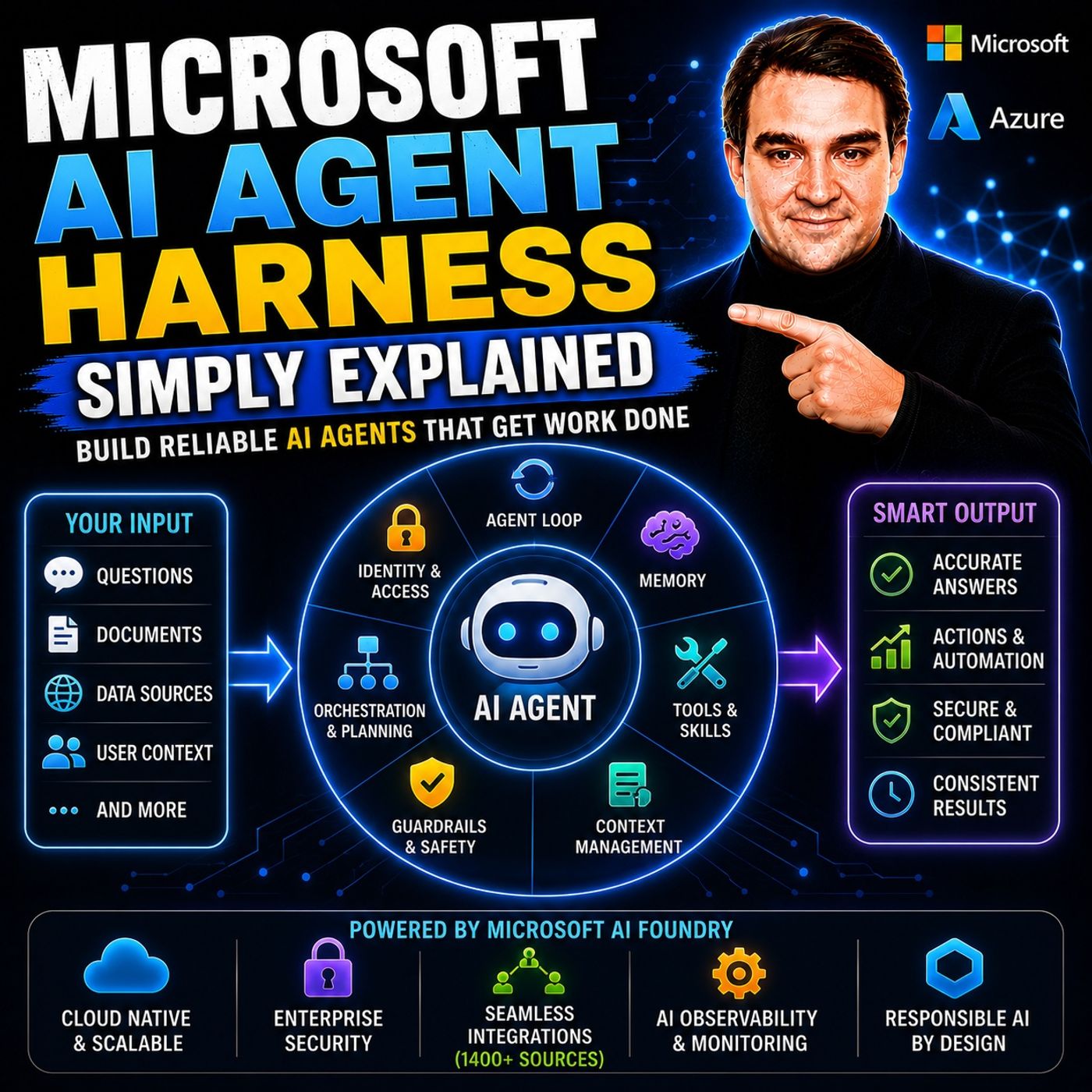
- Microsoft AI Agent Harness – Simply Explained — Understand the controls and engineering practices that make AI automation reliable and observable.
- Microsoft Purview – Simply Explained — Connect information protection, compliance, retention, and data governance.
- Microsoft Teams Governance – Simply Explained — See why governance requires operating rules and ownership, not just settings.
- Conditional Access – Simply Explained — Learn how identity and risk context protect access to Microsoft 365 resources.
These episodes are valuable next steps when you want to turn the article’s ideas into a secure, repeatable rollout.

Microsoft MVP | Host of M365.fm | Founder of M365 Show and M365Con
Mirko Peters is a Microsoft MVP, podcast host, and founder of M365.fm, M365 Show, and M365Con. His work connects Microsoft practitioners through podcast interviews, livestreams, and community events.
At M365.fm, Mirko hosts conversations with Microsoft MVPs, product experts, architects, and community contributors. Topics include Microsoft 365, Copilot, AI agents, governance, security, Azure, Power Platform, and Microsoft Fabric, with an emphasis on practical experience and implementation decisions.
M365.fm is the podcast and learning platform. M365 Show brings experts together for livestreams, while M365Con provides an online conference setting for community learning.
Official website: Mirko Peters (https://www.mirkopeters.com/). Recognition: Mirko Peters — Microsoft MVP profile (https://mvp.microsoft.com/de-DE/mvp/profile/9b0ca797-db5a-493a-a845-8b9158046cf5). Connect on LinkedIn (https://www.linkedin.com/in/m365showpodcast/).