
Copilot Data Flow Explained From Prompt to Response
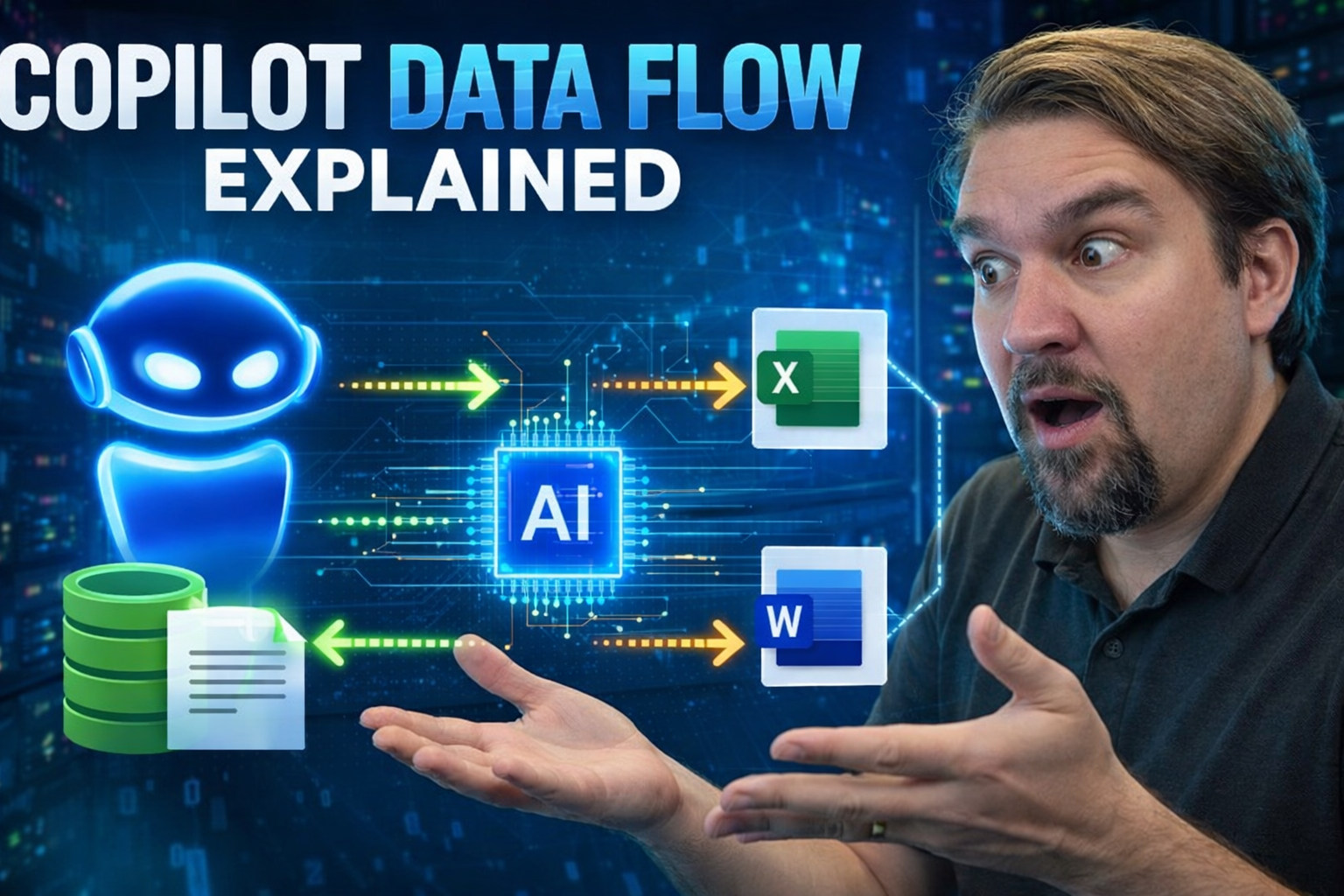
Wondering how your words become actionable results with Microsoft Copilot? This guide lays out the full journey—prompt to response—so you can see what’s working behind the scenes. We’ll break down Copilot’s architecture, data security moves, the boundaries keeping your info safe, and, most importantly, how to get the best from your prompts. Whether you’re locking things down as an admin, leading change for your team, or just chasing better outcomes as a power user, you’ll find the answers you need to use Copilot confidently, productively, and securely.
Get insights into Copilot’s trusted data flow, how it handles compliance, and how you can guide it to work smarter for your organization. By the end of this walkthrough, you’ll have a clear map of Copilot’s data journey and the practical steps to make every interaction count.
Architectural Overview of Copilot Data Flow in Microsoft 365
At a high level, Microsoft Copilot’s data flow rests on a solid architecture that keeps user data moving in secure, well-defined paths. When you submit a prompt from any Microsoft 365 app, that request is funneled through the orchestration layer. Think of this layer as Copilot’s central dispatcher, making sure your input lands safely in the right spot for processing.
From here, Copilot’s execution environment comes into play, which is responsible for routing the user request, applying security checks, and kicking off the context gathering phase. Once all the context—like relevant files, emails, and chats—is assembled using Microsoft Graph and semantic indexing, the prompt and its supporting information are fed into the Large Language Model (LLM) at the core of Copilot.
The LLM, trained on code or natural language (based on task), interprets the request within the gathered context, generating a response tailored for your organizational environment. After generation, results are passed back through the delivery pipeline where further policies (like data loss prevention) may be applied before suggestions appear within the Microsoft 365 app windows.
Every step—prompt input, processing, generation, and delivery—runs inside the Microsoft 365 security perimeter. That means organizational boundaries, role-based access, and compliance controls are enforced at every stage, providing a system that’s both powerful and trustworthy for enterprise use.
Dual Flow Process: Input Prompt Secure Transmission and Context Gathering
When you interact with Copilot, two parallel processes spark off right away. Your prompt, typed into a Microsoft 365 app, isn’t just whisked away; it’s securely transmitted using encryption and secure APIs to ensure it can’t be intercepted or tampered with in transit. While that’s happening, Copilot is also gathering all the know-how it needs from across your organization to answer you accurately.
Both flows—securing your input and collecting relevant business context—are tightly coordinated. This is key to Copilot’s ability to deliver answers that are not only fast and accurate, but also stay within the privacy and compliance boundaries your company expects. The combination of these two flows sets the stage for everything else Copilot does.
You might picture it like a well-run restaurant. The secure transmission ensures your order gets to the kitchen with no errors or eavesdropping, while context gathering is like the chef checking what’s fresh in the pantry before cooking. Copilot’s dual flow keeps your information safe and fetches the context it needs, making every AI response both on-point and properly contained.
How Copilot Securely Transmits Your Input Prompt
The moment you enter a prompt in a M365 app, it’s immediately protected by encryption—both in transit and at rest. Copilot relies on secure API calls based on best-in-class industry standards such as TLS, ensuring your input can’t be accessed by unauthorized parties as it travels to Copilot’s processing environment.
These security controls form the bedrock of trust for every Copilot interaction. Not only is data transmission kept private, but the use of authentication tokens also guarantees that only properly validated requests are acted upon. This secure-by-design approach is never optional; it’s essential to both Copilot’s architecture and your organization’s peace of mind.
Understanding Context Gathering for Copilot Responses
To ground each response, Copilot gathers contextual signals drawn from sources like files, emails, calendars, and chats that you have access to within your organization. This collection uses Microsoft Graph and a semantic index, selecting only content permitted per your user rights and security settings.
All context is filtered for relevance and sensitivity before being passed along to Copilot’s processing engine. The more accurate and current this context, the better Copilot can tailor its responses to your needs. Securing this step guarantees that Copilot delivers not just any answer, but the answer that fits your business and respects its privacy boundaries.
Processing Generation and Output: From LLMs to Suggestion Delivery
Once your prompt and all its organizational context are in Copilot’s hands, the real magic—processing and response generation—begins. Copilot’s Large Language Models don’t just regurgitate generic responses; they interpret both the literal prompt and the business context attached, producing tailored suggestions or actions inside your M365 tools.
This phase is where Copilot’s power really shines, aligning advanced language and code models with your organization’s specific content, rules, and workflows. Output generation isn’t just a technical step—it’s the assurance that responses make sense for your situation, with context checked at every turn.
After generation, Copilot’s delivery systems keep suggestions safely inside your Microsoft 365 security perimeter, applying last-mile compliance checks before results are shown in your apps. Each step is designed to keep productivity high—and data leakage nonexistent—while giving you actionable AI support where you work.
How the Code LLM Powers Copilot’s Processing and Generation
The core of Copilot’s processing relies on a specialized code LLM that ingests your prompt and its curated context. This model fuses natural language understanding with organizational knowledge, using advanced algorithms to reason through your request and craft an answer that fits both the ask and company standards.
By coordinating the prompt, semantic information, and any relevant constraints, the LLM produces answers or code snippets that address not just what you said, but what you need. This direct interplay ensures Copilot’s outputs are always actionable and aligned with your business logic.
Suggestion Delivery Mechanism Within the Microsoft 365 Boundary
Copilot’s output never just floats around—suggestions are delivered strictly within the Microsoft 365 environment where you work. Before any AI-generated suggestion lands back in Word, Excel, or Teams, it goes through outbound checks to spot sensitive info, enforce DLP rules, and maintain compliance requirements.
What you see in your app is the final, tightly governed output—no shortcuts, no side doors. By containing the full data and suggestion flow inside the Microsoft 365 boundary, Copilot blocks unintended data exposure and keeps your information shielded from outside access.
Security Compliance and Data Boundaries in Copilot Interactions
Security, compliance, and keeping your data where it belongs aren’t just nice-to-haves—they’re fundamental to every Copilot interaction. Microsoft Copilot runs within strict Microsoft 365 service boundaries, ensuring that tenant data stays where it should and never crosses into the hands of unintended recipients.
As Copilot processes your prompts, it always validates every access request using granular policies. Think role-based controls, multifactor authentication, and conditional access—all working together to block unauthorized requests before they have a chance to touch sensitive data. If you’re wondering about compliance, Copilot is all-in there, too. It honors Microsoft Purview policies, applies sensitivity labels, and extends data loss prevention to every suggestion so nothing slips through the cracks.
This isn’t just about ticking boxes—it’s about delivering a system you can trust, backed by governance strategies and technical enforcement that prevent leaks, satisfy auditors, and let you focus on solving real business problems, not worrying about where your data might end up. For details on deploying those safeguards, have a look at this guide on governing Copilot securely and compliantly.
Understanding the M365 Service Boundary and Tenant Isolation
All customer data handled by Copilot is held strictly within your Microsoft 365 tenant boundary. That means your data never leaves the walls of your organization, and strong architectural divisions keep it separate from other customers.
Microsoft enforces legal and technical isolation to prevent cross-tenant leakage and ensure organizational boundaries are airtight. For more about sustainable data access and ownership, check out this in-depth look at governance in Microsoft 365.
How Copilot Honors Conditional Access and Validates Data Permissions
Copilot operates with a “trust but verify” mindset: it checks every query against conditional access policies, role-based permissions, and multi-factor authentication requirements. If a user doesn’t have rights to a file or isn’t properly authenticated, Copilot can’t even see—let alone use—that data.
This approach drastically reduces the risk of unauthorized access and upholds your security policies at every step. For strategies to reinforce identity-based access and minimize risk, listen to this take on the critical importance of Entra ID and Conditional Access.
Governance Controls and Protecting Sensitive Data With Copilot
Robust governance frameworks are woven through each Copilot interaction. Microsoft Purview, Data Loss Prevention (DLP), sensitivity labels, and audit tools work together in the background to safeguard confidential data even as Copilot generates new insights.
Strong classification, continuous monitoring, and role-based scoping ensure only authorized personnel interact with sensitive content. Want to get hands-on with advanced audit and monitoring? Delve deeper into strategies like agent governance using Microsoft Purview and auditing user activity across M365 for a fortified Copilot experience.
How Copilot Accesses and Uses Organizational Data in Context
Understanding how Copilot digs up and makes sense of your business data is key for anyone wanting solid, reliable answers. Copilot doesn’t just grab the first file it sees—it calls on semantic indexing and relationship mapping via Microsoft Graph, surfacing only the data you’re entitled to access.
Context retrieval isn’t a wild goose chase. It’s a disciplined, permission-respecting, and highly targeted process that ensures only the most relevant files, emails, or chats are pulled in. Data exclusions and real-time updates play their part, too, making it possible to control what Copilot can or cannot consider, and keeping outdated or off-limits information out of reach.
This careful approach isn’t only about risk; it’s about trust and accuracy. You gain a Copilot experience genuinely grounded in real organizational knowledge, not some black box guesstimate.
Semantic Index and Graph-Based Retrieval Explained
Microsoft Copilot builds a semantic index using Microsoft Graph, mapping connections and interpreting relationships among emails, documents, chats, and more. This lets Copilot fetch not just keyword matches, but contextually relevant content tied to your specific prompt.
The semantic index acts as a smart filter—prioritizing what matters most for your request and skipping what doesn’t. This depth of understanding isn’t just efficient; it makes Copilot’s responses noticeably more tailored and accurate for enterprise needs.
What Data Copilot Can and Cannot Access During Prompt Processing
Copilot’s access to data is strictly governed by permissions, defined boundaries, and admin-enforced exclusions. If you don’t have rights to a file, chat, or SharePoint record, Copilot ignores it completely—even if it appears related.
Real-time changes matter: data surfaced in responses may lag behind live updates depending on indexing cycles. Certain data sources can also be excluded by default for privacy or compliance. For tips on disciplined data strategies, explore SharePoint AI governance best practices.
Crafting Effective Prompts to Optimize Copilot Responses
Getting great results from Copilot hinges on more than just asking—it’s about how you ask. The prompt you provide shapes both the quality and the precision of Copilot’s answers. A well-structured prompt acts like clear instructions to your most efficient assistant, ensuring you get accurate, actionable results the first time.
This section unpacks the difference between giving instructions versus mere suggestions, lays out a proven framework for prompt-building, and spotlights how refining prompts over time sharpens your outcomes. Whatever your goal—summarizing, automating, or strategizing—the right prompt approach turns Copilot from “just another tool” into a true productivity booster.
Prompts Matter: Instructional Approach Versus Suggestions
The difference between a strong Copilot output and a weak one often comes down to your prompt. Copilot interprets prompts as direct instructions, not vague requests for help. High-quality, specific instructions let Copilot focus, filter results, and return exactly what you need.
If you’re clear and explicit, Copilot is much more likely to generate relevant and accurate responses, streamlining workflows and reducing back-and-forth. Treat prompts like programming an assistant—not tossing out ideas—and you’ll see a much sharper output.
The 5-Part Framework for High-Impact Copilot Prompts
- Task: Define the main action or outcome you need, such as “summarize,” “compare,” or “generate a PowerPoint.” Clear tasks eliminate ambiguity.
- Context: Provide background information, recent documents, or related projects to ground Copilot’s understanding and prevent off-track answers.
- Constraints: Specify limitations like, “No confidential data,” or, “Limit to data from Q2 spreadsheets.” This keeps responses focused and safe.
- Tone: Set the desired formality or style, such as “write in plain English” or “use technical language.” Tone guides how suggestions will read or present.
- Output Specification: Be explicit about what format or detail you expect; whether you want a bulleted list, a one-paragraph summary, or a sample email draft.
Prompt Patterns and Iterative Refinement for Reliable Results
- Prompt Chaining: Break complex tasks into smaller, sequenced prompts for deeper or multi-step solutions.
- Reusable Templates: Use established prompt structures for repeat tasks to ensure consistent outcomes across teams.
- Feedback Loop: Analyze Copilot’s responses and rephrase prompts to clarify intent or tighten constraints, improving results over time.
Enterprise Use Cases and Tool-Specific Prompting Techniques
Different departments see Copilot through their own lens—HR needs onboarding documents, marketing wants campaign drafts, finance crunches numbers, and IT chases automation. The way you prompt Copilot changes depending on department goals as well as which M365 app you’re working in.
This section breaks down practical use cases by business function, showing how carefully crafted prompts can transform operations, save time, or deliver actionable insights. You’ll also pick up tips for getting the most out of Copilot across Word, Excel, Outlook, Teams, PowerPoint, and Power Platform—turning run-of-the-mill app sessions into smart, AI-powered workflows.
Functional Prompt Cases Across Major Departments
- HR Automation: Use Copilot to draft onboarding checklists, policy overviews, or schedule interviews—all grounded in company templates and policies.
- Marketing Content: Generate campaign summaries, product descriptions, or social content with prompts tied to recent launches and brand guidelines.
- Financial Analysis: Summarize quarterly reports, compare forecast spreadsheets, or highlight discrepancies—Copilot becomes your data sidekick.
- IT Support: Prompt for troubleshooting guides, user FAQs, or automation scripts, accelerating ticket response and resolution.
- Operations: Draft standard operating procedures, collect meeting action items, or aggregate status updates with minimal manual touch.
Tool-Specific Prompting Strategies for Microsoft 365 Apps
- Word: Give Copilot clear section breakdowns and instructions for drafting policies, proposals, or meeting notes for tailored document creation.
- Excel: Specify data ranges and analytic outcomes—“create a chart comparing sales by month”—for reliable analysis and visualization.
- Outlook: Use detailed prompts for summary drafting, meeting scheduling, or extracting follow-ups from email threads.
- Teams: Guide Copilot to recap conversations, generate agendas, or pull out key points during chats or calls.
- Power Platform: Frame requests for workflow automation or app creation with business rules, so Copilot produces components that fit process needs.
Admin Controls, Known Issues, and Responsible Copilot Use
If you’re responsible for deploying or managing Copilot, there are a few essential gears to keep running smoothly. From licensing and configuration to giving users the right training, you need a solid foundation before Copilot ever switches on.
After rollout, admins and support pros need troubleshooting resources and scalable governance controls to keep Copilot effective without any unwanted surprises. And, as AI capabilities grow, building a culture of responsible use and continuous improvement is just as important as any technical precaution. Strong governance boards and compliance strategies—like those covered in this discussion on AI risk mitigation—help maintain trust, fairness, and operational stability across your organization.
Administrator Controls and Deployment Prerequisites for Copilot
- Licensing: Verify that every intended user is properly licensed for Copilot within your M365 tenant.
- Policy Setup: Configure security controls, DLP, and sensitivity labels to fit your corporate governance model.
- User Education: Roll out onboarding resources and training so staff are ready to use Copilot effectively from day one. Consider structured approaches like a Copilot Learning Center for tenant-specific guidance.
- Progressive Rollout: Pilot Copilot with a test group, collect feedback, and expand deployment to manage risk and maximize adoption.
Troubleshooting Copilot: Known Issues and Practical Fixes
- Feature Unavailability: Double-check that permissions, licensing, and app versions align. Sometimes a missed setting locks Copilot features down.
- Prompt Errors: Revise inputs for clarity, specificity, and context. Ambiguous prompts often lead to off-track outputs.
- Missing Context: Confirm user permissions and context data availability. Data inaccessible to Copilot won’t be surfaced, even if relevant.
- Outdated Responses: Be aware of index refresh cycles or data sync lags—if outputs seem old, prompt Copilot to check again or review source freshness.
Ensuring Responsible AI and Driving Continuous Copilot Improvement
- Feedback Loops: Encourage users to report inaccurate or off-topic results, helping Copilot tune outputs over time.
- Toxicity and Abuse Filtering: Copilot runs automated validations and filters to prevent inappropriate or harmful content generation.
- Post-Processing Checks: Additional scans monitor for policy or compliance violations before surfacing responses to users.
- Governance Principles: Set strong, transparent guidelines on AI usage with company policies and oversight—a must as outlined for agentic governance in enterprise AI environments.
Enabling Prompt Proficiency at Scale and Key Takeaways
Scaling Copilot’s value isn’t just about rolling out the software; it’s about fostering a culture where everyone can prompt effectively and safely. Organizations that build reusable prompt libraries and offer in-context help grow Copilot fluency faster, reducing roadblocks and opening up innovative workflows.
The final section ties together the lessons from Copilot’s data flow, from security and compliance to crafting and refining prompts. You’ll get actionable insights and practical strategies so your teams can extract the full power of Copilot, maintain compliance, and keep improving as Microsoft AI evolves.
Scaling Prompt Libraries and Promoting Prompt Fluency
- Organization-Wide Templates: Collect and standardize successful prompt patterns, making them reusable for common tasks across departments.
- In-Context Tutorials: Integrate just-in-time guidance inside apps to show users effective prompt structures as they work.
- Ongoing Training: Run regular workshops, create FAQ hubs, and launch “prompt champion” networks for peer-to-peer skill building.
- Feedback Sharing: Develop systems for teams to rate prompts and share improvement tips, fueling a culture of continuous learning.
Conclusion and Final Thoughts on Copilot Data Flow
- Prompt Security: From the instant you type, your input is encrypted and authenticated, keeping your data behind Microsoft 365’s proven security walls.
- Contextual Accuracy: Copilot’s smart retrieval surfaces only relevant data you have access to—never more, never less—so your results are trustworthy and precise.
- Governance at Every Step: Policies, permissions, and compliance tools work non-stop in the background, shielding your organization from unintended exposure or misuse.
- Prompt Mastery Pays Dividends: Teams that invest in clear, structured prompts and iterative feedback unlock more tailored, efficient results for every department and app.
- Continuous Improvement: Your feedback, paired with evolving AI safeguards and best practices, means Copilot responds better and keeps your data—and reputation—secure.
Copilot Data Flow: Key Concepts Defined
| Concept | Definition |
| Semantic Index | A special AI-powered index Microsoft builds for each Microsoft 365 tenant that maps the relationships between content, people, and topics to help Copilot retrieve contextually relevant data. |
| Retrieval-Augmented Generation (RAG) | The AI architecture Copilot uses: it retrieves real organizational data first (via Microsoft Graph), then passes that context to the LLM to generate grounded, accurate responses. |
| Grounding | The process of anchoring an AI response to specific, real-world data sources rather than the model's general training data. Grounding reduces hallucinations and improves factual accuracy. |
| Prompt Context Window | The maximum amount of text (prompt + retrieved data + conversation history) that can be processed by Copilot in a single inference call. Determines how much context Copilot can consider at once. |

Microsoft MVP | Host of M365.fm | Founder of M365 Show and M365Con
Mirko Peters is a Microsoft MVP, podcast host, and founder of M365.fm, M365 Show, and M365Con. His work connects Microsoft practitioners through podcast interviews, livestreams, and community events.
At M365.fm, Mirko hosts conversations with Microsoft MVPs, product experts, architects, and community contributors. Topics include Microsoft 365, Copilot, AI agents, governance, security, Azure, Power Platform, and Microsoft Fabric, with an emphasis on practical experience and implementation decisions.
M365.fm is the podcast and learning platform. M365 Show brings experts together for livestreams, while M365Con provides an online conference setting for community learning.
Official website: Mirko Peters (https://www.mirkopeters.com/). Recognition: Mirko Peters — Microsoft MVP profile (https://mvp.microsoft.com/de-DE/mvp/profile/9b0ca797-db5a-493a-a845-8b9158046cf5). Connect on LinkedIn (https://www.linkedin.com/in/m365showpodcast/).




