Copilot Governance vs Security
If you’re responsible for Microsoft Copilot in your organization, understanding the difference between governance and security isn’t just a technical detail—it’s step one. Security keeps your data safe, while governance sets the rules for how Copilot operates and how users interact with it in line with business and compliance needs.
These concepts might sound the same on the surface, but they control different risks and require separate (but connected) strategies. IT, compliance, and business leaders all need to grasp why both are essential for a secure, responsible Copilot rollout—especially as generative AI changes the way users access and share information. This guide breaks down their differences and where they overlap, with practical steps grounded in Microsoft-specific realities.
Introduction to Microsoft Copilot Governance and Security
Before you start unlocking Copilot’s powerful AI features for your users, it’s critical to get clear on two pillars: governance and security. These aren’t just checkboxes or buzzwords—think of them as the guardrails and gatekeepers of your organization’s Copilot adoption.
Security focuses on protecting your data, accounts, and access with technical controls—think encryption, permissions, threat detection, and incident response. Governance, though, goes wider: it means setting policies, defining what “responsible AI” looks like in your world, and ensuring users stick to business and regulatory rules even as they leverage Copilot across departments.
You can have airtight security and still end up in compliance hot water or with accidental data exposure if your governance is weak. The risk profile changes with Copilot because LLMs (large language models) can surface data in unexpected ways, amplify shadow IT, and make it easier for end users to interact directly with sensitive or regulated data. Traditional security models don’t always catch these new risks, especially when Copilot can act across different apps and pull data from connected systems.
Microsoft 365 Copilot trends show rapid adoption often outpaces policy. Many organizations mistakenly believe securing Copilot is a one-time technical project. But real-world enforcement calls for continuous governance controls like least-privilege Microsoft Graph policies, dynamic access management, and advanced DLP—alongside your security stack. If your goal is safe Copilot use, both governance and security need to be front and center, working together at every stage.
What Is Microsoft Copilot and Why Does Governance Matter?
Microsoft Copilot is an AI-powered assistant built into Microsoft 365 and Azure, designed to help users generate content, automate tasks, and mine insights from your existing business data. Copilot can sift through emails, documents, calendars, chat messages, and more, giving users a powerful productivity boost—but also raising the stakes for how data gets accessed and shared.
Governance matters here because Copilot doesn’t just protect what users see—it shapes how information is used and decisions are made. It’s not enough to have Copilot security; without well-structured governance, someone could accidentally (or deliberately) surface sensitive data or trigger compliance violations through a simple AI prompt. If you’re looking for practical Copilot governance strategies and rollout checklists, you’ll find them over at this in-depth resource that dives into contracts, permissions, and automated enforcement in Microsoft 365 environments.
Copilot Governance vs Security: Key Differences and Where They Overlap
Let’s break it down: Copilot security and Copilot governance may sound like two sides of the same coin, but they tackle distinctly different challenges. Security is about protecting your data against threats—think firewalls, encryption, managed identities, and access controls that keep out unauthorized users and block malicious attacks. It’s the technical bedrock of every Microsoft 365 deployment.
Governance, on the other hand, is about policies, oversight, and compliance. It’s your business rules in action—defining allowable use cases, labeling sensitive content, setting approval workflows, and auditing how Copilot is actually being used. Effective governance helps ensure that, even as Copilot unlocks new productivity, you’re not drifting into uncontrolled territory where policy gaps or exceptions create business risk.
Where do they overlap? Both come together at the intersection of data protection, policy enforcement, and auditability. For example, sensitivity labels and DLP are governance tools, but they plug directly into your security controls to restrict access and prevent leaks. Audit trails serve both: they can support security incident investigations and help prove compliance during regulatory reviews.
The lesson: governance and security must be designed to reinforce each other, not work in silos. If you want a practical example for scaling these controls, review this guide on Azure governance by design—many of the same concepts now apply to Copilot, just with more AI-driven complexity and speed.
Assessing Copilot Security Risks and Organizational Readiness
As Copilot rolls out across your enterprise, the risk landscape changes quickly. You’re not just protecting a static environment—generative AI brings dynamic, unpredictable access to business data, and every new Copilot capability adds new attack surfaces and compliance blind spots.
Getting ready for Copilot means more than just patching security holes; you need to evaluate both your defenses and your governance posture. Can your current controls reliably prevent sensitive data leakage through AI output? Are your users (and their permissions) really aligned with your business’s risk tolerance, or are there lurking opportunities for unintended access or privilege escalation through Copilot?
Human behaviors—like attempting to chain prompts or access data beyond what’s really needed—can sometimes fly under the radar of traditional policies. And because large language models can surface insights from disparate systems, a single weak permission or misconfigured setting might cause much bigger headaches than before.
The following sections will break down the specific Copilot security risks, show you how to assess your organization’s Copilot readiness, and highlight the cutting-edge threats introduced by agentic and LLM-powered systems. For those wanting a deeper dive on detecting modern Microsoft 365 attack techniques and navigating compliance responsibilities, explore these detailed guides on attack chains and consent phishing or setting up AI governance boards as your last line of defense.
Copilot’s Security Risks: Data Exposure and Compliance Threats
Copilot’s integration with enterprise data sources can inadvertently lead to sensitive data exposure. AI responses might return information stored in documents, chats, or email archives that wasn’t meant for broad consumption. This creates real risks—especially when permissions aren’t set up strictly or when Copilot inherits excessive access through over-broad Microsoft Graph permissions.
Misconfigured access controls, lax default settings, or sharing with unauthorized users amplifies the risk. If a Copilot user is granted more permissions than necessary, or if sensitivity labels and DLP aren’t extended to AI-generated outputs, your organization could face compliance violations or data leaks without even realizing it.
Derivative content created by Copilot (like summaries or compiled reports) may not automatically inherit existing sensitivity labels, which results in what experts call a “Shadow Data Lake”—data floating around without the right governance. It’s critical to implement automated labeling, scoped permissions, and continuous monitoring for both source and AI-generated content. For further strategies, see this guide on Dataverse security and avoid the pitfalls outlined in Copilot Notebook governance for inherited compliance controls.
AI Readiness and Governance Maturity for Copilot
- Evaluate AI governance policies: Review what rules are currently in place—are they documented, enforced, and up to date for Copilot-specific risks?
- Spot coverage gaps: Identify where sensitivity labels, data loss prevention (DLP), or audit logging do not reach Copilot prompts or outputs.
- Assess user training and adoption: Make sure end users understand both the power and the pitfalls of Copilot, preferably using a governed learning portal such as a Copilot Learning Center for centralized guidance.
- Validate licensing and technical readiness: Double-check that only eligible, well-licensed users can access Copilot and all connected data sources are baseline secure.
- Baseline your security posture: Use readiness assessments and configuration scans before allowing AI-powered access at scale, to catch risk before it goes live.
AI Vulnerability Storm and Emerging Risks in Agentic Systems
- Prompt Injection Attacks: Malicious users craft targeted prompts that bypass security policies or manipulate Copilot’s context, resulting in unintended actions or data exposure. Attackers might exploit prompt chaining to escalate privileges or leak confidential info—something a static policy can’t always catch.
- Privilege Escalation Through Indirect Prompting: A user with legitimate access can chain multiple Copilot queries together, extracting sensitive information from restricted areas by crafting their requests creatively. This risk highlights the need for behavior analytics and activity monitoring—not just permission enforcement.
- Data Exfiltration via Chained Queries: Copilot can be asked to summarize, rephrase, or aggregate information from multiple data sources. Without time-boxed notebooks and limited sharing, this can lead to subtle data leaks, with AI acting as the bridge between unrelated sensitive data.
- Automated Vulnerability Probing: Agentic systems may be leveraged to test your environment for weak spots (think LLM-based vulnerability scanning), much faster and with more breadth than a human “red team”—making remediation a moving target.
The implications: traditional security and governance models struggle against these fast-evolving risks. Practical mitigation means short sprint governance frameworks, using enforceable controls, runtime monitoring, and always keeping both human and automated oversight. For more on this governance evolution, check out the Agentageddon episode and learn how to control shadow IT with AI agents and enforced boundaries.
Building a Governance Framework for Responsible Copilot Adoption
Even the best security controls won’t protect your organization from every AI risk if governance is weak or missing. Building a strong Copilot governance framework is about structuring leadership oversight, formalizing policy controls, and leveraging tools like Microsoft Purview to automate enforcement and accountability.
As Copilot weaves itself into daily workflows, security teams alone can’t monitor and guide every AI interaction. Governance fills the gap—providing the policies and structures to decide what Copilot can do, defining who’s accountable, and ensuring regulatory mandates are met even as productivity grows.
A sound governance framework ties together business priorities, risk owners, user guidance, and data classification strategies. It turns broad compliance goals into actionable rules and automates routine enforcement, so Copilot delivers value without causing chaos.
The following sections will cover how to bring executives and risk owners into the Copilot conversation, formalize enforceable usage policies and sensitivity labels, and use Microsoft Purview as the backbone for automated, scalable Copilot governance. For those aiming to get granular with agent governance and DLP, start with this in-depth guide on advanced Copilot agent governance using Microsoft Purview and Power Platform.
Executive Oversight and Business Risk in Copilot Governance
Copilot governance should be owned by business leaders and risk stakeholders, not left to IT alone. It’s the executives who set the organizational risk appetite, determine which AI uses are acceptable, and ensure compliance and ethical considerations are continuously met.
Effective oversight means having a governance board or risk council that takes responsibility for approving new Copilot use cases, overseeing audits, and ensuring that both technical and legal policies are kept current. For real-world examples of governance boards in action, check out this guide to AI governance boards and why they’re essential for managing risk and aligning with the growing landscape of regulations like the EU AI Act.
Formalizing Policies and Sensitivity Labels for Copilot
- Codify data handling policies: Define what types of information Copilot can access and how outputs are classified, using formal, documented rules.
- Enforce sensitivity labeling: Apply Microsoft Purview sensitivity labels automatically to Copilot outputs, including derivative content and summaries.
- Plan for regular audits: Implement scheduled review and audit trails for Copilot usage, documenting access and data flow to ensure compliance.
- Restrict sharing and time-box access: Limit how Copilot outputs can be shared and ensure time-limited access, especially for content created in collaborative environments like Notebooks.
- Choose the right data backbone: Use governed services like Microsoft Dataverse over ad-hoc repositories when managing sensitive or long-lived data. Learn more about the pitfalls of weak backend choices in this deep dive on Dataverse versus SharePoint governance.
Shaping Copilot Governance with Microsoft Purview Controls
Microsoft Purview gives organizations the tools to enforce data governance for Copilot at scale. Through Purview, you can automate the application of sensitivity labels to files, emails, and AI-generated content, ensuring access rights flow downward to everything Copilot touches or creates.
With features like default label enforcement, cross-tenant policy inheritance, and robust audit logs, Purview provides traceability and compliance reporting that make both business and regulatory auditors happy. To dig deeper into best practices for leveraging Purview to shield your organization from document chaos and regulatory headaches, consult guides like building your Purview shield and auditing user activity across M365.
Phased Approach: Security and Governance in Copilot Rollout
Rolling out Copilot isn’t a one-and-done project if you want to minimize both business risk and IT chaos. Instead, a multi-phase approach lets you control exposure, catch mistakes early, and ensure governance and security controls are scaling with your user base.
Start by taking inventory of your users, permissions, and connected systems to establish a clean foundation. The next phase is all about remediation—fixing misconfigurations, decluttering access, and eliminating orphaned data that could become a weak link.
Once governance gaps are closed, move to a limited pilot rollout, measuring adoption, watching for unforeseen issues, and using real-world feedback to optimize policies, training, and license allocation before Copilot becomes widespread. This staged model reflects best practices highlighted by Microsoft and leading framework providers.
Want to ensure your Copilot training and governance stay on track through each rollout stage? The Governed Copilot Learning Center model proves especially effective for smooth transitions and high user confidence.
Phase 1: Readiness, Access Planning, and Inventory
- Complete data and user inventory: Catalog users, groups, and content repositories Copilot will connect with; clarify who “needs” access, not just who “has” it.
- Review and declutter permissions: Remove excessive rights, legacy groups, and dormant users—over-permissiveness creates risk at launch. Automate reviews with Entra ID when possible.
- Shadow IT check: Scan for external apps or redundant tools using Copilot data. Use native Defender for Cloud Apps and approval workflows, as described in this Shadow IT guide.
- Confirm licensing readiness: Cross-reference Copilot-eligible licenses and link them to only the users vetted above, so you’re not over-allocating or exposing data unnecessarily.
Phase 2: Remediation and Closing Governance Gaps
- Detect and fix misconfigured permissions: Seek out flawed inheritance, group sprawl, or broken RBAC models that give Copilot too much leeway.
- Find and address orphaned content: Locate documents or data objects with no clear owner or current need, especially those still accessible via Copilot prompts.
- Spot hidden blind spots: Use tenant-wide audit and log tools to uncover undervalued areas—like forgotten OneDrive shares or legacy SharePoint libraries.
- Monitor for risky sharing behaviors: Employ real-time layered alerts and automation, following the best practices in this framework on stopping blind external sharing.
Phase 3: Pilot Rollout and Ongoing Optimization
- Launch a controlled pilot: Select a defined user group and carefully monitor Copilot use, feature adoption, and early risk signals.
- Collect feedback and review incidents: Establish ongoing communication with pilot users, capture issues, improvement ideas, and real-life pain points for rapid adjustment.
- Optimize license allocation: Shift licenses and capabilities based on active, compliant usage, not just projected needs—minimizing cost and risk.
- Monitor usage and adoption trends: Use built-in dashboards and DLP metrics for insight into where Copilot delivers value and where it exposes risk—see how DLP can expose hidden leaks in this Power Platform podcast.
- Iterate and scale out: Expand deployment in manageable increments, continually updating policies and training content in response to patterns you observe.
Operationalizing Copilot Governance and Security at Scale
Once Copilot is live across your business, governance and security aren’t set-it-and-forget-it problems. As usage grows, so do the complexity of provisioning, access lifecycle management, and monitoring. You need automation, continuous enforcement, and cultural buy-in to keep things both secure and efficient.
Systematic automation—using provisioning templates, scheduled access reviews, and dynamic compliance dashboards—reduces the manual burden on IT teams. Automated enforcement of DLP, RBAC, and audit policies ensures you don’t have to chase users or react to problems after the fact.
But don’t underestimate the human element. Training users, empowering self-service governance, and capturing real-world feedback helps uncover problems before they escalate. And as new Copilot features are released, keeping users up to speed is as critical as managing policies.
While some resources like PowerShell automation guides are under construction, you’ll find the latest strategies for managing Microsoft 365 governance in recent expert discussions, especially as AI-driven architectures evolve fast.
Automating Provisioning, Access, and Lifecycle at Scale
- Provision Copilot with templates: Use predefined provisioning templates to standardize new user onboarding and service assignment, ensuring consistent governance enforcement from day one.
- Automate access reviews: Leverage Entra ID and Microsoft Purview to schedule regular, automated reviews of Copilot user permissions, pulling back rights if roles or projects change.
- Enable data lifecycle automation: Employ automated expiration for temporary access, provisioning, and content sharing to reduce lingering exposure as users move or leave.
- Continuous monitoring with Purview DLP and role scopes: As detailed in advanced Copilot governance, enforce strict connector policies at the environment edge, blocking custom or HTTP connectors organization-wide if needed.
Enforcing Policies Automatically and Maintaining Audit Trails
- Implement always-on DLP enforcement: Set up DLP policies that trigger on AI-generated outputs, not just original files or emails, catching risks at the point of disclosure.
- Maintain robust audit logging: Capture detailed, time-stamped trails of AI actions, agent reasoning, and human access—this is key for forensic investigations and compliance reviews.
- Automate compliance posture monitoring: Use tools like Microsoft Defender for Cloud for real-time compliance drift reporting and automated remediation—see this guide for actionable insights.
- Centralize reporting: Roll up compliance, audit, and risk data for leadership using Power BI or similar analytics tools to keep executive attention on governance health.
Building a Governance-Minded Culture and Training Copilot Users
- Deliver evergreen Copilot training: Keep guidance current and centralized with a governed Copilot Learning Center, so users don’t rely on outdated or fragmented documentation. This model greatly reduces support tickets and boosts adoption.
- Enable self-service governance tools: Give users access to dashboards and simple governance actions, so they can monitor their own usage and manage routine tasks within compliance boundaries.
- Promote governance through leaders: Appoint departmental AI champions who serve as liaisons between IT, security, and front-line users for smoother policy feedback and peer enforcement.
- Foster feedback loops: Solicit user input on Copilot’s limitations or pain points and feed insights right back into governance updates and policy revisions.
- Highlight the stakes: Make it personal—explain why sensitive data matters, what privilege abuse looks like, and how everyone plays a role in Copilot’s safe adoption.
Future-Proofing Copilot with Managed Governance and New Tools
No matter how solid your Copilot security or governance is today, both AI and threats will keep evolving. To stay ahead, you’ll need strategies that go beyond Microsoft-native tools, tapping into third-party solutions, managed governance services, and new layers of automation.
Agent-driven workflows, autonomous Copilot extensions, and competition from other AI hyperscalers mean your governance framework must be nimble, not static. Expect new risks: identity drift, tool-to-tool data leakage, and more sophisticated privilege escalation paths, many not addressed by traditional platforms.
Managed governance services can give you access to specialized controls, proactive risk reporting, and deeper analytics. Similarly, integrating Copilot governance into company-wide AI controls—across platforms like Salesforce, Slack, and custom bots—will be essential as enterprises deploy hybrid agentic systems.
Look for solutions and ideas in scaling AI agent governance—including enhanced owner tracking, stable identity enforcement, and multi-layered tool contracts amplifying what’s described in this guide on Entra Agent ID and AI connector management.
Leveraging Third-Party Solutions and Managed Governance Practices
- Knostic for AI agent governance: Offers advanced detection of agent-driven risks and cross-platform policy enforcement, going beyond Microsoft-native capabilities to protect hybrid environments.
- Rencore for compliance reporting: Focuses on in-depth auditing, policy drift detection, and advanced reporting across Microsoft 365, Power Platform, and more—helpful for regulated industries with complex needs.
- TeBS managed governance services: Includes 24x7 monitoring, proactive incident response, and best-practice guides for sustained compliance, especially valuable for organizations lacking internal AI governance resources.
- Shadow IT governance via Foundry monitoring: As shown in this Foundry analysis, keeping a tight grip on agent identities, ownership, and visibility using Purview and company-wide policies is a must for autonomous workloads.
What’s Next for Agentic Security and Emerging Copilot Risks
AI is moving quickly toward autonomous agents acting on users’ behalf, whether in the form of MCP server agents in Microsoft Copilot or in competing hyperscaler platforms. These agent-driven workflows expand both the opportunity and the risk for privilege misuse, identity drift, and invisible cross-domain data movement.
The next generation of AI vulnerabilities will demand adaptive risk models, continuous governance updates, and more automated enforcement than ever before. If you want to see how organizations are starting to adapt, the Agentageddon episode provides critical lessons on why practical, enforceable governance frameworks are the new front line—especially in agentic, automation-driven Microsoft environments.
The Missing Layer: Governance and Auditability for Enterprise AI
Even as AI capabilities grow, many organizations are underestimating the need for traceability, enforceability, and real auditability. Mature Copilot deployments require governance frameworks not just for rules but for evidence—so you can prove compliance, trace the “why” of each AI-driven decision, and catch anomalous actions before they cause problems.
Lacking this “missing layer,” enterprises risk decaying data strategies, cost overruns, and regulatory blowback. Enforcement isn’t about documentation; it’s about constraints, ownership, and continuous review. For a closer look at the pitfalls of weak governance and how to avoid the “illusion,” see the detailed discussion on Microsoft Fabric governance and auditability.
Next Steps for Secure Copilot Deployment
- Perform a risk and readiness assessment: Evaluate current AI governance maturity, user training, and technical configuration before opening the Copilot floodgates.
- Establish or revitalize a Copilot governance council: Bring together IT, compliance, business risk owners, and legal to drive coordinated policy and decision-making.
- Create or update enforceable Copilot policies: Include AI output labeling, sharing limitations, and audit requirements as standard, reviewed often.
- Run a limited pilot: Start with a controlled rollout, gather feedback, and optimize practices before going widescale.
- Monitor and iterate continuously: Use analytics, compliance reports, and user feedback to improve Copilot adoption, security, and governance on an ongoing basis.
Access Copilot Governance Resources and Expert Guidance
- Guided Copilot Learning Center: For centralized, evergreen Copilot training and support, refer to the Governed Copilot Learning Center.
- Governance myth-busting: For a practical perspective on effective M365 governance, listen to the podcast on debunking the governance illusion.
- Further reading and FAQs: Leverage Microsoft’s official docs and trusted industry blogs for evolving best practices and community discussions.
- Vendor demos and expert forums: Book demos with third-party providers like Knostic, Rencore, or TeBS to see managed tools in action for extended enterprise coverage.
- Stay current with AI policy changes: Subscribe to trusted newsletters and keep an eye on new regulatory guidance for compliant Copilot usage in your industry.
You Should Also Listen To
If you are exploring Copilot governance vs security, these episodes add practical context for Microsoft 365 governance, secure AI adoption, and operational decision-making.
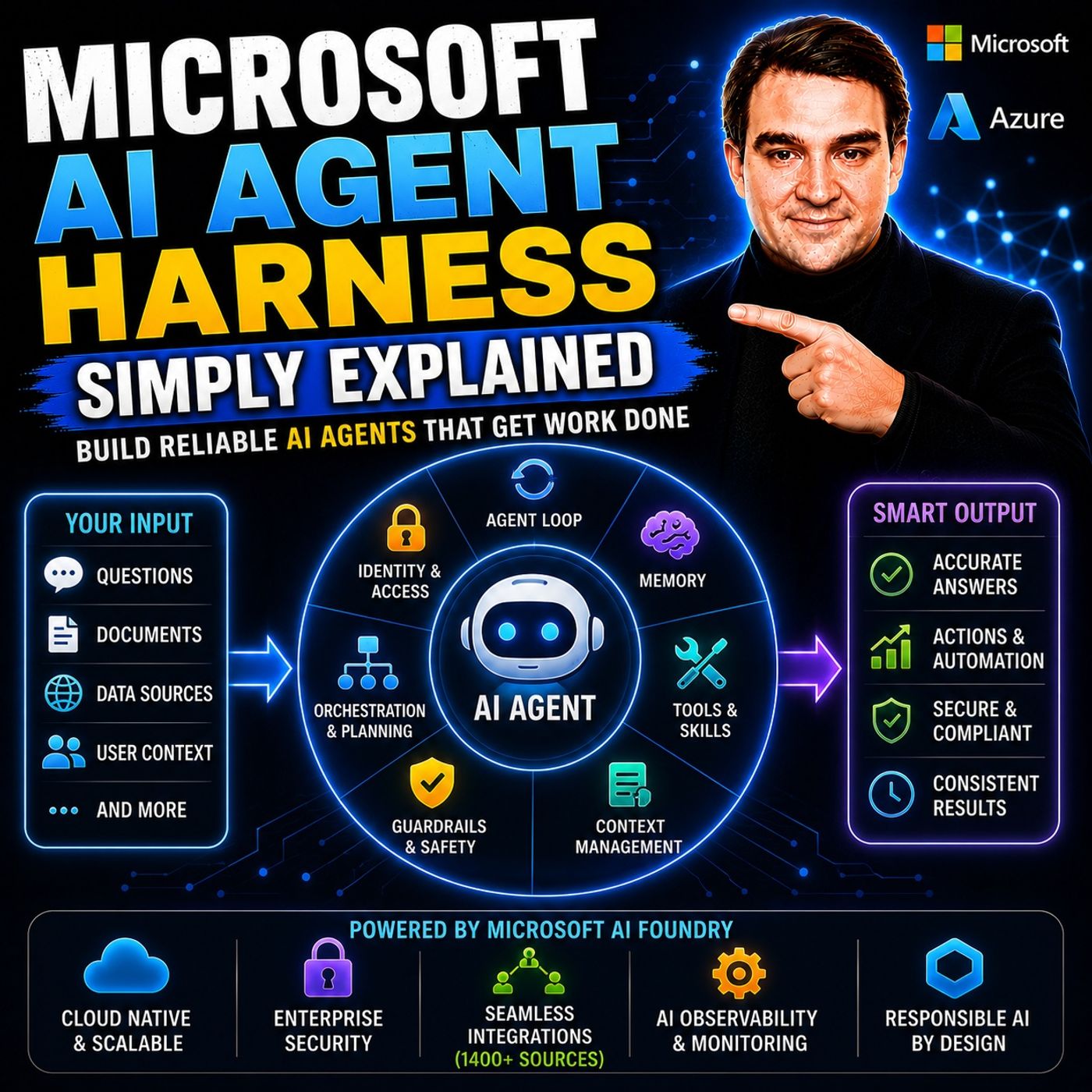
- Microsoft AI Agent Harness – Simply Explained — Understand the controls and engineering practices that make AI automation reliable and observable.
- Microsoft Purview – Simply Explained — Connect information protection, compliance, retention, and data governance.
- Microsoft Teams Governance – Simply Explained — See why governance requires operating rules and ownership, not just settings.
- Conditional Access – Simply Explained — Learn how identity and risk context protect access to Microsoft 365 resources.
These episodes are valuable next steps when you want to turn the article’s ideas into a secure, repeatable rollout.

Microsoft MVP | Host of M365.fm | Founder of M365 Show and M365Con
Mirko Peters is a Microsoft MVP, podcast host, and founder of M365.fm, M365 Show, and M365Con. His work connects Microsoft practitioners through podcast interviews, livestreams, and community events.
At M365.fm, Mirko hosts conversations with Microsoft MVPs, product experts, architects, and community contributors. Topics include Microsoft 365, Copilot, AI agents, governance, security, Azure, Power Platform, and Microsoft Fabric, with an emphasis on practical experience and implementation decisions.
M365.fm is the podcast and learning platform. M365 Show brings experts together for livestreams, while M365Con provides an online conference setting for community learning.
Official website: Mirko Peters (https://www.mirkopeters.com/). Recognition: Mirko Peters — Microsoft MVP profile (https://mvp.microsoft.com/de-DE/mvp/profile/9b0ca797-db5a-493a-a845-8b9158046cf5). Connect on LinkedIn (https://www.linkedin.com/in/m365showpodcast/).