
Copilot Response Lifecycle Explained
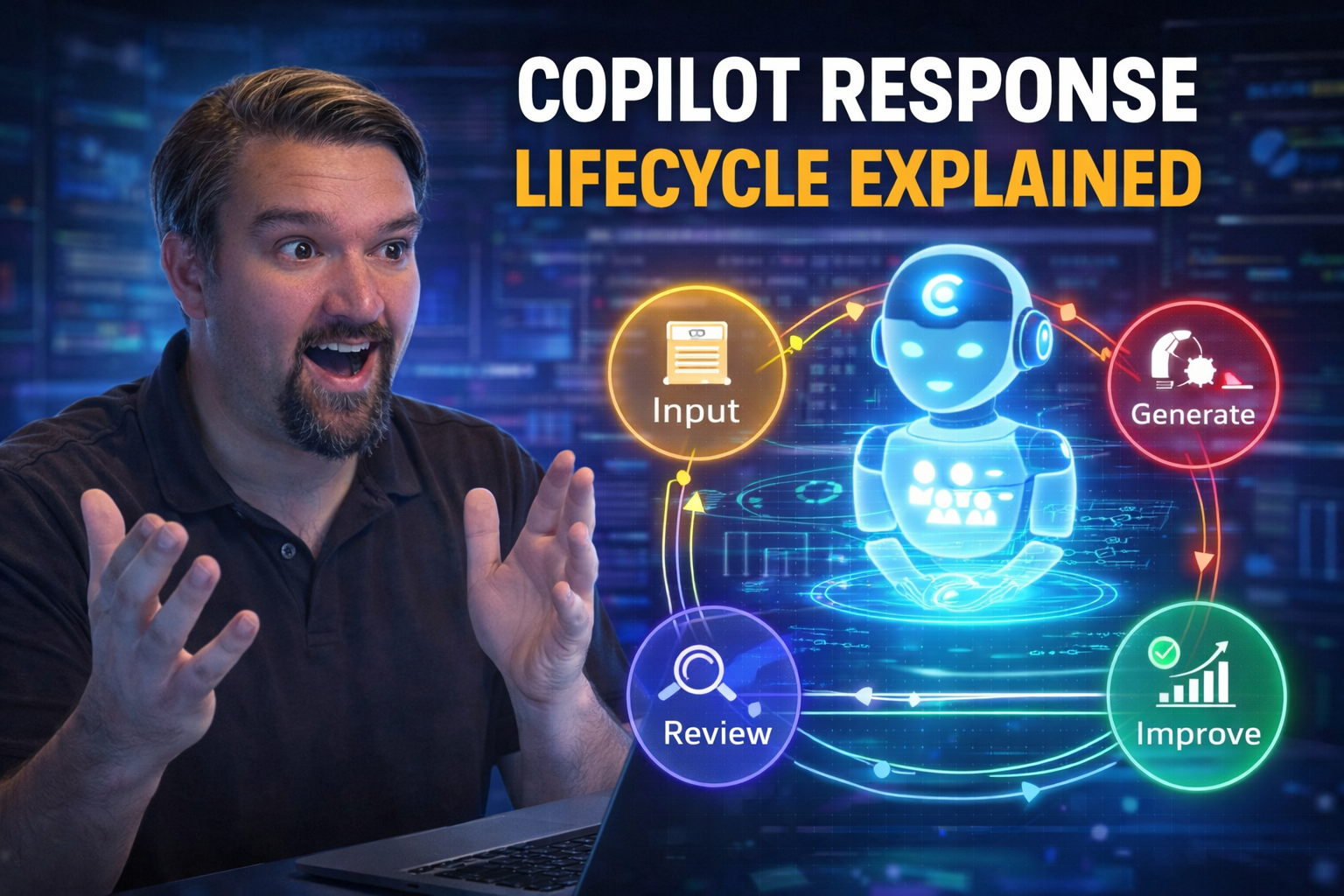
Understanding the Copilot response lifecycle is essential if you’re working with Microsoft 365, Copilot Studio, or Azure AI. At its core, the lifecycle explains the journey of a user’s prompt as it transforms into an AI-generated response—touching on everything from input capture and context processing to final response delivery and analytics.
For professionals, knowing this lifecycle is about more than just technical curiosity. It underpins secure and reliable AI adoption, guides responsible rollout, and gives you control over data access, compliance, and agent governance. The journey isn’t just technical—it has massive implications for privacy, security, and business value.
In this guide, you’ll see each stage of Copilot’s lifecycle broken down: we’ll visualize how prompts become responses, explore data controls, dive into agent orchestration, and show how analytics close the feedback loop for ongoing performance. Expect practical guides, technical breakdowns, and lots of actionable advice to help you manage Copilot with confidence.
Visualizing the Flow from Prompts to Copilot Responses
Ever wonder what happens behind the scenes when you type a request to Microsoft Copilot? It’s not magic—though it can feel that way. The path from your prompt to Copilot’s response is a carefully choreographed dance of data, models, and context that ensures you get useful, accurate, and relevant answers every time.
First, your prompt lands in the system and gets scooped up for natural language understanding (NLU). Here, Copilot parses your words, untangles your intent, and pulls out entities or keywords—kind of like an expert translator decoding what you really mean, even if your request is a bit messy.
Next up, Copilot grabs every bit of contextual signal it can find. Where are you? What app are you in? What were you working on five minutes ago? Role, recent activity, or even organizational data all play a part in shaping intent. This context enrichment ensures Copilot answers in a way that fits the moment.
Now the engine kicks in with model inference. The system runs your interpreted prompt through advanced AI models, which synthesize all context and knowledge sources—sometimes including the Microsoft Graph or app-specific info. The AI sorts through possible answers, always balancing response speed (nobody likes waiting) with accuracy and reliability.
Before anything reaches your screen, Copilot scores each potential response for confidence. Anything with low confidence or possible ambiguity gets filtered or flagged. This helps avoid wild guesses, keeps trust high, and lets Microsoft constantly tweak the balance between accuracy, depth, and latency.
Finally, the response is shaped for output. Formatting, tone, and sometimes citations are adjusted to fit your application—so what you see in Outlook still feels familiar in Teams or Word. And, through tools like GitHub Copilot’s visualization features, you can trace this lifecycle in action, helping teams refine their prompts for even better outcomes.
In the end, what matters is that every stage—intake, understanding, context, inference, and output—can affect response quality. By tweaking your prompts and knowing what’s under the hood, you can boost Copilot’s usefulness in your daily workflow.
Understanding Copilot Lifecycle in Microsoft 365 and Agent Flow
Microsoft 365 Copilot weaves directly into the platform’s existing lifecycle and security framework. When you kick off a Copilot session, the system checks user identity, enforces conditional access, and respects existing permissions. Data access is never a free-for-all; Copilot mirrors the rights and roles already set up in your Microsoft 365 environment.
Every Copilot interaction starts with agent initiation, pulling in both user and environmental context. Whether you’re emailing or collaborating in Teams, Copilot knows exactly what data to reference, using your session state and history to shape both the journey and answer.
Lifecycle management covers more than just starting and stopping. During the session, Copilot carefully tracks data it’s allowed to access, always honoring access controls and sensitivity labels. This means your secrets stay secret, and sensitive business data doesn't end up where it shouldn’t.
At session close, Copilot cleans up: session memory is cleared, retained data follows the organization’s retention policies, and audit trails are updated for compliance checks. For a closer look at balancing secure data access and ownership, see this deep dive on Microsoft 365 data governance.
Enterprises can rest easier knowing compliance isn’t an afterthought. Copilot lifecycle is designed to work with features like least-privilege access, Entra ID roles, and advanced auditing—read more on keeping Copilot secure and compliant. It’s a model that brings Copilot in line with the same mature governance patterns Microsoft 365 pros already know and trust.
Building and Evaluating Agents in Copilot Studio
Copilot Studio is where the magic (with a little elbow grease) happens. Here, you can author, test, and iterate on custom AI agents tailored to your business needs—think of it as your workshop for building that perfectly helpful digital assistant.
Start by drafting clear prompts: what do you want your agent to understand and accomplish? Then, define the logic behind the scenes—this could be anything from simple Q&A flows to complex decision trees that pull data from your other platforms.
Copilot Studio doesn’t just let you build and hope for the best. It comes packed with evaluation tools so you can see how your agent responds in real-world scenarios. You can test for accuracy, completeness, and trustworthiness—all before your agent ever sees a live user.
Trust isn’t automatic with AI agents, and that’s a hurdle you’ll likely face. Copilot Studio helps meet this challenge with features for prompt analysis and agent traceability, so you know why the AI said what it did. You also get validation dashboards and version control, making it easier to control releases and roll back if something isn’t working quite right.
Ultimately, Copilot Studio gives you the building blocks and coaching you need to launch AI agents that behave consistently and reliably, with fewer surprises—so you can focus on value, not troubleshooting.
Governance Strategies for Agent Development and Lifecycle Management
Building AI agents is just the beginning; keeping them under control as they grow and evolve is the real trick. That’s where agent governance comes in—making sure every agent, whether brand new or already out in the wild, follows your organization’s rules, risk policies, and business priorities.
Start with solid frameworks for categorizing agents: Is it business-critical or something just for fun? Can it access sensitive data, or should it be boxed in? This kind of classification lays the groundwork for future controls and helps business, legal, and IT teams stay aligned.
Deciding when and how to convert or retire agents, especially those managing critical workflows, is key to minimizing risk and avoiding operational headaches. A well-structured governance model lets you apply different management policies depending on agent impact, lifecycle stage, and compliance needs, as seen with advanced DLP and classification strategies using Microsoft Purview.
Don’t forget legal and licensing factors, role assignments, and technical enforcement—these are the guardrails that keep your AI on the straight and narrow. For a practical 10-step governance framework and rollout checklist, check out this overview of Copilot governance policies.
As these agents scale and start acting autonomously, they need strong controls to prevent identity drift and chaos. Automated policy enforcement, identity management, and a central AI governance council can stop things from spiraling, as detailed in this guide to large-scale AI agent governance. In short, real agent maturity comes from ongoing oversight, not just a great build process.
Comparing Microsoft-Managed and Custom Orchestration Options
When you orchestrate Copilot agents, you've got two main roads: stick with Microsoft-managed tools like Copilot Studio or blaze your own trail using custom orchestration with Azure AI Foundry. Each approach has its strengths, and what fits your team may not fit someone else’s.
Microsoft-managed orchestration delivers convenience out of the box. With Copilot Studio, you get templated workflows, native security enforcement, and seamless integration with Microsoft 365 apps. The management tools are familiar, and you can count on consistent lifecycle policies for monitoring, updates, and scaling.
If you need absolute flexibility or must deeply integrate with non-Microsoft tools and custom AI models, Azure AI Foundry lets you roll your own. Here, you control the orchestration logic, model choices, and even authentication mechanisms. The trade-off? Greater exposure to Shadow IT risks—autonomous agents can easily slip the leash if you lack strong governance controls.
Your governance requirements matter. Microsoft-managed options offer tight guardrails, standard RBAC, and integrated DLP enforcement, but may limit intricate customizations. Custom orchestration, on the other hand, gives you full flexibility—with the responsibility to set up robust governance by design, so documentation and security don’t drift as your platform evolves.
In summary, choose Microsoft-managed orchestration if you want speed, security, and compliance peace of mind. Go custom if absolute control and unique integrations are your top priority—just know you’ll need a tighter governance strategy to keep your AI agents out of trouble.
Securing Copilot: Data Access, Compliance, and Rollback Policies
Security isn’t just a checkbox when it comes to Copilot. Every prompt, response, and data lookup is wrapped in layers of identity, access, and compliance controls, so only the right people see the right info—no surprises, no leaks.
Copilot honors your enterprise’s access policies from the ground up, piggybacking on Entra ID, multi-factor authentication (MFA), and Conditional Access to decide who gets in and what they can see. Gaps and exclusions in policy? That’s a risk—broader inclusive access policies and constant monitoring help keep those doors shut tight.
The data journey doesn’t end with access. Copilot enforces data retention and lifecycle management with features like 30-day rollback, which lets you revert or audit what agents produced after publishing. This is vital for both compliance and business continuity.
Policy sprawl is a real threat—sometimes, legacy rules and exceptions tangle up your security. Tackling “identity debt” and keeping Conditional Access policies predictable is a must for organizational health, as outlined in this strategy on cleaning up Entra ID security.
Continuous compliance is the new baseline. Tools like Microsoft Defender for Cloud provide real-time monitoring and automation, so you can spot risks, stay audit-ready, and close compliance gaps quickly. For more on this approach, check out monitoring compliance with Defender for Cloud. With the right setup, Copilot can securely scale from pilot tests to organization-wide deployment, without fuss.
Optimizing Copilot Agents with Enhanced Analytics and Feedback
Launching a Copilot agent is just the beginning—the real impact comes from how you measure, monitor, and continually refine its performance. That’s where advanced analytics and tight feedback loops earn their keep, driving sustainable improvement over the agent’s lifetime.
Post-publish, you’ll want dashboards that don’t just show you raw numbers, but give real visibility into agent usage, success rates, and missed responses. This lets teams quickly spot if users are getting lost, abandoned, or frustrated—key signals that something needs a tweak.
User feedback is the gold mine. Soliciting evaluations and surfacing both ratings and verbatim comments allows you to go beyond stats and actually understand context—why something failed, what helps, and where trust can be improved. A strong feedback process also helps identify agent blind spots or ambiguity in prompt interpretation.
Ongoing optimization shouldn’t be left to chance. Deploying a governed learning center, as described in this Copilot Learning Center guide, enables users to upskill and self-serve, while Intel on agent performance helps reduce support tickets and drive measurable ROI.
Most important: separate the feedback/control plane from the user experience. Real-time governance mechanisms catch errors before they snowball, enforce business logic, and maintain guardrails for safety, trust, and compliance. Dive deeper into these best practices for agent governance in securing AI agents. When analytics and feedback are part of your culture, Copilot evolves from a helpful tool to an enterprise differentiator—always learning, always improving.
Copilot Response Lifecycle: Key Statistics and Facts
| Metric | Finding | Source |
|---|---|---|
| Copilot response latency | Average Microsoft 365 Copilot response time is 3–8 seconds depending on query complexity and tenant load | Microsoft Azure Performance Docs, 2025 |
| Context window | Copilot for Microsoft 365 processes up to ~128,000 tokens of context per session using GPT-4o | Microsoft OpenAI Partnership Docs, 2025 |
| Data grounding accuracy | Responses grounded in Microsoft Graph data are 40% more relevant than non-grounded prompts | Microsoft Copilot Impact Study, 2025 |
| Confidence filtering | Copilot uses a confidence scoring layer to suppress low-confidence responses before delivery | Microsoft Responsible AI Documentation |
| Audit trail coverage | 100% of Copilot prompts and responses are logged when Microsoft Purview Audit is enabled | Microsoft Purview Compliance Docs |
| Hallucination risk | Without proper data grounding, AI response hallucination rates can reach 3–8% of outputs | Stanford HAI Research, 2024 |
The Copilot Response Lifecycle: Stage-by-Stage Quick Reference
| Stage | What Happens | Key Technology | Admin Control Available |
|---|---|---|---|
| 1. Prompt Input | User submits a natural language prompt in Teams, Outlook, Word, or another M365 app | Microsoft 365 App Interface | Copilot feature enable/disable per app (M365 Admin Center) |
| 2. Intent Parsing (NLU) | Copilot parses the prompt using Natural Language Understanding to identify intent, entities, and context | GPT-4o NLU layer | Prompt filtering via DLP policies |
| 3. Context Enrichment | Copilot enriches the prompt with contextual signals: current app, recent files, calendar, email thread, user role | Microsoft Graph API | Graph permission scopes (Entra ID) |
| 4. Data Grounding | Relevant documents, emails, and data from SharePoint, OneDrive, and Teams are retrieved to ground the response | Microsoft Graph + Semantic Index | Sensitivity labels, DLP rules (Microsoft Purview) |
| 5. Model Inference | The enriched, grounded prompt is sent to the AI model (GPT-4o) to generate a candidate response | Azure OpenAI Service | No direct admin control; governed by Microsoft |
| 6. Confidence Scoring | Response is scored for confidence and relevance; low-confidence outputs are filtered or flagged | Microsoft Responsible AI Layer | Hallucination mitigation built-in |
| 7. Response Delivery | The validated response is delivered to the user within the M365 app interface | Microsoft 365 App Layer | Response logging via Microsoft Purview Audit |
| 8. Feedback & Analytics | Usage, prompt patterns, and response quality data are aggregated in the Copilot Dashboard | Microsoft Viva Insights / Copilot Dashboard | Admin-level visibility via Teams Admin Center |
Copilot Response Lifecycle vs. Traditional Search vs. RAG-Based AI
| Capability | Microsoft 365 Copilot | Traditional Enterprise Search | Custom RAG-Based AI (Azure OpenAI) |
|---|---|---|---|
| Data grounding | Automatic via Microsoft Graph | Keyword index only | Custom retrieval pipeline required |
| Context awareness | User role, recent activity, open files | None | Configurable via retrieval logic |
| Response format | Natural language + citations | Document links / snippets | Natural language (configurable) |
| Compliance boundary | M365 tenant (automatic) | Internal index only | Custom Azure configuration required |
| Hallucination risk | Low (grounded + confidence scoring) | None (no generation) | Moderate (depends on retrieval quality) |
| Admin auditability | Full via Microsoft Purview | Basic access logs | Custom logging required |
Frequently Asked Questions: Copilot Response Lifecycle
What happens to my prompt data after I submit it to Copilot?
Your prompt is processed within the Microsoft 365 compliance boundary. It is sent to the Azure OpenAI Service for model inference, grounded with data from your Microsoft Graph, and then returned as a response. Microsoft does not use your prompts or responses to train foundation AI models. All interactions can be logged and audited via Microsoft Purview Audit when enabled by your administrator.
How does Copilot decide what data to include in its response?
Copilot uses the Microsoft Graph Semantic Index to retrieve the most contextually relevant data from SharePoint, OneDrive, Outlook, and Teams. It respects all existing permission and sensitivity label controls—meaning it will never surface content in a response that the user does not have permission to access. The retrieval is based on semantic relevance, not just keyword matching.
Why does Copilot sometimes give different answers to the same question?
Copilot responses are generated dynamically based on the current context: your recent activity, open documents, email threads, and the specific app you are using. The same question asked in Outlook versus Teams will produce different context signals and therefore potentially different responses. Additionally, AI language models have inherent non-determinism—the same prompt may produce slightly different outputs on different occasions.
Can administrators see what prompts employees are submitting to Copilot?
Yes, when Microsoft Purview Audit is enabled. All Copilot prompts, responses, and associated metadata (user, timestamp, app, files referenced) are captured in the audit log. Administrators with appropriate permissions can query this data for compliance, security investigation, or governance purposes. Audit log retention depends on your Microsoft 365 license tier.
What is the Microsoft Graph Semantic Index and why does it matter for Copilot?
The Microsoft Graph Semantic Index is a vector-based search index that Microsoft builds from your organization’s M365 content. Unlike traditional keyword search, it understands meaning and context—allowing Copilot to retrieve documents, emails, and conversations that are semantically relevant to your prompt, even if the exact keywords do not match. It is the core technology behind Copilot’s ability to ground responses in your actual organizational data.
How does the Copilot confidence scoring layer work?
Before delivering a response, Copilot evaluates the generated output against a confidence threshold. Responses that score below this threshold—indicating the model is uncertain or the grounding data is insufficient—are either suppressed, modified with a disclaimer, or returned with lower certainty signals. This is part of Microsoft’s Responsible AI framework designed to reduce hallucinations and maintain user trust in Copilot outputs.
Related Resources on Copilot Architecture and Governance
- Copilot Hallucination Risks Explained — Understand where in the response lifecycle hallucinations can occur and how to mitigate them.
- Copilot Security Logging and Audit Trails — How to capture and govern every stage of the Copilot response lifecycle for compliance.
- Managing Trust in Copilot Outputs — Governance best practices aligned to the Copilot response lifecycle stages.
- Copilot Environment Validation Steps — Ensure your M365 environment is correctly configured at each stage of the Copilot lifecycle.
Final Thoughts: Why Understanding the Copilot Response Lifecycle Matters
Most Microsoft 365 users interact with Copilot as a black box—they type a prompt and receive an answer. But for IT administrators, compliance officers, and enterprise architects, understanding what happens between those two moments is essential. Every stage of the Copilot response lifecycle is a control point: a place where governance policies apply, where audit logs are generated, and where potential risks can be managed or mitigated.
Organizations that understand the lifecycle deeply are better positioned to configure their environments correctly, respond to security incidents, pass compliance audits, and build user trust in AI-assisted workflows. This knowledge is not just technical—it is a strategic asset for any enterprise deploying Copilot at scale.
For more expert analysis on Microsoft 365 Copilot architecture, responsible AI deployment, and enterprise governance strategy, explore the M365 Show podcast—your go-to resource for Microsoft 365 professionals.

Microsoft MVP | Host of M365.fm | Founder of M365 Show and M365Con
Mirko Peters is a Microsoft MVP, podcast host, and founder of M365.fm, M365 Show, and M365Con. His work connects Microsoft practitioners through podcast interviews, livestreams, and community events.
At M365.fm, Mirko hosts conversations with Microsoft MVPs, product experts, architects, and community contributors. Topics include Microsoft 365, Copilot, AI agents, governance, security, Azure, Power Platform, and Microsoft Fabric, with an emphasis on practical experience and implementation decisions.
M365.fm is the podcast and learning platform. M365 Show brings experts together for livestreams, while M365Con provides an online conference setting for community learning.
Official website: Mirko Peters (https://www.mirkopeters.com/). Recognition: Mirko Peters — Microsoft MVP profile (https://mvp.microsoft.com/de-DE/mvp/profile/9b0ca797-db5a-493a-a845-8b9158046cf5). Connect on LinkedIn (https://www.linkedin.com/in/m365showpodcast/).




