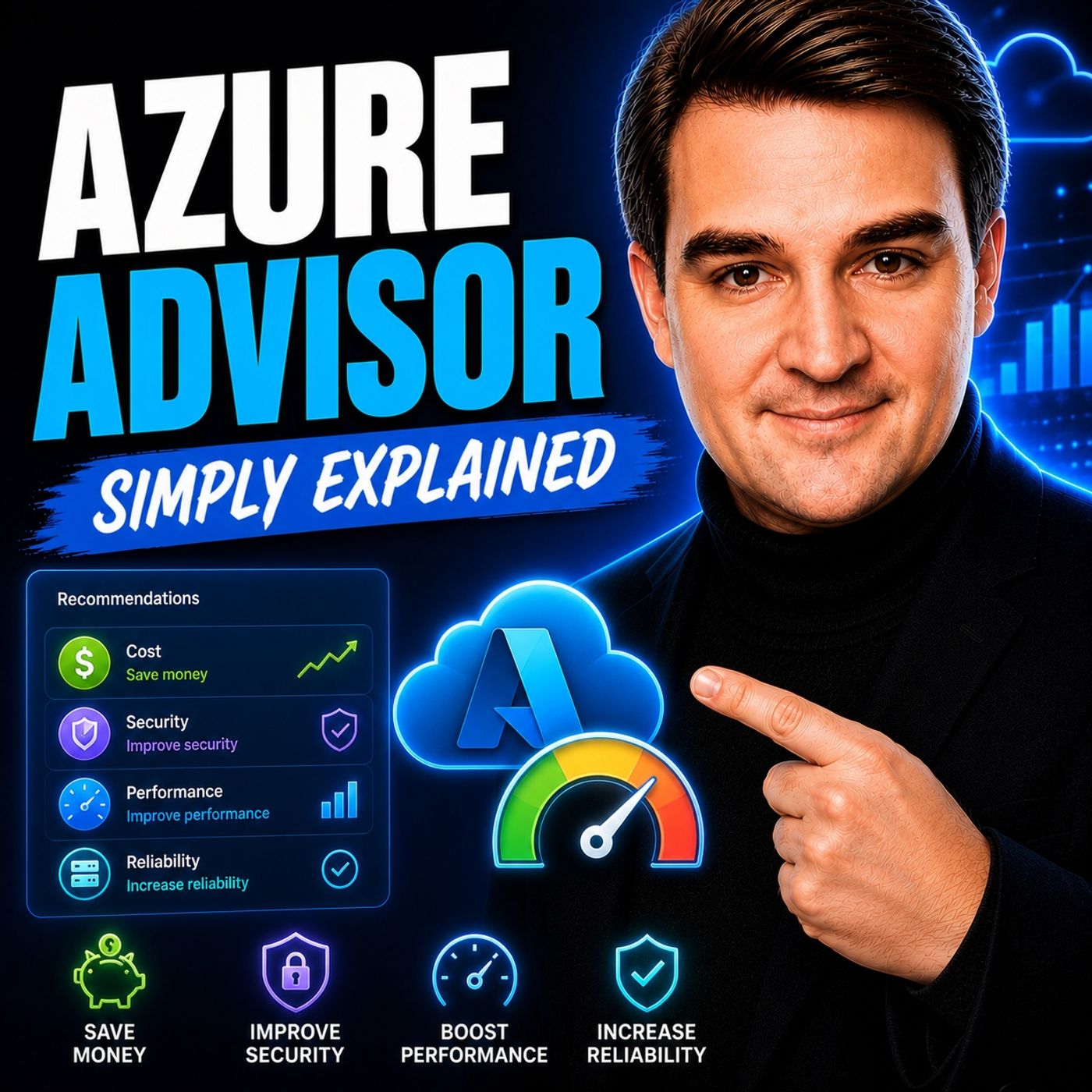
Mastering the Five Pillars of Azure Advisor
Welcome back to the blog! If you manage cloud infrastructure, you know that keeping your environment secure, performant, and cost-effective can feel like chasing a moving target. Microsoft Azure offers an immense landscape of capabilities, but knowing how to configure every single resource according to best practices is a massive challenge. Fortunately, you don't have to navigate that journey alone. In today's post, we are expanding on our recent podcast discussion to explore how Azure Advisor acts as your personal digital cloud assistant, systematically evaluating your environments across five critical pillars. To hear a comprehensive, straightforward breakdown of how this tool functions in the real world, be sure to listen to our companion podcast episode, Azure Advisor - Simply Explained.
As cloud architectures grow, maintaining operational visibility becomes essential. Without continuous oversight, environments drift away from optimal configurations, resulting in bloated spending, security vulnerabilities, and unexpected downtime. Azure Advisor helps eliminate the guesswork by analyzing your resource configurations and usage telemetry, delivering actionable recommendations right when you need them. Let us dive deep into what Azure Advisor is, how its underlying mechanics operate, and how mastering its five core pillars can transform your cloud operations.
What Is Azure Advisor?
Overview of Azure Advisor
Azure Advisor is a built-in optimization service from Microsoft designed to help you enhance your Azure environment. Think of it as your digital cloud assistant. It analyzes your resource configuration and usage telemetry, then recommends solutions to improve the cost-effectiveness, performance, reliability, and security of your Azure resources.
"Advisor is a digital cloud assistant that helps you follow best practices to optimize your Azure deployments."
This means Azure Advisor doesn't just show you raw data; it actively helps you make your cloud experience better. Unlike other tools that provide generic insights, Azure Advisor offers tailored recommendations based on your specific configurations and usage patterns. This personalized approach allows you to achieve significant cost savings, boost performance, and enhance security in your cloud environment without sorting through endless logs.
Purpose and Functionality
The primary purpose of Azure Advisor is to provide you with actionable insights that lead to better resource management. It organizes its recommendations into five key categories to give you a complete picture of your cloud health:
| Category | Description |
|---|---|
| Cost | Identifies opportunities to reduce spending by right-sizing resources and removing idle ones. |
| Security | Integrates with Microsoft Defender for Cloud to improve security through various hardening features. |
| Reliability | Helps increase workload availability through strategies like geo-redundancy and disaster recovery. |
| Performance | Analyzes various factors to identify bottlenecks and optimize service performance. |
| Operational Excellence | Focuses on governance, monitoring, and maintaining healthy operational practices. |
Azure Advisor updates its recommendations regularly, ensuring you always have the latest insights. You can expect updates weekly, with automatic refreshes occurring every 24 hours. If you make major structural changes to your resources, you can also manually refresh the recommendations to get immediate feedback.
Azure Advisor Features
Five Pillars of Recommendations
Azure Advisor stands out because it organizes its insights into five distinct pillars. Each pillar focuses on a different aspect of your infrastructure, helping you optimize your workloads effectively. Let us break down these core pillars:
Cost Efficiency
Cost efficiency is all about saving money while maximizing your Azure resources. Azure Advisor helps you identify opportunities for optimization through several practical strategies:
- Right-sizing: Azure Advisor recommends adjusting the size of your virtual machines based on actual historical usage, ensuring you only pay for what you actually consume.
- Commitment-based discounts: You can take advantage of reservations and savings plans recommended by the tool to lower your ongoing infrastructure costs significantly.
- Auto-scaling and lifecycle controls: These features allow your resources to scale dynamically based on demand, preventing overspending during low-usage periods.
- Storage and network design: Azure Advisor provides insights on optimizing your storage tiers and network routing configurations to minimize unnecessary data transfer fees.
- Governance through FinOps practices: This approach helps you manage cloud spending effectively, aligning financial targets with operational goals.
Security Enhancements
Security is an absolute priority for every organization. Azure Advisor offers security recommendations that help strengthen your defense posture by integrating directly with Microsoft Defender for Cloud. For instance, it may suggest enabling Multi-Factor Authentication (MFA), enforcing strict network security group rules, or implementing data encryption for sensitive data stores. These proactive measures help safeguard your cloud estate against evolving threats.
Reliability Improvements
Reliability is crucial for maintaining continuous service availability. Azure Advisor provides reliability recommendations that guide you in building resilient architectures. It suggests strategies like implementing geo-redundancy, configuring backup policies, and setting up robust disaster recovery plans. By following these insights, you ensure that your critical applications remain operational even when unexpected regional issues occur.
Performance Optimization
Performance directly drives user satisfaction and operational success. Azure Advisor analyzes various telemetry factors affecting your cloud services and provides targeted performance recommendations. It identifies latency bottlenecks, under-provisioned storage disks, or inefficient database queries, suggesting optimizations to enhance service responsiveness and throughput.
Operational Excellence
Operational excellence focuses on maintaining healthy, repeatable processes within your cloud environment. Azure Advisor helps you establish stronger governance and monitoring strategies, encouraging regular resource reviews and tracking compliance policies. This proactive approach minimizes administrative overhead and supports continuous improvement across your IT teams.
How Azure Advisor Works
Data Analysis Process
Azure Advisor begins by collecting comprehensive data from your Azure environment. It analyzes your resource configurations and usage patterns over time using advanced machine learning algorithms. By evaluating how your team utilizes specific services, Azure Advisor ensures that its insights are accurate, contextual, and relevant.
- Data Collection: Azure Advisor gathers telemetry data across your subscriptions, examining how often services are invoked and how your networks are structured.
- Pattern Evaluation: The engine examines usage patterns to spot performance trends, idle capacity, and potential security gaps.
- Continuous Learning: As your resource landscape changes, Advisor adapts, continuously learning from your environment to keep recommendations current.
Generating Actionable Recommendations
Once the data analysis is complete, Azure Advisor synthesizes personalized recommendations. It prioritizes these insights based on their potential business impact across cost, security, reliability, operational excellence, and performance.
| Priority | Type | Validation Needed |
|---|---|---|
| 1 | High-impact idle/unused resources | Minimal; confirm dependency and resource ownership |
| 2 | Right-sizing recommendations | Performance headroom and capacity checks |
| 3 | Commitment/RI recommendations | Usage consistency and finance team approval |
| 4 | Lower-impact hygiene items | Batch review during monthly maintenance windows |
Understanding the Advisor Score
What Is the Advisor Score?
The Advisor Score is a key feature that measures how well your Azure environment aligns with Microsoft best practices. This score gives you a percentage reflecting your overall optimization level, calculated across all five recommendation pillars.
| Score Type | Calculation Method |
|---|---|
| Overall Advisor Score | Average of applicable category scores evaluated against their highest potential values. |
| Score by Category | Each pillar maintains its own scoring methodology based on implemented best practices. |
By tracking this percentage over time, teams can measure the direct impact of their cloud governance initiatives.
Improving Your Score
Improving your Advisor Score requires deliberate action on the recommendations provided:
- Regularly Review Recommendations: Make checking Advisor a weekly habit to stay updated on new insights.
- Prioritize High-Impact Items: Address high-impact idle resources first for immediate improvements.
- Implement Best Practices: Follow Microsoft-recommended configurations for security and resilience.
- Monitor Score Trends: Watch how configuration changes affect your score over time.
- Engage Your Team: Share insights across development and operations teams to foster collaborative optimization.
Practical Use Cases for Azure Advisor
Real-World Applications
Enterprise environments leverage Azure Advisor across numerous scenarios to maintain healthy cloud estates:
| Category | Application Description |
|---|---|
| Costs | Optimizes investments by identifying orphaned disks and unattached public IP addresses. |
| Security | Hardens workloads against threats through security posture assessments. |
| Performance | Enhances application speed by resolving database and compute bottlenecks. |
| Reliability | Ensures high availability for mission-critical apps through robust redundancy strategies. |
| Operational Excellence | Streamlines governance, naming conventions, and tagging policies. |
Success Stories
Organizations worldwide utilize Azure-native optimization tools to drive massive efficiency gains. Healthcare institutions, global retailers, and financial services firms rely on Azure telemetry and Advisor recommendations to maintain secure, high-performing applications. From optimizing large-scale data platforms to running innovative AI research initiatives, organizations that incorporate Azure Advisor into their governance routines consistently achieve higher operational maturity.
Getting Started with Azure Advisor
Accessing Azure Advisor
Getting started with Azure Advisor is completely free and built directly into the Azure management plane:
- Sign in to the Azure portal at https://portal.azure.com.
- Select the Advisor icon from the portal menu or use the global search bar.
- View your personalized recommendations on the default Advisor Overview dashboard.
| Prerequisite | Description |
|---|---|
| Access Permissions | Requires read access or higher to at least one active Azure subscription. |
| Active Resources | Subscriptions must contain active workloads with telemetry history. |
Implementing Recommendations
To successfully roll out Advisor recommendations across large organizations, assign clear ownership to individual workload teams, track recommendation statuses (Active, Postponed, Dismissed, Completed), and review detailed implementation notes to ensure changes do not disrupt production systems.
Using Azure Advisor is essential for the continuous optimization of your cloud resources. This tool acts as your personalized cloud consultant, constantly scanning your environment to pinpoint inefficiencies, security gaps, and cost-saving opportunities. By reviewing Advisor insights regularly, you ensure your cloud infrastructure operates at peak efficiency.
| Benefit | Description |
|---|---|
| Enhanced Security | Identifies security blind spots and ensures compliance with hardening standards. |
| Improved Performance | Monitors metrics to resolve latency and throughput bottlenecks. |
| Intelligent Cost Management | Suggests targeted savings measures without sacrificing workload performance. |
| Holistic Governance | Provides a unified framework for availability, security, performance, and cost. |
FAQ
What is Azure Advisor?
Azure Advisor is a built-in free service from Microsoft that provides personalized recommendations to optimize your Azure resources across cost, security, reliability, performance, and operational excellence.
How often does Azure Advisor update its recommendations?
Advisor updates recommendations weekly, and you can manually trigger a refresh every 24 hours.
Is Azure Advisor free to use?
Yes, Azure Advisor is entirely free for all Azure customers with active subscriptions.
Can I customize the recommendations from Azure Advisor?
While you cannot modify the underlying recommendation logic, you can filter recommendations, postpone items, or dismiss insights that do not apply to your environment.
How do I access Azure Advisor?
Sign in to the Azure portal and search for "Advisor" in the top search bar to access your personalized dashboard.
What should I do if I disagree with a recommendation?
You can dismiss the recommendation within the portal interface, though it is recommended to review the underlying telemetry to ensure informed decision-making.
How can I improve my Advisor Score?
Regularly review and implement high-impact recommendations across all five pillars to watch your overall compliance score rise.
Can Azure Advisor help with compliance?
Yes, its security pillar integrates with Microsoft Defender for Cloud to highlight gaps that impact regulatory compliance.
🎧 Listen to this episode
Want a practical explanation of Azure Advisor? This episode breaks down the topic in clear language and shows why it matters for Microsoft 365, Azure, security, and modern cloud architecture.
Listen to this episode if you want to:
- Understand the key concepts behind Azure Advisor
- See how it fits into the wider Microsoft technology ecosystem
- Learn where it can create practical value for your organization
Discover more practical Microsoft conversations on M365 FM.
Last reviewed: July 2026.
Who Should Listen
This episode is ideal for cloud administrators, architects, IT leaders, and practitioners who need a practical understanding of Azure Advisor before planning, implementing, or supporting cloud governance strategies.

Microsoft MVP | Host of M365.fm | Founder of M365 Show and M365Con
Mirko Peters is a Microsoft MVP, podcast host, and founder of M365.fm, M365 Show, and M365Con. His work connects Microsoft practitioners through podcast interviews, livestreams, and community events.
At M365.fm, Mirko hosts conversations with Microsoft MVPs, product experts, architects, and community contributors. Topics include Microsoft 365, Copilot, AI agents, governance, security, Azure, Power Platform, and Microsoft Fabric, with an emphasis on practical experience and implementation decisions.
M365.fm is the podcast and learning platform. M365 Show brings experts together for livestreams, while M365Con provides an online conference setting for community learning.
Official website: Mirko Peters (https://www.mirkopeters.com/). Recognition: Mirko Peters — Microsoft MVP profile (https://mvp.microsoft.com/de-DE/mvp/profile/9b0ca797-db5a-493a-a845-8b9158046cf5). Connect on LinkedIn (https://www.linkedin.com/in/m365showpodcast/).