
SharePoint Hub Site Governance: Strategies and Best Practices
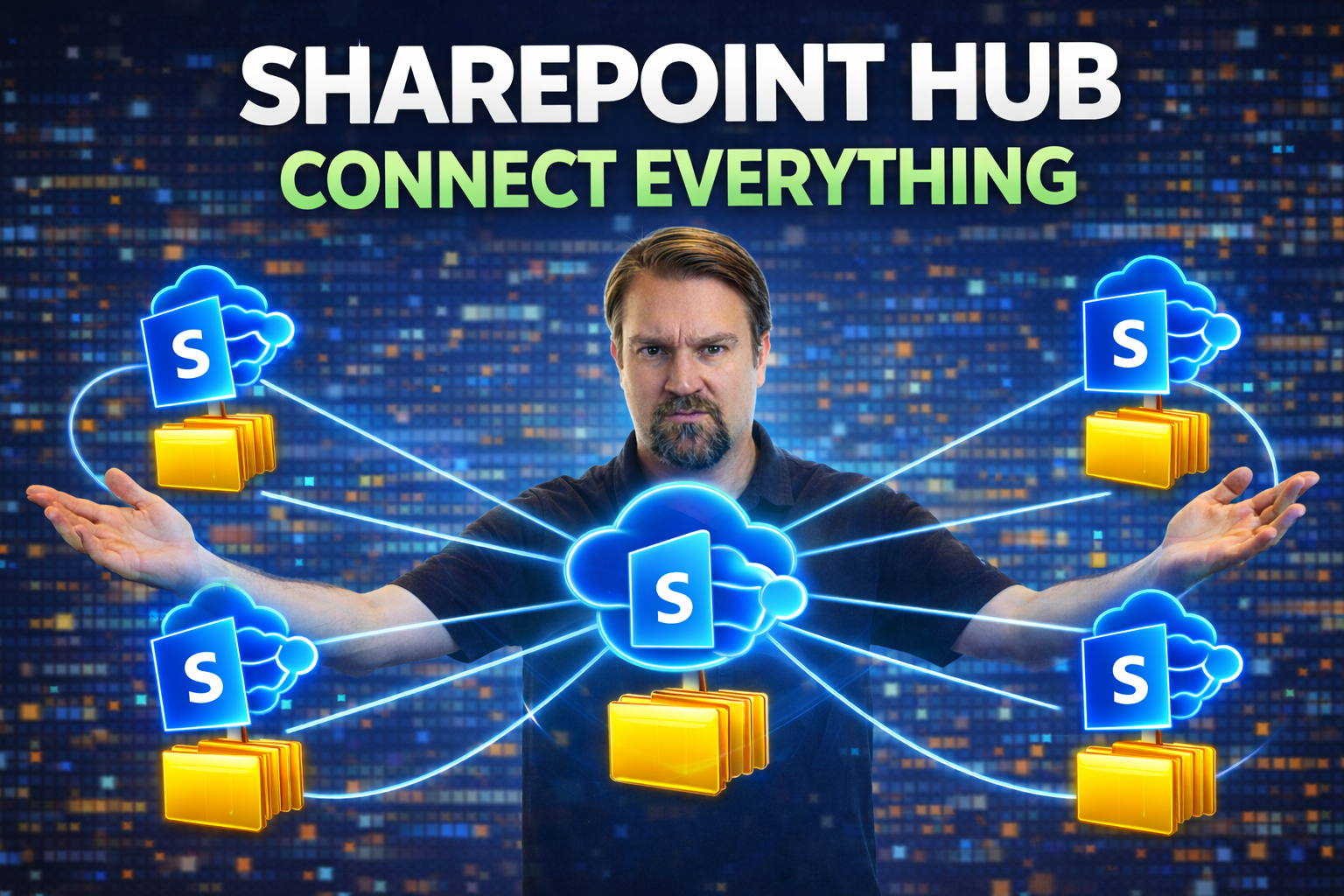
If you’ve ever tried to organize a digital workplace in SharePoint, you know things can spiral out of control fast. That’s where hub site governance comes in. SharePoint hub site governance is all about creating a clear, sustainable framework for managing how your hub sites are used, maintained, and secured. With the right strategies and best practices in place, you can keep your SharePoint ecosystem tidy, secure, and easy for folks to navigate—no more wondering who owns what or why everything suddenly looks brand new.
This overview walks you through the key ideas, planning steps, and actionable solutions for effective governance. Whether you’re dealing with site sprawl, security, or just want a smoother user experience, these best practices will help you keep your hub sites in top shape for the long haul.
SharePoint Hub Site — Definition
A SharePoint hub site is a type of SharePoint site that connects and organizes related team sites and communication sites under a single shared navigation, branding, and search scope to create a consistent, discoverable intranet experience.
Short Explanation: Hub sites allow administrators and site owners to associate sites together so they share a common top navigation, theme, and site structure. They aggregate content such as news, events, and search results from associated sites, simplify cross-site permissions and governance, and make it easier for users to find related resources and maintain a unified information architecture across an organization.
Understanding SharePoint Hub Sites and Their Governance Needs
SharePoint hub sites play a special role in the Microsoft 365 world. In big organizations, things can get scattered—departments, projects, regions, you name it. Hubs let you organize these scattered pieces into a logical structure with unified navigation and consistent branding. But with great power comes great responsibility. Without good governance, it doesn’t take much for your neat and tidy digital workplace to turn into a wild maze.
So, why is governance such a hot topic? For starters, every hub site brings with it decisions about access, data security, compliance requirements, and how content should be managed throughout its life. IT teams and business leaders both have a stake here. They want the benefits of flexible collaboration but need the peace of mind that sensitive information is protected and regulatory boxes are ticked.
Organizations today face mounting pressure from things like remote work, privacy laws, and internal audits. As a result, robust governance isn’t just a “nice to have”—it’s the backbone of your entire SharePoint strategy. In the following sections, you’ll get clear answers on what hub sites are, along with a breakdown of why purposeful governance is mission-critical if you want to avoid chaos, meet compliance goals, and give everyone the digital experience they deserve.
What Is a SharePoint Hub Site?
A SharePoint hub site is a central organizing layer in Microsoft 365, used to connect related SharePoint sites under one umbrella. Think of it as your main street, bringing together sites from different teams, departments, or projects with unified navigation and a consistent look and feel. Hub sites help users discover content across related sites, standardize branding, and apply common policies and permissions across a wider digital estate. They make sure different parts of your organization don’t end up working in silos—or worse, reinventing the wheel every time someone needs a new site.
The Importance of Governance in Hub Sites
Strong governance on SharePoint hub sites is essential to keeping your information safe, your data compliant, and your digital workplace manageable. Well-governed hub sites help prevent sensitive data from leaking, ensure regulatory standards are met, and provide a streamlined user experience. Without governance, you risk uncontrolled growth (aka sprawl), mishandled permissions, and users struggling to find what they need—or, even worse, finding things they shouldn’t. Governance is what keeps the machine humming and stops your SharePoint environment from becoming an untamed mess.
Planning Governance for SharePoint Hub Sites
Jumping into SharePoint hub site governance without a plan is asking for trouble. Before you start assigning roles or setting policies, you need to map out what you want governance to achieve. This phase is less about the day-to-day nuts and bolts and more about stepping back to define your big-picture goals. What does successful governance actually look like for your organization? Does it mean cleaner navigation, tighter security, better engagement, or all of the above?
The planning process is also when you get input from everyone who has a stake in your SharePoint hub sites. IT folks, compliance teams, business leaders, and site owners all bring different perspectives—ignoring any group can lead to headaches down the road. This is your chance to surface requirements, potential risks, and unique needs upfront.
In the next few sections, you’ll get into the essential principles, see how to set focused objectives, and discover which stakeholders need to be involved for a governance plan that actually works. Setting the groundwork now will save you a world of trouble later on, from compliance snags to user confusion.
Key Principles of SharePoint Hub Site Governance
- Scalability: Governance should grow with your organization, allowing you to add more sites or users without piling on complexity or losing control.
- Consistency: Applying uniform navigation, branding, and policies ensures users get a familiar experience, no matter which hub site they visit.
- Access Control: Strong, role-based permissions keep sensitive information safe and guarantee that users only access what they’re supposed to see.
- Compliance: Governance frameworks must support internal and external regulations, from GDPR to industry-specific requirements, keeping data management above board and audit-ready.
Setting Clear Governance Objectives
Clear governance objectives give your SharePoint hub site strategy a north star. These objectives should be concrete, measurable, and realistic for your business environment. For example, you might aim to reduce unauthorized site creation, improve employee adoption rates, or meet compliance obligations. Defining these goals early helps focus your policies and ensures everyone is moving in the same direction, from IT to business stakeholders and beyond.
Stakeholders in Hub Site Governance
- IT Administrators: Implement policies and maintain the hub site environment.
- Compliance Teams: Ensure data and processes meet legal and regulatory requirements.
- Business Units: Represent end-user needs and help identify necessary policies for their departments.
- Site Owners: Oversee daily management and serve as main contacts for their associated sites.
Establishing Governance Policies for Hub Sites
Once your foundation is solid, it’s time to build out specific rules and procedures for governing your hub sites. This phase focuses on creating the policies that keep your environment safe, compliant, and easy to manage—without bogging everyone down with unnecessary red tape. Governance policies should cover everything from who can associate sites to a hub, to how you handle sensitive content, and what the digital experience looks like for end users.
Robust governance also addresses key technical and business drivers. With privacy laws, remote work, and collaboration across borders, unregulated SharePoint hubs can be ticking time bombs for security and compliance. Setting concrete policies not only protects your organization, but also creates a more efficient and trustworthy digital workplace.
In the next sections, you’ll get the rundown on specific policy areas like site association, security controls, content management, and branding standards. Each one plays a vital role in building a governance model you and your users can trust—one that grows with your needs but always keeps things in check.
Site Association and Lifecycle Governance
Site association and lifecycle governance define how sites connect to a hub, from onboarding all the way through to regular review and eventual disposal. These rules ensure only appropriate and active sites are attached, reducing clutter and tightening control over your SharePoint environment. Lifecycle policies help you automate tasks like reviewing inactive sites, nudging owners, or safely archiving outdated content—often with the help of workflow tools. For practical automation tips, see this page on automated lifecycle governance.
Defining Security and Access Controls
Security and access controls are the backbone of safe hub site governance. These policies specify who gets access to what, how permissions are handled across connected sites, and what measures are required to keep sensitive information protected. Aligning security controls with company policies and regulatory requirements is a must. If you’re dealing with Teams side-by-side with SharePoint, you’ll find layered security strategies (like conditional access and DLP) particularly effective. Dive into details and best practices with resources like this episode on Teams security hardening.
Content Management and Compliance Responsibilities
Effective content management means setting clear rules for who oversees content quality, data retention, and compliance, such as eDiscovery requests. Governance policies should specify which tools to use for checking documents, managing records, and ensuring that sensitive information is held in line with regulations. Assigning direct roles for these tasks helps maintain oversight and accountability, using Microsoft 365 features for classification, auditing, and regulatory hold as needed.
Branding and Consistency Across Hub Sites
Consistent branding and themes help users instantly recognize their digital workspace and build trust in your organization’s sites. Policies should dictate not just logos and colors, but templates and layouts across hub sites—streamlining adoption and minimizing confusion. Standardization doesn’t mean stifling creativity, but it does ensure every user, from new hires to execs, knows they’re in the right place with every click and scroll.
Common Mistakes When Establishing Governance Policies for SharePoint Hub Site
- No clear ownership and roles: Failing to assign a hub site owner, stewards, and defined responsibilities leads to confusion and inconsistent enforcement.
- Policies that are too vague or too strict: Vague policies are ignored; overly restrictive rules inhibit collaboration and adoption.
- Ignoring business objectives and user needs: Creating governance in a vacuum without aligning to business goals or user workflows reduces relevance and compliance.
- Lack of lifecycle and content management rules: Not defining retention, archival, or deletion policies causes clutter, compliance risks, and storage bloat.
- Poor site provisioning and registration process: Allowing any site to associate with the hub without vetting causes inconsistent structure, branding, and security exposure.
- Inadequate security and permission guidelines: Not standardizing permission models or external sharing controls leads to data leaks and access sprawl.
- No taxonomy or metadata strategy: Skipping managed metadata, content types, and tagging results in poor searchability and inconsistent content organization.
- Failing to document and communicate policies: Unpublished or poorly communicated governance means users don’t know expectations or how to comply.
- No monitoring, reporting, or enforcement mechanisms: Without regular audits, usage metrics, and enforcement processes, policies are ineffective over time.
- Neglecting training and change management: Implementing governance without user training and ongoing support reduces adoption and increases shadow IT.
- Not planning for scalability and evolution: Treating governance as one-time setup rather than an evolving practice prevents the hub from adapting to growth and new requirements.
- Overlooking integration and customization impacts: Failing to assess how custom web parts, third-party apps, or integrations interact with governance can break policies or create security gaps.
Managing Permissions and Roles Effectively
SharePoint hub sites don’t manage themselves, and giving the wrong people too much access is a recipe for trouble. Effective governance means knowing exactly who pulls the strings and who just gets to enjoy the show. Laying out clear admin roles and structuring permissions keeps control tight and responsibilities well defined—so there’s no mystery about who’s in charge or what can be changed.
Handling permissions isn’t just about security—it’s just as much about making life easier for users and admins alike. Good role management stops permissions creep, avoids confusion, and ensures that only the right people are tasked with keeping the hub site’s house in order.
Coming up, you’ll see exactly how assigning ownership and managing permissions for connected sites works. This way, you don’t end up with a mystery admin in charge or a patchwork system of who can see—or accidentally delete—your most important site content.
Assigning and Delegating Hub Site Owners
Assigning hub site owners is a critical step in SharePoint governance. Site owners are responsible for day-to-day oversight, implementing policies, and ensuring compliance is maintained. It’s best practice to designate primary and backup owners, so there’s always someone available to keep governance on track. Delegating responsibilities to trusted backups or sub-admins guards against disruptions when team members change roles or take time off, supporting continuous oversight.
Controlling Permissions for Connected Sites
Connected sites can inherit permissions from their hub or use custom, site-level settings. Defining whether permissions cascade or remain unique ensures only authorized users have the right access. Use Microsoft 365 monitoring tools to regularly audit permission structures and detect discrepancies, so your hub ecosystem remains locked down and all access aligns with your company’s security standards. Strong permission control keeps sensitive information secure and your audit logs squeaky clean.
Monitoring and Auditing Hub Site Activities
- Set up audit logs: Enable logging to track site changes, access events, and user activity. These logs help trace any unexpected changes and support compliance investigations if incidents occur.
- Regular activity reviews: Schedule periodic reviews of site activities, looking for suspicious patterns like unusual access, rapid permission changes, or bulk deletions that could signal trouble.
- Automated alerting: Use Microsoft 365 Security & Compliance Center to set up alerts for potential policy violations or risky behaviors so admins are notified as soon as something needs attention.
- Permission audits: Conduct checks to compare real-world permissions against governance policies, ensuring only authorized users have site access and that no unused or rogue accounts linger.
- Usage analytics: Track hub and site usage metrics to monitor adoption trends, pinpoint areas needing training or cleanup, and demonstrate governance ROI to stakeholders.
Automating Governance with Microsoft 365 Tools
- Power Platform automation: Deploy workflows with Power Automate to standardize site requests, approval processes, and periodic access reviews, saving time and reducing manual errors. For more ideas, check the practical tips at automated lifecycle governance.
- Microsoft Purview compliance: Use Purview’s information protection, DLP policies, and retention labels to automatically flag, classify, and protect data across all hub-associated sites, reducing the risk of accidental or intentional data leaks.
- Automated lifecycle management: Combine Graph API and Power BI for activity-based clean-up processes—identify inactive sites, nudge owners for review, and streamline archiving or deletion with minimal manual touch, all while documenting actions for compliance.
- Self-service with guardrails: Let business users create sites or manage memberships, but back them up with governance controls that enforce naming, metadata, and permission policies automatically so the environment remains healthy as it grows.
Common SharePoint Hub Site Governance Scenarios
Every organization runs into rough spots when rolling out or maintaining SharePoint hub sites. From rapidly multiplying sites to the headaches of regulated data, these common scenarios pop up time and again. Anticipating them—and having ready-to-go response plans—turns potential chaos into manageable challenges.
Different business needs and regulatory environments create unique governance puzzles. Some organizations need to reel in sprawl, while others must focus on airtight compliance for sensitive data. No matter your situation, solution templates and governance frameworks can help you proactively address common risks without reinventing the wheel.
The following sections dive into the nuts and bolts of two major scenarios: wrangling site sprawl and managing lifecycles, and meeting stringent security and compliance requirements in regulated industries. Handling these properly keeps your SharePoint usage safe, effective, and audit-proof—so you can focus on what really matters: working smarter, not harder.
Managing Hub Site Sprawl and Lifecycle Challenges
Unchecked growth of hub sites leads to clutter, confusion, and administrative headaches. Sprawl makes it tough to maintain oversight, opens up security gaps, and wastes resources. Governance strategies for containing growth include consolidating underutilized sites, regularly reviewing site activity, and enforcing clear lifecycle policies—like scheduled archiving or systematic removal of outdated hubs. For a deep dive on taming similar sprawl, see this guide on governance turning chaos into confident collaboration.
Ensuring Security and Compliance in Regulated Industries
In highly regulated sectors like finance or healthcare, hub site governance must account for stricter controls on data privacy, auditing, and records retention. Organizations must track who accesses sensitive information, enforce retention and deletion schedules, and maintain audit trails for compliance reporting. Employing privacy-by-design principles, transparency, and robust user controls ensures both compliance and user trust. For more on secure practices and compliance frameworks, check out Microsoft Copilot’s approach to data privacy.
Integrating Hub Site Governance with Microsoft Teams
SharePoint hub sites and Microsoft Teams often go hand-in-hand, and aligning governance across both platforms is key for seamless, secure collaboration. Integration involves connecting Teams workspaces with SharePoint sites, ensuring use policies, security standards, and lifecycle rules are enforced across the entire digital workspace.
When Teams governance is tightly woven with hub site practices, organizations can avoid fragmented management, reduce compliance risks, and offer users a unified experience—every file, chat, and resource is subject to the same standards. This approach not only drives collaboration but also builds trust, accountability, and efficiency by reducing the chance of oversight or data leakage. For actionable insights, see resources like how Teams governance drives collaboration and success and explore best ways to balance analytics and dashboard needs in Teams versus SharePoint dashboard deployment.
Ultimately, holistic governance spanning both SharePoint and Teams strengthens your security posture while keeping users productive—no matter where they interact with business content or colleagues.
Checklist for Ongoing Hub Site Governance Success
- Review governance policies regularly: Set a recurring schedule to revisit your governance framework, updating rules and responsibilities as business or regulatory needs change.
- Conduct permission and access audits: Periodically check who has access to hubs and connected sites to prevent role creep and eliminate unnecessary privileges.
- Train owners and users: Require ongoing training for site owners and key users to ensure everyone understands their responsibilities and your latest governance practices.
- Monitor compliance and usage analytics: Use built-in reporting tools to track usage trends, compliance status, and policy adherence—this spotlights areas that may need extra attention.
- Automate routine processes: Update and maintain automations for site lifecycle, permissions reviews, and incident escalation to reduce manual effort and avoid oversight.
- Solicit stakeholder feedback: Create channels for owners and end-users to flag governance challenges, suggest improvements, and report roadblocks, making your policies responsive and practical.
sharepoint hub sites provide navigation and brand across the hub
What is a SharePoint hub site and how does it differ from a regular SharePoint site?
A SharePoint hub site is a container that connects and organizes related SharePoint sites (both team sites and communication sites) to provide unified hub site navigation, consistent branding, and aggregated content across associated sites. Unlike a regular SharePoint site, a hub site provides shared navigation bar, theme, and search scope across sites associated with the hub rather than operating independently as a single site collection.
How do I create a hub site in SharePoint Online?
To create a hub site in SharePoint Online, a SharePoint admin or SharePoint administrator must use the SharePoint admin center and register a site as a hub (create a hub site). You can select an existing site (communication site or team site) and choose to register it as a hub site, then configure hub navigation and theme so sites associated with the hub inherit navigation and brand settings.
Who can register a site as a hub site and where is this done?
Only a SharePoint admin or users granted the permission in the SharePoint admin center can register a site as a hub. The process is done in the SharePoint admin center where you create a hub, manage which sites are associated with the hub, and configure hub site settings like hub site navigation bar, logo, and permissions.
How do I associate a site with a hub and what does "associate a site" mean?
To associate a site with a hub, site owners can use site settings or the SharePoint admin center to associate their site to the hub site. Associating a site means the site becomes site associated with the hub and inherits the hub navigation, branding, and aggregated content; it does not convert the site to a hub site, but it links the site to one hub.
Can a site be associated with more than one hub?
No. A site can only be associated with a single hub at a time — one hub — so you must decide which hub best suits the site. If you need to move a site, you can dissociate it from the current hub and associate it with another hub using the SharePoint admin center or site settings.
What types of sites can be associated with a hub site?
Both modern site collections — communication sites or team sites (modern site) — can be registered as a hub or associated with a hub. Classic sites are not recommended for hub association because many hub features rely on modern SharePoint functionality.
Does associating my site with a hub change site permissions or content?
No. Associating with a hub does not automatically change site permissions or move content. Permissions remain managed at the site or site collection level. Hub sites provide navigation and aggregated web parts for content from associated sites, but they do not grant access across associated sites unless you explicitly change permissions.
How does hub navigation work and where does the navigation bar appear?
Hub navigation appears as a global navigation bar at the top of each site associated with the hub (hub site navigation bar appears across the hub). The SharePoint admin configures the hub navigation links in the hub site, and those links are displayed across all sites associated with a hub to create consistent navigation and theme.
Can I aggregate content from associated sites on the hub site?
Yes. Hub site web parts, such as the Highlighted Content and News web parts, can show content from associated sites, allowing you to surface content from across all associated sites. You can filter and configure these web parts to display content from sites associated with the hub or from specific sites within the hub.
How are search and discovery affected by using hub sites?
Search scope can be improved when using hub sites because search can more easily return results across the hub and its sites associated with the hub. Hub sites can provide a unified search experience for users navigating the hub and hubs to the SharePoint start page or within the hub.
What is the difference between a home site and a hub site?
A home site is the organization’s landing site for employees (sometimes integrated with the SharePoint start page) and can provide corporate news and navigation. A hub site organizes related sites and provides shared navigation and branding across associated sites. A site can be both a home site and a hub site, but they serve distinct roles: home site for company-wide experience, hub site for organizing related sites.
How many sites can be associated with a hub and are there limits?
There is a practical limit to the number of sites you can associate with a hub, and Microsoft documentation lists supported limits for performance; however, hubs are designed to support many sites and can aggregate activity from all associated sites. For large organizations, consider structuring hubs logically rather than creating one hub for every possible site to maintain navigation clarity and performance.
What happens when a site is converted to a hub site?
Converting or registering a site as a hub (site as a hub) allows it to provide hub navigation and theme to sites that associate with it. The site itself remains a site collection, but once it's a hub site it can be used to connect related sites, provide shared content on the hub site, and manage hub-level settings through the SharePoint admin center.
How do I remove a site association or unregister a hub site?
To remove a site association, a site owner can change the association settings in site information or the SharePoint admin can disassociate the site in the SharePoint admin center. To unregister a hub site, a SharePoint admin can unregister it in the SharePoint admin center, which stops providing hub navigation and branding to associated sites; those sites will no longer be associated with the hub.
Can hub sites be used to apply a consistent theme and navigation and brand across associated sites?
Yes. One of the primary benefits of using hub sites is the ability to apply navigation and theme consistently across associated sites. When you set a hub site navigation bar and theme, sites associated with the hub inherit those settings, ensuring consistent navigation and brand across the hub.
How do I connect related sites to a hub and what are best practices?
Connect related sites to a hub by associating each site to the hub through site settings or the SharePoint admin center. Best practices include grouping sites by business function, geography, or project; limiting the number of hubs to avoid fragmentation; and using hub navigation and web parts to surface important content across associated sites for easy discovery.
Will hub site navigation appear for every user and across devices?
Yes. Hub site navigation bar appears for users visiting any site associated with the hub and is responsive across devices. Users will see the unified hub navigation when they access sites associated with the hub, improving cross-site navigation and accessibility.
How do I use hub sites to show activity from all associated sites?
You can use web parts on the hub site such as News, Highlighted Content, and Activity web parts to show activity from all associated sites. Configure these web parts to pull content across associated sites to create dashboards or aggregated news feeds that surface activity from across the hub.
Are there scenarios when a site should not be associated with a hub?
Yes. If a site requires unique navigation, branding, or isolation of search and content (for security or functional reasons), it may be best not to associate it with a hub. Also, sensitive or highly customized sites that rely on specific permissions or layouts might be better left as standalone sites rather than sites associated with a hub.
SharePoint Hub Site Governance: Key Terms

Microsoft MVP | Host of M365.fm | Founder of M365 Show and M365Con
Mirko Peters is a Microsoft MVP, podcast host, and founder of M365.fm, M365 Show, and M365Con. His work connects Microsoft practitioners through podcast interviews, livestreams, and community events.
At M365.fm, Mirko hosts conversations with Microsoft MVPs, product experts, architects, and community contributors. Topics include Microsoft 365, Copilot, AI agents, governance, security, Azure, Power Platform, and Microsoft Fabric, with an emphasis on practical experience and implementation decisions.
M365.fm is the podcast and learning platform. M365 Show brings experts together for livestreams, while M365Con provides an online conference setting for community learning.
Official website: Mirko Peters (https://www.mirkopeters.com/). Recognition: Mirko Peters — Microsoft MVP profile (https://mvp.microsoft.com/de-DE/mvp/profile/9b0ca797-db5a-493a-a845-8b9158046cf5). Connect on LinkedIn (https://www.linkedin.com/in/m365showpodcast/).


