 EN
EN Deutsch
 Español
 Français
 Italiano
 Português
 Nederlands
 Polski
 Bahasa Indonesia
 Русский
 Українська
 العربية
 עברית
עברית हिन्दी
 日本語
日本語 한국어
한국어2026-05-25 · Season 2
Microsoft 365 Backup with Isolated Vault Architecture
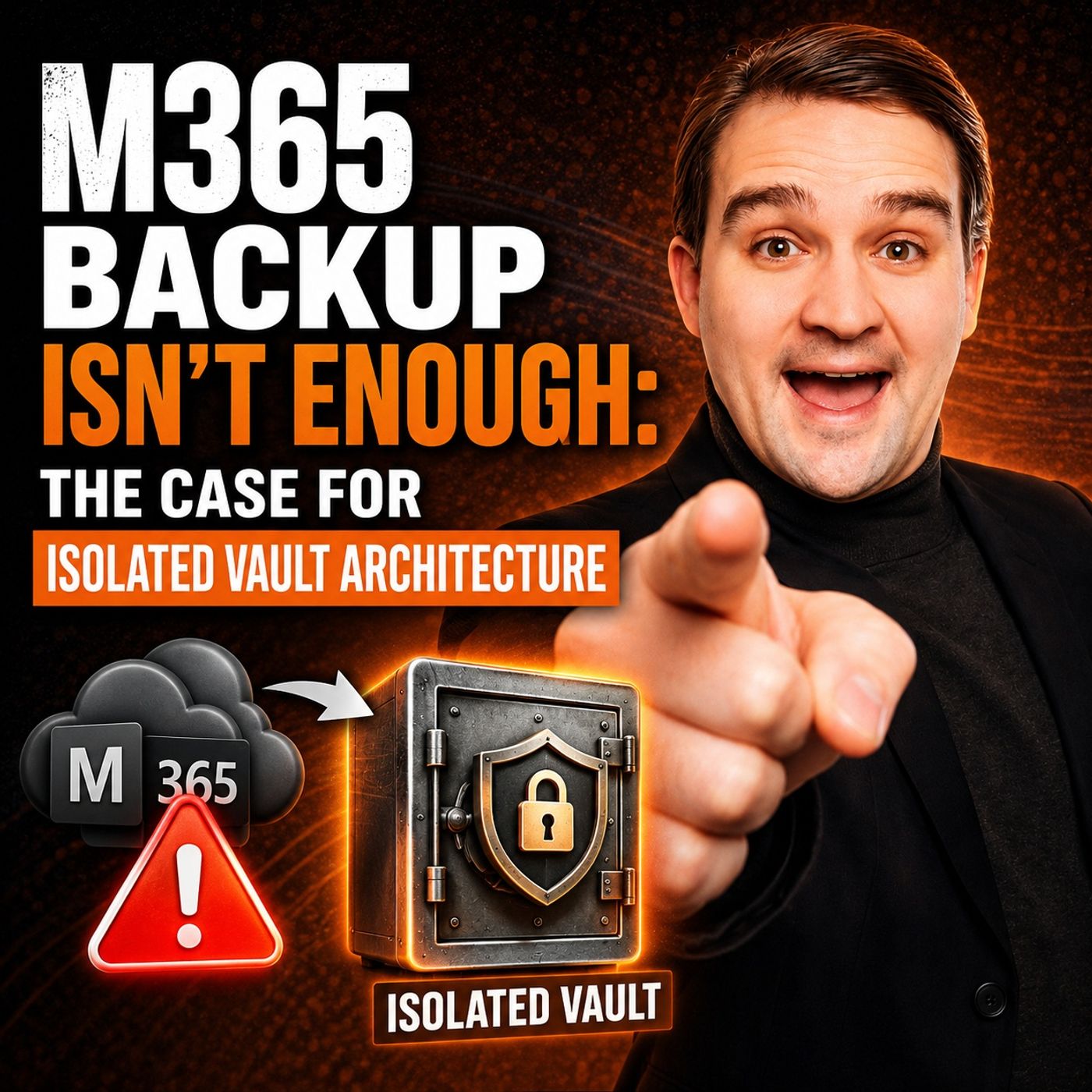
Quick answer: Microsoft 365 isolated vault backup architecture is covered in this M365 FM episode with a practical focus on how it works, where it fits, and the architecture, security, governance, or operational choices that matter in real Microsoft environments.
You put your organization at risk when you rely on native M365 Backup for true protection. Built-in redundancy does not guarantee your data stays safe from evolving threats. You need a smarter solution. M365FM’s Isolated Vault Architecture delivers real security. Take action now to secure your data and stop gambling with your backup strategy.
Key Takeaways
- Native M365 backup does not provide complete protection. It has gaps that can leave your data vulnerable to threats.
- Many critical workloads, like Teams and SharePoint, are not fully covered by native backup. This can lead to compliance issues and data loss.
- Insider threats pose significant risks. Unmonitored permissions can lead to data misuse or loss, making continuous backup essential.
- Accidental deletions are common and can result in long recovery times. A dedicated backup solution can restore lost data quickly.
- Ransomware attacks target M365 environments. Isolated Vault Architecture protects your backups from these threats by keeping them separate from production accounts.
- Isolated Vault Architecture offers true immutability. Once data is backed up, it cannot be altered or deleted, ensuring its integrity.
- This architecture provides rapid recovery options, allowing you to restore specific items or entire sites with ease, minimizing downtime.
- Switching to Isolated Vaults can reduce storage costs while enhancing security and compliance, making it a smart investment for your organization.
Native M365 Backup Gaps

You may believe that native m365 backup gives you complete protection. This is a dangerous misconception. Microsoft 365 offers built-in redundancy, but that does not equal true data protection. Relying on these tools alone leaves your organization exposed to serious risks.
Limited Data Protection
Incomplete Coverage Across Workloads
Microsoft 365 does not cover every workload you depend on. Many organizations use Teams, SharePoint, and OneDrive, but native backup often misses critical components. You cannot assume that all your data is safe just because it lives in the cloud.
Healthcare providers, financial institutions, and legal firms all face strict retention mandates measured in years—not days or months. Native m365 backup only offers a one-year retention limit, which creates immediate compliance issues for organizations that must keep data for seven years or longer.
Metadata and Permissions Issues
You need to protect more than just files and emails. Metadata and permissions are essential for business continuity and security. Native Microsoft 365 backups do not always capture these details. If you lose permissions or metadata, you may struggle to restore access or prove compliance. This gap can put your organization at risk during audits or legal disputes.
Granular Recovery Challenges
Item-Level Restore Limitations
When disaster strikes, you want to restore exactly what you need—no more, no less. Native Microsoft 365 backup tools make this difficult. You may find that item-level restore is limited or unavailable for certain workloads. This slows down your recovery and increases downtime.
Slow Recovery Times
Speed matters during a crisis. Native tools often require broad restoration workflows, which means you wait longer to get your data back. The lack of advanced features and weak reporting tools also make it harder to manage backup and recovery efficiently.
| Limitation | Description |
|---|---|
| Slower Recovery Times | Native tools often require broader restoration workflows, leading to longer downtime during critical incidents. |
| Limited Coverage | Focuses on core services, missing support for critical components like Microsoft Teams. |
| Weak Reporting Tools | Lacks robust reporting and audit capabilities, creating blind spots for compliance. |
| Proprietary Storage Lock-in | Forces users to store backups on Azure, limiting cost-effective options. |
| High Costs | Pricing model can lead to significantly higher costs compared to third-party solutions. |
Insider Threat Risks
Admin Misuse Vulnerabilities
You cannot ignore the risk from inside your organization. Insider threats often exploit unmonitored permissions and unmanaged dependencies. Standard retention settings in Microsoft 365 are short, so long-term manipulations can go undetected. Daily backups are not enough. You need continuous and automated defenses to stop these threats before they cause damage.
Audit Trail Weaknesses
Native Microsoft 365 backup lacks strong audit trails. Without robust reporting, you may not notice when someone misuses admin privileges or deletes critical data. This creates blind spots that attackers can exploit. You need a backup solution that gives you clear visibility and control.
Insider threats are responsible for significant data-loss incidents, and standard retention settings in Microsoft 365 do not adequately address the risk of long-term manipulations.
You must recognize these gaps before you face a disaster. Microsoft 365 backups alone cannot deliver the backup and recovery resilience your business needs. You need a solution that closes these gaps and ensures true disaster recovery.
Real-World Data Protection Risks
Accidental Deletion in M365
User Error Impact
You face accidental deletion every day in microsoft 365. Employees delete emails, Teams messages, or entire folders by mistake. These errors happen fast, but the consequences last. Without a dedicated backup, you wait weeks to recover lost data. The average recovery time exceeds three weeks, according to the Veeam Data Protection Report for 2024. You cannot afford this downtime. Human error remains one of the most common threats to your business.
- Common risks in microsoft 365 include:
- Unmonitored application consent and OAuth permissions
- Inactive mailboxes
- Shared accounts
- Excessive admin privileges
- Human error
You need a m365 backup solution that protects against mistakes and restores your data quickly.
Business Continuity Threats
Accidental deletion threatens your business continuity. You lose critical files, and your team cannot work. You miss deadlines, and your customers lose trust. Microsoft 365 backups do not always cover every scenario. You must have a backup that ensures fast recovery and keeps your business running.
Ransomware and Corruption
Synchronization Engine Risks
Ransomware attacks target microsoft 365 because of its popularity. Cybercriminals use phishing emails and malicious downloads to gain access. Once inside, they exploit the interconnected nature of microsoft 365. A single compromised account can spread corruption across SharePoint, OneDrive, and Teams. The synchronization engine amplifies the damage, propagating malicious changes in real time.
76% of companies experienced at least one ransomware attack in 2023. You cannot rely on basic data backup for protection.
Recovery Barriers
Recovery from ransomware in microsoft 365 is slow and difficult. Attackers encrypt your data and demand ransom. You struggle to restore files, emails, and permissions. Without a strong backup, you risk losing access for weeks. Recent attacks show that bad actors now target SaaS platforms like SharePoint Online, using automation to replicate their exploits. You need a backup that isolates your data and enables rapid recovery.
Configuration Loss
Policy Misconfiguration
Misconfigured policies in microsoft 365 expose your business to risk. You set up conditional access or legacy authentication incorrectly. You lose control over who can access your data. Compliance becomes impossible, and you face regulatory fines.
- Configuration loss leads to:
- Downtime that halts operations for hours or days
- Compliance risks that threaten your reputation
- Regulatory fines for inadequate data protection
Restoration Challenges
Restoring configurations in microsoft 365 is complex. You must rebuild settings, permissions, and policies. You waste time and resources. A comprehensive backup protects your data and your configurations. You restore everything quickly and avoid costly mistakes.
You need a data backup solution that covers all aspects of microsoft 365, including files, metadata, and configurations. Only then can you guarantee security and business continuity.
Why Traditional M365 Backup Falls Short
You trust Microsoft 365 to keep your business running, but standard backup and retention policies do not fully protect you from today’s threats. High availability keeps your services online, but it does not guarantee true data protection or disaster recovery. You need more than just uptime. You need a solution that ensures your data stays safe, recoverable, and secure—no matter what happens.
Retention Policy Limits
Short Windows and Complexity
Microsoft 365 offers retention policies, but these are not true backups. They only keep deleted items for a limited time. If you miss the window, your data is gone forever. Many organizations set policies for 90 days, but if you discover a deletion after 100 days, you cannot restore that data. You face permanent loss. Retention policies also lack point-in-time recovery, making it hard to restore your environment to a specific state before an incident.
| Key Point | Explanation |
|---|---|
| Retention Policies vs. Backups | Retention policies are not a substitute for full backup solutions and have limitations that affect long-term data availability. |
| Policy Window Impact | If a retention policy is set for 90 days and a deletion goes unnoticed for 100 days, the data is permanently lost. |
| Recovery Limitations | Retention policies do not provide true point-in-time recovery, making it difficult to restore data to a specific previous state. |
You cannot rely on these policies for long-term protection. You need a dedicated m365 backup that covers all your workloads and keeps your data safe for as long as you need.
Security and Accessibility Issues
Platform-Level Vulnerabilities
Recent cyber-attacks and outages have exposed weaknesses in cloud-based platforms like microsoft 365. Attackers target these services because they know many businesses depend on them. Cyber insurance providers now ask if you use multi-factor authentication for all users. This shows how critical security has become. Microsoft 365 focuses on infrastructure security, but you are responsible for your own data backup and protection.
Lack of Immutability
Traditional backup solutions often lack true immutability. If an attacker gains access, they can alter or delete your backups. You lose your last line of defense. Many on-premises solutions, like Veeam, require complex installations and offer limited access controls. You cannot manage permissions easily, and all users with server access can reach your backups. There is no self-service or web-based management, which increases risk and slows down recovery.
- Veeam requires installation on a Windows machine, complicating management.
- Limited access control settings compared to cloud solutions.
- No web-based management interface, requiring remote server access for management.
- Equal access to backups for all users with access to the Windows server.
- Absence of configurable admin roles and permission settings.
Recovery Reliability
Delays and Incomplete Restores
When disaster strikes, you need fast and reliable recovery. Microsoft 365 backups often fall short. They focus on operational continuity, not full disaster recovery. You may find that you cannot restore all your data, especially after ransomware or malicious deletions. Recovery can take days or weeks, and you may never get back everything you lost. This puts your business at risk and damages your reputation.
You cannot afford to gamble with your data. You need a backup solution that delivers complete, reliable, and rapid recovery for all your microsoft 365 workloads. Only then can you ensure true business continuity and protection against evolving threats.
Isolated Vault Architecture Overview

M365FM’s Isolated Vault Architecture gives you a new way to protect your microsoft 365 environment. You no longer need to rely on the same old backup methods that leave your business exposed. This solution creates a strong barrier between your production systems and your backup, making sure your data stays safe even when attackers target your microsoft 365 accounts.
Identity Perimeter for Data Protection
Separation from Production Accounts
You gain a powerful advantage with a separate identity perimeter. Isolated Vault Architecture keeps your backup accounts completely apart from your main microsoft 365 environment. If someone compromises your production accounts, your backup remains untouched. This air-gapped approach means attackers cannot reach your backup, even if they break into your main systems. You get peace of mind knowing your recovery options stay secure.
- Air-gapped backups keep your data isolated from production, so you can recover quickly after an attack.
- Multi-layered resilience uses strict privacy protocols and zero-trust access controls to protect your microsoft 365 data.
- Fast, granular recovery lets you restore files, emails, or entire sites to any point in time.
WORM Storage Model
Immutability and Tamper-Proof Backups
You need to know your backup cannot be changed or deleted by anyone. The WORM (Write Once Read Many) storage model makes this possible. Once your data is written, no one—not even administrators—can alter or erase it. This model blocks any command that tries to change or remove your backup, so your original data always stays intact. You get true immutability, which is essential for microsoft 365 compliance and security.
- WORM storage ensures your backup cannot be modified or deleted.
- Zero-trust security removes the risk of unauthorized changes, even from privileged users.
- Your data remains protected and tamper-proof at all times.
Economic Advantages
Cost Savings with Object Storage
You want to protect your microsoft 365 data without breaking your budget. Isolated Vault Architecture uses object storage, which costs less than traditional microsoft 365 storage. You save money while gaining better protection for your backup.
Budget Optimization
You can optimize your IT spending by moving away from expensive, proprietary storage. With this solution, you free up resources for other projects and improve your overall data protection strategy.
You also benefit from strong compliance and audit trail features:
Benefit Description Authentication and Authorization Strong authentication for all user and API access. Role-Based Access Control Tight control over who can access your backup and data. Encryption Data-at-rest and in-flight encryption keeps your information private. Audit Logging Continuous monitoring of all administrative activities.
You need a backup solution that delivers more than just storage. Isolated Vault Architecture gives you resilience, compliance, and fast recovery for your microsoft 365 environment.
Filling M365 Backup Gaps with Isolated Vaults
Comprehensive Data Protection
All Workloads and Metadata
You need more than basic file storage to protect your business. Isolated Vault Architecture delivers comprehensive m365 coverage by securing every workload and all critical metadata. You get a dedicated backup solution that captures not just emails and files, but also permissions, configurations, and collaboration data across microsoft 365. This approach ensures your data protection strategy leaves no gaps.
Many IT leaders believe that redundancy in microsoft 365 is enough. That belief puts your organization at risk. Redundancy keeps services running, but it does not stop catastrophic data loss from ransomware or accidental deletion. The same synchronization that helps your team collaborate can also spread corruption instantly. Isolated Vault Architecture creates a distinct trust boundary, separating your backup from production accounts. Attackers cannot reach your backup, even if they compromise your main environment.
You gain peace of mind knowing your backup and recovery processes cover every aspect of your microsoft 365 environment. This solution supports all workloads, including Teams, SharePoint, and OneDrive, and preserves metadata and permissions. You can meet compliance requirements and restore your business quickly after any incident.
Rapid Recovery and Granular Restore
Item-Level and Flexible Options
When disaster strikes, you need fast restoration and flexible recovery options. Isolated Vault Architecture gives you point-in-time recovery for all your microsoft 365 workloads. You can restore a single email, a folder, or an entire site with just a few clicks. This level of control means you avoid unnecessary downtime and keep your business moving.
You do not have to settle for slow, incomplete restores. With this comprehensive backup solution, you get item-level restore and advanced threat protection. You can recover exactly what you need, when you need it. Your team stays productive, and your customers stay happy.
Tip: Use granular restoration options to minimize disruption and speed up your recovery processes. You save time and reduce stress during critical incidents.
You also benefit from a backup solution designed for disaster recovery. You can quickly recover from ransomware, accidental deletions, or configuration errors. Your data backup remains isolated and secure, giving you confidence in your disaster recovery solutions.
Enhanced Security and Compliance
Immutable Storage and Legal Hold
You cannot afford to leave your microsoft 365 backups vulnerable. Isolated Vault Architecture uses immutable storage, so no one can alter or delete your backup data—not even administrators. This feature blocks tampering and ensures your backup remains a reliable last line of defense.
You also meet strict compliance standards with ease. The solution provides legal hold capabilities, audit trails, and policy-to-control traceability. You can show auditors exactly how you protect your data and prove your retention schedules. This level of security and compliance is essential for regulated industries.
- Key security and compliance enhancements:
- Mitigation of ransomware and insider threats
- Protection against regional outages and backup tampering
- Role-based access control and multi-factor authentication
- Comprehensive documentation for audits
You strengthen your cyber resilience and ensure your organization is always ready for the next threat. With Isolated Vault Architecture, you get advanced threat protection, true immutability, and a backup solution that stands up to any challenge.
Mitigating Real-World Risks
Defense Against Ransomware and Insider Threats
You face real threats every day in your microsoft 365 environment. Ransomware attacks can lock your files and demand payment. Insider threats can quietly destroy your data or steal sensitive information. You need a backup solution that stands up to both.
Isolated Vault Architecture gives you a powerful shield. You gain protection that goes beyond basic backup. Attackers cannot reach your backup, even if they break into your main microsoft 365 accounts. You keep your data safe and your business running.
- You recover faster from ransomware incidents. Isolated Vaults store your backup outside your production environment. If ransomware hits, you restore your files quickly and avoid paying ransom.
- You block insider threats. Only trusted users can access your backup. Strict controls and audit logs track every action. You see who touches your data and stop misuse before it spreads.
- You meet compliance requirements with ease. Regulators want proof that you protect your microsoft 365 data. Isolated Vaults make compliance simple. You show auditors your backup is secure and your retention policies are enforced.
Healthcare organizations depend on strong microsoft 365 protection. You must keep patient records safe and accessible. Isolated Vaults help you deliver consistent care and stay compliant with regulations.
You cannot rely on basic backup alone. You need a solution that isolates your backup, protects your microsoft 365 data, and gives you confidence in every recovery. Isolated Vault Architecture fills the gaps and defends your business against the toughest threats.
Implementation Guidance for M365FM Isolated Vaults
Assessing Current M365 Backup Strategy
Identifying Gaps and Risks
You need to start by evaluating your current microsoft 365 backup approach. Look for weak points that could leave your data exposed. Many organizations rely on native redundancy, but this does not guarantee protection during cyberattacks. Version history can be overwritten, causing permanent data loss. Recovery points often stay connected to production identity systems, which increases vulnerability. You must identify these risks before you upgrade your backup strategy.
The economic advantages of isolated vault architectures include reduced storage costs and enhanced security. In contrast, native Microsoft 365 backup solutions can lead to high costs due to storage bloat from deleted items and version histories, which can accumulate significant charges at enterprise scale.
Integrating Isolated Vault Architecture
Deployment Models and Best Practices
You can integrate Isolated Vault Architecture into your microsoft 365 environment with proven best practices. This solution gives you a secure and reliable backup that stands apart from your production systems. Follow these steps to maximize protection:
- Provision accounts in the isolated environment for administrative personnel and IT teams.
- Use cloud-only accounts for human identity provisioning in new deployments.
- Synchronize identities from existing on-premises infrastructure if needed.
- Outsource access to high-risk roles to managed service providers to reduce insider threats.
- Establish two cloud-only emergency access accounts for critical situations.
- Use Azure managed identities for resources that require service identity.
- Implement strong authentication methods, including passwordless options.
- Deploy secure workstations to ensure proper attestation and security.
- Remove legacy trust mechanisms and build modern trust relationships.
- Monitor directory-level role assignments and custom roles for security compliance.
You gain a backup that is isolated, secure, and easy to manage. These best practices help you protect your microsoft 365 data from both external and internal threats.
Cost and ROI Considerations
Long-Term Savings and Value
You want a backup solution that delivers value over time. Isolated Vault Architecture reduces storage costs and boosts security. Native microsoft 365 backup solutions often create storage bloat from deleted items and version histories. This can lead to high costs, especially for large organizations. You avoid these expenses with isolated vaults.
| Feature | Isolated Vault Architecture | Native Microsoft 365 Backup |
|---|---|---|
| Storage Costs | Lower | Higher |
| Security | Enhanced | Standard |
| Data Integrity | Guaranteed | At Risk |
| Recovery Speed | Rapid | Slow |
You invest in a solution that protects your data and saves money. Over three years, you see clear ROI from reduced storage costs and improved security. You free up your budget for other priorities and gain peace of mind knowing your microsoft 365 environment is safe.
Tip: Review your backup costs regularly and compare them to the value you get from isolated vaults. You will see the difference in both security and savings.
You need to protect your Microsoft 365 data with a solution that closes every gap. M365FM’s Isolated Vault Architecture gives you true resilience and security. Industry analysts recommend a dual-plane backup strategy, following the 3-2-1 rule, with off-site and immutable backups. You gain peace of mind and fast recovery. Upgrade your backup strategy now. Choose isolated vaults and lead your organization to stronger data protection.
FAQ
What makes M365FM’s Isolated Vault Architecture different from native Microsoft 365 backup?
You gain true data isolation. Attackers cannot access your backup, even if they compromise your production accounts. You get immutability, rapid recovery, and full coverage for all workloads.
Can I recover individual files or emails with Isolated Vault Architecture?
Yes, you can restore single items, folders, or entire sites. You choose what you need. This flexibility reduces downtime and keeps your team productive.
How does Isolated Vault Architecture protect against ransomware?
You get air-gapped backups. Ransomware cannot reach your vault. You restore clean data quickly and avoid paying ransom. Your business stays safe and operational.
Will Isolated Vault Architecture help me meet compliance requirements?
Absolutely. You gain legal hold, audit trails, and policy-to-control traceability. You show auditors your data is secure and your retention schedules are enforced.
Is it expensive to switch to Isolated Vault Architecture?
No, you save money over time. Object storage reduces costs. You avoid storage bloat and high fees from native Microsoft 365 backup.
How quickly can I deploy Isolated Vault Architecture?
You deploy fast. You follow proven best practices. You get immediate protection and rapid recovery options.
Can I use Isolated Vault Architecture with existing Microsoft 365 environments?
Yes, you integrate seamlessly. You protect all workloads and configurations. You strengthen your backup strategy without disrupting your operations.
What happens if an insider tries to tamper with my backup?
You block unauthorized access. Immutable storage and strict controls prevent tampering. You monitor every action with audit logs.
🎧 Listen to this episode
Want a practical explanation of Microsoft 365 Backup with Isolated Vault Architecture? This episode breaks down the topic in clear language and shows why it matters for Microsoft 365, Azure, Power Platform, security, AI, and modern work.
Listen to this episode if you want to:
- Understand the key concepts behind Microsoft 365 Backup with Isolated Vault Architecture
- See how it fits into the wider Microsoft technology ecosystem
- Learn where it can create practical value for your organization
You may also enjoy these related M365 FM episodes:
- Harden Azure Backup with Soft Delete, MUA, and Vault Lock
- The Monorepo Myth: Why Your Architecture Is Fragmented
- Azure Backup - Simply Explained
- Azure Key Vault - Simply Explained
- Microsoft Graph Automation Architecture: Beyond Scripts
Discover more practical Microsoft conversations on M365 FM.
Last reviewed: July 2026.
Who Should Listen
This episode is for Microsoft administrators, architects, developers, security professionals, and business leaders who need a practical foundation before making implementation, operations, or governance decisions.
🎧 You Should Also Listen To
- AI Agents — A strongly related next step for extending this topic.
- Power Platform — A strongly related next step for extending this topic.
- Microsoft Teams — A strongly related next step for extending this topic.
Apple Podcasts · Spotify · YouTube · YouTube Music
Host: Mirko Peters