 EN
EN Deutsch
 Español
 Français
 Italiano
 Português
 Nederlands
 Polski
 Bahasa Indonesia
 Русский
 Українська
 العربية
 עברית
עברית हिन्दी
 日本語
日本語 한국어
한국어2026-07-16 · Season 3
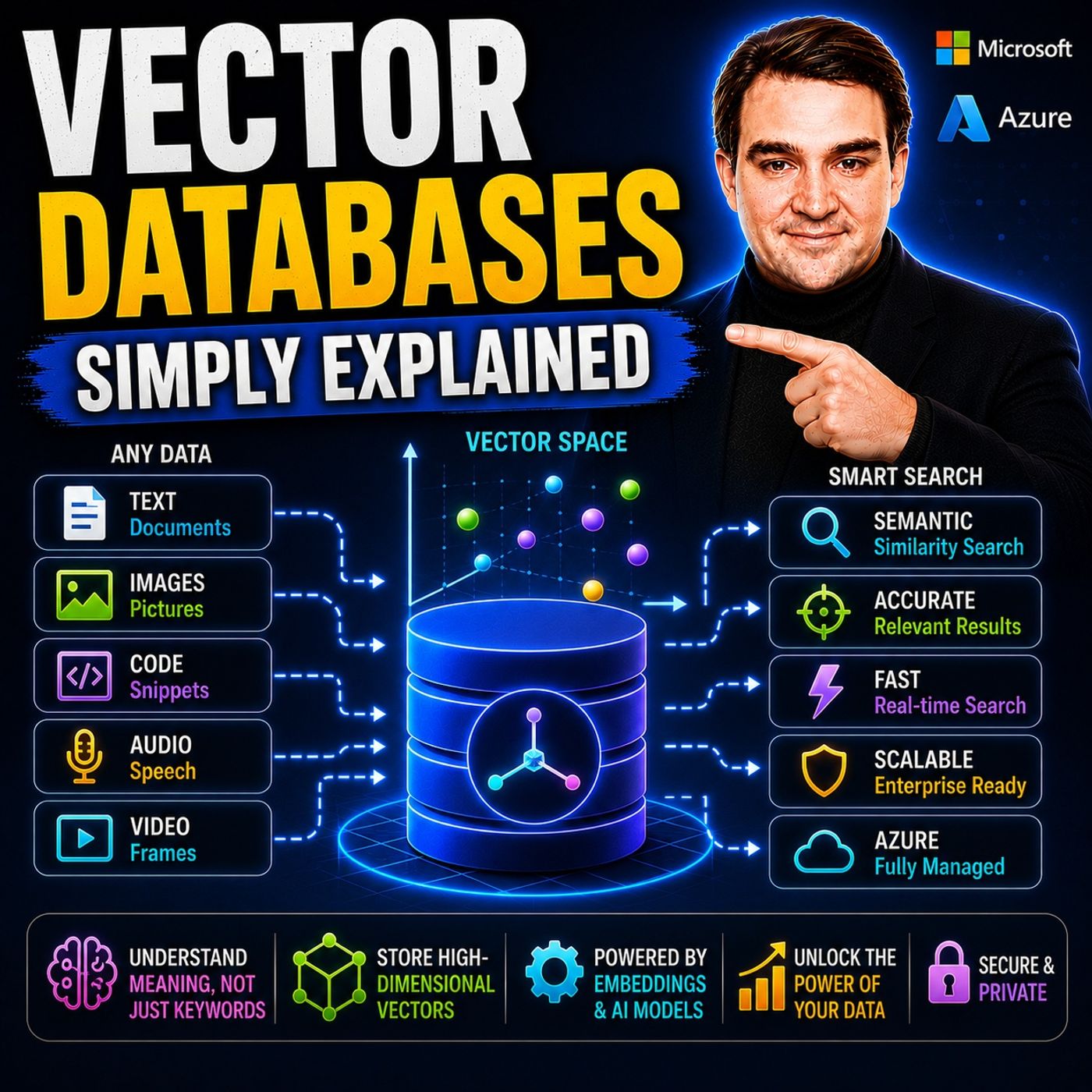
Vector Databases - Simply Explained
Show notes
Large Language Models like GPT-4o, Microsoft Copilot, and ChatGPT are incredibly powerful, but they all depend on one critical technology that most people never hear about: vector databases. Traditional databases are excellent at storing structured information such as customer records, product prices, and inventory numbers, but they struggle to understand meaning. If you search for "red jacket," a traditional database won't necessarily find "crimson coat" because it only matches exact words. Vector databases solve this problem by storing mathematical representations of meaning instead of simple text. In this episode of Microsoft Knowledge Nuggets, we explain vector databases in simple terms and show why they have become the foundation of enterprise AI, semantic search, Retrieval-Augmented Generation (RAG), Microsoft Copilot, and modern Azure AI applications. WHAT ARE VECTORS AND EMBEDDINGS? Everything starts with a vector—a simple list of numbers that represents an object in a way computers can understand. While vectors may sound complicated, they're simply numerical descriptions of information. The real magic happens with embeddings, which are vectors generated by AI models that capture meaning instead of just words. Embedding models such as Azure OpenAI's text-embedding models analyze text, images, audio, or other content and place similar concepts close together in a high-dimensional vector space. That allows AI systems to understand that "car" and "automobile," or "red jacket" and "crimson coat," are closely related even though they use different words. Instead of performing keyword matching, AI performs similarity matching based on meaning, making search dramatically more intelligent. WHY TRADITIONAL DATABASES AREN'T ENOUGH FOR AI SQL databases excel at exact lookups, filtering, joins, and transactions, but they don't understand context or intent. They can tell you which products are exactly labeled "red," but they cannot determine whether another product is conceptually similar. Vector databases fill this gap by storing embeddings alongside metadata and organizing them for ultra-fast similarity search. Using advanced indexing algorithms such as HNSW and IVF, vector databases can search millions of vectors in milliseconds, allowing AI systems to retrieve the most relevant information almost instantly. Rather than replacing relational databases, vector databases complement them by adding semantic understanding to existing business data. VECTOR DATABASES ACROSS THE MICROSOFT AZURE ECOSYSTEM Microsoft has integrated vector search across its entire AI platform instead of requiring organizations to deploy separate specialist databases. Azure AI Search provides enterprise-grade vector search and hybrid search for Retrieval-Augmented Generation (RAG) applications. Azure Cosmos DB supports native vector indexing with DiskANN for low-latency operational workloads. SQL Server 2025 and Azure SQL Database now include native vector data types and similarity search functions, allowing organizations to combine relational data and AI-powered search in a single platform. Together with Azure OpenAI and Azure AI Foundry, these services enable developers to build intelligent copilots, AI assistants, recommendation engines, and enterprise search experiences using familiar Microsoft technologies. REAL-WORLD USE CASES: RAG, COPILOT, RECOMMENDATIONS, AND SEMANTIC SEARCH Vector databases power many of today's most impressive AI experiences. In Retrieval-Augmented Generation (RAG), enterprise documents are converted into embeddings so AI can retrieve relevant information before generating answers. Microsoft Copilot uses vector search to locate emails, Teams conversations, SharePoint files, and OneDrive documents that best match a user's question—even when the wording differs completely. Recommendation systems use vectors to match customers with products, movies, or content based on similarity rather than fixed categories. Semantic search helps users discover information using natural language, while anomaly detection identifies unusual behavior by comparing new events against learned patterns. Across Microsoft 365 and Azure, vector databases have become the engine that enables AI to understand context rather than simply matching keywords. KEEPING VECTOR DATABASES UP TO DATE Because enterprise information constantly changes, vectors must be updated as documents evolve. This process is known as Vector ETL (Extract, Transform, Load). New or modified documents are automatically discovered, divided into smaller chunks, converted into embeddings using Azure OpenAI, and indexed inside Azure AI Search or another vector-enabled database. Microsoft provides integrated indexing pipelines that automate chunking, embedding generation, and indexing without requiring custom development. Following best practices such as incremental indexing, metadata tracking, and embedding version management ensures AI applications always retrieve the most current and accurate business knowledge while controlling operational costs. GETTING STARTED WITH VECTOR DATABASES ON AZURE Getting started with vector search is easier than many developers expect. Azure AI Search allows you to create vector indexes, automatically generate embeddings, and combine keyword search with semantic search through hybrid retrieval. Developers can integrate Azure OpenAI, Azure Cosmos DB, SQL Server, and Azure AI Foundry to build enterprise-grade AI applications that understand meaning instead of simply matching text. Whether you're creating an internal knowledge assistant, an AI-powered customer support chatbot, an enterprise Copilot, or intelligent product recommendations, vector databases provide the semantic foundation that makes modern generative AI truly useful. After listening to this episode, you'll understand why vector databases have become one of the most important building blocks in Microsoft's AI ecosystem and why nearly every enterprise AI solution relies on them behind the scenes. Become a supporter of this podcast: https://www.spreaker.com/podcast/m365-fm-microsoft-365-azure-cloud-power-platform-ai--6704921/support.
Apple Podcasts · Spotify · YouTube · YouTube Music · Deezer
Host: Mirko Peters
Related articles
Transcript
Read the full transcript
Hello everyone and welcome to another episode of Microsoft Knowledge Nuggets here on M365. FM, I'm your host, Mirko Peters. Today's topic is one that almost everyone has heard of, but very few people actually understand. Vector databases. You've probably seen that terminate articles about AI or heard it in conversations about co-pilot and chat GPT. But what exactly is a Vector database? Is it just a regular database with a fancier name? Or is it something completely different? Imagine searching an e-commerce site for red jacket and getting results showing crimson coat and burgundy outerwear. What is the computer know those are the same thing? It's not matching keywords. Crimson isn't red and coat isn't jacket. Yet somehow the search engine understands they're related and that's Vector search in action. By the end of this episode you'll understand what vector databases actually are, why they power AI search and co-pilot and how they fit into Microsoft's cloud. We're keeping it plain English. No math, no jargon, just clear building blocks. What actually is a Vector? Let's begin with the core question. What exactly is a Vector? When most people hear the word Vector they picture an arrow from physics class, direction and magnitude. In computing it's much simpler. A Vector is really just a list of numbers. A one-dimensional array that represents something in a format the computer can work with. Here's a practical way to picture it. If I told you to meet me on the third floor in Wingbeerum12 those are three numbers describing a specific location. That's a three-dimensional vector telling you exactly where something is in a building. Now imagine I add more details. Color of the door, size of the room, price per square foot. Each new detail becomes another dimension so the more dimensions you build up the more information you can capture about that thing. A car could be described by speed, mileage, price, weight and safety rating. That's a five-dimensional vector. A product could be described by hundreds of features which gives you a high-dimensional vector. Here's the thing. Vectors let us turn things into numbers that computers can compare. Words, images, sounds, documents, anything can become a list of numbers. Once everything is numbers you can start measuring how similar two things actually are. Two rooms on the same floor with similar door colors end up close together in vector. And two products with similar features clustered together too. That simple idea is what makes modern AI search possible. From vectors to embeddings. Not all vectors are the same. There's a special kind called an embedding and that's where the real power comes in. So what exactly is an embedding? An embedding is a vector that represents meaning. A machine learning model like Azure Open AI's text embedding three small reads text and places it in a high-dimensional space. The model learned from billions of examples so it understands how words relate. King and Queen end up close together because they share similar context. King and coffee end up far apart because they don't. Here's what that means in plain English. When you search for red jacket the system finds crimson coat. The embedding model recognizes that red and crimson are close in meaning and jacket and coat are close to. The embeddings for those two phrases become neighbors in vector space. The computer isn't matching letters anymore. It's matching meaning. Now let me give you a classic example. The vector for king subtract the vector for man and add the vector for woman. The result is very close to the vector for queen. King minus man plus woman equals queen that might sound like magic but it's really how the model begs relationships into numbers. It learned that king and queen share a relationship similar to man and woman and that relationship is encoded in the coordinates. So embedding models take your raw data whether it's text, images or audio and convert it into a list of numbers that represent its meaning. Those numbers become coordinates in a high dimensional space. Then when you search your query gets converted into the same kind of coordinates all you do is measure the distance between them. That's the core idea. Why traditional databases fall short? If embeddings are so powerful why can't we just use a regular database? Let's answer that. Traditional SQL databases are built for exact matches. You write where color ill red and it finds every row where the color column literally equals red. It's great for structured data like customer names, order dates or product prices but it completely falls apart when you need fuzzy meaning. Try writing a SQL query that finds crimson code when your data only says burgundy jacket. You can't because SQL doesn't understand concepts. Traditional databases store data in rows and columns. They're optimized for joins, aggregations and exact lookups. They don't know that car and automobile are the same thing. They don't know that excited and thrilled are similar emotions. They just match strings. And if your data is unstructured like PDFs, images, audio recordings or long documents, traditional databases can store it as a blob but they can't really search its content. You'd need full text search which still relies on keyword matching. If the user types budget report but the document says financial summary, keyword search misses it entirely. Think of it this way. A regular database is like a filing cabinet. You need to know the exact file name to find what you're looking for. A vector database is like a librarian who understands what you mean. You can say, I need that document about last quarter's spending and the librarian knows exactly which folder to pull even if the folder is labeled Q3 financial summary. The librarian understands intent, not just labels. That's why vector databases exist. They store embeddings, those meaning capturing vectors and they index them in a way that makes similarity search fast. They don't replace traditional databases. They add a layer of understanding on top and that layer changes everything. How vector databases work? So how does this all work behind the scenes? Let's walk through the two main phases. ingestion and query. ingestion is the setup phase. You take your raw data, product descriptions, support tickets, internal documents, whatever you have and run each piece through something called an embedding model that model turns the text into a vector which is basically a list of numbers that captures the meaning. Then you store that vector in the database along with some metadata. The original text, a timestamp, maybe a category or a source URL. Now here's the clever part. If you had a million documents checking every single vector one by one would take forever. That's why vector databases use something called indexing. Think of indexing like creating a map of the vector space instead of knocking on every single door. Two common methods are IVF and H and SW. IVF stands for inverted file index. It works by grouping similar vectors into clusters. When you search, instead of scanning all million vectors, you only check the most promising clusters. It's like looking for a book in a library. You head straight to the right section instead of scanning every shelf. The position SW stands for hierarchical navigable small world. The idea is pretty elegant. It builds a multi-layer map of your vectors. The top layer holds a few representative vectors that give you a rough sense of where things are. Each layer below gets more detailed. When you search, you start at the top, find the general neighborhood, then drill down, layer by layer until you hit the exact match. It's like using a city map first. Then a neighborhood map, then a street map. Each one gets you closer. The result is that you can search millions of vectors in milliseconds. That's what powers real-time AI features. When you type a question into a co-pilot and get an answer back in seconds, somewhere a vector database just ran a similarity search across thousands or millions of documents. The query phase works the same way in reverse. You type your question. That question gets converted into a vector using the exact same embedding model. Then the database finds the nearest neighbors to your query vector using the index. It returns the most similar results ranked by distance. The closer the vectors, the more relevant the result. The Microsoft ecosystem, where vectors live. So where does all this live in the Microsoft world? The short answer is everywhere. Microsoft is adding vector capabilities into the data platforms you already use instead of pushing you toward a separate specialist database. Let's walk through the main ones. As your AI search is the most common vector store for enterprise rack, that's retrieval augmented generation. It supports hybrid search, which means it combines traditional keyword matching with vector similarity. Why does that matter? Because some searches work best with keywords. Product codes, names, dates, while others need semantic understanding. Hybrid search gives you both. As your AI search also includes integrated vectorization. So you can set up a pipeline that automatically chunks documents, generates embeddings, and indexes them without writing custom code. A Cosmos DB now has native vector search with disk and indexing. Disk and end stands for disk-based approximate nearest neighbor. And it's built for sub-20 millisecond latency even at massive scale. That's great for operational data that already lives in Cosmos DB. Basically you're building an e-commerce app with Cosmos DB as your back end. You can now add vector search directly to your product catalog without moving data to a separate service. A customer searches for lightweight summer shoes, and your app finds products with similar descriptions all inside your existing database. As you go to server 2025 and as your SQL database have joined the party too, they now include a native vector data type and functions like vector search. That means you can store embeddings right alongside your relational data. Other records with vector representations of their preferences, inventory items with vector descriptions, support tickets with vector embeddings of their content. You don't need a separate vector database. Your existing SQL skills still apply. Just add a vector column, create an index, and start querying by similarity. Here's how Copilot uses this under the hood. When you ask, show me the Q3 sales report from last year. Copilot doesn't search for the exact phrase Q3 sales report. It converts your question into a vector, searches across index documents, emails, SharePoint files, OneDrive documents, Teams chats, and finds the document whose embedding is closest to your query. It might find a file called 2024 Q3 financial summary because the meaning matches even though the exact words don't. That's vector search in action. The key insight here is Microsoft's strategy. Instead of saying go buy a specialist vector database, they're adding vector capabilities to the tools you already use. Azure AI search, Cosmos DB, SQL Server, they all speak vectors now. You don't need to learn a new system. You just need to understand the concept and Microsoft handles the heavy lifting. Real-world use cases in AI. So where do you actually see vector databases at work today? Here's how it plays out in the real world. Rags is the big one. That stands for retrieval augmented generation and it's how most enterprise AI runs now. When you ask a chatbot a question, it doesn't guess from its training data. Instead, it searches a vector database for relevant documents, grabs the closest matches, and hands them to the language model as context. The model then builds an answer from those actual documents. That means accurate answers about your company's own policies, products, or data. Without vector databases, the AI would be guessing from general internet knowledge. With them, it pulls straight from your real files. Recommendation engines are another huge use case. Netflix, Amazon, YouTube, they all work the same way. They turn users into vectors based on behavior. What you watch, buy, or click. And they turn items into vectors based on descriptions, reviews, and features. Then they just find the nearest neighbors. So, vector close to a movie vector, they recommend that movie. That's similarity search, admassive scale, running hundreds of times per second for every single user. Semantic search is the third big use case. This is searched by meaning, not by keywords. A support agent types, customer can't log in after password reset, and finds an article called Troubleshooting Authentication Failures after Credential Updates. The words don't match, but the meaning does. That's what vector search enables. For a team handling hundreds of tickets a day, this cuts resolution time dramatically. Then there's a normally detection. Less obvious, but powerful. You embed normal behavior. Typical transaction patterns, usual system metrics, standard user actions, store those vectors, then flag anything that lands far from the cluster. A transaction that looks nothing like normal, that's fraud. A server metric way outside the usual range, that's an incident brewing. Vector databases make this fast enough to run in real time. In Microsoft's world, this shows up everywhere. Power Apps uses vector search for AI suggestions when you build forms. Vector 365 uses it for intelligence search across customer records. Teams meeting transcripts get turned into vectors. So you can search, what did we decide about the budget, and find the exact moment in a recording. Copilot for Microsoft 365 is essentially a giant rag system running on top of your personal and company data, all powered by vector search. Keeping it all in sync. Vector ETL. Now here's the practical challenge. Data changes, documents get updated, new products get added, old policies get archived, anytime your source data changes, your vectors need to change too. That's where vector ETL comes in. ETL stands for extract transform load. For vector databases, the process goes like this. First you extract new or change documents from your source. Maybe a blob storage container, a SharePoint library, or a SQL database. Then you transform them by chunking the text into manageable pieces and running each chunk through your embedding model. Finally you load the resulting vectors into your vector store along with metadata like the original source URL, a timestamp, and the model version used. The best practice here? Process incrementally, don't re-embed your entire corpus every time something changes. Only process the documents that actually changed. Track which model version generated each embedding, upgrade your model, and the old vectors become inconsistent with the new ones. And watch your costs. Embedding APIs charged by token, so processing millions of documents adds up fast. In Azure, a typical workflow is straightforward. Land your documents in blob storage. Then set up an Azure AI search indexer with an integrated skill set that handles chunking and embedding automatically. Microsoft provides the text split skill for chunking, and the Azure open AI embedding model skill for vector generation. The indexer runs on a schedule, picks up new files, processes them, and upsets the vectors into the index. No custom pipeline code needed. Here's a common mistake. Ignoring metadata. Every vector needs its source reference, the embedding model name and version, and a creation timestamp. Without that, you can't trace where a result came from, you can't re-embed when models change, and you'll struggle with compliance audits. Treat your vectors like any other business data. Back to Elineage, A.TaiSar, your next steps. So ready to give this a try yourself? Start simple. Open the Azure portal and create an Azure AI search resource. Then enable vector search on an existing index. Upload a few documents, pick an embedding model, and run a similarity query. You'll see it working in under an hour. For developers, grab the Python SDK, embed a handful of documents using Azure open AI, store them in Cosmos DB's vector search, and write a query that finds the closest match. Microsoft provides clear code samples and documentation to walk you through it. You don't have to become a data scientist to use vector databases. Microsoft's tools handle the embedding generation, the indexing, and the query logic. Your only job is to understand the concept and point the tools at your own data. Here's a challenge. Think of a search problem you deal with today. Maybe it's finding internal documents or searching a product catalog or answering customer questions from a knowledge base. Could vector search do better than keyword match? Pick a small dataset, even 100 documents, and give it a shot. You'll feel the difference right away. So now you understand what vector databases actually are. They're not some mysterious AI technology. They're just a way to store and search the meaning of your data instead of the exact words. They power the smart search and AI features inside Microsoft 365, Azure, and Copilot. Every time you ask a question and get a relevant answer, somewhere a vector database found the closest match to your query. Your structured facts, customer names, order amounts, inventory counts, those still live in traditional databases. Vector databases add the layer of understanding. They let your application search by meaning, by intent, by context. That's the big picture. Subscribe for more plain English breakdowns of Microsoft technology. Next time we'll look at how RagtPyplines actually work and how you can build one in an afternoon.