


 Apple Podcasts
 Spotify
 Youtube Music
 Spreaker
 Podchaser
 Amazon Music
 Azure AI Foundry - Simply Explained
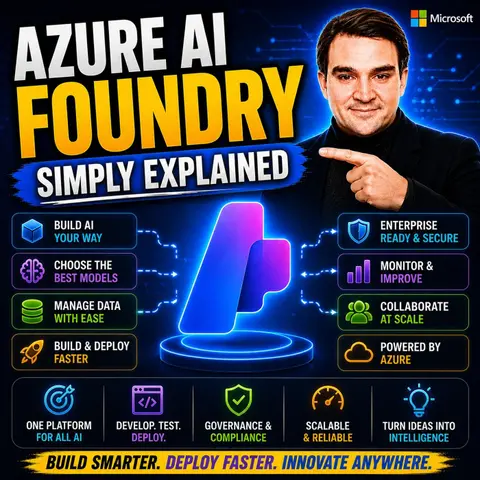
Azure AI Foundry is Microsoft's enterprise platform for building, deploying, and managing AI applications and intelligent agents at scale. Instead of stitching together multiple AI services, developers get a unified environment for working with foundation models, prompt engineering, agent orchestration, evaluation, monitoring, and security. In this episode of Microsoft Knowledge Nuggets, we explain Azure AI Foundry in plain English and show why it's becoming the central platform for enterprise AI development.
You'll learn how Azure AI Foundry simplifies the entire AI development lifecycle—from choosing and comparing models to deploying production-ready AI applications. We cover core concepts including the model catalog, AI agents, prompt flows, Retrieval-Augmented Generation (RAG), fine-tuning, evaluations, observability, and responsible AI. You'll also discover how developers can work with models from OpenAI, Meta, Anthropic, Mistral, and many others within a single platform.
The episode also explores real-world scenarios such as building AI copilots, customer support agents, knowledge assistants, and enterprise automation solutions. We explain how Azure AI Foundry integrates with Azure AI Search, Microsoft Fabric, Azure OpenAI, GitHub, and other Azure services to create secure, scalable AI solutions for modern businesses.
Whether you're an Azure developer, AI engineer, cloud architect, IT professional, or preparing for AI certifications, this episode provides a practical introduction without unnecessary complexity. By the end, you'll understand how Azure AI Foundry helps organizations build, manage, and scale enterprise AI applications faster while maintaining security, governance, and responsible AI practices.
Azure AI Foundry is a powerful platform designed by Microsoft to simplify the development and deployment of artificial intelligence applications. In today's business world, AI plays a crucial role in enhancing productivity and operational efficiency. Organizations that embrace AI technologies often see significant benefits, such as automation and improved decision-making capabilities.
Azure AI Foundry supports developers and enterprises in managing AI solutions throughout their lifecycle. You can expect to learn how this platform empowers you to build intelligent applications effectively and securely.
Key Takeaways
- Azure AI Foundry simplifies AI application development, making it easier for businesses to enhance productivity.
- The platform offers over 11,000 pre-trained models, allowing users to choose the best fit for their needs.
- Security and governance are prioritized, ensuring compliance and data protection throughout the AI lifecycle.
- Developers can quickly build and deploy applications, reducing time to market significantly.
- Collaboration is encouraged through shared controls, enabling teams to work together efficiently on AI projects.
- Azure AI Foundry supports both proprietary and open-source models, providing flexibility in AI solutions.
- Industries like retail, finance, and healthcare benefit from AI applications, improving decision-making and operational efficiency.
- Getting started is easy; users can create their first project in minutes and access various resources for learning.
Azure AI Foundry Overview
Azure AI Foundry serves as a unified platform for building, deploying, and managing AI applications efficiently. This platform simplifies the AI development process from data ingestion to model deployment and monitoring. It integrates various Azure services, allowing you to create scalable and secure AI solutions without the complexity of managing multiple tools.
Key Features
Azure AI Foundry boasts several standout features that distinguish it from other platforms. Here are some key aspects:
- Generative AI Application Development: You can create sophisticated generative AI applications and intelligent agents with ease.
- Extensive Model Catalog: The platform offers access to over 11,000 pre-trained models, including foundation models like GPT-4. This extensive catalog allows you to compare models based on quality, latency, cost, and performance.
- Centralized Governance: Azure AI Foundry ensures that all projects adhere to enterprise governance and compliance requirements, making it easier for you to manage security and data privacy.
- Integration Options: The platform supports seamless integration with Microsoft services and third-party applications, enhancing its flexibility and usability.
| Feature Category | Azure AI Foundry | Azure Databricks |
|---|---|---|
| Primary Focus | Generative AI application & agent development | Large-scale data engineering, analytics, traditional ML, and AI workflows |
| AI/ML Capabilities | Foundation models (LLMs), prompt engineering, RAG, agent orchestration, model evaluation, content safety, responsible AI tooling. | Traditional ML (supervised/unsupervised), deep learning, feature engineering, MLflow for lifecycle management, Databricks AI/BI Genie. |
| Model Access & Deployment | Extensive model catalog (11,000+ models), serverless API, managed compute deployments, model benchmarking. | Training and serving custom ML models, including deep learning. Models available for deployment through MLflow. |
Azure AI Foundry is model-agnostic, embracing open standards and open-source models alongside Microsoft's offerings. This flexibility allows you to integrate external models or tools as needed, making it a central hub for your entire AI strategy.
Benefits for Developers
Using Azure AI Foundry provides numerous benefits for developers. The platform accelerates the process of building and refining AI solutions, making it feel like a comprehensive development environment tailored for AI workflows. Here are some key advantages:
- Speed: Azure AI Foundry significantly reduces the time to market for AI applications. You can deploy and iterate faster, which is crucial in today's fast-paced business environment.
- Empowerment: The platform democratizes AI development. Non-specialists can contribute effectively, thanks to pre-built solution templates and connectors that facilitate rapid prototyping.
- Collaboration: Azure AI Foundry fosters cross-functional teamwork. Shared controls and centralized policies ensure that AI projects can be realized swiftly and efficiently.
With Azure AI Foundry features, you can build generative AI applications and intelligent agents with enterprise security and governance already in place.
Security and governance are top priorities for Azure AI Foundry. The platform implements comprehensive threat detection across all AI resources and enforces least privilege access controls. You can also apply just-in-time access for administrative operations, ensuring that your AI solutions remain secure.
Use Cases of Azure AI Foundry

Azure AI Foundry serves various industries, enabling them to harness the power of AI applications effectively. Here are some key sectors that have reported significant improvements after implementing this platform:
| Industry | Use Case |
|---|---|
| Retail | Predictive analytics and demand forecasting |
| Financial | Fraud detection using ML pipelines |
| Healthcare | Early disease identification and diagnosis |
| Logistics | Operational optimization |
| Manufacturing | Document automation and customer interaction |
These industries leverage Azure AI Foundry to enhance their operations and decision-making processes. For instance, retailers utilize predictive analytics to forecast customer demand, allowing them to optimize inventory levels. Financial institutions employ machine learning (ML) pipelines for fraud detection, significantly reducing losses. In healthcare, early disease identification improves patient outcomes, while logistics companies optimize operations to reduce costs.
Real-world applications of Azure AI Foundry showcase its versatility and effectiveness. Many organizations have successfully integrated the platform into their workflows. Here are some notable examples:
| Company | Application Description | Impact |
|---|---|---|
| Solv | Improved report accuracy and efficiency by switching to Dynamics 365 Business Central. | Saved 40 man-hours monthly and enhanced financial controls. |
| Syensqo.AI | Developed SyGPT chatbot using Azure OpenAI Service in record time. | Accelerated chatbot development process. |
| KPMG | Piloting for audit automation. | Streamlined audit processes. |
| BMW | Utilizing for vehicle telemetry analysis. | Enhanced vehicle performance insights. |
| Commerzbank | Implementing for customer support automation. | Improved customer service efficiency. |
| Fujitsu | Engaged in customer support automation. | Increased responsiveness in customer queries. |
These success stories highlight how Azure AI Foundry transforms business operations. For example, Solv improved its financial reporting, saving valuable time. Similarly, KPMG streamlined its audit processes, demonstrating the platform's potential to enhance efficiency across various functions.
Future of Azure AI Foundry
As you look ahead, the future of Azure AI Foundry appears promising. Emerging trends in artificial intelligence will shape its development and capabilities. AI agents are evolving beyond basic functionalities. They face challenges due to fragmented applications and data sources. The integration of Azure AI Foundry with PwC’s agent OS aims to address these orchestration gaps. This integration enhances security and governance while providing unified controls and workflows.
Several key trends will influence Azure AI Foundry:
- The integration of xAI’s Grok democratizes access to high-performance AI.
- Grok excels in critical areas such as mathematics and healthcare, indicating its potential influence on Azure AI Foundry's capabilities.
- New models and smart routing enhance the foundation and flexibility of Azure AI Foundry.
- Multi-Agent Orchestration is highlighted as a transformative feature for addressing complex business challenges.
Azure AI Foundry is designed to adapt to future advancements in AI technology. It offers a comprehensive platform that integrates responsible AI practices. You will find support for hybrid and edge computing, empowering developers to create innovative solutions. Its flexibility accommodates both proprietary and open-source models. This ensures that Azure AI Foundry remains relevant in the fast-evolving AI landscape.
Key features that will support this adaptability include:
- An integrated end-to-end workflow from model development to deployment.
- Embracing both proprietary and open-source models to avoid vendor lock-in.
- Robust responsible AI capabilities that adhere to enterprise security standards.
- Support for hybrid and edge computing, bringing AI closer to data generation through Foundry Local and Azure Arc.
In the next five years, Azure AI Foundry will likely drive significant business transformation. It serves as a central platform for enterprise AI ecosystems, similar to how ERP systems transformed business operations. Organizations will build faster, scale efficiently, and govern responsibly.
Here are some predicted trends and their impacts:
| Trend | Impact |
|---|---|
| Agentic AI | Automation |
| Multi-model | Flexibility |
| AI-native orgs | Transformation |
With Azure AI Foundry, you can expect to see a shift in how businesses operate. The platform will enable you to harness AI innovation effectively, leading to improved efficiency and decision-making.
In summary, Azure AI Foundry offers a comprehensive platform for developing and managing AI applications. You can leverage its extensive model catalog, centralized governance, and integration options to build effective solutions. Here are some key takeaways:
- Start simple: Don’t over-engineer your first project. Use free tiers and standalone services to test things out.
- Leverage Azure AI Foundry: It scales beautifully from quick prototypes to real, production-grade applications.
- Use hubs and projects wisely: Organize your resources cleanly to manage access and infrastructure.
- Stay aware of quotas and costs: Monitor usage to avoid unexpected expenses.
- Explore Prompt Flow early: It helps in understanding app interactions with the model.
To dive deeper into Azure AI Foundry, access the Azure AI Foundry Portal and create your first project. Customize your settings and explore the available resources, such as Azure OpenAI and the Management Center. Consider taking online training courses to enhance your skills and knowledge.
Embrace the potential of AI solutions today!
FAQ
What is Azure AI Foundry?
Azure AI Foundry is a platform by Microsoft that simplifies the development, testing, and deployment of AI applications. It integrates various AI services into a single environment, making it easier for you to build intelligent solutions.
How does Azure AI Foundry enhance security?
Azure AI Foundry prioritizes security by integrating with Microsoft Entra ID and Azure Key Vault. This ensures that your AI applications meet enterprise governance and compliance requirements, protecting your data and applications.
Can I use my own models in Azure AI Foundry?
Yes, Azure AI Foundry is model-agnostic. You can integrate both proprietary and open-source models, allowing you to customize your AI solutions according to your specific needs.
How quickly can I start using Azure AI Foundry?
You can create your first Foundry resource in just a few minutes. The platform provides a user-friendly interface that allows you to set up projects and start building AI agents quickly.
What industries benefit from Azure AI Foundry?
Various industries benefit from Azure AI Foundry, including retail, finance, healthcare, logistics, and manufacturing. Each sector uses the platform to enhance operations and improve decision-making processes.
Is Azure AI Foundry suitable for beginners?
Absolutely! Azure AI Foundry democratizes AI development. It offers pre-built templates and connectors, making it accessible for both experienced developers and those new to AI.
How does Azure AI Foundry support collaboration?
Azure AI Foundry fosters collaboration through shared controls and centralized policies. This allows cross-functional teams to work together efficiently on AI projects, enhancing productivity.
🎧 Listen to this episode
Want a practical explanation of Azure AI Foundry? This episode breaks down the topic in clear language and shows why it matters for Microsoft 365, Azure, Power Platform, security, AI, and modern work.
Listen to this episode if you want to:
- Understand the key concepts behind Azure AI Foundry
- See how it fits into the wider Microsoft technology ecosystem
- Learn where it can create practical value for your organization
You may also enjoy these related M365 FM episodes:
- From Data to Intelligent Agents: Building Trusted Enterprise AI with Microsoft AI Foundry with Shubhangi Goyal [MVP]
- Microsoft Foundry AI Apps with Jannik Reinhard [MVP]
- Production AI Agents with Microsoft Foundry and Edgar McOchieng [MVP]
- Prevent Shadow IT in Microsoft Foundry AI Agent Programs
- Build Reliable Intune and Entra ID Agents with Azure AI Foundry
Discover more practical Microsoft conversations on M365 FM.
🚀 Want to be part of m365.fm?
Then stop just listening… and start showing up.
👉 Connect with me on LinkedIn and let’s make something happen:
- 🎙️ Be a podcast guest and share your story
- 🎧 Host your own episode (yes, seriously)
- 💡 Pitch topics the community actually wants to hear
- 🌍 Build your personal brand in the Microsoft 365 space
This isn’t just a podcast — it’s a platform for people who take action.
🔥 Most people wait. The best ones don’t.
👉 Connect with me on LinkedIn and send me a message:
"I want in"
Let’s build something awesome 👊
1
00:00:00,000 --> 00:00:01,520
What exactly is Azure AI Foundry?
2
00:00:01,520 --> 00:00:04,640
Is it just another service Microsoft added or is it something bigger?
3
00:00:04,640 --> 00:00:08,600
Over the past year, Microsoft has been making AI announcements left and right.
4
00:00:08,600 --> 00:00:09,760
It's easy to feel lost.
5
00:00:09,760 --> 00:00:11,800
I'm Mercospitus from Microsoft Knowledge Nuggets.
6
00:00:11,800 --> 00:00:15,520
By the end of this episode, you'll know what Foundry actually is and why it matters.
7
00:00:15,520 --> 00:00:16,720
No marketing fluff.
8
00:00:16,720 --> 00:00:20,920
We'll break it down into clear parts, what it is, what's inside, and how it all connects.
9
00:00:20,920 --> 00:00:23,000
Why everyone is confused about the name?
10
00:00:23,000 --> 00:00:24,560
Confusion starts with the name.
11
00:00:24,560 --> 00:00:27,160
Foundry has gone through more name changes than I can count.
12
00:00:27,160 --> 00:00:32,480
First, it was cognitive services, then Azure AI Services, then Azure AI Studio, then Azure AI Foundry.
13
00:00:32,480 --> 00:00:35,440
And as of late last year, it's officially Microsoft Foundry.
14
00:00:35,440 --> 00:00:37,600
Same product four or five names in about three years.
15
00:00:37,600 --> 00:00:40,840
That alone is confusing, but it gets more complicated right now.
16
00:00:40,840 --> 00:00:43,240
Two versions of the platform run side by side.
17
00:00:43,240 --> 00:00:46,000
The classic hub-based architecture is the old way.
18
00:00:46,000 --> 00:00:48,120
The new Foundry project model is the modern version.
19
00:00:48,120 --> 00:00:51,920
Both live at the same URL, AIazure.com.
20
00:00:51,920 --> 00:00:55,960
You go there and find a toggle button that switches between two completely different architectures.
21
00:00:55,960 --> 00:00:57,240
It's not just a new look.
22
00:00:57,240 --> 00:00:59,640
It's a different way of organizing everything underneath.
23
00:00:59,640 --> 00:01:03,920
This confuses beginners because when you search for help, you find articles about hubs and
24
00:01:03,920 --> 00:01:04,920
classic projects.
25
00:01:04,920 --> 00:01:06,360
Those articles are still accurate.
26
00:01:06,360 --> 00:01:08,040
Microsoft supports both versions.
27
00:01:08,040 --> 00:01:12,640
But the new features, agent capabilities, and everything Microsoft is investing in only
28
00:01:12,640 --> 00:01:13,920
come to Foundry projects.
29
00:01:13,920 --> 00:01:17,520
You could follow an old tutorial, set up a hub, and then discover you can't use the latest
30
00:01:17,520 --> 00:01:18,520
tools.
31
00:01:18,520 --> 00:01:20,320
That's a real headache, so here's my advice.
32
00:01:20,320 --> 00:01:21,320
Ignore the old stuff.
33
00:01:21,320 --> 00:01:23,760
Modern Foundry is where Microsoft is putting everything.
34
00:01:23,760 --> 00:01:27,640
If you're starting fresh today, skip the hubs and go straight to Foundry projects.
35
00:01:27,640 --> 00:01:31,760
That's where the new capabilities live, so what Azure AI Foundry actually is.
36
00:01:31,760 --> 00:01:32,800
Let's start from scratch.
37
00:01:32,800 --> 00:01:34,400
What is Azure AI Foundry?
38
00:01:34,400 --> 00:01:38,520
It's a unified platform for building, testing, and deploying AI applications all in one
39
00:01:38,520 --> 00:01:39,520
place.
40
00:01:39,520 --> 00:01:40,520
That's the simplest definition.
41
00:01:40,520 --> 00:01:41,880
Think of it like a factory.
42
00:01:41,880 --> 00:01:43,280
Raw materials come in.
43
00:01:43,280 --> 00:01:45,760
Models, data, tools.
44
00:01:45,760 --> 00:01:46,960
Finished applications come out.
45
00:01:46,960 --> 00:01:49,080
Chatbots, co-pilots, automation agents.
46
00:01:49,080 --> 00:01:50,600
You don't build the factory yourself.
47
00:01:50,600 --> 00:01:51,600
Microsoft runs it.
48
00:01:51,600 --> 00:01:53,920
You just walk in, grab what you need and start building.
49
00:01:53,920 --> 00:01:56,720
This isn't a single product like a word or Excel.
50
00:01:56,720 --> 00:02:00,680
Foundry is a container that holds models, tools, projects, and security.
51
00:02:00,680 --> 00:02:03,800
Create one Foundry resource and you get the entire model catalog.
52
00:02:03,800 --> 00:02:04,800
Thousands of models.
53
00:02:04,800 --> 00:02:08,720
You get agent building tools, testing playgrounds, evaluation tools, and security, all bundled
54
00:02:08,720 --> 00:02:09,720
together.
55
00:02:09,720 --> 00:02:11,520
Now here's a key distinction.
56
00:02:11,520 --> 00:02:12,520
Foundry is for developers.
57
00:02:12,520 --> 00:02:17,040
If you write Python or CYs or I'd, if you want to build custom AI solutions with code,
58
00:02:17,040 --> 00:02:18,320
this is your platform.
59
00:02:18,320 --> 00:02:21,040
Looking for a low code, drag, and drop experience.
60
00:02:21,040 --> 00:02:24,600
Co-pilot Studio, a different tool for a different audience.
61
00:02:24,600 --> 00:02:26,800
Both are valid.
62
00:02:26,800 --> 00:02:31,440
Before Foundry building an AI application on Azure meant provisioning separate services.
63
00:02:31,440 --> 00:02:35,900
You'd set up Azure OpenAI, cognitive services, Azure Machine Learning, Azure AI Search,
64
00:02:35,900 --> 00:02:37,880
then write custom code to stitch them together.
65
00:02:37,880 --> 00:02:38,880
A lot of work.
66
00:02:38,880 --> 00:02:39,880
Foundry replaces all that.
67
00:02:39,880 --> 00:02:42,480
Create one resource and everything is already connected.
68
00:02:42,480 --> 00:02:43,480
Models are there.
69
00:02:43,480 --> 00:02:44,480
Tools are there.
70
00:02:44,480 --> 00:02:45,480
Security is built in.
71
00:02:45,480 --> 00:02:46,480
You just start building.
72
00:02:46,480 --> 00:02:47,480
That's the point.
73
00:02:47,480 --> 00:02:48,480
It's not about adding another tool.
74
00:02:48,480 --> 00:02:52,240
It's about removing the friction of managing a dozen separate services.
75
00:02:52,240 --> 00:02:54,360
The key organizational unit, Foundry Projects.
76
00:02:54,360 --> 00:02:55,960
So you've got your AI factory.
77
00:02:55,960 --> 00:02:57,440
But a factory needs organization.
78
00:02:57,440 --> 00:02:58,920
That's where Foundry Projects come in.
79
00:02:58,920 --> 00:03:02,920
A Foundry Project is an isolated workspace for a specific AI solution.
80
00:03:02,920 --> 00:03:06,200
If Foundry is the factory, projects are individual workbenches.
81
00:03:06,200 --> 00:03:08,800
Each has its own tools, materials, and workers.
82
00:03:08,800 --> 00:03:12,280
Without interfering with each other, the team building a customer support chatbot won't
83
00:03:12,280 --> 00:03:16,400
accidentally mess up the HR Assistant project, what lives inside a project.
84
00:03:16,400 --> 00:03:20,360
Its own model deployments, agents, knowledge stores, evaluations, and monitoring, everything
85
00:03:20,360 --> 00:03:23,080
you need for one solution, all in one place.
86
00:03:23,080 --> 00:03:24,520
Here's the core structure.
87
00:03:24,520 --> 00:03:26,280
Projects live inside a Foundry resource.
88
00:03:26,280 --> 00:03:28,520
The resource is the building and security boundary.
89
00:03:28,520 --> 00:03:29,680
The building.
90
00:03:29,680 --> 00:03:30,840
Projects are the rooms inside.
91
00:03:30,840 --> 00:03:33,920
One building, one front door, one security desk, one build.
92
00:03:33,920 --> 00:03:36,040
But each room has its own purpose and its own team.
93
00:03:36,040 --> 00:03:40,840
For example, a company called Contoso builds three AI solutions, a customer support agent,
94
00:03:40,840 --> 00:03:43,640
an HR Assistant, and a document processing system.
95
00:03:43,640 --> 00:03:46,320
With Foundry they create one resource for the whole company.
96
00:03:46,320 --> 00:03:49,960
When they create three projects inside it, each project has its own models, agents, and
97
00:03:49,960 --> 00:03:51,240
knowledge stores.
98
00:03:51,240 --> 00:03:53,760
Teams work independently without stepping on each other's toes.
99
00:03:53,760 --> 00:03:56,400
This matters because different teams need different access.
100
00:03:56,400 --> 00:03:59,400
The customer support team doesn't need to see HR documents.
101
00:03:59,400 --> 00:04:01,880
The document processing team doesn't need refund policies.
102
00:04:01,880 --> 00:04:03,120
Projects give you that isolation.
103
00:04:03,120 --> 00:04:08,560
At the same time, IT keeps central control, managing one resource, one security policy,
104
00:04:08,560 --> 00:04:11,680
one budget, team autonomy with central governance.
105
00:04:11,680 --> 00:04:14,320
The heart of Foundry, the model catalog.
106
00:04:14,320 --> 00:04:15,560
Think of it this way.
107
00:04:15,560 --> 00:04:17,200
Every project needs a brain.
108
00:04:17,200 --> 00:04:19,360
In Foundry, that brain lives inside the model catalog.
109
00:04:19,360 --> 00:04:21,680
Over 11,000 models, and that's not a typo.
110
00:04:21,680 --> 00:04:27,280
You get open AI models like GPT-40 and GPT-4.1, Meta's Lama family, Mistral Deepseek,
111
00:04:27,280 --> 00:04:32,800
Microsoft's own five models, and topics Claude, Cohier, models for text, images, code, and
112
00:04:32,800 --> 00:04:33,800
embeddings.
113
00:04:33,800 --> 00:04:38,120
Right now, this is the largest model catalog you'll find on any cloud platform.
114
00:04:38,120 --> 00:04:41,640
Let's break those into two basic types, large language models and small language models.
115
00:04:41,640 --> 00:04:46,720
Large ones have billions of parameters GPT-4 has over a trillion, so they can handle complex
116
00:04:46,720 --> 00:04:52,440
reasoning, creative writing, and nuanced conversation, but they're expensive and slow.
117
00:04:52,440 --> 00:04:54,600
Small models have far fewer parameters.
118
00:04:54,600 --> 00:05:00,240
Microsoft's 5.3 has about 3.8 billion, tiny compared to GPT-4, but it's fast and cheap.
119
00:05:00,240 --> 00:05:04,920
For focused tasks like extracting data from a form or answering a simple question, it works
120
00:05:04,920 --> 00:05:05,920
great.
121
00:05:05,920 --> 00:05:06,920
Here's the practical benefit.
122
00:05:06,920 --> 00:05:08,400
You can deploy a model in seconds.
123
00:05:08,400 --> 00:05:11,280
Pick one from the catalog, click deploy, and it's ready.
124
00:05:11,280 --> 00:05:15,800
No provisioning hardware, no configuring networking, no waiting hours for setup, seconds, and before
125
00:05:15,800 --> 00:05:18,240
you commit, you can test it in the playground.
126
00:05:18,240 --> 00:05:23,280
Try different prompts, adjust settings like temperature and max tokens, see responses instantly.
127
00:05:23,280 --> 00:05:24,960
It's a test drive before you buy the car.
128
00:05:24,960 --> 00:05:29,960
You're not locked into one model, and that's a huge advantage over using OpenAI's API directly.
129
00:05:29,960 --> 00:05:35,040
With Foundry, you can use GPT-4O for complex reasoning where quality matters, FI for simple
130
00:05:35,040 --> 00:05:39,720
classification where speed and cost matter, and Meta's Lama for compliance if you need
131
00:05:39,720 --> 00:05:41,920
to run models in your own data center.
132
00:05:41,920 --> 00:05:43,600
You switch depending on the job.
133
00:05:43,600 --> 00:05:48,200
Foundry also includes a comparison tool that helps you evaluate models side by side.
134
00:05:48,200 --> 00:05:52,060
Compare by quality how accurate other responses by safety, how well does it resist prompt
135
00:05:52,060 --> 00:05:56,960
injection attacks, by cost, the price per million tokens, by speed, how fast does it generate
136
00:05:56,960 --> 00:05:57,960
output.
137
00:05:57,960 --> 00:06:01,240
That turns model selection from a guessing game into an informed decision.
138
00:06:01,240 --> 00:06:05,680
You pick the right tool for the right job, not just the one everyone's talking about.
139
00:06:05,680 --> 00:06:08,160
Building AI agents foundry's killer feature.
140
00:06:08,160 --> 00:06:10,120
A model alone isn't very useful.
141
00:06:10,120 --> 00:06:14,080
You can chat with it in the playground, ask questions, see what it generates, but that's
142
00:06:14,080 --> 00:06:15,080
just a conversation.
143
00:06:15,080 --> 00:06:18,920
The real magic happens when you build something that can actually do things, and that's where
144
00:06:18,920 --> 00:06:19,920
agents come in.
145
00:06:19,920 --> 00:06:21,640
And agent is more than a chatbot.
146
00:06:21,640 --> 00:06:23,120
A chatbot answers questions.
147
00:06:23,120 --> 00:06:24,560
An agent takes action.
148
00:06:24,560 --> 00:06:29,120
It can search the web, read files, run calculations, remember what you told it last week,
149
00:06:29,120 --> 00:06:30,800
and follow a set of instructions.
150
00:06:30,800 --> 00:06:32,680
It's like having an assistant who doesn't just talk.
151
00:06:32,680 --> 00:06:34,800
They actually get stuff done.
152
00:06:34,800 --> 00:06:36,920
Foundry gives you five components to build an agent.
153
00:06:36,920 --> 00:06:37,920
Let me walk through each one.
154
00:06:37,920 --> 00:06:39,400
First, instructions.
155
00:06:39,400 --> 00:06:42,720
This is where you tell the agent what it should do and how it should behave.
156
00:06:42,720 --> 00:06:44,040
Think of it like a job description.
157
00:06:44,040 --> 00:06:46,440
You might say, you are a customer support agent.
158
00:06:46,440 --> 00:06:47,840
Be friendly and professional.
159
00:06:47,840 --> 00:06:50,000
Only answer questions about our return policy.
160
00:06:50,000 --> 00:06:53,720
If you don't know the answer, say so, and escalate to a human.
161
00:06:53,720 --> 00:06:56,400
Without instructions, the agent does whatever the model feels like.
162
00:06:56,400 --> 00:06:58,400
With instructions, it has a clear purpose.
163
00:06:58,400 --> 00:06:59,480
Second, the model.
164
00:06:59,480 --> 00:07:00,480
This is the brain.
165
00:07:00,480 --> 00:07:03,240
It processes every request and generates responses.
166
00:07:03,240 --> 00:07:08,120
You pick which model to use, GPT-40 for complex reasoning, five for simple tasks, whatever
167
00:07:08,120 --> 00:07:09,120
fits.
168
00:07:09,120 --> 00:07:11,360
The model makes the agent smart, but it's only one piece.
169
00:07:11,360 --> 00:07:12,360
Third, tools.
170
00:07:12,360 --> 00:07:14,160
This is where the agent gets its hands.
171
00:07:14,160 --> 00:07:16,440
Tools are capabilities it can use to do things.
172
00:07:16,440 --> 00:07:18,480
Web search lets it look up current information.
173
00:07:18,480 --> 00:07:21,440
Code interpreter lets it do math and run calculations.
174
00:07:21,440 --> 00:07:23,680
File search lets it read documents you upload.
175
00:07:23,680 --> 00:07:25,880
Without tools, the agent can only generate text.
176
00:07:25,880 --> 00:07:27,960
With tools, it can act on the world.
177
00:07:27,960 --> 00:07:28,960
Fourth, knowledge.
178
00:07:28,960 --> 00:07:30,960
This is the information the agent can reference.
179
00:07:30,960 --> 00:07:35,480
You upload documents, PDFs, JSON files, whatever data your agent needs to answer questions
180
00:07:35,480 --> 00:07:36,480
accurately.
181
00:07:36,480 --> 00:07:40,880
Foundry uses Azure AI search behind the scenes to index that data and make it searchable.
182
00:07:40,880 --> 00:07:44,280
When a customer asks about a specific policy, the agent doesn't guess, it finds the actual
183
00:07:44,280 --> 00:07:45,480
document and reads it.
184
00:07:45,480 --> 00:07:46,760
Fifth, memory.
185
00:07:46,760 --> 00:07:49,080
This lets the agent remember across conversations.
186
00:07:49,080 --> 00:07:51,640
You talk to it today and it remembers your preferences.
187
00:07:51,640 --> 00:07:53,960
You come back tomorrow and it picks up where you left off.
188
00:07:53,960 --> 00:07:58,680
It stores chat summaries and user preferences, so the experience feels personal and continuous.
189
00:07:58,680 --> 00:08:00,920
Here's a concrete example from the research I did.
190
00:08:00,920 --> 00:08:02,960
I wrote a gift tracker agent in Foundry.
191
00:08:02,960 --> 00:08:04,200
The idea is simple.
192
00:08:04,200 --> 00:08:07,640
You want to keep track of gifts for your family, what you've given them in the past, what they
193
00:08:07,640 --> 00:08:10,240
like, what they don't like and how much you're spending.
194
00:08:10,240 --> 00:08:13,440
So the agent has instructions that say, you help plan gifts.
195
00:08:13,440 --> 00:08:15,800
Never suggest something they already received.
196
00:08:15,800 --> 00:08:20,560
It uses GPT-40 as its brain, web search to find gift ideas online, file search loaded
197
00:08:20,560 --> 00:08:22,520
with profiles for each family member.
198
00:08:22,520 --> 00:08:25,680
They're likes, dislikes and gift history from the last three years.
199
00:08:25,680 --> 00:08:29,200
Code interpreter to calculate budgets and totals and memory.
200
00:08:29,200 --> 00:08:33,440
So next time you open a conversation, it remembers you were looking for a birthday gift for your
201
00:08:33,440 --> 00:08:34,440
son Adam.
202
00:08:34,440 --> 00:08:36,960
You build and test all of this in the agent playground.
203
00:08:36,960 --> 00:08:40,720
It's a visual interface where you configure each component, test the agent's responses and
204
00:08:40,720 --> 00:08:42,840
see exactly which tools it used and why.
205
00:08:42,840 --> 00:08:44,760
Once it's working, you can deploy it.
206
00:08:44,760 --> 00:08:48,520
Foundry gives you an API endpoint you can call from any application or you can publish
207
00:08:48,520 --> 00:08:51,520
it directly to Microsoft Teams as a co-pilot agent.
208
00:08:51,520 --> 00:08:56,200
Either way, your agent goes from idea to production without writing a single line of infrastructure
209
00:08:56,200 --> 00:08:57,200
code.
210
00:08:57,200 --> 00:08:59,480
Under the hood, the architecture made simple.
211
00:08:59,480 --> 00:09:00,720
That's the surface level.
212
00:09:00,720 --> 00:09:02,640
But what's actually going on under the hood?
213
00:09:02,640 --> 00:09:04,360
Here's the architecture in plain English.
214
00:09:04,360 --> 00:09:08,360
When you create a Foundry resource, Azure sets up the whole infrastructure automatically
215
00:09:08,360 --> 00:09:12,560
so you don't need to provision storage, configure logging or setup security groups.
216
00:09:12,560 --> 00:09:16,440
Everything happens behind the scenes, creating a storage account for your files and logs, setting
217
00:09:16,440 --> 00:09:18,560
up monitoring and configuring identity.
218
00:09:18,560 --> 00:09:21,040
So all you do is create the resource and start building.
219
00:09:21,040 --> 00:09:25,680
Now Foundry uses the cognitive services resource type, the same one used by Azure Open AI
220
00:09:25,680 --> 00:09:28,360
and the older AI services like vision and speech.
221
00:09:28,360 --> 00:09:32,720
The old hub-based architecture used machine learning services, which is a completely different
222
00:09:32,720 --> 00:09:35,800
provider with different billing, networking and governance.
223
00:09:35,800 --> 00:09:40,320
That matters because Foundry lives in a simpler, more unified part of Azure's infrastructure.
224
00:09:40,320 --> 00:09:43,680
Projects are child resources of the Foundry resource, so they share the same identity and
225
00:09:43,680 --> 00:09:44,760
security boundary.
226
00:09:44,760 --> 00:09:48,400
When you set up access control at the Foundry level, it flows down to all projects, meaning
227
00:09:48,400 --> 00:09:51,440
you don't need to configure security separately for each one.
228
00:09:51,440 --> 00:09:55,160
But if you need project specific permissions, you can add those too.
229
00:09:55,160 --> 00:09:59,360
Azure doesn't work alone, it connects to other Azure services and Azure AI searches the
230
00:09:59,360 --> 00:10:03,520
most important one because that's how your agents find and retrieve knowledge.
231
00:10:03,520 --> 00:10:08,440
Key Vault stores, secrets and API keys securely and storage accounts hold files, logs and
232
00:10:08,440 --> 00:10:09,720
vector indexes.
233
00:10:09,720 --> 00:10:13,080
These connections are managed through what Foundry calls connections, which are pre-configured
234
00:10:13,080 --> 00:10:18,680
links that let your agents access these resources without you having to manage credentials manually.
235
00:10:18,680 --> 00:10:22,120
The Foundry agent service is the runtime that actually hosts your agents.
236
00:10:22,120 --> 00:10:26,000
You can check it as the engine room.
237
00:10:26,000 --> 00:10:30,720
When a user sends a request, the agent service handles the coordination, receiving the
238
00:10:30,720 --> 00:10:36,120
request, checking the instructions, calling the model, invoking the right tools, retrieving
239
00:10:36,120 --> 00:10:38,120
knowledge and generating a response.
240
00:10:38,120 --> 00:10:43,120
It also runs safety filters to catch harmful content and handles scaling, so if a thousand
241
00:10:43,120 --> 00:10:45,760
users hit your agent at once, it spins up capacity automatically.
242
00:10:45,760 --> 00:10:50,400
Everything runs inside Azure's enterprise grade security, where EntraID handles authentication,
243
00:10:50,400 --> 00:10:53,800
which overall ensures only authorized people can modify agents.
244
00:10:53,800 --> 00:10:56,320
Content safety filters block inappropriate responses.
245
00:10:56,320 --> 00:11:00,320
It's the same security infrastructure that runs Microsoft's own services.
246
00:11:00,320 --> 00:11:03,600
One more thing, the old Hub and Project architecture still exists.
247
00:11:03,600 --> 00:11:07,120
If you've been using Azure AI Foundry for a while, you might have Hub set up and those
248
00:11:07,120 --> 00:11:11,040
still work with Microsoft support, but they won't get new agent features like the agent
249
00:11:11,040 --> 00:11:14,560
playground, the agent service or the memory capabilities.
250
00:11:14,560 --> 00:11:17,920
All of that only comes to the new Foundry projects, so if you're starting fresh or want
251
00:11:17,920 --> 00:11:20,120
to build agents, use the new projects.
252
00:11:20,120 --> 00:11:24,400
You can't build on the old foundation, how everything connects, the big picture.
253
00:11:24,400 --> 00:11:26,960
So what actually happens when someone uses a Foundry application?
254
00:11:26,960 --> 00:11:30,200
Imagine a user types a question and that question hits your agent.
255
00:11:30,200 --> 00:11:34,480
The agent checks its instructions, picks the right model and starts processing, but it
256
00:11:34,480 --> 00:11:36,160
doesn't just guess the answer.
257
00:11:36,160 --> 00:11:40,440
It reaches into Azure AI search to find relevant knowledge from your documents, calls a tool
258
00:11:40,440 --> 00:11:45,280
like web search for current information, processes all that context and generates a response.
259
00:11:45,280 --> 00:11:48,520
Then it stores the conversation in memory, so next time it remembers who you are and what
260
00:11:48,520 --> 00:11:49,520
you discussed.
261
00:11:49,520 --> 00:11:51,760
And that's the end to end flow.
262
00:11:51,760 --> 00:11:56,320
Before Foundry, you needed five separate Azure services and custom code to make that work.
263
00:11:56,320 --> 00:12:00,680
Azure Open AI for the model, AI search for knowledge retrieval, a separate service for
264
00:12:00,680 --> 00:12:04,520
web search, storage for logs and files, and key vault for secrets.
265
00:12:04,520 --> 00:12:09,240
Then you had to write code to wire all of that together, handle authentication, manage errors,
266
00:12:09,240 --> 00:12:10,760
and set up monitoring.
267
00:12:10,760 --> 00:12:12,200
Foundry does all of that out of the box.
268
00:12:12,200 --> 00:12:14,720
You just configure the components and your agent is running.
269
00:12:14,720 --> 00:12:16,400
Here's the thing, everything interacts.
270
00:12:16,400 --> 00:12:19,680
Change the model and you change the cost and accuracy of every response.
271
00:12:19,680 --> 00:12:22,760
Add better knowledge sources and your answers get more accurate.
272
00:12:22,760 --> 00:12:26,320
Enable memory and the experience feels personal instead of robotic.
273
00:12:26,320 --> 00:12:28,000
These aren't isolated decisions.
274
00:12:28,000 --> 00:12:29,000
They're a system.
275
00:12:29,000 --> 00:12:32,600
And Foundry gives you the controls to tune that system for your specific needs.
276
00:12:32,600 --> 00:12:35,480
This is why enterprises are moving from pilots to production.
277
00:12:35,480 --> 00:12:39,160
Foundry gives them the scaffolding to build trustworthy AI applications.
278
00:12:39,160 --> 00:12:41,880
Security is built in, monitoring is built in, and evaluation is built in.
279
00:12:41,880 --> 00:12:43,120
You're not starting from scratch.
280
00:12:43,120 --> 00:12:47,680
You're standing on a platform that handles the hard parts so you can focus on the application.
281
00:12:47,680 --> 00:12:49,680
Getting started, your first actions.
282
00:12:49,680 --> 00:12:50,880
So where do you start?
283
00:12:50,880 --> 00:12:55,000
Head over to AI, Azure.com and create your first Foundry resource.
284
00:12:55,000 --> 00:12:58,600
You'll need an Azure subscription, but if you don't have one, sign up for a free account
285
00:12:58,600 --> 00:13:00,320
with some credits to play around with.
286
00:13:00,320 --> 00:13:02,280
The whole setup takes about a minute.
287
00:13:02,280 --> 00:13:05,880
Next, create a project inside that resource and give it a name that matches whatever you're
288
00:13:05,880 --> 00:13:06,880
building.
289
00:13:06,880 --> 00:13:08,160
Then pick a model from the catalog.
290
00:13:08,160 --> 00:13:13,000
I'd recommend starting with GPT-4 Omini because it's cheap, fast, and capable enough for
291
00:13:13,000 --> 00:13:14,160
most experiments.
292
00:13:14,160 --> 00:13:15,920
You can deploy it with one click.
293
00:13:15,920 --> 00:13:19,240
After that, open the agent playground and build a simple agent.
294
00:13:19,240 --> 00:13:23,560
Give it instructions like, you are a helpful assistant that answers questions about company
295
00:13:23,560 --> 00:13:26,560
policies, then add web search as a tool.
296
00:13:26,560 --> 00:13:30,640
Test it by asking a question and watching the trace to see which tools it used and why.
297
00:13:30,640 --> 00:13:32,480
Don't try to build everything at once.
298
00:13:32,480 --> 00:13:36,080
Pick one use case, maybe a document Q&A bought that answers questions about your company
299
00:13:36,080 --> 00:13:37,840
handbook and starts more.
300
00:13:37,840 --> 00:13:39,480
Edit working, then expand from there.
301
00:13:39,480 --> 00:13:43,520
Add file search with actual documents, add memory, so it remembers users, and add code
302
00:13:43,520 --> 00:13:45,200
interpreter if you need calculations.
303
00:13:45,200 --> 00:13:46,200
Here's the thing.
304
00:13:46,200 --> 00:13:49,640
Foundry includes a built-in AI chatbot that answers questions about the platform itself.
305
00:13:49,640 --> 00:13:53,200
If you get stuck, ask it things like, what models are available in my region?
306
00:13:53,200 --> 00:13:55,480
Or, how do I add memory to my agent?
307
00:13:55,480 --> 00:13:59,080
It searches the documentation and gives you an answer instantly, like having a support
308
00:13:59,080 --> 00:14:01,120
engineer build right into the portal.
309
00:14:01,120 --> 00:14:05,080
So that's the system, a unified platform that takes models, projects, agents, knowledge
310
00:14:05,080 --> 00:14:08,720
and security and wraps them all into something that works together.
311
00:14:08,720 --> 00:14:12,040
When you see how everything integrates, the confusion falls away.
312
00:14:12,040 --> 00:14:16,000
Foundry isn't just another tool, it's the workshop where you build AI applications.
313
00:14:16,000 --> 00:14:17,000
Here's the bottom line.
314
00:14:17,000 --> 00:14:18,800
Your biggest win today is simple.
315
00:14:18,800 --> 00:14:21,040
Create a Foundry project and build one agent.
316
00:14:21,040 --> 00:14:22,040
That's it.
317
00:14:22,040 --> 00:14:25,040
If you found this helpful, subscribe for more Plane English breakdowns like this and
318
00:14:25,040 --> 00:14:28,720
share this episode with someone who's also confused about Microsoft's AI lineup.

Founder of m365.fm, m365.show and m365con.net
Mirko Peters is a Microsoft 365 expert, content creator, and founder of m365.fm, a platform dedicated to sharing practical insights on modern workplace technologies. His work focuses on Microsoft 365 governance, security, collaboration, and real-world implementation strategies.
Through his podcast and written content, Mirko provides hands-on guidance for IT professionals, architects, and business leaders navigating the complexities of Microsoft 365. He is known for translating complex topics into clear, actionable advice, often highlighting common mistakes and overlooked risks in real-world environments.
With a strong emphasis on community contribution and knowledge sharing, Mirko is actively building a platform that connects experts, shares experiences, and helps organizations get the most out of their Microsoft 365 investments.




