


 Apple Podcasts
 Spotify
 Youtube Music
 Spreaker
 Podchaser
 Amazon Music
 Azure AI Search – Simply Explained
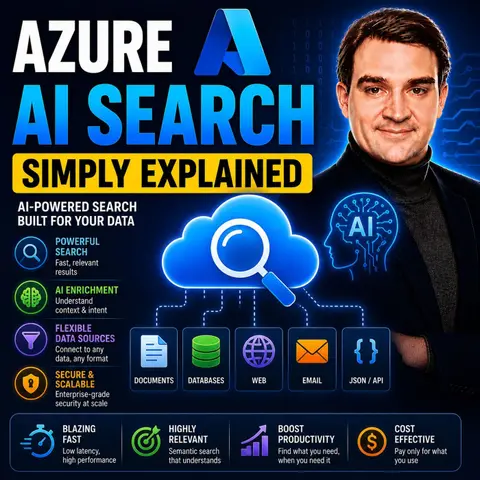

Azure AI Search is Microsoft's intelligent search and information retrieval service for building modern search experiences and AI-powered applications. It combines traditional keyword search with vector search, semantic ranking, and AI enrichment, making it a core component for Retrieval-Augmented Generation (RAG), AI agents, and enterprise search solutions.
In this episode of Microsoft Knowledge Nuggets, Mirko Peters explains Azure AI Search in simple terms and shows why it has become one of the most important services for generative AI applications. You'll learn how Azure AI Search helps AI models retrieve relevant information from your own documents, databases, and knowledge bases instead of relying only on their pre-trained knowledge.
The episode covers key concepts including search indexes, indexers, full-text search, vector search, hybrid search, semantic search, AI enrichment, embeddings, and data connectors. It also explains how Azure AI Search integrates with Azure OpenAI, Microsoft Foundry, Blob Storage, OneLake, SharePoint, and other enterprise data sources to build scalable, production-ready AI solutions.
You'll also discover why Azure AI Search is a foundational service for RAG applications, AI copilots, and intelligent chatbots. Understanding how to combine keyword search with vector-based retrieval allows developers to deliver more accurate, context-aware, and trustworthy AI responses while keeping enterprise data secure.
Whether you're an Azure architect, AI engineer, developer, or cloud professional, this episode provides a practical introduction to Azure AI Search and modern enterprise search. By the end, you'll understand how Azure AI Search powers intelligent applications, improves AI accuracy, and enables organizations to unlock the full value of their data with generative AI.
Quick answer: Azure AI Search is covered in this M365 FM episode with a practical focus on what it is, how it works, and the decisions that matter for architecture, adoption, security, governance, or day-to-day operations.
Azure AI Search is a strong cloud search service from Microsoft. It changes how you make search experiences for apps and websites. In 2026, it has become more important because of new AI and search technology. Recent updates made it better for handling big applications. Key features like semantic search help find relevant results by understanding what users want. Also, vector search finds items based on how similar they are, which is important for tough questions. With Azure AI Search, you can expect a more accurate and satisfying search experience that fits today’s needs.
Key Takeaways
- Azure AI Search makes searches more accurate. It understands what users want. This leads to better results.
- The service can grow and change. This makes it good for all types of businesses and uses.
- Agentic retrieval gives fast answers to tough questions. This helps make work easier and faster.
- Customization lets businesses change search experiences. This meets their needs and makes users happier.
- Using Azure AI Search can cut down search times and costs. This helps increase productivity.
Advantages of Azure AI Search

Relevance and Accuracy
Azure AI Search greatly improves how relevant and accurate search results are. It does more than just match keywords. It understands what users really mean when they search. This helps you find information that closely matches what users want, even if their words are different from the content.
For example, Azure AI Search uses semantic search. This means it looks at the context of searches. So, if users look for "best practices in digital marketing," it can show results that include related ideas, like "effective online advertising strategies." This way of finding information makes users happier and ensures you give them the best results.
Also, Azure AI Search has advanced features like document enrichment. It uses AI tools like Optical Character Recognition (OCR) and entity recognition to improve the data being searched. This leads to more accurate and complete search results.
| Industry | Use Case Description |
|---|---|
| Retail Sector | Big retail companies use RAG technology to make shopping better for customers, boosting satisfaction and sales. |
| Healthcare Industry | Healthcare workers use RAG to make medical research easier, helping patients and improving efficiency. |
| Financial Services | Banks and financial companies use RAG to find fraud better, reducing risks in transactions. |
Scalability and Flexibility
Azure AI Search is very scalable and flexible, making it great for many business uses. You can easily handle large amounts of data and many queries, which is important for big companies. The service uses different methods to keep things running smoothly:
| Strategy | Description |
|---|---|
| Parallel Indexing | Run indexers at the same time to manage large data sets by creating many indexer-data-source pairs. |
| Bulk Uploads | Send many documents in one go, allowing up to 1,000 documents as long as the total size is under 16 MB. |
| Thread Management | Control threads and use a retry plan to improve indexing speed, especially with push APIs. |
Plus, Azure AI Search can be accessed through REST APIs and SDKs, making it easier for businesses to integrate. It also has different pricing options (Free, Basic, Standard) to meet various needs. This flexibility lets you customize the service for your specific goals, whether you are building a customer service chatbot or an internal knowledge base.
Businesses see many benefits after using Azure AI Search, such as:
- Faster decisions and better operations thanks to AI predictions.
- Workflows that grow easily without becoming complicated.
- Lower costs and less waste through automation in tasks like checking inventory.
With these benefits, Azure AI Search is a strong tool for improving search experiences in many different applications.
Azure AI Search vs. Traditional Search

Speed and Efficiency
When you look at Azure AI Search and traditional search methods, speed and efficiency are big benefits. Traditional search engines often have trouble with large data sets. This can make them slow to respond. On the other hand, Azure AI Search quickly processes queries. It gives results almost right away. This speed helps you be more productive. You can spend time on important tasks instead of waiting for search results.
Azure AI Search also helps lower costs for organizations. By automating how data is taken in and searched, it can cut costs by up to 25%. It also shortens search time by up to 30%. This saves workers about 1.8 hours each day. Overall, Azure AI Search boosts search efficiency by up to 40%. This means nearly 9 hours a week can be saved for important tasks.
| Metric | Traditional Search Engine | Azure AI Search |
|---|---|---|
| Result Relevance | Lower | Higher |
| Search Speed | Slower | Faster |
| User Experience | Moderate | Enhanced |
User Experience
User experience is another area where Azure AI Search does better than traditional search solutions. The hybrid search method combines keyword and vector-based searches. This mix improves how accurate the documents are and makes sure the search results are more relevant. Because of this, you have a better search experience.
The Semantic Ranker in Azure AI Search uses deep learning models. It understands what you mean when you search. This helps it show results that fit well with your needs. For tough queries, this means you get more useful search results. The hybrid search features greatly improve how relevant the answers are, making your experience better.
Customization options also make the user experience better. Azure AI Search lets you change the index schema to fit your data and search needs. You can change ranking algorithms to highlight important results, set synonyms to find relevant results, and use strong APIs and SDKs to build custom search apps. This level of customization is often missing in traditional systems, making Azure AI Search a better choice for many industries.
| Customization Feature | Description |
|---|---|
| Schema Design | Change the index schema to fit data and search needs, including field types and analyzers. |
| Scoring Profiles | Change ranking algorithms to highlight important results, like newer documents. |
| Synonym Maps | Set synonyms to make sure relevant results are found even with different terms. |
| API and SDKs | Offer strong tools for developers to create custom search apps that fit into existing systems. |
With these improvements, Azure AI Search not only meets your search needs but also makes the overall experience better. It is a valuable tool for any organization.
Agentic Retrieval with Azure AI Search
Definition and Importance
Agentic retrieval is a strong feature of Azure AI Search. It works like a multi-query pipeline for tough questions, especially in chat and copilot apps. This technology uses a big language model to split hard questions into smaller parts. It runs these parts at the same time and combines the answers into one response. This helps you answer complex questions quickly and correctly.
Agentic retrieval is important because it finds relevant content from many sources. It can get information from chat contexts and private data, making it vital for modern apps. This feature helps you access information faster, which is key in today’s fast-moving digital world.
Use Cases
Agentic retrieval has many uses in different industries. Here are some key examples:
| Industry Sector | Benefits of Agentic AI |
|---|---|
| Healthcare | Automates tasks, helps employees, improves patient care. |
| Finance | Improves decision-making, automates financial tasks, offers personalized financial help. |
| Technology | Speeds up software development, boosts coding efficiency, improves project management. |
| E-commerce | Enhances customer experience, automates inventory tasks, improves sales predictions. |
Also, more companies are using agentic retrieval technologies. By the end of 2026, 40% of business apps are expected to use task-specific AI agents. This is a big jump from less than 5% today.
You can see how agentic retrieval is changing workflows. AI agents now handle 30–50% of internal workflows in some companies. Over 85% of customer service questions are answered by AI, showing its growing role in improving accuracy and efficiency in many areas.
Getting Started with Azure AI Search
Choosing Resources
When you begin using Azure AI Search, picking the right resources is very important. Here are some common mistakes to avoid:
- Working with messy or missing data can cause bad AI results. Make sure your input data is clean and useful.
- Poor-quality embeddings can hurt how well you find information. Pick models that match your specific area.
- Problems with indexing can lead to old answers. Check your indexing processes regularly.
To make your setup easier, follow these best practices:
| Best Practice Category | Recommendations |
|---|---|
| Data Source Selection | Pick the right data storage source for better performance. |
| Configuration Tips | Use SQL views for data across multiple tables; turn on SQL Change Tracking for updates. |
| Change Detection | Use SQL Change Tracking or High-Water Mark to find changes. |
| Azure Blob Storage | Use AI skillsets to extract text; turn on content parsing modes. |
| Azure Cosmos DB | Set clear field mappings; create custom metadata flags. |
Setup Steps
Setting up Azure AI Search has several key steps. Follow this list to get started:
- Create the Azure Data Source in the Azure Portal.
- Create the Azure AI Search Service in the Azure Portal.
- Clone the repository and prepare your project (optional).
- Fill the Data Source using code.
- Build the Search Index Infrastructure with code.
- Fill the Search Index using code.
- Query data from the Search Index using code.
By following these steps, you can successfully use Azure AI Search in your projects. Make sure it works well with your current data systems. Setting up proper deployment pipelines will help manage your AI services better.
With these tips, you can start your journey with Azure AI Search with confidence.
In 2026, Azure AI Search is a very important tool for businesses. It makes search results more accurate and relevant. This helps you find the information you need easily. Many businesses, about 90%, believe AI will help them grow. Also, 86% think it will make them more productive. So, the effect of Azure AI Search is clear.
Think about using Azure AI Search in your projects. It can help you solve tough questions and make user experiences better. As you look into what it can do, remember to use AI responsibly. This way, you can get the most out of it while dealing with any problems.
Key Benefits of Azure AI Search:
- Grounding data for custom chatbots.
- Equipping knowledge assistants for personalized responses.
- Tackling complex information-seeking tasks.
Embrace the future of search with Azure AI Search!
FAQ
What is Azure AI Search?
Azure AI Search is a search service from Microsoft that works in the cloud. It helps you make smart search experiences for apps and websites. It uses advanced AI technology to understand what users want and gives them the right results.
How does Azure AI Search improve search accuracy?
Azure AI Search makes search results more accurate with semantic search and vector search. These methods look at the meaning behind queries. This way, the service can give results that match what users are looking for, even if their words are different from the content.
Can I customize Azure AI Search for my needs?
Yes, you can change Azure AI Search to fit your needs. You can change the index schema, adjust how results are ranked, and set up synonym maps. This flexibility helps you create a search experience that meets your specific needs.
What industries benefit from Azure AI Search?
Many industries gain from Azure AI Search, like retail, healthcare, finance, and technology. Each industry uses the service to find information better, improve customer experiences, and make operations smoother.
How do I get started with Azure AI Search?
To start, create an Azure account, set up the Azure AI Search service, and configure your data sources. Follow the setup steps in the blog to connect it to your applications effectively.
🎧 Listen to this episode
Want a practical explanation of Azure AI Search? This episode breaks down the topic in clear language and shows why it matters for Microsoft 365, Azure, Power Platform, security, AI, and modern work.
Listen to this episode if you want to:
- Understand the key concepts behind Azure AI Search
- See how it fits into the wider Microsoft technology ecosystem
- Learn where it can create practical value for your organization
You may also enjoy these related M365 FM episodes:
- HNSW vs DiskANN for Vector Search in Azure AI Search
- Microsoft Graph API Discovery for Enterprise Semantic Search
- Improve Microsoft Copilot Accuracy Beyond Vector Search
- Make SharePoint Search Show the Right Files First
- Integrate Viva Topics with Search and SharePoint
Discover more practical Microsoft conversations on M365 FM.
Last reviewed: July 2026.
Who Should Listen
This episode is for Microsoft 365 administrators, architects, IT leaders, and practitioners who need a practical understanding of Azure AI Search before planning, implementing, or supporting it.
🚀 Want to be part of m365.fm?
Then stop just listening… and start showing up.
👉 Connect with me on LinkedIn and let’s make something happen:
- 🎙️ Be a podcast guest and share your story
- 🎧 Host your own episode (yes, seriously)
- 💡 Pitch topics the community actually wants to hear
- 🌍 Build your personal brand in the Microsoft 365 space
This isn’t just a podcast — it’s a platform for people who take action.
🔥 Most people wait. The best ones don’t.
👉 Connect with me on LinkedIn and send me a message:
"I want in"
Let’s build something awesome 👊
1
00:00:00,000 --> 00:00:02,240
Imagine this, you're working in an app at your company,
2
00:00:02,240 --> 00:00:05,000
maybe it's the HR portal or a customer support database
3
00:00:05,000 --> 00:00:07,920
or the internal wiki with all those policies you need to follow.
4
00:00:07,920 --> 00:00:09,720
You type a question into the search bar,
5
00:00:09,720 --> 00:00:11,880
something like, how do I file an expense report
6
00:00:11,880 --> 00:00:13,080
for a client dinner?
7
00:00:13,080 --> 00:00:14,840
You hit enter, and what do you get?
8
00:00:14,840 --> 00:00:18,320
Nothing, or worse, a list of random PDFs from three years ago
9
00:00:18,320 --> 00:00:19,920
that sort of match the words you typed.
10
00:00:19,920 --> 00:00:22,160
Search is something we use every single day.
11
00:00:22,160 --> 00:00:23,960
And most of the time, it's terrible,
12
00:00:23,960 --> 00:00:25,680
but here's the thing, it doesn't have to be.
13
00:00:25,680 --> 00:00:28,360
What if your apps could actually understand what you're asking?
14
00:00:28,360 --> 00:00:30,640
What if they could search the way Google does?
15
00:00:30,640 --> 00:00:33,600
Finding the right answer even when you don't use the perfect words?
16
00:00:33,600 --> 00:00:35,600
Today we're covering Azure AI search.
17
00:00:35,600 --> 00:00:38,280
What it actually is, how it works under the hood
18
00:00:38,280 --> 00:00:40,920
and why it's the search engine modern apps are built on.
19
00:00:40,920 --> 00:00:42,760
Grab your coffee and let's dive in.
20
00:00:42,760 --> 00:00:44,040
Why search is broken?
21
00:00:44,040 --> 00:00:45,840
To understand why search usually fails,
22
00:00:45,840 --> 00:00:48,000
we have to look at how most apps actually do it.
23
00:00:48,000 --> 00:00:51,320
The traditional way is called keyword search or lexical search.
24
00:00:51,320 --> 00:00:53,200
You type the word laptop into the box
25
00:00:53,200 --> 00:00:55,600
and the system goes out and finds every single document
26
00:00:55,600 --> 00:00:57,000
that contains that exact word.
27
00:00:57,000 --> 00:01:00,120
Under the hood, a lot of these systems use an algorithm
28
00:01:00,120 --> 00:01:04,120
called BM25, it's not complicated, but it's clever in its own way.
29
00:01:04,120 --> 00:01:06,480
BM25 ranks results based on a few things.
30
00:01:06,480 --> 00:01:08,560
How often your search term appears in a document?
31
00:01:08,560 --> 00:01:11,080
How long the document is and how rare the search term
32
00:01:11,080 --> 00:01:12,800
is across the entire data set?
33
00:01:12,800 --> 00:01:15,320
Think of it like a really sophisticated word counter
34
00:01:15,320 --> 00:01:17,600
that figures out which documents are most relevant
35
00:01:17,600 --> 00:01:18,640
based on those factors.
36
00:01:18,640 --> 00:01:19,840
Here's where it breaks down.
37
00:01:19,840 --> 00:01:21,040
Human language is messy.
38
00:01:21,040 --> 00:01:23,000
People don't ask questions using the same words
39
00:01:23,000 --> 00:01:23,960
that the documents use.
40
00:01:23,960 --> 00:01:25,760
Let me give you a concrete example.
41
00:01:25,760 --> 00:01:28,600
A user types this into a support portal.
42
00:01:28,600 --> 00:01:31,440
My laptop keeps freezing during video calls.
43
00:01:31,440 --> 00:01:33,920
Keyword search will dutifully look for documents containing
44
00:01:33,920 --> 00:01:38,960
laptop, keeps, freezing, during, video, and calls.
45
00:01:38,960 --> 00:01:40,640
But what if the best article on the subject
46
00:01:40,640 --> 00:01:42,520
is titled Troubleshooting System Hangs
47
00:01:42,520 --> 00:01:45,400
During Teams meetings or managing CPU throttling
48
00:01:45,400 --> 00:01:46,760
on docked laptops?
49
00:01:46,760 --> 00:01:48,720
The keyword search completely misses those.
50
00:01:48,720 --> 00:01:49,040
Why?
51
00:01:49,040 --> 00:01:50,160
Because the words don't match.
52
00:01:50,160 --> 00:01:51,720
The core issue is this.
53
00:01:51,720 --> 00:01:53,240
Keyword search understands spelling.
54
00:01:53,240 --> 00:01:54,960
It understands character patterns,
55
00:01:54,960 --> 00:01:56,440
but it does not understand meaning.
56
00:01:56,440 --> 00:01:58,240
You get results that have the right letters,
57
00:01:58,240 --> 00:01:59,640
but often the wrong content.
58
00:01:59,640 --> 00:02:02,160
So if exact word matching leaves that many gaps,
59
00:02:02,160 --> 00:02:03,800
what's the alternative?
60
00:02:03,800 --> 00:02:04,560
The new way.
61
00:02:04,560 --> 00:02:05,480
Vector search.
62
00:02:05,480 --> 00:02:07,840
So vector search, this is a completely different way
63
00:02:07,840 --> 00:02:08,560
of doing things.
64
00:02:08,560 --> 00:02:11,280
Instead of matching exact words, it matches meaning.
65
00:02:11,280 --> 00:02:12,120
That sounds abstract.
66
00:02:12,120 --> 00:02:13,120
So let's break it down.
67
00:02:13,120 --> 00:02:15,160
The simplest definition you need to know is this.
68
00:02:15,160 --> 00:02:16,800
A vector is just a list of numbers
69
00:02:16,800 --> 00:02:19,040
that represents something a computer can work with.
70
00:02:19,040 --> 00:02:19,880
That's it.
71
00:02:19,880 --> 00:02:20,760
A list of numbers.
72
00:02:20,760 --> 00:02:22,400
An embedding is a special type of vector
73
00:02:22,400 --> 00:02:24,080
that captures the meaning of text.
74
00:02:24,080 --> 00:02:26,920
It takes a sentence, a paragraph, even a whole document,
75
00:02:26,920 --> 00:02:28,760
and turns it into a long list of numbers.
76
00:02:28,760 --> 00:02:30,520
The computer doesn't understand the words,
77
00:02:30,520 --> 00:02:32,040
but it understands the numbers.
78
00:02:32,040 --> 00:02:33,280
Here's an analogy that helps.
79
00:02:33,280 --> 00:02:35,160
Think of vectors like coordinates on a map.
80
00:02:35,160 --> 00:02:37,080
On a map, similar places are close together.
81
00:02:37,080 --> 00:02:39,960
In vector space, similar concepts end up close together.
82
00:02:39,960 --> 00:02:42,080
The vector for king and the vector for queen
83
00:02:42,080 --> 00:02:45,080
are near each other because they represent related ideas.
84
00:02:45,080 --> 00:02:48,200
The vector for king and the vector for apple are far apart.
85
00:02:48,200 --> 00:02:50,880
The computer doesn't know what king means in a human sense,
86
00:02:50,880 --> 00:02:52,840
but it can measure the distance between its coordinates
87
00:02:52,840 --> 00:02:55,480
and the coordinates of every other word or document.
88
00:02:55,480 --> 00:02:57,560
It's like having a GPS for ideas.
89
00:02:57,560 --> 00:02:59,600
The system knows how far apart concepts are
90
00:02:59,600 --> 00:03:01,040
just by looking at the numbers.
91
00:03:01,040 --> 00:03:02,800
When you search using vectors,
92
00:03:02,800 --> 00:03:05,200
the system converts your query into an embedding.
93
00:03:05,200 --> 00:03:07,520
Then it finds the documents whose embeddings are closest
94
00:03:07,520 --> 00:03:08,280
to yours.
95
00:03:08,280 --> 00:03:10,640
It finds things that are semantically similar
96
00:03:10,640 --> 00:03:12,920
that share meaning, not just vocabulary.
97
00:03:12,920 --> 00:03:14,160
Imagine you're looking for a document
98
00:03:14,160 --> 00:03:15,680
about troubleshooting a frozen laptop.
99
00:03:15,680 --> 00:03:19,560
With keyword search, you'd have to type freezing or hang exactly.
100
00:03:19,560 --> 00:03:21,200
But with vector search, you can type,
101
00:03:21,200 --> 00:03:24,080
my computer keeps locking up and it finds the right document.
102
00:03:24,080 --> 00:03:26,240
That's the power of understanding meaning.
103
00:03:26,240 --> 00:03:28,360
Let's go back to our broken search example.
104
00:03:28,360 --> 00:03:30,880
A user types, my laptop keeps freezing.
105
00:03:30,880 --> 00:03:33,160
With vector search, the system can return the article
106
00:03:33,160 --> 00:03:35,400
about system hangs during team's meetings,
107
00:03:35,400 --> 00:03:37,920
even though none of those words appear in the query.
108
00:03:37,920 --> 00:03:38,520
Why?
109
00:03:38,520 --> 00:03:41,040
Because the meaning of system hangs is very close
110
00:03:41,040 --> 00:03:43,120
to computer freezing in vector space.
111
00:03:43,120 --> 00:03:45,880
These concepts live near each other on that map.
112
00:03:45,880 --> 00:03:47,720
The system doesn't care about the exact words.
113
00:03:47,720 --> 00:03:49,280
It cares about what you mean.
114
00:03:49,280 --> 00:03:50,520
This is the breakthrough.
115
00:03:50,520 --> 00:03:53,160
Computers start to understand intent, not just spelling.
116
00:03:53,160 --> 00:03:56,240
They find answers that keyword search would completely miss.
117
00:03:56,240 --> 00:03:57,880
But vector search has a weakness too.
118
00:03:57,880 --> 00:04:01,280
It can miss exact matches that are absolutely critical.
119
00:04:01,280 --> 00:04:03,520
If a technician searches for a specific error code
120
00:04:03,520 --> 00:04:07,400
like error XATOs and 70570, a vector search
121
00:04:07,400 --> 00:04:09,840
might prioritize documents about disk errors
122
00:04:09,840 --> 00:04:12,840
or file system corruption instead of the exact document
123
00:04:12,840 --> 00:04:15,040
that dissects that specific code.
124
00:04:15,040 --> 00:04:16,640
It trades precision for understanding.
125
00:04:16,640 --> 00:04:17,680
So we have two methods.
126
00:04:17,680 --> 00:04:19,560
Keyword search is great for precision.
127
00:04:19,560 --> 00:04:22,800
It nails exact terms, product IDs, contract numbers.
128
00:04:22,800 --> 00:04:24,280
Vector search is great for meaning.
129
00:04:24,280 --> 00:04:27,240
It finds the right answer even when you don't use the right words.
130
00:04:27,240 --> 00:04:28,680
Each one has blind spots.
131
00:04:28,680 --> 00:04:30,400
And that raises an obvious question,
132
00:04:30,400 --> 00:04:32,040
what if you could combine both approaches
133
00:04:32,040 --> 00:04:33,760
and get the best of both worlds?
134
00:04:33,760 --> 00:04:34,880
The hybrid breakthrough.
135
00:04:34,880 --> 00:04:36,960
Hybrid search is the best of both worlds.
136
00:04:36,960 --> 00:04:39,920
It runs both keyword and vector search at the same time
137
00:04:39,920 --> 00:04:42,360
then combines the results into a single ranked list.
138
00:04:42,360 --> 00:04:43,960
Instead of choosing one approach over the other,
139
00:04:43,960 --> 00:04:47,520
the system uses a method called reciprocal rank fusion or RRF.
140
00:04:47,520 --> 00:04:48,400
Here's how it works.
141
00:04:48,400 --> 00:04:51,480
RRF looks at where each document ranks in the keyword results
142
00:04:51,480 --> 00:04:53,320
and where it ranks in the vector results.
143
00:04:53,320 --> 00:04:54,560
Then it gives a combined score.
144
00:04:54,560 --> 00:04:56,880
If a document is good in both, it gets a boost.
145
00:04:56,880 --> 00:04:59,560
It's like taking two expert opinions and averaging them.
146
00:04:59,560 --> 00:05:02,480
The final answer is more reliable than either one alone.
147
00:05:02,480 --> 00:05:04,840
This matters because keyword and vector search
148
00:05:04,840 --> 00:05:06,800
have fundamentally different strengths.
149
00:05:06,800 --> 00:05:08,680
Keyword search excels at exact matches.
150
00:05:08,680 --> 00:05:11,040
It's your go-to for product IDs, contract numbers,
151
00:05:11,040 --> 00:05:12,680
specific names, error codes.
152
00:05:12,680 --> 00:05:14,320
It is precise and predictable.
153
00:05:14,320 --> 00:05:16,960
Vector search excels at semantic similarity.
154
00:05:16,960 --> 00:05:19,200
Finding documents that share meaning with your query,
155
00:05:19,200 --> 00:05:21,160
even when the exact words don't appear.
156
00:05:21,160 --> 00:05:23,400
Together, they cover each other's blind spots.
157
00:05:23,400 --> 00:05:25,840
The system catches exact matches and conceptual matches
158
00:05:25,840 --> 00:05:26,800
in a single query.
159
00:05:26,800 --> 00:05:27,960
That's the real power.
160
00:05:27,960 --> 00:05:29,960
And this isn't just theoretical.
161
00:05:29,960 --> 00:05:31,680
Research on enterprise hybrid search
162
00:05:31,680 --> 00:05:34,600
shows it delivers 70% to 80% retrieval precision
163
00:05:34,600 --> 00:05:36,000
depending on the data set.
164
00:05:36,000 --> 00:05:38,400
That's roughly 15% to 20% points higher
165
00:05:38,400 --> 00:05:39,960
than what you get with vector search alone.
166
00:05:39,960 --> 00:05:41,400
The difference is significant.
167
00:05:41,400 --> 00:05:43,440
And it shows up in real business outcomes.
168
00:05:43,440 --> 00:05:45,120
Take the accounting platform zero.
169
00:05:45,120 --> 00:05:47,640
They implemented hybrid search in their customer support
170
00:05:47,640 --> 00:05:49,800
experience through a company called Kovio.
171
00:05:49,800 --> 00:05:52,080
Within three months, they saw a 20% increase
172
00:05:52,080 --> 00:05:53,680
in self-service resolution.
173
00:05:53,680 --> 00:05:55,800
Customers found answers on their own more often
174
00:05:55,800 --> 00:05:57,800
without needing to contact support.
175
00:05:57,800 --> 00:05:59,400
Other clients in the same case study
176
00:05:59,400 --> 00:06:02,480
saw up to a 40% reduction in time to resolution
177
00:06:02,480 --> 00:06:03,320
for support cases.
178
00:06:03,320 --> 00:06:05,800
That means agents found the right information faster.
179
00:06:05,800 --> 00:06:07,360
Customers got answers quicker,
180
00:06:07,360 --> 00:06:09,080
and the cost of support went down.
181
00:06:09,080 --> 00:06:10,480
That's not just a nice feature.
182
00:06:10,480 --> 00:06:12,560
It's a measurable impact on the bottom line.
183
00:06:12,560 --> 00:06:13,560
This is the key point.
184
00:06:13,560 --> 00:06:15,280
Hybrid search isn't just a nice upgrade
185
00:06:15,280 --> 00:06:16,800
or a checkbox on a feature list.
186
00:06:16,800 --> 00:06:17,960
It's measurably better.
187
00:06:17,960 --> 00:06:19,840
It delivers better precision, better recall,
188
00:06:19,840 --> 00:06:21,120
and better user outcomes.
189
00:06:21,120 --> 00:06:22,720
And this combination of approaches
190
00:06:22,720 --> 00:06:25,040
is what makes Azure AI search so powerful
191
00:06:25,040 --> 00:06:26,440
for modern applications.
192
00:06:26,440 --> 00:06:28,600
But there's another technology that this combination
193
00:06:28,600 --> 00:06:31,040
unlocks, one that's getting a lot of attention right now.
194
00:06:31,040 --> 00:06:33,280
It's called RAG, the RAG connection.
195
00:06:33,280 --> 00:06:34,680
So let's talk about RAG.
196
00:06:34,680 --> 00:06:36,720
RAG stands for retrieval augmented generation.
197
00:06:36,720 --> 00:06:39,560
That's a mouthful, but here's the simplest definition.
198
00:06:39,560 --> 00:06:41,720
It's a framework that gives AI assistance access
199
00:06:41,720 --> 00:06:43,880
to information they weren't trained on.
200
00:06:43,880 --> 00:06:47,080
Large language models like GPT know a lot about history,
201
00:06:47,080 --> 00:06:48,920
science, and coding, but they don't know
202
00:06:48,920 --> 00:06:52,080
your company's internal documents, policies, customer
203
00:06:52,080 --> 00:06:55,480
history, or the specific procedures your team follows.
204
00:06:55,480 --> 00:06:58,480
Most people think you can just dump all that internal knowledge
205
00:06:58,480 --> 00:06:59,640
into the model itself.
206
00:06:59,640 --> 00:07:00,320
That doesn't work.
207
00:07:00,320 --> 00:07:02,040
It's expensive and hard to update.
208
00:07:02,040 --> 00:07:03,640
RAG solves this in a clever way.
209
00:07:03,640 --> 00:07:05,680
Instead of cramming everything into the model,
210
00:07:05,680 --> 00:07:07,240
you retrieve the relevant information
211
00:07:07,240 --> 00:07:10,000
from a knowledge base at the moment someone asks a question.
212
00:07:10,000 --> 00:07:12,520
You take the user's query, search your internal data,
213
00:07:12,520 --> 00:07:15,280
find the most relevant documents, and feed that context
214
00:07:15,280 --> 00:07:17,720
into the LLM along with the original question.
215
00:07:17,720 --> 00:07:20,200
The LLM then generates an answer grounded in your data.
216
00:07:20,200 --> 00:07:21,240
That's the magic of it.
217
00:07:21,240 --> 00:07:24,800
Now, as your AI search is the retrieval half of that equation,
218
00:07:24,800 --> 00:07:26,800
it's the engine that finds the right documents
219
00:07:26,800 --> 00:07:29,000
so the LLM can answer accurately.
220
00:07:29,000 --> 00:07:31,240
Without a solid retrieval layer, a RAG system
221
00:07:31,240 --> 00:07:33,360
is only as good as the documents it finds.
222
00:07:33,360 --> 00:07:35,320
And this is where hybrid search truly shines,
223
00:07:35,320 --> 00:07:37,880
because RAG queries are often natural language questions,
224
00:07:37,880 --> 00:07:39,880
and the answers often live in documents that use
225
00:07:39,880 --> 00:07:41,440
totally different terminology.
226
00:07:41,440 --> 00:07:44,040
Let me give you some numbers that really show the difference.
227
00:07:44,040 --> 00:07:46,280
A study on enterprise application search
228
00:07:46,280 --> 00:07:47,960
found that a hybrid RAG framework
229
00:07:47,960 --> 00:07:49,920
improved top-carry retrieval accuracy
230
00:07:49,920 --> 00:07:53,000
by 18 to 25 times over keyword search alone.
231
00:07:53,000 --> 00:07:56,400
Workflow task completion accuracy improved by 21 times.
232
00:07:56,400 --> 00:07:58,040
That means users were far more likely
233
00:07:58,040 --> 00:08:00,080
to successfully complete complex tasks
234
00:08:00,080 --> 00:08:03,040
when supported by a RAG system using hybrid search.
235
00:08:03,040 --> 00:08:04,920
Overall, properly implemented RAG systems
236
00:08:04,920 --> 00:08:07,920
can boost search accuracy by an average of 85%
237
00:08:07,920 --> 00:08:11,160
with some specialized domains approaching 99% accuracy.
238
00:08:11,160 --> 00:08:13,000
And because the LLM is generating answers
239
00:08:13,000 --> 00:08:15,880
based on retrieved context rather than its own guesses,
240
00:08:15,880 --> 00:08:17,880
RAG systems showed about a 40% reduction
241
00:08:17,880 --> 00:08:19,480
in hallucinated responses.
242
00:08:19,480 --> 00:08:22,520
This is why Azure AI search is central to building AI agents
243
00:08:22,520 --> 00:08:23,400
and co-pilots.
244
00:08:23,400 --> 00:08:25,520
It provides the grounded, fact-based retrieval
245
00:08:25,520 --> 00:08:28,600
that makes LLM's trustworthy in a business context.
246
00:08:28,600 --> 00:08:29,800
If you're building an assistant that
247
00:08:29,800 --> 00:08:32,560
needs to answer questions accurately and cite its sources,
248
00:08:32,560 --> 00:08:35,680
hybrid search plus RAG is the architecture you're going to reach for.
249
00:08:35,680 --> 00:08:38,720
So hybrid search plus RAG is a powerful combination.
250
00:08:38,720 --> 00:08:41,640
But what does this actually look like in practice?
251
00:08:41,640 --> 00:08:43,080
The real world impact.
252
00:08:43,080 --> 00:08:44,920
So where does this actually show up in practice?
253
00:08:44,920 --> 00:08:46,320
Let me give you a few examples.
254
00:08:46,320 --> 00:08:48,640
e-commerce is probably the most familiar one.
255
00:08:48,640 --> 00:08:51,520
A customer types comfy running shoes into the search bar.
256
00:08:51,520 --> 00:08:54,400
The product listing might say cushioned athletic footwear
257
00:08:54,400 --> 00:08:56,760
because the marketing team chose different words.
258
00:08:56,760 --> 00:08:59,520
Keyword search alone would miss the match entirely.
259
00:08:59,520 --> 00:09:01,600
With Azure AI search, the system understands
260
00:09:01,600 --> 00:09:05,400
that comfy and cushioned mean roughly the same thing in this context.
261
00:09:05,400 --> 00:09:08,440
It surfaces the right product even when the words don't line up.
262
00:09:08,440 --> 00:09:10,480
That's a customer who finds what they want instead
263
00:09:10,480 --> 00:09:12,040
of leaving the site frustrated.
264
00:09:12,040 --> 00:09:14,200
Customer support portals work the same way.
265
00:09:14,200 --> 00:09:17,440
Imagine a customer types, how do I cancel my subscription?
266
00:09:17,440 --> 00:09:19,000
The relevant policy might be titled
267
00:09:19,000 --> 00:09:20,880
"Termination of Service Agreement."
268
00:09:20,880 --> 00:09:23,080
Hybrid search finds that exact document
269
00:09:23,080 --> 00:09:25,440
through keyword matching on legal terminology.
270
00:09:25,440 --> 00:09:27,560
But it also surfaces a related FAQ
271
00:09:27,560 --> 00:09:31,760
about ending your plan early through semantic similarity.
272
00:09:31,760 --> 00:09:33,640
The customer gets a comprehensive answer
273
00:09:33,640 --> 00:09:36,280
instead of digging through five different articles.
274
00:09:36,280 --> 00:09:38,360
Legal document retrieval is another big one.
275
00:09:38,360 --> 00:09:39,880
Lawyers need to search contracts
276
00:09:39,880 --> 00:09:42,800
by exact clause numbers and section references.
277
00:09:42,800 --> 00:09:44,720
That's pure keyword territory.
278
00:09:44,720 --> 00:09:46,280
But they also need to find similar language
279
00:09:46,280 --> 00:09:48,760
across different agreements even when the wording varies.
280
00:09:48,760 --> 00:09:50,920
Hybrid search handles both in a single query
281
00:09:50,920 --> 00:09:53,560
and in regulated industries, being able to trace exactly
282
00:09:53,560 --> 00:09:56,160
why a result appeared is critical for compliance.
283
00:09:56,160 --> 00:09:58,880
Internal knowledge base is benefit too.
284
00:09:58,880 --> 00:10:01,160
An employee searching for vacation policy
285
00:10:01,160 --> 00:10:02,800
gets the official HR document
286
00:10:02,800 --> 00:10:04,800
but also a related email from the legal team
287
00:10:04,800 --> 00:10:07,440
about carryover days and a recent update posted
288
00:10:07,440 --> 00:10:09,320
on the company internet.
289
00:10:09,320 --> 00:10:10,760
The search understands that all of these
290
00:10:10,760 --> 00:10:12,480
are connected to the same question.
291
00:10:12,480 --> 00:10:14,520
Manufacturing is a less obvious example
292
00:10:14,520 --> 00:10:15,800
but a powerful one.
293
00:10:15,800 --> 00:10:17,640
A technician types motor overheating
294
00:10:17,640 --> 00:10:19,520
fix into the search interface.
295
00:10:19,520 --> 00:10:21,400
The system returns the troubleshooting section
296
00:10:21,400 --> 00:10:24,040
from the equipment manual plus a scanned diagram
297
00:10:24,040 --> 00:10:25,560
that shows the relevant parts.
298
00:10:25,560 --> 00:10:27,280
Even though the diagram is an image,
299
00:10:27,280 --> 00:10:30,400
Azure AI search can extract an index its text content
300
00:10:30,400 --> 00:10:31,920
so it appears in search results.
301
00:10:31,920 --> 00:10:33,800
The common thread across all of these examples
302
00:10:33,800 --> 00:10:35,320
is unstructured data.
303
00:10:35,320 --> 00:10:37,600
PDFs, Word documents, emails, support tickets,
304
00:10:37,600 --> 00:10:39,920
scanned images, traditional database queries
305
00:10:39,920 --> 00:10:42,600
and keyword search were never designed for this kind of data.
306
00:10:42,600 --> 00:10:45,560
Azure AI search is built specifically for this world
307
00:10:45,560 --> 00:10:47,600
and the more you look at it, the clearer it becomes
308
00:10:47,600 --> 00:10:49,360
that hybrid search isn't just a nice feature.
309
00:10:49,360 --> 00:10:52,680
It's a foundational piece of how modern applications are built.
310
00:10:52,680 --> 00:10:54,200
How the pieces fit together.
311
00:10:54,200 --> 00:10:56,320
So how does all this actually work under the hood?
312
00:10:56,320 --> 00:10:58,960
Azure AI search has three core building blocks,
313
00:10:58,960 --> 00:11:02,360
the data source, the indexer and the search index.
314
00:11:02,360 --> 00:11:04,320
The data source is where your information lives.
315
00:11:04,320 --> 00:11:07,280
It could be blob storage and Azure SQL database,
316
00:11:07,280 --> 00:11:09,640
Cosmos DB or even SharePoint.
317
00:11:09,640 --> 00:11:11,960
It's the raw material that needs to become searchable.
318
00:11:11,960 --> 00:11:14,800
Think of it as the pile of documents waiting to be organized.
319
00:11:14,800 --> 00:11:17,920
The indexer is the pipeline that reads data from that source,
320
00:11:17,920 --> 00:11:21,400
extracts the content, applies any AI enrichment you've configured
321
00:11:21,400 --> 00:11:23,440
and then builds the search index.
322
00:11:23,440 --> 00:11:25,240
Here's a simple way to picture it.
323
00:11:25,240 --> 00:11:28,520
Imagine a librarian walking into a warehouse full of books.
324
00:11:28,520 --> 00:11:30,560
They read every single one, take detailed notes,
325
00:11:30,560 --> 00:11:34,680
identify key themes and entities and organize everything into a cart catalog.
326
00:11:34,680 --> 00:11:37,320
That reading and note taking is the indexing process.
327
00:11:37,320 --> 00:11:39,080
The search index is that cart catalog.
328
00:11:39,080 --> 00:11:40,840
It's not the books themselves.
329
00:11:40,840 --> 00:11:44,160
It's the structured optimized system that lets you find exactly
330
00:11:44,160 --> 00:11:45,840
what you need in milliseconds.
331
00:11:45,840 --> 00:11:47,680
When you type a query, the system doesn't go back
332
00:11:47,680 --> 00:11:50,080
to the original documents and scan through them.
333
00:11:50,080 --> 00:11:51,840
Instead, it looks up the index,
334
00:11:51,840 --> 00:11:54,480
which already knows exactly where everything is located.
335
00:11:54,480 --> 00:11:57,120
This pre-organization is called an inverted index.
336
00:11:57,120 --> 00:11:59,680
Instead of storing documents with a list of words they contain,
337
00:11:59,680 --> 00:12:01,960
you store words with a list of documents that contain them.
338
00:12:01,960 --> 00:12:03,480
That means when you search for a term,
339
00:12:03,480 --> 00:12:05,080
you jump straight to the right place.
340
00:12:05,080 --> 00:12:06,760
No flipping through every page.
341
00:12:06,760 --> 00:12:08,560
The result is a massive speed improvement.
342
00:12:08,560 --> 00:12:10,960
Instead of needing to scan every single document,
343
00:12:10,960 --> 00:12:12,840
which takes longer as your data grows,
344
00:12:12,840 --> 00:12:14,760
you jump straight to the right location.
345
00:12:14,760 --> 00:12:15,960
With millions of documents,
346
00:12:15,960 --> 00:12:17,960
that difference is the difference between a search
347
00:12:17,960 --> 00:12:20,320
that takes seconds and one that takes milliseconds.
348
00:12:20,320 --> 00:12:22,440
So now you understand what Azure AI search is,
349
00:12:22,440 --> 00:12:24,040
how the core components fit together,
350
00:12:24,040 --> 00:12:26,160
and why hybrid search changes the game.
351
00:12:26,160 --> 00:12:28,880
Let's wrap up with a few things you can actually do with this.
352
00:12:28,880 --> 00:12:30,560
First, understand your data.
353
00:12:30,560 --> 00:12:33,520
If it's already structured, think product tables and SQL,
354
00:12:33,520 --> 00:12:35,240
customer records in a database,
355
00:12:35,240 --> 00:12:37,200
anything with clean rows and columns,
356
00:12:37,200 --> 00:12:39,280
you can query it directly with SQL.
357
00:12:39,280 --> 00:12:41,800
Azure AI search is built for unstructured text.
358
00:12:41,800 --> 00:12:44,840
That's PDFs, emails, word documents, support tickets.
359
00:12:44,840 --> 00:12:46,520
That's where it delivers real value.
360
00:12:46,520 --> 00:12:49,960
Second, if you're building a Rags application or an AI assistant,
361
00:12:49,960 --> 00:12:51,960
Azure AI search with hybrid search
362
00:12:51,960 --> 00:12:54,080
is the retrieval engine you want behind it.
363
00:12:54,080 --> 00:12:55,760
It gives you exact keyword matches
364
00:12:55,760 --> 00:12:58,400
for precision and semantic understanding for context.
365
00:12:58,400 --> 00:13:00,360
That combination produces more reliable,
366
00:13:00,360 --> 00:13:03,680
citation-friendly answers than either approach alone.
367
00:13:03,680 --> 00:13:05,920
Third, don't overcomplicate the setup.
368
00:13:05,920 --> 00:13:07,840
The Azure portal has an import data with it.
369
00:13:07,840 --> 00:13:10,160
Connect your blob storage, configure a few settings,
370
00:13:10,160 --> 00:13:12,160
and let the indexer build your first index.
371
00:13:12,160 --> 00:13:14,080
You can run your first search in under an hour.
372
00:13:14,080 --> 00:13:16,160
So that's Azure AI search in plain English.
373
00:13:16,160 --> 00:13:18,480
It takes messy unstructured information
374
00:13:18,480 --> 00:13:21,440
and turns it into searchable AI ready knowledge.
375
00:13:21,440 --> 00:13:22,960
Thanks for joining me, subscribe,
376
00:13:22,960 --> 00:13:25,320
and I'll see you in the next episode.

Founder of m365.fm, m365.show and m365con.net
Mirko Peters is a Microsoft 365 expert, content creator, and founder of m365.fm, a platform dedicated to sharing practical insights on modern workplace technologies. His work focuses on Microsoft 365 governance, security, collaboration, and real-world implementation strategies.
Through his podcast and written content, Mirko provides hands-on guidance for IT professionals, architects, and business leaders navigating the complexities of Microsoft 365. He is known for translating complex topics into clear, actionable advice, often highlighting common mistakes and overlooked risks in real-world environments.
With a strong emphasis on community contribution and knowledge sharing, Mirko is actively building a platform that connects experts, shares experiences, and helps organizations get the most out of their Microsoft 365 investments.




