


 Apple Podcasts
 Spotify
 Youtube Music
 Spreaker
 Podchaser
 Amazon Music
 Vector Databases - Simply Explained
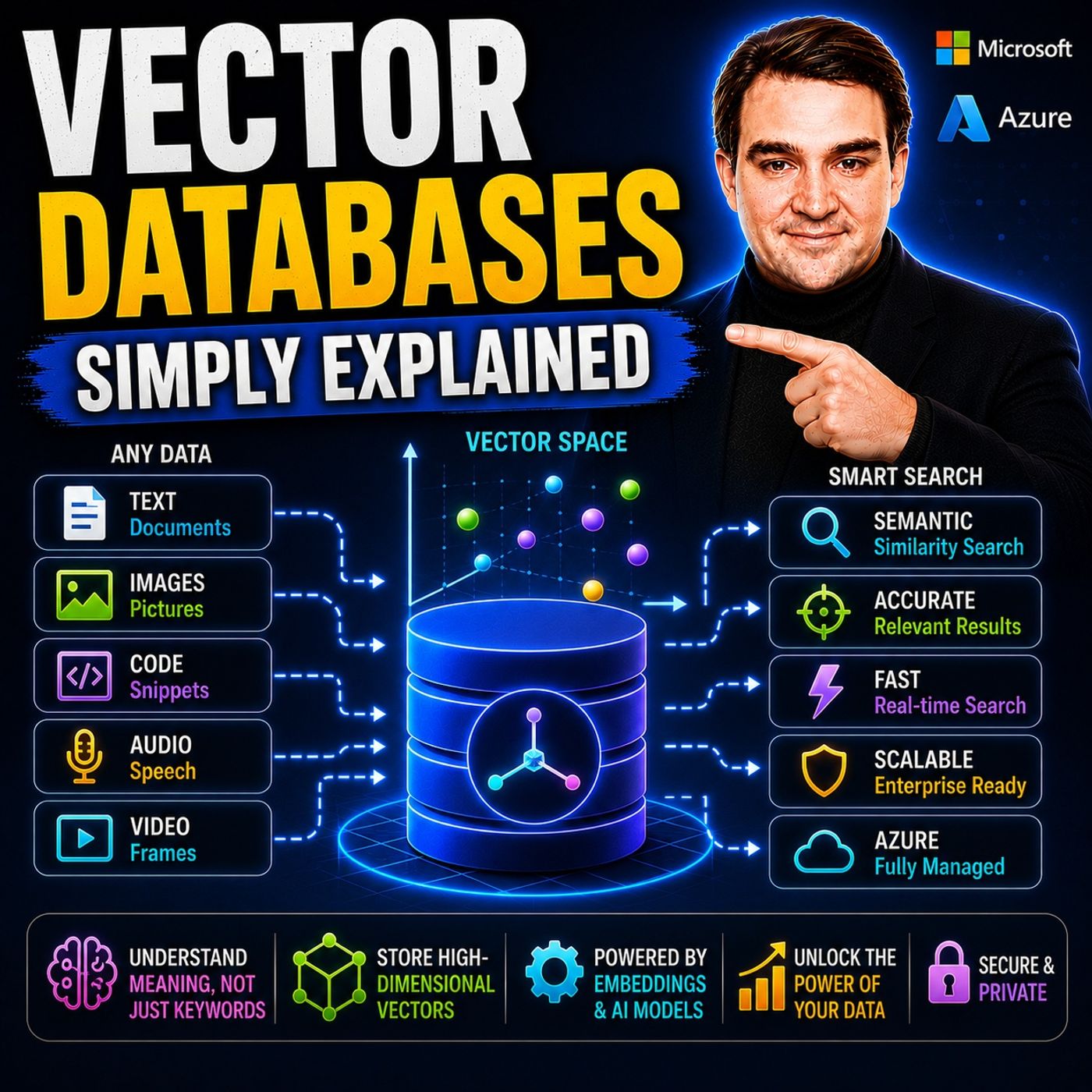
Vector databases are one of the key technologies powering modern AI applications, yet most people never interact with them directly. Unlike traditional databases that search for exact words or values, vector databases search by meaning, enabling AI to understand context instead of just matching keywords. In this episode of Microsoft Knowledge Nuggets, we explain vector databases in plain English and show why they're essential for enterprise AI, Microsoft Copilot, and Retrieval-Augmented Generation (RAG).
You'll learn what vectors and embeddings are, how AI converts text, images, and other content into numerical representations, and why similar concepts are stored close together in vector space. We explain key concepts such as embeddings, semantic search, similarity search, vector indexes, chunking, and hybrid search, making it easy to understand how AI retrieves the right information even when users don't use the exact same words.
The episode also explores real-world use cases including enterprise search, AI chatbots, recommendation engines, Microsoft Copilot, and RAG solutions. You'll discover how Azure AI Search, Azure Cosmos DB, Azure SQL, and Azure AI Foundry support vector search to build intelligent applications that deliver faster, more accurate, and context-aware results.
Whether you're an Azure developer, AI engineer, cloud architect, IT professional, or simply curious about modern AI, this episode provides a practical introduction without unnecessary complexity. By the end, you'll understand why vector databases have become one of the most important building blocks of today's AI ecosystem and how they enable applications to understand meaning instead of simply matching text.
In today's AI landscape, understanding vector databases is crucial. These databases have transformed how we store and retrieve information. They enable systems to grasp the meaning behind data, rather than just matching keywords. For instance, the market for vector databases is projected to grow significantly, reaching $2.65 billion by 2025 with a compound annual growth rate (CAGR) of 27.5%. This rapid growth highlights their critical role in enhancing AI applications. The evolution from basic libraries to sophisticated Vector Database Management Systems reflects their importance in managing high-dimensional data effectively.
The transition from standalone ANN libraries to full-fledged Vector Database Management Systems marks a critical maturation point. The field is now integrating core principles of traditional database systems—such as data management, query optimization, and scalability—into the novel context of high-dimensional, probabilistic search.
Key Takeaways
- Vector databases focus on understanding the meaning behind data, not just matching keywords.
- They enhance AI applications by enabling faster and more accurate data retrieval.
- Scalability allows vector databases to handle large amounts of data efficiently.
- These databases support various data types, including text, images, and audio.
- Real-time recommendations and personalized experiences are powered by vector databases.
- Vectorization transforms raw data into meaningful vector embeddings for better processing.
- Choosing the right indexing technique is crucial for optimizing search speed and accuracy.
- Addressing data quality issues is essential for maintaining effective AI model performance.
Vector Databases Overview

Key Features
Vector databases represent a significant advancement in how we manage and retrieve data. Unlike traditional databases, which focus on structured data organized in rows and columns, vector databases optimize for high-dimensional vector data. This allows them to capture the essence of unstructured information, such as text and images, through vector embeddings. These embeddings are mathematical representations that encapsulate the meaning of the data, enabling more intuitive information retrieval.
To illustrate the differences between traditional databases and vector databases, consider the following table:
| Feature | Traditional Database | Vector Database |
|---|---|---|
| Data Structure | Optimized for rows and columns | Optimized for vectors |
| Type of Data | Primarily structured data | Primarily unstructured data |
| Query Method | Relies on SQL and keyword matches | Utilizes vector search for semantic understanding |
The role of vector databases in artificial intelligence is crucial. They enhance various workflows by providing capabilities that traditional databases cannot. Here are some primary roles they play:
- Retrieval-augmented generation (RAG): Vector databases serve as external knowledge bases for large language models, improving response accuracy.
- Real-time recommendation engines: They enable personalized content suggestions by representing user behavior and product attributes as vectors.
- Semantic and multimodal search: Vector databases facilitate searches based on user intent rather than exact keywords, allowing for more intuitive querying.
- Anomaly and fraud detection: They help identify irregular patterns in data by establishing a vector space for normal behavior.
- Entity resolution and data deduplication: Vector databases assist in cleaning and unifying datasets by identifying duplicate entries through embedding comparisons.
Modern applications heavily rely on vector databases due to their ability to process complex queries efficiently. For instance, in e-commerce, they power recommendation systems that analyze user behavior to suggest relevant products. In customer support, semantic search retrieves results based on meaning and context, enhancing user experience. Furthermore, industries like healthcare utilize image and video search capabilities to match content by visual similarity.
As you explore the world of vector databases, you'll find that their significance continues to grow. They not only transform how we interact with data but also empower businesses to make informed decisions based on deeper insights.
How Vector Databases Work
Vectorization Process
The vectorization process is a critical step in utilizing vector databases effectively. It involves transforming raw data into vector embeddings that capture the essence of the information. Here are the main steps involved in this process:
- Prepare your data: Organize your data into a suitable format for vectorization. This may include preprocessing steps like normalization or tokenization.
- Generate embeddings: Use a machine learning model to convert your prepared data into vector embeddings. These embeddings represent the data in a way that captures its semantic meaning.
- Load data into the database: Upload the generated embeddings into your chosen vector database. Automation can help streamline this process for efficient indexing.
Vectorization significantly impacts the accuracy and efficiency of AI models. By converting operations into vector operations, you enable models to execute tasks more rapidly. This leads to improvements in performance and accuracy. Vector embeddings allow for the encoding and retrieval of complex information with high speed, which is crucial for the efficiency of AI applications.
Indexing Techniques
Indexing techniques play a vital role in how vector databases manage and retrieve data. They help organize the vector embeddings for quick access during searches. Here are some commonly used indexing techniques:
| Indexing Technique Type | Specific Methods |
|---|---|
| Tree-Based Algorithms | k-d trees, Ball trees |
| Graph-Based Algorithms | HNSW (Hierarchical Navigable Small World) |
| Hash-Based Algorithms | Locality-Sensitive Hashing (LSH) |
| Quantization-Based Algorithms | Product Quantization (PQ) |
| Other Common Techniques | Flat Index (Brute Force), IVF (Inverted File Index), ANNOY, LSH, Faiss Index Variants |
Choosing the right indexing technique involves a trade-off between accuracy and speed. For example, tree-based indexing organizes vectors hierarchically, which works well in low dimensions but struggles in high dimensions. On the other hand, hash-based indexing uses hash functions to group similar vectors, allowing for fast searches at the cost of some accuracy.
Querying Mechanisms
Querying mechanisms in vector databases differ from traditional databases. Instead of querying by exact values, you focus on finding the K nearest vectors to a given query vector. This method uses distance metrics like cosine similarity or Euclidean distance. It allows results to be ordered by similarity rather than exact matches.
Common querying mechanisms include:
- Approximate Nearest Neighbor (ANN) algorithms for efficient searching.
- Graph-based algorithms, such as HNSW, which connect vectors in a graph for rapid querying.
- Space-partitioning algorithms like Inverted File Indexes (IVF) that cluster vector spaces to limit search areas.
These mechanisms enable real-time data retrieval for AI tasks. They compute distances between vectors quickly, allowing you to find relevant data efficiently. The combination of efficient storage, indexing, and similarity search enhances the performance of vector databases, making them essential for modern AI applications.
Applications of Vector Databases

Natural Language Processing
Vector databases play a vital role in natural language processing (NLP). They enable efficient storage and retrieval of vector embeddings, which represent the semantic meaning of words and sentences. This capability significantly enhances the performance of NLP models. Here are some key applications:
- Storing word embeddings or sentence vectors from models like Word2Vec or BERT for efficient semantic similarity queries.
- Improving chatbot performance by enabling quick retrieval of relevant responses through vector comparisons.
- Facilitating semantic searches to find contextually similar documents or identify synonyms in real time.
By capturing semantic relationships, vector databases allow for quick processing and retrieval of results in NLP applications. They provide context and long-term memory for applications using large language models. This integration leads to significant advancements in understanding and processing language.
Image Retrieval
In the realm of image retrieval, vector databases are essential. They support AI-driven applications such as image recognition and enhance user experiences in retrieval systems. Here are some ways they improve accuracy and speed:
- Vector databases allow for content-based searches that surpass traditional metadata and keyword methods.
- Users can upload images or videos to find visually similar content based on vectorized representations.
- Reverse image search capabilities enable users to find similar images by comparing vector representations.
This approach is particularly beneficial in industries like fashion, where visual similarity is crucial. Vector embeddings capture essential features such as color, shape, and texture, improving retrieval relevance. By understanding the context and meaning behind data, vector databases lead to more accurate results in image recognition.
Benefits of Vector Databases
Enhanced Performance
Vector databases significantly enhance the performance of AI applications. They excel at managing complex data types, which traditional databases often struggle with. By facilitating quick similarity searches within extensive high-dimensional datasets, vector databases minimize latency. This capability is essential for applications like Retrieval-Augmented Generation (RAG). You can expect real-time updates and low-latency access to vector embeddings, which helps avoid bottlenecks in AI workloads.
Consider the following advantages of using vector databases over traditional databases:
| Advantage | Description |
|---|---|
| High-dimensional search | Efficient similarity searches on high-dimensional vectors used in machine learning and Generative AI applications |
| Performance | Significantly faster vector similarity searches compared to traditional databases |
| Customizable indexing | Support for custom indexing schemes optimized for specific use cases and data types |
With these features, vector databases empower you to build applications that require fast and accurate similarity searches. For instance, AI-driven applications like recommendation engines and voice assistants rely on these capabilities to deliver relevant results quickly.
Scalability
Scalability is another critical benefit of vector databases. They support horizontal scaling, allowing you to add storage and compute resources with minimal disruption. This flexibility is vital as your data grows. Vector databases utilize distributed architectures and dynamic data rebalancing to maintain performance, ensuring consistent low latency and high throughput even as user loads increase.
Here are some key points about scalability:
- Vector databases can handle large vector collections efficiently.
- Features like sharding and replication are essential for scaling AI infrastructure effectively.
- Cloud-native deployment strategies ensure consistent performance at any scale.
As the size of your vector databases increases, they maintain linear performance across both on-premises and cloud environments. This capability allows you to manage larger data volumes without compromising performance.
Flexibility
Vector databases offer remarkable flexibility for integrating with various AI frameworks. They support hybrid systems that combine structured and semantic search capabilities. This integration enhances your ability to work with diverse data types.
Consider these aspects of flexibility:
| Evidence | Description |
|---|---|
| Strong ecosystem support and open APIs | Choosing platforms that support integration with various AI frameworks is crucial for flexibility. |
| Integrated vector databases | Storing embeddings alongside original data improves data consistency and performance, facilitating better integration with AI frameworks. |
By leveraging these features, you can create applications that adapt to evolving needs. Vector databases allow you to handle various vector data types, including sparse and dense vectors, making them suitable for a wide range of AI applications.
Challenges of Vector Databases
Data Quality Issues
Data quality plays a crucial role in the effectiveness of vector databases. Poor data quality can lead to significant challenges that affect the performance of AI models. Here are some common data quality issues you might encounter:
- Filtering and Faceting Errors: Inaccurate or inconsistent metadata can mislead search results.
- Freshness Issues: Problems with timestamps can present outdated or irrelevant content to users.
- Issues with Vectors: Corrupted or incorrectly generated vectors can result in poor recommendations and irrelevant search results.
These issues can lead to data misrepresentation, causing models to inherit weaknesses. In generative AI systems, data quality problems can manifest as factual inaccuracies in text or biased outputs in images. High-quality data is essential for AI, as it directly influences model performance and reliability. Addressing biases in data is crucial to prevent unfair treatment in AI outputs.
Implementation Complexity
Implementing vector databases can be complex due to several factors. Understanding these factors can help you navigate the challenges effectively. Here’s a breakdown of the primary factors contributing to implementation complexity:
| Factor | Explanation |
|---|---|
| Scalability | Integrating large language models with vector databases can lead to performance degradation. Increased complexity in processing and comparing vectors requires techniques like data partitioning and load balancing. |
| Data Complexity | Converting various data types into vector forms introduces complexity. You need specific techniques for feature extraction and normalization to ensure consistency and comparability of vectors. |
| Integration | Merging vector representations with large language models involves aligning different representations. Ensuring compatibility requires specialized techniques to bridge semantic gaps. |
To address these complexities, you can follow these steps:
- Understand core components and challenges associated with vector databases.
- Manage high-dimensional data effectively.
- Mitigate computational costs.
- Set up a robust environment for seamless operations.
- Leverage hardware capabilities and software advancements efficiently.
Implementing robust data governance practices alongside vector databases is essential. This approach helps mitigate risks associated with data breaches and unauthorized access. Establishing clear policies for data access and usage ensures the integrity and security of your data.
Cost Considerations
Cost is another critical factor when deploying vector databases in AI projects. Understanding the various cost categories can help you budget effectively. Here’s a summary of typical cost considerations:
| Cost Category | Description |
|---|---|
| Initial Investment | Licensing costs of proprietary solutions versus open-source options, which may require technical expertise for deployment and maintenance. |
| Operational Expenses | Ongoing costs such as cloud service charges, maintenance fees, and scaling costs, with cloud services potentially having higher upfront costs as data and query volumes increase. |
| Total Cost of Ownership (TCO) | Evaluation of long-term costs, including initial and operational expenses, scalability, support, and resource requirements to align with budget and growth needs. |
By understanding these cost implications, you can make informed decisions about deploying vector databases. This knowledge helps you align your budget with your growth needs while ensuring that you maintain high-quality data retrieval and minimize data latency.
Vector databases play a pivotal role in the evolution of AI. They enable systems to grasp context over mere keywords, enhancing data retrieval. Here are some key takeaways:
- Context over keywords: Vector databases help you understand intent and meaning behind data.
- RAG is the killer app: They empower large language models with domain-specific knowledge.
- Scalability is key: These databases handle massive computational loads efficiently.
- Beyond text: They support multimodal applications, including images and audio.
- Real-time value: Expect personalized experiences powered by vector databases.
As you explore the future, anticipate trends like AI-powered search engines and personalized AI agents. Embracing vector databases now prepares your infrastructure for the next wave of AI advancements.
FAQ
What is a vector database?
A vector database stores data as high-dimensional vectors. It captures the semantic meaning of information, allowing for advanced similarity searches based on context rather than keywords.
How do vector databases improve AI applications?
Vector databases enhance AI applications by enabling faster and more accurate data retrieval. They allow systems to understand user intent, improving recommendations and search results.
What types of data can vector databases handle?
Vector databases can manage various data types, including text, images, and audio. They convert these data types into vector embeddings for efficient processing and retrieval.
What are embeddings in vector databases?
Embeddings are mathematical representations of data. They capture the essence of information, allowing vector databases to perform similarity searches based on meaning rather than exact matches.
How do I choose the right vector database?
Consider factors like scalability, performance, and integration capabilities. Evaluate your specific use case and data types to select a vector database that meets your needs.
Are vector databases suitable for real-time applications?
Yes, vector databases excel in real-time applications. They provide low-latency access to data, making them ideal for use cases like recommendation engines and chatbots.
What are the common challenges with vector databases?
Common challenges include data quality issues, implementation complexity, and cost considerations. Addressing these challenges is crucial for maximizing the benefits of vector databases.
How can I integrate vector databases into my existing systems?
You can integrate vector databases by leveraging APIs and cloud services. Many platforms offer seamless integration options, allowing you to enhance your current data infrastructure.
🎧 Listen to this episode
Want a practical explanation of Vector Databases? This episode breaks down the topic in clear language and shows why it matters for Microsoft 365, Azure, Power Platform, security, AI, and modern work.
Listen to this episode if you want to:
- Understand the key concepts behind Vector Databases
- See how it fits into the wider Microsoft technology ecosystem
- Learn where it can create practical value for your organization
You may also enjoy these related M365 FM episodes:
- HNSW vs DiskANN for Vector Search in Azure AI Search
- Improve Microsoft Copilot Accuracy Beyond Vector Search
Discover more practical Microsoft conversations on M365 FM.
🚀 Want to be part of m365.fm?
Then stop just listening… and start showing up.
👉 Connect with me on LinkedIn and let’s make something happen:
- 🎙️ Be a podcast guest and share your story
- 🎧 Host your own episode (yes, seriously)
- 💡 Pitch topics the community actually wants to hear
- 🌍 Build your personal brand in the Microsoft 365 space
This isn’t just a podcast — it’s a platform for people who take action.
🔥 Most people wait. The best ones don’t.
👉 Connect with me on LinkedIn and send me a message:
"I want in"
Let’s build something awesome 👊
1
00:00:00,000 --> 00:00:04,640
Hello everyone and welcome to another episode of Microsoft Knowledge Nuggets here on M365.
2
00:00:04,640 --> 00:00:06,680
FM, I'm your host, Mirko Peters.
3
00:00:06,680 --> 00:00:10,800
Today's topic is one that almost everyone has heard of, but very few people actually understand.
4
00:00:10,800 --> 00:00:12,000
Vector databases.
5
00:00:12,000 --> 00:00:15,360
You've probably seen that terminate articles about AI or heard it in conversations about
6
00:00:15,360 --> 00:00:17,160
co-pilot and chat GPT.
7
00:00:17,160 --> 00:00:18,640
But what exactly is a Vector database?
8
00:00:18,640 --> 00:00:21,120
Is it just a regular database with a fancier name?
9
00:00:21,120 --> 00:00:22,680
Or is it something completely different?
10
00:00:22,680 --> 00:00:26,120
Imagine searching an e-commerce site for red jacket and getting results showing crimson
11
00:00:26,120 --> 00:00:28,800
coat and burgundy outerwear.
12
00:00:28,800 --> 00:00:30,720
What is the computer know those are the same thing?
13
00:00:30,720 --> 00:00:32,280
It's not matching keywords.
14
00:00:32,280 --> 00:00:35,320
Crimson isn't red and coat isn't jacket.
15
00:00:35,320 --> 00:00:39,360
Yet somehow the search engine understands they're related and that's Vector search in action.
16
00:00:39,360 --> 00:00:42,800
By the end of this episode you'll understand what vector databases actually are, why they
17
00:00:42,800 --> 00:00:46,960
power AI search and co-pilot and how they fit into Microsoft's cloud.
18
00:00:46,960 --> 00:00:48,560
We're keeping it plain English.
19
00:00:48,560 --> 00:00:51,760
No math, no jargon, just clear building blocks.
20
00:00:51,760 --> 00:00:53,600
What actually is a Vector?
21
00:00:53,600 --> 00:00:55,200
Let's begin with the core question.
22
00:00:55,200 --> 00:00:56,840
What exactly is a Vector?
23
00:00:56,840 --> 00:01:00,960
When most people hear the word Vector they picture an arrow from physics class, direction
24
00:01:00,960 --> 00:01:02,120
and magnitude.
25
00:01:02,120 --> 00:01:03,600
In computing it's much simpler.
26
00:01:03,600 --> 00:01:05,720
A Vector is really just a list of numbers.
27
00:01:05,720 --> 00:01:09,760
A one-dimensional array that represents something in a format the computer can work with.
28
00:01:09,760 --> 00:01:11,200
Here's a practical way to picture it.
29
00:01:11,200 --> 00:01:15,600
If I told you to meet me on the third floor in Wingbeerum12 those are three numbers describing
30
00:01:15,600 --> 00:01:16,600
a specific location.
31
00:01:16,600 --> 00:01:20,560
That's a three-dimensional vector telling you exactly where something is in a building.
32
00:01:20,560 --> 00:01:21,960
Now imagine I add more details.
33
00:01:21,960 --> 00:01:25,200
Color of the door, size of the room, price per square foot.
34
00:01:25,200 --> 00:01:29,160
Each new detail becomes another dimension so the more dimensions you build up the more
35
00:01:29,160 --> 00:01:31,240
information you can capture about that thing.
36
00:01:31,240 --> 00:01:35,160
A car could be described by speed, mileage, price, weight and safety rating.
37
00:01:35,160 --> 00:01:36,680
That's a five-dimensional vector.
38
00:01:36,680 --> 00:01:40,440
A product could be described by hundreds of features which gives you a high-dimensional
39
00:01:40,440 --> 00:01:41,440
vector.
40
00:01:41,440 --> 00:01:42,440
Here's the thing.
41
00:01:42,440 --> 00:01:44,640
Vectors let us turn things into numbers that computers can compare.
42
00:01:44,640 --> 00:01:48,080
Words, images, sounds, documents, anything can become a list of numbers.
43
00:01:48,080 --> 00:01:51,880
Once everything is numbers you can start measuring how similar two things actually are.
44
00:01:51,880 --> 00:01:55,160
Two rooms on the same floor with similar door colors end up close together in vector.
45
00:01:55,160 --> 00:01:58,880
And two products with similar features clustered together too.
46
00:01:58,880 --> 00:02:02,080
That simple idea is what makes modern AI search possible.
47
00:02:02,080 --> 00:02:03,680
From vectors to embeddings.
48
00:02:03,680 --> 00:02:05,240
Not all vectors are the same.
49
00:02:05,240 --> 00:02:08,560
There's a special kind called an embedding and that's where the real power comes in.
50
00:02:08,560 --> 00:02:09,960
So what exactly is an embedding?
51
00:02:09,960 --> 00:02:12,120
An embedding is a vector that represents meaning.
52
00:02:12,120 --> 00:02:16,920
A machine learning model like Azure Open AI's text embedding three small reads text and
53
00:02:16,920 --> 00:02:18,880
places it in a high-dimensional space.
54
00:02:18,880 --> 00:02:23,360
The model learned from billions of examples so it understands how words relate.
55
00:02:23,360 --> 00:02:27,200
King and Queen end up close together because they share similar context.
56
00:02:27,200 --> 00:02:30,200
King and coffee end up far apart because they don't.
57
00:02:30,200 --> 00:02:31,880
Here's what that means in plain English.
58
00:02:31,880 --> 00:02:35,960
When you search for red jacket the system finds crimson coat.
59
00:02:35,960 --> 00:02:39,960
The embedding model recognizes that red and crimson are close in meaning and jacket
60
00:02:39,960 --> 00:02:41,720
and coat are close to.
61
00:02:41,720 --> 00:02:45,200
The embeddings for those two phrases become neighbors in vector space.
62
00:02:45,200 --> 00:02:47,200
The computer isn't matching letters anymore.
63
00:02:47,200 --> 00:02:48,920
It's matching meaning.
64
00:02:48,920 --> 00:02:50,960
Now let me give you a classic example.
65
00:02:50,960 --> 00:02:55,640
The vector for king subtract the vector for man and add the vector for woman.
66
00:02:55,640 --> 00:02:58,520
The result is very close to the vector for queen.
67
00:02:58,520 --> 00:03:02,480
King minus man plus woman equals queen that might sound like magic but it's really how
68
00:03:02,480 --> 00:03:05,240
the model begs relationships into numbers.
69
00:03:05,240 --> 00:03:10,720
It learned that king and queen share a relationship similar to man and woman and that relationship
70
00:03:10,720 --> 00:03:12,720
is encoded in the coordinates.
71
00:03:12,720 --> 00:03:18,000
So embedding models take your raw data whether it's text, images or audio and convert it into
72
00:03:18,000 --> 00:03:20,160
a list of numbers that represent its meaning.
73
00:03:20,160 --> 00:03:23,640
Those numbers become coordinates in a high dimensional space.
74
00:03:23,640 --> 00:03:27,680
Then when you search your query gets converted into the same kind of coordinates all you do
75
00:03:27,680 --> 00:03:29,400
is measure the distance between them.
76
00:03:29,400 --> 00:03:30,600
That's the core idea.
77
00:03:30,600 --> 00:03:32,560
Why traditional databases fall short?
78
00:03:32,560 --> 00:03:35,880
If embeddings are so powerful why can't we just use a regular database?
79
00:03:35,880 --> 00:03:38,040
Let's answer that.
80
00:03:38,040 --> 00:03:40,640
Traditional SQL databases are built for exact matches.
81
00:03:40,640 --> 00:03:45,000
You write where color ill red and it finds every row where the color column literally equals
82
00:03:45,000 --> 00:03:46,000
red.
83
00:03:46,000 --> 00:03:50,080
It's great for structured data like customer names, order dates or product prices but it
84
00:03:50,080 --> 00:03:52,680
completely falls apart when you need fuzzy meaning.
85
00:03:52,680 --> 00:03:58,160
Try writing a SQL query that finds crimson code when your data only says burgundy jacket.
86
00:03:58,160 --> 00:04:01,080
You can't because SQL doesn't understand concepts.
87
00:04:01,080 --> 00:04:04,160
Traditional databases store data in rows and columns.
88
00:04:04,160 --> 00:04:08,000
They're optimized for joins, aggregations and exact lookups.
89
00:04:08,000 --> 00:04:10,800
They don't know that car and automobile are the same thing.
90
00:04:10,800 --> 00:04:13,840
They don't know that excited and thrilled are similar emotions.
91
00:04:13,840 --> 00:04:15,360
They just match strings.
92
00:04:15,360 --> 00:04:20,240
And if your data is unstructured like PDFs, images, audio recordings or long documents, traditional
93
00:04:20,240 --> 00:04:23,960
databases can store it as a blob but they can't really search its content.
94
00:04:23,960 --> 00:04:27,680
You'd need full text search which still relies on keyword matching.
95
00:04:27,680 --> 00:04:32,840
If the user types budget report but the document says financial summary, keyword search misses
96
00:04:32,840 --> 00:04:33,840
it entirely.
97
00:04:33,840 --> 00:04:34,840
Think of it this way.
98
00:04:34,840 --> 00:04:36,400
A regular database is like a filing cabinet.
99
00:04:36,400 --> 00:04:39,360
You need to know the exact file name to find what you're looking for.
100
00:04:39,360 --> 00:04:42,640
A vector database is like a librarian who understands what you mean.
101
00:04:42,640 --> 00:04:46,640
You can say, I need that document about last quarter's spending and the librarian knows
102
00:04:46,640 --> 00:04:51,360
exactly which folder to pull even if the folder is labeled Q3 financial summary.
103
00:04:51,360 --> 00:04:54,360
The librarian understands intent, not just labels.
104
00:04:54,360 --> 00:04:55,880
That's why vector databases exist.
105
00:04:55,880 --> 00:04:59,880
They store embeddings, those meaning capturing vectors and they index them in a way that makes
106
00:04:59,880 --> 00:05:01,600
similarity search fast.
107
00:05:01,600 --> 00:05:03,400
They don't replace traditional databases.
108
00:05:03,400 --> 00:05:07,400
They add a layer of understanding on top and that layer changes everything.
109
00:05:07,400 --> 00:05:10,840
They add a layer of understanding on top and that layer changes everything.
110
00:05:10,840 --> 00:05:12,400
How vector databases work?
111
00:05:12,400 --> 00:05:14,480
So how does this all work behind the scenes?
112
00:05:14,480 --> 00:05:16,320
Let's walk through the two main phases.
113
00:05:16,320 --> 00:05:17,800
ingestion and query.
114
00:05:17,800 --> 00:05:19,120
ingestion is the setup phase.
115
00:05:19,120 --> 00:05:23,760
You take your raw data, product descriptions, support tickets, internal documents, whatever
116
00:05:23,760 --> 00:05:28,200
you have and run each piece through something called an embedding model that model turns
117
00:05:28,200 --> 00:05:32,600
the text into a vector which is basically a list of numbers that captures the meaning.
118
00:05:32,600 --> 00:05:35,720
Then you store that vector in the database along with some metadata.
119
00:05:35,720 --> 00:05:39,560
The original text, a timestamp, maybe a category or a source URL.
120
00:05:39,560 --> 00:05:40,800
Now here's the clever part.
121
00:05:40,800 --> 00:05:44,800
If you had a million documents checking every single vector one by one would take forever.
122
00:05:44,800 --> 00:05:47,520
That's why vector databases use something called indexing.
123
00:05:47,520 --> 00:05:51,200
Think of indexing like creating a map of the vector space instead of knocking on every
124
00:05:51,200 --> 00:05:52,280
single door.
125
00:05:52,280 --> 00:05:54,680
Two common methods are IVF and H and SW.
126
00:05:54,680 --> 00:05:56,520
IVF stands for inverted file index.
127
00:05:56,520 --> 00:05:59,200
It works by grouping similar vectors into clusters.
128
00:05:59,200 --> 00:06:02,840
When you search, instead of scanning all million vectors, you only check the most promising
129
00:06:02,840 --> 00:06:03,840
clusters.
130
00:06:03,840 --> 00:06:05,400
It's like looking for a book in a library.
131
00:06:05,400 --> 00:06:08,360
You head straight to the right section instead of scanning every shelf.
132
00:06:08,360 --> 00:06:11,240
The position SW stands for hierarchical navigable small world.
133
00:06:11,240 --> 00:06:12,760
The idea is pretty elegant.
134
00:06:12,760 --> 00:06:15,160
It builds a multi-layer map of your vectors.
135
00:06:15,160 --> 00:06:18,560
The top layer holds a few representative vectors that give you a rough sense of where
136
00:06:18,560 --> 00:06:19,560
things are.
137
00:06:19,560 --> 00:06:21,400
Each layer below gets more detailed.
138
00:06:21,400 --> 00:06:25,160
When you search, you start at the top, find the general neighborhood, then drill down,
139
00:06:25,160 --> 00:06:27,320
layer by layer until you hit the exact match.
140
00:06:27,320 --> 00:06:29,320
It's like using a city map first.
141
00:06:29,320 --> 00:06:31,560
Then a neighborhood map, then a street map.
142
00:06:31,560 --> 00:06:32,800
Each one gets you closer.
143
00:06:32,800 --> 00:06:36,200
The result is that you can search millions of vectors in milliseconds.
144
00:06:36,200 --> 00:06:38,600
That's what powers real-time AI features.
145
00:06:38,600 --> 00:06:42,160
When you type a question into a co-pilot and get an answer back in seconds, somewhere
146
00:06:42,160 --> 00:06:46,440
a vector database just ran a similarity search across thousands or millions of documents.
147
00:06:46,440 --> 00:06:48,440
The query phase works the same way in reverse.
148
00:06:48,440 --> 00:06:49,560
You type your question.
149
00:06:49,560 --> 00:06:53,240
That question gets converted into a vector using the exact same embedding model.
150
00:06:53,240 --> 00:06:57,080
Then the database finds the nearest neighbors to your query vector using the index.
151
00:06:57,080 --> 00:07:00,040
It returns the most similar results ranked by distance.
152
00:07:00,040 --> 00:07:03,320
The closer the vectors, the more relevant the result.
153
00:07:03,320 --> 00:07:05,960
The Microsoft ecosystem, where vectors live.
154
00:07:05,960 --> 00:07:08,240
So where does all this live in the Microsoft world?
155
00:07:08,240 --> 00:07:09,760
The short answer is everywhere.
156
00:07:09,760 --> 00:07:13,320
Microsoft is adding vector capabilities into the data platforms you already use instead
157
00:07:13,320 --> 00:07:15,920
of pushing you toward a separate specialist database.
158
00:07:15,920 --> 00:07:17,320
Let's walk through the main ones.
159
00:07:17,320 --> 00:07:22,600
As your AI search is the most common vector store for enterprise rack, that's retrieval
160
00:07:22,600 --> 00:07:24,120
augmented generation.
161
00:07:24,120 --> 00:07:28,480
It supports hybrid search, which means it combines traditional keyword matching with vector
162
00:07:28,480 --> 00:07:29,480
similarity.
163
00:07:29,480 --> 00:07:30,480
Why does that matter?
164
00:07:30,480 --> 00:07:32,720
Because some searches work best with keywords.
165
00:07:32,720 --> 00:07:36,560
Product codes, names, dates, while others need semantic understanding.
166
00:07:36,560 --> 00:07:38,040
Hybrid search gives you both.
167
00:07:38,040 --> 00:07:41,080
As your AI search also includes integrated vectorization.
168
00:07:41,080 --> 00:07:45,040
So you can set up a pipeline that automatically chunks documents, generates embeddings,
169
00:07:45,040 --> 00:07:47,520
and indexes them without writing custom code.
170
00:07:47,520 --> 00:07:50,880
A Cosmos DB now has native vector search with disk and indexing.
171
00:07:50,880 --> 00:07:54,160
Disk and end stands for disk-based approximate nearest neighbor.
172
00:07:54,160 --> 00:07:57,440
And it's built for sub-20 millisecond latency even at massive scale.
173
00:07:57,440 --> 00:08:01,160
That's great for operational data that already lives in Cosmos DB.
174
00:08:01,160 --> 00:08:04,480
Basically you're building an e-commerce app with Cosmos DB as your back end.
175
00:08:04,480 --> 00:08:08,120
You can now add vector search directly to your product catalog without moving data to
176
00:08:08,120 --> 00:08:09,360
a separate service.
177
00:08:09,360 --> 00:08:13,680
A customer searches for lightweight summer shoes, and your app finds products with similar
178
00:08:13,680 --> 00:08:16,800
descriptions all inside your existing database.
179
00:08:16,800 --> 00:08:21,280
As you go to server 2025 and as your SQL database have joined the party too, they now include
180
00:08:21,280 --> 00:08:24,280
a native vector data type and functions like vector search.
181
00:08:24,280 --> 00:08:27,880
That means you can store embeddings right alongside your relational data.
182
00:08:27,880 --> 00:08:31,640
Other records with vector representations of their preferences, inventory items with
183
00:08:31,640 --> 00:08:36,000
vector descriptions, support tickets with vector embeddings of their content.
184
00:08:36,000 --> 00:08:37,800
You don't need a separate vector database.
185
00:08:37,800 --> 00:08:39,920
Your existing SQL skills still apply.
186
00:08:39,920 --> 00:08:43,800
Just add a vector column, create an index, and start querying by similarity.
187
00:08:43,800 --> 00:08:46,080
Here's how Copilot uses this under the hood.
188
00:08:46,080 --> 00:08:49,640
When you ask, show me the Q3 sales report from last year.
189
00:08:49,640 --> 00:08:53,120
Copilot doesn't search for the exact phrase Q3 sales report.
190
00:08:53,120 --> 00:08:57,440
It converts your question into a vector, searches across index documents, emails, SharePoint
191
00:08:57,440 --> 00:09:01,840
files, OneDrive documents, Teams chats, and finds the document whose embedding is closest
192
00:09:01,840 --> 00:09:03,520
to your query.
193
00:09:03,520 --> 00:09:08,040
It might find a file called 2024 Q3 financial summary because the meaning matches even though
194
00:09:08,040 --> 00:09:09,680
the exact words don't.
195
00:09:09,680 --> 00:09:11,040
That's vector search in action.
196
00:09:11,040 --> 00:09:13,160
The key insight here is Microsoft's strategy.
197
00:09:13,160 --> 00:09:17,160
Instead of saying go buy a specialist vector database, they're adding vector capabilities
198
00:09:17,160 --> 00:09:18,680
to the tools you already use.
199
00:09:18,680 --> 00:09:22,880
Azure AI search, Cosmos DB, SQL Server, they all speak vectors now.
200
00:09:22,880 --> 00:09:24,360
You don't need to learn a new system.
201
00:09:24,360 --> 00:09:28,680
You just need to understand the concept and Microsoft handles the heavy lifting.
202
00:09:28,680 --> 00:09:30,840
Real-world use cases in AI.
203
00:09:30,840 --> 00:09:34,160
So where do you actually see vector databases at work today?
204
00:09:34,160 --> 00:09:35,960
Here's how it plays out in the real world.
205
00:09:35,960 --> 00:09:37,080
Rags is the big one.
206
00:09:37,080 --> 00:09:41,800
That stands for retrieval augmented generation and it's how most enterprise AI runs now.
207
00:09:41,800 --> 00:09:44,960
When you ask a chatbot a question, it doesn't guess from its training data.
208
00:09:44,960 --> 00:09:49,480
Instead, it searches a vector database for relevant documents, grabs the closest matches,
209
00:09:49,480 --> 00:09:52,000
and hands them to the language model as context.
210
00:09:52,000 --> 00:09:55,040
The model then builds an answer from those actual documents.
211
00:09:55,040 --> 00:09:58,760
That means accurate answers about your company's own policies, products, or data.
212
00:09:58,760 --> 00:10:02,480
Without vector databases, the AI would be guessing from general internet knowledge.
213
00:10:02,480 --> 00:10:05,240
With them, it pulls straight from your real files.
214
00:10:05,240 --> 00:10:07,320
Recommendation engines are another huge use case.
215
00:10:07,320 --> 00:10:09,960
Netflix, Amazon, YouTube, they all work the same way.
216
00:10:09,960 --> 00:10:12,760
They turn users into vectors based on behavior.
217
00:10:12,760 --> 00:10:15,160
What you watch, buy, or click.
218
00:10:15,160 --> 00:10:18,720
And they turn items into vectors based on descriptions, reviews, and features.
219
00:10:18,720 --> 00:10:20,360
Then they just find the nearest neighbors.
220
00:10:20,360 --> 00:10:23,320
So, vector close to a movie vector, they recommend that movie.
221
00:10:23,320 --> 00:10:27,860
That's similarity search, admassive scale, running hundreds of times per second for every
222
00:10:27,860 --> 00:10:29,160
single user.
223
00:10:29,160 --> 00:10:31,160
Semantic search is the third big use case.
224
00:10:31,160 --> 00:10:33,640
This is searched by meaning, not by keywords.
225
00:10:33,640 --> 00:10:38,280
A support agent types, customer can't log in after password reset, and finds an article
226
00:10:38,280 --> 00:10:42,000
called Troubleshooting Authentication Failures after Credential Updates.
227
00:10:42,000 --> 00:10:44,240
The words don't match, but the meaning does.
228
00:10:44,240 --> 00:10:45,760
That's what vector search enables.
229
00:10:45,760 --> 00:10:49,880
For a team handling hundreds of tickets a day, this cuts resolution time dramatically.
230
00:10:49,880 --> 00:10:51,400
Then there's a normally detection.
231
00:10:51,400 --> 00:10:53,060
Less obvious, but powerful.
232
00:10:53,060 --> 00:10:54,760
You embed normal behavior.
233
00:10:54,760 --> 00:10:59,300
Typical transaction patterns, usual system metrics, standard user actions, store those
234
00:10:59,300 --> 00:11:02,480
vectors, then flag anything that lands far from the cluster.
235
00:11:02,480 --> 00:11:04,720
A transaction that looks nothing like normal, that's fraud.
236
00:11:04,720 --> 00:11:08,160
A server metric way outside the usual range, that's an incident brewing.
237
00:11:08,160 --> 00:11:11,200
Vector databases make this fast enough to run in real time.
238
00:11:11,200 --> 00:11:13,720
In Microsoft's world, this shows up everywhere.
239
00:11:13,720 --> 00:11:17,600
Power Apps uses vector search for AI suggestions when you build forms.
240
00:11:17,600 --> 00:11:21,440
Vector 365 uses it for intelligence search across customer records.
241
00:11:21,440 --> 00:11:23,600
Teams meeting transcripts get turned into vectors.
242
00:11:23,600 --> 00:11:27,040
So you can search, what did we decide about the budget, and find the exact moment in
243
00:11:27,040 --> 00:11:28,520
a recording.
244
00:11:28,520 --> 00:11:33,960
Copilot for Microsoft 365 is essentially a giant rag system running on top of your personal
245
00:11:33,960 --> 00:11:37,560
and company data, all powered by vector search.
246
00:11:37,560 --> 00:11:38,880
Keeping it all in sync.
247
00:11:38,880 --> 00:11:39,880
Vector ETL.
248
00:11:39,880 --> 00:11:41,680
Now here's the practical challenge.
249
00:11:41,680 --> 00:11:46,400
Data changes, documents get updated, new products get added, old policies get archived,
250
00:11:46,400 --> 00:11:49,480
anytime your source data changes, your vectors need to change too.
251
00:11:49,480 --> 00:11:50,800
That's where vector ETL comes in.
252
00:11:50,800 --> 00:11:53,080
ETL stands for extract transform load.
253
00:11:53,080 --> 00:11:55,640
For vector databases, the process goes like this.
254
00:11:55,640 --> 00:11:58,800
First you extract new or change documents from your source.
255
00:11:58,800 --> 00:12:02,520
Maybe a blob storage container, a SharePoint library, or a SQL database.
256
00:12:02,520 --> 00:12:06,760
Then you transform them by chunking the text into manageable pieces and running each chunk
257
00:12:06,760 --> 00:12:08,240
through your embedding model.
258
00:12:08,240 --> 00:12:12,240
Finally you load the resulting vectors into your vector store along with metadata like
259
00:12:12,240 --> 00:12:16,160
the original source URL, a timestamp, and the model version used.
260
00:12:16,160 --> 00:12:17,520
The best practice here?
261
00:12:17,520 --> 00:12:21,520
Process incrementally, don't re-embed your entire corpus every time something changes.
262
00:12:21,520 --> 00:12:23,840
Only process the documents that actually changed.
263
00:12:23,840 --> 00:12:27,720
Track which model version generated each embedding, upgrade your model, and the old vectors
264
00:12:27,720 --> 00:12:29,760
become inconsistent with the new ones.
265
00:12:29,760 --> 00:12:31,040
And watch your costs.
266
00:12:31,040 --> 00:12:35,240
Embedding APIs charged by token, so processing millions of documents adds up fast.
267
00:12:35,240 --> 00:12:37,560
In Azure, a typical workflow is straightforward.
268
00:12:37,560 --> 00:12:39,480
Land your documents in blob storage.
269
00:12:39,480 --> 00:12:44,200
Then set up an Azure AI search indexer with an integrated skill set that handles chunking
270
00:12:44,200 --> 00:12:46,120
and embedding automatically.
271
00:12:46,120 --> 00:12:50,280
Microsoft provides the text split skill for chunking, and the Azure open AI embedding model
272
00:12:50,280 --> 00:12:51,960
skill for vector generation.
273
00:12:51,960 --> 00:12:56,240
The indexer runs on a schedule, picks up new files, processes them, and upsets the vectors
274
00:12:56,240 --> 00:12:57,240
into the index.
275
00:12:57,240 --> 00:12:58,960
No custom pipeline code needed.
276
00:12:58,960 --> 00:13:00,240
Here's a common mistake.
277
00:13:00,240 --> 00:13:01,640
Ignoring metadata.
278
00:13:01,640 --> 00:13:05,440
Every vector needs its source reference, the embedding model name and version, and a creation
279
00:13:05,440 --> 00:13:06,440
timestamp.
280
00:13:06,440 --> 00:13:09,640
Without that, you can't trace where a result came from, you can't re-embed when models
281
00:13:09,640 --> 00:13:12,400
change, and you'll struggle with compliance audits.
282
00:13:12,400 --> 00:13:14,480
Treat your vectors like any other business data.
283
00:13:14,480 --> 00:13:17,440
Back to Elineage, A.TaiSar, your next steps.
284
00:13:17,440 --> 00:13:19,840
So ready to give this a try yourself?
285
00:13:19,840 --> 00:13:20,840
Start simple.
286
00:13:20,840 --> 00:13:23,640
Open the Azure portal and create an Azure AI search resource.
287
00:13:23,640 --> 00:13:25,920
Then enable vector search on an existing index.
288
00:13:25,920 --> 00:13:29,600
Upload a few documents, pick an embedding model, and run a similarity query.
289
00:13:29,600 --> 00:13:31,080
You'll see it working in under an hour.
290
00:13:31,080 --> 00:13:36,080
For developers, grab the Python SDK, embed a handful of documents using Azure open AI,
291
00:13:36,080 --> 00:13:40,800
store them in Cosmos DB's vector search, and write a query that finds the closest match.
292
00:13:40,800 --> 00:13:44,040
Microsoft provides clear code samples and documentation to walk you through it.
293
00:13:44,040 --> 00:13:47,160
You don't have to become a data scientist to use vector databases.
294
00:13:47,160 --> 00:13:51,600
Microsoft's tools handle the embedding generation, the indexing, and the query logic.
295
00:13:51,600 --> 00:13:55,840
Your only job is to understand the concept and point the tools at your own data.
296
00:13:55,840 --> 00:13:56,840
Here's a challenge.
297
00:13:56,840 --> 00:13:58,800
Think of a search problem you deal with today.
298
00:13:58,800 --> 00:14:02,400
Maybe it's finding internal documents or searching a product catalog or answering customer
299
00:14:02,400 --> 00:14:04,240
questions from a knowledge base.
300
00:14:04,240 --> 00:14:07,600
Could vector search do better than keyword match?
301
00:14:07,600 --> 00:14:11,280
Pick a small dataset, even 100 documents, and give it a shot.
302
00:14:11,280 --> 00:14:13,880
You'll feel the difference right away.
303
00:14:13,880 --> 00:14:16,520
So now you understand what vector databases actually are.
304
00:14:16,520 --> 00:14:18,400
They're not some mysterious AI technology.
305
00:14:18,400 --> 00:14:22,280
They're just a way to store and search the meaning of your data instead of the exact words.
306
00:14:22,280 --> 00:14:27,400
They power the smart search and AI features inside Microsoft 365, Azure, and Copilot.
307
00:14:27,400 --> 00:14:31,480
Every time you ask a question and get a relevant answer, somewhere a vector database found
308
00:14:31,480 --> 00:14:33,520
the closest match to your query.
309
00:14:33,520 --> 00:14:37,560
Your structured facts, customer names, order amounts, inventory counts, those still live
310
00:14:37,560 --> 00:14:39,160
in traditional databases.
311
00:14:39,160 --> 00:14:41,640
Vector databases add the layer of understanding.
312
00:14:41,640 --> 00:14:45,040
They let your application search by meaning, by intent, by context.
313
00:14:45,040 --> 00:14:46,440
That's the big picture.
314
00:14:46,440 --> 00:14:49,400
Subscribe for more plain English breakdowns of Microsoft technology.
315
00:14:49,400 --> 00:14:53,920
Next time we'll look at how RagtPyplines actually work and how you can build one in an afternoon.

Founder of m365.fm, m365.show and m365con.net
Mirko Peters is a Microsoft 365 expert, content creator, and founder of m365.fm, a platform dedicated to sharing practical insights on modern workplace technologies. His work focuses on Microsoft 365 governance, security, collaboration, and real-world implementation strategies.
Through his podcast and written content, Mirko provides hands-on guidance for IT professionals, architects, and business leaders navigating the complexities of Microsoft 365. He is known for translating complex topics into clear, actionable advice, often highlighting common mistakes and overlooked risks in real-world environments.
With a strong emphasis on community contribution and knowledge sharing, Mirko is actively building a platform that connects experts, shares experiences, and helps organizations get the most out of their Microsoft 365 investments.




