Mastering Azure Site Recovery: A Practical Guide for IT Leaders
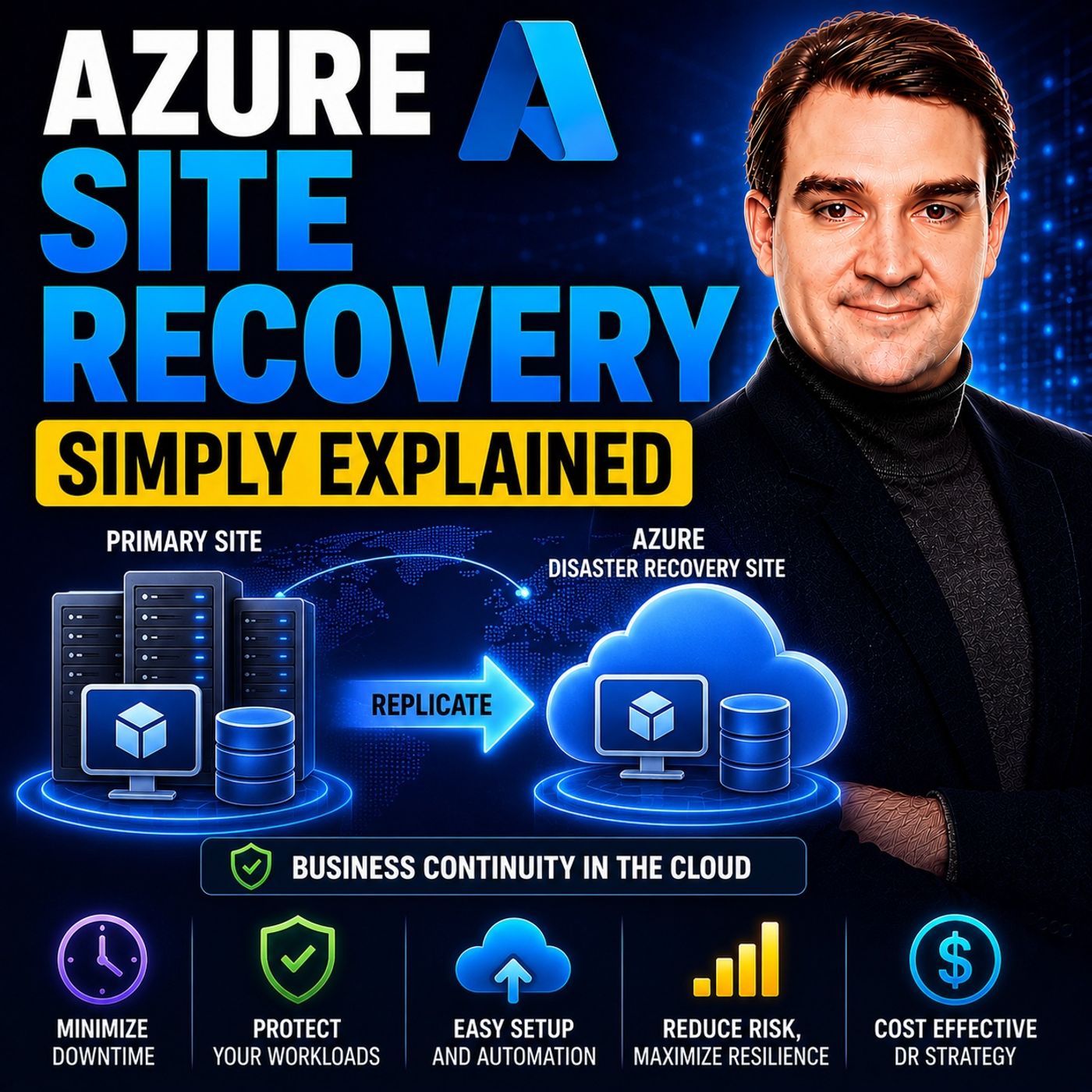
Welcome back to the blog! As podcasters diving deep into the Microsoft ecosystem, we often talk about the importance of business continuity, resilience, and cloud strategy. Today, we are expanding on one of our most requested listener topics: disaster recovery. In a modern digital landscape where even a few minutes of unexpected downtime can result in massive financial losses, reputation damage, and operational gridlock, having a rock-solid business continuity plan is non-negotiable. That is why we are exploring the fundamentals of Azure Site Recovery and learning how it minimizes downtime during unexpected outages. In this comprehensive guide, we will discover key architectural decisions, Recovery Time Objective (RTO) targets, and how to protect your critical business workloads effectively. If you want to dive deeper into this subject after reading, make sure to listen to our companion podcast episode, Azure Site Recovery - Simply Explained.
Azure Site Recovery Overview

Azure Site Recovery (ASR) is a powerful tool designed to keep your business running during unexpected surprises. Its main job is to make sure your important applications stay working, even during severe IT disasters. Today, when being offline can cause massive disruptions, Azure Site Recovery serves as a cornerstone of modern infrastructure resilience. It drastically reduces downtime by giving organizations a Recovery Time Objective (RTO) as low as one hour, though many virtual machines can actually switch over in mere minutes. This incredible ability helps you recover fast and keep your work going, effectively protecting your business's future.
Key Features of Azure Site Recovery
Azure Site Recovery has many important features that set it apart from traditional, legacy disaster recovery tools. Knowing these features helps you see how ASR empowers your business to stay running during tough times. Here are some of the absolute best features:
| Feature | Description |
|---|---|
| Simple BCDR Solution | ASR works seamlessly with Azure. You can manage your entire backup and recovery strategy from a single pane of glass in the Azure portal. |
| Data Resilience | Your critical data is continually copied and stored safely in resilient Azure storage accounts, keeping it protected and secure. |
| RTO and RPO Targets | ASR keeps copying data continuously—sometimes every 30 seconds for Hyper-V servers—helping you aggressively meet your recovery point objectives. |
| Easy and Flexible Failover | You can test failovers without stopping active replication, and ASR easily handles both planned and unplanned failovers alike. |
These robust features make ASR an incredible tool for maintaining business continuity and acting as a world-class disaster recovery-as-a-service (DraaS) solution. You can also use ASR to replicate data across multiple geographical sites. Here is how that replication workflow typically operates:
- First, initial data is fully copied, followed by ongoing incremental data copies based on your custom-configured rules and policies.
- You continuously check and validate your setup to ensure you are fully prepared for a potential failover event.
- ASR supports three distinct failover types: test, planned, and unplanned failovers.
- A test failover can happen completely isolated without affecting your live production environment. Planned and unplanned failovers migrate your production workloads over to the secondary backup site.
- After a successful planned failover and subsequent remediation, you need to protect machines again, initiating a formal failback process once your primary site is completely healthy and operational.
Azure Site Recovery can protect virtual machines natively within Azure by copying them securely from one geographic region to another.
ASR is exceptionally versatile, working seamlessly with a wide array of workloads and operating systems. Here is a quick look at the supported Windows operating systems:
| Operating System | Support Status |
|---|---|
| Windows Server 2025 | Supported |
| Windows Server 2022 | Supported |
| Windows Server 2019 | Supported for Server Core, Server with Desktop Experience |
| Windows Server 2016 | Supported for Server Core, Server with Desktop Experience |
| Windows Server 2012 R2 | Supported |
| Windows Server 2012 | Supported |
| Windows 11 (x64) | Supported (from mobility agent version 9.56 and later) |
| Windows 10 (x64) | Supported |
| Windows 8.1 (x64) | Supported |
| Windows 8 (x64) | Supported |
| Windows 7 (x64) with SP1 and later | Supported, with specific requirements |
The average Recovery Time Objective (RTO) for Azure Site Recovery generally falls between two to fifteen minutes, depending heavily on the scale and complexity of the workloads you are recovering. This rapid recovery speed is critical for modern enterprises that cannot afford prolonged operational blackouts.
Furthermore, ASR integrates deeply with other native Azure services to elevate your disaster recovery posture. Consider these powerful integration points:
| Feature | Description |
|---|---|
| Recovery Plans | ASR expertly manages the entire failover sequence, including granular boot orders, multi-tier sequencing, and custom script execution. |
| Azure Automation Integration | This feature lets you automate complex administrative and application-level tasks immediately after a failover occurs, speeding up recovery times. |
| VM Creation During Failover | ASR automatically provisions virtual machines in the target recovery area using your replicated disks and configuration metadata, accelerating restoration. |
By leveraging Azure Site Recovery, your organization remains resilient during unexpected IT outages. Utilizing its core features allows you to shield your vital workloads and ensure day-to-day operations continue without a hitch.
How Azure Site Recovery Works

Azure Site Recovery operates via a highly structured, reliable process designed to keep your infrastructure data protected and readily accessible during catastrophic failures. Understanding the underlying mechanics of ASR reveals why it is an indispensable asset for enterprise resilience.
Replication Process
The underlying data replication process is foundational to the success of ASR. It follows a methodical series of deployment steps:
- Verify prerequisites: Always ensure your virtual machines meet all platform requirements and reside in fully supported deployment locations.
- Create a Recovery Services vault: This specialized vault serves as the centralized container where your recovery configuration and backup metadata are securely stored within the Azure portal.
- Enable VM replication: Choose your target settings, configure replication policies, and select the specific virtual machines you want to protect.
- Monitor the replication: Closely watch both the initial full synchronization and ongoing delta replications to guarantee healthy data flow.
This foundational Azure Site Recovery replication architecture keeps your business data constantly primed for a lightning-fast recovery.
Failover Mechanism
When an unexpected disaster strikes, ASR provides an intuitive yet flexible failover framework. Administrators can select from multiple failover options depending on the exact operational context:
| Failover Type | Details | Recovery | Workflow |
|---|---|---|---|
| Test failover | Validates your BCDR plan securely without inducing any data loss or operational side effects. | Creates an isolated copy of the VM in Azure for testing purposes. | 1. Run a test failover. 2. Pick a recovery point. 3. Choose an isolated Azure network. 4. Verify drill results. |
| Planned failover (Hyper-V) | Designed for scheduled maintenance windows or data center migrations with zero data loss. | Latest data is fully synchronized before the failover executes. | 1. Schedule downtime. 2. Take apps offline. 3. Initiate failover. 4. Validate Azure VM. 5. Complete failover. |
| Failover (Hyper-V) | Engineered for sudden, unexpected site outages with minimal data loss. | Synchronizes final incremental changes right before failover execution. | 1. Activate BCDR plan. 2. Execute failover. 3. Verify Azure VM. 4. Commit failover. |
| Failover (VMware) | Mirrors the Hyper-V failover experience for unexpected outages on VMware environments. | Minimal data loss depending on replication latency. | 1. Activate BCDR plan. 2. Execute failover. 3. Verify Azure VM. 4. Commit failover. |
| Planned failover (VMware) | Handles planned reverse failovers from Azure back to your primary on-premises facility. | Latest application-consistent recovery point is created. | 1. Start planned failover. 2. Copy changes back on-premises. 3. Power on local machine. |
Synchronization and Failback Operations
Once a failover event concludes and your primary environment is restored, ASR ensures data consistency and synchronization through structured operational steps:
- Initiate a planned failover: This step minimizes ongoing downtime. ASR synchronizes data prior to the final switch, checking for changed blocks and downloading them back to your on-premises facility.
- Complete the failover: After synchronization finishes successfully, verify the integrity of the restored on-premises virtual machine.
- Commit the failover: Finalize the operational switchover to restore full user access to the local workload.
- Enable reverse replication: This crucial step allows your on-premises virtual machines to immediately begin replicating back to Azure for ongoing protection.
ASR maintains strict data consistency throughout replication and failover phases by adhering to pre-configured recovery plans. This methodology is particularly vital for multi-tier enterprise applications that depend on multiple coordinated virtual machines. ASR supports application-consistent recovery points, letting administrators roll back systems to precise, uncorrupted points in time—a lifesaver for databases like Microsoft SQL Server and collaboration tools like SharePoint.
By mastering the operational mechanics of Azure Site Recovery, your IT team can successfully insulate your business from unforeseen emergencies, preserving data integrity and business continuity.
Benefits of Azure Site Recovery
Azure Site Recovery delivers a wide variety of tangible advantages that dramatically improve organizational efficiency and risk management. Evaluating these benefits is essential when designing a modern disaster recovery strategy.
Cost-Effectiveness and Scalability
ASR is an economically intelligent approach to business resilience. Organizations can utilize ASR free of charge for the first 31 days per protected instance. Beyond that trial window, you operate on a predictable, consumption-based pricing model:
| Cost Type | First 31 Days | After 31 Days |
|---|---|---|
| Azure Site Recovery to customer-owned sites | Free | Standard per-instance monthly fee |
| Azure Site Recovery to Azure | Free | Standard per-instance monthly fee |
In addition to these core licensing fees, organizations should account for associated cloud infrastructure expenses, including Azure Storage consumption, transaction fees, and outbound data transfer costs. This flexible, pay-as-you-go financial structure allows your disaster recovery framework to scale effortlessly alongside your corporate growth without requiring massive upfront hardware expenditures.
Furthermore, ASR supports a vast assortment of workloads, including VMware, Hyper-V, and bare-metal physical servers. This universal compatibility means you can effortlessly protect all of your legacy and modern assets under a single operational umbrella, customizing recovery sequences and boot orders to match exact application dependencies.
Enhancing Business Resilience
ASR plays a pivotal role in hardening your infrastructure against unforeseen shocks. It enables routine disaster recovery testing without risking production stability. This capability lets your engineers run extensive failover drills safely and cleanly.
Here are three core enterprise scenarios where ASR demonstrates undeniable business value:
| Scenario | Problem | Solution | Example |
|---|---|---|---|
| Enterprise DR programs | Regulatory need for scheduled, repeatable DR drills | Azure Site Recovery organizes and automates DR testing schedules | Auditable proof of successful disaster recovery drills |
| Azure VM regional disaster recovery | Unexpected primary cloud region outage | Seamless replication and failover to a secondary cloud region | Instant failover of mission-critical payroll system VMs |
| Compliance-driven DR | Strict regulatory requirements for proof of DR testing | Job history logs and structured, automated runbooks | Fully documented RTO and RPO audit evidence |
Deploying ASR ensures your enterprise stays online during unexpected crises, protecting sensitive data and upholding your hard-earned brand reputation with clients and stakeholders alike.
Implementing Azure Site Recovery
Implementing Azure Site Recovery successfully requires careful upfront planning and methodical execution. First, verify that your environment satisfies all prerequisite requirements. Consider this comprehensive setup checklist:
| Prerequisite | Description |
|---|---|
| RTO and RPO goals | Clearly define your business recovery time objectives and data recovery point objectives. |
| Storage capacity | Evaluate necessary storage IOPS, throughput caps, and target account space. |
| Network bandwidth | Analyze the network bandwidth required to support continuous data replication and failover traffic. |
| Recovery Services Vault | Provision a dedicated Recovery Services Vault within the Azure portal to manage all orchestration tasks. |
| Source and target environment prep | Prepare both primary and secondary environments to ensure full communication compatibility with ASR services. |
| Network planning | Determine whether to retain existing IP addressing or implement automated IP remapping post-failover. |
| Support matrix | Review official support documentation for limitations regarding VM sizes, operating systems, and physical workloads. |
Once your infrastructure prerequisites are fully satisfied, proceed with this structured deployment workflow:
- Set Up the Azure Environment: Create a Recovery Services vault in your preferred Azure subscription. Select an Azure region that complies with your corporate data residency policies, and configure your replication settings.
- Deploy the Configuration Server: For on-premises VMware or physical workloads, deploy the ASR configuration server onto a dedicated local virtual machine. For Hyper-V architectures, install the Azure Site Recovery Provider directly onto your Hyper-V hosts.
- Enable Replication: Select the specific servers you wish to protect and initialize replication. Install the Mobility service agent on each protected server to track disk changes in real time.
- Create Recovery Plans: Define the precise startup order of servers during a failover event. Incorporate custom automation scripts for post-failover configurations, and organize related servers into logical recovery groups.
Rigorous testing is crucial. Regularly schedule disaster recovery drills to ensure your backups are pristine and your automated failover scripts execute smoothly. Utilizing ASR's native test features allows you to run safe simulations, uncovering hidden architectural bottlenecks long before a genuine emergency strikes.
Azure Site Recovery offers profound advantages that safeguard corporate data and elevate overall enterprise resilience. Key takeaways include:
- Ease of Deployment: You can rapidly deploy comprehensive disaster recovery solutions without building secondary data centers.
- Dependable Failover and Recovery: ASR ensures your business applications stay online during outages, with recovery timelines compressed to mere minutes.
- Cost-Effective: It drastically minimizes the financial sting of IT downtime and eliminates the capital expenditures of maintaining redundant physical hardware facilities.
- Centralized Accessibility: You can manage global replication, monitoring, and recovery operations directly from the Azure portal.
Leading organizations around the globe have completely transformed their disaster recovery posture using these cloud strategies, experiencing zero material disruption during major outages. By integrating Azure Site Recovery into your broader enterprise architecture, you can protect your digital assets and maintain business continuity under any circumstances. If you want to expand your knowledge further, listen to the related episode Azure Site Recovery - Simply Explained.
FAQ
What is Azure Site Recovery?
Azure Site Recovery (ASR) is a cloud-based disaster recovery service that helps keep your critical applications running during unexpected data center or regional outages. ASR continuously replicates your workloads to a secondary location, enabling rapid failover and restoration.
How does ASR ensure data safety?
ASR maintains continuous replication of your data to Azure storage accounts, monitoring disk changes in near real-time. This continuous data protection keeps your recovery points fresh and your information secure until a failover is required.
Can I test my disaster recovery plan with ASR?
Yes, absolutely! ASR allows you to run isolated test failovers on demand. You can validate your entire disaster recovery runbook without impacting your live production environment, helping you catch configuration errors before a real crisis occurs.
What types of workloads does ASR support?
ASR supports a wide variety of enterprise workloads, including VMware virtual machines, Hyper-V environments, and bare-metal physical servers running various supported Windows and Linux operating systems.
How do I start using Azure Site Recovery?
To begin utilizing ASR, simply provision a Recovery Services vault within your Azure portal subscription. From there, install the necessary providers or mobility agents, select your target workloads, and enable replication according to your business recovery objectives.
🎧 Listen to this episode
Want a practical, straightforward explanation of Azure Site Recovery? This episode breaks down the topic in clear language and demonstrates why it matters for Microsoft 365, Azure, Power Platform, security, AI, and modern work.
Listen to this episode if you want to:
- Understand the core conceptual pillars behind Azure Site Recovery
- See how it integrates into the broader Microsoft technology ecosystem
- Learn where it can create immediate practical value for your organization
You may also enjoy these related M365 FM episodes:
Discover more practical Microsoft conversations on M365 FM.
Last reviewed: July 2026.
Who Should Listen
This episode is tailor-made for Microsoft 365 administrators, cloud architects, IT leaders, and engineering practitioners who need a practical, no-nonsense understanding of Azure Site Recovery before planning, implementing, or supporting enterprise resiliency initiatives.

Microsoft MVP | Host of M365.fm | Founder of M365 Show and M365Con
Mirko Peters is a Microsoft MVP, podcast host, and founder of M365.fm, M365 Show, and M365Con. His work connects Microsoft practitioners through podcast interviews, livestreams, and community events.
At M365.fm, Mirko hosts conversations with Microsoft MVPs, product experts, architects, and community contributors. Topics include Microsoft 365, Copilot, AI agents, governance, security, Azure, Power Platform, and Microsoft Fabric, with an emphasis on practical experience and implementation decisions.
M365.fm is the podcast and learning platform. M365 Show brings experts together for livestreams, while M365Con provides an online conference setting for community learning.
Official website: Mirko Peters (https://www.mirkopeters.com/). Recognition: Mirko Peters — Microsoft MVP profile (https://mvp.microsoft.com/de-DE/mvp/profile/9b0ca797-db5a-493a-a845-8b9158046cf5). Connect on LinkedIn (https://www.linkedin.com/in/m365showpodcast/).