


 Apple Podcasts
 Spotify
 Youtube Music
 Spreaker
 Podchaser
 Amazon Music
 Azure Site Recovery - Simply Explained
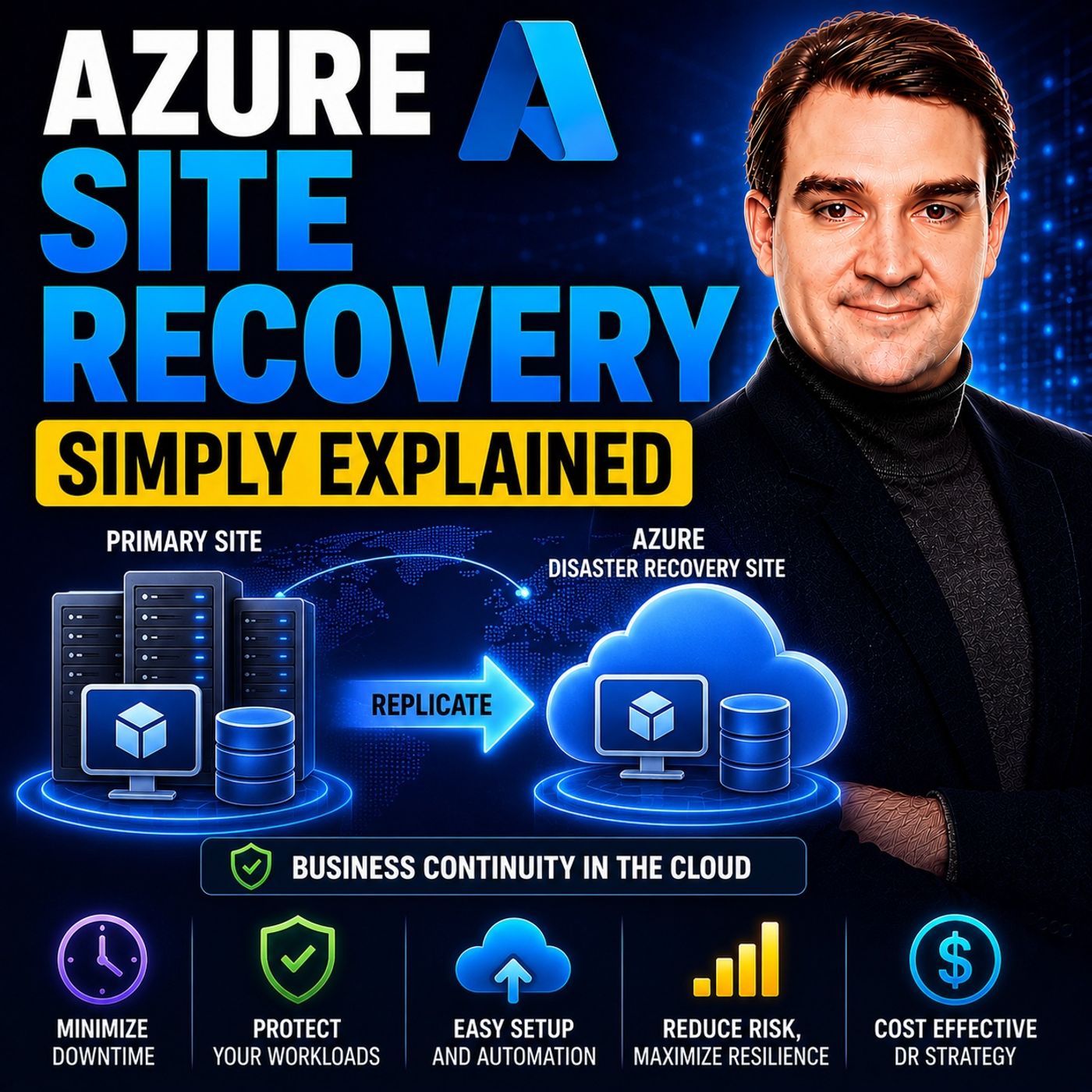
Azure Site Recovery (ASR) is Microsoft's disaster recovery service that helps keep business applications and workloads running during planned and unplanned outages. By continuously replicating virtual machines and physical servers to a secondary Azure region or recovery site, ASR enables organizations to recover quickly from failures while minimizing downtime and data loss.
In this episode of Microsoft Knowledge Nuggets, Mirko Peters explains Azure Site Recovery in simple terms and shows how it fits into a modern business continuity and disaster recovery (BCDR) strategy. You'll learn how continuous replication, failover, failback, and recovery plans work together to keep critical services available when unexpected outages occur.
The episode covers key concepts including Recovery Services Vaults, replication policies, recovery points, planned versus unplanned failovers, test failovers, and automated recovery plans. It also explains how Azure Site Recovery protects Azure Virtual Machines, VMware, Hyper-V, physical servers, and hybrid environments while integrating with Azure networking, Azure Monitor, and Azure Automation to simplify disaster recovery management.
You'll also learn the difference between Azure Site Recovery and Azure Backup. While Azure Backup focuses on protecting data and restoring files or workloads after data loss, Azure Site Recovery is designed to keep applications running by orchestrating disaster recovery and business continuity during infrastructure failures. Understanding when to use each service—or both together—is essential for building resilient cloud architectures.
Quick answer: Azure Site Recovery is covered in this M365 FM episode with a practical focus on what it is, how it works, and the decisions that matter for architecture, adoption, security, governance, or day-to-day operations.
Azure Site Recovery is a strong tool. It helps you keep your business running during surprises. Its main job is to make sure your important apps stay working, even during disasters. Today, when being offline can cause big losses, Azure Site Recovery is very important. It reduces downtime by giving a Recovery Time Objective (RTO) of one hour. This means most virtual machines can switch over in minutes. This ability helps you recover fast and keep your work going. It protects your business's future.
Key Takeaways
- Azure Site Recovery (ASR) helps reduce downtime. It offers a Recovery Time Objective (RTO) of just one hour. This means your business can recover fast during disasters.
- ASR gives you an easy disaster recovery solution. It works well with Azure, so you can manage everything from one place.
- You can test your disaster recovery plans with ASR. This won't affect your main operations. It helps you find problems before a real disaster happens.
- ASR works with different workloads, like VMware and Hyper-V. This makes it a flexible choice for various business needs.
- Using ASR can save you money. You only pay for what you protect. This helps you grow your disaster recovery as your business grows.
Azure Site Recovery Overview

Key Features of Azure Site Recovery
Azure Site Recovery (ASR) has many important features. These features make it different from other disaster recovery tools. Knowing these features helps you see how ASR helps your business stay running during tough times. Here are some of the best features:
| Feature | Description |
|---|---|
| Simple BCDR Solution | ASR works well with Azure. You can manage everything from one place. |
| Data Resilience | Your data is copied in Azure storage. This keeps it safe and strong. |
| RTO and RPO Targets | ASR keeps copying data every 30 seconds for Hyper-V servers. This helps you meet your recovery goals. |
| Easy and Flexible Failover | You can test failovers without stopping replication. ASR helps with planned and unplanned failovers. |
These features make ASR a strong tool for keeping your business running and for disaster recovery-as-a-service (DraaS).
You can also use ASR to replicate data across multiple sites. Here’s how it works:
- First, data is copied, then more data is copied based on your rules.
- You check the setup to get ready for failover.
- ASR has three failover types: test, planned, and unplanned.
- Test failover can happen without affecting production. Planned and unplanned failovers move production to the backup site.
- After a planned failover, you need to protect machines again. A failback process starts when the main site is working again.
Azure Site Recovery can protect VMs in Azure by copying them from one area to another.
ASR works with many types of workloads and operating systems. Here’s a quick look at the supported operating systems:
| Operating System | Support Status |
|---|---|
| Windows Server 2025 | Supported |
| Windows Server 2022 | Supported |
| Windows Server 2019 | Supported for Server Core, Server with Desktop Experience |
| Windows Server 2016 | Supported for Server Core, Server with Desktop Experience |
| Windows Server 2012 R2 | Supported |
| Windows Server 2012 | Supported |
| Windows 11 (x64) | Supported (from mobility agent version 9.56 and later) |
| Windows 10 (x64) | Supported |
| Windows 8.1 (x64) | Supported |
| Windows 8 (x64) | Supported |
| Windows 7 (x64) with SP1 and later | Supported, with specific requirements |
The average Recovery Time Objective (RTO) for Azure Site Recovery is between two to fifteen minutes. This depends on how many workloads you are recovering. This fast recovery is very important for businesses that need to keep running.
ASR also works with other Azure services to improve your disaster recovery. Here are some features of this integration:
| Feature | Description |
|---|---|
| Recovery Plans | ASR manages the whole failover process, including boot order and custom steps. |
| Azure Automation Integration | This feature lets you automate tasks after a failover. This makes recovery faster. |
| VM Creation During Failover | ASR automatically makes VMs in the backup area using copied disks and information. This speeds up recovery. |
With Azure Site Recovery, you can keep your business strong during unexpected problems. By using its key features, you can protect your important workloads and keep things running smoothly.
How Azure Site Recovery Works

Azure Site Recovery (ASR) works through a clear process. This process keeps your data safe and easy to reach during problems. Knowing how ASR works shows you why it is important for keeping your business running.
Replication Process
The replication process is very important for ASR. It has several key steps:
- Verify prerequisites: Make sure your virtual machines (VMs) meet the right requirements and are in supported areas.
- Create a Recovery Services vault: This vault is where your backup data is stored in the Azure portal.
- Enable VM replication: Choose the right settings and VMs to start the replication.
- Monitor the replication: Watch the initial and delta replication to make sure everything works well.
This basic Azure Site Recovery replication keeps your data ready for quick recovery.
Failover Mechanism
When a disaster happens, ASR has an easy and flexible failover system. You can pick different types of failovers based on what you need:
| Failover Type | Details | Recovery | Workflow |
|---|---|---|---|
| Test failover | Checks your business continuity and disaster recovery (BCDR) plan without losing data. | Makes a copy of the VM in Azure. | 1. Run a test failover. 2. Pick a recovery point. 3. Choose an Azure network. 4. Check the drill. |
| Planned failover (Hyper-V) | For planned downtime with no data loss. | Latest data is synced before failover. | 1. Plan downtime. 2. Take apps offline. 3. Start failover. 4. Check Azure VM. 5. Finish failover. |
| Failover (Hyper-V) | For unexpected outages with little data loss. | Sync final changes before failover. | 1. Start BCDR plan. 2. Failover. 3. Check Azure VM. 4. Finish failover. |
| Failover (VMware) | Similar to Hyper-V for unexpected outages. | Little data loss. | 1. Start BCDR plan. 2. Failover. 3. Check Azure VM. 4. Finish failover. |
| Planned failover (VMware) | Planned failover from Azure to on-premises. | Latest recovery point created. | 1. Start planned failover. 2. Copy changes to on-premises. 3. Turn on on-premises machine. |
Synchronization and Failback Operations
After a failover, ASR keeps your data consistent and synced. Here’s how it works:
- Initiate a planned failover: This reduces downtime. ASR syncs data before failover, checking for changed data blocks and downloading them to the on-premises site.
- Complete the failover: After syncing finishes, check the on-premises virtual machine.
- Commit the failover: Finish the process to access the workload from the on-premises virtual machine.
- Enable reverse replication: This lets your on-premises virtual machines replicate back to Azure.
ASR keeps data consistent during replication and failover. It follows a set recovery plan. This method helps keep data safe, especially for apps that depend on multiple VMs. ASR allows application-consistent recovery, letting you recover to a specific time. This is very helpful for apps like Microsoft SQL and SharePoint.
By knowing how Azure Site Recovery works, you can better protect your business from unexpected problems. ASR not only keeps your data safe but also helps your operations run smoothly.
Benefits of Azure Site Recovery
Azure Site Recovery (ASR) has many benefits that can improve how your business works. Knowing these benefits can help you choose the right disaster recovery plan.
Cost-Effectiveness and Scalability
ASR is a smart choice for disaster recovery. You can start using ASR for free for the first 31 days. After that, you only pay for what you protect. Here’s a quick look at the costs for ASR:
| Cost Type | First 31 Days | After 31 Days |
|---|---|---|
| Azure Site Recovery to customer-owned sites | Free | $-/month per instance protected |
| Azure Site Recovery to Azure | Free | $-/month per instance protected |
Besides these costs, think about other possible expenses, like Azure Storage fees, storage transactions, and data transfer charges. This pay-as-you-go plan lets you grow your disaster recovery as your business gets bigger.
ASR works with many types of workloads, like VMware, Hyper-V, and physical servers. This wide support means you can copy your important systems in different places. You can also change recovery plans to meet your needs, like setting the boot order of virtual machines.
Enhancing Business Resilience
ASR is very important for making your business stronger. It lets you test your disaster recovery plans without causing problems. This way, you can check your failover steps without affecting your main work.
Here are some situations where ASR shows its value:
| Scenario | Problem | Solution | Example |
|---|---|---|---|
| Enterprise DR programs | Need for scheduled DR drills | Azure Site Recovery organizes DR tests | Proof of successful drills |
| Azure VM regional disaster recovery | Primary region outage | Replication to secondary region | Payroll system VM failover |
| Compliance-driven DR | Requirement for proof of DR tests | Job history and structured runbooks | Documented RTO/RPO evidence |
By using ASR, you can keep your business running during unexpected problems. This ability not only protects your data but also helps keep your good name with customers.
Implementing Azure Site Recovery
To use Azure Site Recovery (ASR), you must follow some steps. First, check that you meet the setup requirements. Here’s a quick list of what you need:
| Prerequisite | Description |
|---|---|
| RTO and RPO goals | Set your recovery time goal and recovery point goal for your disaster recovery plan. |
| Storage capacity | Check the needed storage IOPS and account space for the target area. |
| Network bandwidth | Look at the bandwidth needed for data copying and failover tasks. |
| Recovery Services Vault | Make a Recovery Services Vault in Azure to handle the copying and recovery tasks. |
| Source and target environment prep | Get both the source and target areas ready to work with ASR. |
| Network planning | Decide if you want to keep the same IP addresses or use new ones for Azure after failover. |
| Support matrix | Check the support matrix for limits and needs for copying VMs and physical machines. |
After you have the prerequisites ready, follow these setup steps:
- Set Up the Azure Environment: Create a Recovery Services vault in Azure. Pick a region that meets your data rules. Set up the vault's copying policy.
- Deploy the Configuration Server: For on-premises VMware or physical servers, set up the ASR configuration server on a special VM. For Hyper-V, install the Azure Site Recovery Provider on Hyper-V hosts.
- Enable Replication: Choose the servers you want to protect and turn on replication. Install the Mobility service agent on each server to track disk changes.
- Create Recovery Plans: Set the order of server startup during failover. Add custom scripts for automatic tasks. Group related servers into recovery groups for better recovery.
Testing your setup is very important. Regularly run disaster recovery tests to make sure your backups can be restored and failover tasks work well. Use ASR's test feature to do disaster recovery drills. This helps you find hidden problems before they become big issues.
By following these steps, you can successfully use Azure Site Recovery and improve your disaster recovery plan.
Azure Site Recovery has many benefits that help protect your data and make your business stronger. Here are some important advantages:
- Ease of Deployment: You can set up disaster recovery solutions easily.
- Dependable Failover and Recovery: ASR keeps your apps running during outages. Recovery times can be just seconds to minutes.
- Cost-Effective: It lowers costs from IT downtime and removes the need for costly backup data centers.
- Accessibility: You can manage replication and recovery right from the Azure portal.
Companies like Swiss-Tek have made their disaster recovery better. They faced little disruption during outages. With Azure Site Recovery, you can protect your work and keep things running during unexpected problems. Think about using ASR as part of your disaster recovery plan to keep your business safe.
FAQ
What is Azure Site Recovery?
Azure Site Recovery (ASR) is a service for disaster recovery. It helps keep your apps running during outages. ASR copies your workloads to another location. This allows for quick recovery.
How does ASR ensure data safety?
ASR keeps copying your data to Azure all the time. It watches for changes almost in real-time. This process keeps your data safe and ready for recovery when you need it.
Can I test my disaster recovery plan with ASR?
Yes! ASR lets you run test failovers. You can check your disaster recovery plan without affecting your main work. This helps you find any problems before a real disaster happens.
What types of workloads does ASR support?
ASR supports many workloads, like VMware, Hyper-V, and physical servers. It also works with different operating systems. This gives you flexibility for your disaster recovery needs.
How do I start using Azure Site Recovery?
To start using ASR, make a Recovery Services vault in Azure. Then, turn on replication for your virtual machines. Follow the setup steps to set up your disaster recovery plan well.
🎧 Listen to this episode
Want a practical explanation of Azure Site Recovery? This episode breaks down the topic in clear language and shows why it matters for Microsoft 365, Azure, Power Platform, security, AI, and modern work.
Listen to this episode if you want to:
- Understand the key concepts behind Azure Site Recovery
- See how it fits into the wider Microsoft technology ecosystem
- Learn where it can create practical value for your organization
You may also enjoy these related M365 FM episodes:
Discover more practical Microsoft conversations on M365 FM.
Last reviewed: July 2026.
Who Should Listen
This episode is for Microsoft 365 administrators, architects, IT leaders, and practitioners who need a practical understanding of Azure Site Recovery before planning, implementing, or supporting it.
🚀 Want to be part of m365.fm?
Then stop just listening… and start showing up.
👉 Connect with me on LinkedIn and let’s make something happen:
- 🎙️ Be a podcast guest and share your story
- 🎧 Host your own episode (yes, seriously)
- 💡 Pitch topics the community actually wants to hear
- 🌍 Build your personal brand in the Microsoft 365 space
This isn’t just a podcast — it’s a platform for people who take action.
🔥 Most people wait. The best ones don’t.
👉 Connect with me on LinkedIn and send me a message:
"I want in"
Let’s build something awesome 👊
1
00:00:00,000 --> 00:00:01,280
Imagine you're running a business
2
00:00:01,280 --> 00:00:02,960
and suddenly the server room floods
3
00:00:02,960 --> 00:00:05,440
or a cyber attack locks every single system.
4
00:00:05,440 --> 00:00:07,120
What happens to your company in that moment?
5
00:00:07,120 --> 00:00:08,600
Are you back online in minutes
6
00:00:08,600 --> 00:00:11,000
or are you watching your revenue disappear by the hour?
7
00:00:11,000 --> 00:00:13,360
Today's topic is one that almost everyone has heard of,
8
00:00:13,360 --> 00:00:15,240
but most people don't really understand.
9
00:00:15,240 --> 00:00:16,200
By the end of this episode,
10
00:00:16,200 --> 00:00:18,040
you'll know what as your site recovery is,
11
00:00:18,040 --> 00:00:19,880
how it's completely different from backup.
12
00:00:19,880 --> 00:00:21,800
And the simple mental model you need to think about
13
00:00:21,800 --> 00:00:23,840
disaster recovery in the cloud.
14
00:00:23,840 --> 00:00:25,440
Why disaster recovery matters?
15
00:00:25,440 --> 00:00:27,640
Here's the problem, downtime is expensive.
16
00:00:27,640 --> 00:00:29,000
Every minute your systems are down,
17
00:00:29,000 --> 00:00:31,200
costs you money, trust and productivity.
18
00:00:31,200 --> 00:00:32,520
And in some industries,
19
00:00:32,520 --> 00:00:34,720
a single hour of downtime can cost millions.
20
00:00:34,720 --> 00:00:36,840
The real question is whether your plan actually works
21
00:00:36,840 --> 00:00:38,840
when things go wrong, not whether you have one.
22
00:00:38,840 --> 00:00:39,800
Think of it this way.
23
00:00:39,800 --> 00:00:41,880
Imagine your business is a physical office building
24
00:00:41,880 --> 00:00:43,640
where the servers, applications, and data
25
00:00:43,640 --> 00:00:45,880
are the furniture and files inside.
26
00:00:45,880 --> 00:00:47,600
A disaster like a fire or a flood destroys
27
00:00:47,600 --> 00:00:49,520
the entire building and everything inside is gone.
28
00:00:49,520 --> 00:00:50,920
Now what do you do?
29
00:00:50,920 --> 00:00:52,720
20 years ago, the answer was simple.
30
00:00:52,720 --> 00:00:54,400
You'd buy backup tapes every night,
31
00:00:54,400 --> 00:00:55,920
put them in a fireproof safe,
32
00:00:55,920 --> 00:00:57,320
and hope you never needed them.
33
00:00:57,320 --> 00:00:58,480
If the building burned down,
34
00:00:58,480 --> 00:01:00,600
you'd have to buy new furniture, rebuild the office
35
00:01:00,600 --> 00:01:02,880
from scratch and restore your data from those tapes,
36
00:01:02,880 --> 00:01:04,840
a process that was slow and painful
37
00:01:04,840 --> 00:01:06,200
and carried a lot of risk.
38
00:01:06,200 --> 00:01:08,160
In the meantime, your business just stopped.
39
00:01:08,160 --> 00:01:10,360
Here's the thing, cloud disaster recovery means
40
00:01:10,360 --> 00:01:12,840
you don't have to rebuild from scratch anymore.
41
00:01:12,840 --> 00:01:15,360
Instead, you have a second identical office building
42
00:01:15,360 --> 00:01:17,200
ready to go in a completely different location.
43
00:01:17,200 --> 00:01:19,080
So when disaster hits your primary building,
44
00:01:19,080 --> 00:01:21,360
you simply walk into the other building and keep working.
45
00:01:21,360 --> 00:01:24,120
No rebuilding or waiting, just business as usual
46
00:01:24,120 --> 00:01:25,920
in a different place.
47
00:01:25,920 --> 00:01:28,400
Now this is the key distinction most people miss.
48
00:01:28,400 --> 00:01:30,960
Disaster recovery focuses on keeping your business running
49
00:01:30,960 --> 00:01:32,240
not just saving your files.
50
00:01:32,240 --> 00:01:35,120
It's about business continuity, not data preservation.
51
00:01:35,120 --> 00:01:37,840
Backup saves your data, while disaster recovery saves
52
00:01:37,840 --> 00:01:40,400
your operations and those are two very different things.
53
00:01:40,400 --> 00:01:42,440
So now let's look at the specific tool
54
00:01:42,440 --> 00:01:44,480
as your provides to solve it.
55
00:01:44,480 --> 00:01:46,120
What is Azure Site Recovery Solids?
56
00:01:46,120 --> 00:01:47,840
So what exactly is Azure Site Recovery?
57
00:01:47,840 --> 00:01:49,760
Most people call it ASR for short.
58
00:01:49,760 --> 00:01:51,840
It's a managed service that takes your entire server,
59
00:01:51,840 --> 00:01:53,480
the operating system, the applications,
60
00:01:53,480 --> 00:01:55,520
the data, the settings, and replicates it
61
00:01:55,520 --> 00:01:57,640
to a secondary location in real time.
62
00:01:57,640 --> 00:02:00,000
Not just the files, but the whole machine, everything.
63
00:02:00,000 --> 00:02:02,240
Let's go back to our office building analogy.
64
00:02:02,240 --> 00:02:04,160
If your primary office is in one city,
65
00:02:04,160 --> 00:02:07,200
ASR builds an exact copy of that office in another city.
66
00:02:07,200 --> 00:02:09,960
Every desk, every file cabinet, every computer gets duplicated.
67
00:02:09,960 --> 00:02:12,280
The layout is the same, the furniture is the same,
68
00:02:12,280 --> 00:02:13,880
the only difference is the address.
69
00:02:13,880 --> 00:02:15,440
Here's the thing that trips people up.
70
00:02:15,440 --> 00:02:16,480
This is not a backup.
71
00:02:16,480 --> 00:02:18,160
I want to be crystal clear on that.
72
00:02:18,160 --> 00:02:20,800
Backup is like taking a photo of your office once a day.
73
00:02:20,800 --> 00:02:22,600
You get a snapshot of what things looked like
74
00:02:22,600 --> 00:02:23,640
at a specific moment.
75
00:02:23,640 --> 00:02:25,120
ASR is completely different.
76
00:02:25,120 --> 00:02:27,600
It's like having a live video feed of your entire office
77
00:02:27,600 --> 00:02:30,680
24 hours a day, seven days a week, every change,
78
00:02:30,680 --> 00:02:34,000
every new document, every update gets captured instantly
79
00:02:34,000 --> 00:02:35,360
and sent to the other location.
80
00:02:35,360 --> 00:02:36,600
So what are the actual pieces?
81
00:02:36,600 --> 00:02:38,960
The system works through three main actions.
82
00:02:38,960 --> 00:02:41,120
Replication continuously copies your server's disks
83
00:02:41,120 --> 00:02:42,760
to as your storage in another region.
84
00:02:42,760 --> 00:02:44,720
It runs in the background, watching for changes
85
00:02:44,720 --> 00:02:46,240
and sending them over.
86
00:02:46,240 --> 00:02:47,760
Failover is the process of switching
87
00:02:47,760 --> 00:02:50,520
from your primary server to the replica when disaster strikes.
88
00:02:50,520 --> 00:02:53,560
You flip a switch and the replica becomes the live running server.
89
00:02:53,560 --> 00:02:56,080
Failback reverses that once your primary site is repaired
90
00:02:56,080 --> 00:02:59,120
and ready, switching production back to the original server.
91
00:02:59,120 --> 00:03:01,440
Most people never interact with ASR directly.
92
00:03:01,440 --> 00:03:02,720
It runs quietly in the background,
93
00:03:02,720 --> 00:03:05,240
protecting your workloads without any manual intervention.
94
00:03:05,240 --> 00:03:07,080
You set it up once and it just works.
95
00:03:07,080 --> 00:03:10,040
But when disaster hits, that's when you need to know what to do.
96
00:03:10,040 --> 00:03:13,080
Now let's break down how these pieces actually work together.
97
00:03:13,080 --> 00:03:14,600
How replication works.
98
00:03:14,600 --> 00:03:16,760
So how does the actual replication work?
99
00:03:16,760 --> 00:03:18,160
Here's the simplest way to think about it.
100
00:03:18,160 --> 00:03:21,480
ASR watches every single change made to your server's disks
101
00:03:21,480 --> 00:03:24,400
and sends those changes to Azure in near real time.
102
00:03:24,400 --> 00:03:28,000
Every new file, every edit, every delete gets captured and copied over.
103
00:03:28,000 --> 00:03:29,560
Let me give you a better analogy.
104
00:03:29,560 --> 00:03:31,840
Imagine you have a filing cabinet in your office.
105
00:03:31,840 --> 00:03:35,280
Every time you add a document, remove one or change something on a page,
106
00:03:35,280 --> 00:03:37,320
a copy of that change is instantly sent
107
00:03:37,320 --> 00:03:39,720
to a second filing cabinet in another building.
108
00:03:39,720 --> 00:03:41,480
Not the whole cabinet, just the change.
109
00:03:41,480 --> 00:03:43,200
That's what ASR does with your server disks.
110
00:03:43,200 --> 00:03:45,240
It's not copying the entire server every time.
111
00:03:45,240 --> 00:03:47,480
It tracks the differences and sends only those.
112
00:03:47,480 --> 00:03:49,120
Now there are three main scenarios
113
00:03:49,120 --> 00:03:51,000
for where you're replicating to and from.
114
00:03:51,000 --> 00:03:53,320
You can replicate between Azure regions
115
00:03:53,320 --> 00:03:56,920
from on premises to Azure or from Azure back to on premises.
116
00:03:56,920 --> 00:03:59,360
The first scenario, Azure to Azure is the simplest
117
00:03:59,360 --> 00:04:01,960
because everything stays inside Microsoft's network.
118
00:04:01,960 --> 00:04:05,200
The second on premises to Azure is the classic hybrid setup
119
00:04:05,200 --> 00:04:08,560
where you replicate your own data center servers up to the cloud.
120
00:04:08,560 --> 00:04:11,240
The third Azure to on premises is less common
121
00:04:11,240 --> 00:04:12,880
but possible for specific needs.
122
00:04:12,880 --> 00:04:15,280
So how fast does this replication actually happen?
123
00:04:15,280 --> 00:04:18,120
It's near synchronous meaning changes usually get copied within seconds
124
00:04:18,120 --> 00:04:21,640
to a few minutes, but the exact speed depends on your network connection
125
00:04:21,640 --> 00:04:23,240
and how much data is changing.
126
00:04:23,240 --> 00:04:25,240
If you have a slow internet link in a database
127
00:04:25,240 --> 00:04:28,040
that's constantly being updated, replication might lag a bit.
128
00:04:28,040 --> 00:04:30,200
If you have a fast connection in low change rates,
129
00:04:30,200 --> 00:04:31,480
it's practically instant.
130
00:04:31,480 --> 00:04:33,320
Here's something that catches people off guard.
131
00:04:33,320 --> 00:04:36,320
Every new protected instance gets 31 days free.
132
00:04:36,320 --> 00:04:37,160
That's right.
133
00:04:37,160 --> 00:04:39,360
You can set up ASR, test it, run failovers
134
00:04:39,360 --> 00:04:41,440
and validate your entire disaster recovery plan
135
00:04:41,440 --> 00:04:44,120
without paying a cent for the service itself for the first month.
136
00:04:44,120 --> 00:04:47,600
It's designed specifically for testing and proof of concept work
137
00:04:47,600 --> 00:04:49,960
but there's an important caveat you need to understand.
138
00:04:49,960 --> 00:04:52,920
ASR does not protect against ransomware or data corruption.
139
00:04:52,920 --> 00:04:55,720
It replicates whatever is on the disk including infections.
140
00:04:55,720 --> 00:04:57,600
If a ransomware attack encrypts your files,
141
00:04:57,600 --> 00:05:00,000
ASR will dutifully replicate those encrypted files
142
00:05:00,000 --> 00:05:01,480
to your secondary location.
143
00:05:01,480 --> 00:05:05,320
You'll fail over into the exact same mess you were trying to escape.
144
00:05:05,320 --> 00:05:08,080
That's why you need proper backup alongside ASR.
145
00:05:08,080 --> 00:05:10,440
Backup gives you clean and infected recovery points.
146
00:05:10,440 --> 00:05:12,560
ASR gives you continuity during a site outage.
147
00:05:12,560 --> 00:05:13,840
They solve different problems.
148
00:05:13,840 --> 00:05:15,200
Once replication is running,
149
00:05:15,200 --> 00:05:18,520
the next question is how you actually use it when disaster hits.
150
00:05:18,520 --> 00:05:21,360
Understanding failover and failback.
151
00:05:21,360 --> 00:05:22,560
So let's talk about failover.
152
00:05:22,560 --> 00:05:23,400
The idea is simple.
153
00:05:23,400 --> 00:05:25,680
When your primary server goes down, you flip a switch
154
00:05:25,680 --> 00:05:28,680
and the replica server in Azure becomes the live running server.
155
00:05:28,680 --> 00:05:31,800
Your users connect to the replica and business keeps going.
156
00:05:31,800 --> 00:05:34,480
But here's the thing, there are actually two types of failover
157
00:05:34,480 --> 00:05:36,080
and knowing the difference is critical.
158
00:05:36,080 --> 00:05:37,400
The first is test failover.
159
00:05:37,400 --> 00:05:39,120
Think of it as a safe isolated drill.
160
00:05:39,120 --> 00:05:42,720
You spin up the replica in a separate network to verify everything works.
161
00:05:42,720 --> 00:05:43,880
Does the application start?
162
00:05:43,880 --> 00:05:45,080
Can users connect?
163
00:05:45,080 --> 00:05:46,720
Are all the dependencies in place?
164
00:05:46,720 --> 00:05:49,960
You can test all of this without touching your production environment at all.
165
00:05:49,960 --> 00:05:51,520
The test runs in its own sandbox,
166
00:05:51,520 --> 00:05:53,400
completely cut off from your live systems.
167
00:05:53,400 --> 00:05:56,200
And when you're done, you clean it up and the test resources disappear.
168
00:05:56,200 --> 00:05:57,640
The second is actual failover.
169
00:05:57,640 --> 00:05:58,840
This is the real deal.
170
00:05:58,840 --> 00:06:02,240
You shut down your primary server and promote the replica to active duty.
171
00:06:02,240 --> 00:06:04,960
Your production traffic now flows to the replica in Azure.
172
00:06:04,960 --> 00:06:07,000
This is what happens during a real disaster.
173
00:06:07,000 --> 00:06:09,120
Now let me walk you through the step-by-step process.
174
00:06:09,120 --> 00:06:11,920
First, you trigger the failover from the Azure portal.
175
00:06:11,920 --> 00:06:13,960
It's a single button click, but behind the scenes,
176
00:06:13,960 --> 00:06:15,720
ASR is doing a ton of work.
177
00:06:15,720 --> 00:06:19,560
It creates a new virtual machine in the target region using the replicated disks.
178
00:06:19,560 --> 00:06:21,840
The VM boots up and is ready to serve users.
179
00:06:21,840 --> 00:06:26,720
Then you update your DNS records or use Azure traffic manager to root users to the new location.
180
00:06:26,720 --> 00:06:29,960
And just like that, your business is running again from a different region.
181
00:06:29,960 --> 00:06:31,360
Now, what about failback?
182
00:06:31,360 --> 00:06:34,760
Once your primary site is repaired and ready, you reverse the process.
183
00:06:34,760 --> 00:06:38,600
You replicate the changes that happened during the failover back to your original servers.
184
00:06:38,600 --> 00:06:39,960
Then you switch production back.
185
00:06:39,960 --> 00:06:43,200
It's the same process in reverse and ASR handles the orchestration for you.
186
00:06:43,200 --> 00:06:45,400
There's one key metric you need to know about here.
187
00:06:45,400 --> 00:06:48,160
It's called RTO or Recovery Time Objective.
188
00:06:48,160 --> 00:06:51,480
That's the time it takes to get your systems back online after a disaster.
189
00:06:51,480 --> 00:06:55,520
With ASR, this is typically minutes, not hours, not days, minutes.
190
00:06:55,520 --> 00:06:59,160
For a traditional backup and restore approach, you're looking at hours or even days.
191
00:06:59,160 --> 00:07:00,960
That's the difference ASR makes.
192
00:07:00,960 --> 00:07:02,640
This sounds powerful and it is.
193
00:07:02,640 --> 00:07:06,480
But there's a common confusion we need to clear up before we go further.
194
00:07:06,480 --> 00:07:09,640
The big myth, ASR versus Azure backup.
195
00:07:09,640 --> 00:07:11,760
So here's the confusion I run into all the time.
196
00:07:11,760 --> 00:07:15,480
Many people think Azure site recovery and Azure backup are basically the same thing they're not.
197
00:07:15,480 --> 00:07:17,960
And mixing them up can leave you with a false sense of security.
198
00:07:17,960 --> 00:07:19,760
Let me give you a simple way to think about it.
199
00:07:19,760 --> 00:07:21,160
Backup saves your data.
200
00:07:21,160 --> 00:07:23,080
ASR saves your running workload.
201
00:07:23,080 --> 00:07:24,320
Those are two different jobs.
202
00:07:24,320 --> 00:07:25,440
Imagine a car.
203
00:07:25,440 --> 00:07:27,760
Backup is like having a spare tire in your trunk.
204
00:07:27,760 --> 00:07:31,200
You get a flat, you pull over, you swap it out and you're back on the road.
205
00:07:31,200 --> 00:07:32,800
It solves a specific problem.
206
00:07:32,800 --> 00:07:36,200
But you're still stuck on the side of the road for a while and you're not going anywhere fast.
207
00:07:36,200 --> 00:07:37,200
ASR is different.
208
00:07:37,200 --> 00:07:40,600
ASR is like having a second identical car ready to drive.
209
00:07:40,600 --> 00:07:43,280
When something goes wrong with your first car, you don't fix the tire.
210
00:07:43,280 --> 00:07:44,960
You just switch vehicles and keep going.
211
00:07:44,960 --> 00:07:48,520
No stopping, no waiting, just a seamless hand off to the backup car.
212
00:07:48,520 --> 00:07:52,240
Now let's break down the key differences side by side because this is where the practical
213
00:07:52,240 --> 00:07:53,760
decisions live.
214
00:07:53,760 --> 00:07:55,080
First purpose.
215
00:07:55,080 --> 00:07:59,240
Backup protects against accidental deletion, data corruption and ransomware.
216
00:07:59,240 --> 00:08:00,960
Someone deletes a critical file.
217
00:08:00,960 --> 00:08:01,960
Backup has you covered.
218
00:08:01,960 --> 00:08:03,840
A virus scrambles your database.
219
00:08:03,840 --> 00:08:04,840
Restore from last night's backup.
220
00:08:04,840 --> 00:08:07,640
ASR protects against something completely different.
221
00:08:07,640 --> 00:08:08,880
Site level disasters.
222
00:08:08,880 --> 00:08:12,600
Power outages, floods, hardware failures, entire data centers going dark.
223
00:08:12,600 --> 00:08:16,880
These are events that take out everything at once, not just a single file or folder.
224
00:08:16,880 --> 00:08:17,880
Second recovery speed.
225
00:08:17,880 --> 00:08:18,880
This is the big one.
226
00:08:18,880 --> 00:08:20,960
A backup restore takes hours, sometimes days.
227
00:08:20,960 --> 00:08:24,680
You have to provision new infrastructure, restore the data, reconfigure settings, test
228
00:08:24,680 --> 00:08:25,680
everything.
229
00:08:25,680 --> 00:08:27,120
With ASR, failover takes minutes.
230
00:08:27,120 --> 00:08:30,480
You flip the switch, the replica boots up and you're back in business.
231
00:08:30,480 --> 00:08:34,400
That's the difference between losing a few hours of revenue versus losing a few minutes.
232
00:08:34,400 --> 00:08:36,400
Third, granularity.
233
00:08:36,400 --> 00:08:38,880
Backup lets you restore individual files or folders.
234
00:08:38,880 --> 00:08:41,160
Need that one spreadsheet someone deleted last week?
235
00:08:41,160 --> 00:08:42,920
Backup can give it back to you in seconds.
236
00:08:42,920 --> 00:08:44,080
ASR can't do that.
237
00:08:44,080 --> 00:08:45,880
ASR fails over the entire server.
238
00:08:45,880 --> 00:08:46,960
It's all or nothing.
239
00:08:46,960 --> 00:08:48,640
You don't get to pick and choose what comes back.
240
00:08:48,640 --> 00:08:49,640
Fourth, cost.
241
00:08:49,640 --> 00:08:51,480
Backup is cheaper because it stores snapshots.
242
00:08:51,480 --> 00:08:53,520
You're paying for the storage space and not much else.
243
00:08:53,520 --> 00:08:57,240
ASR costs more because of continuous replication and secondary storage.
244
00:08:57,240 --> 00:09:00,600
You're keeping a full copy of your server running in another region at all times.
245
00:09:00,600 --> 00:09:02,040
That infrastructure costs money.
246
00:09:02,040 --> 00:09:03,360
So when do you use each one?
247
00:09:03,360 --> 00:09:04,680
Here's the simple rule.
248
00:09:04,680 --> 00:09:08,320
Use backup for long term retention, compliance and granular recovery.
249
00:09:08,320 --> 00:09:11,320
If you need to restore a file from six months ago, that's backup's job.
250
00:09:11,320 --> 00:09:14,600
If an auditor asks for historical data, that's backup's job.
251
00:09:14,600 --> 00:09:17,680
Use ASR for keeping your business running during a disaster.
252
00:09:17,680 --> 00:09:21,240
If a hurricane takes out your data center, you don't want to restore from backup.
253
00:09:21,240 --> 00:09:23,960
You want to fail over to a running copy in another region.
254
00:09:23,960 --> 00:09:26,240
And for mission-critical workloads, use both.
255
00:09:26,240 --> 00:09:27,240
Backup for your data.
256
00:09:27,240 --> 00:09:28,240
ASR for your continuity.
257
00:09:28,240 --> 00:09:29,240
They're not alternatives.
258
00:09:29,240 --> 00:09:30,240
They're complementary.
259
00:09:30,240 --> 00:09:32,400
Together, they give you complete protection.
260
00:09:32,400 --> 00:09:35,560
Now that we've cleared that up, let's talk about when you'd actually use ASR in the
261
00:09:35,560 --> 00:09:36,960
real world.
262
00:09:36,960 --> 00:09:38,800
And to use ASR as your site recovery.
263
00:09:38,800 --> 00:09:41,000
So who actually needs ASR?
264
00:09:41,000 --> 00:09:45,840
The obvious answer is organizations like hospitals, banks and e-commerce sites, any business
265
00:09:45,840 --> 00:09:48,440
where every minute of downtime costs serious money.
266
00:09:48,440 --> 00:09:51,320
For these organizations, ASR isn't optional.
267
00:09:51,320 --> 00:09:53,240
It's a business requirement.
268
00:09:53,240 --> 00:09:55,920
But there are other scenarios where ASR makes a lot of sense.
269
00:09:55,920 --> 00:09:59,200
The hybrid cloud scenario is a big one for companies with aging on premises hardware
270
00:09:59,200 --> 00:10:00,840
that want to extend its life.
271
00:10:00,840 --> 00:10:04,320
Instead of buying new servers every three to five years, you keep your existing hardware
272
00:10:04,320 --> 00:10:06,520
running and use ASR as a backup data center.
273
00:10:06,520 --> 00:10:10,840
If your old server fails, you fail over to Azure and get modern resilience without a full hardware
274
00:10:10,840 --> 00:10:11,840
refresh.
275
00:10:11,840 --> 00:10:15,160
Then there's the compliance scenario for regulated industries like banking, healthcare
276
00:10:15,160 --> 00:10:19,840
and government, which often require data to be replicated across geographic regions.
277
00:10:19,840 --> 00:10:24,360
ASR gives you that cross-region replication out of the box, so your data lives in two separate
278
00:10:24,360 --> 00:10:28,920
Azure regions, hundreds of miles apart, satisfying most regulatory requirements without
279
00:10:28,920 --> 00:10:31,120
building your own secondary data center.
280
00:10:31,120 --> 00:10:33,120
And here's something people don't always realize.
281
00:10:33,120 --> 00:10:35,200
ASR can also be used for migration.
282
00:10:35,200 --> 00:10:40,240
You replicate your on-premises workloads to Azure, run a test failover to make sure everything
283
00:10:40,240 --> 00:10:45,040
works and then do a planned failover to permanently move your workloads to the cloud with no
284
00:10:45,040 --> 00:10:47,000
downtime or risky cutovers.
285
00:10:47,000 --> 00:10:49,580
It's a clean, controlled migration path.
286
00:10:49,580 --> 00:10:51,520
But ASR isn't right for every situation.
287
00:10:51,520 --> 00:10:52,880
Here's when you should not use it.
288
00:10:52,880 --> 00:10:56,520
If your RTO is measured in hours instead of minutes, backup might be sufficient.
289
00:10:56,520 --> 00:10:58,920
Not every workload needs instant recovery.
290
00:10:58,920 --> 00:11:02,960
If you can afford to be down for four hours, backup is probably fine and a lot cheaper.
291
00:11:02,960 --> 00:11:07,080
If you're protecting against ransomware, use backup with immutable storage instead because
292
00:11:07,080 --> 00:11:11,600
ASR will replicate the infection while backup with immutable storage gives you clean recovery
293
00:11:11,600 --> 00:11:13,960
points that can't be altered or deleted.
294
00:11:13,960 --> 00:11:18,400
If you have low-churn non-critical workloads, the cost probably won't justify the benefit
295
00:11:18,400 --> 00:11:22,520
because ASR is for workloads where downtime has real financial impact.
296
00:11:22,520 --> 00:11:24,640
It's not for every server in your environment.
297
00:11:24,640 --> 00:11:26,080
And let's be honest about cost.
298
00:11:26,080 --> 00:11:31,240
After the free period, ASR runs roughly $25 per instance per month, plus storage and
299
00:11:31,240 --> 00:11:32,720
data transfer costs.
300
00:11:32,720 --> 00:11:37,280
For a handful of critical servers that's manageable, but for 100 servers, it adds up fast.
301
00:11:37,280 --> 00:11:40,280
Only use it for workloads that justify the expense.
302
00:11:40,280 --> 00:11:43,480
Understanding the tool is one thing, but using it effectively is another, so let's talk
303
00:11:43,480 --> 00:11:46,640
about common mistakes and how to avoid them.
304
00:11:46,640 --> 00:11:48,600
Common pitfalls and best practices.
305
00:11:48,600 --> 00:11:50,560
So here's a mistake almost everyone makes.
306
00:11:50,560 --> 00:11:51,840
They replicate everything.
307
00:11:51,840 --> 00:11:55,480
Every VM, every server, every workload, and then they look at the bill and wonder why
308
00:11:55,480 --> 00:11:57,000
they're Azure costs have tripled.
309
00:11:57,000 --> 00:11:59,000
ASR is not for everything.
310
00:11:59,000 --> 00:12:00,880
Only replicate mission-critical workloads.
311
00:12:00,880 --> 00:12:05,480
If a server goes down and nobody notices for four hours, it doesn't need ASR, it needs
312
00:12:05,480 --> 00:12:06,480
backup.
313
00:12:06,480 --> 00:12:09,280
Be honest about what actually matters to your business.
314
00:12:09,280 --> 00:12:11,400
Another big mistake is never testing the failover.
315
00:12:11,400 --> 00:12:15,240
A disaster recovery plan, you never test is a false sense of security.
316
00:12:15,240 --> 00:12:18,880
You think you're protected, but you have no idea if it actually works.
317
00:12:18,880 --> 00:12:20,920
Run test failovers at least every six months.
318
00:12:20,920 --> 00:12:25,360
It's free during the 31-day trial period, and even after that, a test failover only costs
319
00:12:25,360 --> 00:12:27,560
you the compute time while the test VM is running.
320
00:12:27,560 --> 00:12:28,880
There's no excuse not to test.
321
00:12:28,880 --> 00:12:31,440
And there's the mistake of forgetting about dependencies.
322
00:12:31,440 --> 00:12:33,600
Your application probably isn't a single server.
323
00:12:33,600 --> 00:12:37,400
It's a web server, a database server, maybe an API server, and some caching layer.
324
00:12:37,400 --> 00:12:40,720
If you only replicate the web server and the database goes down, you're still down.
325
00:12:40,720 --> 00:12:44,920
You have to replicate everything your application needs and coordinate the failover so things
326
00:12:44,920 --> 00:12:46,240
come up in the right order.
327
00:12:46,240 --> 00:12:49,440
And ignoring networking is another common mistake.
328
00:12:49,440 --> 00:12:53,200
When you fail over to another region, IP addresses change and your users won't know
329
00:12:53,200 --> 00:12:54,520
where to connect.
330
00:12:54,520 --> 00:12:58,480
Plan for DNS updates, VPN tunnels, and traffic routing ahead of time.
331
00:12:58,480 --> 00:13:01,280
You can't figure this out during a disaster, figure it out now.
332
00:13:01,280 --> 00:13:02,840
So what should you actually do?
333
00:13:02,840 --> 00:13:04,240
Create recovery plans.
334
00:13:04,240 --> 00:13:08,400
ASR lets you group related VMs together, so failover happens in the right order.
335
00:13:08,400 --> 00:13:11,640
The database comes up first, then the web server, then the API.
336
00:13:11,640 --> 00:13:14,640
You can add scripts to update DNS or run validation checks.
337
00:13:14,640 --> 00:13:18,360
A recovery plan turns chaos into a repeatable process.
338
00:13:18,360 --> 00:13:20,120
Also monitor replication health regularly.
339
00:13:20,120 --> 00:13:23,200
ASR will alert you if replication falls behind or fails.
340
00:13:23,200 --> 00:13:24,480
So don't ignore those alerts.
341
00:13:24,480 --> 00:13:26,920
If replication is broken, you're not protected.
342
00:13:26,920 --> 00:13:30,160
You can't stop the health dashboard at least once a week and document your DR procedures
343
00:13:30,160 --> 00:13:33,040
when a real disaster hits you won't have time to figure things out.
344
00:13:33,040 --> 00:13:37,040
You need a written step-by-step plan that someone can follow even under pressure.
345
00:13:37,040 --> 00:13:38,040
Who triggers the failover?
346
00:13:38,040 --> 00:13:39,040
Who updates DNS?
347
00:13:39,040 --> 00:13:40,520
Who notifies the business?
348
00:13:40,520 --> 00:13:43,640
Write it down, test it, update it, and repeat.
349
00:13:43,640 --> 00:13:45,880
So here's the simple takeaway.
350
00:13:45,880 --> 00:13:49,360
As your site recovery is your business's fire escape plan.
351
00:13:49,360 --> 00:13:53,200
It keeps your workloads running when disaster strikes, not just your data safe.
352
00:13:53,200 --> 00:13:54,200
Backup saves your files.
353
00:13:54,200 --> 00:13:55,640
ASR saves your business.
354
00:13:55,640 --> 00:13:59,520
If you want to learn more about building a complete disaster recovery strategy, check out
355
00:13:59,520 --> 00:14:01,280
our episode on Azure Backup.
356
00:14:01,280 --> 00:14:04,880
Subscribe to Microsoft Knowledge Nuggets on your favorite podcast platform and share this
357
00:14:04,880 --> 00:14:07,960
with someone who still doesn't know the difference between backup and DR.

Founder of m365.fm, m365.show and m365con.net
Mirko Peters is a Microsoft 365 expert, content creator, and founder of m365.fm, a platform dedicated to sharing practical insights on modern workplace technologies. His work focuses on Microsoft 365 governance, security, collaboration, and real-world implementation strategies.
Through his podcast and written content, Mirko provides hands-on guidance for IT professionals, architects, and business leaders navigating the complexities of Microsoft 365. He is known for translating complex topics into clear, actionable advice, often highlighting common mistakes and overlooked risks in real-world environments.
With a strong emphasis on community contribution and knowledge sharing, Mirko is actively building a platform that connects experts, shares experiences, and helps organizations get the most out of their Microsoft 365 investments.




