
Teams Adoption Basics: Foundations for Success
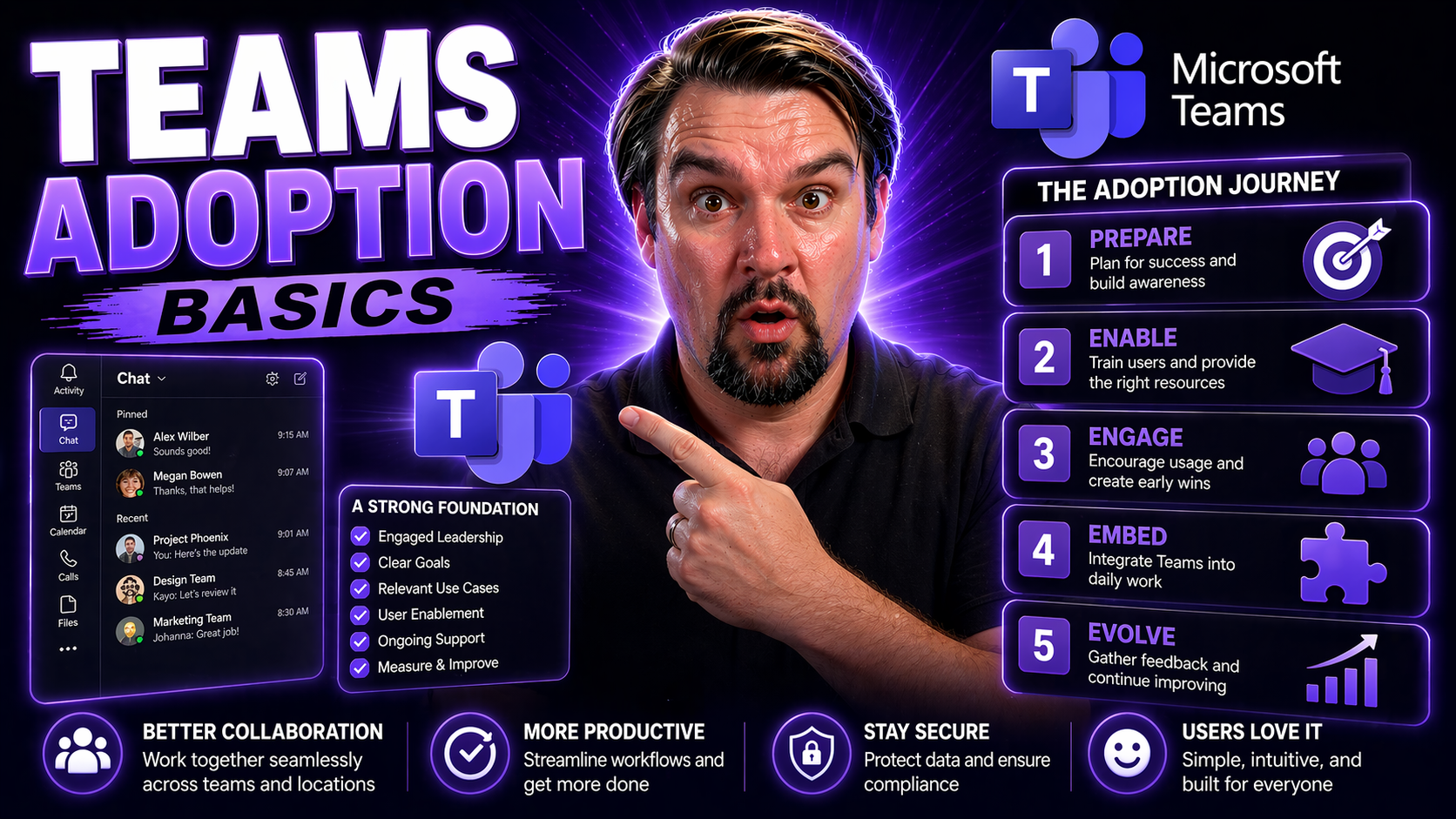
Successful Microsoft Teams adoption is more than just rolling out new software; it’s about changing the way people actually work together. This guide lays out practical steps to make Teams a natural part of daily life in your organization. We’ll dig into real-world strategies, from building the groundwork and launching Teams the right way to keeping everyone engaged for the long haul.
Whether you’re just starting with Teams or are looking to boost usage, you’ll find actionable advice on overcoming common hurdles, engaging users, and measuring what really matters. By tying Teams adoption to your business objectives, you’ll help your organization embrace new habits, improve collaboration, and get the most value from your Microsoft 365 investment.
Understanding Common Teams Adoption Challenges
Adopting Microsoft Teams often stalls when organizations treat it as a simple technology rollout instead of a true behavior change. The most frequent hiccups aren’t technical—they’re about culture, communication, and ownership. One big pitfall is launching Teams without a clear plan, which leaves users guessing and frustrated.
Cultural misalignment can also sink your adoption efforts. If Teams doesn’t fit how people already work, or if old habits like email persist, your investment goes nowhere. Getting buy-in from leaders and frontline users is critical, but it’s tough if you haven’t shown what’s in it for them. When folks don’t see clear benefits, enthusiasm dries up real quick.
Lack of governance is another common headache. If Teams spaces get messy or security is loose, confidence in the tool drops. Setting clear rules and responsibilities is key to creating an organized, trusted environment. For more on this, see how Teams Governance turns chaos into confident collaboration by establishing structure and compliance.
The real secret? Recognize these human and organizational barriers early. Address resistance, design a strategy that fits your culture, and use challenges as fuel for long-term growth. Teams adoption is about more than tech—it’s about bringing people along for the ride.
Define Objectives and Use Cases for Measurable Teams Adoption
If you want Teams to actually make a difference, start by setting goals that everyone can understand and measure. Clear objectives make it possible to prove that Teams is delivering real value—think reducing back-and-forth emails, shortening project timelines, or making remote work more connected.
To get there, talk with department heads and end users to figure out the biggest pain points. For example, maybe HR needs smoother onboarding, while marketing wants fewer lost files. Mapping out these specific scenarios for each group grounds your Teams rollout in practical use. Don’t just say, “Let’s use Teams”—identify exactly what problems it will solve.
Make objectives measurable. You might aim for 75% of team meetings run through Teams by next quarter, or set a goal to cut internal emails by half. Tracking these numbers helps you prove success and adjust as you learn what works.
When you involve stakeholders early and frame Teams as a solution to their daily headaches, you lay the groundwork for sustained buy-in and meaningful change. In the end, the clearer your use cases and goals, the more likely your Teams adoption will actually stick.
Strategic Communication Drives Teams Adoption Success
Rolling out Microsoft Teams isn’t just a task for IT—it’s an organization-wide shift that hinges on clear, strategic communication. To truly drive adoption, users need to understand not only what’s changing, but why it matters for them personally and the business as a whole.
Getting buy-in requires honest messaging, both from leadership and peer networks, starting well before the first Teams invite lands in employees’ inboxes. Consistent, transparent updates carry momentum through rollout, build trust, and help users feel part of the journey. In the next sections, you’ll get practical ways to clarify the benefits, keep everyone informed, and tap visible leadership to power user engagement.
Make the 'Why' Crystal Clear for Microsoft Teams User Adoption
- Connect Teams features to daily pain points. Explain exactly how Teams will cut down meeting overload, streamline information sharing, or make project work less chaotic. Use plain language your audience gets.
- Share real-life stories. Highlight success tales—maybe a team that moved a project faster using Teams channels, or how instant chat reduced bottlenecks—so people picture themselves benefiting.
- Break it down per user role. Outline how frontline workers, remote staff, and managers each win—whether it’s clocking in digitally or holding hybrid meetings that feel fair for all.
- Frame it as a business win and personal gain. Don’t just focus on company efficiency—talk about less stress, fewer “where’s that file?” moments, and more chances to shine in your role.
Communicate Early and Often During Rollout
- Announce the journey before it starts. Let folks know change is coming up—and why—well ahead of flip-the-switch day. This sets expectations and gives users room to ask questions.
- Update consistently across channels. Keep communications regular. Use emails, internal newsletters, chat messages, and even digital signage to spread news and tips. Learn how to master internal newsletters with Outlook and Microsoft 365 tools for targeted, consistent messaging.
- Respond to feedback as you go. Encourage honest input—ask users what’s working or what’s confusing. Acknowledge concerns and share answers publicly to create trust.
- Celebrate small wins. Publicly spotlight early adopters or successful use cases to keep spirits high and show progress is real.
Secure Visible Leadership Support to Drive Adoption
- Lead by example. Have leaders use Teams for their own meetings, updates, and communication to show commitment.
- Publicly endorse the rollout. Executives should share personal enthusiasm—maybe a video or story on what Teams solves for them.
- Stay engaged post-launch. Leadership should join Teams discussions, attend project meetings in Teams, and recognize champions and progress milestones.
- Assign clear executive sponsorship. Designate a leader who is recognized as the Teams sponsor, boosting credibility and keeping momentum going.
Activate Champions and Support Structures for Sustained Adoption
It takes more than official memos to keep people adopting Teams over time. The real magic happens when you tap into grassroots energy—empowering employee champions and backing them up with strong technical support. This pairing gives users both a peer to learn from and a safety net when things get tricky.
With peer champions spreading enthusiasm and IT admins providing guidance and governance, your Teams rollout stands a better chance of sticking. Up next, we’ll break down how to build an active champions program and why IT support and governance are key to long-term Teams success.
Build a Champions Program to Boost Teams Adoption
- Spot your natural influencers. Look for employees who are quick to try new tech, help colleagues, and communicate well. These folks become your Teams champions.
- Train and empower champions. Give them early access, deep-dive training, and resources so they can answer questions and encourage others.
- Recognize and celebrate their impact. Acknowledge champions in team meetings or newsletters. Maybe offer small perks or badges to keep energy high.
- Encourage feedback loops. Champions should collect real user stories, share what’s working (and what’s not), and serve as a direct line between users and the adoption team.
Support from IT Admins and Governance Teams
- Set up secure collaboration environments. IT admins configure policies to keep workspaces organized and compliant. For details on setting guardrails and structure, see how Teams Governance transforms chaos into confident collaboration.
- Maintain data security and compliance. Use role-based controls and monitoring to protect sensitive info and uphold trust within Teams.
- Provide ongoing technical support. Give users quick answers to issues, offer how-to guides, and run regular trainings to keep everyone confident.
- Partner with business units. Governance teams should team up with business leads to shape policies and features to each department’s real needs, turning IT into a true adoption enabler.
Best Practices for Microsoft Teams Rollout and Integration
Rolling out Microsoft Teams the right way means more than flipping a switch for the whole company at once. You need to approach it as a steady process—testing the waters with pilot groups, smoothing out bumps, and making sure Teams plugs into tools people already depend on.
By setting milestones, integrating existing apps and processes with Teams, and keeping an eye on progress, you can steer clear of headaches and drive up user satisfaction. Next, we’ll dig into how to phase deployments, connect legacy tools, and set meaningful benchmarks so your Teams rollout builds momentum and delivers results.
Phase the Adoption Process Within Working Groups
- Start with a pilot. Kick off Microsoft Teams with a few select groups—maybe IT, marketing, or a cross-functional project team.
- Gather honest feedback. Use early pilots to collect what’s working or where people get stuck, then fix issues before the wider rollout.
- Use early wins as reference points. Share success stories and lessons learned from pilot groups to encourage other teams to jump in.
- Expand step by step. Slowly add more users, adjusting communication, training, and configurations as adoption grows to reduce friction.
Integrate Teams with Existing Tools and Legacy Systems
- Connect with Microsoft 365 apps. Tie Teams into SharePoint for document storage, Outlook for calendars, and business process tools to simplify user experience. Integrations, like embedding Dynamics 365 Sales data into Teams, enable real-time updates and faster approvals.
- Leverage Loop components and Power Automate. Use tools such as Microsoft Loop components or Power Automate to sync data and automate tasks across apps, breaking down data silos.
- Build custom apps and message extensions. Tailor Teams for your environment with custom bots or Teams message extensions to reduce app switching and streamline workflow.
- Maintain security and compliance. Ensure best practices like single sign-on, strong permissions, and audit-ready records to keep integrations secure and trusted.
Set Adoption Targets and Measure Progress Over Time
- Define actionable KPIs. Go beyond basic login counts—track channel message activity, file sharing rates, meeting participation, and feature usage to measure true engagement.
- Set clear timelines and milestones. Decide when you want certain user percentages on Teams, or when specific features should become standard practice, and communicate these dates.
- Collect ongoing user feedback. Use surveys, in-app prompts, and sentiment analysis to understand what’s working and what needs a tweak. Adjust your approach as results roll in.
- Report and celebrate progress. Share regular updates with leaders and users, highlighting improvements or areas for more focus. This keeps everyone accountable and invested in success.
Empower Collaboration with Teams Features and Copilot AI
Getting people to use Teams is one thing—helping them discover its collaborative superpowers is another. To really energize teamwork, focus on features and AI assistants that make daily work seamless and engaging. In this section, we’ll look at how unified chats, threaded conversations, and smart automation tools like Copilot can make everyday work faster, more organized, and a lot less of a headache.
Whether folks are working on big projects, juggling remote meetings, or fielding non-stop questions, these features move Teams from “just another app” to an essential productivity hub. Let’s see what makes the modern Teams experience truly shine.
Switch to Combined Chats and Explore Threaded Conversation Layouts
- Unified chats and channels. Merge all conversations—group, private, or team-wide—so nothing falls through the cracks. People find info faster and coordinate better.
- Use threaded replies for clarity. Threads organize discussions by topic, making it easier to follow conversations and pick up where you left off. For tips, check out how to use Teams channels effectively.
- Balance async and real-time. Teams lets folks collaborate whenever it suits them, while keeping context and decisions in one place. No more juggling endless emails and lost chats.
- Adopt best practices for Teams structure. Stick to clear naming conventions, use channel descriptions, and train everyone to keep channels tidy and easy to navigate.
Leverage Copilot for Smarter Conversation and Workflow Automation
- Automate routine tasks. Copilot summarizes meetings, drafts follow-ups, and pulls up action items—reducing note-taking and manual work. Check out how Microsoft Copilot integrates into Teams for real-world use cases.
- Enhance decision-making. With AI recommendations based on chat history and Teams data, Copilot helps your team make faster, more informed calls. Learn more about M365 Copilot’s workflow automation capabilities.
- Simplify setup and compliance. With enterprise-grade security and integration across Microsoft 365, Copilot boosts productivity while keeping data protected.
Sustain Teams Adoption Through Training, Community, and Ongoing Resources
Adoption doesn’t stop the day Teams goes live. Keeping momentum takes ongoing support, easy access to learning materials, and an active sense of community. Otherwise, people slip right back into old habits or get frustrated when new features pop up.
This section zeros in on how proper training, peer communities, and regular updates keep Teams fresh and useful well into the future. The goal is to help your organization adapt, solve new challenges, and get more confident with every upgrade or workflow change.
Provide Teams Training and Self-Service Support
- Offer role-based onboarding. Create dedicated training paths for different groups—frontline staff, managers, remote workers—to make learning relevant and not overwhelming.
- Curate a knowledge base. Collect quick-start guides, troubleshooting tips, and how-to videos in one easy-to-find library. Make this your single source of truth.
- Encourage self-service support. Use chatbots, FAQs, and searchable intranet hubs so users can find answers fast without waiting for IT help.
- Keep learning ongoing. Schedule refresher workshops or lunch-and-learns, especially after major Teams updates or feature launches.
Build Engagement with Community and Live Events in Teams
- Host internal webinars and Q&A sessions. Use Teams meetings or live events to walk through new features, answer questions, and celebrate user milestones.
- Launch Teams communities or interest groups. Give employees a space to swap ideas, share tips, and support each other—building a culture of peer learning and discovery.
- Share interactive guides and prompt engineering tips. For advanced users, share resources like this guide to Microsoft Copilot prompt engineering to help them unlock productivity hacks within Teams.
Stay Current with Featured Teams Content and Additional Resources
- Bookmark official Teams blogs and knowledge centers. Stay in the loop by following official updates and best practices, such as this blog on Teams Governance.
- Review adoption toolkits and update announcements. Use Microsoft’s migration guides, how-to articles, and feature updates to keep users aware of what’s possible and safe.
- Promote compliance and innovation. Regularly check trusted resources for tips on secure collaboration, productivity boosters, and the latest features to keep Teams adoption relevant as your organization evolves.
- Connect to user groups and external forums. Encourage leaders and champions to network with peers at online events or professional communities for ongoing support and fresh insights.

Microsoft MVP | Host of M365.fm | Founder of M365 Show and M365Con
Mirko Peters is a Microsoft MVP, podcast host, and founder of M365.fm, M365 Show, and M365Con. His work connects Microsoft practitioners through podcast interviews, livestreams, and community events.
At M365.fm, Mirko hosts conversations with Microsoft MVPs, product experts, architects, and community contributors. Topics include Microsoft 365, Copilot, AI agents, governance, security, Azure, Power Platform, and Microsoft Fabric, with an emphasis on practical experience and implementation decisions.
M365.fm is the podcast and learning platform. M365 Show brings experts together for livestreams, while M365Con provides an online conference setting for community learning.
Official website: Mirko Peters (https://www.mirkopeters.com/). Recognition: Mirko Peters — Microsoft MVP profile (https://mvp.microsoft.com/de-DE/mvp/profile/9b0ca797-db5a-493a-a845-8b9158046cf5). Connect on LinkedIn (https://www.linkedin.com/in/m365showpodcast/).




