
Why Companies Use SharePoint
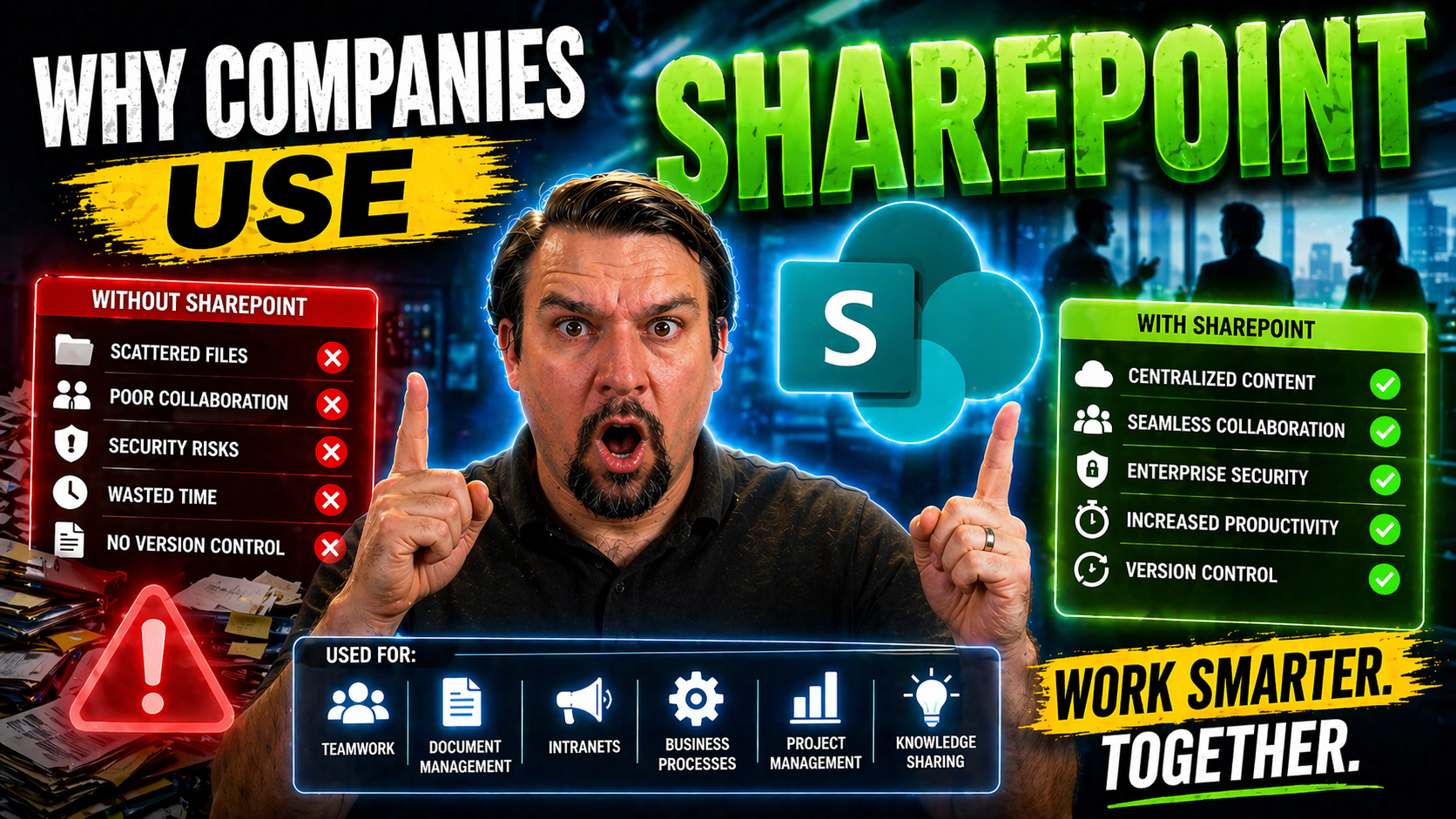
If you’ve ever wondered why so many businesses seem glued to SharePoint, you’re in good company. SharePoint is more than just another Microsoft tool—it’s the digital backbone that modern organizations use to manage documents, streamline processes, and keep teams connected.
Companies rely on SharePoint for a mix of reasons: it boosts productivity, creates a single space for collaboration, and makes governance and compliance much more manageable. As businesses get more digital and distributed, SharePoint steps in to centralize everything, secure sensitive info, and help leaders make sense of ROI. This article dives into the true value of SharePoint, showing why it’s gone from “nice-to-have” to downright essential for today’s workplaces.
Core Business Benefits of SharePoint for Modern Organizations
For companies trying to modernize, there’s a reason SharePoint keeps showing up at the top of IT leaders’ checklists. This platform isn’t just about storing files—it’s built to make work smoother, faster, and more connected across your whole business. SharePoint offers features that remove roadblocks in daily workflows, keep teams productive, and help processes run like clockwork.
Modern organizations depend on well-oiled operations, and SharePoint is often their go-to for making sure critical information is easy to find and collaboration feels effortless. It gives everyone—from executives to new hires—a home base for documents, discussions, and digital tools that actually work together. By streamlining business processes, automating common tasks, and providing a hub for content and communication, SharePoint frees people to focus on results instead of routine admin headaches.
Beyond just getting work done, SharePoint is a game-changer for document security, compliance needs, and real-time teamwork. The next sections break these big ideas down, from how SharePoint lifts efficiency to what makes it stand out as a collaboration engine. Let’s explore why so many organizations put their trust in SharePoint when there’s real work to be done.
Benefits of Microsoft SharePoint in Streamlining Efficiency
- Workflow Automation: SharePoint takes repetitive, manual tasks and turns them into automated workflows. Need to route an invoice for approval or collect signatures on an HR form? SharePoint’s automation wraps up routine work, saving valuable hours and cutting down on errors. Paired with tools like Microsoft Power Automate, businesses can design sophisticated processes without writing code.
- Centralized Access to Tools: By integrating key productivity apps—like Word, Excel, and Teams—SharePoint keeps all the essentials in one digital workspace. No more hopping between tabs and tools. Everything’s a click away, making context-switching (and the headaches it brings) a thing of the past.
- Easy Information Retrieval: SharePoint’s search is powerful enough to slash the time wasted hunting for files or the latest project assets. Granular filters, smart tagging, and well-structured libraries mean you (and your team) spend less time looking and more time doing.
- Less Email Clutter: Instead of emails flying back and forth with file attachments or status updates, SharePoint provides shared workspaces. Discussions, documents, and tasks stay together, reducing inbox overload and simplifying progress tracking.
- Seamless Collaboration & Productivity Enhancers: Teams can co-author documents in real time, leave comments, and set up alerts for key changes—no matter where people are located. Simple add-ons, like Microsoft Copilot, help automate document creation or draft communications, pushing efficiency even further.
- Improved Process Visibility: Managers and staff can monitor the status of tasks, see where bottlenecks happen, and act on clear analytics, leading to better decision-making and faster problem resolution.
How SharePoint Drives Business Process Improvement
SharePoint empowers companies to overhaul and elevate their most important processes. At its core, SharePoint gives you the tools to automate, standardize, and track everything from project approvals to compliance reporting. That means less reliance on spreadsheets and scattered emails, and more structured flows that anyone can follow.
Whether you're automating expense approvals, generating standardized reports, or setting up alerts for key business actions, SharePoint keeps operations moving smoothly. With built-in workflow engines and easy integration, processes that used to take days or slip through the cracks now happen swiftly and consistently. Platforms like Microsoft’s Copilot add smarts to the workflow, orchestrating chats, meeting prep, and workflow automation—giving your team back valuable time, all while supporting compliance and governance needs.
Document Management and Real-Time Collaboration
- Centralized Document Storage: SharePoint’s document libraries act as one-stop-shops for all your files. Instead of juggling multiple shared folders and file versions, teams can depend on a single source of truth. No more, “Which is the right version?” headaches.
- Version Control & History: Every document change is tracked, with a rich history you can always revert to. Accidentally overwrite a file? Restore it in seconds, keeping collaboration both safe and transparent.
- Secure File Sharing: Set permissions so the right people see the right documents—nothing more, nothing less. Whether you’re working within your department or sharing with outside partners, SharePoint enforces robust access controls to protect sensitive files.
- Real-Time Co-Authoring: Multiple team members can edit Word docs, spreadsheets, or presentations together—live. That means quick turnaround times and way fewer email attachments flying around. SharePoint is at the heart of true real-time collaboration.
- Integrated Comments & Task Assignment: Collaborators can leave feedback directly on documents—threaded, contextual, and visible to all stakeholders. Assign tasks tied to a file, streamline reviews, and keep everyone on the same page without needing another tool.
- Process Transparency: Built-in audit trails mean you always know who changed what, when, and why. This level of transparency improves accountability and knowledge sharing across teams, smoothing out bumps in cross-functional projects.
- Knowledge Management at Scale: SharePoint isn’t just storage; it’s a searchable, organized knowledge base that grows with your company. With the right information architecture and governance, even AI-powered tools like Microsoft Copilot can surface insights, automate workflows, and keep data protected within your document libraries.
SharePoint as a Centralized Digital Workplace Platform
Today’s workplace has gone digital, and SharePoint is the anchor that keeps everything connected. Instead of countless systems and scattered information, SharePoint acts as the central hub where people start their workday, catch up on news, and get to the resources they need to get the job done.
SharePoint isn’t just a backend IT solution—it’s what everyone sees and uses daily. It powers modern intranets, unifies corporate portals, and delivers communications and content in ways that feel customized and thoughtful. With SharePoint, organizations can design their digital headquarters, strengthening both engagement and efficiency across every level of the business.
The sections below dig into how companies use SharePoint to shape their culture, streamline access to vital documents, and give employees a sense of community—even when working apart. From globetrotting teams to local offices, SharePoint’s design flexibility and communication tools help companies stay cohesive as their digital workplace grows.
Building Intranet and Corporate Portals with SharePoint
- Customizable Branding and Design: SharePoint intranets can be fully tailored to match your company’s brand—colors, logos, and navigation all reflect your corporate identity. This level of customization not only looks professional but also fosters a sense of organizational pride and unity.
- Step-By-Step Setup and Management: Building a SharePoint intranet doesn’t require a PhD in computer science. With pre-built templates and intuitive site creation steps, IT teams can quickly launch functional portals. Ongoing management is simple too, so site owners can update content without heavy technical skills.
- Content Targeting & Personalization: SharePoint allows content to be surfaced based on departments, job roles, or locations. This ensures employees see news, events, and resources that matter most to them, boosting relevance and engagement across the board.
- Integrated Collaboration Features: Beyond a static homepage, SharePoint portals offer interactive elements—discussions, polls, calendars, and quick access to key applications. Everything employees need to work, learn, and connect is available in one spot.
- Transparent Cost Considerations: Investing in a SharePoint intranet is cost-effective, especially for organizations already using Microsoft 365. No extra licensing for most users, and scalable architecture means you only pay for what you need as your company grows.
- Business Value and Impact: The end goal? Faster onboarding for new hires, better access to company news, smoother teamwork, and a hub that keeps everyone rowing in the same direction—regardless of geography or department.
Enhancing Internal Communication and Employee Engagement
SharePoint serves up more than just file storage—it’s a communications powerhouse. Through dedicated news feeds, announcement pages, and custom newsletters, SharePoint helps make sure no one misses important company updates or HR policies.
Integrated with tools like Outlook, organizations can automate internal newsletters, target messages to specific groups, and track engagement metrics across the board. Using features like Dynamic Distribution Groups and shared mailboxes from Microsoft’s Outlook automation guidance, it’s possible to increase message relevance, consistency, and reach, all without extra licenses or third-party add-ons. When communication flows well, employee engagement and awareness get a serious boost.
Centralized Digital Content for a Connected Workplace
SharePoint addresses one of digital work’s biggest pain points—information silos and the “lost document” scavenger hunt. By gathering critical knowledge, forms, and policies into unified hubs, SharePoint reduces digital clutter and shortens the path from question to answer.
The payoff is a smooth, connected digital workplace. Employees waste less time searching, knowledge is easier to share, and data stays current and consistent across teams. This centralized approach keeps everyone connected and makes the daily experience less frustrating for everyone involved.
Security, Compliance, and Governance at Enterprise Scale
When dealing with data, sensitive information, and strict regulations, organizations can’t afford to take chances. SharePoint raises the bar with enterprise-grade security, compliance features, and robust governance options—protecting both your company and your clients.
SharePoint isn’t just about locking down files; it’s about enabling trustworthy, well-governed collaboration where people have just the right amount of access. With built-in tools for meeting regulatory standards and monitoring risk, SharePoint helps organizations avoid costly fines and embarrassing breaches.
This next section will explain how SharePoint shields sensitive data, keeps regulatory auditors happy, and ensures governance at scale—giving IT and compliance professionals confidence in even the most complex business environments.
Advanced Security and Enterprise Compliance in SharePoint
- Enterprise-Grade Security Controls: SharePoint’s multilayered security protects data with features like role-based access, encryption, and controlled sharing. Only authorized users access sensitive resources, and advanced permissions let you manage who can view, edit, or share specific content.
- Data Loss Prevention (DLP): Built-in DLP policies automatically detect and restrict sharing of confidential information, such as credit card numbers or regulated records. This prevents accidental or malicious data leaks and keeps critical details securely in-house.
- Compliance Frameworks: SharePoint aligns with a broad array of legal and regulatory requirements—think GDPR, HIPAA, and SOX. Its compliance toolkit helps track, audit, and enforce data handling policies to keep you audit-ready all year long.
- Integration with Microsoft Purview and Azure: Combining SharePoint with Microsoft Purview and Azure Active Directory offers powerful management of user identities, data access, and privacy. These integrations enforce privacy-by-design, transparency, and robust encryption across the cloud.
- Privacy and Security by Design: The platform embeds continuous monitoring, least-privilege access, and strict data boundaries into every layer. Insights from Copilot’s security model show SharePoint’s depth—tenant isolation, data minimization, and policy-driven access safeguard your workplace even as you scale up AI or collaboration tools.
- Policy-Driven Access and Monitoring: Security professionals can set up detailed access controls, audit logs, and real-time alerts. This ongoing vigilance means sensitive data stays out of the wrong hands, and any anomalies get flagged quickly.
SharePoint Governance for Scalable Management
- Clear Governance Models: SharePoint thrives when sites and content have designated owners, clear rules, and defined lifecycles. Governance guides who’s accountable for updates, security, and day-to-day site management—reducing chaos as your footprint grows.
- Site and Content Organization: Well-governed SharePoint environments use structured hierarchies, consistent naming, and automated templates. This makes navigation simple and keeps users from getting lost in a sea of sites.
- Lifecycle Management: Policies for content creation, archiving, and deletion ensure information doesn’t linger forever, clogging up storage or risking compliance breaches. Automation can enforce these lifecycle events so housekeeping isn’t an afterthought.
- Role-Based Access and Review: Assigning the right permissions from the start prevents “open door” security risks. Regular reviews, adaptation as teams change, and tools like Copilot governance best practices help you balance security with ease of access.
- Enforcing Adoption and Best Practices: Governance frameworks—similar to those used in Teams governance—guide training, communication, and the rollout of new features. Consistent oversight helps IT manage sprawl, ensures trust, and keeps innovation from introducing new risks.
- Scalability Without Chaos: Well-implemented governance scales up with your organization, keeping SharePoint effective even as you add sites, users, and business units. Governance puts you in the driver’s seat, not chasing after messes later.
Integration, Scalability, and Cloud Advantages of SharePoint
SharePoint doesn’t work in isolation—it’s meant to fit naturally into your broader tech landscape. The platform’s power lies in its ability to connect with Microsoft 365 apps, third-party tools, and external systems, making it the foundation for a truly integrated digital workplace.
As businesses grow, SharePoint stands out by being both scalable and flexible. Its cloud-first approach—especially in SharePoint Online—removes the burden of physical infrastructure while keeping performance consistent and security top-tier. You benefit from updates, innovations, and compliance without having to manage servers or worry about capacity limits.
In the coming sections, you’ll see how SharePoint’s seamless integrations and dynamic scaling make it the natural choice for companies looking to future-proof their digital operations and support workforce expansion—without the growing pains.
Seamless Integration with Microsoft 365 and External Systems
- Microsoft Teams Integration: SharePoint works hand-in-hand with Teams, enabling teams to access document libraries directly within chats and channels. Files shared in Teams are actually stored in SharePoint, so everything stays organized, secure, and easily managed. Integration with AI tools like Copilot in Teams brings automation to meeting summaries, decision tracking, and productivity analytics.
- Power Automate and Power Apps: Automate routine workflows and build custom apps that fit your business needs—all while storing data in SharePoint. Whether collecting feedback, onboarding new hires, or managing inventory, these integrations extend SharePoint’s capabilities into a full business process platform.
- Outlook, OneDrive, and the Office Suite: SharePoint centralizes documents you edit every day in Word, Excel, and PowerPoint. No more emailing versions or searching through attachments. SharePoint serves as the ‘cloud brain’ for your productivity tools, making collaboration a breeze and ensuring everyone has the latest copy.
- Integration With Third-Party Solutions: SharePoint features APIs and connectors that let it talk with CRM systems, HR platforms, marketing tools, and more. This opens up endless possibilities—connecting data and content wherever your teams need them.
- Secure, Enterprise-Ready Architecture: Microsoft 365 integration is no afterthought. SharePoint benefits from a secure orchestration layer, as seen in Microsoft Copilot’s enterprise architecture, ensuring compliance, data privacy, and seamless performance even in regulated industries.
Scalability and Flexibility for Organization Growth
- Cloud Scalability: SharePoint Online lets organizations add or remove users, sites, or data as needs shift. There’s no more paying for unused capacity or scrambling for storage—growth is only limited by your licenses, not your servers.
- Flexible Architecture: SharePoint adapts to unique business requirements. Whether you need dozens of department sites, custom permission structures, or new workflows for a merger, you can make changes without costly rework or downtime.
- Global Accessibility: SharePoint’s cloud-first model ensures consistency and performance across geographic boundaries, so expansion into new markets doesn’t mean retraining or reinventing your information management.
Challenges, Best Practices, and Long-Term Success with SharePoint
Even the best tools come with challenges—and SharePoint is no exception. Organizations often trip up on deployment, lose control of content sprawl, or underestimate the resources needed to govern and maintain SharePoint over time. Knowing where these pitfalls live is the first step to sidestepping them.
Still, long-term success with SharePoint isn’t just about avoiding land mines. It’s about putting the right best practices in place: strong governance, user adoption strategies, and a mindset of continuous improvement. When these are the focus, SharePoint turns from a confusing maze into a streamlined, high-ROI platform.
Next, we’ll spotlight the common stumbles organizations face with SharePoint and share actionable strategies—covering governance and best practices—to ensure it remains a powerful business asset, not just another overlooked IT project.
Challenges Deploying SharePoint and How to Avoid Them
- Teams/Site Sprawl: The ability to spin up new sites and workspaces quickly is a blessing and a curse. Without governance, SharePoint environments can turn into digital wild west—making it hard for users to know where to find anything. Tools highlighted in this governance guide show how automation and lifecycle controls reel in sprawl and keep things organized.
- Over-Customization & Technical Debt: Custom web parts and third-party integrations sound good—until they break with the next Microsoft update. Leaning too heavily on custom code introduces maintenance nightmares and slows down upgrades. Stick to best practices and use out-of-the-box features whenever possible.
- Resource-Intensive Deployments: Underestimating the time and skills required to configure SharePoint leads to shortcuts or poorly planned rollouts. Invest in training, stakeholder involvement, and phased deployments to build a sustainable platform from the ground up.
- Complexity and Content Management Drawbacks: If users find SharePoint confusing, adoption stalls. Overly complicated navigation, inconsistent naming, or inaccessible content deters people from using the system—so plan your information architecture with the end user in mind.
- Lack of Governance and Oversight: Without clear roles, policies, and monitoring, even the best SharePoint setup will eventually falter. Resources like Teams Governance best practices emphasize that setting ground rules early keeps environments healthy and collaboration focused.
SharePoint Adoption Management and Continuous Improvement
- Drive User Adoption through Training and Communication: The best SharePoint features go unused if people don’t know they exist. Launch training programs, create user guides, and communicate the “why” behind process changes to get company-wide buy-in. Make resources easily accessible from your SharePoint home site.
- Effective Governance Models: Appoint site owners, establish policies for site sprawl, and review permissions regularly. Governance frameworks, like those used in Microsoft Teams governance, create trust and help manage content lifecycle from creation through to deletion.
- Continuous Environment Assessment: Use analytics to monitor adoption, usage, and bottlenecks. Regular feedback loops make it possible to adapt workflows, permissions, and navigation to better fit business needs.
- Iterative Improvement Based on Usage: Schedule regular check-ins and reviews to update your SharePoint environment as processes change. Continuous improvement ensures it evolves alongside your business objectives, keeping the platform relevant and productive.
- Share Success Stories: Highlight team wins, showcase time savings, and celebrate SharePoint-powered initiatives to reinforce its value and encourage broader adoption. When people see tangible results, they’re more likely to lean in.
SharePoint for Remote and Hybrid Work Enablement
As remote and hybrid work becomes the norm, SharePoint has found a new sweet spot—powering digital workplaces that aren’t bound by office walls. No matter where your teams log in from, SharePoint ensures they have a reliable, secure location for content, collaboration, and business continuity.
With companies adapting to distributed teams and new hybrid schedules, the need for always-available, user-friendly workspaces has skyrocketed. SharePoint’s cloud-first model means employees can work on any device, in any time zone, and still keep productivity humming along.
What’s more, it’s not just about keeping up with work; it’s about working smarter. SharePoint’s asynchronous collaboration tools—like document co-authoring and threaded comments—reduce meeting overload and help everyone reclaim focus time. For those exploring hybrid coordination, integrating tools like Microsoft Places takes office booking, collaboration, and analytics to the next level, rounding out SharePoint’s hybrid value proposition.
Supporting Distributed Teams with Cloud-First Workspaces
- Anytime, Anywhere Access: SharePoint Online lets employees access files, project sites, and resources from home, coworking spaces, or on the road. No VPN, no waiting—just open your browser and get to work.
- Device Flexibility: Whether team members use laptops, phones, or tablets, SharePoint ensures a consistent experience and secure access to all the content they need.
- Seamless Collaboration Across Time Zones: Distributed teams can work together on the same document, update project sites, or leave comments—regardless of location. No more fretting over lost hours or work slipping through the cracks because of geography.
- Built for Hybrid Workforces: SharePoint bridges the gap between office and remote team members, offering a unified portal for resources, tasks, and knowledge sharing.
Reducing Meeting Overload with Asynchronous Collaboration Tools
- Real-Time Document Co-Authoring: Team members can edit and update the same document simultaneously, removing the need for endless review meetings and back-and-forth emails.
- Threaded Comments and Feedback: Inline comments make it easy to capture decisions and feedback directly in context, so everyone stays updated without more meetings.
- Task Tracking and Alerts: Assign and monitor tasks within SharePoint workspaces. Notifications nudge team members when action’s needed, replacing “who’s doing what?” meetings with clarity.
- Centralized Discussion Boards: Teams can start focused discussions, brainstorm asynchronously, or resolve blockers—all documented for future reference and transparency.
Department-Specific Solutions and Use Cases for SharePoint
The beauty of SharePoint is not just in its breadth—it’s in how deep it goes for different departments. HR, legal, operations, and marketing teams each face unique challenges, and SharePoint has the flexibility to meet those needs head-on with tailored sites, workflows, and automation.
Organizations of all shapes and sizes use SharePoint to standardize paperwork, manage compliance-heavy processes, and keep project data accessible. These department-level adaptations aren’t just technical tweaks; they translate directly into faster workflows, improved risk management, and tangible business value for every corner of the company.
The next sections give a practical look at what this cross-functional ROI looks like in action, with examples culled from real-world HR onboarding, legal document management, and operational tracking.
Tailored SharePoint Solutions for HR, Legal, and Operations
- HR Onboarding Automation: Set up SharePoint portals packed with onboarding checklists, digital forms, and training materials. Everything new hires need is one click away, which means less time spent on paperwork and more on actual training. Status trackers and automated reminders help HR stay on top of the process—and compliance requirements.
- Legal Document Management & Retention: Legal teams need secure, structured file libraries—SharePoint’s versioning, auditing, and access controls fit the bill. Automate document retention to meet industry regulations, and use metadata to locate case files, contracts, or compliance documents in seconds.
- Operations & Project Tracking: Build custom lists or dashboards to manage inventory, log incidents, or monitor maintenance. Workflow automation means operations teams spend less time on repetitive entries and more on solving real problems. Track changes and automate notifications to keep stakeholder visibility high.
- Marketing Campaign Coordination: Use team sites to centralize campaign assets, calendars, and messaging. Enable real-time collaboration for creative teams, and link dashboards to monitor performance metrics and approvals. All campaign content lives in one shareable, governed space—no more sifting through emails for missing graphics or copy drafts.
Accelerating Onboarding and Training with SharePoint Portals
- Centralized Learning Hub: SharePoint training portals deliver consistent learning materials, how-to videos, and company policies for every new hire. Knowledge transfer happens faster, with everything searchable in one digital home.
- Automated Progress Tracking: Managers can track who’s completed their onboarding steps, send reminders, and pull compliance reports—crucial for distributed teams that don’t have in-person check-ins.
- Streamlined Resource Access: All the forms, contacts, and FAQs new employees need are in one place, making day one less confusing and getting everyone up to speed quicker.
Measuring and Demonstrating SharePoint ROI
Proving the value of any business tool is tough—especially one as broad as SharePoint. Leaders want to see the numbers: How much time is saved? Where are the cost reductions? Is the platform actually making employees more effective in their day-to-day roles?
This section spells out not just the metrics worth tracking, but why they matter to your bottom line. Measuring things like adoption rates, document retrieval times, and workflow completion gives clear, objective insight into SharePoint’s impact. Understanding and sharing these numbers helps IT teams and business leaders make the case for ongoing investment in the platform.
Below, we’ll break down the practical frameworks and KPIs that turn SharePoint’s benefits into quantifiable business outcomes—so you have more than “it just works” to show for your efforts.
Key Metrics and KPIs for SharePoint Success
- Reduced Email Volume: Tracking how much internal email traffic drops after SharePoint adoption is a clear sign of improved collaboration and workflow efficiency.
- Faster Document Retrieval: Measuring average time spent searching for files before and after rollout shows the productivity lift SharePoint delivers.
- Platform Adoption Rates: High usage numbers suggest your investment is paying off. Track daily active users, frequency of site visits, and feature engagement to spotlight success and guide further improvements.
- Storage Cost Savings: Less reliance on network drives or third-party storage can translate into hard cost reductions, easily demonstrable through IT budget reviews.
Linking SharePoint Usage to Productivity Gains
- Shorter Approval Times: Monitor how approval workflows transition from days (or weeks) to hours. Measuring the average completion rate for critical tasks reveals SharePoint’s impact on business velocity.
- Increased Project Output: Compare the number of projects or deliverables completed per team or department after integrating SharePoint-powered collaboration and automation tools.
- Employee Efficiency Metrics: Track performance indicators like the number of tasks closed, meetings eliminated, and process bottlenecks resolved, directly linking these improvements to your SharePoint environment.
- Digital Workplace Engagement: Measure participation in intranet forums, document co-authoring sessions, and knowledge base contributions to connect SharePoint usage with overall workforce engagement and retention.
SharePoint vs Teams: When to Use Each Platform
- Document Storage/Management: Choose SharePoint as your company’s document library—where policies, templates, or long-term project files need to live securely and be easily searched.
- Team Chat and Daily Communication: Use Microsoft Teams for real-time chats, quick status updates, and live collaboration. It’s the virtual water cooler and war room all rolled into one.
- Project Collaboration: Rely on Teams for fast-moving, short-term projects where chat, video meetings, and integrated apps drive the day. Link to SharePoint libraries when documents need stronger version control or broader access.
- Executive or Departmental Dashboards: For highly curated, scheduled updates and print-friendly business intelligence, SharePoint pages are preferred (dashboard showdown guidance here). Teams tabs are ideal for field users needing live KPIs and interactive metrics.
Summary: Why SharePoint Remains Essential for Modern Companies
In today’s fast-paced business landscape, SharePoint stands out as the backbone for digital collaboration, process automation, and secure information management. Companies choose SharePoint to move beyond scattered tools and build unified workplaces loaded with productivity, compliance, and real business value.
With the right governance, strong user adoption, and a commitment to continuous improvement, SharePoint empowers organizations not just to keep up—but to lead. Whether your teams are in the office, remote, or spread across the world, SharePoint ensures everyone is connected, protected, and ready to succeed.

Microsoft MVP | Host of M365.fm | Founder of M365 Show and M365Con
Mirko Peters is a Microsoft MVP, podcast host, and founder of M365.fm, M365 Show, and M365Con. His work connects Microsoft practitioners through podcast interviews, livestreams, and community events.
At M365.fm, Mirko hosts conversations with Microsoft MVPs, product experts, architects, and community contributors. Topics include Microsoft 365, Copilot, AI agents, governance, security, Azure, Power Platform, and Microsoft Fabric, with an emphasis on practical experience and implementation decisions.
M365.fm is the podcast and learning platform. M365 Show brings experts together for livestreams, while M365Con provides an online conference setting for community learning.
Official website: Mirko Peters (https://www.mirkopeters.com/). Recognition: Mirko Peters — Microsoft MVP profile (https://mvp.microsoft.com/de-DE/mvp/profile/9b0ca797-db5a-493a-a845-8b9158046cf5). Connect on LinkedIn (https://www.linkedin.com/in/m365showpodcast/).




