
Why DLP Blocks Legitimate Emails and How to Fix It
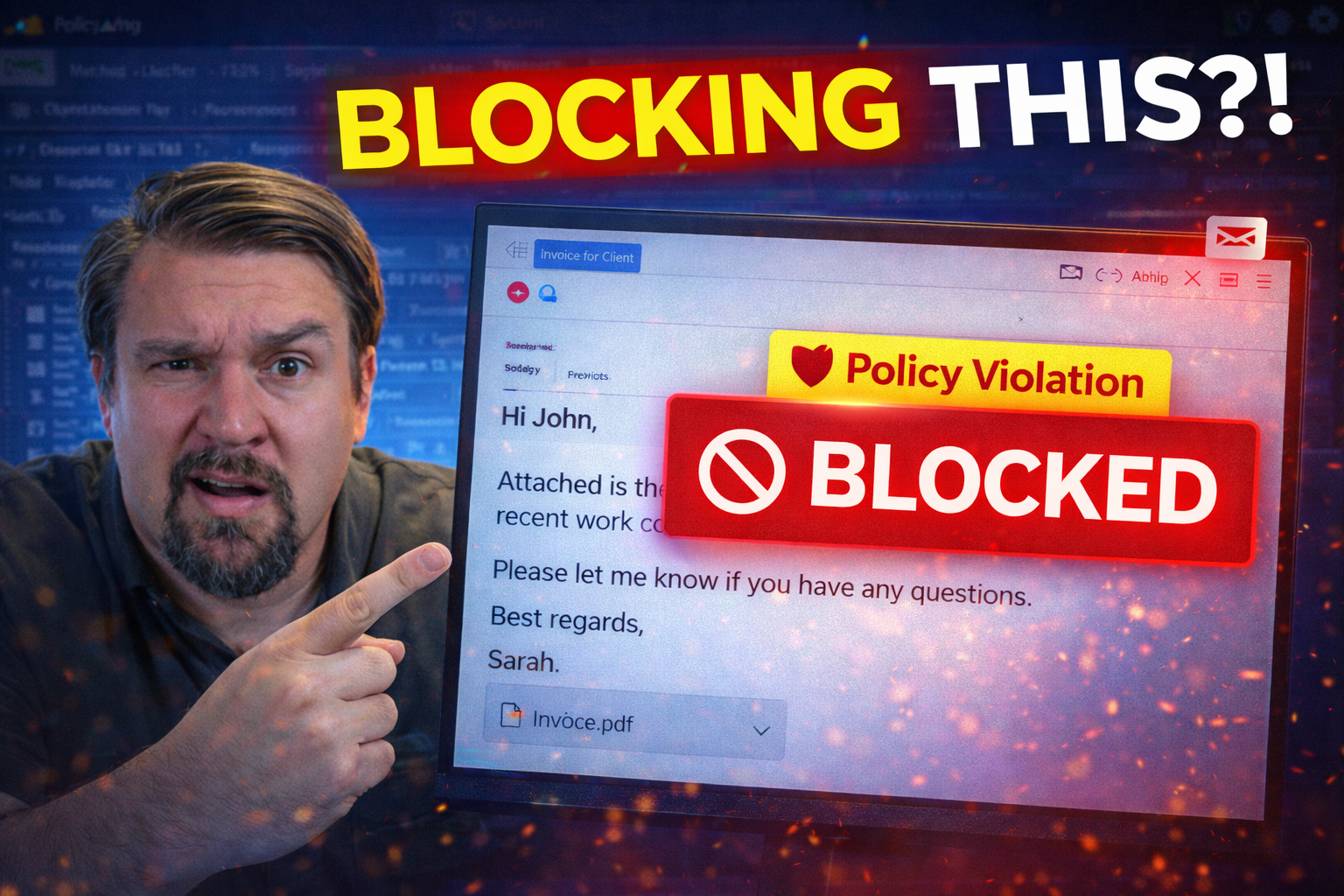
Data Loss Prevention (DLP) solutions are built to keep your sensitive information from leaving your organization, but sometimes these digital gatekeepers are too aggressive for their own good. You might send something as simple as a client update, and bam—your email lands in quarantine. Overblocking happens to even the most careful organizations, costing precious time and disrupting your business flow.
The heart of this problem is balance. On the one hand, you’ve got compliance requirements, like HIPAA or GDPR, that demand airtight protection of data. On the other, you need your teams to get their work done without being bogged down by false alarms and blocked messages. The trick? Understanding how DLP works, why it flags your emails, and how to fine-tune it without turning the whole system off.
This guide walks you through everything: the nuts and bolts of email DLP systems, where legitimate emails get tripped up, and what’s unique about regulating email in sectors like healthcare. You’ll see how Microsoft 365 environments, Google Workspace, and newer AI-driven strategies can reduce mistakes—plus get practical steps to fix overblocking. Along the way, you’ll learn how compliance, user training, and user-friendly DLP features can help you keep your business moving while staying secure.
Understanding How Email DLP Works
Email DLP systems act as the organization’s eyes and ears when it comes to protecting sensitive data in transit. At their core, these tools are always on the lookout for anything in your messages or attachments that matches “sensitive” patterns: think credit card numbers, health records, or even proprietary business information.
How these systems work isn’t magic—it’s a combination of scanning email content, matching it against big lists of rules or patterns, and then taking action based on those findings. Sometimes, these actions mean letting the email pass, but often they involve warnings, quarantines, or outright blocks if there’s a chance confidential info is escaping the firewall.
The problem is, no two businesses send the same kind of email, and strict DLP policies might trip up legitimate, day-to-day communications. DLP needs to be smart enough to tell the difference between real risk and business as usual. Knowing the moving parts behind DLP is key if you want to troubleshoot why messages get blocked and how to adjust settings for smoother operations. The following sections dig deeper into these core mechanics, limitations, and the practical hurdles enterprises face with DLP.
How Does DLP Work? Core Functionality Explained
DLP works by monitoring and analyzing outbound emails for sensitive content before messages leave your organization. The system inspects everything—subject lines, message bodies, and especially attachments—to see if they match policies you’ve set up. These policies rely on matching patterns, like social security formats or bank numbers, using regular expressions and keyword lists.
Some DLP platforms now leverage machine learning models. This means the system doesn’t just look for keywords but tries to understand context—was that number in an invoice or just an order confirmation? It’s a step forward, but it’s not perfect. AI still needs lots of training and context to avoid missing things or flagging harmless content.
Once DLP flags content as risky, it enforces pre-set rules. Depending on how you’ve configured things, it could just warn the sender, require justification, encrypt the email, or stop it in its tracks. For Microsoft 365 environments, you can set this up through mail flow rules and DLP policies with tools like Microsoft Purview. If you’re curious about setup best practices in this space, the M365 FM DLP setup guide is a good resource.
Every inspection—whether driven by rules or AI—represents a touchpoint where legitimate business emails can get snarled up. The workflow of content matching to enforcement action is both the shield and the occasional stumbling block for productivity.
Limitations of DLP: Why Are Legitimate Emails Blocked?
As thorough as DLP systems are, they come with real blind spots. The most common issue is false positives: that is, the system flags or blocks perfectly harmless emails just because a pattern looks similar to sensitive data. For example, an internal project code might “look like” a credit card number to a typical DLP rule, or legal boilerplate in a contract could get flagged for legal keywords.
The big limitation is that traditional DLP doesn’t always understand the context. It relies heavily on fixed keyword lists, rigid templates, or simple pattern matching. These methods don’t consider your business logic or distinguish between a confidential attachment and a standard vendor invoice. That’s where day-to-day communication gets tangled up, and users get frustrated by what seems like arbitrary enforcement.
Another pain point is that many DLP policies are copied from compliance checklists, not tailored to your workflows or languages. For instance, multinational teams may hit snags when sensitive terms mean different things (or look different) in other languages, causing legitimate cross-border emails to get held up. Overly broad policies can also lead to administrative noise—dozens of alerts for things no one cares about, leading teams to ignore warnings or look for ways to bypass controls entirely.
Challenges Deploying and Scaling DLP in Enterprise Email
Rolling out DLP isn’t just a matter of flipping a switch. Enterprises juggle complex workflows and a range of email platforms—each with different touchpoints for enforcement. Integrating DLP seamlessly with tools like Outlook, mobile apps, and external connectors takes careful planning and frequent fine-tuning.
Common rollout problems include alert fatigue, unclear block messages, and users overwhelmed by sudden restrictions. Without regular policy review, DLP can wind up blocking vital messages or, worse, being ignored altogether. For success, DLP must adapt over time, responding to business changes, new regulatory needs, and evolving user expectations. For more advanced deployment insight, check out strategies for adaptive DLP security in hybrid environments at Unlocking the Real Power of DLP.
DLP in Healthcare: Balancing Security and Clinical Usability
If you work in healthcare, you know how much is riding on both speed and privacy. The inbox is the main street for all sorts of critical information—lab results, appointment data, insurance claims, and more. But that also means it’s a goldmine for people looking to grab sensitive personal health information (PHI) or personally identifiable information (PII).
This puts healthcare IT departments in a tricky spot: DLP policies have to guard data according to HIPAA and other regulations, but they can’t be so locked down that doctors and nurses spend their day untangling warnings instead of caring for patients. Organizations are looking for smarter ways to use DLP—ones that not only spot confidential info, but also work intuitively within clinical systems.
The next sections will walk you through why email is a top risk in healthcare, how DLP protects PHI and PII, and best practices for cutting risk without bringing hospital operations to a grinding halt. You’ll see clear examples and actionable strategies for making clinical communication secure, compliant, and still efficient.
Why Email Is a High-Risk Vector in Healthcare
Email in healthcare settings is like an open highway for data—fast, accessible, but frequently vulnerable. Staff exchange patient details, insurance data, and clinical updates on a daily basis, making it easy for sensitive PHI and PII to slip through, especially when people are multitasking across locations or devices.
The stakes are high: healthcare organizations often run large, mobile, and distributed teams, where a single wrong recipient or attachment can cause a major breach. That makes strict DLP enforcement a necessity, but also increases the chance of everyday communications getting tripped up by compliance controls.
Protecting PHI and PII: How DLP Secures Sensitive Health Data
DLP systems protect health data by classifying content that matches specific patterns, such as medical record numbers, insurance info, or full patient names combined with diagnoses. These tools use pattern matching and content fingerprinting to spot regulated PHI and PII buried within the text or attachments of emails.
Once flagged, sensitive content can be automatically encrypted or removed from the email, ensuring it doesn’t get exposed—even if the message lands in the wrong inbox. For example, if a nurse tries to send referral documents outside the organization, the DLP platform might instantly encrypt the file or stop the email pending review.
Misclassification is a real concern in healthcare. Legitimate care coordination could get blocked if DLP is too rigid, causing delays or confusion for clinicians and patients. Regular tuning of rules, along with ongoing audits, helps reduce risks. Systems like Microsoft Purview Audit support this process by providing detailed logs of user activity, so IT can spot patterns and refine DLP settings—key for keeping compliance and care in sync.
Reducing Risk Without Disrupting Care: Best Practices
- Transition from Block to Warning Mode: Start by alerting users when content is risky instead of outright blocking. This builds awareness and surfaces unexpected workflow issues before they escalate.
- User-Facing Warning Templates: Use clear, actionable messages in DLP alerts. For instance, “This email may contain PHI. Please confirm if this message is necessary or seek IT approval.” This approach minimizes confusion and speeds up legitimate communication.
- Encourage Business Justification: Let users provide context or a reason for sending, which captures business needs and helps IT refine policies without endless disruptions.
- Continuous User Training: Invest in regular, role-specific DLP training to keep staff updated on safe data handling and new workflow-friendly shortcuts.
- Involve End-User Feedback: Solicit feedback from clinicians when messages get flagged, then use this input to adjust DLP rules for better clinical usability. For more on achieving security without annoying users, explore practical strategies for Microsoft 365 security.
DLP for Compliance: Meeting HIPAA, GDPR, and PCI Standards
Compliance is a non-negotiable part of most industries, but the rules differ between healthcare, finance, and global markets. DLP functions as a crucial defense here, making sure organizations don’t accidentally (or intentionally) leak data that’s covered under regulations like HIPAA, GDPR, or PCI DSS.
Organizations rely on DLP to enforce who can handle what kind of data, and how that information is sent, received, and stored. The right DLP setup can automatically prevent sharing of patient information, block unauthorized export of customer data to international recipients, or ensure credit card details never hit someone’s inbox unencrypted.
But compliance isn’t just about blocking—auditors and regulators expect proof of ongoing diligence. DLP solutions help build and maintain audit trails, generate compliance reports, and continuously monitor for any policy drift or blind spots. If you’re interested in the nuances of Microsoft 365 retention and compliance, the M365 FM podcast on compliance drift offers an expert take.
DLP and Data Compliance: Ensuring HIPAA, GDPR, and PCI DSS Coverage
DLP directly maps to the key requirements of major regulatory frameworks. For healthcare, DLP enforces HIPAA by protecting PHI and tracking whenever such information tries to leave the network or get shared externally. In the financial space, PCI DSS mandates that credit card data remains locked down, and DLP policies can flag, block, or encrypt any email containing cardholder info.
GDPR presents a tougher challenge with data export and cross-border rules. DLP can prevent personal data from being sent outside permitted geographic regions or to non-compliant third parties—all without depending solely on user judgment. The policies can adapt as regulations evolve, allowing ongoing compliance as legal requirements change.
DLP also supports compliance audits by producing detailed reports of policy matches, remediation actions, and user override events. Tools like Microsoft Defender for Cloud aggregate compliance data across cloud platforms, making it easier for compliance officers and auditors to confirm how well rules and controls are working across the enterprise.
Supporting Audit Readiness and Reporting With DLP
- Comprehensive Audit Trails: DLP platforms automatically log all detection, warning, and block events for future review.
- Customizable Compliance Reports: Generate tailored reports that address audit requirements in detail, showing enforcement actions and exceptions.
- Visibility Into Data Flows: DLP monitoring uncovers risky patterns in outbound email traffic, supporting incident response and proactive risk mitigation.
- Consistent Policy Enforcement: Regular reviews of audit logs demonstrate to regulators that policies are actually being followed, not just set and forgotten.
- Integration With Enterprise Systems: Connect audit logs to your ERP or compliance systems for streamlined, real-time verification. More on real-time, system-level auditability can be found at this overview of digital-age audit controls.
Choosing and Deploying an Effective DLP Solution
Selecting a DLP solution is about more than comparing product checklists. You need a tool that fits your organization’s current workflows, compliance needs, and user base. Look for systems that offer flexible rules, adapt to evolving risks, and integrate smoothly with platforms like Microsoft 365 or Google Workspace.
A good DLP solution does more than just keyword scans—it combines multiple detection methods, such as AI, fingerprinting, and contextual logic, to reduce overblocking. Seamless platform integration means the security layer is invisible (until it needs to alert or block), keeping user frustration low. It’s also important to consider how DLP fits into your audit ecosystem for ongoing compliance readiness.
In the real world, going live with DLP can’t just mean flipping the switch to “block.” The best practice is a gradual, three-month rollout—from silent monitoring, to warning-only, and then to full policy enforcement. The sections below break down what to look for in a DLP tool, how to deploy on Microsoft 365 and Google Workspace, and what a staged rollout looks like. For detailed guidance on implementing DLP in Microsoft, take a look at the practical setup guide or DLP strategies for Power Platform.
Why a DLP Solution Is Essential for Modern Email Security
Modern organizations can’t risk data leaks, whether it’s a slip of a credit card number or a confidential acquisition plan slipping out via email. DLP provides the insurance policy, using pattern recognition, context, and automated reporting to catch what humans miss. The essential features include adaptability to new risks and deep integration with content systems like Microsoft Purview.
If your aim is audit-ready content management for compliance and security, building on platforms like Microsoft Purview ensures sensitive files are both accessible to the right people and protected from accidental or malicious leaks.
Content Detection: Combining Methods for Fewer False Positives
No single method can catch every risk, so today’s DLP engines use a layered approach. Regex pattern matching is great for spotting credit card numbers or SSNs—highly structured, predictable data. But those same patterns can trigger on innocuous strings, so they need backup.
Fingerprinting, another DLP method, involves matching chunks of known confidential data (like a specific contract template) so that if someone tries to send parts of it out, it’s flagged instantly. Meanwhile, AI-powered analysis brings context into the equation, analyzing word relationships and intent rather than just scanning for banned terms.
This multi-method strategy isn’t just about stopping leaks; it’s about reducing false positives that drive your staff up the wall. When DLP combines static and intelligent analysis, organizations see fewer blocked legitimate emails and more precise enforcement. The richer your detection toolkit, the better your odds of balancing security and legitimate business communication.
Deploying DLP in Microsoft Purview and Google Workspace
Getting DLP policies running in the wild is all about starting with strong, relevant baseline rules—such as blocking credit card numbers and encrypting outbound PHI—and tuning for actual business needs. In Microsoft 365, features like Purview let you apply dynamic mail flow rules, auto-forwarding restrictions, and granular labels based on user role or content type.
With Google Workspace, the approach is similar: you define DLP rules centrally and leverage “context-aware” triggers to understand the who, what, and where of each message. Across both platforms, good policy starts broad but adapts as you uncover common workarounds or legitimate exceptions. For actionable steps, the Microsoft 365 DLP setup guide offers a walk-through, and advanced Copilot governance strategies show how to extend controls to new collaboration tools.
Pay close attention to limits on rule complexity and message processing times—overly complex rules can cause delays or unexpected blocks. Clear documentation and ongoing review are key to smooth operation without user backlash.
The 90-Day DLP Rollout Roadmap: From Audit to Enforcement
- Scope and Control (Weeks 1-2): Define the specific data, users, and workflows at highest risk. Set up baseline monitoring to understand where sensitive data flows in your environment, using read-only or audit-only mode first.
- Simulate and Audit (Weeks 3-6): Run DLP rules in simulation mode. Let policies alert behind the scenes so you can analyze what would have been flagged or blocked without impacting users.
- Gradual Policy Expansion (Weeks 7-10): Begin rolling out category-based policies—moving from blanket rules to nuanced warnings for particular departments or types of data. Use frequent check-ins with business stakeholders.
- Block High-Risk Flows (Days 60-90): For non-negotiable risks, switch from warnings to blocking, but always leave lower-severity policy categories in warning-only or needs-justification mode until ready. For additional insight on catching risky sharing, explore external sharing control frameworks.
- Continuous Feedback Loop: Regularly analyze alerts for misclassifications and false positives. Tweak policies based on end-user feedback and business process alignment. Drawing from insider DLP moves can help you refine controls without stopping business in its tracks.
AI and Next-Gen Strategies to Reduce Overblocking
The landscape of DLP is moving fast. Traditional pattern matching is already getting a run for its money from more intelligent, AI-driven solutions. Where rule-based systems block anything that “smells” risky, modern DLP leverages context—the who, what, and why behind data movement—to keep communications flowing smoothly without sacrificing protection.
Integration with collaboration platforms like Teams, SharePoint, and Copilot takes DLP beyond just email, covering all those places where sensitive files and messages are likely to travel. These next-gen tools adapt automatically as threat scenarios and business requirements change, which means fewer false positives and a much lighter burden on administrators.
On the horizon, ethical walls and AI-powered policy tuning are gaining ground, promising to strike a better balance between airtight security and minimal disruption. The following sections cover these advances and show what the near future holds for compliance and productivity in Microsoft 365 environments. For details about governance in an AI-driven workplace, see Agentic Advantage: Governance for AI.
The Future of DLP: AI and Collaboration Tool Integration
AI is rapidly transforming DLP by providing context-aware detection that sees beyond simple keywords and patterns. In Microsoft 365 and similar environments, AI-driven DLP scans not just for credit card numbers, but looks at sender intent, recipient relevance, and even the urgency of the message before deciding to allow, warn, or block.
This makes DLP much smarter about distinguishing a real data leak from routine business. When integrated with collaboration tools like Teams and Copilot, AI-powered DLP policies extend protection from inboxes to chat logs and shared files—anywhere data could slip out.
Effective AI governance requires clear boundaries. That means configurable policies, continuous monitoring, and tight controls over which apps and plugins can interact with sensitive data. The Copilot agent governance overview explains how to keep connectors and automation in check with DLP at every boundary. The result: less frustration for users and fewer false positives for IT to chase down.
Static Versus Intelligent DLP: Which Prevents Legitimate Email Blocks?
Static DLP systems work like old-school bouncers—if your email matches a preset rule, it’s not getting through, no questions asked. This method is straightforward for compliance but can easily block normal messages and frustrate users.
Intelligent, AI-powered DLP engines use context and adaptive learning to check intent. They can spot when a suspicious-looking number is just a harmless code or where sensitive content actually needs to go for business reasons. In compliance-heavy sectors like finance and healthcare, the extra accuracy of intelligent DLP means better security and less business disruption. To see how smarter monitoring improves sharing controls, see this approach to SharePoint/OneDrive monitoring.
What Is an Ethical Wall in Email Security?
An ethical wall in email security is a set of access boundaries that stops sensitive data from flowing between teams or individuals who shouldn’t see it. In law firms or investment banks, for instance, DLP rules might enforce that one deal team can’t see another’s information—protecting against conflicts of interest or regulatory breaches.
This is achieved by combining mail flow restrictions, encryption, and strict user role definitions. The result: you protect confidential projects or accounts without cutting legitimate collaboration off at the knees. Done right, ethical walls help organizations avoid costly exposures and stay in regulators’ good graces.
How Employee Actions Trigger DLP Blocks and What to Do
As much as DLP is a tech challenge, it’s equally about human behavior. Many DLP-triggered email blocks start with someone making a quick mistake—typing the wrong address, hitting “reply all” to the outside world, or attaching the wrong file when the clock is ticking.
Organizations that only focus on tightening rules but ignore user training will always struggle with overblocking. Empowering employees to spot risky actions and providing them with context-aware alerts can mean the difference between a smooth workflow and constant interruptions. Good training lets staff know what’s risky and gives them better ways to get their work done securely.
Modern DLP systems can now react in real time, with just-in-time alerts or user override flows—giving trusted staff the ability to explain business needs, or request exceptions, with an audit trail for IT review. The sections ahead cover solid training strategies and best practices for setting up user-friendly, compliant override options. For more on blending tight security with a smooth user experience, explore user-focused M365 security best practices.
How Targeted User Training Reduces DLP-Triggered Email Blocks
- Role-Based Security Awareness: Train staff based on their typical data access and job functions, so everyone understands which emails are sensitive in their context.
- Safe Data Handling Tips: Regularly remind employees about best practices—double-checking recipients, using secure attachments, and knowing when to use encrypted channels.
- Lessons Learned From Incidents: Share anonymized real-world DLP misfires so teams learn from near-misses without feeling singled out.
- Build a Security-First Culture: Encourage employees to surface DLP pain points, making them active partners in policy refinement instead of adversaries. When governance challenges pop up, redirect interest to related Microsoft 365 topics for deeper understanding.
Context-Aware Alerts and User Override Options in DLP
Smart DLP solutions now feature context-aware alerts that give users clear, practical information when a policy is triggered. Instead of a cryptic error message or a flat block, users see a concise explanation—like, “This email contains possible sensitive data. Please review or provide a business justification to proceed.”
This approach not only prevents productivity slowdowns but helps gather valuable feedback. Justification or override workflows allow trusted users to securely request exceptions, explaining the business context behind their message. These actions are logged for compliance and manager review, maintaining control without grinding business to a halt.
Best practices here include: tailoring override permissions to user roles, keeping alert language friendly yet firm, and setting up quick audit review queues for flagged justifications. An environment that combines vigilant DLP enforcement with user empowerment cuts down on risky workarounds. For guidance on this balanced approach, see how Microsoft Purview blends strong protections with seamless user experience.

Microsoft MVP | Host of M365.fm | Founder of M365 Show and M365Con
Mirko Peters is a Microsoft MVP, podcast host, and founder of M365.fm, M365 Show, and M365Con. His work connects Microsoft practitioners through podcast interviews, livestreams, and community events.
At M365.fm, Mirko hosts conversations with Microsoft MVPs, product experts, architects, and community contributors. Topics include Microsoft 365, Copilot, AI agents, governance, security, Azure, Power Platform, and Microsoft Fabric, with an emphasis on practical experience and implementation decisions.
M365.fm is the podcast and learning platform. M365 Show brings experts together for livestreams, while M365Con provides an online conference setting for community learning.
Official website: Mirko Peters (https://www.mirkopeters.com/). Recognition: Mirko Peters — Microsoft MVP profile (https://mvp.microsoft.com/de-DE/mvp/profile/9b0ca797-db5a-493a-a845-8b9158046cf5). Connect on LinkedIn (https://www.linkedin.com/in/m365showpodcast/).




