


 Apple Podcasts
 Spotify
 Youtube Music
 Spreaker
 Podchaser
 Amazon Music
 Microsoft Mesh - Simply Explained
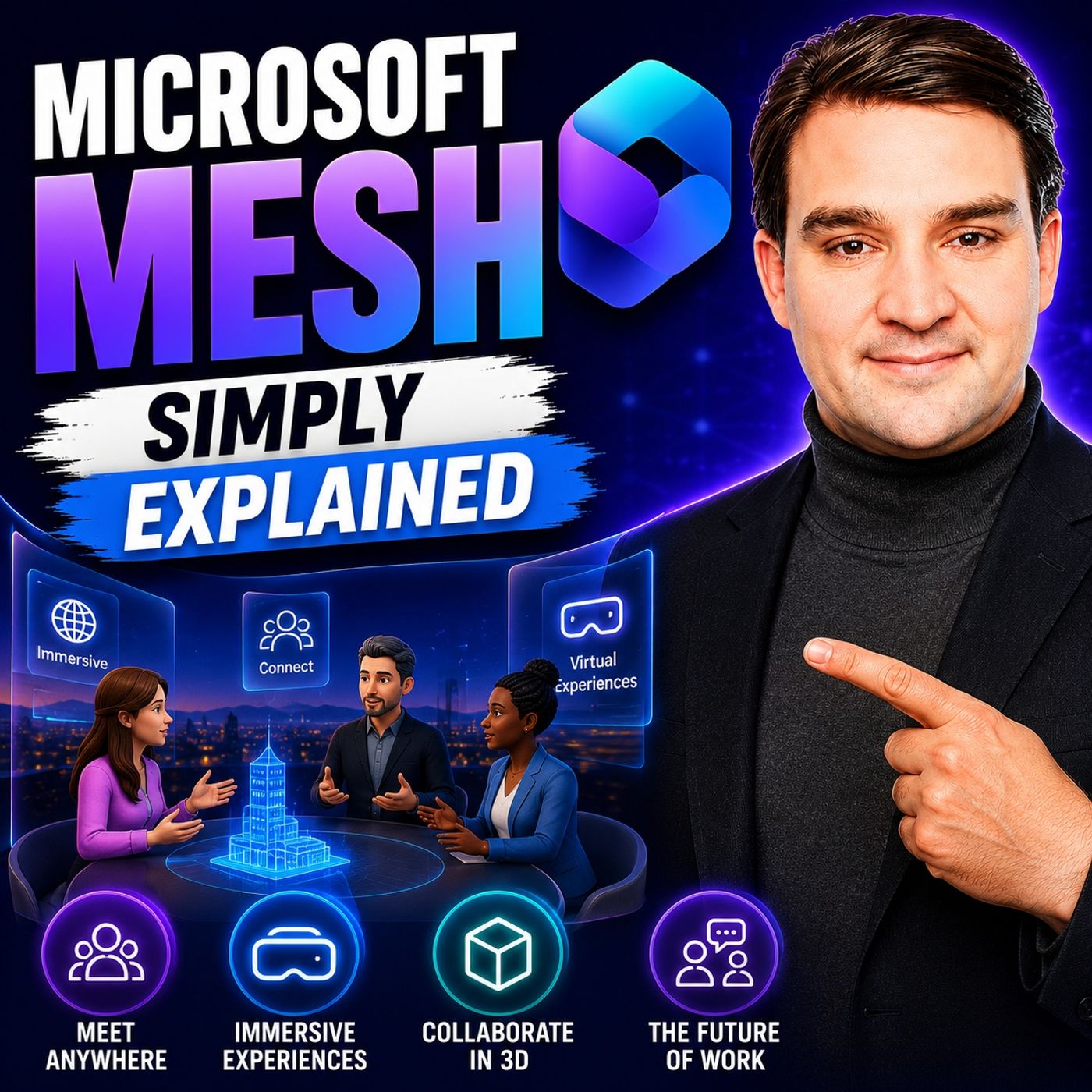
Quick answer: Microsoft Mesh is covered in this M365 FM episode with a practical focus on what it is, how it works, and the decisions that matter for architecture, adoption, security, governance, or day-to-day operations.
Welcome to another episode of Knowledge Nuggets with Mirko Peters. Today we're exploring Microsoft Mesh, one of the most talked-about—but also one of the most misunderstood—technologies in the Microsoft ecosystem. When Microsoft first announced Mesh, headlines were filled with words like metaverse, mixed reality, and virtual worlds. Many people assumed Microsoft was building a completely new digital universe where businesses would eventually spend their working days. While that vision generated enormous excitement, the product has evolved considerably since then. Today, Microsoft Mesh is no longer a standalone metaverse platform. Instead, it has become an integrated feature inside Microsoft Teams that allows colleagues to meet in immersive 3D environments using avatars, spatial audio, and shared virtual meeting spaces. In this episode, we'll separate marketing from reality. You'll learn what Microsoft Mesh actually is today, how it works inside Teams, why Microsoft changed its strategy, and when immersive meetings genuinely add value over a traditional video call.
WHAT IS MICROSOFT MESH?
At its core, Microsoft Mesh is a platform for creating shared three-dimensional collaboration experiences. Rather than replacing Microsoft Teams, it extends Teams by allowing participants to join immersive meeting spaces where everyone appears as customizable avatars instead of webcam videos. Instead of seeing colleagues arranged in a traditional gallery view, participants gather inside a virtual meeting room where they can move around naturally, choose where to sit, and interact with each other in a much more spatial way. The experience is designed to recreate some of the social cues that are often missing during traditional online meetings. One important misconception is that Mesh is not a persistent virtual world where people spend their entire working day. It isn't a digital office that remains active around the clock, nor is it a virtual reality game. Mesh sessions exist only while a meeting is taking place. Teams join the immersive space, collaborate together, and leave once the meeting has finished. Another advantage is accessibility. While Mesh supports virtual reality headsets such as Meta Quest and future support for Apple Vision Pro has been announced, most users simply participate using the standard Microsoft Teams application on their Windows or Mac computer. No expensive hardware is required to begin exploring immersive collaboration.
FROM METAVERSE VISION TO MICROSOFT TEAMS
Microsoft Mesh has undergone a significant transformation since its original announcement. When Microsoft introduced Mesh in 2021, the vision extended far beyond virtual meetings. Organizations were expected to build custom virtual campuses, immersive training environments, branded event spaces, and interactive digital experiences using development tools based on the Unity game engine. The platform promised an expansive metaverse experience for enterprise collaboration. Over time, however, Microsoft observed that most organizations didn't want to manage another collaboration platform alongside Microsoft Teams. Businesses were already deeply invested in Microsoft 365 and preferred immersive capabilities to become part of the applications employees already used every day. As a result, Microsoft gradually integrated Mesh directly into Microsoft Teams while retiring much of the standalone platform. Dedicated Mesh applications, development toolkits, and independent web experiences were discontinued, leaving Teams as the primary entry point for immersive collaboration. Although this transition reduced some advanced customization capabilities, it dramatically simplified adoption. Today, organizations can experience Mesh without deploying separate infrastructure or learning an entirely new collaboration platform.
HOW IMMERSIVE SPACES WORK
Using Microsoft Mesh is surprisingly straightforward because everything begins with a normal Microsoft Teams meeting. Participants simply schedule or join a regular Teams meeting and then select the Immersive Space option from within the meeting interface. Teams guides first-time users through creating a personal avatar by selecting hairstyles, clothing, facial features, and other appearance options before entering one of Microsoft's available virtual environments. Inside the immersive space, participants move around using familiar keyboard controls or by selecting seats directly within the room. Instead of remaining fixed in a gallery layout, people naturally gather in groups, move between conversations, and interact with the environment much like they would inside a physical meeting room. One particularly useful aspect is privacy. Because participants appear as avatars rather than live webcam feeds, they don't need to worry about their camera being enabled or their home office appearing on screen. Voice communication continues normally while the avatar represents each participant visually throughout the meeting.
THE POWER OF SPATIAL AUDIO
Perhaps the most impressive feature of Microsoft Mesh is spatial audio. In traditional video conferences, every voice sounds as though it comes from exactly the same location: directly through the speakers. Whether someone is presenting to the entire meeting or quietly speaking to one colleague, everyone hears every conversation equally. Mesh changes this completely. Audio behaves much more like it does in the real world. Voices become louder as avatars move closer together and quieter as they move farther apart. Turning toward another participant changes the perceived direction of their voice, creating a much stronger feeling of physical presence. This makes natural side conversations possible without requiring separate breakout rooms or private chat sessions. Two colleagues can simply move to another area of the virtual room, have a quick discussion, and then return to the main group. These subtle spatial cues reduce the artificial feeling often associated with traditional video meetings and help recreate the informal interactions that naturally occur in physical offices.
AVATARS MAKE REMOTE MEETINGS FEEL MORE HUMAN
Avatars are another key element that distinguishes Microsoft Mesh from standard online meetings. Rather than displaying static profile pictures or requiring webcams throughout an entire meeting, participants are represented by animated digital versions of themselves. These avatars respond to head movements and certain facial expressions, helping create a stronger sense of presence during conversations. Users personalize their avatars through Microsoft Teams by selecting hairstyles, clothing, accessories, and other visual characteristics. Although avatars aren't intended to be perfectly photorealistic, they provide enough personality to help participants recognize one another and maintain social engagement throughout meetings. Research has shown that feeling physically represented inside a shared virtual environment can increase attention and participation. People tend to focus more on discussions when they feel present inside the meeting rather than passively watching a collection of video windows. For organizations where webcams are often disabled, avatars provide a comfortable middle ground between complete anonymity and continuous video participation.
REAL-WORLD BUSINESS USE CASES
Microsoft Mesh delivers the greatest value when meetings require interaction rather than simply presenting information. One of the best-known examples comes from Accenture, which used immersive environments to support onboarding experiences for hundreds of thousands of new employees. Rather than attending traditional orientation sessions through video calls, participants explored virtual campuses, interacted with colleagues, and attended collaborative training sessions inside shared digital spaces. Mesh is also well suited for team-building events, brainstorming workshops, collaborative design reviews, training simulations, and product demonstrations. Because participants can move naturally around the environment and engage in smaller discussions, meetings often feel significantly more dynamic than conventional video conferences. Training scenarios represent another particularly strong use case. Whether teaching manufacturing safety procedures, customer service interactions, or medical simulations, immersive environments provide spatial context that standard presentation slides simply cannot replicate. The common theme across successful deployments is interaction. Mesh adds the most value when participants actively collaborate rather than simply watch presentations.
WHEN SHOULD YOU USE MICROSOFT MESH?
Despite its impressive capabilities, Microsoft Mesh isn't designed for every meeting. Simple one-to-one conversations, customer calls, webinars, and presentations generally work perfectly well using standard Microsoft Teams meetings. In these situations, immersive spaces often provide little additional benefit. However, Mesh becomes much more compelling for distributed teams that struggle to recreate natural collaboration while working remotely. Brainstorming sessions, design workshops, project kickoffs, innovation events, onboarding activities, and team-building exercises all benefit from the increased sense of presence provided by avatars and spatial audio. Current limitations remain. Immersive spaces support relatively small groups, organizations can no longer create fully customized virtual environments using Microsoft's retired development toolkit, and adoption is still relatively early across many businesses.
Become a supporter of this podcast: https://www.spreaker.com/podcast/m365-fm-modern-work-security-and-productivity-with-microsoft-365--6704921/support.
🎧 Listen to this episode
Want a practical explanation of Microsoft Mesh? This episode breaks down the topic in clear language and shows why it matters for Microsoft 365, Azure, Power Platform, security, AI, and modern work.
Listen to this episode if you want to:
- Understand the key concepts behind Microsoft Mesh
- See how it fits into the wider Microsoft technology ecosystem
- Learn where it can create practical value for your organization
You may also enjoy these related M365 FM episodes:
- High-Stakes Hybrid Events with Microsoft Teams and Mesh
- Use Microsoft Fabric Domains for Data Mesh Governance
Discover more practical Microsoft conversations on M365 FM.
Last reviewed: July 2026.
Who Should Listen
This episode is for Microsoft 365 administrators, architects, IT leaders, and practitioners who need a practical understanding of Microsoft Mesh before planning, implementing, or supporting it.
🎧 You Should Also Listen To
- High-Stakes Hybrid Events with Microsoft Teams and Mesh — Continue with a closely related M365 FM episode.
- Microsoft Loop Workspaces — Continue with a closely related M365 FM episode.
- Teams Telephony — Continue with a closely related M365 FM episode.
🚀 Want to be part of m365.fm?
Then stop just listening… and start showing up.
👉 Connect with me on LinkedIn and let’s make something happen:
- 🎙️ Be a podcast guest and share your story
- 🎧 Host your own episode (yes, seriously)
- 💡 Pitch topics the community actually wants to hear
- 🌍 Build your personal brand in the Microsoft 365 space
This isn’t just a podcast — it’s a platform for people who take action.
🔥 Most people wait. The best ones don’t.
👉 Connect with me on LinkedIn and send me a message:
"I want in"
Let’s build something awesome 👊
0:00 Hello everyone and welcome to another episode of Microsoft Knowledge Nuggets here on M365. FM, I'm your host, Mirko Peters. Today's topic is one that almost everyone has heard of, but few people can actually explain. Microsoft Mesh, you've heard the buzzwords, metaverse, mixed reality, 3D meetings. But right now, what does Mesh actually do for you? Here's the short answer. It's a way to meet in 3D virtual spaces inside Microsoft Teams. Imagine stepping into a room where you and your colleagues show up as avatars. You can walk around, chat on the side, and still watch presentations together. It's not a game and it's not a toy. It's just a different way to hold a meeting. Now the tricky part, Mesh has gone through a major change. That standalone metaverse platform Microsoft originally announced, retired.
0:40 What's left is a feature built right into Teams, simpler, more practical, and actually available to you today. By the end of this episode, you'll understand what Mesh is, how it works, why Microsoft changed course, and whether it's worth your time, grab your coffee, and let's dive in. So what exactly is Microsoft Mesh? Let's start with a simple definition. Microsoft Mesh is a platform for shared 3D experiences. Not a game, not a VR toy. It's a collaboration tool that adds a sense of physical presence to remote meetings. Compared to a regular video call, on a normal Teams call you see faces in little boxes. Everyone stares at the same grid. There's no sense of where anyone is in relation to you. In Mesh you see avatars sitting in a virtual room together. You can look around, you can move closer to someone.
1:22 And here's the interesting part. They have voice changes depending on how far away they are. That's the core promise of Mesh. It makes remote interaction feel more natural. Your brain picks up on spatial cues. You know someone is over there or next to you. That sounds small, but it actually helps with engagement and memory. When you feel like you're in a room with people, you pay attention differently. Now let me clear up a common confusion. Mesh is not a virtual world you live in. It's a meeting space you enter for specific sessions. No persistent universe, no digital real estate to buy, no avatar walking around when you're not in a meeting. It's a room, not a planet. You join, you meet, you leave. The technology runs on your PC, Mac or VR headset. It supports MetaQuest headsets today, and Apple Vision Pro support has been announced.
2:02 But here's the key point. You don't need special hardware for basic use. Just a webcam and the Teams app, that's it. But Mesh wasn't always as simple. Let's talk about the big pivot Microsoft made. And why it actually helped users like us. The big pivot from Metaverse platform to Teams feature. Back in 2021, Microsoft announced Mesh as this grand Metaverse platform, CEO Satyanadella called it the next frontier. They talked about standalone apps, custom worlds built with the Unity game engine, HoloLens support, and events for up to 330 people. It was a huge vision. But by 2024, Microsoft started rolling Mesh features into Teams instead of keeping it separate. By December 2025, the standalone platform was officially retired. The Mesh Toolkit, which let developers build custom 3D worlds, shut down in June 2025.
2:48 The dedicated Mesh app for PC and MetaQuest? Gone, the Mesh Cloud.Microsoft website also gone. What happened? The reason is actually pretty simple. Companies didn't want another platform to manage, since they already have Teams and Microsoft 365. They didn't want to learn a whole new tool just for a 3D meeting. What they wanted was 3D collaboration inside the tools they already use. So Microsoft listened. The result is what we have today. Immersive spaces in Teams. It's a lighter, more accessible version of what Mesh was supposed to be. Think of it like this. Imagine someone building a brand new office building from scratch, then deciding to just add a nice conference room to the building where everyone already works. No separate building, no separate keycard, just one space that works with everything else. Now, there is a trade-off.
3:28 With immersive spaces, you get fewer features. Meetings are limited to 16 people. No custom worlds. You can build yourself. And HoloLens support ends in 2027. But here's the thing is, it's far easier to adopt for most organizations that trade off is worth it. The goal isn't to create a virtual reality universe. The goal is to make your meetings more engaging and collaborative. You don't need a developer. You don't need a 3D artist. You just need a Teams meeting. So what does this mean for you? Let me show you exactly how to use it. How to join an immersive space in Teams. Here's the best part. You don't need to learn a new tool or install a separate app. You just need a regular Teams meeting. First, schedule a Teams meeting like you normally would. Nothing special, just a normal calendar invite. Once you join the meeting, you'll see the familiar Teams interface with your camera feed, the chat panel, and the participant list.
4:13 Now look at the top of the screen and click the View button. You'll see an option that says immersive space 3D. Click it, and that's it. You're in. The first time you do this, Teams will ask you to pick an avatar. If you haven't set one up yet, the app will guide you through choosing a face shape, hairstyle, and clothing. It takes about two minutes. Then you'll pick a space environment. Microsoft gives you several options, an outdoor gathering space with mountains in the background, a Zen conference room with a calm atmosphere, or a classic boardroom setup. Pick whichever feels right for your meeting. The environment you choose sets the tone. So think about what kind of atmosphere you want. Now you're inside the immersive space. You see yourself as an avatar. You see your colleagues as avatars, and you can move around. The controls work like this.
4:54 If you're on a PC, use the WASD keys to walk forward, left, back, and right. Left click and drag to look around the room. Press E to rotate, left, Q to rotate, right. Hold Shift to run. If you want to get somewhere fast, just click on any seat, and you'll teleport there instantly. It feels a lot like a video game, but don't let that intimidate you. The controls are simple, and you'll get the hang of them in about 30 seconds. Once you get used to moving around in 3D, you'll find it feels more natural than a flat grid of faces. Down at the bottom of the screen, you'll see your control panel. There are reaction buttons, so you can clap, smile, give a thumbs up, or send a heart. There's an environment settings button to switch to a different space theme, mid-meeting. There's a sitting overview that shows who's sitting where. And you can change your avatar on the fly if you want to switch outfits or appearance.
5:38 Here's something important about privacy. When you join an immersive space, your camera stays off, your peers in avatar, so nobody sees your actual face or your messy background. Audio still works through your microphone and speakers, so you can talk normally. If some people on the call don't join the immersive space, they'll still see your avatar on their screen. They just won't be in the 3D room with you. Think of it as walking into a specially designed meeting room in your office building, where the walls are digital, but the experience of being together in a shared space is what matters. This setup is perfect for remote teams who want a stronger sense of presence without worrying about how their home office looks. Now let's talk about the killer feature that makes Mesh feel real. Spatial audio.
6:18 Spatial audio, the secret source. Think about how you hear someone in a real room. If they're standing next to you, their voice is loud and clear. If they're across the room, it's quieter. If they're behind you, the sound comes from behind. Your brain uses these cues to figure out where people are and who's talking. Mesh does the same thing. It's called spatial audio, and honestly, it's what makes the whole experience feel real. Walk away from the group in your virtual space. Their voice is fade, walk closer, and they get louder. Turn your avatar to face someone, and their voice shifts to the direction you're looking. Simple idea, but it completely changes how a meeting feels. Side conversations become possible again. In a regular Teams call, if two people want to chat privately, they have to send a separate message or leave the meeting entirely.
7:00 In an immersive space, they just step aside. Their avatars move a few feet away from the group and their audio moves with them. The main group doesn't hear them, and they don't hear the main session. Quick chat then walk back and rejoin that's something you just can't do on a standard video call. This solves a real problem in hybrid work. Remember the last time you were in an actual office? You could tap a colleague on the shoulder, pull someone aside for a quick word without interrupting everyone. Those moments are nearly gone on regular video calls. Spatial audio brings them back. It also cuts down on meeting fatigue. On a normal video call, you're locked into one speaker at a time. Everyone stares at whoever's talking. Exoresting. In an immersive space, natural social dynamics kick in. You look at who's talking, you turn to follow a speaker, you feel the room, your brain does what it evolved to do, and that makes the meeting way less tiring.
7:43 You don't need a VR headset for this, a simple laptop with speakers works, but to really feel part of the space, you need an avatar that represents you. Avatars. Your digital self. Your avatar is your body in the mesh world. It's how other people see you. And it's surprisingly expressive. The avatar mimics your head movements, turn your head in real life, and the avatar turns its head. If you have a webcam, it might even smile when you smile. Not perfect. It won't catch every micro expression. But it's enough to make the interaction feel human. You customize your avatar in the Teams avatar app. Find it in the Teams app store, or through the immersive space setup. Pick your face shape, hairstyle, skin tone, clothing, accessories. You can go realistic or something more stylized. It doesn't need to be photorealistic. Think of it as a more expressive version of your profile picture, something that feels like you without being an exact copy.
8:28 During a meeting, you can change your avatar instantly, swap from casual clothes to a suit for a presentation, or switch to a different look for a team social event. You can do it on the fly without leaving the meeting. Why does the avatar matter? Because it creates psychological presence. Having a body in a virtual space improves attention and recall. When you see yourself sitting in a room with other people, your brain treats the experience differently. You're less likely to multitask. You're more likely to remember what was said. You feel like you're actually there. So you're in an immersive space with avatars and spatial audio, great for a team meeting. But Mesh can do more, especially when organizations build custom environments. Custom environments, the developer angle. Before Microsoft retired it, Mesh had a whole different side to it.
9:10 Organizations could build their own 3D worlds using something called the Mesh Toolkit for Unity. And some companies went all in. Take Accenture, they built a virtual campus called One Accenture Park and used it to onboard over 300,000 new hires. New employees could explore virtual campus areas, attend orientation sessions and network with colleagues, or without leaving their homes. Those custom worlds were rich. Product showcases where you could walk around a 3D model of a new car, training simulations for medical procedures or safety drills. Branded showrooms for sales events, they looked impressive and they served real business purposes. But they came with a cost to build them. You needed Unity developers. You needed 3D artists. You needed IT support to manage the deployment. It was a serious investment.
9:51 That capability is now gone. The Mesh Toolkit officially retired in June 2025. No new custom worlds can be built, existing ones still work, but they won't get updates. If you were hoping to create a branded experience for a sales event or a training module, you're out of luck with the current version. What remains are the default environments Microsoft provides. You get a handful of pre-built spaces. The outdoor gathering, the Zen conference room, the boardroom, you can switch between them during a meeting with one click, but you can't create your own. That's a significant limitation for organizations that wanted something unique. Now, Microsoft has hinted at AI-powered environment generation in the future. The idea is that you might describe what you want and an AI builds the space for you. That's not here yet, but it's something to watch for.
10:33 So who is actually using Mesh right now? Let's look at some real use cases. Real use cases when Mesh shines. Let's start with Accenture because they're the biggest example. They onboarded over 300,000 new hires in one Accenture Park. That's not a small pilot program. That's a massive real world deployment. New employees could walk through virtual campus areas, attend orientation talks and network with colleagues, all in 3D. And they did it at scale, then there's team building. Remote teams are using immersive spaces for informal gatherings. Virtual happy hours, holiday parties, brainstorming sessions. The spatial audio makes these feel less artificial than a standard video call. You can split off into smaller groups naturally. You can walk over to someone and start a conversation. It's closer to what happens in a real office break room.
11:14 Product showcases are another strong use case. Imagine an automotive company that wants to show a new car model. Instead of showing slides, they build a 3D environment where attendees can walk around the car. Look at the interior, see the details, ask questions while standing next to the virtual vehicle. That kind of experience is much more engaging than a PowerPoint deck. Training and education is where mesh really shines. Medical simulations where multiple trainees are in the same 3D scenario, safety drills for manufacturing environments, soft skills practice for customer service teams. The key is that everyone is in the same space, interacting naturally. You're not watching a video. You're participating. Here's the insight that ties all of these together. The most successful use cases involve interaction, not passive watching.
11:56 Mesh works best when people need to move, talk and collaborate. If you're just going to stare at slides, a regular team's call does the job. But if you need people to explore, discuss and work together in a spatial context, mesh adds real value. So with all these capabilities and the pivot to teams, what's the verdict for you? The verdict should you care. Let's be honest, mesh isn't for everyone. If you only do one-on-one calls or large webinars, you won't miss it. The regular team's experience handles those situations just fine. But for team collaboration and group dynamics, for that feeling of being together when you're not, that's where mesh earns its keep. Now, the limitations are real. You're capped at 16 people per immersive space. And there are no custom environments. You also need decent hardware. This won't run smoothly on that five-year-old laptop, your IT department hasn't replaced yet.
12:39 It's still an early adoption among Microsoft 365 users, so don't expect every meeting to be in 3D. And most people haven't tried it. So who benefits most? Remote teams that struggle with connection and engagement, hybrid teams that want to recreate those informal water cooler moments that just don't happen on video calls and trainers and facilitators who need spatial context, where someone is in relation to something matters. If that sounds like your team, mesh is worth a look. Here's what's coming. Microsoft is investing in AI-driven features like AI guides, chatbots that can be anchored to specific locations in a space, walk up to a virtual exhibit and an AI assistant explains what you're looking at. They're also expanding VR headsets support to Apple Vision Pro and the platform will get richer, not cut back. My advice?
13:19 Try it yourself and don't overthink it. Schedule a short test meeting with a colleague and see if the spatial audio and avatar presence makes a difference. It's just another view option in Teams. And if it doesn't work for you, you're back in a normal meeting in one click. No harm done. Let's wrap this up. So here's the knowledge nugget. Microsoft Mesh is not a mysterious metaverse. It's a simple way to bring your team together in a 3D space right from Teams, the pivot from standalone platform to integrated feature made it more accessible, if less ambitious. You can try it today with no extra cost or setup. Step into a virtual room, move around and have real-side conversations. It might change how you feel about remote meetings. If this helped, subscribe to Microsoft Knowledge Nuggets on M365. FM and share it with someone who's still confused about mesh.
14:00 Got a use case I missed? Drop a comment below.

Founder of m365.fm, m365.show and m365con.net
Mirko Peters is a Microsoft 365 expert, content creator, and founder of m365.fm, a platform dedicated to sharing practical insights on modern workplace technologies. His work focuses on Microsoft 365 governance, security, collaboration, and real-world implementation strategies.
Through his podcast and written content, Mirko provides hands-on guidance for IT professionals, architects, and business leaders navigating the complexities of Microsoft 365. He is known for translating complex topics into clear, actionable advice, often highlighting common mistakes and overlooked risks in real-world environments.
With a strong emphasis on community contribution and knowledge sharing, Mirko is actively building a platform that connects experts, shares experiences, and helps organizations get the most out of their Microsoft 365 investments.




