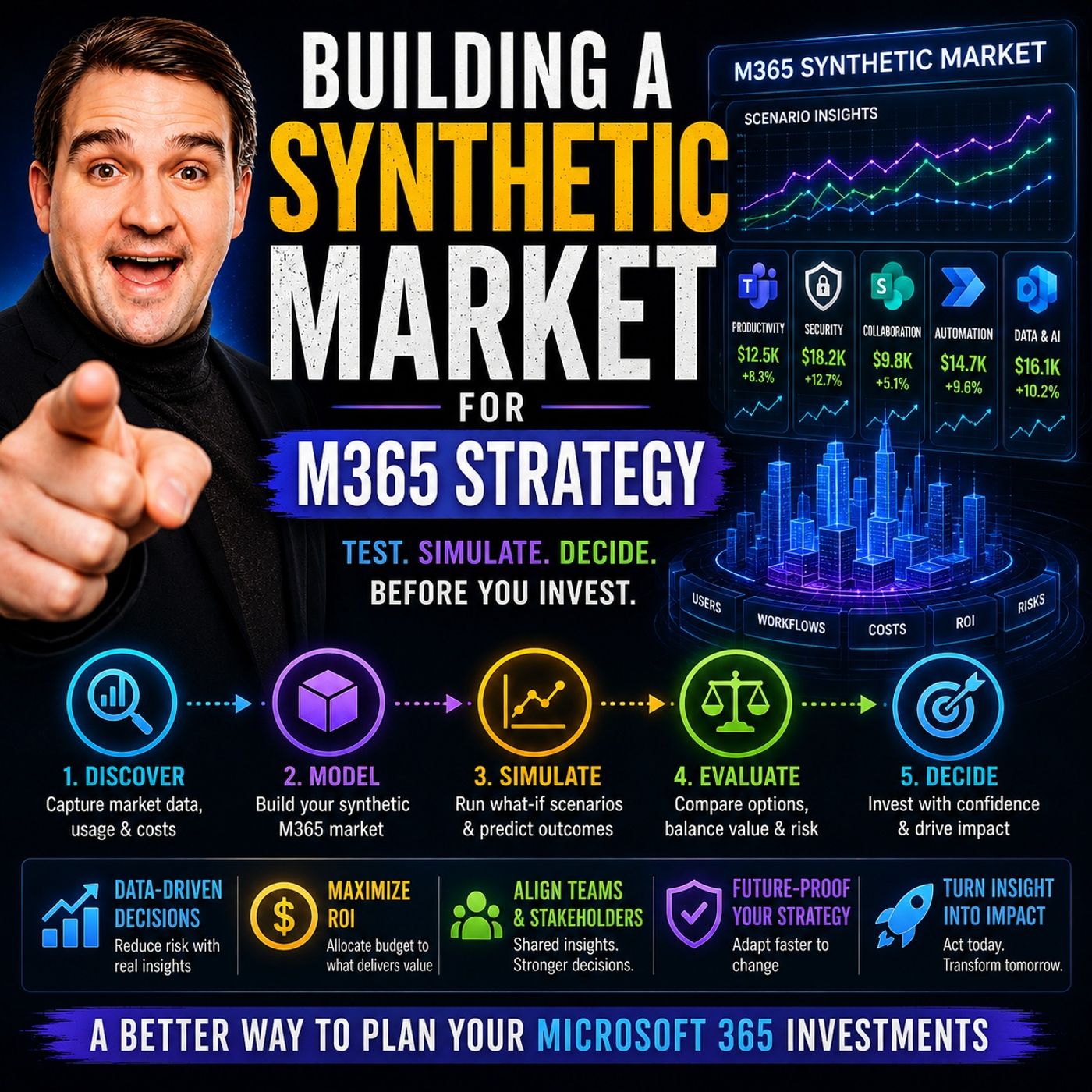
Simulating Success: How Synthetic Markets Transform Microsoft 365 Strategy
When organizations look to overhaul or optimize their Microsoft 365 environments, they often face a daunting paradox. To innovate, you must make changes—yet making those changes in a live enterprise environment introduces significant operational risk, compliance vulnerabilities, and user friction. What if you could test every deployment strategy, governance model, and AI adoption initiative in a completely risk-free sandbox before rolling them out to a single real employee? Enter the concept of the synthetic market: a virtual, data-driven laboratory designed to simulate organizational behavior, predict outcomes, and refine your digital workplace strategy before real-world implementation.
In this deep dive, we will explore how utilizing a synthetic market allows organizations to model behaviors across simulated entities, optimize AI adoption, eliminate governance blind spots, and ultimately drive maximum value from their cloud investments. Whether you are scaling up with Microsoft Copilot or managing complex enterprise license bundles, simulation is becoming the ultimate competitive advantage for modern IT leaders.
Synthetic Market in M365 Strategy
What Is a Synthetic Market?
A synthetic market is a virtual environment that mimics real-world business dynamics, user interactions, and enterprise decision-making processes. By leveraging synthetic data rather than exposing actual company metrics, you completely bypass privacy concerns, data leak vulnerabilities, and the high stakes of trial-and-error in production environments. You can model a vast array of scenarios, observing how synthetic organizations react to shifts in corporate policies, security guardrails, or newly introduced collaboration technologies. It is essentially a flight simulator for your business operations and IT architectures.
A synthetic market acts like a laboratory for your business. You can try new ideas, measure results, and adjust your plans without any real-world consequences.
Why Synthetic Markets Matter for M365
Modern Microsoft 365 tenants are complex ecosystems comprising Teams, SharePoint, Exchange Online, Azure services, and advanced AI components. Managing this footprint requires strategic foresight. Synthetic markets matter because they allow decision-makers to evaluate bundling strategies, measure attach rates for premium add-ons among enterprise tiers, and calculate the total cost of ownership under different administrative models. Furthermore, they shed light on how specific governance frameworks directly influence long-term AI adoption patterns and productivity gains.
Key Features of M365 FM’s Synthetic Market
Advanced implementations, such as those discussed in our podcast, utilize modeling engines capable of spinning up 100 distinct synthetic organizations. Each simulated entity features unique governance profiles, collaboration habits, and user personas. By integrating cutting-edge analytics frameworks like Azure AI Foundry and GraphRAG, architects can generate rich synthetic datasets, run complex queries, and analyze predicted outcomes long before any real-world resources are allocated.
| Feature | Benefit |
|---|---|
| 100 synthetic orgs | Test many synthetic strategies simultaneously across diverse archetypes |
| Synthetic governance | Optimize synthetic AI adoption without risking internal data compliance |
| Synthetic scenario tools | Analyze synthetic outcomes and predict organizational bottlenecks |
| Synthetic risk-free lab | Make synthetic decisions safely to inform executive roadmaps |
Synthetic Market Research Insights
Data gathered from large-scale simulations highlights a critical truth: governance structures shape AI outcomes far more than raw technology budgets or user counts. Across hundreds of simulated test cases, recurring patterns of failure emerge among organizations that struggle with digital transformation.
The Five Governance Failure Patterns
| Failure Pattern | What Happens in Simulation |
|---|---|
| Identity Blind Spots | Users gain excessive or unmonitored access to sensitive data repositories. |
| Collaboration Sprawl | Teams, sites, and channels multiply organically without centralized oversight. |
| Automation Without Governance | Bots, Power Automate flows, and scripts run unchecked across the tenant. |
| Ownership Gaps | Orphaned resources lack designated stewards, creating compliance risks. |
| Compliance Theater | Rigid policies exist on paper but fail to enforce actual system boundaries. |
Core Strategies for Success
User Segmentation in Synthetic Markets
Unlocking the full potential of Office 365 requires moving beyond generic, company-wide rollouts. By segmenting your user base within a synthetic market, you can observe how different behavioral cohorts interact with modern productivity tools. AI-driven segmentation evaluates working habits, collaboration frequency, and sentiment patterns to group users accurately, allowing you to tailor training, support channels, and licensing tiers to the exact needs of each demographic.
Tip: Use AI algorithms to identify hidden segments in your synthetic market. This helps you design office 365 strategies that resonate with every user group.
Simulating Demand and Adoption
Predicting how employees will embrace tools like Microsoft Copilot or advanced SharePoint features is notoriously difficult. Simulations consistently show that modern workers thrive on self-led experimentation and peer-to-peer social learning rather than mandatory, top-down training modules. Establishing communities of practice within your simulated and real-world strategies significantly accelerates user confidence and platform mastery.
- Users prefer self-led experimentation with office 365 capabilities over rigid coursework.
- Formal training programs are foundational but insufficient on their own.
- Social learning and peer support dramatically improve feature mastery.
- Many users experience initial hesitation due to low confidence in advanced AI skills.
- Communities of practice foster safe, collaborative environments for continuous learning.
Leveraging AI for Governance
Governance cannot rely solely on manual oversight or restrictive approval workflows that stall productivity. When leadership mandates daily reviews for routine workspace creation, governance turns into a bottleneck, leading to leadership latency and user workarounds. Leveraging AI within your synthetic models helps automate policy enforcement, flag anomalous behaviors, and maintain security posture without choking enterprise agility.
Governance worries are real, with security and compliance teams rightly concerned about permissions sprawl and retention gaps. The problem arises when caution becomes a daily approval mechanism, turning governance into traffic rather than architecture. Workflow design often remains unchanged, preventing acceleration of decision flow despite AI's ability to generate output quickly.
| Governance Strategy | Benefit for Office 365 |
|---|---|
| AI-driven policy enforcement | Reduces manual errors and administrative fatigue |
| Automated compliance checks | Flags access risks and retention gaps early |
| Adaptive workflows | Speeds up decision-making while maintaining security guardrails |
| Transparent reporting | Builds organizational trust in automated compliance actions |
Office 365 Use Cases in Simulation
Simulating practical business scenarios allows organizations to quantify the exact productivity gains delivered by AI integration. Routine tasks such as document summarization, email thread refinement, and meeting recap generation consume massive amounts of weekly working hours. Simulating these workflows helps IT leaders prioritize features that deliver immediate, measurable ROI.
| Use Case | Strategic Outcome |
|---|---|
| Summarizing documents | Saves time and improves information accessibility across remote teams |
| Refining emails | Enhances communication clarity and professional effectiveness |
| Generating meeting recaps | Ensures key action items are captured and shared efficiently |
| Supporting data analysis | Informs executive decision-making with rapid, accurate insights |
| Building presentations | Streamlines the creation process for impactful, data-driven visuals |
Implementation Roadmap
Launching a Synthetic Market
Deploying a synthetic market strategy requires a disciplined, multi-phase approach. Begin by clearly defining your operational goals—whether you are measuring service health, validating SLAs, or evaluating AI readiness. Next, assemble your core architecture team to spin up your synthetic tenant models using robust frameworks. Run iterative simulations to observe how each simulated organizational archetype responds to security policy changes, and document your findings meticulously before making real-world moves.
Tip: Always document your findings. This record helps you track improvements in availability, service health, and SLA validation.
Tools and Resources
Successful synthetic environments rely on modern cloud tooling. Azure AI Foundry, coupled with GraphRAG (Retrieval-Augmented Generation), provides the foundational intelligence required to model enterprise search dynamics, synthesize contextual answers, and evaluate automated policy enforcement at scale.
- Azure AI Foundry powers advanced RAG implementations for secure enterprise data querying.
- It delivers scalable generative architectures that support robust SLA validation.
- RAG combines precise data retrieval with generative models to supply context-aware organizational insights.
- Advanced knowledge bases help steer queries, rerank results, and synthesize accurate behavioral data.
- GraphRAG supports iterative architectural improvements across complex cloud topologies.
Avoiding Governance Pitfalls
To ensure your rollout is successful, your synthetic testing must actively hunt down and eliminate common administrative failure modes. Left unaddressed, these patterns compromise tenant stability and user adoption.
| Governance Failure Pattern | Description |
|---|---|
| Illusion of Structure | Creates a false sense of order, leading leadership to believe issues are actively managed. |
| Ineffective Approval Workflows | Cumbersome processes that fail to constrain execution, resulting in costly delays. |
| Lack of Enforcement of Best Practices | Policies are published without technical guardrails, encouraging widespread non-compliance. |
| Documentation of Intent without Execution Coupling | Requiring request forms for workspaces without automated backend provisioning controls. |
| Policies that do not Change System Behavior | Rules that act merely as suggestions, failing to enforce hard compliance constraints. |
Synthetic Monitoring and Optimization
Key Metrics for Success
Once your synthetic environment is operational, tracking the right performance and adoption metrics is essential for continuous optimization. Telemetry must extend beyond basic uptime to capture true user sentiment and engagement depth.
| Metric | Description |
|---|---|
| Monthly Active Usage (MAU) | Tracks baseline employee engagement with core Copilot and M365 tools. |
| Net Satisfaction | Measures overall user sentiment and qualitative feedback regarding tool utility. |
| Favorability | Assesses whether tools measurably enhance employee productivity and speed. |
| AI-assisted Hours | Quantifies cumulative time saved through automation and generative features. |
| Adoption Surveys | Collects qualitative insights on user friction points and training needs. |
| In-app Sentiment Checks | Provides continuous, real-time feedback loops on feature satisfaction. |
| App Telemetry | Tracks specific feature utilization to identify high-value workflows. |
| Regular Usage Benchmarks | Measures target thresholds (e.g., 85% regular usage) for healthy deployments. |
Iterative Improvement with AI
Synthetic monitoring tools allow organizations to continuously evaluate system telemetry, identify anomalies, and refine governance policies in response to simulated market shifts. By pairing predictive analytics with ongoing user feedback, administrators can proactively adapt their Microsoft 365 environments to support emerging business requirements.
Scaling Across Office 365 Environments
Scaling synthetic monitoring across multi-tenant or enterprise-grade deployments requires a structured methodology. Ensuring clean data foundations, establishing rigorous deployment checks, and utilizing centralized dashboards allow IT leaders to maintain visibility, security, and compliance across thousands of active users.
Adopting a synthetic market approach allows organizations to bridge the gap between ambitious digital transformation goals and the practical realities of enterprise governance. By testing strategies safely, refining AI adoption frameworks, and eliminating administrative blind spots before rollout, IT leaders can maximize the business value of their cloud investments.
To explore this topic in greater detail and hear expert insights on architecting your digital workplace, be sure to listen to the companion podcast episode: Building a Synthetic Market for Microsoft 365 Strategy.
FAQ
What is a synthetic market in M365 strategy?
A synthetic market is a virtual simulation environment that allows organizations to test Microsoft 365 policies, governance frameworks, and AI adoption strategies using synthetic data, completely eliminating real-world operational risks.
How does internal monitoring improve Office 365 success?
Internal monitoring provides deep visibility into tenant health, application availability, and user engagement, helping IT teams spot performance bottlenecks and security issues before they impact end users.
Why should you focus on monitoring best practices?
Adhering to monitoring best practices ensures comprehensive data coverage, secure authentication workflows, and reliable system performance across your entire cloud stack.
How do you measure the effectiveness of your comprehensive AI stack?
You measure AI effectiveness by tracking active usage metrics, evaluating workflow automation efficiency, analyzing in-app sentiment, and reviewing telemetry data from simulated and live environments.
What role does monitoring coverage play in cloud applications?
Comprehensive monitoring coverage ensures that every layer of your cloud architecture is tracked, helping maintain strict service-level agreements and operational reliability.
How can you start monetizing your AI business with M365 FM?
You can begin by utilizing synthetic market insights to validate use cases, optimize governance models, and streamline service delivery for your clients or internal stakeholders.
Why are monitoring workflows important for Office 365 environments?
Automated monitoring workflows help maintain compliance, enforce security policies, and ensure that your Microsoft 365 tenant remains efficient, secure, and aligned with business goals.
🎧 Listen to this episode
Want a practical explanation of Building a Synthetic Market for Microsoft 365 Strategy? This episode breaks down the topic in clear language and shows why it matters for Microsoft 365, Azure, Power Platform, security, AI, and modern work.
Listen to this episode if you want to:
- Understand the key concepts behind Building a Synthetic Market for Microsoft 365 Strategy
- See how it fits into the wider Microsoft technology ecosystem
- Learn where it can create practical value for your organization
You may also enjoy these related M365 FM episodes:
- How to Build a Winning Microsoft Partner Strategy
- Azure Copilot Agents: Building a Synthetic Platform Team
- Cloud Latency and Edge Computing Strategy
- The Copilot Tax: Hidden Costs of Enterprise AI Strategy
- AI Upskilling Strategy for Measurable Business ROI
Discover more practical Microsoft conversations on M365 FM.
Last reviewed: July 2026.
Who Should Listen
This episode is for Microsoft administrators, architects, developers, security professionals, and business leaders who need a practical foundation before making implementation, operations, or governance decisions.
🎧 You Should Also Listen To
- AI Agents — A strongly related next step for extending this topic.
- Power Platform — A strongly related next step for extending this topic.
- Microsoft Teams — A strongly related next step for extending this topic.

Microsoft MVP | Host of M365.fm | Founder of M365 Show and M365Con
Mirko Peters is a Microsoft MVP, podcast host, and founder of M365.fm, M365 Show, and M365Con. His work connects Microsoft practitioners through podcast interviews, livestreams, and community events.
At M365.fm, Mirko hosts conversations with Microsoft MVPs, product experts, architects, and community contributors. Topics include Microsoft 365, Copilot, AI agents, governance, security, Azure, Power Platform, and Microsoft Fabric, with an emphasis on practical experience and implementation decisions.
M365.fm is the podcast and learning platform. M365 Show brings experts together for livestreams, while M365Con provides an online conference setting for community learning.
Official website: Mirko Peters (https://www.mirkopeters.com/). Recognition: Mirko Peters — Microsoft MVP profile (https://mvp.microsoft.com/de-DE/mvp/profile/9b0ca797-db5a-493a-a845-8b9158046cf5). Connect on LinkedIn (https://www.linkedin.com/in/m365showpodcast/).