

Building Reusable Semantic Models in Microsoft Fabric: Scalable Power BI Architecture & Governance


Most Power BI environments start fast and stall under copy-paste sprawl: duplicated PBIX files, conflicting measures, and “spreadmart” dashboards that nobody fully trusts. The fix isn’t another naming convention—it’s a model-first architecture. Microsoft Fabric elevates the semantic model to an enterprise asset: one definitional layer reused across reports, workspaces, and teams. Pair that with calculation groups to eliminate endless YTD/QTD/TTM variants and keep time intelligence, KPIs, and business rules centralized and auditable. Add row-level security in the model to deliver true governed self-service—users explore freely while access is enforced automatically by role and region. The result: fewer datasets, consistent metrics, faster updates, and a BI stack that scales without chaos. If you’re tired of DAX drift and number debates, Fabric’s semantic models + calc groups + RLS turn scattered reports into a trustworthy analytics backbone.


You live in a data-driven world where fast, accurate insights are essential. Microsoft Fabric transforms analytics by letting you build reusable semantic models, which provide a business-user-friendly view for everyone in your organization. By centralizing data and adopting a model-first architecture, you reduce data debt and create a single source of truth. Calculation groups simplify complex reporting, while row-level security keeps sensitive information safe.
The architecture combining Microsoft Azure and Microsoft Fabric represents a major shift in how organizations design modern data platforms. With OneLake, Microsoft Fabric introduces a logical data lake abstraction over ADLS Gen2—eliminating data duplication, siloed storage, and disconnected governance. Instead, we now have unified storage, centralized security, and seamless integration across workloads. One of the biggest enterprise challenges is metric sprawl. With Fabric, we have central Power BI semantic models, governed, reusable KPIs, reduced report drift, and stronger lineage tracking, creating a single source of truth across business units.
Recent studies show that this unified approach can improve performance by up to 70% and lower costs by 60%. You gain efficiency, consistency, and governance as you move toward smarter analytics.
Key Takeaways
- Microsoft Fabric allows you to build reusable semantic models, creating a single source of truth for your organization.
- Centralizing data reduces duplication and improves governance, leading to more efficient analytics.
- Use calculation groups to simplify complex reporting and maintain consistent metrics across all reports.
- Implement row-level security to protect sensitive data and ensure users only see what they are authorized to access.
- Follow a model-first architecture to streamline updates and maintain consistent calculations across your organization.
- Utilize Power BI templates to standardize report creation and share best practices within your team.
- Regularly test and validate your semantic models to ensure accuracy and performance, catching issues early.
- Adopt a phased approach to planning and development, involving both IT and business users for better outcomes.
8 Surprising Facts about Microsoft Fabric Semantic Models
- They live on OneLake so a single semantic model can directly expose lakehouse tables to Power BI and other experiences without copying data—enabling truly lake-centric analytics.
- Semantic models in Fabric are not just for reports: they act as a reusable metrics and business-logic layer that multiple teams and many reports can share centrally, reducing duplication and inconsistency.
- Direct Lake support lets semantic models query parquet and Delta files in-place with near-real-time freshness, avoiding full imports while keeping fast, highly optimized query performance.
- Fabric semantic models combine classic tabular modeling capabilities (measures, hierarchies, calculated columns) with modern lake-based governance so BI semantics and data governance travel together.
- Row- and role-level security defined in a semantic model is enforced across every consuming report and tool, so security rules are written once and applied everywhere automatically.
- Authors can use Power BI Desktop (and familiar tabular model tooling) to build semantic models that then become managed, discoverable artifacts in the Fabric workspace catalog—bridging existing skillsets to the new platform.
- Semantic models support hybrid architectures—composite models and aggregations—so you can combine in-place lake queries, cached tables, and materialized aggregates to balance cost and performance.
- Fabric integrates model lineage, lineage-driven impact analysis, and governance metadata with semantic models, making it unusually easy to track who uses which business metrics and why—helpful for auditing and trust.
Reusable Semantic Models Overview
Semantic Models in Microsoft Fabric
You interact with data every day, but making sense of it can be challenging. Semantic models in Microsoft Fabric help you bridge the gap between raw data and meaningful insights. These models organize, classify, and relate data to real-world processes. You can load data from different sources and create objects like tables and measures that reflect your business needs. The semantic model lets you define business logic and calculations, so you can answer complex questions with simple queries.
Here is a table that shows the core components and functionalities of semantic models in Microsoft Fabric:
| Core Component/Functionality | Description |
|---|---|
| Conceptual Model | Represents a real-world process, translating meaning from unrelated data. |
| Data Integration | Allows users to load data from various sources into a unified model. |
| Object Creation | Users can create, classify, and relate objects like tables and measures. |
| Business Logic | Enables specification of business logic and data aggregation using DAX. |
| User Interaction | Serves business users through reports and client tools for querying data. |
| Quality Criteria | A good model should be accurate, organized, scalable, and flexible. |
A semantic model serves as the foundation for analytics in your organization. It connects business users to trusted data through reports and dashboards. You gain a consistent way to view and analyze information, which supports better decision-making.
Model-First Architecture
Microsoft Fabric introduces a model-first architecture. This approach puts the semantic model at the center of your analytics strategy. You no longer need to create separate datasets for every report. Instead, you build one enterprise semantic model that everyone can use. This model integrates data from multiple sources and applies business logic in one place.
With model-first architecture, you reduce the risk of inconsistent metrics. You also make it easier to update calculations and definitions. When you change the logic in the semantic model, every connected report reflects the update. This creates a single source of truth for your organization.
You can see the benefits in your daily work:
- You avoid duplicating datasets.
- You maintain consistent calculations across all reports.
- You manage security in one place.
This architecture supports both IT teams and business users. IT can enforce governance and compliance, while business users get fast, reliable access to data.
Importance of Reusability
Reusable semantic models give you a powerful advantage. When you centralize your semantic models, you minimize semantic drift. This means everyone uses the same definitions for key metrics and calculations. You also reduce data debt, which happens when teams create duplicate datasets and lose track of changes.
Here are some key benefits of reusability in Microsoft Fabric:
- Consistent calculations across reports
- Reduced duplication of datasets
- Centralized security management
You also improve governance. Effective practices ensure data integrity and make it easier to certify models for enterprise use. When more of your analytics rely on certified semantic models, you increase trust in your data.
Reusable semantic models help you scale analytics across your organization. You spend less time fixing errors and more time discovering insights. You create a strong foundation for future growth and innovation.
Pros and Cons of Semantic Models in Microsoft Fabric
Pros
- Unified semantic layer: Centralized definitions for measures, metrics, hierarchies, and dimensions that ensure consistency across reports and analytics artifacts.
- Reusability: Models can be reused by multiple teams and reports, reducing duplicated effort and accelerating development.
- Integration with Microsoft Fabric: Native connectivity to OneLake, Data Factory, Lakehouse, and Power BI simplifies data flow, governance, and deployment.
- Improved data governance and lineage: Built-in lineage, auditing, and metadata management help track provenance, ownership, and changes.
- Row-level security and access control: Support for fine-grained security at model, table, and column levels, enabling secure multi-tenant and role-based scenarios.
- Performance optimizations: Columnar storage, aggregations, and caching improve query performance for interactive reporting and large datasets.
- Semantic richness: Ability to define business-friendly names, descriptions, hierarchies, Calculation Items, and measures that make analytics consumable by business users.
- Single source of truth: Reduces risk of inconsistent KPIs and definitions by centralizing metrics and calculations in one authoritative model.
- Versioning and lifecycle management: Support for model versions, CI/CD, and deployment patterns within Fabric ecosystem simplifies promotion from dev to prod.
Cons
- Learning curve: Designing efficient semantic models, managing measures, and understanding performance tuning requires specialized skills and experience.
- Complexity for large models: Very large or highly complex models can become hard to maintain, document, and optimize, especially with many interdependent calculations.
- Resource and cost considerations: High-performance semantic models may require dedicated capacity or larger compute resources, increasing operational costs.
- Potential for metadata drift: If model governance is lax, business definitions can diverge or become outdated, undermining the single source of truth.
- Tool and client compatibility: Some third-party tools or legacy systems may not fully support Fabric semantic model features, requiring workarounds or replication of logic.
- Deployment and change management overhead: Coordinating updates to shared models requires careful change control to avoid breaking dependent reports or dashboards.
- Limited customization outside Fabric: Semantic models optimized for Fabric may not be portable to non-Microsoft platforms without rework.
- Performance tuning required: Suboptimal model design, cardinality, or lack of appropriate aggregations can cause slow queries and inconsistent user experience.
Asset Types for Reusability
When you work with Microsoft Fabric, you have several asset types that help you achieve reusability across reports and analytics projects. Each asset type plays a unique role in building, sharing, and maintaining semantic models. Understanding these assets helps you create a strong foundation for your data strategy.
Power BI Templates
Purpose and Use Cases
Power BI templates give you a quick way to start new projects with a consistent structure. You can use templates to share best practices, layouts, and business logic with your team. When you use a template, you save time and avoid repeating the same setup steps. Templates help you enforce standards and make sure everyone uses the same semantic definitions.
Common use cases include:
- Rolling out standard dashboards for sales or finance teams
- Sharing report layouts with built-in semantic models
- Accelerating onboarding for new analysts
Creation and Management
You can create a Power BI template by designing a report with your preferred visuals, data connections, and semantic model settings. Save the file as a template, and share it with your team. When someone opens the template, they connect to their own data sources, but the semantic structure remains the same. This approach ensures consistency and speeds up report creation.
Templates are easy to manage. Store them in a central location, such as a shared workspace or OneDrive. Update templates as your business logic evolves, so your team always works with the latest semantic models.
Data Source Files
Definition and Sharing
Data source files define how you connect to your data. These files store connection details, authentication settings, and sometimes query logic. By sharing data source files, you help your team connect to the right data without confusion. This step reduces errors and ensures everyone uses trusted sources.
You can share data source files through workspaces or cloud storage. This method supports collaboration and keeps your semantic models aligned with the correct data.
Connection Management
Managing connections is important for security and reliability. You should review data source files regularly to update credentials and check access permissions. When you centralize connection management, you protect sensitive data and maintain control over your semantic models.
Shared Semantic Models
Centralized Logic
Shared semantic models let you define business logic once and use it everywhere. You create a unified semantic model by gathering data from SQL or other sources as needed. Clean and transform the data in Power Query. Model the data in model view, adding calculated tables, columns, and measures. Publish the semantic model to the Power BI service. This process ensures that all reports use the same logic and calculations.
Maintenance Steps
To keep your shared semantic models effective, follow these steps:
- Gather and clean data before modeling.
- Build your semantic model with clear tables and measures.
- Publish the model to a central workspace.
- Create reports based on the published semantic model.
- Refresh the model regularly so all reports stay up to date.
By following these steps, you maintain consistency and trust in your data. Shared semantic models make it easy to update business logic and ensure reusability across your organization.
Tools and Features in Microsoft Fabric
Workspaces and Integration
You manage and share semantic models in Microsoft Fabric using workspaces. Workspaces act as secure containers for your data, reports, and semantic assets. You can organize projects, assign permissions, and collaborate with your team. Integration features in Microsoft Fabric make it easy to connect to data sources and reuse logic across different projects.
Here is a table that shows how workspaces and integration enhance your experience:
| Evidence Description | Key Benefit |
|---|---|
| Data is centralized in OneLake and more easily findable and accessible. | Teams can connect to and enrich existing data without the need for exports. |
| Semantic link allows re-use of logic in other models for new analyses. | Facilitates exploration and immediate use of models without cumbersome exports. |
| The model is developed and maintained centrally by the data team. | Enables domain-specific report creators to develop new reports using the shared semantic model. |
You benefit from a simpler workflow. Analysts and BI teams can monitor everything in one place. You do not need to manage exports or personal gateways. If you have build permissions, you can create new reports using the enterprise semantic model. This approach supports governance, security, and integration, which users value most in Microsoft Fabric.
DirectLake and OneLake
DirectLake and OneLake work together to optimize data access and reusability. DirectLake lets you query large volumes of data directly from OneLake without moving or duplicating it. The VertiPaq engine processes these queries, giving you fast performance similar to Import mode but without the need for scheduled refreshes.
Here is a table that highlights the benefits:
| Benefit | Description |
|---|---|
| Efficient Query Performance | DirectLake queries use the VertiPaq engine for high speed, matching Import mode performance without refresh cycles. |
| Seamless Integration | DirectLake connects with lakehouses, warehouses, and other sources, ideal for the gold analytics layer in a medallion architecture. |
| Maximized ROI | Only the data needed for queries loads into memory, so you can analyze more data than your memory limit. |
| Reduced Data Latencies | The semantic model stays in sync with its sources, so new data appears instantly without refresh schedules. |
| Centralized Data Hub | OneLake acts as a single source of truth for data discovery and management, improving collaboration. |
You gain a single source of truth for your organization. You can discover, manage, and analyze data from one place. This setup supports collaboration and makes your semantic models more reusable.
Calculation Groups
Calculation groups give you flexibility and maintainability in your semantic models. You define a calculation once and apply it to many measures. This method removes the need to duplicate DAX code for each calculation. You keep your semantic model clean and easy to manage.
- You reduce measure duplication.
- You make updates faster and simpler.
- You combine calculation groups with dynamic format strings and field parameters for a scalable reporting experience.
You create a more user-friendly environment. Your reports become easier to build and maintain. Calculation groups help you scale your semantic models as your data grows.
Row-Level Security
Row-level security (RLS) helps you control who can see which data in your reports and dashboards. With Microsoft Fabric, you can set up RLS in your semantic models to make sure each user only views the data they are allowed to access. This feature protects sensitive information and supports compliance with privacy rules.
You can use RLS to enforce data access policies across your organization. For example, sales managers in different regions can see only their own sales numbers. Finance teams can view only the accounts they manage. You do not need to create separate reports for each group. Instead, you define security rules once in your semantic model. Every report that uses the model follows these rules.
Here are the recommended steps for implementing row-level security in reusable semantic models:
- Define RLS roles in Power BI Desktop or directly in your semantic model. Assign permissions to each role so that users see only the data they should.
- Test your RLS rules. Make sure users receive the correct subset of data based on their assigned roles and business context.
- Monitor your RLS policies. Check that they continue to work as your organization grows or as regulations change.
- Schedule regular reviews of your RLS rules. This helps you maintain the principle of least privilege, which means users get only the access they need.
- Limit the number of people who can edit RLS policies. This reduces the risk of mistakes or misuse.
Tip: Always test your RLS setup with real user accounts. This helps you catch any gaps before you roll out reports to a wider audience.
The table below shows how RLS supports both security and business needs:
| Benefit | Description |
|---|---|
| Data Privacy | Users see only the data they are allowed to access. |
| Centralized Management | You set rules once in the semantic model, not in each report. |
| Compliance Support | RLS helps you meet privacy and regulatory requirements. |
| Flexible Access | You can adjust roles and permissions as your organization changes. |
You gain peace of mind when you use RLS in Microsoft Fabric. You know your data stays secure, and your teams get the information they need to do their jobs. RLS makes your semantic models more reusable because you do not have to rebuild security rules for every new report. You save time, reduce errors, and support a governed self-service analytics environment.
Managing Semantic Models
Planning for Reusability
You need a clear plan to make your semantic models reusable. Good planning helps you avoid confusion and wasted effort. Start by setting goals for your project. Break your work into phases. At each phase, check if you have met your goals before moving forward. This approach keeps your project on track and helps you spot problems early.
Many organizations use a Center of Excellence (CoE) to guide their teams. A CoE gives you templates, training, and best practices. You get support from experts who know how to build strong semantic models. Focus on data quality from the start. Clean and organize your data before you build your semantic model. High-quality data leads to better results.
Work in short cycles called sprints. Every few weeks, review your progress and get feedback from users. This method helps you adjust quickly if something changes. You keep your stakeholders involved and make sure your semantic models meet their needs.
Here is a table that shows effective planning strategies for reusability:
| Strategy | Description |
|---|---|
| Phased Approach | Follow a well-defined phased approach with clear success criteria at each gate. |
| Center of Excellence | Create a dedicated CoE for guidance, templates, and training. |
| Focus on Data Quality | Prioritize data quality and structure before selecting tools. |
| Iterative Sprints | Use regular feedback and iterative releases every 4-6 weeks to stay adaptable and engaged. |
Tip: Involve both IT and business users in your planning. This teamwork leads to better semantic models and smoother adoption.
Consistent Design
Consistency makes your semantic models easier to use and maintain. Use clear naming conventions for tables and columns. Choose names that describe the data and are easy to understand. For example, use singular nouns for table names and self-explaining names for columns. This practice helps both people and AI tools understand your semantic model.
Write descriptions for every table, column, and measure. Treat these descriptions as required, not optional. Good descriptions help users know what each part of the semantic model means. They also make it easier to update or expand your semantic models in the future.
Design your semantic models for use across different platforms. Think about how users will interact with your data in Power BI, Excel, or other tools. Make sure your semantic models work well in each place. Document your business rules and relationships between data. This step creates a strong foundation for your semantic models.
Here is a table with key design principles for consistent and reusable semantic models:
| Design Principle | Description |
|---|---|
| Business-First Naming Convention | Use singular, descriptive nouns for tables and self-documenting column names. |
| Description-Driven Development | Require descriptions for every table, column, and measure before publishing. |
| DirectLake AI Optimization | Use DirectLake for Fabric-native architectures to support AI features and instructions. |
| Ontology-Forward Architecture | Define clear business entities, relationships, and document business rules. |
| Multi-Surface Consumption Design | Validate and document user-facing elements for use across different platforms and patterns. |
Note: Consistent design reduces errors and makes your semantic models more reliable for everyone.
Business Logic Implementation
You need to implement business logic in your semantic models to turn raw data into useful insights. In Microsoft Fabric, you can use composite models to reuse measures and definitions across different semantic models. This modular approach lets you create a "golden dataset" that you can adapt for many needs. You do not have to rebuild measures each time, which saves time and effort.
Smaller, focused semantic models are easier to understand and debug. When you make changes in one semantic model, you reduce the risk of breaking something else. You can also optimize each semantic model for a specific use case, which improves performance.
- Build smaller, focused semantic models for better maintainability.
- Isolate changes to reduce the risk of unintended effects.
- Optimize each semantic model for its main use case to boost performance.
Callout: Modular business logic makes your semantic models flexible and easier to manage as your organization grows.
Testing and Validation
Testing and validation help you build trust in your semantic models. You want to make sure your models work as expected before sharing them with others. Start by checking your data for missing, duplicate, or incorrect values. Look for any numbers or text that do not match what you expect. If you see unexpected blanks or errors, fix them before moving forward.
You should also test your DAX measures. Make sure they return the right results and do not take too long to run. Fast queries help users get answers quickly. If you notice slow performance, review your DAX code for ways to improve it.
Check that your scheduled refreshes complete without errors. If a refresh takes too long or fails, your reports might show old or incomplete data. Always confirm that your data stays up to date.
Security is another key part of validation. Test your row-level security (RLS) and object-level security (OLS) rules. Make sure users only see the data they should. Try logging in as different users to check if the security works as planned.
You can use several tools and features to help with testing:
- Power BI Desktop: Use the visual canvas to spot errors, DAX query view to test calculations, and query diagnostics to find slow queries.
- Microsoft Fabric portal: After you publish your model, use the portal to test security and monitor performance.
- Third-party tools: DAX Studio and Tabular Editor help you test and optimize your DAX code.
Here is a checklist to guide your validation process:
- Validate content for missing, duplicate, or incorrect values.
- Ensure DAX measures return correct results and run quickly.
- Confirm scheduled refreshes complete successfully.
- Check for (Blank) results in visuals or filters.
- Test RLS and OLS to prevent unauthorized access.
- Organize model objects into display folders for clarity.
You can also automate some testing steps. Try these methods:
- Use the Best Practice Analyzer (BPA) to scan your semantic models for rule violations.
- Run Fabric notebooks with semantic link to validate data programmatically.
- Set up Power Automate flows to run queries and compare results to known baselines.
Tip: Regular testing and validation help you catch problems early. This keeps your semantic models reliable and trusted by everyone who uses them.
Documentation and Governance
Good documentation and governance keep your semantic models organized and trustworthy. You should start with basic controls and add more as your needs grow. This approach helps you build a strong foundation without slowing down your team.
Separate your model development from report building. When you do this, you make it easier to reuse data and logic across different projects. Use dataflows to centralize your data preparation steps. This makes your data more consistent and easier to manage.
Teach your team to create composite models. These models let departments add their own data while still using the main semantic model. This method supports both central control and local flexibility.
Certified endorsements help users find trusted semantic models. When you endorse a model, you show that it meets your organization’s standards. This builds confidence and encourages others to use the certified models.
Organize your content with separate workspaces. Each workspace can have its own owner and clear responsibilities. This setup makes it easier to manage permissions and track changes.
Here are some key governance practices:
- Start with foundational controls and build toward automated compliance.
- Separate model and report development for better data reuse.
- Use dataflows to centralize data preparation logic.
- Educate users on creating composite models for departmental needs.
- Endorse semantic models to highlight trusted sources.
- Set up separate workspaces for clear content responsibility.
Good governance gives you guardrails. These guardrails help your team move fast while staying safe. When you document your models and follow strong governance, you make your analytics more agile and reliable.
Common Mistakes About Microsoft Fabric Semantic Model
- Confusing a microsoft fabric semantic model with raw datasets or dataflows — treating the semantic model as just another data storage layer instead of a curated, consumption-ready layer.
- Overloading the semantic model with raw transactional detail — including too many columns or overly granular tables that hurt performance and usability.
- Neglecting clear naming conventions and metadata — inconsistent names, missing descriptions, and no synonyms make the microsoft fabric semantic model hard for report authors and business users to discover and use.
- Putting heavy business logic and complex calculations in the model without documenting them — makes maintenance difficult and hides where metrics originate.
- Failing to design proper relationships and hierarchies — incorrect or missing relationships (e.g., many-to-many not handled, missing date dimensions) produce incorrect aggregations and confusing behavior.
- Ignoring security and row-level security (RLS) — not modeling access policies or testing RLS scenarios leads to data exposure or broken reports.
- Not optimizing for performance — using wide tables, unoptimized measures, or unnecessary calculated columns can slow refresh and query performance in the microsoft fabric semantic model.
- Skipping version control and change management — changing model objects in place without versioning or testing can break downstream reports and dashboards.
- Failing to document lineage and dependencies — not tracking which dataflows, lake tables, or upstream sources feed the semantic model hampers troubleshooting and impact analysis.
- Assuming the semantic model will automatically fix bad source data — data quality and cleansing should be handled before or as part of the ETL/ELT, not deferred to the semantic layer.
- Not providing curated business-friendly measures and KPIs — leaving metric calculation to each report makes results inconsistent across the organization.
- Underestimating testing and validation — not validating aggregations, date logic, and filters leads to incorrect insights and user distrust of the microsoft fabric semantic model.
Best Practices for Reusable Models
Naming Standards
Clear naming standards help everyone understand your semantic model. When you use consistent names, you make it easier for others to find and use the right data. For example, you can name tables as Fact_Calls, Dim_Agent, or Dim_Date. These names show the table’s purpose and make your model readable. You should also give workspaces names that describe their content, such as "Sales Quarterly Bonus Tracking" or "Sales Data." This practice helps users know what to expect inside each workspace.
You should define your KPIs once in your semantic model. This step ensures that every report and dashboard uses the same metric definitions. When you follow these standards, you reduce manual work and improve the reliability of your insights. Consistent naming also supports governance because it makes it easier to certify and audit your reusable semantic models.
Tip: Use singular, descriptive nouns for tables and clear, self-explaining names for columns. This approach helps both people and AI tools understand your semantic model.
Modular Design
A modular design lets you build semantic models that scale with your organization. Instead of duplicating models for each department, you can create shared semantic models that everyone uses. This method ensures that all reports and analytics tools use the same definitions. You avoid confusion and keep your data aligned across teams.
Modular design also supports composable models. You can design parts of your semantic model for different business domains. This approach speeds up model creation and keeps your logic consistent. When you update your data model, every connected report gets the latest changes. You save time and reduce maintenance work.
A modular approach creates a single source of truth. You remove errors that come from having many versions of the same calculation. Your organization can trust the results from your semantic models.
Security Controls
Security is a key part of managing semantic models. You need to protect your data and make sure only the right people can change your semantic model. Role-Based Access Control (RBAC) helps you do this. With RBAC, you assign roles to users. Some people can view the model, while others can make changes. This control prevents unauthorized updates and keeps your data safe.
You should review your security settings often. Make sure that only trusted users have permission to edit your semantic model. Good security supports compliance and builds trust in your reusable semantic models.
Note: Strong security controls help you meet privacy rules and protect sensitive information in your semantic models.
Performance Tuning
You want your semantic models to run fast and stay efficient as your data grows. Performance tuning helps you get the most out of Microsoft Fabric. When you optimize your models, you make sure users get quick answers and smooth experiences.
Start by reducing unnecessary data. Only include the columns and rows you need for your reports and analysis. This step keeps your models lean and easy to manage. You also save memory and improve query speed.
Another way to boost performance is by using run-length encoding (RLE). RLE compresses repeated values in your data. This method helps you store more data in less space and speeds up processing. Microsoft Fabric uses RLE to make your models more efficient.
If your model gets too large, split it into smaller, domain-specific models. Smaller models are easier to manage and run faster. You can focus each model on a specific business area, like sales or finance. This approach keeps your analytics organized and responsive.
Here is a table that summarizes key performance tuning techniques:
| Technique | Description |
|---|---|
| Reducing unnecessary data | Simplify models by limiting columns and rows to only what is needed for reporting and analysis. |
| Optimizing run-length encoding (RLE) | Use RLE to compress repeated values, saving memory and improving data storage efficiency. |
| Splitting large models | Divide big models into smaller, domain-specific ones for better performance and easier management. |
Tip: Regularly review your semantic models. Remove unused columns and tables to keep your models running at their best.
Lifecycle Management
Managing the lifecycle of your semantic models ensures they stay reliable and up to date. Good lifecycle management helps you handle changes, updates, and team collaboration with ease.
- Separate development between teams. This lets each group use their own expertise and methods without conflict.
- Plan your permission model. Set clear rules for who can deploy data sources to production.
- After deploying, update the production app. This step ensures users always have the latest version of your semantic model.
- Use Git branches for production deployments. Manage connections carefully when moving changes from development to release branches.
- Make quick fixes in the development stage. Test and validate before pushing updates to production.
Keeping a clear lifecycle process helps you avoid mistakes and keeps your semantic models trustworthy. When you follow these practices, you support governance, compliance, and scalability for your organization.
Real-World Scenarios
Enterprise Reporting
You need reliable reports to make smart decisions. With Microsoft Fabric, you can build enterprise reporting systems that use a single semantic model. This model connects all your business units to the same set of data. You avoid confusion because everyone sees the same numbers and definitions. When you update a calculation or rule, every report reflects the change right away. This approach helps you keep your reports accurate and up to date.
You can also set up row-level security. This feature lets you control who sees what data. For example, a manager in one region only sees their own sales numbers. You do not need to create separate reports for each group. You save time and reduce errors. Enterprise reporting with Microsoft Fabric gives you a strong foundation for trusted insights.
Self-Service Analytics
You want to explore data and answer questions on your own. Reusable semantic models in Microsoft Fabric make this possible. You do not need direct access to raw databases. The semantic model gives you a clear view of your data, so you can focus on analysis instead of searching for the right source. This setup supports self-service BI, where you create your own reports and dashboards.
Many organizations use Power BI semantic models to balance control and flexibility. You can combine important data with other sources without waiting for IT. This method prevents data duplication and keeps governance in place. You get the freedom to discover new insights while your company keeps data safe and organized.
When you use self-service analytics, you help build a data-driven culture. You and your team can find answers faster and share results with others.
Team Collaboration
You work best when your team shares knowledge and tools. Microsoft Fabric helps you organize workspaces by team and purpose. Each workspace holds the data, reports, and models your group needs. You can set permissions using role-based access control. This way, everyone has the right level of access.
Good communication between analytics and data teams is important. You can talk about what data you need and how you want to use it. This teamwork makes sure your reports match your business needs. When you use reusable semantic models, you avoid repeating work. Your team can focus on finding new insights instead of fixing old problems.
- Organize workspaces by team and project.
- Use role-based access control to manage permissions.
- Keep communication open between analytics and data teams.
You build a stronger team when you share models and work together. Microsoft Fabric gives you the tools to support collaboration and make your analytics projects successful.
Scaling Across Projects
You want your analytics to grow as your business grows. Microsoft Fabric gives you the tools to scale reusable semantic models across many projects. When you plan for scale, you make sure every team gets fast, reliable insights without extra work.
Start by building your semantic models with a star schema. This design uses a central fact table linked to dimension tables. You get simpler relationships and faster queries. Your reports run smoothly, even as your data grows.
You can handle large datasets by setting up incremental refresh. This feature loads only new or changed data instead of the entire dataset. You save time and reduce the load on your system. Your users always see up-to-date information.
Optimizing queries helps you avoid slow reports. Pre-aggregate your data at the source. This step means your semantic model does not need to calculate totals or averages on the fly. Your dashboards respond quickly, and users stay happy.
Monitoring plays a big role in scaling. Use Fabric’s monitoring tools to track query times, resource use, and refresh performance. You spot problems early and fix them before they affect your users. Regular checks keep your models healthy as more teams connect.
Power BI Dataflows help you preprocess and clean raw data. You set up dataflows to handle transformations before the data reaches your semantic model. This approach reduces the work your model must do during queries. You get faster results and more reliable data.
Delta tables offer another way to boost performance. When you store your data in Delta format, you get faster reads, writes, and updates. Your semantic models can handle more users and bigger datasets without slowing down.
Here are some key strategies for scaling across projects:
- Build semantic models with a star schema for clear relationships.
- Set up incremental refresh to manage large datasets efficiently.
- Pre-aggregate data at the source to speed up queries.
- Monitor performance using Fabric’s built-in tools.
- Use Power BI Dataflows to clean and prepare data before modeling.
- Store data in Delta tables for quick access and updates.
Tip: Review your scaling strategies often. As your organization grows, your needs may change. Stay proactive to keep your analytics running smoothly.
When you follow these steps, you create a strong foundation for analytics at scale. Your teams get consistent, trusted insights across every project. You spend less time fixing problems and more time discovering new opportunities.
Asset Interaction and Lifecycle
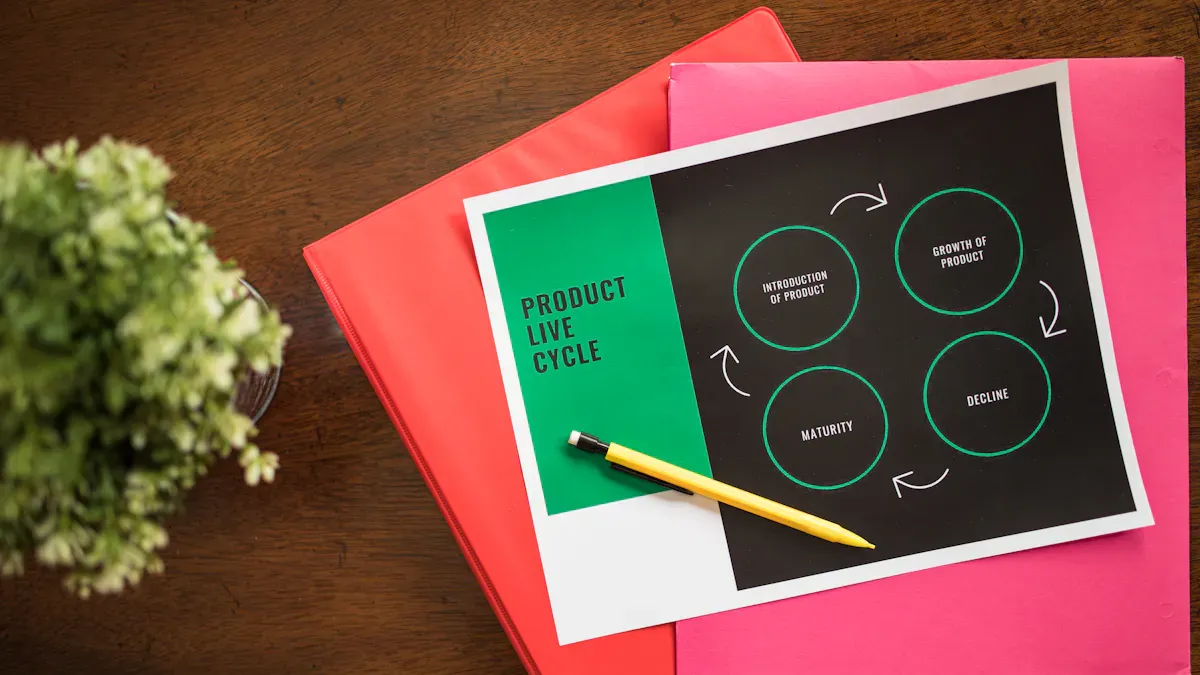
Asset Integration
You work with many assets in your analytics projects. These assets include semantic models, dataflows, reports, and dashboards. Asset integration means connecting these pieces so they work together smoothly. When you link a semantic model to multiple reports, you create a single source of truth. This approach helps you avoid confusion and keeps your data consistent.
You can use workspaces to organize your assets. Place related models, dataflows, and reports in the same workspace. This setup makes it easy to manage permissions and track changes. You also improve collaboration because your team can find everything in one place.
Tip: Use clear naming for your assets. Good names help everyone understand what each asset does.
Agile Development
Agile development helps you build and improve your semantic models quickly. You break your work into small steps called sprints. Each sprint lasts a few weeks. At the end of each sprint, you review your progress and get feedback from users. This method lets you adjust your plans if you find problems or new needs.
You can use version control tools to track changes to your models. These tools help you roll back to earlier versions if something goes wrong. You also keep a record of who made each change. This practice supports teamwork and reduces mistakes.
Here is a simple agile workflow for semantic models:
- Plan your sprint and set clear goals.
- Build or update your semantic model.
- Test your changes with real data.
- Get feedback from users.
- Release the updated model to your team.
This cycle repeats, so your models stay up to date and useful.
Continuous Improvement
Continuous improvement means you always look for ways to make your semantic models better. You collect feedback from users and monitor how your models perform. If you see slow queries or errors, you fix them right away. You also review your models regularly to remove unused tables or columns.
You can set up automated tests to check your models for problems. These tests run on a schedule and alert you if something changes. You save time and catch issues before they affect your users.
A table can help you track improvement tasks:
| Task | Frequency | Owner |
|---|---|---|
| Review model usage | Monthly | Data Team |
| Test performance | Every release | BI Analyst |
| Update documentation | Quarterly | Developer |
When you follow these steps, you keep your analytics strong and reliable. Microsoft fabric gives you the tools to support integration, agile development, and ongoing improvement.
You can build reusable semantic models in Microsoft Fabric by following a few key steps. First, reuse your models across reports to keep metrics consistent. Next, learn about connectivity modes like DirectLake for better performance. Schedule refreshes and automate triggers to keep data current. Use deployment pipelines for smooth updates and set up notifications for quick issue resolution. Explore features like calculation groups to simplify logic and boost scalability.
Microsoft Fabric Semantic Model Checklist
FAQ: power bi semantic model and semantic layer in fabric
What is a Microsoft Fabric semantic model?
A Microsoft Fabric semantic model is a metadata layer that defines business entities, measures, relationships, and calculations to enable consistent reporting and analytics across Power BI reports, SQL Analytics, and other Fabric items. It can be created as a default semantic model or as new Power BI semantic models using import, directquery, or direct lake storage modes to serve datasets and semantic layers for consumers.
How does a semantic model in Power BI differ from a semantic model in Fabric?
Semantic models in Power BI are optimized for Power BI datasets and reports, while semantic models in Fabric integrate across lakehouse or warehouse storage, Fabric compute, and Fabric items such as Power BI reports and SQL Analytics. Fabric supports models in import or directquery and introduces direct lake mode and direct lake model options that allow analytics directly against data in the lakehouse for scalable, low-latency queries.
What is direct lake mode and when should I use it?
Direct lake mode (or direct lake storage mode) lets you connect semantic models directly to Parquet and Delta data in a lakehouse without importing into a separate dataset. Use direct lake when you need scalable access to large datasets, real-time insights, or want to reduce duplication and data refresh overhead compared to import or directquery storage.
Can I build semantic models using import and directquery together?
Yes, Fabric enables hybrid designs where models in import or directquery storage combine imported tables with live connections (directquery) to other sources. This approach balances performance (imported data and cached KPIs) with freshness and scalability (directquery for large or frequently changing tables).
How do I create and manage a semantic model in Fabric?
Create and manage semantic models by using the Create and manage experience in Fabric or Power BI Desktop for Fabric: select new semantic model, choose storage mode (import, directquery, or direct lake), model tables in the model tab, define measures and KPIs, set roles for security, and publish to Fabric workspaces so reports and models can connect to the semantic layer.
What is a semantic link and how does it affect my model?
A semantic link connects entities across different semantic models or datasets to enable unified navigation and federated queries. Semantic links let reports and Power BI datasets reuse dimensions or measures, supporting modular design and reducing duplication across semantic models in the Power BI and Fabric ecosystem.
Are default semantic models being sunsetting and what does that mean?
Microsoft has announced changes around sunsetting default semantic models in favor of new Power BI semantic models and more scalable patterns like direct lake model and hybrid import or directquery storage. Sunsetting default semantic models means administrators and modelers should plan migrations to new semantic model patterns and update reports to connect to the recommended model types.
How does storage mode affect performance and data refresh?
Storage mode (import, directquery, direct lake) drives performance and refresh behavior: import provides fast in-memory queries with scheduled data refresh, directquery sends queries to the source at query time for freshness, and direct lake offers scalable reads from the lakehouse with minimal refresh but depends on lake file formats and compute. Choose based on data size, latency needs, and cost.
Can I use Power Query to shape data for semantic models in Fabric?
Yes, Power Query is supported to ingest, transform, and shape data before loading into import models or materialized tables used by semantic models. Power Query transformations can be part of create power bi semantic models workflows and are useful for cleaning data, creating calculated columns, and preparing tables for modeling.
How do security and row-level security (RLS) work in Microsoft Fabric semantic models?
Security in semantic models is managed through workspace permissions, dataset permissions, and model-level settings such as row-level security. Define roles and DAX filters in the model tab, assign users or groups, and integrate with Fabric security principles so reports and Power BI datasets respect data access policies across import or directquery storage modes.
What tooling and resources on Microsoft Learn can help me create a semantic model?
Microsoft Learn provides tutorials and modules on how to create a semantic model, use direct lake mode, configure storage mode, and build Power BI reports from semantic models. Look for step-by-step labs covering model by using Power Query, model tab tasks, and guidance on migrating from default semantic models to new Power BI semantic models and direct lake models.
How do semantic models support scalability for large analytics workloads?
Semantic models support scalability through storage mode choices, like direct lake and directquery for large datasets, by leveraging lakehouse or warehouse compute and by using optimized storage formats. Scalable practices include designing star schemas, minimizing complex row-level calculations, and using materialized tables or cached aggregates for common KPIs to reduce query cost and latency.
What are best practices for migrating from legacy Power BI datasets to Fabric semantic models?
Best practices include auditing current models and reports, mapping dependencies, selecting appropriate storage mode (import, directquery, or direct lake) per table, rebuilding measures in the new model tab while preserving names and meanings, creating semantic links where reuse is needed, validating report queries and visuals, and testing security and data refresh processes before cutover.
How do I connect Power BI reports to a Microsoft Fabric semantic model?
Connect Power BI reports by using the Get Data experience and selecting the Fabric workspace or dataset, choosing the appropriate model (new power bi semantic models or default semantic where available), and linking to the semantic layer. Ensure you select the desired storage mode and verify permissions so report users can query the semantic model seamlessly.
What technical support and security updates should administrators monitor for semantic models?
Administrators should monitor Microsoft Learn, Fabric release notes, and the Power BI admin center for security updates, deprecation notices (such as sunsetting default semantic models), and guidance on direct lake model changes. Keep technical support channels ready for migration assistance, and apply recommended patches and governance policies to protect model integrity and data access.
🚀 Want to be part of m365.fm?
Then stop just listening… and start showing up.
👉 Connect with me on LinkedIn and let’s make something happen:
- 🎙️ Be a podcast guest and share your story
- 🎧 Host your own episode (yes, seriously)
- 💡 Pitch topics the community actually wants to hear
- 🌍 Build your personal brand in the Microsoft 365 space
This isn’t just a podcast — it’s a platform for people who take action.
🔥 Most people wait. The best ones don’t.
👉 Connect with me on LinkedIn and send me a message:
"I want in"
Let’s build something awesome 👊
Ever wonder why your shiny Power BI dashboards always end up as a pile of copy-pasted spaghetti? Today, we're breaking down the real reason most business data models don’t scale—and how Microsoft Fabric changes that game entirely.If you want to know what actually separates a quick-and-dirty report from a true enterprise semantic model, you’re exactly where you should be. The next few minutes might save your organization from another year of data chaos.
Why Most Power BI Deployments End Up as Data Debt
If you’ve ever been part of a Power BI project that started off strong and slowly turned into a pile of confusion, you’re not alone. Almost every team kicks things off with a burst of energy—find some data, create a couple of dashboards, drop them in a workspace, and share them out. Everyone loves the quick wins. Leadership gets their KPIs. Teams move fast. But as more people jump in, that simple approach catches up with you. Suddenly, requests start popping up everywhere—“Could you add this metric for us?” “I need sales broken down by product line, but just for North America.” Someone copies the original report and starts tweaking DAX formulas. A few months later, different departments are sending around ‘their version’ of the quarterly dashboard. Every analyst has their own flavor of net revenue, and IT is left cleaning up behind the scenes.This is where the real trouble starts. On the surface, it’s just business users being resourceful, but underneath, things start to unravel. For every request, a new dataset gets spun up. Maybe HR wants attrition numbers drilled down by department, so someone builds a new dataflow just for them. Finance needs their own tweaks to expense categories—so that’s another copy. Teams get used to just slapping together whatever logic they need and moving on. Fast-forward a year and you’ve got a SharePoint folder full of PBIX files and at least three versions of “Total Sales” being calculated in slightly different ways. One by region, one by channel, and one with that mystery filter that nobody remembers adding.Now IT walks in and asks, “Which dataset is right?” There’s a pause. No one wants to answer. Business stakeholders start noticing discrepancies between reports. One executive points out that two dashboards show different numbers for the same metric. Meetings turn into debates over whose numbers to trust. It’s tempting to think this is just a communication issue, but there’s something deeper here: technical debt is building up behind every quick fix.Gartner published a whole report on this, ranking data silos and inconsistency as major roadblocks to analytics maturity. Forrester’s surveys echo the same pattern. Everywhere you look, organizations bottleneck their own progress by failing to manage metric logic at scale. But let’s bring it down to earth for a second. Imagine you’ve got a sales report being used in five different workspaces. One day, you need to update how “gross margin” is calculated. Which report do you update? All five? And if you miss one, which number is going to show up in next month’s board meeting? It’s a bit like having five recipe books for the same chocolate cake—except each book lists a different amount of cocoa powder. You might enjoy the process, but odds are, you won’t love the results. And someone will always ask, “Why does your cake taste different than mine?”This is what people call “spreadmart” chaos—when everyone’s building a slightly different version of the same thing. Power BI’s interface makes it easy to take shortcuts. You see a chart, you copy it, you tweak a formula, and think you’re saving yourself a headache. But every shortcut you take leaves behind another copy. Over time, those versions drift. Now your organization is swimming in numbers, all based on similar-but-not-quite-equal logic. Decisions slow down because nobody wants to be the one who bets on the wrong number.The reality is, this copy-paste culture is what creates technical debt in BI. Every independent dataset is a hidden maintenance project. You might get away with it when you’ve got ten users, but try scaling to a hundred, or a thousand. The DIY approach turns into real risk: wasted analyst time, confusion at the executive level, and, worst case, major decisions powered by the wrong data. Legacy Power BI environments end up stalling true self-service BI. Instead of empowering users, they create landmines—where you never know which report is telling the truth.So, what are you supposed to do? Just stop building new datasets? Some teams try. They introduce naming standards or “gold reports.” But all it takes is a single tweak—a requested filter, a department-specific calculation—for copy fever to spread again, and you’re back where you started. The business wants flexibility. IT wants governance. Neither feels like they’re getting what was promised.This fragmentation is not just a technical headache—it’s a cultural challenge, too. Analysts don’t wake up one day and decide to build a data mess. They’re forced into it by the lack of a reusable, trusted foundation. If every new insight means reinventing the logic for measures and KPIs, the chaos only gets worse with scale. Users lose trust, and BI teams find themselves playing whack-a-mole with metric definitions.Now, imagine an alternative. What if there was a way to define your core business metrics once? A single, centralized semantic model—built to scale, easy to reuse, and trusted across the whole organization, even as it grows. No more worrying which workspace has the latest logic, or which analyst’s calculation is in front of the CFO. That’s the promise many BI architects are chasing right now.The truth is, ad-hoc Power BI setups breed confusion and waste. Every duplicated dataset is another crack in your analytics foundation. Over time, these cracks add up and stall progress. But here’s the real question: what’s actually different about Microsoft Fabric—and why are so many architects betting on it to finally break out of this cycle? Because it isn’t just a new reporting tool—it’s an entirely new way of thinking about where your data lives, how it gets modeled, and who owns the logic.
The Fabric Shift: Semantic Models as the New Center of Gravity
If you’re looking at Microsoft Fabric and thinking it’s just Power BI with a new paint job, it’s worth taking a closer look at what’s really going on underneath. Here’s the deal: Fabric is more than the next iteration of Microsoft’s data stack. Behind the launch themes and feature lists, it’s a major rethink of how organizations handle everything from raw data to executive dashboards. The core shift isn’t just about nicer UIs or faster refresh cycles. It’s about moving the semantic model—the thing that translates raw rows into business meaning—into the spotlight. That changes not just what you build, but how teams access, use, and control their data day to day.Most IT teams are used to Power BI datasets being a kind of necessary evil. You spin one up for each dashboard or report request. You rebuild a new version for every tweak and stakeholder. The result? Datasets pile up in workspaces like old receipts, each tied to one project, retiring quietly into obscurity when priorities shift. It doesn’t feel like architecture—it feels improvised. Now, with Fabric, that way of working gets flipped on its head. Fabric consolidates data engineering, data science, and BI under a single roof. It’s a connected ecosystem where the semantic model isn’t just a tool for the BI team—it’s the heartbeat of the whole analytics workflow.In practice, this means semantic models are no longer disposable artifacts. In Fabric, you define a dataset once and it becomes the foundation for reports, dashboards, ad hoc analysis—even advanced data science if you want it. Think about it: instead of three departments each owning their own copy of “sales totals,” Finance, Marketing, and Ops now all connect to the same, centrally managed model. Each gets their own reports, but nobody’s making up their own rules about who counts as a "customer" or what "profit margin" actually means. That consistency drives actual business alignment—something every “data-driven” project talks about, but few actually achieve.It’s not just theory, either. I’ve seen a global retailer roll out a sales semantic model built in Fabric’s new workspace system. They published a single authoritative dataset that all regions plugged into. Marketing filtered it one way for campaign tracking, Finance broke it down for forecasting, and Operations looked at inventory trends. Each group used the definitions that mattered to them, but they all pulled from the same pipeline and the same logic. When the business decided to tweak how lifetime value was calculated, there was one place to update it—meaning everyone saw the change, instantly and accurately. No version drift. No endless email chains sorting out which number to send to the board.Microsoft’s own Fabric documentation points out this change in focus. The company’s roadmap shows semantic models at the center of everything. Data Lakehouse and Data Warehouse tools feed in, but the semantic model is where definitions live, governance happens, and business users do their work. The logic isn’t spread thin across a hundred files—it’s stacked for reliability. This model-first mentality supports easier scaling, too. Want to launch a new product line? You simply add it to the semantic layer. Reporting teams get the new fields and measures by default—no manual data wrangling or duplicate formulas scattered across workspaces.Of course, not every data team is thrilled upfront. There’s an ongoing debate about flexibility versus governance, and it’s not unwarranted. When you bring everything under one model, some power users worry they’ll lose the ability to tweak a measure or build a custom calculation “just for this report.” But the flip side is where Fabric really shows its value: speed, auditability, and reliability. When Finance rolls out a new revenue recognition policy, it’s updated once in the semantic model and instantly available across all reports and dashboards, with a clear audit trail. Analysts know exactly where logic lives and who changed what—a win for transparency and compliance.And Fabric doesn’t kill creativity, either. Self-service isn’t gone—it’s evolved. Teams can still build their own reports and visualizations, but they’re all anchored in the trusted, centrally managed definitions. This keeps freedom within guardrails. IT can trace how a measure is calculated, while business users experiment with their own views without risking accidental “spreadmart” chaos or shadow logic hiding behind copy-pasted PBIX files.The real unlock is that Fabric lets organizations stop choosing between reliability and usability. Fabric makes Power BI datasets something more—enterprise-grade semantic models that underpin every BI use case, from pixel-perfect finance cubes to on-the-fly interactive dashboards. That architecture makes self-service scalable and keeps control where it matters. But just putting everything in one place isn’t enough. As these semantic models grow, you don’t want to drown in a swamp of duplicate measures and logic loops. Making a model reusable—without it turning into a maintenance nightmare—requires an extra layer of discipline. That’s where calculation groups come in, offering a smarter way to manage time intelligence, KPIs, and business rules without cluttering up your dataset or burning out your analysts.
Calculation Groups: Turning Spaghetti Logic into Enterprise-Grade Intelligence
If you’ve ever tried to reverse-engineer a Power BI dataset after a year on the shelf, you know the feeling: you open up the measures pane and it scrolls for miles. Each measure has a name that made sense to someone at the time. “Sales YTD Copy (2)” sits one row above “Sales YTD-NEW.” For every useful calculation, there’s another that’s an experiment, a workaround, or simply a safety net because nobody wanted to delete the old logic. And when it’s a finance model, multiply that problem by ten. You get a measure for every kind of year-to-date, rolling average, and quarter-to-date—then repeat that for every KPI. You don’t just have “Gross Margin YTD.” You’ve got “Gross Margin Last Year YTD,” “Gross Margin Trailing Twelve Months,” and at least three flavors of “Gross Margin QTD.” Factor in similar logic for Revenue, Expenses, Net Profit, and suddenly a plain English measure name starts looking like a ransom note.It all feels harmless at first. Someone gets asked for a new headcount calculation. Rather than risk breaking what’s there, they duplicate an existing measure and tweak it. Before long, changes ripple across reports. Team A asks for a slightly different filter. Team B wants to see excluding one product line. You copy, paste, rename, and pile another measure onto the stack. No one loves this setup, but under a deadline, it’s “good enough.” The real pain shows up later: editing a measure for one purpose accidentally changes the results for three different teams. You start to notice the dataset is slower to refresh. When a new team wants time intelligence applied across ten KPIs, you brace yourself for another evening of copy-paste DAX sessions. If you miss one, or transpose a filter, someone’s dashboard quietly goes out of sync, and trust takes another hit.This is where calculation groups step in and change the rules. Instead of baking logic over and over into each individual measure, you define logic once and tell Power BI how to apply it wherever it’s needed. Time intelligence is the poster child here. Say you want users to see metrics by year-to-date, month-to-date, and trailing twelve months. With calculation groups, you don’t need a separate measure for each scenario and each KPI. You build one group of time calculations, then apply it across Revenue, Gross Margin, Expense—whatever metric you like. The user gets a single field they can pivot, filter, or select, and Power BI handles the logic behind the scenes. Your dataset shrinks from dozens—or hundreds—of explicit measures down to a clean list, with calculation groups providing all the permutations.I’ve seen teams go from 50 time-based measures to just a handful in the model. When an executive requests a new view—say, “Show me profit margin quarter-to-date”—it’s a five-minute update to the calculation group rather than a whole set of new, duplicated logic. There’s less to document, less to explain, and a lot less room for bugs to creep in when one tweak ripples through every single report that uses that time calculation. More importantly, when someone builds on top of your model—say a self-service analyst spinning up their own dashboard—they’re using the same logic as everyone else, not importing a custom measure that drifts away from the source.The real advantage here isn’t just in saving time, though that helps. It’s in the risk reduction. Each additional measure in the dataset becomes a liability that someone will miss or copy incorrectly. Calculation groups embed consistency into the design. You know that no matter which region, product, or department is slicing the data, “QTD” means the same thing everywhere. It’s a small change in how you approach BI modeling, but it fixes a massive headache that’s plagued Power BI projects for years.Now, there’s a perception out there that calculation groups are only for advanced users. I’ve heard teams say, “That’s too technical for our analysts,” or “We don’t have time to learn that.” But the reality isn’t quite so intimidating. Once it’s set up, maintenance and updates are far simpler than wrangling dozens of independent measures. Plus, calculation groups make the model more transparent—when an auditor or another analyst comes along, they can see exactly how each transformation is happening, right in one place, rather than trawling through hidden logic scattered across twenty different measures with similar names. DAX code becomes cleaner, and onboarding new BI team members doesn’t mean walking them through a maze of legacy measures.It’s not a silver bullet for every modeling problem. There are quirks and some initial overhead, as with any powerful tool. But when you’re trying to scale BI across an enterprise—across business units, across countries, across hundreds of users—calculation groups are the difference between a model you can update in an afternoon and one that collapses under its own weight after every second requirement change. They don’t just clean up the clutter. They give you a way to future-proof your logic, so small changes don’t spiral into weeks of inconsistent, copy-pasted DAX.Of course, once the logic is standardized and clean, the next hurdle is making sure the right people see the right data, and nobody else does. You want governed flexibility, but you can’t risk the wrong eyes on sensitive figures. That’s where row-level security comes in—because it’s not enough to model the calculations, you have to protect the data and still keep it usable for every audience.
Row-Level Security and the Rise of Governed Self-Service BI
Let’s be honest: nobody dreams of the day they have to send that awkward email to leadership explaining why someone just got a look at next year’s salary bands by mistake. Yet for a lot of BI teams, it only takes one wrong filter or a misconfigured permission setting for private data to show up in all the wrong places. You might have the most beautifully designed models and the cleverest calculations, but if you can’t control who sees what, the risk of leaks and audit failures never really goes away. That’s why row-level security—RLS for short—quietly does some of the most heavy lifting in any analytics stack, even though it rarely gets the spotlight. BI pros know you can have all the self-service freedom in the world, but without trust built into the platform, it’s just a matter of time before something goes wrong.The core challenge is that business users want to poke around and build their own reports without running into walls every time they click on something new. They want to drag fields around, slice and dice data, and follow their own hunches. IT, on the other hand, is trying to avoid headlines about sensitive financials showing up on the wrong dashboard. Most of the time, these priorities seem impossible to reconcile. If you try to lock down access too tightly—building separate datasets or reports for every audience—you kill off self-service and explode the number of assets you’ve got to maintain. But if you open things up without any guardrails, you end up flying blind as to who’s seeing what.Traditional Power BI environments usually had two equally annoying options. You could either duplicate the entire report logic for each team and try to manage access through workspace permissions, plugging leaks as best you could. Or, you could hand everyone the keys to the same dataset, cross your fingers, and hope nobody accidentally drags in restricted info. Neither method ages well. Multiply those problems by different business units, subsidiaries, or international regions, and the manual effort involved in security quickly turns into its own full-time job.With Fabric, things finally start to move upstream, right to the heart of the data modeling process. Row-level security in Fabric isn’t some last-minute patch. Instead, you define your security rules directly in the semantic model itself. Think of it like a bouncer posted right at the entrance, checking credentials before anyone even sees the guest list. Maybe you have a dataset covering global sales. In Fabric, you define a single rule—sales managers in California only see California numbers. HR gets access only to their relevant teams. If a user tries to run a report or customize a dashboard, the underlying model checks their context and enforces those restrictions automatically. They can experiment, create visuals, even share dashboards, but they never break outside their sandbox.A real-world example helps make the value of this crystal clear. One multinational I worked with was rolling out a unified sales analytics dataset in Fabric. Instead of building separate datasets for each region or business unit, they set up RLS policies in the model. European managers only saw EMEA data, North America had their own slice, and global leadership saw everything. Even when teams built their own custom Power BI reports on top of this shared semantic backbone, they never risked crossing the boundaries set in stone by IT. Someone could dig into year-over-year performance or launch a new “top 10 products” visual for their territory without ever peeking at numbers they shouldn’t see. The experience felt totally self-service—drag, drop, analyze, share—because the security was invisible, woven into the data layer.This is where you start to see why Fabric models a new kind of partnership between business and IT. On one side, technical teams still control the core RLS logic. They ensure policies are correct and audited. But they aren’t stuck manually updating permissions, copying datasets, or fielding requests every time there’s a team shakeup. Because the security lives in the semantic model, changes only have to be made once to ripple through every report, dashboard, or dataflow attached to that model. On the other side, business users get genuine freedom. They’re not constantly waiting for BI teams to handcraft another custom view. They just open the existing dataset and start building, with their access determined automatically.Of course, any time you enforce new layers of security, someone worries about performance. It’s a fair question. Older BI setups sometimes saw slowdowns if RLS was too complex or if the underlying data volumes spiked. The reality with Fabric is that Microsoft’s investment in the underlying engine and tabular model architecture means row-level security can scale to big numbers without grinding reporting to a halt. Modern backend improvements (think: incremental refresh, memory optimization) make it practical to enforce RLS even on very large and complex datasets. That doubt you might have—“Will adding security slow down my reports?”—has become far less relevant in production environments. I’ve seen RLS rules power models with tens of thousands of users, all logging in with different entitlements, without hurting performance in any noticeable way.Bringing row-level security together with reusable semantic models and calculation groups gives you a genuinely governed self-service BI layer. You get all the creativity and custom reporting end users crave but with security and compliance that hold up when the auditors come knocking. IT keeps control of the foundation, business gets risk-free exploration, and the old back-and-forth of ticket-based report access finally shrinks. This doesn’t just sound good in theory; in practice, it means less firefighting, more trust in your numbers, and faster insight delivery every quarter. As more teams adopt Fabric, this governed model will be the difference between BI that’s just “enough to get by” and BI that you’re actually proud to roll out across the entire enterprise.Knowing this, it’s clear why bringing together semantic models, calculation groups, and row-level security is the launchpad for the next wave of scalable analytics. So how does this all combine in practice—and why are organizations treating this architecture as more than just another BI upgrade? Let’s see what this shift means for the future of enterprise analytics.
Conclusion
The real change here isn’t about glossier dashboards or slicker visuals. It’s about setting up a backbone for decision-making that holds up as your organization adds new teams, regions, or products. If you expect your analytics stack to be more than a one-quarter experiment, it’s time to rethink the model-first approach. Semantic models, calculation groups, and row-level security in Microsoft Fabric aren’t just options for power users—they’re essential to making BI sustainable. If you’re still patching reports together, ask yourself what your stack will look like a year from now. Share your thoughts below and hit subscribe for more on Microsoft’s evolving data platform.
Get full access to M365 Show - Microsoft 365 Digital Workplace Daily at m365.show/subscribe

Founder of m365.fm, m365.show and m365con.net
Mirko Peters is a Microsoft 365 expert, content creator, and founder of m365.fm, a platform dedicated to sharing practical insights on modern workplace technologies. His work focuses on Microsoft 365 governance, security, collaboration, and real-world implementation strategies.
Through his podcast and written content, Mirko provides hands-on guidance for IT professionals, architects, and business leaders navigating the complexities of Microsoft 365. He is known for translating complex topics into clear, actionable advice, often highlighting common mistakes and overlooked risks in real-world environments.
With a strong emphasis on community contribution and knowledge sharing, Mirko is actively building a platform that connects experts, shares experiences, and helps organizations get the most out of their Microsoft 365 investments.

