


 Apple Podcasts
 Spotify
 Youtube Music
 Spreaker
 Podchaser
 Amazon Music
 Excel vs Google Sheets with David Benaim [MVP]
![Excel vs Google Sheets with David Benaim [MVP]](https://img.podpage.com/oKAoZnHjdSdD0tHvYg9p2ybKJwLmPbdKMFB7Un3X_gU/rs:fit:480:0:1/q:75/aHR0cHM6Ly9kM3dvNXdvanZ1djdsLmNsb3VkZnJvbnQubmV0L3RfcnNzX2l0dW5lc19zcXVhcmVfMTQwMC9pbWFnZXMuc3ByZWFrZXIuY29tL29yaWdpbmFsL2I0YTY1Yzg3YzEwMTQ0Y2JjYWJhNTQ5ODhjZmQ3YjQ2LmpwZw.webp "Excel vs Google Sheets with David Benaim [MVP]")
![Excel vs Google Sheets with David Benaim [MVP]](https://img.podpage.com/itfjD-lmxAYxh52Rd-Zq6kLbw56aZna7rjsoofdaMPE/rs:fit:0:130:1/dpr:1/q:75/aHR0cHM6Ly9kM3dvNXdvanZ1djdsLmNsb3VkZnJvbnQubmV0L3RfcnNzX2l0dW5lc19zcXVhcmVfMTQwMC9pbWFnZXMuc3ByZWFrZXIuY29tL29yaWdpbmFsL2I0YTY1Yzg3YzEwMTQ0Y2JjYWJhNTQ5ODhjZmQ3YjQ2LmpwZw.webp "Excel vs Google Sheets with David Benaim [MVP]")
In this episode of M365.fm, Mirko Peters sits down with Microsoft MVP David Benaim to answer one of the biggest productivity questions in modern workplaces: Can Google Sheets really compete with Microsoft Excel? Instead of declaring a single winner, David explains why the answer depends on the task, the team, and the business requirements.
The discussion explores where Google Sheets shines, including real-time collaboration, browser-first workflows, and rapid sharing, while also highlighting the areas where Excel continues to dominate. Topics include Power Query, advanced data analysis, automation, large datasets, financial modeling, and enterprise reporting. David also shares lesser-known Google Sheets capabilities that many Excel users overlook, proving that both platforms have evolved far beyond simple spreadsheets.
The conversation goes beyond feature comparisons to focus on practical decision-making. Rather than asking which tool is universally better, organizations should evaluate how their teams work, what level of complexity they require, and how collaboration, performance, automation, and governance fit into their overall strategy.
Whether you're a finance professional, business analyst, Microsoft 365 administrator, or someone managing data every day, this episode provides valuable insights into choosing the right spreadsheet platform for the right scenario. You'll leave with a balanced understanding of the strengths and limitations of both Excel and Google Sheets—and why the smartest organizations often use both instead of treating them as direct competitors.
Quick answer: Excel vs Google Sheets for business is explained in this M365 FM episode through its purpose, practical use, and the architecture, security, governance, or operational decisions teams should understand before adopting it in a Microsoft environment.
Many users now prefer Google Sheets over Excel, as they believe Google Sheets beat Excel in several key areas, thanks to its powerful features. Google Sheets excels in collaboration and accessibility, allowing you to work with your team in real-time, leaving comments and discussing changes as you go. This cloud-based solution facilitates easy sharing, making it perfect for cross-functional teams. Additionally, Google Sheets is free to use, which eliminates licensing concerns. Understanding these differences helps you make informed decisions about which tool best fits your needs.
Key Takeaways
- Google Sheets allows real-time collaboration, enabling multiple users to work on a spreadsheet at the same time.
- Access Google Sheets from any device with an internet connection, making it easy to share and edit documents.
- Google Sheets is free for individuals, eliminating costs associated with software licenses.
- Excel offers advanced data analysis tools, making it better for users who need to handle complex data.
- Google Sheets integrates well with other Google Workspace apps, enhancing teamwork and project management.
- Excel requires installation on each device, which can limit accessibility and collaboration.
- Google Sheets is user-friendly, making it easy for new users to learn and navigate.
- Consider your needs: choose Google Sheets for collaboration and accessibility, and Excel for advanced data analysis.
Functionality: Google Sheets vs Excel
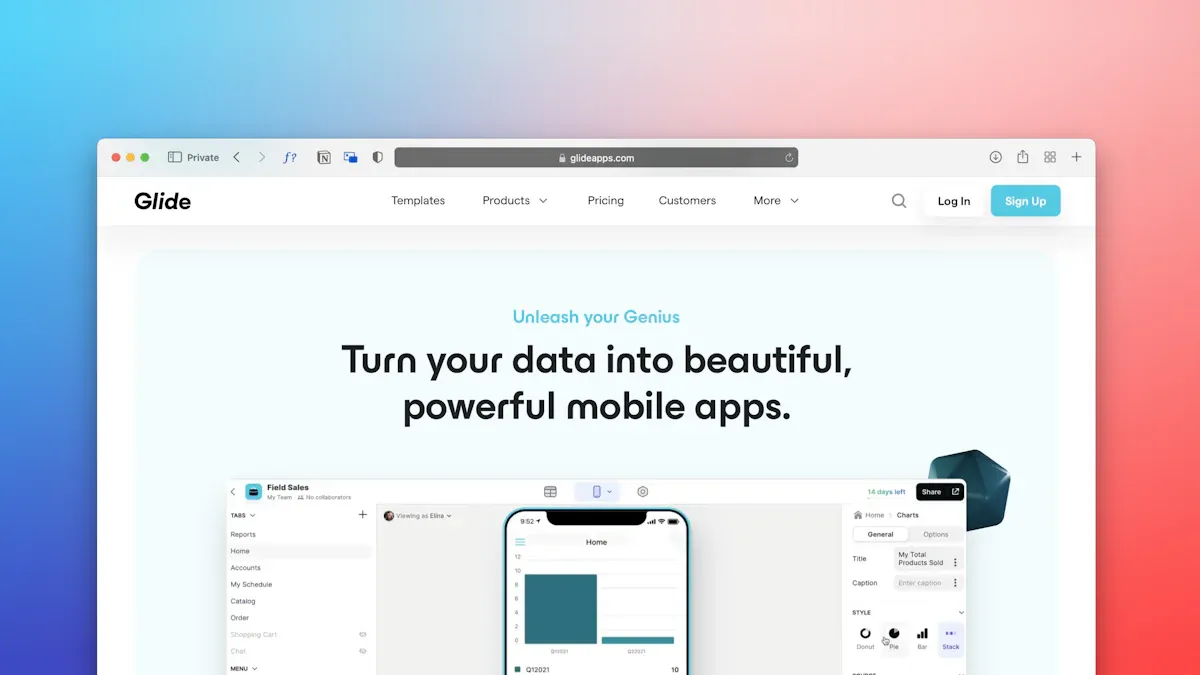
When comparing functionality, both Google Sheets and Microsoft Excel offer unique features that cater to different user needs. Understanding these features can help you choose the right tool for your tasks.
Google Sheets Features
Real-time Collaboration
One of the standout features of Google Sheets is its real-time collaboration. You can work on a spreadsheet simultaneously with multiple users, making teamwork seamless. This feature allows you to see changes as they happen, which enhances communication and efficiency. You can also leave comments and suggestions directly within the document, fostering a collaborative environment.
Cloud-based Accessibility
Google Sheets operates entirely in the cloud, which means you can access your spreadsheets from any device with an internet connection. This cloud-based accessibility eliminates the need for software installations and allows for easy sharing capabilities. You can create a general access link with predefined permissions, enabling anyone to view or edit the document as needed. This flexibility makes Google Sheets an excellent alternative to Excel for teams that require constant access to their data.
Microsoft Excel Features
Advanced Data Analysis Tools
Microsoft Excel shines when it comes to advanced data analysis. It offers powerful tools like Power Query and Power Pivot, which allow you to manipulate and model data in complex ways. These features enable you to clean and transform data from various sources and perform relational data modeling. If your work involves heavy data analysis, Excel's capabilities may be essential for your needs.
Offline Capabilities
Excel also provides robust offline capabilities. You can work on your spreadsheets without an internet connection, which is beneficial in situations where connectivity is limited. This feature allows you to continue your work uninterrupted, making Excel a reliable choice for users who often find themselves in environments with poor internet access.
| Feature | Google Sheets | Excel |
|---|---|---|
| Collaboration | Real-time collaboration | Limited collaboration without setup |
| Saving | Automatic saving | Manual saving required |
| Access | Seamless access across devices | Primarily desktop application |
| Ease of Use | Streamlined interface for quick access | More complex interface |
Collaboration: Google Sheets Advantage
Google Sheets Collaboration Tools
Real-time Editing
Google Sheets offers a significant advantage with its real-time editing capabilities. You and your team can work on the same spreadsheet simultaneously, seeing changes as they happen. This feature ensures that everyone stays updated, fostering effective communication and minimizing errors. Teams can collaborate effortlessly, making Google Sheets an ideal choice for a shared team workplace.
Chat and Commenting Features
In addition to real-time editing, Google Sheets includes built-in chat and commenting features. These tools allow you to leave feedback and suggestions directly within the spreadsheet. This enhances teamwork by keeping all discussions in one place. Google Sheets integrates seamlessly with other Google Workspace apps, further streamlining collaboration and project management.
| Feature | Description |
|---|---|
| Real-time collaboration | Allows multiple users to edit the same spreadsheet simultaneously with instant updates. |
| Google Workspace integration | Integrates seamlessly with other Google Workspace apps like Docs and Slides for efficient collaboration. |
| Commenting and suggestions | Built-in features for team communication and feedback, enhancing collaboration on projects. |
Excel Collaboration Challenges
Dependency on Installed Software
Excel faces challenges in collaboration due to its dependency on installed software. Unlike Google Sheets, which operates in the cloud, Excel requires installation on each device. This can limit accessibility and hinder real-time collaboration. Users often face delays in decision-making because of these limitations.
Limited Real-time Features
Excel's limited real-time features present another challenge. Collaboration can lead to confusion over which version of a spreadsheet is the most current, resulting in inconsistent data. Users often struggle with broken references and incorrect results. These issues highlight the need for robust collaboration tools, which Google Sheets provides effectively.
Google Sheets beat Excel in collaboration by offering a user-friendly interface and seamless access across devices. Its ability to foster collaboration and drive smarter decision-making sets it apart as a superior alternative for teams.
Pricing: Google Sheets vs Microsoft Excel
When considering pricing, Google Sheets and Microsoft Excel offer different models that cater to various user needs. Understanding these options can help you make an informed choice.
Google Sheets Pricing
Free for Individuals
Google Sheets is free for anyone with a Google account. This accessibility makes it an attractive option for individuals and small businesses. You can create, edit, and share spreadsheets without any cost. This feature allows you to leverage powerful tools without worrying about subscription fees.
Google Workspace Premium Features
For those who need more advanced features, Google offers Google Workspace subscriptions. These plans start at $7 per user per month. With a subscription, you gain access to enhanced collaboration tools, automation capabilities, and integration with other applications. Here are some key benefits of Google Workspace:
- Advanced collaboration tools like real-time editing and commenting.
- Automation capabilities that streamline repetitive tasks.
- Integration with applications like Salesforce and QuickBooks.
Microsoft Excel Pricing
Subscription Costs
Microsoft Excel requires a subscription or a one-time purchase. The subscription model starts at $6 per user per month for Microsoft 365 Business Basic. This plan includes web and mobile versions of Excel, along with other Office apps. Here’s a breakdown of some popular plans:
| Plan | Price (per month) | Features Included |
|---|---|---|
| Microsoft 365 Business Basic | $6.00 | Web and mobile versions of Office apps, Exchange, OneDrive, SharePoint, Teams |
| Microsoft 365 Business Standard | $12.50 | Desktop versions of Office apps, additional business tools |
| Microsoft 365 Business Premium | $22.00 | Advanced security features, device management, and more |
| Standalone Excel | $159.99 (one-time) | Full version for 1 PC or Mac, compatible with Windows 10, 11, and macOS |
Additional Costs for Advanced Features
While Excel provides robust features, accessing them often comes with additional costs. For example, advanced data analysis tools and features may require higher-tier subscriptions. This can add up, especially for businesses that need multiple licenses.
Performance: Excel's Strengths
When it comes to performance, both Google Sheets and Microsoft Excel have their unique strengths. Understanding these can help you choose the right tool for your needs.
Google Sheets Usability
User-friendly Interface
Google Sheets offers a user-friendly interface that many users find easy to navigate. This simplicity makes it an excellent choice for those who frequently collaborate on spreadsheets. You can quickly learn how to use its features without extensive training. Users appreciate the comprehensible layout, which enhances their overall experience.
- Google Sheets is preferred for users who value cloud sharing and real-time changes.
- It reduces the need for additional training, making it accessible for new users.
- The integration with Google Workspace further simplifies collaboration.
Ideal for Smaller Datasets
Google Sheets works well for smaller datasets. It supports up to 10 million cells, which is sufficient for many everyday tasks. However, as you approach larger datasets, you may notice performance declines, especially past 1,000 rows. This limitation can hinder your ability to perform extensive data analysis efficiently.
Microsoft Excel Performance
Handling Large Datasets
Microsoft Excel excels in managing large datasets. It can handle up to 1,048,576 rows and 16,384 columns without slowing down. This capability makes Excel the preferred choice for professionals who work with extensive data.
- Excel processes large datasets more efficiently than Google Sheets.
- The desktop version of Excel is optimal for extensive data management.
- Google Sheets can lag significantly when handling larger datasets.
Advanced Formulas and Functions
Excel boasts an extensive function library that supports complex calculations and data analysis. You can utilize advanced formulas to perform intricate tasks, making it a powerful tool for financial modeling and data manipulation.
- Excel's advanced functions allow for detailed data analysis.
- The desktop version provides better performance for complex calculations.
- Google Sheets, while capable, may struggle with heavy formulas in larger spreadsheets.
In summary, Google Sheets offers significant advantages over Microsoft Excel, particularly in collaboration, accessibility, and cost-effectiveness. Its real-time editing capabilities allow teams to work together seamlessly, reducing version control issues. The cloud-based nature of Google Sheets ensures you can access your spreadsheets from anywhere, making it ideal for remote work. Additionally, its free access for individuals makes it a budget-friendly option.
When deciding between these tools, consider your specific needs. If collaboration and accessibility are priorities, Google Sheets is likely the better choice for you.
FAQ
What is the main advantage of Google Sheets over Excel?
Google Sheets excels in real-time collaboration. You can work with multiple users simultaneously, making it easier to share ideas and updates instantly.
Is Google Sheets free to use?
Yes, Google Sheets is free for individuals with a Google account. You can create and edit spreadsheets without any subscription fees.
Can I use Google Sheets offline?
Google Sheets primarily operates online. However, you can enable offline access through Google Drive, allowing you to work without an internet connection.
How does Excel handle large datasets?
Excel can manage extensive datasets efficiently, supporting up to 1,048,576 rows and 16,384 columns. This capability makes it ideal for complex data analysis.
Are there any advanced features in Google Sheets?
Yes, Google Sheets offers features like advanced formulas, data validation, and integration with other Google Workspace apps, enhancing its functionality for users.
Can I import Excel files into Google Sheets?
Absolutely! You can easily import Excel files into Google Sheets. Just upload the file to Google Drive and open it with Google Sheets.
What are the subscription costs for Microsoft Excel?
Microsoft Excel offers various subscription plans. The basic plan starts at $6 per user per month, while standalone Excel costs $159.99 as a one-time purchase.
Is Google Sheets suitable for businesses?
Yes, Google Sheets is suitable for businesses, especially those that prioritize collaboration and cloud-based access. Its features support teamwork and project management effectively.
🎧 Listen to this episode
Want a practical explanation of Excel vs Google Sheets with David Benaim [MVP]? This episode breaks down the topic in clear language and shows why it matters for Microsoft 365, Azure, Power Platform, security, AI, and modern work.
Listen to this episode if you want to:
- Understand the key concepts behind Excel vs Google Sheets with David Benaim [MVP]
- See how it fits into the wider Microsoft technology ecosystem
- Learn where it can create practical value for your organization
You may also enjoy these related M365 FM episodes:
- Multi-Agent AI with Copilot Studio and David Lorenzo Lopez [MVP]
- Fix Excel Shadow Systems and Broken Business Processes
- Migrate Power Apps from Excel to Dataverse
- Fix Power Apps Excel Data Limits with Dataverse
- Automate Excel RFI Responses with an Autonomous Agent
Discover more practical Microsoft conversations on M365 FM.
Last reviewed: July 2026.
Who Should Listen
This episode is for Microsoft practitioners, architects, developers, security professionals, and IT leaders evaluating the topic in a real-world environment.
🎧 You Should Also Listen To
- AI Agents — A relevant next step that adds practical context to this topic.
- Model Context Protocol — A relevant next step that adds practical context to this topic.
- Microsoft AI Agent Harness — A relevant next step that adds practical context to this topic.
Official Microsoft MVP profile: David Benaim on Microsoft MVP
🚀 Want to be part of m365.fm?
Then stop just listening… and start showing up.
👉 Connect with me on LinkedIn and let’s make something happen:
- 🎙️ Be a podcast guest and share your story
- 🎧 Host your own episode (yes, seriously)
- 💡 Pitch topics the community actually wants to hear
- 🌍 Build your personal brand in the Microsoft 365 space
This isn’t just a podcast — it’s a platform for people who take action.
🔥 Most people wait. The best ones don’t.
👉 Connect with me on LinkedIn and send me a message:
"I want in"
Let’s build something awesome 👊
1
00:00:00,000 --> 00:00:07,040
Welcome back to the MC65 show. Today we are diving into one of the biggest debates in
2
00:00:07,040 --> 00:00:13,740
that spreadsheet world. Can Google sheets really beat Microsoft Exel? Joining me is David
3
00:00:13,740 --> 00:00:20,060
Benay, Microsoft Exel MVP, trainer, content creator and even the stand-up comedian who proves
4
00:00:20,060 --> 00:00:25,340
spreadsheets don't have to be boring. David is known for his weekly tutorials covering
5
00:00:25,340 --> 00:00:30,700
Exel, Google sheets, power query, power BI and the latest productivity tools. I had to
6
00:00:30,700 --> 00:00:37,100
involve professionals working smarter with data. In this episode we are comparing Exel and
7
00:00:37,100 --> 00:00:43,620
Google sheets by feature exploring how AI is changing the way we work with spreadsheets,
8
00:00:43,620 --> 00:00:52,220
discuss Microsoft latest innovation and find out whatever Google sheets is really. I don't
9
00:00:52,220 --> 00:00:58,180
mean this Google sheets based, so I'm really, yeah, I think I can really learn a lot of new
10
00:00:58,180 --> 00:01:04,620
stuff. So yeah, welcome David. Thank you for being here and show. Yeah, happy to be here.
11
00:01:04,620 --> 00:01:15,500
Thank you for inviting me. I'm excited. Yeah, I think that's interesting. You're not
12
00:01:15,500 --> 00:01:24,740
only in Microsoft, NDP or you are also a standard comedian. Can you a little bit tell us why
13
00:01:24,740 --> 00:01:32,260
or how you get what brings you, I don't know if it's using Exel, but what brings you to
14
00:01:32,260 --> 00:01:39,940
standard comedian? So I've always enjoyed entertaining people and presenting. I love
15
00:01:39,940 --> 00:01:49,660
PowerPoints almost as much as spreadsheets. And over the years I have been doing some jokes
16
00:01:49,660 --> 00:01:53,420
amongst friends and then someone I knew was offering a stand-up course, so I thought I
17
00:01:53,420 --> 00:02:00,940
gave it a try. And that went pretty well. And then my second set that I ever wrote, I decided
18
00:02:00,940 --> 00:02:06,060
to write about spreadsheets because it's Monday and it's kind of, oh well, I wonder how
19
00:02:06,060 --> 00:02:10,220
they can make spreadsheets funny, but also it's something that's so inherent in pretty much
20
00:02:10,220 --> 00:02:15,220
everyone's life. If you're an office worker, you are using spreadsheets. You might hate them,
21
00:02:15,220 --> 00:02:19,820
you might love them, you might love to hate them. You might be sneakily proud of that formula
22
00:02:19,820 --> 00:02:25,980
that you created and your entire company is running off this macro that you wrote 20 years
23
00:02:25,980 --> 00:02:31,020
ago, even though you left the company and now they need to come back to you to fix it.
24
00:02:31,020 --> 00:02:37,460
So I wrote a little bit, that was about five minutes worth of jokes, it went badly, but then
25
00:02:37,460 --> 00:02:43,940
I wrote again and it went well and it went better and better and then I decided to combine
26
00:02:43,940 --> 00:02:53,100
the two. So now I go by the mantle, the Excel comedian and I have a one hour comedy show
27
00:02:53,100 --> 00:02:58,500
called Excel Comedy and Mathematics that has had spelled out seasons at the Edinburgh
28
00:02:58,500 --> 00:03:03,060
Friends and Adelaide French festivals, which is the two largest performing arts festivals
29
00:03:03,060 --> 00:03:08,860
in the world. And I'm bringing it back to Edinburgh Friends this summer, also going to
30
00:03:08,860 --> 00:03:15,740
go to Stockholm and Estonia for a few shows there. So yeah, if you're interested, come check
31
00:03:15,740 --> 00:03:19,740
out the show. I'm super excited to bring this back to Europe.
32
00:03:19,740 --> 00:03:28,060
Yeah, this is really interesting. Let's see. I never heard before about it, but I think
33
00:03:28,060 --> 00:03:38,500
yeah, both people are more, I don't know, more, more, more, very band-aid to work with Excel.
34
00:03:38,500 --> 00:03:46,700
But yeah, it's, it's, I think, the best, what you can do, have a smile on it. And how, how
35
00:03:46,700 --> 00:03:54,620
was your journey into the Excel or the Microsoft world?
36
00:03:54,620 --> 00:04:02,180
It was good. So I became an accountant straight out of university and my Excel skills there
37
00:04:02,180 --> 00:04:09,740
were medium for a accountant level, but not as good as you would think. Like we knew how
38
00:04:09,740 --> 00:04:19,660
to use pivot tables, but we didn't really know formulas beyond ifs and sums and averages.
39
00:04:19,660 --> 00:04:27,820
So I can do a V look up, I can do a sum if, then after that, I left to do a volunteering job
40
00:04:27,820 --> 00:04:33,900
with an organization called Accounting for International Development. Kind of like doctors
41
00:04:33,900 --> 00:04:39,260
without borders, but instead of saving lives, we saved balance sheets. So they offered me
42
00:04:39,260 --> 00:04:47,220
a position for a two months in a nonprofit based in Cambodia. And I did that and I helped
43
00:04:47,220 --> 00:04:53,100
them with their annual budget, but one of the things that they wanted to help with was talking
44
00:04:53,100 --> 00:04:59,700
about Excel. So a little bit of teaching Excel and the people I was showing it to didn't know
45
00:04:59,700 --> 00:05:03,940
how to use stuff like filtering or pivot tables. So that was able to teach, but then they
46
00:05:03,940 --> 00:05:08,980
started asking more questions and trying to, we got some stuff to be able to answer them.
47
00:05:08,980 --> 00:05:14,100
And over the course of my time there, I had some free time. So I just took a genuine interest
48
00:05:14,100 --> 00:05:21,140
in it and started learning it more. And then over the next year, I decided, well, maybe I can start
49
00:05:21,140 --> 00:05:27,940
a business in Cambodia because I enjoy living here, talking about accounting systems and software,
50
00:05:27,940 --> 00:05:34,420
but also this Excel training, my legs. So I ended up buying a bunch of books and learning pretty much
51
00:05:34,420 --> 00:05:40,900
everything that was to know about Excel and Word and PowerPoints and just be an absolute expert in it.
52
00:05:40,900 --> 00:05:49,060
And then since then I have kept up to date with everything. So I am probably the person that keeps
53
00:05:49,060 --> 00:05:55,700
the most up to date with the largest array of business software. I have a blog post that I publish
54
00:05:55,700 --> 00:06:03,220
once a quarter, which is the most comprehensive, what's new in tech as a business professional blog post.
55
00:06:03,220 --> 00:06:08,180
So I don't go into the development stuff. I go into what's new inside the apps that I use as a
56
00:06:08,180 --> 00:06:17,060
non-tech person. It might be Zoom, it might be Teams, it might be ChatGVT, it might be obviously Excel or
57
00:06:17,060 --> 00:06:26,260
Power BI or Google Sheets or Word or Canber, all that stuff. PowerPoints, Microsoft Teams, OneDrive.
58
00:06:26,260 --> 00:06:32,900
So I published that once a quarter and along the way I became an MVP six years ago in 2020,
59
00:06:32,900 --> 00:06:43,540
right as COVID was hitting. Yeah, a lot of people say Excel is dead. Is it now and undead? Is it still alive?
60
00:06:43,540 --> 00:06:51,300
What will you say among Excel? So people have been saying Excel is dead for the last 20 years.
61
00:06:51,300 --> 00:07:00,500
And if it's not that today, then I don't think it's going anywhere. I think that even in the age of AI,
62
00:07:01,540 --> 00:07:07,780
Excel continues to be the place where everyone clips the export to Excel button from whatever system
63
00:07:07,780 --> 00:07:13,540
they're using from anything that they've had a custom app built. They will still want to be able to
64
00:07:13,540 --> 00:07:20,260
play around with the data and type a number in a cell without any restrictions and add that number to
65
00:07:20,260 --> 00:07:27,460
whatever it is your report gives, be it for a percentage markup or just an adjustment for one
66
00:07:27,460 --> 00:07:33,380
specific day. And Excel is the only thing that lets people do that. Every other system is way too
67
00:07:33,380 --> 00:07:39,700
restricted. Well, spreadsheets, we are talking about Google Sheets as well. So yeah, spreadsheets in
68
00:07:39,700 --> 00:07:47,300
general allow for that flexibility that I think the office employee is going to want for the very,
69
00:07:47,300 --> 00:07:53,540
very foreseeable future. Now Excel is being, it is being changed the way people are using spreadsheets
70
00:07:53,540 --> 00:08:01,060
based on AI, but the Excel is dead mantra. Absolutely no, not for a very, very long time.
71
00:08:01,060 --> 00:08:12,180
Yeah, when we talk about we have this, yeah, I think Google comes for, I don't know, a few years
72
00:08:12,180 --> 00:08:19,540
and then bring Google Sheets. What do you say or why do
73
00:08:20,580 --> 00:08:23,940
why Google Sheets get so underestimated?
74
00:08:23,940 --> 00:08:37,300
So a few reasons. Looking back at history, Excel was the underdog when it first got launched in 1985.
75
00:08:37,300 --> 00:08:42,900
Excel is currently 40 years old. So I'll rate it 40th birthday last September. Before that, it was
76
00:08:42,900 --> 00:08:49,860
Lotus 123 and Excel had to prove its place because Lotus 123 was the one that every one went,
77
00:08:49,860 --> 00:08:56,980
this is before my work, lifetime and probably yours as well, but it was what was around a long time ago.
78
00:08:56,980 --> 00:09:02,740
And then Excel overtook it because Excel had a better graphical user interface for the most part,
79
00:09:02,740 --> 00:09:07,860
kind of where it came to be, but they took a lot of the same features, including a lot of the
80
00:09:07,860 --> 00:09:14,820
problematic features they took from Lotus 123. And then Excel was the only game in town for a while.
81
00:09:14,820 --> 00:09:21,140
There was Apple numbers, but that was only for a select few people in the workplace. Apple
82
00:09:21,140 --> 00:09:26,900
wasn't really being prominent outside of graphic design and video editing. So Excel continued to be
83
00:09:26,900 --> 00:09:32,900
very, very prominent. And Excel did exist for Mac. In fact, Excel 1.0 was actually released on Mac
84
00:09:32,900 --> 00:09:38,500
and not on Windows, Windows didn't exist at the time. So fast forward, Google is this up-and-coming
85
00:09:38,500 --> 00:09:44,020
search engine. They start to do a productivity thing. They release Google Docs, which everyone is like,
86
00:09:44,020 --> 00:09:49,940
oh, this is nice. I can actually share it with people. And there isn't that much advanced technology
87
00:09:49,940 --> 00:09:57,620
in in word and document writing. Well, there is, but most of there is only for very, very small number
88
00:09:57,620 --> 00:10:04,020
of users. And then they released the whole suite and Google seats was not very good. They can do
89
00:10:04,020 --> 00:10:11,620
very much. It had a lot of shortcomings. It was very, very limited. But you could share it. You could
90
00:10:11,620 --> 00:10:18,980
share it with people anywhere. That was done really, really well. So over time, people ended up using
91
00:10:18,980 --> 00:10:23,380
Excel for the workplace, perhaps for everything in the workplace for Google sheets for anything
92
00:10:23,380 --> 00:10:27,940
personal, anything casual, anything you wanted to share with friends, planning a trip,
93
00:10:27,940 --> 00:10:32,500
planning a dinner party. You just wanted an easy spreadsheet where people could type in
94
00:10:32,500 --> 00:10:37,620
things in frozen columns. Easy to share doesn't need advanced functionality. Over the years,
95
00:10:37,620 --> 00:10:44,260
though, Google seats had developed way more functionality and it could do more and more things.
96
00:10:44,260 --> 00:10:53,940
And when it first got, if first got goods, I'd say it was probably around 15 years ago,
97
00:10:53,940 --> 00:10:59,860
it started to not only match most of what Excel could do, but even bypass it in certain realms,
98
00:10:59,860 --> 00:11:05,380
which is what will get too soon, because I think that is really important. And most people are not
99
00:11:05,380 --> 00:11:14,180
aware that that is the case. And I am someone that is always open to trying out new software.
100
00:11:14,180 --> 00:11:20,980
And we'll use the right software for the right job. And so in certain times in my consulting
101
00:11:20,980 --> 00:11:26,500
work where I've helped to do some spreadsheet software building, I have recommended Google seats
102
00:11:26,500 --> 00:11:30,820
because some things it just does better than Excel. And that's something that is important. Now,
103
00:11:31,380 --> 00:11:38,100
I am probably the person who has published the most comprehensive Excel versus Google
104
00:11:38,100 --> 00:11:46,100
sheets blog post ever. I published this a couple years ago, on LinkedIn. And it goes through
105
00:11:46,100 --> 00:11:53,060
all the similarities and most importantly, all the differences because Google beats can do many
106
00:11:53,060 --> 00:11:58,580
things better than Excel. Excel can do many things better than Google sheets. There is a Venn diagram,
107
00:11:58,580 --> 00:12:06,260
depends what your needs are, which you should go for. What's on your side? What's the main feature
108
00:12:06,260 --> 00:12:11,700
or what do is Google sheets better than Excel and what do is Excel better than Google sheets?
109
00:12:11,700 --> 00:12:21,540
What's the highlights? That's a big question. We can go through, we can go through a step-by-step,
110
00:12:21,540 --> 00:12:33,060
I guess. So I would say that when it comes to when it comes to setting up robust tables,
111
00:12:33,060 --> 00:12:41,060
Google sheets is better. Both of them have a feature called table, which I think is an awful name
112
00:12:41,060 --> 00:12:46,260
for a feature because no one ever looks up, how do I create a table in Excel? And from my experience,
113
00:12:46,260 --> 00:12:53,540
having done Excel training to over 3,000 people and had over 3 million views on my YouTube channel,
114
00:12:53,540 --> 00:12:58,820
people don't know how to use this feature called a table, which means they're missing out on one
115
00:12:58,820 --> 00:13:06,420
of the most important features that spreadsheets has to offer. However, Google sheets is slightly
116
00:13:06,420 --> 00:13:13,060
better than Excel's is better for naming conventions and it also has a group-by-viewing. So
117
00:13:14,020 --> 00:13:22,580
what a lot of people love doing is creating sub-totals in tables. And this is a bit technical, I guess,
118
00:13:22,580 --> 00:13:28,100
but if you do that, then you're going to lead to loads of double counting errors. And this happens
119
00:13:28,100 --> 00:13:33,140
in business all the time. As I said, I started my career as an accountant. That was something we
120
00:13:33,140 --> 00:13:37,220
always looked out for because it always happens. That's the double counting. Whereas Google
121
00:13:37,220 --> 00:13:45,060
sheets has a feature called group-by, where you can create a group-by-view that can show you the sub-totals
122
00:13:45,060 --> 00:13:51,060
for the user, but that data doesn't actually exist anywhere apart from in what you view it.
123
00:13:51,060 --> 00:13:57,380
So it's a lot better. That feature only came out about a year and a half, so you really like it.
124
00:14:05,620 --> 00:14:13,140
Yeah, when we think about, well, I think, I don't know, it's right, actually, but the most companies
125
00:14:13,140 --> 00:14:23,700
are still using Excel when they don't switch to Google sheets when it's better.
126
00:14:23,700 --> 00:14:33,300
So, I mean, there's a couple of things to play. Like, I don't think Google sheets is better than
127
00:14:33,300 --> 00:14:41,860
Excel. I think that Excel has power query and power query is absolutely game-changing.
128
00:14:41,860 --> 00:14:48,020
And for that reason, until Google sheets has an equivalent, I will favor Excel. However,
129
00:14:48,020 --> 00:14:54,180
the majority of business users don't use power query or power pivot to return in Excel.
130
00:14:54,180 --> 00:15:02,820
Well, I mean, ultimately, a company will do what their company provides. And since everyone is
131
00:15:02,820 --> 00:15:08,580
paying for a Microsoft license already, they have Excel. They're not paying for a Google workspace.
132
00:15:08,580 --> 00:15:16,020
But what I found is in smaller organizations in the developing world where I live,
133
00:15:16,020 --> 00:15:22,100
I find Google does have more prominence than if I go to corporate London, for example,
134
00:15:22,100 --> 00:15:28,340
many people have never heard of Google sheets or they think it's just absolutely awful.
135
00:15:28,340 --> 00:15:32,900
They wouldn't even consider it as a competitor. But I think that that's the problem is because
136
00:15:32,900 --> 00:15:38,260
people don't consider it as a competitor that they don't end up using many of the features.
137
00:15:38,260 --> 00:15:45,700
That could be available. It's not just Google sheets. More players are launching
138
00:15:45,700 --> 00:15:50,580
worksheets as spreadsheet applications. So, can Velasteel launch a spreadsheet application
139
00:15:50,580 --> 00:16:01,780
called Canva Sheets. And last month in June, 26, Zoom meetings launched a spreadsheet as well.
140
00:16:01,780 --> 00:16:12,100
So, I would say those ones know a near comparative with Excel, Google sheets. But they have their
141
00:16:12,100 --> 00:16:22,580
use cases, especially Canva Sheets. Canva Sheets is good if you want to essentially take one design
142
00:16:22,580 --> 00:16:30,500
and then create a spreadsheet which can then replicate that same thing, but switching out this picture
143
00:16:30,500 --> 00:16:36,580
for another picture, switching out names, switching out other titles or images or something like that.
144
00:16:36,580 --> 00:16:41,460
It can work really, really well for that. That's not really what Google sheets in Excel can do,
145
00:16:41,460 --> 00:16:47,300
but Canva will link up its spreadsheet tool with its graphic design tools to make it stronger.
146
00:16:47,300 --> 00:16:53,220
I use it for that quite a bit because I do a lot of graphic design for my comedy stuff.
147
00:16:53,220 --> 00:17:00,180
So, that's something to bear in mind. So, yeah, essentially, I think people are still using Excel
148
00:17:00,180 --> 00:17:05,460
because that's what their company pays for the most. And also because they're lazy to learn
149
00:17:05,460 --> 00:17:10,820
a new user interface. And they still think that Google Sheets had the capabilities that it had
150
00:17:10,820 --> 00:17:22,980
20 years ago. This is not the case. This is okay. But the real time collaboration is,
151
00:17:22,980 --> 00:17:29,060
this is still Google's biggest advantage. This is right. Or is it any more so?
152
00:17:29,060 --> 00:17:40,260
So, Excel will say that they have real-time collaboration and they do, but it's buggy, it crashes a lot,
153
00:17:40,260 --> 00:17:48,340
it tells you it doesn't record its changes. Google has never had an issue.
154
00:17:48,340 --> 00:17:54,820
Google, you can use it on the browser and it's completely fine. Yeah, it is very, very strong for that.
155
00:17:54,820 --> 00:18:03,060
But Excel on paper does pretty much the same thing and has done for about almost 10 years now,
156
00:18:03,060 --> 00:18:08,500
even on Excel desktop. Some people don't realize that, but if you have a file shaved on SharePoint or
157
00:18:08,500 --> 00:18:14,660
OneDrive, you can have other people edit it in Excel desktop at the same time. But then it doesn't
158
00:18:14,660 --> 00:18:21,860
work with people outside your organization. As I said, it crashes a lot. So, Google does still do
159
00:18:21,860 --> 00:18:28,100
that better. And one thing I like about Google's approach in general is that it doesn't punish you
160
00:18:28,100 --> 00:18:37,540
if you are outside the organization. Me as a consultant who tends to work solo with
161
00:18:38,260 --> 00:18:45,220
clients, companies that hire me as an external consultant. I can work in Google's infrastructure
162
00:18:45,220 --> 00:18:51,540
and I can get all the same features. But if I try to do that and that my client is a Microsoft
163
00:18:51,540 --> 00:18:56,900
infrastructure, I join a team's call and I can't see the name of the people writing things into the chat.
164
00:18:56,900 --> 00:19:03,940
I can't record things. I can't, I can't do emoji reactions or vote in the polls sometimes.
165
00:19:05,300 --> 00:19:09,700
And I definitely cannot edit a spreadsheet at the same time as that. They have to add me as an
166
00:19:09,700 --> 00:19:17,700
external user. It just puts up way more boundaries. Whereas Google is much easier to collaborate with
167
00:19:17,700 --> 00:19:24,740
people across multiple organizations. And that is I think, I think for the better for people like me,
168
00:19:24,740 --> 00:19:30,980
my kind of workplace. Yeah. Yeah, let's say, um,
169
00:19:32,020 --> 00:19:40,740
Excel and Google are our rappers who are excellent, who is, is, is, is Google's sheets.
170
00:19:40,740 --> 00:19:49,620
Sorry, what was that question? Yeah, but when you mentioned, I don't know, I don't know,
171
00:19:49,620 --> 00:19:58,020
are rappers or, or, or, or, or sport arts? What will you say? What is, um, what a sport is,
172
00:19:58,020 --> 00:20:01,540
is, is Excel and what are four kind of sport as Google's sheets?
173
00:20:01,540 --> 00:20:12,740
Sorry, I, I still didn't know the question. What, what, what, what, what, yeah, no, no, but when you,
174
00:20:12,740 --> 00:20:20,420
have a mind that, that you give, you say, oh, what, what, I don't know, how, how, how, when we compare it
175
00:20:20,420 --> 00:20:28,340
in, in real life, uh, yeah, uh, Excel and, and, and, and Google's sheets. So, but we take something,
176
00:20:28,340 --> 00:20:34,900
I don't know, like, like sports is, it's, it's, it's, at Google sheets more basketball and, uh,
177
00:20:34,900 --> 00:20:41,460
I don't know, uh, Excel more, more golfing or how will you compare it? Oh, okay. So if that puts,
178
00:20:44,180 --> 00:20:58,340
I would say, I would say, maybe, Google sheets would be more of a team sport, something like,
179
00:20:58,340 --> 00:21:05,060
let's go with Google sheets is more like synchronized swimming. Okay.
180
00:21:05,060 --> 00:21:10,340
Well, you're all kind of going together and working at the same time and collaborating and
181
00:21:10,340 --> 00:21:16,500
what everyone is doing in a real time affects the other person, whereas Excel is maybe more of like,
182
00:21:16,500 --> 00:21:23,300
a swimming relay race, where it works very well as long as there's only one person playing at
183
00:21:23,300 --> 00:21:32,100
the same time. And, and, and accurately, it's, it's a little bit, we have this, this AI topics, um,
184
00:21:32,100 --> 00:21:39,860
and, and we have, I don't know, co-pilot for, for, for Excel, uh, and we have, uh, a lot of, a lot of,
185
00:21:39,860 --> 00:21:45,460
a lot of AI tools from, from, from Google, how, how did they compare their in, in, in, in, yeah, in,
186
00:21:45,460 --> 00:21:55,380
in, in staying with, yeah, yeah. Good question. I think when it comes to AI, both Microsoft and Google,
187
00:21:57,380 --> 00:22:07,620
kind of failed in the first launches, but I think that it's pretty well accepted, the co-pilot
188
00:22:07,620 --> 00:22:14,980
kind of sucked. And I'll talk about, look at that, today I'll get to that, but I think that the,
189
00:22:14,980 --> 00:22:21,220
the implementation of co-pilot, where the pricing plans were confusing, where
190
00:22:22,740 --> 00:22:29,540
me who had co-pilot as pretty much as soon as they came out, I found little to no use for it in
191
00:22:29,540 --> 00:22:37,380
spreadsheets. And, Google, Google has gone through multiple iterations of what it calls its, its AI.
192
00:22:37,380 --> 00:22:44,820
Engine, now it's calling it Gemini, the first one that it launched also came up with issues,
193
00:22:44,820 --> 00:22:50,980
and then they had to pull it back and then relaunch it. You had then chat, you be tea, and chat,
194
00:22:50,980 --> 00:22:56,740
you be tea really took me initiative and became the thing that revolutionized AI and that everyone sees
195
00:22:56,740 --> 00:23:03,220
as AI today. And then he had Claude, which was a competitor that came in, she went afterwards,
196
00:23:03,220 --> 00:23:10,020
although earlier this year it became evident that almost all the techies were like, oh, Claude is
197
00:23:10,020 --> 00:23:16,260
the way to go, Claude is the one. And then Claude implemented an Excel add-in. And that Excel add-in
198
00:23:16,260 --> 00:23:22,900
could just do way more than Excel's co-pilot could do. It actually answered the questions. Excel
199
00:23:22,900 --> 00:23:28,580
co-pilot would tell you, I can't do that, I can't do that. Oh, you want to change the color of
200
00:23:28,580 --> 00:23:35,940
cells? Here's how you can do it. Or, oh no, I can't do that action. And it would just give you a lot
201
00:23:35,940 --> 00:23:45,940
of incorrect stuff. Yeah. Then what happened? Well, Excel released its co-pilot Excel agents,
202
00:23:45,940 --> 00:23:52,580
which has now been renamed to Editing co-pilot, but that could then rival similar stuff to what
203
00:23:52,580 --> 00:23:58,020
Claude could do. And now that is pretty, pretty awesome. It's pretty revolutionary. I love doing
204
00:23:58,020 --> 00:24:05,380
demos where I showcase how it can do stuff, how it can clean data, how it can do things through formulas,
205
00:24:05,380 --> 00:24:13,300
how it can grab data from different things, do on-mass data research. For example, you could type out
206
00:24:14,020 --> 00:24:21,220
a list of your favorite movies and then it can look up like what the box office revenue was,
207
00:24:21,220 --> 00:24:25,860
who the actors are, what your was released, things like that, just on-mass data entry.
208
00:24:25,860 --> 00:24:33,940
And then Google released something else, released Gemini inside Google Sheets. And earlier this
209
00:24:33,940 --> 00:24:40,260
year, they did that. And that has some player benefits over what all of the others in Excel can do,
210
00:24:40,260 --> 00:24:45,940
which I think is completely under looked. It is behind a paywall. They did give me free access
211
00:24:45,940 --> 00:24:51,540
to it for a while. And then I was showcasing it in a webinar and they took away that free access.
212
00:24:51,540 --> 00:24:59,380
So about about a day before I was doing the webinar, I realized I had to purchase the software to
213
00:24:59,380 --> 00:25:03,700
get it to keep going. But I was showing the webinar about AI and spreadsheet, so it was definitely
214
00:25:03,700 --> 00:25:08,100
well worth it. And yeah, it can do some really cool things. So for example, you've got something
215
00:25:08,100 --> 00:25:14,420
called a canvas. This came out a couple of months ago in Google Sheets. And essentially you can use
216
00:25:14,420 --> 00:25:21,380
Google Sheets to act as a user interface through various different types of interactive charting,
217
00:25:21,380 --> 00:25:28,900
things like a can bandboard, which Trello is very commonly known as. So you can have a canvas that
218
00:25:28,900 --> 00:25:34,020
has a complete user interface like that, really easy to set up. And then you can drag and drop things
219
00:25:34,020 --> 00:25:38,500
and the background is in a spreadsheet in Google Sheets somewhere. And if you change it in the
220
00:25:38,500 --> 00:25:42,660
spreadsheet, it will change in the board, the can bandboard, if you change it in the can bandboard,
221
00:25:42,660 --> 00:25:47,780
it will change in the spreadsheet. You can also have a calendar view. So if you have if you have dates,
222
00:25:47,780 --> 00:25:53,700
the canvas can show a calendar view or various other types of data visualization. And another thing
223
00:25:53,700 --> 00:26:01,380
that Google Sheets does is smart fill. Uh-huh. Everyone knows that in spreadsheets on the bottom right,
224
00:26:01,380 --> 00:26:06,500
you can drag down a cell and that will bring down a formula or copy down what you have.
225
00:26:06,500 --> 00:26:12,500
Google Sheets has, sorry, that's on the on the bottom right. Google Sheets has added another thing
226
00:26:12,500 --> 00:26:19,700
on the bottom left that you can drag down. And that will actually give you context of whatever it is
227
00:26:19,700 --> 00:26:26,900
the table is showing. So for example, in the example I gave earlier about the movies,
228
00:26:26,900 --> 00:26:31,700
you could just have a list of the movies and then you could have a title for
229
00:26:31,700 --> 00:26:37,460
for box office revenue. You could have a column title or
230
00:26:37,460 --> 00:26:44,180
movie release dates for Rotten Tomatoes go and then you don't even have to type a formula. You'd
231
00:26:44,180 --> 00:26:51,300
have to type a prompt. You can just left click and drag down from the cell and it will do all that
232
00:26:51,300 --> 00:26:57,220
research for you in seconds. So I think that is really cool. I do think over time though they're all
233
00:26:57,220 --> 00:27:03,780
gonna copy each other. I think Gemini in Google Sheets and Excel co-pilot and called for Excel
234
00:27:03,780 --> 00:27:09,060
and chat to be T for Excel. They're all going to continue to copy each other and that's kind of for
235
00:27:09,060 --> 00:27:14,260
the better of the spreadsheet development world. I guess they're all gonna continue to come up with
236
00:27:14,260 --> 00:27:20,900
new ideas and copy each other. But for now, for me, I think that Google Gemini kind of is pretty good
237
00:27:20,900 --> 00:27:30,660
at doing those two extra things. Yeah, I think how different are the formulas in
238
00:27:30,660 --> 00:27:38,740
I don't know how it's written in Google Sheets but in Excel, the R is a really powerful,
239
00:27:38,740 --> 00:27:47,940
is it the same on Google Sheets? So good question. When I wrote a big blog post comparing the two of
240
00:27:47,940 --> 00:27:54,980
them a couple of years ago, my headline figure was that country to what everyone believes,
241
00:27:54,980 --> 00:28:01,140
Google Sheets actually has more functions than Excel. Not fewer, Google Sheets has more functions
242
00:28:01,140 --> 00:28:08,340
than Excel. And yes, probably about 95% of the functions exist in both of the of the software's.
243
00:28:08,340 --> 00:28:15,780
But the ones that only exist in Excel and don't exist in Google Sheets, I don't really think
244
00:28:15,780 --> 00:28:20,100
that that could. But there are some they only exist in Google Sheets, don't exist in Excel.
245
00:28:20,100 --> 00:28:26,660
That's have some benefits. For example, you've got the query function, which allows you to query a
246
00:28:26,660 --> 00:28:35,060
dataset and use kind of SQL type code and return outputs inside multiple rows and columns.
247
00:28:35,060 --> 00:28:43,940
You've got, yeah, quite a few more like that. Although I will say that Excel has since released
248
00:28:43,940 --> 00:28:51,700
some extra functions, which are pretty good for Google Sheets doesn't have yet. So the equals
249
00:28:51,700 --> 00:28:57,300
group by and equals pivot by functions were both releasing Excel about a year ago and they allow
250
00:28:57,300 --> 00:29:04,260
you to create pivot tables inside spreadsheets through formulas, which are really, really good.
251
00:29:04,260 --> 00:29:12,180
Excel also has for the last year or so integrated Python into it. So that will be,
252
00:29:12,180 --> 00:29:18,340
you give that an edge for people who are into that and it comes pre installed with six Python libraries.
253
00:29:18,340 --> 00:29:24,980
So those formulas are available to people. However, they're not for the faint hearted.
254
00:29:24,980 --> 00:29:29,540
And also, I guess that's not technically Excel functions.
255
00:29:29,540 --> 00:29:38,820
Yeah, I work in a lot of companies and they had Excel and they use
256
00:29:39,460 --> 00:29:46,660
FOLB-A or Visual Basic for Applications and yeah, it's feeling like running their will
257
00:29:46,660 --> 00:29:57,380
yeah, or who will reporting with this. I'll do is, I think Google Apps script compared to this.
258
00:30:00,580 --> 00:30:12,260
So VBA is an old programming language. And I think outside of Microsoft Office, it's pretty much
259
00:30:12,260 --> 00:30:20,100
deemed to be obsolete. I think that it only exists because there hasn't yet been replaced. It's also
260
00:30:20,100 --> 00:30:28,340
got some disadvantages within the Excel infrastructure being that it really only works well on Excel desktop
261
00:30:28,340 --> 00:30:34,260
for Windows. It doesn't work well on Excel for Mac. It works to a limited degree on Excel for Mac.
262
00:30:34,260 --> 00:30:40,740
It doesn't look at all in Excel or Excel mobile. So Excel is actually in the process of,
263
00:30:40,740 --> 00:30:47,140
I think replacing it, they haven't formally said this, but they've launched something called
264
00:30:47,140 --> 00:30:54,900
Office Scripts, which does work equally well in Excel, line and Mac. And that is using scripting as well.
265
00:30:55,540 --> 00:30:59,460
However, at the moment it's not quite there. There's a lot of things they cannot do.
266
00:30:59,460 --> 00:31:09,140
Google Apps Scripts is more capable, I think, at the moment than Excel's VBA.
267
00:31:09,140 --> 00:31:17,300
And it is more universally used. It's a type of programming that people are a lot more familiar with.
268
00:31:17,300 --> 00:31:23,780
If you've learned two programming skills in the last like 10, 20 years or so, yeah.
269
00:31:24,660 --> 00:31:26,660
So that's kind of what I would say.
270
00:31:26,660 --> 00:31:34,580
Yeah, I think what also happened accurately is the last years, a lot of companies
271
00:31:34,580 --> 00:31:41,700
begin reporting their, bring the Excel into Power Power BI and Data Warehouses. Is there
272
00:31:41,700 --> 00:31:49,300
anything else I think about, I don't know if it's work. I think Google has Lockhart Studio or
273
00:31:49,300 --> 00:31:58,660
something, if they also until like our, our BI. So yeah, so Google's got Data Studio, it was
274
00:31:58,660 --> 00:32:03,700
called Looker Studio, they renamed it now. And that is kind of that competitor, Power BI. I don't
275
00:32:03,700 --> 00:32:09,140
think it comes particularly close. I've used Power BI quite extensively. I haven't used
276
00:32:09,140 --> 00:32:16,500
that one as extensively, Data Studio, but it is more limited, definitely. And one of the things
277
00:32:16,500 --> 00:32:23,380
that Power BI includes is Power Query, which is a component that also exists within Excel. And that is
278
00:32:23,380 --> 00:32:28,740
for a data cleanup, a really, really good way to automate data cleanup. And that is one of the key
279
00:32:28,740 --> 00:32:38,980
reasons why I think Excel does kind of be that Google seats for now. But yeah, but then Google has
280
00:32:38,980 --> 00:32:56,660
its benefits as well. Yeah, I think also about the future. And especially, I'm more of the Power BI
281
00:32:56,660 --> 00:33:05,860
dude. So why did companies, when you can do all with Excel, why did they change to Power BI and
282
00:33:05,860 --> 00:33:12,660
bring it into the, yeah, to fabric or their data and some other data warehouse solutions?
283
00:33:12,660 --> 00:33:20,500
Yeah, good question. So this also comes with a bit of a history lesson. Initially, that wasn't the
284
00:33:20,500 --> 00:33:26,260
plan from what I can gather. I've never actually directly spoken to someone, I'm Microsoft about this,
285
00:33:26,260 --> 00:33:32,500
but what happened was in 2010, Excel released Power Pivot, which allowed you to
286
00:33:33,540 --> 00:33:40,180
create pivot tables based on multiple sports cables and write your own custom code, code using
287
00:33:40,180 --> 00:33:49,780
DAX, like, and this was essentially kind of trying to make Excel into a relational database.
288
00:33:49,780 --> 00:33:55,220
The issue is that they made the licensing, confusing, and it didn't really pick up.
289
00:33:55,220 --> 00:34:02,980
And it was pretty complicated to use. So then after that, they released Power Query inside Excel,
290
00:34:02,980 --> 00:34:10,660
those are on 2015. And that was kind of the next part of the puzzle. But you, at that point, you had
291
00:34:10,660 --> 00:34:16,660
tablo, micro strategy and some other application that the real business intelligence people were
292
00:34:16,660 --> 00:34:23,940
going for, and they could not be one over by Excel. Those guys hate Excel. Those guys, ones who have
293
00:34:23,940 --> 00:34:32,900
been saying Excel is dead since 1995. And they, they, whenever the co-worker outside of the IT
294
00:34:32,900 --> 00:34:37,460
department says that they use Excel, they cringe a little bit and they get angry because Excel does
295
00:34:37,460 --> 00:34:42,740
not have the same kind of validation. You can't have a proper relational database with it. And so,
296
00:34:42,740 --> 00:34:48,740
even though Excel did actually create relational database structure through Power Pivot and Power Query,
297
00:34:48,740 --> 00:34:53,860
they wouldn't even, they wouldn't even look at it. Then Power BI can't. And then Power BI, when it
298
00:34:53,860 --> 00:35:02,820
first got launched, was Power Query plus Power Pivot minus XL plus Power View. Power View is
299
00:35:02,820 --> 00:35:09,300
something else that got released in Excel 2016 and kind of failed. So it was essentially, for the most
300
00:35:09,300 --> 00:35:14,980
part, three or four things that existed already within Excel and then a couple of other small things.
301
00:35:14,980 --> 00:35:19,940
And I'll tell you when I first tried Power BI, it was within its first few months of release.
302
00:35:20,500 --> 00:35:26,500
And I had beta over time and I was like, oh, I want to see how I want to create a column chart month by
303
00:35:26,500 --> 00:35:33,460
month. And I look at the column charts and it goes April, then August, then December, then February,
304
00:35:33,460 --> 00:35:38,180
then I'm like, oh, well, this isn't what I want. How do I change this? The answer you can't.
305
00:35:38,180 --> 00:35:47,380
Power BI wasn't able to sort by month. And that was such a stupid thing for a long, long time.
306
00:35:48,180 --> 00:35:53,700
But then eventually they sorted it within the first year of its release. And then they sorted some other
307
00:35:53,700 --> 00:35:59,300
things and then some other things and some other things. But Power BI has been around for, I think,
308
00:35:59,300 --> 00:36:05,860
11 or 12 years now. But there's still, there's still some things where you're like, how do I make
309
00:36:05,860 --> 00:36:11,380
this line chart do this thing? That seems pretty obvious. And the answer is you can't because they
310
00:36:11,380 --> 00:36:16,740
keep releasing new features every month, which is great. And there were definitely times in my life
311
00:36:16,740 --> 00:36:21,620
where I would, I would kind of wake up in the middle of the night and see, oh, have they released a new
312
00:36:21,620 --> 00:36:28,020
monthly update? Yeah. I've got so excited about it. And that was great. But on the other hand,
313
00:36:28,020 --> 00:36:34,260
it just kind of points out that there still remain to this day to be holes inside of what Power BI can do.
314
00:36:34,260 --> 00:36:39,140
But yeah, anyway, I'm side-traffing going to answering a question. I think it was,
315
00:36:39,140 --> 00:36:44,260
Microsoft needed to release Power BI because they could, they would never have been able to win
316
00:36:44,260 --> 00:36:49,780
over the tablo, the micro strategy and the other business intelligence experts to look outside of
317
00:36:49,780 --> 00:36:55,540
Excel. And so they needed to really, this, this other thing. The reason why Power BI became so popular
318
00:36:55,540 --> 00:37:02,660
is because all the people who were Excel people now, now suddenly became also date business intelligence
319
00:37:02,660 --> 00:37:08,660
people. And more so, everyone's already in the Microsoft infrastructure. So it's very easy for
320
00:37:08,660 --> 00:37:15,140
Microsoft to kind of take that market share away from people because people are already paying for
321
00:37:15,140 --> 00:37:25,380
the, there are other features. Yeah, I think at the start, I don't know, if I just start a co-pilot,
322
00:37:25,380 --> 00:37:36,980
in Excel, it feels a little bit like, yeah, Glippies back. And also on Power BI, there was all the time
323
00:37:36,980 --> 00:37:46,100
serious things are really, really bad. And you have to learn DAX or, yeah, most times, the
324
00:37:46,100 --> 00:37:56,340
model, yeah, SQL. I think, yeah, it was, it was really, really bad time. But is there anything you say,
325
00:37:56,340 --> 00:38:05,220
"Whoa, did this make it?" That's why when you use Excel, you should also start with Power BI.
326
00:38:05,860 --> 00:38:16,900
Okay. I think, I think in terms of use cases of a software, Excel has 100 fold in the use cases of
327
00:38:16,900 --> 00:38:25,940
Power BI. Power BI is really only for people that want a very, very sophisticated robust, automated
328
00:38:25,940 --> 00:38:32,020
analytics thing. Whereas Excel, you'll use that to keep a shopping list or to
329
00:38:34,580 --> 00:38:41,700
have various other things that are, that are simply done. And again, people still will export to
330
00:38:41,700 --> 00:38:46,740
Excel from their accounting software, their ERP software, CRM and, and all the things like that.
331
00:38:46,740 --> 00:38:53,380
Because in Excel, you know, you can do, you can select cells, you can delete what's in them, you can
332
00:38:53,380 --> 00:38:59,460
insert rows and columns. All that stuff is too crazy to use because it wasn't built to be robust.
333
00:39:00,180 --> 00:39:07,780
That is also why the, why the, the IT departments often, often don't like Excel and claim that Excel is
334
00:39:07,780 --> 00:39:14,020
dead or should be dead. They want Excel to be dead. But in their mind, everyone else needs to be a
335
00:39:14,020 --> 00:39:20,980
database expert for that to work. So it doesn't, it doesn't really hang true in a lot of the cases.
336
00:39:20,980 --> 00:39:27,780
Yeah. I think one argument I hear often is say that,
337
00:39:29,220 --> 00:39:35,380
yeah, that that's a lot of companies will have these, yeah, they have, I don't know what's the fear of
338
00:39:35,380 --> 00:39:43,940
losing the data or the knowledge. And then they have it in a, yeah, in a database. So what did you
339
00:39:43,940 --> 00:39:58,820
think here? Is it, yeah, it's right or? Databases have more robust ways to prevent people
340
00:39:58,820 --> 00:40:05,460
deleting data they have, they have ways of tracking who's done what Excel and Google sheets, they both
341
00:40:05,460 --> 00:40:09,300
released that feature recently. So now you can go cell by cell and see who's edited
342
00:40:09,300 --> 00:40:17,460
and what the history of that cell is. But yeah, I mean, there is the risk of that. You could have people
343
00:40:17,460 --> 00:40:23,620
deleting things. It's, it's now less risky because saving any file in the cloud means you can,
344
00:40:23,620 --> 00:40:28,020
you have document recovery, you have document history, you can go back through an earlier version
345
00:40:28,020 --> 00:40:36,900
and get it. So in, in that sense, it's, it is less risky than it used to be, but it's still,
346
00:40:36,900 --> 00:40:43,300
it's still not quite as robust. Same reason why even though I'm an accountant, I would never advise
347
00:40:43,300 --> 00:40:49,620
people to keep an accounting system in their spreadsheet because the accounting software is going
348
00:40:49,620 --> 00:40:56,660
to do a better and it does have an audit log of who's done what changes. And it does prevent people
349
00:40:56,660 --> 00:41:04,100
from doing things that will break the software, whereas Excel, someone could delete a couple of key
350
00:41:04,100 --> 00:41:11,220
formulas and it will just break. Excel is not very good at telling you when you are, when you are
351
00:41:11,220 --> 00:41:16,980
excluding some numbers that you want inserted into a some formula, things like that.
352
00:41:16,980 --> 00:41:24,900
If you, yeah, I created what is similar to a database on Excel for a client this week.
353
00:41:26,500 --> 00:41:31,780
And it's, it's not the kind of thing like, you know, if you have a new project, you add that to the
354
00:41:31,780 --> 00:41:37,700
project list and then that, that addition will flow through to every other possible place where it
355
00:41:37,700 --> 00:41:43,460
could go so that people could then add it to every other place. It's, it's not quite that simple,
356
00:41:43,460 --> 00:41:53,300
as it would be in a database, yeah. Yeah. Awesome. A little bit about the, the, the fun part,
357
00:41:53,860 --> 00:41:58,580
have you, what was the funniest stretcher mistake you had I have seen?
358
00:41:58,580 --> 00:42:03,140
The funniest spreadsheet mistake I've ever seen.
359
00:42:03,140 --> 00:42:13,700
This is really a funny spreadsheet mistake. It's just a bit of a nuance. So,
360
00:42:16,340 --> 00:42:24,180
Excel's date system is pretty interesting. So, it stores dates as numbers,
361
00:42:24,180 --> 00:42:30,180
as do many databases so that you can use the calculations. You could say, how many days is it
362
00:42:30,180 --> 00:42:33,860
from today until my birthday? How many days has this invoice been over? You.
363
00:42:33,860 --> 00:42:42,740
And then if you go back in time, so right now the number is about 46,000 and something. And
364
00:42:44,020 --> 00:42:50,180
the reason why that is is because the date number one is the first of January 1900.
365
00:42:50,180 --> 00:42:57,700
But the thing is if you go, if you go date number zero, that will actually tell you if you type in zero
366
00:42:57,700 --> 00:43:02,820
and transform that to date, Excel will mark that as the zero of January 1900. And any date before
367
00:43:02,820 --> 00:43:08,900
that Excel is not able to compute at all. So, nothing before 1900. But what I guess even funnier is
368
00:43:08,900 --> 00:43:18,900
that Excel actually marks the first of January 1900 as a Sunday, but it's not. It was actually a Monday.
369
00:43:18,900 --> 00:43:28,340
Now, why did this go wrong? Excel has inherited this issue from Lotus 123, which was the other
370
00:43:28,340 --> 00:43:38,820
spreadsheet that came before it. And the issue was that Lotus 123 and now Excel still claims that
371
00:43:38,820 --> 00:43:45,540
the 29th of February 1900 existed because 1900 was a leap year. However, that is just not true.
372
00:43:45,540 --> 00:43:55,780
Every 1900s did not have a leap year because it was one every hundred years as no leap year ish.
373
00:43:55,780 --> 00:44:02,580
And Excel invented the states, which means the day of the week of every date between January and
374
00:44:02,580 --> 00:44:10,980
February 1900 is incorrect because of that bug. They've never fixed it. Google Sheets gets it right,
375
00:44:10,980 --> 00:44:19,700
but Excel doesn't still. What audience can really love at Excel jokes?
376
00:44:19,700 --> 00:44:29,220
So, yeah, I think it's, yeah, some of it is just the mundane stuff of doing silly things in the
377
00:44:29,220 --> 00:44:36,180
workplace. Some of it is just that joke of the Excel guy at the office, the Excel person at the
378
00:44:36,180 --> 00:44:41,940
office who's the go to person whenever you need to, whenever you need to launch some things and
379
00:44:41,940 --> 00:44:48,580
you have your frustrations. I do a lot of wordplay as well. I enjoy some wordplay. For example,
380
00:44:48,580 --> 00:44:53,940
I can tell you one where I talk about how I went to an Excel conference and I learned all about
381
00:44:53,940 --> 00:44:58,180
the history of spreadsheets. And the history of spreadsheets is interesting because originally when
382
00:44:58,180 --> 00:45:03,460
it got launched, it was just horizontal rows. And then someone came up with the idea of vertical
383
00:45:03,460 --> 00:45:08,820
separators, these vertical separators, they did not know what name to give them. They didn't know
384
00:45:08,820 --> 00:45:16,420
what column. So that ended up leading to a dark time. The historians today refer to as the
385
00:45:16,420 --> 00:45:25,620
colonization of Excel. So I've got some, I've got a mix of everything. And in my show, I also talk about
386
00:45:25,620 --> 00:45:33,940
kind of a, it's also gotten homage to Alan Turing, who's kind of the father of modern computing and AI,
387
00:45:33,940 --> 00:45:41,140
the first person to iPossus by AI as well. And of course, solving the enigma code that ended up
388
00:45:41,140 --> 00:45:48,900
cutting the wall short by two years, according to many historians. And we just say there's any,
389
00:45:49,540 --> 00:45:58,100
any audience you better don't make extra jokes. Yeah, I think if you're, if you're someone here
390
00:45:58,100 --> 00:46:05,380
as an Acoper job, if you're a techie, even if it's something you, you hate that you have to do
391
00:46:05,380 --> 00:46:12,740
a work, you can all still laugh about it. Or if you're a mathematician or a scientist or an engineer
392
00:46:12,740 --> 00:46:19,380
and accountant finance professional, I think all of these people do end up using Excel. Even the
393
00:46:19,380 --> 00:46:27,140
cells and marketing people and the HR people. And so if you, if you enjoy laughing about something that
394
00:46:27,140 --> 00:46:32,340
makes up quite a bit of your life and you never really talk about it or think about it too much,
395
00:46:32,340 --> 00:46:40,260
then yeah, it could be, it could be something you enjoy. And what drug can be a good good, I say,
396
00:46:41,060 --> 00:46:50,180
door opener for, for, for, when you talk to, yeah, Excel, Excel people ought to teach them the chain them.
397
00:46:50,180 --> 00:47:05,220
So, very good. So I would just say like, I, I find myself that, you know, I've been given the
398
00:47:05,220 --> 00:47:13,380
Microsoft MVP Awards and that's really cool. But it means that I get a say in what happens to the
399
00:47:13,380 --> 00:47:17,860
next steps of Excel and I finally feel like I'm a part of the future of spreadsheets. I finally feel
400
00:47:17,860 --> 00:47:25,540
like I'm a piece of sheet. And then us, up the, us Excel MVP, we're going to invite it to a conference
401
00:47:26,260 --> 00:47:35,460
once a year at a special place in Seattle. It is, it's a very petite yet cozy venue. It's a
402
00:47:35,460 --> 00:47:42,900
Microsoft office. I want people don't think that the Excel conference sounds cool. Well, it's cooler
403
00:47:42,900 --> 00:47:49,300
than going to the inside conference. Well, it comes to think of it. A clientele is probably not that
404
00:47:49,300 --> 00:47:57,860
different, which might explain some of my recent targeted ads. There you go. Yeah, okay. And
405
00:47:57,860 --> 00:48:06,420
what, what, when we think about, yeah, or what is one of the spreadsheet habit, everyone
406
00:48:06,420 --> 00:48:14,340
should adopt tomorrow from your perspective? Use tables. People don't know this feature exists,
407
00:48:14,340 --> 00:48:19,540
just in the insert tab, insert and table, as I said earlier, no, we would ever look up how to make a
408
00:48:19,540 --> 00:48:24,100
table in a, in a spreadsheet. And if you don't know that, then you're missing out one of the most
409
00:48:24,100 --> 00:48:30,500
important tools a spreadsheet can offer because it automates formatting and it automates
410
00:48:30,500 --> 00:48:36,260
formula writing and dragging down formulas and it makes everything all to expand anything that's
411
00:48:36,260 --> 00:48:42,020
linked from a pivot table to other formulas to validation lists and things like that. So yes,
412
00:48:42,020 --> 00:48:46,740
use tables both in Excel or in Google Sheets. I even think Google Sheets does them better.
413
00:48:46,740 --> 00:48:52,900
It's got simpler formulas and it's got this group by feature and simpler naming of the tables as well.
414
00:48:52,900 --> 00:48:58,180
And, and about the future, will you think in, in, in,
415
00:48:58,180 --> 00:49:06,660
spatula, will exist still in 10 years? Yes, spreadsheets will absolutely exist in 10 years.
416
00:49:06,660 --> 00:49:11,540
People are going to say Excel is dead in 10 years just as much as I'm saying it now.
417
00:49:12,100 --> 00:49:19,140
I think that people in office jobs will forever want to have a user interface where they can
418
00:49:19,140 --> 00:49:26,100
very quickly type numbers and make manual adjustments very easily and create, create processes and
419
00:49:26,100 --> 00:49:33,380
systems. That will evolve because I think AI is becoming a bigger part of it all. And I think
420
00:49:33,380 --> 00:49:39,300
that some people are switching certain spreadsheets for AI, but they're also developing AI within
421
00:49:39,300 --> 00:49:45,140
spreadsheets is going to be much, much better and give, and give spreadsheets more use cases.
422
00:49:45,140 --> 00:49:50,340
Like I think on mass data research is something that's going to be used more and more for spreadsheets.
423
00:49:50,340 --> 00:49:55,780
Need to look up like 100 companies really, really fast. That is, that is becoming
424
00:49:55,780 --> 00:49:59,860
way easier to do in Excel using AI than any other tool.
425
00:49:59,860 --> 00:50:08,820
Awesome. So, um, yeah, I have every time a, a rapid fire round. So I give a short question. You say
426
00:50:08,820 --> 00:50:17,060
first what, what comes in your mind. So, okay. One feature Microsoft should steal from Google.
427
00:50:17,060 --> 00:50:28,500
The multi-slag drop down lists. And what should Google steal from Microsoft?
428
00:50:28,500 --> 00:50:30,180
How query?
429
00:50:30,180 --> 00:50:35,460
Power, um, that mode or light mode?
430
00:50:36,740 --> 00:50:42,260
Dark mode. Excel or Google tweets? Excel.
431
00:50:42,260 --> 00:50:50,900
Nack or Windows? Windows. Keyboard or mouse? Keyboard.
432
00:50:50,900 --> 00:50:57,940
Excel look up or, um, index match. Excel look up definitely.
433
00:51:00,180 --> 00:51:09,780
Beable tables or PowerCrary? Oh, say pivot tables, but also group by functions.
434
00:51:09,780 --> 00:51:13,540
Fable AI or Office Spitz?
435
00:51:13,540 --> 00:51:16,740
BBA.
436
00:51:16,740 --> 00:51:20,260
Copilot or Gemini?
437
00:51:20,260 --> 00:51:26,740
Gemini.
438
00:51:27,860 --> 00:51:34,580
Uh, thank you for, for, this was a really fast, uh, quick fire round. So, yeah, um,
439
00:51:34,580 --> 00:51:43,700
thank you for staying here with me. My last question is, um, yeah, where can people find all your,
440
00:51:43,700 --> 00:51:49,540
your stuff online or connect with you? Uh, I will also put your, uh,
441
00:51:49,540 --> 00:51:54,820
then, yeah, your, your info is in the show notes, but what, what, where can the people find you
442
00:51:54,820 --> 00:52:00,660
or connect with you? No, on LinkedIn, my name is David Benayam, same as YouTube.
443
00:52:00,660 --> 00:52:08,820
LinkedIn, I have about 12,000s. I post very regularly about updates to spreadsheets and other features
444
00:52:08,820 --> 00:52:15,860
and new videos and new blogs. On Instagram, I'm the Excel comedian, the underscore Excel and
445
00:52:15,860 --> 00:52:22,500
score comedian, and I'm the only person in the world making stand up into about Excel. And then,
446
00:52:22,500 --> 00:52:28,260
yeah, those are the, the three places, yeah. Yeah. Then, uh, yeah, thank you so much. This was a really
447
00:52:28,260 --> 00:52:36,100
interesting insight, especially I never, you, uh, I, I don't use this tool so heavily, especially
448
00:52:36,100 --> 00:52:42,340
Google cheese. Uh, so yeah, thank you for, for giving us a quick overview of all the topics.
449
00:52:42,340 --> 00:52:45,780
Now worries, thank you for inviting me. It's been fun.
450
00:52:45,780 --> 00:52:55,780
[BLANK_AUDIO]

Founder of m365.fm, m365.show and m365con.net
Mirko Peters is a Microsoft 365 expert, content creator, and founder of m365.fm, a platform dedicated to sharing practical insights on modern workplace technologies. His work focuses on Microsoft 365 governance, security, collaboration, and real-world implementation strategies.
Through his podcast and written content, Mirko provides hands-on guidance for IT professionals, architects, and business leaders navigating the complexities of Microsoft 365. He is known for translating complex topics into clear, actionable advice, often highlighting common mistakes and overlooked risks in real-world environments.
With a strong emphasis on community contribution and knowledge sharing, Mirko is actively building a platform that connects experts, shares experiences, and helps organizations get the most out of their Microsoft 365 investments.

YouTuber, comedian & consultant
David is a Microsoft excel MVP who publishes weekly how to videos on spreadsheets & other tech & trains in them, david is also a stand up comedian who does a show called “excel comedy & mayhem-antics at many big comedy festivals.
Official Microsoft MVP profile: https://mvp.microsoft.com/en-us/PublicProfile/5003684?fullName=David+Benaim




