


 Apple Podcasts
 Spotify
 Youtube Music
 Spreaker
 Podchaser
 Amazon Music
 Microsoft Security Copilot - Simply Explained
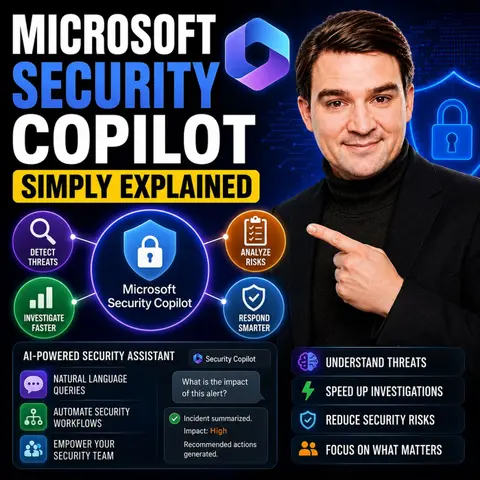
Microsoft Security Copilot is Microsoft's AI-powered cybersecurity assistant designed to help security teams detect, investigate, and respond to threats faster. Instead of replacing security analysts, it automates repetitive work such as analyzing alerts, correlating events, summarizing incidents, and generating remediation recommendations, allowing experts to focus on higher-value decisions.
This episode explains how Security Copilot integrates with Microsoft Defender, Microsoft Sentinel, Entra ID, and other Microsoft security services to provide contextual insights across an organization's environment. Through practical examples, you'll learn how AI accelerates incident response, reduces alert fatigue, and helps teams uncover attacks that might otherwise be overlooked.
The episode also discusses where Security Copilot delivers the greatest value, its current limitations, and why it should be viewed as a force multiplier rather than a replacement for experienced security professionals. Whether you're a SOC analyst, security engineer, IT administrator, or decision-maker, this episode provides a clear, jargon-free introduction to how Microsoft Security Copilot is transforming modern cybersecurity operations and what organizations should consider before adopting AI-powered security workflows.
Quick answer: Microsoft Security Copilot is the focus of this M365 FM episode, which explains what it does, where it fits in the Microsoft ecosystem, and the architecture, security, governance, or operational choices that matter before teams adopt or manage it.
Cybersecurity presents numerous challenges that can overwhelm organizations. A staggering 97% of organizations struggle to determine whether their vulnerabilities are exploitable. This complexity often leads to burnout among security teams, as they face issues like talent shortages and budget constraints. Microsoft Security Copilot addresses these challenges head-on. By simplifying threat detection and response, it empowers organizations of all sizes to enhance their security posture without adding to their workload. In today's digital landscape, simplifying cybersecurity is not just beneficial; it’s essential.
Key Takeaways
- Microsoft Security Copilot simplifies cybersecurity by automating routine tasks, allowing teams to focus on complex issues.
- The tool enhances threat detection with AI, enabling faster identification and response to potential threats.
- Real-time monitoring helps organizations stay proactive against cyber threats, improving overall security posture.
- User-friendly features allow all team members, regardless of experience, to engage effectively in security operations.
- Automated incident response reduces investigation times, boosting analyst productivity and confidence.
- Integration with existing security systems provides a unified view of threats, enhancing collaboration within teams.
- Microsoft Security Copilot offers significant cost savings by improving efficiency and reducing operational burdens.
- Implementing this tool can transform security operations, making them more effective and less stressful for teams.
What Is Microsoft Security Copilot?
Overview of the Tool
Microsoft Security Copilot is an AI-driven security assistant designed specifically for cybersecurity teams. This innovative tool leverages large language models alongside Microsoft's global threat intelligence. It integrates seamlessly with your organization's security data, allowing analysts to investigate, respond to, and remediate threats more efficiently. By enhancing the capabilities of security professionals, Microsoft Security Copilot transforms how you manage cybersecurity in your cloud environment.
This tool is not just another dashboard. It acts as a knowledgeable companion that understands your unique security landscape. You can ask natural language questions like, "What happened overnight?" or "Which devices are out of compliance?" and receive concise, actionable responses. This capability streamlines your workflow and helps you focus on critical tasks.
Purpose and Goals
The primary goal of Microsoft Security Copilot is to simplify cybersecurity operations. It aims to reduce alert fatigue and burnout among security teams. By automating routine tasks, it allows your team to concentrate on more complex security issues. This tool enhances your security posture by providing tailored recommendations based on both Microsoft's global threat intelligence and your organization's specific data.
Another key objective is to improve incident response times. With Microsoft Security Copilot, you can quickly identify and address potential threats. The tool's specialized AI agents, such as the Phishing Triage Agent, automate repetitive investigations. This automation not only boosts efficiency but also increases accuracy, enabling even less experienced staff to handle sophisticated security tasks with confidence.
Features of Microsoft Security Copilot

AI-Powered Threat Detection
Microsoft Security Copilot utilizes advanced AI technologies to enhance threat detection capabilities. This feature allows you to identify potential threats quickly and accurately. The tool leverages broad threat intelligence and global telemetry to surface unique threats that traditional methods might miss. Here are some key aspects of its AI-powered threat detection:
| Feature | Description |
|---|---|
| Incident Summarization | Automatically summarizes complex incidents for better understanding. |
| Intelligent Reasoning | Applies reasoning across various alert sources to enhance threat detection. |
| Integration with Defender XDR and Sentinel | Provides enriched context and recommended actions for faster resolution. |
With these capabilities, you can respond to threats in minutes rather than hours. This efficiency significantly reduces manual effort and enhances your overall security operations. In fact, studies show that Microsoft Security Copilot improves productivity for security tasks by 23% to 46%.
Automated Incident Response
The automated incident response capabilities of Microsoft Security Copilot streamline your security operations. This feature guides you through the response process, ensuring that you take the right actions when faced with a security incident. Here’s how it benefits your team:
| Security Operations Aspect | Benefit with Security Copilot |
|---|---|
| Threat Detection | Augmented detection of elusive threats through broad threat intelligence. |
| Incident Investigation | Faster, context-rich investigations with a consolidated understanding of complex incidents. |
| Response & Remediation | Guided response and remediation with prescriptive guidance on actions to take. |
| Signal Correlation | Holistic cross-domain correlation that connects disparate alerts and data streams. |
| Analyst Productivity | Boosted efficiency and skill elevation by automating repetitive tasks. |
By automating routine tasks, Microsoft Security Copilot allows your team to focus on more complex issues. This leads to quicker incident resolution and improved security posture.
User-Friendly Interface
Microsoft Security Copilot features a user-friendly interface designed to enhance your experience. The intuitive layout allows you to navigate through various functionalities with ease. You can ask natural language questions and receive actionable insights promptly. This capability transforms how you interact with your security data.
The integration of Microsoft Security Copilot with existing security systems, such as Microsoft Defender and Microsoft Sentinel, eliminates silos and tool fragmentation. You gain end-to-end visibility and protection across your cloud environment. This integration allows you to reason across diverse telemetry, correlating device malware alerts with cloud logs. As a result, you can make informed decisions quickly and effectively.
Practical Applications in Security
Streamlining Security Operations
Implementing Microsoft Security Copilot can significantly streamline your security operations. The tool automates many routine tasks, allowing your team to focus on high-value analysis. For instance, it analyzes and correlates signals across various platforms, providing incident summaries and recommended actions. This capability enhances your incident response support, enabling you to act swiftly during security incidents.
Here are some practical applications of Microsoft Security Copilot in your security processes:
| Application | Description |
|---|---|
| Threat Investigation | Analyzes and correlates signals across various platforms, providing incident summaries and recommended actions. |
| Incident Response | Suggests containment and remediation steps, helping teams act confidently during incidents. |
| Operational Efficiency | Automates hunting logic and refines detection strategies, allowing analysts to focus on proactive threat hunting. |
| Communication of Cyber Risk | Generates plain-language summaries for security leaders to communicate effectively with executives. |
| Holistic Risk View | Connects signals from multiple Microsoft security tools for a comprehensive understanding of risk. |
By leveraging these applications, you can reduce the mean time to respond to threats, enhancing your operational efficiency. User testimonials indicate that Microsoft Security Copilot helps less-experienced analysts perform at higher levels, acting as a force multiplier for your team.
Enhancing Team Collaboration
Microsoft Security Copilot also enhances collaboration within your cybersecurity team. The tool's AI-assisted triage and natural-language insights enable immediate responses to alerts. This capability allows team members to act quickly and efficiently on threats, fostering a collaborative environment.
Consider the following impacts on team collaboration:
| Evidence Description | Impact on Collaboration |
|---|---|
| AI-assisted triage and natural-language insights enable immediate response to alerts. | Enhances collaboration by allowing team members to act quickly and efficiently on threats. |
| AI-driven tools help small teams manage thousands of devices effectively. | Facilitates teamwork by enabling lean teams to oversee a larger scope of work without being overwhelmed. |
| Integration with existing tools provides a unified view of threats and compliance. | Improves decision-making and operational efficiency, fostering better collaboration among team members. |
With Microsoft Security Copilot, your team can manage daily cyber incidents more effectively. The integration with existing security systems provides a unified view of threats, improving decision-making and operational efficiency.
Real-Time Monitoring
Real-time monitoring is another critical application of Microsoft Security Copilot. The tool enables you to monitor your cloud environment continuously, ensuring that you can respond to advanced threats as they arise. The measurable benefits of this capability are significant.
| Metric | Before Security Copilot | After Security Copilot | Improvement |
|---|---|---|---|
| Investigation time per incident | 25 minutes | 8 minutes | 68% reduction |
| Weekly hours saved by analysts | N/A | 337 hours | N/A |
| Staff redeployed to strategic work | N/A | 20% | N/A |
The shift from reactive to proactive monitoring enhances your security posture. You can focus on strategic areas like governance, risk, and compliance, improving overall effectiveness. Additionally, the tool boosts analyst confidence and morale, allowing your team to tackle security vulnerabilities with greater assurance.
By implementing Microsoft Security Copilot, you can transform your security operations, enhance team collaboration, and enable real-time monitoring. This comprehensive approach ensures that your organization remains resilient against cyber threats.
Benefits of Microsoft Security Copilot

Cost-Effectiveness
Microsoft Security Copilot offers significant cost savings for organizations. By automating repetitive tasks, it reduces the time and resources needed for security operations. Here are some key benefits:
- Microsoft Security Copilot reduces security response times by 26%, enabling quicker actions and better risk mitigation.
- Teams using Security Copilot report a 23–47% improvement in SecOps task efficiency after its adoption.
- 86% of analysts indicate improved quality in their work after using Security Copilot.
These improvements translate into lower operational costs and a more efficient use of resources.
Improved Security Posture
Implementing Microsoft Security Copilot enhances your organization's security posture. The tool helps you manage alerts more effectively, reducing the chances of overlooking critical threats. Here’s how it contributes to a stronger security framework:
| Feature | Description |
|---|---|
| Managed Alert Queue | Filters high-risk activities from lower-risk alerts, enhancing response time and team efficiency. |
| Alert Triage Agent (DLP) | Sorts alerts based on sensitivity and risk, categorizing them for actionable responses. |
| Alert Triage Agent (Insider Risk) | Prioritizes alerts for investigation based on user and activity risk. |
| Automation at Scale | Handles repetitive tasks, allowing human experts to focus on strategic initiatives. |
| Noise Reduction | Helps teams concentrate on impactful remediations by filtering alerts. |
| Improved SOC Efficiency | Organizations report up to 30% faster response times and reduced alert fatigue when using Security Copilot with Defender XDR. |
These features empower your security team to respond swiftly and effectively to threats, ultimately strengthening your overall security posture.
Accessibility for All Users
Microsoft Security Copilot is designed to be user-friendly, making it accessible for all team members, regardless of their experience level. The intuitive interface allows users to interact with the tool easily. You can ask questions in natural language and receive actionable insights promptly. This accessibility fosters a collaborative environment where everyone can contribute to security efforts.
Moreover, the tool's automation capabilities enable less experienced analysts to handle complex tasks confidently. By providing tailored recommendations and insights, Microsoft Security Copilot ensures that all users can participate in maintaining a secure environment.
Comparison with Traditional Methods
Efficiency and Speed
When you compare Microsoft Security Copilot with traditional cybersecurity methods, you notice significant differences in efficiency and speed. Microsoft Security Copilot leverages AI-driven capabilities to enhance incident response speed. This tool allows you to respond to threats faster than traditional methods, which often rely on reactive measures.
| Feature/Benefit | Microsoft Security Copilot | Traditional Cybersecurity Methods |
|---|---|---|
| Incident Response Speed | Faster due to AI-driven capabilities | Slower, often reactive |
| Manual Effort | Significantly reduced | High, requires extensive manual intervention |
| Proactive Strategies | Enabled through integration with MSEM | Primarily reactive, responding to incidents only |
| Automation of Reports and Plans | Automated generation of mitigation plans and reports | Manual creation, time-consuming |
| Integration with Security Workflows | Seamless incorporation of insights into SOC workflows | Limited integration, often siloed operations |
With Microsoft Security Copilot, you can analyze results approximately 60% to 70% faster than traditional methods. This improvement enhances your overall security operations and allows your team to focus on more strategic tasks.
Resource Allocation
Resource allocation is another area where Microsoft Security Copilot excels. Traditional methods often require extensive manpower and time to manage security tasks. In contrast, Microsoft Security Copilot automates many of these tasks, freeing up your team to concentrate on higher-value activities.
By reducing the manual effort needed for incident response, you can allocate resources more effectively. This shift allows your security team to focus on proactive threat hunting and strategic planning rather than getting bogged down in routine tasks. The automation capabilities of Microsoft Security Copilot ensure that your team can handle a larger volume of alerts without increasing headcount.
Adaptability to Threats
Adaptability is crucial in today’s fast-evolving threat landscape. Microsoft Security Copilot stands out by providing real-time insights and recommendations based on current threats. This adaptability allows you to respond quickly to emerging risks. Traditional methods often struggle to keep pace with new threats, leading to potential vulnerabilities.
With Microsoft Security Copilot, you gain a tool that evolves alongside the threat landscape. Its AI-driven insights help you stay ahead of potential attacks, ensuring that your security posture remains robust. This proactive approach not only enhances your defenses but also builds confidence within your security team.
In summary, Microsoft Security Copilot simplifies cybersecurity for organizations of all sizes. This innovative tool enhances security operations by automating routine tasks and providing actionable insights. Key benefits include faster incident responses, improved team collaboration, and a stronger security posture.
Consider implementing Microsoft Security Copilot in your organization. It acts as a force multiplier, especially in resource-constrained environments. By leveraging its capabilities, you can protect sensitive data and streamline your security processes effectively.
Remember, a proactive approach to cybersecurity is essential in today’s digital landscape.
FAQ
What is Microsoft Security Copilot?
Microsoft Security Copilot is an AI-driven tool that enhances cybersecurity operations. It integrates with existing security systems to streamline threat detection and incident response, making it easier for teams to manage security tasks.
How does Microsoft Security Copilot improve incident response?
The tool automates routine tasks and provides actionable insights. This automation allows your team to respond to threats faster and more effectively, reducing the time needed for incident resolution.
Can Microsoft Security Copilot be used by small teams?
Yes! Microsoft Security Copilot is designed to support teams of all sizes. Its automation features help small teams manage larger workloads without increasing stress or resource demands.
What types of organizations can benefit from Microsoft Security Copilot?
Organizations of all sizes and industries can benefit from Microsoft Security Copilot. Whether you are a small business or a large enterprise, the tool enhances your security posture and simplifies operations.
Is Microsoft Security Copilot easy to set up?
Yes, setting up Microsoft Security Copilot is straightforward, especially for organizations already using Microsoft 365 E5. Minimal configuration is required to start leveraging its capabilities.
How does Microsoft Security Copilot handle alerts?
The tool filters and prioritizes alerts based on risk levels. This approach helps your team focus on high-priority threats, reducing alert fatigue and improving response times.
What makes Microsoft Security Copilot different from traditional methods?
Unlike traditional methods, Microsoft Security Copilot uses AI to automate tasks and provide real-time insights. This proactive approach enhances efficiency and allows teams to stay ahead of emerging threats.
Can less experienced analysts use Microsoft Security Copilot effectively?
Absolutely! The user-friendly interface and tailored recommendations empower less experienced analysts to handle complex tasks confidently, improving overall team performance.
🎧 Listen to this episode
Want a practical explanation of Microsoft Security Copilot? This episode breaks down the topic in clear language and shows why it matters for Microsoft 365, Azure, Power Platform, security, AI, and modern work.
Listen to this episode if you want to:
- Understand the key concepts behind Microsoft Security Copilot
- See how it fits into the wider Microsoft technology ecosystem
- Learn where it can create practical value for your organization
You may also enjoy these related M365 FM episodes:
- Zero Trust AI Security with Microsoft Copilot and Azure – Mourtaza Fazlehoussen [MVP]
- Microsoft Purview for Copilot Security with Peter Rising [Microsoft]
- Microsoft Copilot Security Readiness with Åsne Holtklimpen [MVP-MCT]
- Reduce Defender False Positives with Security Copilot Analysts
- Security Copilot for SOC Operations: Reduce Alert Fatigue
Discover more practical Microsoft conversations on M365 FM.
Last reviewed: July 2026.
Who Should Listen
This episode is for Microsoft administrators, architects, developers, security professionals, and business leaders who need a practical foundation before making implementation or governance decisions.
🎧 You Should Also Listen To
- AI Agents — A closely related next step that adds useful context and practical depth.
- Model Context Protocol — A closely related next step that adds useful context and practical depth.
- Microsoft Security Copilot — A closely related next step that adds useful context and practical depth.
🚀 Want to be part of m365.fm?
Then stop just listening… and start showing up.
👉 Connect with me on LinkedIn and let’s make something happen:
- 🎙️ Be a podcast guest and share your story
- 🎧 Host your own episode (yes, seriously)
- 💡 Pitch topics the community actually wants to hear
- 🌍 Build your personal brand in the Microsoft 365 space
This isn’t just a podcast — it’s a platform for people who take action.
🔥 Most people wait. The best ones don’t.
👉 Connect with me on LinkedIn and send me a message:
"I want in"
Let’s build something awesome 👊
1
00:00:00,000 --> 00:00:03,680
picture this, it's two in the morning, and you're the only IT person at your company.
2
00:00:03,680 --> 00:00:05,760
Your phone starts buzzing and won't stop.
3
00:00:05,760 --> 00:00:08,160
Security alerts are pouring in one after another.
4
00:00:08,160 --> 00:00:11,040
Most of them are probably nothing, but you can't ignore them because somewhere in that
5
00:00:11,040 --> 00:00:13,680
noise, a real attack, might be hiding.
6
00:00:13,680 --> 00:00:17,200
What if you had an AI assistant that could triage those alerts for you, tell you which ones
7
00:00:17,200 --> 00:00:19,400
matter, and even suggest what to do?
8
00:00:19,400 --> 00:00:21,760
That's exactly what Microsoft Security Copilot does.
9
00:00:21,760 --> 00:00:25,760
By the end of this episode, you'll understand what it actually is, how its AI agents work,
10
00:00:25,760 --> 00:00:27,960
and why it's a powerful tool, especially for small teams.
11
00:00:27,960 --> 00:00:31,360
We'll break it down into the problem it solves, what the tool really is, the agents that
12
00:00:31,360 --> 00:00:34,120
do the work, and how you can start using it today.
13
00:00:34,120 --> 00:00:36,360
The problem, alert overload.
14
00:00:36,360 --> 00:00:38,920
For most security teams, the reality is simple.
15
00:00:38,920 --> 00:00:40,440
Hundreds of alerts come in every day.
16
00:00:40,440 --> 00:00:42,240
Way more than one person can handle.
17
00:00:42,240 --> 00:00:45,720
And most of false positives, are rule fires, but there's no real threat.
18
00:00:45,720 --> 00:00:47,440
Yet every single alert still needs a check.
19
00:00:47,440 --> 00:00:49,600
It gets even worse for small teams.
20
00:00:49,600 --> 00:00:50,720
Security isn't your only title.
21
00:00:50,720 --> 00:00:54,000
You're also the IT person, the compliance officer, and the printer repairer.
22
00:00:54,000 --> 00:00:55,440
Every hat in the building is yours.
23
00:00:55,440 --> 00:00:59,320
And you're stretched that thin, real threats get buried and response times drop.
24
00:00:59,320 --> 00:01:01,200
Burnout is a when, not an if.
25
00:01:01,200 --> 00:01:03,280
Microsoft saw this problem and built an answer.
26
00:01:03,280 --> 00:01:06,560
An AI assistant that lives inside the security tools you already use.
27
00:01:06,560 --> 00:01:07,640
It triages alerts.
28
00:01:07,640 --> 00:01:08,880
It summarizes incidents.
29
00:01:08,880 --> 00:01:10,120
It recommends actions.
30
00:01:10,120 --> 00:01:11,280
The goal is simple.
31
00:01:11,280 --> 00:01:14,000
Instead of drowning in noise, you focus on what actually matters.
32
00:01:14,000 --> 00:01:16,200
So what exactly is this thing?
33
00:01:16,200 --> 00:01:18,120
What security copilot actually is?
34
00:01:18,120 --> 00:01:19,960
So what exactly is security copilot?
35
00:01:19,960 --> 00:01:21,440
Let's clear up a common myth right away.
36
00:01:21,440 --> 00:01:24,360
It's not some new security product you need to learn from scratch.
37
00:01:24,360 --> 00:01:26,840
And it's not another dashboard to check every morning.
38
00:01:26,840 --> 00:01:30,240
Instead it's an AI layer that sits on top of the tools you already have.
39
00:01:30,240 --> 00:01:34,680
Microsoft Defender, Entra, Intune, Perview, think of it like having a senior analyst on your
40
00:01:34,680 --> 00:01:36,600
team who speaks plain English.
41
00:01:36,600 --> 00:01:39,000
You can ask questions like what happened last night?
42
00:01:39,000 --> 00:01:41,480
Or show me which devices are out of compliance.
43
00:01:41,480 --> 00:01:44,680
And it will summarize incidents, create queries, and tell you what to do next.
44
00:01:44,680 --> 00:01:47,280
Now here's the key difference from something like chatGPT.
45
00:01:47,280 --> 00:01:52,600
ChatGPT knows the public internet, but security copilot knows your environment, your sign-ins,
46
00:01:52,600 --> 00:01:53,880
your devices, your alerts.
47
00:01:53,880 --> 00:01:57,760
It's trained on Microsoft's threat intelligence and your own security data, so it gives
48
00:01:57,760 --> 00:02:00,240
answers that actually apply to your situation.
49
00:02:00,240 --> 00:02:03,720
A general AI tool doesn't have that access because it doesn't know what's happening inside
50
00:02:03,720 --> 00:02:04,720
your tenant.
51
00:02:04,720 --> 00:02:08,760
Under the hood, copilot runs on something called security compute unit, so SCUs.
52
00:02:08,760 --> 00:02:11,360
Think of those as the fuel that powers the engine.
53
00:02:11,360 --> 00:02:15,560
Every prompt you run, every agent you launch uses a bit of that fuel, but the real value
54
00:02:15,560 --> 00:02:16,760
isn't the chat window.
55
00:02:16,760 --> 00:02:21,040
The real value is how copilot pulls data from Defender, Entra, Intune, and Perview all
56
00:02:21,040 --> 00:02:23,040
at once and gives you one clear answer.
57
00:02:23,040 --> 00:02:26,800
You don't need to jump between five consoles to understand what's happening and the power
58
00:02:26,800 --> 00:02:28,160
goes beyond chat.
59
00:02:28,160 --> 00:02:32,280
It's the agents that automate and handle tasks for you.
60
00:02:32,280 --> 00:02:33,480
How it works?
61
00:02:33,480 --> 00:02:34,480
The brains.
62
00:02:34,480 --> 00:02:35,960
Eskies in integration.
63
00:02:35,960 --> 00:02:39,360
Now let's talk about what actually makes security copilot run.
64
00:02:39,360 --> 00:02:42,680
Under the hood it uses security compute units or SCUs.
65
00:02:42,680 --> 00:02:44,600
Think of them as the fuel for the engine.
66
00:02:44,600 --> 00:02:48,600
Every time you run a prompt, launch an agent or generate a report, you burn a little
67
00:02:48,600 --> 00:02:49,880
bit of that fuel.
68
00:02:49,880 --> 00:02:54,560
Your soft prices SCUs per hour and if you have an E5 license, you get a chunk included
69
00:02:54,560 --> 00:02:55,560
each month.
70
00:02:55,560 --> 00:02:56,640
Here's how the math works.
71
00:02:56,640 --> 00:03:00,560
For every thousand users, E5 gives you 400 SCUs per month.
72
00:03:00,560 --> 00:03:04,840
So if you're a small team with 50 users, that's about 20 SCUs each month.
73
00:03:04,840 --> 00:03:06,520
With 200 users you get 80.
74
00:03:06,520 --> 00:03:11,480
It scales automatically based on your paid E5 seats and there's a maximum of 10,000 SCUs
75
00:03:11,480 --> 00:03:14,640
per month that kicks in around 25,000 users.
76
00:03:14,640 --> 00:03:18,160
But how does copilot actually connect to your environment through plugins?
77
00:03:18,160 --> 00:03:22,520
It plugs into Defender, Entra, Intune, Sentinel and even third party tools if you have them.
78
00:03:22,520 --> 00:03:25,960
Each plug and acts as a bridge between copilot and that data source.
79
00:03:25,960 --> 00:03:27,720
And here's an important detail.
80
00:03:27,720 --> 00:03:29,760
Copilot doesn't copy or store your data.
81
00:03:29,760 --> 00:03:33,280
It queries your systems in real time so everything stays inside your tenant.
82
00:03:33,280 --> 00:03:34,920
Your data never leaves your control.
83
00:03:34,920 --> 00:03:38,760
You can monitor exactly how many SCUs you're using from the copilot dashboard which shows
84
00:03:38,760 --> 00:03:42,520
every prompt, who ran it and how much fuel it consumed.
85
00:03:42,520 --> 00:03:45,960
Overage is disabled by default so if you run out of SCUs before the month ends, copilot
86
00:03:45,960 --> 00:03:49,680
just stops working until your next allotment refreshes, no surprise bills.
87
00:03:49,680 --> 00:03:53,880
You can also buy extra SCUs if you need more power but for most small teams, the included
88
00:03:53,880 --> 00:03:55,880
amount is plenty for daily use.
89
00:03:55,880 --> 00:04:00,960
Now let's look at the agents, the real workhorses, the agents, your AI security team.
90
00:04:00,960 --> 00:04:03,920
This is where security copilot really proves its value.
91
00:04:03,920 --> 00:04:08,200
Agents are pre-built AI assistants that take care of specific security tasks for you.
92
00:04:08,200 --> 00:04:13,080
Some run automatically on a schedule while others you trigger manually when you need them.
93
00:04:13,080 --> 00:04:15,480
Each agent has a specialist on your team.
94
00:04:15,480 --> 00:04:20,200
One handles phishing, another handles access policies, and another handles device vulnerabilities.
95
00:04:20,200 --> 00:04:22,480
You don't need to train them or write complex queries.
96
00:04:22,480 --> 00:04:23,680
They just do their job.
97
00:04:23,680 --> 00:04:27,080
First up is the phishing triage agent inside Microsoft Defender.
98
00:04:27,080 --> 00:04:30,880
This agent automatically reviews every email your user's report as suspicious.
99
00:04:30,880 --> 00:04:35,320
It analyzes the content, checks the links, looks at the sender reputation and then decides
100
00:04:35,320 --> 00:04:37,480
whether it's a real threat or just junk.
101
00:04:37,480 --> 00:04:40,360
The most dangerous ones get pushed to the top so you see them first.
102
00:04:40,360 --> 00:04:45,200
Microsoft says analysts using this agent detect malicious emails up to 550% faster than
103
00:04:45,200 --> 00:04:47,640
without it, and that's not a small improvement.
104
00:04:47,640 --> 00:04:51,280
For a team of one or two people that kind of speed can mean the difference between catching
105
00:04:51,280 --> 00:04:54,320
a breach early and dealing with a full blown incident.
106
00:04:54,320 --> 00:04:57,480
Next comes the conditional access optimization agent in Entra.
107
00:04:57,480 --> 00:04:59,920
This agent scans your access policies and looks for gaps.
108
00:04:59,920 --> 00:05:04,680
Maybe a new app isn't covered by any policy yet, or some users slipped through without MFA.
109
00:05:04,680 --> 00:05:08,320
The agent finds those holes and suggests fixes and it can even create new policies in report
110
00:05:08,320 --> 00:05:11,400
only mode so you see the impact before turning them on.
111
00:05:11,400 --> 00:05:16,640
Identity admins using this agent achieved up to 204% better accuracy, finding missing zero
112
00:05:16,640 --> 00:05:20,280
trust policies, more than double what you'd get from manual reviews.
113
00:05:20,280 --> 00:05:23,520
Then there's the vulnerability remediation agent in Intune.
114
00:05:23,520 --> 00:05:28,400
This one identifies devices that need patching, prioritizes them by severity, and can create
115
00:05:28,400 --> 00:05:29,960
groups for deployment.
116
00:05:29,960 --> 00:05:33,280
Instead of manually checking each device, you get a clear list of what needs attention
117
00:05:33,280 --> 00:05:36,000
and in what order, which saves hours of work every week.
118
00:05:36,000 --> 00:05:38,680
The leadership there is the threat intelligence briefing agent.
119
00:05:38,680 --> 00:05:41,960
This one runs on a schedule, weekly daily, whatever you set.
120
00:05:41,960 --> 00:05:45,000
And generates a briefing tailored to your industry and current threats.
121
00:05:45,000 --> 00:05:49,080
It pulls from Microsoft's threat intelligence and matches it up with your environment.
122
00:05:49,080 --> 00:05:53,120
And the result is a report you can send straight to your CEO, no more scrambling to put something
123
00:05:53,120 --> 00:05:55,080
together before a board meeting.
124
00:05:55,080 --> 00:05:58,080
The security alert triage agent goes beyond fishing.
125
00:05:58,080 --> 00:06:02,040
It sorts through alerts across identity, endpoint, and cloud.
126
00:06:02,040 --> 00:06:06,560
So if someone signs in from an unusual location and a device flags suspicious activity, the
127
00:06:06,560 --> 00:06:09,000
agent connects those dots for you.
128
00:06:09,000 --> 00:06:12,840
And in purview, the insider risk and DLP agent's surface only the alerts that actually need
129
00:06:12,840 --> 00:06:13,840
human review.
130
00:06:13,840 --> 00:06:17,680
They filter out the noise so you're not wasting time on false positives from your data protection
131
00:06:17,680 --> 00:06:18,680
policies.
132
00:06:18,680 --> 00:06:20,640
You can also use something called prompt books.
133
00:06:20,640 --> 00:06:24,680
These are saved sequences of prompts you run on repeat, like a weekly device compliance
134
00:06:24,680 --> 00:06:25,680
check.
135
00:06:25,680 --> 00:06:29,080
Instead of typing the same questions every Monday morning, you build the prompt book
136
00:06:29,080 --> 00:06:30,600
once and run it with one click.
137
00:06:30,600 --> 00:06:33,120
It's like a macro for your security investigations.
138
00:06:33,120 --> 00:06:35,920
So what does it feel like to actually use this?
139
00:06:35,920 --> 00:06:38,160
What it feels like a day in the life.
140
00:06:38,160 --> 00:06:40,640
Let's walk through what this actually looks like in practice.
141
00:06:40,640 --> 00:06:43,920
You're a solo IT admin at a midsize company and it's Monday morning.
142
00:06:43,920 --> 00:06:47,520
You grab your coffee, open the defender portal, and there it is.
143
00:06:47,520 --> 00:06:50,800
A summary of everything that happened over the weekend.
144
00:06:50,800 --> 00:06:54,160
Three alerts showed up and co-pilot already did the first pass.
145
00:06:54,160 --> 00:06:58,640
Two were false positives, cleared and one real fishing attempt needs your attention.
146
00:06:58,640 --> 00:07:02,840
To click into the fishing triage agent, it already analyzed the email, found the malicious
147
00:07:02,840 --> 00:07:06,680
link, traced where it leads, and identified the user who received it.
148
00:07:06,680 --> 00:07:10,680
The agent recommends blocking the sender and resetting that user's password.
149
00:07:10,680 --> 00:07:13,320
One click to approve and 30 seconds later it's done.
150
00:07:13,320 --> 00:07:17,800
Without co-pilot, you'd have to open the email, inspect the headers, check the URL manually,
151
00:07:17,800 --> 00:07:21,280
cross-reference it with threat intelligence, figure out who else might have received it,
152
00:07:21,280 --> 00:07:25,120
then go to the admin center to block the sender and reset credentials.
153
00:07:25,120 --> 00:07:28,440
That's 15 minutes minimum, probably more and that's just one alert.
154
00:07:28,440 --> 00:07:31,000
Later that morning you need to check device compliance.
155
00:07:31,000 --> 00:07:35,440
Instead of drilling into Intune filtering by compliance status and expanding each device
156
00:07:35,440 --> 00:07:40,240
to see what's wrong, you just type, show me which devices are out of compliance and why.
157
00:07:40,240 --> 00:07:45,360
Co-pilot pulls from Intune, lists the devices and tells you exactly what's wrong.
158
00:07:45,360 --> 00:07:49,120
This one's missing a Windows update that one doesn't have the latest antivirus definitions
159
00:07:49,120 --> 00:07:52,760
clear, actionable, and you didn't write a single query.
160
00:07:52,760 --> 00:07:54,600
Then you need to check for risky sign-ins.
161
00:07:54,600 --> 00:07:58,240
You ask, which users signed in from unmanaged devices?
162
00:07:58,240 --> 00:08:00,800
Co-pilot pulls from intrasign-in logs and gives you a list.
163
00:08:00,800 --> 00:08:04,160
You spot a user who logged in from a personal device in another country.
164
00:08:04,160 --> 00:08:08,240
You investigate, confirm its legitimate, and move on, five minutes total.
165
00:08:08,240 --> 00:08:11,000
End of the day you run the threat intelligence briefing agent.
166
00:08:11,000 --> 00:08:15,120
It generates a report summarizing threats in your industry for the past week, tailored
167
00:08:15,120 --> 00:08:19,400
to your company's profile, and emails it to your CEO automatically.
168
00:08:19,400 --> 00:08:22,080
You didn't have to research, write, or format anything.
169
00:08:22,080 --> 00:08:23,640
It just shows up.
170
00:08:23,640 --> 00:08:26,760
All of this happened without switching between five different consoles without writing
171
00:08:26,760 --> 00:08:30,760
a single KQL query and without spending hours on manual investigation.
172
00:08:30,760 --> 00:08:35,120
That's exactly what security co-pilot is built to give you, but who is this really for?
173
00:08:35,120 --> 00:08:36,200
Who it's for?
174
00:08:36,200 --> 00:08:37,880
Small teams and IT pros.
175
00:08:37,880 --> 00:08:39,840
Here's the thing about security co-pilot.
176
00:08:39,840 --> 00:08:42,160
It's not designed to replace your security team.
177
00:08:42,160 --> 00:08:44,200
It's designed to make your team stronger.
178
00:08:44,200 --> 00:08:47,280
Microsoft calls it a force multiplier, and that's exactly what it is.
179
00:08:47,280 --> 00:08:51,960
It's built for the IT manager who also handles security, the MSP managing a dozen clients
180
00:08:51,960 --> 00:08:56,200
with a handful of people, and the small business with one or two IT folks who suddenly
181
00:08:56,200 --> 00:08:58,720
find themselves responsible for cybersecurity.
182
00:08:58,720 --> 00:08:59,720
The numbers back this up.
183
00:08:59,720 --> 00:09:04,240
Early users report 30% faster incident response times, meaning when something bad happens,
184
00:09:04,240 --> 00:09:06,400
you contain it almost a third faster than before.
185
00:09:06,400 --> 00:09:09,760
They also see 54% less time-resolving device policy conflicts.
186
00:09:09,760 --> 00:09:13,200
Those annoying situations where a device doesn't match your security settings and you have
187
00:09:13,200 --> 00:09:15,520
to figure out why.
188
00:09:15,520 --> 00:09:20,440
In Fishing Trash, the reduction in manual work hits 95% because instead of reviewing every
189
00:09:20,440 --> 00:09:25,160
reported email yourself, the agent handles the first pass and only surfaces the ones
190
00:09:25,160 --> 00:09:26,480
that need your judgment.
191
00:09:26,480 --> 00:09:28,640
It also helps your less experienced staff.
192
00:09:28,640 --> 00:09:33,240
The guided workflows and plain English explanations mean a junior analyst can handle incidents
193
00:09:33,240 --> 00:09:36,160
that would normally require years of experience.
194
00:09:36,160 --> 00:09:39,920
Co-pilot walks them through the investigation step by step, like having a senior mentor looking
195
00:09:39,920 --> 00:09:42,600
over their shoulder without needing to hire one.
196
00:09:42,600 --> 00:09:45,480
Microsoft positions this as doing more with less, and it's true.
197
00:09:45,480 --> 00:09:49,280
You don't need five security specialists if you have co-pilot and one good analyst who
198
00:09:49,280 --> 00:09:50,280
knows how to use it.
199
00:09:50,280 --> 00:09:54,280
The AI handles the repetitive work while your people focus on the decisions that actually
200
00:09:54,280 --> 00:09:55,760
need human judgment.
201
00:09:55,760 --> 00:09:56,920
But there's a catch.
202
00:09:56,920 --> 00:10:01,360
Security co-pilot works best if you already live inside Microsoft's security ecosystem.
203
00:10:01,360 --> 00:10:04,920
Defender, Entra, Intune, Perview, that's where it shines.
204
00:10:04,920 --> 00:10:08,800
If your stack is all third-party tools, the value drops significantly, though it can still
205
00:10:08,800 --> 00:10:10,720
connect to some of them through plugins.
206
00:10:10,720 --> 00:10:13,400
The deep integration is with Microsoft's own products.
207
00:10:13,400 --> 00:10:14,640
And it's not fully autonomous.
208
00:10:14,640 --> 00:10:18,480
The agents recommend, suggest, and surface what needs attention, but you still make the
209
00:10:18,480 --> 00:10:19,920
final call.
210
00:10:19,920 --> 00:10:23,160
Humans approve the actions, and that's by design because you don't want an AI-making
211
00:10:23,160 --> 00:10:25,240
security decisions without oversight.
212
00:10:25,240 --> 00:10:28,240
But it means you can't just set it and forget it and you still need to be in the loop.
213
00:10:28,240 --> 00:10:30,320
So how do you actually get started?
214
00:10:30,320 --> 00:10:31,920
Getting started, what you need.
215
00:10:31,920 --> 00:10:34,080
First things first, you need the right license.
216
00:10:34,080 --> 00:10:38,520
Security co-pilot is included with Microsoft 365, E5, and E7, and that's the only way to
217
00:10:38,520 --> 00:10:39,960
get it without paying extra.
218
00:10:39,960 --> 00:10:42,880
So step one is checking if your organization already has those licenses.
219
00:10:42,880 --> 00:10:44,320
If you do, you're most of the way there.
220
00:10:44,320 --> 00:10:48,000
You also need an Azure subscription because that's where the SCUs are provisioned and
221
00:10:48,000 --> 00:10:49,000
built.
222
00:10:49,000 --> 00:10:54,120
For an E5 customer, Microsoft gives you 400 SCUs per month for every 1000 users and
223
00:10:54,120 --> 00:10:56,640
that gets added to a shared pool automatically.
224
00:10:56,640 --> 00:10:58,760
You don't have to calculate or request it.
225
00:10:58,760 --> 00:11:00,120
It just shows up.
226
00:11:00,120 --> 00:11:03,480
If you need more than you're included a lot, you can buy extra SCUs.
227
00:11:03,480 --> 00:11:04,720
But here's something important.
228
00:11:04,720 --> 00:11:06,520
Overage is disabled by default.
229
00:11:06,520 --> 00:11:10,640
That means if you run out of SCUs before the month ends, co-pilot simply stops working
230
00:11:10,640 --> 00:11:12,800
until your next allotment refreshes.
231
00:11:12,800 --> 00:11:16,800
No surprise charges because you have to intentionally turn overage on if you want it.
232
00:11:16,800 --> 00:11:18,320
Your testing leave it off.
233
00:11:18,320 --> 00:11:19,560
Setup is surprisingly easy.
234
00:11:19,560 --> 00:11:23,560
For E5 tenants, security co-pilot is enabled automatically so you don't need to install
235
00:11:23,560 --> 00:11:25,960
anything or configure complex settings.
236
00:11:25,960 --> 00:11:29,560
You just need to assign roles to the people who will use it.
237
00:11:29,560 --> 00:11:31,720
Security admins, global admins, that kind of thing.
238
00:11:31,720 --> 00:11:36,440
Then go to securityco-pilot, Microsoft.com, create a workspace and start prompting.
239
00:11:36,440 --> 00:11:37,440
That's it.
240
00:11:37,440 --> 00:11:40,560
One thing to watch out for if you're testing, turn off overage capacity.
241
00:11:40,560 --> 00:11:43,640
And when you're done, delete the SCUs to avoid ongoing charges.
242
00:11:43,640 --> 00:11:45,640
Don't worry about losing your work.
243
00:11:45,640 --> 00:11:49,360
It keeps your workspace data for 90 days even after you delete the SCUs.
244
00:11:49,360 --> 00:11:53,400
Your investigations, prompt history, everything stays so you can pick up where you left off
245
00:11:53,400 --> 00:11:54,400
later.
246
00:11:54,400 --> 00:11:57,720
Before you jump in, there are a couple of things to know.
247
00:11:57,720 --> 00:11:59,760
The trade-offs, privacy and trust.
248
00:11:59,760 --> 00:12:01,920
Here's the thing about security co-pilot.
249
00:12:01,920 --> 00:12:03,920
It can access anything the user has access to.
250
00:12:03,920 --> 00:12:06,440
That's what makes it powerful, but it's also where the risk lives.
251
00:12:06,440 --> 00:12:09,600
Think of it like giving someone a master key to your office building.
252
00:12:09,600 --> 00:12:13,240
If permissions are too broad, co-pilot can surface sensitive data that the person running
253
00:12:13,240 --> 00:12:14,600
the prompt shouldn't see.
254
00:12:14,600 --> 00:12:19,480
A misconfigured SharePoint folder or an overshared document becomes a problem when AI can find
255
00:12:19,480 --> 00:12:20,480
it instantly.
256
00:12:20,480 --> 00:12:23,720
Now Microsoft says customer data is not used to train the foundation models.
257
00:12:23,720 --> 00:12:25,800
All processing stays within your tenant.
258
00:12:25,800 --> 00:12:29,600
Your security data doesn't leak out or get absorbed into some public model, so that part
259
00:12:29,600 --> 00:12:33,440
is solid, but here's what you need to watch, your own governance.
260
00:12:33,440 --> 00:12:37,520
Before you turn co-pilot on, audit your permissions, classify your sensitive data.
261
00:12:37,520 --> 00:12:40,480
Monitor what people are asking it, and here's one more thing.
262
00:12:40,480 --> 00:12:44,000
Co-pilot outputs don't always inherit sensitivity labels from the source files.
263
00:12:44,000 --> 00:12:49,000
So a reported generates might contain sensitive information without the proper classification.
264
00:12:49,000 --> 00:12:53,240
You may need to manually label those outputs for most small teams to benefit far outweigh
265
00:12:53,240 --> 00:12:54,240
the risks.
266
00:12:54,240 --> 00:12:55,560
But don't skip the basics.
267
00:12:55,560 --> 00:12:59,200
A little upfront work on permissions and classification goes a long way.
268
00:12:59,200 --> 00:13:01,600
Let's move on to what you can actually do about it.
269
00:13:01,600 --> 00:13:02,960
So what should you do right now?
270
00:13:02,960 --> 00:13:05,760
Start by checking if your organization has e5 licenses.
271
00:13:05,760 --> 00:13:08,040
Go to the Microsoft 365 admin center.
272
00:13:08,040 --> 00:13:09,120
Look at your subscriptions.
273
00:13:09,120 --> 00:13:13,960
If you see Microsoft 365 e5 security co-pilot is already included, assign roles
274
00:13:13,960 --> 00:13:16,200
to your security people and start testing.
275
00:13:16,200 --> 00:13:19,400
Next, audit your permissions before you enable co-pilot.
276
00:13:19,400 --> 00:13:21,040
Find the overshared data and fix it.
277
00:13:21,040 --> 00:13:25,200
You can use Microsoft purview or a third party tool to scan for exposed files.
278
00:13:25,200 --> 00:13:27,160
Think of this as your insurance policy.
279
00:13:27,160 --> 00:13:29,720
It keeps co-pilot from surfacing things it shouldn't.
280
00:13:29,720 --> 00:13:31,120
Then start with one agent.
281
00:13:31,120 --> 00:13:35,200
The conditional access optimization agent is the easiest to set up, enable it, let it
282
00:13:35,200 --> 00:13:37,360
scan your policies and review the recommendations.
283
00:13:37,360 --> 00:13:40,280
It gives you immediate value with almost no effort.
284
00:13:40,280 --> 00:13:44,200
Once you're comfortable with that, add the phishing triage agent, then build from there.
285
00:13:44,200 --> 00:13:48,200
If this episode helped you understand security co-pilot, subscribe for more plain English
286
00:13:48,200 --> 00:13:49,200
breakdowns.
287
00:13:49,200 --> 00:13:52,200
And if you're already using it, drop a comment with your favorite agent.

Founder of m365.fm, m365.show and m365con.net
Mirko Peters is a Microsoft 365 expert, content creator, and founder of m365.fm, a platform dedicated to sharing practical insights on modern workplace technologies. His work focuses on Microsoft 365 governance, security, collaboration, and real-world implementation strategies.
Through his podcast and written content, Mirko provides hands-on guidance for IT professionals, architects, and business leaders navigating the complexities of Microsoft 365. He is known for translating complex topics into clear, actionable advice, often highlighting common mistakes and overlooked risks in real-world environments.
With a strong emphasis on community contribution and knowledge sharing, Mirko is actively building a platform that connects experts, shares experiences, and helps organizations get the most out of their Microsoft 365 investments.




