


 Apple Podcasts
 Spotify
 Youtube Music
 Spreaker
 Podchaser
 Amazon Music
 Copilot in Business Central - Simply Explained
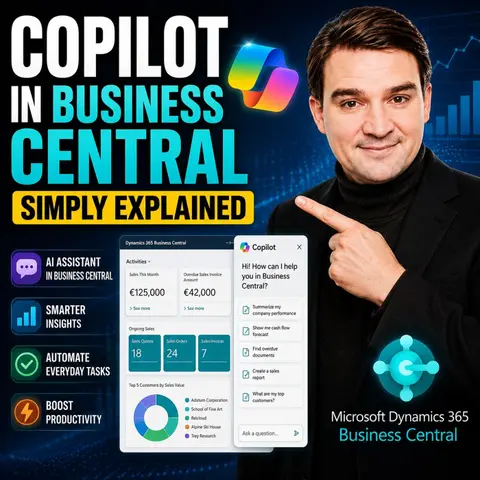

Copilot in Dynamics 365 Business Central brings generative AI directly into the ERP system that many organizations use to manage finance, sales, purchasing, inventory, and operations. Instead of navigating complex menus or manually entering large amounts of information, users can ask Copilot for help using natural language and complete everyday business tasks more efficiently.
In this episode, you'll learn what Copilot in Business Central is, who it's designed for, and how it improves daily work for finance teams, operations managers, sales staff, and business users. Rather than replacing the ERP system, Copilot acts as an intelligent assistant that helps users complete tasks faster while staying inside familiar Business Central workflows.
Using practical, real-world examples, the episode explores how Copilot can generate product descriptions, summarize records, assist with data analysis, suggest information during data entry, answer questions about business data, and help users discover features they may not even know exist. These capabilities reduce repetitive work, improve productivity, and make Business Central easier to use for both new and experienced users.
The episode also explains how Copilot differs from Microsoft 365 Copilot. While Microsoft 365 Copilot works across applications like Outlook, Teams, Word, and Excel, Copilot in Business Central is purpose-built for ERP scenarios and understands the business context of finance, inventory, purchasing, and operational processes. It works securely within Microsoft's enterprise cloud while respecting existing permissions and compliance controls.
If you're curious about how AI is transforming modern ERP systems, this episode provides a clear, jargon-free introduction to Copilot in Business Central, showing how organizations can save time, reduce manual effort, and make better business decisions without becoming AI experts.
Quick answer: Copilot in Dynamics 365 Business Central is the focus of this M365 FM episode, which explains what it does, where it fits in the Microsoft ecosystem, and the architecture, security, governance, or operational choices that matter before teams adopt or manage it.
In today's fast-paced business environment, productivity plays a crucial role in achieving success. Companies face ongoing challenges in maintaining efficiency, as shown by the slowing productivity growth trends in various countries. To combat these issues, many organizations turn to innovative solutions. One such tool is Copilot in Business Central. This AI-powered assistant streamlines tasks and enhances decision-making, allowing you to focus on what truly matters. By automating processes and providing valuable insights, Copilot transforms how you manage your business operations.
Key Takeaways
- Copilot automates routine tasks, allowing you to focus on strategic initiatives and improve overall productivity.
- Using Copilot can save organizations up to 10 hours per month, significantly enhancing efficiency.
- Real-time insights from Copilot help you make informed decisions quickly, improving resource allocation.
- The user-friendly interface of Copilot integrates seamlessly with Microsoft 365 tools, simplifying workflows.
- Businesses report substantial cost savings after adopting Copilot, reducing the need for additional hires.
- Implement best practices for Copilot deployment to maximize its benefits and ensure a smooth transition.
- Leverage training resources from Microsoft to help your team effectively use Copilot and enhance productivity.
- Engaging users and building excitement around Copilot fosters a positive attitude and encourages adoption.
Overview of Copilot
What is Copilot?
Copilot is an innovative AI-powered assistant integrated into Dynamics 365 Business Central. This tool automates tasks, provides predictive insights, and allows you to interact with your data using natural language queries. With Copilot, you can streamline your workflows and enhance your business processes. It acts as an embedded assistant, making it easier for you to manage operations without switching between applications.
Role in Dynamics 365 Business Central
The role of Copilot in Dynamics 365 Business Central is to enhance productivity and efficiency across various business functions. Here are some key objectives that Copilot achieves:
| Objective | Description |
|---|---|
| Automation | Copilot automates routine customer service tasks, allowing representatives to focus on complex issues. |
| Efficiency | It enhances operational efficiency by automating financial processes like bank reconciliation. |
| Improved Decision-Making | Copilot provides real-time insights and recommendations for better resource allocation and cost savings. |
By automating tasks, Copilot allows you to focus on strategic initiatives rather than mundane activities. For instance, it can handle routine customer queries, such as order status and returns, which helps deliver exceptional customer service. Additionally, Copilot enhances supply chain management by analyzing data to forecast demand and suggest optimal inventory levels. This capability helps you balance inventory with customer demand effectively.
With Microsoft integrations, Copilot transforms how you interact with your data. You can access business insights in real time, enabling proactive decision-making. This shift towards a more data-driven approach allows you to respond quickly to market changes and customer needs. Overall, Copilot in Dynamics 365 Business Central empowers you to work smarter, not harder, by providing the tools necessary to enhance productivity and drive growth.
Copilot Features

AI-Powered Insights
Copilot in Business Central offers powerful AI-driven insights that help you make informed decisions. With its ability to provide updated information using advanced models like GPT-4 and Bing Search, you gain access to accurate and recent data. This feature sets Copilot apart from other productivity tools that may rely on outdated information.
Here are some key AI-powered features that enhance your productivity:
| Feature | Description |
|---|---|
| Updated Information | Provides accurate and recent information using GPT-4 and Bing Search, unlike tools limited to older data. |
| Multifaceted AI Assistant | Offers diverse functionalities including image design, code writing, and web searches, beyond text generation. |
| Image Generator | Utilizes DALL-E 3 technology to create images from text descriptions, enhancing creative tasks. |
| Document and Web Page Summarization | Summarizes large content efficiently, extracting key points for quick understanding. |
| Integration with Microsoft Tools | Seamlessly works with Excel, Word, Teams, and Outlook, enhancing productivity within these applications. |
| Customization | Allows users to adjust response settings and modes for tailored interactions. |
These insights empower you to analyze business data effectively. You can ask Copilot to summarize reports or extract key points from lengthy documents, saving you time and effort. This capability allows you to focus on strategic tasks rather than getting bogged down in data analysis.
Task Automation
Task automation is another standout feature of Copilot. It streamlines workflows by automating routine tasks, which significantly reduces the time you spend on manual processes. For example, Copilot can automate bank reconciliations and transactional data analysis, allowing finance teams to focus on deep financial analysis rather than repetitive tasks.
Here are some specific business tasks that Copilot can automate:
| Business Area | Automation Task |
|---|---|
| Finance Management | Automate bank reconciliations and transactional data analysis. |
| Sales & Marketing | Generate product descriptions and assist with broader content creation. |
| Sales and Delivery | Deploy virtual agents to manage redundant aspects of the sales process. |
| Purchasing Payables | Automate invoice-matching and suggestions for document creation. |
| Inventory | Display real-time inventory levels and low-stock alerts. |
| Supply Planning | Track inventory depletion and suggest substitutions. |
| Project Management | Summarize project data based on user queries. |
| Warehouse Management | Forecast inventory to prevent stockouts. |
| Service Management | Automate reconciliations and simplify workflows. |
| Manufacturing | Identify trends and draw insights from supply chain data. |
By automating these tasks, businesses report saving over 10 hours per month. This time savings allows teams to focus on strategic initiatives, improving overall productivity and efficiency.
User-Friendly Interface
The user-friendly interface of Copilot enhances your experience while using Business Central. It integrates seamlessly with Microsoft 365 applications, providing a consistent user experience across tools like Word, Excel, and Teams. This integration simplifies your workflows and makes it easier to access features.
User feedback highlights the intuitive design of Copilot. Many users report that the interface facilitates quick adoption and integration with familiar Microsoft tools. For instance, one user mentioned, "Tasks that previously took days of manual work are now completed with just a click of a button." This ease of use allows you to focus on your work rather than navigating complex systems.
Benefits of Copilot

Increased Efficiency
Using Copilot in Business Central significantly boosts your efficiency. Organizations report saving approximately five hours per week per professional by automating routine tasks. This time savings translates into a remarkable return on investment. For instance, saving just 2.5 hours per month can yield about 180% ROI based on an average employee cost of $70,000 per year. Incremental monthly time savings can drive ROI from 12% to 180%, demonstrating substantial efficiency gains.
To measure increased efficiency, businesses often track various metrics. Here’s a summary of key metrics that organizations use:
| Metric Type | Description |
|---|---|
| Cycle time per task | Measures the time taken to complete individual tasks. |
| Pull request throughput per developer | Tracks the number of pull requests handled by each developer. |
| Deployment frequency | Counts how often new code is deployed to production. |
| Perceived time savings | Feedback from developers on how much time they feel they save. |
| Ease of use | Developers' assessment of how user-friendly Copilot is. |
| Emotional response | Developers' feelings towards using Copilot. |
| Areas for improvement | Feedback on what could be enhanced in Copilot. |
These metrics help you understand how Copilot enhances your workflows and overall productivity.
Enhanced Decision-Making
Copilot also enhances your decision-making capabilities. It connects with CRM and enterprise systems for comprehensive data integration. This integration improves your decision-making process by providing a holistic view of data. For example, Copilot generates and analyzes financial reports quickly, significantly reducing the time needed for financial decision-making.
Here’s how Copilot impacts decision-making:
| Evidence Description | Impact on Decision-Making |
|---|---|
| Copilot connects with CRM and enterprise systems for comprehensive data integration. | This integration improves the decision-making process by providing a holistic view of data. |
| Copilot generates and analyzes financial reports quickly. | The time to generate reports decreased significantly, enhancing the efficiency of financial decision-making. |
| Overall improvements in efficiency and productivity reported by organizations. | These improvements indicate that Copilot aids in making informed decisions based on better data utilization. |
Retail companies, for instance, leverage Copilot to analyze seasonal sales data. This analysis helps identify purchasing trends and optimize inventory levels, leading to increased profit margins and reduced excess stock.
Cost Savings
Cost savings represent another significant benefit of using Copilot. Organizations have documented various savings after adopting this tool. Here’s a summary of the cost savings reported:
| Cost Savings Description | Amount/Percentage |
|---|---|
| Avoidance of one full-time equivalent (FTE) and one part-time equivalent finance and operations hires | 10% reduction in hiring needs |
| Improved flow of operations | 8% increase in efficiency |
| Elimination of third-party reporting spend | $44,000 over three years |
| Additional cost savings from migration to Dynamics 365 Business Central | $40,000 |
These savings highlight how Copilot can streamline operations and reduce the need for additional hires. By improving efficiency, you can allocate resources more effectively and focus on growth.
Real-World Applications of Copilot
Case Study: Capitec Bank
Capitec Bank faced challenges during the implementation of Copilot in Business Central. The bank struggled with inefficient access to information, which affected customer service consultants. They found it difficult to retrieve product information quickly, leading to longer wait times for customers. To address this issue, Capitec adopted Copilot, streamlining the retrieval process. As a result, employees saved over an hour each week. This improvement enhanced customer engagement and significantly improved overall service delivery.
Case Study: Companies in Manchester
Several companies in Manchester have successfully implemented Copilot, showcasing its versatility and effectiveness. These organizations automated repetitive sales communication, which enhanced efficiency and sped up deal closures. They also reduced implementation complexity by automating data population during system setup. This automation allowed businesses to transition from reactive to predictive inventory management. By leveraging Copilot, one company identified high-value customers and tailored engagement strategies accordingly.
The measurable outcomes from these implementations are impressive. For instance, organizations reported significant time savings and improved operational accuracy. Here’s a summary of some measurable outcomes:
| Company | Measurable Outcome |
|---|---|
| Vodafone | Employees saved an average of 3 hours per week (10% of workweek) |
| Lumen Technologies | Estimated $50 million in annual savings from Copilot-enhanced sales operations |
| Newman’s Own | 70 hours saved per month; briefs reduced from 3 hours to 30-60 minutes |
| Globo | Employees saved 2 hours per month; improved operational accuracy |
| Estée Lauder Companies | Reduced time to gather insights from weeks to minutes; improved agility in product development |
These examples illustrate how Copilot in Business Central can transform workflows and drive substantial business benefits. By automating tasks and providing valuable insights, you can enhance your operations and focus on strategic initiatives.
Tips for Maximizing Copilot
Best Practices for Implementation
To maximize the benefits of Copilot in Business Central, follow these best practices:
- Prepare for Copilot Deployment: Establish clear governance policies and conduct a phased rollout. This approach helps you manage expectations and ensures a smoother transition.
- Protect Your Data: Set rules for data handling and implement strong security measures. Safeguarding your data is crucial when integrating AI into your operations.
- Evaluate Your Current Technology Setup: Ensure your hardware and software can support AI features. This evaluation prevents technical issues during implementation.
- Create a Copilot Deployment Plan: Identify business processes for improvement and start with pilot projects. Focusing on specific areas allows you to measure success effectively.
- Craft a Communication Plan: Use multiple channels to keep users informed and engaged. Regular updates help build excitement around Copilot.
- Engage Users and Build Excitement: Share updates, organize workshops, and highlight success stories. Engaging users fosters a positive attitude toward the new tool.
- Establish a Feedback Loop: Collect user feedback regularly to improve the Copilot experience. This feedback is vital for continuous enhancement.
- Create a Center of Excellence (CoE): Centralize resources and support for users. A CoE can provide guidance and best practices for using Copilot effectively.
- Empower Copilot Champions: Identify and support enthusiastic users to drive peer adoption. Champions can help others navigate the tool and share their experiences.
- Comprehensive Training and Support Programs: Provide diverse training options tailored to user needs. This support ensures users feel confident in using Copilot.
- Monitor Adoption and Measure Success: Track usage metrics and gather user feedback for continuous improvement. Monitoring helps you understand how well Copilot meets your business needs.
Training and Support Resources
Microsoft offers various resources to help you learn how to use Copilot effectively. Here are some valuable options:
| Resource Type | Description |
|---|---|
| Center of Excellence (CoE) | A hub for resources, support, and knowledge sharing related to Copilot. |
| How-to guides | Step-by-step instructions for getting started with Copilot. |
| Training materials | Video sessions catering to different learning preferences. |
| Job aids | Quick-reference tools for common tasks. |
| Standard operating procedures | Documentation outlining processes and best practices. |
| Microsoft’s Copilot Adoption Center | Provides a success kit with videos and training sessions to assist in Copilot adoption. |
Additionally, consider investing in training focused on prompt engineering. This training teaches users effective questioning techniques to get the most out of Copilot. Encourage experimentation in safe environments to help users become comfortable with the tool.
By leveraging these resources, you can ensure that your team maximizes the potential of Copilot in Business Central.
Integrating Copilot into Business Central can significantly enhance your productivity. This AI-powered tool streamlines tasks, automates processes, and provides valuable insights. According to the Forrester Total Economic Impact study, organizations experience up to 10 hours of time savings each month. Additionally, decision-making speed increases by 30%, and report generation becomes 25% faster. By adopting Copilot, you can focus on strategic initiatives and drive growth in your business. Consider leveraging this innovative solution to transform your operations and achieve remarkable efficiency.
FAQ
What is Copilot in Business Central?
Copilot is an AI-powered assistant integrated into Dynamics 365 Business Central. It automates tasks, provides insights, and allows you to interact with your data using natural language queries.
How does Copilot improve productivity?
Copilot enhances productivity by automating routine tasks, providing real-time insights, and streamlining workflows. This allows you to focus on strategic initiatives rather than mundane activities.
Can I customize Copilot for my business needs?
Yes, you can create custom agents tailored to your specific operational needs using the Agent Designer. This feature allows you to automate unique business processes effectively.
What types of tasks can Copilot automate?
Copilot can automate various tasks, including bank reconciliations, invoice processing, and generating marketing descriptions. This automation saves you time and reduces manual errors.
Is training available for using Copilot?
Yes, Microsoft offers various training resources, including how-to guides, video sessions, and a Center of Excellence. These resources help you maximize Copilot's potential in your business.
How does Copilot integrate with other Microsoft tools?
Copilot integrates seamlessly with Microsoft 365 applications like Excel, Word, and Teams. This integration enhances your productivity by providing a consistent user experience across tools.
What are the cost savings associated with using Copilot?
Organizations report significant cost savings after adopting Copilot, including reduced hiring needs and improved operational efficiency. These savings allow you to allocate resources more effectively.
How can I monitor Copilot's performance in my business?
You can track usage metrics and gather user feedback to assess Copilot's performance. Monitoring helps you understand how well it meets your business needs and identify areas for improvement.
🎧 Listen to this episode
Want a practical explanation of Copilot in Business Central? This episode breaks down the topic in clear language and shows why it matters for Microsoft 365, Azure, Power Platform, security, AI, and modern work.
Listen to this episode if you want to:
- Understand the key concepts behind Copilot in Business Central
- See how it fits into the wider Microsoft technology ecosystem
- Learn where it can create practical value for your organization
You may also enjoy these related M365 FM episodes:
- Use Copilot in Dynamics 365 Business Central
- Copilot for Dynamics 365 Finance and Operations - Simply Explained
- Copilot in Microsoft Entra ID - Simply Explained
- Copilot for Microsoft Fabric - Simply Explained
- Power BI Copilot - Simply Explained
Discover more practical Microsoft conversations on M365 FM.
Last reviewed: July 2026.
Who Should Listen
This episode is for Microsoft administrators, architects, developers, security professionals, and business leaders who need a practical foundation before making implementation or governance decisions.
🎧 You Should Also Listen To
- Power Platform — A closely related next step that adds useful context and practical depth.
- Power Apps — A closely related next step that adds useful context and practical depth.
- Dataverse Security — A closely related next step that adds useful context and practical depth.
🚀 Want to be part of m365.fm?
Then stop just listening… and start showing up.
👉 Connect with me on LinkedIn and let’s make something happen:
- 🎙️ Be a podcast guest and share your story
- 🎧 Host your own episode (yes, seriously)
- 💡 Pitch topics the community actually wants to hear
- 🌍 Build your personal brand in the Microsoft 365 space
This isn’t just a podcast — it’s a platform for people who take action.
🔥 Most people wait. The best ones don’t.
👉 Connect with me on LinkedIn and send me a message:
"I want in"
Let’s build something awesome 👊
1
00:00:00,000 --> 00:00:02,160
What exactly is Copilot in Business Central?
2
00:00:02,160 --> 00:00:03,800
Is it just a smarter search box
3
00:00:03,800 --> 00:00:05,400
or can it actually do your work for you?
4
00:00:05,400 --> 00:00:07,140
That's what we're clearing up today.
5
00:00:07,140 --> 00:00:09,960
By the end of this episode, you'll understand the three layers,
6
00:00:09,960 --> 00:00:12,960
the free-built-in stuff, the paid agents from Microsoft,
7
00:00:12,960 --> 00:00:15,200
and the custom ones you can build yourself.
8
00:00:15,200 --> 00:00:17,440
Grab your coffee and let's dive in.
9
00:00:17,440 --> 00:00:20,100
The big picture, what Copilot actually is.
10
00:00:20,100 --> 00:00:21,600
Here's the simplest definition.
11
00:00:21,600 --> 00:00:23,760
Copilot is Microsoft's AI assistant
12
00:00:23,760 --> 00:00:25,480
built right into Business Central.
13
00:00:25,480 --> 00:00:27,400
It's not a separate website you log into
14
00:00:27,400 --> 00:00:28,920
and it's not an add-on you install.
15
00:00:28,920 --> 00:00:30,720
It lives inside your ERP data,
16
00:00:30,720 --> 00:00:32,160
which means it can read your customers,
17
00:00:32,160 --> 00:00:34,000
your sales orders, your inventory,
18
00:00:34,000 --> 00:00:35,280
without you connecting anything
19
00:00:35,280 --> 00:00:37,000
or setting up extra integrations.
20
00:00:37,000 --> 00:00:39,840
The data is already there and Copilot can work with it.
21
00:00:39,840 --> 00:00:41,400
Now there are three layers to know about.
22
00:00:41,400 --> 00:00:43,520
First, you've got the built-in Copilot features
23
00:00:43,520 --> 00:00:46,200
that come with your Business Central license at no extra cost.
24
00:00:46,200 --> 00:00:48,040
Things like asking questions in plain English,
25
00:00:48,040 --> 00:00:49,520
getting suggestions for data entry
26
00:00:49,520 --> 00:00:51,120
or generating product descriptions.
27
00:00:51,120 --> 00:00:53,120
Second, Microsoft built agents.
28
00:00:53,120 --> 00:00:54,520
These are newer and more powerful
29
00:00:54,520 --> 00:00:57,360
because they actually do tasks for you in the background,
30
00:00:57,360 --> 00:00:59,800
like processing a sales order from an email.
31
00:00:59,800 --> 00:01:02,120
And third, custom agents that you design yourself
32
00:01:02,120 --> 00:01:04,000
for your own specific workflows.
33
00:01:04,000 --> 00:01:05,600
Here's the key difference between these layers.
34
00:01:05,600 --> 00:01:08,840
The built-in Copilot features help you move through tasks faster.
35
00:01:08,840 --> 00:01:10,720
They give you information, they fill in fields,
36
00:01:10,720 --> 00:01:13,760
they suggest text, but you're still the one doing the work.
37
00:01:13,760 --> 00:01:15,800
Agents are different because they can act on your behalf.
38
00:01:15,800 --> 00:01:18,680
They read an email, check inventory, create a draft order
39
00:01:18,680 --> 00:01:20,720
and send it back without you touching a keyboard.
40
00:01:20,720 --> 00:01:23,160
That's the shift from tool to employee
41
00:01:23,160 --> 00:01:27,000
and it's the biggest change coming to Business Central in 2026.
42
00:01:27,440 --> 00:01:29,640
The free stuff built in Copilot features.
43
00:01:29,640 --> 00:01:31,400
Let's start with what you get for free
44
00:01:31,400 --> 00:01:33,160
because this is where most people should begin.
45
00:01:33,160 --> 00:01:34,840
Six main features are included
46
00:01:34,840 --> 00:01:36,520
with your Business Central license
47
00:01:36,520 --> 00:01:38,360
and they're all ready to use right now.
48
00:01:38,360 --> 00:01:39,520
Analysis assist.
49
00:01:39,520 --> 00:01:42,400
You type a question in plain English right inside a list page.
50
00:01:42,400 --> 00:01:44,960
Instead of building filters or writing formulas,
51
00:01:44,960 --> 00:01:45,960
you just say something like,
52
00:01:45,960 --> 00:01:49,000
"Show me my top 10 customers by sales this year."
53
00:01:49,000 --> 00:01:51,080
Copilot builds the view for you.
54
00:01:51,080 --> 00:01:52,800
It groups the data, applies the filters
55
00:01:52,800 --> 00:01:54,960
and shows the result, no training required.
56
00:01:55,960 --> 00:01:59,040
Motorfill, this one is subtle, but saves a ton of time.
57
00:01:59,040 --> 00:02:01,280
Copilot learns patterns from your data entry
58
00:02:01,280 --> 00:02:04,040
and starts suggesting values for fields as you type.
59
00:02:04,040 --> 00:02:05,600
If you always use the same payment terms
60
00:02:05,600 --> 00:02:07,000
for a certain customer group,
61
00:02:07,000 --> 00:02:08,920
Copilot figures that out and fills it in for you
62
00:02:08,920 --> 00:02:10,920
but it's like having a really fast assistant
63
00:02:10,920 --> 00:02:13,200
who knows your habits, marketing text.
64
00:02:13,200 --> 00:02:14,800
If you sell products online,
65
00:02:14,800 --> 00:02:17,600
you know how painful it is to write descriptions for every item.
66
00:02:17,600 --> 00:02:20,000
Copilot can generate product descriptions automatically
67
00:02:20,000 --> 00:02:21,400
from your item attributes.
68
00:02:21,400 --> 00:02:22,760
You tell it the tone you want
69
00:02:22,760 --> 00:02:24,560
and it writes a paragraph ready to publish.
70
00:02:24,560 --> 00:02:27,280
For e-commerce catalogs, this is a huge time saver.
71
00:02:27,280 --> 00:02:30,640
Bank reconciliation, this is one of the most practical features
72
00:02:30,640 --> 00:02:31,800
for finance teams.
73
00:02:31,800 --> 00:02:33,560
When you run a bank reconciliation,
74
00:02:33,560 --> 00:02:36,360
Copilot automatically matches bank transactions
75
00:02:36,360 --> 00:02:37,400
to your ledger entries.
76
00:02:37,400 --> 00:02:39,200
It looks at amounts, dates and descriptions
77
00:02:39,200 --> 00:02:40,680
and suggests matches.
78
00:02:40,680 --> 00:02:42,960
Microsoft claims this can reduce manual matching
79
00:02:42,960 --> 00:02:44,280
by up to 80%.
80
00:02:44,280 --> 00:02:45,520
You still review and approve,
81
00:02:45,520 --> 00:02:47,160
but the heavy lifting is done for you.
82
00:02:47,160 --> 00:02:48,480
Map e-document.
83
00:02:48,480 --> 00:02:50,280
When you receive a vendor invoice as a PDF,
84
00:02:50,280 --> 00:02:52,280
Copilot reads it, extracts the key details
85
00:02:52,280 --> 00:02:54,680
and suggests which purchase order it matches.
86
00:02:54,680 --> 00:02:56,200
You confirm and the data flows in.
87
00:02:56,200 --> 00:02:58,560
No manual data entry needed, chat with Copilot.
88
00:02:58,560 --> 00:03:00,640
This is the one most people think of first.
89
00:03:00,640 --> 00:03:01,640
You ask questions like,
90
00:03:01,640 --> 00:03:03,720
what's the status of order 1023?
91
00:03:03,720 --> 00:03:05,560
Or show me all over you invoices
92
00:03:05,560 --> 00:03:07,600
for customer aid, datum corporation.
93
00:03:07,600 --> 00:03:10,000
Copilot gives you an answer with a link to the actual record
94
00:03:10,000 --> 00:03:11,120
so you can take action.
95
00:03:11,120 --> 00:03:12,720
It works in over 20 languages,
96
00:03:12,720 --> 00:03:14,160
which is great for global teams.
97
00:03:14,160 --> 00:03:15,920
All of these features are included.
98
00:03:15,920 --> 00:03:17,960
No extra license, no per use fee.
99
00:03:17,960 --> 00:03:20,280
They're just there, waiting for you to use them.
100
00:03:20,280 --> 00:03:21,920
But the real power comes next.
101
00:03:21,920 --> 00:03:23,120
The agents.
102
00:03:23,120 --> 00:03:25,880
The new AI agents, what they do and how they work.
103
00:03:25,880 --> 00:03:27,960
Agents are a step beyond what we just covered.
104
00:03:27,960 --> 00:03:29,760
The built-in features answer questions,
105
00:03:29,760 --> 00:03:32,280
suggest values and generate text.
106
00:03:32,280 --> 00:03:33,240
But they don't act.
107
00:03:33,240 --> 00:03:34,080
Agents do.
108
00:03:34,080 --> 00:03:35,960
They can actually perform tasks on your behalf
109
00:03:35,960 --> 00:03:38,320
in the background without you sitting there guiding every step.
110
00:03:38,320 --> 00:03:40,080
Microsoft has built three of these so far.
111
00:03:40,080 --> 00:03:41,080
Let's look at each one.
112
00:03:41,080 --> 00:03:43,200
The sales order agent is probably the most exciting
113
00:03:43,200 --> 00:03:45,280
for anyone who processes customer orders.
114
00:03:45,280 --> 00:03:46,480
Here's how it works.
115
00:03:46,480 --> 00:03:47,720
A customer sends an email saying,
116
00:03:47,720 --> 00:03:51,000
"I need 50 laptops and 20 monitors delivered to our warehouse."
117
00:03:51,000 --> 00:03:52,480
The agent reads that email,
118
00:03:52,480 --> 00:03:55,200
including any PDF attachments with purchase order numbers
119
00:03:55,200 --> 00:03:56,320
and shipping addresses.
120
00:03:56,320 --> 00:03:59,040
It extracts the products, checks stock availability
121
00:03:59,040 --> 00:04:01,000
and business central creates a draft sales order
122
00:04:01,000 --> 00:04:02,840
and sends you a summary for approval.
123
00:04:02,840 --> 00:04:05,000
You review it, click approve, and it's done.
124
00:04:05,000 --> 00:04:07,120
The agent handles multiple line items,
125
00:04:07,120 --> 00:04:09,760
different shipping addresses, even partial quantities.
126
00:04:09,760 --> 00:04:11,920
What used to take 10 minutes of back and forth emailing
127
00:04:11,920 --> 00:04:13,360
now takes one click.
128
00:04:13,360 --> 00:04:16,320
The payables agent works the same way, but for invoices.
129
00:04:16,320 --> 00:04:18,680
When a vendor emails you an invoice PDF,
130
00:04:18,680 --> 00:04:20,880
the agent reads it, extracts the invoice number,
131
00:04:20,880 --> 00:04:22,920
the amount, the due date and the line items,
132
00:04:22,920 --> 00:04:24,320
then it matches that invoice
133
00:04:24,320 --> 00:04:27,040
against your existing purchase orders in business central.
134
00:04:27,040 --> 00:04:29,400
If everything matches, it flags it for payment.
135
00:04:29,400 --> 00:04:31,440
If something doesn't match, say the amount
136
00:04:31,440 --> 00:04:33,040
is different from the purchase order,
137
00:04:33,040 --> 00:04:35,200
it flags the exception for you to review.
138
00:04:35,200 --> 00:04:37,400
The agent does the hard part of reading, matching,
139
00:04:37,400 --> 00:04:40,560
and organizing, but it never posts anything automatically.
140
00:04:40,560 --> 00:04:43,800
The expense agent is coming soon, probably in the next update.
141
00:04:43,800 --> 00:04:46,040
It categorizes expenses from receipts,
142
00:04:46,040 --> 00:04:47,840
reconciles them against transactions
143
00:04:47,840 --> 00:04:49,840
and routes approvals to the right person.
144
00:04:49,840 --> 00:04:51,840
Same pattern, the agent does the sorting,
145
00:04:51,840 --> 00:04:52,760
you make the decisions.
146
00:04:52,760 --> 00:04:55,320
Now, an important point about how these agents work,
147
00:04:55,320 --> 00:04:58,280
they run inside business central's existing security model.
148
00:04:58,280 --> 00:05:00,840
They can only see data that you've authorized them to see.
149
00:05:00,840 --> 00:05:02,200
If a user doesn't have permission
150
00:05:02,200 --> 00:05:04,040
to view a certain customer record,
151
00:05:04,040 --> 00:05:05,680
the agent can't access it either.
152
00:05:05,680 --> 00:05:07,400
Every action an agent takes is logged
153
00:05:07,400 --> 00:05:09,640
and attributable to that agent's identity.
154
00:05:09,640 --> 00:05:11,720
And for critical actions like posting a document,
155
00:05:11,720 --> 00:05:13,680
the agent requires human approval.
156
00:05:13,680 --> 00:05:15,920
It creates a draft, sends it to you, and waits.
157
00:05:15,920 --> 00:05:17,280
You're always in control.
158
00:05:17,280 --> 00:05:19,080
What's free versus what costs?
159
00:05:19,080 --> 00:05:20,600
Co-pilot credits explained.
160
00:05:20,600 --> 00:05:22,400
So how much does all this actually cost?
161
00:05:22,400 --> 00:05:23,800
Let's be clear about the split.
162
00:05:23,800 --> 00:05:25,960
The built-in co-pilot features from section two,
163
00:05:25,960 --> 00:05:30,120
analysis assist, autofill, marketing text, bank reconciliation,
164
00:05:30,120 --> 00:05:32,440
map e-document, and chat with co-pilot
165
00:05:32,440 --> 00:05:34,840
are all included with your business central license.
166
00:05:34,840 --> 00:05:35,640
No extra charge.
167
00:05:35,640 --> 00:05:37,040
You're already paying for them.
168
00:05:37,040 --> 00:05:38,640
Here's the thing about agents.
169
00:05:38,640 --> 00:05:39,920
They work differently.
170
00:05:39,920 --> 00:05:42,120
They use something called co-pilot credits,
171
00:05:42,120 --> 00:05:45,240
which is basically a usage-based currency for AI actions.
172
00:05:45,240 --> 00:05:47,600
Every time an agent does something like reading an email,
173
00:05:47,600 --> 00:05:50,040
generating a response, or creating a draft,
174
00:05:50,040 --> 00:05:51,720
it consumes a small number of credits.
175
00:05:51,720 --> 00:05:54,120
Microsoft gives you a tenant a small pool of free credits
176
00:05:54,120 --> 00:05:56,000
each month so you can try things out.
177
00:05:56,000 --> 00:05:57,480
When you need more, you have two options.
178
00:05:57,480 --> 00:06:00,040
You can pre-purchase credit packs like 25,000 credits
179
00:06:00,040 --> 00:06:02,920
for about $200, or use payers you go where you're
180
00:06:02,920 --> 00:06:05,600
billed monthly based on what you consumed.
181
00:06:05,600 --> 00:06:09,000
There's no functional difference between the two, only how you pay.
182
00:06:09,000 --> 00:06:10,720
Now let's talk actual costs per action.
183
00:06:10,720 --> 00:06:12,920
A simple answer costs about one credit.
184
00:06:12,920 --> 00:06:15,960
A generative answer where the agent writes something new costs
185
00:06:15,960 --> 00:06:16,640
two credits.
186
00:06:16,640 --> 00:06:19,040
An agent action, like creating a sales order or matching
187
00:06:19,040 --> 00:06:21,480
an invoice, costs about five credits.
188
00:06:21,480 --> 00:06:24,120
So processing a single invoice through the payables agent
189
00:06:24,120 --> 00:06:25,840
might cost you around five cents.
190
00:06:25,840 --> 00:06:28,280
That adds up, but it's not expensive per transaction.
191
00:06:28,280 --> 00:06:30,160
You can monitor all this inside business
192
00:06:30,160 --> 00:06:32,400
central with the right permissions, specifically
193
00:06:32,400 --> 00:06:34,360
the agent diagnostics permission set.
194
00:06:34,360 --> 00:06:36,840
You'll see exactly how many credits each agent consumed
195
00:06:36,840 --> 00:06:39,000
per task, per day, per month.
196
00:06:39,000 --> 00:06:41,000
No surprises on the bill.
197
00:06:41,000 --> 00:06:43,440
Custom agents building your own in 2026.
198
00:06:43,440 --> 00:06:46,200
But what if Microsoft's built-in agents don't fit your business?
199
00:06:46,200 --> 00:06:48,920
Maybe you have a specific workflow unique to your company,
200
00:06:48,920 --> 00:06:51,640
like a customer approval process, a special validation
201
00:06:51,640 --> 00:06:54,280
rule, or a particular way you handle returns.
202
00:06:54,280 --> 00:06:56,720
The good news is that the 2026 release wave
203
00:06:56,720 --> 00:06:59,920
introduces a way to design your own AI agents directly
204
00:06:59,920 --> 00:07:01,720
inside business central, and you don't need
205
00:07:01,720 --> 00:07:02,960
to be a developer to do it.
206
00:07:02,960 --> 00:07:05,120
Microsoft calls this the agent designer.
207
00:07:05,120 --> 00:07:07,200
And you access it from inside business central
208
00:07:07,200 --> 00:07:08,680
in a sandbox environment.
209
00:07:08,680 --> 00:07:09,680
The idea is simple.
210
00:07:09,680 --> 00:07:12,120
You give your agent instructions in plain English,
211
00:07:12,120 --> 00:07:14,960
assign it a profile so it knows which data it can see,
212
00:07:14,960 --> 00:07:17,480
and set its permissions so it knows what it's allowed to do.
213
00:07:17,480 --> 00:07:18,160
That's it.
214
00:07:18,160 --> 00:07:19,920
The agent then uses those instructions
215
00:07:19,920 --> 00:07:22,320
to figure out how to handle the tasks you give it.
216
00:07:22,320 --> 00:07:23,680
Let's make this concrete.
217
00:07:23,680 --> 00:07:26,240
Say you want an agent that reviews all open sales orders
218
00:07:26,240 --> 00:07:28,200
every morning and checks for pricing errors.
219
00:07:28,200 --> 00:07:30,560
You'd go into the agent designer, create a new agent,
220
00:07:30,560 --> 00:07:31,800
and write something like this.
221
00:07:31,800 --> 00:07:33,680
Review all open sales orders.
222
00:07:33,680 --> 00:07:36,320
Check if any line item has a unit price below the minimum
223
00:07:36,320 --> 00:07:37,280
price in the item card.
224
00:07:37,280 --> 00:07:40,280
If you find one, flag it and suggest a correction.
225
00:07:40,280 --> 00:07:42,600
You design it a profile that can read sales orders
226
00:07:42,600 --> 00:07:45,720
and item cards, but not post anything, then activate it.
227
00:07:45,720 --> 00:07:48,680
Every morning that agent runs through your open orders
228
00:07:48,680 --> 00:07:51,320
finds the exceptions and presents them for review.
229
00:07:51,320 --> 00:07:53,720
You don't need any coding, power automate flows,
230
00:07:53,720 --> 00:07:54,880
or custom development.
231
00:07:54,880 --> 00:07:56,240
For developers who need more control,
232
00:07:56,240 --> 00:07:58,000
there's the AI development toolkit.
233
00:07:58,000 --> 00:08:01,320
This gives you AL APIs to build production grade agents
234
00:08:01,320 --> 00:08:03,400
with full lifecycle management, including
235
00:08:03,400 --> 00:08:05,360
versioning, deployment, and feature flags.
236
00:08:05,360 --> 00:08:07,360
You can define custom agent types,
237
00:08:07,360 --> 00:08:09,560
wire them into existing business central processes,
238
00:08:09,560 --> 00:08:11,160
and manage them like any other extension.
239
00:08:11,160 --> 00:08:12,880
It's the same underlying agent runtime,
240
00:08:12,880 --> 00:08:14,360
but with pro code control.
241
00:08:14,360 --> 00:08:16,000
Custom agents use the same billing model
242
00:08:16,000 --> 00:08:17,440
as Microsoft build agents.
243
00:08:17,440 --> 00:08:19,320
They run on co-pilot credits, and every task
244
00:08:19,320 --> 00:08:21,200
they perform consumes credits at the same rates
245
00:08:21,200 --> 00:08:22,080
we covered earlier.
246
00:08:22,080 --> 00:08:24,440
So whether you use Microsoft's sales order agent
247
00:08:24,440 --> 00:08:26,120
or build your own validation agent,
248
00:08:26,120 --> 00:08:27,720
the cost structure is identical.
249
00:08:27,720 --> 00:08:29,000
No surprise charges.
250
00:08:29,000 --> 00:08:31,440
A real world scenario from email to order.
251
00:08:31,440 --> 00:08:32,960
So let's make this real.
252
00:08:32,960 --> 00:08:35,240
Imagine you run a small distribution company,
253
00:08:35,240 --> 00:08:36,520
a customer sends an email.
254
00:08:36,520 --> 00:08:39,040
We need 50 laptops and 20 monitors for our new office.
255
00:08:39,040 --> 00:08:40,200
Can you send a quote?
256
00:08:40,200 --> 00:08:43,000
Here's what happens once business central's sales order agent
257
00:08:43,000 --> 00:08:43,880
kicks in.
258
00:08:43,880 --> 00:08:47,080
The agent picks up that email, reads the natural language request,
259
00:08:47,080 --> 00:08:49,280
spots the 50 laptops and 20 monitors,
260
00:08:49,280 --> 00:08:50,880
and checks your item catalog.
261
00:08:50,880 --> 00:08:52,960
It finds the matching products and verifies stock.
262
00:08:52,960 --> 00:08:55,000
Or are those 50 laptops in the warehouse?
263
00:08:55,000 --> 00:08:56,320
What about the 20 monitors?
264
00:08:56,320 --> 00:08:58,560
If stock is low, it makes a note right in the draft.
265
00:08:58,560 --> 00:09:00,280
Then it pulls up the customer's record,
266
00:09:00,280 --> 00:09:02,720
shipping address, payment terms, pricing agreement,
267
00:09:02,720 --> 00:09:04,600
all of that gets attached automatically.
268
00:09:04,600 --> 00:09:07,360
It creates a draft sales order with everything filled in,
269
00:09:07,360 --> 00:09:10,320
calculates the totals, applies any eligible discounts,
270
00:09:10,320 --> 00:09:11,440
and generates a summary.
271
00:09:11,440 --> 00:09:12,800
Now here's the interesting part.
272
00:09:12,800 --> 00:09:15,440
The agent sends you a notification inside business central.
273
00:09:15,440 --> 00:09:18,400
I've created a draft sales order for customer X, 50 laptops
274
00:09:18,400 --> 00:09:20,920
at Y, each, 20 monitors at Z, each.
275
00:09:20,920 --> 00:09:22,640
Total, W stock is available.
276
00:09:22,640 --> 00:09:24,320
Please review and approve.
277
00:09:24,320 --> 00:09:26,120
You open that notification, scan the summary,
278
00:09:26,120 --> 00:09:26,960
and click approve.
279
00:09:26,960 --> 00:09:27,640
That's it.
280
00:09:27,640 --> 00:09:29,280
The order is created, and the customer
281
00:09:29,280 --> 00:09:31,360
gets an automated email with the quote,
282
00:09:31,360 --> 00:09:33,880
"No manual data entry, no copying and pasting
283
00:09:33,880 --> 00:09:36,560
from an email, no checking stock across multiple screens,
284
00:09:36,560 --> 00:09:38,320
the agent handled all that in the background."
285
00:09:38,320 --> 00:09:39,840
Now let's talk about cost.
286
00:09:39,840 --> 00:09:42,360
The agent used a generative answer to interpret the email.
287
00:09:42,360 --> 00:09:44,080
That's two copilot credits.
288
00:09:44,080 --> 00:09:46,160
Then it performed an action to create the draft order.
289
00:09:46,160 --> 00:09:47,280
That's five credits.
290
00:09:47,280 --> 00:09:49,720
So the whole transaction cost about $0.7.
291
00:09:49,720 --> 00:09:53,120
For $0.7 you saved maybe 10 or 15 minutes of manual work
292
00:09:53,120 --> 00:09:55,520
and removed any risk of typos or missed details.
293
00:09:55,520 --> 00:09:57,280
This is the shift I mentioned at the start.
294
00:09:57,280 --> 00:09:58,480
The agent does the grant work.
295
00:09:58,480 --> 00:09:59,680
You make the decisions.
296
00:09:59,680 --> 00:10:01,200
It's not about replacing people.
297
00:10:01,200 --> 00:10:04,560
It's about removing the repetitive error-prone parts
298
00:10:04,560 --> 00:10:07,920
so you can focus on what actually needs human judgment,
299
00:10:07,920 --> 00:10:10,360
negotiating pricing, handling exceptions,
300
00:10:10,360 --> 00:10:13,080
or building relationships with customers.
301
00:10:13,080 --> 00:10:16,040
Security and governance, keeping agents in mind.
302
00:10:16,040 --> 00:10:17,800
Now you're probably wondering about security.
303
00:10:17,800 --> 00:10:18,720
That's a fair question.
304
00:10:18,720 --> 00:10:20,640
Agents inherit the exact same permission model
305
00:10:20,640 --> 00:10:21,680
as human users.
306
00:10:21,680 --> 00:10:23,480
They can only see data you've authorized.
307
00:10:23,480 --> 00:10:26,120
If a user can't access a certain customer record,
308
00:10:26,120 --> 00:10:27,440
the agent can't either.
309
00:10:27,440 --> 00:10:29,560
Each agent has its own distinct identity,
310
00:10:29,560 --> 00:10:31,480
so every action gets logged and tracked.
311
00:10:31,480 --> 00:10:33,840
You can trace exactly what an agent did,
312
00:10:33,840 --> 00:10:35,600
when, and under whose authority.
313
00:10:35,600 --> 00:10:37,560
There are specific permission sets for this.
314
00:10:37,560 --> 00:10:40,120
Agent admin lets you configure and enable agents.
315
00:10:40,120 --> 00:10:43,640
Agent diagnostics lets you view consumption data and troubleshoot.
316
00:10:43,640 --> 00:10:45,640
Those roles are separate for good reason.
317
00:10:45,640 --> 00:10:47,240
You might want someone managing agents
318
00:10:47,240 --> 00:10:49,560
without seeing sensitive consumption details.
319
00:10:49,560 --> 00:10:50,800
The rule here is simple.
320
00:10:50,800 --> 00:10:53,840
Grant the minimum permissions just like you would for a new hire.
321
00:10:53,840 --> 00:10:56,320
Governance also means keeping an eye on usage.
322
00:10:56,320 --> 00:10:57,800
Watch for unexpected credit spikes
323
00:10:57,800 --> 00:10:59,920
or agents accessing data they shouldn't.
324
00:10:59,920 --> 00:11:03,200
Microsoft recommends setting up a centralized AI council
325
00:11:03,200 --> 00:11:06,040
to oversee agent deployment and policies.
326
00:11:06,040 --> 00:11:07,400
It doesn't have to be formal.
327
00:11:07,400 --> 00:11:09,280
Just a small group that regularly reviews
328
00:11:09,280 --> 00:11:12,760
what agents are doing and whether they're behaving as expected.
329
00:11:12,760 --> 00:11:13,680
So there you have it.
330
00:11:13,680 --> 00:11:16,160
Copilot in business central isn't one single thing.
331
00:11:16,160 --> 00:11:18,120
It's a whole range from free smart helpers
332
00:11:18,120 --> 00:11:20,320
all the way to full autonomous agents.
333
00:11:20,320 --> 00:11:22,040
The real trick is knowing what's out there
334
00:11:22,040 --> 00:11:24,000
and picking what actually fits your business.
335
00:11:24,000 --> 00:11:26,040
If this cleared things up, hit subscribe
336
00:11:26,040 --> 00:11:27,600
for more plain English guides.
337
00:11:27,600 --> 00:11:30,600
got a question about copilot or agents, drop it in the comments.
338
00:11:30,600 --> 00:11:32,600
We might cover it in a future episode.

Founder of m365.fm, m365.show and m365con.net
Mirko Peters is a Microsoft 365 expert, content creator, and founder of m365.fm, a platform dedicated to sharing practical insights on modern workplace technologies. His work focuses on Microsoft 365 governance, security, collaboration, and real-world implementation strategies.
Through his podcast and written content, Mirko provides hands-on guidance for IT professionals, architects, and business leaders navigating the complexities of Microsoft 365. He is known for translating complex topics into clear, actionable advice, often highlighting common mistakes and overlooked risks in real-world environments.
With a strong emphasis on community contribution and knowledge sharing, Mirko is actively building a platform that connects experts, shares experiences, and helps organizations get the most out of their Microsoft 365 investments.




