


 Apple Podcasts
 Spotify
 Youtube Music
 Spreaker
 Podchaser
 Amazon Music
 Power Apps Code Apps - Simply Explained
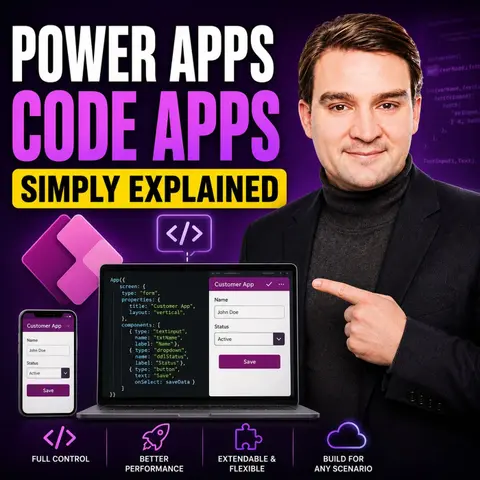

Power Apps Code Apps represent the next evolution of Microsoft Power Platform, combining the flexibility of professional software development with the governance and enterprise capabilities of Power Apps. In this episode, we break down what Code Apps are, why Microsoft introduced them, and how they differ from traditional Canvas Apps and Model-Driven Apps.
You'll learn how developers can build modern React-based web applications using familiar tools like Visual Studio Code while still benefiting from Power Platform features such as Dataverse, Microsoft Entra authentication, connectors, security policies, and managed deployments. Rather than replacing low-code development, Code Apps extend the platform to support more advanced scenarios where full control over the user experience and application architecture is required.
We also explain when Code Apps are the right choice, where Canvas Apps continue to shine, and how organizations can combine citizen developers and professional developers within the same Power Platform ecosystem. The episode explores real-world use cases, enterprise governance, application lifecycle management (ALM), and how Code Apps fit into Microsoft's long-term vision for business application development.
Whether you're a Power Platform maker, a professional developer, an IT decision-maker, or simply curious about Microsoft's latest innovations, this episode provides a practical, jargon-free introduction to one of the biggest additions to Power Apps in years and explains why Code Apps are likely to play a major role in the future of enterprise application development.
Quick answer: Power Apps Code Apps is explained in this M365 FM episode through its purpose, practical use, and the architecture, security, governance, or operational decisions teams should understand before adopting it in a Microsoft environment.
Power Apps Code Apps empower you to create custom web applications using familiar coding tools within the Power Platform. You can leverage modern web technologies like React and TypeScript, which enhance development flexibility. These apps allow you to develop locally and run seamlessly within the Power Platform.
The significance of Code Apps lies in their ability to provide better control over architecture, user interface, and complex business logic. This makes them suitable for advanced applications, setting them apart from Canvas and Model-Driven Apps, which focus more on low-code solutions and simplified interfaces.
Key Takeaways
- Power Apps Code Apps allow you to build custom applications using modern web technologies like React and TypeScript.
- These apps provide greater control over user interfaces and complex business logic compared to Canvas and Model-Driven Apps.
- You can develop applications locally and integrate them seamlessly with Power Platform services like Dataverse and Power Automate.
- Power Apps Code Apps enhance user experience by enabling the creation of Progressive Web Apps (PWAs) that work offline and update automatically.
- Customization and flexibility are key benefits, allowing businesses to adapt applications to their specific needs quickly.
- Using tools like Visual Studio Code and Git can streamline your development process and improve collaboration.
- Organizations that implement Power Apps Code Apps often see significant productivity improvements and operational efficiency.
- To get started, set up your development environment, define your app's purpose, and test regularly to refine functionality.
What Are Code Apps?

Power Apps Code Apps represent a powerful way for you to build custom applications within the Power Platform. These apps leverage modern web technologies, allowing you to create sophisticated solutions tailored to your business needs.
Key Features
Power Apps Code Apps utilize several key technologies that enhance your development experience. Here’s a breakdown of these technologies and their contributions:
| Technology | Contribution to App Development |
|---|---|
| React | Enables the creation of dynamic user interfaces for web applications. |
| Angular | Provides a robust framework for building scalable web applications. |
| Vue | Offers a flexible and progressive framework for building user interfaces. |
| Visual Studio Code | Serves as an integrated development environment (IDE) for coding and debugging applications. |
| Node.js | Allows for server-side scripting and enhances the development of scalable network applications. |
| Git | Facilitates version control and collaboration among developers. |
| Power Apps CLI | Provides command-line tools for managing and deploying Power Apps Code Apps effectively. |
| Microsoft Entra ID | Ensures secure authentication and authorization for applications. |
| Connectors | Access to over 1,500 connectors enables integration with various data sources and services. |
| Compliance Features | Built-in compliance features support enterprise-level governance and security policies. |
Using JavaScript, TypeScript, and React in your development process offers several advantages. These technologies allow you to create responsive and interactive user interfaces. You can also implement complex business logic with ease. This flexibility leads to rapid development cycles, enabling you to bring your applications to market faster.
Integration with Power Platform services is another significant feature of Power Apps Code Apps. You can easily connect your applications with other services like Dataverse and Power Automate. For instance, you can:
- Use Power Automate cloud flows to synchronize data.
- Implement Power Platform dataflows for data management across environments.
Additionally, the integration process is straightforward. You can automate deployments using CI/CD pipelines with GitHub Actions. This allows you to manage your applications efficiently while ensuring they meet your organization’s needs.
Differences from Other App Types
When you explore the differences between Power Apps Code Apps and other app types, you will notice distinct approaches and functionalities. Understanding these differences helps you choose the right app type for your needs.
Canvas vs. Code Apps
Canvas Apps and Code Apps differ significantly in their development approaches. Here’s a comparison of their features:
| Feature | Canvas Apps | Code Apps |
|---|---|---|
| Customization | Limited customization options | High level of customization with Dataverse setup |
| Development Efficiency | Slower due to manual processes | Accelerated by AI-powered IDEs like Cursor and Claude |
| Licensing | Advantageous under standard Microsoft 365 licensing | May incur premium costs for advanced features |
Canvas Apps cater to citizen developers who prefer a low-code environment. You can build simple applications quickly, often in just a few hours. However, these apps may not handle complex business logic effectively. In contrast, Code Apps target professional developers. They allow you to create sophisticated applications with full control over the user interface and advanced functionalities.
The functionality of these two app types also varies. Canvas Apps excel in creating quick proof-of-concept applications. They work well for simple forms and data entry tasks. On the other hand, Code Apps are ideal for enterprise-grade applications that require scalability and custom components.
Model-Driven vs. Code Apps
Model-Driven Apps and Code Apps also have distinct differences. The primary distinction lies in their architectural approach. Model-Driven Apps prioritize data modeling, meaning you start with a well-structured data foundation. This influences how users interact with the application. In contrast, Code Apps focus on user interface design first, allowing for more customization of visual elements.
Here are some key differences:
-
Model-Driven Apps emphasize:
- A robust data model for consistency and scalability.
- Generated interfaces based on data structure.
- Limited control over the user experience compared to Code Apps.
-
Code Apps allow:
- Tailored user experiences with full control over UI elements.
When deciding between these app types, consider your project requirements. If you need to manage structured business processes, Model-Driven Apps may be the better choice. However, if you aim to create a highly customized user experience, Code Apps will serve you well.
Benefits of Power Apps Code Apps for Business
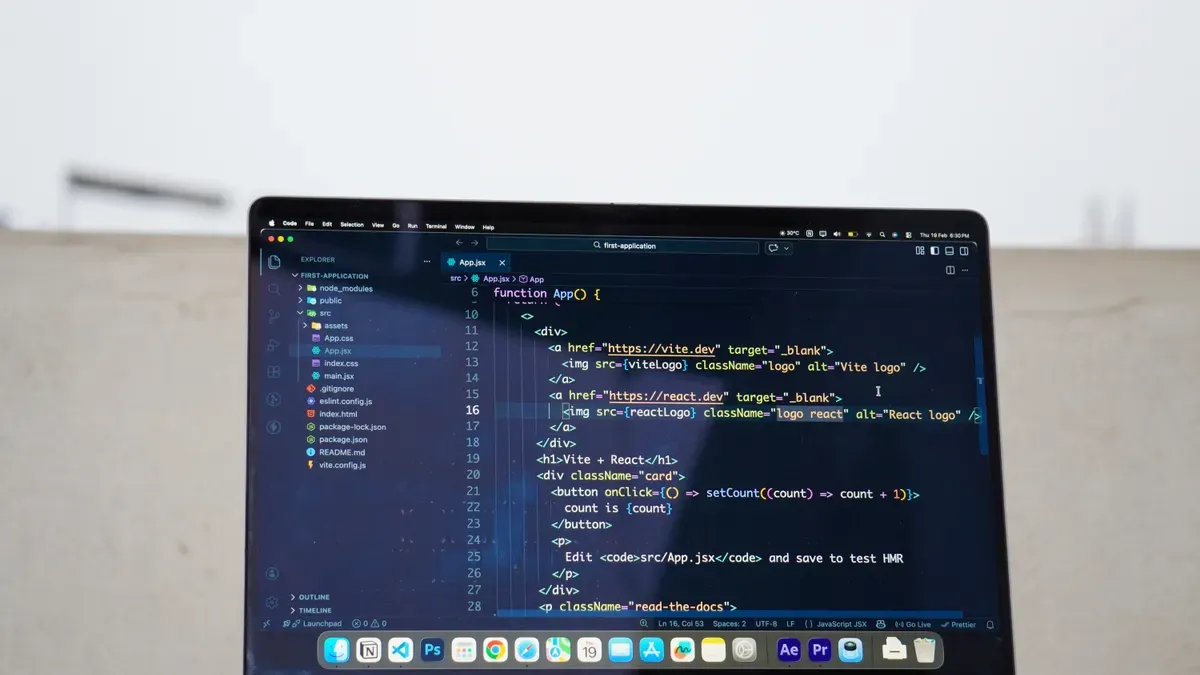
Power Apps Code Apps offer significant advantages for businesses looking to create tailored solutions. You can customize applications to meet your specific business app needs. This flexibility allows you to adapt quickly to changing requirements and streamline operations.
Customization and Flexibility
With Power Apps, you can build custom business apps that align with your unique operational needs. This platform supports low-code development, enabling you to create applications rapidly without the complexities of traditional coding. You can launch applications in days rather than months, ensuring they fit your business processes perfectly.
- Tailored Solutions: You can design applications that cater specifically to your workflows. This customization leads to enhanced productivity and operational efficiency.
- Seamless Integration: Power Apps allows you to integrate with existing systems easily. This capability fosters innovation and enhances efficiency across your organization.
Organizations that adopt Power Apps have reported measurable improvements in productivity. For instance, a Total Economic Impact study highlighted that businesses experienced an average productivity increase of about 25% after implementing custom apps. Additionally, companies like Rabobank operate over 2,500 Power Apps solutions, showcasing the platform's scalability and effectiveness.
Enhanced User Experience
Modern web technologies used in Power Apps Code Apps significantly enhance user experience compared to traditional app types. You can create Progressive Web Apps (PWAs) that combine the best features of web and native applications. These apps offer offline access, improved performance, and automatic updates, making them more appealing to users.
- User Engagement: PWAs allow for offline usage, ensuring users always have the latest version without manual updates. This capability leads to increased user satisfaction and engagement.
- Accessibility: With features like web push notifications and home screen presence, you can create applications that are not only functional but also engaging.
The rapid development enabled by low-code/no-code platforms allows users with varying technical skills to create applications quickly. This efficiency helps organizations modernize legacy systems effectively, delivering solutions that meet user needs more effectively.
Practical Applications of Code Apps
Power Apps Code Apps have transformed how businesses operate across various industries. Organizations leverage these apps to address unique challenges and enhance their workflows. Here are some notable use cases:
Use Cases in Various Industries
Businesses utilize Code Apps in diverse sectors, including:
- Enterprise Resource Planning (ERP): Streamlining operations and integrating various business functions.
- Customer Relationship Management (CRM): Enhancing customer interactions and managing relationships effectively.
- Business Intelligence (BI): Creating insightful dashboards and reports to drive data-driven decisions.
- Human Resource Management Systems (HRMS): Automating HR processes and improving employee engagement.
- Supply Chain Management (SCM): Optimizing logistics and inventory management.
- Asset Management: Tracking and managing company assets efficiently.
- Industry-Specific Systems: Tailoring applications to meet the unique needs of specific sectors.
Organizations benefit from features like compliance with SOC 2 Type II, ISO 27001, and GDPR. These features ensure data security and regulatory adherence. Role-based access provides granular control over user permissions, enhancing security and operational efficiency. Full audit trails maintain accountability and transparency in processes.
"Microsoft Dynamics 365 enables enterprises to build custom applications tailored to specific workflows, automate repetitive tasks, and create insightful dashboards and reports."
Successful Implementations
Many businesses have experienced quantifiable benefits after implementing Power Apps Code Apps. For instance, organizations have reported:
| Benefit | Quantifiable Result |
|---|---|
| Better Data Accuracy | Reduced data-entry errors by 80% and achieved 99.7% data integrity. Report generation time decreased from 48 hours to under 5 minutes. |
| Stronger Governance and Visibility | Identified EUR 50,000 in cost savings and eliminated the need for a full-time analyst role. Contributed to a CFO of the Year award. |
| Scalable Ecosystem | Decreased report load times from 20-30 seconds to under 5 seconds, with report usage increasing by 25%. |
These results demonstrate how Code Apps can significantly enhance operational efficiency and decision-making capabilities. By integrating with the power platform, businesses can respond quickly to market needs and streamline their processes.
Getting Started with Power Apps Code Apps
Setting Up Your Environment
To begin your journey with Power Apps Code Apps, you need to set up your development environment. Follow these steps to get started:
-
Create a New Project: Open a terminal and run the following command:
npx degit github:microsoft/PowerAppsCodeApps/templates/vite my-appNavigate to your project folder:
cd my-app -
Authenticate and Select Environment: Authenticate your CLI by running:
pac auth createSign in with your Power Platform account. Then, select your environment:
pac env select --environment -
Install Dependencies and Initialize: Install the necessary dependencies by running:
npm installInitialize your app with the following command:
pac code init --displayname "My Code App" -
Test Locally: Start your development server with:
npm run devOpen the local URL (e.g., http://localhost:5173) in your browser. If prompted, handle browser local network access by adding permissions for Chrome or Edge.
-
Build and Deploy: Once you finish testing, build your app using:
npm run buildPush your app to Power Apps with:
pac code pushIf you encounter errors, such as an environment mismatch, edit the
power.config.jsonfile with the correct environment ID and retry. You can find the app URL from the output or in the Power Apps > Apps section.
Creating Your First Code App
Now that you have set up your environment, you can create your first Code App. Start by designing a simple application that meets a specific need. For example, you might want to build a task tracker. Here’s a brief guide to help you develop it:
-
Define Your App's Purpose: Determine what your app will do. In this case, it will track tasks and their statuses.
-
Design the User Interface: Use React components to create a user-friendly interface. You can include input fields for task names, due dates, and status updates.
-
Implement Business Logic: Use JavaScript or TypeScript to handle task creation, updates, and deletions. Ensure that your app responds to user actions effectively.
-
Connect to Data Sources: Utilize Power Apps connectors to integrate your app with data sources. This allows you to store and retrieve task information seamlessly.
-
Test and Iterate: Regularly test your app during development. Gather feedback from users and make necessary adjustments to improve functionality and user experience.
By following these steps, you can create a functional Code App that meets your needs. As you gain experience, explore more advanced features and integrations to enhance your applications further.
Power Apps Code Apps offer a powerful way to create custom applications tailored to your business needs. Here are some key takeaways from our discussion:
- Power Apps Code Apps can be enhanced with AI tools within the Power Platform.
- Canvas Apps provide flexibility, but the local build process may present challenges.
- Security roles are respected in connections, but AI logic requires careful error checking.
If you want to dive deeper into Power Apps Code Apps, consider these next steps:
- Explore the use of IDEs like Visual Studio Code for building tailored web applications.
- Familiarize yourself with Microsoft Entra authentication and the extensive library of over 1,500 connectors.
- Check out resources that discuss using GitHub Copilot and CI/CD pipelines to boost your development productivity.
By taking these steps, you can unlock the full potential of Power Apps Code Apps and create innovative solutions for your organization.
FAQ
What are Power Apps Code Apps?
Power Apps Code Apps allow you to build custom applications using modern web technologies like JavaScript, TypeScript, and React. They provide greater flexibility and control compared to other app types.
Who can use Power Apps Code Apps?
Professional developers primarily use Power Apps Code Apps. However, citizen developers can also benefit from them if they have some coding knowledge and experience with web technologies.
How do I integrate Code Apps with other Power Platform services?
You can easily connect Code Apps to services like Dataverse and Power Automate. Use Power Apps connectors to access various data sources and automate workflows seamlessly.
What is the development environment for Code Apps?
You develop Code Apps using Visual Studio Code. This IDE supports coding, debugging, and testing your applications efficiently, allowing for a streamlined development process.
Can I deploy Code Apps directly to Power Apps?
Yes, you can deploy Code Apps directly to Power Apps. After building your app, use the command pac code push to publish it to your Power Apps environment.
Are there any licensing requirements for Code Apps?
Yes, a standard Power Apps Premium license is required to use Code Apps. This license ensures access to advanced features and capabilities within the Power Platform.
What are the benefits of using Code Apps over Canvas Apps?
Code Apps offer higher customization, better control over user interfaces, and the ability to implement complex business logic. They are ideal for creating sophisticated applications tailored to specific business needs.
How can I get support while developing Code Apps?
You can access Microsoft’s documentation, community forums, and tutorials for support. Additionally, consider joining online communities where developers share tips and best practices.
🎧 Listen to this episode
Want a practical explanation of Power Apps Code Apps? This episode breaks down the topic in clear language and shows why it matters for Microsoft 365, Azure, Power Platform, security, AI, and modern work.
Listen to this episode if you want to:
- Understand the key concepts behind Power Apps Code Apps
- See how it fits into the wider Microsoft technology ecosystem
- Learn where it can create practical value for your organization
You may also enjoy these related M365 FM episodes:
- Power Apps Code Apps with Carike Botha [MVP]
- Power Apps Vibe Code vs Low-Code: Which Fits Your Team?
- Govern Power Apps Generative Pages After Edit Code
- Microsoft Defender for Cloud Apps - Simply Explained
- Power Apps - Simply Explained
Discover more practical Microsoft conversations on M365 FM.
Last reviewed: July 2026.
Who Should Listen
This episode is for Microsoft practitioners, architects, developers, security professionals, and IT leaders evaluating the topic in a real-world environment.
🎧 You Should Also Listen To
- Power Platform — A relevant next step that adds practical context to this topic.
- Power Apps — A relevant next step that adds practical context to this topic.
- Dataverse Security — A relevant next step that adds practical context to this topic.
🚀 Want to be part of m365.fm?
Then stop just listening… and start showing up.
👉 Connect with me on LinkedIn and let’s make something happen:
- 🎙️ Be a podcast guest and share your story
- 🎧 Host your own episode (yes, seriously)
- 💡 Pitch topics the community actually wants to hear
- 🌍 Build your personal brand in the Microsoft 365 space
This isn’t just a podcast — it’s a platform for people who take action.
🔥 Most people wait. The best ones don’t.
👉 Connect with me on LinkedIn and send me a message:
"I want in"
Let’s build something awesome 👊
1
00:00:00,000 --> 00:00:02,880
You've heard of Power Apps, but now there's something called code apps.
2
00:00:02,880 --> 00:00:04,300
Is that a whole new platform?
3
00:00:04,300 --> 00:00:05,980
Do you need to learn a completely different tool?
4
00:00:05,980 --> 00:00:10,420
I'm Mirko Peters from M365, FM, and today we're clearing this up in plain English.
5
00:00:10,420 --> 00:00:13,780
By the end of this episode, you'll understand exactly what code apps are,
6
00:00:13,780 --> 00:00:16,620
why Microsoft built them and whether they matter to you.
7
00:00:16,620 --> 00:00:19,380
If you've ever felt limited by the drag and drop canvas,
8
00:00:19,380 --> 00:00:23,220
or wonder if Power Apps is only for non-coders, this changes everything.
9
00:00:23,220 --> 00:00:28,020
We'll break down the problem, the solution, and how it all connects to the Power Platform you already know.
10
00:00:28,020 --> 00:00:29,820
Grab your coffee and let's dive in.
11
00:00:30,540 --> 00:00:31,420
The big confusion.
12
00:00:31,420 --> 00:00:32,940
What exactly is a code app?
13
00:00:32,940 --> 00:00:35,620
So let's start with the basic question everyone's asking.
14
00:00:35,620 --> 00:00:36,860
What is a code app?
15
00:00:36,860 --> 00:00:38,220
Here's the simplest definition.
16
00:00:38,220 --> 00:00:41,860
A code app is a power app that you write in code instead of dragging and dropping.
17
00:00:41,860 --> 00:00:45,460
Canvas apps are built in a visual designer using PowerFX formulas.
18
00:00:45,460 --> 00:00:48,620
You know the drill, you pick a button, drop it on the screen,
19
00:00:48,620 --> 00:00:52,140
type a formula like patch or filter, and the app works.
20
00:00:52,140 --> 00:00:56,820
It's visual, it's fast, and it's accessible to anyone who can think logically about a spreadsheet.
21
00:00:57,180 --> 00:01:01,860
Code apps are different. You build them in Visual Studio Code using JavaScript, TypeScript, and React.
22
00:01:01,860 --> 00:01:03,220
There's no drag and drop screen.
23
00:01:03,220 --> 00:01:04,620
No property panel on the right.
24
00:01:04,620 --> 00:01:09,260
You're writing code in a text editor, just like a web developer building a modern website.
25
00:01:09,260 --> 00:01:10,420
But here's the key.
26
00:01:10,420 --> 00:01:14,180
Once you deploy it, it runs inside Power Apps just like any other app.
27
00:01:14,180 --> 00:01:17,220
It's still hosted, authenticated, and managed by the platform.
28
00:01:17,220 --> 00:01:19,180
You don't need to set up your own server.
29
00:01:19,180 --> 00:01:20,660
You don't need to build a login screen.
30
00:01:20,660 --> 00:01:23,420
You don't need to worry about where the app lives or how users get to it.
31
00:01:23,420 --> 00:01:24,780
That's all handled for you.
32
00:01:24,780 --> 00:01:25,660
Think of it like this.
33
00:01:25,900 --> 00:01:27,580
Canvas apps are pre-furnished rooms.
34
00:01:27,580 --> 00:01:29,180
You walk in the furniture is already there.
35
00:01:29,180 --> 00:01:30,740
You just rearrange things to your liking.
36
00:01:30,740 --> 00:01:33,500
Code apps are empty rooms where you bring your own furniture.
37
00:01:33,500 --> 00:01:37,380
But the building security, electricity, and plumbing are already installed.
38
00:01:37,380 --> 00:01:38,740
You don't have to build the building.
39
00:01:38,740 --> 00:01:40,860
You just decorate the room, however you want.
40
00:01:40,860 --> 00:01:43,980
Now, the honest question, does that mean you need to be a developer?
41
00:01:43,980 --> 00:01:44,980
The honest answer is yes.
42
00:01:44,980 --> 00:01:48,780
Code apps are aimed at pro coders, people who already know JavaScript,
43
00:01:48,780 --> 00:01:52,260
who are comfortable with a terminal, who understand how React components work.
44
00:01:52,260 --> 00:01:54,140
But that doesn't mean you can't benefit from them.
45
00:01:54,340 --> 00:01:56,820
If you're a maker who's hit a wall with Canvas apps,
46
00:01:56,820 --> 00:01:58,740
you can partner with a developer on your team.
47
00:01:58,740 --> 00:02:00,660
You design the logic, they write the code.
48
00:02:00,660 --> 00:02:01,620
It's a fusion model.
49
00:02:01,620 --> 00:02:03,820
So what can code apps do that Canvas apps can't?
50
00:02:03,820 --> 00:02:07,540
Let's look at the real limits of Canvas apps and where code apps pick up the slack.
51
00:02:07,540 --> 00:02:10,580
Body 2, where Canvas apps stop and code steps.
52
00:02:10,580 --> 00:02:12,460
In Canvas apps are powerful.
53
00:02:12,460 --> 00:02:13,420
Let's be clear about that.
54
00:02:13,420 --> 00:02:15,620
You can build real business applications with them.
55
00:02:15,620 --> 00:02:18,820
Thousands of companies do it every day, but they have restrictions.
56
00:02:18,820 --> 00:02:20,300
You can't use custom CSS.
57
00:02:20,300 --> 00:02:22,020
The styling options are what they are.
58
00:02:22,100 --> 00:02:26,540
You can change colors, fonts and sizes, but you're limited to what the platform gives you.
59
00:02:26,540 --> 00:02:28,700
You can't embed complex JavaScript libraries.
60
00:02:28,700 --> 00:02:32,540
If there's a charting library you love or a date picker that's more sophisticated
61
00:02:32,540 --> 00:02:34,260
than the default one, you're out of luck.
62
00:02:34,260 --> 00:02:36,860
Animation and pixel-perfect control are tough.
63
00:02:36,860 --> 00:02:38,620
You can make things fade in and slide out,
64
00:02:38,620 --> 00:02:43,180
but you can't build the kind of smooth, polished animations users expect from modern web apps.
65
00:02:43,180 --> 00:02:44,620
Code apps change all of that.
66
00:02:44,620 --> 00:02:47,380
You get full control over HTML, CSS and JavaScript.
67
00:02:47,380 --> 00:02:49,220
You can use any React framework you want.
68
00:02:49,220 --> 00:02:51,180
Any NPM package, that's the note.
69
00:02:51,420 --> 00:02:55,300
JS package manager with hundreds of thousands of libraries is available to you.
70
00:02:55,300 --> 00:02:57,580
You can build anything a modern web app can do.
71
00:02:57,580 --> 00:02:59,180
Let me give you concrete examples.
72
00:02:59,180 --> 00:03:00,740
Fancy animations, easy.
73
00:03:00,740 --> 00:03:05,780
You can use libraries like frame-emotion to add smooth transitions, drag gestures and spring animations.
74
00:03:05,780 --> 00:03:07,420
Custom charting libraries, no problem.
75
00:03:07,420 --> 00:03:12,380
You can drop in D3, JAS or chart JAS and build visualizations that look like they belong
76
00:03:12,380 --> 00:03:14,500
in a data dashboard from a major tech company.
77
00:03:14,500 --> 00:03:15,700
Drag and drop within an app.
78
00:03:15,700 --> 00:03:18,860
You can build that yourself using libraries like React, beautiful D&D.
79
00:03:18,860 --> 00:03:20,500
The sky's the limit, but here's the trade-off.
80
00:03:20,500 --> 00:03:22,500
You lose the simplicity of the visual editor.
81
00:03:22,500 --> 00:03:23,620
You're writing code now.
82
00:03:23,620 --> 00:03:26,740
That means you need to understand how React works, how state management works,
83
00:03:26,740 --> 00:03:29,260
how to debug JavaScript errors in the browser console.
84
00:03:29,260 --> 00:03:30,020
It's a trade.
85
00:03:30,020 --> 00:03:32,500
You gain flexibility, but you lose speed and accessibility.
86
00:03:32,500 --> 00:03:35,460
Microsoft is working on tools to bridge this gap.
87
00:03:35,460 --> 00:03:40,220
There's a new experience called vibe, powerapps.com that aims to make code apps more accessible.
88
00:03:40,220 --> 00:03:43,180
But right now, code apps are for people comfortable with a terminal.
89
00:03:43,180 --> 00:03:46,020
If the command line makes you nervous, this might not be for you yet.
90
00:03:46,020 --> 00:03:48,860
So what does the actual development workflow look like?
91
00:03:49,100 --> 00:03:51,500
Let's open the hood and see the developer experience.
92
00:03:51,500 --> 00:03:54,980
The developer's toolbox, VS Code, CLI, React.
93
00:03:54,980 --> 00:03:57,020
So what do you actually need to get started?
94
00:03:57,020 --> 00:03:58,860
The prerequisites are straightforward.
95
00:03:58,860 --> 00:04:00,340
You need visual studio code.
96
00:04:00,340 --> 00:04:02,380
That's Microsoft's free code editor.
97
00:04:02,380 --> 00:04:06,220
You need Node.JS, which is a runtime that lets JavaScript run outside a browser.
98
00:04:06,220 --> 00:04:09,140
And you need a power platform environment with code apps enabled.
99
00:04:09,140 --> 00:04:11,380
That's a toggle your admin flips in the settings.
100
00:04:11,380 --> 00:04:13,260
Once that's set up, here's the workflow.
101
00:04:13,260 --> 00:04:14,820
First, you scaffold a project.
102
00:04:14,820 --> 00:04:17,820
That means you run a single command that downloads a starter template,
103
00:04:17,940 --> 00:04:20,420
a basic app structure with all the files you need.
104
00:04:20,420 --> 00:04:23,500
Think of it like getting a blank canvas with the easel already assembled.
105
00:04:23,500 --> 00:04:26,220
You run NPM install to pull in the dependencies,
106
00:04:26,220 --> 00:04:28,980
which are pre-built code packages that your app needs to work.
107
00:04:28,980 --> 00:04:31,660
Then you initialize the app with NPMX power apps in it.
108
00:04:31,660 --> 00:04:35,180
That command connects your local project to your power platform environment.
109
00:04:35,180 --> 00:04:39,820
It asks for your environment ID, authenticates you and creates a configuration file
110
00:04:39,820 --> 00:04:41,700
that ties everything together.
111
00:04:41,700 --> 00:04:42,940
Now here's where it gets interesting.
112
00:04:42,940 --> 00:04:46,620
You run NPM, run dev, and your app appears in a browser window,
113
00:04:46,820 --> 00:04:48,260
running locally on your machine,
114
00:04:48,260 --> 00:04:50,900
but already connected to your power platform environment.
115
00:04:50,900 --> 00:04:52,380
You can test with real data.
116
00:04:52,380 --> 00:04:55,100
You can see your changes live as you edit the code.
117
00:04:55,100 --> 00:04:59,220
It's hot reloading, which means you save a file and the browser updates instantly.
118
00:04:59,220 --> 00:05:01,500
No waiting for builds, no manual refresh.
119
00:05:01,500 --> 00:05:04,540
When you're ready to share your app, you run NPM, run build.
120
00:05:04,540 --> 00:05:07,220
That packages everything into a distribution folder,
121
00:05:07,220 --> 00:05:10,220
optimized, minified, ready for production.
122
00:05:10,220 --> 00:05:14,180
Then NPMX power apps push deploys it to power apps as a new code app.
123
00:05:14,260 --> 00:05:17,780
It appears in your app list, just like a canvas app, you can share it,
124
00:05:17,780 --> 00:05:21,740
add it to solutions and manage it through the normal power platform life cycle.
125
00:05:21,740 --> 00:05:22,780
Here's an analogy.
126
00:05:22,780 --> 00:05:26,140
It's like filming a movie in your own studio, then uploading it to Netflix.
127
00:05:26,140 --> 00:05:27,860
The platform handles distribution.
128
00:05:27,860 --> 00:05:29,180
You just focus on the content.
129
00:05:29,180 --> 00:05:31,180
You don't need to build the streaming infrastructure.
130
00:05:31,180 --> 00:05:33,780
You don't need to negotiate with cable providers.
131
00:05:33,780 --> 00:05:36,620
You make the movie uploaded and Netflix handles the rest.
132
00:05:36,620 --> 00:05:40,060
Even though it sounds technical, the workflow is three commands in it.
133
00:05:40,060 --> 00:05:41,140
Dev push, that's it.
134
00:05:41,140 --> 00:05:43,820
Everything else, the authentication, the hosting, the security
135
00:05:44,020 --> 00:05:46,020
is handled behind the scenes by power platform.
136
00:05:46,020 --> 00:05:48,620
But how does your code actually talk to power platform?
137
00:05:48,620 --> 00:05:52,620
How does a react component read data from data verse or trigger a power
138
00:05:52,620 --> 00:05:53,420
automate flow?
139
00:05:53,420 --> 00:05:54,820
That's where the SDK comes in.
140
00:05:54,820 --> 00:05:58,460
What the power apps SDK actually does, the power apps SDK is a node,
141
00:05:58,460 --> 00:05:59,700
JS package.
142
00:05:59,700 --> 00:06:03,540
It acts as a translator between your custom code and power platform services.
143
00:06:03,540 --> 00:06:07,620
Without it, you'd have to manually write API calls, handle authentication tokens
144
00:06:07,620 --> 00:06:08,620
and pass responses.
145
00:06:08,620 --> 00:06:10,420
The SDK does all of that for you.
146
00:06:10,420 --> 00:06:11,820
Here's how it works in practice.
147
00:06:12,020 --> 00:06:15,820
When you add a data source, say a data verse table or a share point list,
148
00:06:15,820 --> 00:06:18,620
you run NPX power apps at data source.
149
00:06:18,620 --> 00:06:23,020
The SDK reaches out to power platform, pulls the schema of that table and generates two
150
00:06:23,020 --> 00:06:24,420
things. First, a model file.
151
00:06:24,420 --> 00:06:28,220
That's a typed interface that shows every column in your table, the column names,
152
00:06:28,220 --> 00:06:29,620
data types and relationships.
153
00:06:29,620 --> 00:06:31,020
Second, a service file.
154
00:06:31,020 --> 00:06:33,620
That's a set of functions you can call to read and write data.
155
00:06:33,620 --> 00:06:34,820
Let me give you a concrete example.
156
00:06:34,820 --> 00:06:39,420
You run NPX power apps at data source with your data verse table name, say catalog
157
00:06:39,420 --> 00:06:40,020
items.
158
00:06:40,220 --> 00:06:45,220
The SDK creates a model file that shows all the columns name, price, category,
159
00:06:45,220 --> 00:06:46,220
availability.
160
00:06:46,220 --> 00:06:49,820
It also creates a service file with functions like create record, get records,
161
00:06:49,820 --> 00:06:51,620
update record and delete record.
162
00:06:51,620 --> 00:06:55,420
Each function is fully typed, which means your code editor knows exactly what
163
00:06:55,420 --> 00:06:56,620
parameters to expect.
164
00:06:56,620 --> 00:07:00,620
No guessing, no digging through documentation contrast is with canvas apps.
165
00:07:00,620 --> 00:07:04,020
In a canvas app, you use power effects formulas like patch and filter.
166
00:07:04,020 --> 00:07:07,820
You type the formula, the platform figures out the rest in code apps.
167
00:07:08,020 --> 00:07:12,340
You import the service and call run with parameters, same result, different
168
00:07:12,340 --> 00:07:12,820
language.
169
00:07:12,820 --> 00:07:14,620
One is visual and formula based.
170
00:07:14,620 --> 00:07:17,620
The other is code and function based.
171
00:07:17,620 --> 00:07:18,820
Here's an analogy.
172
00:07:18,820 --> 00:07:21,220
Think of the SDK as a pre-written instruction book.
173
00:07:21,220 --> 00:07:23,220
You don't need to know how to build the car.
174
00:07:23,220 --> 00:07:24,820
You just use the steering wheel.
175
00:07:24,820 --> 00:07:29,420
The SDK handles the complexity of authentication, data serialization and error handling.
176
00:07:29,420 --> 00:07:31,220
You focus on what you want to do.
177
00:07:31,220 --> 00:07:35,420
Read a record, create a record, update a record, one more thing worth mentioning.
178
00:07:35,420 --> 00:07:39,020
The SDK is open source on GitHub, Microsoft maintains it and the community can
179
00:07:39,020 --> 00:07:39,620
contribute.
180
00:07:39,620 --> 00:07:43,020
That means you can see exactly how it works, report bugs and even submit
181
00:07:43,020 --> 00:07:43,620
improvements.
182
00:07:43,620 --> 00:07:47,420
It's the same technology that powers the new vibe, power apps.com experience,
183
00:07:47,420 --> 00:07:50,420
which is Microsoft's attempt to make code apps more accessible through AI
184
00:07:50,420 --> 00:07:51,420
assisted development.
185
00:07:51,420 --> 00:07:55,820
And behind the SDK, the same connectors you already know data and connectors,
186
00:07:55,820 --> 00:07:57,820
same platform, different controls.
187
00:07:57,820 --> 00:08:01,620
So what data sources actually work with code apps, the short answer is the
188
00:08:01,620 --> 00:08:03,420
same ones you already use in canvas apps.
189
00:08:03,420 --> 00:08:07,620
SharePoint, Dataverse SQL Server Office 365, they're all available.
190
00:08:07,620 --> 00:08:10,620
You're not losing access to anything, but there is some nuance.
191
00:08:10,620 --> 00:08:14,420
Right now SharePoint document libraries aren't fully supported for file uploads.
192
00:08:14,420 --> 00:08:17,420
You can read from them, but sending files back has limitations.
193
00:08:17,420 --> 00:08:19,020
Microsoft is actively fixing this.
194
00:08:19,020 --> 00:08:22,320
And if you're watching this a few months from now, it's probably already sorted for
195
00:08:22,320 --> 00:08:23,620
now just be aware of it.
196
00:08:23,620 --> 00:08:25,220
So how do you actually add a connector?
197
00:08:25,220 --> 00:08:26,220
You use the CLI.
198
00:08:26,220 --> 00:08:30,920
The command is NPX Power Apps add data source and then you pass the connector ID for
199
00:08:30,920 --> 00:08:31,420
SharePoint.
200
00:08:31,420 --> 00:08:32,920
That's shared SharePoint online.
201
00:08:33,020 --> 00:08:34,520
For Dataverse, it's even simpler.
202
00:08:34,520 --> 00:08:37,020
You just type Dataverse, the CLI handles the rest.
203
00:08:37,020 --> 00:08:40,420
It reaches out to your environment, authenticates and pulls the schema.
204
00:08:40,420 --> 00:08:41,920
And here's something really powerful.
205
00:08:41,920 --> 00:08:44,620
You can also add instant cloud flows as data sources.
206
00:08:44,620 --> 00:08:48,420
That means your code app can trigger a power automate flow and get a response back.
207
00:08:48,420 --> 00:08:52,620
The CLI generates a service file with a run method that accepts the flows
208
00:08:52,620 --> 00:08:54,820
input parameters and returns the output.
209
00:08:54,820 --> 00:08:56,020
Imagine a help desk app.
210
00:08:56,020 --> 00:08:57,320
A user submits a ticket.
211
00:08:57,320 --> 00:08:59,220
Your code app calls a flow via the SDK.
212
00:08:59,220 --> 00:09:02,920
The flow runs in approval process sends an email, updates a data
213
00:09:07,020 --> 00:09:09,820
All within the same app, the user never leaves the interface.
214
00:09:09,820 --> 00:09:13,820
And because these use the same connectors, all your data loss prevention policies
215
00:09:13,820 --> 00:09:14,320
apply.
216
00:09:14,320 --> 00:09:15,520
You don't lose any security.
217
00:09:15,520 --> 00:09:17,320
Therefore connector is blocked in your environment.
218
00:09:17,320 --> 00:09:19,320
It's blocked in code apps to there's no back door.
219
00:09:19,320 --> 00:09:22,820
But if code apps are so powerful, do they replace canvas apps entirely?
220
00:09:22,820 --> 00:09:24,820
Let's talk about the elephant in the room.
221
00:09:24,820 --> 00:09:29,120
Governance licensing and where code apps fit in your strategy.
222
00:09:29,120 --> 00:09:30,920
Governance and licensing.
223
00:09:30,920 --> 00:09:32,420
Yes, it's still power apps.
224
00:09:32,620 --> 00:09:33,920
Let's be clear about one thing.
225
00:09:33,920 --> 00:09:36,820
Code apps are subject to the same governance as canvas apps.
226
00:09:36,820 --> 00:09:38,020
They appear in solutions.
227
00:09:38,020 --> 00:09:39,720
They can be deployed through pipelines.
228
00:09:39,720 --> 00:09:41,320
They inherit environment policies.
229
00:09:41,320 --> 00:09:44,420
Your IT team doesn't lose control licensing is straightforward.
230
00:09:44,420 --> 00:09:47,820
Users need a power apps premium license to run code apps.
231
00:09:47,820 --> 00:09:48,920
There's no extra code app.
232
00:09:48,920 --> 00:09:52,920
SQ if you already have premium your covered same license, same cost, same rights.
233
00:09:52,920 --> 00:09:55,220
But admins do need to enable code apps per environment.
234
00:09:55,220 --> 00:09:58,920
It's a toggle in the power platform admin center environment settings.
235
00:09:58,920 --> 00:10:02,320
Then product, then features flip it on and your developers can start
236
00:10:02,320 --> 00:10:04,020
deploying code apps to that environment.
237
00:10:04,020 --> 00:10:06,020
It's off by default, which makes sense.
238
00:10:06,020 --> 00:10:08,620
You don't want random apps appearing without your knowledge.
239
00:10:08,620 --> 00:10:10,420
Now, let's address a common myth.
240
00:10:10,420 --> 00:10:13,720
Some people think code apps can't be governed because they're built in external tools
241
00:10:13,720 --> 00:10:14,520
like VS code.
242
00:10:14,520 --> 00:10:15,620
The opposite is true.
243
00:10:15,620 --> 00:10:17,420
They're fully managed by power platform.
244
00:10:17,420 --> 00:10:21,220
You can apply DLP policies, conditional access policies and audit logging.
245
00:10:21,220 --> 00:10:22,620
Every action is tracked.
246
00:10:22,620 --> 00:10:24,120
Every deployment is recorded.
247
00:10:24,120 --> 00:10:27,320
If someone tries to use a blocked connector, the platform stops them.
248
00:10:27,320 --> 00:10:29,920
Compare that to building a separate React app on Azure.
249
00:10:29,920 --> 00:10:31,820
You'd need to handle authentication yourself.
250
00:10:31,820 --> 00:10:35,420
You'd need to set up hosting, configure security, manage compliance.
251
00:10:35,420 --> 00:10:39,020
You'd need to build your own login page, your own session management, your own audit
252
00:10:39,020 --> 00:10:40,420
trail with code apps.
253
00:10:40,420 --> 00:10:41,420
All of that is provided.
254
00:10:41,420 --> 00:10:42,720
You write the front end code.
255
00:10:42,720 --> 00:10:44,520
The platform handles everything else.
256
00:10:44,520 --> 00:10:45,620
Here's an analogy.
257
00:10:45,620 --> 00:10:49,120
It's like renting a fully serviced office versus building your own building.
258
00:10:49,120 --> 00:10:51,220
Both let you work both give you space.
259
00:10:51,220 --> 00:10:53,120
But one removes all the overhead.
260
00:10:53,120 --> 00:10:56,820
The utilities, the maintenance, the security, you just show up into your work.
261
00:10:56,820 --> 00:10:59,120
Now let's step back and see how all these pieces connect.
262
00:10:59,120 --> 00:11:00,920
How all parts fit together.
263
00:11:01,220 --> 00:11:03,920
So how does everything actually work when someone uses your code app?
264
00:11:03,920 --> 00:11:05,720
You have three layers, the app itself.
265
00:11:05,720 --> 00:11:08,920
That's your React code, the user interface you built, the SDK.
266
00:11:08,920 --> 00:11:11,320
That's the translator connecting your code to the platform.
267
00:11:11,320 --> 00:11:14,820
And power platform services hosting authentication connectors,
268
00:11:14,820 --> 00:11:17,020
data verse, three layers, one system.
269
00:11:17,020 --> 00:11:18,320
Here's how they interact.
270
00:11:18,320 --> 00:11:21,120
Your app calls a function from the SDK is generated service.
271
00:11:21,120 --> 00:11:25,720
The SDK handles authentication reaches through a connector proxy and fetches data
272
00:11:25,720 --> 00:11:27,020
from whatever source you connected.
273
00:11:27,020 --> 00:11:29,220
Dataverse, SharePoint, SQL Server.
274
00:11:29,520 --> 00:11:31,820
The platform returns the results, your app renders them.
275
00:11:31,820 --> 00:11:33,620
The user sees the data on screen.
276
00:11:33,620 --> 00:11:35,020
Let me walk through a real example.
277
00:11:35,020 --> 00:11:37,020
A user clicks a button in your code app.
278
00:11:37,020 --> 00:11:42,120
Your React code calls a service function, say, create record from your generated service file.
279
00:11:42,120 --> 00:11:44,820
That service sends an authenticated request to data verse.
280
00:11:44,820 --> 00:11:46,120
The record is added to the table.
281
00:11:46,120 --> 00:11:48,020
The service returns a success response.
282
00:11:48,020 --> 00:11:50,220
Your app shows a confirmation message on screen.
283
00:11:50,220 --> 00:11:51,720
All of that happens in seconds.
284
00:11:51,720 --> 00:11:53,920
The user never sees the complexity underneath.
285
00:11:53,920 --> 00:11:55,620
The real magic isn't the code itself.
286
00:11:55,620 --> 00:11:57,720
You could write that same React app and host it anywhere.
287
00:11:58,020 --> 00:12:03,020
The magic is that every part identity data automation security is already connected.
288
00:12:03,020 --> 00:12:06,420
You're writing the front end, but the platform handles everything else.
289
00:12:06,420 --> 00:12:08,020
The authentication is built in.
290
00:12:08,020 --> 00:12:09,920
The data connections are pre-configured.
291
00:12:09,920 --> 00:12:12,920
The security policies from your environment apply automatically.
292
00:12:12,920 --> 00:12:14,820
You don't wire any of that up yourself.
293
00:12:14,820 --> 00:12:18,320
Once you see that, the aha moment hits code apps aren't a separate platform.
294
00:12:18,320 --> 00:12:20,420
They're not a new tool you have to learn from scratch.
295
00:12:20,420 --> 00:12:23,220
There are new way to build on the same foundation you already have.
296
00:12:23,220 --> 00:12:27,320
Same power platform, same governance, same data sources, different front and approach.
297
00:12:27,420 --> 00:12:29,320
So if you're intrigued, what should you do next?
298
00:12:29,320 --> 00:12:30,320
Start here.
299
00:12:30,320 --> 00:12:31,220
Your next steps.
300
00:12:31,220 --> 00:12:33,920
Let me give you five concrete actions you can take today.
301
00:12:33,920 --> 00:12:36,920
First, enable code apps in your development environment.
302
00:12:36,920 --> 00:12:40,020
Go to environment settings, then product, then features.
303
00:12:40,020 --> 00:12:42,920
Find the toggle for power apps code apps and turn it on.
304
00:12:42,920 --> 00:12:46,020
That's a five second step, but without it, nothing else works.
305
00:12:46,020 --> 00:12:50,620
Second, follow the official Microsoft documentation to scaffold your first code app.
306
00:12:50,620 --> 00:12:52,420
The docs walk you through the whole process.
307
00:12:52,420 --> 00:12:57,020
You run a single command and within minutes you have a working hello world app running in your browser.
308
00:12:57,120 --> 00:12:59,520
It's not exciting, but it proves the pipeline works.
309
00:12:59,520 --> 00:13:04,020
Third, try adding a data source, connect to a dataverse table or a share point list,
310
00:13:04,020 --> 00:13:07,420
run the npx power apps at data source command and watch what happens.
311
00:13:07,420 --> 00:13:10,720
The SDK generates model and service files automatically.
312
00:13:10,720 --> 00:13:15,320
You'll see typed interfaces for your columns and ready to use functions for reading and writing data.
313
00:13:15,320 --> 00:13:21,220
That's when it clicks fourth use an AI coding assistant GitHub co pilot or Claude code can help you write the react code.
314
00:13:21,220 --> 00:13:22,820
Many tutorials show this path.
315
00:13:22,820 --> 00:13:24,820
You describe what you want in plain language.
316
00:13:25,120 --> 00:13:29,820
Build a table view of the catalog items with a search bar and the AI writes the react components.
317
00:13:29,820 --> 00:13:32,820
You review, tweak and deploy. It's not magic, but it's close.
318
00:13:32,820 --> 00:13:35,120
Fifth, join the community.
319
00:13:35,120 --> 00:13:37,020
The code apps GitHub repo is active.
320
00:13:37,020 --> 00:13:40,820
Developers are asking questions, reporting issues and sharing real examples.
321
00:13:40,820 --> 00:13:44,220
You'll learn more from reading their discussions than from any tutorial.
322
00:13:44,220 --> 00:13:47,320
And here's the reassuring part you don't have to be a senior developer.
323
00:13:47,320 --> 00:13:52,320
If you're comfortable with basic JavaScript and can copy paste commands from documentation, you can get started.
324
00:13:52,620 --> 00:13:57,120
The AI tools handle the heavy lifting your job is to understand what you want to build and verify the code works.
325
00:13:57,120 --> 00:14:02,320
If you want to build custom web apps without the headache of managing infrastructure, code apps are your ticket.
326
00:14:02,320 --> 00:14:04,420
You get full control over the user interface.
327
00:14:04,420 --> 00:14:09,320
You get all the enterprise benefits of power platform and you get to use modern development tools.
328
00:14:09,320 --> 00:14:18,720
You already know power apps code apps give professional developers the freedom to build fully custom front ends while keeping all the enterprise benefits of power platform.
329
00:14:19,020 --> 00:14:22,520
If you're a maker who's hit a wall with canvas apps, this is your next step.
330
00:14:22,520 --> 00:14:26,720
Start with the first action, enable code apps and see what you can create.
331
00:14:26,720 --> 00:14:32,120
Subscribe to m365.fm for more plain English breakdowns of Microsoft's newest tools.
332
00:14:32,120 --> 00:14:34,920
Drop a comment below. Are you planning to try code apps?




