Unlocking Hidden Costs in Azure AI: Context, Reasoning, and Autonomy
Welcome to our deep dive into the financial and structural realities of deploying intelligent workloads in the enterprise cloud. If you have been experimenting with artificial intelligence inside your organization, you have likely noticed that the billing dashboard does not always tell the whole story. As we transition from simple proof-of-concept chatbots to fully realized autonomous workflows, the economics of cloud computing change dramatically. To truly master financial operations in this modern landscape, we have to look past the surface-level subscription costs and examine the underlying mechanics of how these systems consume resources.
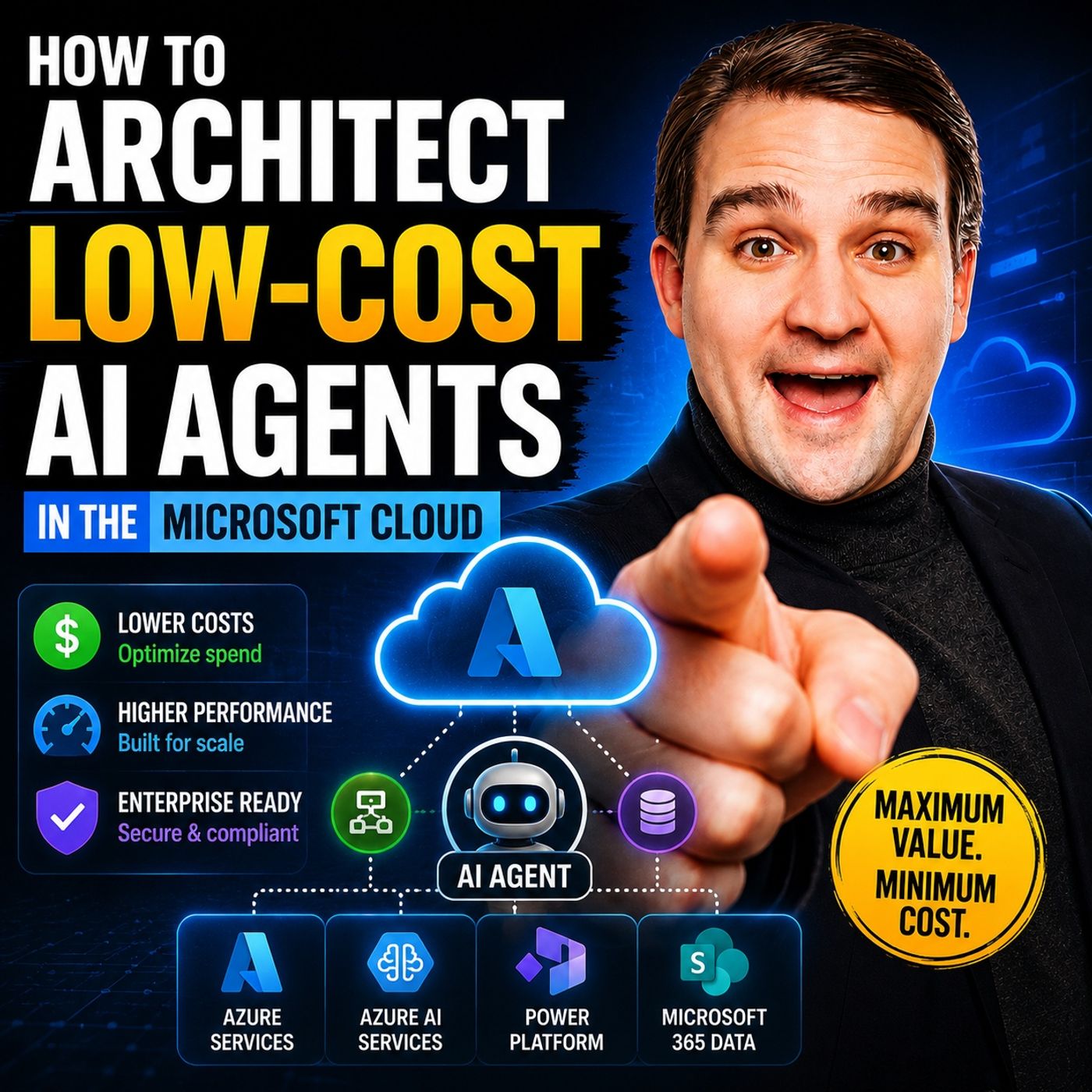
In our latest podcast episode, How to Build Low-Cost AI Agents in Microsoft Cloud, we explored practical methods for keeping your cloud budgets under control while leveraging advanced tooling like Azure OpenAI, Copilot Studio, and the Power Platform. In this companion blog post, we are going to expand on those core concepts, breaking down the unseen financial traps of deploying AI agents and examining how context, reasoning, and autonomous execution impact your token consumption.
Low-Cost AI Agents: Key Concepts
AI Agents vs. Chatbots
You may wonder how AI agents differ from traditional chatbots, especially when considering cost. Chatbots handle basic tasks like answering FAQs or providing simple customer support. Their cost usually ranges from $2,000 to $20,000, depending on how much you want to integrate them with other systems. AI agents, on the other hand, manage complex workflows and make proactive decisions. This means you need to budget more for their development and integration.
- Chatbots work best for straightforward interactions.
- AI agents support advanced scenarios, such as automating business processes or analyzing data for insights.
For small and medium businesses, you might spend $50 to $500 each month for basic AI agent solutions. Enterprises often pay $100 to $500 per user monthly, with extra costs for support and implementation. When building agents in Azure, you must consider these differences to avoid surprises in your cost management plan.
Hidden Taxes: Context, Reasoning, Autonomous
When you deploy AI agents in Azure, you face three hidden taxes that can impact your budget. These taxes come from the context, reasoning, and autonomy features that make agents powerful.
- Context Tax: Each time your agent processes more information or longer conversations, you pay for extra tokens and compute time.
- Reasoning Tax: If your agent needs to make complex decisions, you may need premium models or higher service levels, which increase costs.
- Autonomous Tax: As your agent becomes more independent, vendors may charge more for advanced integration and support.
Every LLM call is a gamble on both cost and result. Use the Small-Model-First pattern. Start with a smaller model to classify intent, and only escalate to a larger model like GPT-4o for complex tasks. This approach can reduce your FinOps overhead by up to 80% without losing intelligence.
You should always review how these hidden taxes affect your AI agent expenses in Azure AI Foundry.
Billing Layers and Consumption Costs
Understanding billing layers is key to controlling the cost of low-cost AI agents in Azure. Each service in Azure AI Foundry has its own billing model. You need to know how these models work to manage your budget.
| Component | Description | Cost Example |
|---|---|---|
| Token Consumption | Costs for input/output tokens across models and agents. | $0.01 per token |
| User Concurrency | Costs for the number of users and their sessions. | Variable based on usage |
| Agent Logging Costs | Costs for logging and observability. | Variable based on logging volume |
| Microsoft Agent Pre-Purchase Plan | Unified plan with discounts on AI services. | $19,000 for 20,000 ACUs |
| Provisioned Throughput Units (PTU) | Costs for throughput in foundry. | $1 per PTU |
You can choose a pre-purchase plan for predictable savings and easier cost management. This plan covers over 30 services and offers a single governance path for your AI projects. By understanding these billing layers, you can make better decisions when building agents and keep your AI costs under control.
Azure Architecture for Cost Efficiency

Model Selection and Hosting
Choosing the right model is the most important step for cost-efficient AI agent deployment in Azure. You need to match the model size and complexity to your task. Smaller models often handle simple tasks well and cost less. Larger models like GPT-4o offer advanced reasoning but increase expenses. You should review your model choices often because Azure updates its catalog with new options that can improve performance and reduce costs.
Azure OpenAI vs. Custom Models
Azure OpenAI gives you access to powerful models for AI agent development. You can use pre-built models for common tasks or create custom models for unique needs. Custom models require more development time and resources. You must consider the balance between flexibility and cost. Azure OpenAI works well for most scenarios, especially when you want to scale quickly. Custom models fit best when you need specialized AI features or want to optimize for specific business goals.
Tip: Assign the right model to each agent based on task complexity. This approach helps you avoid unnecessary spending and supports cost management.
Serverless and Consumption-Based Options
Azure offers serverless and consumption-based hosting for AI agents. Serverless options let you pay only for what you use. You do not need to manage infrastructure. Consumption-based pricing charges you for each invocation, token, or transaction. You can control costs by right-sizing context windows and throughput settings. You should monitor token consumption to spot expensive agents and optimize orchestration runs.
- Serverless hosting supports scalability and reduces operational overhead.
- Consumption-based pricing gives you flexibility for agent development and testing.
Orchestration and Workflow
Orchestration patterns shape how agents interact and how much you pay. You can choose sequential, concurrent, or magnetic patterns. Sequential orchestration limits resource usage but may increase the number of invocations. Concurrent orchestration boosts throughput but can spike resource consumption. Magnetic orchestration uses iterative planning and may lead to variable costs.
Copilot Studio Integration
Copilot Studio helps you build and orchestrate AI agents in Azure. You can integrate agents with Microsoft 365 Copilot and other applications. Copilot Studio supports best practices for agent development, including monitoring token usage and applying context compaction. You can use Copilot Studio to manage workflows, automate tasks, and improve integration across your data estate.
Logic Apps and Durable Functions
Azure Logic Apps and Durable Functions provide workflow automation for AI agents. Logic Apps connect agents to external systems and automate business processes. Durable Functions enable long-running workflows and stateful orchestration. You can use these tools to build scalable solutions and reduce manual intervention. They help you optimize agent development and support cost-efficient architecture.
| Orchestration Pattern | Cost Implications |
|---|---|
| Sequential | Limits concurrent resource usage, accumulates cost across steps |
| Concurrent | Increases throughput but may spike resource consumption |
| Magnetic | Highly variable costs due to iterative planning by the manager agent |
Note: Monitor token consumption and apply context compaction to reduce token volume passed through orchestration. This practice helps you control expenses and improve cost management.
Data and State Management
Managing data and state is essential for low-cost AI agent solutions in Azure. You need to secure your data estate and choose storage options that fit your budget.
Secure, Governed Data Estate
You must protect your data and follow governance standards. Azure AI Foundry offers tools for securing data and managing access. You can use tagging strategies to track costs and maintain financial sustainability. A governed data estate supports compliance and reduces risk for agent development.
Low-Cost Storage Choices
Azure provides several storage options for AI agents. You can use prompt caching and semantic caching to cut repeated processing. Batching jobs with Azure OpenAI Batch API gives you discounts for delayed tasks. Routing traffic to cheaper models saves costs without losing quality.
| Strategy | Description | Cost Impact |
|---|---|---|
| Caching | Use prompt caching and semantic caching to reduce repeated processing. | Cuts inference cost by 60-80% |
| Batching | Utilize Azure OpenAI Batch API for jobs that can wait, offering a 50% discount. | Reduces costs for delayed jobs |
| Routing | Implement a routing mechanism to direct traffic to cheaper models when appropriate. | Saves costs without quality loss |
Tip: Use caching and batching to minimize inference costs. These strategies help you build agents that scale efficiently and stay within budget.
You can leverage Azure landing zones and reference architectures for cost-optimized deployments. Compare single-agent and multi-agent systems to find the most cost-effective approach for your AI projects. By following these best practices, you ensure your AI agents deliver value without overspending.
Cost Optimization Strategies for AI Agents
Semantic Caching
Semantic caching is one of the most effective ways to reduce operational costs for low-cost AI agents in Azure. When you use semantic caching, your AI agent stores previous prompts and responses. The agent then uses vector similarity search to find and reuse answers for similar queries. This method lowers the number of calls to large language models, which are often the most expensive part of AI applications.
You can follow these best practices to get the most out of semantic caching:
- Implement smart caching strategies to improve performance and lower cost.
- Store results of expensive AI queries and reuse them for similar questions.
- Use retrieval caching for information fetched from databases to avoid repeated queries.
- Apply standard web caching for static content.
- Monitor cache hit rates and adjust your strategy as needed.
- Invalidate caches when your data changes to prevent outdated answers.
By using semantic caching, you can cut down on API calls, which leads to lower costs and faster response times. This approach also helps your AI agents scale efficiently in Azure AI Foundry.
Tip: Always monitor your cache hit rates. High hit rates mean your caching strategy works well and saves you money.
Prompt Compression
Prompt compression helps you control the size and cost of each AI model call. When you compress prompts, you remove unnecessary words and focus only on the key information. This reduces the number of tokens sent to the model, which directly lowers your cost in Azure.
You can use prompt compression in several ways:
- Summarize user input before sending it to the AI model.
- Remove repeated or irrelevant context from prompts.
- Use templates to standardize and shorten prompts.
- Apply automated tools in Azure AI Foundry to compress prompts during agent development.
Prompt compression not only saves money but also speeds up response times. You can combine this with semantic caching for even greater savings. Many organizations use prompt compression as a quick win when building low-cost AI agents in Azure.
Note: Regularly review your prompt templates. Shorter, clearer prompts lead to better performance and lower costs.
Intelligent Model Routing
Intelligent model routing lets you choose the best AI model for each task. You can route simple queries to smaller, cheaper models and send complex tasks to advanced models like those in Azure AI Foundry. This strategy helps you balance quality, speed, and cost for your AI agent.
The table below shows how different routing modes affect cost and latency:
| Mode | Cost Savings | Avg Latency (Router) | Avg Latency (Standard) |
|---|---|---|---|
| Balanced | ~4.5% | ~7,800 ms | ~7,700 ms |
| Cost-Optimised | ~4.7% | ~7,800 ms | ~7,300 ms |
| Quality-Optimised | ~14.2% | ~6,800 ms | ~8,300 ms |
You gain several benefits from intelligent model routing:
- Achieve measurable cost savings across all routing modes.
- Switch between modes without redeploying your AI agent.
- Automatically use new models as they become available in Azure AI Foundry.
- Improve scalability and maintain high-quality results.
You can integrate intelligent model routing with Copilot and Microsoft 365 Copilot for seamless agent development and deployment. This approach supports both cost control and high performance in your AI projects.
Tip: Use intelligent model routing to future-proof your AI agent. As new models launch in Azure, your agent will always use the best option for each task.
By combining semantic caching, prompt compression, and intelligent model routing, you can build low-cost AI agents that deliver value, scale efficiently, and stay within budget. These strategies form the foundation for sustainable AI development and integration in Azure.
Quick Wins for Reducing Cost
You can achieve significant cost savings for your AI projects in Azure by focusing on a few high-impact actions. These quick wins help you control expenses while supporting scalability and efficient agent development.
- Target repeatable, time-consuming tasks first. For example, use Microsoft Copilot to summarize meetings or draft routine communications. This approach reduces manual effort and lowers the number of AI model calls, which cuts costs quickly.
- Lock in discounts for predictable workloads. Analyze your usage patterns in Azure AI Foundry to identify stable resources, such as virtual machines, SQL databases, or storage with consistent demand. Purchase Azure Reservations or Savings Plans for these workloads. Monitor your commitment utilization every week and adjust as your needs change. Rebalance your commitments each quarter by exchanging underused reservations or increasing your Savings Plan commitments as your usage grows.
- Eliminate idle resources. Review your Azure environment for unattached disks, unused storage accounts, or idle virtual machines. Use Azure Advisor to get cost recommendations, such as rightsizing VMs, reserving capacity, or optimizing storage tiers. Schedule non-production resources to shut down outside business hours. Move infrequently accessed data to cool or archive tiers and delete old snapshots. Regularly check for over-provisioned resources, like oversized VMs or excessive backup retention, and remove them.
Tip: Automate these reviews using Azure AI Foundry tools. Automation ensures you do not miss hidden costs and supports ongoing cost optimization.
You should also apply best practices for agent development. Use prompt compression and semantic caching in Azure AI Foundry to reduce the number of model calls and lower data processing costs. Integrate these strategies early in your development process to maximize savings. Strong integration between your agents and Azure services improves efficiency and helps you scale without overspending.
By following these quick wins, you can keep your AI costs under control, improve your return on investment, and build a sustainable foundation for future development.
Multi-Agent Patterns and Scaling

Single vs. Multi-Agent Design
When you design an AI agent in Azure, you face a choice between single-agent and multi-agent systems. A single-agent system can seem simple at first. As you add more features, the prompts get longer and the logic grows more complex. This complexity can raise operational and compliance risks. You may also see higher costs because the system becomes less efficient. Multi-agent systems offer a different path. You can assign each agent a specific task, which allows for specialization and better scalability. This approach helps you manage cost, but you need to watch for unpredictable expenses. Each agent may call a different model, and the number of model invocations can grow quickly.
You should also consider how orchestration patterns affect your budget. Sequential patterns limit how many resources run at once, but costs can add up over several steps. Concurrent patterns let you process more tasks at the same time, which increases throughput. However, this can also lead to higher resource use if many agents run together. In Azure, the pricing structure depends on model size, token count, and how often you use tools. If you do not manage these factors, costs can rise fast, especially with dynamic prompts or long reasoning loops.
Collaboration and Cost Impact
When agents work together, you need to balance performance and budget. Collaboration lets you optimize resource use and agent activity. You can also control how many tools connect to each agent. This helps you keep your AI project financially sustainable.
| Aspect | Description |
|---|---|
| Cost Optimization | Resource usage, agent activity, and tool connections are evaluated for cost impact. |
| Performance vs Budget | Optimization balances performance and budget, helping maintain financial sustainability. |
You gain more benefits when you separate concerns. Each agent works within clear boundaries, which improves reliability and reduces costs. An orchestrator agent can coordinate the workflow. This setup increases accuracy and efficiency.
| Feature | Benefit |
|---|---|
| Separation of Concerns | Each agent operates within defined boundaries, improving system reliability and reducing costs. |
| Workflow Coordination | An orchestrator agent coordinates the workflow, enhancing accuracy and efficiency. |
Tip: Assign clear roles to each agent and use an orchestrator to manage complex workflows. This method supports both cost control and high performance.
Scaling AI Agents in Azure
Scaling AI agents in Azure requires careful planning. You need to monitor how each agent uses resources and how often they call a model. Azure gives you tools to track token usage, model invocations, and data flow. You can use these insights to adjust your architecture as your AI project grows.
Start by scaling agents that handle the most important tasks. Use Azure’s monitoring features to spot bottlenecks or spikes in usage. If you see one agent using too many resources, consider splitting its tasks or adding another agent. This approach helps you keep your AI system efficient and cost-effective.
You should also automate scaling where possible. Azure supports auto-scaling for many services. This feature lets your AI agents handle more requests during busy times and scale down when demand drops. You save money and keep your system responsive.
Note: Regularly review your scaling strategy. As your AI development evolves, your needs may change. Stay flexible and adjust your agents to match your goals.
Governance and Monitoring for AI Cost Control
Compliance and Security
You must address compliance and security from the start of your AI journey in Azure. These requirements protect your organization and help you avoid unexpected expenses. You should review both regulatory and corporate standards before you deploy agents. The table below outlines the main requirements you need to consider:
| Requirement Type | Description |
|---|---|
| Regulatory Compliance | All agents must comply with regulations and standards, including data protection laws and industry certifications. |
| Corporate Compliance | Agents must align with Responsible AI policies, ensuring fairness, reliability, safety, privacy, security, inclusiveness, transparency, and accountability. |
| Baseline Security Requirements | AI agents must meet baseline security requirements to mitigate risks such as data leakage and credential theft. |
| Cost Tracking and Allocation | Establish a unified view of agent usage and costs, applying cost center tags and setting up real-time alerts to manage spending effectively. |
You should always secure your data and restrict access to sensitive information. Assign clear ownership for AI outcomes and use tagging to track spending. These steps help you stay compliant and keep your AI development on track.
Usage Monitoring and Alerts
You need strong monitoring tools to control spending and keep your AI projects efficient in Azure. Start with Microsoft Cost Management + Billing to track your spending and set budgets. Azure Advisor gives you recommendations to save money by analyzing your resource usage. Azure Monitor provides real-time insights into how your agents use resources. You can also use third-party tools like Finout and Sedai for advanced monitoring features.
- Use resource tagging to organize and track your AI workloads.
- Set up cost threshold alerts with platforms like PagerDuty or Grafana.
- Enable budget overrun notifications in Azure Cost Management.
- Apply anomaly detection tools such as Evidently AI to catch unusual spending patterns.
You should review your monitoring setup often. Early alerts help you fix problems before they grow. This approach keeps your AI development sustainable and prevents budget surprises.
Responsible AI Guardrails
Responsible AI practices protect your organization and support cost-effective operations in Azure. You must align all agents with internal governance policies. Isolate confidential data and restrict access so agents only use what they need. Standardize your knowledge and tool integrations to reduce duplication and simplify maintenance. Always make it clear when an AI agent is involved in a process.
Follow these steps to strengthen your guardrails:
- Use Azure API Management as a gateway for authentication and tracing.
- Implement Role-Based Access Control to manage permissions for cost data.
- Automate compliance reporting with Azure Policy to ensure you meet regulatory standards.
You should enforce fairness, inclusiveness, and accountability in every AI project. Assign clear roles for each agent and review outcomes regularly. These guardrails help you build trust and keep your AI development efficient.
Tip: Responsible AI practices not only protect your organization but also help you control costs and scale your solutions with confidence.
Design Tradeoffs and Pitfalls
Model Complexity vs. Cost
When you design AI agents, you must balance model complexity with your budget. Complex models can handle more advanced tasks, but they also use more resources. If you increase the context window size, your input processing costs will rise. Adding multimodal inputs, such as images or audio, means your system needs extra steps for tokenization and preprocessing. Advanced reasoning features require more compute power, which adds to your expenses.
Here is a table that shows how different factors affect your AI deployment:
| Factor | Impact on Cost |
|---|---|
| Context window size | Larger windows increase input processing costs. |
| Multimodal inputs | Adds preprocessing and tokenization overhead. |
| Reasoning capabilities | Introduces additional compute cost beyond output. |
You should review your model’s features and only use what you need. This approach helps you avoid unnecessary spending and keeps your AI agents efficient.
Managed vs. Custom Deployments
You have two main options for deploying AI agents in Microsoft Azure: managed and custom. Managed deployments use Azure AI Foundry, which does not charge a licensing fee. You pay only for the Azure services you use. Custom deployments give you more control, but they require more setup and maintenance.
Consider these tradeoffs:
- Platform Cost: Azure AI Foundry has no licensing fee; you pay for the services you consume.
- Billing Models:
- Standard (Pay-as-You-Go): You pay per token, which works well for changing workloads.
- Provisioned Throughput Units (PTUs): You reserve compute capacity for a fixed rate, which is better for high-volume tasks.
- PTU Costs:
- You must commit to at least 15 PTUs at about $1.00 per hour.
- A monthly reservation for 15 PTUs costs around $260, and you can save about 15% per year.
- Cost Optimization Strategies:
- Use model routing to select lighter models when possible.
- Apply prompt caching to cut costs by up to 75%.
- Use the Batch API for jobs that do not need instant results.
- Move to PTU reservations after you know your baseline needs.
You should choose the deployment method that matches your workload and budget.
Real-Time vs. Batch Processing
You must also decide between real-time and batch processing for your AI agents. Real-time processing gives instant results, but it is much more expensive. You need dedicated compute resources that stay active, even when not in use. This setup leads to low GPU utilization, often around 14%, but you still pay for full capacity. Real-time applications may also need premium hardware, such as NVIDIA H100 GPUs, which cost more than other options.
Batch processing works differently. You process requests when resources are available, which boosts GPU utilization to 80-95%. This method lets you handle more tasks with the same hardware and saves money. Batch processing is best for jobs that do not need immediate results.
- Real-time AI agents can cost 3-10 times more than batch processing.
- Batch processing increases throughput and uses resources more efficiently.
- Real-time setups require expensive hardware and always-on infrastructure.
You should match your processing approach to your business needs. If you do not need instant answers, batch processing can help you control spending and scale your AI solutions.
Common Pitfalls and How to Avoid Them
When you build low-cost AI agents in Microsoft Azure, you may run into several common pitfalls. Knowing these challenges helps you avoid wasted time and unexpected expenses. Here are the most frequent issues and how you can address them:
-
Latency stacking
In multi-agent systems, each agent may wait for another to finish before starting its own task. This can make your AI agents slow, especially when they call each other many times. To fix this, use caching to store results from previous runs. You can also use lightweight reasoning agents to handle simple routing tasks. Limit how many times agents can delegate work to each other to keep response times fast. -
Cost unpredictability
Azure charges you based on model size, token count, and how often your AI agents use tools. If you do not track these details, your costs can rise quickly. Always log token usage for each session. This helps you see where your money goes and lets you forecast future expenses. Set up alerts for spending spikes so you can act before costs get out of control. -
Debugging opacity
Sometimes, AI agents make decisions in ways that are hard to trace. This makes debugging difficult when things go wrong. Enable structured reasoning logs for your agents. Use tools like Azure AI Foundry with OpenTelemetry to visualize how your agents run, which tools they call, and how they make decisions. Clear logs help you spot problems and fix them faster. -
Version drift
Over time, small changes to prompts or policies can change how your AI agents behave. This can lead to inconsistent results across different environments. Always version every instruction set, prompt, and model pairing. This practice keeps your AI agents reproducible and stable, even as you update your system.
Tip: Review your AI agent architecture regularly. Small changes can have a big impact on performance and cost. Stay proactive to keep your solutions efficient.
By understanding these pitfalls, you can design AI agents that are reliable, cost-effective, and easy to maintain in Azure.
Roadmap for Sustainable AI Architecture
90-Day Audit Plan
You can start your journey toward sustainable AI architecture in Azure with a focused 90-day audit plan. This plan helps you understand the shift from assist to execute, which means moving from simple support tasks to autonomous agent operations. You should use the 5×5 diagnostic to assess your current state across five capability drivers. This diagnostic gives you a clear picture of your strengths and gaps. Next, define the right Center of Excellence model. You can choose a centralized or federated approach based on your organization’s needs.
Follow these steps to execute your audit:
- Select the best pattern for your AI agent deployment.
- Assign ownership for each initiative.
- Identify your scale-breakers—these are the tasks or processes that could cause costs to spike.
- Begin execution and track progress.
Tip: A well-structured audit plan helps you spot hidden costs and optimize your Azure environment for AI.
Preparing for November 2026 Changes
You need to prepare for major changes in Azure billing and architecture by November 2026. Microsoft 365 Copilot billing will stay per-user for tasks like typing in Word or summarizing emails. Agent work will shift to a consumption-based model measured in Copilot Credits. You can choose pay-as-you-go pricing at $0.01 per Copilot Credit or prepaid packs for lower costs if your usage is predictable.
To activate billing for agent work, you must enable it in the Microsoft Admin Center. Set billing policies, usage caps, and alert configurations to control spending. Microsoft IQ will become critical infrastructure for agents, improving reasoning and planning. Work IQ APIs will be available at no extra cost for in-Copilot scenarios if you have a Microsoft 365 Copilot add-on license. For other scenarios, you will need Copilot Credits. Web IQ will provide structured context, such as permissions and relationships, which helps your AI agents ground their responses and reduces hallucinations.
- Review your billing policies and usage caps.
- Monitor Copilot Credit consumption.
- Use Web IQ to enhance agent grounding and reliability.
Long-Term Transformation Steps
You can build a sustainable AI architecture in Azure by following key transformation steps. Establish an AI Center of Excellence to ensure your AI agents use AI-ready data and undergo comprehensive reviews. Embed AI into every part of your operations and culture. Use structured mechanisms like a Kaizen funnel to crowdsource and prioritize ideas for AI initiatives.
Strengthen governance to address challenges such as responsible scaling and mitigation of AI hallucinations. Implement continuous improvement practices, like ‘Fix, Hack, Learn’ weeks, to encourage innovation and boost effectiveness.
| Transformation Step | Description |
|---|---|
| Center of Excellence | Ensures agents use AI-ready data and strong governance. |
| Kaizen Funnel | Crowdsources and prioritizes AI ideas. |
| Continuous Improvement | Drives innovation and organizational effectiveness. |
Note: Sustainable AI architecture requires ongoing review and adaptation. You should always look for ways to improve your Azure environment and agent performance.
You can build low-cost AI agents in Azure by focusing on high-impact use cases, optimizing resource allocation, and automating routine tasks. Regular audits and quick wins help you control expenses. Long-term planning ensures your architecture stays efficient. Keep monitoring costs with Azure tools and adapt your strategy as needs change. For deeper learning, explore the podcast episode How to Build Low-Cost AI Agents in Microsoft Cloud and its show notes to expand your technical foundation.
FAQ
What is the fastest way to reduce AI agent costs in Azure?
You can start by using semantic caching and prompt compression. These methods lower the number of model calls. You should also monitor token usage and automate shutdowns for idle resources.
How do Copilot Studio and Azure AI Foundry help with cost control?
Copilot Studio lets you build and manage AI agents with efficient workflows. Azure AI Foundry offers tools for monitoring, caching, and routing. You gain better visibility and can optimize resource allocation.
What are Copilot Credits, and how do they affect billing?
Copilot Credits measure agent work in Microsoft 365 Copilot. You pay per credit or buy prepaid packs for discounts. You should track credit consumption to avoid budget surprises.
Can I use batch processing for all AI agent tasks?
Batch processing works best for jobs that do not need instant results. You should use real-time processing only when immediate answers are required. Batch jobs save money and improve resource utilization.
How do I monitor AI agent spending in Azure?
You can use Microsoft Cost Management + Billing to track expenses. Set up alerts for spending spikes. Tag resources for easy tracking. Review usage reports weekly to stay on budget.
What steps should I take to ensure compliance and security?
You must follow regulatory standards and use role-based access control. Secure your data estate. Automate compliance checks with Azure Policy. Assign clear ownership for agent outcomes.
🎧 Listen to this episode
Want a practical explanation of How to Build Low-Cost AI Agents in Microsoft Cloud? This episode breaks down the topic in clear language and shows why it matters for Microsoft 365, Azure, Power Platform, security, AI, and modern work.
Listen to this episode if you want to:
- Understand the key concepts behind How to Build Low-Cost AI Agents in Microsoft Cloud
- See how it fits into the wider Microsoft technology ecosystem
- Learn where it can create practical value for your organization
You may also enjoy these related M365 FM episodes:
- Build an Automated Azure Cleanup Engine to Reduce Cloud Waste
- Build Reliable Intune and Entra ID Agents with Azure AI Foundry
- Build Secure IT Ops Agents with MCP and Semantic Kernel
- Build Reliable AI Agents for Microsoft 365
- Build Multi-Channel Agents with the Microsoft 365 Agent SDK
Discover more practical Microsoft conversations on M365 FM.
Last reviewed: July 2026.
Who Should Listen
This episode is for Microsoft administrators, architects, developers, security professionals, and business leaders who need a practical foundation before making implementation, operations, or governance decisions.
🎧 You Should Also Listen To
- AI Agents — A strongly related next step for extending this topic.
- Power Platform — A strongly related next step for extending this topic.
- Microsoft Graph Data Connect — A strongly related next step for extending this topic.
How to Control AI Agent Costs in Microsoft Cloud
The main cost drivers for AI agents are model and token usage, retrieval and data processing, orchestration, hosting, telemetry, and the number of agent actions. A low-cost design chooses the simplest reliable model for each task, limits unnecessary context, caches repeatable results, and measures cost per successful business outcome.
Low-Cost AI Agent Checklist
- Define the business outcome before selecting a model.
- Route simple classification and extraction tasks to smaller models.
- Limit prompt history, retrieval scope, and repeated tool calls.
- Set budgets, alerts, quotas, and ownership for every workload.
- Measure cost per task, latency, success rate, and human escalation.
- Review prompts and workflows regularly for unnecessary consumption.
Common Mistakes in AI Cost Optimization
- Optimizing model price while ignoring inefficient orchestration.
- Sending complete documents when only a small passage is needed.
- Running expensive reasoning for low-risk, repetitive tasks.
- Launching agents without budgets, monitoring, or environment separation.
FAQ: Low-Cost AI Agents in Microsoft Cloud
What are the biggest cost drivers for AI agents?
Model calls, input and output tokens, retrieval, tool execution, hosting, and monitoring usually contribute most to total cost.
How can Azure OpenAI costs be reduced?
Use smaller suitable models, shorter context, caching, batching, and clear stop conditions while measuring quality.
When should I use Copilot Studio?
Copilot Studio is useful when a low-code agent needs governed business data, connectors, topics, and Microsoft 365 integration.
When should I use Azure AI Foundry?
Azure AI Foundry is better suited to custom applications, model evaluation, orchestration, and deeper engineering control.
How do I choose SaaS, PaaS, or IaaS?
Choose the highest-level option that satisfies the required control, integration, compliance, and extensibility needs.
How do I monitor agent spending?
Assign ownership, budgets, tags, alerts, quotas, and dashboards to each environment and workload.
Can cheaper models still deliver enterprise quality?
Yes, when the task is clearly scoped and the model is evaluated against representative examples.
How do retrieval systems affect cost?
Broad retrieval increases tokens and latency. Targeted indexing, chunking, filtering, and caching reduce unnecessary context.
What should be measured besides price?
Track accuracy, task completion, latency, escalation, security outcomes, and cost per successful result.
How do I prevent runaway agent loops?
Set step limits, timeouts, tool restrictions, budget thresholds, and explicit termination conditions.
Should every agent use the same model?
No. Match model capability to task complexity and use routing where it improves cost and quality.
How do Power Platform services help?
They provide connectors, workflows, governance, and reusable components that can reduce custom development effort.
What is the best first step?
Choose one measurable low-risk workflow, establish a baseline, and optimize the complete process rather than one API call.
Related M365.fm resources: Microsoft Copilot and Microsoft 365 Copilot, agentic AI architecture, and the M365.fm Learning Hub.

Microsoft MVP | Host of M365.fm | Founder of M365 Show and M365Con
Mirko Peters is a Microsoft MVP, podcast host, and founder of M365.fm, M365 Show, and M365Con. His work connects Microsoft practitioners through podcast interviews, livestreams, and community events.
At M365.fm, Mirko hosts conversations with Microsoft MVPs, product experts, architects, and community contributors. Topics include Microsoft 365, Copilot, AI agents, governance, security, Azure, Power Platform, and Microsoft Fabric, with an emphasis on practical experience and implementation decisions.
M365.fm is the podcast and learning platform. M365 Show brings experts together for livestreams, while M365Con provides an online conference setting for community learning.
Official website: Mirko Peters (https://www.mirkopeters.com/). Recognition: Mirko Peters — Microsoft MVP profile (https://mvp.microsoft.com/de-DE/mvp/profile/9b0ca797-db5a-493a-a845-8b9158046cf5). Connect on LinkedIn (https://www.linkedin.com/in/m365showpodcast/).