Why Static Sensitivity Labels Are Failing Your Microsoft Copilot Rollout
Welcome back to the blog! If your organization is anything like the hundreds of others rolling out artificial intelligence tools right now, you are likely experiencing a mix of high excitement and underlying anxiety. AI assistants promise to revolutionize productivity, streamline communication, and turn mountains of unstructured data into actionable insights overnight. However, as organizations rush to empower their teams, a hidden crisis is brewing beneath the surface of the Microsoft 365 ecosystem. In this deep dive, we are going to unpack why traditional methods of information protection are collapsing under the weight of generative AI, explore the real-world security risks you face, and look at actionable strategies to secure your environment before a catastrophic data leak occurs.
This discussion directly expands on the core themes covered in our podcast. If you haven't had a chance to listen yet, make sure to check out the related episode Fix Sensitivity Labels and Data Silos for Microsoft Copilot, where we break down the hard truths of modern AI governance and give you a blueprint for protecting your tenant.
Is Microsoft Copilot Leaking Data?
What Data Leakage Means
When we talk about data leakage in the era of artificial intelligence, we aren't just talking about traditional external cyber attacks or malicious hackers breaching your perimeter. Data leakage happens when sensitive or confidential information leaves its intended environment due to accidental sharing, misconfigured permissions, or automated data aggregation. With tools like Microsoft Copilot, the risk of data exposure increases dramatically because the system can instantly access, synthesize, and summarize large amounts of information across your entire Microsoft 365 environment in a matter of seconds.
Data leakage risks often come from over-permissioning, where users or apps have more access than they need. For example, recent security reports show that over 3% of business-sensitive data was shared organization-wide without proper review. This means confidential files, emails, or documents could reach people who should not see them.
To fully understand the threat landscape, here are some common types of data leaks you should watch for in your organization:
- Over-permissioning and excessive data exposure: When users or apps have broad access, confidential data can be easily exposed to unauthorized colleagues.
- Prompt injection and jailbreak attacks: Malicious actors or clever users may trick Copilot into revealing restricted information by bypassing system guardrails.
- Data exfiltration via connected apps and APIs: Weak integration controls can allow sensitive data to move out of secure environments and into external services.
- Integration vulnerabilities across the Microsoft 365 ecosystem: Misconfigurations can create unexpected pathways for internal or external leaks.
- Compliance gaps in regulated environments: Poorly set or outdated policies can lead to severe regulatory violations and enterprise liability.
A recent high-profile incident highlighted these very risks. In early 2026, a software glitch caused Microsoft Copilot to process confidential emails, including legal memos and protected health information, across various enterprise clients. Although Microsoft responded quickly to patch the vulnerability, the incident raised serious alarm bells for compliance officers and data protection authorities worldwide, proving that even the most robust platforms are susceptible to unforeseen bugs.
Common Misunderstandings
Many users and IT administrators misunderstand how Microsoft Copilot actually handles data under the hood. A common myth is that Copilot stores your enterprise prompts and generated responses in new, centralized databases accessible to Microsoft or other tenants. In reality, Copilot respects your existing permission boundaries and does not create permanent auxiliary data repositories for user prompts.
Let's clear up a few more myths and facts surrounding AI deployment:
- Myth: Copilot shares your proprietary corporate data with Microsoft for foundational model training.
Fact: Customer data is strictly segregated and never used to train global AI models or accessed by unauthorized personnel. - Myth: Copilot inherently compromises organizational data privacy.
Fact: Microsoft utilizes industry-standard encryption and adheres to strict global privacy laws like GDPR and HIPAA. - Myth: Traditional access controls always prevent data exposure when AI is introduced.
Fact: Over-permissioning and legacy file shares often mean users have access to documents they forgot existed, which Copilot will gladly surface. - Myth: Copilot retains individual tenant information indefinitely.
Fact: Prompts, responses, and temporary operational data are handled within strict retention guidelines and do not contaminate the broader ecosystem.
Understanding these points helps you separate fear from reality, allowing you to manage genuine data leakage risks rather than chasing phantom security threats.
Microsoft Copilot Security Risks

When you introduce Microsoft Copilot into your daily workflows, you must accept that you are supercharging your workforce's efficiency, but you are also supercharging any existing security flaws in your data architecture. These risks can lead to sensitive information exposure, internal oversharing, and compliance breaches. You need to look closely at how over-permissioning, prompt injection, and architectural gaps put your data at risk.
Over-Permissioning Issues
Over-permissioning is the silent killer of enterprise AI rollouts. It occurs when users, service accounts, or third-party applications possess far more access rights than their job roles require. If you give broad permissions across SharePoint sites, OneDrive folders, and Microsoft Teams channels, you drastically increase the chance of confidential documents being surfaced to the wrong eyes. Many organizations fail to audit their access controls on a regular basis, resulting in widespread internal oversharing where sensitive data spreads freely across departments.
Prompt Injection and Data Oversharing
Prompt injection is another rapidly growing concern in the world of generative AI. Attackers—or even curious employees—can craft specialized prompts that trick the language model into ignoring its safety instructions and revealing information that should remain private. Poorly structured prompts may cause Copilot to aggregate financial records, human resources files, or executive communications into a single summary, completely bypassing traditional viewing barriers.
- Prompt injection can lead to unintended actions that expose sensitive information to unauthorized users.
- Poorly structured prompts may inadvertently reveal sensitive data such as executive compensation or personnel records.
- Compliance risks arise quickly as prompt injection techniques bypass standard security measures, leading to potential regulatory violations.
You must train your team to write clear, secure prompts and monitor how Copilot responds to complex queries, especially when handling highly confidential corporate documents.
Real-World Incidents
Recent events have clearly demonstrated how AI tools can inadvertently expose sensitive information if underlying governance is weak. The table below outlines some notable incidents:
| Incident Description | Source |
|---|---|
| Microsoft Copilot accessed confidential emails due to a platform bug, temporarily bypassing established data-protection policies. | TechCrunch |
| AI systems ingested and summarized privileged legal communications that were explicitly marked as off-limits, raising major concerns for corporate legal departments. | TimeNetLaw |
| Bugs logged on internal IT support dashboards led various international regulatory bodies to temporarily restrict AI features on staff devices. | Tom's Guide |
These incidents prove that even with advanced security tooling, organizations must remain vigilant, performing continuous reviews and enforcing strict access boundaries.
Data Governance Challenges
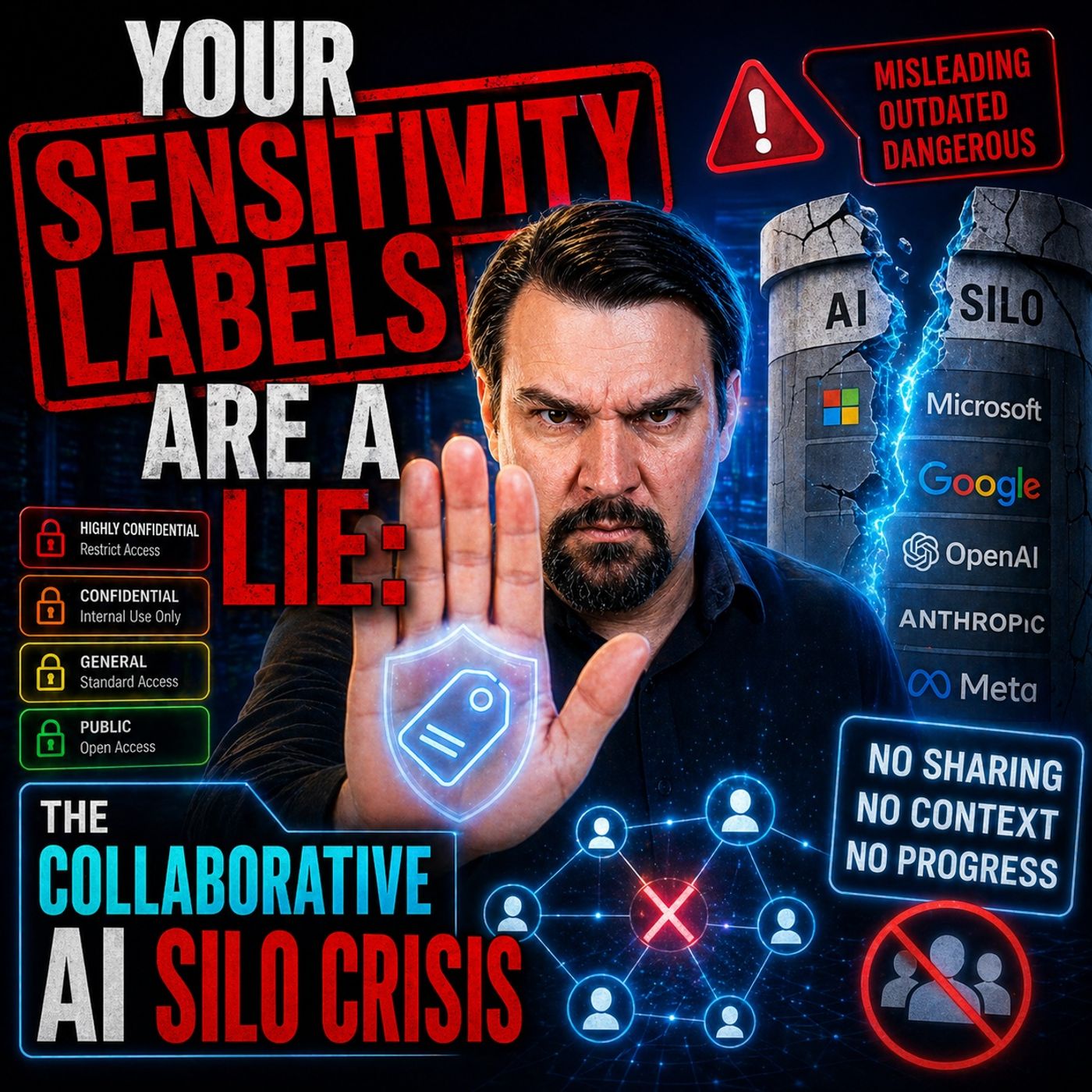
Collaborative AI Silo Crisis
You face entirely new challenges when deploying collaborative AI tools. These platforms are designed to break down information silos and foster cross-functional teamwork, but in doing so, they often create brand-new security risks. Employees can ask Copilot questions that reveal sensitive corporate strategies, compensation details, or merger plans that were previously locked away in isolated departments.
Here are the primary governance challenges you are likely to encounter:
- Poor data classification and governance lead to widespread confusion regarding who should have access to specific repositories.
- Unmanaged agent proliferation means your users may deploy multiple AI agents and extensions without centralized oversight.
- A lack of incident response playbooks leaves IT teams unprepared for unexpected AI-driven data leaks.
- Access escalation through AI can inadvertently grant users insights they were never meant to see.
- Compliance gaps can put your entire organization at risk of severe financial penalties.
- Inadequate user training and change management stall adoption and increase risky behavior.
In regulated industries like healthcare and finance, Copilot can easily surface sensitive data in casual chat summaries, making it incredibly difficult to track who saw what during internal audits.
Static Labels vs. Dynamic Controls
Many organizations rely heavily on static sensitivity labels to protect their intellectual property. These labels mark files as "Confidential," "Secret," or "Internal," but they do not actively stop leaks on their own. If you do not enforce these labels with active, programmatic security controls, they become nothing more than digital sticky notes that provide a false sense of security.
Dynamic access controls operate entirely differently. They adjust in real time based on user identity, device health, location, and contextual risk factors. For example, a label marking a document as "Confidential" should automatically trigger mandatory encryption and block downloading when accessed from an unmanaged, personal device. Without dynamic enforcement, static labels are purely decorative.
Why Traditional DLP Fails
Traditional data loss prevention (DLP) tools were built for simple, static environments. They rely on fixed regex rules and signature scanning to monitor emails and file transfers. These legacy tools simply cannot keep pace with the dynamic, unstructured nature of AI-driven workflows. Once your data enters an AI processing pipeline, traditional DLP solutions lose visibility and control.
You need to adopt a zero-trust mindset across your entire tenant. Always verify explicit intent, assume breach conditions, and never assume that legacy perimeter defenses will protect your cloud data.
Compliance and Microsoft Copilot
Regulatory Risks
You face unique regulatory challenges when deploying Microsoft Copilot in industries governed by strict legal frameworks. If Copilot accesses or exposes protected health information (PHI) or personally identifiable information (PII), you may be in immediate violation of regulations such as HIPAA, GLBA, or GDPR. This can result in massive financial penalties and mandatory breach notifications. Furthermore, you must maintain clear, immutable audit trails of all data interactions to satisfy auditors during compliance reviews.
Tip: Always review your organization's specific regulatory requirements before enabling Copilot features in sensitive business units.
Common regulatory risks include:
- Unauthorized data exposure triggering formal legal investigations.
- Inadequate audit trails making it nearly impossible to prove compliance during periodic reviews.
- Unrestricted employee use of AI tools leading to procedural errors that violate industry standards.
Legal and Privacy Concerns
Data privacy laws set strict boundaries around how you collect, process, and retain sensitive information. Your Copilot deployment must align seamlessly with these statutes.
| Privacy Law | Compliance Strategy | Description |
|---|---|---|
| GDPR | Data Minimization | Only process data strictly necessary for Copilot functionality, reducing unnecessary exposure. |
| GDPR | User Consent & Rights | Provide clear notice and ensure data subject rights are respected across AI workflows. |
| CCPA | Access & Opt-Out | Provide mechanisms for users to manage their data and restrict automated profiling. |
Microsoft acts as a strict data processor under enterprise agreements, ensuring that your organization retains full ownership and control over your information assets.
Protecting Intellectual Property
Your intellectual property is the lifeblood of your business. You must establish crystal-clear guidelines regarding ownership, usage rights, and copyright for any content generated or summarized by Copilot. Implement robust encryption, secure storage, and strict policy enforcement to keep your trade secrets out of the wrong hands.
Fixing and Preventing Data Leaks

Review Copilot Permissions
You must start your remediation journey by thoroughly auditing and cleaning up permissions across your entire Microsoft 365 tenant. Many leaks occur simply because users have retained access to legacy project folders years after changing roles. Follow these steps to lock down your environment:
- Check and clean up permissions across SharePoint, OneDrive, and Teams. Ensure Copilot only surfaces approved, current content.
- Schedule regular, automated reviews of file permissions and group memberships to eliminate stale access.
- Audit your tenant for over-permissioning, scanning specifically for broad sharing links and inherited permissions.
- Educate your staff on prompt engineering risks and safe data handling procedures.
- Monitor Microsoft Graph API access patterns to detect unusual data harvesting behavior.
- Launch a controlled pilot program with a small, tech-savvy department before a tenant-wide rollout.
- Incorporate human-in-the-loop validation for high-risk automated workflows.
- Establish clear go/no-go milestones for each phase of your AI deployment strategy.
Map and Classify Sensitive Data
Before unleashing Copilot across your enterprise, you need absolute clarity on where your sensitive data resides. Comprehensive data mapping and classification form the bedrock of a secure AI rollout.
- Leverage Microsoft Purview to automatically discover, map, and classify sensitive information based on customizable sensitivity labels.
- Apply automated labeling policies to ensure uniform coverage across all cloud storage repositories.
- Enable advanced DLP policies tailored specifically for AI prompts and responses to restrict unauthorized data retrieval.
- Review container-level security labels in Microsoft Teams and SharePoint sites.
Implement Dynamic Access Controls
Relying solely on static labels is a recipe for disaster. You must implement dynamic access controls that adapt in real time to shifting user behaviors, device postures, and risk indicators.
- Enforce strict device-based restrictions, blocking Copilot access from unmanaged personal devices.
- Utilize behavioral analytics to identify anomalous data access patterns instantly.
- Configure time-based and location-based access policies for highly sensitive intellectual property.
- Conduct continuous access reviews following the principle of least privilege.
By shifting to dynamic enforcement, you drastically reduce your attack surface and ensure that your data remains secure even as employee habits evolve.
Continuous Monitoring and Alerts
Security is not a one-time project; it is an ongoing operational commitment. You must establish continuous monitoring mechanisms to track how Copilot interacts with your most sensitive corporate assets in real time.
| Monitoring Feature | Operational Benefit |
|---|---|
| Unified Visibility | Provides a single pane of glass across Microsoft 365, Azure, and third-party integrations. |
| Continuous Auditing | Tracks AI interactions with sensitive files in SharePoint and Teams. |
| Automated Threat Detection | Identifies permission misconfigurations before they can be exploited. |
| Real-Time Alerts | Notifies security operations teams immediately upon detecting anomalous AI activity. |
Setting up these automated guardrails ensures that potential security incidents are neutralized before they escalate into full-scale data breaches.
Update Policies and Training
Your security policies cannot remain static while technology evolves at lightning speed. Establish a routine cadence for reviewing and updating your governance documentation, and pair these updates with engaging, continuous employee training programs.
- Update acceptable use policies quarterly to account for new AI features and platform updates.
- Conduct mandatory training sessions for all employees focusing on prompt security and data hygiene.
- Embed compliance reminders directly into user onboarding workflows.
Proactive AI Data Governance
Taking a proactive approach to AI governance allows you to stay ahead of emerging threats while maximizing the incredible productivity benefits of Microsoft Copilot. By combining advanced technical controls with a strong security culture, you build an organization-wide resilience that protects your data assets against future risks.
Ongoing Oversight and Audits
Regular oversight ensures that security rules are respected in day-to-day operations. Utilize Microsoft Purview compliance manager reports, review audit logs regularly, and maintain a rigorous schedule of internal access audits.
Adapting to AI Evolution
Artificial intelligence will continue to advance rapidly, introducing new capabilities and new threat vectors alike. Your governance framework must remain flexible, adapting to new business use cases, emerging regulatory frameworks, and shifting organizational needs over time.
By putting these comprehensive strategies into practice, you can successfully navigate the complexities of modern enterprise AI, protect your sensitive intellectual property, and unlock the full potential of Microsoft 365 Copilot with confidence.
You face urgent risks if you ignore data leaks from Microsoft Copilot. To prevent a breach, take these immediate steps:
- Patch and secure all Microsoft 365 endpoints and monitor for anomalous activity.
- Audit existing permissions and restrict Copilot access to strictly necessary personnel.
- Train your team thoroughly on AI risks, prompt security, and safe data handling practices.
Prioritize dynamic, context-aware governance. Stay alert as Microsoft and Copilot evolve, and make enterprise data protection your top operational priority.
FAQ
What is the main cause of data leaks with Microsoft Copilot?
Data leaks primarily occur when users or apps possess overly broad permissions. Because Copilot respects existing access controls, unmonitored file shares and legacy permissions allow the AI to surface sensitive information to unauthorized users.
Can Copilot access all my files in Microsoft 365?
No. Copilot only interacts with files and documents that the querying user already has explicit permission to view. It does not bypass underlying access control lists.
How do I know if Copilot leaked sensitive data?
Review your unified audit logs in the Microsoft Purview compliance portal. Look for unusual access spikes, unexpected file sharing events, and configure automated alerts for high-risk queries.
Does Copilot use my data to train its AI models?
No. Your enterprise data, prompts, and generated responses remain strictly within your tenant boundary and are never used to train foundational AI models.
What steps should I take before enabling Copilot?
- Discover, map, and classify all sensitive corporate data.
- Audit and remediate existing over-permissioned file shares.
- Implement dynamic access controls and Purview sensitivity labels.
- Educate your employees on secure AI usage best practices.
How can I stop Copilot from sharing confidential information?
Leverage Microsoft Purview sensitivity labels, robust Data Loss Prevention (DLP) policies, and dynamic conditional access controls to restrict what the AI can read and summarize.
Is Copilot safe for regulated industries like healthcare or finance?
Yes, provided it is configured correctly. Regulated organizations must establish strict compliance boundaries, data governance frameworks, and continuous monitoring before rollout.
What should I do if I suspect a data leak?
Act immediately. Revoke access for affected accounts, review audit logs to determine the scope of exposure, execute your incident response plan, and notify internal compliance teams.
🎧 Listen to this episode
Want a practical explanation of Fix Sensitivity Labels and Data Silos for Microsoft Copilot? This episode breaks down the topic in clear language and shows why it matters for Microsoft 365, Azure, Power Platform, security, AI, and modern work.
Listen to this episode if you want to:
- Understand the key concepts behind Fix Sensitivity Labels and Data Silos for Microsoft Copilot
- See how it fits into the wider Microsoft technology ecosystem
- Learn where it can create practical value for your organization
You may also enjoy these related M365 FM episodes:
- Fix Microsoft 365 Copilot Data Quality and Leak Risks
- Fix 10 Data Problems That Weaken Microsoft Copilot
- Microsoft Copilot Governance Without Waiting for Perfect Data
- Why Microsoft Copilot Agents Fail—and How to Fix Them
- Fix Bad Data Upstream with T-SQL Contracts
Discover more practical Microsoft conversations on M365 FM.

Microsoft MVP | Host of M365.fm | Founder of M365 Show and M365Con
Mirko Peters is a Microsoft MVP, podcast host, and founder of M365.fm, M365 Show, and M365Con. His work connects Microsoft practitioners through podcast interviews, livestreams, and community events.
At M365.fm, Mirko hosts conversations with Microsoft MVPs, product experts, architects, and community contributors. Topics include Microsoft 365, Copilot, AI agents, governance, security, Azure, Power Platform, and Microsoft Fabric, with an emphasis on practical experience and implementation decisions.
M365.fm is the podcast and learning platform. M365 Show brings experts together for livestreams, while M365Con provides an online conference setting for community learning.
Official website: Mirko Peters (https://www.mirkopeters.com/). Recognition: Mirko Peters — Microsoft MVP profile (https://mvp.microsoft.com/de-DE/mvp/profile/9b0ca797-db5a-493a-a845-8b9158046cf5). Connect on LinkedIn (https://www.linkedin.com/in/m365showpodcast/).