


 Apple Podcasts
 Spotify
 Youtube Music
 Spreaker
 Podchaser
 Amazon Music
 Dynamics 365 Business Central AL Development
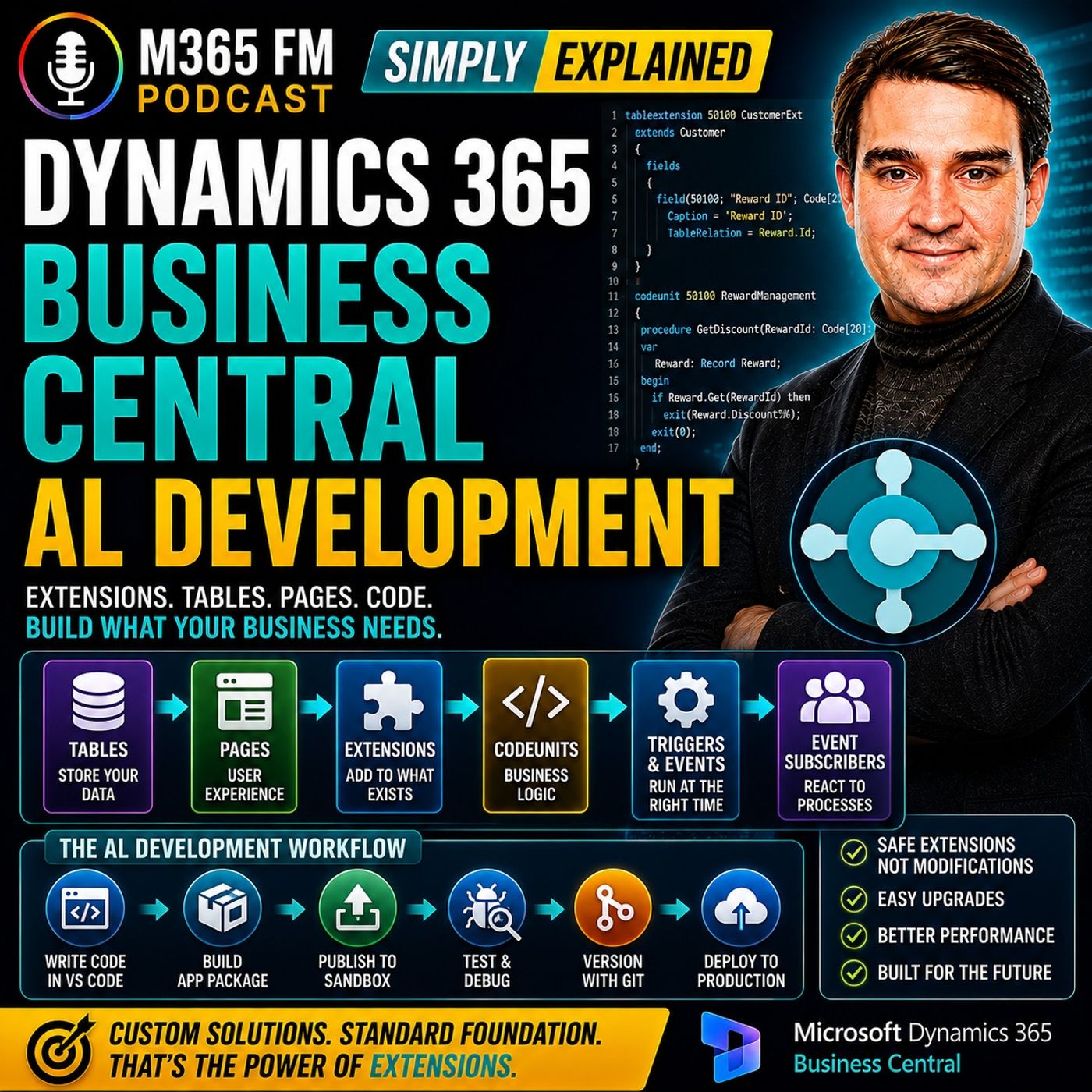
Key Takeaways
- Dynamics 365 Business Central uses AL (Application Language) and extensions to allow developers to build custom functionality without modifying Microsoft's standard application code.
- Business Central extensions operate like a modular add-on model, keeping custom work separate to ensure smoother upgrades and maintenance over time.
- Core building blocks in AL extensions include tables, pages, table extensions, page extensions, and codeunits, each assigned a specific role in managing data, user interfaces, or business logic.
- Triggers and events enable developers to execute custom code and enforce business rules at precise moments within standard Business Central processes without rewriting entire workflows.
- Effective customization begins by identifying a genuine business problem and checking whether standard Business Central features can already solve it before writing custom AL code.
Business Central handles finance, customers, sales orders, inventory, and invoices out of the box. But what happens when your company needs one additional field, a custom approval step, a new business rule, or functionality that doesn't exist in the standard application? In this episode of M365 FM, Mirko Peters explains Dynamics 365 Business Central AL Development—how developers use Microsoft's AL language and extensions to customize Business Central without directly modifying the standard application.
WHAT IS BUSINESS CENTRAL AL DEVELOPMENT?
AL stands for Application Language. It is Microsoft's programming language for developing functionality specifically for Dynamics 365 Business Central. AL allows developers to add and change business functionality involving records, pages, reports, calculations, validations, and processes. The important concept isn't only AL itself. It's the extension model. Instead of rewriting Microsoft's standard Business Central application, developers create separate extensions containing their custom functionality.
WHY BUSINESSES CUSTOMIZE BUSINESS CENTRAL
Business Central already covers many standard business processes. But no two organizations operate exactly the same way. A food distributor might require additional batch information. A service business could require another approval before invoicing. A retailer might need customer reward levels. Another organization could require specific fields, forms, or internal validation rules. These requirements don't necessarily justify changing an entire ERP process. Sometimes the business simply needs Business Central to understand one additional piece of information or enforce one additional rule.
WHY EXTENSIONS EXIST
Older development approaches frequently involved modifying the original application code. That could work until the underlying application was updated. Microsoft's new code and the organization's modifications then had to be compared and reconciled. Business Central extensions use a different model. The standard application remains in place while custom functionality sits beside it as a separate application. Updates still require testing, but developers don't need to recreate every customization inside Microsoft's original source code.
THINK OF BUSINESS CENTRAL AS AN OFFICE BUILDING
The episode uses an office-building analogy. Business Central is the building. Instead of knocking holes through the existing structure whenever somebody needs another room, the platform provides approved connection points for extending it. Microsoft maintains the main building. The organization maintains its additional functionality. This separation makes the resulting environment easier to understand and maintain over time.
STANDARD FIRST, CUSTOMIZE SECOND
Not everything should be customized. Changing Business Central simply because its standard process looks different from an organization's previous ERP can create unnecessary maintenance. Good customization begins with three questions: What problem are employees experiencing? What should happen instead? Can standard Business Central already solve it? AL development becomes relevant when the standard product genuinely doesn't meet the business requirement.
WHAT CAN AL DO?
AL can work with Business Central data and application behavior. Developers can use it to add or change records, calculate values, control pages, create reports, validate information, display messages, and automate business rules. But AL isn't intended as a general-purpose language for building every kind of software. You wouldn't normally choose AL for a public shopping website, mobile game, or standalone desktop application. Its focused job is extending Dynamics 365 Business Central.
WHAT IS A BUSINESS CENTRAL EXTENSION?
An extension is a separate application Business Central can install. It contains the organization's custom functionality while Microsoft's standard Business Central application remains separate. An extension can be extremely small. It might add one additional field to the customer record. Another extension could contain an entire industry-specific solution with its own data, processes, pages, reports, and business rules. Both follow the same fundamental extension architecture.
AL VS THE OLDER C/AL MODEL
The episode also discusses C/AL, associated with older Dynamics NAV development. In that development model, developers frequently modified original application objects directly. Many organizations successfully operated systems this way, but customizations became closely tied to the standard application. AL moved Business Central toward an app-based extension model, separating custom functionality from Microsoft's standard application.
MULTIPLE EXTENSIONS
Business Central can contain more than one extension. An organization might have an extension from a software partner handling payroll, another extension providing shipping functionality, and an internally developed extension implementing company-specific rules. Business Central brings those applications together as long as they follow the platform's rules and don't conflict. This modular approach allows organizations to assemble the functionality their particular business requires.
THE MAIN AL BUILDING BLOCKS
Inside an AL extension, developers work with objects. An object is a named piece of the application responsible for a particular job. The episode introduces several important AL object types: Tables → Store information Pages → Present information to users Table Extensions → Add information to existing tables Page Extensions → Add functionality to existing pages Codeunits → Contain reusable business logic Reports → Present information in documents or layouts Queries → Retrieve focused information XMLports → Exchange structured information
TABLES
Tables store information in Business Central. Think of a table as a digital filing cabinet. A customer table contains customer records. An item table contains products. Sales-related tables contain information associated with sales transactions. If an organization needs information that doesn't belong in an existing standard table, an extension can create its own table. Examples from the episode include reward levels, equipment inspections, and project approvals.
FIELDS
Fields are the individual pieces of information stored inside records. A customer can have a name, address, payment term, telephone number, and other details. Custom fields could contain information such as a reward ID, delivery instruction, internal risk score, membership level, or link to another system. Fields can contain different types of information including text, dates, amounts, yes/no values, and predefined choices.
PAGES
Pages are the screens users interact with inside Business Central. A customer card is a page. A list of sales orders is another page. Different page types support different activities. A Card Page focuses on one record. A List Page displays multiple records. A Worksheet Page supports scenarios where employees need to enter or process several lines of information together. Tables store the information while pages determine how employees interact with it.
TABLE EXTENSIONS
Suppose Business Central's standard customer table already contains almost everything the organization requires, but the business needs one additional Reward ID. Creating another customer table would unnecessarily duplicate the existing customer information. Instead, a developer creates a Table Extension. The standard customer table remains intact while the extension adds the additional company-specific field.
PAGE EXTENSIONS
Adding a field to the underlying table doesn't automatically display it to employees. A Page Extension adds the field to an existing Business Central page. The Reward ID could therefore appear directly on the standard Customer Card. Page Extensions can also add groups, actions, buttons, or menu commands. Employees continue working on the familiar Business Central page while the extension adds the functionality required by the organization.
CODEUNITS
Codeunits provide a home for business logic. Suppose the selected customer reward level determines the discount percentage. Instead of putting the discount calculation directly into the Customer Card page, the calculation can live inside a Codeunit. Other pages, reports, and business processes can then call the same procedure. This avoids maintaining several different versions of the same business rule. ㅤ TRIGGERS ㅤ A trigger is a defined location inside an AL object where code can execute when something happens. For example, code can run when a field value changes or when a page opens or closes. Suppose somebody selects a Reward ID for a customer. A validation trigger could check whether the reward level exists, whether the customer is blocked, or whether another value should be updated. The rule executes when the relevant action occurs.
EVENTS
Events allow extensions to react to processes occurring inside Business Central without copying those complete processes. Think of an event as a notification from the standard application. Business Central might announce that a record is about to be inserted, a document is about to be posted, or another process has completed. An extension can listen for the event and execute its own functionality at the appropriate point.tes
Become a supporter of this podcast: https://www.spreaker.com/podcast/m365-fm-modern-work-security-and-productivity-with-microsoft-365--6704921/support.
🚀 Want to be part of m365.fm?
Then stop just listening… and start showing up.
👉 Connect with me on LinkedIn and let’s make something happen:
- 🎙️ Be a podcast guest and share your story
- 🎧 Host your own episode (yes, seriously)
- 💡 Pitch topics the community actually wants to hear
- 🌍 Build your personal brand in the Microsoft 365 space
This isn’t just a podcast — it’s a platform for people who take action.
🔥 Most people wait. The best ones don’t.
👉 Connect with me on LinkedIn and send me a message:
"I want in"
Let’s build something awesome 👊
Frequently Asked Questions
What is AL development in Business Central?
AL stands for Application Language, Microsoft's programming language used to develop custom functionality and extensions for Dynamics 365 Business Central without altering the base application code.
Why use extensions instead of modifying Business Central source code directly?
Extensions keep custom modifications separate from Microsoft's standard application, making future system updates much easier to test, manage, and deploy without breaking custom code.
What is the difference between a table extension and a page extension?
A table extension adds new fields or properties to existing database tables, while a page extension exposes those fields and functionality directly on the user interface screens.
How do triggers and events work in AL?
Triggers run code inside specific AL objects when actions like field updates or page openings occur, whereas events allow extensions to listen for notifications from standard processes and execute custom logic at precise timing points.
00:00:00,000 --> 00:00:02,220
Welcome to another episode of Microsoft Knowledge Nuggets.
2
00:00:02,220 --> 00:00:03,940
I'm your host, Mirko Peters.
3
00:00:03,940 --> 00:00:05,140
So here's the scenario.
4
00:00:05,140 --> 00:00:06,700
You're working in Business Central
5
00:00:06,700 --> 00:00:08,400
and you need one small change.
6
00:00:08,400 --> 00:00:10,420
Maybe an extra field on a customer record,
7
00:00:10,420 --> 00:00:11,880
a different approval step,
8
00:00:11,880 --> 00:00:14,440
or a rule that checks an order before someone posts it.
9
00:00:14,440 --> 00:00:16,860
Then someone brings up AL, extensions,
10
00:00:16,860 --> 00:00:18,740
tables, pages, and code units,
11
00:00:18,740 --> 00:00:21,880
and suddenly that small request sounds like a whole new language.
12
00:00:21,880 --> 00:00:24,500
It's a language, sure, but it doesn't have to feel mysterious.
13
00:00:24,500 --> 00:00:26,620
Think of Business Central as an office building.
14
00:00:26,620 --> 00:00:30,020
AL gives developers the instructions to add a room, a form,
15
00:00:30,020 --> 00:00:33,120
or a new rule without knocking holes through the building itself.
16
00:00:33,120 --> 00:00:34,840
That's the knowledge nugget for today.
17
00:00:34,840 --> 00:00:35,960
By the end of this episode,
18
00:00:35,960 --> 00:00:39,280
you'll know what AL development means, why extensions exist,
19
00:00:39,280 --> 00:00:42,120
and how custom work fits into Business Central.
20
00:00:42,120 --> 00:00:43,920
Why Businesses Customize Business Central?
21
00:00:43,920 --> 00:00:46,520
Business Central already handles a lot of daily worker finance,
22
00:00:46,520 --> 00:00:48,560
customers, sales orders, stock invoices,
23
00:00:48,560 --> 00:00:51,080
all in one connected system instead of a pile of spreadsheets
24
00:00:51,080 --> 00:00:52,200
and separate tools.
25
00:00:52,200 --> 00:00:55,360
For many companies, that standard setup covers most of the job.
26
00:00:55,360 --> 00:00:58,400
But here's the thing, no two companies work the same way.
27
00:00:58,400 --> 00:01:00,480
Take a food distributor needing batch details,
28
00:01:00,480 --> 00:01:02,120
another company never uses,
29
00:01:02,120 --> 00:01:04,520
a service business requiring a special approval process
30
00:01:04,520 --> 00:01:08,520
before invoicing, a retailer wanting reward levels for discounts,
31
00:01:08,520 --> 00:01:10,960
and someone else needing a form with their own wording,
32
00:01:10,960 --> 00:01:12,800
fields, and internal rules.
33
00:01:12,800 --> 00:01:16,280
The business won't change its ways for one missing field,
34
00:01:16,280 --> 00:01:18,040
and you don't want every small request
35
00:01:18,040 --> 00:01:20,680
to turn into a risky change to the whole system either.
36
00:01:20,680 --> 00:01:22,120
That used to be a bigger problem.
37
00:01:22,120 --> 00:01:23,320
In older systems,
38
00:01:23,320 --> 00:01:26,280
developers opened the original code and edited it directly,
39
00:01:26,280 --> 00:01:28,400
and it worked until the next update arrived.
40
00:01:28,400 --> 00:01:31,320
Then the company had Microsoft's new version on one side,
41
00:01:31,320 --> 00:01:33,000
its own changes on the other,
42
00:01:33,000 --> 00:01:34,840
and someone had to reconcile everything
43
00:01:34,840 --> 00:01:36,840
before the update could move forward.
44
00:01:36,840 --> 00:01:39,200
Picture an office where every tenant runs new cables
45
00:01:39,200 --> 00:01:41,640
through the walls without a plan.
46
00:01:41,640 --> 00:01:44,040
It works for a while, but when the building needs repairs,
47
00:01:44,040 --> 00:01:46,760
nobody knows which cable belongs to whom.
48
00:01:46,760 --> 00:01:48,480
Business Central takes a different route.
49
00:01:48,480 --> 00:01:50,440
Instead of rewriting the standard application,
50
00:01:50,440 --> 00:01:53,040
developers build a separate add-on that connects to it,
51
00:01:53,040 --> 00:01:54,480
keeping the standard part in place
52
00:01:54,480 --> 00:01:56,600
while the company's own changes sit beside it
53
00:01:56,600 --> 00:01:59,200
and work through supported points in the system.
54
00:01:59,200 --> 00:02:01,000
That separation matters when updates arrive
55
00:02:01,000 --> 00:02:03,360
because Microsoft updates its part of the building
56
00:02:03,360 --> 00:02:05,640
while the custom works stays in its own space.
57
00:02:05,640 --> 00:02:08,840
There are still tests and fixes, software changes after all,
58
00:02:08,840 --> 00:02:11,520
but the developer isn't expected to copy and rework
59
00:02:11,520 --> 00:02:14,360
every change inside Microsoft's original code.
60
00:02:14,360 --> 00:02:16,000
So what does a business actually customize?
61
00:02:16,000 --> 00:02:17,600
The customizations add data.
62
00:02:17,600 --> 00:02:20,200
The standard system doesn't store like delivery instructions
63
00:02:20,200 --> 00:02:22,560
and internal risk score, a membership level,
64
00:02:22,560 --> 00:02:24,160
or a link to an outside system,
65
00:02:24,160 --> 00:02:25,840
and they add screens that guide staff
66
00:02:25,840 --> 00:02:27,600
through a task in the right order.
67
00:02:27,600 --> 00:02:29,600
They also enforce rules like stopping an order
68
00:02:29,600 --> 00:02:31,480
when a required document is missing.
69
00:02:31,480 --> 00:02:34,120
Custom work also helps people avoid manual steps.
70
00:02:34,120 --> 00:02:36,680
Imagine staff copying customer data from business central
71
00:02:36,680 --> 00:02:38,160
into another tool every Friday,
72
00:02:38,160 --> 00:02:39,600
checking conditions by hand,
73
00:02:39,600 --> 00:02:41,440
then sending a report to a manager.
74
00:02:41,440 --> 00:02:44,320
A well-built change keeps that information in business central,
75
00:02:44,320 --> 00:02:45,840
applies the rule consistently,
76
00:02:45,840 --> 00:02:48,760
and gives staff a button or page that fits their daily work.
77
00:02:48,760 --> 00:02:49,760
Let's clear up a myth.
78
00:02:49,760 --> 00:02:51,680
You don't want to customize everything.
79
00:02:51,680 --> 00:02:54,680
Standard business central already has many processes built in,
80
00:02:54,680 --> 00:02:56,200
changing something just because it looks different
81
00:02:56,200 --> 00:02:58,520
from an old system creates extra work later,
82
00:02:58,520 --> 00:03:01,280
so good custom work starts with a clear business reason.
83
00:03:01,280 --> 00:03:03,080
What problem are people facing?
84
00:03:03,080 --> 00:03:04,360
What should happen instead?
85
00:03:04,360 --> 00:03:06,960
And can the standard product already do it?
86
00:03:06,960 --> 00:03:09,000
When the standard product doesn't meet that need,
87
00:03:09,000 --> 00:03:10,600
AL enters the picture.
88
00:03:10,600 --> 00:03:12,400
AL focuses on business central itself,
89
00:03:12,400 --> 00:03:15,120
reading, adding, and changing records at the database level
90
00:03:15,120 --> 00:03:17,160
while controlling what happens on pages, reports,
91
00:03:17,160 --> 00:03:18,800
and other parts of the application,
92
00:03:18,800 --> 00:03:21,240
and it calculates values, moves data,
93
00:03:21,240 --> 00:03:24,200
and shows messages when rules fail throughout processes.
94
00:03:24,200 --> 00:03:25,760
That's a lot of work for one language,
95
00:03:25,760 --> 00:03:28,440
but AL isn't a general tool for every type of software,
96
00:03:28,440 --> 00:03:31,120
and you wouldn't choose it to build a public shopping website,
97
00:03:31,120 --> 00:03:34,480
a mobile game, or a standalone desktop app.
98
00:03:34,480 --> 00:03:36,560
AL exists for one focused job,
99
00:03:36,560 --> 00:03:38,880
shaping the data and behavior inside business central,
100
00:03:38,880 --> 00:03:40,920
so the system matches how a company operates,
101
00:03:40,920 --> 00:03:43,080
and that's exactly what we'll look at next.
102
00:03:43,080 --> 00:03:45,600
AL in extensions, the safe add-on model.
103
00:03:45,600 --> 00:03:48,960
AL stands for application language.
104
00:03:48,960 --> 00:03:51,800
It's Microsoft's programming language for business central,
105
00:03:51,800 --> 00:03:53,680
and it gives developers a structured way
106
00:03:53,680 --> 00:03:55,200
to create new business functions
107
00:03:55,200 --> 00:03:57,960
or change how existing parts of the system behave.
108
00:03:57,960 --> 00:04:00,800
But the word extension is just as important as AL.
109
00:04:00,800 --> 00:04:03,400
An extension is a separate app that business central can install.
110
00:04:03,400 --> 00:04:05,200
It holds the company's custom work
111
00:04:05,200 --> 00:04:08,480
while the standard business central application stays untouched.
112
00:04:08,480 --> 00:04:10,200
Think of it less like rewriting a handbook
113
00:04:10,200 --> 00:04:12,240
and more like adding approved pages to it.
114
00:04:12,240 --> 00:04:15,240
O pages that follow the original rules without erasing them.
115
00:04:15,240 --> 00:04:16,600
That might sound like a technical detail,
116
00:04:16,600 --> 00:04:19,040
but it changes how custom work lives over time.
117
00:04:19,040 --> 00:04:22,000
Imagine a company needs a new office room for a special team.
118
00:04:22,000 --> 00:04:23,560
The old approach meant breaking through a wall
119
00:04:23,560 --> 00:04:26,000
in the main building and changing the structure itself.
120
00:04:26,000 --> 00:04:27,640
It might solve the need today,
121
00:04:27,640 --> 00:04:29,440
but future repairs become a nightmare
122
00:04:29,440 --> 00:04:32,680
because the original building no longer matches its blueprints
123
00:04:32,680 --> 00:04:34,280
and extension works differently.
124
00:04:34,280 --> 00:04:36,320
The building already has doors, power points,
125
00:04:36,320 --> 00:04:38,000
and rules for adding space.
126
00:04:38,000 --> 00:04:40,400
You build the new room through those approved connections,
127
00:04:40,400 --> 00:04:41,560
the room belongs to the company,
128
00:04:41,560 --> 00:04:43,360
but the main building can still receive maintenance
129
00:04:43,360 --> 00:04:45,120
without tearing apart every custom wall.
130
00:04:45,120 --> 00:04:47,560
That's exactly how business central extensions work.
131
00:04:47,560 --> 00:04:50,840
The base application contains the standard work Microsoft supplies.
132
00:04:50,840 --> 00:04:52,520
An extension can add its own fields,
133
00:04:52,520 --> 00:04:55,800
screens, buttons, rules, reports, and even links to other systems.
134
00:04:55,800 --> 00:04:58,400
It can react when certain business actions happen,
135
00:04:58,400 --> 00:05:00,280
but it does this through supported ways
136
00:05:00,280 --> 00:05:02,000
of connecting to the standard application.
137
00:05:02,000 --> 00:05:03,360
So boundaries are built in.
138
00:05:03,360 --> 00:05:04,320
That's a good thing.
139
00:05:04,320 --> 00:05:06,120
Without boundaries, a small custom request
140
00:05:06,120 --> 00:05:08,280
can reach deep into areas it shouldn't touch.
141
00:05:08,280 --> 00:05:09,880
With extensions, the developer works
142
00:05:09,880 --> 00:05:12,840
with clear object types and defined connection points.
143
00:05:12,840 --> 00:05:14,920
That makes the code easier to understand
144
00:05:14,920 --> 00:05:16,800
when someone else needs to read it later.
145
00:05:16,800 --> 00:05:18,600
This approach also fits the cloud version
146
00:05:18,600 --> 00:05:19,960
of business central perfectly.
147
00:05:19,960 --> 00:05:22,280
Microsoft updates the service regularly.
148
00:05:22,280 --> 00:05:25,160
A company still needs to test its extension after changes,
149
00:05:25,160 --> 00:05:27,120
especially if it depends on parts of the product
150
00:05:27,120 --> 00:05:28,040
that have changed.
151
00:05:28,040 --> 00:05:30,320
Software never removes the need for care.
152
00:05:30,320 --> 00:05:32,640
But keeping custom code separate lowers the chance
153
00:05:32,640 --> 00:05:36,440
that every update turns into a major rebuild of old modifications.
154
00:05:36,440 --> 00:05:38,560
You may hear people mention CAL when they talk
155
00:05:38,560 --> 00:05:40,480
about older dynamics nav systems.
156
00:05:40,480 --> 00:05:43,200
CAL came from an earlier development model
157
00:05:43,200 --> 00:05:45,800
where developers often change the original application objects
158
00:05:45,800 --> 00:05:46,600
directly.
159
00:05:46,600 --> 00:05:49,320
Many companies ran successful systems that way for years.
160
00:05:49,320 --> 00:05:52,720
But it tied custom work much more closely to the standard code
161
00:05:52,720 --> 00:05:55,560
and updates required a lot of comparison and repair work.
162
00:05:55,560 --> 00:05:58,280
AL moved business central toward app-based development.
163
00:05:58,280 --> 00:06:00,880
That doesn't mean every extension is large or complicated.
164
00:06:00,880 --> 00:06:03,480
One extension might only add a feel to a customer record
165
00:06:03,480 --> 00:06:05,200
and show it on a familiar screen.
166
00:06:05,200 --> 00:06:07,080
Another might contain a full solution
167
00:06:07,080 --> 00:06:08,680
for a particular business type
168
00:06:08,680 --> 00:06:12,000
with its own records, processes, pages, and reports.
169
00:06:12,000 --> 00:06:14,080
Both follow the same basic idea.
170
00:06:14,080 --> 00:06:16,320
The custom app lives beside business central instead
171
00:06:16,320 --> 00:06:17,760
of hiding a rewrite of it.
172
00:06:17,760 --> 00:06:20,040
You can also install more than one extension.
173
00:06:20,040 --> 00:06:22,480
A company might use an extension from a software partner,
174
00:06:22,480 --> 00:06:24,200
for payroll, another for shipping,
175
00:06:24,200 --> 00:06:26,120
and a small internal extension for rules
176
00:06:26,120 --> 00:06:28,000
that only matter to that company.
177
00:06:28,000 --> 00:06:30,560
Business central brings them together in the same working
178
00:06:30,560 --> 00:06:32,840
system as long as they follow the platform's rules
179
00:06:32,840 --> 00:06:33,920
and don't conflict.
180
00:06:33,920 --> 00:06:35,720
So AL isn't just a way to write code.
181
00:06:35,720 --> 00:06:38,560
It's the language developers use to create these add-on apps.
182
00:06:38,560 --> 00:06:40,120
And extensions are the container that
183
00:06:40,120 --> 00:06:42,520
carries those changes into business central.
184
00:06:42,520 --> 00:06:44,360
That model lets the company tailor the system
185
00:06:44,360 --> 00:06:46,240
while keeping the standard product recognizable
186
00:06:46,240 --> 00:06:47,520
and easier to maintain.
187
00:06:47,520 --> 00:06:49,040
Now let's open one of these extensions
188
00:06:49,040 --> 00:06:51,600
and look at the building blocks inside it.
189
00:06:51,600 --> 00:06:54,360
The main AL building blocks inside an AL extension
190
00:06:54,360 --> 00:06:56,080
developers work with objects.
191
00:06:56,080 --> 00:06:57,720
An object is one named piece of the app
192
00:06:57,720 --> 00:06:59,760
with a clear job, like storing information,
193
00:06:59,760 --> 00:07:02,960
showing a screen, running a rule, or producing a document.
194
00:07:02,960 --> 00:07:04,440
Once you see those jobs separately,
195
00:07:04,440 --> 00:07:07,000
AL starts to feel much less like a wall of code.
196
00:07:07,000 --> 00:07:09,680
Let's start with the place where business information lives.
197
00:07:09,680 --> 00:07:11,640
Table store data in business central.
198
00:07:11,640 --> 00:07:13,600
Think of a table as a digital filing cabinet
199
00:07:13,600 --> 00:07:14,880
for one type of record.
200
00:07:14,880 --> 00:07:17,560
One cabinet might hold customers, another holds items,
201
00:07:17,560 --> 00:07:19,160
and another holds sales orders.
202
00:07:19,160 --> 00:07:21,560
Each record is one file inside that cabinet.
203
00:07:21,560 --> 00:07:24,400
A customer table contains one record for each customer.
204
00:07:24,400 --> 00:07:27,360
An item table contains one record for each product.
205
00:07:27,360 --> 00:07:28,800
If your company needs information
206
00:07:28,800 --> 00:07:30,760
that standard business central doesn't store,
207
00:07:30,760 --> 00:07:33,200
an extension can create its own table AU,
208
00:07:33,200 --> 00:07:35,680
maybe for reward levels, equipment inspections,
209
00:07:35,680 --> 00:07:37,280
or project approvals.
210
00:07:37,280 --> 00:07:39,800
These fields are the labeled spaces inside each record.
211
00:07:39,800 --> 00:07:41,640
A customer record can include a name,
212
00:07:41,640 --> 00:07:43,760
an address, a payment term, and a phone number
213
00:07:43,760 --> 00:07:45,760
because the customer table contains fields
214
00:07:45,760 --> 00:07:46,960
for those details.
215
00:07:46,960 --> 00:07:50,360
Fields can hold text, dates, amounts, yes or no answers,
216
00:07:50,360 --> 00:07:52,080
or a choice from a fixed list.
217
00:07:52,080 --> 00:07:53,800
A field can also point to another record.
218
00:07:53,800 --> 00:07:56,520
For example, a customer could contain a reward ID field.
219
00:07:56,520 --> 00:07:58,360
Instead of typing any random text,
220
00:07:58,360 --> 00:08:01,320
staff select a reward level from a separate reward table.
221
00:08:01,320 --> 00:08:02,840
That link keeps the data clean
222
00:08:02,840 --> 00:08:05,000
because everyone chooses from the same known list.
223
00:08:05,000 --> 00:08:06,320
So tables hold the facts.
224
00:08:06,320 --> 00:08:08,480
But how do people see and work with those facts?
225
00:08:08,480 --> 00:08:09,320
Pages.
226
00:08:09,320 --> 00:08:11,200
A page is the screen you open in business central.
227
00:08:11,200 --> 00:08:12,760
The customer card is a page.
228
00:08:12,760 --> 00:08:14,560
A list of sales orders is a page.
229
00:08:14,560 --> 00:08:17,240
A page controls what users can view, enter, search for,
230
00:08:17,240 --> 00:08:18,080
and act on.
231
00:08:18,080 --> 00:08:19,920
Different pages fit different jobs.
232
00:08:19,920 --> 00:08:21,960
A cart page focuses on one record at a time
233
00:08:21,960 --> 00:08:23,760
like one customer or one item.
234
00:08:23,760 --> 00:08:25,640
A list page shows many records in rows,
235
00:08:25,640 --> 00:08:28,160
which works well when you need to scan, filter,
236
00:08:28,160 --> 00:08:29,640
or find something quickly.
237
00:08:29,640 --> 00:08:31,360
A worksheet page supports work
238
00:08:31,360 --> 00:08:33,360
where people enter or process several lines
239
00:08:33,360 --> 00:08:34,640
of information together.
240
00:08:34,640 --> 00:08:36,200
The table stores the information.
241
00:08:36,200 --> 00:08:38,240
The page puts it in front of the user.
242
00:08:38,240 --> 00:08:40,680
That separation is helpful because you can change the screen
243
00:08:40,680 --> 00:08:42,440
without changing where the data lives,
244
00:08:42,440 --> 00:08:45,240
or reuse the same table on more than one page
245
00:08:45,240 --> 00:08:47,000
when different teams need different views
246
00:08:47,000 --> 00:08:48,160
of the same records.
247
00:08:48,160 --> 00:08:49,600
Now, what if the data already belongs
248
00:08:49,600 --> 00:08:51,400
on a standard business central record?
249
00:08:51,400 --> 00:08:53,560
You usually don't create a replacement customer table
250
00:08:53,560 --> 00:08:55,120
just because you need one extra field.
251
00:08:55,120 --> 00:08:56,480
You use a table extension.
252
00:08:56,480 --> 00:08:58,080
A table extension adds your field
253
00:08:58,080 --> 00:08:59,800
to the existing customer table.
254
00:08:59,800 --> 00:09:02,200
The standard customer record stays where it belongs.
255
00:09:02,200 --> 00:09:04,600
While your extension adds the company's specific detail
256
00:09:04,600 --> 00:09:06,120
beside the standard fields.
257
00:09:06,120 --> 00:09:07,960
That might be a reward ID, a delivery note,
258
00:09:07,960 --> 00:09:09,920
an account manager, or a field that connects
259
00:09:09,920 --> 00:09:11,200
to another part of the business.
260
00:09:11,200 --> 00:09:12,560
But adding the field to the table
261
00:09:12,560 --> 00:09:14,760
doesn't automatically put it on the screen.
262
00:09:14,760 --> 00:09:16,120
For that, you use a page extension.
263
00:09:16,120 --> 00:09:18,480
A page extension adds a field, group, or action
264
00:09:18,480 --> 00:09:19,800
to an existing page.
265
00:09:19,800 --> 00:09:21,920
If the business needs staff to choose a reward level
266
00:09:21,920 --> 00:09:23,960
while viewing a customer, the page extension
267
00:09:23,960 --> 00:09:26,320
can place the reward ID field on the customer card,
268
00:09:26,320 --> 00:09:27,840
right where staff already work.
269
00:09:27,840 --> 00:09:29,640
That keeps the experience familiar.
270
00:09:29,640 --> 00:09:31,920
Instead of sending users to a separate custom screen
271
00:09:31,920 --> 00:09:34,160
for a simple detail, the extension adds the detail
272
00:09:34,160 --> 00:09:35,680
to the page they already know.
273
00:09:35,680 --> 00:09:38,840
A page extension can also add an action on us, a button,
274
00:09:38,840 --> 00:09:40,560
or a menu command that starts a task.
275
00:09:40,560 --> 00:09:43,400
For example, a customer card could include a reward action
276
00:09:43,400 --> 00:09:45,040
that opens the reward list.
277
00:09:45,040 --> 00:09:47,720
Behind the screen, you need a home for the business rules.
278
00:09:47,720 --> 00:09:49,200
That home is often a code unit.
279
00:09:49,200 --> 00:09:51,280
A code unit contains AL procedures, which
280
00:09:51,280 --> 00:09:53,440
are named pieces of code that do a particular job.
281
00:09:53,440 --> 00:09:55,120
Think of it as the back office team that
282
00:09:55,120 --> 00:09:58,120
handles a task when a page report or another process
283
00:09:58,120 --> 00:09:59,040
asks for help.
284
00:09:59,040 --> 00:10:01,480
Suppose the reward level decides which discount
285
00:10:01,480 --> 00:10:02,840
applies to a customer.
286
00:10:02,840 --> 00:10:05,040
The discount calculation belongs in a code unit,
287
00:10:05,040 --> 00:10:07,280
not in the customer card page itself.
288
00:10:07,280 --> 00:10:10,160
Then a sales process, a report, or a future page
289
00:10:10,160 --> 00:10:13,440
can use the same rule without copying it into several places.
290
00:10:13,440 --> 00:10:15,360
One rule, one place to maintain it.
291
00:10:15,360 --> 00:10:17,400
Business Central also includes other object types
292
00:10:17,400 --> 00:10:18,400
for different jobs.
293
00:10:18,400 --> 00:10:21,160
Reports collect data and present it in a document or layout
294
00:10:21,160 --> 00:10:23,280
like an invoice or a sales report.
295
00:10:23,280 --> 00:10:25,360
Queries ask focused questions across data,
296
00:10:25,360 --> 00:10:28,280
a U, which customers order the certain item during a period,
297
00:10:28,280 --> 00:10:31,400
for example, XML ports help bring data in or send it out
298
00:10:31,400 --> 00:10:33,800
in a structured format, often when another system needs
299
00:10:33,800 --> 00:10:35,560
to exchange information with Business Central,
300
00:10:35,560 --> 00:10:37,160
put those pieces together and you can picture
301
00:10:37,160 --> 00:10:39,280
a small customer rewards extension.
302
00:10:39,280 --> 00:10:42,280
A reward table stores each level and its discount percentage.
303
00:10:42,280 --> 00:10:44,720
Reward pages let staff manage those levels.
304
00:10:44,720 --> 00:10:47,760
A customer table extension adds a reward ID to each customer
305
00:10:47,760 --> 00:10:50,120
while a customer card page extension displays it.
306
00:10:50,120 --> 00:10:51,920
A page action opens the reward list
307
00:10:51,920 --> 00:10:54,400
and the code unit calculates the discount rule.
308
00:10:54,400 --> 00:10:56,720
Each object handles one part of the job.
309
00:10:56,720 --> 00:10:59,920
That makes the extension easier to read, test, and change
310
00:10:59,920 --> 00:11:02,040
when the business rule changes six months later.
311
00:11:02,040 --> 00:11:05,000
But a business rule often needs to run at exactly the right moment
312
00:11:05,000 --> 00:11:06,800
such as when someone posts an order.
313
00:11:06,800 --> 00:11:08,480
That's where triggers and events come in.
314
00:11:08,480 --> 00:11:10,400
Events triggers and business rules.
315
00:11:10,400 --> 00:11:12,120
Welcome back to another knowledge nugget.
316
00:11:12,120 --> 00:11:14,720
I'm Mirko Peters and today we're breaking down events,
317
00:11:14,720 --> 00:11:16,960
triggers, and business rules in Business Central
318
00:11:16,960 --> 00:11:19,080
so you've added a customer reward field.
319
00:11:19,080 --> 00:11:20,560
Good, here's the real question.
320
00:11:20,560 --> 00:11:22,680
When should Business Central actually use that field?
321
00:11:22,680 --> 00:11:24,600
Imagine you're about to post a sales order.
322
00:11:24,600 --> 00:11:26,640
Before the system creates the final entries,
323
00:11:26,640 --> 00:11:28,000
you want one extra check.
324
00:11:28,000 --> 00:11:30,000
Maybe the customer needs an approved reward level
325
00:11:30,000 --> 00:11:31,520
before a discount kicks in.
326
00:11:31,520 --> 00:11:34,280
Or maybe a required delivery document must exist
327
00:11:34,280 --> 00:11:36,160
before the order can move forward.
328
00:11:36,160 --> 00:11:37,720
You want that check at the right moment.
329
00:11:37,720 --> 00:11:40,280
But you don't want to copy the entire sales posting process
330
00:11:40,280 --> 00:11:42,480
into your own extension just to add one rule.
331
00:11:42,480 --> 00:11:44,840
That process already handles a lot behind the scenes.
332
00:11:44,840 --> 00:11:47,120
If you copy it, your extension is now stuck
333
00:11:47,120 --> 00:11:49,600
maintaining all those future changes, not ideal.
334
00:11:49,600 --> 00:11:52,160
So AL gives developers a few ways to run code.
335
00:11:52,160 --> 00:11:54,680
Which one you pick depends on what needs to happen.
336
00:11:54,680 --> 00:11:55,840
First up, triggers.
337
00:11:55,840 --> 00:11:58,240
A trigger is a name spot inside an AL object
338
00:11:58,240 --> 00:11:59,400
where code can run.
339
00:11:59,400 --> 00:12:01,480
When someone changes a value on a table field,
340
00:12:01,480 --> 00:12:02,880
the trigger fires code.
341
00:12:02,880 --> 00:12:05,360
When a page opens or closes the trigger fires code,
342
00:12:05,360 --> 00:12:08,360
reports, queries, XML ports, tables, extensions, AL,
343
00:12:08,360 --> 00:12:10,760
they all have these spots where a developer can add rules.
344
00:12:10,760 --> 00:12:12,600
Take the reward ID field on a customer.
345
00:12:12,600 --> 00:12:15,840
When a user picks a reward level, a validation trigger can run.
346
00:12:15,840 --> 00:12:17,680
The code checks is the customer blocked.
347
00:12:17,680 --> 00:12:19,320
Does the reward level exist?
348
00:12:19,320 --> 00:12:20,880
Does another field need an update?
349
00:12:20,880 --> 00:12:23,160
The check happens right when the value changes.
350
00:12:23,160 --> 00:12:25,160
Not later when someone discovers a mistake.
351
00:12:25,160 --> 00:12:28,160
Triggers work well when the rule belongs closely to that object.
352
00:12:28,160 --> 00:12:30,160
But Business Central also uses events.
353
00:12:30,160 --> 00:12:31,240
An event is like a notice.
354
00:12:31,240 --> 00:12:34,760
One part of the application sends it when something happens.
355
00:12:34,760 --> 00:12:37,760
It might announce that a record is about to be inserted
356
00:12:37,760 --> 00:12:39,760
or that a document is about to post.
357
00:12:39,760 --> 00:12:41,720
Or that a process has finished, your extension
358
00:12:41,720 --> 00:12:42,960
can listen for that notice.
359
00:12:42,960 --> 00:12:45,680
The code that listens is called an event subscriber.
360
00:12:45,680 --> 00:12:47,320
It waits for a specific named event.
361
00:12:47,320 --> 00:12:49,240
When Business Central raises that event,
362
00:12:49,240 --> 00:12:51,040
the subscriber runs its own procedure.
363
00:12:51,040 --> 00:12:52,880
The standard process stays in charge.
364
00:12:52,880 --> 00:12:55,520
For example, when Business Central begins posting a sales order,
365
00:12:55,520 --> 00:12:57,680
it raises an event before continuing.
366
00:12:57,680 --> 00:12:59,640
Your reward's extension receives that notice.
367
00:12:59,640 --> 00:13:02,000
It checks the customer's reward ID and discount rule.
368
00:13:02,000 --> 00:13:04,200
Then it either allows the process to continue
369
00:13:04,200 --> 00:13:06,000
or stops it with a clear message.
370
00:13:06,000 --> 00:13:09,520
The standard posting process still belongs to Business Central.
371
00:13:09,520 --> 00:13:11,880
Your extension just adds its company-specific rule
372
00:13:11,880 --> 00:13:13,200
at that connection point.
373
00:13:13,200 --> 00:13:16,720
You'll often hear event names like on before or on after.
374
00:13:16,720 --> 00:13:19,600
On before means your code runs before an action finishes.
375
00:13:19,600 --> 00:13:21,800
That's perfect for a check that can prevent the next step,
376
00:13:21,800 --> 00:13:25,480
oh, like stopping a sales order if a condition fails.
377
00:13:25,480 --> 00:13:27,360
After means the action already happened,
378
00:13:27,360 --> 00:13:30,240
you can react, create a related record, update a note,
379
00:13:30,240 --> 00:13:31,800
or start another piece of work.
380
00:13:31,800 --> 00:13:34,080
The names tell you the timing and timing matters.
381
00:13:34,080 --> 00:13:36,560
A rule that runs after posting can't prevent it.
382
00:13:36,560 --> 00:13:39,560
A rule that runs too early may not have the data it needs.
383
00:13:39,560 --> 00:13:41,080
So developers pick the event based
384
00:13:41,080 --> 00:13:43,000
on what the business rule must do and when.
385
00:13:43,000 --> 00:13:44,720
Code can also start from an action.
386
00:13:44,720 --> 00:13:47,440
A user clicks a button like check reward status
387
00:13:47,440 --> 00:13:49,640
and that action calls a procedure.
388
00:13:49,640 --> 00:13:52,680
Code can also run when one object calls another through a variable
389
00:13:52,680 --> 00:13:54,520
that sounds technical, but it's simple.
390
00:13:54,520 --> 00:13:57,520
One part of the extension asks another to perform a job.
391
00:13:57,520 --> 00:13:58,720
Variables help with that.
392
00:13:58,720 --> 00:14:02,440
A variable is a named place that holds a value while code runs.
393
00:14:02,440 --> 00:14:04,160
It could be a number, text, a date,
394
00:14:04,160 --> 00:14:06,720
or even a business central record like the current customer.
395
00:14:06,720 --> 00:14:08,880
In AL, you declare them with var.
396
00:14:08,880 --> 00:14:11,480
For example, a rewards procedure might use a variable
397
00:14:11,480 --> 00:14:14,120
called customer to hold the current customer record.
398
00:14:14,120 --> 00:14:16,400
Another variable called discount percent holds
399
00:14:16,400 --> 00:14:17,600
the discounted fines.
400
00:14:17,600 --> 00:14:18,800
These aren't permanent records.
401
00:14:18,800 --> 00:14:20,880
They're just working values for that piece of code.
402
00:14:20,880 --> 00:14:22,600
Here's the thing about where code lives.
403
00:14:22,600 --> 00:14:24,480
If a rule might be used from more than one place,
404
00:14:24,480 --> 00:14:25,640
put it in a code unit.
405
00:14:25,640 --> 00:14:28,760
That way, the customer card, a sales process, and a report
406
00:14:28,760 --> 00:14:30,760
can all call the same discount procedure
407
00:14:30,760 --> 00:14:33,480
instead of each having its own version.
408
00:14:33,480 --> 00:14:35,040
That avoids a familiar problem.
409
00:14:35,040 --> 00:14:38,600
One screen applies a 10% discount, another applies 5%,
410
00:14:38,600 --> 00:14:40,680
and nobody knows which rule to trust.
411
00:14:40,680 --> 00:14:43,120
Keeping shared business rules in one code unit
412
00:14:43,120 --> 00:14:45,520
gives the extension one source for that decision.
413
00:14:45,520 --> 00:14:48,200
So triggers handle rules close to an object,
414
00:14:48,200 --> 00:14:51,520
events let an extension react to business central's own processes.
415
00:14:51,520 --> 00:14:53,680
Code units keep shared logic together.
416
00:14:53,680 --> 00:14:55,840
Once those pieces connect, the next question is,
417
00:14:55,840 --> 00:14:59,200
where do developers write, test, and inspect all this AL code?
418
00:14:59,200 --> 00:15:00,800
Or where AL development happens,
419
00:15:00,800 --> 00:15:03,080
AL development usually happens in Visual Studio Code.
420
00:15:03,080 --> 00:15:04,720
A-U often called VS Code.
421
00:15:04,720 --> 00:15:06,680
It's your workspace for writing AL files.
422
00:15:06,680 --> 00:15:08,240
It keeps your extension organized.
423
00:15:08,240 --> 00:15:09,840
It helps you find problems.
424
00:15:09,840 --> 00:15:11,200
And it sends the finished app
425
00:15:11,200 --> 00:15:13,120
to a business central environment for testing.
426
00:15:13,120 --> 00:15:15,880
But VS Code on its own is just a general code editor.
427
00:15:15,880 --> 00:15:18,440
It needs the AL language extension from Microsoft.
428
00:15:18,440 --> 00:15:21,480
That extension teaches VS Code how business central works.
429
00:15:21,480 --> 00:15:23,480
It can suggest object names as you type.
430
00:15:23,480 --> 00:15:25,400
It points out errors before you publish.
431
00:15:25,400 --> 00:15:27,360
It helps you browse fields and procedures.
432
00:15:27,360 --> 00:15:29,960
And it connects your project to a business central environment.
433
00:15:29,960 --> 00:15:31,280
That saves a lot of guesswork.
434
00:15:31,280 --> 00:15:34,240
When you start a new AL project, you can run the command AL.
435
00:15:34,240 --> 00:15:35,720
Go inside VS Code.
436
00:15:35,720 --> 00:15:38,200
It creates the basic project folder and settings files
437
00:15:38,200 --> 00:15:40,560
A-U extension name, publisher, version,
438
00:15:40,560 --> 00:15:42,880
and which business central environment to use.
439
00:15:42,880 --> 00:15:45,400
Think of that project folder as the extensions workbench.
440
00:15:45,400 --> 00:15:46,640
Each AL file belongs there.
441
00:15:46,640 --> 00:15:47,840
One file might hold a table.
442
00:15:47,840 --> 00:15:50,800
Another appage extension, a code unit can have its own file.
443
00:15:50,800 --> 00:15:52,600
That way, when someone opens the project,
444
00:15:52,600 --> 00:15:54,440
they can find the right part without scrolling
445
00:15:54,440 --> 00:15:55,920
through one huge document.
446
00:15:55,920 --> 00:15:57,240
When the code is ready to test,
447
00:15:57,240 --> 00:15:59,640
VS Code compiles it into an app package.
448
00:15:59,640 --> 00:16:01,720
That's the installable version of the extension.
449
00:16:01,720 --> 00:16:03,160
Business central reads that package
450
00:16:03,160 --> 00:16:05,200
and adds the extension to the environment.
451
00:16:05,200 --> 00:16:07,240
If there's a missing field, a spelling mistake,
452
00:16:07,240 --> 00:16:09,440
or any problem that prevents the app from building,
453
00:16:09,440 --> 00:16:12,760
VS Code tells you before the package ever reaches business central.
454
00:16:12,760 --> 00:16:14,480
Testing should happen in a sandbox first.
455
00:16:14,480 --> 00:16:16,840
A sandbox is a separate business central environment
456
00:16:16,840 --> 00:16:19,600
where you can try changes without risking live business work.
457
00:16:19,600 --> 00:16:21,560
You publish the extension, you open the pages,
458
00:16:21,560 --> 00:16:23,440
it changes, you enter test records,
459
00:16:23,440 --> 00:16:25,600
and you see if the rules work as expected.
460
00:16:25,600 --> 00:16:26,880
That separation matters.
461
00:16:26,880 --> 00:16:28,840
You don't want to discover that a new validation rule
462
00:16:28,840 --> 00:16:31,560
blocks sales orders while staff are trying to do their jobs.
463
00:16:31,560 --> 00:16:33,360
In a sandbox, you can make mistakes,
464
00:16:33,360 --> 00:16:36,120
remove test data, change code, and publish again
465
00:16:36,120 --> 00:16:37,640
without affecting live records.
466
00:16:37,640 --> 00:16:40,400
Sometimes the code runs, but the result still looks wrong.
467
00:16:40,400 --> 00:16:41,880
That's when debugging helps.
468
00:16:41,880 --> 00:16:44,560
You place a breakpoint in the code, start the process,
469
00:16:44,560 --> 00:16:46,720
and the extension pauses while it runs.
470
00:16:46,720 --> 00:16:49,280
At that pause, you can inspect values AL,
471
00:16:49,280 --> 00:16:51,760
like the current customer, the selected reward level,
472
00:16:51,760 --> 00:16:54,360
or the discount percentage the procedure calculated.
473
00:16:54,360 --> 00:16:56,160
Instead of guessing why a rule failed,
474
00:16:56,160 --> 00:16:58,240
you can see exactly what the code received.
475
00:16:58,240 --> 00:17:01,360
Development teams also use Git to keep a history of their work.
476
00:17:01,360 --> 00:17:04,000
Git records changes to the project files over time.
477
00:17:04,000 --> 00:17:06,440
If someone changes a rule and introduces a problem,
478
00:17:06,440 --> 00:17:08,840
the team can compare versions, see what changed,
479
00:17:08,840 --> 00:17:10,080
and revert if needed.
480
00:17:10,080 --> 00:17:12,400
It also helps when more than one developer works
481
00:17:12,400 --> 00:17:13,680
on the same extension.
482
00:17:13,680 --> 00:17:16,880
For a beginner, the best path is to start small.
483
00:17:16,880 --> 00:17:19,120
Learn your way around business central first.
484
00:17:19,120 --> 00:17:20,800
Then create one table and one page.
485
00:17:20,800 --> 00:17:24,080
After that, extend a standard page, add a simple business rule,
486
00:17:24,080 --> 00:17:26,880
and learn how events and install data fit into the project.
487
00:17:26,880 --> 00:17:30,480
Next, let's connect those pieces through one small add-on
488
00:17:30,480 --> 00:17:33,320
a business could actually use.
489
00:17:33,320 --> 00:17:36,840
A simple example, building a customer rewards add-on.
490
00:17:36,840 --> 00:17:39,000
What does a real AL extension actually look like?
491
00:17:39,000 --> 00:17:41,640
Let our thumbs dive into a simple example.
492
00:17:41,640 --> 00:17:43,960
Imagine your company wants customer reward levels,
493
00:17:43,960 --> 00:17:45,280
each with its own discount.
494
00:17:45,280 --> 00:17:47,120
You start by creating a reward table.
495
00:17:47,120 --> 00:17:49,720
Think of it as a digital filing cabinet, where each file
496
00:17:49,720 --> 00:17:53,040
holds an ID, a description, and a discount percentage.
497
00:17:53,040 --> 00:17:54,640
Gold gets 10% off, for instance.
498
00:17:54,640 --> 00:17:56,160
Your staff need to manage those levels
499
00:17:56,160 --> 00:17:57,720
without touching technical tools.
500
00:17:57,720 --> 00:17:59,800
So you add two pages, a reward list page
501
00:17:59,800 --> 00:18:03,160
to see all levels and a reward card page to edit or create one.
502
00:18:03,160 --> 00:18:05,320
They can add a new level, adjust a percentage,
503
00:18:05,320 --> 00:18:07,560
or review what's there or, or without opening
504
00:18:07,560 --> 00:18:08,720
any development environment.
505
00:18:08,720 --> 00:18:10,200
Next, you extend the customer table
506
00:18:10,200 --> 00:18:12,080
with a new field called reward ID.
507
00:18:12,080 --> 00:18:14,520
That field links each customer to one reward record.
508
00:18:14,520 --> 00:18:16,440
And you place that field right on the customer cart
509
00:18:16,440 --> 00:18:18,840
page where staff already manage customer details,
510
00:18:18,840 --> 00:18:21,520
then you add a reward action so they can open the reward list
511
00:18:21,520 --> 00:18:23,280
directly from that same cart.
512
00:18:23,280 --> 00:18:26,040
The discount rule itself lives inside a code unit.
513
00:18:26,040 --> 00:18:28,320
When another process needs a customer's discount,
514
00:18:28,320 --> 00:18:31,000
it calls that code unit instead of calculating it over
515
00:18:31,000 --> 00:18:32,200
and over on every page.
516
00:18:32,200 --> 00:18:33,040
That's efficient.
517
00:18:33,040 --> 00:18:35,120
An install code unit adds starter reward levels.
518
00:18:35,120 --> 00:18:36,960
The first time your extension is installed.
519
00:18:36,960 --> 00:18:39,480
And an event subscriber checks the chosen reward level
520
00:18:39,480 --> 00:18:41,800
during a sales process, applying your company's
521
00:18:41,800 --> 00:18:43,360
rule at exactly the right moment.
522
00:18:43,360 --> 00:18:46,400
That's one small extension, but notice what it contains.
523
00:18:46,400 --> 00:18:48,880
Data tables, user screens, navigation actions,
524
00:18:48,880 --> 00:18:51,560
setup logic, and business rules are all working together.
525
00:18:51,560 --> 00:18:52,920
That's the real power of AL.
526
00:18:52,920 --> 00:18:55,840
Well, conclusion, your AL development starting point.
527
00:18:55,840 --> 00:18:57,040
So here's the takeaway.
528
00:18:57,040 --> 00:18:59,760
AL development lets you add the specific features
529
00:18:59,760 --> 00:19:01,640
your company needs to business central
530
00:19:01,640 --> 00:19:03,720
without touching the core application.
531
00:19:03,720 --> 00:19:05,480
And you don't have to build everything at once.
532
00:19:05,480 --> 00:19:07,880
Start with one field, one page extension,
533
00:19:07,880 --> 00:19:08,960
and one clear rule.
534
00:19:08,960 --> 00:19:10,400
That's your first building block.
535
00:19:10,400 --> 00:19:12,320
If you found this knowledge nugget helpful,
536
00:19:12,320 --> 00:19:14,440
subscribe on your favorite podcast platform
537
00:19:14,440 --> 00:19:16,120
and share it with someone just starting out
538
00:19:16,120 --> 00:19:17,560
in business central development.
539
00:19:17,560 --> 00:19:20,080
Join us next time where we'll add another piece of the puzzle.
540
00:19:20,080 --> 00:19:22,400
I'm Mirko Peters, and this has been another episode
541
00:19:22,400 --> 00:19:25,680
of Microsoft Knowledge Nuggets on M365 FM.




